


RalphHenry's stats
- Review count353
- Helpfulness votes470
- First reviewMay 28, 2015
- Last reviewMarch 28, 2026
- Featured reviews0
- Average rating4.9
- Review comment count24
- Helpfulness votes28
- First review commentMay 28, 2015
- Last review commentJune 30, 2017
- Featured review comments0
Questions
- Question count0
- Helpfulness votes0
- First questionNone
- Last questionNone
- Featured questions0
- Answer count61
- Helpfulness votes165
- First answerJune 30, 2015
- Last answerNovember 3, 2021
- Featured answers0
- Best answers10
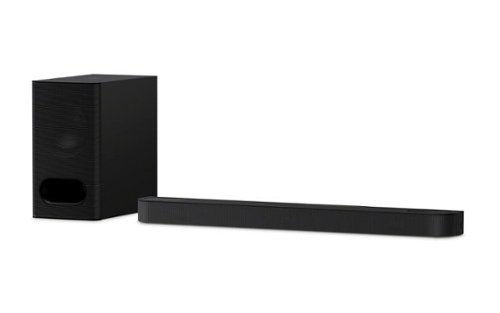
Discover 3.1.2ch spatial sound with the BRAVIA Theater Bar 6. Up-firing speakers, a dedicated center channel speaker, and support for Dolby Atmos and DTS:X will surround you with expansive sound and clear dialogue. The included subwoofer adds deep, powerful bass, letting you feel the rumble in every scene.
Customer Rating

5
Wonderful Room-filling Soundbar-Woofer
on May 31, 2025
Posted by: RalphHenry
This is an outstanding soundbar. It is compact with the bar containing all the speakers including a center channel speaker. The bass woofer is separate and is very powerful with just the right amount of rumble. The difference from my puny TV speakers to this soundbar/woofer is amazing. Music videos pop into the room with crisp and vibrant sound. Even TV shows sound more clear with more definition on the sound that fills your TV room. This unit does employ Dolby Atmos® and DTS:X®. You will hear Dolby Atmos fill the room with a kind of 3-dimensions of sound, up and down and front to back and all around you; it really makes listening so much more real and enjoyable. DTS:X sends the sound around you as if you had speakers everywhere in the room. Sony has put it all together for a great soundbar/woofer – tip of the cap to the Sony engineers.
One problem I had which was minor was getting the correct app for setting everything up. An 18” by 5” card is on top of the woofer when you open the box. Among other info it says “Complete setup in the app”. My fault, I assumed it was the Sony Music Center app which I have used before. I downloaded that app and it didn’t work. The correct app is the Sony Bravia Connect app. The card should say specifically to download this app. In fairness there is a QR code on the card, so I missed that, it would have gotten the correct app. Again, this was a minor error; but there is plenty of room on this info card for Sony to be specific that it is the Sony Bravia Connect app that you need.
Once I opened the correct app, the installation was flawless. Be sure to use the HDMI eARC port or your TV. The Sony engineers included a couple small feet in case you need to ‘lift’ the sound bar over the TV’s feet - good idea. The packing was superb. The structure of the device is top notch and well built. A tip of the cap to the Sony engineers for a very nicely designed device both aesthetically and technologically.
The remote that came with it works very well and gives you an option in addition to your cell phone app for controlling the sound bar. I did notice that once installed, your TV remote will also control the volume of the sound bar – nice; this way you only need one remote most of the time. The soundbar-remote can control the bass and the soundbar separately – great. If you do want to switch from ‘Sound Field’ to ‘Voice’ you’ll need the cell app or the soundbar-remote control. The speakers including the woofer have absolutely no messy noise/hum; the sound is perfect with front and up-firing speakers. When you do the setup, you will need to tell it how the ceiling is.
I highly recommend this soundbar/woofer combo and it is far and away the best audio experience I have had.
I would recommend this to a friend!
Share this review:


0points
0of 0voted this as helpful.
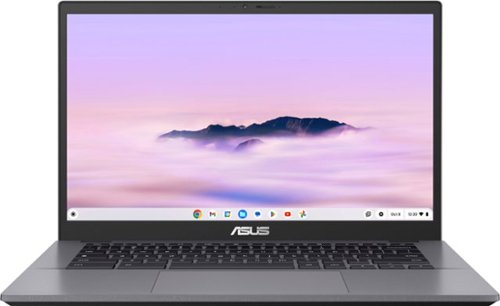
ASUS Chromebook Plus CX34 is powerful, portable, and built to boost productivity ~ with advanced speed, memory, and storage. Its lightweight, durable design makes it ideal for work or study on the go. The anti-glare touchscreen delivers clear, comfortable viewing in any light, while the 180~ lay-flat hinge and fast, stable WiFi support seamless collaboration. Powered by ChromeOS with built-in Google AI, it helps you work smarter with enhanced writing, editing, and organization tools. With ASUS Chromebook Plus CX34, you~re ready to do more, wherever you are.
Customer Rating
5
Chromebook 'Plus' a Nice Step Up
on May 27, 2025
Posted by: RalphHenry
This Chromebook Plus is far more powerful than any Chromebook I have owned before. The specifications are excellent. It will cost a little more than ‘normal’ Chromebooks, but the better speed and other features are well worth the price differential. Of course, this device is what's called a Chromebook Plus for a reason, and the 'Plus' does indicate a more sophisticated and more powerful laptop. Improvements for a Chromebook Plus over a Chromebook include: improved multitasking, more gaming capabilities, a full HD touchscreen with higher resolution and a more solid physical design while keeping a very lightweight device. All these upgrades are obvious when using the more powerful device.
My experience with many apps on this device so far has been great. I had been disappointed with my prior Chromebooks usually because of the lower power of the prior models’ CPU and storage technology. This unit has an Intel 13th generation Core-i5 which has 10 cores and 12 threads, very nice for handling things extremely fast on a Chromebook – yeah! It also has 8Gb of memory and 128 GB of UFS storage. This UFS technology has faster data transfer speeds compared to eMMC (older stuff). It can read and write at the same time, which also helps makes it faster than the old stuff. These are just some upgrades but may help you determine if this is the Chromebook for you. All the prior ease of use of a Chromebook has been maintained.
Google AI is built in, with Gemini, and with the more powerful specifications, this unit has outstanding performance capabilities that come in handy for use with Gemini. I also installed Adobe Photoshop and have found it works great on this device. It is the ‘Photoshop on the Web’ version which is a little lighter weight version, but it provided all the functionality I needed.
This unit has an FHD 1920 x 1080 NanoEdge anti-glare touchscreen that is very bright and along with the 10-hour battery life; I have experienced that it is the perfect take along unit. The touchscreen comes in handy on planes and this unit has a great keyboard – tip of the cap to the ASUS engineers for building an ideal unit for mobile needs. It is not for high end gaming of course, but Chromebooks are designed to handle computer resources more efficiently and have quicker performance for stuff like web surfing and day to day desktop applications. This efficiency also helps to yield its very good battery life. Also recall that Chromebooks have never had a successful viral attack – nice.
I do like Office 365 and I have a subscription. I discovered that I can use that subscription for no additional charge on a Chromebook. But would it install on this Chromebook? The answer is a qualified YES. You simply can create a shortcut to an online version of Office365. I do also use the included suite of office tools that a Chromebook comes with free, but I am pleased that I have the Office365 option and wanted others to know.
I highly recommend this 'souped-up' Chromebook. It is a great companion for me on trips and also for use at home as well.
My experience with many apps on this device so far has been great. I had been disappointed with my prior Chromebooks usually because of the lower power of the prior models’ CPU and storage technology. This unit has an Intel 13th generation Core-i5 which has 10 cores and 12 threads, very nice for handling things extremely fast on a Chromebook – yeah! It also has 8Gb of memory and 128 GB of UFS storage. This UFS technology has faster data transfer speeds compared to eMMC (older stuff). It can read and write at the same time, which also helps makes it faster than the old stuff. These are just some upgrades but may help you determine if this is the Chromebook for you. All the prior ease of use of a Chromebook has been maintained.
Google AI is built in, with Gemini, and with the more powerful specifications, this unit has outstanding performance capabilities that come in handy for use with Gemini. I also installed Adobe Photoshop and have found it works great on this device. It is the ‘Photoshop on the Web’ version which is a little lighter weight version, but it provided all the functionality I needed.
This unit has an FHD 1920 x 1080 NanoEdge anti-glare touchscreen that is very bright and along with the 10-hour battery life; I have experienced that it is the perfect take along unit. The touchscreen comes in handy on planes and this unit has a great keyboard – tip of the cap to the ASUS engineers for building an ideal unit for mobile needs. It is not for high end gaming of course, but Chromebooks are designed to handle computer resources more efficiently and have quicker performance for stuff like web surfing and day to day desktop applications. This efficiency also helps to yield its very good battery life. Also recall that Chromebooks have never had a successful viral attack – nice.
I do like Office 365 and I have a subscription. I discovered that I can use that subscription for no additional charge on a Chromebook. But would it install on this Chromebook? The answer is a qualified YES. You simply can create a shortcut to an online version of Office365. I do also use the included suite of office tools that a Chromebook comes with free, but I am pleased that I have the Office365 option and wanted others to know.
I highly recommend this 'souped-up' Chromebook. It is a great companion for me on trips and also for use at home as well.
I would recommend this to a friend!
Share this review:


+3points
3of 3voted this as helpful.

The ultimate guided experience that makes espresso uncomplicated. The Ninja Luxe Caf~ Pro Series is an intelligent espresso & coffee system with unmatched 4-in-1 versatility (no guesswork espresso machine, well balanced drip coffee maker, rapid cold brew creator and independent hot water system), that helps you elevate your coffee routine and create caf~-quality drinks at home. Create perfect pucks at the pull of a lever with the integrated tamper. Barista Assist Technology guides you to the perfect cup from grind size recommendations to automated brew adjustments, while the Dual Froth System Pro effortlessly creates perfectly textured microfoam hands-free. Easy-to-clean, insulated steam wand and XL Milk Jug elevate your at-home coffee routine, and create froth for two drinks with 5 preset froth functions including steamed milk, thin froth, thick froth, extra-thick froth, and cold foam.
Customer Rating
5
Superior Quality and Automation, All in One
on May 23, 2025
Posted by: RalphHenry
This coffee/espresso maker is a fantastic device. It does cost more than the ones that break in a year or less. However, it is worth the extra cost not just due to its durable construction, but also its ease of use and pretty much automated everything. The construction is durable PVC in some places but is solid thick stainless steel where it counts - as far as where more strength is needed. The frothing cup is the heaviest one I’ve ever used and this speaks to the enhanced quality of this machine. It's also easy to remove the whisk from the bottom of the frothing cup for ease of cleaning. Also an important feature for both coffee and frothing is the ability to set the amount of heating, I've missed this on other units I have had in the past.
I like coffee but I’m terrible at making it. Also I tend to add a lot of milk – which cools down the coffee too much. The frother on this unit is excellent like all the other features and this totally eliminates the cool-down problem. Indeed this unit is like a dream in that it grinds the coffee, tamps down the grounds, brews whatever you like (espresso, Americano etc.) and has the best frother I’ve ever used. The controls are intuitive and comprehensive, so simple – a tip of the cap to the Ninja engineers for a wonderful product. Also the frother will even automatically clean itself after each use – wonderful.
It comes packed well-protected which is always a good sign that the manufacturer wants to ensure you get a working product. You get a Startup Kit and cleaning kit. You also get a couple PH water test strips to check the acidity of your water. This machine has an adjustment-setting to handle the acidity level of your water supply. You get a very well-written and complete Quick Start guide. You get 3 different sizes of filter baskets. Also there is a small booklet called the Inspiration Guide – don’t ignore this, it is filled with great tips and instructions from making espresso to cold brews. There are many QR codes to get videos on features and guidance; well done Ninja engineers.
Note that you can grind your whole beans and use the integrated tamper to ensure the grounds in the portafilter are correctly and firmly compressed. Also if you have ground coffee you can put it in the portafilter and then insert it into the tamping mechanism as well. These engineers thought this product out and implemented a superior home unit – great.
I am very impressed with this high quality and multi-featured, easy to use device and I highly recommend it to solve all your coffee-making needs.
I would recommend this to a friend!


Share this review:


+1point
1of 1voted this as helpful.
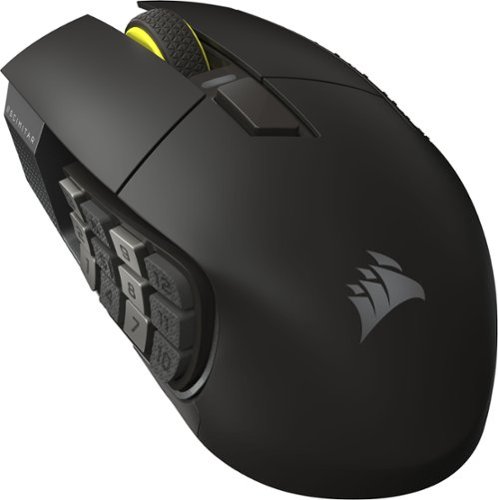
With 16 buttons, an adjustable 12-button Key Slider, the astonishingly accurate MARKSMAN S 33K sensor, and low-latency SLIPSTREAM WIRELESS, the CORSAIR SCIMITAR ELITE WIRELESS SE MMO Gaming Mouse is legendary MMO gaming gear. Embrace wireless freedom and enjoy up to 150 hours* of gaming on a single charge. Control the situation during intense raids and boss fights with 16 customizable buttons and the patented adjustable Key Slider which puts 12 buttons in comfortable reach of your thumb. Also control your stream like never before with native Elgato Stream Deck integration giving you quick access to your most important functions.
Customer Rating
5
Great Technology and Comfortable
on May 23, 2025
Posted by: RalphHenry
This is one mouse that is loaded with superior features. It is physically solid and well built. It has more customization than any other gaming mouse I have ever used. But the main ingredient is the precision. This mouse is designed with lift height adjustments, 33k DPI optical sensor and more. It has the ability to set 12 side-buttons to many types of functions. Of course you also have macro-programming on top of these features. You can connect with the included cable, via Bluetooth or using the included USB dongle.
I did find the design of this particular mouse to be very comfortable in my medium sized hand. You can also slide the 12 side-buttons-pad forward and back – you need to keep the small hex key (included) that is needed to accomplish movement of the slide-pad; this will ensure when you use the mouse that you don’t accidentally hit a side-button. Note that with my hand sitting gently over the mouse’s contour, not only does it provide a very confident grip on the mouse – but my thumb sits exactly on its own spot on the side with no interference with the 12 button side-pad (in the most forward position for my hand). I was pleased with this realization as I did have concerns my hand would interfere with the side buttons. Tip of the cap to the Corsair designers for getting it right by allowing the sliding of the side-pad to ensure your hand will operate properly.
The iCue software will allow you to change many parameters including color lighting schemes. There is a handy Dashboard screen that can show you lots of important info including temperature, cores, utilization, and of course battery status, graphics card info etc. You can customize to see what you want to see. There are some sharp programmers at Corsair that actively pull this data from your computer-setup and present it with simple to understand graphics.
This mouse can also utilize the Elgato Stream Deck application which can be installed in addition to the iCue software if you like even more options to map the mouse’s side and other buttons, etc. Note that the iCue software includes a selection of video tutorials since with this much function, the programming options do require a little bit of help learning; just hit the ‘?’ mark on your iCue Dashboard screen. While not strictly intuitive, the programming can be figured out; but will require some use of the tutorials and a bit of study.
Another feature that is subtle but very important is the mouse feet made from 100% ultra-low-friction PTFE to provide a smooth glide. PTFE is polytetrafluoroethylene, which is Teflon. Teflon is slippery as we know but it is also durable and resistant against many chemicals, and yes indeed sweat is a chemical – smart move by Corsair designers.
You can use Bluetooth to connect the mouse but be aware that the iCue Software only works when the mouse is connected with the USB dongle. However, you can set button functions and store a profile that will be available when in Bluetooth mode. I prefer a USB dongle connection for high speed gaming needs anyway.
I highly recommend this technological marvel. This mouse is very well-built with the latest features to help regular use on your computer and also is a pleasure to use when gaming.
I would recommend this to a friend!

Share this review:


0points
0of 0voted this as helpful.
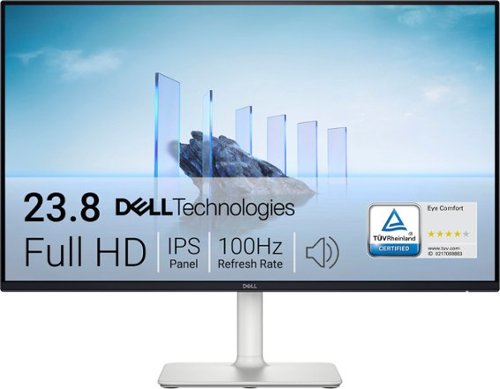
A 24-inch FHD monitor that optimizes eye comfort and features impressive visuals with outstanding acoustics in a lifestyle-inspired design.
Customer Rating
5
Great Color and Sound
on May 18, 2025
Posted by: RalphHenry
This monitor has a very functional as well as a clean physical design, excellent specifications and very useful features. Although it cannot move up and down while on the stand, it does have a very smooth tilting capability that is fluid yet holds the monitor at the angle you set very firmly. I noticed right away the text on the screen was sharper than my other monitors although the spec’s were the same.
The colors were brighter and very robust with no visible bleed-over between colors no matter how close I looked. I did run a color generator and was very pleased with the shade of each color – I included pictures of some of the color bar charts in this review. You can use the joystick on the back to select different color presets. These included Standard, Movie, 3 Game presets (FPS, RPS & RPG), Warm, Cool, and one customizable preset. I tried them all and each had its own virtues but the choice of video profile is more or less a personal preference. I use the Standard profile for normal computer work (I’m writing this review using the Standard profile). The Cool and Warm profiles are perfect if my eyes are a little tired. It’s great to have these easy to select as options via the rear joystick.
There are speakers in this monitor. A real nice bonus at this price point. I was very surprised at the bass and vibrato reproduced in the Youtube videos I tested with. A tip of the cap to the Dell engineers for including excellent speakers. Also there are several audio profiles: Standard, Movie, Game, Music, Voice, and one customizable profile. I tried them all and liked Music best for me.
The setup was simple - essentially plug and play. With the video and audio profile selections, the speakers and a crisp/colorful display, this monitor is a real winner. I highly recommend it.
The setup was simple - essentially plug and play. With the video and audio profile selections, the speakers and a crisp/colorful display, this monitor is a real winner. I highly recommend it.
I would recommend this to a friend!




Share this review:


0points
0of 0voted this as helpful.
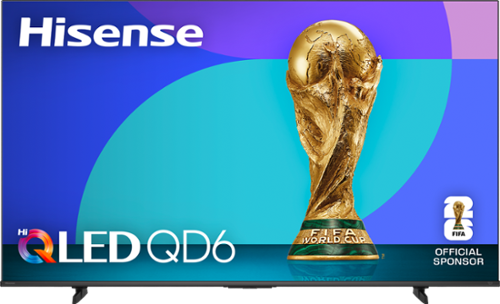
The Hisense QD6 Series gets you in on all the action. Hi-QLED Color displays vivid and authentic color on your screen, making your favorite games, shows and movies feel even more real. Dolby Vision HDR and Dolby Atmos immerse you in a world of dynamic images and all-encompassing sound, so you can see every blade of grass and hear every call of the ref.
Customer Rating
5
Vivid Colors and Price/Performance Leader
on May 8, 2025
Posted by: RalphHenry
I am very pleased with this QLED TV. First of all, the packaging was excellent and it did protect this unit on its journey to my door. Unpacking was made easier since once you took off the straps and cut the sealing tape, the whole box lifted off leaving only the base box-foot and the TV. A large sheet of thick cardboard inside the box covered the front of the TV in addition to the foam pieces that completely encircled the TV. You don’t want to receive a TV with a cracked screen so a tip of the cap to the Hisense package engineers. – well done.
It comes with feet but also has the VESA screw holes to mount to a wall bracket if desired. The remote is solid and does have the microphone button which is a must for me. A manual is included but is not really needed to set up this Fire TV. A Fire TV will require you to have an Amazon ID which is free. I did notice that upon initial power on, you need to wait about a minute before the TV completes the initial power-on. However subsequent power-on loads were immediate.
The color is super. The QLED technology was apparent with vibrant colors. The price performance of this TV is very nice. It's QLED technology will not have vivid OLED technology colors, however those TV’s are much more expensive.
The sound was fine, not the most robust, but you can add a soundbar if top end audio is something you require with no compromises. However, the Dolby Atmos audio does provide a fairly rich audio surround sound experience.
You can add apps during your first IPL or you can add new apps anytime. I did run the TV from an ethernet cable and also from a wireless connection. I noticed the TV can handle a 5.0 GHz connection which will allow higher WiFi speeds. For both types of connections, the TV functions operated quickly and the loading of apps and buffering of downloads was speedy. I do have a 300 Mbs internet. Note that the eherrnet port is in a separate recesssed inset area, not with the row of connectors for USB and HDMI. I almost missed spotting this port. But it does provide a better space for more easily connecting the ethernet cable connection; another tip of the cap to the engineers at Hisense.
I am enjoying this excellent TV which at 65” provides a large crystal clear screen with great colors. It has a 1-year parts and labor warranty. It does have very smooth motion for sports and also has a Game Mode. I very highly recommend this 4K Ultra HD device. I have two other Hisense TV’s so I can confidently say the reliability is top rate.
I would recommend this to a friend!
Share this review:


+2points
2of 2voted this as helpful.
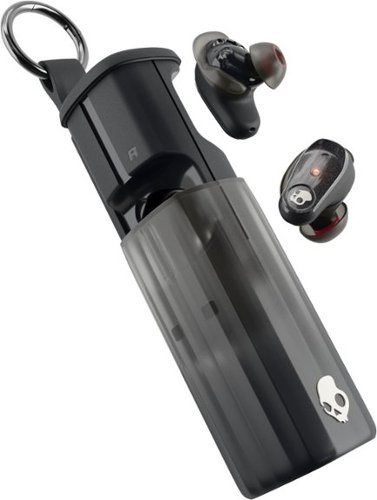
Experience the perfect fusion of bestinclass sound and fearless design. Our latest earbud doesn~t just keep up ~ it leads. Introducing Method 360 ANC with Sound by Bose: engineered for incredible audio and nonstop action.
Customer Rating
5
Great Sound and Extra Nice Charging Case
on May 5, 2025
Posted by: RalphHenry
These earbuds have been very comfortable after several hours of use, which is a very important test for me, as I'm prone to ear aches. There are half a dozen extra gel pads so you can get the right fit for your ears. The pairing was flawless. The power on design is simple, just remove them from the case. The first pairing takes just a few seconds press/hold and the buds appeared ‘ready to pair’ every time, whether I was using my laptop or my cell phone. Note you need to pair them with your phone first. Later you can connect them in the SkullCandy app. Be sure to use the newer Skull IQ app, not the old SkullCandy app.
I really appreciated the very special charging case that has been designed for these buds. They snap into place magnetically. The case is a cut above in that it is not only sturdy but it has a very functional sliding design including a keyring to hook to either my backpack; or some folks may use as a keychain. A tiip of the cap to the Skullcandy design engineers.
The sound is robust with plenty of bass and is crisp and clear both for music and cell phone calls. I have used many earbuds, these have the most vibrant sound and they also have a very good noise cancelling function. The Skull IQ app is where you can alter equalizer settings and other useful features like Hearing Modes which includes a very important 'Stay Aware' function.
The app is well thought out, it also provides you a lot of useful product information. The charge time was as advertised and I am pleased with these buds as to functionality and sound. I would highly recommend them.
I would recommend this to a friend!
Share this review:


0points
0of 0voted this as helpful.
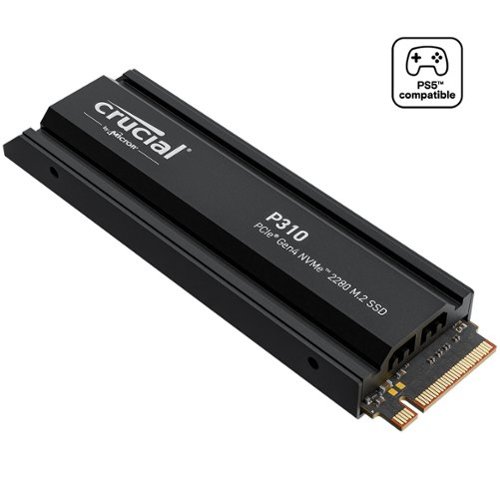
High-speed Gen4 performance for gamers is here. Introducing the Crucial P310 2280 Gen4 NVMe SSD, a leader in the Gen4 space with sequential reads/writes up to 7,100/6,000MB/s. Engineered with the latest Micron 3D NAND technology, the Crucial P310 comes in generous capacities and offers flexible backward compatibility, performing 2x faster than Gen3 SSDs and offering 20% faster performance in real-world tasks compared to other Gen4 SSDs when booting Windows, starting applications such as Adobe Photoshop and Illustrator, and working with popular applications such as Microsoft Excel and PowerPoint. The P310 is the NVMe storage solution that gives gamers the edge they crave.
Customer Rating
5
Very Fast Read/Write, Easy Install, Has Heatsink
on May 1, 2025
Posted by: RalphHenry
These new superfast storage modules are getting better and better and the Crucial - P310 2TB Internal SSD PCIe Gen 4 x4 NVMe M.2 is a great example. In addition it has the very necessary heatsink (for PS5) already attached (permanently). It is ideal for expanding the storage of the PS5 Playstation from Sony.
I did not know that adding this module to the PS5 was so simple, my bad. It is basically plug and play. Since the newest games require lots of storage, who wants to remove games to make space for a new game? Now you won't need to do that.
That's really part 1. Part 2 is that this device is faster than many earlier versions of NVMe. Not 1000 megabytes per second but on the order of 7000 megabytes per second for a sequential or even a random read, and around 6000 megabytes per second for write speed.
I wanted to test this unit inside a laptop so I could measure its speed. Note that if you use an NVME to USB docking station so you can attach this device as an external drive, you will be limited by the USB port speed; so you would need to test it inside the laptop in my case to the PCIe port where the OS storage is inserted.
However to clone your operating system you would still need a USB NVMe docking station for your USB connected 'destination disk' anyway (make sure it will support a form factor of M.2 2280). I already had some cloning software that also contained a speed test utility. After I cloned the Windows 11 OS to the new NVMe storage. I simply replaced it inside the laptop. Yes indeed the speed test showed the read speed over 6600 megabytes per second and just a bit slower for the write speeds. This device can operate more than 12 times faster than an external SSD drive attached to a USB port per what I measured, so it will certainly help when inserted into your PS5 both for game storage and speed. Now I verified it. Tip of the cap to the Crucial design engineers for attaching the heat sink. I May get another Crucial unit without the heat sink and permanently make my laptop faster and with more storage.
Suffice to say this Crucial product is very useful for your PS5. I highly recommend it based on its great read/write specifications, the attached heatsink and the ease of install into the PS5.
I would recommend this to a friend!
Share this review:


0points
0of 0voted this as helpful.
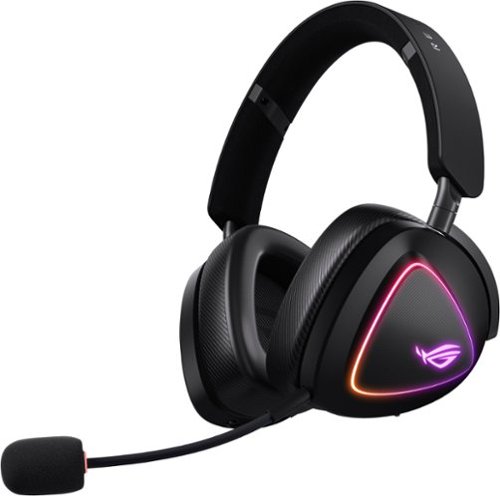
Tri-mode wireless gaming headset with ROG SpeedNova, 50 mm titanium-plated diaphragm drivers, and refined wireless sound signature, 10 mm super-wideband boom microphone, DualFlow Audio, up to 110-hour battery life, lightweight 318-g design, plus ASUS Aura Sync RGB lighting
Customer Rating
5
Well Designed to Deliver Great Sound Effects
on April 3, 2025
Posted by: RalphHenry
This headset is incredibly comfortable. My first use was with a motorsports game and it was a delight. You do get two sets of earpads which is unusual, but this is a higher-end headset. The already installed earpads were perfect for me. The earpads completely enclosed my ears and after 4 hours of gaming, I did not get the ear ache that I sometimes get. I will say they did fit loosely even at the lowest size adjustment, however they did stay put on my head. I often wear a hat so this ensured an ideal fit for my head. I also wear glasses and I did not notice any pressure on the sides of my head or nose while gaming with this super headset. The sound was crisp and I like to say it punched through with clarity of explosions as well as voice – tip of the cap to the design engineers. I do not think this would be a headset to jog with but that is not what it is designed for. I tried anyway and it was too loose.
The sound is beautiful with the 7.1 Dolby. I did see that there is no noise cancellation. However, when I adjusted the sound, I didn’t need noise cancelling, so all was well on that front. I also used this headset for music and it sounded fine with deep bass and the high-end treble reproduction was excellent.
The microphone can be removed if needed and it sits in a convenient spot on its little boom. The flexible boom has very functional adjustments to ensure it is near the side of my face, but does not interfere with vision at any angle.
It comes with a 5 foot charging cable versus those tiny cables – great. I can charge and easily play at the same time. It also comes with a 7 foot 3.5mm jack cable which can be a lifesaver if you have a long gaming session as it gives you that might-be-needed wired capability. You also get the 2.4 GHz dongle which is really better than Bluetooth for lower latency and thus gaming.
I highly recommend this well designed and very capable headset.
I would recommend this to a friend!
Share this review:


0points
0of 0voted this as helpful.
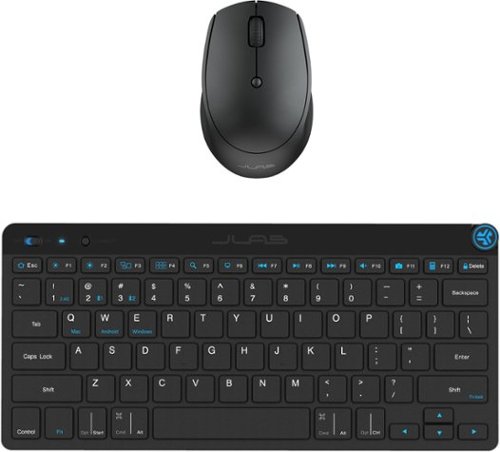
On the Go Keyboard and Mouse. The GO Wireless Bluetooth Keyboard is small and mighty. Complete your minimalist work setup or pair up with a range of devices wherever you are. With up to three saved device connections and a sleek, low-profile design, this keyboard gives you style, functionality, and ultimate convenience on the GO. The GO Wireless Bluetooth Mouse is small, comfortable in your hand, and dare we say~kind of cute? Your everything go-to, it goes with you from desk to caf~ to coworking space and beyond. We see you digital nomads. Three saved device connections means you can seamlessly switch connections as easily as you switch filters.
Customer Rating
5
Dandy Keyboard for Travel and Smaller Desk
on April 1, 2025
Posted by: RalphHenry
This keyboard/mouse combo turned out to be just what I needed for my smaller desk in the bedroom (under the TV). This combo is great if you need a small footprint (mouse is 2.51 x 1.52 x 3.89 in and the keyboard is 11.24 x 0.96 x 5.13 in), as it fits a small space really nice. It is battery operated but if you keep a few AAA batteries on hand, you should be fine since both the keyboard and mouse feature an easy to open battery compartment – 1 battery for the mouse and two batteries for the keyboard.
The unit is very solid and does have several useful features that many keyboards at this price point do not have. The size makes it easy to take on a plane and since it can connect wirelessly to your cell phone, it was much easier for me to write longer memos or create documents by using my cellphone stand and this keyboard versus using the cell phone keyboard. It also allows you to use built in ‘Shortcut Keys’ to control music play commands. Since it also has a volume control knob on the keyboard this proved to be a simple way to listen to music on the plane. There are also 'Shortcut Keys' for Search, Mute, Brightness and more.
I mostly use this keyboard on my smallish desk now and have been very impressed with its functionality. The mouse is smaller too and has performed perfectly.
I would very much recommend this keyboard/mouse combo.
I would recommend this to a friend!
Share this review:


0points
0of 0voted this as helpful.

Stream instant content easily with this LG BP550 Blu-ray player. To build a complete 3D home theater system, we recommend you purchase a 3D TV, 3D glasses designed for the TV, high-speed HDMI cable and an A/V receiver that is compatible with 3D products.
Overall 4 out of 5
4 out of 5Great Blu-Ray DVD Player for the money
By JulieAS
After buying this product, I am both pleased yet a little disappointed! I needed another player to replace my 5 year old Sony 3-D player (also bought at BB) because it was no longer compatible with YouTube. Since my TV is an LG, I decided to buy an LG player.
The LG BP550 is smaller than my older Sony (another reason I chose it) and has fewer apps but I really didn't care about that as long as YouTube worked and that it also had Netflix and HuluPlus apps. Hooking it up and installing it was quick and easy and completing the system update was also a breeze! Already on sale, I saw it was also available as an Open-Box item so I thought I could save even more buying it at that option...NOT!
Advertised as 'Open-Box Excellent Condition' I ordered it on May 13th and it arrived on the 15th - without the remote! Maybe I shouldn't have assumed that an item labeled as "Returned, used as display model in store, or opened due to packaging damage but remains in like-new condition" meant or means that all accessories, cables, manuals, remotes, etc. are included.
Fortunately, my TV remote was able to do some of the basic stuff for installing and some playback features but that's it. So I make a call to BB and learn that the 4-yr Protection Plan I paid for would not cover this missing remote and was then advised to call LG for a 'free' replacement.
Customer service at LG then directed me to call their authorized parts dealer for my time zone. Of course, they were closed on Saturday and Sunday!
I called the parts dealer today (18th) and was told to contact the retailer since I'd "recently purchased the item and it should be returnable/replaceable under warranty". I explained that I had been informed that it was not and that I was told to call them by both BB and LG!
Subsequently, I was given the part number and price for a replacement remote!
Well it looks as if buying Open-Box didn't save me much, if anything, after all since the replacement remote has to be paid for out of my pocket!
I may be better off returning this player and buying a NEW one instead!
I may be better off returning this player and buying a NEW one instead!
However, I must say that I do like the player for what features I have been able to access while using my TV remote! I look forward to obtaining the full benefits and features when using the actual remote control for the BP550!

RalphHenry
Raleigh, NC
Remote Replacement
May 28, 2015
It's not ideal but if you are missing a remote and/or lose or break it, you can easily download a smartphone app to run it. You could also program a multi device remote like the Harmony 650 which I did. So nowadays a missing remote is not a show stopper but I agree it should have not been missing.
+1point
1of 1voted this comment as helpful.
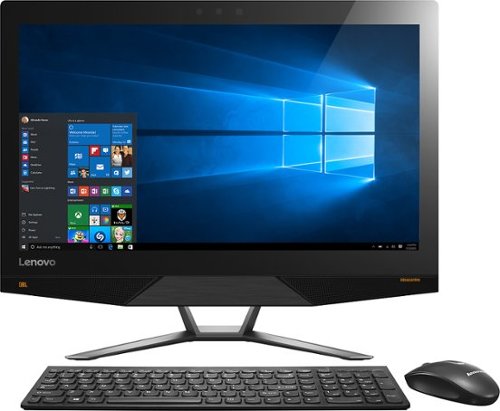
Lenovo IdeaCentre All-In-One Computer: With Wireless-AC networking, this all-in-one computer makes it easy to browse Web sites, access social media and check your e-mail. The 23.8" capacitive multitouch screen lets you navigate features using all 10 fingers and presents your favorite films in 4K UHD resolution. The revolutionary Intel~ RealSense~ 3D camera lets you scan 3D objects, use gestures to control your PC or play games and more.
Overall 2 out of 5
2 out of 5Great box - poor fonts
By Jasonrn
I purchased this with great excitement. I mostly do everyday things, with an evergrowing photo collection. I bought Adobe creative cloud and was ready to go. Fired it up and was shocked at how bad the text looks. I have tried many different settings. I don't know if it is a scaling thing? I love everything else about the unit. Photos look great. I dont game.
The text issue is varies. Some apps, it looks fine... others - terrible. Also, some apps don't scale well at all on the 4K screen.
May return the unit and get a laptop I can plug a second monitor in for my photo work.
RalphHenry
Raleigh, NC
Fix for fonts didn't install
November 3, 2015
The expert pointed to a download and it did not install. I'm glad since I think you just need to go to settings and find the 'cleartype text' setting and run through it to make fonts great. Also I see many of the apps will fix drivers and so forth so there is a learning curve now to see how to run these machines.
0points
0of 0voted this comment as helpful.
Lenovo IdeaCentre All-In-One Computer: With Wireless-AC networking, this all-in-one computer makes it easy to browse Web sites, access social media and check your e-mail. The 23.8" capacitive multitouch screen lets you navigate features using all 10 fingers and presents your favorite films in 4K UHD resolution. The revolutionary Intel~ RealSense~ 3D camera lets you scan 3D objects, use gestures to control your PC or play games and more.
Overall5 out of 5
5 out of 5Highest Quality and Top Features
By RalphHenry
from Raleigh, NC
This AIO has superior resolution to others. Some reviews spoke about a text problem, however you can improve the text via going to settings, display, advanced and 'cleartype text' and follow the steps. Also has 3D display capability which is good for future needs for me. Sound is nice with Jensen speakers. Touch screen is great. WIFI is super and has both 2.4 and 5 GHz ranges with Wireless AC. Very quiet fan. Lenovo support has regressed but is do-able I asked a simple question and the tech had no idea, also the website seems broken in the support area; glad I got Geek Squad. But this AIO is one great machine. price is very reasonable for what you get. Love it.
RalphHenry
Raleigh, NC
Tips For Better Text on AIO 700
November 4, 2015
I've played with the font's and you may also want to scale text or make it bold for example if you use Windows Live (you can do that within Display Settings). The other tip is that the text is very clear but small so you may find that enlarging text by hitting Ctrl and + (together) once or twice will make some things easier to read. You hit Ctrl and - together to reduce. I didn't use those commands as often on other machines, but it is beautiful to use at times on this machine. By the way videos are wonderful if you use something like Amazon Prime video etc WOW
+1point
1of 1voted this comment as helpful.
Lenovo IdeaCentre All-In-One Computer: With Wireless-AC networking, this all-in-one computer makes it easy to browse Web sites, access social media and check your e-mail. The 23.8" capacitive multitouch screen lets you navigate features using all 10 fingers and presents your favorite films in 4K UHD resolution. The revolutionary Intel~ RealSense~ 3D camera lets you scan 3D objects, use gestures to control your PC or play games and more.
Overall5 out of 5
5 out of 5Highest Quality and Top Features
By RalphHenry
from Raleigh, NC
This AIO has superior resolution to others. Some reviews spoke about a text problem, however you can improve the text via going to settings, display, advanced and 'cleartype text' and follow the steps. Also has 3D display capability which is good for future needs for me. Sound is nice with Jensen speakers. Touch screen is great. WIFI is super and has both 2.4 and 5 GHz ranges with Wireless AC. Very quiet fan. Lenovo support has regressed but is do-able I asked a simple question and the tech had no idea, also the website seems broken in the support area; glad I got Geek Squad. But this AIO is one great machine. price is very reasonable for what you get. Love it.
RalphHenry
Raleigh, NC
Lenovo Fix for AIO 700 24ISH
November 5, 2015
Jason, I did think ClearType helped a little but the scaling and putting 'bold' on helped more. I did see the fix that Lenovo posted. First I flashed the BIOS which they also posted as of 9/10/15. However when I tried their special fix for the font scaling it is an .rar file and I had to load WinZip (free version for now) but it did unpack it. However I never saw it run successfully as it always returned an error code. I am going to call Lenovo on that but the text looks pretty good so maybe it actually ran. I'll post an update on that. By the way the support at Lenovo is abysmal.
+1point
1of 1voted this comment as helpful.
Lenovo IdeaCentre All-In-One Computer: With Wireless-AC networking, this all-in-one computer makes it easy to browse Web sites, access social media and check your e-mail. The 23.8" capacitive multitouch screen lets you navigate features using all 10 fingers and presents your favorite films in 4K UHD resolution. The revolutionary Intel~ RealSense~ 3D camera lets you scan 3D objects, use gestures to control your PC or play games and more.
Overall2 out of 5
2 out of 5Disappointed
By Brandon
It worked for a few hours right out of the box. Then I noticed the screen flashing and the graphics cards crashing. After a reset it freezes after 5 minutes of use. Not sure if it's the pc itself or driver issues with Windows 10, either way it's not worth the trouble. If they can fix these issues then it is absolutely worth the price.
RalphHenry
Raleigh, NC
Try Driver Updates & Flash BIOS
November 5, 2015
If you still have it and if it will stay up long enough, I'd say go to Lenovo's web site and download the newest BIOS, it's easy to update BIOS now. Then go into Device Manager and update both Display drivers. If you bought an open box, I'd also try to reload the whole machine to the factory settings (or BestBuy should do that for you). But if you go to the apps, the app called Lenovo Rescue System will do it for you pretty easily. Then do the stuff I mentioned above.
+2points
2of 2voted this comment as helpful.
Lenovo IdeaCentre All-In-One Computer: With Wireless-AC networking, this all-in-one computer makes it easy to browse Web sites, access social media and check your e-mail. The 23.8" capacitive multitouch screen lets you navigate features using all 10 fingers and presents your favorite films in 4K UHD resolution. The revolutionary Intel~ RealSense~ 3D camera lets you scan 3D objects, use gestures to control your PC or play games and more.
Overall5 out of 5
5 out of 5Highest Quality and Top Features
By RalphHenry
from Raleigh, NC
This AIO has superior resolution to others. Some reviews spoke about a text problem, however you can improve the text via going to settings, display, advanced and 'cleartype text' and follow the steps. Also has 3D display capability which is good for future needs for me. Sound is nice with Jensen speakers. Touch screen is great. WIFI is super and has both 2.4 and 5 GHz ranges with Wireless AC. Very quiet fan. Lenovo support has regressed but is do-able I asked a simple question and the tech had no idea, also the website seems broken in the support area; glad I got Geek Squad. But this AIO is one great machine. price is very reasonable for what you get. Love it.
RalphHenry
Raleigh, NC
Checked on Font Scaling Fix
November 5, 2015
I couldn't get the download from Lenovo's website to install. I downloaded and unpacked the fix, but it returned an error code when I ran it. I spent 40 minutes with Lenovo 1st and 2nd level support. They pretty much had no info on this fix. They didn't open a problem ticket 8005969635. Also their website said you should post a request online to have them call you back, but their process was broken in that area also. Full disclosure: even without this fix, the screen looks awesome to me.
+1point
1of 1voted this comment as helpful.
Lenovo IdeaCentre All-In-One Computer: With Wireless-AC networking, this all-in-one computer makes it easy to browse Web sites, access social media and check your e-mail. The 23.8" capacitive multitouch screen lets you navigate features using all 10 fingers and presents your favorite films in 4K UHD resolution. The revolutionary Intel~ RealSense~ 3D camera lets you scan 3D objects, use gestures to control your PC or play games and more.
Overall5 out of 5
5 out of 5Highest Quality and Top Features
By RalphHenry
from Raleigh, NC
This AIO has superior resolution to others. Some reviews spoke about a text problem, however you can improve the text via going to settings, display, advanced and 'cleartype text' and follow the steps. Also has 3D display capability which is good for future needs for me. Sound is nice with Jensen speakers. Touch screen is great. WIFI is super and has both 2.4 and 5 GHz ranges with Wireless AC. Very quiet fan. Lenovo support has regressed but is do-able I asked a simple question and the tech had no idea, also the website seems broken in the support area; glad I got Geek Squad. But this AIO is one great machine. price is very reasonable for what you get. Love it.
RalphHenry
Raleigh, NC
Successful Adjustments for FONTS
November 5, 2015
Lots of people had problems with the fonts on this 4K hi-def screen. Lenovo support was useless but Geek Squad fixed me right up via remote connection. It might be something others know, but judging by the reviews most people including me just didn't really understand. There are lots of modifications to DISPLAY parameters but what most people should do if they are using this screen for apps like Windows Live is to change the screen resolution to 1920x1080 and change the scaling to 125%. Now everything is beautiful. If you do want to watch a movie in high def, then put it back to 3840x2160 and set scaling to 200%. What is confusing is that there is a choice for 2560x1600 but this is not the same ratio as the screen size so you get bars on each side which you probably don't want - I should have seen this but the Geek Squad enlightened me. Now as to the patch from Lenovo for font scaling, you probably don't need it nor would it do much I am sure. So kudos to the Geek Squad and thanks. It is an awesome machine and in fact even the lower resolution is more than any other PC I have ever had.
+1point
1of 1voted this comment as helpful.
Lenovo IdeaCentre All-In-One Computer: With Wireless-AC networking, this all-in-one computer makes it easy to browse Web sites, access social media and check your e-mail. The 23.8" capacitive multitouch screen lets you navigate features using all 10 fingers and presents your favorite films in 4K UHD resolution. The revolutionary Intel~ RealSense~ 3D camera lets you scan 3D objects, use gestures to control your PC or play games and more.
Overall5 out of 5
5 out of 5Highest Quality and Top Features
By RalphHenry
from Raleigh, NC
This AIO has superior resolution to others. Some reviews spoke about a text problem, however you can improve the text via going to settings, display, advanced and 'cleartype text' and follow the steps. Also has 3D display capability which is good for future needs for me. Sound is nice with Jensen speakers. Touch screen is great. WIFI is super and has both 2.4 and 5 GHz ranges with Wireless AC. Very quiet fan. Lenovo support has regressed but is do-able I asked a simple question and the tech had no idea, also the website seems broken in the support area; glad I got Geek Squad. But this AIO is one great machine. price is very reasonable for what you get. Love it.
RalphHenry
Raleigh, NC
Thanks for Posting Info on Font Patch from Lenovo
November 6, 2015
JasoninNJ, thanks for posting your comment that installing the Lenovo patch to help font scaling toasted the machine. I won't try again to install it. As I mentioned I don't think it is needed. There will be more ultra HD computer screens and I'm guessing they will add automated switching to show videos in HD but do the rest of your PC work with the lower resolution which is excellent when viewing text.
+1point
1of 1voted this comment as helpful.
Lenovo IdeaCentre All-In-One Computer: With Wireless-AC networking, this all-in-one computer makes it easy to browse Web sites, access social media and check your e-mail. The 23.8" capacitive multitouch screen lets you navigate features using all 10 fingers and presents your favorite films in 4K UHD resolution. The revolutionary Intel~ RealSense~ 3D camera lets you scan 3D objects, use gestures to control your PC or play games and more.
Overall5 out of 5
5 out of 5Highest Quality and Top Features
By RalphHenry
from Raleigh, NC
This AIO has superior resolution to others. Some reviews spoke about a text problem, however you can improve the text via going to settings, display, advanced and 'cleartype text' and follow the steps. Also has 3D display capability which is good for future needs for me. Sound is nice with Jensen speakers. Touch screen is great. WIFI is super and has both 2.4 and 5 GHz ranges with Wireless AC. Very quiet fan. Lenovo support has regressed but is do-able I asked a simple question and the tech had no idea, also the website seems broken in the support area; glad I got Geek Squad. But this AIO is one great machine. price is very reasonable for what you get. Love it.
RalphHenry
Raleigh, NC
Text Display Improvement
November 16, 2015
After playing with various settings I have some hopefully helpful feedback. First of all don't use the 3840x2160 unless you are streaming video, it makes text bad. Also don't use 2560x1600 since it is not a multiple of the 3840x2160 i.e. you'll get bars on both sides of the screen. Do use the 1920x1080 which is also hi-def and fits this screen dimensions properly. Now if you want text a little bigger then go to 'set custom scaling level' and use 110% or 115%; this makes nice readable text. Now here's a quirk I see lots of people having and not just on this PC or brand for Windows 10. You may see occasional video card errors and once in a while the machine may not IPL (just power off and try again it will come up). I think the problem is the video card doesn't get back fast enough to the CPU, and the video card crashes but does recover. Not a problem unless you are playing PC high powered games. So I don't recommend this machine for games, but video streaming and apps like Corel Photoshop are great. Now what you can do to minimize or eliminate the video card crashes (remember it happens on lots of machines with Windows 10, so there will be a fix soon I think). Anyway go to Control Panel and search for 'visual effects', then click on adjust the appearance and performance of Windows. Then select 'Custom' and click the box next to 'smooth edges of screen fonts'. If you optimize for 'best appearance' entirely or for let 'windows choose'... that's when the video card may not keep up I think. If you optimize for 'best'performance' the text looks horrible. Anyway the 'custom' settings work for me to give me nice text and no crashes. This is a stretch but I think the engineers knew there could be a problem, that's why they tried to put in the super high powered video cards, but not good enough for now, I do think this will get fixed by Windows 10 OS soon. This machine for it's price is tremendous and I think worth this minor glitch.
+2points
2of 2voted this comment as helpful.
Lenovo IdeaCentre All-In-One Computer: With Wireless-AC networking, this all-in-one computer makes it easy to browse Web sites, access social media and check your e-mail. The 23.8" capacitive multitouch screen lets you navigate features using all 10 fingers and presents your favorite films in 4K UHD resolution. The revolutionary Intel~ RealSense~ 3D camera lets you scan 3D objects, use gestures to control your PC or play games and more.
Overall5 out of 5
5 out of 5Highest Quality and Top Features
By RalphHenry
from Raleigh, NC
This AIO has superior resolution to others. Some reviews spoke about a text problem, however you can improve the text via going to settings, display, advanced and 'cleartype text' and follow the steps. Also has 3D display capability which is good for future needs for me. Sound is nice with Jensen speakers. Touch screen is great. WIFI is super and has both 2.4 and 5 GHz ranges with Wireless AC. Very quiet fan. Lenovo support has regressed but is do-able I asked a simple question and the tech had no idea, also the website seems broken in the support area; glad I got Geek Squad. But this AIO is one great machine. price is very reasonable for what you get. Love it.
RalphHenry
Raleigh, NC
Good News to Add
December 8, 2015
I wanted to update my review to indicate that a frequent display driver error that said "...Intel Video adapter stopped working but recovered...", has stopped occurring after about 1 week ago when a pretty big Windows 10 update came out. It was never a killer for me since I don't play games but when I googled it, I did see that it was fairly common on many PC's - that's good since it appears Microsoft fixed it. Note there are two video adapters in this machine but the Nvidia one was not failing.
0points
0of 0voted this comment as helpful.
RalphHenry's Questions
RalphHenry has not submitted any questions.
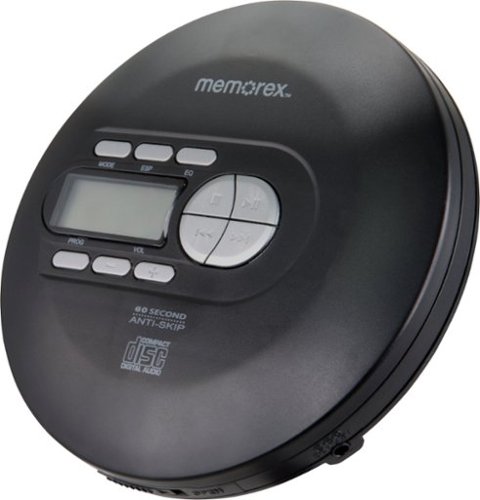
Play CDs, CD-Rs and CD-RWs on this Memorex portable CD player. The 60-second anti-skip protection ensures interruption-free audio, while programmable tracks let you easily recall your favorite tunes. This Memorex portable CD player features an LCD for simple frequency navigation, and the included stereo earbuds offer crisp and clear sound.
Can this player be connected to a car aux input
Yes, you would just need a 3.5mm to 3.5mm stereo cable.
5 years, 11 months ago
by
RalphHenry
Play CDs, CD-Rs and CD-RWs on this Memorex portable CD player. The 60-second anti-skip protection ensures interruption-free audio, while programmable tracks let you easily recall your favorite tunes. This Memorex portable CD player features an LCD for simple frequency navigation, and the included stereo earbuds offer crisp and clear sound.
Does the volume control on this device also control the volume of the Bluetooth device it’s connected to?
Play CDs, CD-Rs and CD-RWs on this Memorex portable CD player. The 60-second anti-skip protection ensures interruption-free audio, while programmable tracks let you easily recall your favorite tunes. This Memorex portable CD player features an LCD for simple frequency navigation, and the included stereo earbuds offer crisp and clear sound.
Can this item connect to car USB audio ports?
Yes, you would need the right cable 3.5mm to USB. However this unit seems to skip if it is jostled too much.
5 years, 11 months ago
by
RalphHenry
Play CDs, CD-Rs and CD-RWs on this Memorex portable CD player. The 60-second anti-skip protection ensures interruption-free audio, while programmable tracks let you easily recall your favorite tunes. This Memorex portable CD player features an LCD for simple frequency navigation, and the included stereo earbuds offer crisp and clear sound.
Does this CD player have a built in speaker to use without earbuds.
Play CDs, CD-Rs and CD-RWs on this Memorex portable CD player. The 60-second anti-skip protection ensures interruption-free audio, while programmable tracks let you easily recall your favorite tunes. This Memorex portable CD player features an LCD for simple frequency navigation, and the included stereo earbuds offer crisp and clear sound.
I need a portable CD player with a USB adapter that can fit into my USB port in my 2019 Odyssy Honda car. As you might know , the new cars do not have a CD player. Please suggest a CD player and how much it will cost? Thank you.
You could use this one. You would have to get a cable from the 3.5 mm jack on this device to USB. It would work fine. However this unit skips a lot so the motion from the car may be too much for it.
5 years, 11 months ago
by
RalphHenry

Clean hard-to-reach areas with this cord-free BISSELL Adapt Ion vacuum. The removable hand vacuum lets you access above-ground spaces, and the two-way folding handle enables easy storage and allows you to clean under furniture. This BISSELL Adapt Ion vacuum features a LiIon battery that provides up to 20 minutes of use, while swivel steering ensures versatile movement.
Can the power brush be turned on and off?
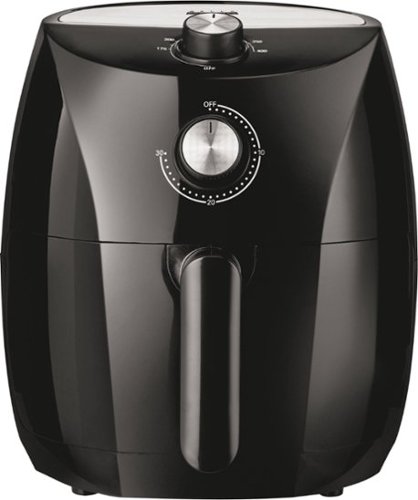
Produce professional-quality foods easily and fast with this BELLA Pro 3.5-qt. black manual air fryer. The 2.8-lb.capacity lets you create large meals, while the dishwasher-safe tray and pan make cleanup simple. This BELLA Pro 3.5-qt. black manual air fryer has Circular Heat Technology for even cooking and crisp results without needing oil.
Are the pan and the tray/rack metal?
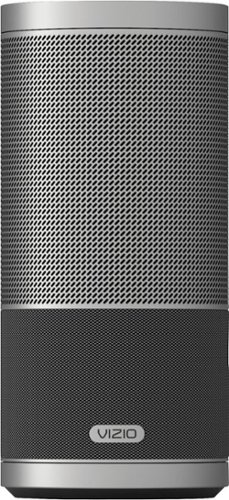
Play music with omnidirectional sound by using this VIZIO SmartCast speaker. This portable 2.1-channel speaker produces an amazing 360 degrees of perfect stereo sound. Simply tap the intuitive touch surface of the VIZIO SmartCast speaker to play or pause, swipe to skip the song and twist to control the volume.
My speaker won’t pair to my phone, my phone states that the device is out of Range or not turned on but my device is turned on And within Range how can i fix this issue
Make sure you have pressed the Bluetooth button only once - if you press it again it will turn off Bluetooth on the speaker. It should announce that it is in pairing mode via a voice prompt from the speaker. On your phone, you may sometimes need to go to Settings and Bluetooth and turn Bluetooth off then on while the speaker is looking for your phone. I needed to do this and then also hit the refresh symbol on the phone screen. Suddenly the Sport appeared as in the pairing list on the phone.
6 years, 6 months ago
by
RalphHenry
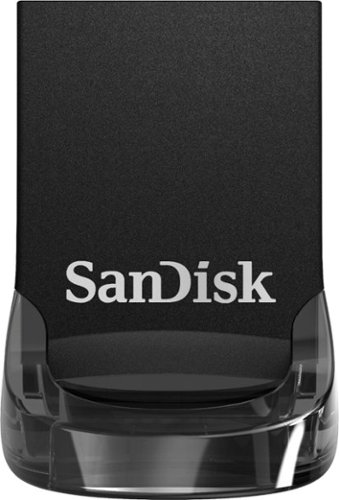
Store data on this 128GB SanDisk Ultra Fit USB flash drive. The low-profile casing prevents damage by keeping it snug to the port, making it a great fit for use with tablets, laptops and game consoles. This SanDisk Ultra Fit USB flash drive uses USB 3.1 technology to deliver up to 10 times the transfer speed of older drives.
The main purpose of me purchasing this drive is to fast transfer videos from one computer to another. Can I trust this drive to transfer heavy videos (from premier pro) from one computer to another decently fast?
More than decently fast. It is very quick based on what I experienced moving large files.
7 years ago
by
RalphHenry
Store data on this 128GB SanDisk Ultra Fit USB flash drive. The low-profile casing prevents damage by keeping it snug to the port, making it a great fit for use with tablets, laptops and game consoles. This SanDisk Ultra Fit USB flash drive uses USB 3.1 technology to deliver up to 10 times the transfer speed of older drives.
Is the file format FAT 32?
It is FAT32 out of the box, but I suppose you could change it to whatever you like.
7 years ago
by
RalphHenry