


RalphHenry's stats
- Review count353
- Helpfulness votes470
- First reviewMay 28, 2015
- Last reviewMarch 28, 2026
- Featured reviews0
- Average rating4.9
- Review comment count24
- Helpfulness votes28
- First review commentMay 28, 2015
- Last review commentJune 30, 2017
- Featured review comments0
Questions
- Question count0
- Helpfulness votes0
- First questionNone
- Last questionNone
- Featured questions0
- Answer count61
- Helpfulness votes165
- First answerJune 30, 2015
- Last answerNovember 3, 2021
- Featured answers0
- Best answers10
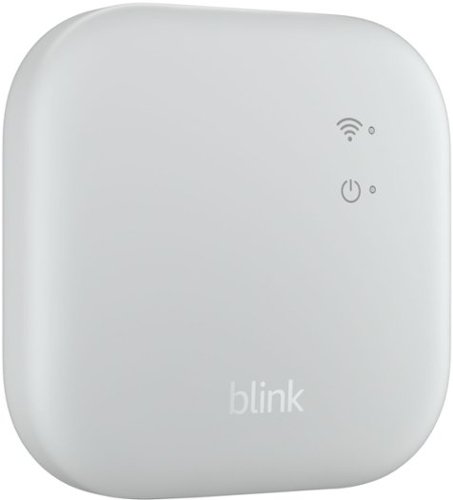
System hub for Blink devices, broader smart security coverage for Blink Outdoor 4 cameras with new extended range functionality, local storage
Customer Rating

5
Very Capable Module to Connect Blink Products
on March 21, 2025
Posted by: RalphHenry
I already had a small Blink security system for my backyard consisting of an earlier Sync Module and the battery powered Outdoor-4 Floodlight with a battery powered camera attached. This system was installed via the Blink app on my Android phone. I wanted to add a second Sync module with the Blink wired-power floodlight/camera into my existing system to be positioned on the front of my garage.
It turned out that the installation of the second Sync module which was the more powerful XR model into my existing system was as simple as my first installation; just use the Blink app and follow the steps. I wanted the second system to be separated from the first so that the first backyard system could use the onboard Sync module storage and my new system could monitor the front of the house and utilize Blink’s ‘Cloud Storage’ option; the app permitted me to keep the two systems separate although under the same app. I could have used the SD card slot to maintain local storage, however I wanted a more independent record of deliveries and other motion detected in front of the house.
Blink does offer additional cameras to be purchased separately that I expect to add to my front yard system; which can be configured to my second Sync Module.
My newer Sync XR module has many enhancements including a longer range than the prior module and the new module can control up to 10 devices. The Sync XR also has an SD card slot instead of the previous version's USB port; which is a nice upgrade if you opt for local storage so you have no monthly cost. I did like that the Sync XR was packaged very well and the power adapter to plug in, plus the USB power cable were included – nice job Blink people.
My experience is that the Blink products connect very easily to your home WiFi. Also let’s say if you have a power outage, when power is restored the Blink devices all come up ‘automagically’ and reconnect on their own. This is a situation I tested, and Blink products worked great.
I would highly recommend this well-made and very functional Blink Sync XR Module.
I would recommend this to a friend!
Share this review:


0points
0of 0voted this as helpful.
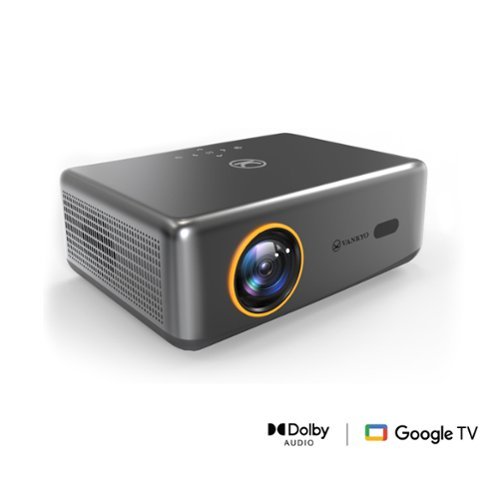
Introducing the performance V700 Neo: where innovation meets entertainment in the palm of your hand. Experience cinema-quality visuals with native 1080P resolution and 400 lumens brightness, bringing your favorite movies to life with breathtaking clarity. Say goodbye to extra devices~streaming content is seamlessly integrated, offering instant access to a plethora of entertainment options. With auto focus and auto keystone correction, enjoy hassle-free setup and consistently sharp, distortion-free images in any environment. Whether it's movie marathons, gaming nights, or professional presentations, the V700Neo redefines versatility and convenience, making every viewing experience an unforgettable journey.
Customer Rating
5
Great Sound/Picture and Has Google TV Built-in
on February 25, 2025
Posted by: RalphHenry
This is a very capable projector with an extended capability which is that it has Google TV incorporated into the projector - wow. Tip of the cap to the engineers for adding this functionality. There is a quick start guide and a well-done user manual supplied with the projector along with an HDMI cable. Several long q-tips are also provided for cleaning as needed – look on the bottom of the projector for cleaning instructions – this is a nice and very easy cleaning feature.
The screen size can be varied and the max projection size is recommended at 90 inches, this makes a very good movie-theater-size of TV. The unit does have an extendable foot, so no need to prop it up with a book which otherwise may have been needed. A ¼ inch threaded hole is available to hang the projector from the ceiling as well – very handy and I used the ceiling hanging option.
There are amazing features for autofocus and auto keystone correction that work really well. The unit will magically level a projection. The technology is first rate for this unit. The projector also has the functions to work with Google Home and the ability to 'cast' from a laptop or cell phone. I tested these functions and they are great. The software allows you to use any app to project via your cell phone apps. I tried a few like Gmail and the unit displayed the app contents with my inbox items right on the big screen – great. Casting was also very simple. I would recommend running through the projector’s menus to see all the great capabilities.
I did encounter a problem trying to first use this projector with Google Home. It seemed the Quick Start guide wanted me to connect the WiFi via adding a device to Google Home but this did not work for me. I was not able to utilize a WiFi connection even though the app said it was connected. I then selected the prompt to use 'Basic TV' instead of Google Home and was able to connect and display the normal app menu that included streaming apps like Prime, YouTube, HULU etc. This approach was successful. Later when I opened Google Home the projector was also there. This point might help other users avoid my misfire; and possibly the Vankyo folks can make the quick start process more clear.
The projected display was excellent; bright and colorful. The sound may actually be the most powerful and superior asset for this projector. I was very impressed with the bass, the higher volume ability and no audio distortion. Relative to price versus performance this projector is an outstanding value and I highly recommend this wonderful unit.
I would recommend this to a friend!
Share this review:


0points
0of 0voted this as helpful.

Take your creations to new heights with HMD Skyline. Its cameras are packing tricks to help your shots really take off. Most of us know the feeling of dropping a phone and cracking the screen. With HMD Skyline, it~s not that big of a deal. Its Gen2 repairability basically means that you can just pop off the back cover and you~re in. Then removing the screws and replacing the screen in a breeze after that. Best of all, the phone looks like it comes from a catwalk and not a factory floor. We can~t turn off all the background noise in your life. But help us help you with some of it. Activate the digital Detox Mode to disable the visibility to your social apps. Don~t worry, they~ll be there when you turn the mode off. Until then, enjoy some time in the real world. We~ve also added a touch more zen to the rest of your Android . The Balance Interface, has a few things moved around to make finding them easier. It even sounds more chill with alarms, notification sounds and ringtones that won~t have you jumping out of your skin. Make your phone more ~you~ with the Custom Button. You can set it up so that it does one thing when you hold it, and another thing when you double-press it. It~s your shortcut to your favorite game, navigating home, asking the AI-powered assistant of your choice weird questions, and more.
Customer Rating
5
Well Designed Phone with Great Features
on January 23, 2025
Posted by: RalphHenry
The Skyline HMD TA-1600 is a very solid phone that has a large clear 6.55 inch screen. I really loved the balanced feel of the phone and the smooth edges. At its price-point, it is a very competitive value and has some features that do certainly make it standout.
My first testing was to make phone calls and receive calls and messages. I did use a sim card from a major carrier this phone is unlocked so there were no compatibility problems. Everything worked great. Android 14 was running, I also noticed photos had outstanding color and clarity (I’m not too good at photos so the cameras really helped me). It has 4 cameras with one of the three rear facing ones at 108 meg pixels – wow. It has broad capilities for photos as it is nicely engineered for all types of photos including telephoto and ultrawide. Tip of the cap to the designers.
This phone uses Corning Gorilla Glass 3. Corning Gorilla Glass 3 is much more scratch resistant than Corning Gorilla Glass Victus 2 for example, and is cheaper than Corning Gorilla Glass Victus 2, so that helps the price point as well. The screen is p-OLED which has advantages since the substrate is not glass (like OLED) but is polymer based. The plastic substrate allows p-OLED displays to be more shock-resistant and more flexible. I need the scratch resistance since sometimes I get butter-fingered.
A very unique design point is the user-capable screen replacement. This feature is nothing short of amazing. Basically, the back cover which is aluminum, can easily be removed. There is a small Torx headed screw to turn that will lift/push an edge of the back cover away from the phone so that you can use a tool (I use a guitar pick) to get the back off a phone. Follow the procedure and voila, you have replaced the screen yourself; for clumsy folks like me this is a great feature if needed.
The system chip is the Snapdragon 7s Gen 2 which has a smaller semiconductor size than most chips; this will reduce power needs. So that is another advantage from the design of the HMD Skyline phone. Battery capacity is fine at 4600 mAh which is very nice. It does have wireless charging; which I tested and that works very well. There is a fingerprint detector on the back of the phone, it is nicely positioned to make it intuitive to place your finger, another tip of the cap to the designers. RAM is smaller at 8GB; I would prefer 12 GB or larger (larger RAM is available as options for this phone). The phone has a 256GB GB internal storage and is expandable. A MicroSD card is included which is housed with the SIM card - tip of the cap for the engineers using this dual design point.
The Skyline has a higher refresh rate than even more expensive phones that I considered. The high refresh rate will make the screen visuals smoother. I played around with some color generators and the phone colors and images really popped, images were very crisp and clear. This screen would be great for games and other animations.
I would highly recommend this excellent cell phone. It works with all major carriers and I successfully tested all functions with one of the major carriers. It is a great value at its price point.
I would recommend this to a friend!
Share this review:


0points
0of 0voted this as helpful.
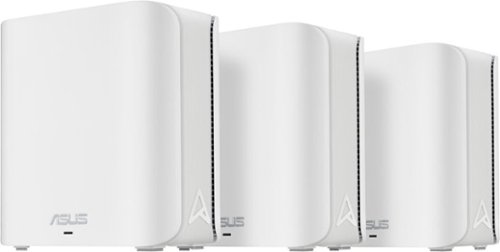
2.4X higher speed with lower signal delays and interference ~ 4096-QAM enables fluent 4K/8K streaming, online AR/VR, and unbelievable gaming experience
Customer Rating
5
Powerful Mesh Router, App Needs Some updates
on January 5, 2025
Posted by: RalphHenry
The ASUS ZenWiFi BE5000 router turned out to be quite powerful with solid WiFi, but there are a few things the manufacturer needs to clean up to make the install better. Let me talk about the great stuff first.
3
This mesh system out performed my other two home networks. It was 30 to 40 Mbps faster than my ISP provided WiFi router. It was also 15-25 Mbps faster than my other mesh network provided by another brand. I spread the nodes out to the farthest corners of my house and all the nodes synced up nicely; but I did the initial setup with the nodes only a couple inches apart, then you move them. I checked the longest distance apart to be about 50 feet which was no problem for the ASUS BE5000 - great.
3
This mesh system out performed my other two home networks. It was 30 to 40 Mbps faster than my ISP provided WiFi router. It was also 15-25 Mbps faster than my other mesh network provided by another brand. I spread the nodes out to the farthest corners of my house and all the nodes synced up nicely; but I did the initial setup with the nodes only a couple inches apart, then you move them. I checked the longest distance apart to be about 50 feet which was no problem for the ASUS BE5000 - great.
The technology is the latest in speed and features. The MLO technology makes things visibly faster and I verified this via actual measurements several times. This mesh system also has the fastest WiFi 7 (802.11be) which ensures you will be able to take advantage of new devices that can support these speeds. Another really great feature is ASUS Protection Pro which this router provides with lifetime free support. This helps ensure the safety and security of your network; an example might be shutting you off from dangerous websites that your antivirus and other software might miss.
It is very much plug and play and I do tip my cap to the engineers for taking a leap forward to simplify the install process. There is no documentation in the box, but it is not a problem since the ASUS Router App will take you through everything from power up to configuration. Some things in the app are not optimal yet. First of all there are two ethernet ports on each node. Neither is marked WAN, but you can assume that you can plug your base unit into either port to do the install, the app needs to be updated to tell you that you can use either port (instead it said the opposite). Also the BE5000 is not listed with other Zen routers, so again you have to assume that you make the selection of the Zen routers anyway.
You connect an ethernet cable to one of the nodes and then power them all on. I like that there is an on/off switch on each node. You wait till all nodes show a solid blue LED; then follow the app instructions. A couple more missing things in the app: you scan the QR code on the ethernet-connected node but not the others. The app should show a note on this. Since many times things can go wrong during a setup, if the documentation is unclear it makes the process more tedious.
After my initial setup, the system was totally unstable. The base node showed a white LED which is good, but the other two nodes alternated between green or blue flashing LED’s. Also two access points appeared. The one I named and another with the same name but “_IoT” added. I figured out this was a Guest access point, but it didn’t tell me that. I could connect to the “IoT” SSD but not to the one I named; it kept saying check your password, which was never wrong. I checked on some troubleshooting and was presented with some FAQ’s from ASUS that were pretty muddy and didn’t seem to apply specifically to this Zen WiFi unit. I turned off all the nodes, waited 30 seconds and turned them all back on. Now all the LEDs were white and everything was okay. I should note I had moved the nodes from 2 feet apart to 2 inches apart. Later I could move them anywhere and they worked fine. So the app should say two things more I think: the initial setup should have the nodes within a couple inches of each other, and a first troubleshooting step is to power off then power on all the boxes.
Ultimately I would highly recommend this Zen WiFi mesh router. It has many advantages and speed is the most important feature and it clearly outperformed my other networks.
I would recommend this to a friend!
Share this review:


0points
0of 0voted this as helpful.
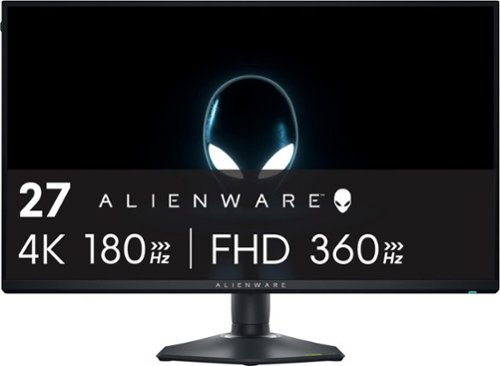
27" Dual-Resolution IPS gaming monitor with dynamic switching between 4K at 180Hz and FHD at 360Hz. Featuring NVIDIA G-SYNC compatibility and DCI-P3 95% color coverage.
Customer Rating
5
Super Capable for Speedy Games and 4K Movies
on December 30, 2024
Posted by: RalphHenry
The Alienware AW2725QF 27" IPS monitor is a superior product. No concerns with shipping this product to yourself, as the packaging is extremely well done and mine arrived in mint condition. This powerhouse is a bit heavy because of the solid design. The stand is terrific. It can move up/down to your desired height and will stay put where you leave it. The stand base is perfectly designed to ensure the unit is very stable on your table or desk. So along with great specs it has a well thought out physical design. I tried to make it unstable but it was always solid; very nice design work and a tip of the cap to the engineers who did this stand design (stand performance is a particular emphasis for me since I get a bit animated at times, and am clumsy sometimes).
This is a 4K monitor so it will be 4 times the pixels of a normal full high-definition screen and it does display small letters/numbers as well as animated graphics the best I’ve seen.
I did notice when I first installed it that the demo screen came up. All you need to do to dismiss this, is touch the joystick under the middle bottom of the screen. It took me a few minutes to figure that out.
The specifications are very strong so it is wonderful for fast-paced high-graphic video games. Response time is .5 ms for this beautiful IPS LED screen. It is great for 4K movies as well as games; the movies really popped. It is not an OLED display, however the price tradeoff was better for me as OLED is much more expensive. You do have the 180 Hz Refresh Rate and Freesync which ensured crisp animation for every game I tried. You also have 2 HDMI Ports if you like split screen gaming. Other ports included a Display Port and 3 USB ports.
I do recommend this fine monitor, it was a step up for me at a reasonable price.
I would recommend this to a friend!

Share this review:


+1point
1of 1voted this as helpful.
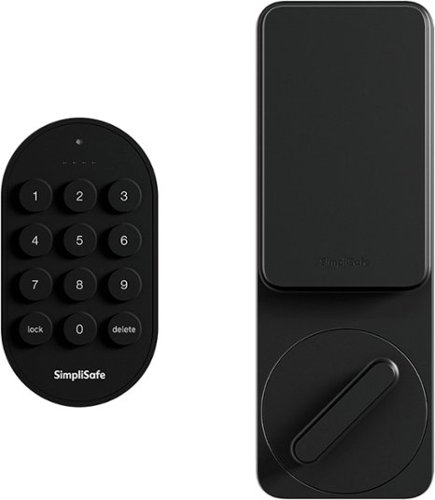
The SimpliSafe Smart Lock makes sure your door is always locked~even if you forget. It secures your door the minute you arm your system and unlocks when you disarm. You can even set a timer to keep your door locked when you need it most. You don't even need a key. Just use the PIN Pad, Key Fob or the SimpliSafe App to lock up when you're home or away. Installation is simple. There~s no drilling required. Plus, with 24/7 professional monitoring~agents will request emergency dispatch when you need it most. It~s seamless, simple and secure. (Requires the latest SimpliSafe Home Security system and a single-cylinder deadbolt.)
Customer Rating
5
Nice Design and Works Flawlessly
on December 16, 2024
Posted by: RalphHenry
Simplisafe lived up to their name as far as a simple installation and simple configuration/setup. I did find a few items in the instructions that could be improved, however the device installed on my door in just about 5 minutes, and works perfectly.
This package includes a very sturdy lock that goes on the inside of the door and a keypad that is installed outside on the door itself on a wall or door molding. You also receive screws and anchors plus 3M sticking tape. An important supplied item is a small about 1 inch tool that is used to remove the back of the pin pad to access the batteries and also to pull apart the keypad if you want to install the base using screws instead of just the sticky tape. This tool is also used to uninstall the inside lock portion if needed. So don't lose it.
The instructions said there was a piece of tape to hold the outside lock part on the door during the install but this tape was missing. However, any ''painters tape' will do. Before you remove the inside thumb-turn, you do need to secure the outside key-side of your existing door lock. Note two things, installing this new electronic lock utilizes your existing outer side of your lock and therefore your existing key will still work – this is a great design point.
You can follow instructions on the app or by using the included install guide. Note in Step 4 of the guide it provides a misleading installation step. It shows the ‘wing latches’ being removed. You only slide them out and do not remove the set screws. Just loosen the set screws and leave the ‘wing latches' installed but moved away from the mounting plate. The mounting plate is then removed, and installed in place of your thumb turn latch.. Also I’d suggest that in Step 4 it could say you use a 1/16” Allen wrench to loosen the set screws. You will need to slide the ‘wing latches’ back once you have installed the plate on your door to secure it on the door. The other area which is misleading is that the instructions indicate that if the interior part doesn’t fit flush, then you may have bent the plate. While this is true, they should also indicate that if you installed the plate reversed, then there will also be a gap which is most likely your actual problem.
Using the app to set the lock up, there is another mistake in that the install finishes without giving you the opportunity to set up one or more additional pins to unlock using the keypad. It just says done. I had to look up on the internet how to add a pin.
I’m being a little picky, but there is a note attached on the interior ‘battery compartment lid’ that says slide right to remove. But it is in black lettering on a black background which makes it almost impossible to read the small print.
Although I noted some small install improvements; this unit is very well designed and solid and the install process is excellent in that the install can be done in only a few minutes if you have some experience. Also utilizing the app, it is a very easy process to configure the lock.
This lock integrates conveniently with a SimpliSafe Security system which I have; it is very nice to have everything in one app. I would highly recommend this very nice electronic smart lock.
I would recommend this to a friend!
Share this review:


0points
0of 0voted this as helpful.
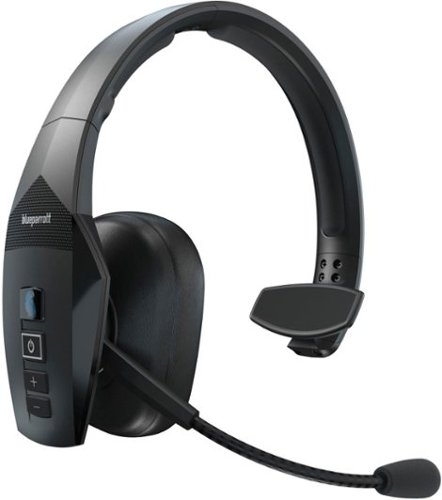
The BlueParrott B550-XT Bluetooth trucker headset features cutting-edge technology designed to make life on the road easier than ever. VoiceControl Pro lets you operate the headset~s main features completely hands-free by just saying the command ~Hello BlueParrott~ and you're ready to go. With 96% noise cancellation, this mono headset is designed for truckers and delivery drivers, offering 24 hours of talk time on a single charge, perfect for long shifts. The B550-XT boasts an impressive wireless range of 300 feet (100 meters), allowing you to leave your phone in the vehicle while dropping off orders or taking a break~ideal for long-haul truckers, food delivery drivers, regional drivers, ride-share drivers, farmers, landscapers, RV drivers, or anyone on the move. Built to last, our hands-free call headset is IP54-rated for dust and water resistance, making it a durable companion for life on the road. The wide, cushioned headband ensures comfort, and VoiceControl enables hands-free operation for safety. Mute calls, speed-dial your favorite contact, or Push-to-Talk with a colleague, family member, or friend~all with the customizable BlueParrott Button. Program it for your most-used function and access it instantly without taking your eyes off the road. The B550-XT connects to 2 devices simultaneously and offers 500 hours of standby time.
Customer Rating
5
High Quality Materials, Great Functionality
on November 20, 2024
Posted by: RalphHenry
This is the kind of headset I need when I’m driving and also when I’m at my desk at home which sits next to a loud air conditioner just 2 feet away outside a window. I can say with certainty that the noise cancelling in loud environments works great and could be a must have for others who have my situations.
Just to be sure, this headset is not for listening to music if you want a perfect sound. It is intended for helping you be hands free especially in louder environments and also where you want one ear free to be aware of your surroundings which could be traffic or a baby crying.
The unit is a very well-designed device with padding just where you need it. The headband even has very thick pads to make my half-bald head feel comfy too – perfect; and a tip of the cap to the BlueParrott engineers for that extra soft padding. The cushioned earcup is soft and breathes – no sweat. There is a foam earcup included if you want to switch to that. I tried both but the leatherette cushion hit the sweet spot for me. The design allows use on either ear, you just swing the mic around 180 degrees to switch ears. You also get a very handy 'cigarette lighter plug with a USB port' for charging.
The mic has a very smoothly adjusting boom to get your best performance. There is a mic mute button (very important) which utilizes the Parrott button which is a multi-functional button. You will want to download the BlueParrott app for various settings. The voice commands also check things like battery level and pairing so you can ensure you know your headset status. It does have 24 hours talk-time and 400 hours standby. The app also gives you links to Youtube tips, the BlueParrott site and more. The app also has a customer support phone number if you need help – nicely done by the BlueParrot people on the support side.
The hands-free ability of the headset is extremely important in Arizona where I live. The troopers are keen to catch you if they spot you using your fingers on a cell phone screen. Can’t argue with that law, it keeps everyone safer; so just get this device to steer clear of the smokies (pun intended).
You can set the unit up the way you need. You can use third party apps for push to talk, there are lots of them. But the key is this unit allows you to set the Parrott button to interact with whichever app you installed – wow.
The controls on the side of the earpad are simple by design. I think this headset is designed to definitely make your environment safer when using it on the road. I highly recommend this headset for travelers of all sorts.
I would recommend this to a friend!
Share this review:


0points
0of 0voted this as helpful.
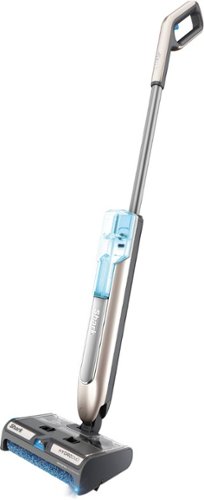
Shark HydroDuo with Dirt-Reveal Technology is a cordless hard floor cleaning system that picks up both wet and dry debris, mops, and scrubs~all at once, ideal for everyday, grab-and-go cleaning. Tackle stuck-on messes with the on-demand spray or pick up dry messes and debris without having to wet your floors. Use on sealed hard floors including hardwood, tile, marble, stone, laminate, and more. Faster than a vacuum and mop alone*. *Based on cleaning simulation in area of 300 sq. ft.
Customer Rating
5
Great Cleaning Job on Solid Surface Floors
on November 16, 2024
Posted by: RalphHenry
The Shark HydroDuo delivers the goods on those cleaning jobs that I have had some troubles with before this amazing machine. It is easy to use and clean. Its design is the key to how well it cleans plus how easy it is to clean-up after you are done attacking the debris.
My house is a new build and it is 80% porcelain tile and 20% carpet. The tile flooring had been my problem with water spots around sinks (I have 3 bathrooms plus the kitchen). The other bad area was coming in through the 8 foot sliding door from the backyard. One way or another little drops of water find their way to the floor and then dry up leaving those small outline spots. Also there was a kind of soft fuzz in the corners of every room that actually I didn’t quite see before this HydroDuo. The area in front of the refrigerator always seems to catch some spots of soda or mustard or ketchup and these get cleaned up too. The claim that the on-board light makes it easier to see the areas to clean is absolutely true. Also try this: Turn the lights off in the bathroom for example and run the HydroDuo, the light will make the debris easier to see than with the room light on – wow.
I found out very quickly how to hit the button to spray the solution in an optimal way. I ended up using 1/3 of the tank to do my cleaning of the entire tile floor. I did fully charge the unit and I ended up with 2/3 charge left when I finished.
The floors were sparkling and when I cleaned up the device I could see why it worked so well. There is a dust bin as well as a roller. The roller is the key. It is made of some microfiber material but also has many soft and tiny bristles integrated into the roller microfiber material. These bristles added the cleaning oomph needed that I have not seen in any other product. They are described as ‘gentle scrubbing bristles’. They did not harm my tile floor in any way. This device is better for wet or dry cleaning of solid surface floors, not carpet. The solution that came with the unit is a cleaner and also it provides a nice smell so that when done, my whole house had a fresh scent.
I utilized the instruction guide on my first cleaning job. The guide will show you how to up the machine, charge it till the three lights are on, use the machine and ultimately to clean it up. Nicely written guide.
The designers deserve a tip of the cap not just for a well designed machine, but also for making cleanup so simple. Following the guide, I had the machine looking like new in about 3 minutes. Note the parts are not dishwasher safe, so be careful on that point; you also are advised not to put the roller into a washing machine. The material on the roller only needed a good rinse in the sink to give up the accumulated debris. You also are provided a tool that helps squeeze water off the roller to help it to dry faster.
I would give this HydraDuo ten stars if I could. It does come with a charging base-dock with brushroll and cleaning tool holders. It has a 3-year parts and labor warranty - great. I highly recommend it for your go-to cleaner for solid surface floors.
I would recommend this to a friend!
Share this review:


0points
0of 0voted this as helpful.
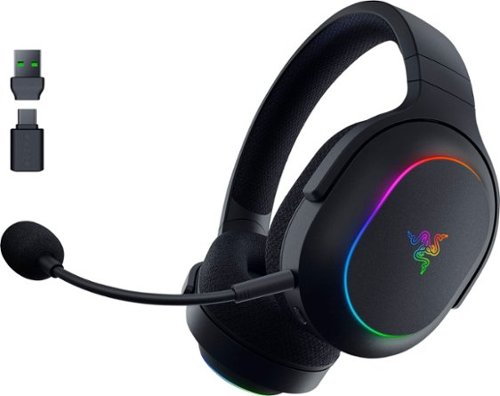
Whether you~re at home or on the go, experience true audio versatility and flair anywhere with the Razer Barracuda X Chroma. Featuring Razer SmartSwitch Dual Wireless, toggle between gaming and mobile use instantly with a lightweight wireless RGB gaming headset.
Customer Rating
5
Beautiful Light Effects, Nice Sound, Dual Wireless
on November 12, 2024
Posted by: RalphHenry
This new headset from Razer is top quality. The quality starts with the solid physical build relative to materials and design. The headset is very lightweight. The adjustable features work very smoothly, which I have found is something that is sometimes overlooked in many other headsets. The adjustable headband allowed me to dial in the perfect fit – tip of the cap to the Razer engineers for a great physical/ergonomic design of these headphones.
The device came in perfect condition, the packing was actually above and beyond outstanding for those who want to be sure the device is received in pristine condition both electronically and physically (and I’m one of those).
One exception in the quality is that the User guide with silver ink on black paper was a terrible choice, very hard to almost impossible to read. May look snappy but a bad choice by the Razer team in this area, especially for such an otherwise outstanding device.
The RGB color 6-zone light-effects for the earcups were amazing. The color arrays are very eye-catching; I liked the extra bling. You should download the Synapse 4/Chroma Studio (yes it up to release 4 now), to customize lighting; and especially use the equalizer. There are other features like sleep settings too. The 40 mm speaker drivers are great but I found it necessary to smooth out the audio to my preferences for the best sound effects that suited me; this is of course a personal choice. The point is I think you must have the application installed so you can customize the sound. There are audio settings for gaming, movies or music via a button on the headset too - nice.
The dual wireless is a very useful feature with Bluetooth and the 2.4GHz super-fast dongle connection. Remember you need to hit the ‘Smartswitch Dual Wireless’ button on the headset twice to connect with the dongle; I forgot, so this messed me up for a couple minutes; just a tip, ‘nuff said on that. This headset has a great rechargeable battery life of up to 70-Hours, so that is excellent.
I thought the microphone audio was fine, it utilizes the Cardioid technology so that is a big plus for clarity. This mic is also noise reducing which I found to be effective, I tested via a zoom meeting with this mic and another mic and I preferred this one that came with the Razer Barracuda.
The earcups were super soft and anti-sweat – very breathable. I wore them for 3 hours straight as a first test and had no discomfort (and I wear glasses).
The earcups were super soft and anti-sweat – very breathable. I wore them for 3 hours straight as a first test and had no discomfort (and I wear glasses).
The quality of the audio was wonderful. I liked the mix of bass and midrange and treble that these headphones could produce when adjusted via the equalizer.
I highly recommend this outstanding mid-price headset for gaming, movies, and music. I especially liked the very soft earcups as my ears are sensitive. Nice job by the Razer engineering team.
I would recommend this to a friend!
Share this review:


0points
0of 0voted this as helpful.

The ASUS Vivobook S 14 transforms your laptop experience with cutting-edge technology and a sleek minimalist design. Powered by the Intel Core Ultra 5 Series 2 processor, it delivers top-notch performance with up to 40 TOPS NPU, enhancing your productivity to the next level and unlocking brand new AI experiences. The dedicated Copilot key provides instant one-touch access to AI capabilities. With a slim profile, weighing 2.87 lbs, and up to a 75Wh battery life, it~s designed for on-the-go convenience. The laptop boasts a stunning Lumina OLED display, an ergonomic keyboard with RGB backlighting, an extra-large touchpad, and an AiSense camera. It~s your perfect companion for modern life.
Customer Rating
5
AI Productivity Capability & Wonderful OLED Screen
on November 11, 2024
Posted by: RalphHenry
This laptop is a marvel. Indeed it can upgrade you into the newest world of AI enhanced processing. Here’s some insights as far as its Intel Ultra processor. It does have openGL for enhanced creation of 2D and 3D images and a lot more – basically a programmer can talk to the GPU. The Ultras have a smaller physical footprint which means less power needs and more compact designs. Yes, these chips are fast. So the net is you are getting the latest technology in this small and thin beast. The OLED screen is heaven, it is gorgeous and you will see the difference easily between this screen and the earlier technologies. I ran a color generator side by side on two laptops and the images and the colors ‘burst out’ on the OLED screen as much brighter and more refined – wow, great for gamers and designers too.
This laptop has a dedicated Copilot key. It can operate in the 40 TOPS range ( Trillions of Operations per Second), which will let this small laptop handle some of the newest AI productivity algorithms. I have had dozens of laptops but this ASUS unit has given me access to a much broader use of AI. A brief summary of what this means is that you can get AI assists and use new apps when writing a document, designing a presentation, writing emails, you can actually search inside your own notes from class, you can even generate 'images' from your own input. The point here is these capabilities are all optimized within the specifications of this laptop which provides the ability to utilize computer processing in the most advanced ways today – tip of the cap to the ASUS engineers for moving forward in a leap. Now I can take advantage of programs that can take say podcasts or any online videos, PDF’s, news articles, even blogs and more information then integrate all this stuff into a knowledge base for me – nice.
This laptop is under three pounds. It has backlit keys, the feel of the keys is very precise and comfortable; I'd say for me the keyboard is optimal. It has super-fast WiFi. ASUS tossed in Intel ARC Graphics which can optimize your gaming, content creation and more. Plus the audio is a blast with Harmon Kardon technology and provides the best speaker output I have ever heard in a laptop - wonderful. The shutdown and IPL for this laptop only takes a few seconds, another upgrade for me.
I highly recommend this laptop for its price-performance, technology, lower weight and small form factor. It has outstanding design points. Now I have learned more of the AI productivity world with a laptop that is helping me.
I would recommend this to a friend!
Share this review:


0points
0of 0voted this as helpful.

Stream instant content easily with this LG BP550 Blu-ray player. To build a complete 3D home theater system, we recommend you purchase a 3D TV, 3D glasses designed for the TV, high-speed HDMI cable and an A/V receiver that is compatible with 3D products.
Overall 4 out of 5
4 out of 5Great Blu-Ray DVD Player for the money
By JulieAS
After buying this product, I am both pleased yet a little disappointed! I needed another player to replace my 5 year old Sony 3-D player (also bought at BB) because it was no longer compatible with YouTube. Since my TV is an LG, I decided to buy an LG player.
The LG BP550 is smaller than my older Sony (another reason I chose it) and has fewer apps but I really didn't care about that as long as YouTube worked and that it also had Netflix and HuluPlus apps. Hooking it up and installing it was quick and easy and completing the system update was also a breeze! Already on sale, I saw it was also available as an Open-Box item so I thought I could save even more buying it at that option...NOT!
Advertised as 'Open-Box Excellent Condition' I ordered it on May 13th and it arrived on the 15th - without the remote! Maybe I shouldn't have assumed that an item labeled as "Returned, used as display model in store, or opened due to packaging damage but remains in like-new condition" meant or means that all accessories, cables, manuals, remotes, etc. are included.
Fortunately, my TV remote was able to do some of the basic stuff for installing and some playback features but that's it. So I make a call to BB and learn that the 4-yr Protection Plan I paid for would not cover this missing remote and was then advised to call LG for a 'free' replacement.
Customer service at LG then directed me to call their authorized parts dealer for my time zone. Of course, they were closed on Saturday and Sunday!
I called the parts dealer today (18th) and was told to contact the retailer since I'd "recently purchased the item and it should be returnable/replaceable under warranty". I explained that I had been informed that it was not and that I was told to call them by both BB and LG!
Subsequently, I was given the part number and price for a replacement remote!
Well it looks as if buying Open-Box didn't save me much, if anything, after all since the replacement remote has to be paid for out of my pocket!
I may be better off returning this player and buying a NEW one instead!
I may be better off returning this player and buying a NEW one instead!
However, I must say that I do like the player for what features I have been able to access while using my TV remote! I look forward to obtaining the full benefits and features when using the actual remote control for the BP550!

RalphHenry
Raleigh, NC
Remote Replacement
May 28, 2015
It's not ideal but if you are missing a remote and/or lose or break it, you can easily download a smartphone app to run it. You could also program a multi device remote like the Harmony 650 which I did. So nowadays a missing remote is not a show stopper but I agree it should have not been missing.
+1point
1of 1voted this comment as helpful.
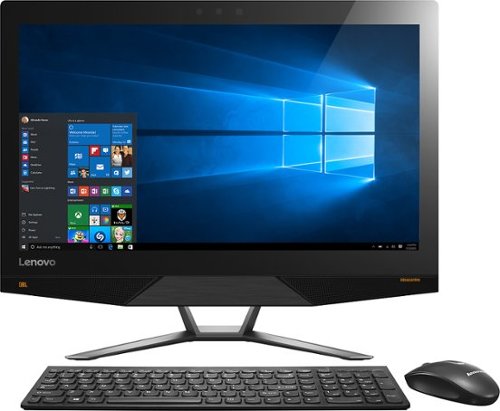
Lenovo IdeaCentre All-In-One Computer: With Wireless-AC networking, this all-in-one computer makes it easy to browse Web sites, access social media and check your e-mail. The 23.8" capacitive multitouch screen lets you navigate features using all 10 fingers and presents your favorite films in 4K UHD resolution. The revolutionary Intel~ RealSense~ 3D camera lets you scan 3D objects, use gestures to control your PC or play games and more.
Overall 2 out of 5
2 out of 5Great box - poor fonts
By Jasonrn
I purchased this with great excitement. I mostly do everyday things, with an evergrowing photo collection. I bought Adobe creative cloud and was ready to go. Fired it up and was shocked at how bad the text looks. I have tried many different settings. I don't know if it is a scaling thing? I love everything else about the unit. Photos look great. I dont game.
The text issue is varies. Some apps, it looks fine... others - terrible. Also, some apps don't scale well at all on the 4K screen.
May return the unit and get a laptop I can plug a second monitor in for my photo work.
RalphHenry
Raleigh, NC
Fix for fonts didn't install
November 3, 2015
The expert pointed to a download and it did not install. I'm glad since I think you just need to go to settings and find the 'cleartype text' setting and run through it to make fonts great. Also I see many of the apps will fix drivers and so forth so there is a learning curve now to see how to run these machines.
0points
0of 0voted this comment as helpful.
Lenovo IdeaCentre All-In-One Computer: With Wireless-AC networking, this all-in-one computer makes it easy to browse Web sites, access social media and check your e-mail. The 23.8" capacitive multitouch screen lets you navigate features using all 10 fingers and presents your favorite films in 4K UHD resolution. The revolutionary Intel~ RealSense~ 3D camera lets you scan 3D objects, use gestures to control your PC or play games and more.
Overall5 out of 5
5 out of 5Highest Quality and Top Features
By RalphHenry
from Raleigh, NC
This AIO has superior resolution to others. Some reviews spoke about a text problem, however you can improve the text via going to settings, display, advanced and 'cleartype text' and follow the steps. Also has 3D display capability which is good for future needs for me. Sound is nice with Jensen speakers. Touch screen is great. WIFI is super and has both 2.4 and 5 GHz ranges with Wireless AC. Very quiet fan. Lenovo support has regressed but is do-able I asked a simple question and the tech had no idea, also the website seems broken in the support area; glad I got Geek Squad. But this AIO is one great machine. price is very reasonable for what you get. Love it.
RalphHenry
Raleigh, NC
Tips For Better Text on AIO 700
November 4, 2015
I've played with the font's and you may also want to scale text or make it bold for example if you use Windows Live (you can do that within Display Settings). The other tip is that the text is very clear but small so you may find that enlarging text by hitting Ctrl and + (together) once or twice will make some things easier to read. You hit Ctrl and - together to reduce. I didn't use those commands as often on other machines, but it is beautiful to use at times on this machine. By the way videos are wonderful if you use something like Amazon Prime video etc WOW
+1point
1of 1voted this comment as helpful.
Lenovo IdeaCentre All-In-One Computer: With Wireless-AC networking, this all-in-one computer makes it easy to browse Web sites, access social media and check your e-mail. The 23.8" capacitive multitouch screen lets you navigate features using all 10 fingers and presents your favorite films in 4K UHD resolution. The revolutionary Intel~ RealSense~ 3D camera lets you scan 3D objects, use gestures to control your PC or play games and more.
Overall5 out of 5
5 out of 5Highest Quality and Top Features
By RalphHenry
from Raleigh, NC
This AIO has superior resolution to others. Some reviews spoke about a text problem, however you can improve the text via going to settings, display, advanced and 'cleartype text' and follow the steps. Also has 3D display capability which is good for future needs for me. Sound is nice with Jensen speakers. Touch screen is great. WIFI is super and has both 2.4 and 5 GHz ranges with Wireless AC. Very quiet fan. Lenovo support has regressed but is do-able I asked a simple question and the tech had no idea, also the website seems broken in the support area; glad I got Geek Squad. But this AIO is one great machine. price is very reasonable for what you get. Love it.
RalphHenry
Raleigh, NC
Lenovo Fix for AIO 700 24ISH
November 5, 2015
Jason, I did think ClearType helped a little but the scaling and putting 'bold' on helped more. I did see the fix that Lenovo posted. First I flashed the BIOS which they also posted as of 9/10/15. However when I tried their special fix for the font scaling it is an .rar file and I had to load WinZip (free version for now) but it did unpack it. However I never saw it run successfully as it always returned an error code. I am going to call Lenovo on that but the text looks pretty good so maybe it actually ran. I'll post an update on that. By the way the support at Lenovo is abysmal.
+1point
1of 1voted this comment as helpful.
Lenovo IdeaCentre All-In-One Computer: With Wireless-AC networking, this all-in-one computer makes it easy to browse Web sites, access social media and check your e-mail. The 23.8" capacitive multitouch screen lets you navigate features using all 10 fingers and presents your favorite films in 4K UHD resolution. The revolutionary Intel~ RealSense~ 3D camera lets you scan 3D objects, use gestures to control your PC or play games and more.
Overall2 out of 5
2 out of 5Disappointed
By Brandon
It worked for a few hours right out of the box. Then I noticed the screen flashing and the graphics cards crashing. After a reset it freezes after 5 minutes of use. Not sure if it's the pc itself or driver issues with Windows 10, either way it's not worth the trouble. If they can fix these issues then it is absolutely worth the price.
RalphHenry
Raleigh, NC
Try Driver Updates & Flash BIOS
November 5, 2015
If you still have it and if it will stay up long enough, I'd say go to Lenovo's web site and download the newest BIOS, it's easy to update BIOS now. Then go into Device Manager and update both Display drivers. If you bought an open box, I'd also try to reload the whole machine to the factory settings (or BestBuy should do that for you). But if you go to the apps, the app called Lenovo Rescue System will do it for you pretty easily. Then do the stuff I mentioned above.
+2points
2of 2voted this comment as helpful.
Lenovo IdeaCentre All-In-One Computer: With Wireless-AC networking, this all-in-one computer makes it easy to browse Web sites, access social media and check your e-mail. The 23.8" capacitive multitouch screen lets you navigate features using all 10 fingers and presents your favorite films in 4K UHD resolution. The revolutionary Intel~ RealSense~ 3D camera lets you scan 3D objects, use gestures to control your PC or play games and more.
Overall5 out of 5
5 out of 5Highest Quality and Top Features
By RalphHenry
from Raleigh, NC
This AIO has superior resolution to others. Some reviews spoke about a text problem, however you can improve the text via going to settings, display, advanced and 'cleartype text' and follow the steps. Also has 3D display capability which is good for future needs for me. Sound is nice with Jensen speakers. Touch screen is great. WIFI is super and has both 2.4 and 5 GHz ranges with Wireless AC. Very quiet fan. Lenovo support has regressed but is do-able I asked a simple question and the tech had no idea, also the website seems broken in the support area; glad I got Geek Squad. But this AIO is one great machine. price is very reasonable for what you get. Love it.
RalphHenry
Raleigh, NC
Checked on Font Scaling Fix
November 5, 2015
I couldn't get the download from Lenovo's website to install. I downloaded and unpacked the fix, but it returned an error code when I ran it. I spent 40 minutes with Lenovo 1st and 2nd level support. They pretty much had no info on this fix. They didn't open a problem ticket 8005969635. Also their website said you should post a request online to have them call you back, but their process was broken in that area also. Full disclosure: even without this fix, the screen looks awesome to me.
+1point
1of 1voted this comment as helpful.
Lenovo IdeaCentre All-In-One Computer: With Wireless-AC networking, this all-in-one computer makes it easy to browse Web sites, access social media and check your e-mail. The 23.8" capacitive multitouch screen lets you navigate features using all 10 fingers and presents your favorite films in 4K UHD resolution. The revolutionary Intel~ RealSense~ 3D camera lets you scan 3D objects, use gestures to control your PC or play games and more.
Overall5 out of 5
5 out of 5Highest Quality and Top Features
By RalphHenry
from Raleigh, NC
This AIO has superior resolution to others. Some reviews spoke about a text problem, however you can improve the text via going to settings, display, advanced and 'cleartype text' and follow the steps. Also has 3D display capability which is good for future needs for me. Sound is nice with Jensen speakers. Touch screen is great. WIFI is super and has both 2.4 and 5 GHz ranges with Wireless AC. Very quiet fan. Lenovo support has regressed but is do-able I asked a simple question and the tech had no idea, also the website seems broken in the support area; glad I got Geek Squad. But this AIO is one great machine. price is very reasonable for what you get. Love it.
RalphHenry
Raleigh, NC
Successful Adjustments for FONTS
November 5, 2015
Lots of people had problems with the fonts on this 4K hi-def screen. Lenovo support was useless but Geek Squad fixed me right up via remote connection. It might be something others know, but judging by the reviews most people including me just didn't really understand. There are lots of modifications to DISPLAY parameters but what most people should do if they are using this screen for apps like Windows Live is to change the screen resolution to 1920x1080 and change the scaling to 125%. Now everything is beautiful. If you do want to watch a movie in high def, then put it back to 3840x2160 and set scaling to 200%. What is confusing is that there is a choice for 2560x1600 but this is not the same ratio as the screen size so you get bars on each side which you probably don't want - I should have seen this but the Geek Squad enlightened me. Now as to the patch from Lenovo for font scaling, you probably don't need it nor would it do much I am sure. So kudos to the Geek Squad and thanks. It is an awesome machine and in fact even the lower resolution is more than any other PC I have ever had.
+1point
1of 1voted this comment as helpful.
Lenovo IdeaCentre All-In-One Computer: With Wireless-AC networking, this all-in-one computer makes it easy to browse Web sites, access social media and check your e-mail. The 23.8" capacitive multitouch screen lets you navigate features using all 10 fingers and presents your favorite films in 4K UHD resolution. The revolutionary Intel~ RealSense~ 3D camera lets you scan 3D objects, use gestures to control your PC or play games and more.
Overall5 out of 5
5 out of 5Highest Quality and Top Features
By RalphHenry
from Raleigh, NC
This AIO has superior resolution to others. Some reviews spoke about a text problem, however you can improve the text via going to settings, display, advanced and 'cleartype text' and follow the steps. Also has 3D display capability which is good for future needs for me. Sound is nice with Jensen speakers. Touch screen is great. WIFI is super and has both 2.4 and 5 GHz ranges with Wireless AC. Very quiet fan. Lenovo support has regressed but is do-able I asked a simple question and the tech had no idea, also the website seems broken in the support area; glad I got Geek Squad. But this AIO is one great machine. price is very reasonable for what you get. Love it.
RalphHenry
Raleigh, NC
Thanks for Posting Info on Font Patch from Lenovo
November 6, 2015
JasoninNJ, thanks for posting your comment that installing the Lenovo patch to help font scaling toasted the machine. I won't try again to install it. As I mentioned I don't think it is needed. There will be more ultra HD computer screens and I'm guessing they will add automated switching to show videos in HD but do the rest of your PC work with the lower resolution which is excellent when viewing text.
+1point
1of 1voted this comment as helpful.
Lenovo IdeaCentre All-In-One Computer: With Wireless-AC networking, this all-in-one computer makes it easy to browse Web sites, access social media and check your e-mail. The 23.8" capacitive multitouch screen lets you navigate features using all 10 fingers and presents your favorite films in 4K UHD resolution. The revolutionary Intel~ RealSense~ 3D camera lets you scan 3D objects, use gestures to control your PC or play games and more.
Overall5 out of 5
5 out of 5Highest Quality and Top Features
By RalphHenry
from Raleigh, NC
This AIO has superior resolution to others. Some reviews spoke about a text problem, however you can improve the text via going to settings, display, advanced and 'cleartype text' and follow the steps. Also has 3D display capability which is good for future needs for me. Sound is nice with Jensen speakers. Touch screen is great. WIFI is super and has both 2.4 and 5 GHz ranges with Wireless AC. Very quiet fan. Lenovo support has regressed but is do-able I asked a simple question and the tech had no idea, also the website seems broken in the support area; glad I got Geek Squad. But this AIO is one great machine. price is very reasonable for what you get. Love it.
RalphHenry
Raleigh, NC
Text Display Improvement
November 16, 2015
After playing with various settings I have some hopefully helpful feedback. First of all don't use the 3840x2160 unless you are streaming video, it makes text bad. Also don't use 2560x1600 since it is not a multiple of the 3840x2160 i.e. you'll get bars on both sides of the screen. Do use the 1920x1080 which is also hi-def and fits this screen dimensions properly. Now if you want text a little bigger then go to 'set custom scaling level' and use 110% or 115%; this makes nice readable text. Now here's a quirk I see lots of people having and not just on this PC or brand for Windows 10. You may see occasional video card errors and once in a while the machine may not IPL (just power off and try again it will come up). I think the problem is the video card doesn't get back fast enough to the CPU, and the video card crashes but does recover. Not a problem unless you are playing PC high powered games. So I don't recommend this machine for games, but video streaming and apps like Corel Photoshop are great. Now what you can do to minimize or eliminate the video card crashes (remember it happens on lots of machines with Windows 10, so there will be a fix soon I think). Anyway go to Control Panel and search for 'visual effects', then click on adjust the appearance and performance of Windows. Then select 'Custom' and click the box next to 'smooth edges of screen fonts'. If you optimize for 'best appearance' entirely or for let 'windows choose'... that's when the video card may not keep up I think. If you optimize for 'best'performance' the text looks horrible. Anyway the 'custom' settings work for me to give me nice text and no crashes. This is a stretch but I think the engineers knew there could be a problem, that's why they tried to put in the super high powered video cards, but not good enough for now, I do think this will get fixed by Windows 10 OS soon. This machine for it's price is tremendous and I think worth this minor glitch.
+2points
2of 2voted this comment as helpful.
Lenovo IdeaCentre All-In-One Computer: With Wireless-AC networking, this all-in-one computer makes it easy to browse Web sites, access social media and check your e-mail. The 23.8" capacitive multitouch screen lets you navigate features using all 10 fingers and presents your favorite films in 4K UHD resolution. The revolutionary Intel~ RealSense~ 3D camera lets you scan 3D objects, use gestures to control your PC or play games and more.
Overall5 out of 5
5 out of 5Highest Quality and Top Features
By RalphHenry
from Raleigh, NC
This AIO has superior resolution to others. Some reviews spoke about a text problem, however you can improve the text via going to settings, display, advanced and 'cleartype text' and follow the steps. Also has 3D display capability which is good for future needs for me. Sound is nice with Jensen speakers. Touch screen is great. WIFI is super and has both 2.4 and 5 GHz ranges with Wireless AC. Very quiet fan. Lenovo support has regressed but is do-able I asked a simple question and the tech had no idea, also the website seems broken in the support area; glad I got Geek Squad. But this AIO is one great machine. price is very reasonable for what you get. Love it.
RalphHenry
Raleigh, NC
Good News to Add
December 8, 2015
I wanted to update my review to indicate that a frequent display driver error that said "...Intel Video adapter stopped working but recovered...", has stopped occurring after about 1 week ago when a pretty big Windows 10 update came out. It was never a killer for me since I don't play games but when I googled it, I did see that it was fairly common on many PC's - that's good since it appears Microsoft fixed it. Note there are two video adapters in this machine but the Nvidia one was not failing.
0points
0of 0voted this comment as helpful.
RalphHenry's Questions
RalphHenry has not submitted any questions.
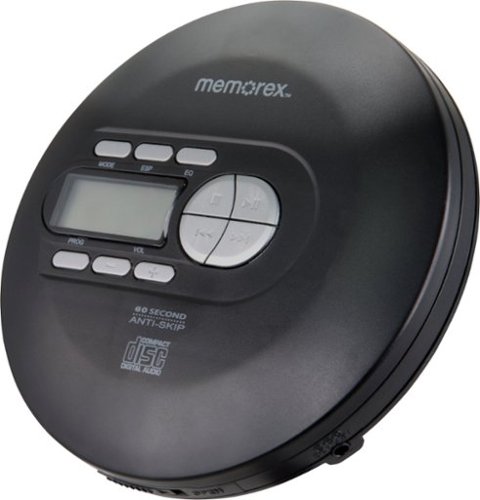
Play CDs, CD-Rs and CD-RWs on this Memorex portable CD player. The 60-second anti-skip protection ensures interruption-free audio, while programmable tracks let you easily recall your favorite tunes. This Memorex portable CD player features an LCD for simple frequency navigation, and the included stereo earbuds offer crisp and clear sound.
Can this player be connected to a car aux input
Yes, you would just need a 3.5mm to 3.5mm stereo cable.
5 years, 11 months ago
by
RalphHenry
Play CDs, CD-Rs and CD-RWs on this Memorex portable CD player. The 60-second anti-skip protection ensures interruption-free audio, while programmable tracks let you easily recall your favorite tunes. This Memorex portable CD player features an LCD for simple frequency navigation, and the included stereo earbuds offer crisp and clear sound.
Does the volume control on this device also control the volume of the Bluetooth device it’s connected to?
Play CDs, CD-Rs and CD-RWs on this Memorex portable CD player. The 60-second anti-skip protection ensures interruption-free audio, while programmable tracks let you easily recall your favorite tunes. This Memorex portable CD player features an LCD for simple frequency navigation, and the included stereo earbuds offer crisp and clear sound.
Can this item connect to car USB audio ports?
Yes, you would need the right cable 3.5mm to USB. However this unit seems to skip if it is jostled too much.
5 years, 11 months ago
by
RalphHenry
Play CDs, CD-Rs and CD-RWs on this Memorex portable CD player. The 60-second anti-skip protection ensures interruption-free audio, while programmable tracks let you easily recall your favorite tunes. This Memorex portable CD player features an LCD for simple frequency navigation, and the included stereo earbuds offer crisp and clear sound.
Does this CD player have a built in speaker to use without earbuds.
Play CDs, CD-Rs and CD-RWs on this Memorex portable CD player. The 60-second anti-skip protection ensures interruption-free audio, while programmable tracks let you easily recall your favorite tunes. This Memorex portable CD player features an LCD for simple frequency navigation, and the included stereo earbuds offer crisp and clear sound.
I need a portable CD player with a USB adapter that can fit into my USB port in my 2019 Odyssy Honda car. As you might know , the new cars do not have a CD player. Please suggest a CD player and how much it will cost? Thank you.
You could use this one. You would have to get a cable from the 3.5 mm jack on this device to USB. It would work fine. However this unit skips a lot so the motion from the car may be too much for it.
5 years, 11 months ago
by
RalphHenry
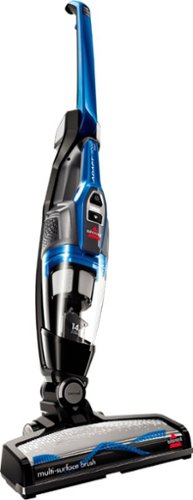
Clean hard-to-reach areas with this cord-free BISSELL Adapt Ion vacuum. The removable hand vacuum lets you access above-ground spaces, and the two-way folding handle enables easy storage and allows you to clean under furniture. This BISSELL Adapt Ion vacuum features a LiIon battery that provides up to 20 minutes of use, while swivel steering ensures versatile movement.
Can the power brush be turned on and off?
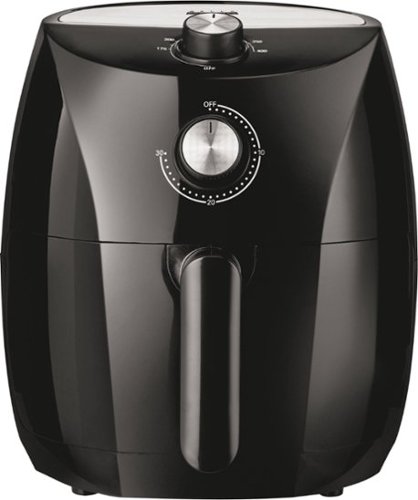
Produce professional-quality foods easily and fast with this BELLA Pro 3.5-qt. black manual air fryer. The 2.8-lb.capacity lets you create large meals, while the dishwasher-safe tray and pan make cleanup simple. This BELLA Pro 3.5-qt. black manual air fryer has Circular Heat Technology for even cooking and crisp results without needing oil.
Are the pan and the tray/rack metal?
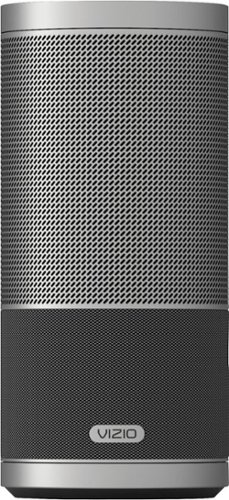
Play music with omnidirectional sound by using this VIZIO SmartCast speaker. This portable 2.1-channel speaker produces an amazing 360 degrees of perfect stereo sound. Simply tap the intuitive touch surface of the VIZIO SmartCast speaker to play or pause, swipe to skip the song and twist to control the volume.
My speaker won’t pair to my phone, my phone states that the device is out of Range or not turned on but my device is turned on And within Range how can i fix this issue
Make sure you have pressed the Bluetooth button only once - if you press it again it will turn off Bluetooth on the speaker. It should announce that it is in pairing mode via a voice prompt from the speaker. On your phone, you may sometimes need to go to Settings and Bluetooth and turn Bluetooth off then on while the speaker is looking for your phone. I needed to do this and then also hit the refresh symbol on the phone screen. Suddenly the Sport appeared as in the pairing list on the phone.
6 years, 6 months ago
by
RalphHenry
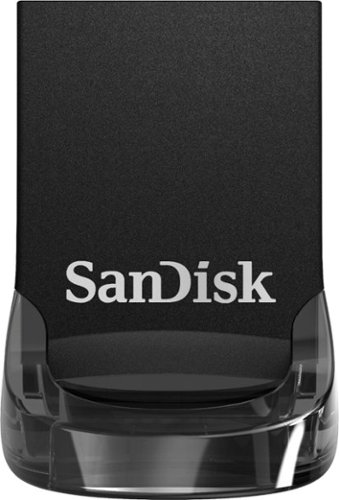
Store data on this 128GB SanDisk Ultra Fit USB flash drive. The low-profile casing prevents damage by keeping it snug to the port, making it a great fit for use with tablets, laptops and game consoles. This SanDisk Ultra Fit USB flash drive uses USB 3.1 technology to deliver up to 10 times the transfer speed of older drives.
The main purpose of me purchasing this drive is to fast transfer videos from one computer to another. Can I trust this drive to transfer heavy videos (from premier pro) from one computer to another decently fast?
More than decently fast. It is very quick based on what I experienced moving large files.
7 years ago
by
RalphHenry
Store data on this 128GB SanDisk Ultra Fit USB flash drive. The low-profile casing prevents damage by keeping it snug to the port, making it a great fit for use with tablets, laptops and game consoles. This SanDisk Ultra Fit USB flash drive uses USB 3.1 technology to deliver up to 10 times the transfer speed of older drives.
Is the file format FAT 32?
It is FAT32 out of the box, but I suppose you could change it to whatever you like.
7 years ago
by
RalphHenry