


RalphHenry's stats
- Review count353
- Helpfulness votes470
- First reviewMay 28, 2015
- Last reviewMarch 28, 2026
- Featured reviews0
- Average rating4.9
- Review comment count24
- Helpfulness votes28
- First review commentMay 28, 2015
- Last review commentJune 30, 2017
- Featured review comments0
Questions
- Question count0
- Helpfulness votes0
- First questionNone
- Last questionNone
- Featured questions0
- Answer count61
- Helpfulness votes165
- First answerJune 30, 2015
- Last answerNovember 3, 2021
- Featured answers0
- Best answers10
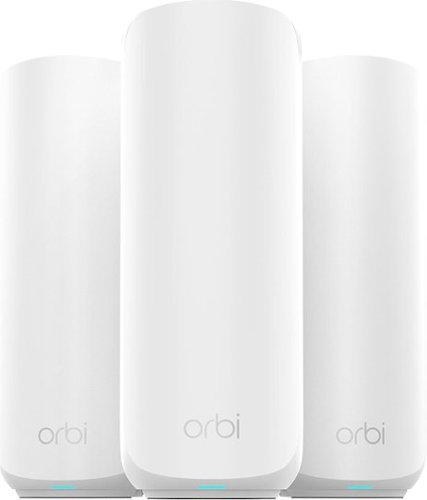
Orbi Wi-Fi 7 is in a class of its own, designed for a new era of entertainment, hybrid work, and smart home convenience. The Orbi 370 Series unlocks the power of Wi-Fi 7 with speeds up to 5 Gbps, 1.7X faster than Wi-Fi 6. In addition, the Orbi 370 brings exceptional 360~ Wi-Fi coverage for whole-home connectivity.
Customer Rating

5
Strong Connectivity Over Large Distance
on September 8, 2025
Posted by: RalphHenry
The installation of this Netgear super ‘mesh router’ system went smoothly although there are some pros and some minor cons. You start by installing the ORBI app and then follow the prompts to setup the base router; next you proceed to setup the two nodes. Unlike other systems, you don’t need to put the nodes near the base router during setup. You can put them at their expected locations right away when you first configure them – that’s nice. The nodes are installed last, and they picked up communication from about 30 feet away from the base (and through walls and doors) very easily - excellent. Firmware updates also went smoothly. I had no trouble using the app to create an additional access point and told it to run at 5.0 GHz only. The app does include many features to check speeds, configure extra access points, parental controls, a signal strength meter and will show you a nice network map – great.
Every time you do something in the cell phone app to reconfigure, it takes several minutes for the ORBI system to execute the change. You always get these messages to wait while ORBI makes sure your phone is on the ORBI access point (which it already is). Another negative is you are forced into a subscription to Armor Active Security. I’m left with a ‘to-do’ to cancel the Armor Active Subscription which you can’t do from the app; you must go to a web site. You can disable it using the app. In fairness, you can just let the trial for Armor Active expire.
A minor problem is that the LED ‘off’ state is left for you to guess. When this LED, which is on the front of each of the three units is flashing-white, it is syncing; then it becomes solid-white when ready for setup – this information is clearly indicated as you do your install. But in the app, it is shown as green in the instructions, leading you to believe this means all is well. However, you can google it and see that when all is well this LED is off. The process should tell you that the LED ‘off’ state means good. The instructions should be amended to be clearer in this area.
I think this router needs some work to improve the speed of configuration and setup. I was impressed with the distance the nodes can be away from the base unit and connect very easily. I see these nodes do stay connected without any need to reset or resync. Other than some minor issues as mentioned, I really like the solid physical build and the top rate specifications – well done. I finally have my garage covered with a router that really works. I can certainly recommend this unit to help you provide complete internet WiFi coverage for larger houses.
I would recommend this to a friend!
Share this review:


0points
0of 0voted this as helpful.
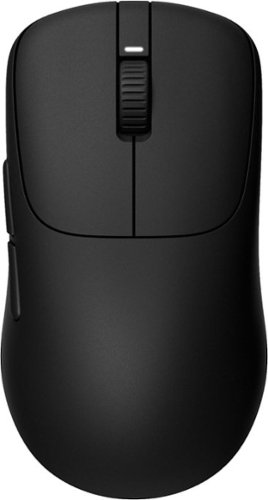
At just 48.4g (approx.), INZONE Mouse-A delivers pro-level speed and control without compromise. Built with Fnatic, it features the custom 3950IZ sensor, optical switches, and 8000Hz polling for ultra-low-latency action. Add in long battery life, wireless freedom, and an esports-optimized fit~it~s every edge, engineered.
Customer Rating
5
Light, Smooth and Innovative
on September 8, 2025
Posted by: RalphHenry
The Sony Inzone MSEG500 mouse is no doubt the lightest mouse I've used for gaming. My hand size is between medium and large, and my hand fits perfectly on the curved surface of this little wonder. This mouse moves very smoothly on any surface with the U-shaped glides (an extra pair of glides is included in case of damage or too much wear). The buttons and scroll wheel are exactly where I need them and have a very tactile touch - great design by Sony engineers and a tip of my cap.
I liked the dongle design where your cord attaches to the dongle and then into the USB port versus the 'normal' design where the dongle is a USB key that plugs directly. One advantage is that if you want to switch to a wired mouse, you can simply replace the dongle with the mouse in just one step.
Specifications are top rate. The polling rate of 8000 Hz is fantastic, the precision of the custom 3950IZ sensor delivered in every game I tried. I especially liked motorsports with this mouse.
There is a button underneath that will toggle power off (long press) to save battery as needed. This same button also will switch through 4 custom profiles (short press). This mouse was recently added to the Sony Inzone Hub software. I installed the Inzone Hub, and it immediately recognized this mouse. This software has a very intuitive GUI to set mouse profiles. I also noticed this software installed smoothly with none of the hiccups you sometimes see; another tip of the cap to Sony for doing this software correctly. I also used the Inzone Hub Web version. This worked same as the installed program. One observation, the Web Version comes up with a screen where it looks like you need to click to connect, however it is just an example. I would add words “How To” at the top of this screen so you know it is not active. You need to use the selection menu on the left to connect.
I played for 60 minutes, and the mouse was still strong due to its 90-minute charge. I also found that either the light weight or the shape or both characteristics felt so comfortable that my hand was ready for another few hours of play.
Sony used some innovative design via its polyamide frame which helped make this an ultralight mouse. I love this amazing mouse and highly recommend it.
I would recommend this to a friend!
Share this review:


0points
0of 0voted this as helpful.
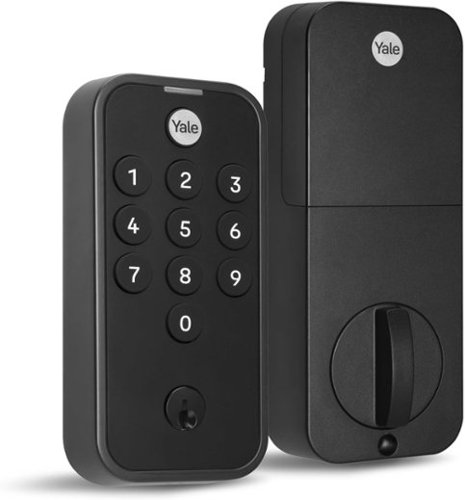
Meet Yale Code, the non-connected door lock that brings key-free entry to your door an an approachable price point. Ideal for those who are new to electronic locks, or just want an affordable way to upgrade their home, Yale Code has a simple DIY installation process that doesn~t require any professional help, and there~s no app or phone set-up is needed. Create and store up to 20 key-free entry codes directly in the lock itself, and share secure and convenient access with friends, family, housemates, caretakers, and more. The backlit keypad ensures that you can easily read its numbers for entry at any time of day, and the backup key allows all members of your household to choose their preferred way to unlock the door. With its sleek design and low profile, Yale Code looks great on any door while bringing trusted security to your home.
Customer Rating
5
Easy to Install, Handled 115 Degree Weather
on August 20, 2025
Posted by: RalphHenry
The Yale Code Keypad Deadbolt is one of the most solid and easily installed units I have ever used. I've installed over a dozen keypad electronic locks in my prior houses. I like this more simple lock for the backdoor to my garage that is within a fenced-in yard; therefore I didn't need the wireless connectivity that is not part of this lock. I was impressed with how smoothly the lock worked, a tip of the cap to the Yale engineers for designing a simple, smooth and rugged device.
Installation instructions were top notch and included a section to show you how to determine if the mounting holes of my current lock would support this new lock. This electronic lock parameters were compatible so I did not have to drill any larger holes and I did not have any existing holes that were too large.
I was able to remove the old lock and install the new lock in about 10 minutes. You do need to pay attention to whether you have a left or right hand door - the instructions clearly show you how to determine the hand of the door; and then you set a small micro-switch inside the battery compartment to the correct hand. The new lock operated flawlessly on the first try. I did test the factory reset process using the 'Mode' button (also in the battery compartment area); and the lock did the required reset of all codes. Programming an unlock code is simple, but you should save the instructions as different brands of electronic locks use slightly different steps. You can set up over 20 different unlock codes if you need to. I liked the feature where you can lock the door by touching just one button.
This lock did handle 115 degree heat a couple days in our August heatwave and still worked perfectly. I am very happy with this electronic deadbolt lock and highly recommend it.
I would recommend this to a friend!
Share this review:


0points
0of 0voted this as helpful.
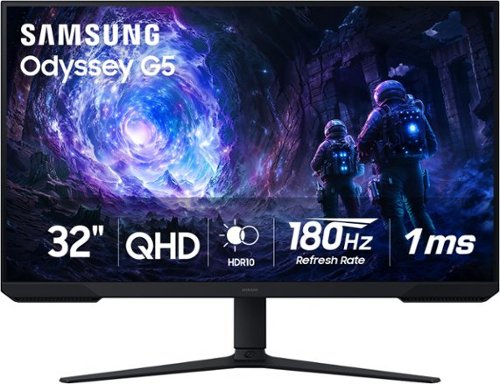
Samsung~s 32~ Odyssey G5 G51F Gaming Monitor boasts incredibly detailed, pin-sharp images with QHD resolution (2560x1440). HDR10 provides brighter highlights, improved contrast and color accuracy, making every scene feel more vivid and realistic. 180Hz Refresh Rate and near-instant 1ms Response Time (MPRT) captures all your moves with reduced lag for ultra-smooth gameplay. AMD FreeSync Premium Pro reduces choppiness, screen lag, and image tears. Black Equalizer allows you to adjust dark areas in games, so you can locate opponents hiding in the deepest shadows. Virtual Aim Point allows you to hit your marks with next-level accuracy, giving you the optimal aim with crosshairs on the screen. Auto Source Switch+ instantly switches to a new source signal when connected devices are turned on, without having to use multiple inputs. Ergonomic stand makes it simple to tilt and adjust the monitor for total gaming comfort.
Customer Rating
5
Big and Beautiful
on August 17, 2025
Posted by: RalphHenry
Indeed, this beautiful 32” monitor is the one I needed for games. It fits perfectly on my desk in my game room. Setup was intuitive to assemble the stand and make the hook-ups. This stand has excellent physical characteristics in terms of its ability to be adjusted up/down and tilt back/forward. It is engineered so that it requires minimal effort to adjust my viewing angle yet it holds firmly wherever you set it. A tip of the cap to the Samsung engineers for making this a very simple and effective physical adjustment that is better than any other I have seen on many monitors. I did connect via HDMI although this monitor also has a Display Port.
I ran a couple different color generators, and the colors were spectacular. I viewed hundreds of colors of various shades and brightness and everything was superb. When playing XBOX games this color excellence was observed both in terms of the vivid colors as wells as no bleed-over from one color to another – no matter how fast the action was. I noticed a ‘depth of the display’ in many game scenes which also reflected the powerful design specs of this device. These super-color qualities reflected the QHD resolution as well as the FreeSync properties of this monitor. There is even a ‘Black Equalizer’ parameter that did help lighten dark spots in some games which can reveal things you might miss.
The large 32” screen is awesome and did improve my game experience. In addition, the extra ‘real estate’ was very helpful with creation and reading of spreadsheets and presentations. I love this monitor, it seems the perfect size; not too big nor too small for my situation. I highly recommend this unit.
I would recommend this to a friend!
Share this review:


0points
0of 0voted this as helpful.
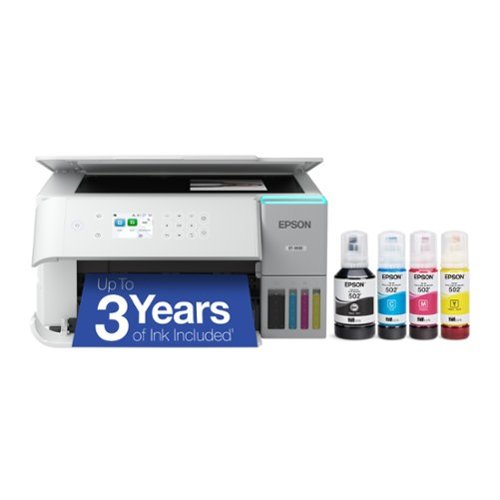
Introducing the EcoTank ET-3930~The Perfect Printer for Busy Families. Say goodbye to expensive cartridges with the Epson EcoTank ET-3930, the newest innovation from a recognized leader in photographic printing. Combining simplicity with a modern design, the ET-3930 features advanced technology that enhances both performance and print quality, making it an ideal choice for productive home printing~including content created by AI. Powered by PrecisionCore Heat-Free technology, the ET-3930 offers a duty cycle that~s twice as robust as its predecessor (1). And unlike conventional thermal inkjet printers, its unique permanent printhead is engineered to last the life of the printer. Designed to be simple and error-free, refilling ink is a breeze with large ink tanks and uniquely keyed EcoFit bottles~no mess, no stress and no ink bottle mix-ups. And with enough ink in the box to last up to three years (2), you'll enjoy affordable color printing without the hassle of frequently replacing cartridges. Featuring built-in USB and Wi-Fi for seamless connectivity, along with the user-friendly Epson Smart Panel app (3), you can easily print, scan, and more directly from your computer or mobile device (4). Choose Epson EcoTank, the #1 Best-Selling Supertank Printer (5). With more than 100 million units sold globally (6) across seven generations of innovation, EcoTank consistently delivers affordable, photo-quality prints, making it a reliable choice for all your printing needs.
Customer Rating

4
Ink Tank Design is a Winner
on July 17, 2025
Posted by: RalphHenry
The Epson ET-3930 is a very well-designed printer. Its top quality of course is the high-capacity ink tank design. Epson was the first manufacturer of ink-tank technology, and has this technology very well refined. It was quite simple to load the 4 ink bottles into the tanks. There is some magic that occurs when the tanks reach a ‘full’ level that stops the input of the ink. Not even a drop of ink is spilled while you load the reservoirs – this process is very well designed. Note that if the ink bottles have some remaining ink, then put the cap back on, and when the ink level goes down, you can add this ink to the reservoirs.
The print quality was excellent and the option of double-sided printing meant not only do you have about 2 years of ink supply, but you can also conserve paper.
I was able to connect the printer to my computer without any troubles using either 2.5 GHz or 5 GHz access points. However, using the Epson Smart Panel app with an Android cell phone proved to be a challenge/problem. Although after several attempts I was able to make the WiFi connection and print a pdf from my cell phone, the connectivity was lost the very next time I tried to print from the cell phone. I tried a couple dozen times and had to conclude the Android cell phone functionality is broken. Epson has some work to do to ensure their phone app will work properly with this printer. It was basically trial and error to get their cell phone printing app to work correctly even briefly.
The mechanics of the printer worked flawlessly. This included printing and making copies as well as a unique feature that extends the output tray automatically when printing is called for. There is a button you can hit to retract the tray if you wish. This is a useful feature that helps ensure your work area can be as compact as possible. It is not a touch screen, however the input process to select functions is accomplished in a manner that is sufficient.
The printer has a scanner bed but not an automatic document feeder (ADF) for multiple page copies or scans. I do miss the ADF feature. Printing speed was just fair for color printing but was quite good for mono printing.
Overall, I felt that although the Android cell phone use did not work, this printer has great value for attaching to a computer in terms of its functionality, especially the outstanding ink tank design. I would recommend this printer for computer use, unless you do need the automatic document feed for multiple page copies.
I would recommend this to a friend!
Share this review:


0points
0of 0voted this as helpful.
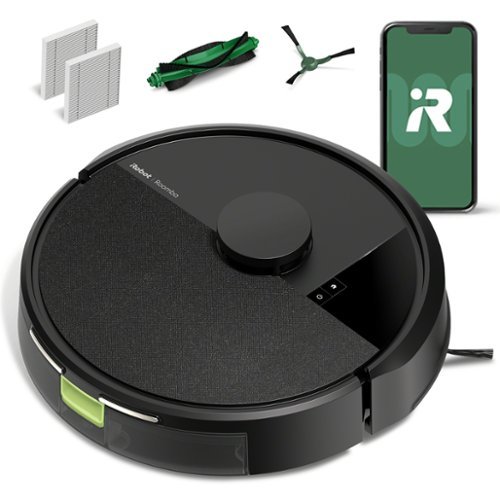
The Roomba 105 Vac Robot Vacuum is made for every kind of dry floor-cleaning task. The 3-stage cleaning system delivers high-performance cleaning by combining 70X more intense power-lifting suction*, an edge-sweeping brush that cleans 20% better*, and a multi-surface brush to pick up all kinds of dirt. ClearView LiDAR quickly maps your home for precise coverage. Tap the app, push the robot's buttons or ask your preferred voice assistant** for an on-demand clean.
Customer Rating
5
Great Value with Higher-end Technology
on July 11, 2025
Posted by: RalphHenry
The iRobot - Roomba 105 Robot Vacuum is a solid and simple to use device. It offers 3 levels of cleaning power. It does have an 'Automations' section in the app which allows you to set up schedules for specific zones (or all zones) and choose the level of cleaning. It is easy to set up a schedule and the app pretty much steps you right through doing this in a concise way. I prefer not to use schedules yet. If I had a shedding pet, though, I would take advantage of the scheduling capability. The design for connecting to the charging strips on the base is very effective and this unit never failed to put itself back on the charger without my intervention – tip of the cap to the design engineers at Roomba.
The robot needs you to connect your phone's WiFi using a 2.4 GHz access point for the initial setup. However, after setting up you can put your phone back on 5 GHz if you prefer, and still communicate to the robot to start cleaning. The ability to set the suction power from light to normal to deep cleaning is a great feature. I had not seen 3 cleaning levels on my other robot vacuums. Another tip of the cap to the Roomba engineers. One fact though, is that when using deep-cleaning, the vacuum could not complete my 1200 square foot area in one charge. It would return by itself to the charger and then later allow me to restart cleaning just those areas the map showed still had to be cleaned. Its batteries however, could easily handle my 1200 sq feet on the light or normal cleaning levels.
You can tell it during the initial setup to create a map and I was pleasantly surprised to notice it magically created 4 zones for my cleaning area. These zones allowed me to select one or more (instead of just all) so that I could easily do customized cleaning jobs of just some zones to save time or focus on just some areas instead of the whole house.
This unit has a larger dustbin than my previous robot vacuums. It never got stuck in tight areas as had frequently happened to my other brand robot cleaners.The little whirling brush on the bottom is super-effective at getting dust pulled in, especially from corners.
This is a great price/performance value for a very smart robot cleaner and I do recommend this unit.
I would recommend this to a friend!
Share this review:


0points
0of 0voted this as helpful.
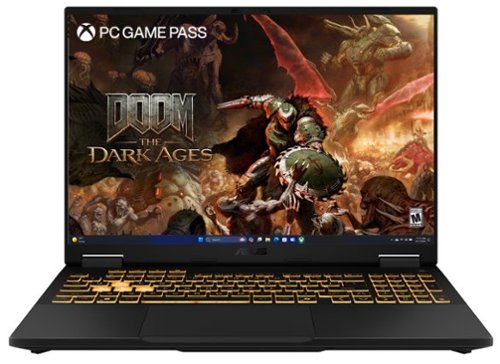
The TUF Gaming F16 is built to power through every gaming challenge. Dive into Windows 11 Home with confidence, backed by an Intel Core Processor i7-14650HX and NVIDIA GeForce RTX 5060 Laptop GPU with NVIDIA Advanced Optimus for smooth, responsive gameplay. Its sleek design, featuring a subtle TUF logo, pairs understated style with rugged strength. The 165Hz FHD display with 100% sRGB color range delivers vibrant, lifelike visuals that pull you straight into the action. With 32GB of DDR5 memory and a spacious 1TB PCIe Gen4 SSD, multitasking and storage are effortless. Designed for real-world toughness, it meets military-grade durability standards. Powerful components require powerful cooling, so we~ve equipped the TUF Gaming F16 with a whole suite of technology to keep it running at peak performance. From the 2nd Gen Arc Flow Fans inspired by aircraft engines to a full-width heatsink and integrated dust filters, the F16 will never lose its cool. And with Dolby Atmos and Hi-Res Audio, you~ll get rich, immersive sound that enhances every moment of your game.
Customer Rating
5
High-End Gaming Laptop With All the Goodies
on July 4, 2025
Posted by: RalphHenry
This laptop is a very powerful device and quite capable of higher-end gaming. It has an excellent 14th generation Intel Core i7 processor, 32 GB of memory and a very fast graphics card. It contains 1TB of super fast PCIe G4 SSD storage. The display is an absolutely beautiful IPS FHD+ with 165Hz refresh rate. The specs at this price point are outstanding.
It has a beautiful full backlit keyboard with accounting keys. The keyboard has several ‘brightness’ levels and colors. I felt it could have one more less-bright-level but that may be just me getting used to the keyboard. The feel of the keys is very solid and smooth, and there is some useful audible as well as touch feedback.
This unit’s CPU has 16 cores and 24 threads, I could not seem to overload the system. The 30MB cache is part of the high end specs and the DDR5 memory (which is 1.5 times faster than DDR4) ensures this wonder-box is flying through processing tasks at super-speeds.
Another excellent specification that could be overlooked, is the Thunderbolt 4 port which I want to emphasize is a game changer (no pun intended). This port can support dual 4K displays or a single 8K display. It can also provide much greater charging power than a plain USB port. What is most important for me, right now, is it can handle PCIe data rates. I use an external drive that is an NVMe SSD drive. Using a plain USB port, my backups are limited to the USB port speed. But now, with this Thunderbolt 4 port, I get the full advantage of the speed of my NVMe external drive – great.
Game playing is a delight. There wa no action too fast for this laptop to process cleanly. The screen colors really pop out and the edges between different colors are perfect. I also used a color generator to see how beautiful and distinct the color patterns were – tip of the cap to the ASUS engineers for this remarkable device. Along with game playing, my presentation graphs and images look truly professional (or at least a lot more polished than I am).
I am super impressed with this fantastic laptop. I love its big bright 16-inch display more than any other laptop I’ve used. I would highly recommend this device with its very fair price relative to its high-end and powerful specifications.
I would recommend this to a friend!
Share this review:


+2points
2of 2voted this as helpful.
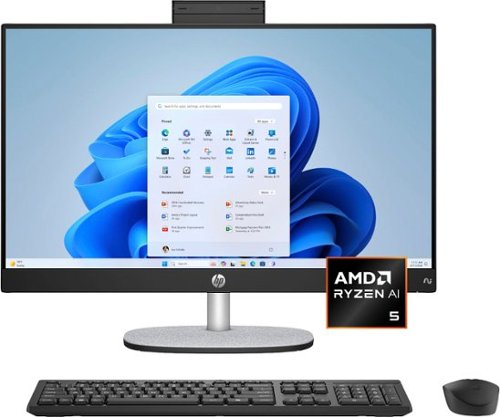
Unlock smart work and play with HP's AI-powered All-in-One. Unlock AI-driven efficiency with the HP All-in-One and an AMD Ryzen AI processor with up to 50 TOPS for smooth, responsive, and personalized computing ideal for Copilot+ PC experiences. Work smart and accomplish more, with large storage capacity, DDR5 memory, and Copilot hotkey that instantly launches your personal AI assistant so you can seamlessly integrate AI support into any project.
Customer Rating
5
AI Processor (NPU) and Other Great Specifications
on July 2, 2025
Posted by: RalphHenry
This HP All-in-One is very well made construction-wise and with strong technical specifications. I was very happy with the AMD processor in regards to the speed of execution when many applications were running. I ran several CPU intensive applications and response times were excellent. I also checked this processor against comparably priced Intel processors with the same number of cores and threads; and the performance was observed as better especailly with AI tasks like Microsoft Copilot.
The packing was super, the device was well protected and I really liked how HP made it easy to remove this AIO from the box - with grab handles to easily extract it - well done. It was simple to assemble the base to the monitor/main-unit. Very clever angle adjustments, tip of the cap to the HP design engineers.
The screen is absolutely beautiful, bright with very strong colors. I did run a couple color pattern generators, very crisp division between colors. Games showed precise movement and colors as well. Audio was outstanding.
I certainly can recommend this powerful unit especially based on price/performance. This unit uses a newer AMD 300 series processor. These processors have an NPU (Neural Processing Unit). NPU's contain circuits to optimize AI applications like Copilot, image recognition, natural language processing and more. I'm really loving this AIO and it has become my main go to computer.
I would recommend this to a friend!
Share this review:


+2points
2of 2voted this as helpful.
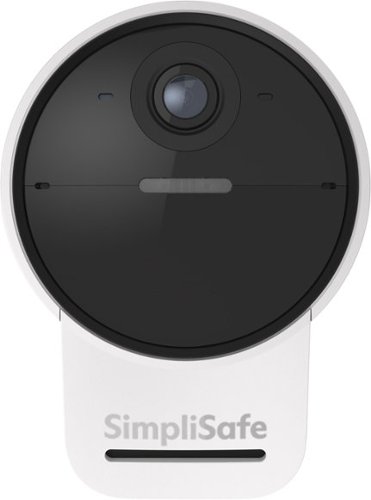
SimpliSafe's most advanced Outdoor Camera yet, designed to prevent crime before it happens with Active Guard Outdoor Protection*. Using advanced AI technology, the Outdoor Camera quickly identifies potential threats and alerts our live security agents. SimpliSafe agents can see the threat, speak to the intruder, and deter them in real time, so you can feel completely safe. And with a loud camera siren, a larger speaker, and a microphone that cuts through the noise to pick up human voices, you can quickly grab an intruder~s attention and send them running. *SimpliSafe Active Guard Outdoor Protection available with select monitoring plans.
Customer Rating
5
Newest AI Technology to Help Keep You Safe
on June 15, 2025
Posted by: RalphHenry
Similar to all the SimpliSafe products I have used, this one is top quality and built with a solid design that is well thought out. Even the packaging is impressive as it ensures the product is protected very well and gets to you in perfect condition.
This camera comes with dual powering options, either battery or utilizing the included 120 vac adapter and cable to use household electric power. I chose the battery option because I have another camera and have found the battery to last over 3 months and it is easy and fast to recharge. If you do elect to use the wired power, there are cable clamps included. However, utilizing the battery and WiFi connectivity, I have a completely wireless setup.
Once you decide on the power method, you install the SimpliSafe app and the app will guide you 100% through the setup of the camera and also the actual physical installation. The unit does come with a magnetic-mount-ball. It is simple to find a good location and screw the base of the mount to the wall. The ball will attach to the base and you twist it till you hear a click and 'bingo' you are installed. The camera itself has a magnetic concave area which will attach to the ball. Utilizing a very clever method of moving the camera over the ball, you can achieve the exact direction/angle you need. One point of improvement for SimpliSafe is to come up with a better included method to attach to a stucco wall. The app says to use the same included screws and anchors for sheetrock as for a stucco wall and through multiple experiences, I know this does not work. Stucco walls require a screw-in anchor not an insert type anchor for better hold. The problem is when you turn the ball on top of the mount, before it clicks in place it will loosen the tiny anchors. I actually add a dab of 2-part epoxy on the screw-in anchors which ensures the mount will never fail.
The wireless connection distance is excellent. I already have a 10 device SimpliSafe system so I utilized my existing app and just added the new camera, it is the most intuitive and simplified process of any security systems I have ever used; and I have installed 5 different brand systems over the years.
The Series 2 cameras have added AI functions that allow the camera to actually identify a threat and speak to the intruder in real time - wow; a tip of the cap to the SimpliSafe engineers for an incredible security function.
This camera has 2-way audio and a very loud siren. It also allows a 10x zoom and I did find the videos crystal clear on my cell phone. This camera is on the back of the house so I didn't have to worry about notifications from passing vehicles, however you can adjust the sensitivity to reduce unnecessary notifications (and/or the camera angle as well, can be adjusted easily to accomplish this. You can also setup 'activity zones' which I did.
This is fantastic technology and I highly recommend this great SimpliSafe Series 2 camera.
I would recommend this to a friend!
Share this review:


0points
0of 0voted this as helpful.
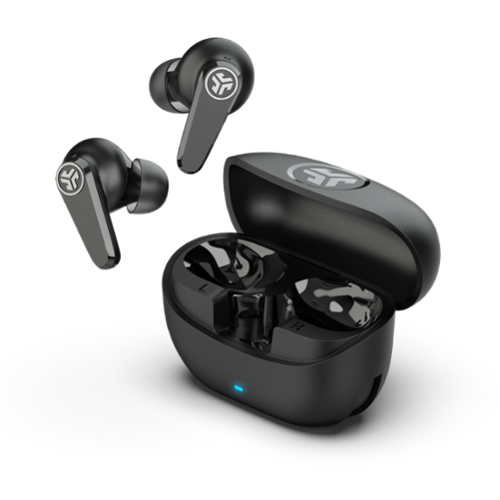
Transform your daily listening with GO Pods ANC! Our new stem design earbuds stay comfortably in place and deliver crystal-clear conversations. Enjoy the freedom to adjust your fit without triggering unwanted commands, and create your personalquiet space with hybrid noise cancellation. With up to 26+ hours of rich audio and seamless device switching, these earbuds offer the perfect balance of comfort, clarity, and convenience for your non-stop lifestyle
Customer Rating
4
Good Price/Performance Choice
on June 14, 2025
Posted by: RalphHenry
This is a low-cost, but full function set of earbuds. The package includes the charging case, the earbuds and 3 sizes of rubber inserts fo match your ears plus the Quick Start Guide. I did find the correct insert for me and these earbuds fit very comfortably and gave me no ear pain at all - great. They curled right into my ears and seated well for jogging or cycling - nice.
Charging was simple using the charging case, however the case has a little one inch pigtail with the male USB C plug instead of a female port. This is a bad design. Usually you already have cables of various lengths to reach your car plug or a bedside cable etc. Now you need an adapter to plug your longer cable in from the charging port to the JLAB charging case. The correct design is a female charging port on the case, JLAB needs to fix this.
Functionality is very comprehensive including cell phone functions, music play functions and volume controls. The buds connect and reconnect easily to phone or laptop. Also the buds have very nice voice prompts when you put them on for Bluetooth-connected and the charge level. The app is very helpful to add customized equalization or canned equalization setups, to select movie or music mode and has a chart of the layout to remind you of the 'button functions'.
I did find the use of the buttons on the buds to be cumbersome. It may just take some getting used-to, but the buds didn't seem to register each touch smoothly. I would try to up the volume a couple notches and nothing happens or else the buds thought I did two taps to Play/Pause. This may be me or else the designand sensitivity of the bud button is not quite right.
The sound was average at best even when improved using the equalizer in the app. The noise cancellation was also just okay. However, overall based on price/performance I would recommend these buds for those who need a lower-cost pair of buds with a great charge-time and full functionality in terms of cell phone or music use.
I would recommend this to a friend!
Share this review:


0points
0of 0voted this as helpful.

Stream instant content easily with this LG BP550 Blu-ray player. To build a complete 3D home theater system, we recommend you purchase a 3D TV, 3D glasses designed for the TV, high-speed HDMI cable and an A/V receiver that is compatible with 3D products.
Overall4 out of 5
4 out of 5Great Blu-Ray DVD Player for the money
By JulieAS
After buying this product, I am both pleased yet a little disappointed! I needed another player to replace my 5 year old Sony 3-D player (also bought at BB) because it was no longer compatible with YouTube. Since my TV is an LG, I decided to buy an LG player.
The LG BP550 is smaller than my older Sony (another reason I chose it) and has fewer apps but I really didn't care about that as long as YouTube worked and that it also had Netflix and HuluPlus apps. Hooking it up and installing it was quick and easy and completing the system update was also a breeze! Already on sale, I saw it was also available as an Open-Box item so I thought I could save even more buying it at that option...NOT!
Advertised as 'Open-Box Excellent Condition' I ordered it on May 13th and it arrived on the 15th - without the remote! Maybe I shouldn't have assumed that an item labeled as "Returned, used as display model in store, or opened due to packaging damage but remains in like-new condition" meant or means that all accessories, cables, manuals, remotes, etc. are included.
Fortunately, my TV remote was able to do some of the basic stuff for installing and some playback features but that's it. So I make a call to BB and learn that the 4-yr Protection Plan I paid for would not cover this missing remote and was then advised to call LG for a 'free' replacement.
Customer service at LG then directed me to call their authorized parts dealer for my time zone. Of course, they were closed on Saturday and Sunday!
I called the parts dealer today (18th) and was told to contact the retailer since I'd "recently purchased the item and it should be returnable/replaceable under warranty". I explained that I had been informed that it was not and that I was told to call them by both BB and LG!
Subsequently, I was given the part number and price for a replacement remote!
Well it looks as if buying Open-Box didn't save me much, if anything, after all since the replacement remote has to be paid for out of my pocket!
I may be better off returning this player and buying a NEW one instead!
I may be better off returning this player and buying a NEW one instead!
However, I must say that I do like the player for what features I have been able to access while using my TV remote! I look forward to obtaining the full benefits and features when using the actual remote control for the BP550!

RalphHenry
Raleigh, NC
Remote Replacement
May 28, 2015
It's not ideal but if you are missing a remote and/or lose or break it, you can easily download a smartphone app to run it. You could also program a multi device remote like the Harmony 650 which I did. So nowadays a missing remote is not a show stopper but I agree it should have not been missing.
+1point
1of 1voted this comment as helpful.
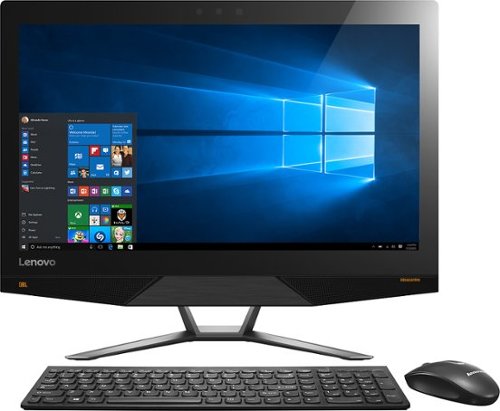
Lenovo IdeaCentre All-In-One Computer: With Wireless-AC networking, this all-in-one computer makes it easy to browse Web sites, access social media and check your e-mail. The 23.8" capacitive multitouch screen lets you navigate features using all 10 fingers and presents your favorite films in 4K UHD resolution. The revolutionary Intel~ RealSense~ 3D camera lets you scan 3D objects, use gestures to control your PC or play games and more.
Overall 2 out of 5
2 out of 5Great box - poor fonts
By Jasonrn
I purchased this with great excitement. I mostly do everyday things, with an evergrowing photo collection. I bought Adobe creative cloud and was ready to go. Fired it up and was shocked at how bad the text looks. I have tried many different settings. I don't know if it is a scaling thing? I love everything else about the unit. Photos look great. I dont game.
The text issue is varies. Some apps, it looks fine... others - terrible. Also, some apps don't scale well at all on the 4K screen.
May return the unit and get a laptop I can plug a second monitor in for my photo work.
RalphHenry
Raleigh, NC
Fix for fonts didn't install
November 3, 2015
The expert pointed to a download and it did not install. I'm glad since I think you just need to go to settings and find the 'cleartype text' setting and run through it to make fonts great. Also I see many of the apps will fix drivers and so forth so there is a learning curve now to see how to run these machines.
0points
0of 0voted this comment as helpful.
Lenovo IdeaCentre All-In-One Computer: With Wireless-AC networking, this all-in-one computer makes it easy to browse Web sites, access social media and check your e-mail. The 23.8" capacitive multitouch screen lets you navigate features using all 10 fingers and presents your favorite films in 4K UHD resolution. The revolutionary Intel~ RealSense~ 3D camera lets you scan 3D objects, use gestures to control your PC or play games and more.
Overall5 out of 5
5 out of 5Highest Quality and Top Features
By RalphHenry
from Raleigh, NC
This AIO has superior resolution to others. Some reviews spoke about a text problem, however you can improve the text via going to settings, display, advanced and 'cleartype text' and follow the steps. Also has 3D display capability which is good for future needs for me. Sound is nice with Jensen speakers. Touch screen is great. WIFI is super and has both 2.4 and 5 GHz ranges with Wireless AC. Very quiet fan. Lenovo support has regressed but is do-able I asked a simple question and the tech had no idea, also the website seems broken in the support area; glad I got Geek Squad. But this AIO is one great machine. price is very reasonable for what you get. Love it.
RalphHenry
Raleigh, NC
Tips For Better Text on AIO 700
November 4, 2015
I've played with the font's and you may also want to scale text or make it bold for example if you use Windows Live (you can do that within Display Settings). The other tip is that the text is very clear but small so you may find that enlarging text by hitting Ctrl and + (together) once or twice will make some things easier to read. You hit Ctrl and - together to reduce. I didn't use those commands as often on other machines, but it is beautiful to use at times on this machine. By the way videos are wonderful if you use something like Amazon Prime video etc WOW
+1point
1of 1voted this comment as helpful.
Lenovo IdeaCentre All-In-One Computer: With Wireless-AC networking, this all-in-one computer makes it easy to browse Web sites, access social media and check your e-mail. The 23.8" capacitive multitouch screen lets you navigate features using all 10 fingers and presents your favorite films in 4K UHD resolution. The revolutionary Intel~ RealSense~ 3D camera lets you scan 3D objects, use gestures to control your PC or play games and more.
Overall5 out of 5
5 out of 5Highest Quality and Top Features
By RalphHenry
from Raleigh, NC
This AIO has superior resolution to others. Some reviews spoke about a text problem, however you can improve the text via going to settings, display, advanced and 'cleartype text' and follow the steps. Also has 3D display capability which is good for future needs for me. Sound is nice with Jensen speakers. Touch screen is great. WIFI is super and has both 2.4 and 5 GHz ranges with Wireless AC. Very quiet fan. Lenovo support has regressed but is do-able I asked a simple question and the tech had no idea, also the website seems broken in the support area; glad I got Geek Squad. But this AIO is one great machine. price is very reasonable for what you get. Love it.
RalphHenry
Raleigh, NC
Lenovo Fix for AIO 700 24ISH
November 5, 2015
Jason, I did think ClearType helped a little but the scaling and putting 'bold' on helped more. I did see the fix that Lenovo posted. First I flashed the BIOS which they also posted as of 9/10/15. However when I tried their special fix for the font scaling it is an .rar file and I had to load WinZip (free version for now) but it did unpack it. However I never saw it run successfully as it always returned an error code. I am going to call Lenovo on that but the text looks pretty good so maybe it actually ran. I'll post an update on that. By the way the support at Lenovo is abysmal.
+1point
1of 1voted this comment as helpful.
Lenovo IdeaCentre All-In-One Computer: With Wireless-AC networking, this all-in-one computer makes it easy to browse Web sites, access social media and check your e-mail. The 23.8" capacitive multitouch screen lets you navigate features using all 10 fingers and presents your favorite films in 4K UHD resolution. The revolutionary Intel~ RealSense~ 3D camera lets you scan 3D objects, use gestures to control your PC or play games and more.
Overall2 out of 5
2 out of 5Disappointed
By Brandon
It worked for a few hours right out of the box. Then I noticed the screen flashing and the graphics cards crashing. After a reset it freezes after 5 minutes of use. Not sure if it's the pc itself or driver issues with Windows 10, either way it's not worth the trouble. If they can fix these issues then it is absolutely worth the price.
RalphHenry
Raleigh, NC
Try Driver Updates & Flash BIOS
November 5, 2015
If you still have it and if it will stay up long enough, I'd say go to Lenovo's web site and download the newest BIOS, it's easy to update BIOS now. Then go into Device Manager and update both Display drivers. If you bought an open box, I'd also try to reload the whole machine to the factory settings (or BestBuy should do that for you). But if you go to the apps, the app called Lenovo Rescue System will do it for you pretty easily. Then do the stuff I mentioned above.
+2points
2of 2voted this comment as helpful.
Lenovo IdeaCentre All-In-One Computer: With Wireless-AC networking, this all-in-one computer makes it easy to browse Web sites, access social media and check your e-mail. The 23.8" capacitive multitouch screen lets you navigate features using all 10 fingers and presents your favorite films in 4K UHD resolution. The revolutionary Intel~ RealSense~ 3D camera lets you scan 3D objects, use gestures to control your PC or play games and more.
Overall5 out of 5
5 out of 5Highest Quality and Top Features
By RalphHenry
from Raleigh, NC
This AIO has superior resolution to others. Some reviews spoke about a text problem, however you can improve the text via going to settings, display, advanced and 'cleartype text' and follow the steps. Also has 3D display capability which is good for future needs for me. Sound is nice with Jensen speakers. Touch screen is great. WIFI is super and has both 2.4 and 5 GHz ranges with Wireless AC. Very quiet fan. Lenovo support has regressed but is do-able I asked a simple question and the tech had no idea, also the website seems broken in the support area; glad I got Geek Squad. But this AIO is one great machine. price is very reasonable for what you get. Love it.
RalphHenry
Raleigh, NC
Checked on Font Scaling Fix
November 5, 2015
I couldn't get the download from Lenovo's website to install. I downloaded and unpacked the fix, but it returned an error code when I ran it. I spent 40 minutes with Lenovo 1st and 2nd level support. They pretty much had no info on this fix. They didn't open a problem ticket 8005969635. Also their website said you should post a request online to have them call you back, but their process was broken in that area also. Full disclosure: even without this fix, the screen looks awesome to me.
+1point
1of 1voted this comment as helpful.
Lenovo IdeaCentre All-In-One Computer: With Wireless-AC networking, this all-in-one computer makes it easy to browse Web sites, access social media and check your e-mail. The 23.8" capacitive multitouch screen lets you navigate features using all 10 fingers and presents your favorite films in 4K UHD resolution. The revolutionary Intel~ RealSense~ 3D camera lets you scan 3D objects, use gestures to control your PC or play games and more.
Overall5 out of 5
5 out of 5Highest Quality and Top Features
By RalphHenry
from Raleigh, NC
This AIO has superior resolution to others. Some reviews spoke about a text problem, however you can improve the text via going to settings, display, advanced and 'cleartype text' and follow the steps. Also has 3D display capability which is good for future needs for me. Sound is nice with Jensen speakers. Touch screen is great. WIFI is super and has both 2.4 and 5 GHz ranges with Wireless AC. Very quiet fan. Lenovo support has regressed but is do-able I asked a simple question and the tech had no idea, also the website seems broken in the support area; glad I got Geek Squad. But this AIO is one great machine. price is very reasonable for what you get. Love it.
RalphHenry
Raleigh, NC
Successful Adjustments for FONTS
November 5, 2015
Lots of people had problems with the fonts on this 4K hi-def screen. Lenovo support was useless but Geek Squad fixed me right up via remote connection. It might be something others know, but judging by the reviews most people including me just didn't really understand. There are lots of modifications to DISPLAY parameters but what most people should do if they are using this screen for apps like Windows Live is to change the screen resolution to 1920x1080 and change the scaling to 125%. Now everything is beautiful. If you do want to watch a movie in high def, then put it back to 3840x2160 and set scaling to 200%. What is confusing is that there is a choice for 2560x1600 but this is not the same ratio as the screen size so you get bars on each side which you probably don't want - I should have seen this but the Geek Squad enlightened me. Now as to the patch from Lenovo for font scaling, you probably don't need it nor would it do much I am sure. So kudos to the Geek Squad and thanks. It is an awesome machine and in fact even the lower resolution is more than any other PC I have ever had.
+1point
1of 1voted this comment as helpful.
Lenovo IdeaCentre All-In-One Computer: With Wireless-AC networking, this all-in-one computer makes it easy to browse Web sites, access social media and check your e-mail. The 23.8" capacitive multitouch screen lets you navigate features using all 10 fingers and presents your favorite films in 4K UHD resolution. The revolutionary Intel~ RealSense~ 3D camera lets you scan 3D objects, use gestures to control your PC or play games and more.
Overall5 out of 5
5 out of 5Highest Quality and Top Features
By RalphHenry
from Raleigh, NC
This AIO has superior resolution to others. Some reviews spoke about a text problem, however you can improve the text via going to settings, display, advanced and 'cleartype text' and follow the steps. Also has 3D display capability which is good for future needs for me. Sound is nice with Jensen speakers. Touch screen is great. WIFI is super and has both 2.4 and 5 GHz ranges with Wireless AC. Very quiet fan. Lenovo support has regressed but is do-able I asked a simple question and the tech had no idea, also the website seems broken in the support area; glad I got Geek Squad. But this AIO is one great machine. price is very reasonable for what you get. Love it.
RalphHenry
Raleigh, NC
Thanks for Posting Info on Font Patch from Lenovo
November 6, 2015
JasoninNJ, thanks for posting your comment that installing the Lenovo patch to help font scaling toasted the machine. I won't try again to install it. As I mentioned I don't think it is needed. There will be more ultra HD computer screens and I'm guessing they will add automated switching to show videos in HD but do the rest of your PC work with the lower resolution which is excellent when viewing text.
+1point
1of 1voted this comment as helpful.
Lenovo IdeaCentre All-In-One Computer: With Wireless-AC networking, this all-in-one computer makes it easy to browse Web sites, access social media and check your e-mail. The 23.8" capacitive multitouch screen lets you navigate features using all 10 fingers and presents your favorite films in 4K UHD resolution. The revolutionary Intel~ RealSense~ 3D camera lets you scan 3D objects, use gestures to control your PC or play games and more.
Overall5 out of 5
5 out of 5Highest Quality and Top Features
By RalphHenry
from Raleigh, NC
This AIO has superior resolution to others. Some reviews spoke about a text problem, however you can improve the text via going to settings, display, advanced and 'cleartype text' and follow the steps. Also has 3D display capability which is good for future needs for me. Sound is nice with Jensen speakers. Touch screen is great. WIFI is super and has both 2.4 and 5 GHz ranges with Wireless AC. Very quiet fan. Lenovo support has regressed but is do-able I asked a simple question and the tech had no idea, also the website seems broken in the support area; glad I got Geek Squad. But this AIO is one great machine. price is very reasonable for what you get. Love it.
RalphHenry
Raleigh, NC
Text Display Improvement
November 16, 2015
After playing with various settings I have some hopefully helpful feedback. First of all don't use the 3840x2160 unless you are streaming video, it makes text bad. Also don't use 2560x1600 since it is not a multiple of the 3840x2160 i.e. you'll get bars on both sides of the screen. Do use the 1920x1080 which is also hi-def and fits this screen dimensions properly. Now if you want text a little bigger then go to 'set custom scaling level' and use 110% or 115%; this makes nice readable text. Now here's a quirk I see lots of people having and not just on this PC or brand for Windows 10. You may see occasional video card errors and once in a while the machine may not IPL (just power off and try again it will come up). I think the problem is the video card doesn't get back fast enough to the CPU, and the video card crashes but does recover. Not a problem unless you are playing PC high powered games. So I don't recommend this machine for games, but video streaming and apps like Corel Photoshop are great. Now what you can do to minimize or eliminate the video card crashes (remember it happens on lots of machines with Windows 10, so there will be a fix soon I think). Anyway go to Control Panel and search for 'visual effects', then click on adjust the appearance and performance of Windows. Then select 'Custom' and click the box next to 'smooth edges of screen fonts'. If you optimize for 'best appearance' entirely or for let 'windows choose'... that's when the video card may not keep up I think. If you optimize for 'best'performance' the text looks horrible. Anyway the 'custom' settings work for me to give me nice text and no crashes. This is a stretch but I think the engineers knew there could be a problem, that's why they tried to put in the super high powered video cards, but not good enough for now, I do think this will get fixed by Windows 10 OS soon. This machine for it's price is tremendous and I think worth this minor glitch.
+2points
2of 2voted this comment as helpful.
Lenovo IdeaCentre All-In-One Computer: With Wireless-AC networking, this all-in-one computer makes it easy to browse Web sites, access social media and check your e-mail. The 23.8" capacitive multitouch screen lets you navigate features using all 10 fingers and presents your favorite films in 4K UHD resolution. The revolutionary Intel~ RealSense~ 3D camera lets you scan 3D objects, use gestures to control your PC or play games and more.
Overall5 out of 5
5 out of 5Highest Quality and Top Features
By RalphHenry
from Raleigh, NC
This AIO has superior resolution to others. Some reviews spoke about a text problem, however you can improve the text via going to settings, display, advanced and 'cleartype text' and follow the steps. Also has 3D display capability which is good for future needs for me. Sound is nice with Jensen speakers. Touch screen is great. WIFI is super and has both 2.4 and 5 GHz ranges with Wireless AC. Very quiet fan. Lenovo support has regressed but is do-able I asked a simple question and the tech had no idea, also the website seems broken in the support area; glad I got Geek Squad. But this AIO is one great machine. price is very reasonable for what you get. Love it.
RalphHenry
Raleigh, NC
Good News to Add
December 8, 2015
I wanted to update my review to indicate that a frequent display driver error that said "...Intel Video adapter stopped working but recovered...", has stopped occurring after about 1 week ago when a pretty big Windows 10 update came out. It was never a killer for me since I don't play games but when I googled it, I did see that it was fairly common on many PC's - that's good since it appears Microsoft fixed it. Note there are two video adapters in this machine but the Nvidia one was not failing.
0points
0of 0voted this comment as helpful.
RalphHenry's Questions
RalphHenry has not submitted any questions.
Stream instant content easily with this LG BP550 Blu-ray player. To build a complete 3D home theater system, we recommend you purchase a 3D TV, 3D glasses designed for the TV, high-speed HDMI cable and an A/V receiver that is compatible with 3D products.
Streaming Apps
Does this unit get Amazon Prime videos?
Yes it has Prime Instant Video and lot more stuff like Hulu, YouTube etc. It works great. It kind of made my older TV a Smart TV !
10 years, 9 months ago
by
RalphHenry
Raleigh, NC