


RalphHenry's stats
- Review count353
- Helpfulness votes470
- First reviewMay 28, 2015
- Last reviewMarch 28, 2026
- Featured reviews0
- Average rating4.9
- Review comment count24
- Helpfulness votes28
- First review commentMay 28, 2015
- Last review commentJune 30, 2017
- Featured review comments0
Questions
- Question count0
- Helpfulness votes0
- First questionNone
- Last questionNone
- Featured questions0
- Answer count61
- Helpfulness votes165
- First answerJune 30, 2015
- Last answerNovember 3, 2021
- Featured answers0
- Best answers10

Enhance your driving safety and documentation with the REXING V1P Flex X4, featuring 4K front and Full HD 1080p rear recording. This all-inclusive package comes with a 32GB SD card and a smart hardwire kit, providing everything you need for setup. The dash cam offers superior clarity with enhanced night vision and includes a built-in microphone, speaker, optional GPS logger for precise route tracking, and loop recording for continuous coverage. The G-sensor detects impacts, and the innovative parking monitor, powered by the smart hardwire kit, guards your vehicle when parked. Easy to install and equipped with 5.0 GHz WiFi for mobile app connectivity, this model supports expansion to four-channel recording, ensuring comprehensive protection and convenience.
Customer Rating

5
Well Built and Capable Dual Dashcam
on September 12, 2024
Posted by: RalphHenry
This Rexing dashcam model is a solid little performer with some useful extra features. It includes a rear dashcam and the ability to add a cabin dashcam; all in addition to the front facing camera. I did like the method to attach the dashcam to the window with the included 3M sticky pads and plate which is more secure than a suction cup.
You can adjust the dashcam angle by moving the lens. I find this method is better than making the mount adjustable. Simple and effective. Tip of the cap to the Rexing engineers. I could have taken a star off for the design in which the buttons are marked in an almost invisible way i.e. black on black. The designation for the OK, Menu, Power and Left/Right arrows should have been in a contrasting color like silver so you could see them more easily. I left the 5-stars intact because I found it intuitive for me to know what the button functions were. The recording mode utilizes the micro-SD card in a loop meaning it will overwrite previous recordings. However, if there is an impact sensed, then that recording segment is locked so it cannot be overwritten. The recordings are segments of 1 to 3 minutes based on a setting you control.
You can adjust the dashcam angle by moving the lens. I find this method is better than making the mount adjustable. Simple and effective. Tip of the cap to the Rexing engineers. I could have taken a star off for the design in which the buttons are marked in an almost invisible way i.e. black on black. The designation for the OK, Menu, Power and Left/Right arrows should have been in a contrasting color like silver so you could see them more easily. I left the 5-stars intact because I found it intuitive for me to know what the button functions were. The recording mode utilizes the micro-SD card in a loop meaning it will overwrite previous recordings. However, if there is an impact sensed, then that recording segment is locked so it cannot be overwritten. The recordings are segments of 1 to 3 minutes based on a setting you control.
Installation was easy if you are used to working with your various trim tools to tuck the wiring out of sight. The camera does include a very nice screen, especially at this price-point, for viewing the front/rear camera images. It has a connector on the camera for a ‘cabin’ camera which is an optional accessory.
I installed the app on my Android phone and it was simple to connect your cell phone to the dashcam to view files. You can also remove the included 32 GB micro-SD card and view the files on a computer. An extra nice feature is that the WiFi connectivity can be 2.4 GHz and also can be the higher speed 5.0 GHz which is not always seen – nice.
The settings are intuitive so I give Rexing high marks for a fairly simple GUI interface, albeit the aforementioned problem of hard to see key functions. If you desire a parking mode, this dashcam includes that capability via a setting. It can also have a motion detecting mode but that would require accessories not included.
There is an 18 month warranty if you register the product, or just 12 months if you don’t register. I found this little camera to be what I needed; as I wanted the front and rear cameras all in one unit. I would recommend this dashcam with these multiple cameras working for your protection.
I would recommend this to a friend!
Share this review:


0points
0of 0voted this as helpful.
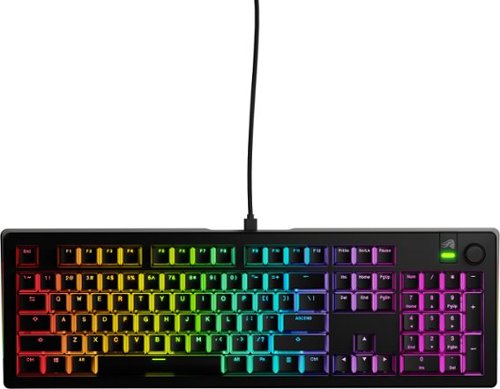
Step into the world of ultimate customization with the GMMK 3, a wired gaming keyboard designed to give you complete control over your gaming performance, typing experience, and aesthetics. With over 1 billion possible configurations, this keyboard is crafted for gamers who demand precision and flexibility. The GMMK 3 features 9 points of modularity, making it incredibly easy to swap out parts and tailor the keyboard~s look, sound, and feel to your exact preferences. The innovative Modular Gasket System (MGS) allows for simple customization of the internal gaskets, offering a firmer or more flexible typing feel inspired by building blocks. A standout feature of the GMMK 3 is its programmable knob. Twist to quickly adjust your device's volume, press to play or pause media, instantly mute, or create a custom action with Glorious CORE 2.0 software, putting advanced control at your fingertips. Built to last, the GMMK 3's PBT double-shot Keycaps resist fading and shine over time, ensuring that your RGB lighting shines through with unmatched clarity. The aluminum switch plate balances firm yet flexible typing with a neutral sound profile, while also allowing for the swapping of alternative material plates to customize keystroke acoustics and haptic feedback. With 5-pin MX hotswap support, you can easily plug and play with a wide range of Glorious MX switch styles to define your GMMK 3~s typing sound and feel, all without the need for soldering. This makes it easier than ever to achieve the perfect setup for your gaming and typing needs. To top it off, the GMMK 3 is equipped with sound-dampening foam. Two layers of dense foam within the case absorb unwanted resonance, providing a satisfyingly clean acoustic profile that enhances your overall experience. Discover the world~s most customizable wired gaming keyboard with the GMMK 3, where every detail is designed to offer unparalleled flexibility and performance for gamers who settle for nothing but the best.
Customer Rating
5
Softer Sound, Clear Clicks, Positive Feel
on August 23, 2024
Posted by: RalphHenry
First of all, this is an absolutely gorgeous keyboard; it doesn't hurt your confidence to have this beauty in front of you as you pummel an adversary. I did go from a much louder keyboard to this Glorious GMMK3, although the feel of this one is similar to my previous favorite except the keystrokes seem a little softer. I definitely like the sound level, perfect to know you hit the key but not distracting. Note this is a wired keyboard which I happen to prefer for gaming situations. Also, I like the keyboard flatter so I do not use it with the flip out feet deployed. But this is personal preference.
You get a full-size keyboard with knob and lights. You also get something else that is very important – you get several sample keys (and tools to remove & insert). This way you can test which factors you want in the key response: smooth linear, crisp clicky sound, tactile feel etc. I noticed a card was included that mapped out additional key styles that you might consider – smart of the engineers to include these sample keys and info – tip of my cap to them. On the back of this card are insert/remove directions.
You can unlock an extra year of warranty if you register this product, so don’t forget to do that. There is a QR code card for you to scan to do the registration easily – another tip of the cap.
The Quick Start Guide is short and sweet. You just plug and play. All the required drivers will install automatically. You will need to go to a link for more details on lighting and performance stuff. I installed the Glorious Core control code to change lighting effects, set up macros, change polling rate, change latency, set up desired ‘keybinding’ and link you to the detailed user guide. Everything is laid out logically.
I am very impressed and pleased with this keyboard. Design and functionality is top rate. The CNC designed aluminum top frame can handle a lot of hard strokes, it is super rugged. I would highly recommend getting this excellent keyboard.
Share this review:


0points
0of 0voted this as helpful.
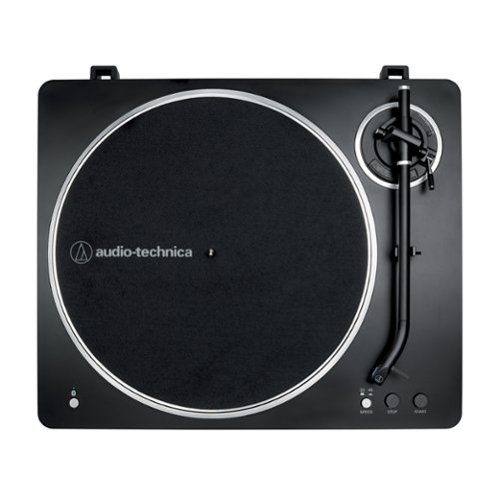
Fully automatic belt-drive turntable
Customer Rating
5
Wonderful Audio Memories Brought to Life
on August 16, 2024
Posted by: RalphHenry
This is a very innovative product. I found it to be fabulous and fun. It is packed extremely well so you can be sure it isn’t damaged. The design is clean and totally functional. Out of the box, you will need to simply follow the Quick Start Guide. Make sure you have all the parts and it’s just a very quick study to learn the few important functions; so I recommend a pre-review of the Quick Start Guide especially in terms of the ‘auto’ versus the manual process. Indeed the settings on the device are intuitive and include 45 rpm versus 78 rpm, the size of the record (either 7 inches or 12 inches), your Bluetooth pairing button, your tonearm lift and your tonearm clamp. Don’t forget to remove the stylus protective cover (and replace when you are done playing). You will need to slip the drive belt over the motor pulley – easy to do. You plug in the AC adaptor to the back of the turntable. The Quick Start is very well written with useful pictures, so it is simple to set everything up in about 5 minutes.There is also an online manual.
I played some cool jazz first (just like Bosch from the TV show) using a 78 rpm record. I used auto and also tried manual modes. My speakers were my stereo headphones. This unit does reproduce the audio in stereo – so be prepared for a real treat to hear those old records come to life. Bluetooth pairing was exceptionally fast and simple - in about 1 second the headphones were paired.There is a pairing LED on the turntable and it will be solid blue; tip of the cap to the design engineers for giving us that indicator so you know you are absolutely paired. The sound was beautiful. What a rush to hear records played on a turntable again with the modern twist of a Bluetooth speaker. Yes, the old records have some dust and possibly some minor scratches you may hear. I plan to purchase some new LP’s and intend to keep them super clean.
There is a beautiful dust cover that comes with the unit. You will need to slip the included hinges into the dust cover and then slip them into the hinge grooves on the turntable. I also played this unit through my 50 year old Harman Kardon receiver/amplifier. The turntable comes with the RCA cables so you can connect the turntable wired to an amplifier right to the designated ‘Phono’ ports. I really loved this device and it was great to hear how the sound from vinyl is so vibrant via your wired or wireless speakers. I highly recommend this turntable.
I would recommend this to a friend!
Share this review:


+1point
1of 1voted this as helpful.
![Webroot - Premium Family Antivirus Protection (10 Device) with Allstate Identity Protection (10 Identities) - Android, Apple iOS, Chrome, Mac OS, Windows [Digital]](https://pisces.bbystatic.com/prescaled/500/500/image2/BestBuy_US/images/products/994769e8-9c5e-46a8-84ae-2c7cd78e74f0.jpg)
Award-winning, Webroot Antivirus has partnered with Allstate Identity Protection to provide customers with the peace of mind they deserve. With Webroot Premium Family, you~ll have antivirus protection against emerging threats for up to 10 devices, a password manager, plus a system optimizer to clean your devices and erase traces of online activity. And now with Allstate Identity Protection, you get Credit, Dark Web, Identity, and Financial Monitoring and alerts on threats to your identity and up to 10 family members. If there~s an issue, you have 24/7 U.S.-based support with identity restoration experts and up to $1 million in expense reimbursement for stolen funds and out-of-pocket costs due identity theft~. Webroot Premium Family ~ protection for your devices, privacy and identity.
Customer Rating
5
Powerful Features in One Antivirus ProgramPurchase
on August 8, 2024
Posted by: RalphHenry
The install for Webroot Premium went very smoothly. I did remove a previous antivirus program to ensure there would be no conflicts. The Premium version does provide coverage for 10 devices which I do need. I installed Webroot on several PC's and one cell phone. Webroot provides coverage for a wide range of devices: Android, Apple iOS, Chrome, Mac OS and Windows. More good news: Webroot Premium Family, in addition to antivirus protection, includes Identitiy protection (also for 10 identity units), a password manger and dark web coverage all of which were important features for me. You will need to create a Webroot account. The install is a download and be sure to record your key not just in an email but I recommend you make a hardcopy of the software key and keep it locked up.
An important feature is that Webroot provides 24/7 U.S.-based support with up to $1 million in expense reimbursement for stolen funds and out-of-pocket costs. I have not had to use the expense reimburesemnt; but I'm impressed that this feature is provided - not just a notification of problems, but an actual reimbursement. A lot of other products do not have the 24/7 support. This support is a requirement, for me, due to the sensitivity of ID protection in addition to the virus protection. Another important featue for me was the password manager. I previously used my own system for maintaining passwords, however it was cumbersome compared to Webroot's password management. Webroot's password manager will store your passwords and will autofill which is a another big factor for me with bill paying and my 'usage of many sites' which I needed to be streamlined. Another tip of the cap..
I noticed that a scan of my PC went much faster than other antivirus tools I have used. This was a pleasant surprise. Also the interface for using webroot is very friendly.due to an easy to understand layout. Tip of my cap to the designers. I noticed that Webroot does not constantly pop up notifications about things that are not important. My prior antivirus was constantly doing this. It became annoying to have to close these windows. So thanks, Webroot, for not doing constant notifications.
I definitely recommend this well designed and very functional program for your antivirus protection, for its password manager and the identity theft protection needs.
I would recommend this to a friend!
Share this review:


0points
0of 0voted this as helpful.

The Best Buy essentials 20W Wall Charging Kit is compatible with USB-C iPhones, Samsung smartphones, tablets and more. Keep all of your USB-C devices charged with up to 20 watts of power and an included USB-C cable means everything is ready to go right out of the box. This 2-pack gives you an extra wall charger and cable.
Customer Rating
5
Handy Charging Kit and Makes Nice Birthday Gifts
on August 6, 2024
Posted by: RalphHenry
This dual port USB-C wall charging kit is great buy in terms of price and function. I am very happy with the fact you get two plug in chargers and two five foot USB-C to USB-C cables.
If you need to plug in using a USB-A cable, these chargers are up to the task since they contain both a USB-C and USB-A port. This design is therefore very handy to have around.
.
I tested both chargers and both cables with several devices including a WHOOP, a smart watch, a Bluetooth speaker, a cordless toothbrush and my cell phone. All items charged perfectly.
.
I tested both chargers and both cables with several devices including a WHOOP, a smart watch, a Bluetooth speaker, a cordless toothbrush and my cell phone. All items charged perfectly.
The chargers are solid and sleek. I keep one in my car (which does have a 120 volt outlet) and one in my home office area. The chargers have come in handy several times already. Since I'm often trying to find a charging cable, it's nice to also have a couple more cables available.
It turns out this charging kit makes a great birthday gift since every one seems to need a couple extra wall charging kits. I also plan to use them for stocking stuffers.
I found this product to be reliable, well made and a bargain at the lower price. I would highly recommend this 20 watt USB-C wall charging kit.
I would recommend this to a friend!
Share this review:


0points
0of 0voted this as helpful.

The GOAT of esports mice returns in true winning form. All hail the Razer DeathAdder V3 HyperSpeed. From its ultra-lightweight ergonomics to top-tier wireless response, go for glory with a mouse that~s the winning pick for the world~s best players.
Customer Rating
5
Great Specs and Optimal Shape for Medium Hand
on August 6, 2024
Posted by: RalphHenry
I found the Deathadder Hyperspeed mouse (Version 3) to be the most comfortable mouse I have ever used in gaming situations. The shape is a little bit smaller than most of my other mice. It is less wide and a little shorter. It is perfect for my ‘medium hand size. Of course you will need to try the mouse to sense your own comfort zone. The skin on the mouse is smooth but not too smooth so that you get very solid grip even with light pressure. The physical actions of the buttons and scroll wheel are razer sharp. High speed clicks are no problem for various games. The curve is so well designed that I don’t get cramps that I sometimes will with other mice. Essentially for me this has become my very favorite mouse.
You will need to install the Razer Synapse software. Among other benefits is that once you create your profiles, you can store them to a cloud system. This allows you to access your profiles from any computer. You can also link profiles to individual games that you feel are best used for that game – nice. Don’t forget the feet, there are two. I found this worked better than 3 feet as far as keeping the mouse moving smoothly for me. They are large foot pads, so I felt that this helps keep the mouse level during lifts with the very low lift off distance this mouse is capable of allowing. High speed clicks are no problem. I had fun trying a new game for me called Sniper Fury. I found this mouse compared favorably to my older ones in terms of accuracy and speed of target acquisition. What a great mouse.
This mouse has about 100 hours of play time between charges.Along with the smooth-touch texture, the ergonomic shape (for me it is perfect) and the highly accurate optical sensor; I feel I have the exact right mouse for me. I do highly recommend this outstanding product and a tip of the cap to the engineers who put this design together.
I would recommend this to a friend!
Share this review:


0points
0of 0voted this as helpful.

Jabra Elite 8 Active Gen 2 Bluetooth true wireless earbuds come with a Smart Case that is equipped with an advanced chip that provides seamless audio streaming from a treadmill, television, or the in-flight entertainment system on a plane. Plug case into 3.5mm or USB-C jack to stream content wirelessly to your earbuds to enjoy spatial sound powered by Dolby Audio. Elite 8 Active Gen 2~s are designed to withstand your toughest workouts. Tested against US military-grade standards with rigorous cycles of thermal, shock, dust and water treatment, they give you excellent performance in any environment. Completely watertight even when fully submerged in water, the wireless earbuds can withstand huge clouds of dust and survive drops from 3 feet totally intact. With ultimate grip through Jabra ShakeGrip, they stay secure in your ear all day without the need for ear wings. Powerful 6mm speakers ensure the audio is clear and rich no matter what you~re listening to. Powerful Adaptive Hybrid Active Noise Cancellation (ANC) automatically adapts to the environment you~re in, filtering out unwanted interference from wind and other extremes. The wind neutralizing HearThrough technology muffles any wind interference, delivering cleaner, sharper sound wherever you are. Natural HearThrough also provides an open ear experience so you can stay in tune with your surroundings without compromising on sound quality. Leave your phone at home but take your music with you. Download your music to your smartwatch, connect your earbuds, and head out for a phone-free run. Your connection will stay solid and stable no matter what, so you can push yourself to the limit without bringing your device along for the ride. And with Bluetooth Multipoint, you can seamlessly switch between your phone or smartwatch without needing to reconnect. 56 hours (ANC off) of battery in earbuds + case & Fast Charge to get 1 hour of battery in 5 minutes. Need to know the weather forecast or take a call on the go? Simply tap the earbud and ask your preferred Voice Assistant, without having to reach for your phone.
Customer Rating
5
Softer than Velvet, Great Sound
on July 24, 2024
Posted by: RalphHenry
Oh my, these buds are so different in great ways. I have used many brands of earbuds but these new Jabra 8 Active Gen 2 earbuds are in a class by themselves.
These buds come with a smooth little case and a nice USB cord for charging. The earbuds are very fast to pair with your Bluetooth. I tried with my laptop and my cell, and the software finds and pairs in a blink of an eye. The buds exhibit a velvety soft cover material. They are small and fit easily into your ears. They are softer than any other buds I’ve tried and I hardly know they are inserted. I wear glasses and there is absolutely no pressure created that interacts with these buds. The sound is fantastic. I downloaded the Jabra Sound+ app and found it to be very intuitive to set up your personalized sound. I did choose the Android default for my voice assistant but could have chosen Google Assistant. It is easy to ask questions or get answers in your head!
There is a wonderful GUI used in the app for setting the equalizer, well done and a tip of the cap to the Jabra engineers. These buds have proven ideal for using with phone calls and playing music. These earbuds are noise cancelling which is a must. However you can choose the cover noise such as pink or white noise, a waterfall, rainy day or other soundscapes – great. If you remove one earbud, the music stops which is always a nice feature.
A 2 year warranty is included but only if you register the earbuds. I am enjoying these earbuds and highly recommend them.
I would recommend this to a friend!
Share this review:


0points
0of 0voted this as helpful.
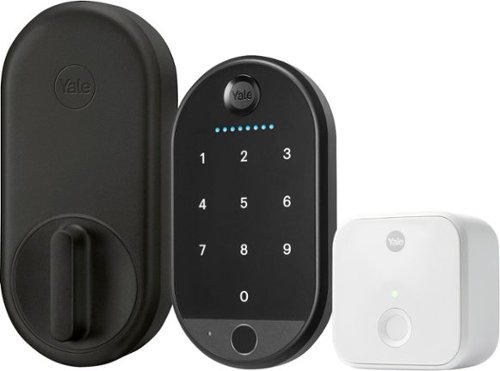
Let Yale welcome you home with it~s very first retrofit biometric smart lock: the Yale Approach Lock with Wi-Fi + Keypad. This discreet, interior-only lock installs over your existing deadbolt and lets you keep your keys, while the keypad can be placed anywhere within Bluetooth(R) range- so you're effortlessly enhancing your door without changing a thing about it. Thanks to the biometric keypad, enjoy an extra layer of convenience and security and enter your home with just a simple touch of your finger. With multiple ways to lock your door- including Auto-Lock with Doorsense and One-Touch Locking, and the ability to easily track who comes and goes using the Yale Access App, rest easy knowing your home is secure at all times.
Customer Rating
5
Strong and Beautiful Lock with Easy Install
on July 23, 2024
Posted by: RalphHenry
First of all, this is a beautiful door lock and keypad. It is very well made in addition to its gorgeous physical design. Its functional design also provides for an intuitive install (both physical and programming) and a simple operation. Yes, I was blown away, a tip of the cap to the engineers who designed this lock.
The lock does not require a new key since the installation utilizes your existing lock mechanism. The included instruction guide will help you with the lock setup in 4 main steps: the app download, the lock install, the bridge install, and the keypad install. The app is fantastic in guiding you through the details of each step. You will only need a screwdriver to do everything.
I did have a Yale electronic lock previously which I forgot about. However the app knew and alerted me to simply sign in to my existing account instead of creating a new account – nice; although I did still have the option of creating a new account. That other lock is about 4 years old and is still going strong.
I actually made a mistake in scanning the Bridge QR code before proceeding to scan the lock code. The app simply directed me to basically retrace my steps and start the 4 steps again as listed in the small ‘Get Started Guide’. I was impressed with the foresight the designers built into their install process to catch my error and make it harmless – another tip of the cap. I should note that there are included ‘adapters’ to ensure this lock will match different manufacturers; my existing lock was a Kwikset. I have installed several other brands of electronic locks and this one was by far my favorite.
In about 20 minutes, not counting my mistake, the lock was up and functional. Now I can check and change the lock status from anywhere. This is one attractive lock that is easy to install and simple to use. It even works with 'SmartThings (which I have). I highly recommend this lock.
I would recommend this to a friend!
Share this review:


0points
0of 0voted this as helpful.
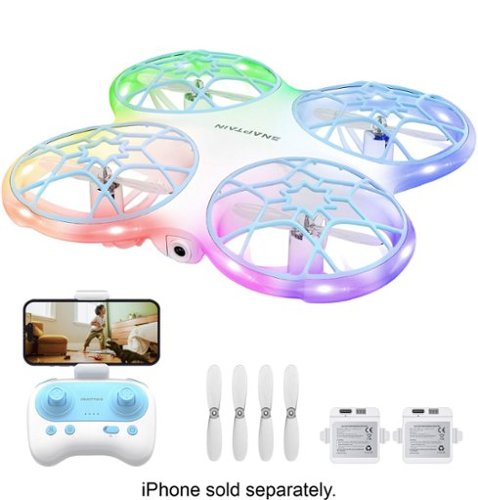
The K30 is a fun, children's drone based featuring a bionic design that combines beauty and protection with customizable and colorful lighting. The aircraft is equipped with a 720P camera, which can record the flight from a first-person perspective. The downward vision sensor makes the flight more stable.
Customer Rating
5
Easy to Use and Well Made Entry Level Drone
on July 15, 2024
Posted by: RalphHenry
This drone is an entry level device at an entry level price. It does allow you to learn the basics of operating a drone that has a camera (720P) and utilizes your cell phone to watch live or recorded videos.
The quick start guide is well written and is enough to permit you to do a test flight in a matter of minutes. The user guide has more details and I’d recommend reading it to understand all the features of this drone. With very little practice you can do loops and landings without any crashes. The guide also will help you to understand the procedures to start up, fly and land the drone. The steps to get the drone paired with the controller and also connected wirelessly to your cell phone are very straightforward and worked every time. When you crash, be sure you reset the drone so it will work correctly, but this process is very easy and quick.
It is a toy and is very light; as such it does get buffeted by the wind, but with practice you can learn to control it. I’d also recommend using the ‘headless’ mode which allows you to make turns using the control pad without knowing where the front of the drone is pointing. You can graduate to remove this mode once you are more skillful.
You get some spare parts such as 4 extra propellers, however I did find this little drone to be well made and several crashes did not damage it. You do get two drone batteries which is nice, and the control pad uses 3 AAA batteries not included. You can take videos and snapshots and view them on your cell phone, but be sure you connect the wireless on your cell to the drone, not to your home wireless.
It does give you a kick when you master some maneuvers with this little drone and take some photos & videos. It makes the perfect gift for a youngster to learn about flying drones. I would highly recommend this affordable entry point level drone.
I would recommend this to a friend!
Share this review:


0points
0of 0voted this as helpful.

Heat food quickly and efficiently with this Insignia .7 Cu. Ft. Compact Countertop Microwave. Nine preset functions take the guesswork out of cooking common foods like popcorn and baked potatoes, and a .7 cu. ft. interior provides room for meals without taking up too much space. A 10-in glass turntable works to evenly distribute heat while 700 watts and 11 power levels let you cook or reheat meat, vegetables and more. This microwave has an integrated child lock for safety and a bright LED display that lets you operate the device in low-light conditions.
Customer Rating
5
Remarkable Technology in Compact Microwave
on June 30, 2024
Posted by: RalphHenry
This microwave is very well designed. It is very solid sitting on my counter because of its oversized rubber feet. It is heavier than I expected (23 pounds) due to the sturdy transformer and large magnet needed for the powerful magnetron that is utilized in this compact unit.
I also did very much like the secure latch that is used. When you grab the door handle you lift up one finger to release the door. I immediately preferred this design over the push button openers on many other microwaves.
You will need to read the instructions to get the best use of the many features of this unit. Although the operations are intuitive, you can benefit from utilizing the built in operations that will make it a snap to do timer cooking or simply use the one touch features to defrost or set incremental cooking times. The handy manual is very well written with illustrations that make learning all the features very easy.
Although this unit is just 700 watts it heated everything from a danish pastry to boiling water for tea/coffee very nicely.
I do have a built-in microwave, however I keep this little wonder on the counter and end up using it for smaller reheats for example. It does have a generous-sized 10-inch turntable. I often end up using both units at the same time. Tip of my cap to the design engineers for a smart and useful addition to my kitchen. I highly recommend this nicely priced and very functional microwave.
I would recommend this to a friend!
Share this review:


0points
0of 0voted this as helpful.
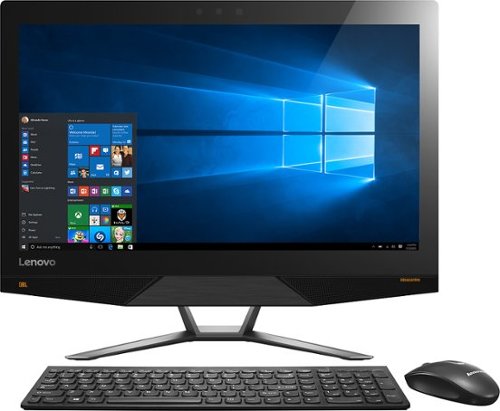
Lenovo IdeaCentre All-In-One Computer: With Wireless-AC networking, this all-in-one computer makes it easy to browse Web sites, access social media and check your e-mail. The 23.8" capacitive multitouch screen lets you navigate features using all 10 fingers and presents your favorite films in 4K UHD resolution. The revolutionary Intel~ RealSense~ 3D camera lets you scan 3D objects, use gestures to control your PC or play games and more.
Overall 2 out of 5
2 out of 5Took it back
By kenn
After setup was complete, the computer suffered many glitches, both in hardware and software. E.g. the computer kept disconnecting from my Wi-Fi and I had to go in and retype the password. Computer locked up several times and I had to unplug it to shut it down so I could reboot it. Much of my software apps displays were incredibly small and I could find no way to change them. These were just a few of the most glaring examples.

RalphHenry
Raleigh, NC
You Can Change Size of Objects & Text
December 27, 2015
The ultra HD display can be adjusted. Go to Settings, System (Display is in there), Advanced Display Settings and change the resolution to 1920x1080. Then continue on to Advanced Sizing of Text and Other Items; now click on 'Set a custom scaling level' (blue text) and select 110%. Now everything will be correct. Most apps don't work well with the Ultra HD yet. But your machine will be powerful as new Apps come out. Once the machine updates to latest Windows 10, you will find it great.
+1point
1of 1voted this comment as helpful.
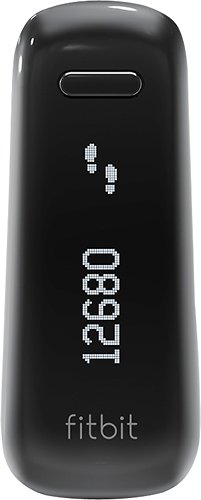
Fitbit One Wireless Activity and Sleep Tracker: Measure your activity day and night with Fitbit One, a sleek device that goes beyond the traditional pedometer. Get motivated to reach your goals by making small changes to your daily life, like taking extra steps throughout the day or learning how to sleep more soundly at night.
Overall 1 out of 5
1 out of 5Great Product at First
By Merv
Worked great in the beginning but had trouble keeping battery power and is dead now and will not recharge. Also not easy to clip on. The band included to wear on your wrist is 4" thick at least and not practical. It would have been better to purchase on of the wrist versions versus the one. I hope Best Buy will allow me to exchange due to the default.
RalphHenry
Raleigh, NC
FitBit One Wide Band
January 22, 2016
You do realize the wide band is ideal for sleep monitoring as it is very comfortable on the wrist all night. It is not a watch band. Also various suppliers make a band that the Fitbit One can snap into and then it can be worn as a watch. SO if you like the Fitbit otherwise, just get the watch band for it.
0points
0of 0voted this comment as helpful.
Fitbit One Wireless Activity and Sleep Tracker: Measure your activity day and night with Fitbit One, a sleek device that goes beyond the traditional pedometer. Get motivated to reach your goals by making small changes to your daily life, like taking extra steps throughout the day or learning how to sleep more soundly at night.
Overall1 out of 5
1 out of 5CONSTANT PROBLEMS WITH SYNCING
By loyalcustomer
from Davenport, FL
little support from Fitbit regarding syncing problems as module appears to be not always functioning during sync. No real solutions received that are workable. Long time getting responses from Fitbit.
RalphHenry
Raleigh, NC
Syncing Fitbit One
January 22, 2016
I noticed trouble syncing and it seemed if you have the application open and the Fitbit is connected to your PC, then it won't sync with your phone and vice versa. Not sure if that is an error or the design. Once application closed on PC now the phone sync'd in a couple seconds. So maybe this is what some people are seeing?
0points
0of 0voted this comment as helpful.
Lenovo IdeaCentre All-In-One Computer: With Wireless-AC networking, this all-in-one computer makes it easy to browse Web sites, access social media and check your e-mail. The 23.8" capacitive multitouch screen lets you navigate features using all 10 fingers and presents your favorite films in 4K UHD resolution. The revolutionary Intel~ RealSense~ 3D camera lets you scan 3D objects, use gestures to control your PC or play games and more.
Overall5 out of 5
5 out of 5Highest Quality and Top Features
By RalphHenry
from Raleigh, NC
This AIO has superior resolution to others. Some reviews spoke about a text problem, however you can improve the text via going to settings, display, advanced and 'cleartype text' and follow the steps. Also has 3D display capability which is good for future needs for me. Sound is nice with Jensen speakers. Touch screen is great. WIFI is super and has both 2.4 and 5 GHz ranges with Wireless AC. Very quiet fan. Lenovo support has regressed but is do-able I asked a simple question and the tech had no idea, also the website seems broken in the support area; glad I got Geek Squad. But this AIO is one great machine. price is very reasonable for what you get. Love it.
RalphHenry
Raleigh, NC
Intel Has Fix for Display Errors
March 7, 2016
Here's good news after I called and got an update from Lenovo support. The problem of getting errors such as "Display driver has stopped responding and has recovered..." seems to be fixed. But the Lenovo support site does not have the driver version to install since it is still in 'maintenance' or Beta test. However you can get the driver from Intel for their 530 graphics hardware at https://downloadcenter.intel.com/download/25620/Intel-Graphics-Driver-for-Windows-7-8-1-10-15-40-6th-Gen-?v=t
The driver version is 20.19.15.4352 (you're probably using 4300). Now if you download the driver and run the driver install as you normally do under Windows it will say either you are already at the most current driver level or that your manufacturer has not ok'd the use of this level. But the Lenovo tech helped me install it. Basically you need to go to Device manager, select the Intel HiDef Graphics 530, and click to update the driver. Select to install from your computer and say you have a disk and then select the folder where you unzipped the new 4352 driver stuff. Now it will install this driver. I have not seen the display driver error message any more so it appears that this driver fixes things. I had tried all kinds of combinations of settings for the NVDIA driver (there are two display drivers) in conjunction with the Intel driver thinking that the interaction caused the problems. But hopefully this driver level will work. Call Lenovo if you don't want to try to install it yourself.
The driver version is 20.19.15.4352 (you're probably using 4300). Now if you download the driver and run the driver install as you normally do under Windows it will say either you are already at the most current driver level or that your manufacturer has not ok'd the use of this level. But the Lenovo tech helped me install it. Basically you need to go to Device manager, select the Intel HiDef Graphics 530, and click to update the driver. Select to install from your computer and say you have a disk and then select the folder where you unzipped the new 4352 driver stuff. Now it will install this driver. I have not seen the display driver error message any more so it appears that this driver fixes things. I had tried all kinds of combinations of settings for the NVDIA driver (there are two display drivers) in conjunction with the Intel driver thinking that the interaction caused the problems. But hopefully this driver level will work. Call Lenovo if you don't want to try to install it yourself.
+1point
1of 1voted this comment as helpful.
Lenovo IdeaCentre All-In-One Computer: With Wireless-AC networking, this all-in-one computer makes it easy to browse Web sites, access social media and check your e-mail. The 23.8" capacitive multitouch screen lets you navigate features using all 10 fingers and presents your favorite films in 4K UHD resolution. The revolutionary Intel~ RealSense~ 3D camera lets you scan 3D objects, use gestures to control your PC or play games and more.
Overall 3 out of 5
3 out of 5Good but some issues
By Mike944
The 4K screen is what sold me. However, it has a lot of glare and not as stunning as you would think for it being 4k display. Also, the video card seems to crash and recover randomly. The system stays on and it recovers well on its own, but it seems to do this regularly nonetheless. Also the keyboard is a very flat, chiclet laptop style keyboard with next to no key travel, resulting in a lot of typing errors. I do not care for this type of keyboard. Otherwise, the performance is pretty snappy with no lag and Windows 10 is a huge improvement over 8.
RalphHenry
Raleigh, NC
Graphics Card Problem Fixed
March 19, 2016
I had the same problem with video card crash and recover. Finally a fix is available I have it installed for 2 weeks and not a single error. You have to download a driver from Intel for 530, it is level 20.19.15.4352 You cannot get it from the Lenovo support site because it is a Beta driver. I stumbled into it because I called IBM support and happened to get a tech who knew about it. Go here to find the driver https://downloadcenter.intel.com/product/88345/Intel-HD-Graphics-530-for-6th-Generation-Intel-Core-Processors Now you need to update the driver but the normal procedure ( go to driver tab in Device Manager...) will result in a message saying you can't install this driver... But if you go to the Device Manager and then right click the device then click on 'update driver software', then flow through browsing on your computer and say 'have disk'... and point where you unzipped the file; it will install it. If you can't weave through the steps just call Lenovo and the tech will show you or Best Buy Geek will show you. I've tested it and it works fine, great not to see those video crash and recovered errors.
0points
0of 0voted this comment as helpful.
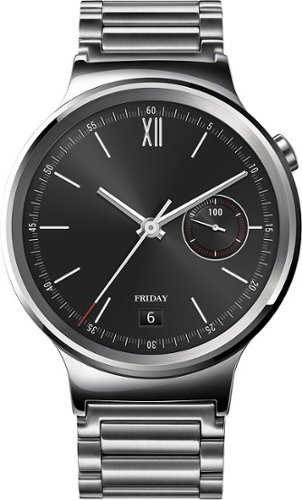
Huawei Smartwatch: Stay connected on the go with this smartwatch, which provides helpful notifications when you receive calls, texts and app alerts on your compatible Apple iOS or Android device. You can control functions just by saying "OK Google" and speaking your commands. Plus, meet your health and fitness goals with a built-in activity tracker with heart rate monitor.
Overall1 out of 5
1 out of 5No service after purchase
By Mako50
Bought this watch in november 2015, button has already fallen off without any damage or abuse and best buy wont do anything unless you buy their replacement plan, which goes for every item in their store, no replace plan=your on your own to deal with manufacturers, and this huawei watch is unrepairable at the factory- they told me since the button fell off my warranty is voided WTF and cant even be repaired if i pay, basically 3 months use now its a $400 paperweight
RalphHenry
Raleigh, NC
Seems Like Phony Customer Support
March 25, 2016
I had to laugh, the comment from their Customer Support, says sorry for frustration and then cleverly says they'll go ahead and solve your problem by contacting their Customer Support? Yikes, what the @$#&^@.
+1point
1of 1voted this comment as helpful.
Lenovo IdeaCentre All-In-One Computer: With Wireless-AC networking, this all-in-one computer makes it easy to browse Web sites, access social media and check your e-mail. The 23.8" capacitive multitouch screen lets you navigate features using all 10 fingers and presents your favorite films in 4K UHD resolution. The revolutionary Intel~ RealSense~ 3D camera lets you scan 3D objects, use gestures to control your PC or play games and more.
Overall1 out of 5
1 out of 5Good Computer BUT
By BBPurchaser071
After purchasing, the specs on the graphics card is GTX 950A, NOT A 950.Looking up the specs of the 950A, here is what is on NVIDA site: We recommend the NVIDIA GeForce GTX 950A for gaming with highest details at resolutions up to, and including, 1280x720. Why would they put in a graphics card in a 4K monitor that can only support great quality up to 1280X720. Taking it back to store.
RalphHenry
Raleigh, NC
This PC has Two Graphics Cards
June 5, 2016
You make a good point. This PC has two graphics cards and the other is the Intel HD 530 but I see it recommends only up to 1366x768. I know the display is supposed to handle 3840x2160 and you can select this setting and it works fine. I'm wondering if the limits on each card are overcome because you have both graphics cards? Maybe the manufacturers just undershoot the real capability? Anyway my Lenovo AIO 700 works great and I love it. For the money it is the best deal. I do know that you have to install a new driver for the HD 530, make sure you have 20.19.15.4352 (this is a Beta driver you can get from Intel) If you don't get it, you will get frequent from the HD 530.
+2points
2of 2voted this comment as helpful.
Lenovo IdeaCentre All-In-One Computer: With Wireless-AC networking, this all-in-one computer makes it easy to browse Web sites, access social media and check your e-mail. The 23.8" capacitive multitouch screen lets you navigate features using all 10 fingers and presents your favorite films in 4K UHD resolution. The revolutionary Intel~ RealSense~ 3D camera lets you scan 3D objects, use gestures to control your PC or play games and more.
Overall1 out of 5
1 out of 5Worst Computer Ever
By Disappointed
This computer is very aesthetically pleasing and has great specs. The 4k screen is very nice and the accessories work great.
However...
1.
This computer constantly is crashing citing a graphics card error. Simply browsing the internet or typing a Word document and the screen will constantly be crashing.
2.
The computer will not let me install updates and programs are constantly freezing and crashing. The only programs I have installed are Kaspersky protection suite and Microsoft Office suite.
**One day I turned on my computer and attempted to create a Word document only to find that the computer had deleted the entire office suite! There is no trace it ever existed.
3.
Simple tasks such as opening a program take a ridiculous amount of time. For a solid state hard drive, opening Windows Explorer takes on average 5 MINUTES!!! I have nothing saved on this computer!
1.
This computer constantly is crashing citing a graphics card error. Simply browsing the internet or typing a Word document and the screen will constantly be crashing.
2.
The computer will not let me install updates and programs are constantly freezing and crashing. The only programs I have installed are Kaspersky protection suite and Microsoft Office suite.
**One day I turned on my computer and attempted to create a Word document only to find that the computer had deleted the entire office suite! There is no trace it ever existed.
3.
Simple tasks such as opening a program take a ridiculous amount of time. For a solid state hard drive, opening Windows Explorer takes on average 5 MINUTES!!! I have nothing saved on this computer!
I took my computer into Best Buy and paid $150 and they said that they could not find any problem. I will be returning this computer.
DO NOT BUY
RalphHenry
Raleigh, NC
Display Error Problem Fixed
August 12, 2016
I once worked at Lenovo & IBM and know a little about display drivers. The problem here is Lenovo's support site recommends the wrong driver level for the Intel 530 Display Driver. All you need to do to automatically fix this is use the Intel Driver Update Utility. Download it and it will show a list of recommend driver updates. For starters just choose the display driver update. At this time it will install level 20.19.15.4463 -> all your problems will go away. You can also let it install any other drivers it may find are down level. It is great. Here is the link to download the utility: https://downloadcenter.intel.com/download/24345/Intel-Driver-Update-Utility By the way, for this computer to allow stuff I use like Windows Live to look better, I change the screen resolution to 1920x1080 and set the text scaling level to 110%. At the price, this is a super wonderful computer but need to make the changes I suggest.
0points
0of 0voted this comment as helpful.
Lenovo IdeaCentre All-In-One Computer: With Wireless-AC networking, this all-in-one computer makes it easy to browse Web sites, access social media and check your e-mail. The 23.8" capacitive multitouch screen lets you navigate features using all 10 fingers and presents your favorite films in 4K UHD resolution. The revolutionary Intel~ RealSense~ 3D camera lets you scan 3D objects, use gestures to control your PC or play games and more.
Overall3 out of 5
3 out of 5great but blinks on and off
By skinnysimmon
I like the computer but when schooling up and down sometimes it blinks on and off
RalphHenry
Raleigh, NC
Easily Fixed
August 12, 2016
I once worked at Lenovo & IBM and know a little about display drivers. The problem here is Lenovo's support site recommends the wrong driver level for the Intel 530 Display Driver. All you need to do to automatically fix this is use the Intel Driver Update Utility. Download it and it will show a list of recommend driver updates. For starters just choose the display driver update. At this time it will install level 20.19.15.4463 -> all your problems will go away. You can also let it install any other drivers it may find are down level. It is great. Here is the link to download the utility: https://downloadcenter.intel.com/download/24345/Intel-Driver-Update-Utility
0points
0of 0voted this comment as helpful.
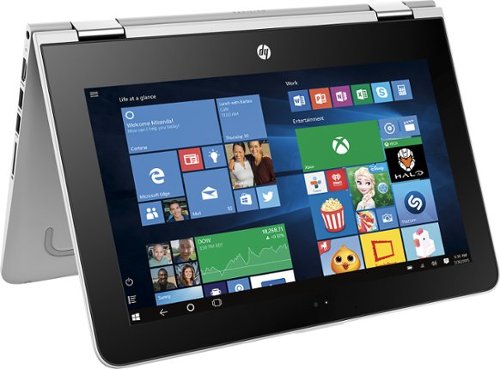
HP Pavilion Convertible 2-in-1 Laptop: Take your entertainment on the go with this HP Pavilion laptop. Its 360-degree hinge lets you shift between four viewing modes, giving you a variety of options for work, viewing and playing. Featuring a quad-core processor, HP audio boost and a responsive touch screen, this HP Pavilion laptop provides a more enjoyable computing experience.
Overall5 out of 5
5 out of 5Terrific 2 in 1 Just Make 1 Change
By RalphHenry
from Raleigh, NC
This is a steal especially at the sale price. Beautiful touchscreen display, quad core processor albeit not the fastest but 4 cores and made by Intel so not power hungry. Dual Band AC WiFi which is important. Also very solid build, great keyboard. Only thing that slowed it down was 5400 rpm 500GB HDD. Some reviews said slow and it was a bit, but pop in an SSD and it flies super fast. You can use a free program like EASEUS to clone the HDD exactly to the SSD, including the recovery partition etc. Now you keep the old HDD as your instant backup image if needed. 4GB memory appears to be enough. Great function as tablet or tent or normal PC. Very portable which was one of my needs. If you want to step up, get HP's 13.3 inch same as this just bigger, 6GB memory but same tired old 5400 rpm drive problem but you can fix that with an SSD; and this more expensive one has a 6th gen core i3. I couldn't afford the bigger one, but I also liked the smaller 11.6 display anyway. Both have IPS display technology - great.
RalphHenry
Raleigh, NC
SSD Can be Swapped in Here's How
August 13, 2016
I did see the instructions you refer to and they are for an x360 Notebook. It is confusing, as this PC is an x360 2in1. HP does take you to the wrong place. But I looked further and HP does provide a Hardware Maintenance Manual for the x360 2/1. It shows you exactly how to get inside and replace anything from the battery to memory to the HDD. I will paste in the link to the manual and it shows you each step. But I'll give you an overview. You do have to be careful but it is not too difficult. First before removing anything I used a free program called EASEUS Backup which cloned the 500 GB HDD to a 500 GB SSD (it makes it identical including the recovery partition). You do need a USB cable to attach the SSD to a USB port on this PC to make the clone. Then basically you remove 12 screws on the bottom and flip it face up and gently pry the keyboard up first at the hinge end. Don't pull the keyboard off all the way as you have to remove two flat cables from their ZIF connectors. ZIF connectors are easy to release but you do have to notice which side of the connector that you flip up. It is easier if someone holds the keyboard up slightly while you release the ZIF's. I was able to do it myself. Once the keyboard is off, you remove 2 screws from the HDD (it says 4 but I only saw 2 screws) and also another ZIF cable to release the HDD from the board. You will have to take the bracket and the cable plug off the hard drive and put them on the SSD. Then reverse the process. I did read that things like memory are not accessible but the HMM also shows you how to remove a shield a small board and boom there is the single 4GB memory card. You can put in an 8GB memory card but I didn't since the SSD gives you tremendous speed improvement that the memory upgrade will only give you slight improvement. Now the link to the 90 page Maintenance & Service Guide (I also saved it to my desktop): http://support.hp.com/us-en/search?q=HP%20Pavilion%20x360%20m1-u001dx%20maintenance%20and%20service%20guide&filter=&product=11084072&pname=HP%20Pavilion%20x360%20m1-u001dx%20(ENERGY%20STAR) If you are concerned, BBuy should be able to do it for you with your cloned SSD for a small fee. There are lots of videos of people doing this level of stuff on the smaller 2/1 laptops, tablets and cell phones that seemingly are not accessible.. I did watch one on ZIF connectors.
+4points
4of 4voted this comment as helpful.
RalphHenry's Questions
RalphHenry has not submitted any questions.

Stream instant content easily with this LG BP550 Blu-ray player. To build a complete 3D home theater system, we recommend you purchase a 3D TV, 3D glasses designed for the TV, high-speed HDMI cable and an A/V receiver that is compatible with 3D products.
Streaming Apps
Does this unit get Amazon Prime videos?
Yes it has Prime Instant Video and lot more stuff like Hulu, YouTube etc. It works great. It kind of made my older TV a Smart TV !
10 years, 9 months ago
by
RalphHenry
Raleigh, NC