


RalphHenry's stats
- Review count353
- Helpfulness votes470
- First reviewMay 28, 2015
- Last reviewMarch 28, 2026
- Featured reviews0
- Average rating4.9
- Review comment count24
- Helpfulness votes28
- First review commentMay 28, 2015
- Last review commentJune 30, 2017
- Featured review comments0
Questions
- Question count0
- Helpfulness votes0
- First questionNone
- Last questionNone
- Featured questions0
- Answer count61
- Helpfulness votes165
- First answerJune 30, 2015
- Last answerNovember 3, 2021
- Featured answers0
- Best answers10
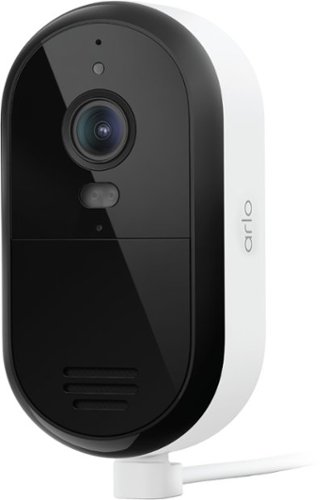
Protect your home and family with a wired plug-in powered outdoor security camera in crystal-clear 2K resolution, get alerts when motion is detected, watch live video on your phone, and stay connected to the strongest band with Dual-Band WiFi. A 1-Month Arlo Secure plan trial is included. Your trial provides 60-day video history, Smart Detections for People & Vehicle Recognition, Package & Animal Detection, plus Interactive Notifications on your phone's lockscreen with Emergency Response and Call a Friend. See shirt color, car color, and facial features at night with Color Night Vision for day and night surveillance. Hear and speak clearly with visitors with noise-canceling 2-Way Audio, and quickly deter threats with the Integrated Siren. Setting up is a breeze. Mount the camera, plug it in, and enjoy worry-free performance without the need to charge batteries. Comes with a 16 ft power cable for flexible placement. Works with your favorite smart home assistant including Amazon Alexa, Samsung SmartThings, IFTTT, and Google Home.
Customer Rating

5
Great Camera for Hard to Access Locations
on October 30, 2025
Posted by: RalphHenry
This 2K indoor/outdoor camera is an economical way to add coverage to your home security environment. This unit has plug-in power so you will not need to recharge the device. I have a mix of rechargeable and plug-in units. This unit allows me to place it in a location that would be difficult to access if I had to recharge it. The Arlo app will integrate all your cameras including this one easily into an organized list of devices. Tip of the cap to the Arlo engineers both for this camera and their app as well.
I found that the signal strength reception was outstanding using either 5 GHz or 2.4 GHz access points. The image is not as robust as the 4K cameras, however the image was clear and had color images both during the day and at night.
It does utilize WiFi for signal connectivity. You will need to utilize subscription based cloud storage if you want to save videos.
This camera has 2-way audio which I found to be very clear though sometimes there was a delay (which could be my network being slow). A siren is included as well. This combination gives me a full slate of the things I need a security camera to do in a nice weatherproof package at a low price point.
I put this camera high up on the back of my house. The initial power connection was a bit more work than a rechargeable camera, but once installed I don’t have to do anything about charging the camera.
I highly recommend this more basic unit for some of the areas as I mentioned where it is a great choice for home security.
I would recommend this to a friend!
Share this review:


0points
0of 0voted this as helpful.
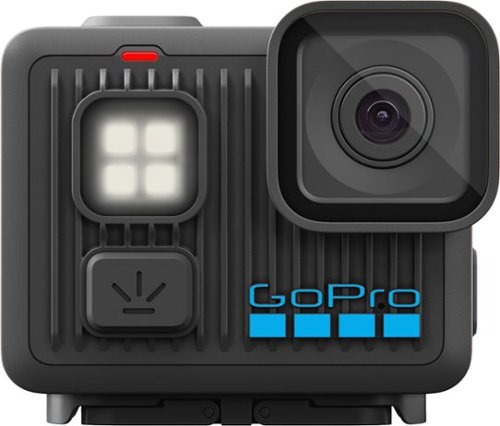
Just like the original HERO camera, LIT HERO is tough, tiny and waterproof, but is packed with even more amazing features. It bumps its 4K video up to 60 frames per second for smoother motion and the ability to play back footage in 2x slow motion. Turn on the new built-in light to help capture shots when there~s little to no light, while Magnetic Latch1 compatibility lets you switch between mounting setups in seconds. LIT HERO makes everything easy. Just point and shoot to capture your adventures. After recording, the GoPro Quik app can smooth out your footage with HyperSmooth video stabilization and automatically turn it into pro-quality highlight videos that are sent to your phone so you can relive and share your most awesome moments
Customer Rating
5
Simple to Operate, Yet Powerful
on October 30, 2025
Posted by: RalphHenry
My first impression is of a very light, compact camera that is a small work of art with a screen that is almost as big as the camera. I noticed after a couple set up items like language choice, that the whole initial process is very well automated. You simply install the GoPro Quik app, and it will find your camera and take care of set up and your first firmware update. The singular thing I noticed with connectivity is that there is no fumbling around with phone settings, the engineers at GoPro developed their software to smoothly handle the connection process (I have an Android phone). Tip of my cap to those engineers for great software and for a mighty little wonder.
This camera produced superior results in terms of 16:9 Video, 4:3 Video, Slow Motion, or the 12MP Photo mode; all this with a very concise GUI. Note you do need a V30 or higher SD card or you get a message that performance will not be optimized. Actually without at least the V30 SD card, none of the shooting modes will even operate; so the warning message needs to be amended by GoPro. The beautiful touch screen worked perfectly catching every single touch/selection.
I found the camera’s diffused LED light to be another great feature. It has three levels of brightness. I wanted to film a wood lathe working in a completely dark garage. I tried all three settings of the LED light and was astounded by the (I’d say) professional results and subtle differences of the resulting videos – great.
I did carry my camera while on a bicycle and put it inside my shirt-front pocket (it is small enough to fit the pocket); this idea worked well when not in use. I would recommend you use the included curved adhesive mount to put it on your bike helmet – that worked well for me. When viewed on my cell phone for playback the image is stabilized properly, and I did hit some big bumps that were smoothed out nicely. Another tip of the cap to the engineers for the stabilization circuits.
One caution is that the little light diffuser has a bit of a weak seating on the camera and I do fear that in time it will fall off and be lost. I’d say the engineers should come up with a new part that clamps on more tightly.
Overall, this is an outstanding value with excellent technology in a simple to use action camera. I highly recommend this fine camera.
I would recommend this to a friend!
Share this review:


0points
0of 0voted this as helpful.
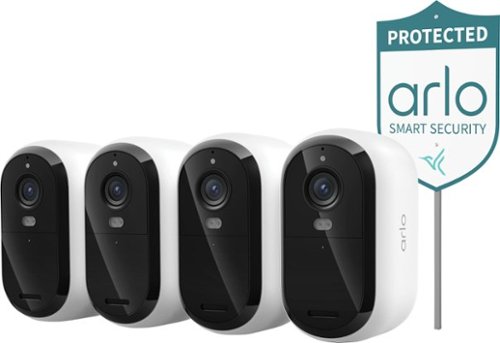
The Arlo Essential Security Camera 2K (3rd Gen) Bundle is a $305 value if purchased separately at regular price. Protect your home with this wireless outdoor security camera featuring crystal-clear 2K resolution and battery powered convenience with no wiring needed. Get instant motion detection alerts on your phone, watch live video from anywhere, and stay connected with Dual-Band WiFi. Your purchase includes a 30-day trial of Arlo Secure with premium features including 60-day video history, Smart AI Detection that automatically recognizes people, vehicles, packages, and animals, plus interactive lockscreen notifications with Emergency Response and Call a Friend options for complete peace of mind. This rechargeable security camera delivers 2K HD video quality that captures every detail including shirt colors, car colors, and facial features, plus Color Night Vision for full-color surveillance at night so you can see details in color even in darkness for superior home security. Hear and speak clearly with visitors using Two-Way Audio with noise cancellation, quickly deter threats with the Integrated Siren, and receive real-time alerts when motion is detected for immediate awareness. This outdoor camera offers simple, hassle-free installation. Easily mount your wireless security camera in minutes without professional installation, and conveniently remove it whenever it's time to recharge, while Low Power Mode extends battery life for reliable outdoor surveillance. Seamlessly works with your existing smart home system including Amazon Alexa, Apple Home, Google Home, Samsung SmartThings, and IFTTT for voice control and automation. Ideal for home security systems, driveway monitoring, front door protection, backyard safety, and complete property security.
Customer Rating
5
Great Securty System Add or Initial System
on October 28, 2025
Posted by: RalphHenry
This is a very nice 4-camera bundle that also includes a yard sign. I already had an Arlo security system, and I used the Arlo Secure app on my Android phone to quickly add these 4 cameras. I charged all the cameras overnight after I received them. The app updated the firmware on the cameras and jumped right into the physical installation which the app also guided me through. Tip of the cap to the Arlo engineers for a smooth process. It is worth noting that these cameras have dual band Wi-Fi. I do have a mesh network that auto detects the Wi-Fi band to use, and this network/device connection was handled without any problems at all.
Connectivity to my router was instant and was maintained without any lost or weak connections. These cameras were mounted about 40 feet from my router at the corners of my house. The color day/night vision was very crisp and clear. The smart detection for people and my pets and passing vehicles hit every time, so I did confirm the motion detection is top rate.
I could hear and speak to folks on the driveway, and the voices are clear and never sound like they are coming from inside a tunnel which I have heard on other security cameras.
You will want to mount the cameras so that it is convenient to recharge the cameras. Of course, installation is simplified because there is no need for wired power nor wired signal cable connections – great.
You can trigger a siren automatically or manually and this provides a great deterrent especially when you are in town and not home. Motion detection alerts are real time, no waiting like some security systems. There is also a spotlight which is a feature that I look for as the spotlight is another great deterrent to an intruder.
This package provided me with excellent and very reliable state-of-the-art technology which added to my existing Arlo security system seamlessly. I do highly recommend these cameras for your initial system or to boost your existing security system.
I would recommend this to a friend!
Share this review:


0points
0of 0voted this as helpful.
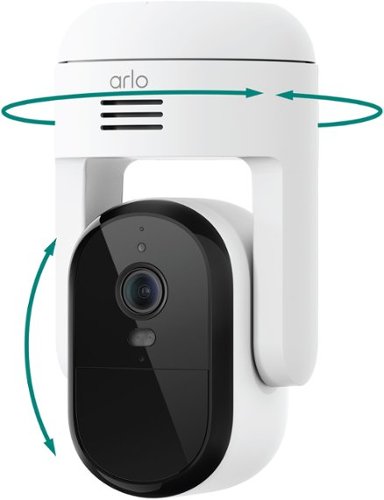
Protect your home and family with a wired outdoor security camera in crystal-clear 2K resolution, get alerts when motion is detected, watch live video on your phone, and stay connected to the strongest band with Dual-Band WiFi. See a comprehensive view, including the corners of your property, with 360~ pan and 180~ tilt viewing capabilities. Plus, with Automatic Motion Tracking, you won~t miss a thing as your camera tracks and follows the subject within its field of view. A 1-Month Arlo Secure plan trial is included. Your trial provides 60-day video history, Smart Detections for People & Vehicle Recognition, Package & Animal Detection, plus Interactive Notifications on your phone's lockscreen with Emergency Response and Call a Friend. See shirt color, car color, and facial features at night with Color Night Vision for day and night surveillance. Hear and speak clearly with visitors with noise-canceling 2-Way Audio, and quickly deter threats with the Integrated Siren. Setting up is a breeze. Mount the camera, plug it in, and enjoy worry-free performance without the need to charge batteries. Comes with a 16 ft power cable for flexible placement. Works with your favorite smart home assistant including Amazon Alexa, Samsung SmartThings, IFTTT, and Google Home.
Customer Rating
5
Low Cost But High Security
on October 28, 2025
Posted by: RalphHenry
The Arlo Essential Pan Tilt Wireless 2K camera is a very well-designed device that underwent a substantial test from me in my garage and came out excellent. This camera by Arlo has a strong built-in ability to find and easily stay on your Wi-Fi connection, even in my garage about 20 feet from the router through walls and a fire-proof door. Arlo has done a great job in their connectivity design which is so critical in these devices – no signal drift or lost connections at all.
The installation is very easy, it is a marvel of simplicity. Once you install the Arlo Secure app (I was using an Android phone), the app will take over to guide you to the selection of this device and then will do a firmware update. The Quick Start Guide is pretty much just a couple steps to download the app and show you the series of selections to add this specific device; but it is a very intuitive process even without using the documentation. Tip of the cap to the Arlo engineers for a streamlined process. The app will also help you physically install the camera.
The camera has the latest top-notch technology to track and follow people or pets or vehicles. There is a spotlight which is motion activated and this alone is a great deterrent to scare off intruders. This 2K camera has a very clear and crisp day or night color vision.
The very advanced functions also include audio detection like barking or glass breaking. It has a 360-degree pan and 180-degree tilt capability. The device provides instant alerts to your cell phone. I liked using it set up in my garage since I often leave the garage door open and go back in the house at times. Also, this unit is plug-in, so inside the garage it is very convenient and won’t require re-charges. It currently works to keep me informed for smart home delivery to my garage – it seems ideal for this purpose.
I found this camera to be of the highest quality and with so many terrific functions I certainly can highly recommend it.
I would recommend this to a friend!
Share this review:


0points
0of 0voted this as helpful.
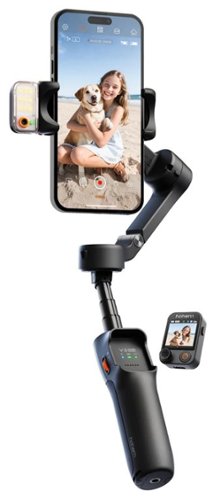
iSteady V3 Ultra is an ultra AI gimbal for beginners to capture everyday moments with ease. It comes with a detachable touchscreen remote, offering vivid, intuitive control from a distance ~ even first-time users can shoot with confidence. Paired with a multimodal AI tracker, it breaks industry boundaries with seamless tracking of people, pets and other subjects!
Customer Rating
5
Powerful Technology, Well Thought Out
on October 23, 2025
Posted by: RalphHenry
The technology incorporated in this gimbal is extensive and cutting edge. It is important to utilize the Quick Start Guide to get going on understanding how to use this device. The Quick Start Guide is the best manual I have seen and it gives an organized and thorough, albeit quick way to learn. This guide includes QR codes that will link you to various tutorials and I would suggest viewing these very helpful tutorials.
You will want to install the Hohem Joy app and pair the device with your cell phone. Be sure to have the cell phone attached to the gimbal before you turn the gimbal on. The reason for this caution is that the gimbal’s motors need to understand the weight of your phone and they have the ‘smart technology’ needed to maintain your phone at level or tracking people, cars or pets for example. Note that when you pair this device the item to pair is designated by “SV3U-......”. There are extensive commands utilized by using the joystick on the little remote and utilizing a multiple button tap scheme. All this can be daunting at first. However using the app will help a beginner to get started quickly. You soon will realize that his gimbal has tremendous technology available to help you make wonderful professional quality recordings and photos.
The device feels solid and gives you a much better ergonomic comfort for your grip versus just filming with your cell phone in your hand all day. You also have a built in tripod so you can set the gimbal safely down and still operate it. There is an 8” extension arm as well. The device also has a tripod screw mount on the bottom. Tip of the cap to the Hohem designers for a very useful physical and electronic design.
The little color screen is detachable and can be used as a remote. By the way the remote screen is not just used for settings. One useful feature comes into play if you want to point the rear (more powerful) cell camera at yourself but now you can’t see the image. But the image can be shown on the little detachable remote – genius.
The most powerful technology is the AI tracking capability, the device will move your phone to track an object using customizable tracking zones. You can even do 360 degree tracking. Lighting is also customizable. I certainly believe this accessory will be very helpful for me to make all kinds of videos. I am so happy I have found this device and highly recommend it.
I would recommend this to a friend!
Share this review:


0points
0of 0voted this as helpful.
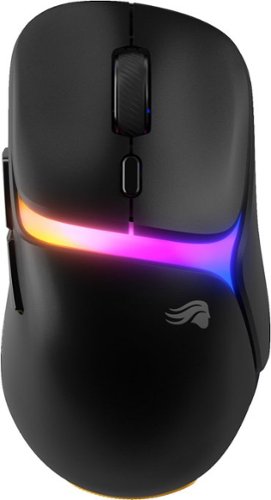
Model D3 Wireless pairs ultralight ergonomics and radiant RGB with our InfinitePlay swappable battery system for true wireless freedom and zero downtime ~engineered for nonstop competitive play
Customer Rating
5
Battery Swap Option Very Useful
on October 7, 2025
Posted by: RalphHenry
This is an excellent mouse with top notch specifications. It also has a unique capability that I had not seen before. This special capability is the included docking station which recharges batteries and gives you visual LED indicators for key status/settings. You get two batteries and while one is in the mouse being used, a second one is in the docking station being charged; so you don’t need to worry about charge times – tip of the cap to the design engineers for a very useful battery backup that does indeed come in handy. When I see the dock show the mouse battery is yellow, I swap the batteries the next time I find it convenient. Basically your dock is wired but your mouse can be continuously wireless without concerns for charge times; no more dead mouse just when it is least convenient to stop and charge.
The docking station has a port for the wireless receiver dongle, a port for USB connection to your PC and also has status indicators for polling, DPI settings and the charge of each battery. You do also have a special docking station button that has many uses via whatever you set it to in the Glorious Core software which is a simple to use app. If you need, you can print yourself a chart of docking station color meanings for each of the four LED’s.
The Glorious Core software has all your setting functions for button assignments, lighting effects, keybinding and performance characteristics. Firmware updates are also handled by this software. I also have a Glorious keyboard so both the mouse and keyboard appear in the app and can be configured in the same app – nice. The mouse fit my (medium) hand perfectly. I tried the battery switching and the mouse stays powered while you switch batteries due to an internal ‘keep-alive’ battery; very clever design. The docking station battery lights changed from green to red if a battery is dead or removed.
You can control the polling rate (6 stages), motion sync, debounce times and of course the lift off distance. I was very happy with the .7 mm lift-off distance; but the user should experiment using the Glorious Core software for your ideal characteristics which can vary per game.
This mouse operated smoothly and is relatively lightweight, but some mice are a little lighter. I found the weight acceptable especially considering the great RGB lighting and the battery switch capability. This is like a mouse on steroids in terms of its great specs and its unique and convenient ‘two-battery/dock’ design. I love it and highly recommend this little gem.
You can control the polling rate (6 stages), motion sync, debounce times and of course the lift off distance. I was very happy with the .7 mm lift-off distance; but the user should experiment using the Glorious Core software for your ideal characteristics which can vary per game.
This mouse operated smoothly and is relatively lightweight, but some mice are a little lighter. I found the weight acceptable especially considering the great RGB lighting and the battery switch capability. This is like a mouse on steroids in terms of its great specs and its unique and convenient ‘two-battery/dock’ design. I love it and highly recommend this little gem.
I would recommend this to a friend!
Share this review:


0points
0of 0voted this as helpful.

The HP DeskJet 2827e delivers color printing, 60-sheet paper capacity, and a flatbed scanner for easy scanning and copying. It's AI-enabled to intuitively adapt to your workflow, with wireless and security features that keep your multifunction printer up to date and secure.
Customer Rating

2
User Interface Poor, HP Smart Install Difficult
on October 3, 2025
Posted by: RalphHenry
This is an economy printer that has a very poorly design physical interface. I had encountered HP printers with this interface years ago but did not realize they still designed machines with this control panel. It is not intuitive and one must look up the process to do anything other than basic operations. An example is when you may need to change a WiFi address. You are required to restore the printer to Wi-Fi setup mode (this did work by holding both the WiFi button and X button for 3 or 4 seconds). Next you need to use the HP Smart app and the control panel to connect to the new network. The HP Smart app had many troubles doing the setup. Also the HP Smart app would not let me delete the partially installed printer; so I was stuck with a printer I could not connect. I finally had to uninstall/reinstall the app to clear the partial printer install. Finally I got the HP Smart app to get through the setup. There is no way to use the printer’s control panel alone to set a WiFi address.
I was frustrated that the installation was cumbersome and prone to failing at various stages. I needed several attempts and 90 minutes to get the HP Smart App to complete the setup and get this printer installed. Often the app could not find this printer or the app would hang during various phases of the setup. In a few instances when the app could not find the printer, it sent me to a manual setup and asked for the IP address of the printer which I could not get. It would seem the code funneled me into this point from situations where you would have the IP address, so the HP Smart app needs a fix in this area.
I did use a laptop connected to a 2.4 GHz access point and also connected the printer to this same access point. You cannot use a 5.0 GHz access point as that is not supported. I did notice that this version of printer (the 2827e) never does appear when the HP Smart app searches for printers; sometimes I would see the 2800e printer series instead. I believe HP should make the HP Smart show the correct model of printer instead of a generic series. Of course the app should more reliably do the full install without needing so many retries.
On a positive note, a color printout was very accurate to the original color and the speed of the printing process was fine for both black/white and color printing. My advice would be to get a printer that has a control panel and joystick buttons, that will allow you to perform operations from the printer physically like setting the WiFi address/password, finding the IP address, firmware updates and so forth.
Ultimately the printer was functional and printed per specifications connected over WiFi. However, based on the inadequate user interface and the problems encountered with the HP Smart app, I would not be able to recommend this printer.
No, I would not recommend this to a friend.
Share this review:


0points
0of 0voted this as helpful.
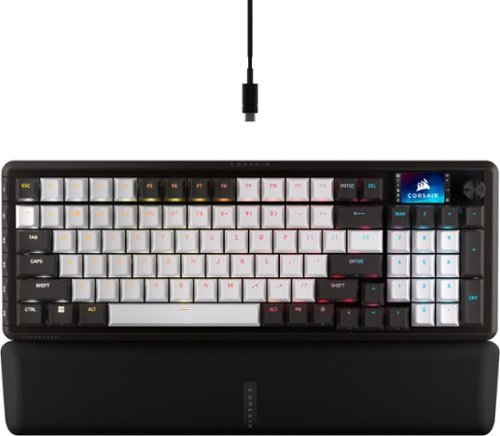
CORSAIR~s VANGUARD 96 pulls off the astonishing feat of shrinking a full keyboard with arrow keys, a tenkey pad, an LCD screen, rotary dial, and 6 programmable G-keys into a super-compact frame. Featuring wobble-free pre-lubricated CORSAIR MLX switches, it~s also hotswappable, supporting compatible 3-pin and 5-pin switches. The stunning LCD screen takes keyboard personalization to the next level with animations, stats, and game integration support. Quadlayer sound dampening provides satisfying keypress acoustics, and 8,000Hz hyper-polling delivers lightning-fast inputs. VANGUARD 96 also features Elgato Virtual Stream Deck integration, FlashTap SOCD handling, and easy customization via our web-based utility, CORSAIR Web Hub.
Customer Rating
5
High Technology, Innovative and Super Perfomance
on September 25, 2025
Posted by: RalphHenry
The first thing you notice is that the Corsair Vanguard 96 keyboard is gorgeous. The physical design is both functional and the appearance is different than other gaming keyboards. It is about three inches shorter than any of my other gaming keyboards. Also it has the G keys on the left side (not top). This design point does two things as it saves some width and it provides landscape for these keys that does not get mixed in with your ‘normal’ keyboard top layout. This 96% keyboard size feels optimal for me, and it does still have a rotary dial, arrow keys, ten key pad, and a 1.9” color LCD screen that you can use in various ways – wow. I’ll give a tip of my cap to the design team at Corsair for innovation as well as the substance of this keyboard’s technology. This keyboard comes with a very soft wrist-rest which connects magnetically to the keyboard. This did help me to avoid some discomfort I usually get after a couple hours. This design by the Corsair folks is perfect for my wrist support needs.
Next impact on me was the feel of the keys. I would say I have never felt a smoother touch than these MLX switches, and I have many gaming keyboards. The sound is also more subtle yet apparent on each keystroke. The reason for the softer sound is a 4-layer sound dampening design. The Corsair engineers incorporated a Fresnel lens for the keys that provides a lighting effect that is very appealing. Before I even knew about the Fresnel lens design, I did wonder why the lighting was so pleasant; now I know. In addition, for me because I wear glasses I noticed the lack of any glare from the lighting, even if it was brighter; I’m loving this Fresnel lens design.
You do have hot-swap keys (and a tool is provided to facilitate key swapping). You have a very broad choice of different compatible keys, but I love the ones that came with it. There are six programmable G keys and superior technology everywhere you look. I noticed that one of the side keys also switches you between game and non-game mode. When you press this mode-button it also changes the lighting effect so that you know which color is game mode – very smart design point. You can change game mode ‘on’ versus ‘off’ color using the Corsair Web Hub.
This keyboard played fast and true for me and fixed some of my goofs because of its ‘Flashtap’ SOCD to help me with my fat-fingered mistakes on directional buttons – amazing. This keyboard has the AXON Hyper-fast keystroke detection and processing, and I did notice no errors no matter how fast I played. I also tried some speed typing (as fast as I could) on a Word file and that also felt smooth and was accurate.
I did play a few hours with motorsport’s games and everything was optimized for my playing. I played an arcade racing game series for PC, this was lots of fun without a steering wheel or floor pedals needed.
This keyboard is compatible with the iCue software which I have used many times. This software is top notch for your G key macro programming, lighting and of course firmware updates. I did use the Corsair Web Hub and it recognized the Vanguard 96 keyboard. After a required firmware update I was able to customize my keyboard. Note that if you have iCue software directly installed on your PC, that software may not be ready to detect this keyboard yet. Also if the PC version is running you will have to exit it in order for the Corsair Web Hub version which does recognize this keyboard; (I had to use Task Manager to close the installed PC version). You also can install the Elgato Stream Deck software to your computer and integrate that with this keyboard.
This is one beautiful, hi-tech keyboard for gaming. I highly recommend it.
This is one beautiful, hi-tech keyboard for gaming. I highly recommend it.
I would recommend this to a friend!
Share this review:


0points
0of 0voted this as helpful.
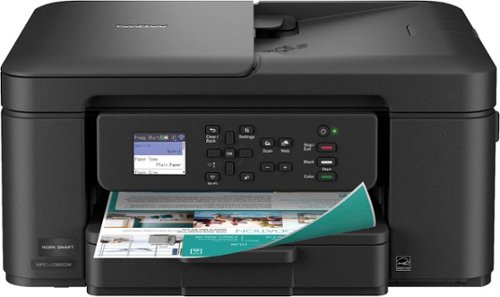
The Brother Work Smart 1360 Wireless All-in-One Refresh Subscription Eligible Inkjet Printer is the perfect choice for a reliable printer with robust efficiency-boosting features. With tools like automatic duplex (2-sided) printing, a 20-page single-sided automatic document feeder(1), and wireless(2) and Cloud connectivity(3) options available on the 1.8~ color display, this multifunction printer helps you get your work done with simplicity and ease. Perfect for printing anything from to-do lists to business reports, this color inkjet printer outputs quality prints at fast speeds. Brother Page Gauge(4) monitors your ink usage so you know when you~re running low. When paired with the Brother Mobile Connect app(5), setup is quick and easy ~ plus, you~ll be able to print from virtually anywhere on your mobile device(6). Print Confidently with Brother Genuine LC501 Ink in your Brother Work Smart 1360 for reliable, consistent prints ~it~s the only brand we recommend for your Brother printer.
Customer Rating
5
Solid Build and Great Features
on September 17, 2025
Posted by: RalphHenry
I was very impressed with the Brother Work Smart 1360 Wireless Color Inkjet All-in-One Printer. It has a very solid feel. Some things I don't always experience that I look for are: the paper loading is easy and smooth with no hang-ups when removing the paper tray, the display is clear and very responsive to the buttons for making selections and this printer has enough weight that when printing it does not shimmy around - excellent.
Ink setup and initialization of this printer went very nicely. I chose to install from my laptop instead of from my cell phone. It worked fine, but I do know it's recommended to use the cell phone app.
Printer alignment tools worked properly. I did download the firmware update tool and the tool did find that my firmware was up to date. The firmware update tool requires the printer password which is on a label on the back of the printer. I had changed the printer password during setup, however the software told me the password change failed. When I ran the Update Tool, I tried the original password and it failed. I tried the new password and it worked. So the setup software may need a fix since it said my printer password change failed but it was successful.
I love the 'iPrint & Scan' software and it works perfectly. Also the Brother Creative Center software is wonderful. You have many templates for things like calendars, greeting cards, coloring page templates for the grandkids and more. This software and the 'iPrint & Scan' software are free with the printer. Tip of the cap to the team at Brother for a complete set of tools and extras too.
Printouts had very sharp text and colors were great. The document feed ran quickly, and you can select to print on one side or both sides. I'm enjoying this printer and its functionality. I would highly recommend this printer.
I would recommend this to a friend!
Share this review:


0points
0of 0voted this as helpful.

Enhance your audio immersion on Xbox, PC, and more with the versatile HS80 MAX Wireless Gaming Headset. Experience the difference of three-dimensional atmospheric sound with Dolby Atmos and respond more quickly to in-game audio cues. Simultaneous low-latency 2.4GHz wireless and Bluetooth connectivity provides seamless connections over multiple devices. Give crystal-clear callouts with HS80~s omni-directional microphone that boasts exceptional dynamic range and NVIDIA Broadcast technology* to eliminate background noise. Cushy memory foam ear cushions, breathable cloth, and floating headband design work together to provide extraordinary comfort. Get up to 65 hours of battery life, more than enough for marathon gaming sessions.
Customer Rating
5
Super Spactial Sound with Xbox, Comfortable
on September 13, 2025
Posted by: RalphHenry
These headphones sound amazing. You do need to follow the correct pairing procedure to ensure the Corsair HS80 Max v2 for Xbox is in Xbox mode. It is simple: put the included dongle in an Xbox USB port and press the sync button on the Xbox. The dongle will be white if not in Xbox mode, just double tap the power button on the headphones and the dongle will turn green and you’ll be connected (you’ll also see a ‘Headphone Assigned’ message on your display). I did notice that once it is all sync’d up, for the next time you power up, the Xbox dongle will be green already; so it does stay sync’d through a power off – great.
I also paired these headphones with my Windows laptop. I tried the dongle and also Bluetooth. Everything paired in a split second. The sound was also amazing using various music videos on my computer. On the Xbox (mine is a Series X), I watched movies and played games; the sound was vibrant with super strong bass and crisp highs. In motorsports games the sound was incredible and did add a lot of fun to playing the games with such crisp, crunchy and snappy sound characteristics.
I ended up watching a couple movies plus about 2 hours of gaming in one sitting. I noticed the ear cups were very comfortable over this timeframe. I do wear glasses, and the shape and softness of the ear cups ensured I didn’t get a headache – tip of the cap to the Corsair engineers for designing a headset with a very high comfort level to go with the wonderful sound.
You can install the iCue software on your computer to update the headset firmware and also you can re-pair the headset with the dongle if needed (however, the dongle does come already paired with the headset). The dongle firmware can also be updated by the iCue software. I noticed that the software found the headset and the dongle immediately –nice.
I did interact with Corsair support and it turned out that their support was exceptional both via phone and email. I was very pleased with their customer support and appreciated the advice I got.
I installed Dolby Atmos on my Xbox and the sound through these headphones was booming like 3D spatial sound – just wonderful. You do need to ensure your Xbox audio settings are set to ‘Headphone with Dolby Atmos’. I am very pleased with these headphones and would highly recommend them for the Xbox.
I would recommend this to a friend!
Share this review:


+1point
1of 1voted this as helpful.
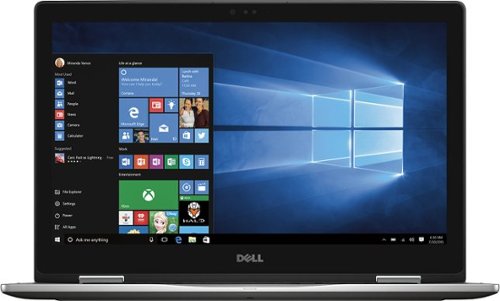
Only at Best Buy Dell Inspiron Convertible 2-in-1 Laptop: Enjoy the convenience of a tablet or the functionality of a computer with this Dell Inspiron Starlord laptop. The 15-inch touch screen makes viewing the small details on websites simple, and the Intel Core processor keeps the computer running commands quickly. This Dell Inspiron Starlord laptop has a backlit keyboard so you can type in the dark.
Overall 4 out of 5
4 out of 5physically shake the laptop? Warning
By Kevin
After looking for a powerful engineering laptop to meet my need, this Dell product is a great one. Design is great, sleek, and powerful. Has windows hello, hd screen and a 2 in 1. However it only has 2 USB ports. I wish dell would added more ports. Fast boot up with ssd, and a good backlight keyboard. However after a week of use, when I would hold the laptop and walk you could here a sound. Now this is when it is off. It seems that something is moving inside or it could be from the manufacture. So I returned it and sought to get the replacement. They opened the replacement and when they shaked it the same sound came from it. The best buy rep seemed to say its nothing and it does not matter where I presented this laptop to a computer engineer at my school, who told be its should not be doing that. Now the one on display did not have the defect. But it is amazing that a laptop of this power has this defect. So to wrap up, if you want to buy this laptop make sure to shake it. Seems weird but you don't want to end up loosing your money

RalphHenry
Raleigh, NC
Can Expand Number of USB Ports
February 10, 2017
As you say it has only one 2.0 and only one 3.0 USB port, but this is easily mitigated. For about $20 you can purchase a 4 port USB hub for when you may need added ports. You won't notice any speed difference. Here's one at BBuy: http://www.bestbuy.com/site/insignia-4-port-usb-3-0-hub-black/4333600.p?skuId=4333600 PS: My unit does not make any noise when you shake it, and unless it needs to turn on the fan it has zero noise in operation. I did the fan and it is noticeable but that's good since it is being turned on to ensure cooling.
-1point
0of 1voted this comment as helpful.
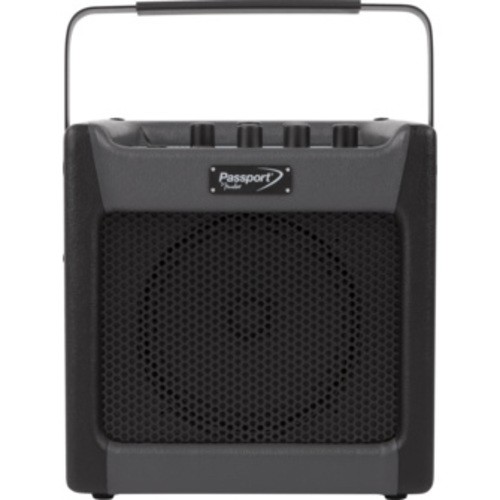
Passport~ mini offers convenient amplification for any instrument or microphone. It's perfect for performances by street musicians and students, as well as a basic public address system for events and presentations. It goes anywhere thanks to its dual AC- or Battery-powered capabilities. It can even be used as a music media playback system or computer recording interface.
Overall5 out of 5
5 out of 5Great Little Amp & PC Software
By RalphHenry
from Raleigh, NC
This amp is tremendous. No hum and lots of adjustments that at first seem over whelming, but then you catch on and it is reasonably simply to operate. The Fender Fuse software is great. I played around and could hear the difference easily as I changed presets and effects. It is not powerful, but it does have 7 watts RMS, fine for in the house. The software is cool, anything you change on the computer changes the adjustments in the little amp flawlessly. First thing I did was follow the instructions to upgrade the firmware to pick up any fixes or enhancements. Then you just have a ball playing around. It does have a vocal and instrument channel as well as an IPOD or other input. I ran it on batteries as well as AC with the included adapter. It also includes your USB cable to connect to the computer. I'm not an expert so this helps me learn about a lot of effects and styles by letting you hear the differences. GREAT. If you are an experienced guitar player, you will probably have other amps but this one may be nice to practice and learn with.
RalphHenry
Raleigh, NC
Got Another One
February 16, 2017
I gave the first one to my Uncle. I got another one used from a friend that did not work. However it appears that only a loose wire was the cause so it is now fixed. Also did not work on battery power, but I found that the spring contacts for the batteries were smashed down and didn't actually make contact. Once I pulled the contacts out the unit began to work on battery power as well as AC. So if you find a unit not working on battery power check the contacts.
0points
0of 0voted this comment as helpful.

We know pets makes messes. Whether it's tracked-in mud or bathroom accidents, BISSELL~ ProHeat 2X~ Revolution~ Pet Pro Plus carpet cleaner handles those though pet messes with its exclusive Pet Pro Cleanup System. This system includes a CleanShot~ pretreater to remove spots and stains; the 2-in-1 Pet Upholstery Tool to remove pet hair, stains and odors from upholstery, a trial-size of BISSELL~ PET PRO OXY Urine Eliminator formula, and an EZ Clean Brush Roll Cover to make maintaining the machine easy. When used in MAX Clean Mode, you get powerful cleaning that outcleans the leading rental*** and leaves carpet dry in about 30 minutes with Express Clean Mode.** All of this cleaning power comes in a lightweight and maneuverable machine with a low-profile foot that gets under furniture. But this machine doesn't just pick up after pets, it helps save them, too. BISSELL~ proudly supports BISSELL Pet Foundation~ and its mission to help save homeless pets. When you buy a BISSELL product, you help save pets, too. We~re proud to design products that help make pet messes, odors and pet homelessness disappear.***Cleaning results based on ASTM F2828 using BISSELL PET PRO OXY Urine Eliminator formula in MAX clean mode against the Rug Doctor Mighty Pro X3 carpet cleaner using their top selling formula.**Express Clean Mode (reference instruction in user guide). Tested on new carpet with protectant. Results may vary.
Overall2 out of 5
2 out of 5Sadly, Very disappointed with this cleaner
By Laddie
Pros - Light weight and easy to maneuver - intuitive design makes it easy to use and nice design.
Cons - very low suction and seems to clog up after one use. No horsepower listed on the box and was told it was very powerful by a sales person.
The story - I went to Best Buy to purchase the Hoover SteamVac F7452-900 All Terrain Steam Cleaner with SpinScrub which is advertised being at the store. I have had the Hoover model for over 5 years and it has been an incredible workhorse typically using it twice a week. Strong suction and allowed for quick drying over large areas. We moved from a 6-bedroom home of 3,300 square feet to a 1,000 foot two bedroom two bath apartment. Didn't think I would need all the power of the Hoover but with two small dogs, well, they sometimes miss the puppy pads. I'm hoping I will be able to return the new Bissell for a Hoover.
BEST BUY - this is not a fault of Best Buy - they are a great store that carries quality items - unfortunately I didn't do the homework needed to evaluate this product adequately - I should have waited for the Hoover that I wanted...
Cons - very low suction and seems to clog up after one use. No horsepower listed on the box and was told it was very powerful by a sales person.
The story - I went to Best Buy to purchase the Hoover SteamVac F7452-900 All Terrain Steam Cleaner with SpinScrub which is advertised being at the store. I have had the Hoover model for over 5 years and it has been an incredible workhorse typically using it twice a week. Strong suction and allowed for quick drying over large areas. We moved from a 6-bedroom home of 3,300 square feet to a 1,000 foot two bedroom two bath apartment. Didn't think I would need all the power of the Hoover but with two small dogs, well, they sometimes miss the puppy pads. I'm hoping I will be able to return the new Bissell for a Hoover.
BEST BUY - this is not a fault of Best Buy - they are a great store that carries quality items - unfortunately I didn't do the homework needed to evaluate this product adequately - I should have waited for the Hoover that I wanted...
RalphHenry
Raleigh, NC
Must Vacuum First
May 10, 2017
I think I know why you might have less suction or clogging. I learned this the hard way. It is best to vacuum the carpet prior to using this machine - actually every carpet shampooer requires this step. You may have skipped doing this, but if not you may need to use the tool they include and slide it into the nozzle and remove any hair and other clogs. Anyway it worked great for me. The other area to check is the 'red filter' below the dirty tank, I noticed this gets pretty much completely covered and although you clean the tank you need to also clean this filter (see page 16 of the manual Step 5). Hope this helps.
+8points
8of 8voted this comment as helpful.
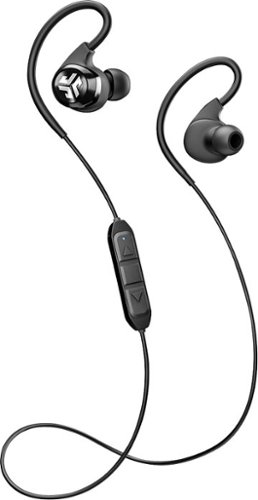
Kick your listening experience up to a whole new level with wireless JLab Audio Epic Bluetooth earbuds. The 10-hour battery life lets you enjoy your music all day, and crystal clear radical sound creates a smooth, precise and memorable listening experience. Get the most out of your music, phone calls and audio books with JLab Audio Epic Bluetooth earbuds.
Overall 1 out of 5
1 out of 5Cheap Materials, Bad Sound, Poor Quality Control
By ryanmcv
I wanted to like these, but JLab really dropped the ball with my set of Epic2 headphones. I'd normally list the pros first, but I'm so disappointed that I'm starting with the cons.
CONS:
- The Epic2s are supposed to come with 6 pairs of silicone ear tips. Well, I got 6 ear tips, but not 6 PAIRS of ear tips. My box only had 1 of each type of ear tip. Yes, I looked everywhere - inside the carrying case, in every plastic bag -- they're not there.
- After I removed the headphones from the box, I noticed that the black coating on the cord was starting to peel. This is probably because JLab forcefully bends the cord to fit it into the awkward box. Not a good first impression, and I'm sure it's only going to get worse.
- It's too bad that JLab didn't provide all of the ear tips, because the ones that come installed by default do not fit me well at all. They are way too small for my ears and slide out while I'm running. It would have been nice to try another set of ear tips, but I obviously can't do that.
- These things just aren't comfortable on my ears. The over-ear loops just feel awkward and don't allow much room for adjustment.
- The cord is just ridiculously long. The headphones come with 2 cable clips (which I actually got - yay!), but they are awkward to use and you're warned that using them might kill your Bluetooth connection. No thanks.
- The volume and track control buttons are horribly placed. I feel like I have to reach around and grab the back of my neck if I want to adjust the volume.
- Speaking of sound and volume, these headphones just don't sound good. They are way too bass-heavy and voices/dialogue sound extremely muted.
- The Epic2s are supposed to come with 6 pairs of silicone ear tips. Well, I got 6 ear tips, but not 6 PAIRS of ear tips. My box only had 1 of each type of ear tip. Yes, I looked everywhere - inside the carrying case, in every plastic bag -- they're not there.
- After I removed the headphones from the box, I noticed that the black coating on the cord was starting to peel. This is probably because JLab forcefully bends the cord to fit it into the awkward box. Not a good first impression, and I'm sure it's only going to get worse.
- It's too bad that JLab didn't provide all of the ear tips, because the ones that come installed by default do not fit me well at all. They are way too small for my ears and slide out while I'm running. It would have been nice to try another set of ear tips, but I obviously can't do that.
- These things just aren't comfortable on my ears. The over-ear loops just feel awkward and don't allow much room for adjustment.
- The cord is just ridiculously long. The headphones come with 2 cable clips (which I actually got - yay!), but they are awkward to use and you're warned that using them might kill your Bluetooth connection. No thanks.
- The volume and track control buttons are horribly placed. I feel like I have to reach around and grab the back of my neck if I want to adjust the volume.
- Speaking of sound and volume, these headphones just don't sound good. They are way too bass-heavy and voices/dialogue sound extremely muted.
PROS:
- They turn on and connect to Bluetooth as expected.
- Comes with a nice carrying case.
- Battery life estimate of 12 hours seems to be accurate.
- They turn on and connect to Bluetooth as expected.
- Comes with a nice carrying case.
- Battery life estimate of 12 hours seems to be accurate.
OVERALL:
I've emailed JLab to see about getting replacement ear tips, but even with those, I think I'll still avoid these headphones. I wouldn't want the cord to start peeling apart mid-workout. The title of this review says it all: these headphones are made from cheap materials, have bad sound quality, and apparently go through minimal quality control processes. Avoid at all costs.
I've emailed JLab to see about getting replacement ear tips, but even with those, I think I'll still avoid these headphones. I wouldn't want the cord to start peeling apart mid-workout. The title of this review says it all: these headphones are made from cheap materials, have bad sound quality, and apparently go through minimal quality control processes. Avoid at all costs.
RalphHenry
Raleigh, NC
Just on the ear tips
June 30, 2017
I know you said they were not included and you looked hard, but I found the small bag with one half of the ear tips and on the placard the other half of each size were connected in the cardboard. I would agree it was odd packaging. But I have a feeling that you might (just maybe) have easily tossed them, baby-with-bath-water style.
+1point
1of 1voted this comment as helpful.
RalphHenry's Questions
RalphHenry has not submitted any questions.
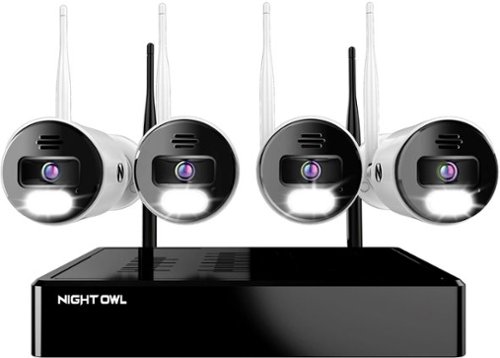
Night Owl is excited to offer our U.S. designed and engineered 4K Wi-Fi Bluetooth Network Video Recorder with Wi-Fi IP 4K Spotlight Cameras and Pre-Installed Hard Drive. With secure app-based Bluetooth setup, there is no need to connect a TV or monitor for setup or viewing (optional). You can easily configure your system right from the app on your smartphone or tablet with the Bluetooth connection. While a TV or monitor is not required, with Google Assistant you can use simple voice commands to stream camera footage directly to your TV or monitor, all while remaining hands free. Each camera has 2-Way audio (talk and listen) as well as a built-in siren and preset voice alerts. From within the app, you can easily activate the built-in siren, startling intruders and sending them packing. Have a guest but can~t get to them? Use a preset voice alert to let them know! Smart detection technology including human detection, facial capture, and vehicle alerts reduce the risk of false alarms, keeping you safe and well protected. Facial capture lets you see who is on your property by snapping a photo and sending the image to your Smart Device. Motion-activated dual spotlights flood your yard with bright lights when human motion is detected, instantly warding off trespassers. Proudly designed and engineered in the USA, our security system uses a built-in wireless connection for uninterrupted viewing with no delays. Our app gives you control of your system and easy access to your recordings, regardless of where you are. Night Owl never charges fees for storage or access to your videos. All recordings are securely stored on a pre-installed hard drive for convenience. You can view and download the recordings as you need them. This system provides the latest technology to give you the ultimate security experience. NOTE: Your Wi-Fi recorder is compatible with our BWNIP2 (Wire Free), WNIP2 (Wi-Fi IP) and WNIP8 (Wi-Fi IP) Series devices and is not backward compatible with other Night Owl products.
Can I add more cameras
Yes you can connect more cameras. In fact the default was to display 8 cameras and I had to set it back to 4.
4 years, 5 months ago
by
RalphHenry

The minute you put on Bose QuietComfort 45 Wireless Noise Cancelling Headphones, you feel it ~ the iconic quiet that allows you to concentrate on your music or work on your passion projects. Plus, with these wireless headphones, you can experience the comfort and crystal-clear sound that can only come from Bose headphones. The soft, plush cushions of these Bose over ear wireless headphones seal you in. Then you flip the switch and whoosh ~ the world fades. The music starts. It~s love at first listen. The original Bluetooth headphones are back, now with signature active noise cancelling technology and premium comfort. Plus proprietary technology for deep, clear sound, and adjustable EQ so you can tune your music to your liking. Bose QuietComfort 45 over-ear headphones. An icon reborn.
Does this set(QC45) need an adapter to connect with the TV screen on airplanes? Is it included? I saw an adapter when I looked at the QC35II, will it work with this model?
I think you mean the normal 3.5mm jack/cable which you use when Bluetooth wireless is not available. Yes this cable is included with the QC45 as well as the QC35II.
4 years, 6 months ago
by
RalphHenry
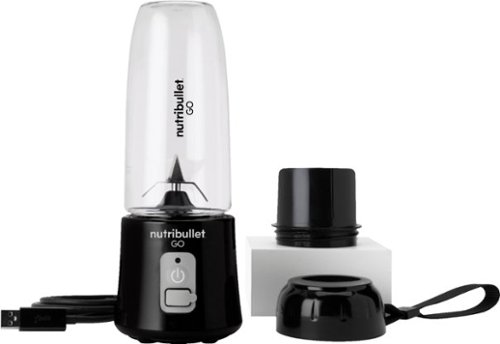
The Nutribullet GO Cordless Blender has a compact and ergonomic design, ideal for those on the go! The 2000mAH battery offers up to 20 blending cycles before needing to be recharged. The 13oz cups are the perfect size for personal smoothies or protein shakes and with 18000 RPMs you can be confident your smoothies will come out tasting delicious! Our base even comes with a blade protector so you can feel confident putting this in a backpack or bag.
What’s the voltage on this product?
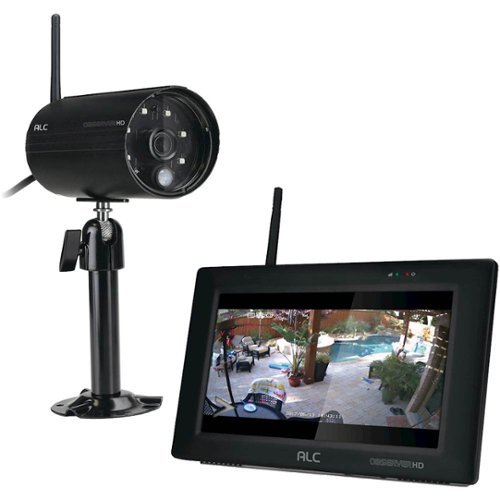
Protect your home with this ALC Observer touchscreen wireless surveillance system. An easy-to-install weatherproof outdoor camera captures footage of potential intruders in Full HD resolution and sends automated alerts when triggered. This ALC Observer touchscreen wireless surveillance system has a 7-inch monitor that lets you watch recorded footage and monitor live feeds.
Can I hook my alc observe hd up to a computer monitor
I have done it. The base unit will look like a PC to your TV or to a monitor. The included mouse will be your input device.
4 years, 10 months ago
by
RalphHenry
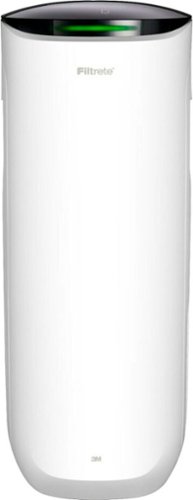
Say Hello to Cleaner, Fresher Indoor Air~24/7.Monitor and clean your air 24/7 with the Filtrete~ 310 Sq. Ft. Smart Air Purifier for Large Rooms from the most trusted HVAC filter brand in America*. These easy-to-use connected devices automatically improve the quality of the air you breathe, taking action when air quality issues arise at home. The devices also integrate seamlessly with the Filtrete~ Smart App, Amazon Alexa, Google Assistant and other smart home products.With so much bad stuff in our indoor air, why not choose an air purifier and filter to help keep your home~s air cleaner and fresher?Included with each Filtrete~ Smart Air Purifier is a True HEPA filter, which captures 99.97% of airborne particles**, such as allergens, dust, lint, mold spores, bacteria, viruses and pet dander. Plus, every filter is electrostatically engineered to pull in and trap microscopic airborne particles. Many of those particles are 1000x smaller than you can see.Give yourself some peace of mind with a sleek Filtrete~ Smart Air Purifier that automatically monitors, reacts and purifies air in large rooms.
How much do replacement filters cost?
Only $10-$15 for the F1 and you can buy them at Home Depot or Walmart or online.
4 years, 10 months ago
by
RalphHenry
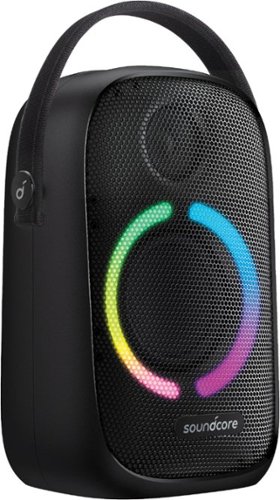
Anker Soundcore Rave Neo Portable Bluetooth Speaker with Lights, BassUp Technology, Sync 100+ Speakers, 18H Playtime
What are the measurements for this Bluetooth?
11 inches high, 7 inches wide and 4 3/4 inches deep. This does not count the nylon handle which can be tucked down behind the unit when not in use.
5 years, 3 months ago
by
RalphHenry

Now that quality you've come to love from GE is available right on your countertop, thanks to GE Appliances blenders, available in both Standard and Immersion designs. Our immersion blenders are ideal for one-handed operation, and available whisk and chopping attachments make whipping up family meals a cinch. You can even take it with you to help make kitchen magic on the go. GE Appliances standard blenders are the perfect addition to any kitchen and have the power to blend through tough ingredients to make delicious shakes, sauces and pur~es. The available personal blending cups are perfect for your morning smoothie and help make clean-up a snap. Make your blending experience a snap with help from GE Appliances, a brand you trust.
Is the jar glass or plastic?
Plastic. The two included smoothie cups are also plastic.
5 years, 4 months ago
by
RalphHenry

Always ready to entertain with the Bella Pro Series 18-Cup Programmable Coffee Maker. The 1200-watt brewing system quickly brews 18 5-oz. cups of coffee in minutes, making it ideal for large family gatherings or parties. 1 - 4 cup feature for large carafe taste in a smaller batch and brew strength selector for a high quality, customized brew. Prepare ahead of time by programming up to 24 hours in advance. Adjustable 30 minute to 4-hour automatic shut off for added safety. No time to wait for the whole pot? Grab a quick mug while brewing with the pause and serve feature. The special cleaning cycle extends product life while ensure coffee is always at its optimum flavor. Sustainable and reusable permanent filter basket and measuring spoon included.
What are the exact measurements of this appliance. Hard to purchase without knowing if it will fit on your countertop/
Good question, here's the answer: 15 inches high x11.5 inches wide x 9 inches deep
5 years, 4 months ago
by
RalphHenry
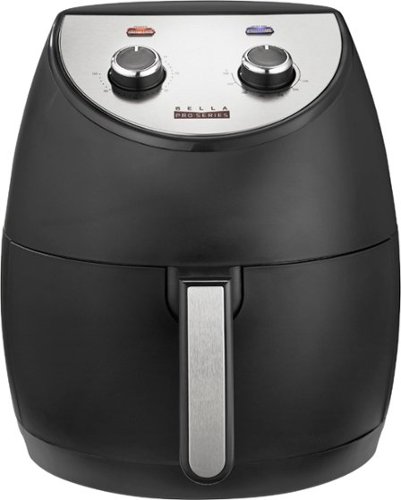
Revolutionize cooking with the Bella Pro Series 4.2-qt. Analog Air Fryer. The High Performance Circular Heat Technology and the powerful 1500-watt heating system delivers fast, crispy, and evenly cooked food every time. Time saving appliance with up to 50% faster preheat than a conventional oven. Large 3.6-lb. food capacity for your favorite foods, including; fried chicken, roasted salmon, French fries, kale chips, and homemade guilt free donuts. Adjustable temperature from 175~F to 400~F and integrated 60-minute auto shutoff timer with audible tone and indicator lights. The matte black finish adds style to any kitchen. Easy clean up with a dishwasher-safe, PFOA-free non-stick pan and crisping tray.
Did this product come with instruction booklet ? Just the product was in the box
Yes, it came with instructions and also there are some recipes regarding timing for various foods. Here's a link to a similar Bella unit. https://bellahousewares.com/wp-content/uploads/2020/09/90124-BElla-Pro-4.3QT-Air-Fryer-Stainless-Steel-IM-r1-LR.pdf
5 years, 5 months ago
by
RalphHenry
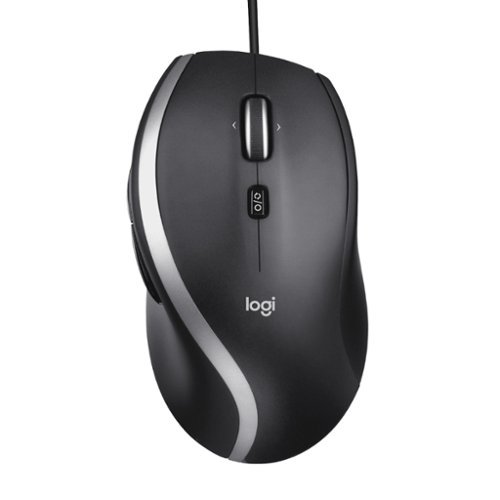
The Logitech Advanced Corded Mouse M500s with hyper-fast scrolling for increased productivity. The scroll wheel lets you fly through long documents and Web pages with a single flick. Or switch to click-to-click mode for precise, line-by-line navigation of lists, slides, images, and menus. Now with 400-4000 adjustable DPI for fast and ultra-precise cursor control.
Which software does the M500s use to customize the buttons? Conflicting information shows Logitech SetPoint if you look under their website, but guidance only goes up to windows 8. Package says Logitech Options but this isn’t On the Options device list
The M500s uses the Logitech Options Software. It is on the site, you may have just missed it for some reason. When you go to Logitech.com/options, click on Support, then Downloads. Now click on downloads in the top menu (I know this seems screwy) but when you hit downloads on this page you will then click on Logitech Options again, then click to download it. It is easy to make miss this. This link will take you directly to the page to download the Logitech Options for Windows 10: https://support.logi.com/hc/en-us/articles/360025297893
5 years, 6 months ago
by
RalphHenry