


RalphHenry's stats
- Review count353
- Helpfulness votes470
- First reviewMay 28, 2015
- Last reviewMarch 28, 2026
- Featured reviews0
- Average rating4.9
- Review comment count24
- Helpfulness votes28
- First review commentMay 28, 2015
- Last review commentJune 30, 2017
- Featured review comments0
Questions
- Question count0
- Helpfulness votes0
- First questionNone
- Last questionNone
- Featured questions0
- Answer count61
- Helpfulness votes165
- First answerJune 30, 2015
- Last answerNovember 3, 2021
- Featured answers0
- Best answers10

Keep files and passwords safe with Bitdefender Total Security 2018 software. It offers increased privacy with web browsing, so your information is protected from potential hackers, and it delivers multilayered ransomware defense for sensitive documents. Bitdefender Total Security 2018 software has game, movie and work modes, so it won~t interrupt you during an entertainment session.
Customer Rating

5
Thorough and Well Designed Security
on December 5, 2017
Posted by: RalphHenry
from Youngsville, NC
I installed Bitdefender easily and it immediately seemed very user friendly. You can select an ‘Autopilot’ mode and that will take care of most interactions you need with the tool. I did notice that like most, you have a quick scan and an in-depth scan. I do have Norton on some PC ‘s and McAfee on one and now Bitdefender on another. It was apparent that McAfee was slower and Bitdefender was the fastest of the three just based on doing different work and looking at the Task Manager for clues on CPU utilization – I know that is not absolutely scientific but Bitdefender did pass at least an eye test to be faster and bog your computer down less. I did research and in fact the ranking that I most frequently saw was Bitdefender first, Kaspersky, Norton and McAfee last – so that made sense. I did find that McAfee, Norton and Bitdefender did find the same problems and cleaned them up. I liked that Bitdefender also found out if you had down-level software programs and also let me know if I had Windows updates waiting. Some people will wonder if Bitdefender cleans up Rootkits and it does not, but it tells you it does not. However, you can get a free tool from Bitdefender to clean them up (if they are known) called Bitdefender Rootkit remover – think of comparable programs like Norton Power Eraser. You also have a complete suite of programs like Rescue Environment (Bitdefender Rescue Mode allows you to remove any viruses from your computer as well as scan all storage drives outside your operating system), Ransomware protection and so forth. It is the most complete security software I have used.
Another feature I liked was that Bitdefender has its own browser toolbar to act as a traffic cop for suspect sites. The Bitdefender toolbar is called Bitdefender Traffic Light and it adds a layer of security to your browsing experience – I liked it a lot, and you can add it in addition to Bitdefender or actually you can add it even if you don’t have Bitdefender installed.
The price is very user friendly as well. Take a look at more details here: https://www.bitdefender.com/media/html/2018/cl35off/?pid=35off&cid=aff|c|ir I was impressed with this program and would recommend it. I had heard of it, but never used it before. Check out the complete Bitdefender toolbox and I think you will also be impressed. I do recommend this program, specifically the Bitdefender Total Security version.
Another feature I liked was that Bitdefender has its own browser toolbar to act as a traffic cop for suspect sites. The Bitdefender toolbar is called Bitdefender Traffic Light and it adds a layer of security to your browsing experience – I liked it a lot, and you can add it in addition to Bitdefender or actually you can add it even if you don’t have Bitdefender installed.
The price is very user friendly as well. Take a look at more details here: https://www.bitdefender.com/media/html/2018/cl35off/?pid=35off&cid=aff|c|ir I was impressed with this program and would recommend it. I had heard of it, but never used it before. Check out the complete Bitdefender toolbox and I think you will also be impressed. I do recommend this program, specifically the Bitdefender Total Security version.
My Best Buy number: 0318219392
Mobile Submission: False
I would recommend this to a friend!
Share this review:


+1point
1of 1voted this as helpful.

Polished and professional. That~s the impression you~ll make when you use Adobe Acrobat Pro DC. With a one-year subscription, you get the latest Acrobat software that always stays up to date plus Adobe Document Cloud services to prepare and share your company~s business documents. Get the complete solution for working with PDF documents at your desk, and use Document Cloud services to accomplish more when you~re on the go.
Customer Rating
5
Excellent Intuitive Document Processing
on December 4, 2017
Posted by: RalphHenry
from Youngsville, NC
This program is outstanding. You will realize the power of Adobe Acrobat DC once you begin using it. An excellent way to start is to use the provided tutorials and built in ‘Help’ facilities; and also you can rely on YouTube videos for help. I have always been aware of PDF files and the free ‘reader’ and the fact you can’t edit them unless you have the editor that costs. But the cost is justified based on the abilities you will now have. Acrobat DC does allow you to create, export and sign PDFs anywhere. You will want to take advantage of the free Adobe Creative Cloud for storage.
The design of the program is very smart, for example when you edit text the program will match the fonts automatically including colors and styles. You can organize pages and easily rotate pages as needed or drag and drop to re-order content.
You can track and manage files and also get e-signatures to record that a document got a sign-off if needed – more of a business function, but it’s in there. You can convert Word and Excel files into PDFs. Operations are very intuitive especially if you are used to other tools like Adobe Photoshop Elements or MS Word. Tutorials you’d want to view are at: https://helpx.adobe.com/acrobat/tutorials.html#fundamentals
I recommend this program if you have been frustrated with getting PDFs that you want to alter or if you basically need the ability to create and edit PDFs. It is well worth the effort to view the excellent tutorials provided by Adobe or others to become expert yourself.
The design of the program is very smart, for example when you edit text the program will match the fonts automatically including colors and styles. You can organize pages and easily rotate pages as needed or drag and drop to re-order content.
You can track and manage files and also get e-signatures to record that a document got a sign-off if needed – more of a business function, but it’s in there. You can convert Word and Excel files into PDFs. Operations are very intuitive especially if you are used to other tools like Adobe Photoshop Elements or MS Word. Tutorials you’d want to view are at: https://helpx.adobe.com/acrobat/tutorials.html#fundamentals
I recommend this program if you have been frustrated with getting PDFs that you want to alter or if you basically need the ability to create and edit PDFs. It is well worth the effort to view the excellent tutorials provided by Adobe or others to become expert yourself.
My Best Buy number: 0318219392
Mobile Submission: False
I would recommend this to a friend!
Share this review:


0points
0of 0voted this as helpful.
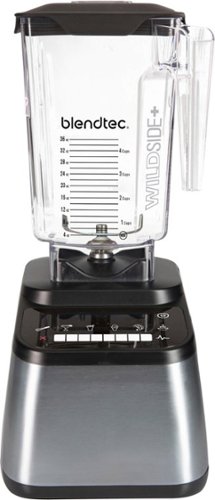
Prepare delicious recipes with this Blendtec Designer 650s Blender. The Blendtec Designer Series uses all the power and performance that made Blendtec the choice of blending professionals, and combined it with a modern design with functionality taking Blendtec to a new level in performance blending. The Blendtec Designer Series is the all-in-one appliance that replaces many standard kitchen appliances with one fast easy-to-use machine. It will make smoothies, fresh whole juice, ice cream, margaritas, soups, sauces, bread dough, dressings, salsas, flours and more! Blending professionals have relied on Blendtec machines in the best coffee shops, juice bars, gyms, and restaurants around the world for producing the best, most consistent results in taste and texture. You can now enjoy the same results in your home.
Customer Rating
5
Powerful & State of the Art
on December 2, 2017
Posted by: RalphHenry
from Youngsville, NC
This blender has a simple powerful design. The motor is loud but if you use a blender to crush ice and really mix items it will be noisy anyway. The base sits very firmly on the counter so the blender stays solidly in place at all speeds. One of the most elegant features of this brute is the touch panel. You do get 8 speed ranges and a pulse area, but you also get several buttons to do things from light mixing to ice cream to hot soup. When you choose a speed a counter appears to tell you how many seconds have elapsed and if you want to stop you hit a lit up red 'X'. When you choose an icon like ice cream, it will go through a programmed cycle of speeds low then high to do the correct mixing - same thing for each icon, the blender will change speeds on its own to complete the desired type of blending. It will also count down the cycle on the displayed timer so you know when it will stop. A very important point is that the gear on the top of the base and the gear it meshes with on the bottom of the carafe are both strong metal not cheap plastic. In addition the gear has many beveled teeth. This means it is easy to mesh, has great interconnection and won't break. My wife and I made ice cream using the Blendtec recipes. In this case the recipes are incorrect. If you read feedback most people find the results are a thin milkshake instead of soft serve ice cream. A correct recipe for example would be 14 oz frozen strawberries, 3/4 cup half-and-half and 5 oz of sweetened condensed milk - the blender will turn this into ready to serve ice cream in under a minute. I was very pleased with this blender, it is a big step over the 'normal' blenders.
My Best Buy number: 0318219392
Mobile Submission: False
I would recommend this to a friend!
Share this review:


+1point
1of 1voted this as helpful.

Automatically go from hundreds of mystery folders to a visual view in the photo and video Organizer. See your best photos thanks to auto-curation. Effortlessly extract candid photos from your raw footage. Make photos and videos look amazing with automated photo editing and video creation options. And create and share beautiful printed artwork, new dynamic slideshows, photo and video collages, animated GIFs*, and full-length movies. Being creative is even easier with the Elements bundle.
Customer Rating
5
Perfect Photo/Movie Editor for Home User
on November 21, 2017
Posted by: RalphHenry
from Youngsville, NC
I think this is the correct level of program for most users. PhotoShop Elements handles photos and Premier Elements handles movie making. They install separately from the same DVD or you can download them. Once installed though you can open either program and it will give you access to either application and also the Organizer (which you do want to use). I have found these programs are invaluable if you want to have fun and actually do something nice while editing your photos and videos. Adobe has three types of usage: Quick, Guided and Expert. You will find that as you use the features you will eventually use the Expert process which gives you full control over your editing. It isn’t apparent but you can install your purchase on 2 different PC ‘s. In my case I installed Photoshop Elements on one PC, then installed Premier Elements on another PC; I installed both on a third PC and they installed fine – a total of 2 installs of both applications. You do need to create an account on Adobe.
Editing photos is very easy yet you will find powerful options to modify photos using the automated methods or adjusting the various parameters. There are numerous videos to help you develop expertise easily. Just to give you a couple neat things to try: use the spot healing brush, try the guided black/white color pop and new in Elements 18 is the ability to open closed eyes in a photo – wow; and it works. As you make changes you can see the photo modifications occurring – very cool.
The Organizer can be used to manage all media files on your computer (not just those for your editing projects). The Organizer comes with a very strong search function so you can mark and tag things and easily find them later. You will be ahead if you do use the Organizer, it’s great.
This statement is somewhat subjective but having used a few other Photo Editors, this program was not only more powerful in function but also ran faster. It instantly moves what you want it to move and adds or takes away what you want taken away in a blink. Sometimes other programs will sit and spin a while to complete a function.
You can upload your finished movies to YouTube, Facebook, Vimeo, or your own website, burn to DVD discs using standard burners as well as share movies in high-quality 4K or AVCHD format. There are quite a few new function in Elements 2018, so you will be ahead by buying this latest version.
Premiere Elements comes with a range of presets to get video that looks really great on whatever device you use, from iPads, iPods, smart phones to big-screen 4K and HD TVs. You do need to watch a tutorial I think to get into video editing but it is not hard and Adobe makes it easy to do things like create a video collage with a mix of photos or speed up, time-lapse, slow down, add sound etc. You have the ability to isolate image components so that you can edit each independently. It’s just an easy and great system because the software is doing the work for you. I did find these two videos useful to learn quickly. One is on using layering which is essential to really getting into photo editing and the other is a quick one on movie editing, including adding sound and where to find sound/music files to integrate with your video. Also Adobe supplies lots of tutorials. https://www.youtube.com/watch?v=m75SySWX7L4
https://www.youtube.com/watch?v=EHIsnYX3LYA
These programs seem aimed at the home user with ease of use highest in the priorities; but you do have remarkable functions in the Expert modes. I recommend this photo and movie editing suite highly.
Editing photos is very easy yet you will find powerful options to modify photos using the automated methods or adjusting the various parameters. There are numerous videos to help you develop expertise easily. Just to give you a couple neat things to try: use the spot healing brush, try the guided black/white color pop and new in Elements 18 is the ability to open closed eyes in a photo – wow; and it works. As you make changes you can see the photo modifications occurring – very cool.
The Organizer can be used to manage all media files on your computer (not just those for your editing projects). The Organizer comes with a very strong search function so you can mark and tag things and easily find them later. You will be ahead if you do use the Organizer, it’s great.
This statement is somewhat subjective but having used a few other Photo Editors, this program was not only more powerful in function but also ran faster. It instantly moves what you want it to move and adds or takes away what you want taken away in a blink. Sometimes other programs will sit and spin a while to complete a function.
You can upload your finished movies to YouTube, Facebook, Vimeo, or your own website, burn to DVD discs using standard burners as well as share movies in high-quality 4K or AVCHD format. There are quite a few new function in Elements 2018, so you will be ahead by buying this latest version.
Premiere Elements comes with a range of presets to get video that looks really great on whatever device you use, from iPads, iPods, smart phones to big-screen 4K and HD TVs. You do need to watch a tutorial I think to get into video editing but it is not hard and Adobe makes it easy to do things like create a video collage with a mix of photos or speed up, time-lapse, slow down, add sound etc. You have the ability to isolate image components so that you can edit each independently. It’s just an easy and great system because the software is doing the work for you. I did find these two videos useful to learn quickly. One is on using layering which is essential to really getting into photo editing and the other is a quick one on movie editing, including adding sound and where to find sound/music files to integrate with your video. Also Adobe supplies lots of tutorials. https://www.youtube.com/watch?v=m75SySWX7L4
https://www.youtube.com/watch?v=EHIsnYX3LYA
These programs seem aimed at the home user with ease of use highest in the priorities; but you do have remarkable functions in the Expert modes. I recommend this photo and movie editing suite highly.
My Best Buy number: 0318219392
Mobile Submission: False
I would recommend this to a friend!
Share this review:


+2points
2of 2voted this as helpful.
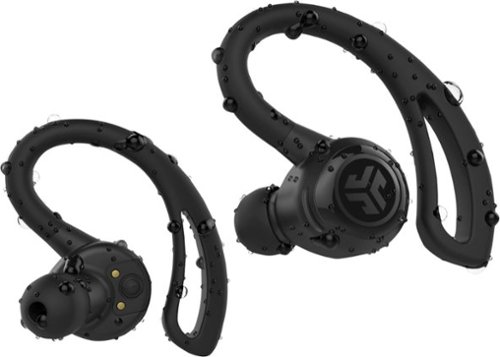
Listen to your favorite playlists with these Epic Air wireless earbuds. The special earhook delivers a precise fit to prevent slipping during intense workouts, and the touch-and-tap controls let you skip forward or back as needed. These Epic Air wireless earbuds come with a convenient charging case for storage and transport.
Customer Rating
5
Five Star for Experienced Ear-Budders
on November 20, 2017
Posted by: RalphHenry
from Youngsville, NC
These JLab Epic Bluetooth Earbuds get an A+ for innovation and sound quality. You get a charger that also can be used to charge other devices – I liked and used that unique and useful feature a lot. The sound is wonderful. Nonetheless, a mistake that JLab made which is getting them some bad reviews is relative to their documentation I think. The problem is you do need to use these earbuds a few days at least to ensure the electronics have sync’d on your head. You read that correctly – the shape and density of your head will matter. JLab buries an important note at the bottom of page-4 of their Quick Start Guide. It says these are smart earbuds and the connectivity will improve as you use them. Turns out this is very true. This note however should be on the front cover. Along with many users I got frequent losses of audio in the left earbud (I had used the right earbud to pair). I was about to give up on these earbuds when I saw the somewhat hidden note. I gave it a few more days and suddenly everything was fine. My title sated that you should be experienced users if you want these earbuds: the reason is the controls take a bit of getting use to so that they work precisely, but they will. The nice part of the controls is you have simplicity in the buttons but again you do need to be a bit more dexterous to use them especially if you are jogging. The pairing and power process is very easy. You do have an option to have the buds turn on and pair when you remove them from the charging case – a very useful feature. One other caution is to ensure you place the earbuds and press a little bit into the charging ports and then close the lid. I found a couple times that the left earbud did not charge fully, but if I took care to ensure they were seated in the case – no problems. I did remove the earbuds once and although the lights indicated full charge, the left earbud announced it was low on power after about 10 minutes. In the end I found that the earbuds charge fully and connect flawlessly so it may have been my bad. In summary they are outstanding now and fit so comfortable that I love this over the ear type of design – great. I would recommend these based on my final getting used to them and as I mentioned the buds need to get used to you also.
My Best Buy number: 0318219392
Mobile Submission: False
I would recommend this to a friend!
Share this review:


-1point
0of 1voted this as helpful.

Enjoy clear audio without distraction while wearing these Plantronics BackBeat FIT wireless earbuds. They have a sweat-resistant coating and lightweight design that's comfortable to wear and stays in place as you exercise or lounge. These Plantronics BackBeat FIT wireless earbuds come with interchangeable tips in different sizes, providing a secure, noise-blocking fit.
Customer Rating
5
Comfortable and Crisp Clear Sound
on November 13, 2017
Posted by: RalphHenry
from Youngsville, NC
I've tried a lot of ear buds and this set has a very crisp clear sound with lots of treble, mid-range and base - more so than any others in this price range. It comes with 3 different sized earbud ear-plugs. I found this device to be so comfortable I forgot I had them on a couple times. The control functions are very simple and that's what I feel is the right approach/design for ear buds. It comes with a quick start guide and these instructions are all you will need. There is a nice pouch to hold the charging cable and the ear extra buds nicely. What may be a very desirable feature for a lot of people is the construction which seems immune to sweat and easily cleaned after a jog (I don't move fast enough anymore to use the word 'run'). No trouble pairing with android phone. The pricing is very nice for the quality of these ear buds. I was impressed with the volume, construction and most important the very nice sound. I would recommend these highly.
My Best Buy number: 0318219392
Mobile Submission: False
I would recommend this to a friend!
Share this review:


+2points
2of 2voted this as helpful.

Clean every corner of your home with this Hoover Fusion Pet cordless vacuum. The One Pwr lithium battery delivers fade-free power for larger jobs, and fast charging speeds eliminate wait times between cleaning sessions. This Hoover Fusion Pet cordless vacuum includes several attachments for cleaning upholstery, crevices and other hard-to-reach areas.
Customer Rating
5
Higher Quality Cordless Vacuum
on November 8, 2017
Posted by: RalphHenry
from Youngsville, NC
This vacuum is well designed with a solid build. All components come apart easily and the dirt canister can be emptied in a snap. I did find I could cover 3 bedrooms, upstairs hallway, downstairs living room and wood kitchen floor using only 1/2 the charge. It did pick up a lot of our doggie’s pet hair. It is the first cordless vac I used that had adequate power. It will not clean as well as a wired vacuum especially in terms of fluffing the carpet, but it did a nice job more quickly. My wife liked the lower weight which can help you avoid the dreaded sweating when you vaccum (at least I do sweat bad for some reason). I stayed nice and cool using this lighter vac. It charges fast and came with some nice attachments. It is low profile so I could get under the cabinets in the dining room easily. It turns sharply and smoothly. One area it allowed me to vacuum easily was behind the brass bed head-board. I can’t get a wired vacuum to fit, but because this one has the long thin shaft I could take the power head off and get the dust bunnies up from back there – great.
I did install the included wall mounting kit. You are told to install so that the power head sits on the floor, this is important because the hook-like holder is not designed to hold the entire weight of the vacuum even though it is light. Be sure to pay attention to this instruction. The wall mount included a holder to attach 2 of your brush attachments. You also get an on-board holder to hold 2 more attachments. I noticed there is an optional attachment to do drapes, but you could make due with the attachments included. You can also make it into a hand vacuum for steps and car vacuuming – much better than other cordless hand helds.
Other cordless vacs I used were way too flimsy with terrible batteries – this one is the best I’ve used. Over all I loved this little guy and we are using it daily since it is so easy to grab and do a room quickly and it does a nice job. I do recommend it.
I did install the included wall mounting kit. You are told to install so that the power head sits on the floor, this is important because the hook-like holder is not designed to hold the entire weight of the vacuum even though it is light. Be sure to pay attention to this instruction. The wall mount included a holder to attach 2 of your brush attachments. You also get an on-board holder to hold 2 more attachments. I noticed there is an optional attachment to do drapes, but you could make due with the attachments included. You can also make it into a hand vacuum for steps and car vacuuming – much better than other cordless hand helds.
Other cordless vacs I used were way too flimsy with terrible batteries – this one is the best I’ve used. Over all I loved this little guy and we are using it daily since it is so easy to grab and do a room quickly and it does a nice job. I do recommend it.
My Best Buy number: 0318219392
Mobile Submission: False
I would recommend this to a friend!
Share this review:


0points
0of 0voted this as helpful.

Completely customize your Wi-Fi Smart Color Thermostat to match your lifestyle and decor. The ENERGY STAR~ certified smart thermostat lets you choose the temperature, schedule, display color and the devices you use to control it all.
Customer Rating
5
Easy to Install and Easy to Use
on November 3, 2017
Posted by: RalphHenry
from Youngsville, NC
Installation is easy if you take your time and match up the wires on your old thermostat with the new ones. I found that the holes in the wall were the same for the new thermostat as they were for the old so I suspect most installations will not require drilling new holes. I will give some detail that might help you if you do choose this thermostat which can work in a simple or more advanced mode. It also has WiFi built in so you can control it from anywhere.
This is a very well designed smart thermostat. It is easier to install than you might think. So don’t be afraid to tackle the job yourself. It can be programmed in a simple manner or you can use more advanced programming functions. All the installation and programming information is included in a very professional document. You get both a quick start guide and a more detailed installation and user guide.
One big plus is this unit does not use a battery. My current thermostat was a Trane branded unit with a rather dim black/white display and did use a battery for power. When the display got dim, you knew to put in more batteries. This always puzzled me since a furnace normally has a 24 VAC power connection that can easily be utilized to power the thermostat. Rest assured this thermostat does not need the battery as it does use this common power feed. Before you install the thermostat you will remove the cover off your old thermostat and take a photo so that you have a reference – this is all pointed out in the super easy instructions. Depending on if your furnace is single or two stage there will be 5 or 7 wires probably. The guide will take you through making the correct connections from your old thermostat to this new super bright color display. Here’s a tip if you have a Trane furnace with a Trane battery operated thermostat: you won’t see a wire labeled ‘C’ (which is the 24 VAC I mentioned. Instead you will see a connection to a ‘B’ terminal on your old thermostat. Don’t worry, take a quick look at your furnace (remove just the cover), and you will see the wires coming from the furnace to the thermostat. There will be a wire labeled ‘B/C’. This will most likely be blue in color and will be the wire you see connected to the thermostat labeled ‘B’. On your new Honeywell thermostat you will not see a ‘B’ terminal but you will see a ‘C’ terminal and that’s where this wire will go. All the others will be named identical on both thermostats. The guide was not clear on this point so I’m putting it down here. There are YouTube videos and other references you can find in addition to the provided installation guide to cover all kinds of furnaces including heat pumps and gas or oil fired. Another tip, be sure when connecting to the new thermostat that you push the wire fully into the appropriate connector, you will feel it pop in.
If you want your furnace person to do this, they can swap the thermostats in less than 10 minutes. It took me about 30 minutes going very carefully.
Configuring your furnace is easy as this unit provides very clear setup instructions right on the display. An example is that it will ask you if you have a single stage or dual stage furnace and if you select dual stage it will even say which wires you should have hooked up.
You can easily and very clearly set your heating and cooling temperatures and also can program functions for daily programming. It is very sophistacted in that if you set a start time, it will figure when to actually start the furnace or AC so that when your start time comes it will be at the temperature you set up – neat.
This device is a smart device and you can connect it to your home WiFi and control it from a PC, or a cell phone. You can connect remotely or just in your house. You do need to program in a MAC address and a MAC CRC, they provide both numbers. Another cool function is that it will automatically update its firmware over the WiFi.
You can customize screen colors, make holiday schedules and so forth. The comprehensive documentation makes it easy. This is one beautiful thermostat both in ease of use and functionality. I definitely recommend this one.
This is a very well designed smart thermostat. It is easier to install than you might think. So don’t be afraid to tackle the job yourself. It can be programmed in a simple manner or you can use more advanced programming functions. All the installation and programming information is included in a very professional document. You get both a quick start guide and a more detailed installation and user guide.
One big plus is this unit does not use a battery. My current thermostat was a Trane branded unit with a rather dim black/white display and did use a battery for power. When the display got dim, you knew to put in more batteries. This always puzzled me since a furnace normally has a 24 VAC power connection that can easily be utilized to power the thermostat. Rest assured this thermostat does not need the battery as it does use this common power feed. Before you install the thermostat you will remove the cover off your old thermostat and take a photo so that you have a reference – this is all pointed out in the super easy instructions. Depending on if your furnace is single or two stage there will be 5 or 7 wires probably. The guide will take you through making the correct connections from your old thermostat to this new super bright color display. Here’s a tip if you have a Trane furnace with a Trane battery operated thermostat: you won’t see a wire labeled ‘C’ (which is the 24 VAC I mentioned. Instead you will see a connection to a ‘B’ terminal on your old thermostat. Don’t worry, take a quick look at your furnace (remove just the cover), and you will see the wires coming from the furnace to the thermostat. There will be a wire labeled ‘B/C’. This will most likely be blue in color and will be the wire you see connected to the thermostat labeled ‘B’. On your new Honeywell thermostat you will not see a ‘B’ terminal but you will see a ‘C’ terminal and that’s where this wire will go. All the others will be named identical on both thermostats. The guide was not clear on this point so I’m putting it down here. There are YouTube videos and other references you can find in addition to the provided installation guide to cover all kinds of furnaces including heat pumps and gas or oil fired. Another tip, be sure when connecting to the new thermostat that you push the wire fully into the appropriate connector, you will feel it pop in.
If you want your furnace person to do this, they can swap the thermostats in less than 10 minutes. It took me about 30 minutes going very carefully.
Configuring your furnace is easy as this unit provides very clear setup instructions right on the display. An example is that it will ask you if you have a single stage or dual stage furnace and if you select dual stage it will even say which wires you should have hooked up.
You can easily and very clearly set your heating and cooling temperatures and also can program functions for daily programming. It is very sophistacted in that if you set a start time, it will figure when to actually start the furnace or AC so that when your start time comes it will be at the temperature you set up – neat.
This device is a smart device and you can connect it to your home WiFi and control it from a PC, or a cell phone. You can connect remotely or just in your house. You do need to program in a MAC address and a MAC CRC, they provide both numbers. Another cool function is that it will automatically update its firmware over the WiFi.
You can customize screen colors, make holiday schedules and so forth. The comprehensive documentation makes it easy. This is one beautiful thermostat both in ease of use and functionality. I definitely recommend this one.
My Best Buy number: 0318219392
Mobile Submission: False
I would recommend this to a friend!
Share this review:


+1point
2of 3voted this as helpful.

Pair your morning jog with these Jaybird RUN wireless earbuds, and enjoy your music each step of the way. Bluetooth compatibility with multiple devices lets you share your playlist without the tangle of wires. These Jaybird RUN wireless earbuds are sweatproof and dirtproof to handle the worst of your workout.
Customer Rating
5
Super Comfortable Yet Stay Put
on October 28, 2017
Posted by: RalphHenry
from Youngsville, NC
These earbuds are outstanding. They are super comfortable yet they stay put because of their unique design and shape i.e they seem to 'hook' into your ears. Some thought volume was too low but you need to be sure both earbuds are playing; I had to power both on individually - they both have power on buttons. Also when you download and use the JayBird app, you need to pay attention to the text on the screen i.e. you start with the ear buds powered off, then power them on, but you 'keep holding the power on button' till it goes to pairing mode. It does say that, but at first you might think you need to just power on and wait for them to pair - they won't. Also the power on button is a toggle so it also powers the earbud off. The sound was fine, it is not concert hall, but when you are jogging the sound is very nice and being in stereo it is a full beautiful sound. I actually found I had to turn the volume down. The charging process is really cool. You put the earbuds in the special case, close the lid and use the supplied micro USB cord to charge them up. There are voice responses the earbuds say to tell you they are powered up fully or powered off or pairing - nice. If you are looking for a very solid and well designed system to use with your phone while jogging, this is the best I have seen.
My Best Buy number: 0318219392
Mobile Submission: False
I would recommend this to a friend!
Share this review:


+1point
1of 1voted this as helpful.
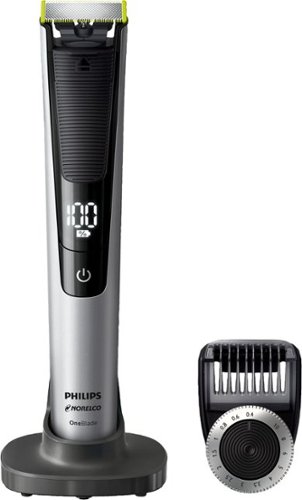
Philips Norelco OneBlade Pro hybrid electric trimmer and shaver, QP6520/70 (14 length comb)
Customer Rating
5
Multi-purpose and Soft on the Skin
on October 17, 2017
Posted by: RalphHenry
from Raleigh, NC
This little buddy is a must have for me. I hope you appreciate the details I provide; but this shaver/trimmer fills an important grooming slot. First of all, it is solid and comes with just enough directions to understand the features and how to use it. However, there are Youtube videos on its predecessor that you might find useful also for this unit. It does have a charging feature where you can plug directly into the device or place it in an included stand – the connector works for both. When traveling you don’t need to take the stand and I found this minor design point as a major plus that you don’t see in other rechargeable units. It has an LCD screen to tell you the charge. In fifteen minutes of shaving it went down 5%. Normally I don’t take that long but this was my initial test. I shaved without the attachment and it does a great job although a razor would shave closer if you need baby- butt smooth. If you have some sensitivity like me, you will like just shaving with this unit with or without water and or shaving cream and throw away ones razor. I am getting older so pardon if this offends but I shave my ears a bit. It is dangerous with a razor but this unit is perfect and I love it. You can also shave your eyebrows and the bridge of your nose and even down your nose and under your nose easily and this avoids danger from a razor in those areas as well. Now the snap on device allows you to use this unit as a beard trimmer. I have a beard that is kept about 3 mm long. You can dial the length of the beard in mm. You will need to find the right setting for you. Worked perfectly at 4 mm for me. I noticed that against my Wahl beard trimmer this unit left the beard more even. So if your beard is a bit curly it does a great job too. I also used it to trim my mustache with the attachment. For the area above your mustache, I simply removed the beard trimmer part and it worked great. I highly recommend this unit – wonderful.
My Best Buy number: 0318219392
Mobile Submission: False
I would recommend this to a friend!
Share this review:


-3points
0of 3voted this as helpful.
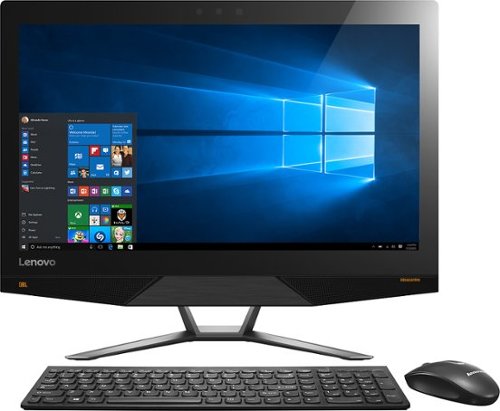
Lenovo IdeaCentre All-In-One Computer: With Wireless-AC networking, this all-in-one computer makes it easy to browse Web sites, access social media and check your e-mail. The 23.8" capacitive multitouch screen lets you navigate features using all 10 fingers and presents your favorite films in 4K UHD resolution. The revolutionary Intel~ RealSense~ 3D camera lets you scan 3D objects, use gestures to control your PC or play games and more.
Overall 2 out of 5
2 out of 5Took it back
By kenn
After setup was complete, the computer suffered many glitches, both in hardware and software. E.g. the computer kept disconnecting from my Wi-Fi and I had to go in and retype the password. Computer locked up several times and I had to unplug it to shut it down so I could reboot it. Much of my software apps displays were incredibly small and I could find no way to change them. These were just a few of the most glaring examples.

RalphHenry
Raleigh, NC
You Can Change Size of Objects & Text
December 27, 2015
The ultra HD display can be adjusted. Go to Settings, System (Display is in there), Advanced Display Settings and change the resolution to 1920x1080. Then continue on to Advanced Sizing of Text and Other Items; now click on 'Set a custom scaling level' (blue text) and select 110%. Now everything will be correct. Most apps don't work well with the Ultra HD yet. But your machine will be powerful as new Apps come out. Once the machine updates to latest Windows 10, you will find it great.
+1point
1of 1voted this comment as helpful.
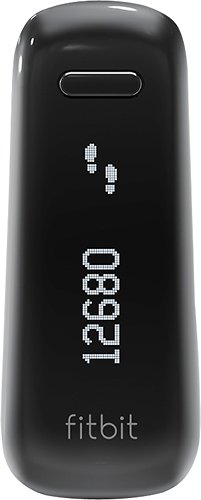
Fitbit One Wireless Activity and Sleep Tracker: Measure your activity day and night with Fitbit One, a sleek device that goes beyond the traditional pedometer. Get motivated to reach your goals by making small changes to your daily life, like taking extra steps throughout the day or learning how to sleep more soundly at night.
Overall 1 out of 5
1 out of 5Great Product at First
By Merv
Worked great in the beginning but had trouble keeping battery power and is dead now and will not recharge. Also not easy to clip on. The band included to wear on your wrist is 4" thick at least and not practical. It would have been better to purchase on of the wrist versions versus the one. I hope Best Buy will allow me to exchange due to the default.
RalphHenry
Raleigh, NC
FitBit One Wide Band
January 22, 2016
You do realize the wide band is ideal for sleep monitoring as it is very comfortable on the wrist all night. It is not a watch band. Also various suppliers make a band that the Fitbit One can snap into and then it can be worn as a watch. SO if you like the Fitbit otherwise, just get the watch band for it.
0points
0of 0voted this comment as helpful.
Fitbit One Wireless Activity and Sleep Tracker: Measure your activity day and night with Fitbit One, a sleek device that goes beyond the traditional pedometer. Get motivated to reach your goals by making small changes to your daily life, like taking extra steps throughout the day or learning how to sleep more soundly at night.
Overall1 out of 5
1 out of 5CONSTANT PROBLEMS WITH SYNCING
By loyalcustomer
from Davenport, FL
little support from Fitbit regarding syncing problems as module appears to be not always functioning during sync. No real solutions received that are workable. Long time getting responses from Fitbit.
RalphHenry
Raleigh, NC
Syncing Fitbit One
January 22, 2016
I noticed trouble syncing and it seemed if you have the application open and the Fitbit is connected to your PC, then it won't sync with your phone and vice versa. Not sure if that is an error or the design. Once application closed on PC now the phone sync'd in a couple seconds. So maybe this is what some people are seeing?
0points
0of 0voted this comment as helpful.
Lenovo IdeaCentre All-In-One Computer: With Wireless-AC networking, this all-in-one computer makes it easy to browse Web sites, access social media and check your e-mail. The 23.8" capacitive multitouch screen lets you navigate features using all 10 fingers and presents your favorite films in 4K UHD resolution. The revolutionary Intel~ RealSense~ 3D camera lets you scan 3D objects, use gestures to control your PC or play games and more.
Overall5 out of 5
5 out of 5Highest Quality and Top Features
By RalphHenry
from Raleigh, NC
This AIO has superior resolution to others. Some reviews spoke about a text problem, however you can improve the text via going to settings, display, advanced and 'cleartype text' and follow the steps. Also has 3D display capability which is good for future needs for me. Sound is nice with Jensen speakers. Touch screen is great. WIFI is super and has both 2.4 and 5 GHz ranges with Wireless AC. Very quiet fan. Lenovo support has regressed but is do-able I asked a simple question and the tech had no idea, also the website seems broken in the support area; glad I got Geek Squad. But this AIO is one great machine. price is very reasonable for what you get. Love it.
RalphHenry
Raleigh, NC
Intel Has Fix for Display Errors
March 7, 2016
Here's good news after I called and got an update from Lenovo support. The problem of getting errors such as "Display driver has stopped responding and has recovered..." seems to be fixed. But the Lenovo support site does not have the driver version to install since it is still in 'maintenance' or Beta test. However you can get the driver from Intel for their 530 graphics hardware at https://downloadcenter.intel.com/download/25620/Intel-Graphics-Driver-for-Windows-7-8-1-10-15-40-6th-Gen-?v=t
The driver version is 20.19.15.4352 (you're probably using 4300). Now if you download the driver and run the driver install as you normally do under Windows it will say either you are already at the most current driver level or that your manufacturer has not ok'd the use of this level. But the Lenovo tech helped me install it. Basically you need to go to Device manager, select the Intel HiDef Graphics 530, and click to update the driver. Select to install from your computer and say you have a disk and then select the folder where you unzipped the new 4352 driver stuff. Now it will install this driver. I have not seen the display driver error message any more so it appears that this driver fixes things. I had tried all kinds of combinations of settings for the NVDIA driver (there are two display drivers) in conjunction with the Intel driver thinking that the interaction caused the problems. But hopefully this driver level will work. Call Lenovo if you don't want to try to install it yourself.
The driver version is 20.19.15.4352 (you're probably using 4300). Now if you download the driver and run the driver install as you normally do under Windows it will say either you are already at the most current driver level or that your manufacturer has not ok'd the use of this level. But the Lenovo tech helped me install it. Basically you need to go to Device manager, select the Intel HiDef Graphics 530, and click to update the driver. Select to install from your computer and say you have a disk and then select the folder where you unzipped the new 4352 driver stuff. Now it will install this driver. I have not seen the display driver error message any more so it appears that this driver fixes things. I had tried all kinds of combinations of settings for the NVDIA driver (there are two display drivers) in conjunction with the Intel driver thinking that the interaction caused the problems. But hopefully this driver level will work. Call Lenovo if you don't want to try to install it yourself.
+1point
1of 1voted this comment as helpful.
Lenovo IdeaCentre All-In-One Computer: With Wireless-AC networking, this all-in-one computer makes it easy to browse Web sites, access social media and check your e-mail. The 23.8" capacitive multitouch screen lets you navigate features using all 10 fingers and presents your favorite films in 4K UHD resolution. The revolutionary Intel~ RealSense~ 3D camera lets you scan 3D objects, use gestures to control your PC or play games and more.
Overall 3 out of 5
3 out of 5Good but some issues
By Mike944
The 4K screen is what sold me. However, it has a lot of glare and not as stunning as you would think for it being 4k display. Also, the video card seems to crash and recover randomly. The system stays on and it recovers well on its own, but it seems to do this regularly nonetheless. Also the keyboard is a very flat, chiclet laptop style keyboard with next to no key travel, resulting in a lot of typing errors. I do not care for this type of keyboard. Otherwise, the performance is pretty snappy with no lag and Windows 10 is a huge improvement over 8.
RalphHenry
Raleigh, NC
Graphics Card Problem Fixed
March 19, 2016
I had the same problem with video card crash and recover. Finally a fix is available I have it installed for 2 weeks and not a single error. You have to download a driver from Intel for 530, it is level 20.19.15.4352 You cannot get it from the Lenovo support site because it is a Beta driver. I stumbled into it because I called IBM support and happened to get a tech who knew about it. Go here to find the driver https://downloadcenter.intel.com/product/88345/Intel-HD-Graphics-530-for-6th-Generation-Intel-Core-Processors Now you need to update the driver but the normal procedure ( go to driver tab in Device Manager...) will result in a message saying you can't install this driver... But if you go to the Device Manager and then right click the device then click on 'update driver software', then flow through browsing on your computer and say 'have disk'... and point where you unzipped the file; it will install it. If you can't weave through the steps just call Lenovo and the tech will show you or Best Buy Geek will show you. I've tested it and it works fine, great not to see those video crash and recovered errors.
0points
0of 0voted this comment as helpful.
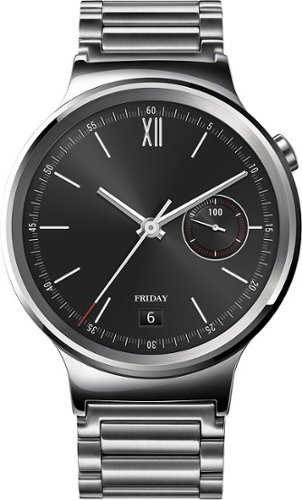
Huawei Smartwatch: Stay connected on the go with this smartwatch, which provides helpful notifications when you receive calls, texts and app alerts on your compatible Apple iOS or Android device. You can control functions just by saying "OK Google" and speaking your commands. Plus, meet your health and fitness goals with a built-in activity tracker with heart rate monitor.
Overall1 out of 5
1 out of 5No service after purchase
By Mako50
Bought this watch in november 2015, button has already fallen off without any damage or abuse and best buy wont do anything unless you buy their replacement plan, which goes for every item in their store, no replace plan=your on your own to deal with manufacturers, and this huawei watch is unrepairable at the factory- they told me since the button fell off my warranty is voided WTF and cant even be repaired if i pay, basically 3 months use now its a $400 paperweight
RalphHenry
Raleigh, NC
Seems Like Phony Customer Support
March 25, 2016
I had to laugh, the comment from their Customer Support, says sorry for frustration and then cleverly says they'll go ahead and solve your problem by contacting their Customer Support? Yikes, what the @$#&^@.
+1point
1of 1voted this comment as helpful.
Lenovo IdeaCentre All-In-One Computer: With Wireless-AC networking, this all-in-one computer makes it easy to browse Web sites, access social media and check your e-mail. The 23.8" capacitive multitouch screen lets you navigate features using all 10 fingers and presents your favorite films in 4K UHD resolution. The revolutionary Intel~ RealSense~ 3D camera lets you scan 3D objects, use gestures to control your PC or play games and more.
Overall1 out of 5
1 out of 5Good Computer BUT
By BBPurchaser071
After purchasing, the specs on the graphics card is GTX 950A, NOT A 950.Looking up the specs of the 950A, here is what is on NVIDA site: We recommend the NVIDIA GeForce GTX 950A for gaming with highest details at resolutions up to, and including, 1280x720. Why would they put in a graphics card in a 4K monitor that can only support great quality up to 1280X720. Taking it back to store.
RalphHenry
Raleigh, NC
This PC has Two Graphics Cards
June 5, 2016
You make a good point. This PC has two graphics cards and the other is the Intel HD 530 but I see it recommends only up to 1366x768. I know the display is supposed to handle 3840x2160 and you can select this setting and it works fine. I'm wondering if the limits on each card are overcome because you have both graphics cards? Maybe the manufacturers just undershoot the real capability? Anyway my Lenovo AIO 700 works great and I love it. For the money it is the best deal. I do know that you have to install a new driver for the HD 530, make sure you have 20.19.15.4352 (this is a Beta driver you can get from Intel) If you don't get it, you will get frequent from the HD 530.
+2points
2of 2voted this comment as helpful.
Lenovo IdeaCentre All-In-One Computer: With Wireless-AC networking, this all-in-one computer makes it easy to browse Web sites, access social media and check your e-mail. The 23.8" capacitive multitouch screen lets you navigate features using all 10 fingers and presents your favorite films in 4K UHD resolution. The revolutionary Intel~ RealSense~ 3D camera lets you scan 3D objects, use gestures to control your PC or play games and more.
Overall1 out of 5
1 out of 5Worst Computer Ever
By Disappointed
This computer is very aesthetically pleasing and has great specs. The 4k screen is very nice and the accessories work great.
However...
1.
This computer constantly is crashing citing a graphics card error. Simply browsing the internet or typing a Word document and the screen will constantly be crashing.
2.
The computer will not let me install updates and programs are constantly freezing and crashing. The only programs I have installed are Kaspersky protection suite and Microsoft Office suite.
**One day I turned on my computer and attempted to create a Word document only to find that the computer had deleted the entire office suite! There is no trace it ever existed.
3.
Simple tasks such as opening a program take a ridiculous amount of time. For a solid state hard drive, opening Windows Explorer takes on average 5 MINUTES!!! I have nothing saved on this computer!
1.
This computer constantly is crashing citing a graphics card error. Simply browsing the internet or typing a Word document and the screen will constantly be crashing.
2.
The computer will not let me install updates and programs are constantly freezing and crashing. The only programs I have installed are Kaspersky protection suite and Microsoft Office suite.
**One day I turned on my computer and attempted to create a Word document only to find that the computer had deleted the entire office suite! There is no trace it ever existed.
3.
Simple tasks such as opening a program take a ridiculous amount of time. For a solid state hard drive, opening Windows Explorer takes on average 5 MINUTES!!! I have nothing saved on this computer!
I took my computer into Best Buy and paid $150 and they said that they could not find any problem. I will be returning this computer.
DO NOT BUY
RalphHenry
Raleigh, NC
Display Error Problem Fixed
August 12, 2016
I once worked at Lenovo & IBM and know a little about display drivers. The problem here is Lenovo's support site recommends the wrong driver level for the Intel 530 Display Driver. All you need to do to automatically fix this is use the Intel Driver Update Utility. Download it and it will show a list of recommend driver updates. For starters just choose the display driver update. At this time it will install level 20.19.15.4463 -> all your problems will go away. You can also let it install any other drivers it may find are down level. It is great. Here is the link to download the utility: https://downloadcenter.intel.com/download/24345/Intel-Driver-Update-Utility By the way, for this computer to allow stuff I use like Windows Live to look better, I change the screen resolution to 1920x1080 and set the text scaling level to 110%. At the price, this is a super wonderful computer but need to make the changes I suggest.
0points
0of 0voted this comment as helpful.
Lenovo IdeaCentre All-In-One Computer: With Wireless-AC networking, this all-in-one computer makes it easy to browse Web sites, access social media and check your e-mail. The 23.8" capacitive multitouch screen lets you navigate features using all 10 fingers and presents your favorite films in 4K UHD resolution. The revolutionary Intel~ RealSense~ 3D camera lets you scan 3D objects, use gestures to control your PC or play games and more.
Overall3 out of 5
3 out of 5great but blinks on and off
By skinnysimmon
I like the computer but when schooling up and down sometimes it blinks on and off
RalphHenry
Raleigh, NC
Easily Fixed
August 12, 2016
I once worked at Lenovo & IBM and know a little about display drivers. The problem here is Lenovo's support site recommends the wrong driver level for the Intel 530 Display Driver. All you need to do to automatically fix this is use the Intel Driver Update Utility. Download it and it will show a list of recommend driver updates. For starters just choose the display driver update. At this time it will install level 20.19.15.4463 -> all your problems will go away. You can also let it install any other drivers it may find are down level. It is great. Here is the link to download the utility: https://downloadcenter.intel.com/download/24345/Intel-Driver-Update-Utility
0points
0of 0voted this comment as helpful.
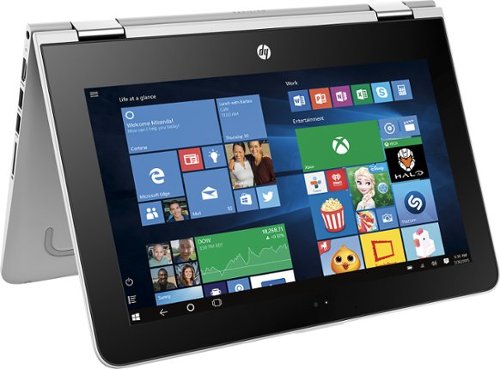
HP Pavilion Convertible 2-in-1 Laptop: Take your entertainment on the go with this HP Pavilion laptop. Its 360-degree hinge lets you shift between four viewing modes, giving you a variety of options for work, viewing and playing. Featuring a quad-core processor, HP audio boost and a responsive touch screen, this HP Pavilion laptop provides a more enjoyable computing experience.
Overall5 out of 5
5 out of 5Terrific 2 in 1 Just Make 1 Change
By RalphHenry
from Raleigh, NC
This is a steal especially at the sale price. Beautiful touchscreen display, quad core processor albeit not the fastest but 4 cores and made by Intel so not power hungry. Dual Band AC WiFi which is important. Also very solid build, great keyboard. Only thing that slowed it down was 5400 rpm 500GB HDD. Some reviews said slow and it was a bit, but pop in an SSD and it flies super fast. You can use a free program like EASEUS to clone the HDD exactly to the SSD, including the recovery partition etc. Now you keep the old HDD as your instant backup image if needed. 4GB memory appears to be enough. Great function as tablet or tent or normal PC. Very portable which was one of my needs. If you want to step up, get HP's 13.3 inch same as this just bigger, 6GB memory but same tired old 5400 rpm drive problem but you can fix that with an SSD; and this more expensive one has a 6th gen core i3. I couldn't afford the bigger one, but I also liked the smaller 11.6 display anyway. Both have IPS display technology - great.
RalphHenry
Raleigh, NC
SSD Can be Swapped in Here's How
August 13, 2016
I did see the instructions you refer to and they are for an x360 Notebook. It is confusing, as this PC is an x360 2in1. HP does take you to the wrong place. But I looked further and HP does provide a Hardware Maintenance Manual for the x360 2/1. It shows you exactly how to get inside and replace anything from the battery to memory to the HDD. I will paste in the link to the manual and it shows you each step. But I'll give you an overview. You do have to be careful but it is not too difficult. First before removing anything I used a free program called EASEUS Backup which cloned the 500 GB HDD to a 500 GB SSD (it makes it identical including the recovery partition). You do need a USB cable to attach the SSD to a USB port on this PC to make the clone. Then basically you remove 12 screws on the bottom and flip it face up and gently pry the keyboard up first at the hinge end. Don't pull the keyboard off all the way as you have to remove two flat cables from their ZIF connectors. ZIF connectors are easy to release but you do have to notice which side of the connector that you flip up. It is easier if someone holds the keyboard up slightly while you release the ZIF's. I was able to do it myself. Once the keyboard is off, you remove 2 screws from the HDD (it says 4 but I only saw 2 screws) and also another ZIF cable to release the HDD from the board. You will have to take the bracket and the cable plug off the hard drive and put them on the SSD. Then reverse the process. I did read that things like memory are not accessible but the HMM also shows you how to remove a shield a small board and boom there is the single 4GB memory card. You can put in an 8GB memory card but I didn't since the SSD gives you tremendous speed improvement that the memory upgrade will only give you slight improvement. Now the link to the 90 page Maintenance & Service Guide (I also saved it to my desktop): http://support.hp.com/us-en/search?q=HP%20Pavilion%20x360%20m1-u001dx%20maintenance%20and%20service%20guide&filter=&product=11084072&pname=HP%20Pavilion%20x360%20m1-u001dx%20(ENERGY%20STAR) If you are concerned, BBuy should be able to do it for you with your cloned SSD for a small fee. There are lots of videos of people doing this level of stuff on the smaller 2/1 laptops, tablets and cell phones that seemingly are not accessible.. I did watch one on ZIF connectors.
+4points
4of 4voted this comment as helpful.
RalphHenry's Questions
RalphHenry has not submitted any questions.
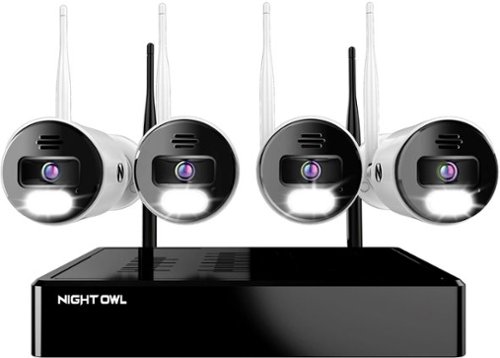
Night Owl is excited to offer our U.S. designed and engineered 4K Wi-Fi Bluetooth Network Video Recorder with Wi-Fi IP 4K Spotlight Cameras and Pre-Installed Hard Drive. With secure app-based Bluetooth setup, there is no need to connect a TV or monitor for setup or viewing (optional). You can easily configure your system right from the app on your smartphone or tablet with the Bluetooth connection. While a TV or monitor is not required, with Google Assistant you can use simple voice commands to stream camera footage directly to your TV or monitor, all while remaining hands free. Each camera has 2-Way audio (talk and listen) as well as a built-in siren and preset voice alerts. From within the app, you can easily activate the built-in siren, startling intruders and sending them packing. Have a guest but can~t get to them? Use a preset voice alert to let them know! Smart detection technology including human detection, facial capture, and vehicle alerts reduce the risk of false alarms, keeping you safe and well protected. Facial capture lets you see who is on your property by snapping a photo and sending the image to your Smart Device. Motion-activated dual spotlights flood your yard with bright lights when human motion is detected, instantly warding off trespassers. Proudly designed and engineered in the USA, our security system uses a built-in wireless connection for uninterrupted viewing with no delays. Our app gives you control of your system and easy access to your recordings, regardless of where you are. Night Owl never charges fees for storage or access to your videos. All recordings are securely stored on a pre-installed hard drive for convenience. You can view and download the recordings as you need them. This system provides the latest technology to give you the ultimate security experience. NOTE: Your Wi-Fi recorder is compatible with our BWNIP2 (Wire Free), WNIP2 (Wi-Fi IP) and WNIP8 (Wi-Fi IP) Series devices and is not backward compatible with other Night Owl products.
Can I add more cameras
Yes you can connect more cameras. In fact the default was to display 8 cameras and I had to set it back to 4.
4 years, 5 months ago
by
RalphHenry

The minute you put on Bose QuietComfort 45 Wireless Noise Cancelling Headphones, you feel it ~ the iconic quiet that allows you to concentrate on your music or work on your passion projects. Plus, with these wireless headphones, you can experience the comfort and crystal-clear sound that can only come from Bose headphones. The soft, plush cushions of these Bose over ear wireless headphones seal you in. Then you flip the switch and whoosh ~ the world fades. The music starts. It~s love at first listen. The original Bluetooth headphones are back, now with signature active noise cancelling technology and premium comfort. Plus proprietary technology for deep, clear sound, and adjustable EQ so you can tune your music to your liking. Bose QuietComfort 45 over-ear headphones. An icon reborn.
Does this set(QC45) need an adapter to connect with the TV screen on airplanes? Is it included? I saw an adapter when I looked at the QC35II, will it work with this model?
I think you mean the normal 3.5mm jack/cable which you use when Bluetooth wireless is not available. Yes this cable is included with the QC45 as well as the QC35II.
4 years, 6 months ago
by
RalphHenry
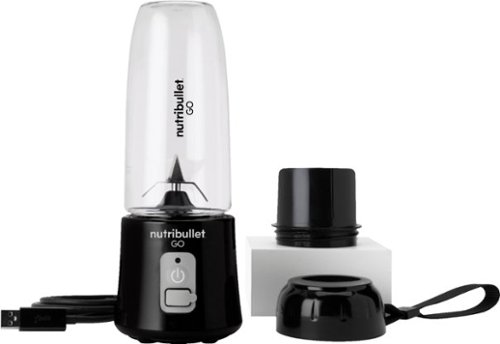
The Nutribullet GO Cordless Blender has a compact and ergonomic design, ideal for those on the go! The 2000mAH battery offers up to 20 blending cycles before needing to be recharged. The 13oz cups are the perfect size for personal smoothies or protein shakes and with 18000 RPMs you can be confident your smoothies will come out tasting delicious! Our base even comes with a blade protector so you can feel confident putting this in a backpack or bag.
What’s the voltage on this product?
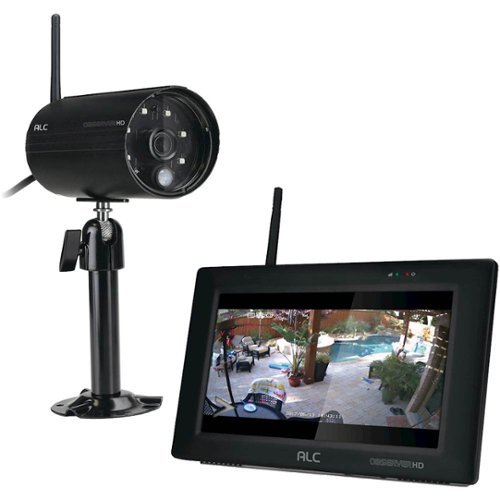
Protect your home with this ALC Observer touchscreen wireless surveillance system. An easy-to-install weatherproof outdoor camera captures footage of potential intruders in Full HD resolution and sends automated alerts when triggered. This ALC Observer touchscreen wireless surveillance system has a 7-inch monitor that lets you watch recorded footage and monitor live feeds.
Can I hook my alc observe hd up to a computer monitor
I have done it. The base unit will look like a PC to your TV or to a monitor. The included mouse will be your input device.
4 years, 10 months ago
by
RalphHenry

Say Hello to Cleaner, Fresher Indoor Air~24/7.Monitor and clean your air 24/7 with the Filtrete~ 310 Sq. Ft. Smart Air Purifier for Large Rooms from the most trusted HVAC filter brand in America*. These easy-to-use connected devices automatically improve the quality of the air you breathe, taking action when air quality issues arise at home. The devices also integrate seamlessly with the Filtrete~ Smart App, Amazon Alexa, Google Assistant and other smart home products.With so much bad stuff in our indoor air, why not choose an air purifier and filter to help keep your home~s air cleaner and fresher?Included with each Filtrete~ Smart Air Purifier is a True HEPA filter, which captures 99.97% of airborne particles**, such as allergens, dust, lint, mold spores, bacteria, viruses and pet dander. Plus, every filter is electrostatically engineered to pull in and trap microscopic airborne particles. Many of those particles are 1000x smaller than you can see.Give yourself some peace of mind with a sleek Filtrete~ Smart Air Purifier that automatically monitors, reacts and purifies air in large rooms.
How much do replacement filters cost?
Only $10-$15 for the F1 and you can buy them at Home Depot or Walmart or online.
4 years, 10 months ago
by
RalphHenry
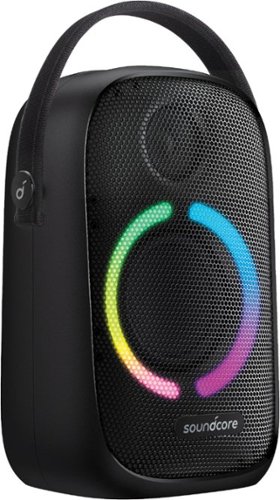
Anker Soundcore Rave Neo Portable Bluetooth Speaker with Lights, BassUp Technology, Sync 100+ Speakers, 18H Playtime
What are the measurements for this Bluetooth?
11 inches high, 7 inches wide and 4 3/4 inches deep. This does not count the nylon handle which can be tucked down behind the unit when not in use.
5 years, 3 months ago
by
RalphHenry

Now that quality you've come to love from GE is available right on your countertop, thanks to GE Appliances blenders, available in both Standard and Immersion designs. Our immersion blenders are ideal for one-handed operation, and available whisk and chopping attachments make whipping up family meals a cinch. You can even take it with you to help make kitchen magic on the go. GE Appliances standard blenders are the perfect addition to any kitchen and have the power to blend through tough ingredients to make delicious shakes, sauces and pur~es. The available personal blending cups are perfect for your morning smoothie and help make clean-up a snap. Make your blending experience a snap with help from GE Appliances, a brand you trust.
Is the jar glass or plastic?
Plastic. The two included smoothie cups are also plastic.
5 years, 4 months ago
by
RalphHenry

Always ready to entertain with the Bella Pro Series 18-Cup Programmable Coffee Maker. The 1200-watt brewing system quickly brews 18 5-oz. cups of coffee in minutes, making it ideal for large family gatherings or parties. 1 - 4 cup feature for large carafe taste in a smaller batch and brew strength selector for a high quality, customized brew. Prepare ahead of time by programming up to 24 hours in advance. Adjustable 30 minute to 4-hour automatic shut off for added safety. No time to wait for the whole pot? Grab a quick mug while brewing with the pause and serve feature. The special cleaning cycle extends product life while ensure coffee is always at its optimum flavor. Sustainable and reusable permanent filter basket and measuring spoon included.
What are the exact measurements of this appliance. Hard to purchase without knowing if it will fit on your countertop/
Good question, here's the answer: 15 inches high x11.5 inches wide x 9 inches deep
5 years, 4 months ago
by
RalphHenry
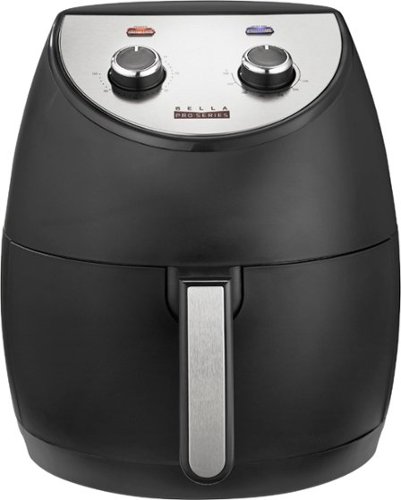
Revolutionize cooking with the Bella Pro Series 4.2-qt. Analog Air Fryer. The High Performance Circular Heat Technology and the powerful 1500-watt heating system delivers fast, crispy, and evenly cooked food every time. Time saving appliance with up to 50% faster preheat than a conventional oven. Large 3.6-lb. food capacity for your favorite foods, including; fried chicken, roasted salmon, French fries, kale chips, and homemade guilt free donuts. Adjustable temperature from 175~F to 400~F and integrated 60-minute auto shutoff timer with audible tone and indicator lights. The matte black finish adds style to any kitchen. Easy clean up with a dishwasher-safe, PFOA-free non-stick pan and crisping tray.
Did this product come with instruction booklet ? Just the product was in the box
Yes, it came with instructions and also there are some recipes regarding timing for various foods. Here's a link to a similar Bella unit. https://bellahousewares.com/wp-content/uploads/2020/09/90124-BElla-Pro-4.3QT-Air-Fryer-Stainless-Steel-IM-r1-LR.pdf
5 years, 5 months ago
by
RalphHenry
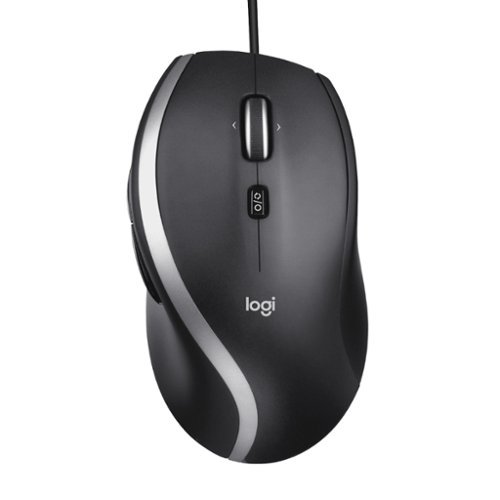
The Logitech Advanced Corded Mouse M500s with hyper-fast scrolling for increased productivity. The scroll wheel lets you fly through long documents and Web pages with a single flick. Or switch to click-to-click mode for precise, line-by-line navigation of lists, slides, images, and menus. Now with 400-4000 adjustable DPI for fast and ultra-precise cursor control.
Which software does the M500s use to customize the buttons? Conflicting information shows Logitech SetPoint if you look under their website, but guidance only goes up to windows 8. Package says Logitech Options but this isn’t On the Options device list
The M500s uses the Logitech Options Software. It is on the site, you may have just missed it for some reason. When you go to Logitech.com/options, click on Support, then Downloads. Now click on downloads in the top menu (I know this seems screwy) but when you hit downloads on this page you will then click on Logitech Options again, then click to download it. It is easy to make miss this. This link will take you directly to the page to download the Logitech Options for Windows 10: https://support.logi.com/hc/en-us/articles/360025297893
5 years, 6 months ago
by
RalphHenry