


RalphHenry's stats
- Review count353
- Helpfulness votes470
- First reviewMay 28, 2015
- Last reviewMarch 28, 2026
- Featured reviews0
- Average rating4.9
- Review comment count24
- Helpfulness votes28
- First review commentMay 28, 2015
- Last review commentJune 30, 2017
- Featured review comments0
Questions
- Question count0
- Helpfulness votes0
- First questionNone
- Last questionNone
- Featured questions0
- Answer count61
- Helpfulness votes165
- First answerJune 30, 2015
- Last answerNovember 3, 2021
- Featured answers0
- Best answers10
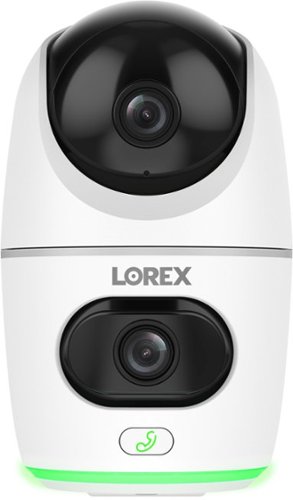
Monitor like never before with the ability to keep an eye on two rooms or areas at the same time.
Customer Rating

5
Innovative, Works Perfectly, Very Useful
on November 10, 2024
Posted by: RalphHenry
This is a very useful dual camera. Lorex provides high quality solid devices that always work correctly and intuitively., I have other Lorex cameras as well, but this little guy is different. This camera has a lower camera and an upper camera that can pan and tilt via a mechanical movement.
I already had the Lorex app installed. I opened the app and plugged the camera in, then pointed my cell phone at the QR code on the camera. The camera was instantly recognized and the app led me through the complete install. You will only see 2.4 GHz networks to connect to. Once connected and you name the upper and lower cameras (and also give the device a name), you will be all set up in just a few minutes. This camera comes with the USB connector cable and the 120 volt adapter plug. It also includes screws and anchors if you want to attach the camera to a wall. However, I preferred to just sit the camera on a shelf since the camera has a flat bottom and this install gives you some portability if needed.
I already had the Lorex app installed. I opened the app and plugged the camera in, then pointed my cell phone at the QR code on the camera. The camera was instantly recognized and the app led me through the complete install. You will only see 2.4 GHz networks to connect to. Once connected and you name the upper and lower cameras (and also give the device a name), you will be all set up in just a few minutes. This camera comes with the USB connector cable and the 120 volt adapter plug. It also includes screws and anchors if you want to attach the camera to a wall. However, I preferred to just sit the camera on a shelf since the camera has a flat bottom and this install gives you some portability if needed.
The camera alerted me that a firmware update was available. The firmware update downloaded in a few minutes and installed perfectly. Many times, firmware updates for cameras, key entry locks and other small appliances will require several attempts to complete successfully. Lorex updates are solid and complete without any hiccups. I give the engineers at Lorex a tip of the cap for putting together great hardware and software.
The displays on my phone of the camera videos are crystal clear. You can zoom and pan with your fingers on the cell phone screen. The upper camera can pan and tilt via a ‘joystick’ on the cell phone screen that works smoothly. You can use a view where one camera’s display is a small thumbnail inside the other camera’s display and switch them; or you can elect to see both cameras separately on your cell phone, which I prefer. The many features include auto-tracking, cloud storage (optional), a microphone with a call button to talk and speak, night view, 360-degree view, local storage via a micro SD card (that is included) and more. The camera also sends an alert if it recognizes a person/pet in the view – nice.
My house is one story about 60 feet long and 30 feet wide. I had the camera at one diagonal and stood with my phone at the other diagonal and could operate the pan/tilt feature as well as see the videos very clearly – great. In fact I could view and operate the dual cameras from my backyard, so the WiFi connectivity of the camera is super.
I am enjoying this device with the dual camera design. It is fun and helpful to keep track of pets or just keep an eye on your computer room for example. I would highly recommend this innovative, very functional and well-designed little wonder.
I would recommend this to a friend!
Share this review:


0points
0of 0voted this as helpful.

A do-it-all-and-more powerhouse, the bella PRO SmartCrisp 8-qt. Touchscreen Air Fryer feeds a family of 8. The spacious basket holds more than 6lbs of food and features EverGood Ceramic Nonstick Coating that~s made without PFAS, PFOA, PTFE, Lead, and Cadmium. Simple, digital display with one-touch custom cooking options that include Air Fry, Roast, Broil, Bake, Reheat, and Dehydrate. Plus, it has a Shake feature that alerts you when it~s time to shake up your food for a perfect crispy finish. Air fryers use little to no oil for 75% less fat than traditional deep frying, making it a healthy option for you and your family.
Customer Rating
5
Easy Clean, Cooks Great and Nice Controls
on November 1, 2024
Posted by: RalphHenry
This new large air fryer from Bella turned out to be a speedier cooker than I expected. Because it is very large, I thought it might be slower, but it was as fast as smaller units.. When I chose to cook just two Italian sausage links as my first use, I was surprised that it cooked them perfectly and quickly. I then tried two sausage links in a smaller air fryer; it took more time. So that was a pleasant surprise. Tip of the cap to the Bella engineers who balanced the size and power perfectly to preheat quickly and cook efficiently.
Doing cleanup I noticed that the entire unit is non-stick and cleaned easily. Bella is using a fantastic ceramic coating. Also, since it round, there is no place for food to hide in corners during cleanup. The crisping tray which fit snugly in the interior was easy to clean as it is non-stick as well. The crisping tray has 4 nice bumpers that make sure it fits right and sits off the bottom. I did burn some hamburgers in the unit (my fault), but no sticking whatsoever, cleaned up with a paper towel - wow.
I checked out the 10 presets and realized these presets covered about 80% of what I would use the unit for. Of course you don't need to use the presets but I think you will find that they are indispensable and well thought out - another tip of the cap to the design engineers at Bella. The display screen is easy to read, no tiny symbols or small letters, also well done by the designers especially for older eyes.
There is a convenient handle in the back so that when you have a large item like a 5 pound chicken, which I cooked; you can easily lift this unit using the front handle and the handy back handle. This is the only time I've seen this back handle feature - very nice.
The user guide is well written and clear. Although the guide covered many types of food to cook and how to utilize the presets, I think a larger recipe booklet would be a nice touch to add since this cooker is big enough for some dandy recipes.
This unit has an excellent 2 year warranty not just 90 days. I was impressed by the sturdy build and just plain functional and easy to use design. I would highly recommend this air fryer for large and small meals.
I would recommend this to a friend!
Share this review:


+1point
1of 1voted this as helpful.

JVC hybrid noise cancelling over ear headband style headphones with wind cut mode for exceptional silence, premium sound, comfortable ergonomic soft earpads and hanger design. 35 hour long battery life with rechargeable battery.
Customer Rating
5
Great Sound, Lightweight and Very Soft Earpads
on November 1, 2024
Posted by: RalphHenry
These headphones were heaven for me. They are very light so that is better for me, this lighter weight is something I look for to ensure they will be comfortable for several hours.
Another plus is how soft the ear pads are. I was able to wear my glasses for over 4 hours and no pain on my temples - great.
There is a microphone in this headset, this is important for me since I need them for Zoom meetings. I didn't need a microphone boom which I expect reduced the weight, which is a great trade-off for me.
I felt the construction was solid and I do enjoy the wireless capability and I enjoyed over 35 hours on a charge.They came with both a charging cable and a 4-foot 3.5 mm cable with one end straight and the other 90 degrees. Very nice to have the backup in case I run out of charge, I can just plug in the wired connection. I did use the JVC app for controls and also I used noise cancelling 100% of the time.
Pairing was very easy. All functions worked perfectly as designed including the noise cancelling which was very effective. Tip of the cap to the JVC engineers, they hit all the marks on these exceptional headphones. They are now my go to headset. I would highly recommend these lightweight and great sounding headphones.
I would recommend this to a friend!
Share this review:


0points
0of 0voted this as helpful.
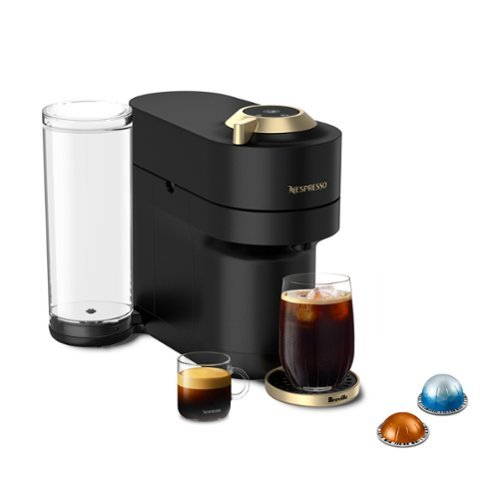
Bursting in a range of vibrant colors, Vertuo Pop+ coffee maker and espresso machine makes a bold statement to match your style. With five cup sizes, from Espresso to Alto and Cold Brew style coffee, simply choose your Vertuo pod, pop it in, and you~re away at the touch of a button. To keep you spinning, the machine reads the code on each pod to reveal its hidden treasures, from aroma to crema. The Vertuo Pop+ has a water tank accessible from the side, all in a compact design.
Customer Rating
5
Very Happy with My Little Espresso Making Wonder
on October 23, 2024
Posted by: RalphHenry
This espresso maker is a little wonder. It is designed for producing your espresso shot with simplicity in mind. Basically, you have one button and pressing this button will cause the machine to figure out which size nespresso pod you had inserted and it will adjust the amount of water used to match this cup size. When you next open the machine, via a mechanical action the pod will be dropped into a collection bin on the side. That’s it. It is a little heavy which is good since that allows the machine to get the pressure up as needed. Since it is smaller, it is easy for my older hands to handle its weight easily.
You will need to ensure the machine ‘internals’ are clean when you first get it. A very well written quick start guide will show you how to do this and also brew your first cup. The guide even has a QR code that will take you to a video to show you the rinsing process. Suffice to say you top off the freshwater canister and push the top (and only) button 3 times. The Nespresso folks even include an 800 number to call for help and a website link in the quick start guide. Tip of the cap to the Nespresso designers for a product that hit my sweet spot for functionality, taste and ease of use.
A more complete manual also includes detailed instructions for descaling. This manual has more helpful QR codes for linking to other videos and tutorials. When I popped out to their website I found a super well-designed website with easy navigation to find more info on descaling as well as their other products. You can create an account and order accessories and coffee. This site also explained the various pod colors. This was helpful since my machine came with an assortment of pods of different colored pods and sizes. Another pleasant surprise for me (since I did not previously know of the Nespresso type pods) is that all the grocery stores carried the Nespresso pods – nice. But do take advantage of their site to quickly understand the details on the different types of coffee pods available.
Cleaning the machine is a breeze. Don’t forget to empty the pod bin when needed. By the way I like lots of sweetener in my espresso so I put the sweetener in the cup before it is filled with delicious and hot espresso by this great little machine. The crema is likewise perfect. I highly recommend this machine which has me doing about 3 shots daily because it is so tasty and also so super simple to make the hot espresso shots.
I would recommend this to a friend!
Share this review:


0points
0of 0voted this as helpful.

Introducing the Crucial P310 Gen4 NVMe SSD, delivering read speeds up to 7,100MB/s, making it a gaming storage leader in the Gen4 space. Engineered with the latest Micron 3D NAND technology, the Crucial P310 can level up your gaming experience in generous capacities and offers backward compatibility, performing 2x faster than Gen3 SSDs.
Customer Rating
5
Small and Super Speedy
on October 13, 2024
Posted by: RalphHenry
This nice little 2 TB drive has multiple uses. Many of the newer laptops come with this type of SSD. You can use various brands of cloning software and easily upgrade the size and speed of your current drive by moving your operating system, Apps and data to this drive. This is a Gen4 (fastest) version of this type of SSD.
A little research will show you that a PCIe Gen 4NVMe SSD (which is the latest) is significantly faster than other SSDs. It has much higher data transfer speeds relative to older SSD technologies. It is about twice as fast as the Gen3 technology.
I did find the shipping was very protective of the drive and indeed it was in perfect shape when I received. It’s built rather solid as is necessary, Crucial has produced a high-quality product with this little but very high-capacity storage device. Based on the specifications, it is top rate. I tried using this speedy little marvel in two ways. First to insert into one of my laptops that had the interface for the NVMe drives. It was very much faster for everything including games, spreadsheets, photo shopping and especially CAD/CAM work was visibly faster – like amazing speed. No worries about cloning a drive anymore. At one time it was more of a tedious task that sometimes failed. Now the software is so refined that it is simple. The removal and insertion of the new drive into the laptop is very easy. Your main research will be just to check how to open the laptop if it does not have the convenient screw-together method. Go for it, you will be ecstatic with the results of putting in this much faster device. You might need to get a NVMe external USB enclosure to make it easy to format the new SSD. See next paragraphs for some detail on that.
I also wanted to use this type of speedy drive as an external USB drive, so I bought a second one. I also purchased an Insignia enclosure from Best Buy and proceeded to insert this 2 TB drive into the enclosure. The process is very simple and as long as you have the right enclosure it is a quick process. It is not quite plug-and-play, since you will have to format the drive (same as you may have already done to get it ready to clone).
Setting up the external drive is reasonably straightforward. But you will have to format the drive on first usage. When inserted into a USB port (after you put it in the aforementioned enclosure) the Windows OS will see the drive but you will need to format it using Windows ‘Disk Manager’. Recall you just right-click on the Windows logo in the lower left of your screen and you can see Disk Management and you select it. Inside Disk Management you will assign this device a drive letter and then format it in a few clicks. Now you have a small but high capacity and very speedy external drive for your backups or to use to move content between computers.
I would highly recommend this Crucial NVMe drive. You can clone your OS (and Apps/Data) data with it or you can create a very capable external USB drive. In either case, you will enjoy super-fast data reads and writes.
I would recommend this to a friend!
Share this review:


0points
0of 0voted this as helpful.
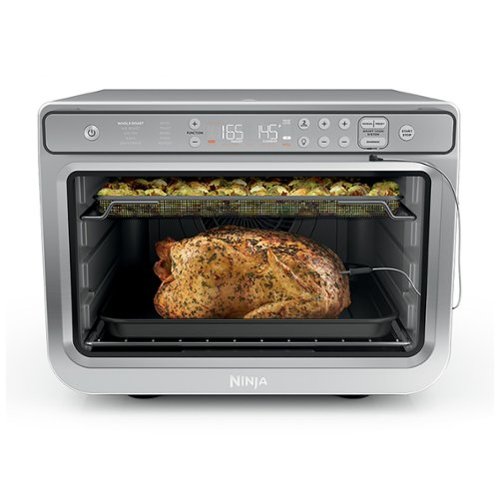
Meet the Ninja Prestige Smart XL Air Fryer & Countertop Oven with Pro Cook System, and up to 10x the convection power of a built-in oven. With Smart Surround Convection, flipping and rotating isn~t required to ensure all-around crisp. With a 90-second oven preheat time, get fast, crispy and juicy results- from whole chickens to baked goods and tasty appetizers. The Pro Cook System monitors the internal doneness of your food so you~ll never under or over cook food again. Plus, it features 10 cooking functions: Air Fry, Whole Roast, Air Roast, Bake, Dehydrate, Pizza, Broil, Toast, Bagel, and Reheat. The Ninja Prestige Smart XL Air Fryer & Countertop Oven with Pro Cook System compliments your countertop, while offering variety to your meals.
Customer Rating
5
Multi-Cooker, Small Footprint and Delicious Food
on October 13, 2024
Posted by: RalphHenry
This Ninja smart cooker is an air fryer, a convection oven and lots more; all in one. It is large enough to cook family sized meals or it can be used to cook for one. It has the unique ability to cook on two levels or just one level to achieve efficiency no matter how large a meal is planned.
This item is packed very well and indeed the unit was in perfect shape. However, you do need to pay attention to the packaging inside and around the oven to ensure all plastic and cardboard is removed.
Another innovation that is important to understand up front is that this device does surround cooking in a real sense not just by utilizing the convection fan. It has heating elements top and bottom but also has a ring of heat-source around the rear fan. The proof is in how well an actual meal is cooked so I did try some recipes to determine if food was delicious, would cook in a reasonable amount of time and also the cleaning perspective. All of these tests showed this was an outstanding product.
There are very nice accessories and be aware there are four slots for sliding in the various racks, pans and trays. You are also supplied a smart thermometer which can be used in the cooking if you wish. The thermometer allows you to see the temperature but also it will halt the cooking when the desired temperature is reached - another smart feature. By the way, the jack to attach the thermometer is located on the underside of the door handle.
You should try the different functions that run from air frying to dehydration. Once powered on, you can press the ‘Function’ button to run through the many cooking options. You get two wire racks, an air fry basket and a non-smoke and non-stick roasting pan. A nice item is also a crumb tray that goes on the bottom to ensure cleanup will be easy.
Just for some reference this unit (inside) is about 10 inches deep by 14 inches wide by 8 inches high. The outside dimensions are compact and the unit sits nicely on my countertop. It was fun to figure out the 'multiple cooking process', but this is a smart cooker so basically it will help you to do the correct thing. An example might be if you have a big chicken to roast you’d enter ‘Whole Roast’ and it will tell you to put it in the lowest (or tray-1) position. If you’d like to also air fry some vegetables, you would hit 2nd function. It will tell you that you’d have to put the next tray of food in level-4 (the top rack). I think that gives you some intro into the power of this unit to make a complete meal for you. Also if you are wondering, yes you can air fry two trays of food at the same time using two different racks. Tip of the cap to the designers of this device, they are very smart. You do get an excellent recipe book that is customized for this cooker, everything from toast to prime rib, to sweet potato casserole to even some Red Velvet cookies that I want to try soon.
The thermometer works accurately as well. Once you plug the thermometer into the device you can cook by temperature instead of time. You should ensure you put the thermometer in horizontally and into the thickest part of the meat. The directions are a little unclear in this area regarding how to put the thermometer into the cooker. However, you simply place the meat with the thermometer into the oven and close the door over the thin cable of the thermometer. It's small enough to not disrupt the door seal.
Most important is how delicious the food was. The roasted chicken I made was mouth-watering great; I just used salt, pepper, garlic powder and EVOO fantastic. I cooked some sliced zucchini on the uppermost rack at the same time as my chicken. The lengthwise strips of zucchini were wonderful (used the same spices as for the chicken plus some flour). The unit does have a light to view what’s cooking and also the light comes on when you open the door.
I highly recommend this super cooking machine with all its smarts and multiple heating elements.
This item is packed very well and indeed the unit was in perfect shape. However, you do need to pay attention to the packaging inside and around the oven to ensure all plastic and cardboard is removed.
Another innovation that is important to understand up front is that this device does surround cooking in a real sense not just by utilizing the convection fan. It has heating elements top and bottom but also has a ring of heat-source around the rear fan. The proof is in how well an actual meal is cooked so I did try some recipes to determine if food was delicious, would cook in a reasonable amount of time and also the cleaning perspective. All of these tests showed this was an outstanding product.
There are very nice accessories and be aware there are four slots for sliding in the various racks, pans and trays. You are also supplied a smart thermometer which can be used in the cooking if you wish. The thermometer allows you to see the temperature but also it will halt the cooking when the desired temperature is reached - another smart feature. By the way, the jack to attach the thermometer is located on the underside of the door handle.
You should try the different functions that run from air frying to dehydration. Once powered on, you can press the ‘Function’ button to run through the many cooking options. You get two wire racks, an air fry basket and a non-smoke and non-stick roasting pan. A nice item is also a crumb tray that goes on the bottom to ensure cleanup will be easy.
Just for some reference this unit (inside) is about 10 inches deep by 14 inches wide by 8 inches high. The outside dimensions are compact and the unit sits nicely on my countertop. It was fun to figure out the 'multiple cooking process', but this is a smart cooker so basically it will help you to do the correct thing. An example might be if you have a big chicken to roast you’d enter ‘Whole Roast’ and it will tell you to put it in the lowest (or tray-1) position. If you’d like to also air fry some vegetables, you would hit 2nd function. It will tell you that you’d have to put the next tray of food in level-4 (the top rack). I think that gives you some intro into the power of this unit to make a complete meal for you. Also if you are wondering, yes you can air fry two trays of food at the same time using two different racks. Tip of the cap to the designers of this device, they are very smart. You do get an excellent recipe book that is customized for this cooker, everything from toast to prime rib, to sweet potato casserole to even some Red Velvet cookies that I want to try soon.
The thermometer works accurately as well. Once you plug the thermometer into the device you can cook by temperature instead of time. You should ensure you put the thermometer in horizontally and into the thickest part of the meat. The directions are a little unclear in this area regarding how to put the thermometer into the cooker. However, you simply place the meat with the thermometer into the oven and close the door over the thin cable of the thermometer. It's small enough to not disrupt the door seal.
Most important is how delicious the food was. The roasted chicken I made was mouth-watering great; I just used salt, pepper, garlic powder and EVOO fantastic. I cooked some sliced zucchini on the uppermost rack at the same time as my chicken. The lengthwise strips of zucchini were wonderful (used the same spices as for the chicken plus some flour). The unit does have a light to view what’s cooking and also the light comes on when you open the door.
I highly recommend this super cooking machine with all its smarts and multiple heating elements.
I would recommend this to a friend!
Share this review:


0points
0of 0voted this as helpful.
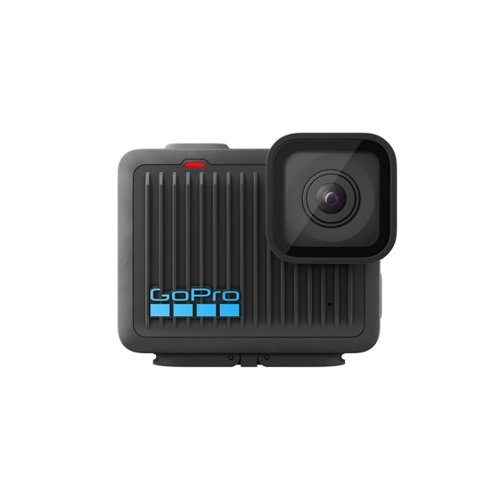
Our smallest 4K camera features a rugged super light design that~s a fraction of the size and weight of other GoPro cameras, but still waterproof to 16ft. Streamlined controls let you record 4K video, immersive photos and slow-motion shots with a press of the shutter button. After recording, play back your video on the GoPro Quik app. HyperSmooth video stabilization will automatically smooth out the shakes in your footage. Plug HERO in to charge and your footage will be uploaded to the cloud, turned into a highlight video and sent to your phone so you can relive your adventure and share the fun.
Customer Rating
5
Produces Smooth Videos Even Over Rough Terrain
on October 2, 2024
Posted by: RalphHenry
This model GoPro camera is very small and lightweight. It has an extremely solid feel. It comes with the attachments to set it up for example, on a bicycle helmet. I did not need other accessories or carry-methods, so this worked fine for me.
Your first step will be to download the GoPro Quik app to get the camera set up. Your next step is to put the included micro-SD card into the camera and ensure it is fully charged. The setup will also include a step of updating the camera’s firmware. Everything is automatic as the app will guide you to complete your quick-start to begin using your new GoPro camera. The quick-start process is very well done – tip of the cap to the GoPro engineers.
The LCD screen is fantastic, very clear and colorful. I did examine the camera to get a feel for its ability to handle some bumps for example when you ride a bicycle. I gave it some testing over very rough off-road terrain and the camera handled the trails with no ill effects.
This camera has the ability to correct jumpy videos with an automatic stabilization process that works really well, indeed it works like magic and it calms the video down. Tip of the cap to the GoPro engineers for this great design point.
I highly recommend this well designed and solidly built little marvel.
I would recommend this to a friend!
Share this review:


0points
0of 0voted this as helpful.

From America's most trusted printer brand, the HP Envy 6555e All-in-One delivers color printing, scanning and copying, plus a 35-sheet auto document feeder and 100-sheet paper capacity. It's AI-enabled to intuitively adapt to your workflow, with wireless and security features that keep your multifunction printer up to date and secure, and prints high-quality documents and photos every time with true-to-screen tech. This inkjet printer also lets you easily navigate print jobs with its intuitive color touchscreen.
Customer Rating
5
Small Foot, Big Functionality
on September 26, 2024
Posted by: RalphHenry
This printer has a small footprint but a lot of function. I noticed that the HP Envy series has excellent resolution for photographs and other color print-outs as this was evident in my test print-outs of color spectrum charts and landscape photos. There is a glass flatbed and an excellent capacity document feeder at a 35 page maximum.
Setup was super easy with the HP Smart app on my laptop. This is a backup printer for me since I have a larger backup HP printer that does print faster. The performance of the 6555e printer is acceptable at 7 pages a minute color and 10 pages a minute b/w. This performance is fine for a printer in this price range.
The touchscreen was fantastic. The LCD Panel interface is very intuitive and easy to use, it is a simplified versus previous HP printers – nice upgrade in GUI. I noticed that some printer brands have a less intuitive interface, so I am very happy with the HP printers. Tip of the cap to the engineers at HP.
I did have a minor problem letting HP Smart utilize an automated process to set the WiFi address, it failed or at least was taking several minutes. I went back and selected to allow me to enter the password manually and everything went fine and quick. This simply could be a setting of my router, but worth mentioning if it helps someone.
After the install, back at my computer I found the printer had gone offline. However, this turned out to be okay since when I checked at the printer it was automatically installing a Firmware update. When the update completed the printer was now available, all was well.
I would highly recommend this very capable printer with the smaller footprint and very clear and colorful printing resolution.
I would recommend this to a friend!
Share this review:


+1point
1of 1voted this as helpful.
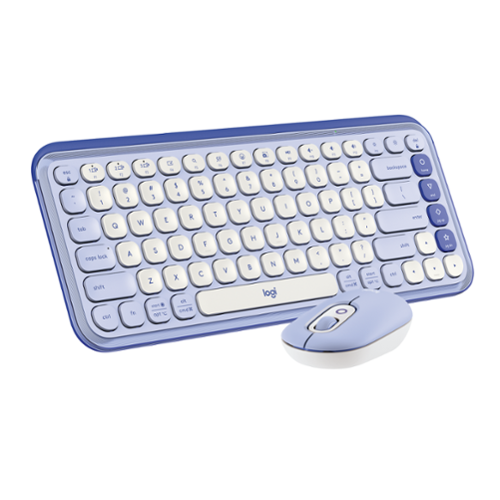
Add an extra pop to your desk with the POP Icon Combo, a contoured design with customizable Action Keys and Buttons. The low-profile keys give you a comfy typing experience. POP Mouse boosts productivity by 30%, compared to a trackpad. The Smartwheel speed scroll takes you where you need to go, fast.
Customer Rating

2
Keyboard Not Recognized by LOGI Options+ Software
on September 26, 2024
Posted by: RalphHenry
This keyboard and mouse combination feels very solid. HOwever there is a major problem: I was unable to use the Logitech Options+ for the keyboard because try as I might, there was no way to get this softeware to discover the keyboard was even connected although the keyboard worked fine operationally. The mouse and keyboard were very easy to install using Bluetooth on my computer. I was impressed with the feel of the keys which have a concave design. This keyboard and mouse are less audible by design; the mouse is actually silent which I found to be a great feature at times. If you are looking for an audible click from a mouse, then this is not your keyboard.
There are quite a few technology goodies built into this keyboard and the mouse. I'll mention a few of them but you do have to study the manual to learn more if needed. This keyboard has 12 Fxx keys that are useful. I'm using the keyboard in Bluetooth mode. The F2 key is used to tell the keyboard to pair in Bluetooth mode. You will need to hold the key for 3 seconds to pair it. PF6 brings up a microphone, PF8 is your 'print screen key' to copy the screen. You also have speaker controls, etc. The point is this is a very well thought out layout.
You must install the LOGI Options+ software which allows you to setup many added facilities for both the keyboard and mouse. This software worked fine for the POP mouse, but as I mentioned before, it was unable to discover the connected POP keyboard, so Logitech has a bug in the software is my conclusion - not good.
One of the cool mouse features is that you can pair the mouse with up to three devices and switch between them. You can explore other features for the mouse using the software. Both the mouse and keyboard are Logitech BOLT USB receiver compatible, but my package did not include the BOLT USB receiver.
If you are looking for a generic type keyboard this one will work, however if you do want to take advantage of the very useful 'Smart Actions' enabled by the software, then I cannot recommend this keyboard which comes as a combo with both the mouse and keyboard
No, I would not recommend this to a friend.
Share this review:


0points
0of 0voted this as helpful.

Introducing the Flex Open Clip Wireless Earbuds, the epitome of convenience and innovation in earbud technology. With its unique, clip-style design, these earbuds offer a distinct open-ear experience unlike any other. Simply clip them around your ear and immerse yourself in your surroundings while still enjoying your favorite tunes. Featuring touch controls directly on the earbud, managing your music and calls has never been easier or more intuitive. With USB-C charging, you can quickly and conveniently power up your earbuds for extended listening sessions. Compatible with the JLab App, you can further personalize your listening experience to suit your preferences. Enjoy a remarkable 21+ hours of playtime, ensuring you never miss a beat throughout your day. Thanks to multipoint technology, you can seamlessly connect to any two devices simultaneously, making it effortless to switch between your smartphone, tablet, or laptop without missing a moment of your audio experience. Experience the freedom and versatility of the Flex Open Clip Wireless Earbuds - where innovative design meets exceptional functionality for the ultimate listening experience.
Customer Rating
5
New Clip-on Design Very Comfortable
on September 14, 2024
Posted by: RalphHenry
I gave the JLab Flex earbuds a lot of use right after I got them as they came fully charged (blue light on solid). The first thing I noticed was the 'over 20 hours of play time' - great. The case has a solid feel and the design includes a blue indicator on the case to tell you of the charging status. When you tuck the buds into the case they snap into place with a firm magnetic click. I noticed the case and buds have a 2 year warranty. Also the case has a reset button in case you have trouble with connectivity which I did not. These buds paired easily with my cell phone as well as my laptop.
You do have all the normal controls for audio and cell phone calls and these control actions worked smoothly. You'll get a very short USB Type-C charging cable which I did wish was a bit longer so I could more easily reach my charging port in the car.
The sound is okay but can be improved using the JLab cell phone app. I was able to tune the sound much better using the 'Custom' settings on the app's equalizer.
The biggest difference between these buds and other earbuds is the 'open clip' design. You put the earbuds around your ear. Be sure the larger part is against the back of your ear and the smaller part with the speaker is inside your ear. I did have trouble at first making sure I put them on properly, but after a few times, I was able to easily cip them up. It turned out this design is much more comfortable for me. My ears sometimes get a little sore when I used other buds for a long time with them 'stuck' into my ear. This new design is a great upgrade for me - tip of the cap to the design engineers at JLab.
I would highly recommend these unique earbuds.
I would recommend this to a friend!
Share this review:


0points
0of 0voted this as helpful.

Only at Best Buy Dell Inspiron Convertible 2-in-1 Laptop: Enjoy the convenience of a tablet or the functionality of a computer with this Dell Inspiron Starlord laptop. The 15-inch touch screen makes viewing the small details on websites simple, and the Intel Core processor keeps the computer running commands quickly. This Dell Inspiron Starlord laptop has a backlit keyboard so you can type in the dark.
Overall 4 out of 5
4 out of 5physically shake the laptop? Warning
By Kevin
After looking for a powerful engineering laptop to meet my need, this Dell product is a great one. Design is great, sleek, and powerful. Has windows hello, hd screen and a 2 in 1. However it only has 2 USB ports. I wish dell would added more ports. Fast boot up with ssd, and a good backlight keyboard. However after a week of use, when I would hold the laptop and walk you could here a sound. Now this is when it is off. It seems that something is moving inside or it could be from the manufacture. So I returned it and sought to get the replacement. They opened the replacement and when they shaked it the same sound came from it. The best buy rep seemed to say its nothing and it does not matter where I presented this laptop to a computer engineer at my school, who told be its should not be doing that. Now the one on display did not have the defect. But it is amazing that a laptop of this power has this defect. So to wrap up, if you want to buy this laptop make sure to shake it. Seems weird but you don't want to end up loosing your money

RalphHenry
Raleigh, NC
Can Expand Number of USB Ports
February 10, 2017
As you say it has only one 2.0 and only one 3.0 USB port, but this is easily mitigated. For about $20 you can purchase a 4 port USB hub for when you may need added ports. You won't notice any speed difference. Here's one at BBuy: http://www.bestbuy.com/site/insignia-4-port-usb-3-0-hub-black/4333600.p?skuId=4333600 PS: My unit does not make any noise when you shake it, and unless it needs to turn on the fan it has zero noise in operation. I did the fan and it is noticeable but that's good since it is being turned on to ensure cooling.
-1point
0of 1voted this comment as helpful.
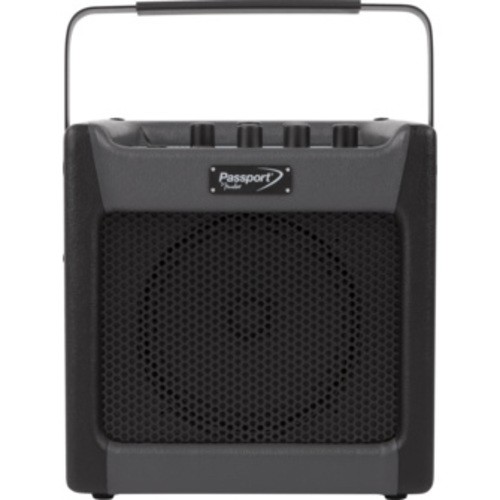
Passport~ mini offers convenient amplification for any instrument or microphone. It's perfect for performances by street musicians and students, as well as a basic public address system for events and presentations. It goes anywhere thanks to its dual AC- or Battery-powered capabilities. It can even be used as a music media playback system or computer recording interface.
Overall5 out of 5
5 out of 5Great Little Amp & PC Software
By RalphHenry
from Raleigh, NC
This amp is tremendous. No hum and lots of adjustments that at first seem over whelming, but then you catch on and it is reasonably simply to operate. The Fender Fuse software is great. I played around and could hear the difference easily as I changed presets and effects. It is not powerful, but it does have 7 watts RMS, fine for in the house. The software is cool, anything you change on the computer changes the adjustments in the little amp flawlessly. First thing I did was follow the instructions to upgrade the firmware to pick up any fixes or enhancements. Then you just have a ball playing around. It does have a vocal and instrument channel as well as an IPOD or other input. I ran it on batteries as well as AC with the included adapter. It also includes your USB cable to connect to the computer. I'm not an expert so this helps me learn about a lot of effects and styles by letting you hear the differences. GREAT. If you are an experienced guitar player, you will probably have other amps but this one may be nice to practice and learn with.
RalphHenry
Raleigh, NC
Got Another One
February 16, 2017
I gave the first one to my Uncle. I got another one used from a friend that did not work. However it appears that only a loose wire was the cause so it is now fixed. Also did not work on battery power, but I found that the spring contacts for the batteries were smashed down and didn't actually make contact. Once I pulled the contacts out the unit began to work on battery power as well as AC. So if you find a unit not working on battery power check the contacts.
0points
0of 0voted this comment as helpful.
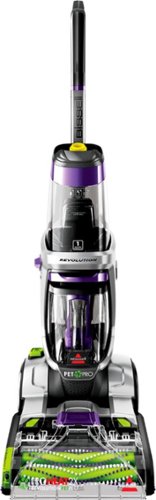
We know pets makes messes. Whether it's tracked-in mud or bathroom accidents, BISSELL~ ProHeat 2X~ Revolution~ Pet Pro Plus carpet cleaner handles those though pet messes with its exclusive Pet Pro Cleanup System. This system includes a CleanShot~ pretreater to remove spots and stains; the 2-in-1 Pet Upholstery Tool to remove pet hair, stains and odors from upholstery, a trial-size of BISSELL~ PET PRO OXY Urine Eliminator formula, and an EZ Clean Brush Roll Cover to make maintaining the machine easy. When used in MAX Clean Mode, you get powerful cleaning that outcleans the leading rental*** and leaves carpet dry in about 30 minutes with Express Clean Mode.** All of this cleaning power comes in a lightweight and maneuverable machine with a low-profile foot that gets under furniture. But this machine doesn't just pick up after pets, it helps save them, too. BISSELL~ proudly supports BISSELL Pet Foundation~ and its mission to help save homeless pets. When you buy a BISSELL product, you help save pets, too. We~re proud to design products that help make pet messes, odors and pet homelessness disappear.***Cleaning results based on ASTM F2828 using BISSELL PET PRO OXY Urine Eliminator formula in MAX clean mode against the Rug Doctor Mighty Pro X3 carpet cleaner using their top selling formula.**Express Clean Mode (reference instruction in user guide). Tested on new carpet with protectant. Results may vary.
Overall2 out of 5
2 out of 5Sadly, Very disappointed with this cleaner
By Laddie
Pros - Light weight and easy to maneuver - intuitive design makes it easy to use and nice design.
Cons - very low suction and seems to clog up after one use. No horsepower listed on the box and was told it was very powerful by a sales person.
The story - I went to Best Buy to purchase the Hoover SteamVac F7452-900 All Terrain Steam Cleaner with SpinScrub which is advertised being at the store. I have had the Hoover model for over 5 years and it has been an incredible workhorse typically using it twice a week. Strong suction and allowed for quick drying over large areas. We moved from a 6-bedroom home of 3,300 square feet to a 1,000 foot two bedroom two bath apartment. Didn't think I would need all the power of the Hoover but with two small dogs, well, they sometimes miss the puppy pads. I'm hoping I will be able to return the new Bissell for a Hoover.
BEST BUY - this is not a fault of Best Buy - they are a great store that carries quality items - unfortunately I didn't do the homework needed to evaluate this product adequately - I should have waited for the Hoover that I wanted...
Cons - very low suction and seems to clog up after one use. No horsepower listed on the box and was told it was very powerful by a sales person.
The story - I went to Best Buy to purchase the Hoover SteamVac F7452-900 All Terrain Steam Cleaner with SpinScrub which is advertised being at the store. I have had the Hoover model for over 5 years and it has been an incredible workhorse typically using it twice a week. Strong suction and allowed for quick drying over large areas. We moved from a 6-bedroom home of 3,300 square feet to a 1,000 foot two bedroom two bath apartment. Didn't think I would need all the power of the Hoover but with two small dogs, well, they sometimes miss the puppy pads. I'm hoping I will be able to return the new Bissell for a Hoover.
BEST BUY - this is not a fault of Best Buy - they are a great store that carries quality items - unfortunately I didn't do the homework needed to evaluate this product adequately - I should have waited for the Hoover that I wanted...
RalphHenry
Raleigh, NC
Must Vacuum First
May 10, 2017
I think I know why you might have less suction or clogging. I learned this the hard way. It is best to vacuum the carpet prior to using this machine - actually every carpet shampooer requires this step. You may have skipped doing this, but if not you may need to use the tool they include and slide it into the nozzle and remove any hair and other clogs. Anyway it worked great for me. The other area to check is the 'red filter' below the dirty tank, I noticed this gets pretty much completely covered and although you clean the tank you need to also clean this filter (see page 16 of the manual Step 5). Hope this helps.
+8points
8of 8voted this comment as helpful.
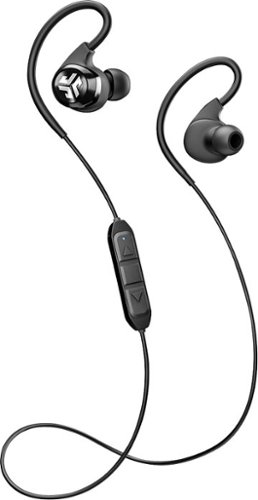
Kick your listening experience up to a whole new level with wireless JLab Audio Epic Bluetooth earbuds. The 10-hour battery life lets you enjoy your music all day, and crystal clear radical sound creates a smooth, precise and memorable listening experience. Get the most out of your music, phone calls and audio books with JLab Audio Epic Bluetooth earbuds.
Overall 1 out of 5
1 out of 5Cheap Materials, Bad Sound, Poor Quality Control
By ryanmcv
I wanted to like these, but JLab really dropped the ball with my set of Epic2 headphones. I'd normally list the pros first, but I'm so disappointed that I'm starting with the cons.
CONS:
- The Epic2s are supposed to come with 6 pairs of silicone ear tips. Well, I got 6 ear tips, but not 6 PAIRS of ear tips. My box only had 1 of each type of ear tip. Yes, I looked everywhere - inside the carrying case, in every plastic bag -- they're not there.
- After I removed the headphones from the box, I noticed that the black coating on the cord was starting to peel. This is probably because JLab forcefully bends the cord to fit it into the awkward box. Not a good first impression, and I'm sure it's only going to get worse.
- It's too bad that JLab didn't provide all of the ear tips, because the ones that come installed by default do not fit me well at all. They are way too small for my ears and slide out while I'm running. It would have been nice to try another set of ear tips, but I obviously can't do that.
- These things just aren't comfortable on my ears. The over-ear loops just feel awkward and don't allow much room for adjustment.
- The cord is just ridiculously long. The headphones come with 2 cable clips (which I actually got - yay!), but they are awkward to use and you're warned that using them might kill your Bluetooth connection. No thanks.
- The volume and track control buttons are horribly placed. I feel like I have to reach around and grab the back of my neck if I want to adjust the volume.
- Speaking of sound and volume, these headphones just don't sound good. They are way too bass-heavy and voices/dialogue sound extremely muted.
- The Epic2s are supposed to come with 6 pairs of silicone ear tips. Well, I got 6 ear tips, but not 6 PAIRS of ear tips. My box only had 1 of each type of ear tip. Yes, I looked everywhere - inside the carrying case, in every plastic bag -- they're not there.
- After I removed the headphones from the box, I noticed that the black coating on the cord was starting to peel. This is probably because JLab forcefully bends the cord to fit it into the awkward box. Not a good first impression, and I'm sure it's only going to get worse.
- It's too bad that JLab didn't provide all of the ear tips, because the ones that come installed by default do not fit me well at all. They are way too small for my ears and slide out while I'm running. It would have been nice to try another set of ear tips, but I obviously can't do that.
- These things just aren't comfortable on my ears. The over-ear loops just feel awkward and don't allow much room for adjustment.
- The cord is just ridiculously long. The headphones come with 2 cable clips (which I actually got - yay!), but they are awkward to use and you're warned that using them might kill your Bluetooth connection. No thanks.
- The volume and track control buttons are horribly placed. I feel like I have to reach around and grab the back of my neck if I want to adjust the volume.
- Speaking of sound and volume, these headphones just don't sound good. They are way too bass-heavy and voices/dialogue sound extremely muted.
PROS:
- They turn on and connect to Bluetooth as expected.
- Comes with a nice carrying case.
- Battery life estimate of 12 hours seems to be accurate.
- They turn on and connect to Bluetooth as expected.
- Comes with a nice carrying case.
- Battery life estimate of 12 hours seems to be accurate.
OVERALL:
I've emailed JLab to see about getting replacement ear tips, but even with those, I think I'll still avoid these headphones. I wouldn't want the cord to start peeling apart mid-workout. The title of this review says it all: these headphones are made from cheap materials, have bad sound quality, and apparently go through minimal quality control processes. Avoid at all costs.
I've emailed JLab to see about getting replacement ear tips, but even with those, I think I'll still avoid these headphones. I wouldn't want the cord to start peeling apart mid-workout. The title of this review says it all: these headphones are made from cheap materials, have bad sound quality, and apparently go through minimal quality control processes. Avoid at all costs.
RalphHenry
Raleigh, NC
Just on the ear tips
June 30, 2017
I know you said they were not included and you looked hard, but I found the small bag with one half of the ear tips and on the placard the other half of each size were connected in the cardboard. I would agree it was odd packaging. But I have a feeling that you might (just maybe) have easily tossed them, baby-with-bath-water style.
+1point
1of 1voted this comment as helpful.
RalphHenry's Questions
RalphHenry has not submitted any questions.
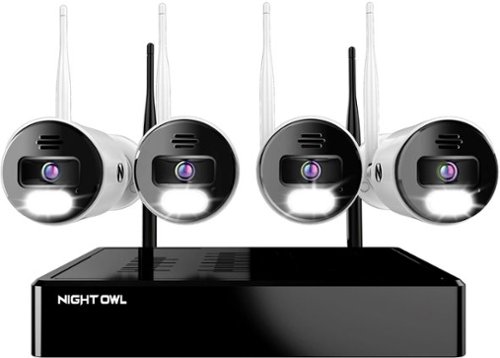
Night Owl is excited to offer our U.S. designed and engineered 4K Wi-Fi Bluetooth Network Video Recorder with Wi-Fi IP 4K Spotlight Cameras and Pre-Installed Hard Drive. With secure app-based Bluetooth setup, there is no need to connect a TV or monitor for setup or viewing (optional). You can easily configure your system right from the app on your smartphone or tablet with the Bluetooth connection. While a TV or monitor is not required, with Google Assistant you can use simple voice commands to stream camera footage directly to your TV or monitor, all while remaining hands free. Each camera has 2-Way audio (talk and listen) as well as a built-in siren and preset voice alerts. From within the app, you can easily activate the built-in siren, startling intruders and sending them packing. Have a guest but can~t get to them? Use a preset voice alert to let them know! Smart detection technology including human detection, facial capture, and vehicle alerts reduce the risk of false alarms, keeping you safe and well protected. Facial capture lets you see who is on your property by snapping a photo and sending the image to your Smart Device. Motion-activated dual spotlights flood your yard with bright lights when human motion is detected, instantly warding off trespassers. Proudly designed and engineered in the USA, our security system uses a built-in wireless connection for uninterrupted viewing with no delays. Our app gives you control of your system and easy access to your recordings, regardless of where you are. Night Owl never charges fees for storage or access to your videos. All recordings are securely stored on a pre-installed hard drive for convenience. You can view and download the recordings as you need them. This system provides the latest technology to give you the ultimate security experience. NOTE: Your Wi-Fi recorder is compatible with our BWNIP2 (Wire Free), WNIP2 (Wi-Fi IP) and WNIP8 (Wi-Fi IP) Series devices and is not backward compatible with other Night Owl products.
Can I add more cameras
Yes you can connect more cameras. In fact the default was to display 8 cameras and I had to set it back to 4.
4 years, 5 months ago
by
RalphHenry

The minute you put on Bose QuietComfort 45 Wireless Noise Cancelling Headphones, you feel it ~ the iconic quiet that allows you to concentrate on your music or work on your passion projects. Plus, with these wireless headphones, you can experience the comfort and crystal-clear sound that can only come from Bose headphones. The soft, plush cushions of these Bose over ear wireless headphones seal you in. Then you flip the switch and whoosh ~ the world fades. The music starts. It~s love at first listen. The original Bluetooth headphones are back, now with signature active noise cancelling technology and premium comfort. Plus proprietary technology for deep, clear sound, and adjustable EQ so you can tune your music to your liking. Bose QuietComfort 45 over-ear headphones. An icon reborn.
Does this set(QC45) need an adapter to connect with the TV screen on airplanes? Is it included? I saw an adapter when I looked at the QC35II, will it work with this model?
I think you mean the normal 3.5mm jack/cable which you use when Bluetooth wireless is not available. Yes this cable is included with the QC45 as well as the QC35II.
4 years, 6 months ago
by
RalphHenry
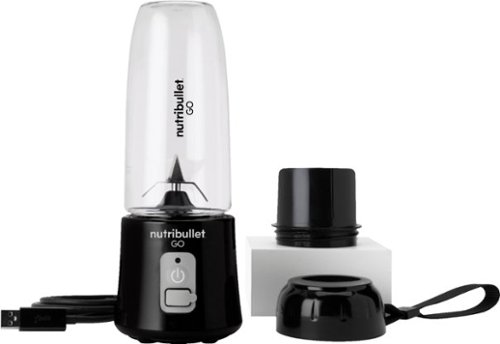
The Nutribullet GO Cordless Blender has a compact and ergonomic design, ideal for those on the go! The 2000mAH battery offers up to 20 blending cycles before needing to be recharged. The 13oz cups are the perfect size for personal smoothies or protein shakes and with 18000 RPMs you can be confident your smoothies will come out tasting delicious! Our base even comes with a blade protector so you can feel confident putting this in a backpack or bag.
What’s the voltage on this product?
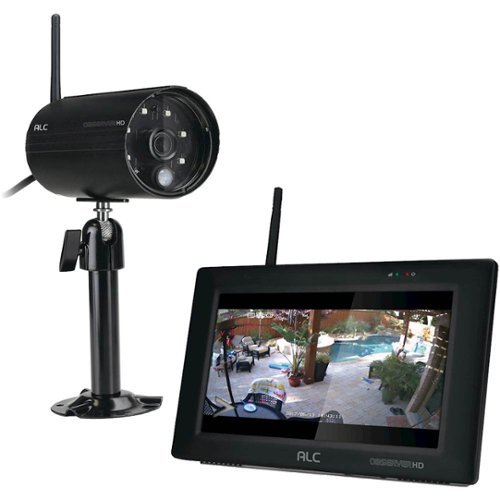
Protect your home with this ALC Observer touchscreen wireless surveillance system. An easy-to-install weatherproof outdoor camera captures footage of potential intruders in Full HD resolution and sends automated alerts when triggered. This ALC Observer touchscreen wireless surveillance system has a 7-inch monitor that lets you watch recorded footage and monitor live feeds.
Can I hook my alc observe hd up to a computer monitor
I have done it. The base unit will look like a PC to your TV or to a monitor. The included mouse will be your input device.
4 years, 10 months ago
by
RalphHenry
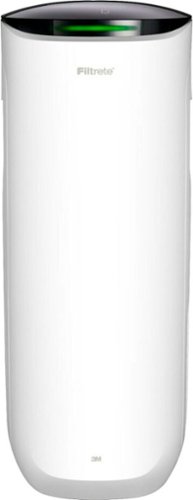
Say Hello to Cleaner, Fresher Indoor Air~24/7.Monitor and clean your air 24/7 with the Filtrete~ 310 Sq. Ft. Smart Air Purifier for Large Rooms from the most trusted HVAC filter brand in America*. These easy-to-use connected devices automatically improve the quality of the air you breathe, taking action when air quality issues arise at home. The devices also integrate seamlessly with the Filtrete~ Smart App, Amazon Alexa, Google Assistant and other smart home products.With so much bad stuff in our indoor air, why not choose an air purifier and filter to help keep your home~s air cleaner and fresher?Included with each Filtrete~ Smart Air Purifier is a True HEPA filter, which captures 99.97% of airborne particles**, such as allergens, dust, lint, mold spores, bacteria, viruses and pet dander. Plus, every filter is electrostatically engineered to pull in and trap microscopic airborne particles. Many of those particles are 1000x smaller than you can see.Give yourself some peace of mind with a sleek Filtrete~ Smart Air Purifier that automatically monitors, reacts and purifies air in large rooms.
How much do replacement filters cost?
Only $10-$15 for the F1 and you can buy them at Home Depot or Walmart or online.
4 years, 10 months ago
by
RalphHenry
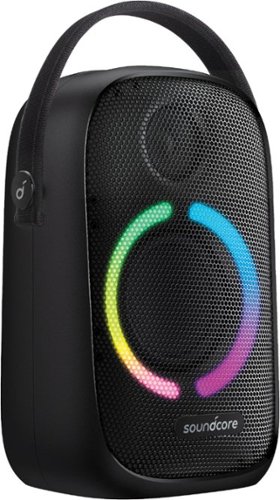
Anker Soundcore Rave Neo Portable Bluetooth Speaker with Lights, BassUp Technology, Sync 100+ Speakers, 18H Playtime
What are the measurements for this Bluetooth?
11 inches high, 7 inches wide and 4 3/4 inches deep. This does not count the nylon handle which can be tucked down behind the unit when not in use.
5 years, 3 months ago
by
RalphHenry

Now that quality you've come to love from GE is available right on your countertop, thanks to GE Appliances blenders, available in both Standard and Immersion designs. Our immersion blenders are ideal for one-handed operation, and available whisk and chopping attachments make whipping up family meals a cinch. You can even take it with you to help make kitchen magic on the go. GE Appliances standard blenders are the perfect addition to any kitchen and have the power to blend through tough ingredients to make delicious shakes, sauces and pur~es. The available personal blending cups are perfect for your morning smoothie and help make clean-up a snap. Make your blending experience a snap with help from GE Appliances, a brand you trust.
Is the jar glass or plastic?
Plastic. The two included smoothie cups are also plastic.
5 years, 4 months ago
by
RalphHenry
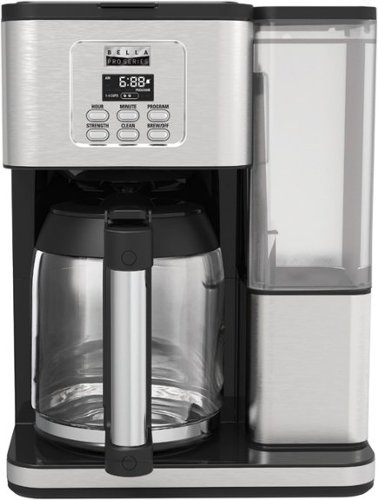
Always ready to entertain with the Bella Pro Series 18-Cup Programmable Coffee Maker. The 1200-watt brewing system quickly brews 18 5-oz. cups of coffee in minutes, making it ideal for large family gatherings or parties. 1 - 4 cup feature for large carafe taste in a smaller batch and brew strength selector for a high quality, customized brew. Prepare ahead of time by programming up to 24 hours in advance. Adjustable 30 minute to 4-hour automatic shut off for added safety. No time to wait for the whole pot? Grab a quick mug while brewing with the pause and serve feature. The special cleaning cycle extends product life while ensure coffee is always at its optimum flavor. Sustainable and reusable permanent filter basket and measuring spoon included.
What are the exact measurements of this appliance. Hard to purchase without knowing if it will fit on your countertop/
Good question, here's the answer: 15 inches high x11.5 inches wide x 9 inches deep
5 years, 4 months ago
by
RalphHenry
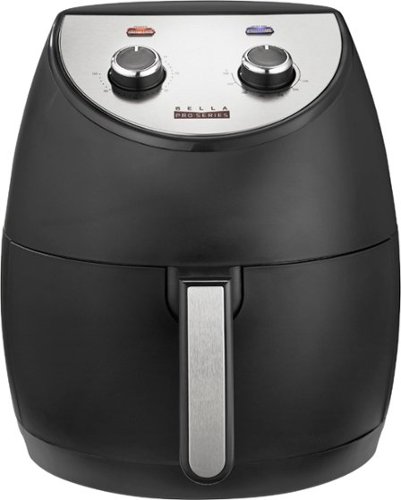
Revolutionize cooking with the Bella Pro Series 4.2-qt. Analog Air Fryer. The High Performance Circular Heat Technology and the powerful 1500-watt heating system delivers fast, crispy, and evenly cooked food every time. Time saving appliance with up to 50% faster preheat than a conventional oven. Large 3.6-lb. food capacity for your favorite foods, including; fried chicken, roasted salmon, French fries, kale chips, and homemade guilt free donuts. Adjustable temperature from 175~F to 400~F and integrated 60-minute auto shutoff timer with audible tone and indicator lights. The matte black finish adds style to any kitchen. Easy clean up with a dishwasher-safe, PFOA-free non-stick pan and crisping tray.
Did this product come with instruction booklet ? Just the product was in the box
Yes, it came with instructions and also there are some recipes regarding timing for various foods. Here's a link to a similar Bella unit. https://bellahousewares.com/wp-content/uploads/2020/09/90124-BElla-Pro-4.3QT-Air-Fryer-Stainless-Steel-IM-r1-LR.pdf
5 years, 5 months ago
by
RalphHenry
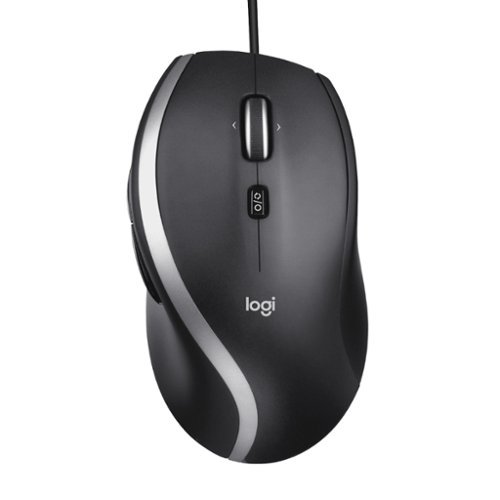
The Logitech Advanced Corded Mouse M500s with hyper-fast scrolling for increased productivity. The scroll wheel lets you fly through long documents and Web pages with a single flick. Or switch to click-to-click mode for precise, line-by-line navigation of lists, slides, images, and menus. Now with 400-4000 adjustable DPI for fast and ultra-precise cursor control.
Which software does the M500s use to customize the buttons? Conflicting information shows Logitech SetPoint if you look under their website, but guidance only goes up to windows 8. Package says Logitech Options but this isn’t On the Options device list
The M500s uses the Logitech Options Software. It is on the site, you may have just missed it for some reason. When you go to Logitech.com/options, click on Support, then Downloads. Now click on downloads in the top menu (I know this seems screwy) but when you hit downloads on this page you will then click on Logitech Options again, then click to download it. It is easy to make miss this. This link will take you directly to the page to download the Logitech Options for Windows 10: https://support.logi.com/hc/en-us/articles/360025297893
5 years, 6 months ago
by
RalphHenry