


DavidJr's stats
- Review count364
- Helpfulness votes2,401
- First reviewDecember 8, 2015
- Last reviewSeptember 3, 2026
- Featured reviews0
- Average rating4.2
- Review comment count3
- Helpfulness votes2
- First review commentJune 3, 2016
- Last review commentJune 3, 2016
- Featured review comments0
Questions
- Question count0
- Helpfulness votes0
- First questionNone
- Last questionNone
- Featured questions0
- Answer count104
- Helpfulness votes221
- First answerDecember 9, 2015
- Last answerDecember 23, 2021
- Featured answers0
- Best answers34
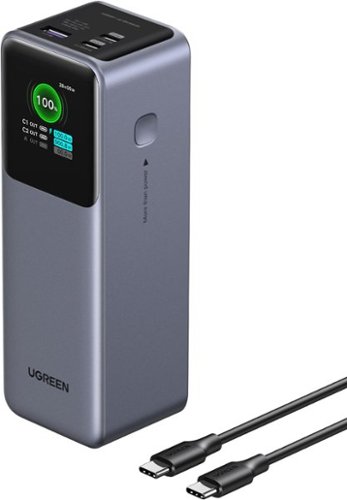
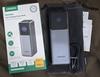
The UGREEN Nexode 200W 25,000mAh Power Bank is a ultra-fast & high-capacity portable charger designed for laptops, tablets, cell phones, and more. The USB-C1 port delivers up to 140W fast charging, perfect for quickly powering up MacBooks and other laptops, while the dual USB-C ports combine for a total output of 200W. Featuring a massive 25,000mAh capacity, it can charge a MacBook Air 13'' 1.3 times, or an iPhone 16 pro 4.7 times. With 65W fast recharging capability, the power bank can be fully recharged in just 2 hours using a 65W+ charger. This compact yet powerful charger is ideal for business travelers, digital nomads, and anyone who needs reliable high-speed charging on the go.
Posted by: DavidJr
For the amount of power this thing provides, it is surprising it isn’t bigger. It is a bit heavy and big. But, when you can have 3 things charging at the same time and even take advantage of PD 3.1 maxing out 140W for a single device, that is insane. With 25,000mAh, you are going to be able to charge a single item multiple times before it needs a charge of its own.
Of course, as with all battery powered items, results will vary. Depending on what your device is capable of, if you have USB cables that can handle it, how long you leave the device on, it all has an effect on how fast items charge and how long the charge will last. But, with this one, you will get a fair bit of charge out of it and see just how much power you are supplying with the TFT screen. I don’t even get this much information from the computer when it is providing power.
I have tried this with a couple phones, my Quest 3, a tablet and laptop just to see the power draw and I haven’t maxed it out once with its capabilities of output. The one thing that would have made this better is if it came with its own 65W charger.
The labeling on the ports could use a little better coloring, as they are hard to read, but once you realize that C1 is the port that has the max output and is the one offset on its own, it is easy to remember. It does have a purple color on the inside as well, just hard to tell at first.
Overall, if you don’t mind carrying around half a brick, this thing is sure to help extend your travel time away from a power outlet for a couple days depending on your usage.
I would recommend this to a friend!

Share this review:


0points
0of 0voted this as helpful.
![Norton - Utilities Ultimate (10 Device) - Android, Apple iOS, Windows [Digital]](https://pisces.bbystatic.com/prescaled/500/500/image2/BestBuy_US/images/products/44dbbe2f-d36f-4c67-9905-287651d0198b.jpg)
Is your Windows PC moving slow? Norton Utilities Ultimate provides you with tools to help clean and reinvigorate your PC to keep it running like new. Automatically help increase your PC~s processing power, memory, and hard drive when you launch high-demand apps, for a smoother gaming, editing, and streaming experience.
Customer Rating

3
Not as good as expected
on December 15, 2025
Posted by: DavidJr
I don’t know, when I see something listed as “Ultimate”, I really expect it to do everything a utilities app used to do. Sure, this one will help clean up and optimize your drive, can help shut down processes and uninstall software. It even has a simulator for removing the apps so you can see how it might affect your system without actually removing them.
But, then you are going to get a constant reminder that there are driver issues, despite the drivers it shows you know for certain are up to date. So, you click “fix” and it just takes you to another one of their apps for another 1 year subscription.
Speaking of subscriptions, why does everything have to be a subscription?
Sure, I can get it as “1 year of updates”, but in another year or two, they are going to introduce another version that will do something this one won’t do, so you’ll have to switch over to it and subscribe to it for a year.
To top it all off, this doesn’t even remove all the things it claims to remove. When you do the “Clean Junk” on browser data, then go into it and select everything, for some reason, I’m logged in on applications that should have removed all cookies to prevent that from happening. Then, go to the manage data > data recovery and you can just recover everything. So, it’s not really protecting any privacy, you need another app for that. But, you can shred individual files or folders. No idea why you can’t do free space like most other shredder apps offer.
For simple optimization and space clearing as well as recovering resources, this works. But, that is also all things you can do yourself through the apps your computer already has. This just brings them to a single place. On an Android phone, it is the same way and literally, once you give it all the permissions, will go through your settings and push all the same buttons you can push to clear the data yourself. But, it is a lot faster than doing it yourself.
The Android version of the app has an issue with using login details, but if you use your product key, will operate just fine. It does give a few ways to look at and manage your storage, like showing similar photos or “bad quality” photos for you to sort through and remove. But, all this is once you give the app some of the highest control over your phone there is.
Overall, if you don’t want to learn the simple steps to clear these things yourself, or don’t want to trust the cheaper or free apps out there that offer the majority of the same thing, this is fairly simple, mostly safe from removing the “wrong” things and pretty inexpensive for a years worth of access. It just feels pretty short coming for an “Ultimate” product and the constant reminder to get yet another product to do another thing that this one could have done to start with.
Overall, if you don’t want to learn the simple steps to clear these things yourself, or don’t want to trust the cheaper or free apps out there that offer the majority of the same thing, this is fairly simple, mostly safe from removing the “wrong” things and pretty inexpensive for a years worth of access. It just feels pretty short coming for an “Ultimate” product and the constant reminder to get yet another product to do another thing that this one could have done to start with.
I would recommend this to a friend!




Share this review:


0points
0of 0voted this as helpful.
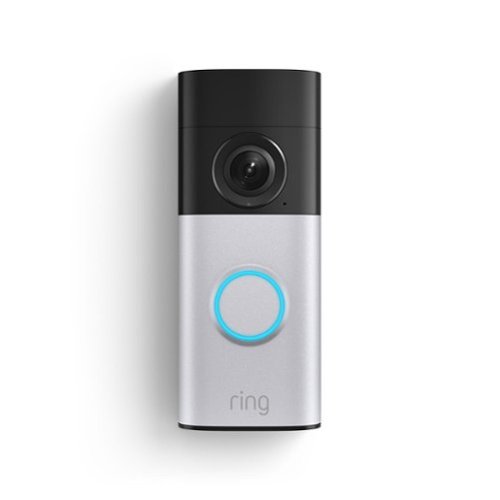
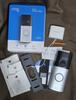
Wired Doorbell Plus (2nd Gen) features a bold redesign on the outside and Retinal 2K on the inside. With Motion Detection, Night Vision, and other key features, you can be confident that you~ll see when something happens at your front door.
Posted by: DavidJr
I recently had a bad experience with a different doorbell camera and now that I have had this one, I feel even more justified in the review I left for the other one. Since I have had various brands of doorbells over the years, this one has truly impressed me. So, let me get the few things I don’t like out of the way and then I’ll get into everything I enjoyed.
One thing I don’t like about some security cameras is being forced into a subscription to be able to record video. Though, this one is like that, you can buy the Ring Alarm Pro base station and record to Micro-SD. However, many features still require a subscription. The other thing I did not like is the plastic angle piece for installation feels very flimsy. I feel like it could easily be ripped off my door frame. The main bracket is metal, but due to the position of my door, the angle is needed, so it now has the plastic behind it.
Now, out of all the doorbell cameras I have had, this is the first one that did not need some external power source for the chime. I never did understand why I needed to provide an external USB charger for some of them, or have a whole device of its own plugged in. This one just connects right up to the wires inside my old box and is stuck to the wall. Just like the 2 wires used to connect the camera on the outside.
Detection on this thing has been immaculate. I turned motion detection on to see if there is anything I might miss. Apparently I have various animals now visiting my front door. I don’t know if they have been doing that before and I just never caught it on camera or what. Because the viewing angle on this thing is huge, as I can see my whole door, or now that the door bell replies “You are being recorded” when it detects motion and the animals think someone is talking to them. Either way, I find it interesting that I can see so much at the same time and it detects it all. This includes package detection as I get recording of it being delivered and when I removed it.
One thing I like about wired cameras is being able to record early and often. Some wired doorbell cameras still only recorded the moment they detected motion. This one seems to be recording all the time but only saving seconds before the motion/person/package are detected so you can see everything up to the actual event. When there isn’t anything detected, you get a snapshot every 1 minute, so you can see a timelapse of the day. When viewing live, I was surprised there was no record or snapshot feature. Come to find out, it records it automatically when you go live, so you can go back through it with other moments and grab what you need from there.
Ring is also known for their neighborhood features. Like their own social posts for others to share incidents around your neighborhood, but they also have a built-in search party option that can help find lost pets and “Amazon Sidewalk” that allows other devices to share the network connection through your device. Personally, I find that a bit invasive and have disabled them myself, but they claim they are secure and it does help the community with trackers and such.
Of course Ring is by Amazon, so you can easily connect this to your Amazon account and have it ring on other Alexa devices. If you have other Ring cameras, it can even send notifications through the cameras, in case you are out back when the doorbell is pressed for instance. You can also view your devices through their website and enable notifications with your browser, so they even show up on your computer.
Of course Ring is by Amazon, so you can easily connect this to your Amazon account and have it ring on other Alexa devices. If you have other Ring cameras, it can even send notifications through the cameras, in case you are out back when the doorbell is pressed for instance. You can also view your devices through their website and enable notifications with your browser, so they even show up on your computer.
I could go on about every single little thing I like about this camera over the ones I had previously, but I feel I have rambled enough.
Overall, this Ring wired doorbell camera has a huge field of view, crystal clear image, amazing detection and a load of other features. With the simple install and not needing an additional power source, it already impressed me before I really started using it.
I would recommend this to a friend!



Share this review:


0points
0of 0voted this as helpful.
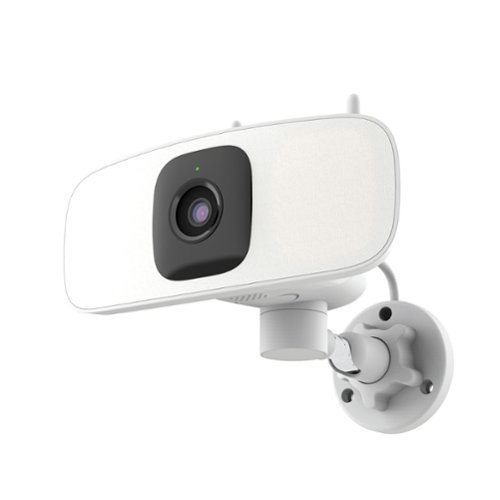
Protect your home effortlessly with this plug-and-play 2K Wi-Fi Floodlight Camera. No hardwiring needed~just plug in and control the horizontal pan via app for the perfect view. It lights up your space exactly when you need it.
Posted by: DavidJr
Sure, on paper it has some great specs and features. But, in use, this thing is either over recording or under recording. There seems to be no middle ground.
I have used Lorex cameras a lot over the years. Mostly wired NVR/DVR devices and the one wireless device I used of theirs before, I also did not rate well. I was hoping that since it has been a couple years since that mess that they have made better. Well, like I mentioned, on paper, the item is nice. A 2K camera with a bright LED flood light, panning capability even with auto tracking, micro-SD card slot for local recording, two-way audio with a siren and pre-recorded replies that fit many situations. But, what good is all that if it either records every leaf blowing in the yard or misses every single actual event you expect it to capture.
I installed this above my garage, which luckily I have an outdoor plug just to the side. It is a one car garage and the cord is just barely long enough to reach the middle of that to the plug literally right beside the door. I would figure that a security camera system would provide a cord long enough to go inside so it is secured, or even a screw mount option to secure it to the plug. Mounting the camera is fairly easy as they have always provided a little sticker so you can pre-drill holes in the proper location. The plastic mounting bracket also has a notch if you want to drill a hole through your space to run the cord through your wall inside. With 3 screws and a twist on the neck, you are pretty much installed. However, if you do intend to use a micro-SD card, install that first, as the tiny screws for the cover are very easy to lose.
The rest of the install is with the app and it is simple as scanning the QR code and connecting it to WiFi. However, finding the right settings for you is where it starts getting frustrating. There are three detection modes, motion, sound and person. Each one has their own sensitivity settings, schedule and zone. However, sound detection will trigger on practically every breeze that blows by, so not a good idea to keep that one on. I tried just person detection, but it only seems to recognize a person when you are fully in camera, so missing anything that happened as you come into screen. So, you need motion detection if you want to catch other things. But, then as I mentioned, it either catches every single thing while on high, like lighting changing due to clouds, a leaf blowing by or a light change from the house lighting or nearly nothing at all when it is on medium or low. On low, I was literally jumping in front of the camera and nothing.
Then you have light settings. Which of course, that is the whole point of this type of setup. It too has activation settings, but, if you adjust it here, it will then also change your detection settings for the camera. Instead of low/medium/high, it is now an image of a person standing or running. So, put it on running and the light will trigger on everything that the motion was triggering on. Like the camera settings, you also have a schedule you can set for light activation, but good luck on trying to make it stay on the time you want. Apparently there is no “all day” option and you would think that 12:00 am to 11:59 pm would make a full day, but for some reason it reverts to 12 pm every single time I go back to it. It seems to handle smaller intervals, but will not take a full 24 hours or so. There is a separate schedule option for each thing, including notifications. Which again, does the same thing when you try to set for all day.
As mentioned above though, the worst thing is that it is so inconsistent with recording and notifying of events. I get a clip of motion as I am getting out of my truck, not the fact that I drove into the driveway. But, that was just 18 seconds, not the fact that I got out, and walked around my truck. Another time, it only notified me that it detected a person after I was walking out of my vehicle and only for a few seconds, not seeing anything I did after walking away. But, I set it to high detection and now the light is constantly coming on/off, recording 5 minute segments of leaves blowing around. I set the tracking on and can see it is tracking me as I walk around, but check for any playback footage and there is nothing.
Even while working with tech support on trying to get consistent recording and notifications, this camera and the new app were frustrating me. Now I have three different Lorex apps for the various systems that I have obtained over the years and this one, though looks simple, has been the most frustrating as it seems the various settings that look like they are separate, are linked to each other in some way or another.
Overall, the specs you see on the product are nice. However, in everyday practical use, this will either drive you crazy with false notifications and recordings, or not record the very thing you were hoping to have a security camera for.
No, I would not recommend this to a friend.


Share this review:


+1point
1of 1voted this as helpful.

Introducing the CASETiFY Snappy Ripple Grip Stand. Designed as a seamless extension of our beloved Ripple Case, this MagSafe compatible grip stand delivers everyday function with quiet elegance. Effortlessly snap the Grip Stand onto your MagSafe-compatible phone for a secure hold. Flip it to convert into a 45~ or 90~ stand for easy viewing or streaming, in both landscape and portrait modes. Thanks to its strong magnetic grip and ultra-slim design, your phone stays securely attached, allowing you to use it with one hand and avoid accidental drops. Easily hold your phone and Grip Stand together with just one hand (or slide it into your pocket) With the high magnetic strength, your phone can stay securely attached without accidental drops.
Posted by: DavidJr
With a magsafe phone and case, this is simply pull out of the box and let it snap magnetically to your device. It has a rippled rubberized effect to it that will help grip on flat surfaces on its own. It pops out and magnetically snaps to a specific angle for leaning. However, that is about as far as I feel it is worth it compared to another brand that I have used.
This grip stand is thick and big. The whole pop out part is bigger than the magnetic ring that most cases show, so it feels bulky. It actually weighs a fair bit more than the other one. Then, if you try to use it as a grip between fingers, it does not feel comfortable as the edges are just thin flaps that force an offset as that bulky plastic piece on the other side. Then to use it as a kick stand, it only snaps in one angle. Unlike the other branded item I use, it can’t be adjusted as it relies on the magnet to attach back to those thin strips holding it together.
Overall, I feel this CASETiFY grip stand is just too bulky and very limited in its options compared to others I have used. The only thing I feel is better than the one I have is the rubber outer edge instead of hard plastic/ However, the other one has many more customizable options, so you could get a rubber one as well.
No, I would not recommend this to a friend.
Share this review:


0points
0of 0voted this as helpful.
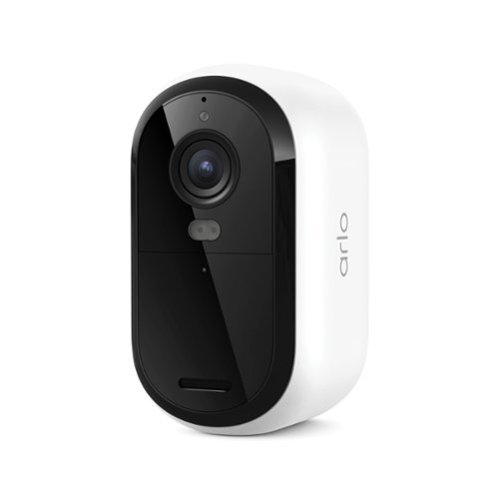
Protect your home and family with a powerful outdoor camera wireless solution that delivers crystal-clear 2K resolution, keeping a watchful eye on people, vehicles, and packages around the clock. Get instant alerts the moment motion is detected and watch live video directly on your phone, with Dual-Band WiFi ensuring a stronger, more reliable connection at all times. A 1-Month Arlo Secure Early Warning System Plan trial is included, providing 60-day video history so you can review past footage at any time, Smart Detections covering Person and Vehicle Recognition and Package and Animal Detection, and can act as a reliable pet camera for monitoring your animals around the property, and Interactive Notifications on your phone's lock screen with Emergency Response and Call a Friend so help is always within reach. The Essential 3rd Gen is one of the most dependable wireless cameras for home security, setup is simple and wire-free for total flexibility, and the camera mounts and removes easily whenever it is time to recharge, while Color Night Vision lets you see shirt color, car color, and facial features even after dark for reliable day and night surveillance. Hear and speak clearly with visitors using noise-canceling 2-Way Audio, quickly deter threats with the Integrated Siren, and extend battery life with Low Power Mode for all-day monitoring. Whether you need reliable cameras for home security or a complete set of security cameras wireless outdoor, the Arlo Essential Battery Camera works seamlessly with Amazon Alexa, Samsung SmartThings, IFTTT, and Google Home to deliver dependable protection at every corner of your home.
Customer Rating

4
Covers the essentials, but still to late
on November 2, 2025
Posted by: DavidJr
One thing I always have an issue with on wireless cameras is that they always seem to miss the initial action. I typically recommend a powered or wired camera system to friends because the initial event can be recorded, or you can get 24/7 coverage and not rely on motion detection and the delay of the camera powering on. However, there are situations where you can’t use a wired system and wireless is the only way you are going to have any sense of peace.
I have been using the Arlo Essential (3rd Gen) and the Arlo Pro (6th Gen) for the past week and with them side by side, I can really see the differences in the Pro. This is not to say the Essential is a bad camera, it’s just to point out that the extra price makes a fair bit of a visual difference. You can see my review on the Pro if you want more specifics about it in particular.
I feel the naming of this model is pretty on point. For a wireless camera, you want the essentials, to be able to connect to your WiFi, be able to capture the moment and have two way communication. You get all of that at 1440p resolution, the ability to use 2.4Ghz or 5Ghz on the Wifi, a bright LED that gives decent color night vision and a siren to make it even more obvious that they are being noticed.
The biggest drawback I have with the Essential camera is the fact that you have to remove the whole camera if you need to take it in to charge. This means the camera is out of service for several hours unless you have a source to plug it outside or swap it with another camera. Unlike the Pro, where you can pop the battery out, if you have extras, and put it back in place. The battery life also seems to drain a bit faster on the Essential, so this means that, depending on activity, you may have to take it down every 30 days for a charge.
The reason I say it is still too slow, is with all wireless cameras I have ever used, is to conserve battery, they don’t fully power on till after they detected motion. This means the subject is already moving and you have no idea what they did in the first couple of seconds. With that, there are also times that it might not even record anything of use. Say, like a car passing by, all you noticed is the tail light glow going out of frame. I did notice the Pro captured things a bit more often and slightly faster than the Essential, possibly due to the higher FOV.
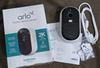
As you may notice in the images attached, the Essential still captures a decent image. I almost prefer the Essentials color night vision over the Pro HDR as the lighting from my house sort of blows things out a bit. The FOV difference is only noticeable when directly comparing them side by side as well.
The other issue I have with most wireless cameras is that you have to have the subscription, or their Smart Hub, if you want to be able to record any videos. If you don’t have the subscription, they just become motion detectors that you can watch live for a brief moment. You do get a 30 day trial to test out the main features before you decide on a plan to go with.
Overall, for nearly half the price of the Pro version, this model of the Arlo camera really does cover the essentials. The main disadvantage is that recharging either needs power to the camera or you take the camera down. I personally do not like the missing time that wireless cameras create, but considering you can put this up in a matter of minutes and only cause 2 screw holes, it might be the best option.
I would recommend this to a friend!


Share this review:


0points
0of 0voted this as helpful.
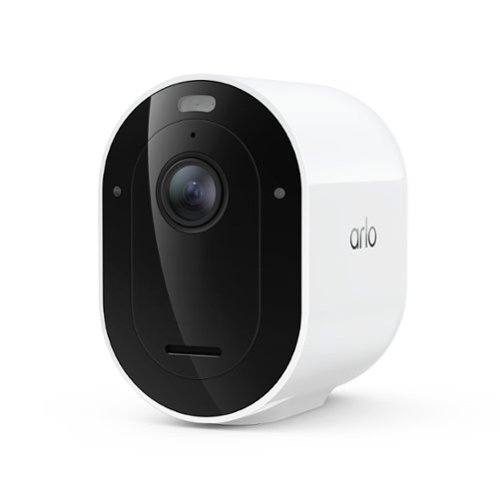
Experience powerful protection and sharp visibility with a wireless outdoor security camera that captures crystal-clear 2K HDR (High Dynamic Range) video, which captures a wider range of light and color so details stay sharp in both bright and shadowed areas of your footage. The wide 160~ Field of View lets you see more of your yard at once, allowing you to positively identify people, vehicles, and animals with ease, while Auto Zoom and Tracking automatically focuses on moving objects so you never miss a critical moment. A 1-Month Arlo Secure Early Warning System Plan trial is included, providing 60-day video history so you can review past footage at any time, Custom Detections for personalized notifications like whether your garage door is open, sprinklers are on, or your side gate is left open, and one-tap Emergency Response to call for immediate help when it matters most. As a fully capable outdoor camera wireless solution, setup is easy with Bluetooth and Dual-Band Wi-Fi, which automatically connects to the 2.4 or 5GHz network, whichever is stronger, and no wiring hassles means this wireless security camera outdoor installs anywhere around your home as a simple DIY setup with a removable battery that is easy to recharge or swap out for a fully charged one. Brilliant Color Night Vision has a sophisticated low-light filter and a more powerful Integrated Spotlight so you can easily distinguish critical details like the color of a shirt, car, and facial features, making it a dependable security camera outdoor solution day and night, and Low Power Mode extends battery life for all-day surveillance with up to 15% more battery life than the previous generation. Whether you need a single outdoor camera or a complete set of surveillance and security cameras for your property, the Arlo Pro 6 delivers dependable wireless cameras for home security and remains one of the most versatile cameras for home security available today.
Customer Rating
4
Clear, sharp colorful, but still to late
on November 2, 2025
Posted by: DavidJr
One thing I always have an issue with on wireless cameras is that they always seem to miss the initial action. I typically recommend a powered or wired camera system to friends because the initial event can be recorded, or you can get 24/7 coverage and not rely on motion detection and the delay of the camera powering on. However, there are situations where you can’t use a wired system and wireless is the only way you are going to have any sense of peace.
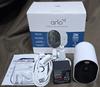
I have been using the Arlo Pro (6th Gen) and the Arlo Essential (3rd Gen) for the past week and with them side by side, I can really see the differences in the Pro. The video looks clearer, more vibrant with the HDR and you can see the little bit of extra field of view. Plus, the battery is removable, but it is a strange way of removing it and you have to be pretty cautious on reinstalling it as the most obvious spots to push you are to avoid pushing on. But, to take advantage of this, you either keep the whole camera with your USB power source, or buy the extra battery and charger set. As you can’t just plug in the battery directly without the camera or charger that is not included.
With the battery, it is all dependent on the traffic in the area, the use of the LED spotlight, audio, and other actions that drain the battery. I had it in a fairly active area and it was draining about 2% a day. At that rate, in about 45-50 I would need to pull it out to charge, This is where having the extra batteries and charger would be very beneficial. Especially if you have multiple cameras.
Not listed as a feature difference, I feel the Pro was catching motion more often, at further distance, than the Essential. Where I literally had them side by side, there were vehicles passing by that the Pro captured. Well, at least the last fleeting seconds as the vehicle left the frame, that the Essential did not.
The Pro also has an optional video setting for “auto zoom and tracking”. It is interesting, so long as there isn’t anything else in the image that might be moving. I have a tree and a flag in my front yard. I got an alert for a vehicle and the only thing I see is the tree blowing. However, I checked the other camera, since it did not zoom, and I can see that a vehicle did indeed pass by.
Arlo’s newer cameras now feature using either 2.4Ghz or 5Ghz, which can help reduce some traffic and increase speeds. However, 5Ghz is not the best for range and wall penetration. So, depending on the placement of your cameras, you might need to decide between the two. However, on another note, with an additional purchase, you can also get the Arlo Smart Hub and put the traffic to that device instead. This also gives the option for local storage, which leads to my next point.
You have to have a subscription to make any real use of these cameras. If you do not have a subscription, or the Smart Hub, you will ONLY get motion notifications and the ability to watch the camera live. If you don’t watch it live at the moment of the notification, you may have no indication of what really happened, let alone the delay from the video in the first place. The subscriptions can be seen on their site or through the app and you do get a 30 day trial to try out the features.
You have to have a subscription to make any real use of these cameras. If you do not have a subscription, or the Smart Hub, you will ONLY get motion notifications and the ability to watch the camera live. If you don’t watch it live at the moment of the notification, you may have no indication of what really happened, let alone the delay from the video in the first place. The subscriptions can be seen on their site or through the app and you do get a 30 day trial to try out the features.
With all that said, I personally still recommend a wired or powered system so that you get the faster reaction times, you don’t have to take the camera out of commission to charge, and you typically don’t have to have a subscription. However, for a wireless system, Arlo has been pretty decent over the years and the Pro version really brings all the features. You can place them practically anywhere within range of your WiFi and even with the short delay of initial recording, if the camera angle is placed well, you can usually see all the details.
Overall, if I were looking for a wireless camera, I’d probably recommend going with the Pro for the clarity of the HDR, the added FOV and the replaceable battery. Even with both versions of the camera having the same resolution, the Pro version just looks sharper. Having a wider FOV also means it will see the motion quicker and hopefully capture all the information needed.
I would recommend this to a friend!



Share this review:


0points
0of 0voted this as helpful.
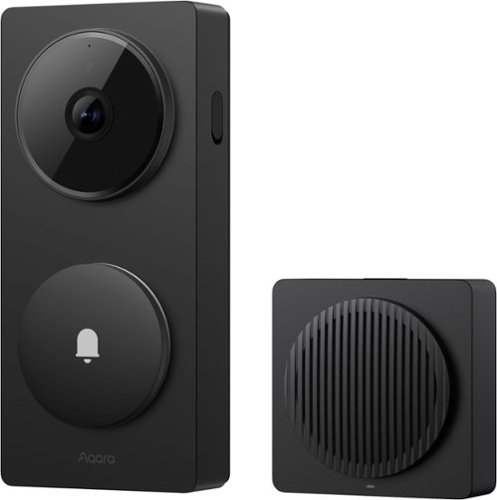
The Aqara Doorbell Camera Hub G410 Select delivers 2K video clarity, intelligent detection, and smart home control in one device. Advanced mmWave radar and face recognition provide accurate alerts without false alarms, while built-in Zigbee and Thread/Matter hubs connect your entire smart home ecosystem. End-to-end encrypted streaming keeps your video secure, and expandable local storage enables 24/7 recording. Compatible with HomeKit Secure Video and dozens of third-party devices, the G410 Select lets you see who's at your door, control your locks, lights, and security systems, all while maintaining complete privacy. One doorbell. Complete smart home control.
Customer Rating
3
Slow and near useless without subscription
on October 29, 2025
Posted by: DavidJr
I figured this might be a good replacement for my older doorbell. I prefer having one that has the option to be wired as I have the wiring. I also like when security systems let you have local storage of some type. This one lets you do it with a micro-SD card on the hub that you plug inside. But, there are several things that I am not thrilled with on this one.
For one, the installation is not very clear, but having had another doorbell, I already had familiarity with installing them. This one wants you to scan a tiny QR code on the device, one of three that are on there, so figure it out, I guess. Then it wants you to use the app for install and it gives options to toggle tamper alarm and linger detection. But, if you toggle them here, it starts blaring an alarm as you haven’t officially mounted the device yet. But, come to find out, you don’t just turn it off in notifications, you also have to go into AI detection as well.
Anyways, once it is installed it looks bulky, a bit wider than my old one. But, it makes it very obvious for people to see. Ringing the doorbell works great and when connected to a smart speaker it can alert you there too. But, besides doorbell pressing, it seems hit or miss on other detection.
I’ve had it installed for a few days now and out of me going in and out of my house several times in the past couple days, it only shows detection of a face once, 3 days ago, when the delivery person was really close. Any other time, nothing, not even a person notification. I had linger detection enabled, but it seems to think my flag, off to the side, as lingering, all the time. If it wasn’t for the fact you can turn on full time recording and save it to the SD card locally, I wouldn’t have any footage of someone at the door because if it only saves the notification clips to the cloud. Let alone if it was on battery and not sending them.
But, accessing that footage on the SD card is slow. Most of the time, as I try to scroll through the footage, it just jumps back to the last time it showed, making it really difficult to scrub the footage. Though it does have a filter option, if it doesn’t detect a face, doorbell ring, linger or tamper, you have to manually find it.
Speaking of the cloud, the subscription is pretty much needed if you want it to detect anything and if you want face detection, you need the unlimited plan. So, at that point, you might as well get more cameras of the same brand to make it worthwhile. Otherwise, just for a single doorbell camera that sometimes detects people, I don’t see it worth it.
With the app, it is easy enough to get straight to looking at the camera, as it does have a refreshed image on the main dashboard. But, if you want to do anything else, you have to click the small “Doorbell>” link below it. From there you can do more options, but one would think that clicking the image would take you there instead. Like commonly needed is to have 2 way talk, which you can also disguise your voice with 3 alternate modifiers, so they might not think a kid is answering.
There are several settings you can change in there as well. I do find it interesting that you can put any MP3 file or record anything you want to be the doorbell sound internally. However, like mentioned above, some settings are doubled up in notifications and AI. Then you have a way to set a privacy screen, but it uses a generic picture and not the actual camera, so you have to remember what you want to block.
Overall, I wouldn’t say this is a horrible camera, but it feels like it is their first iteration at making one. There are several things that put me off with it and not getting person notifications really makes it feel useless. It could be my porch style, but walking into the door it should notice me. It has some neat features and if you have other Aqara products, then the subscription service might be right for you. At least it has an option to record locally, albeit it being a hassle to scroll through.
No, I would not recommend this to a friend.



Share this review:


0points
0of 0voted this as helpful.
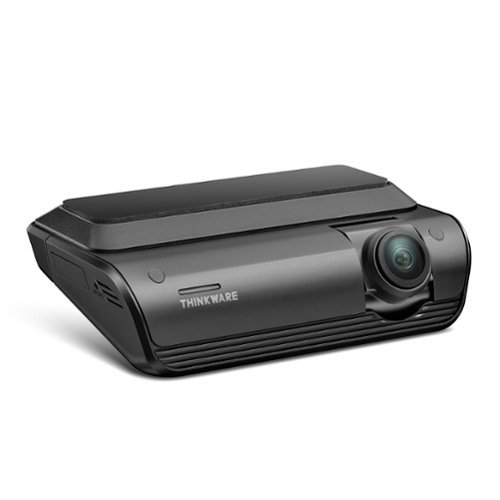
Capture every drive with confidence using the ARC 700, a powerful 4K dash cam offering crystal-clear front and 2K rear recording. Equipped with Sony STARVIS and Galaxycore sensors, HDR, and Super Night Vision 3.0, it delivers sharp, balanced footage day or night. Enjoy peace of mind with advanced Parking Surveillance Modes, including Motion & Impact Detection, Time Lapse, and optional Radar Mode. Smart Thermal Protection ensures reliable performance in extreme heat, while Safety Camera Alerts and support for up to 256GB microSD cards add everyday convenience. The ARC 700 comes ready to install~everything you need, right in the box.
Customer Rating

5
Everyone should have a dash cam
on October 25, 2025
Posted by: DavidJr
With the craziness in the world today, I feel everyone should have a dash cam. Regardless of the incident, it just about always comes down to he said/she said and then you have to work it out with insurance or court. But, if you have video evidence of you going through a green light, doing 25 in a 25, the color of that vehicle that fled the scene, there are a lot of things that can clear you of an incident. Luckily, I’ve only had a couple incidents that didn’t even involve me directly, that I have used clips for my camera for. But, I like knowing it is there because it has even helped clear someone else of possible charges because I stayed to share the proof.
Regardless of which camera you settle with, there are always limiting factors. Sometimes you don’t have a high enough resolution to see everything, or you didn’t catch the right angle because you only had 1 camera. In the case of this Thinkware Arc 700, those two problems are mostly alleviated. The direct sides are still hard to cover, but the wide angle on these cameras gets pretty much fender to fender on each side. With the 4K on the front and 1440p on the back, you are catching a lot of details. However, with that quality comes the size of the files. With the included 64GB micro-SD card, you are only going to have about 90 minutes worth of continuous recordings. So, if there was something you wanted to get a clip of, even if it wasn’t an accident, you might want to pull of and grab it before it is overwritten. On the brighter side, you can replace that micro-SD with up to 256GB card, which should give you up to 6 hours worth of 4K/2K storage. Also, if an impact is detected, it will save the immediate file and keep it from being overwritten. For me, that has mostly been rough potholes so far.
Not on by default is the speed time stamp. Something that is easily changed while you are connected to the device by a cellphone. It is pretty straight forward with connecting as well. As long as the device is powered on, when you open the app after initial setup, it switches over to the 2.4Ghz or 5Ghz WiFi directly, pending settings.
Installation can be as simple as cleaning your windshield and sticking the device to it, connecting to the cigarette lighter, hiding the wires and you are off. However, if you want to take full advantage of the system, you will want to use the other wiring kit that it came included with. With this, you need to connect to a continuous power source and a switched source. Though it does recommend a professional, so long as you can find the right fuses in a fuse box, it’s not that hard. For example one of my fuses goes to powered locks, so it is battery and the driver assist cameras are on ACC, when the vehicle is running. So, I pulled the fuse, wrapped the pre-cut tip of the wire around one side and pushed it back in. Now I have the parking mode and have my power port back.
With the parking mode you can set it to different settings, but by default, it remains in a low power mode and when it detects motion, records a short clip, like 20 seconds. If an impact is detected from the G sensor, it will save the clip and lock it so it does not get overwritten. When you get in and start up your vehicle, the voice comes on and tells you if there were incidents recorded during parking mode.
Overall, this system is easy to set up and great for catching all the details. Having the other wire kit that it comes with installed is the best way to take full advantage of it. There are more options, like radar capability, but I do not have those attachments. The only thing I suggest is getting a larger micro-SD card as 90 minutes goes by pretty fast if you want to save a clip that was not locked by the G sensor.
I would recommend this to a friend!



Share this review:


0points
0of 0voted this as helpful.

Valor Pro Wireless pushes performance on Xbox with game-changing features. React faster with the rear paddles by keeping your thumbs on the thumbsticks while you jump, slide, reload, and more. With a low-latency wireless connection, Bluetooth, and 1k Hz polling on PC, every movement stays sharp and responsive. Our new anti-drift TMR thumbsticks are designed to feel familiar while still alleviating common symptoms of wear and tear. Customize your controller settings without ever leaving your console with the SCUF app available on Xbox and PC. The built-in battery delivers up to 17 hours of playtime and recharges fast with the included 6ft USB-C.
Posted by: DavidJr
I’ve had a fair bit of game controllers over the years and it never fails that eventually at least one of the thumb sticks starts to drift. I’ve had one controller with Hall Effect and have wished more controllers had them. Now I have this one with Tunneling Magnetoresistance (TMR) and I think I might like them a bit better. I can’t quite explain it, but they feel a bit more snappy and precise. But, technically they should still last a lot longer than the default potentiometers of most standard controllers. Only time will tell, but since they are like the Hall Effects in the sense that they are using magnets instead of physical connections, they shouldn’t have those issues.
As for the controller in general, it is about 6g heavier than my original Series X controller but feels so much better in hand. The rubberized grips and the shape of the extra buttons on the back just rest perfect in hand. If you don’t like the extra buttons, you can pop the two middle ones out and replace them with flat caps. The other two flow seamlessly into the grip. The A/B/X/Y buttons are regular membrane like the standard controllers, the RB/LB are like mouse clicks and the RT/LT you can flip a switch and take it instantly from analog to digital, like you have two more mouse buttons.
In the center back of the controller you have the profile button which can switch between 3 on board profiles and be used to program the paddles on the fly. The different profiles can include the programming of the buttons, the stick response and deadzones, with lowest of 4%, trigger response and deadzones and vibration. All changed through the app on PC and/or Xbox. The app is currently in beta, so you have to get it on PC through the Microsoft Store first, then you can install it on Xbox with the same account. One odd thing that threw me off is that you have to have the controller in Xbox mode while using the app, even on a PC. But, then you can switch it back to PC which then the audio settings change to Valor Pro instead of Xbox Controller. It works on PC in either mode, it’s just how Windows recognizes it.
Speaking of the audio, it has a 3.5mm jack and two scroll wheels. The left one is for audio and the right one is for chat/game mix, which only seems to work on the Xbox. But, both of them can be pushed in with the left one instantly muting audio and the right muting the microphone. Personally, I found the audio level to get reduced a fair bit when listening through the controller versus straight to my PC. But, having the simple mute option is handy regardless. On the Xbox the mix works fine.
Overall, with this controller, it has certainly helped up my game. The extra paddles are easy to program and use while being able to quickly switch between different profiles. The app, though a bit of a task to get working, helps really refine everything about it. Whether you are using it for PC, Xbox or something like the Quest over Bluetooth, you are in control.
I would recommend this to a friend!




Share this review:


0points
0of 0voted this as helpful.
DavidJr's Review Comments
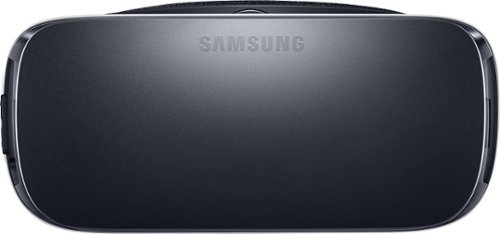
Samsung Gear VR for Select Samsung Cell Phones: Mobile virtual reality is finally here. Watch movies in your own private cinema, be at the center of your favorite games, and socialize with friends in a virtual world all your own. The lightweight design and intuitive touchpad drop you right in the action and allow for hours of immersive entertainment.
Overall 1 out of 5
1 out of 5Very unhappy about not getting the GearVR programs
By Sunshower
I tried many different ways to find out how to download the Gear VR programs by going to Samsung and Oculus online. All unsuccessful!!

DavidJr
Roanoke, VA
June 3, 2016
Once you connect the Gear VR to the phone it starts a download for the software. There appears to be no other way to initiate the install. Once the Oculus software is installed, games and applications can be purchased through the application or from inside the store while wearing the device.
0points
0of 0voted this comment as helpful.
Samsung Gear VR for Select Samsung Cell Phones: Mobile virtual reality is finally here. Watch movies in your own private cinema, be at the center of your favorite games, and socialize with friends in a virtual world all your own. The lightweight design and intuitive touchpad drop you right in the action and allow for hours of immersive entertainment.
Overall1 out of 5
1 out of 5Need certain phones to use this.
By Donna
Wasn't told at time of purchase that certain phones were required to use this device. After purchase was when this was discovered. During this time we purchased a new home and was moving. After the move, tried to return the item because I didn't want to purchase a new phone. The only way the store would accept this return was to give me a gift card. I didn't want a gift card that I would most likely not use. Not happy with this policy at all. Also have made posts to FB in regards to your policy. I will not EVER enter your store again or make another purchase from you online. This is NOT how you treat a customer and expect more business from them.
DavidJr
Roanoke, VA
It is labeled on the box and the site details
June 3, 2016
It says on the front and back of the box, "Compatible with Note5/S6 edge+/S6/S6 edge" and anywhere you look online it says it as well.
+2points
2of 2voted this comment as helpful.
Samsung Gear VR for Select Samsung Cell Phones: Mobile virtual reality is finally here. Watch movies in your own private cinema, be at the center of your favorite games, and socialize with friends in a virtual world all your own. The lightweight design and intuitive touchpad drop you right in the action and allow for hours of immersive entertainment.
Overall 2 out of 5
2 out of 5I have problems getting my phone to sync with this
By Drestyle
When I put my phone in the unit it doesn't seem it. I keep having to pull it out and try again.
DavidJr
Roanoke, VA
June 3, 2016
What phone are you using and is it up to date? The Samsung Gear VR is only compatible with Galaxy S7, Galaxy S7 edge, Galaxy Note5, Galaxy S6 edge+, Galaxy S6, Galaxy S6 edge and a software update from your carrier is required for S6 edge+ and Note 5.
0points
0of 0voted this comment as helpful.
DavidJr's Questions
DavidJr has not submitted any questions.
Ethernet Cables
I'm wanting to connect my DVD player to the internet. I can't afford the manufacturer's adapter. I have a broadband router, but I need cables for it. At least 25' from the wall outlet to the router. Trying to look on-line, there seem to be different types of cables. I'm a little technologicially challenged... Well, geographically too... The router is a Cicso/Linksys wireless G broadband router, Model WRT546 version 6. I've seen prices from $50 on down to $10. I'm worried that I'll wind up with the wrong type of cable. What's the best price for a 25' (or 35') cable? I'll need several shorter ones as well - to connect the DVD player, the Wii... Thank you!!!!!!!
Any Cat 5e Ethernet cable will work for a typical home router connection. If there are any major power cables that you cross over in that 25 feet you may want to look at the STP (Shielded Twisted Pair) as opposed to UTP (Unshielded). However, for the most part CAT 5E UTP will work just fine for connecting your device to the router so long as it has an Ethernet port.
10 years, 3 months ago
by
DavidJr

Hit the gym with these Monster adidas Sport adistar 128648-00 headphones, which feature Bluetooth technology for a wireless connection to your MP3 player and a water-resistant design. Pure Monster Sound technology delivers rich, powerful audio.
Can these headphones be rinsed off in the sink after a workout?
They are listed as "LIFETIME WARRANTY AGAINST SWEAT," not water. You can remove the ear tips and wash them and wipe the headphones with a damp cloth just fine, but you are at your own risk if putting them under the faucet.
10 years, 9 months ago
by
DavidJr

Stay tuned in on the go with these Sol Republic Shadow 1140-04 earbud headphones, which feature wireless technology and a long-lasting battery, so you can listen to music or talk on the phone using Bluetooth for up to 8 hours before recharging.
will these fall off of me when ih ave them plugged in because they are just hanging on my next?
will they slide off or fall off while maybe running or walking?
If not in both ears and no collar to hold them, they slid around a lot on me. When in only one ear, the other side will pull against you, especially if turning your head and can lead to pulling out the other earbud at times.
10 years, 9 months ago
by
DavidJr

Enjoy your favorite music while you bike or hit the gym with these Jaybird X2 wireless headphones, which feature a Bluetooth interface for wireless streaming and SignalPlus technology for clear, smooth playback. Comply ear tips offer a comfortable fit.
what is the range you can be away from the main source with your headphones and still have them work?
Effective Range 10 meters (30 feet). Any obstructions, such as walls, and that range is severely degraded.
10 years, 9 months ago
by
DavidJr