


DavidJr's stats
- Review count364
- Helpfulness votes2,401
- First reviewDecember 8, 2015
- Last reviewSeptember 3, 2026
- Featured reviews0
- Average rating4.2
- Review comment count3
- Helpfulness votes2
- First review commentJune 3, 2016
- Last review commentJune 3, 2016
- Featured review comments0
Questions
- Question count0
- Helpfulness votes0
- First questionNone
- Last questionNone
- Featured questions0
- Answer count104
- Helpfulness votes221
- First answerDecember 9, 2015
- Last answerDecember 23, 2021
- Featured answers0
- Best answers34
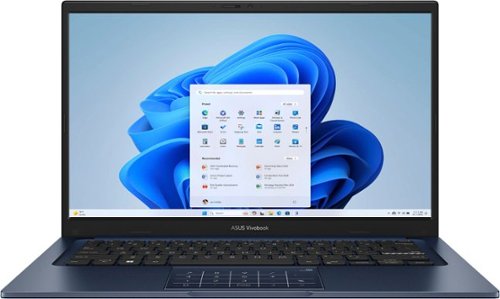
Turn everyday tasks into something special with Vivobook 14, your essential tool for getting things done easier, anywhere. It~s completely user-friendly too, with its 180~ lay-flat hinge and physical webcam shield. Make all your days more enjoyable with Vivobook 14!
Posted by: DavidJr
This laptop is small, fairly light and functional. You can get the majority of basic tasks done with it. It runs Windows 11, so you have all the familiarity of other computers you may have been used to. With a click of the corner of the mousepad, you have a number pad available, although it is a little odd to get used to. Other than having something light you can check the internet with or do some basic productivity type it doesn’t have much more going for it.
With that said, this has been one of the slowest laptops I have used in a good while. First off, it asks to connect to WiFi before you even get into Windows and you can only connect to 2.4Ghz. Then it took forever to run some updates, which essentially felt like it was trying to download the entire operating system. Then, once you finally get to the Windows details, you have to go through getting all of the updates for that as well. So, expect to spend the first couple hours of getting this laptop just to get it updated, despite having faster WiFi and internet available, the system just runs slow.
I know this is a budget laptop, but it feels like there could be a few things that would really help, like having a backlit keyboard. They show the feature of a “lay flat” display, but the screen is not a touch screen, so it doesn't even feel like it should go that far. The power adapter is an old style tip and I have no idea why it’s not a USB PD connection at this point in time. Again, I know I don’t expect much but the screen on this has a very small sweet spot. Anything off center the slightest and it is either too dark or too bright to read anything.
Overall, if you just need the barebones small, light laptop, this isn’t all that bad. However, I feel like there are better options out there. This one feels like it is lacking some common featured and too slow.
No, I would not recommend this to a friend.
Share this review:


0points
1of 2voted this as helpful.

Join the millions who love and trust ecobee products with our most affordable thermostat yet: Smart Thermostat Essential. It saves you up to 23%* on your energy bills and is so efficient that it pays for itself in just six months. You'll love how easy it is to use and control, and with effortless installation, you can set it and forget it. *Compared to a hold of 72~F
Customer Rating

4
Slightly frustrating at first
on March 12, 2025
Posted by: DavidJr
I’ve had 3 different thermostats now and this one is the “smartest” and smallest one I have had yet. The original was just a digital display, no real smart options to it. The second one was smarter, but still fairly basic. Now this one is too smart for its own good, which made it slightly frustrating, at first.
Before you get this one, it is highly recommended to use their compatibility checker on their site. It will ask you to verify your current thermostat settings, such as the wires that are connected and some other questions. The biggest thing being that this is only for heat pump units and if you need a common voltage adapter or not. With the information you get out of the compatibility check, you might need to purchase a separate power extender kit or a trim kit if you have the typical rectangular unit you want to cover up.
Once you have that out of the way, you will need to set up an Ecobee account and use the smart app on your mobile device. Otherwise, you can’t really take full advantage of the system and you need it for directions on how to install. However, you can do a lot of the settings directly on the unit.
Installation is fairly straightforward, power off your system at the circuit breaker, label the wires, remove them from the old system, mount and put them in the new system and turn everything back on. Putting the wires into the Ecobee system was easier than the old, because you don’t need a small screwdriver, just push them into the pressure clips. One thing I did not like though is that the Ecobee system does not snap really hard to the wall mount. My old one you really had to use some effort to pull it off the wall. The Ecobee unit can be bumped and fall off. Considering it sticks out a bit more from the wall than the typical unit, this could be an issue for some. It also does not contain any batteries like my older unit, so it has to go through a whole boot up process when you snap it back in place.
The one thing I found slightly frustrating with it is that it has a default schedule for specific times of the day. Of course, this is meant to help save energy by not using the system for best comfort during the day, when you might be at work, or at night when you might not need it to be so warm. However, I don't have a normal schedule and when I noticed it was colder than usual, I bumped up the temperature. However, it then shows that the temp is set till a certain time. A time which I still do not want it to be that cold. I then tried to change the default schedule, but it kept changing. I just found it easier to delete all the schedules, as it has them for every day, and set my own, manually.
I haven’t had it for over a month yet, so it doesn’t show the report of any savings, but it does show my daily runtime compared to reported local temperature and humidity compared to the actual indoor temperature and humidity.
I haven’t had it for over a month yet, so it doesn’t show the report of any savings, but it does show my daily runtime compared to reported local temperature and humidity compared to the actual indoor temperature and humidity.
The display is color and lit, so you can see everything even in the dark. With the default brightness it is plenty to tell the current temp without having to touch anything like my older unit needed. All of the settings you can change through the app can also be changed directly on the unit itself, just no reports on the unit like in the app.
Overall, once I was able to figure out and refine the schedule this little thermostat has been providing me more information than my older ones ever did. I look forward to seeing what my monthly report will look like and maybe adjust accordingly. Also, with some electric companies, I know you can also let them have some control over the settings and they provide a rebate, but personally, I prefer my comfort over that potential rebate, for now.
I would recommend this to a friend!

Share this review:


0points
0of 0voted this as helpful.

The Epic Mechanical Keyboard is your go-to productivity tool for a seamless workday. The quiet mechanical switches provide a satisfying tactile typing experience, keeping you focused and engaged, while the illuminated backlight guides your way. Seamlessly switch between your laptop, phone, and tablet, maintaining your flow and productivity. With a long-lasting rechargeable battery and customizable features through the desktop app, the Epic Mechanical Keyboard is your ultimate productivity companion, empowering you to conquer any task with confidence and finesse, no matter which operating system you use.
Customer Rating

5
Mechanical keys, backlit, multi device & wireless
on March 6, 2025
Posted by: DavidJr
I have an older JLAB wireless keyboard and have really enjoyed it. However, having pretty much the same thing but with mechanical keys is even better.
I absolutely love the feel of the mechanical keys. Even though they claim to be “quiet”, they still make a fair bit of noise, which for me, I enjoy. It gives that added feedback that you have typed something. Personally, I feel like I type better, less typos, on a mechanical keyboard than their lower profile membrane keyboards.
One key feature that is a must have for me, is being able to connect to multiple devices. My main system does not have Bluetooth, so having the USB dongle is a must. However, one drawback, this one is USB-C only and does not come with an adapter to USB-A. However, luckily, I already had one from a device that I am not actively using. So consider getting an adapter if you also don’t have a space USB-C port.
The other two connections are through Bluetooth and quickly allow me to change between them, like a laptop or other capable device. Even with my old keyboard though, I wouldn’t mind if the lock key was in a different place, as I end up accidentally locking my computer as I go to select my main one. It’s nothing to swap back and unlock though, just like an occasional typo.
The back light is all white, except for a few select keys, like Caps Lock when on, Num Lock when cycled and the 2.4 button for connecting to the dongle are green and the 1 and 2 buttons for Bluetooth devices are blue when selected. To top it off, you don’t have to have any specific apps to use the keyboard as intended, even for the multi-function volume knob. However, if you want to reprogram the shortcuts for any of the function keys or change the Insert/Home/End key, shown as 1/2/3 on the keyboard, to any some other function, you can get the JLAB Work App from their site or on your mobile device.
This one is a fair bit heavier than the other one I have, but it is expected with the different key style. This one also has 3 levels of angle that you can keep it at with just the flip of the back feet. I believe some of the weight might also be for a larger battery as they claim “up to a year on a single charge”, but that is all subjective with use and LED backlighting. My previous one would go a couple weeks with regular daily use before a charge was needed. I’ve had this one for over a week and have not needed a charge yet. To conserve battery even more, you can always just turn it off when not in use with the switch in the top left.
Overall, I really do enjoy this keyboard. The smooth mechanical feel, the soft clack with my interactions, the subtle white back light to guide me in my low lit space and the feeling of a super nerd as I flip between 3 computers on the same keyboard. I wish it had come with a USB-C to USB-A adapter, but just like the power blocks that no one supplies for other electronics, they cut it out anywhere they can.
I would recommend this to a friend!




Share this review:


0points
0of 0voted this as helpful.
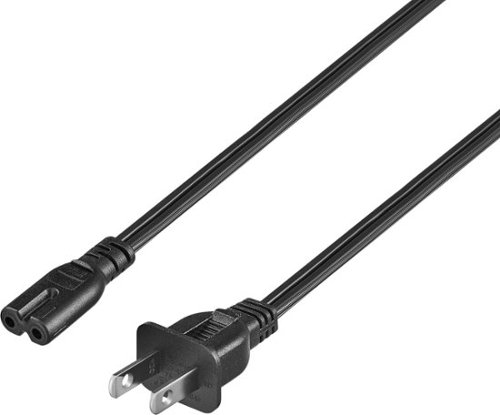
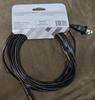
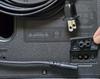
Replace a missing or damaged power cord with the Best Buy essentials 12' C7 Non-Polarized Power Cord. The non-polarized, two-prong design works with select electronic devices, including PlayStation 5 or Xbox Series X and S gaming systems ~ just confirm the shape of the power port against your device to ensure compatibility. The cord is backed by Best Buy, so you can rely on it to safely power your electronics.
Customer Rating
5
Easy 12 foot replacement cord
on March 6, 2025
Posted by: DavidJr
This Best Buy essentials™ 12 foot C7 Non-Polarized Power Cord is your basic, yet functional, “8 shaped” plug, as I usually refer to it, with both sides rounded. The Best Buy essentials™ - 12 foot C7 Non-Polarized Power Cord measures about an inch over 12 feet long from end to end and is not polarized, meaning one prong is not wider than the other, which allows for easy insertion into outlets regardless of the orientation of the plug, adding to its convenience, and allows it to even fit in to those older outlets. However, make sure that this is the proper cord for your product, as it does not offer any grounding and some products, like laptop power bricks, might have the same shape, but they are too power hungry for such a thin cord.
Having the 12 foot length, over the typical 3 foot or less cords, makes it so I don’t need an extension cord for my Bluetooth speaker. While the cord may not offer any groundbreaking features, it effectively serves its purpose. The cords construction feels durable
Overall, the Best Buy essentials™ - 12' C7 Non-Polarized Power Cord is pretty generic but it is an affordable choice for powering a wide range of electronic devices and serves its purpose well.
I would recommend this to a friend!
Share this review:


0points
0of 0voted this as helpful.
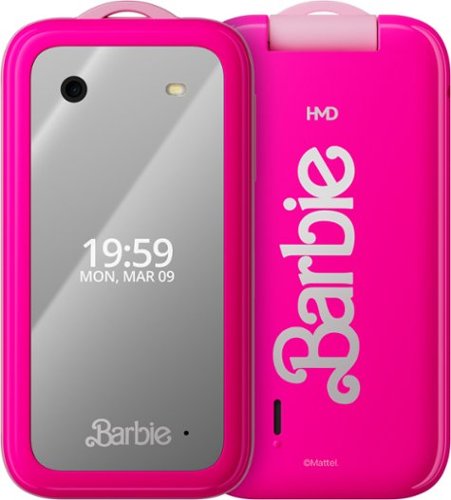
Nothing beats spending real time together. That~s what the HMD Barbie Phone is all about! No distracting apps here. It~s time to disconnect to reconnect. This flip phone is chic, sleek and pink ~ and that~s just on the outside. Open it up and everything on the screen feels like it~s straight out of The Barbie DreamHouse ~ with a few hidden surprises for you to find. This may be the HMD Barbie Phone, but this is about your style, too! It comes with Barbie covers, each with a different design. Switch them up as often as you like, then make them your own with the included stickers and crystals. It even has a beaded lanyard with iconic Barbie charms for added style. We all have a unique sparkle to show the world. Make it your own!
Customer Rating

3
You get what you pay for
on January 3, 2025
Posted by: DavidJr
There is a reason the comment is often used, “you get what you pay for” and this is a good example of it. It’s not like you are out there dropping a grand on a state of the art cell phone that can do the latest and greatest. No, this is literally like the bare minimum, borderline feeling like one of those items you might win out of an arcade crane machine. This feels like a toddler toy, but I would not trust it with a child under 10. Sadly, I feel if you have ever let your child use a touch screen device before then, they aren’t going to enjoy getting this one.
This is a flashback to the early years of cell phones. Where you have to hit the number keys multiple times to get to the letter you need, over and over. Where you weren’t just touching a screen to do everything, but managing a directional pad through the basic menus. However, for those that remember the “simple times”, this might be right up your alley. Just go back to flipping the phone open and making calls. Forget all those other messenger apps and send a basic SMS that is as short as possible because you don’t want to type all that.
As mentioned above, this feels like a toddler toy in the all plastic design, even the mirror on the front warping like a kids plastic mirror. However, it is a fully functioning phone, where even the pre-installed games have misleading spam ads like so many other smart phone applications. It runs on KaiOS and it is slow to do practically everything. Even the time showing minutes delayed on the screen compared to the time in the corner. But, it functions, it is a phone and has the Barbie fair to go with it. You can stay with the default pink or swap out the back for two other designs and put any of the included stickers to make it your own. As an added bonus, unlike so many other phones these days, it actually comes with a standard charger with USB-C end. The wire is built into the charger, but since most things are USB-C now, that doesn't matter much.
Overall, it’s got all the retro vibe and Barbie design, but I would not trust this with a young child as it does not feel very durable. It’s along the value of other “burner” style phones, but you're also getting a brand on it too. So, it is a hard to place device for me.
No, I would not recommend this to a friend.



Share this review:


0points
1of 2voted this as helpful.
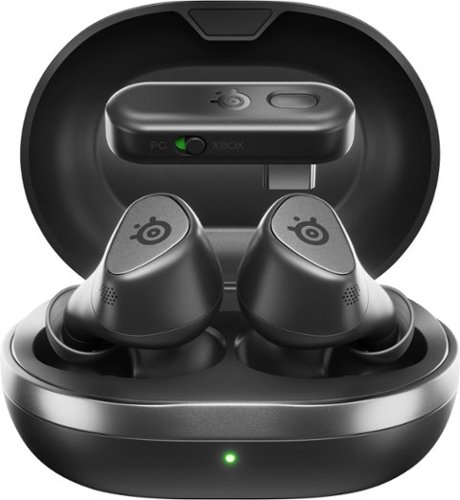
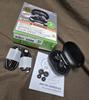
Wireless Earbuds, Now Playing. For Glory. Arctis GameBuds for Xbox bring gaming-grade 2.4GHz wireless with Quick-Switch Wireless for Bluetooth. Easily connect to Xbox, PlayStation, PC, Switch, ROG Ally, Steam Deck and more with a slim USB-C dongle. Tune out the noise with active noise cancellation and immerse deeper with 360~ Spatial Sound while enjoying 10-hour sessions.
Customer Rating
3
Not for noisy environments
on December 29, 2024
Posted by: DavidJr
First off, you have to get the SteelSeries Arctis app for your phone or the Steel Series GG app to make decent use of these headphones. If you ever want to update them, it has to be the PC app and there have been a couple updates already. With the app installed, there is the option to disable the volume limiter as it is defaulted on for EU and their limitations. That instantly made the headphones better as by default their audio felt very small. Also with the app, you can modify the EQ or enable Sonar, which essentially is just EQ for individual applications. Some of the specific Sonar settings for games were really not to my liking, but that is why you can customize it yourself.
Quality of the audio is OK. No matter the EQ setting I felt like I could never reach a good bass. Even with trying to get a deeper seal in my ear with a different size of silicone tip, it just never really sounded great.
The functions of the headset are by physically pushing in on the respective earbud. Personally I really dislike that method as it sometimes messes with the fitting that you may have had perfect. Why not just touch sensitive?
The pushing is fairly light compared to some I have tried though. With 3 taps of the right earbud, you can switch between 2.4 and Bluetooth mode. There are some single and double tap settings that you can modify with the app, that is not one of them. But, this allows you to connect to your phone and your PC or Xbox, pending what you have the tiny dongle switched and connected to.You can not listen to both devices at the same time, it is one or the other. However, if you are listening on 2.4 mode and connected to a phone via Bluetooth, when you get a call, it will automatically switch to Bluetooth mode. While on a call or in game chat, everyone said it sounded distant, kind of like being on speaker phone. It is kind of expected I guess, but at least they could clearly he\ar me.
The biggest issue I have had with them, and support has said they can’t recreate the issue, is that when ANC is on and listening to audio, high end sounds just sound awful. Basically the top end sounds are replaced with static. Now, I don’t consider my area a high noise area, but you can hear the PC fans and a floor fan and when I enable ANC it works well. I can truly hear the difference. However, listening to any other audio at the same time pretty much makes the headset sound like they are blown out. Maybe this is something they can fix with a future firmware update once they can reproduce the issue, but I tried 3 different headsets and they all had the same issue.
Overall, they are not bad multipurpose earbuds, they just aren’t as good as I would expect from the brand, especially the ANC issue I have experienced. Besides needing the app for anything else, I don’t feel they stand out from any other headsets.
No, I would not recommend this to a friend.


Share this review:


0points
0of 0voted this as helpful.

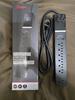
Stay protected from a power spike with the Rocketfish 7-Outlet/1-USB/1-USB-C 2160 Joules Surge Protector Strip. It absorbs power surges up to 2,160 joules, keeping your devices safely connected. The USB-C and UBS ports efficiently charge your mobile devices with 32 total watts. Finally, it includes 3-line protection and two LED indicators to alert you when surge protection is active and the surge protector is grounded.
Customer Rating
4
Protect your electronics.
on December 3, 2024
Posted by: DavidJr
It is pretty essential to have some sort of surge protection for your electronics. It’s much better to have to replace the power strip than try and replace that TV, sound system or any other electronics you might have hooked up. Plus, everything is using USB and not coming with power blocks any more. So, for example you have a TV, sound bar and a TV stick of some sort, then likely the TV stick just needs USB power and sometimes the TV power just isn’t enough to keep them powered.
The flat angled plug is nice for being plugged up behind furniture and not requiring additional space just for the wire sticking out of the wall. Top that with the 6ft of cord and you can run this just about anywhere. There are 7 outlets and one of them is offset for larger power blocks. The wattage on the USB ports will run or charge most things, but it is not powerful enough to push some devices into the super or fast charge modes. But, for most cases it is more than enough.
It has 2 LEDs for “protected” and “grounded” which some older houses still don’t have proper grounding and you know you should be protected from any surges. With the added fact that they have a “$200,000 connected equipment guarantee”, I’d say it is a decent investment over some cheaper brand surge protector that just boasts a red light. Just a shame it didn’t offer 45W output for the USB-C port to support larger devices.
I would recommend this to a friend!
Share this review:


0points
0of 0voted this as helpful.
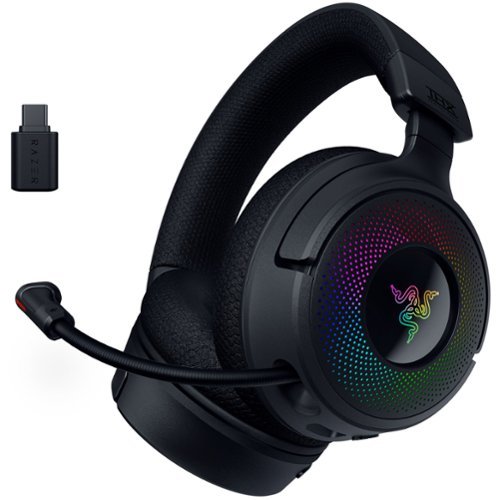
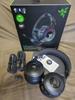
Unleash the limits of immersion with the Razer Kraken V4~a wireless gaming headset powered by Razer ChromaRGB. Supercharged with 3 modes of connectivity, a super wideband mic, and 9-zone earcup lighting, redefine how you play in every way imaginable.
Customer Rating
3
Loud, but can’t handle to much over 2.4
on December 3, 2024
Posted by: DavidJr
Whether over Bluetooth, USB or 2.4 Ghz dongle, one thing is for sure, these things can put out some sound. I usually find myself trying to boost audio on some headphones, as they just don’t sound loud enough. These on the other hand I’ve actually had to use the volume knob to turn them down as they are louder than I can handle. They’re pretty comfortable as they hold snug to my head, but they might not sit well with a small head as they are on their shortest setting with my big head. They have a lot of extension which you would have to have an abnormally large head if you were to need that, just you can’t make them any smaller and if they set off the top of the head any, they start to lose that confort pretty quick.
You can have these connected by the hyperspeed 2.4Ghz dongle and Bluetooth at the same time and swap easily between them with a double tap of the mode button. However, if you are wired it is wired only. Also, sometimes it will have issues if it is connected by 2.4Ghz and you expect it to connect to your Bluetooth device, but it won’t connect until you double tap the button to force it into Bluetooth mode for a moment. Now, this does allow you to swap between them and it will interrupt the 2.4Ghz connection if a call comes through, but it is one or the other. Sometimes, it also has a tough time swapping back to the 2.4Ghz automatically, with all kinds of interesting sounds till it gets back to full audio.
The Razer Synapse and Croma software for PC is where you get to customize things, like EQ and mic audio as well as the coloring of the 9 LEDs on the sides. I feel the software is essential though, as the microphone audio, according to people I was playing with, sounded cheap and tiny, till the software changed things. However, I feel like the software and enabling THX spatial also caused too much traffic for the connection and constantly caused audio distortion. Especially when I am in audio chat and playing a game. I can clearly hear a difference when it is connected by USB though. When I disabled the audio features, the distortion went away for the most part. There were still occasional interruptions, which could just be 2.4Ghz congestion as well. Also, the LED lights are neat, but their color just does not seem to match what you pick. They always seem to be like a pastel version of the color as it is diffused. But, unless you are streaming and want to show off the Razer logo, there isn’t much purpose for them. Unless, you know, the RGB’s make you pro!
Overall, the 70 hour long battery life, without the LEDs on, the loud clear audio, better while wired, and the option to do 2.4Ghz and Bluetooth with the push of a button is nice. However, I am a little disappointed in the 2.4Ghz connection. Plus, the very strange and somewhat disturbing sounds it makes trying to swap back to the 2.4Ghz after a Bluetooth call makes me want to take off the headphones before it happens.
No, I would not recommend this to a friend.
Share this review:


0points
0of 0voted this as helpful.
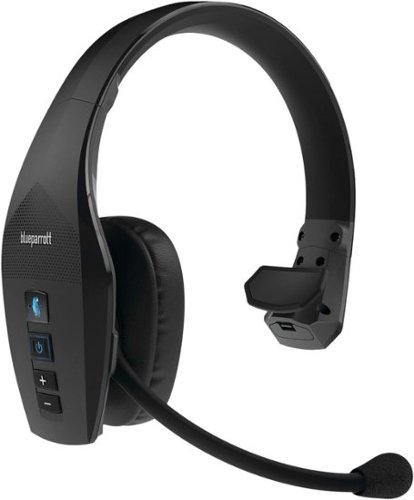
The BlueParrott B650-XT Bluetooth headset for cell phone provides incredibly clear calls in high-noise environments making it the perfect solution for truck drivers, delivery drivers, farmers, landscapers, and RV drivers who need reliable communication on the go. Equipped with 96% noise cancellation for the microphone and Active Noise Cancellation (ANC) for the earcup, our wireless headset for work effectively eliminates unwanted noise during calls. Whether you're driving long hauls, making deliveries, working the farm, or cruising in your RV, our wireless headset offers up to 36 hours of talk time on a single charge, so you can stay connected all day - from the road to the job site, to winding down with music or a movie, and still have power left for tomorrow. With an impressive 300-foot (100-meter) wireless range, you can leave your phone in the vehicle and still have full access to your calls, making it perfect for long-distance drivers and those who are always on the move. Its IP54-rated protection against dust and water ensures that the B650-XT can handle the rugged demands of trucking, deliveries, landscaping, farming, or RV living. Our noise cancelling headset for delivery drivers allows you to mute calls, speed dial a preferred contact, or Push-to-Talk with your coworkers using the customizable BlueParrott Button. Simply program it with your most-used function for instant access without taking your eyes off the road. In addition, the hear-through headphone lets you use your voice to control calls, GPS directions, music, voice assistants, and more. Our trucker Bluetooth headset pairs up to 7 devices and connects with 2 devices simultaneously, and provides 600 hours of standby time.
Customer Rating
5
Hear you loud and clear!
on November 27, 2024
Posted by: DavidJr
My dad has always raved about his old BlueParrot headset. He was driving an old tanker style truck delivering propane with the “2/55 AC”, which was the windows rolled down at 55MPH. So, you can imagine the noise. But, people on the other side would think he was yelling because he’s trying to talk over all the noise. Come to find out, you don’t need to overcompensate, just talk normally. Over the years it seems like they still maintain superior noise cancellation and just keeping up with the smart tech.
As for the added tech, the BlueParrot button can be assigned to your preference in the BlueParrot app. By default it is mute/unmute of the mic, but you can make it speed dial, function for a different app, work with voice command with a single tap, give battery status or work as the multi-function button of another Bluetooth paired device. I feel having the voice commands is the best as you can have it do multiple other functions so you can remain hands free. But, the power button can also be used for your phone's smart assistant.
This can be worn on either ear as the microphone can flip all the way around or be tucked up to the headband so it is out of the way. There are some other buttons that do not appear so obvious, they are for track forward/back and changing the noise canceling of the headset on/off or into hear through mode. For the most part, it’s fairly comfortable to wear. I do wish there was just a little more padding on the non-ear piece side, but that does help it from slipping off. Speaking of the other side, you can buy an additional ear cup and turn this into stereo headphones, which isn’t the best for driving, but when you aren’t, you don’t have to swap headphones to listen to your phone.
Charge time will last you about a day and a half, pending usage as all things batteries are. The range on this is pretty impressive too. Can easily walk about the garage without carrying the phone everywhere.
Overall, if you work around a noisy environment and need to have an ear free for safety, these are the best I’ve ever seen. I feel they could use just a bit more volume on my side, but the ANC helps with that a bit. Certainly makes it easier for the other side to hear you with that “96% background cancelation” they have though.
I would recommend this to a friend!

Share this review:


0points
0of 0voted this as helpful.

Experience a new pinnacle in productivity and audio quality with the Epic Work ANC Wireless On-Ear Headset. Featuring Smart ANC capabilities of up to 30 dB and 'Be Aware' functionality, it ensures your full engagement during calls while remaining attuned to crucial ambient sounds. Enjoy pristine call clarity through its noise-canceling mic, complemented by the rotating adaptive ENC mic for quick mute and 'Hear Yourself' mode, facilitating seamless communication. This headset provides tailored connectivity with four versatile options for your convenience during work. Equipped with a Cloud Foam headband and rotating earcups, the JLab Epic Work ANC Wireless On-Ear Headset sets a new benchmark for both productivity and comfort during prolonged work sessions.
Customer Rating
4
Strangest position to charge ever?
on November 27, 2024
Posted by: DavidJr
I‘ve had a fair amount of JLAB headphones over the years and they all have done me pretty good for the price. These are still good on-ear active noise canceling headphones, they just disappointed me in the connection process.
You can connect to these in 4 different ways, which is really just 3 depending on where you put the dongle, but the thing is, it is one method or the other. So, if you hook the dock to a PC, by default it will use the 2.4 Ghz dongle that is in the front of it. That is the only mode it will now work in. However, instead of leaving the USB-C dongle in the dock, you can also place it directly into a USB-C port and that will be the only mode it will work in. Another method is to plug the USB-C cord directly from your device to the headset, which takes priority over the dongle. The other method, which is the lowest on the priority list is Bluetooth. However, you can connect to 2 different Bluetooth devices and it will switch between those 2 devices depending on which one is active. There is no way to swap between the dongle and Bluetooth unless the dongle is disconnected. If you are using a PC to charge, you can pull the dongle out and put it in the storage space on the side of the docking stand. So, it’s not like you are listening to your PC and just swap over to a phone call via Bluetooth.
Now, I feel that is the only thing you need to understand about the headset before going in, as everything else works as expected. It is pretty simplified with the power button having some different functions based on taps and holds, volume button with double tap having track skip/back and the JLAB button on the side to cycle through ANC On/Off and “Be Aware” modes. The headset is light, discreet and feels like it is meant for work. Not looking like you are trying to close out the world and easy to notice you are using them. The little microphone is flip to mute, but picks up audio clearly for conversations.
As mentioned in the title, the docking station is the charger and the way you rest the headphones on it is the strangest method I have ever seen. However, it keeps them balanced and holding with a bit of magnetism. The battery life on these things are insane though, so you might only need to charge them every 3 days or so, or course pending use and ANC. If connected to your phone, you can use the JLAB app to customize your audio settings and get updates.
Overall, these are good noise cancelling headphones that are best if connected to Bluetooth on both your PC and phone. Otherwise, you have to pick and choose and unplug the dongle if you want to use Bluetooth in the specific setting.
I would recommend this to a friend!
Share this review:


0points
0of 0voted this as helpful.
DavidJr's Review Comments
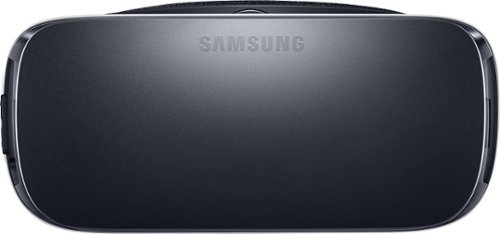
Samsung Gear VR for Select Samsung Cell Phones: Mobile virtual reality is finally here. Watch movies in your own private cinema, be at the center of your favorite games, and socialize with friends in a virtual world all your own. The lightweight design and intuitive touchpad drop you right in the action and allow for hours of immersive entertainment.
Overall 1 out of 5
1 out of 5Very unhappy about not getting the GearVR programs
By Sunshower
I tried many different ways to find out how to download the Gear VR programs by going to Samsung and Oculus online. All unsuccessful!!

DavidJr
Roanoke, VA
June 3, 2016
Once you connect the Gear VR to the phone it starts a download for the software. There appears to be no other way to initiate the install. Once the Oculus software is installed, games and applications can be purchased through the application or from inside the store while wearing the device.
0points
0of 0voted this comment as helpful.
Samsung Gear VR for Select Samsung Cell Phones: Mobile virtual reality is finally here. Watch movies in your own private cinema, be at the center of your favorite games, and socialize with friends in a virtual world all your own. The lightweight design and intuitive touchpad drop you right in the action and allow for hours of immersive entertainment.
Overall1 out of 5
1 out of 5Need certain phones to use this.
By Donna
Wasn't told at time of purchase that certain phones were required to use this device. After purchase was when this was discovered. During this time we purchased a new home and was moving. After the move, tried to return the item because I didn't want to purchase a new phone. The only way the store would accept this return was to give me a gift card. I didn't want a gift card that I would most likely not use. Not happy with this policy at all. Also have made posts to FB in regards to your policy. I will not EVER enter your store again or make another purchase from you online. This is NOT how you treat a customer and expect more business from them.
DavidJr
Roanoke, VA
It is labeled on the box and the site details
June 3, 2016
It says on the front and back of the box, "Compatible with Note5/S6 edge+/S6/S6 edge" and anywhere you look online it says it as well.
+2points
2of 2voted this comment as helpful.
Samsung Gear VR for Select Samsung Cell Phones: Mobile virtual reality is finally here. Watch movies in your own private cinema, be at the center of your favorite games, and socialize with friends in a virtual world all your own. The lightweight design and intuitive touchpad drop you right in the action and allow for hours of immersive entertainment.
Overall 2 out of 5
2 out of 5I have problems getting my phone to sync with this
By Drestyle
When I put my phone in the unit it doesn't seem it. I keep having to pull it out and try again.
DavidJr
Roanoke, VA
June 3, 2016
What phone are you using and is it up to date? The Samsung Gear VR is only compatible with Galaxy S7, Galaxy S7 edge, Galaxy Note5, Galaxy S6 edge+, Galaxy S6, Galaxy S6 edge and a software update from your carrier is required for S6 edge+ and Note 5.
0points
0of 0voted this comment as helpful.
DavidJr's Questions
DavidJr has not submitted any questions.
Ethernet Cables
I'm wanting to connect my DVD player to the internet. I can't afford the manufacturer's adapter. I have a broadband router, but I need cables for it. At least 25' from the wall outlet to the router. Trying to look on-line, there seem to be different types of cables. I'm a little technologicially challenged... Well, geographically too... The router is a Cicso/Linksys wireless G broadband router, Model WRT546 version 6. I've seen prices from $50 on down to $10. I'm worried that I'll wind up with the wrong type of cable. What's the best price for a 25' (or 35') cable? I'll need several shorter ones as well - to connect the DVD player, the Wii... Thank you!!!!!!!
Any Cat 5e Ethernet cable will work for a typical home router connection. If there are any major power cables that you cross over in that 25 feet you may want to look at the STP (Shielded Twisted Pair) as opposed to UTP (Unshielded). However, for the most part CAT 5E UTP will work just fine for connecting your device to the router so long as it has an Ethernet port.
10 years, 3 months ago
by
DavidJr
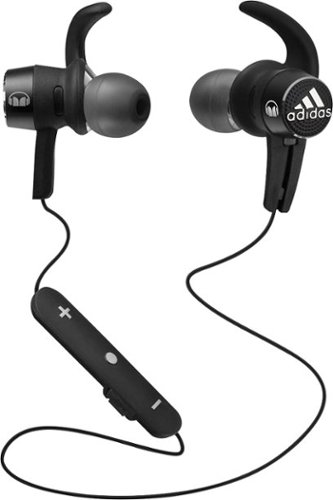
Hit the gym with these Monster adidas Sport adistar 128648-00 headphones, which feature Bluetooth technology for a wireless connection to your MP3 player and a water-resistant design. Pure Monster Sound technology delivers rich, powerful audio.
Can these headphones be rinsed off in the sink after a workout?
They are listed as "LIFETIME WARRANTY AGAINST SWEAT," not water. You can remove the ear tips and wash them and wipe the headphones with a damp cloth just fine, but you are at your own risk if putting them under the faucet.
10 years, 9 months ago
by
DavidJr
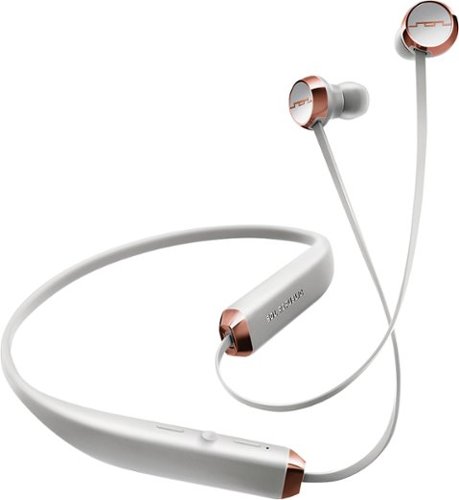
Stay tuned in on the go with these Sol Republic Shadow 1140-04 earbud headphones, which feature wireless technology and a long-lasting battery, so you can listen to music or talk on the phone using Bluetooth for up to 8 hours before recharging.
will these fall off of me when ih ave them plugged in because they are just hanging on my next?
will they slide off or fall off while maybe running or walking?
If not in both ears and no collar to hold them, they slid around a lot on me. When in only one ear, the other side will pull against you, especially if turning your head and can lead to pulling out the other earbud at times.
10 years, 9 months ago
by
DavidJr
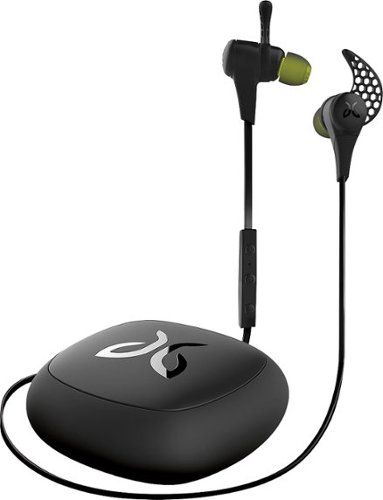
Enjoy your favorite music while you bike or hit the gym with these Jaybird X2 wireless headphones, which feature a Bluetooth interface for wireless streaming and SignalPlus technology for clear, smooth playback. Comply ear tips offer a comfortable fit.
what is the range you can be away from the main source with your headphones and still have them work?
Effective Range 10 meters (30 feet). Any obstructions, such as walls, and that range is severely degraded.
10 years, 9 months ago
by
DavidJr