


DavidJr's stats
- Review count364
- Helpfulness votes2,401
- First reviewDecember 8, 2015
- Last reviewSeptember 3, 2026
- Featured reviews0
- Average rating4.2
- Review comment count3
- Helpfulness votes2
- First review commentJune 3, 2016
- Last review commentJune 3, 2016
- Featured review comments0
Questions
- Question count0
- Helpfulness votes0
- First questionNone
- Last questionNone
- Featured questions0
- Answer count104
- Helpfulness votes221
- First answerDecember 9, 2015
- Last answerDecember 23, 2021
- Featured answers0
- Best answers34
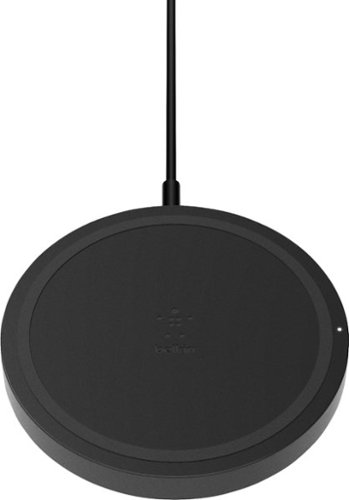
Load up your phone's battery quickly with this Belkin BOOST UP 5W wireless charging pad. The compact design allows for easy portability, making it simple to bring this charger on trips, to work or other various places. This Belkin BOOST UP 5W wireless charging pad is convenient to use and comes in black for a sleek appearance.
Customer Rating

4
Simple, but verify the wattage best for your phone
on March 19, 2019
Posted by: DavidJr
from Rineyville, KY
This is a very basic wireless charger. Everything about it just looks like a cheap knock-off version of a wireless charger, with its sharp edge and all black plastic design. However, it is Qi certified, does it’s job and comes with a 2 year warranty. It does charge through a decent sized case and the rubber grip ring keeps the phone from easily sliding off. The biggest key here is to check what is the best wattage for your device. This model, 5 Watts, is really meant for smaller and older devices that can use wireless charging. New iPhone devices can use 7.5W and Samsung devices can use 9W. If you use this 5W device on a device like the Samsung Note 9, it will take about 4 hours for a full charge.
Mobile Submission: False
I would recommend this to a friend!


Share this review:


+2points
2of 2voted this as helpful.
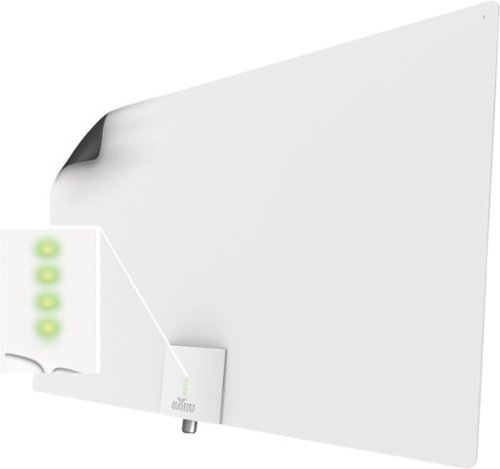
Enjoy quality signal reception with this Mohu Leaf Supreme Pro antenna. A 65-mile range ensures reception of a wide variety of channels, while the integrated TV signal indicator LEDs simplify placement for optimal signal strength. This Mohu Leaf Supreme Pro antenna comes with a 16-foot detachable high-performance coaxial cable for connectivity and features a plug-and-play design for quick installation.
Customer Rating

5
Simple as hanging a poster
on March 18, 2019
Posted by: DavidJr
from Rineyville, KY
As with any TV antenna, they give you the best scenario of some mile range and you will see the chart on the display showing your local area and location of transmitters and think “Wow, I’m only 45 miles away, I should get 45+ channels.”
Well, what they don’t really tell you is that there are a lot of things between you and them that will easily interfere with those “perfect numbers.” So, no matter what antenna you decide to go with, it will always depend on many factors that you can’t control. What it really comes down to is what lengths are you willing to go through to get more channels. Sure, a powered outdoor antenna can get you all those channels, provided you get 10 feet above the average roof. But, like myself, I’m renting and not climbing out there. So, I need something that is easy and not permanent.
The Mohu Supreme Pro is as simple as hanging a poster and conveniently has an integrated signal indicator to help you figure out what is the best wall to stick it to, once connected to USB.. Even though it claims to be multi-directional, there are still other factors that help increase your chances of a stronger signal. For me, the north side of my house is in the general direction of the major city and in the window I could get 2-3 lights, while the west wall never saw more than one. Like I mentioned, I’m renting, so the included Velcro stickers make it easy to install and easy to remove from the window. It also came with a couple pins for minimal impact on drywall. It also has a black side and a white site and with the white side facing out in my window, you can barely notice it against the blinds. However, it does still have the LEDs when powered on.
Once connected I was able to get 20 channels in my location and everyone of them maintain crystal clear reception. According to an antenna site, I am getting channels 44 miles away in my rural home.For me there was a mix of HD and standard stations and 4 were duplicates from another tower, so I get 16 unique channels. Now it is just hard to believe we used to watch those old TV shows at such low resolution. Every location will be unique and in a month or so I will be using it in a different city in which I hope I get similar results. Considering it only took me a few minutes to install, I didn’t have to do anything crazy to get it set up and I’m getting the local channels I was looking for, this is well worth it to me.
Mobile Submission: False
I would recommend this to a friend!


Share this review:


+27points
27of 27voted this as helpful.
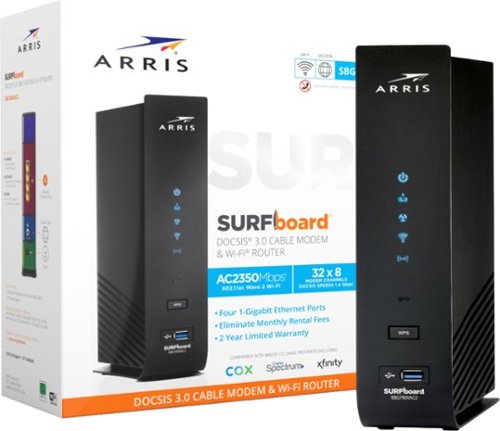
The SURFboard SBG7600AC2 is a DOCSIS 3.0 Cable Modem with a built-in AC2350 Wi-Fi Router. The SBG7600AC2 is equipped with four 1-Gigabit Ethernet ports and provides Wi-Fi speeds up to 2350 Mbps. It is compatible with major US Cable Internet providers including Cox, Spectrum, Xfinity and others. It's best for cable internet speed plans up to 800 Mbps. Setup is quick and easy with the SURFboard Central app.
Customer Rating
4
All-in-One Cable modem and router
on March 15, 2019
Posted by: DavidJr
from Rineyville, KY
If you are looking for a Gigabit cable modem of your own, so you don’t have to pay the typical $10 a month rental fee and you need an 802.11ac wireless router with some built in McAfee protection features, then you found your modem. This modem is simple to get up and running and has all the features of most modern routers.
I have Comcast/Xfinity in my area and failed to pay attention to the note in the instruction pamphlet that says to visit xfinity.com/activate. Instead I called XFinity directly and they were not able to activate my modem due to an error in their database. However, after having the cable modem connected and using that site from a connected device I was online in minutes.
The device itself is a bit bigger than my old modem but very simplistic. There are four 1GB LAN ports on the back for wired connections and there is a default built in wireless 2Ghz and 5Ghz wireless network. Conveniently they placed all the needed information for activating and connecting to the default wireless on the quick start guide, so you don’t have to write anything down or try to read it off the modem each time. Once connected using the ARRIS SURFBoard Manager, the user interface is pretty generic, but gets your network set for you. If you use a web browser and connect to the default 192.168.0.1 you get a fair bit of advanced features.
As for security, it requires using the McAfee Secure Home Internet application for parental controls rather than the advanced setting in the web manager. With the McAfee Secure Home Internet installed, you can control individual device access and enable parental controls. The parental controls only allow blocking of sites by categories, however, when the device attempts to access a blocked category site, it has the option to ask for permission and the parent can allow or not. If you decide to use this feature, be sure to attempt to access a blocked category at least once for the first time as you will be asked to accept the terms or the child device can get the ability to disable the parental controls.
In the McAfee Secure Home Internet application it also checks if connected devices have anti-virus protection. If they don’t, you can select install McAfee and the next time that device attempts to open a web page, it will be redirected to install McAfee Live Safe. With this though, it ends up blocking other applications internet access until they install it or you select cancel in the Secure Home Internet application. Included with the modem is 90 days of Pro subscription of the McAfee LiveSafe app and from my activation it looks like it counts from the moment the modem is activated.
On the front of the modem it has a USB port and in the web manager it has USB file share settings. However, I was not able to get it to work with an external USB 2 hard drive, a USB 3 hard drive or a USB thumb drive. There is no real mention of the USB on the specifications page and only the fact it is in the web manager of the downloaded user manual. So, it appears to be unused for the time being.
If you already have a newer router with 802.11ac wireless access, I wouldn’t get this modem in addition to. However, if you are in need of a wireless router upgrade and want to replace your cable modem, this is a nice option when you consider saving the rental fee and replacement router.
Mobile Submission: False
I would recommend this to a friend!


Share this review:


+9points
9of 9voted this as helpful.
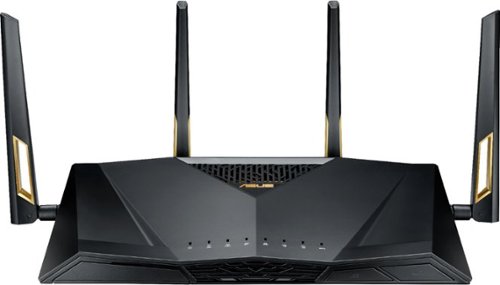
Get fast, interruption-free Wi-Fi capabilities with this ASUS dual-band router. Speeds of up to 6000 Mbps mean less waiting for games and videos to load, and the Trend Micro security technology shields your devices from potential breaches. This ASUS dual-band router is compatible with Amazon Alexa, making it easy to integrate your network connection into your smart home setup.
Posted by: DavidJr
from Rineyville, KY
If you like to be on the bleeding edge of technology and like to have as many features as possible, then this router is for you. I’ve personally had a lot of routers over the years and many of the consumer products have basically been reduced to simple icons with minimal control. I’ve even used software like DD-WRT on other routers just to get some additional feature administration. Well, the ASUS RT-AX88U, Wireless AX6000 Dual Band Gigabit Router already has all these features.
It is 802.11ax, which not many devices have the capability to utilize yet, but it will be faster with higher throughput and less congestion. It has eight (8) gigabit LAN ports and two (2) USB 3.0 ports which can be used for hard drives or a 3G/4G USB modem. It can function as a media server, print server, cloud server, PC free download manager, an OS X time machine, or as a VPN server or client. There are so many configuration options on this device that it blurs the line between consumer and enterprise like settings for RADIUS and remote log servers. You can also setup dynamic DNS and create an SSL cert so that you can remotely access your router and AiCloud through your own custom URL at https://yourname.asuscomm.com. While at the same time, it has easier to handle options like AiProtection that is listed as “state-of-the-art, three-pronged security from Trend Micro, gives you enterprise-level security in the home” and Alexa & IFTTT integration so you can enable/disable guest network, streaming mode, game mode or pause the internet.
As ASUS is commonly known for Republic of Gamers line of products, there are several features on this router directly intended to improve gaming. Features like adaptive quality of service (QoS) in One Click Game First mode, Gamers Private Network, powered by WTFast, an option in wireless settings to Optimize for Xbox and the AiProtection mentions “You can temporally turn off anti-virus on your PCs to reserve system resources for gaming.” Though I haven’t tested each of these modes out, the results can vary drastically with your internet provider.
As for security protection, you can easily run the router security assessment that gives most common vulnerabilities, like weak passwords, web access and various port features. Though some features aren’t all bad, they provide tips on how the can affect you. The AiProtection provides “real-time network monitoring to detect malware, viruses and other intrusions before it reaches your PC or connected devices.” These modes also may cause some to question privacy, as “your information will be collected by Trend Micro through AiProtection, Traffic analyzer, Apps analyzer, Adaptive QoS and web history.” But, how else will they block malicious sites for your systems if they don’t know the site you are going to. More manual control can also be accomplished through parental controls so that groups of network devices can be set to time restrictions or block specific sites. I have 175/25 Mbps cable internet and noticed no difference in speeds and even tested some malicious material in which it blocked and popped up on the device a nice warning message. However, there are no options to permit specific sites that you may trust that are flagged malicious and the warning page just takes you to Trend Micro or your router settings page.
There was one issue which I only happened to stumble across when I looked through the Wireless >> Professional settings. There is an option for “Bluetooth Coexistence” and at first didn’t see a need for it until I left my home and returned. Apparently the Bluetooth connection between my Samsung Gear S3 watch and Note 9 phone was getting interrupted by something. When I changed that setting to Enabled, everything returned to normal. So, just as a heads up, if you have Bluetooth devices, that might need to be a setting you enable.
Mobile Submission: False
I would recommend this to a friend!


Share this review:


+21points
21of 21voted this as helpful.
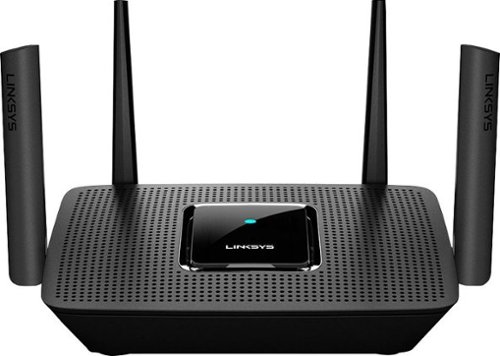
The MR8300 Max Stream~ AC2200 is a high-performance Tri-Band router. Perfect for households that thrive on entertainment, it delivers up to 2.2 Gbps of superior speed throughout your entire home. The Tri-Band and MU-MIMO technology make it ideal for simultaneous streaming of HD movies, online gaming, video calling and supporting all of your smart home devices. MR8300 also grows as your needs do. With its built-in mesh Wi-Fi, instead of investing in a new router, you can expand coverage by simply adding Linksys Velop~ Mesh Wi-Fi nodes for seamless Wi-Fi everywhere.The MR8300 serves as the master router and must connect directly to your modem to create your network. Sets up in minutes with the Linksys app.
Customer Rating

3
Simple whole home WiFi mesh capability, should be.
on February 13, 2019
Posted by: DavidJr
from Rineyville, KY
The Linksys MR8300 Max Stream AC2200 router has the power and bandwidth to cover an average one-story house on its own. However, with the Velop mesh capability, you can expand coverage with a single SSID for as long as you have plugs to put nodes. If you currently have a Velop router, the MR8300 can be used as a primary node for the Velop nodes or you can get the Velop Whole Home Intelligent Mesh WiFi System Plug-In nodes. The plug-in nodes are interesting as there is nothing much to them. They are a small box that you plug straight to a wall outlet, they have a reset button and an indicator light and that is it. The rest is handled by the software and the primary node. One issue I had with the original Velop was that there were only two ethernet ports in which one had to be used for your modem. This one has four ethernet ports and one internet port for the modem and gives the same simplicity of the Velop.
The setup is supposed to be simple. Download the app on your mobile device, connect to the WiFi using the information on the bottom label and run the app. However, I ended up in a loop, never making it to the next step. With a little Google searching I found the manual setup that essentially is connect to the myrouter.local web page with the connected device. Then manually change the end of the URL that says blocking.html to setup.html and follow the steps to give it an SSID and password. Once this was done and I connected to my new WiFi, the app loaded just fine.
From that point on the app is simple to manage your home network and adding a new node was just as simple as it should have been for the router. Plug it up, wait for the light to change color and follow the on screen directions. After several minutes of it setting up, I was given a warning that the signal strength was low, however the placement of the only outlet in my hallway had no other option and I accepted the warning and everything works as intended. From a user perspective, there is only one wireless network in my house. However, with additional tools you can see the different bands being used and the coverage looks strong throughout my 3 story house. Even at the point where the added node said it was weak.
Another slight disappointment is that there is a USB 3.0 port on the back of the router. As with most routers that have a USB port, this would allow for an external hard drive so that you can have network storage. However, this is not the case for this router and it is listed for future expansion. This may be something that they add in the future through firmware updates. Which by the way can be automatically done when available and applied at night to try and avoid average use times.
For simple, easy to setup and and easy to manage full coverage mesh WiFi, if you don’t get the issue I had, this is great. If you expect to have more technical controls, like other routers used to allow, such as splitting your 2.4Ghz and 5Ghz networks into separate SSIDs, this is not meant for you.
Mobile Submission: False
I would recommend this to a friend!


Share this review:


0points
4of 8voted this as helpful.

Monitor your rest patterns with this iFit Sleep HR tracker. It captures light, deep and REM stages for accurate quality analysis, and the heart and respiratory rate readouts provide added health information. The smart alarm of this iFit Sleep HR tracker offers customizable settings to suit your habits, and Bluetooth connectivity lets you access data via mobile devices.
Customer Rating
3
Non-intrusive sleep monitoring
on February 6, 2019
Posted by: DavidJr
from Rineyville, KY
For what comes in the box, I was truly amazed at what it can track. Just a small plate sized plastic disc, USB cord and power adapter that you place under your mattress and it tracks so much. I was skeptical at first, as I have a fairly thick memory foam style mattress. However, after downloading the app, logging in with my iFit account and connecting to the tracker, it was tracking heart rate and respiratory rate in no time. With the iFit sleep app running throughout the night, I had all kinds of data that makes me wonder how accurate it can be. With some comparison between my watch and my VPAP, because I have sleep apnea, the average heart rate and respiratory rate was pretty spot on. For the most part, even during moments of increased heart rate, my watch and the tracker were pretty close. The directions also show the example of people sleeping on their backs, however, I am a side sleeper and it still mostly tracked the data.
However, there are still some things about this that kind of makes me question if it is really worth the current retail price. First off, all of the real tracking is only done through your mobile device when the app is running. Meaning, if you forget to open the app, your battery dies or gets disconnected throughout the night, the data is missing. I’ve had a couple times that it required me to unplug/plug the device to make it be recognized in the app again. Another thing is that it seems to have a strange way of tracking data, for some nights it listed me exiting the bed 16 times, yet I know I slept throughout the whole night. A couple nights, once I woke up, I even checked the time to see if it tracked it well enough, but the time it showed as “Wake” or “Movement” did no correlate with that time. A couple mornings now, I check the app shortly after waking and my sleep score shows something like 29, but an hour later it shows 69. I assume this is because it wants to make sure it counts as awake, and not just exiting the bed for a brief moment.
If you have a smart phone or tablet and usually keep it plugged up when you go to bed, this may be a great tool to help you try and get better sleep. This is also a whole lot less intrusive than having a watch or chest strap on for the whole night. If anything, it may make you realize how little sleep you are actually getting and take some of the advice from the tips it provides. As with most electronic monitoring devices, it is not a replacement for actual medical health advice. This is also not going to directly help you sleep any better as all of the effort is on you. This includes the same things doctors will tell you, such as little to no caffeine or alcohol in the evening, exercise, but not too late, and getting to bed at a reasonable time. All things that I am personally guilty of and still fail to change. But, I’m hard pressed to say it worth the price.
Mobile Submission: False
No, I would not recommend this to a friend.


Share this review:


+4points
4of 4voted this as helpful.
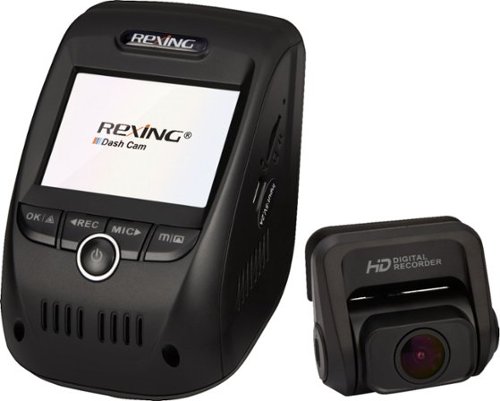
Record road trips with this Rexing dash cam. Its built-in GPS logger and G-sensor safely store footage in addition to time, location and speed without a separate accessory. Full HD front and rear cameras with ultra-wide lenses and Wi-Fi connection let you share your footage from this Rexing dash cam.
Posted by: DavidJr
from Rineyville, KY
I hate to start a review on a bad note, but please read beyond the first paragraph, so let me give a few nice points about the Rexing V1P Pro first.
It has a front and rear camera that records individual time stamped HD (1080p) video with audio and includes GPS data in the file. WIth the very generic JMS DVR GPS Player on the PC, downloaded from their site, you can actually see the video beside a map of either Google Map, Baidu map or openstreetmap. As the video plays, it tracks it on the map with speed, Lat/Lon, date/time and a speed curve. Since this data is stored in the MP4 file, it can easily be shared with anyone that may want all of that information. The wide angle lense is decent enough to catch everything in front of it, claims it is 170 degrees. However, it seems to be a bit less than that as I feel it is more than 10 degrees to see full left/right of it’s view. It also has WiFi built in, but more on that for the rest of the review.
For most products, I can pick them up and run with them without giving much thought to the user manual. However, when I opened this one and noticed the 3M sticky pads, I figured I better learn this product before I screw it up and can’t move it. With a few grammatical errors and typos in the manual, it made me check the origin and as expected, made in China. No problem, as so many items are made there, just makes a little more sense for the errors. Anyways, I follow the directions for installing the cameras, which are very basic and has all of 2 lines about the rear camera. The rear camera has no real instructions, but rotates on its mount 180 degrees, one would assume that it can install in any direction at that point. The issue is that my truck has a sliding glass window and to install it I need the USB cable to run away from the window, see picture. What I then find out is it does not flip. What I managed to miss was the one line under Display Control “On the rear camera, you can toggle the built-in switch to horizontally flip the rear camera image.” Which talks about the LCD Display, not under the “Mount the rear camera” section. This is a mirror flip, lef/t right, not any other direction. So, now all of my rear videos are upside down and it doesn’t come with any replacement pads. So, take this as a heads up, if you get this, install the rear camera with the logo right side up.
The power cable is a standard 12v cigarette lighter adapter with a 12ft cord and a 20ft USB cable for the rear camera. More than enough cable to reach around most vehicles. They also include some wire clips, but the majority of it will require tucking in the headboard or somewhere if you want a clean looking install.
With install out of the way, inserting the SD card and formatting is fairly simple. However, the menu system is super clunky. The Rec/Mic buttons have left right arrows, but for the menu it is up down. For some menus, the screen shows “OK” on the right side, above the M button, but the OK button is on the left side. Another thing is that you can set the date/time, but that means nothing to it as it will take a GPS time, not from your time zone by default, unless you go further into the menu and set your timezone. Why not put that right next to or above date/time because I have lots of video that is now way out of time before I realized that. The OK really got me when i hooked it via USB to a PC and you have to hit OK, on the other side, to make it a Mass Storage device, or else it will boot up into the regular recording mode in a few seconds.
Mentioned a couple times in the manual and on the box is the Rexing Connect app. With WiFi enabled on the dash cam, you can directly connect to it from your device. I was able to get mine to connect and I could start/stop recording and watch live video. However, the main reason I wanted the app is to access the videos from the device from anywhere and that is the one function that would not work for me. I contacted support through their site with no reply over a week, I contacted them again and the reply I received was literally the line from the manual on how to connect to WiFI, which isn’t the problem. I replied to that email and still no reply. Reviews on the app show that I’m not the only one with an issue.
As for quality, it claims that with the main camera it can record up to 2160p (2880x2160) when the rear camera is not connected. However, I didn’t notice much a difference between that and the 1080p (1920x1080) settings, even on a 4K monitor. Both resolution settings were grainy and a bit blurry, however, the file size was more than double for the same loop length. It’s not bad for just needing to see a scene, but your not going to catch plate numbers if moving. Being that the cameras are attached to a fixed mounting bracket, some windshields may be at a bad angle for catching reflections. The camera is adjustable in the main device, but since the housing angle is fixed, much of my daytime video was even more muddled by the reflection of my dashboard in the windshield.
Now, I want to say this will capture those moments that you most need it, that even with the bad user interface and expected higher quality that it could save those moments. However, today I discovered that it wasn’t recording during part of my trip, no idea why. Also, the user manual says the locked videos will be in \CARDV\MOVIE\RO, but my manually locked videos weren’t, but amongst the many other files, which will be found by date once the non-locked files are overwritten.
Mobile Submission: False
No, I would not recommend this to a friend.


Share this review:


+24points
31of 38voted this as helpful.
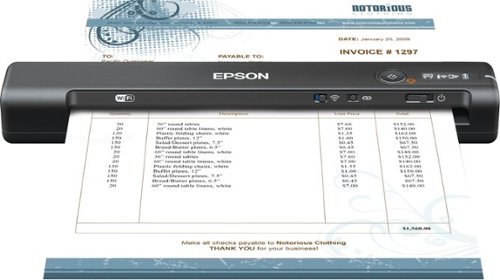
Make bookkeeping tasks stress-free with this Epson WorkForce Accounting edition scanner. It exports extracted business data to QuickBooks Online or Excel to aid in financial reporting, and Nuance OCR converts documents to searchable formats for efficient file management. This Epson WorkForce Accounting edition scanner~s LCD display provides information on the wireless connection status and battery level.
Customer Rating
3
Light, portable, fast at a cost
on January 3, 2019
Posted by: DavidJr
from Rineyville, KY
The Epson WorkForce ES-65WR Wireless Portable Document Scanner is certainly fast, small and light. It is fully mobile with a built in battery and the ability to connect via USB or wireless to a PC or Mac or to an iOS or Android device.
On a computer the Epson Scansmart Accounting Edition software makes it easy to scan anything up to 8.5” wide and 72” long and save in various formats such as JPG, PDF or Microsoft Office formats like .docx and .pptx. You can also send them directly to online services like Google Drive, Dropbox, OneDrive and Evernote. There is also a built in receipt manager that uses optical character recognition (OCR) to identify key aspects so that the data can be exported to other applications like Quickbooks, Quicken, Turbotax and a basic CSV file. This is convenient if you have a lot of receipts to file for taxes or business. For the mobile app it is basic scan in PDF or JPG and it saves the files to the device. It also gives some settings options such as cleaning, calibration and power off timers.
Nuance Power PDF Standard is also included and provides a decent alternative to Adobe. It has pretty much all the same functions as Adobe, such as OCR, editing, signatures and forms. The application has a very similar layout as most Office applications so it is easy to use.
With all that said though, I found this little scanner a little frustrating at times. It is quick, but at a cost. The default setting for scan is 200 dpi which is good to clear black/white text. However, if the characters are complex or you want image clarity, you have to increase the dpi settings. If you change only the resolution, it will give a “Reduce the resolution” error till you realize that the default Document size of “Auto Detect (Long Page)” has to be changed to get the better resolution. This of course then makes the scanner slower, but still reasonable. With it at the lower resolution and being fast I also found the majority of my scans would come out crooked. No matter how much I tried to get them in there straight, one edge always seemed to be off. I think a simple pop-out edge piece would have helped that a lot.
When inserting a document, there is a sensor that detects you have inserted a document which turns the page feeder ever so slightly to grab the document. However, if you aren’t moving at the speed it wants you to, it will not grab it, taking a couple tries, especially if you realized it grabbed one corner before the other. With small flimsy paper receipts this became a game of “is it grabbing it now.”
As for the software, the OCR was fair, but really makes you question what it was trying to make out, especially if images are involved, like the logo on many receipts. The receipt manager attempts to find the name of the company, but logos and websites throw it off everytime. It does manage to grab the total, tax and payment method fairly well. However, the rest is manually entered or if you wanted to itemize the receipt, you have to use a different format.
Bottom line, if you need something that is easily packed in a briefcase and doesn’t need to be connected to a PC for simple scanning, this is a decent option. However, if you want straighter scans I’d look for something with at least a folding document guide.
Mobile Submission: False
No, I would not recommend this to a friend.


Share this review:


+9points
9of 9voted this as helpful.
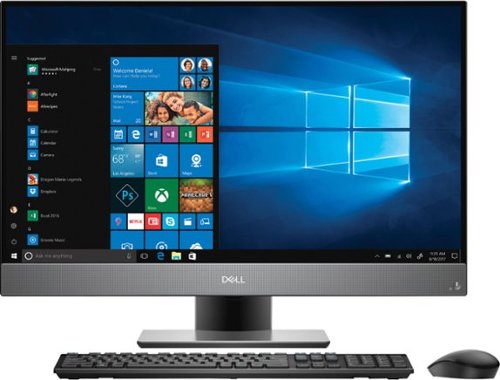
Upgrade your home office with this Dell Inspiron desktop. Its Intel Core i7 processor and 12GB of RAM let you multitask seamlessly, and the 1TB hard drive offers plenty of storage for photos and games. This Dell Inspiron desktop has a 27-inch FHD wide-angle touch screen display for watching your favorite videos.
Customer Rating
5
Full computer that could pass as a TV
on December 11, 2018
Posted by: DavidJr
from Rineyville, KY
Simply put, this is a perfect all in one computer if you are looking for something that is more like a TV in form factor but has all the capability of a Windows computer. If you are limited on space, don’t want to have a tower, don’t want to limit yourself to the size of a laptop or don’t want to have anything more than a power cord connected, this is for you. With the technical specs included in this model (listed below) it is a fully capable computer. However, don’t expect it to be a high end gaming or editing machine with the Intel UHD 630 graphics. With that said, if you have a gaming console, you can plug it into this monitor by HDMI and push the source button on the bottom right side, just like a TV.
I’m personally not a fan of pre-made all in one machines, only because I’m a tech savvy type person that likes to customize and upgrade my computer. However, my kids and my parents don’t need to be confused with all the internals. They just want to get on the internet, play their little games and watch videos while in their dorm or bedroom with the familiarity of Windows operating system. This Dell Inspiron 7777 All-in-One is exactly for them.
The whole set up is a little heavy out of the box, around 20lbs, and the stand base attaches with a thumbscrew. A USB dongle is in the mouse to connect the included wireless mouse and keyboard, once it and the power is plugged in and batteries put in the keyboard and mouse, you are up and running in a matter of minutes. With the built in speaker, microphone and touchscreen, you don’t even need the keyboard or mouse to get setup with Cortana. On that note, there is also a webcam and IR cam, for face recognition, in the top that pops up when pressed. Convenient for video calls and hiding the camera in case of privacy concerns.
I’ve never had a device so large that was touchscreen, but this has 10 point multitouch. Convenient for when you don’t want to pull the mouse and keyboard out to maybe select a new video, close out a window or flip the page on whatever you are doing. Though this model from Best Buy comes with the pedestal stand that only tilts -5° to 30°, Dell has an option for an articulating stand which allows the screen to sit flat and you could turn this multitouch screen into a piano. The screen also has a satin like non-reflective surface that does pretty good with avoiding fingerprints. Touch it after eating some chips and you might need some isopropyl alcohol to wipe it down, as with any screen.
Some of the specifications on the Best Buy page are a little misleading, but this is exactly the hardware that came in mine.
Dell Inspiron 7777 All in one
Intel Core i7-8700T @ 2.40Ghz
27” FHD 1920 x 1080 IPS 60Hz
Touch Support with 10 touch points
Pedestal stand tilts -5° to 30°
12.0 GB DDR4 SODIMM RAM
64 Bit Windows 10 Home
HGST 1TB 7200 RPM 32MB Cache 2.5” Hard Drive
Intel UHD Graphics 630
HDMI in and HDMI out
Realtek Audio with headphone jack and AUX out.
Realtek RGB Camera, 2 MP images, 1920 x 1080 at 30 FPS
Realtek IR Camera, 0.3 MP 640 x 480 at 30 FPS
Qualcomm Wireless 802.11ac
Bluetooth 4.2
10/100/1000 Mbps Ethernet controller integrated on system board
SD/SDHC/SDXC card reader
Three USB 3.1 Gen 1, One USB 3.1 Gen 1 (Type-C) port, Two USB 2.0
Intel Core i7-8700T @ 2.40Ghz
27” FHD 1920 x 1080 IPS 60Hz
Touch Support with 10 touch points
Pedestal stand tilts -5° to 30°
12.0 GB DDR4 SODIMM RAM
64 Bit Windows 10 Home
HGST 1TB 7200 RPM 32MB Cache 2.5” Hard Drive
Intel UHD Graphics 630
HDMI in and HDMI out
Realtek Audio with headphone jack and AUX out.
Realtek RGB Camera, 2 MP images, 1920 x 1080 at 30 FPS
Realtek IR Camera, 0.3 MP 640 x 480 at 30 FPS
Qualcomm Wireless 802.11ac
Bluetooth 4.2
10/100/1000 Mbps Ethernet controller integrated on system board
SD/SDHC/SDXC card reader
Three USB 3.1 Gen 1, One USB 3.1 Gen 1 (Type-C) port, Two USB 2.0
Mobile Submission: False
I would recommend this to a friend!


Share this review:


+18points
18of 18voted this as helpful.
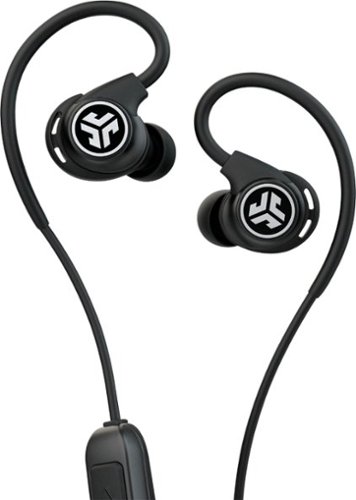
Listen to customized audio with these black JLab Fit Sport wireless fitness earbuds. Signature, Balanced and Bass Boost modes let you set sound quality preferences, and the adjustable tip placement and flexible memory wire provide a secure, comfortable fit. Recharge these JLab Fit Sport wireless fitness earbuds via the included microUSB cable to enjoy up to six hours of playback.
Customer Rating
5
Inexpensive wireless enjoyment
on December 7, 2018
Posted by: DavidJr
from Rineyville, KY
Great value wireless fitness headphones with a couple of options for ear tips. These include the standard small/medium/large gel tips, a double flange gel tip and my favorite style, the cloud foam. These are great for sound isolation and comfort. There are also a pair of fins that can be removed to help with some additional comfort and fit. With the memory wire and shirt cable clip you can make it fit to you. In my case, I found it convenient to run under my beard in front of my head. A little bit easier to access the controls and microphone at that point.
Some other decent features include IP55 rated resistance, which they claim as “Everything-proof” on the packaging. Rinsing them off didn’t seem to have any impact on them. There is also a 30 day satisfaction guarantee and a 2 year warranty. Battery life tends to last 6 hours on the dot with continuous audio. The sound quality is pretty good, I couldn’t tell a different between these and their high priced Epic Sport model. While pushing both the volume + and – you can step through their three EQ sounds depending on your listening style.
There are a few things that separate these from higher priced headphones. The control module is a bit larger than some and in some activities can be irritating, but not too bad. Though the sound quality is good, the microphone sounded muffled. Even with closer placement to the mouth, since it hangs well behind the ear, it didn’t make a difference. However, it was clear enough to handle conversations. Battery life, though good for an average workout, won't last you all day of continuous usage.
These are absolutely worth it though and perfect for an inexpensive gift.
Mobile Submission: False
I would recommend this to a friend!


Share this review:


+9points
10of 11voted this as helpful.
DavidJr's Review Comments
Samsung Gear VR for Select Samsung Cell Phones: Mobile virtual reality is finally here. Watch movies in your own private cinema, be at the center of your favorite games, and socialize with friends in a virtual world all your own. The lightweight design and intuitive touchpad drop you right in the action and allow for hours of immersive entertainment.
Overall 1 out of 5
1 out of 5Very unhappy about not getting the GearVR programs
By Sunshower
I tried many different ways to find out how to download the Gear VR programs by going to Samsung and Oculus online. All unsuccessful!!

DavidJr
Roanoke, VA
June 3, 2016
Once you connect the Gear VR to the phone it starts a download for the software. There appears to be no other way to initiate the install. Once the Oculus software is installed, games and applications can be purchased through the application or from inside the store while wearing the device.
0points
0of 0voted this comment as helpful.
Samsung Gear VR for Select Samsung Cell Phones: Mobile virtual reality is finally here. Watch movies in your own private cinema, be at the center of your favorite games, and socialize with friends in a virtual world all your own. The lightweight design and intuitive touchpad drop you right in the action and allow for hours of immersive entertainment.
Overall1 out of 5
1 out of 5Need certain phones to use this.
By Donna
Wasn't told at time of purchase that certain phones were required to use this device. After purchase was when this was discovered. During this time we purchased a new home and was moving. After the move, tried to return the item because I didn't want to purchase a new phone. The only way the store would accept this return was to give me a gift card. I didn't want a gift card that I would most likely not use. Not happy with this policy at all. Also have made posts to FB in regards to your policy. I will not EVER enter your store again or make another purchase from you online. This is NOT how you treat a customer and expect more business from them.
DavidJr
Roanoke, VA
It is labeled on the box and the site details
June 3, 2016
It says on the front and back of the box, "Compatible with Note5/S6 edge+/S6/S6 edge" and anywhere you look online it says it as well.
+2points
2of 2voted this comment as helpful.
Samsung Gear VR for Select Samsung Cell Phones: Mobile virtual reality is finally here. Watch movies in your own private cinema, be at the center of your favorite games, and socialize with friends in a virtual world all your own. The lightweight design and intuitive touchpad drop you right in the action and allow for hours of immersive entertainment.
Overall 2 out of 5
2 out of 5I have problems getting my phone to sync with this
By Drestyle
When I put my phone in the unit it doesn't seem it. I keep having to pull it out and try again.
DavidJr
Roanoke, VA
June 3, 2016
What phone are you using and is it up to date? The Samsung Gear VR is only compatible with Galaxy S7, Galaxy S7 edge, Galaxy Note5, Galaxy S6 edge+, Galaxy S6, Galaxy S6 edge and a software update from your carrier is required for S6 edge+ and Note 5.
0points
0of 0voted this comment as helpful.
DavidJr's Questions
DavidJr has not submitted any questions.
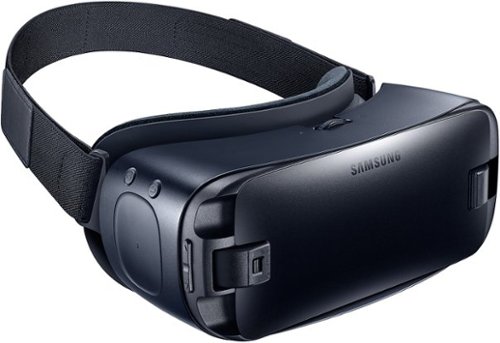
Immerse yourself in virtual reality fun with your Galaxy device and these Samsung Gear VR goggles. Whether you want to experience movies on the big screen or enter your favorite gaming world, simply snap in a smartphone to make it possible. These Samsung Gear VR goggles are also lightweight and padded for comfort.
Will this work with Huawei P9 lite mobile?
No, Galaxy S7, Galaxy S7 edge, Galaxy Note5, Galaxy S6, Galaxy S6 edge, Galaxy S6 edge+ only.
9 years, 8 months ago
by
DavidJr
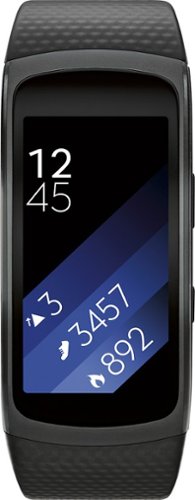
Samsung Gear Fit2 Fitness Watch + Heart Rate: This fitness watch measures your heart rate, calories burned, distance traveled, steps taken and speed and features a Bluetooth 4.2 interface that lets you sync results with your compatible Samsung phone or tablet. Its smart notifications let you receive alerts and respond to calls from compatible Android and iOS smartphones~ and a curved display makes it easy to view activity progress.
Each morning after being on charge, before I put on my wrist....calories burned always shows 300 or 400. How can I zero out this ...
The calories "burned" is based on a calculation of your current build and age. Just you being awake meant you burnt calories, so the watch has already accounted for what the average burnt should be without accounting for tracked activity. I have read that with people resetting their watch the calorie count will return.
9 years, 9 months ago
by
DavidJr
Samsung Gear Fit2 Fitness Watch + Heart Rate: This fitness watch measures your heart rate, calories burned, distance traveled, steps taken and speed and features a Bluetooth 4.2 interface that lets you sync results with your compatible Samsung phone or tablet. Its smart notifications let you receive alerts and respond to calls from compatible Android and iOS smartphones~ and a curved display makes it easy to view activity progress.
Is this compatible with Samsung Galaxy S4 pjone?
From Samsung's site "Compatible with select devices using Android 4.4 and later with at least 1.5GB RAM. Supported devices may vary by carrier and device. Some features may not be available. For best results, connect with compatible Samsung Galaxy devices."
The Samsung Galaxy S4 should have 2GB of RAM and at least Android 4.4, if not higher if you kept it updated.
The Samsung Galaxy S4 should have 2GB of RAM and at least Android 4.4, if not higher if you kept it updated.
9 years, 9 months ago
by
DavidJr
Samsung Gear Fit2 Fitness Watch + Heart Rate: This fitness watch measures your heart rate, calories burned, distance traveled, steps taken and speed and features a Bluetooth 4.2 interface that lets you sync results with your compatible Samsung phone or tablet. Its smart notifications let you receive alerts and respond to calls from compatible Android and iOS smartphones~ and a curved display makes it easy to view activity progress.
How far away can your phone be in order to still get notifications?
Bluetooth range can support up to100m/328ft. However, this all varies on a multitude of things. In my average 2 story home made of wood/drywall/vinyl siding I can keep range of my phone if I leave my phone on the first floor and I am upstairs or in the basement as well as just outside. By the time I make it into my car in the driveway is when I get a vibration that I lost connection, about 50 feet or so through walls.
9 years, 9 months ago
by
DavidJr
Samsung Gear VR for Select Samsung Cell Phones: Mobile virtual reality is finally here. Watch movies in your own private cinema, be at the center of your favorite games, and socialize with friends in a virtual world all your own. The lightweight design and intuitive touchpad drop you right in the action and allow for hours of immersive entertainment.
How can you play games on it?
It depends on the game. Some games have minor input using the touchpad on the side of the Gear VR. Some simply require you to look at menu prompts to advance it. A couple of them require an external Bluetooth controller, additional purchase required.
10 years, 3 months ago
by
DavidJr
Samsung Gear VR for Select Samsung Cell Phones: Mobile virtual reality is finally here. Watch movies in your own private cinema, be at the center of your favorite games, and socialize with friends in a virtual world all your own. The lightweight design and intuitive touchpad drop you right in the action and allow for hours of immersive entertainment.
how do I download the $50 free content that was supposed to come with this headset when I purchased the Galaxy 7?
To redeem the six (6) game Oculus content bundle ("Oculus Content"), you must first purchase an eligible Samsung product in accordance with the terms set forth at https://promos.samsungpromotions.com/GearVR/en-us/Rules/ ("Eligible Product"). Then, you must download the Oculus app and activate your Oculus account on your Eligible Product by 11:59:59 p.m. Pacific Time on April 20, 2016, or within 30 days of receiving your Eligible Product, whichever is later. If properly redeemed, the Oculus Content will be available based on your Eligible Product through your Oculus account.
10 years, 3 months ago
by
DavidJr
Samsung Gear VR for Select Samsung Cell Phones: Mobile virtual reality is finally here. Watch movies in your own private cinema, be at the center of your favorite games, and socialize with friends in a virtual world all your own. The lightweight design and intuitive touchpad drop you right in the action and allow for hours of immersive entertainment.
Will this work with a Galaxy tab S2?
No, Gear VR is only compatible with Galaxy S7 | S7 edge, Note5, S6, and S6 edge.
10 years, 3 months ago
by
DavidJr
Samsung Gear VR for Select Samsung Cell Phones: Mobile virtual reality is finally here. Watch movies in your own private cinema, be at the center of your favorite games, and socialize with friends in a virtual world all your own. The lightweight design and intuitive touchpad drop you right in the action and allow for hours of immersive entertainment.
I can't get the Netflix app to work and I feel like I have tried everything.
Your statement is so generic that it is not even a question. Netflix app has worked fine for me using Note 5. Maybe you can find an answer here https://help.netflix.com/en/node/38626
10 years, 3 months ago
by
DavidJr
Samsung Gear VR for Select Samsung Cell Phones: Mobile virtual reality is finally here. Watch movies in your own private cinema, be at the center of your favorite games, and socialize with friends in a virtual world all your own. The lightweight design and intuitive touchpad drop you right in the action and allow for hours of immersive entertainment.
Can I use my LG phone instead of the Samsung on the virtual reality ?
Gear VR is only compatible with Galaxy S7 | S7 edge, Note5, S6, and S6 edge.
10 years, 3 months ago
by
DavidJr
Samsung Gear VR for Select Samsung Cell Phones: Mobile virtual reality is finally here. Watch movies in your own private cinema, be at the center of your favorite games, and socialize with friends in a virtual world all your own. The lightweight design and intuitive touchpad drop you right in the action and allow for hours of immersive entertainment.
if I down load games , and later change head sets . will I run into any problems
The games are not specifically associated with the headset, but with the phone. If you use your account on a different phone, the games should transfer.
10 years, 3 months ago
by
DavidJr