


DavidJr's stats
- Review count364
- Helpfulness votes2,401
- First reviewDecember 8, 2015
- Last reviewSeptember 3, 2026
- Featured reviews0
- Average rating4.2
- Review comment count3
- Helpfulness votes2
- First review commentJune 3, 2016
- Last review commentJune 3, 2016
- Featured review comments0
Questions
- Question count0
- Helpfulness votes0
- First questionNone
- Last questionNone
- Featured questions0
- Answer count104
- Helpfulness votes221
- First answerDecember 9, 2015
- Last answerDecember 23, 2021
- Featured answers0
- Best answers34
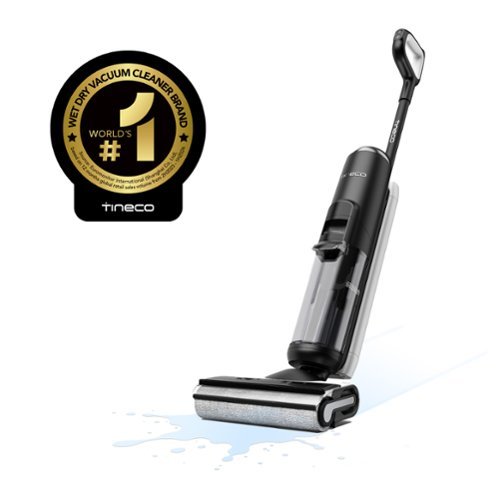
Revolutionize your cleaning with the Tineco FloorWasher FlashDry 6 Series, a cordless floor washer that combines vacuuming, mopping, self-cleaning, and self-drying in one powerful device. With iLoop Sense technology, it detects messes and optimizes suction and water flow, ensuring pristine results and extending the 35-minute runtime. FlashDry technology allows simultaneous washing, drying, and charging, offering a complete self-cleaning and drying cycle for utmost convenience. The Self-Propel Assist feature makes cleaning effortless, while dual-edge cleaning and a 38% larger tank reduce strain and refills. Clean smarter, not harder.
Customer Rating

5
All in one solution for hard floors
on August 25, 2024
Posted by: DavidJr
I’ve used a couple different vacuums and power mops and this one has surpassed all of them in my expectations. No need for multiple steps in cleaning, just put some water and in this thing and off you go.
At first, I was a little perplexed on how much it pulls, I’ve never had a vacuum that felt like it was trying to pull itself away from me and sort of gave a bit of a workout pulling it back. However, that made me realize just how much that brush was on the ground. Unlike other vacuums where it might have wheels making the brush hover slightly above the surface, this one is all brush on the front.. Nothing really keeping it up off the ground. This means it is scrubbing it like you would a mop. It takes a little getting used to, but this also gets it right up to the wall, even getting the edge molding if you get right up on it.
The clean water reservoir on this thing is kind of small, but then while using it I realized it doesn’t use a whole lot of water unless you really get some dirty spots. In its auto mode, the ring on the display is blue till it detects some heavy dirt. Then it increases power and the only time I had it in red was in the test image I did below throwing milk, mustard and ketchup on the floor. In that test, it only took one pass and the majority of the puddle was up, but it took several more, as expected, to ensure it was truly clean and the display took things back to blue.
I recently had to do some work on my stove, so I had to pull it from the wall and was so in the moment I forgot to take pictures. But, if you are like me, you probably don’t move major appliances often. Needless to say, it was quite the mess back there. I picked up some large bits, but the rest I just ran this floor washer over and it picked up everything and practically restored the floor to new. It also gets right up to the edge, so it easily cleaned the full space.
Once you are done, you put it back on the charger and press the wash button. Now it takes several minutes, but it cleans and heated drys the brush. Probably one of the most annoying parts of one of the other wet vacuums is having to take the brush off and clean it. Sure, you will have to do more cleaning later as there are still places that can cause some build up, but for daily use this becomes like once a week manual cleaning. Just be sure to empty and clean out the dirty water tank as that is where odors will build quickly. The voice prompts even remind you to do it after placing it on the charger and after self cleaning.
While cleaning, it does leave a very thin layer of moisture behind, but nothing more than a typical damp mop. I have had other vacuums that leave little streaks of water behind. This one is very consistent in keeping it clean. From food crumbs to muddy footprints, this thing managed to get them all up, making the whole floor look fresh.
This does have a phone app and Wi-Fi connection, but it really does not provide a whole lot to the use of this device. It does help you keep track of how much you have used it and shows a % of its use based on settings. There are some other options but mostly things you can set on the device directly as well.
Overall, this Tineco Floor Washer has easily replaced my routine of vacuuming and mopping the hard floors in my house. It is simple to use and easy to maintain. It is great for just touching up and cleaning major spills. It is consistent in the clean and can get right up on the edges.
I would recommend this to a friend!


Share this review:


0points
0of 0voted this as helpful.
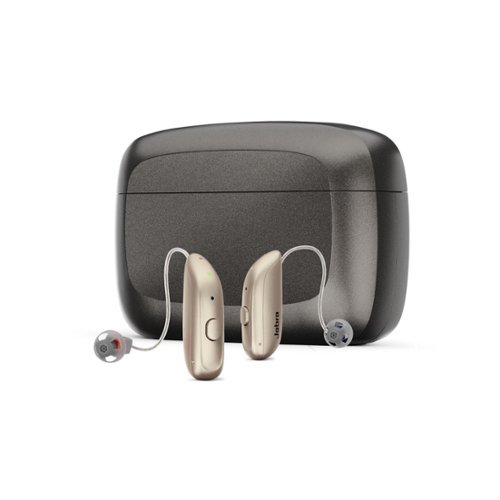
Experience better hearing today and save thousands ~ with clinic-quality hearing aids & licensed audiology services, at half the cost of in-person clinics. The Enhance Select 300 is our first hearing aid to feature SoundScape proprietary speech clarity technology. Wearers experience better hearing in noise, true depth of sound, and advanced acoustics, all housed in a discreet ~mini~ device designed to deliver all-day comfort. When you choose Jabra Enhance, you're not just getting hearing aids~you're getting a virtual audiology clinic with an in-house team of licensed hearing professionals, excited to help you hear better. Our Audiology Team uses clinical software to professionally program your hearing aids based on your audiogram or online hearing test, and are just a tap or call away, 7 days a week for unlimited adjustments. Jabra Enhance Select hearing aids for purchase and use in the United States only by adults 18+ with self-perceived mild to moderate hearing loss. Audiology Team programming and care available in the 50 United States and D.C. May not be able to custom program for certain types of hearing loss.
Customer Rating

3
Discreet and simple, but….
on August 13, 2024
Posted by: DavidJr
These are an all in one premium package. Not only do you get the hearing aids and charging case, you get months worth of various replacement rubber domes, a cleaning kit, replacement filters and years worth of “professional virtual hearing care from our Audiology Team”. These hearing aids are pretty discreet, with a small main unit and tiny earbud with a near invisible wire. They last well over a day on a charge, the case can provide additional charges without needing to be plugged up for a couple charges and they have multiple levels of customization to them.
However, IF you want to take advantage of the app or their Bluetooth features, you must have a newer cell phone. An iPhone on iOS 14 or newer or an Android phone on version 12, but preferably 13 or newer. On Android 12 it technically can work, but there is a known issue and you could have constant pairing issues like I did. Now, with the issues they do have custom service, but the quick service will just point you to their website with common answers. If you need further service it may take a couple days for their response. Even after going through their steps on the site I still had issues and once I finally received a call, it were a very specific order to get it to work and most times after that, it was only connecting to one ear and required going through the steps again to work. Again, they say this is a known issue with Android 12 and recommend being on a newer device that uses 13.
Despite that technical issue, you can still use the hearing aids without the app. You simply put them in and rest the unit behind the ear. It gives a few seconds before cutting on, but that helps reduce the common issue of screeching when putting them on. However, that timer is pretty quick, although, despite most of the time I was still putting them in, I never had an issue with screeching.
Once you have them on, you may have to try a couple different rubber domes till you find the one that fits you best. I really did like that they come with multiple options and sizes. Once they are in, simply pressing the button on the right ear turns up the volume, pushing it on the left ear reduces volume. If you hold the button for a couple seconds it will cycle to one of the four listening programs of All-Around, Restaurant, Music and Outdoor. Each has a slight variation in the tones they pick up, like restaurant focuses more on mid tone voices and outdoor helps reduce wind noise. If you want even more customization, you have to do it through the app. There you can change the noise filter and customize the bass, middle and treble to your liking.
For the most part they absolutely helped improve the sound around me. I was hearing things I didn’t even realize were making a noise. However, the sound always had a strange effect to it, like you were listening through a tube. You know, like taking the tube from a roll of paper towels and holding it up to your ear. At first I figured it was the earbud not sitting right in my ear, so I tried different domes, which I did find one that made the sound better for me, but I could hear that effect even more. Through the app you can request for assistance from the “Care Team”, in which you can schedule an appointment. However, it is practically like scheduling a real Doctor’s appointment and it will be about 2 weeks out. Then, they aren’t going to contact you, it is up to you to connect to a Zoom call through your PC or phone.
Compared to another set of hearing aids I have used, I felt that these were also missing a bit of an extension on that actual ear piece. I felt like I couldn’t get them far enough in my ear as the only thing I had left to try to push on was the flexible wire. Getting them out is easy enough because you just pull the wire. However, I always felt like they were just barely in my ear canal. If they do fit in good enough for you, but they feel like they come out to easy, it does come with some small “sports locks” that are like plastic flexible toothpick size pieces that you can clamp to the earbud and flex inside the ear, adding a little bit of tension so they don’t call out so easily. Like the hearing aids in general, they take some getting used to having something in your ear.
Overall, these hearing aids work and they come with an entire package to help you maintain them along with the added service that might be available all the time, but not readily available for more than an automated response till later. I haven’t been to a doctor to see how much something like this might run on insurance, but I feel like at this price point, you might be somewhat better off going through your insurance for local support. If you don’t qualify for something like that, then these might be the next best thing.
No, I would not recommend this to a friend.


Share this review:


0points
0of 0voted this as helpful.

The GOAT of esports mice returns in true winning form. All hail the Razer DeathAdder V3 HyperSpeed. From its ultra-lightweight ergonomics to top-tier wireless response, go for glory with a mouse that~s the winning pick for the world~s best players.
Customer Rating

4
Truly lightweight and long lasting
on August 8, 2024
Posted by: DavidJr
For the most part, this mouse is pretty basic. It truly is ultra-lightweight, almost too light as I find myself moving the mouse a little when all I want to do is click. However, it moves really smooth and is extremely responsive. You have two side buttons by default for back and forward, but with the Razer Synapse software you can program all of the buttons other than the left click. You can also flip the DPI with a push of a button, but that button is on the bottom of the mouse. I feel it would have been a lot better to be on top by default. However, with the Synapse software you can change that function to one of the other buttons yourself, like for example the scroll click can cycle or just be a function while holding it.
The included wire is good for charging or running the dongle to a more open area, but not so much for making the mouse a wired mouse while it charges unless you are close to your computer as it is pretty short. Other than that, the charge lasts for several days of use and the recharge can be less than 1 hour.
Overall, light and responsive wireless mouse that allows for some customization. Like most mice though, you might want to see how it feels if your hand. Personally I feel it doesn’t hold my palm enough and I feel like I am gripping the mouse, but I have fairly large hands. A better USB cord and slightly longer palm space would have made this one perfect for me.
I would recommend this to a friend!

Share this review:


0points
0of 0voted this as helpful.
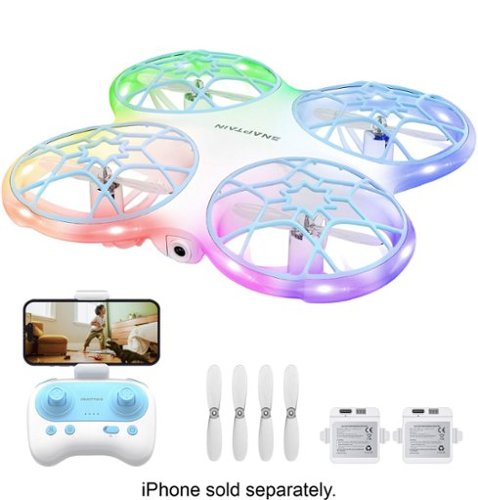
The K30 is a fun, children's drone based featuring a bionic design that combines beauty and protection with customizable and colorful lighting. The aircraft is equipped with a 720P camera, which can record the flight from a first-person perspective. The downward vision sensor makes the flight more stable.
Customer Rating
3
Fun, but bothersome at times
on July 17, 2024
Posted by: DavidJr
This little drone is fun, when it works properly. It’s simple, colorful and a lot safer than going for a high end drone just to learn how to fly. It says 14+ for the age, but the controller makes it feel like it was designed for 4+ instead. So, it feels really childish but it has the capabilities of higher end drones. Auto launch and landing, the ability to hover, if it works. Functions to flip and rotate in circles or use the app on a phone for more. The ability to use the app to watch, record or take photos from the drone adds even more. Plus, it comes with 2 batteries, so you get about 8-9 minutes of flight time per charge, so you get to do it twice.
The biggest issue I have had with this drone is that there is no way to correct the trim. So, if the drone takes off and starts drifting to the right, you better have enough space and be ready to correct it with the controller. Unless you have an extremely calm day outside and plenty of space, you might be spending a good portion of that 9 minutes picking the drone back up and resetting it. Now, on the bright side of that, it has somewhat of a collision detection and will shut itself off after a collision with an object or wall, most of the time. Then, it is simply putting it back upright, pushing the control sticks in opposite diagonals and taking off again. But, even indoors with no wind, plenty of space, it still has issues with taking off and instantly drifting into something.
Now, don’t get me wrong. I went into this thing as a toy, and it is surprisingly capable. It gives anyone the ability to learn more about handling a drone without breaking the bank. However, it felt more bothersome than entertaining at times as I felt like I had to constantly walk over to where it had flown itself to pick it up and try again, and this is completely without touching the controller. Not even with a breeze it would just keep going on its own journey at times till it hit something. But, when you can keep it close and in control, it is fun. My other drone doesn’t have color changing LEDs, it can’t do flips and I fear chopping something off with it compared to the mostly enclosed blades of this one. Plus, this one comes with extra blades should you have issues.
Overall, I feel the experience with this one can be hit or miss. It can be fun, simple and entertaining, or it can be frustrating and disappointing. It is much more capable than many of those other toy drones I have seen but know that this is still mostly a plastic toy. If it doesn’t wander off on you, it can be an entertaining 9 minute run that you can record on your phone from the drones perspective or it can be some opportunity to get some exercise as you go and retrieve it from yet another crash landing.
I would recommend this to a friend!

Share this review:


-1point
0of 1voted this as helpful.

Heat food quickly and efficiently with this Insignia 1.1 Cu. Ft. Countertop Microwave. Nine preset functions take the guesswork out of cooking common foods like popcorn and baked potatoes, and a 1.1 cu. ft. interior provides room for meals without taking up too much space. A 12.4-in glass turntable works to evenly distribute heat while 1000 watts and 11 power levels let you cook or reheat meat, vegetables and more. This microwave has an integrated child lock for safety and a bright LED display that lets you operate the device in low-light conditions.
Posted by: DavidJr
This is a pretty big microwave and decently powered. It has digital inputs and a rotating removable glass turntable. It does a nice job at avoiding hotspots when cooking. The digital display is easy to read, easy to use. It even recalculates for those times you want to enter 90 seconds, when you start, it changes it to 1:30. The only downside I have to this microwave is the door handle. The requirements to push up on the very cheap feeling handle, then open, just feels counter intuitive. Like it even makes opening the door a little more complicated than it needs to be. I like that it has a little bit of a locking mechanism to it, not something kids are just going to pop open and throw stuff into, however, it makes it feel cheap and clumsy.
As for the presets, it is like many digital microwaves. You get numbers and you need to know what those numbers mean. For example, pressing the pizza button shows 4.0, 8.0, 14.0 which is for ounces but for beverages it is 1, 2, 3 cups. The label is on the inside for easy reference and for the most part meets the typical requirements to heat those items. As with all things cooking, be sure to check the final temperature of your food before consuming.
So, for a decent sized budget microwave, it gets the job done without over complication.
I would recommend this to a friend!


Share this review:


+1point
1of 1voted this as helpful.
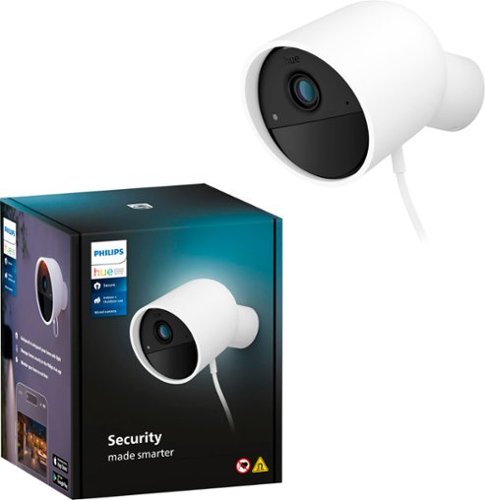
Let Philips Hue keep an eye on your home for you! Get a crisp, clear 1080p HD live stream, turn on the lights or send an alert to your mobile device when motion is detected, or even trigger a sound alarm with a tap in the Hue app. This wired home security camera is easy to mount and install in any home.
Posted by: DavidJr
If you already use Phillips Hue products and want everything to be in the same system, then I might recommend this for you. Otherwise, I wouldn’t go out of my way to pick this camera over other systems.
For one, the “wired” part of this is just the power. Which can be a good thing for most as it ensures it can catch motion without needing to be brought down to charge a battery, but it still needs Wi-Fi to function. However, the plug is just a bulky brick and the wire is not all that long. So, the position in which you set this needs to be within 9 feet of a power receptacle. Then, should anything happen to the cord, you have to get a new one from them because of the unique format.
The worst thing about this is that you must have a security plan that you can pay monthly or annual for or else you just get a streaming motion detector. There is no recording unless you have a plan, not even to your phone, only motion is detected, so you can’t determine if it is a person, vehicle, animal or other and you can’t set activity zones. So, like in my setup, this meant a notification with the slightest breeze causing the shadows to trigger “other motion” constantly. With the plan you can at least disable the “other motion” activity detection, but then it might miss something because it didn’t realize it was a human, animal or vehicle yet. But, without the plan, you also don’t get any clip storage. Not even a free 7 days like some services provide. By the time you get the notification, load the app, and see the video, the item detected is already gone.
On the subject of detection and clips, even with the plan active, you might miss stuff. Being that it is powered, it at least has a pre-record style function where it catches video before it notices the motion. Which has been decent as a vehicle zips by. However, at the same time you get a clip of a person and 10 seconds later the clip just ends and 20 seconds after that you get a new notification but you have no idea what the person did in between there. This is kind of an issue with many cloud based video systems where they want to minimize usage, but you miss out on what could be crucial information. One thing I found strange with this camera is that you have to treat it like a typical home security system. If you want it to notify you of motion and record clips, you have to arm it, either home or away. Otherwise it does nothing.
As for setup, the device is pretty straight forward. However, you have this little card that it comes with that you must keep if anything changes, like your Wi-Fi, as that is the only way to activate it. The magnetic mounting system just requires you to put in 1 screw and holds the camera in practically any position. However, it is nothing to pull it off of there as well. It does have the typical ¼” mount screw if you want to get a separate mount for it.
The last thing I want to mention is the video and audio quality. It is only 1080, which is decent enough to make out what is happening. But you aren’t going to be reading plates with it, even parked directly in front of the camera. It doesn’t have a night color-vision setting like some cameras have. As my front yard is pretty bright at night, I had to manually disable the night vision and there I could see color like my other system does. However, if my front house lights went out, now the camera doesn’t switch into night vision, leaving it dark. With every motion detection, the app notifies you and gives you the option to “Take Action” where you can trigger the alarm. It is noticeable, not all that loud, but enough to get your attention. What is really kind of useless though is the two-way audio. Unless you are right up on the camera, you are not going to have a conversation with someone.
Overall, the camera itself is not the worst I have seen. I just don’t like the limitations without a plan and the other shortcomings mentioned above which would prevent me from personally recommending this to anyone.
No, I would not recommend this to a friend.



Share this review:


+1point
1of 1voted this as helpful.

A new standard in PC gaming audio has been set with the Turtle Beach Atlas Air - the first wireless open back gaming headset for PC. 40mm drivers with high-fidelity 24-bit audio mode and a removable, flip-to-mute high-bandwidth (16-bit/32kHz sampling rate) microphone are both fully adjustable in the Swarm II software for the ultimate PC gaming experience. The world~s first floating earcup plus a floating headband lends to its class-leading light weight of 301g and an ultra-comfortable fit. Atlas Air is equipped with low-latency 2.4GHz wireless + Bluetooth for reliable wireless connection on Windows PCs, PS5 & PS4, and mobile devices.
Posted by: DavidJr
These Turtle Beach - Atlas Air headphones truly are open back. You can hear pretty much everything as if you weren’t wearing headphones yet once the sound is going you can barely notice unless it is a loud background noise. These easily connect to a device that can use the USB dongle or to any device that uses Bluetooth. However, you can only switch between them and not use both at the same time like some higher end headsets. The build is all plastic with round earcups and an elastic band inside some fishnet material. The only real adjustment is by adjusting the velcro straps for the elastic band. The volume is controlled by the outside of the left earcup and the detachable microphone is flip-up to mute. You get an audible sound when muted as well as voice prompts when switching between wireless and bluetooth.
Everything about them seems pretty basic but effective by default. Noise gate on the microphone was noticeable from the other side, but not too bad. Until I installed the Swarm 2 software which installed its own audio driver and from there it seemed like everything went downhill. The “default” settings in the Swarm 2 software are not the default of what the headset came with. The noise gate became really noticeable, cutting off some voice chat and the audio functions were hit or miss. Sometimes you could get the sound you thought you were looking for, other times it just wouldn’t change anything. I used the software to update the firmware then removed it and the driver it installed and everything is back to normal.
Overall, they are not bad, but they are not great, they just feel basic. The details on the box are spot on with the lightweight build and long battery life, but don’t even really mention the Swarm software. But, if you want to make sure the headphones are updated, you need it, but I would avoid it.
I would recommend this to a friend!

Share this review:


+1point
1of 1voted this as helpful.
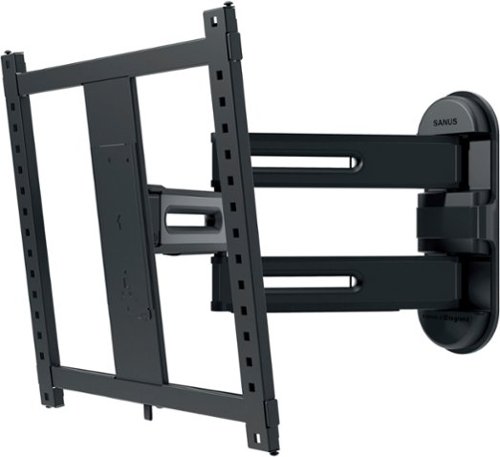
The SANUS Elite Advanced Full-Motion 4D + SHIFT TV Wall Mount for TVs 32"-65" presents the newest technology from Sanus to bring your TV viewing experience to new heights. With the 4D + SHIFT height adjustment feature, you can enjoy 3" up or 3" down of movement for precision TV positioning on the wall, making this mount an ideal solution for when mounting a TV above a fireplace mantle, above a TV console, or even when you have to position around a pre-existing outlet on the wall. This SHIFT feature also allows you to raise your TV at a later time to provide enough space to add in a soundbar or, accommodate seasonal decorations that may interfere with the screen of the TV. If your TV doesn~t happen to end up in the position you hoped it would be, or you accidentally mismeasure during installation, our SHIFT height adjustment feature allows for easy TV height readjustment, either up or down, ensuring that your TV is perfectly positioned where you want it.Designed to blend seamlessly with TVs and d~cor, the Advanced Full-Motion 4D + SHIFT TV Mount was inspired by the sleek look of modern TVs and ultra-high-end kitchen appliances. Beneath the mount~s stylish exterior is an ultra-strong, solid steel frame that provides maximum support ensuring your TV will stay securely in place. With a lower profile depth than traditional full-motion mounts, this mount positions TVs closer to the wall creating a more streamlined look. Route your cables along the arms of the TV mount and ensure a clean and organized look for your home entertainment system. Expertly engineered with FluidMotion design, the Advanced Full-Motion Mount provides unparalleled smoothness. Effortlessly extend, tilt and swivel your TV regardless of its weight or thickness. With Virtual Axis, easily reduce glare and reflections caused by lights or windows by tilting your TV up or down with the touch of a finger. This mount~s Steady Set functionality ensures your TV will stay exactly where you want it ~ no drifting, shifting or unwanted movement. With its simple and intuitive design, the Advanced Full-Motion Mount ensures a clear and hassle-free installation in just 3 easy steps.
Posted by: DavidJr
Find your wall stud, use the template to drill two holes, and mount it with the included lag bolts, attach the bracket to the TV and before you know it, you have a TV mounted on your wall. This wall mount is really that simple to set up. Even if you get the mount a little crooked, there are plenty of ways to adjust it to make it perfectly even. I did the entire install on my own for my 65” TV, not recommended to do alone with a TV that big, but I did it and now it is so simple and easy for me to move it to get behind it or whatever.
I have a huge wall unit as my entertainment center and for the most part, the TV has always stood on it while I have things behind as well. However, anytime I wanted to do something behind it I had to find a way to prop up the TV or take it all the way out of the way. I had intended to get a wall mount, but most of them were too short as far as extension from the wall, or not adjustable enough to meet the off center studs. Now, it is off center behind the entertainment center, but the TV is perfectly centered and nearly 2 feet of space behind it. Now, when I need to change a cable or do something with the devices behind it, I just slightly push it out of the way then center it right back with ease.
On top of the normal tilt and swing function of many mounts, this one also has an option to adjust up or down by +/- 3 inches. It is by an adjustment screw, so it’s not something you can easily do on the fly, like pushing it out of the way. But, in my case of it being in the entertainment stand, I can adjust it so that it has the perfect even space on top and bottom after the fact of it having been installed. Some of the adjustments can be tightened down so that they don’t allow for easy movement later, however the main swinging part of it is really loose. So, if you have the TV within reach of touchy kids or animals, you might be moving your TV back in place more than you want. But, this makes it so much easier to get the perfect angle and access to parts of the TV were previously a balancing act.
Overall, this wall mount was super easy to install with my 65” LED TV and allows for the right amount of adjustments to get the perfect position. I feel like it took me longer to gather my tools and clear out the space than it did to install this mount.
I would recommend this to a friend!

Share this review:


0points
0of 0voted this as helpful.

Enjoy everyday activities with this ASUS notebook PC. The Intel Celeron processor and 4GB of RAM let you run programs smoothly.
Customer Rating
4
Definition of a budget laptop
on June 14, 2024
Posted by: DavidJr
If you are looking for a cheap, simple laptop to check things on the internet and do some simple tasks like word documents or other applications supported through the Microsoft store then this is for you. This is the cheapest and most basic laptop I have ever had and didn’t even know about Windows 11 S edition till this laptop. Which is a simplified version of Windows that is supposed to be more secure and streamlined for a laptop of this scale. But, this limits you to only the apps in the Microsoft Store. So, things like Microsoft 365, Microsoft Teams for things like school work are there, but other things like Steam or Discord can’t be installed by default. There is an option for an upgrade to Home edition though. However, there are still games and entertainment applications that are in the store, just they have to be pretty simple.
Despite how cheap it is, it still has the typical capabilities of most laptops. It has a built-in webcam and microphone, though pretty low resolution. It has two USB-A, a USB-C, HDMI and 3.5mm headphone jack. The touch pad can also act as a regular number pad with a touch of the corner, which is something you don’t see on many laptops. The screen is fairly well lit and 1080p, but it has a very small viewing angle. The slightest tilt or turn and everything looks washed out. It also has a 64GB drive, however Windows, the default apps and the pagefile end up taking up the majority of it, leaving you about 17GB of free space. On the plus side, there is a slot for adding an M2 drive if you want to expand.
Overall, this is a very low budget laptop that I see as good for basic computing needs. You won’t be editing videos or playing big games, but you can certainly get basic tasks done like researching, typing up homework, attending remote meetings or watching some videos online. Plus it is small, light and lasts over 6 hours on battery just watching continuous videos.
I would recommend this to a friend!
Share this review:


+2points
5of 8voted this as helpful.

Play your way no matter who you are or what you~re into. Enjoy a laptop with a modern, retro aesthetic as you cruise to the top of the leaderboards. Customize your laptop~s look by controlling the lighting of the one-zone and four-zone keyboard options, managed by the all new Alienware Command Center
Customer Rating
3
It has the right internal hardware
on May 6, 2024
Posted by: DavidJr
This is the definition of a budget gaming laptop. It has all the right internal hardware to push games and it runs the tests to show it is in the gaming range. It plays games fairly well at 1080p, even tested with VR despite the Meta Link software saying it is not supported. So, it isn’t all that bad. However, it is all the external parts that just makes it feel cheap.
Starting with unpacking, this laptop has the biggest power brick that I have ever seen. And I mean this thing is a literal brick, coming in at 3.4 pounds, that is over half the weight of the 6.2lb laptop itself. I’ve had more powerful laptops and they never had a power supply this big.
The next thing that made it feel cheap is the keyboard and touchpad. They just feel very loose and don’t have a very good feel to them.Sometimes it takes some real effort to push the touchpad in to click and it feels like it shifts. At Least it has a full number pad for the size, but it is shrunk to fit. The backlight is a single amber color, but is pretty consistent across all the keys.
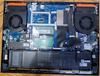
The one thing I find as a real let down is the display. After playing for a little while and then having switched screen, I noticed a very bad persistence of the previous image. So, I did a little test myself and made a high contrast image. Left it on the screen for 15 minutes and then went to a solid color and you can see from the images below that the previous image can still be seen.
Like I mentioned, the 13 gen i7 processor, the RTX 4060, 16GB RAM, 1 TB SSD M2 drive with the ability to add another, the USB 3.2 ports, they all make up to be pretty impressive for the price, so I get that they have to cut corners in other areas. Like the fact it does not support 6 Ghz Wi-Fi yet, but at least is 802.11ax. It just doesn’t seem as impressive on the outside.
Personally, if you already have your own external keyboard, mouse and monitor and don’t plan to use the laptop much for travel, then this isn’t all that bad. You probably wouldn’t be able to build a computer for that much with these specs and still keep it down to the size of a laptop.
Overall, it fits the budget gaming laptop category perfectly. You get the numbers, just not the quality. I don’t want to say it is a bad laptop, I would just say I only recommend it if you are looking for something that can keep up with modern games at a decent spec and have some of your own hardware to plug into it, then it’s not bad. If you want it for traveling a lot or don’t have your own monitor, keyboard and mouse, then you might want to look for another model.
I would recommend this to a friend!





Share this review:


+2points
2of 2voted this as helpful.
DavidJr's Review Comments
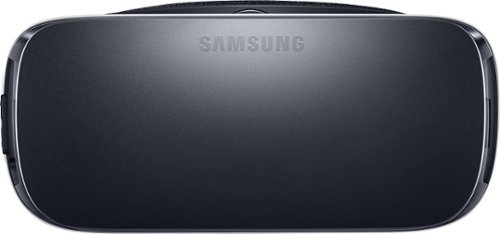
Samsung Gear VR for Select Samsung Cell Phones: Mobile virtual reality is finally here. Watch movies in your own private cinema, be at the center of your favorite games, and socialize with friends in a virtual world all your own. The lightweight design and intuitive touchpad drop you right in the action and allow for hours of immersive entertainment.
Overall 1 out of 5
1 out of 5Very unhappy about not getting the GearVR programs
By Sunshower
I tried many different ways to find out how to download the Gear VR programs by going to Samsung and Oculus online. All unsuccessful!!

DavidJr
Roanoke, VA
June 3, 2016
Once you connect the Gear VR to the phone it starts a download for the software. There appears to be no other way to initiate the install. Once the Oculus software is installed, games and applications can be purchased through the application or from inside the store while wearing the device.
0points
0of 0voted this comment as helpful.
Samsung Gear VR for Select Samsung Cell Phones: Mobile virtual reality is finally here. Watch movies in your own private cinema, be at the center of your favorite games, and socialize with friends in a virtual world all your own. The lightweight design and intuitive touchpad drop you right in the action and allow for hours of immersive entertainment.
Overall1 out of 5
1 out of 5Need certain phones to use this.
By Donna
Wasn't told at time of purchase that certain phones were required to use this device. After purchase was when this was discovered. During this time we purchased a new home and was moving. After the move, tried to return the item because I didn't want to purchase a new phone. The only way the store would accept this return was to give me a gift card. I didn't want a gift card that I would most likely not use. Not happy with this policy at all. Also have made posts to FB in regards to your policy. I will not EVER enter your store again or make another purchase from you online. This is NOT how you treat a customer and expect more business from them.
DavidJr
Roanoke, VA
It is labeled on the box and the site details
June 3, 2016
It says on the front and back of the box, "Compatible with Note5/S6 edge+/S6/S6 edge" and anywhere you look online it says it as well.
+2points
2of 2voted this comment as helpful.
Samsung Gear VR for Select Samsung Cell Phones: Mobile virtual reality is finally here. Watch movies in your own private cinema, be at the center of your favorite games, and socialize with friends in a virtual world all your own. The lightweight design and intuitive touchpad drop you right in the action and allow for hours of immersive entertainment.
Overall 2 out of 5
2 out of 5I have problems getting my phone to sync with this
By Drestyle
When I put my phone in the unit it doesn't seem it. I keep having to pull it out and try again.
DavidJr
Roanoke, VA
June 3, 2016
What phone are you using and is it up to date? The Samsung Gear VR is only compatible with Galaxy S7, Galaxy S7 edge, Galaxy Note5, Galaxy S6 edge+, Galaxy S6, Galaxy S6 edge and a software update from your carrier is required for S6 edge+ and Note 5.
0points
0of 0voted this comment as helpful.
DavidJr's Questions
DavidJr has not submitted any questions.
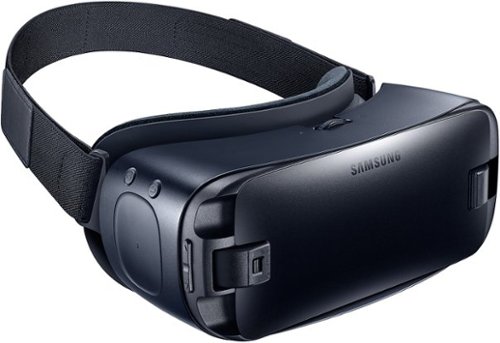
Immerse yourself in virtual reality fun with your Galaxy device and these Samsung Gear VR goggles. Whether you want to experience movies on the big screen or enter your favorite gaming world, simply snap in a smartphone to make it possible. These Samsung Gear VR goggles are also lightweight and padded for comfort.
Will this work with Huawei P9 lite mobile?
No, Galaxy S7, Galaxy S7 edge, Galaxy Note5, Galaxy S6, Galaxy S6 edge, Galaxy S6 edge+ only.
9 years, 8 months ago
by
DavidJr
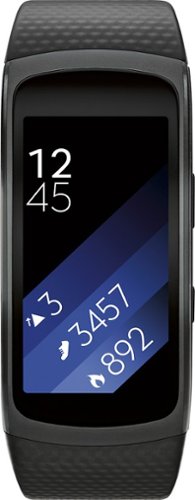
Samsung Gear Fit2 Fitness Watch + Heart Rate: This fitness watch measures your heart rate, calories burned, distance traveled, steps taken and speed and features a Bluetooth 4.2 interface that lets you sync results with your compatible Samsung phone or tablet. Its smart notifications let you receive alerts and respond to calls from compatible Android and iOS smartphones~ and a curved display makes it easy to view activity progress.
Each morning after being on charge, before I put on my wrist....calories burned always shows 300 or 400. How can I zero out this ...
The calories "burned" is based on a calculation of your current build and age. Just you being awake meant you burnt calories, so the watch has already accounted for what the average burnt should be without accounting for tracked activity. I have read that with people resetting their watch the calorie count will return.
9 years, 9 months ago
by
DavidJr
Samsung Gear Fit2 Fitness Watch + Heart Rate: This fitness watch measures your heart rate, calories burned, distance traveled, steps taken and speed and features a Bluetooth 4.2 interface that lets you sync results with your compatible Samsung phone or tablet. Its smart notifications let you receive alerts and respond to calls from compatible Android and iOS smartphones~ and a curved display makes it easy to view activity progress.
Is this compatible with Samsung Galaxy S4 pjone?
From Samsung's site "Compatible with select devices using Android 4.4 and later with at least 1.5GB RAM. Supported devices may vary by carrier and device. Some features may not be available. For best results, connect with compatible Samsung Galaxy devices."
The Samsung Galaxy S4 should have 2GB of RAM and at least Android 4.4, if not higher if you kept it updated.
The Samsung Galaxy S4 should have 2GB of RAM and at least Android 4.4, if not higher if you kept it updated.
9 years, 9 months ago
by
DavidJr
Samsung Gear Fit2 Fitness Watch + Heart Rate: This fitness watch measures your heart rate, calories burned, distance traveled, steps taken and speed and features a Bluetooth 4.2 interface that lets you sync results with your compatible Samsung phone or tablet. Its smart notifications let you receive alerts and respond to calls from compatible Android and iOS smartphones~ and a curved display makes it easy to view activity progress.
How far away can your phone be in order to still get notifications?
Bluetooth range can support up to100m/328ft. However, this all varies on a multitude of things. In my average 2 story home made of wood/drywall/vinyl siding I can keep range of my phone if I leave my phone on the first floor and I am upstairs or in the basement as well as just outside. By the time I make it into my car in the driveway is when I get a vibration that I lost connection, about 50 feet or so through walls.
9 years, 9 months ago
by
DavidJr
Samsung Gear VR for Select Samsung Cell Phones: Mobile virtual reality is finally here. Watch movies in your own private cinema, be at the center of your favorite games, and socialize with friends in a virtual world all your own. The lightweight design and intuitive touchpad drop you right in the action and allow for hours of immersive entertainment.
How can you play games on it?
It depends on the game. Some games have minor input using the touchpad on the side of the Gear VR. Some simply require you to look at menu prompts to advance it. A couple of them require an external Bluetooth controller, additional purchase required.
10 years, 3 months ago
by
DavidJr
Samsung Gear VR for Select Samsung Cell Phones: Mobile virtual reality is finally here. Watch movies in your own private cinema, be at the center of your favorite games, and socialize with friends in a virtual world all your own. The lightweight design and intuitive touchpad drop you right in the action and allow for hours of immersive entertainment.
how do I download the $50 free content that was supposed to come with this headset when I purchased the Galaxy 7?
To redeem the six (6) game Oculus content bundle ("Oculus Content"), you must first purchase an eligible Samsung product in accordance with the terms set forth at https://promos.samsungpromotions.com/GearVR/en-us/Rules/ ("Eligible Product"). Then, you must download the Oculus app and activate your Oculus account on your Eligible Product by 11:59:59 p.m. Pacific Time on April 20, 2016, or within 30 days of receiving your Eligible Product, whichever is later. If properly redeemed, the Oculus Content will be available based on your Eligible Product through your Oculus account.
10 years, 3 months ago
by
DavidJr
Samsung Gear VR for Select Samsung Cell Phones: Mobile virtual reality is finally here. Watch movies in your own private cinema, be at the center of your favorite games, and socialize with friends in a virtual world all your own. The lightweight design and intuitive touchpad drop you right in the action and allow for hours of immersive entertainment.
Will this work with a Galaxy tab S2?
No, Gear VR is only compatible with Galaxy S7 | S7 edge, Note5, S6, and S6 edge.
10 years, 3 months ago
by
DavidJr
Samsung Gear VR for Select Samsung Cell Phones: Mobile virtual reality is finally here. Watch movies in your own private cinema, be at the center of your favorite games, and socialize with friends in a virtual world all your own. The lightweight design and intuitive touchpad drop you right in the action and allow for hours of immersive entertainment.
I can't get the Netflix app to work and I feel like I have tried everything.
Your statement is so generic that it is not even a question. Netflix app has worked fine for me using Note 5. Maybe you can find an answer here https://help.netflix.com/en/node/38626
10 years, 3 months ago
by
DavidJr
Samsung Gear VR for Select Samsung Cell Phones: Mobile virtual reality is finally here. Watch movies in your own private cinema, be at the center of your favorite games, and socialize with friends in a virtual world all your own. The lightweight design and intuitive touchpad drop you right in the action and allow for hours of immersive entertainment.
Can I use my LG phone instead of the Samsung on the virtual reality ?
Gear VR is only compatible with Galaxy S7 | S7 edge, Note5, S6, and S6 edge.
10 years, 3 months ago
by
DavidJr
Samsung Gear VR for Select Samsung Cell Phones: Mobile virtual reality is finally here. Watch movies in your own private cinema, be at the center of your favorite games, and socialize with friends in a virtual world all your own. The lightweight design and intuitive touchpad drop you right in the action and allow for hours of immersive entertainment.
if I down load games , and later change head sets . will I run into any problems
The games are not specifically associated with the headset, but with the phone. If you use your account on a different phone, the games should transfer.
10 years, 3 months ago
by
DavidJr