


ferrari's stats
- Review count169
- Helpfulness votes444
- First reviewOctober 18, 2012
- Last reviewAugust 3, 2026
- Featured reviews0
- Average rating4.7
Reviews comments
- Review comment count0
- Helpfulness votes0
- First review commentNone
- Last review commentNone
- Featured review comments0
Questions
- Question count0
- Helpfulness votes0
- First questionNone
- Last questionNone
- Featured questions0
- Answer count13
- Helpfulness votes16
- First answerAugust 26, 2016
- Last answerSeptember 13, 2020
- Featured answers0
- Best answers2
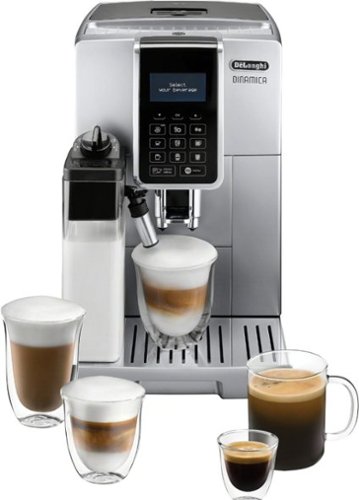
Indulge in the world of espresso from the freshly ground beans to the perfectly frothed milk with just a touch of a button, in the comfort of your home. Explore, and customize to your preference, 18 of your favorite coffee shop specialties like latte, cappuccino, espresso, iced coffee and flat white. A patented, professional brewing unit delivers the perfect espresso with precision and ease, while the Latte Crema system automatically froths milk to the ideal density and texture. Beautiful, compact and meticulous design, along with De~Longi~s technical expertise will transforms your kitchen into a smart, specialty caf~. Elevate your espresso experience at home with Dinamica by De~Longhi.
Customer Rating

4
The Barista in your kitchen
on October 16, 2020
Posted by: ferrari
from New Jersey, USA
This is not my first rodeo with these type of machines. I've been using super automatics for over 20 years now. They keep adding more features as they go along - digital displays, custom menus, instant lattes and so on. But does the coffee get better?
In the case of the DeLonghi, I would say yes. The first thing I look for is does it deliver a rich crema? Yes it does. It's a thing of beauty to see it pouring out of the spout. Of course, this depends on the type of coffee you use, the grind, the amount. It would be futile for me to offer specifics as everyone's taste & preferences vary. Don't expect your first run to be spectacular. But it will get better as you fine tune to your liking.
The main feature of this machine is the automatic latte function. If you follow the recommendations, it delivers a beautiful foam (2%, skim, or non-dairy recommended.) Personally, since I prefer a creamier drink, I prefer to use whole, but you give up some of the foaminess. Once again, patience is the key here. It does specifically say in the manual quote "The first time you use the machine, you need to make 4-5 cappuccinos before it starts to give optimal results." So that means, make 4-5 cappuccinos before you even start to customize your preference.
That said, once you've decided in your perfect cup, there's a myriad of settings that can be dialed in to deliver your preferred brew. I may be starting to make this sound more complex than it really is, but then again, you're not reading this because you came here to buy a Keurig! Fact is, once you've made your choices, it then becomes near instantaneous to deliver your daily brew.
One thing I didn't like about the Dinamica. I was initially drawn to the machine by the sleek, slim profile. It didn't take long to realize what I was giving up for that - the water tank is too small. I can't find an official capacity in the specifications; what I can say is it holds less than any other machine I've owned in the past 20 years.
One more thing - the water filter. My prior machine had a water filter, and I don't mind paying for clean, softened water, but this one's a bit weird. I'll quote the manual again - "The filter lasts about two months if the appliance is used normally. If the coffee machine is left unused with the filter installed, it will last a maximum of three weeks." I don't recall ever seeing that kind of warning about a filter before. It's going bad when you don't use it? I have to think about my water filter when I go on vacation? My refrigerator doesn't tell me that! Whether that concerns you or not, the filters are about $20; if you're forward thinking you can get a 4 pack + descaling solution for $69. There is an option to remove & disable the filter should you choose to go without it - you just need to tell the computer you're taking it out.
It was these 2 issues with the tank size & the water filter warning that prevented me from giving a full 5 stars to this machine. But when it does what it's supposed to do - make coffee & lattes - that part of it is 5 stars. And DeLonghi does issue a 3 year warranty, so they do back their product.
In the case of the DeLonghi, I would say yes. The first thing I look for is does it deliver a rich crema? Yes it does. It's a thing of beauty to see it pouring out of the spout. Of course, this depends on the type of coffee you use, the grind, the amount. It would be futile for me to offer specifics as everyone's taste & preferences vary. Don't expect your first run to be spectacular. But it will get better as you fine tune to your liking.
The main feature of this machine is the automatic latte function. If you follow the recommendations, it delivers a beautiful foam (2%, skim, or non-dairy recommended.) Personally, since I prefer a creamier drink, I prefer to use whole, but you give up some of the foaminess. Once again, patience is the key here. It does specifically say in the manual quote "The first time you use the machine, you need to make 4-5 cappuccinos before it starts to give optimal results." So that means, make 4-5 cappuccinos before you even start to customize your preference.
That said, once you've decided in your perfect cup, there's a myriad of settings that can be dialed in to deliver your preferred brew. I may be starting to make this sound more complex than it really is, but then again, you're not reading this because you came here to buy a Keurig! Fact is, once you've made your choices, it then becomes near instantaneous to deliver your daily brew.
One thing I didn't like about the Dinamica. I was initially drawn to the machine by the sleek, slim profile. It didn't take long to realize what I was giving up for that - the water tank is too small. I can't find an official capacity in the specifications; what I can say is it holds less than any other machine I've owned in the past 20 years.
One more thing - the water filter. My prior machine had a water filter, and I don't mind paying for clean, softened water, but this one's a bit weird. I'll quote the manual again - "The filter lasts about two months if the appliance is used normally. If the coffee machine is left unused with the filter installed, it will last a maximum of three weeks." I don't recall ever seeing that kind of warning about a filter before. It's going bad when you don't use it? I have to think about my water filter when I go on vacation? My refrigerator doesn't tell me that! Whether that concerns you or not, the filters are about $20; if you're forward thinking you can get a 4 pack + descaling solution for $69. There is an option to remove & disable the filter should you choose to go without it - you just need to tell the computer you're taking it out.
It was these 2 issues with the tank size & the water filter warning that prevented me from giving a full 5 stars to this machine. But when it does what it's supposed to do - make coffee & lattes - that part of it is 5 stars. And DeLonghi does issue a 3 year warranty, so they do back their product.
Mobile Submission: False
I would recommend this to a friend!
Share this review:


+1point
1of 1voted this as helpful.
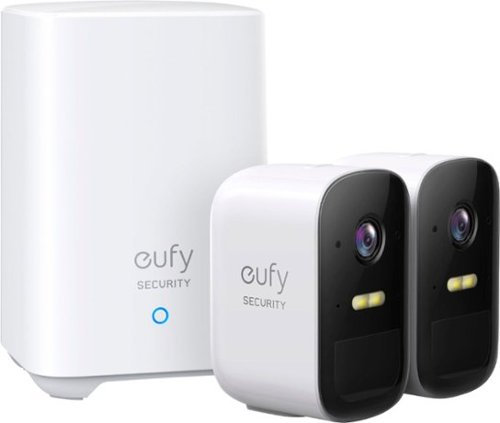
See exactly what~s happening in and around your home in full 1080p HD, day or night with this eufyCam 2C Camera. The IP67 weatherproof-rating ensures that eufyCam 2C Camera is built to withstand the elements. Every eufy Security product is engineered to ensure your security data is kept private. Have peace of mind that you will have a secure record of everything that happens around your home.
Customer Rating

5
Excellent product; fast & easy setup
on October 14, 2020
Posted by: ferrari
from New Jersey, USA
This is now my 3rd product in the Eufy security line. I own the video doorbell, the floodlight camera, and now, the 2C wireless camera. Like the doorbell, this comes with a base station that you place indoors. To setup, download the app, then scan the QR code on each camera to sync. Charge the cameras, mount them where you want them, & go! The app is very intuitive, I now have all the devices, (2C, doorbell, & floodlight) on the one app.
Image quality is excellent; at night it switches to black & white infrared mode. It also has a built in spotlight, when the spotlight comes on, there's enough light that the image reverts back to color. Within the app, there are a number of settings, you can change the length of time it will record, whether or not to display a status led, watermark the image, audio & notification settings.
The manufacturer claim is that there is up to a 6 month period before the battery needs charging. This obviously is dependent upon the length of clips you're recording, the number of detections, and other settings. You can view the battery status of each device through the app, I've had them running now for a week, and the batteries are showing 95% charge - so far, so good.
When it comes time to recharge, the camera unscrews easily from the mount, take it inside, & hook it up to the base station.
I've seen elsewhere on the web that Eufy plans to come out with solar charging panels for these cameras which would obviously eliminate the need for charging.
The instruction manual also states that each base station can handle up to 20 cameras; that might be a bit excessive for most, but good to know you can expand the system.
I'm very happy with all of my Eufy security products, not only for their performance, but also the fact that the product is subscription free.
Image quality is excellent; at night it switches to black & white infrared mode. It also has a built in spotlight, when the spotlight comes on, there's enough light that the image reverts back to color. Within the app, there are a number of settings, you can change the length of time it will record, whether or not to display a status led, watermark the image, audio & notification settings.
The manufacturer claim is that there is up to a 6 month period before the battery needs charging. This obviously is dependent upon the length of clips you're recording, the number of detections, and other settings. You can view the battery status of each device through the app, I've had them running now for a week, and the batteries are showing 95% charge - so far, so good.
When it comes time to recharge, the camera unscrews easily from the mount, take it inside, & hook it up to the base station.
I've seen elsewhere on the web that Eufy plans to come out with solar charging panels for these cameras which would obviously eliminate the need for charging.
The instruction manual also states that each base station can handle up to 20 cameras; that might be a bit excessive for most, but good to know you can expand the system.
I'm very happy with all of my Eufy security products, not only for their performance, but also the fact that the product is subscription free.
Mobile Submission: False
I would recommend this to a friend!


Share this review:


+1point
1of 1voted this as helpful.
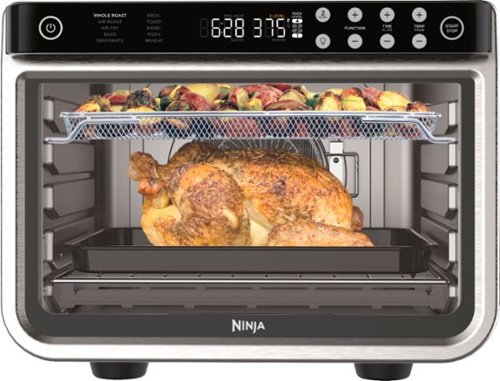
Meet the Ninja Foodi XL Pro Air Oven, the extra-large toaster oven and air fry oven with True Surround Convection. You get up to 10X the convection power of a traditional full-size convection oven, so you can make quick family meals on 2 levels, no rotating required. Plus, it features 10 cooking functions: Air Fry, Whole Roast, Air Roast, Bake, Dehydrate, Pizza, Broil, Toast, Bagel, and Reheat.
Posted by: ferrari
from New Jersey, USA
I've owned and loved the Ninja Foodi Digital Foodi Air Fry Oven for the past year, but it's time to retire it to the closet. I've gotten too attached to the 30 second warmup time, the fact that i can do up a batch of fries in no time, how the light comes on a minute before your food is ready, not to mention the intelligent design & operation. So why's it retiring? It's big brother came to town!
It's big. It does take up a lot of your valuable countertop real estate. But in return, there's a lot more that can be done with it. Big as it is, I would tell you to look down at the bottom of this page where you'll see "other choices." You'll see competitors that have a control panel on the side, a bigger one on the top side, or maybe thicker walls. This unit makes intelligent use of its space.
I don't know that I'll every make use of it's ability to roast a whole chicken (those 5 or 6 buck already roasted supermarket chickens are just way too easy!) But I've already used it to do a regular pizza and a garlic bread, a double load of cookies, fries &onion rings among others. The only thing I've given up is that its little brother preheats in 30 seconds vs. 90 - poor me! As compensation, the interior led light seems twice as brilliant. The best lighting I've seen on any like appliance - and that includes a standard oven.
It's also heavy - 33 lbs. to be exact. That says to me well built - no flimsy tin construction.
Do be advised that this is an 1800 watt unit. I'm lucky to have multiple circuits in my kitchen, but I wouldn't advise turning on a coffee maker or microwave on the same line, or you'll be off to reset a circuit breaker. Which reminds me - another nice feature is that the unit remembers the last setting for each cycle - even if you unplug the unit. So if you like your bagel dark, and you generally bake at 350, it remembers. If you ever want to reset that, it's a two button press on the control panel.
So far I've been really pleased with the features and performance of this Ninja, and kudos to them for another product that one-ups the competition.
It's big. It does take up a lot of your valuable countertop real estate. But in return, there's a lot more that can be done with it. Big as it is, I would tell you to look down at the bottom of this page where you'll see "other choices." You'll see competitors that have a control panel on the side, a bigger one on the top side, or maybe thicker walls. This unit makes intelligent use of its space.
I don't know that I'll every make use of it's ability to roast a whole chicken (those 5 or 6 buck already roasted supermarket chickens are just way too easy!) But I've already used it to do a regular pizza and a garlic bread, a double load of cookies, fries &onion rings among others. The only thing I've given up is that its little brother preheats in 30 seconds vs. 90 - poor me! As compensation, the interior led light seems twice as brilliant. The best lighting I've seen on any like appliance - and that includes a standard oven.
It's also heavy - 33 lbs. to be exact. That says to me well built - no flimsy tin construction.
Do be advised that this is an 1800 watt unit. I'm lucky to have multiple circuits in my kitchen, but I wouldn't advise turning on a coffee maker or microwave on the same line, or you'll be off to reset a circuit breaker. Which reminds me - another nice feature is that the unit remembers the last setting for each cycle - even if you unplug the unit. So if you like your bagel dark, and you generally bake at 350, it remembers. If you ever want to reset that, it's a two button press on the control panel.
So far I've been really pleased with the features and performance of this Ninja, and kudos to them for another product that one-ups the competition.
Mobile Submission: False
I would recommend this to a friend!
Share this review:


0points
0of 0voted this as helpful.
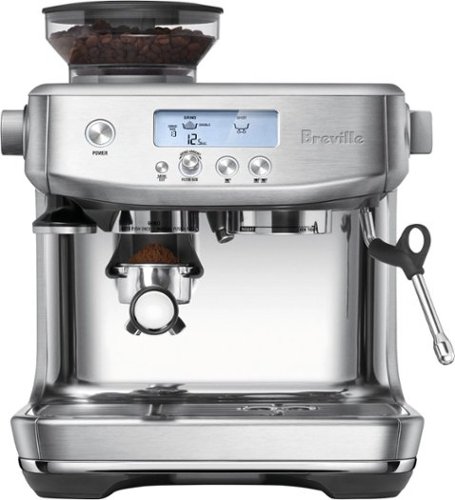
Barista-quality performance with a new intuitive interface that provides all the information you need to create caf~ quality coffee at home. The built-in grinder delivers the right amount of ground coffee on demand, for full flavor. With a 3 second heat up time and precise espresso extraction, you go from bean to cup, faster than ever before.
Customer Rating
5
Great value in an expensive field
on September 13, 2020
Posted by: ferrari
from New Jersey, USA
This will now be my fourth super automatic machine over the last 20 years. Yes, you're right, this is really not a super automatic as it doesn't tamp or provide an option for a regular cup of Joe. But for the sake of comparison, let's call it the "over $500 coffee machine category." My machines have ranged in price from $600 to $1000, so at $800 list, this sits squarely in the middle. But so far, this is easily the best value.
Start with the appearance and construction - can't go wrong with stainless steel - for both durability & cleanliness. Then, it comes with the Breville Smart Grinder Pro built in, which on it's own goes for $199. 30 grind settings might sound like overkill, and it did to me till I watched the online setup & operation videos and learned something. There was a discussion about the loss of the pressure gauge from the previous model. But as it was explained to me, they substituted something better - a countdown timer. As I understand it, the optimal double shot of espresso should take 25 seconds to pull. Taking 20 seconds? Up the grind a notch or two. Taking 30? Set it a notch or two coarser till you hit the magic mark.
Ok, so I miss my automatic tamper. But that was replaced with - a work of art. The heavyweight tamper provided looks good, feels nice in your hand, and, you actually don't even need to remove it from it's placeholder to use it. It's held with a magnetic catch, secure enough and well placed so that you can simply press up on it. Great design feature.
How long do you wait for your machine to warm up? A minute? Two? How's three seconds sound? I mean, I don't know that I would've requested that as a design feature for my dream machine, but now that I have it, how will I ever do without it? Kinda like climate control & power windows in your car. Supposedly, the coils inside are gone, replaced with something called "Thermojet", which I suppose is similar in function to the instant hot water heaters for your home.
My only qualm about the machine is the loss of a dedicated coffee maker. Or is it? For myself, I can do a cup of Americano, and not feel like I'm missing anything. It's the guests you have to do the explaining to. "It's just espresso, with hot water added!" And then you get the face. "Espresso, I'll be up all night!" Or maybe just not explain at all, put it in front of them and see if they notice the difference. I use, and have been for a long time, Indonesian Sumatra blend. Makes a great heavy wake-me-up cup of morning coffee, but is syrupy sweet enough to pull a good espresso from. It's a good option for a dual use machine, as an oily bean, they're generally not recommended for automatic grinders, but I've never had a problem with it.
So far, very pleased with this unit; excellent coffee, and the kitchen counter wow factor has greatly improved over my prior plastic clad unit.
Start with the appearance and construction - can't go wrong with stainless steel - for both durability & cleanliness. Then, it comes with the Breville Smart Grinder Pro built in, which on it's own goes for $199. 30 grind settings might sound like overkill, and it did to me till I watched the online setup & operation videos and learned something. There was a discussion about the loss of the pressure gauge from the previous model. But as it was explained to me, they substituted something better - a countdown timer. As I understand it, the optimal double shot of espresso should take 25 seconds to pull. Taking 20 seconds? Up the grind a notch or two. Taking 30? Set it a notch or two coarser till you hit the magic mark.
Ok, so I miss my automatic tamper. But that was replaced with - a work of art. The heavyweight tamper provided looks good, feels nice in your hand, and, you actually don't even need to remove it from it's placeholder to use it. It's held with a magnetic catch, secure enough and well placed so that you can simply press up on it. Great design feature.
How long do you wait for your machine to warm up? A minute? Two? How's three seconds sound? I mean, I don't know that I would've requested that as a design feature for my dream machine, but now that I have it, how will I ever do without it? Kinda like climate control & power windows in your car. Supposedly, the coils inside are gone, replaced with something called "Thermojet", which I suppose is similar in function to the instant hot water heaters for your home.
My only qualm about the machine is the loss of a dedicated coffee maker. Or is it? For myself, I can do a cup of Americano, and not feel like I'm missing anything. It's the guests you have to do the explaining to. "It's just espresso, with hot water added!" And then you get the face. "Espresso, I'll be up all night!" Or maybe just not explain at all, put it in front of them and see if they notice the difference. I use, and have been for a long time, Indonesian Sumatra blend. Makes a great heavy wake-me-up cup of morning coffee, but is syrupy sweet enough to pull a good espresso from. It's a good option for a dual use machine, as an oily bean, they're generally not recommended for automatic grinders, but I've never had a problem with it.
So far, very pleased with this unit; excellent coffee, and the kitchen counter wow factor has greatly improved over my prior plastic clad unit.
Mobile Submission: False
I would recommend this to a friend!
Share this review:


0points
0of 0voted this as helpful.
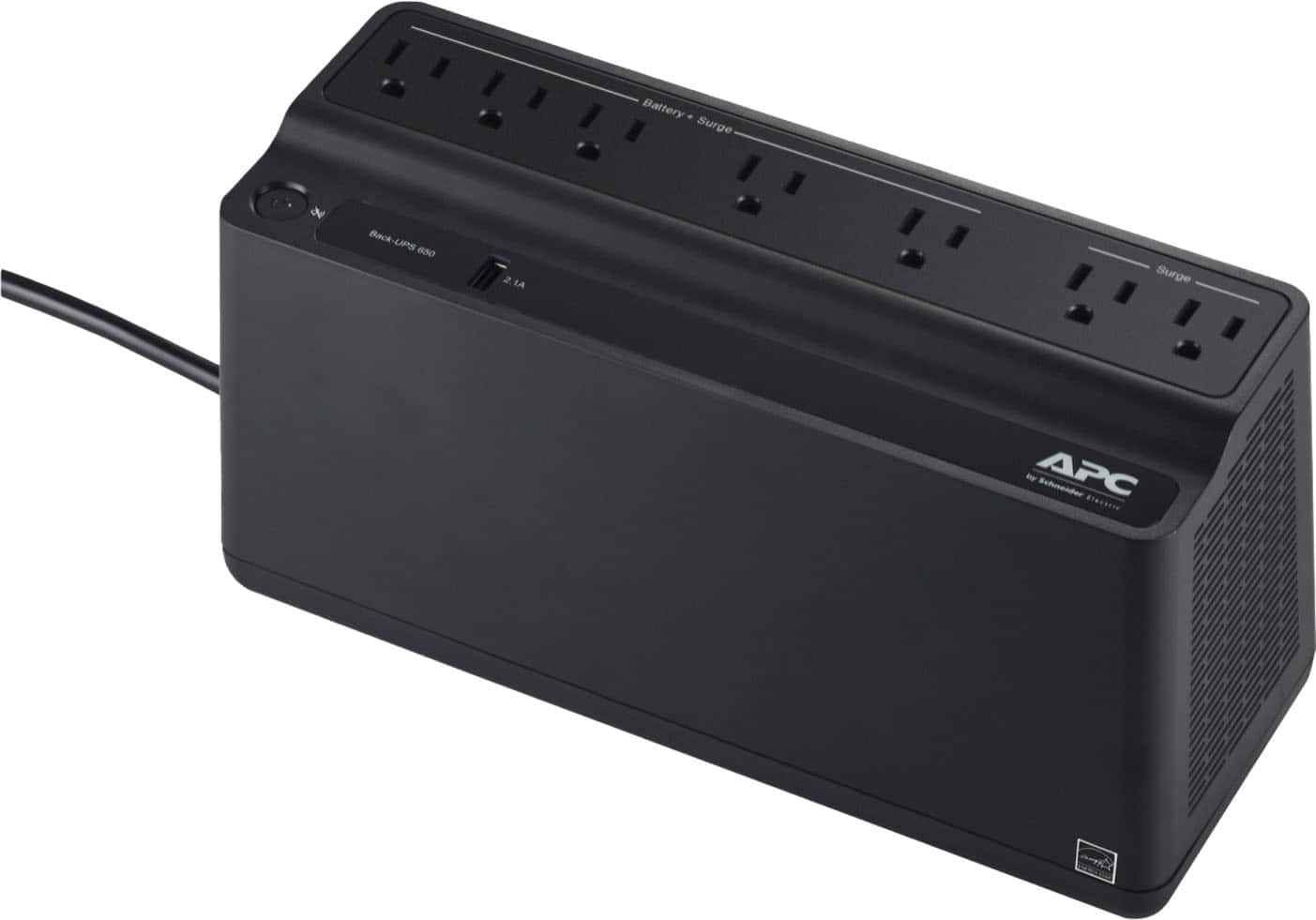
APC - UPS Battery Backup, 650VA/360W, Tower/Wall Mount, 7 Outlets, LED Indicator, USB-A port - Black
The Back-UPS battery backup offers guaranteed power and surge protection for wireless networks, computers, gaming consoles and other electronics in your home or business. Models supply battery backup during outages and unsafe voltage fluctuations, as well as provide protection from damaging surges and spikes. They're available in 'tower' or 'floor' styles, and together with a variety of standard features, they are the perfect choice to protect your data and keep you connected.
Customer Rating
4
Works as advertised - just not perfectly
on August 22, 2020
Posted by: ferrari
from New Jersey, USA
I've owned a number of these devices over the years. There's not much that has changed; invariably the batteries wear out; and you find the cost of replacement is just not worth it. The manual for the 650 states that the battery is NOT user replaceable, that makes it a disposable item. Better to get a new device anyhow; so that aspect of it doesn't make much difference to me.
One feature I did appreciate off the bat is the inclusion of a battery connect/disconnect plug. Previously, one would have to do a partial disassembly of the unit to put it in operating condition - so thanks for making that task a little easier.
I do have two issues with the unit though. The first is - it smells! This is an issue that is not unique to APC though, and the manufacturer's claim is that the odor dissipates or "burns off" after a short period of use. Well, in my opinion, "short period" is kind of dependent on the sensitivity of your sense of smell.
The other issue is the use of a single button. The one power button not only controls on/off, but also programming mode depending on whether you hold the button down for more or less than 2 seconds. There should at least be one additional button for silence as most UPS's provide.
There is one other thing not specific to this unit, but to all lower end UPS supplies. I have a home generator. The generator operates on 63 cycles - normal utility power is 60 cycles. Whenever I lose power, the generator cuts in automatically, and at that point, all my UPS's will refuse to charge & start beeping - they look at it as "dirty power." So during an extended outage, they become basically useless, and I have to unplug any device attached to them. It has to do with the sinewave of the electricity, suffice it to say if you want a UPS that charges on generator power, you need to invest a heck of a lot more dollars - most start in the $300-$500 range and go up from there.
All that said, this unit performed as designed, I would've just appreciated a separate mute button and a little less fragrance. And if you want one with a replaceable battery - it's not this model.
One feature I did appreciate off the bat is the inclusion of a battery connect/disconnect plug. Previously, one would have to do a partial disassembly of the unit to put it in operating condition - so thanks for making that task a little easier.
I do have two issues with the unit though. The first is - it smells! This is an issue that is not unique to APC though, and the manufacturer's claim is that the odor dissipates or "burns off" after a short period of use. Well, in my opinion, "short period" is kind of dependent on the sensitivity of your sense of smell.
The other issue is the use of a single button. The one power button not only controls on/off, but also programming mode depending on whether you hold the button down for more or less than 2 seconds. There should at least be one additional button for silence as most UPS's provide.
There is one other thing not specific to this unit, but to all lower end UPS supplies. I have a home generator. The generator operates on 63 cycles - normal utility power is 60 cycles. Whenever I lose power, the generator cuts in automatically, and at that point, all my UPS's will refuse to charge & start beeping - they look at it as "dirty power." So during an extended outage, they become basically useless, and I have to unplug any device attached to them. It has to do with the sinewave of the electricity, suffice it to say if you want a UPS that charges on generator power, you need to invest a heck of a lot more dollars - most start in the $300-$500 range and go up from there.
All that said, this unit performed as designed, I would've just appreciated a separate mute button and a little less fragrance. And if you want one with a replaceable battery - it's not this model.
Mobile Submission: False
No, I would not recommend this to a friend.


Share this review:


+9points
10of 11voted this as helpful.
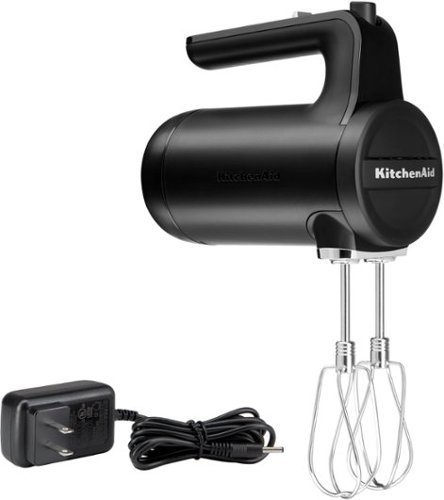
All the Power You Expect, without the Cord. Go where ambition takes you with the Cordless Hand Mixer from KitchenAid. Designed with a powerful rechargeable Lithium Ion Battery, the new cordless hand mixer delivers optimal run time and performance, so you can cook wherever*, whatever, and however you choose. Make up to 200 cookies on a full charge.***Indoor use only. **Based on 4 batches of chocolate chip cookies.
Posted by: ferrari
from New Jersey, USA
Is it possible to get excited about a handheld mixer? If it's the new KitchenAid, the answer is yes. Here's a tool that's been around for 60 odd years, and every one is like another.
First positive, it's cord free. Thanks to the lithium battery, there's no noticeable difference between this model and a corded one. I've used it a few times, with no discernible power loss. (Manufacturer claim is for 200 cookies.)
The next, and my favorite feature is soft start. My most common use of a mixer is for whipped cream. How many times have I turned a mixer on high & gotten a shirt splashed with fine white droplets? No more - the mixer comes up to speed gently which greatly reduces the chance for overspilling the bowl's content.
Next good feature? The ability to stand the unit on its behind.
The only downside I've seen is there's no using it while charging. So, if you've forgotten to put it on charge the last time you used it, you'll have to wait. But not long. 10-15 minutes is all you need to put a partial charge in which should get you through your task.
Thanks to KitchenAid for putting a new spin on an old tool.
First positive, it's cord free. Thanks to the lithium battery, there's no noticeable difference between this model and a corded one. I've used it a few times, with no discernible power loss. (Manufacturer claim is for 200 cookies.)
The next, and my favorite feature is soft start. My most common use of a mixer is for whipped cream. How many times have I turned a mixer on high & gotten a shirt splashed with fine white droplets? No more - the mixer comes up to speed gently which greatly reduces the chance for overspilling the bowl's content.
Next good feature? The ability to stand the unit on its behind.
The only downside I've seen is there's no using it while charging. So, if you've forgotten to put it on charge the last time you used it, you'll have to wait. But not long. 10-15 minutes is all you need to put a partial charge in which should get you through your task.
Thanks to KitchenAid for putting a new spin on an old tool.
Mobile Submission: False
I would recommend this to a friend!
Share this review:


0points
0of 0voted this as helpful.
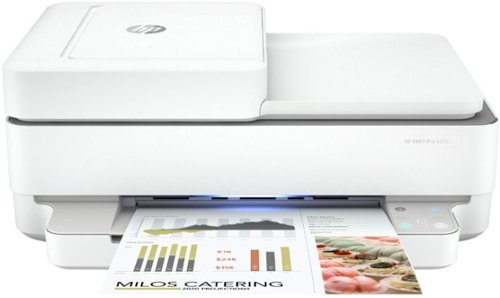
Handle it all from home with the HP ENVY Pro 6455 all-in-one printer. Keep your family productive with print, scan, and copy versatility, automatic two-sided printing, borderless photos, and a hands-free 35-page automatic document feeder. This wireless printer can order ink for you and deliver it to your door with up to 50% savings on ink using the HP Instant Ink delivery service, so you can print high-quality documents and photos when you need them (subscription required). Save time by sending secure mobile faxes from your smartphone, tablet, or PC using the HP Smart app. With the HP Smart app, your family can also set up your printer in a few easy steps, and get high-quality scanning and sharing from everyone's smartphones. Get reliable connections, and reduce interruptions with self-healing Wi-Fi and Bluetooth 5.0 technology. Prints up to 10 ISO ppm* in black and up to 7 ppm* in color.
Customer Rating
4
What one would expect from a mid-range HP
on July 7, 2020
Posted by: ferrari
from New Jersey, USA
I've owned a ton of printers over the years from just about every major brand. My wife, the color & photo expert, always pushes me towards HP as she claims they produce the best photo prints. While this model does produce good photo prints, it's a shade below previous HP photo printers; I'm speaking of the models that carried 4 or 5 separate ink cartridges. the 6455 has all the ink built into only two cartridges. Can I tell the difference? Not really, but I'll trust the wife's sharp eye.
The printer also comes with HP's "instant Ink", which is a subscription program that ships ink as you utilize it. I've been a subscriber for previous printers, and the delivery service is reliable. If you're good with that, fine. Personally, I like to shop for best price & catch a sale, but if you're convenience minded, it's a win. I would imagine with the current crisis going on, regular delivery without the need to go to the store edges the needle in HP's favor.
It also depends on what kind & how much printing you do. If you're a high volume user & do a lot of photo printing, it's supposed to come out at less then 3.5 cents a page. And that cost is the same whether you're printing mono or color. Or, you have the choice of going to one of the newer ink tank printers; the downside that is the initial cost of the printer is about double. You have to do the math for yourself.
It's not a speed demon of a printer, but it's no slug either. Printing out a high quality snapshot sized photo takes about 30 seconds. For monochrome pages, it's rated at about 10 pages/minute. A minor annoyance is that there's no separate photo tray, when shifting from 8x11 to photo you have to manually adjust the guides.
There's also no provision for printing from media cards or USB drives, if you need that capability, you're in the wrong place.
Setup on this machine went very well, it's all done from the HP app. Connected to wifi immediately, setup was complete in less than 5 minutes.
Printing from my Samsung S20 phone was without drama; a quick check of the scan function found that to work well.
I would just like to add that acquiring this printer made me rearrange my home setup. Reason being, we currently have 3 operational printers. The 6455, besides being compact, is probably the sleekest looking printer I've ever owned. I used it to replace a rather ugly looking device that's in a highly visible place in my home. (The paper tray has a nice soft LED glow that serves as a bit of a nightlight to the desk it's on.)
In summary, if you don't need input ports or the fastest machine, the 6455 is a solid choice in the multi-function arena.
The printer also comes with HP's "instant Ink", which is a subscription program that ships ink as you utilize it. I've been a subscriber for previous printers, and the delivery service is reliable. If you're good with that, fine. Personally, I like to shop for best price & catch a sale, but if you're convenience minded, it's a win. I would imagine with the current crisis going on, regular delivery without the need to go to the store edges the needle in HP's favor.
It also depends on what kind & how much printing you do. If you're a high volume user & do a lot of photo printing, it's supposed to come out at less then 3.5 cents a page. And that cost is the same whether you're printing mono or color. Or, you have the choice of going to one of the newer ink tank printers; the downside that is the initial cost of the printer is about double. You have to do the math for yourself.
It's not a speed demon of a printer, but it's no slug either. Printing out a high quality snapshot sized photo takes about 30 seconds. For monochrome pages, it's rated at about 10 pages/minute. A minor annoyance is that there's no separate photo tray, when shifting from 8x11 to photo you have to manually adjust the guides.
There's also no provision for printing from media cards or USB drives, if you need that capability, you're in the wrong place.
Setup on this machine went very well, it's all done from the HP app. Connected to wifi immediately, setup was complete in less than 5 minutes.
Printing from my Samsung S20 phone was without drama; a quick check of the scan function found that to work well.
I would just like to add that acquiring this printer made me rearrange my home setup. Reason being, we currently have 3 operational printers. The 6455, besides being compact, is probably the sleekest looking printer I've ever owned. I used it to replace a rather ugly looking device that's in a highly visible place in my home. (The paper tray has a nice soft LED glow that serves as a bit of a nightlight to the desk it's on.)
In summary, if you don't need input ports or the fastest machine, the 6455 is a solid choice in the multi-function arena.
Mobile Submission: False
I would recommend this to a friend!
Share this review:


+2points
3of 4voted this as helpful.

The Bose TV Speaker is a small soundbar that clarifies speech and improves overall TV sound. Inside there are two full-range drivers angled to deliver wide, spatial sound, while the center tweeter specifically focuses on clarifying speech. And built-in Dolby decoding enhances the audio capabilities of your TV Speaker to deliver a more realistic and satisfying listening experience. Designed with simplicity in mind, a single connection to your TV has you up and running in no time. This connection can be either an optical audio cable (included) or an HDMI cable (sold separately). At just over 2~ (5 cm) tall, this TV Speaker is small enough to fit just about anywhere. Place it in front of your TV or mount it to the wall. Plus small LED lights on the front turn on and/or change color when certain features are enabled or when the volume is adjusted. The Bose TV Speaker also has HDMI-CEC, which allows the TV and soundbar to communicate when connected by an HDMI cable. So when you turn the TV on, the soundbar will automatically turn on too, and you can even continue using your current TV remote to control the volume of the soundbar. However, the Bose TV Speaker also has its own remote. On it, you can pair your Bluetooth device to wirelessly stream your favorite music or podcasts, enable Dialogue Mode to further elevate center vocals, or add a bass boost for some extra depth. And the Bose TV Speaker is Roku TV Ready certified. Meaning, it~s designed to work seamlessly with a Roku TV. When connected to a Roku TV via an HDMI cable, you~ll enjoy smooth, automatic setup, easy access to the TV Speaker sound settings in the Roku TV on-screen menu, and compatibility with the Roku TV remote. If you~re looking for even more bass or just want to expand your system, you can add a subwoofer for more theater-quality home theater sound. The Bose TV Speaker requires a wired connection and is compatible with the Bose Bass Module 500 or 700 (Bose Bass Module Connection Cable sold separately).
Customer Rating
4
Nice choice for a small/midsize room
on June 8, 2020
Posted by: ferrari
from New Jersey, USA
I was anxious to set up this new soundbar; I was tired of having to either change remotes or switch inputs when I was going from the cable box to the Roku. I initially set this up with my Sharp LC-60P6070 tv which is about 5-6 years old. If you want to take advantage of the ARC (Audio Return Channel) you need to plug an HDMI cable into the Bose unit, then connect it to an HDMI port on the TV that labeled ARC. Herein starts the confusion. While ARC is the standard label for the back of the tv; there's a plethora of what they call it in your tv manual. It could be Anynet, Simplink, Bravia Link, or in the case of my Sharp, Aquos Link. I tried every option I could in the settings - in the audio section, the setup section; nothing would allow it to communicate via the HDMI cable. I finally admitted defeat & hooked it up via the provided optical cable.
I left it like that for 2 days, then decided to move it to bedroom to take advantage of a newer tv - another Sharp, but this time only a year old.
I hooked up the HDMI cable between the tv & soundbar, went into the tv settings & enabled HDMI-CEC (yeah, that's what they called it on this Sharp Model - maddening!) and voila, it worked! Turning on the tv turned on the soundbar. Now for the next test - switched inputs to the Roku, and yes, I have sound! Volume was also controllable via the cable box remote. No more handful of remotes required!
Then into fine tuning,. The Bose remote has a bass button, click it and 2nd light comes on in the unit. You can then use the volume up/down buttons to increase/decrease the amount of bass.
There is also a dialogue mode button which as it states in the pamphlet "increases the clarity of dialogue." Problem is, there's no further description. When you press the button, the led on the unit changes from white to green to amber, which is 3 different modes. Of course you choose the mode that sounds best to your ears. But it would be nice to add a few words about it. That's the problem nowadays with most included "manuals." They're either full of pictograms, not actual words, or they tell you to go online. As you can see in the picture I included, they do give you a website, but when I went there, there was nothing on this model - probably because it's too new & they haven't caught up.
One nice feature of this model is that the HDMI & power inputs are angled & inset (see photo) so that the unit takes less shelf space & you can almost, but not quite, butt it right up against your tv stand. Just take care not to block the bass vent in the back of the unit.
Another good feature is that the power cord is actually a power cord. A lot of smaller soundbars out there use a power supply, and then you're hunting for plug space behind the tv where you already have too many power supplies trying to share the same space. This one only takes a single outlet spot, the power supply is built into the unit.
If you're looking at this, you've probably bought Bose before, as I have. To my ears, it has that trademark Bose aura to it, pleasant even at louder levels. And the bass, well I think it's fair to say for a small unit it can put out an impressive amount for its size. It's a good choice for what I'm using it for, a bedroom. If you're looking for something to fill a home theater room, you're in the wrong place. Me, I'm happy that the tv sounds good & I got the ARC feature working so I don't have to press multiple buttons when I want to watch some Netflix.
One thing I'm not impressed with is when I initially turn on the tv, it powers on the soundbar, the light comes on, and then there's a delay of about 5-6 seconds before the sound kicks in - like I'm waiting for tubes to warm up. If it bothers me enough, there's an option on my tv settings to disable power on device, I'll just leave the soundbar on constant power.
Overall this comes with my solid recommendation; along with the caution that the newer your tv, the better a chance you'll have at getting a successful setup with ARC, and the features that provides.
I left it like that for 2 days, then decided to move it to bedroom to take advantage of a newer tv - another Sharp, but this time only a year old.
I hooked up the HDMI cable between the tv & soundbar, went into the tv settings & enabled HDMI-CEC (yeah, that's what they called it on this Sharp Model - maddening!) and voila, it worked! Turning on the tv turned on the soundbar. Now for the next test - switched inputs to the Roku, and yes, I have sound! Volume was also controllable via the cable box remote. No more handful of remotes required!
Then into fine tuning,. The Bose remote has a bass button, click it and 2nd light comes on in the unit. You can then use the volume up/down buttons to increase/decrease the amount of bass.
There is also a dialogue mode button which as it states in the pamphlet "increases the clarity of dialogue." Problem is, there's no further description. When you press the button, the led on the unit changes from white to green to amber, which is 3 different modes. Of course you choose the mode that sounds best to your ears. But it would be nice to add a few words about it. That's the problem nowadays with most included "manuals." They're either full of pictograms, not actual words, or they tell you to go online. As you can see in the picture I included, they do give you a website, but when I went there, there was nothing on this model - probably because it's too new & they haven't caught up.
One nice feature of this model is that the HDMI & power inputs are angled & inset (see photo) so that the unit takes less shelf space & you can almost, but not quite, butt it right up against your tv stand. Just take care not to block the bass vent in the back of the unit.
Another good feature is that the power cord is actually a power cord. A lot of smaller soundbars out there use a power supply, and then you're hunting for plug space behind the tv where you already have too many power supplies trying to share the same space. This one only takes a single outlet spot, the power supply is built into the unit.
If you're looking at this, you've probably bought Bose before, as I have. To my ears, it has that trademark Bose aura to it, pleasant even at louder levels. And the bass, well I think it's fair to say for a small unit it can put out an impressive amount for its size. It's a good choice for what I'm using it for, a bedroom. If you're looking for something to fill a home theater room, you're in the wrong place. Me, I'm happy that the tv sounds good & I got the ARC feature working so I don't have to press multiple buttons when I want to watch some Netflix.
One thing I'm not impressed with is when I initially turn on the tv, it powers on the soundbar, the light comes on, and then there's a delay of about 5-6 seconds before the sound kicks in - like I'm waiting for tubes to warm up. If it bothers me enough, there's an option on my tv settings to disable power on device, I'll just leave the soundbar on constant power.
Overall this comes with my solid recommendation; along with the caution that the newer your tv, the better a chance you'll have at getting a successful setup with ARC, and the features that provides.
Mobile Submission: False
I would recommend this to a friend!


Share this review:


+5points
7of 9voted this as helpful.
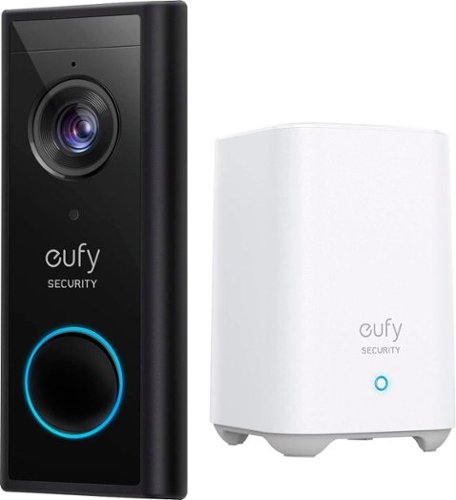
Keep a visual record of your visitors with this eufy Security wireless video doorbell. Advanced WDR and distortion correction technologies help ensure your 2K video recordings come out clearly, and a 180-day battery life provides long-lasting performance. This weatherproof eufy Security video doorbell offers military-grade AES-256 data encryption to protect your footage during transition and storage.
Customer Rating
5
Security without a subscription bill
on May 8, 2020
Posted by: ferrari
from New Jersey, USA
Since I had recently installed the Eufy security camera/floodlight, and was happy with the performance, I thought the video doorbell would make a good addition. I've checked out the competition, but the last thing I need is another monthly bill.
I was impressed with how easily the security camera set up, and the doorbell was no different. Easy intuitive instructions - download the app, and just follow it along. I set it up at night, and was playing around with it prior to installing it the following day. Great 2K video quality.
You have the choice of either setting it up standalone, in which case the onboard battery needs to be recharged every couple of months (company claim is for up to 6 months), but I went with the permanent installation using my existing doorbell wiring. You can either mount it flat against the doorframe, or they include an angled mount, which I chose. If you look at the enclosed picture, I have the doorbell cam angled towards the door, the security cam on the other side of the door angled in, so I'm getting greater than 180 degree field of vision between the two of them.
The camera, besides having 2K video, is intelligent, meaning it is set for human detection, and you won't be getting unnecessary alerts for critter intrusions. You can also use the app software to set a zone of detection; ie, pedestrian traffic or kids playing on the lawn will be ignored.
The indoor piece of this, the chime/recording unit, is small, has a pleasant tone, and is smartly designed. I've included a photo of it sitting on my kitchen counter along with Alexa and my Orbi Wifi unit for comparison.
So far, it's performed flawlessly. And the kicker is - no monthly bill!
I was impressed with how easily the security camera set up, and the doorbell was no different. Easy intuitive instructions - download the app, and just follow it along. I set it up at night, and was playing around with it prior to installing it the following day. Great 2K video quality.
You have the choice of either setting it up standalone, in which case the onboard battery needs to be recharged every couple of months (company claim is for up to 6 months), but I went with the permanent installation using my existing doorbell wiring. You can either mount it flat against the doorframe, or they include an angled mount, which I chose. If you look at the enclosed picture, I have the doorbell cam angled towards the door, the security cam on the other side of the door angled in, so I'm getting greater than 180 degree field of vision between the two of them.
The camera, besides having 2K video, is intelligent, meaning it is set for human detection, and you won't be getting unnecessary alerts for critter intrusions. You can also use the app software to set a zone of detection; ie, pedestrian traffic or kids playing on the lawn will be ignored.
The indoor piece of this, the chime/recording unit, is small, has a pleasant tone, and is smartly designed. I've included a photo of it sitting on my kitchen counter along with Alexa and my Orbi Wifi unit for comparison.
So far, it's performed flawlessly. And the kicker is - no monthly bill!
Mobile Submission: False
I would recommend this to a friend!


Share this review:


+4points
4of 4voted this as helpful.
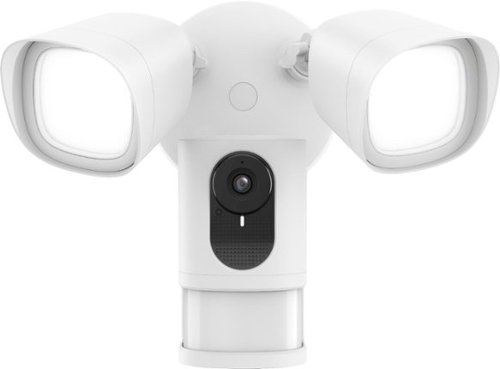
Monitor your property and capture 1080p footage with this eufy smart floodlight camera. The super-bright 2500-lumen motion-activated lights provide excellent illumination for nighttime recording. This eufy smart floodlight camera offers the option to livestream HD video from your smartphone, and two-way audio communication lets you interact with visitors from afar.
Customer Rating
5
Excellent floodlight cam; no subscription required
on April 6, 2020
Posted by: ferrari
from New Jersey, USA
While researching the Eufy online, I was at first skeptical dealing with a name I hadn't heard before, but then I saw that it was a subsidiary of Anker. I've used Anker products before with good results; so decided to give it a try. Upon arrival, I was immediately while unboxing. The first thing I noticed was the heft of it. I've got about half a dozen floodlights around the house; discounting the weight of the camera, I would say the floodlight assembly alone is 2 to 3 times the weight of the ones I already own. The build looks solid, & my impression is that they're not going to flake, rust, or in the case of plastic, crack after a couple of years.
Second thing I noticed was that it comes with a standard outlet plug temporarily installed so you can power it & set it up while still on the ground instead of fussing with it in the air.
Setup was easy enough, downloaded the Eufy Security app (which of course required an update as soon as it was installed - pretty common thing nowadays.) App recognized the camera, picked up my wifi signal (about 25 feet from router) and we were on to the install.
You might notice from my photos that this is not an ideal install due to the low height, this is only temporary to check out its performance; I plan to later move it to replace a floodlight I have mounted further up the wall.
I encountered a minor hitch during the install; the directions refer to the need for a junction box to do the wiring. For those that don't know, a junction box is an octagonal shaped electrical box you've seen many times in your attic or basement. Well, to my surprise, when I pulled down the porch light, I didn't find a junction box, but rather a standard electrical box (like the ones you have behind all your electrical outlets.) Problem was that a junction box takes 8-32 screws, a standard outlet box takes 6-32 screws. Only 8-32 screws are provided in the package. So I had to go rummaging in the spare parts bin to find the proper screws to complete the install. You might want to check your outlet before doing an install, or you might be off to Home Depot for a package of screws.
Once the install was done, we then went on to fine tune the setup. The picture is nice & clear, the microphone was sensitive enough to pick up squirrel activity on my porch. A nice feature is the ability to zone in the motion detection. At first, it was picking up the motion of passing cars in the street, so I was getting alerts way too often. I then set the field to just scan my lawn & path, which worked out perfect. No alerts unless someone was coming towards my door.
I was also able to set the Eufy up with the Alexa app, so she can turn the lights on & off and also adjust the brightness. And they are bright - I have them set to 35% and that's more than enough light to flood the porch. Upon motion detection they go to full brightness.
So far, very happy with the Eufy. Oh, did I forget to mention my favorite feature - no subscription required?
Second thing I noticed was that it comes with a standard outlet plug temporarily installed so you can power it & set it up while still on the ground instead of fussing with it in the air.
Setup was easy enough, downloaded the Eufy Security app (which of course required an update as soon as it was installed - pretty common thing nowadays.) App recognized the camera, picked up my wifi signal (about 25 feet from router) and we were on to the install.
You might notice from my photos that this is not an ideal install due to the low height, this is only temporary to check out its performance; I plan to later move it to replace a floodlight I have mounted further up the wall.
I encountered a minor hitch during the install; the directions refer to the need for a junction box to do the wiring. For those that don't know, a junction box is an octagonal shaped electrical box you've seen many times in your attic or basement. Well, to my surprise, when I pulled down the porch light, I didn't find a junction box, but rather a standard electrical box (like the ones you have behind all your electrical outlets.) Problem was that a junction box takes 8-32 screws, a standard outlet box takes 6-32 screws. Only 8-32 screws are provided in the package. So I had to go rummaging in the spare parts bin to find the proper screws to complete the install. You might want to check your outlet before doing an install, or you might be off to Home Depot for a package of screws.
Once the install was done, we then went on to fine tune the setup. The picture is nice & clear, the microphone was sensitive enough to pick up squirrel activity on my porch. A nice feature is the ability to zone in the motion detection. At first, it was picking up the motion of passing cars in the street, so I was getting alerts way too often. I then set the field to just scan my lawn & path, which worked out perfect. No alerts unless someone was coming towards my door.
I was also able to set the Eufy up with the Alexa app, so she can turn the lights on & off and also adjust the brightness. And they are bright - I have them set to 35% and that's more than enough light to flood the porch. Upon motion detection they go to full brightness.
So far, very happy with the Eufy. Oh, did I forget to mention my favorite feature - no subscription required?
Mobile Submission: False
I would recommend this to a friend!


Share this review:


+2points
9of 16voted this as helpful.
ferrari's Review Comments
ferrari has not submitted comments on any reviews.
ferrari's Questions
ferrari has not submitted any questions.
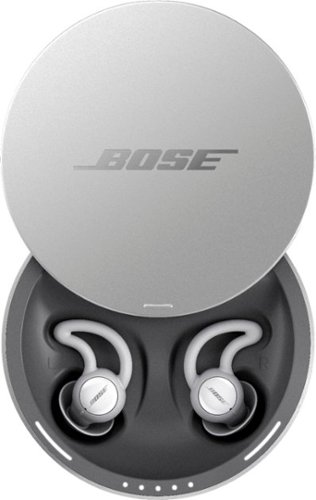
Sleep better. Cover unwanted noise with soothing sounds. Bose noise-masking sleepbuds~ are uniquely designed for sleep. They don~t stream music or have acoustic noise cancellation. Instead, these tiny, wireless earbuds use pre-loaded, soothing sounds to cover up unwanted noises, so you can get to sleep ~ and stay asleep. Plus, unlike traditional earplugs, they~re super comfortable and made to stay in place all night long, even if you sleep on your side. 1. Choose your sound, 2. Set an alarm, 3. Fall asleep without unwanted noise.
Can you listen to music or not? One answer says only the sounds from the app and another answer says yes you can listen to music. I want to listen to music from Youtube? Can I do this?
No - there is no input from anything other than the Bose App it comes with. Maybe on a future update, for now all you get is the built in soundscapes.
8 years, 1 month ago
by
ferrari
Sleep better. Cover unwanted noise with soothing sounds. Bose noise-masking sleepbuds~ are uniquely designed for sleep. They don~t stream music or have acoustic noise cancellation. Instead, these tiny, wireless earbuds use pre-loaded, soothing sounds to cover up unwanted noises, so you can get to sleep ~ and stay asleep. Plus, unlike traditional earplugs, they~re super comfortable and made to stay in place all night long, even if you sleep on your side. 1. Choose your sound, 2. Set an alarm, 3. Fall asleep without unwanted noise.
Can you use these at work to drown out a loud talkative coworker?
No - these don't have noise cancellation built in - I could clearly hear a tv on medium volume while i wore these. Get true noise cancelling headphones instead.
8 years, 1 month ago
by
ferrari
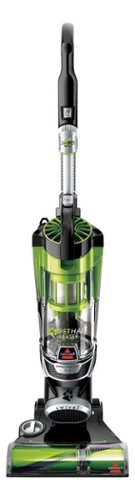
Nothing puts a vacuum to the test quite like a home with pets. That's why the BISSELL~ Pet Hair Eraser~ was developed from the ground up by pet parents for pet parents. Whether it's shedding season for your dog or your cat tracks kitty litter all over the house, this revolutionary vacuum is designed to make cleaning up after pets and the people who love them a breeze~from beginning to end. Say goodbye to hair wrap with its Tangle-Free Brush Roll, remove embedded hair everywhere with specialized pet tools, help capture allergens and eliminate odors with the SmartSeal~ Allergen System, and when you're finished cleaning, enjoy a hands-free tank empty with our patented Cyclonic Spooling System~.BR>
How load is it? I've used an Oreck XL upright and a Eureka Mighty Mite and would hope it's no louder as those. I prefer bagged vacuums but want to try the BISSELL Pet Hair Eraser because of its claims of not getting hair tangled on the roller.
I don't own the units you mentioned, I have a Miele canister, and it's no louder than that. I was surprised at it, as it does have great suction, and would have thought it should've been louder for the power it has. So far happy with the unit.
9 years, 11 months ago
by
ferrari