


ferrari's stats
- Review count169
- Helpfulness votes444
- First reviewOctober 18, 2012
- Last reviewAugust 3, 2026
- Featured reviews0
- Average rating4.7
Reviews comments
- Review comment count0
- Helpfulness votes0
- First review commentNone
- Last review commentNone
- Featured review comments0
Questions
- Question count0
- Helpfulness votes0
- First questionNone
- Last questionNone
- Featured questions0
- Answer count13
- Helpfulness votes16
- First answerAugust 26, 2016
- Last answerSeptember 13, 2020
- Featured answers0
- Best answers2
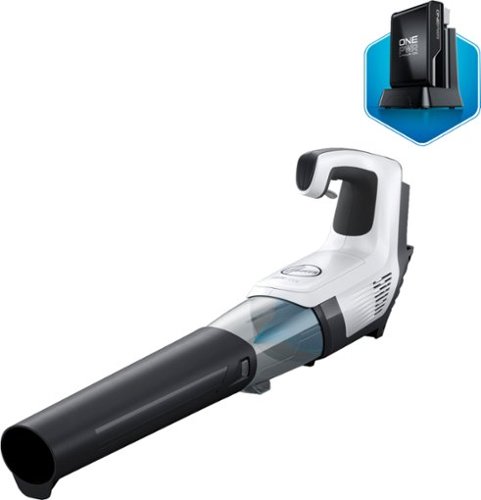
Make yard work easier with this Hoover ONEPWR Cordless High-Performance Blower. A heavy-duty turbo fan blasts away leaves with up to 270 cfm of airflow, and an integrated scraper easily removes stuck-on debris. This Hoover ONEPWR Cordless High-Performance Blower includes a charger and a battery and is ready to run right out of the box.
Customer Rating

5
An excellent entry into a crowded field.
on December 28, 2019
Posted by: ferrari
from New Jersey, USA
I'm not a newcomer to handheld blowers. I've had one since they first came on the market. I've had plug-ins, 12volt, 18volt, and most recently a Craftsman 40volt. This Hoover blows them all away (no pun intended!)
Comes near complete in the box - you need only snap on the extension tube & charge the battery, which took less than a half hour. The noise level is acceptable for a product of this type, actually more pleasing than those I've used before. Mind you, this is not a replacement for a backpack style blower, at full power the battery will last about 20 minutes or so, and there was no noticeable power loss as the battery drained down. There are LED's on the battery itself to indicate state of charge.
My first use for this was clear about a half inch of dry snow that had fallen on my driveway overnight, and it worked great. The variable speed control has a very light touch; much better than having a click type knob, or no speed control at all. It's one finger control from a whisper to full blast.
It's also pretty stylish for what it is, while not necessarily a requirement for a garden tool, I've already had 2 neighbors come up and ask me about it.
I would certainly recommend anyone in the market for a handheld blower take a look at the Hoover.
Comes near complete in the box - you need only snap on the extension tube & charge the battery, which took less than a half hour. The noise level is acceptable for a product of this type, actually more pleasing than those I've used before. Mind you, this is not a replacement for a backpack style blower, at full power the battery will last about 20 minutes or so, and there was no noticeable power loss as the battery drained down. There are LED's on the battery itself to indicate state of charge.
My first use for this was clear about a half inch of dry snow that had fallen on my driveway overnight, and it worked great. The variable speed control has a very light touch; much better than having a click type knob, or no speed control at all. It's one finger control from a whisper to full blast.
It's also pretty stylish for what it is, while not necessarily a requirement for a garden tool, I've already had 2 neighbors come up and ask me about it.
I would certainly recommend anyone in the market for a handheld blower take a look at the Hoover.
Mobile Submission: False
I would recommend this to a friend!
Share this review:


0points
0of 0voted this as helpful.
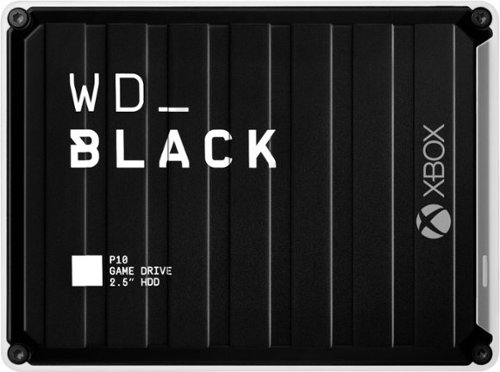
The WD_Black~ P10 Game Drive for Xbox~ gives your Xbox the tools it needs to keep your competitive edge. With up to 5TB* of storage capacity, the WD_Black~ P10 Game Drive for Xbox~ is a top-tier external HDD built specifically for gamers looking to expand the potential of their Xbox so they can drive their game the way they choose. Included with your purchase is a 1-month membership of Xbox Game Pass Ultimate, with access to 100+ games on consoles and PC, plus online console multiplayer.~*As used for storage capacity, one gigabyte (GB) = one billion bytes and one terabyte (TB) = one trillion bytes. Total accessible capacity varies depending on operating environment.~ 1-Month trial offer of Xbox Game Pass Ultimate for New Xbox Game Pass members only. Limit: 1 per person/account. Available for a limited time. See product packaging for full details.
Posted by: ferrari
from New Jersey, USA
Upon unboxing this drive, I was immediately impressed. Why are all my former so called "portable drives" so clunky? Bit of a leap forward in technology here, this is a size that fits nice to the hand. The metal case is also a step up, feels a lot more pro - and looks good doing it. I also appreciate the no cut clamshell case it comes packed in - totally reusable and great to travel with. Rubber feet on the bottom for secure placement on a table or shelf. The only down I can think of is that a longer cable would've been nice; but no lost star for that.
The drive is recognized for a zero hassle setup, and the performance is quick and quiet - great addition for the price, especially for a WD branded product.
The drive is recognized for a zero hassle setup, and the performance is quick and quiet - great addition for the price, especially for a WD branded product.
Mobile Submission: False
I would recommend this to a friend!


Share this review:


0points
0of 0voted this as helpful.
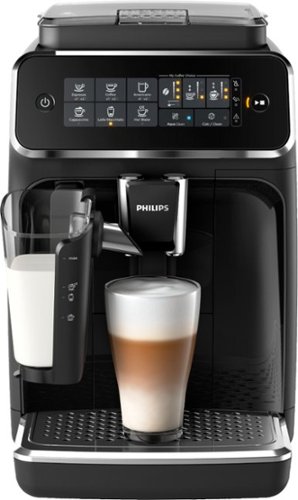
Philips 3200 Series Fully Automatic Espresso Machine w/ LatteGo, Black
Customer Rating
5
The best super automatic I've had yet
on October 15, 2019
Posted by: ferrari
from New Jersey, USA
I've been an owner of super automatic coffee makers for over 20 years now, so not a novice to this type of machine. My last two were a Saeco and a DeLonghi Magnifica. They gave me good service, the Saeco had a cycle counter and logged over 10,000 cups, and it still worked when I replaced it and handed it down. I'll be handing down the DeLonghi as well, that didn't have a counter, but for over 6 years at a minimum of 4 cups a day, more if I had visitors or guests, that also served me well.
The Phillips has proven to be a welcome addition to the family. I've now upgraded to "one touch" latte capability. Well, actually, it's two touches, one to turn the machine on, then the "go" button to brew the drink. That presupposes that you have pre-programmed the machine to your particular preference. For each beverage choice there are 3 separate possibilities, and each possibility has 3 choices. For instance, for a latte, you first choose brew strength - light, medium or heavy. 2nd choice is for the size of the the beverage - small, medium, or large. 3rd choice is amount of milk foam, once again, light, medium, heavy. Once you choose your preference, the machine recalls your preferred settings, and brews the same drink. For regular coffee, you add your own milk to taste, so you only choose brew strength and cup size. The large cup size will fill an average 8 oz. size cup; however, there is an option to set max drink size if you want to fill a larger sized mug.
So far, I've tried the standard coffee, espresso, cappucino, and macchiato options. All brews have been superb. I will admit to doing the wrong thing with these machines - my standard variety is Sumatra coffee, I like it because it's heavy, syrupy, and sweet without sugar. And, heavy enough that I can use it for my everyday coffee as well as pull an espresso out of it. Dunkin Donuts blend it's not. However, these are oily beans, and it's generally recommended not to use that type of bean in coffee machines with built in grinders. But, i've yet to kill a machine with Sumatra beans despite that disclaimer. When brewing an espresso, I always chose the smallest setting to deliver a "short" but in my opinion even at the small setting for this machine it delivers probably double the amount of liquid for what would be considered an espresso "ristretto". The way around this is that the machine will always cut off liquid delivery if you press the "go" button a second time. However, this is not "remembered" as a programming choice, so it's up to you to hit the button early if you want a short. Also, the machine is shipped with the grinder at the coarsest setting, so if your main brews are espresso drinks, i would suggest knocking it down a couple of notches. You can only adjust the grind while the grinder is actually functioning, so it will take a couple of brews to enjoy the full effect. Press the grinder knob down, turn it counter-clockwise for a finer grind.
Speaking of the grinder, it's ceramic. And it's the quietest grinder I've yet experienced. I know that because the grinder is a signal for my dogs. They know that I'm not to be spoken to till I've had my first sip of coffee in the morning, so they wait in the bedroom till they hear the grinder going; then they know it's safe to come out for their morning treat. My wife said to me "how come the dogs didn't go out to the kitchen?" It's because they didn't pick up on the sound of the grinder!
While the grinder is quiet, the foamer is not - but then again, none of them are. That is, unless you have one of those handheld battery powered whippers - but that's not one touch, no? However, the milk container is an ingenious design. If you notice, there's no tube going down to the bottom of the container to suck up the milk. I'm not going to explain how it works, whether by vacuum, capillary action, or some alien acquired principle, but it does work, and what that does is make the cleanup a lot easier. All you need do is rinse out the container, you don't have to worry about milk caking up in a hose or some crevice. Or, if there's milk left in it, the container has a cap, you can pull it off the machine & store it in the fridge for next time. Nice design. Lattes & macchiatos came out rich, full, with a long lasting foam that didn't collapse in minutes.
One minor annoyance is the spacing between the coffee spout and the milk spout. Unless you have a cup with a wide enough mouth you need to inch the cup up a bit between the coffee & foam cycles otherwise one of them will spill over. You can even see them do this in some of the online demo videos on Youtube. Another minor annoyance is that the used coffee pucks need to be emptied after every dozen brews - my last two machines held 16. But, on the good side, you don't need to open a panel to do this, the tray slides out easily to deal with the trash.
The addition of the Aqua filter is a nice feature. It's a recommended 3 month replacement cycle, and has a blue indicator light on the front panel. This should reduce the need for monthly descaling, as well as improve the taste of the brew.
I've saved my biggest annoyance for last, and that's the instruction manual. I know it's the way they're going with most things now, but I hate those pictograms! I've included a photo below, mind you, this is a 6" high manual, and if you can make sense out of those tiny things, you're a better person than me! I mean, where's the included magnifying glass?! Jeez, would it really hurt to make a 8x11 manual with real words? This is a complicated machine! Spent a lot of wasted time trying to decipher what they're trying to depict in the 1/2" cartoons. I enjoy these about as much as all the icons on your car's instrument panel. I'll save you the trouble I went through because I went to the manual first. Just go to youtube - there are manufacturer assembly/installation videos that visually explain the setup much better than the included pamphlet. There are also videos going through making the various drinks, etc.
That being said, I'm very happy with the performance of this unit so far. Hopefully it will give me the long service that my previous machines have. 10,000 cups? That's like $50,000 Starbucks dollars! I will also note that even as far back as 20 years ago, my first super automatic cost me $800, and I believe I paid that for my last 2 as well. How many things haven't gone up in price over the last 20 years, and yet have more features built in?
The Phillips has proven to be a welcome addition to the family. I've now upgraded to "one touch" latte capability. Well, actually, it's two touches, one to turn the machine on, then the "go" button to brew the drink. That presupposes that you have pre-programmed the machine to your particular preference. For each beverage choice there are 3 separate possibilities, and each possibility has 3 choices. For instance, for a latte, you first choose brew strength - light, medium or heavy. 2nd choice is for the size of the the beverage - small, medium, or large. 3rd choice is amount of milk foam, once again, light, medium, heavy. Once you choose your preference, the machine recalls your preferred settings, and brews the same drink. For regular coffee, you add your own milk to taste, so you only choose brew strength and cup size. The large cup size will fill an average 8 oz. size cup; however, there is an option to set max drink size if you want to fill a larger sized mug.
So far, I've tried the standard coffee, espresso, cappucino, and macchiato options. All brews have been superb. I will admit to doing the wrong thing with these machines - my standard variety is Sumatra coffee, I like it because it's heavy, syrupy, and sweet without sugar. And, heavy enough that I can use it for my everyday coffee as well as pull an espresso out of it. Dunkin Donuts blend it's not. However, these are oily beans, and it's generally recommended not to use that type of bean in coffee machines with built in grinders. But, i've yet to kill a machine with Sumatra beans despite that disclaimer. When brewing an espresso, I always chose the smallest setting to deliver a "short" but in my opinion even at the small setting for this machine it delivers probably double the amount of liquid for what would be considered an espresso "ristretto". The way around this is that the machine will always cut off liquid delivery if you press the "go" button a second time. However, this is not "remembered" as a programming choice, so it's up to you to hit the button early if you want a short. Also, the machine is shipped with the grinder at the coarsest setting, so if your main brews are espresso drinks, i would suggest knocking it down a couple of notches. You can only adjust the grind while the grinder is actually functioning, so it will take a couple of brews to enjoy the full effect. Press the grinder knob down, turn it counter-clockwise for a finer grind.
Speaking of the grinder, it's ceramic. And it's the quietest grinder I've yet experienced. I know that because the grinder is a signal for my dogs. They know that I'm not to be spoken to till I've had my first sip of coffee in the morning, so they wait in the bedroom till they hear the grinder going; then they know it's safe to come out for their morning treat. My wife said to me "how come the dogs didn't go out to the kitchen?" It's because they didn't pick up on the sound of the grinder!
While the grinder is quiet, the foamer is not - but then again, none of them are. That is, unless you have one of those handheld battery powered whippers - but that's not one touch, no? However, the milk container is an ingenious design. If you notice, there's no tube going down to the bottom of the container to suck up the milk. I'm not going to explain how it works, whether by vacuum, capillary action, or some alien acquired principle, but it does work, and what that does is make the cleanup a lot easier. All you need do is rinse out the container, you don't have to worry about milk caking up in a hose or some crevice. Or, if there's milk left in it, the container has a cap, you can pull it off the machine & store it in the fridge for next time. Nice design. Lattes & macchiatos came out rich, full, with a long lasting foam that didn't collapse in minutes.
One minor annoyance is the spacing between the coffee spout and the milk spout. Unless you have a cup with a wide enough mouth you need to inch the cup up a bit between the coffee & foam cycles otherwise one of them will spill over. You can even see them do this in some of the online demo videos on Youtube. Another minor annoyance is that the used coffee pucks need to be emptied after every dozen brews - my last two machines held 16. But, on the good side, you don't need to open a panel to do this, the tray slides out easily to deal with the trash.
The addition of the Aqua filter is a nice feature. It's a recommended 3 month replacement cycle, and has a blue indicator light on the front panel. This should reduce the need for monthly descaling, as well as improve the taste of the brew.
I've saved my biggest annoyance for last, and that's the instruction manual. I know it's the way they're going with most things now, but I hate those pictograms! I've included a photo below, mind you, this is a 6" high manual, and if you can make sense out of those tiny things, you're a better person than me! I mean, where's the included magnifying glass?! Jeez, would it really hurt to make a 8x11 manual with real words? This is a complicated machine! Spent a lot of wasted time trying to decipher what they're trying to depict in the 1/2" cartoons. I enjoy these about as much as all the icons on your car's instrument panel. I'll save you the trouble I went through because I went to the manual first. Just go to youtube - there are manufacturer assembly/installation videos that visually explain the setup much better than the included pamphlet. There are also videos going through making the various drinks, etc.
That being said, I'm very happy with the performance of this unit so far. Hopefully it will give me the long service that my previous machines have. 10,000 cups? That's like $50,000 Starbucks dollars! I will also note that even as far back as 20 years ago, my first super automatic cost me $800, and I believe I paid that for my last 2 as well. How many things haven't gone up in price over the last 20 years, and yet have more features built in?
Mobile Submission: False
I would recommend this to a friend!


Share this review:


+38points
43of 48voted this as helpful.
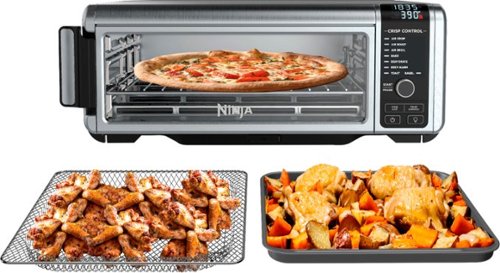
The Ninja Foodi Digital Air Fry Oven is an air fryer, convection oven, and toaster oven that packs a lot of features and cooking capacity in a small countertop footprint. Air Fry, Air Roast, Air Broil, Bake, Bagel, Toast, Dehydrate, and Keep Warm~all in one powerful, stainless-steel 1800-watt appliance~and create full family-sized meals in as little as 20 minutes. When you're done cooking, reclaim your counter space by simply flipping the oven up and away to clean and store.
Customer Rating
5
Another great product from Ninja
on September 2, 2019
Posted by: ferrari
from New Jersey, USA
I already own two Ninja products, a coffeemaker and a Foodi. Both have given me excellent service, so I had no qualms about ordering up this Digital Oven. Since I already own the Foodi, I'll probably use the Air Fry mostly for its toaster oven functions, or for smaller & quicker portions.
I've added 3 photos of my SP101, one to show the brightness of the interior LED, another to show it in upright position with the bottom folded down for cleaning. The third is to highlight the nice sturdy air fry rack included.
At 1800 watts, this is a powerful appliance. The elements heat up quickly, baking temperatures are achieved within 30 seconds. Toast & bagels came out perfectly & evenly done. Tried baking a batch of cookies, was nice not having to turn on the big oven in the middle of summer. It also swallowed up a 12" pizza nicely.
As to the LED lighting, you can turn it on whenever you want, or, if you don't, it will automatically come on 30 seconds before whatever function your performing is completed.
But here's the real reason I'm so happy with this product. I've had two prior top of the line toaster ovens - a DeLonghi Livenza, and a Breville. Both of them were good performers, but both of them had beeps that sounded like a fire alarm and couldn't be adjusted. It got to the point where I couldn't reach for the bread to make a piece of toast before the dogs started running around in a circle & howling in anticipation of the obnoxious beeps. By comparison, using the Ninja is like the difference between a Tesla and a fire truck driving through your house. There's no startup noise, and the finish signal is a nice gentle two toned beep. If you've heard the Foodi, it's the same sound. I've since relegated my other two toaster ovens to elderly relatives with hearing not so sensitive as mine - everybody's a winner, and now the dogs are waiting in front of the Ninja to see what delicious treat is about to be served!
Another nice feature on this unit is a "warm" light that illuminates and stays on after the cycle you've used is finished. It does not extinguish itself until the unit has cooled down enough to either clean it or place it in the upright storage position.
My experience with Ninja is that the products are intelligently designed with great features that are well thought out.
I've added 3 photos of my SP101, one to show the brightness of the interior LED, another to show it in upright position with the bottom folded down for cleaning. The third is to highlight the nice sturdy air fry rack included.
At 1800 watts, this is a powerful appliance. The elements heat up quickly, baking temperatures are achieved within 30 seconds. Toast & bagels came out perfectly & evenly done. Tried baking a batch of cookies, was nice not having to turn on the big oven in the middle of summer. It also swallowed up a 12" pizza nicely.
As to the LED lighting, you can turn it on whenever you want, or, if you don't, it will automatically come on 30 seconds before whatever function your performing is completed.
But here's the real reason I'm so happy with this product. I've had two prior top of the line toaster ovens - a DeLonghi Livenza, and a Breville. Both of them were good performers, but both of them had beeps that sounded like a fire alarm and couldn't be adjusted. It got to the point where I couldn't reach for the bread to make a piece of toast before the dogs started running around in a circle & howling in anticipation of the obnoxious beeps. By comparison, using the Ninja is like the difference between a Tesla and a fire truck driving through your house. There's no startup noise, and the finish signal is a nice gentle two toned beep. If you've heard the Foodi, it's the same sound. I've since relegated my other two toaster ovens to elderly relatives with hearing not so sensitive as mine - everybody's a winner, and now the dogs are waiting in front of the Ninja to see what delicious treat is about to be served!
Another nice feature on this unit is a "warm" light that illuminates and stays on after the cycle you've used is finished. It does not extinguish itself until the unit has cooled down enough to either clean it or place it in the upright storage position.
My experience with Ninja is that the products are intelligently designed with great features that are well thought out.
Mobile Submission: False
I would recommend this to a friend!


Share this review:


+3points
8of 13voted this as helpful.
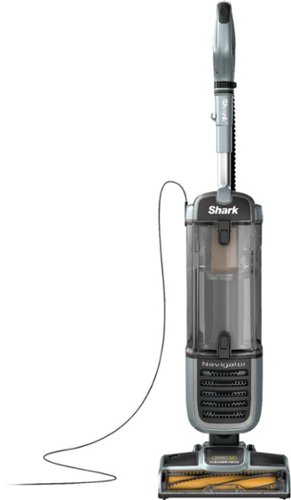
The Shark Navigator Pet Pro Upright Vacuum is your answer to stubborn pet hair and heavy-duty cleaning tasks. With an extendable hose for up to 12 feet of total reach for cleaning above floors, 3XL capacity, and a self-cleaning brushroll for nonstop hair removal, this vacuum cleaner is made for a floor-to-ceiling deep clean.
Customer Rating
5
The best anti-clog brush roller yet
on September 2, 2019
Posted by: ferrari
from New Jersey, USA
We've had long haired dogs for the past 30 years, so one can easily imagine that we've been through scads of vacuums over that time. Most of those we've purchased have come along with a promise of dealing with pet hair. This Shark U62 is now poised to replace our current Bissell Pet Hair Eraser. I've attached photos of the two side by side for comparison.
The first thing we noticed was the power. Excellent suction; reaching down deep into the rugs without excessive drag force or an overly objectionable noise level.
The next positive for this unit is container size - looking at the first photo, you can see the collector is super sized as compared to the Pet Hair Eraser. This has always been a pet peeve of ours, as hair does not compact well in these collectors, so you're constantly running back & forth to empty when doing more than one room. Now if someone would only figure out how to de-static pet hair so I don't have to stick my hand in the container to pull it out, that would be vacuum heaven!
The second photo I provided is to show the length of the hose as compared to the Bissell. It's advertised as 12 feet, and it's not quite there yet until it's broken in, but out of the box it's substantially longer. The feel of it is that it does seem more pliable and better easily stretched. On the downside, the unit tips easily when pulling on the hose, but this is a drawback of just about any upright.
By far, the #1 attraction of this unit is the roller design. It works! So far I haven't seen any major hair tangles on the brush.
On the downside, I've come across two minor flaws. The first is that it doesn't edge clean as well as the Bissel, as the sides of the unit seem a bit thicker so the roller doesn't get as close. However, going head on into the wall, it'll pick up the residue. So, a little bit more work when doing hallways. The head unit does swivel well, but overall, when working in confined areas, the Bissell gets the edge. Some of this is also due to the Shark's additional weight and bulk.
The second annoyance I found was with the Shark's crevice/brush tool included. The attachment is built to telescope, so when you want to use the brush you pull it down over the crevice. The problem is that it doesn't snap or lock into place, so if you use too much pressure, the brush just slides back far too easily.
Overall, I'm very happy with the Shark and would strongly recommend considering it, most especially if you've got long haired pets as I do.
The first thing we noticed was the power. Excellent suction; reaching down deep into the rugs without excessive drag force or an overly objectionable noise level.
The next positive for this unit is container size - looking at the first photo, you can see the collector is super sized as compared to the Pet Hair Eraser. This has always been a pet peeve of ours, as hair does not compact well in these collectors, so you're constantly running back & forth to empty when doing more than one room. Now if someone would only figure out how to de-static pet hair so I don't have to stick my hand in the container to pull it out, that would be vacuum heaven!
The second photo I provided is to show the length of the hose as compared to the Bissell. It's advertised as 12 feet, and it's not quite there yet until it's broken in, but out of the box it's substantially longer. The feel of it is that it does seem more pliable and better easily stretched. On the downside, the unit tips easily when pulling on the hose, but this is a drawback of just about any upright.
By far, the #1 attraction of this unit is the roller design. It works! So far I haven't seen any major hair tangles on the brush.
On the downside, I've come across two minor flaws. The first is that it doesn't edge clean as well as the Bissel, as the sides of the unit seem a bit thicker so the roller doesn't get as close. However, going head on into the wall, it'll pick up the residue. So, a little bit more work when doing hallways. The head unit does swivel well, but overall, when working in confined areas, the Bissell gets the edge. Some of this is also due to the Shark's additional weight and bulk.
The second annoyance I found was with the Shark's crevice/brush tool included. The attachment is built to telescope, so when you want to use the brush you pull it down over the crevice. The problem is that it doesn't snap or lock into place, so if you use too much pressure, the brush just slides back far too easily.
Overall, I'm very happy with the Shark and would strongly recommend considering it, most especially if you've got long haired pets as I do.
Mobile Submission: False
I would recommend this to a friend!


Share this review:


+49points
56of 63voted this as helpful.
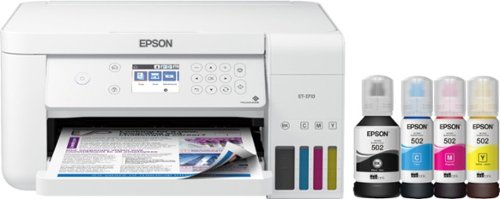
Enjoy flawless printing without the hassle of cartridges with this Epson EcoTank all-in-one printer. The front-facing ink tanks support easy monitoring, while Wi-Fi compatibility allows printing directly from a smartphone or tablet. This Epson EcoTank all-in-one printer features refill tanks that print up to 6,000 pages in color, making it ideal for your busy office.Prints up to 15 ISO ppm*, up to 8 ISO ppm* in color.
Customer Rating
5
Well worth the up front cost
on June 29, 2019
Posted by: ferrari
from New Jersey, USA
Over the past 20 years, I can't tell you how many $49 printers I've bought at Black Friday sales - just to get the ink. Then HP got smart and started selling the printers with only partially filled cartridges. My wife is the family's elected person to do photo collages for parties, anniversaries, funerals, whatever. All I know is when she starts one of these projects it means a run to the store for another $50-$100 ink purchase.
Enter the Epson Ecotank. Unboxing it, I couldn't believe the size of the supplied ink bottles. According to Epson, each bottle set is the equivalent of 20 cartridges. I believe them. Filling the tanks is foolproof, each bottle has a shaped tip that will only fit into the correct tank.
The supplied setup instructions are excellent, unlike many of the pictogram leaflets so prevalent today - there are actual words! I was up & running in less than 15 minutes, and that includes connecting Wifi, downloading software, setting up the scanner, and getting a proprietary email address for the printer.
This is not a dedicated 5 ink photo printer, I do have an HP with the photo cartridge for comparison, That being said, it does an excellent job, photos being crisp, clear & bright, certainly good enough for handing out to friends, family, and, of course doing those photo collage projects! I can see myself putting $50 in my pocket every time one of those comes up.
It's not exactly quiet, but noise level is on par with most of the HP units I've had in the past. The scanner though is ultra-quiet - I couldn't even tell with my hand if it was running, I had to lift the lid to see if it was moving. Scan results were excellent.
I was also happy with the compact size of the unit, it does have some heft to it, and peeking under the hood, I was impressed with the the build quality & design. There's also a 2 year warranty, which adds to the value.
Looking forward to spending some time with this printer, and especially looking forward to not having to run out to the store in another month for some overpriced ink!
Enter the Epson Ecotank. Unboxing it, I couldn't believe the size of the supplied ink bottles. According to Epson, each bottle set is the equivalent of 20 cartridges. I believe them. Filling the tanks is foolproof, each bottle has a shaped tip that will only fit into the correct tank.
The supplied setup instructions are excellent, unlike many of the pictogram leaflets so prevalent today - there are actual words! I was up & running in less than 15 minutes, and that includes connecting Wifi, downloading software, setting up the scanner, and getting a proprietary email address for the printer.
This is not a dedicated 5 ink photo printer, I do have an HP with the photo cartridge for comparison, That being said, it does an excellent job, photos being crisp, clear & bright, certainly good enough for handing out to friends, family, and, of course doing those photo collage projects! I can see myself putting $50 in my pocket every time one of those comes up.
It's not exactly quiet, but noise level is on par with most of the HP units I've had in the past. The scanner though is ultra-quiet - I couldn't even tell with my hand if it was running, I had to lift the lid to see if it was moving. Scan results were excellent.
I was also happy with the compact size of the unit, it does have some heft to it, and peeking under the hood, I was impressed with the the build quality & design. There's also a 2 year warranty, which adds to the value.
Looking forward to spending some time with this printer, and especially looking forward to not having to run out to the store in another month for some overpriced ink!
Mobile Submission: False
I would recommend this to a friend!

Share this review:


+14points
19of 24voted this as helpful.
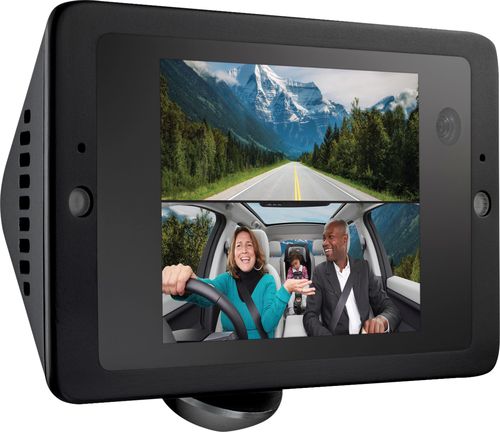
Secure detailed proof of vehicular incidents with this Owlcam smart dual dash camera. The 1440p outside-facing and 720p inside-facing cameras capture high-definition video, and 4G LTE connectivity enables instant video alerts and remote access to live and recorded footage via smartphone. This Owlcam smart dual dash camera supports voice commands for hands-free operation.
Customer Rating

4
Needs a few tweaks to get to first class
on June 8, 2019
Posted by: ferrari
from New Jersey, USA
As a point of reference, I'm not a dashcam novice; I've had a Thinkware X500 front & rear cams installed in my car for the last 3 years, and have been very happy with its performance.
The unboxing experience with the Owlcam was excellent, hands down it's about as simple as an install can be for a piece of auto electronics. It uses the OBD port for power connection, which makes it plug & play. No need to hunt the fuse box for a key on/key off connector. For the Thinkware, I needed to buy an additional harness, fuse splitters, and drill a hole in the dash to make for a neat installation. About the worst that could happen is if your OBD port is covered; as the plug in connector would extend the port by something over an inch. Absolutely no tools required other than the crevice tool which conveniently comes in the box.
My install was on my wife's 2017 GMC Acadia Limited. There's a choice of 3 extension bars to use, I chose the shortest; as the longer the extension, the higher up on the windshield the cam will sit. Bear in mind that centering the unit on the dash amounts to blocking your view; in most states it is illegal to place anything on the windshield other than in the lower left corner (your inspection sticker) or top center (EZ Pass or toll reading device) That being said, in recent years we've all seen a proliferation of devices on the dash (dashcams, GPS units, Uber signs, etc.) I haven't heard of a rash of ticketing for these items, but common sense tells you the more you can see, the better you are, so keep it low.
I had no problem routing the wire across the front of the dash, in the Acadia it practically fell in. Going down the door jamb, it was a tight fit, but I was still able to hide the wire completely from view. The instructions state to start at the OBD plug, i found it better to start at the camera so as to leave the excess wire at the bottom which I looped in a small coil & stuffed under dash with the help of the included rubberized wire ties (also a nice touch.)
The camera attaches to the arm via a magnetized mount. The magnet is strong enough to hold the cam securely over bumps, but not that strong so you can adjust it easily to tilt or pan.
Next item is to pair your phone to the cam. For reference, my wife has a Samsung S8. When the Owlcam starts, it displays a QR code. You can either scan it, or download the Owlcam app first, which we did. Enter your personal info, and the Owlcam displays a security code to enter in the app. At this point we were a bit confused, as the area for code entry was greyed out in the app. Wanting to insure we were proceeding correctly, we called the 800 number. Time to get a response was something less than 5 minutes. After a few questions back & forth, the tech deciphered that we were connected, he stated the with some phones, the code would enter automatically. So we were good. As a bit of additional info, the installation pamphlet provided is sparse on details, but it seems that's how it is with many products I've gotten over the past few years.
Now that it was installed, was time for a short test drive. We utilized the "Ok, Presto" command to download some clips. Connecting to LTE & downloading is not instantaneous, but is reasonable. At times we did get a "network not available" message, but it's difficult to tell whether it's the Owl's LTE coverage, or that of your provider. We're in a relatively good coverage area, so I do lean towards the former.
With the app, we connected to both Live & History coverage. Live shows you the current camera view, when in History you can scroll back to pinpoint your selected time range. Image was good with both operations, as was night mode.
Tested the alert mode by stepping on the running board; phone alerts were received; once again not simultaneously, but within a reasonable period. One took 4 minutes to arrive, the next in 3.
It didn't take long to demonstrate the usefulness of having a dash cam as evidenced by the screenshot below. (Wish I could've uploaded the video clip, but only photos are accepted here.)
Driving down the road, not too far ahead of my wife, there was a Tesla that had driven into the rear of a landscaper's truck. Autopilot error? Who knows - but she said "Ok presto", and we had the clip.
But now comes the part I don't like. Look at the shot - the license plate, the people standing on the left observing the scene. Why is it all pixelated? Looks exactly like I grabbed the photo from Google maps with their privacy pixelation. This is my video - there shouldn't be censoring. This image is resized due to uploading limits here, but in my original you can clearly make out the 35mph speed limit sign in the distance; that's not pixelated. Why the people & the license plate? Looking around further you can see the pixelation also present in the trees & shubbery. I would imagine vehicle speed at this time was about 20-25mph, whether that had something to do with it I don't know. Another feature that's missing is the GPS location, time & vehicle speed which is imprinted on the screen with my Thinkware. So you're giving up something there.
The other issue I have is the Owlcam will only pair to 1 phone. As most of us have a spouse/significant other, it would be nice not to be treated as an intruder if we swap vehicles, as is oft the case. To pick up gardening supplies or groceries, I'll use the SUV.
One other thing is every time I walked in the garage, the green front led's would be blinking, and for single LED's, they're pretty bright. This is with the vehicle backed in, I'm not looking at the cam, but it's apparently looking at me. I've always been ambivalent about the use of blinking LED's, I've often wondered whether they're more of an invitation than a warning to any thief. I'd like to see a menu option to turn the lights off. Incidentally, Owl offers to replace any stolen cam.
This is not an inexpensive cam. Add to that the cost of subscription. If you're going to use this as a toy and constantly download clips to use as a videolog or for your Instagram account, it can get expensive. But used properly, I see the value in being able to transfer video to your smartphone to demonstrate liability or culpability in the midst of an incident. I can't do that with my Thinkware, I need to retrieve the memory card, insert into a laptop, etc. You're paying for convenience.
That said, at this point, my impression is that some changes need to be made to justify the price point. I think they'll do it - they have a very good base to start from.
The unboxing experience with the Owlcam was excellent, hands down it's about as simple as an install can be for a piece of auto electronics. It uses the OBD port for power connection, which makes it plug & play. No need to hunt the fuse box for a key on/key off connector. For the Thinkware, I needed to buy an additional harness, fuse splitters, and drill a hole in the dash to make for a neat installation. About the worst that could happen is if your OBD port is covered; as the plug in connector would extend the port by something over an inch. Absolutely no tools required other than the crevice tool which conveniently comes in the box.
My install was on my wife's 2017 GMC Acadia Limited. There's a choice of 3 extension bars to use, I chose the shortest; as the longer the extension, the higher up on the windshield the cam will sit. Bear in mind that centering the unit on the dash amounts to blocking your view; in most states it is illegal to place anything on the windshield other than in the lower left corner (your inspection sticker) or top center (EZ Pass or toll reading device) That being said, in recent years we've all seen a proliferation of devices on the dash (dashcams, GPS units, Uber signs, etc.) I haven't heard of a rash of ticketing for these items, but common sense tells you the more you can see, the better you are, so keep it low.
I had no problem routing the wire across the front of the dash, in the Acadia it practically fell in. Going down the door jamb, it was a tight fit, but I was still able to hide the wire completely from view. The instructions state to start at the OBD plug, i found it better to start at the camera so as to leave the excess wire at the bottom which I looped in a small coil & stuffed under dash with the help of the included rubberized wire ties (also a nice touch.)
The camera attaches to the arm via a magnetized mount. The magnet is strong enough to hold the cam securely over bumps, but not that strong so you can adjust it easily to tilt or pan.
Next item is to pair your phone to the cam. For reference, my wife has a Samsung S8. When the Owlcam starts, it displays a QR code. You can either scan it, or download the Owlcam app first, which we did. Enter your personal info, and the Owlcam displays a security code to enter in the app. At this point we were a bit confused, as the area for code entry was greyed out in the app. Wanting to insure we were proceeding correctly, we called the 800 number. Time to get a response was something less than 5 minutes. After a few questions back & forth, the tech deciphered that we were connected, he stated the with some phones, the code would enter automatically. So we were good. As a bit of additional info, the installation pamphlet provided is sparse on details, but it seems that's how it is with many products I've gotten over the past few years.
Now that it was installed, was time for a short test drive. We utilized the "Ok, Presto" command to download some clips. Connecting to LTE & downloading is not instantaneous, but is reasonable. At times we did get a "network not available" message, but it's difficult to tell whether it's the Owl's LTE coverage, or that of your provider. We're in a relatively good coverage area, so I do lean towards the former.
With the app, we connected to both Live & History coverage. Live shows you the current camera view, when in History you can scroll back to pinpoint your selected time range. Image was good with both operations, as was night mode.
Tested the alert mode by stepping on the running board; phone alerts were received; once again not simultaneously, but within a reasonable period. One took 4 minutes to arrive, the next in 3.
It didn't take long to demonstrate the usefulness of having a dash cam as evidenced by the screenshot below. (Wish I could've uploaded the video clip, but only photos are accepted here.)
Driving down the road, not too far ahead of my wife, there was a Tesla that had driven into the rear of a landscaper's truck. Autopilot error? Who knows - but she said "Ok presto", and we had the clip.
But now comes the part I don't like. Look at the shot - the license plate, the people standing on the left observing the scene. Why is it all pixelated? Looks exactly like I grabbed the photo from Google maps with their privacy pixelation. This is my video - there shouldn't be censoring. This image is resized due to uploading limits here, but in my original you can clearly make out the 35mph speed limit sign in the distance; that's not pixelated. Why the people & the license plate? Looking around further you can see the pixelation also present in the trees & shubbery. I would imagine vehicle speed at this time was about 20-25mph, whether that had something to do with it I don't know. Another feature that's missing is the GPS location, time & vehicle speed which is imprinted on the screen with my Thinkware. So you're giving up something there.
The other issue I have is the Owlcam will only pair to 1 phone. As most of us have a spouse/significant other, it would be nice not to be treated as an intruder if we swap vehicles, as is oft the case. To pick up gardening supplies or groceries, I'll use the SUV.
One other thing is every time I walked in the garage, the green front led's would be blinking, and for single LED's, they're pretty bright. This is with the vehicle backed in, I'm not looking at the cam, but it's apparently looking at me. I've always been ambivalent about the use of blinking LED's, I've often wondered whether they're more of an invitation than a warning to any thief. I'd like to see a menu option to turn the lights off. Incidentally, Owl offers to replace any stolen cam.
This is not an inexpensive cam. Add to that the cost of subscription. If you're going to use this as a toy and constantly download clips to use as a videolog or for your Instagram account, it can get expensive. But used properly, I see the value in being able to transfer video to your smartphone to demonstrate liability or culpability in the midst of an incident. I can't do that with my Thinkware, I need to retrieve the memory card, insert into a laptop, etc. You're paying for convenience.
That said, at this point, my impression is that some changes need to be made to justify the price point. I think they'll do it - they have a very good base to start from.
p.s. As I looked at this in review mode, I'm sorry that they don't allow higher quality photos that can be enlarged - or actual video clips so you can see the details I refer to.
Mobile Submission: False
I would recommend this to a friend!
Share this review:


+9points
9of 9voted this as helpful.
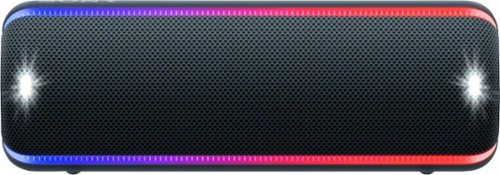
Play music anywhere with this Sony EXTRA BASS portable Bluetooth speaker. The Party Booster feature makes a variety of sounds depending on where the speaker is touched, and the volume increases or decreases depending on the strength of force used when tapping. This Sony EXTRA BASS portable Bluetooth speaker has multicolor flashing lights that sync to the beat of the music for added style.
Customer Rating
4
Packs a big punch in a small box
on April 26, 2019
Posted by: ferrari
from New Jersey, USA
Very impressed with this piece - its small size belies its power. The sound is clear, transparent, and the extra bass mode is - well... extra bass - a lot of it! It's less than 10" wide, but the output is the equivalent of a small boom box 4 or 5 times its size.
This should be a 5 star review, but i dropped it one because it annoyed me out of the box. Aside from the USB charging cable, it comes with a folded one page pamphlet that barely begins to demonstrate what's available. What's more is it's in pictogram mode with scant accompanying text. Here's what they tell you:
1. How to attach the USB cable to charge it.
2. How to turn it on & pair it
3. Volume & skip track buttons
4. Button to turn lights on
5. Buttons for "party chain" mode/add speaker
6. Web link for Sony Music Center & Fiestable app
This should be a 5 star review, but i dropped it one because it annoyed me out of the box. Aside from the USB charging cable, it comes with a folded one page pamphlet that barely begins to demonstrate what's available. What's more is it's in pictogram mode with scant accompanying text. Here's what they tell you:
1. How to attach the USB cable to charge it.
2. How to turn it on & pair it
3. Volume & skip track buttons
4. Button to turn lights on
5. Buttons for "party chain" mode/add speaker
6. Web link for Sony Music Center & Fiestable app
To enjoy the full features of the XB32, aside from downloading the app, you need to get the full guide - which is available here:
https://helpguide.sony.net/speaker/srs-xb32/v1/en/index.html
At that point you can either download the PDF or print it; I doubt many will print it as it's 98 pages long & packed with relevant info.
Here's some of the things they don't tell you about in the box:
1. Picture & annotated diagram of the 17 different controls & lights.
2. Two full pages on charging; checking charge level; voice guidance, and more.
3. Bluetooth standby mode
4. Charging your phone from the XB32 (or any USB device)
5. Auto power off
6. Lighting modes available with Sony app - Rave, Chill, Hot, Cool, Strobe, etc.
7. About 20 pages on pairing/NFC including connecting with Windows 10/Mac
8. Switching the sound mode. The unit starts up in Extra Bass mode, you can change to Standard or Live Sound.
9. Party Booster mode, where you actually have to slap the speaker to create various sound/lighting effects.
10. Hands free calling
https://helpguide.sony.net/speaker/srs-xb32/v1/en/index.html
At that point you can either download the PDF or print it; I doubt many will print it as it's 98 pages long & packed with relevant info.
Here's some of the things they don't tell you about in the box:
1. Picture & annotated diagram of the 17 different controls & lights.
2. Two full pages on charging; checking charge level; voice guidance, and more.
3. Bluetooth standby mode
4. Charging your phone from the XB32 (or any USB device)
5. Auto power off
6. Lighting modes available with Sony app - Rave, Chill, Hot, Cool, Strobe, etc.
7. About 20 pages on pairing/NFC including connecting with Windows 10/Mac
8. Switching the sound mode. The unit starts up in Extra Bass mode, you can change to Standard or Live Sound.
9. Party Booster mode, where you actually have to slap the speaker to create various sound/lighting effects.
10. Hands free calling
As you can see, there's quite a bit of info that's not in the box, and I find that a bit crazy. C'mon Sony, throw a manual in the box - the XB has a lot of features you're not highlighting.
I downloaded both the Sony Music Center & the Fiestable app. I was unable to use Fiestable as it doesn't recognize the XB32 in it's library - probably since it's new, a problem which I'm sure will be soon corrected. I was able to control the lighting via the Sony app; after going through the possibilities, I settled on a nice calm Cool mode.
I've been using the XB32 a lot with a bluetooth turntable I have. While you might want the Extra Bass outdoors, I find the Standard mode is better suited to indoor casual listening.
All in all, this is a great piece, I just wish they wouldn't have made me jump through hoops to find out everything it can do.
If you're considering buying, I'd suggest going to the link I posted above, there's a lot of info there that will help answer any questions you might have.
I downloaded both the Sony Music Center & the Fiestable app. I was unable to use Fiestable as it doesn't recognize the XB32 in it's library - probably since it's new, a problem which I'm sure will be soon corrected. I was able to control the lighting via the Sony app; after going through the possibilities, I settled on a nice calm Cool mode.
I've been using the XB32 a lot with a bluetooth turntable I have. While you might want the Extra Bass outdoors, I find the Standard mode is better suited to indoor casual listening.
All in all, this is a great piece, I just wish they wouldn't have made me jump through hoops to find out everything it can do.
If you're considering buying, I'd suggest going to the link I posted above, there's a lot of info there that will help answer any questions you might have.
Mobile Submission: False
I would recommend this to a friend!
Share this review:


+1point
1of 1voted this as helpful.
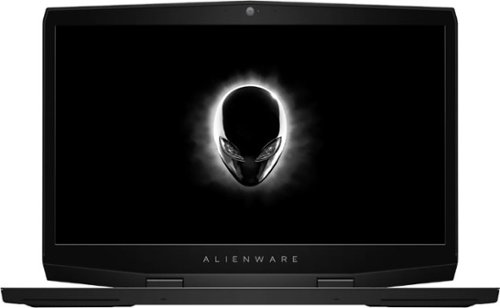
Get the tools to achieve victory with this 17.3-inch Dell Alienware gaming laptop. Featuring an NVIDIA GeForce RTX 2070 graphics card with Max-Q design, this laptop smoothly handles visually intensive titles at high settings. This Dell Alienware gaming laptop delivers vivid colors and makes games look sharp and detailed with its 17.3-inch Full HD display.
Customer Rating

3
Not necessarily a gaming machine
on March 21, 2019
Posted by: ferrari
from New Jersey, USA
I'm on the fence after my first few days with this laptop. You only have to read the specs to recognize it's a powerhouse both in processing and video. What's giving me pause is the aesthetics of it. I'm not sure it knows what it wants to be. It's smart, sleek, and stylish. If one were to hand it to me with all the logos stripped off, my best guess would be that it's a high end business laptop all geared up to give a Powerpoint presentation; or to crunch through a CAD/CAM database like a hot knife through butter. Apart from the alien head logo, gone is any of their trademark bling - edge lighting, trackpad surround, etc. If that's the image they intended to project, job done. But Alienwares a... gamer's laptop, right? Therein lies its dilemma.
I'll run through my past 72 hours with this machine. Being a Civilization addict for the past - what is it now - 28 years or so, I was anxious to get it up & running so I could see the latest iteration (Civ VI - Gathering Storm) in all its glory, with the graphics pumped up to the max, utilizing every bit of the Nvidia 2070's processing power & 8 gigs of dedicated ram. The first burp was Windows Update "couldn't locate the embedded key code." Minor setback - couldn't adjust any of the personalization till it had the key. Downloaded all the updates, identified the key code, and half a dozen restarts later, we were set.
If you're unaware, the Alienware comes with packaged software - the ACC or Alien Command Center which is a hub to control the keyboard lighting, sound, overclocking, and displays for the same including monitoring temperature of the processor & video. Built into the ACC is AlienFX, which controls the various keyboard lighting effects. There's an extensive list of games that are meant to interact with FX, Civilization VI being one of them. In Civ's case, the keyboard color changes in accordance with the particular Civ you're playing each game; it glows red when you go to war, etc.
I loaded in the Steam client, and hit the Civ VI button - started to load to the main screen; and the intro video looks better than I ever saw it. At the main screen, I set up the game parameters, and hit start game. The loading screen turns on, and the backlit keyboard changes from its standard pale blue to yellow - neat! Then, as the game fully loads and it starts, the keyboard starts flashing frantically - about 3-4 times a second - as if it's trying to send me into an epileptic fit. I figure I've done someting wrong, so back out, and into the Alien FX settings. Civ VI is there in the gallery of games it's intended to personalize; all is set as it should be. So now I'm into the web to do some research. First thing I see is other Steam players encountering the same issue; no solution noted. Same thing on the Civ VI site.
I next visit the Dell Alienware community, and see there's a thread on this going back over 4 months. In the interim, a new version of the ACC had been released, back in January I believe. But, that did not solve the issue, in fact, probably worsened it. The previous version had a check box in it to "disable 3rd party interaction", meaning if a piece of software (game) was acting badly, you could check the box theoretically disabling any adverse effect the software was causing the system. The new version deleted that checkbox. In my case, that would mean I could disable the interaction between Civ 6 & the keyboard, and I could still have a backlit keyboard while playing, albeit without any special effects.
I sent private messages to the moderators in the Alienware Community, what I got back was uninstall ACC, remove registry entries, reinstall, update Bios. I did all that to no effect, and replied to the mods. Their final answer was to turn the keyboard lighting off, beyond that, to wait until the next version of the ACC was released. And hope.
All of this of course is my personal experience; and related to this one game. Thing is though, in the course of researching this, I saw it wasn't the only game. I do recognize the difficulty of manufacturing a device that's meant to interact with a third party. We've all been through this over the years. How many pieces of software have you had that wouldn't run on various versions of Windows? How many times have you updated Adobe products? Sometimes it seems as if you spend more time updating than actually using the product. However, I did read along the way that the AlienFX software is a third party product to Alienware in and of itself. I can't verify that's actually the case, but if so, that kind of puts another layer of difficulty between a problem and a solution. So that's my for now - I need to play Civilization with no keyboard lighting. I would suggest that if you are purchasing this as a gaming machine; do your research & insure that the games in your inventory play nice with AlienFX.
But back to the machine itself. One feature I ddn't particularly care for was that the trackpad & left/right buttons are one integrated piece. That means as you perform the click, the entire surface of the trackpad is rocking. I would prefer that the buttons be detached from the pad, but this is a personal preference issue. If you're picky about the tactile sensations of the keypad, you might want to visit a store with a display unit to try it out. I've attached a couple of photos, you might be able to discern how the entire keypad depresses when activating a button.
I'll echo the comments from other reviewers about the matte finish surface being susceptible to fingerprints - would've preferred aluminum - and continued that metal theme onto the screen bezel.
(you can also note my fingerprints in the attached photos - lol)
I'll also confirm the noise level is high under load; but can forgive that. One can't expect to put high end desktop power into a slim chassis and not expect that you have to pump a lot of air through it.
Wifi is excellent - I have Fios Gigabit, and despite having the access point two walls and about 50 feet away was still able to achieve 300-500MB speed consistently with no dropouts.
Audio quality (referring to the speakers) is good, but not great. I must admit that I am a bit spoiled being a vinyl person; I know laptop sound is a set compromises, but I do compare everything against a 10 year old 17" Toshiba I have that has stellar sound for its size.
In summary, I don't know that given the opportunity again that I would select this machine, or for that matter give my wholehearted recommendation for it. There's no question as to its capabilities or quality. I do have aesthetic concerns about it, but those are my personal preferences. The thing is, at this price point, you're in rarefied air as far as gaming laptops go. There are many other options in this price range, and the buyer should do his homework to get the unit that serves his needs best.
I'll run through my past 72 hours with this machine. Being a Civilization addict for the past - what is it now - 28 years or so, I was anxious to get it up & running so I could see the latest iteration (Civ VI - Gathering Storm) in all its glory, with the graphics pumped up to the max, utilizing every bit of the Nvidia 2070's processing power & 8 gigs of dedicated ram. The first burp was Windows Update "couldn't locate the embedded key code." Minor setback - couldn't adjust any of the personalization till it had the key. Downloaded all the updates, identified the key code, and half a dozen restarts later, we were set.
If you're unaware, the Alienware comes with packaged software - the ACC or Alien Command Center which is a hub to control the keyboard lighting, sound, overclocking, and displays for the same including monitoring temperature of the processor & video. Built into the ACC is AlienFX, which controls the various keyboard lighting effects. There's an extensive list of games that are meant to interact with FX, Civilization VI being one of them. In Civ's case, the keyboard color changes in accordance with the particular Civ you're playing each game; it glows red when you go to war, etc.
I loaded in the Steam client, and hit the Civ VI button - started to load to the main screen; and the intro video looks better than I ever saw it. At the main screen, I set up the game parameters, and hit start game. The loading screen turns on, and the backlit keyboard changes from its standard pale blue to yellow - neat! Then, as the game fully loads and it starts, the keyboard starts flashing frantically - about 3-4 times a second - as if it's trying to send me into an epileptic fit. I figure I've done someting wrong, so back out, and into the Alien FX settings. Civ VI is there in the gallery of games it's intended to personalize; all is set as it should be. So now I'm into the web to do some research. First thing I see is other Steam players encountering the same issue; no solution noted. Same thing on the Civ VI site.
I next visit the Dell Alienware community, and see there's a thread on this going back over 4 months. In the interim, a new version of the ACC had been released, back in January I believe. But, that did not solve the issue, in fact, probably worsened it. The previous version had a check box in it to "disable 3rd party interaction", meaning if a piece of software (game) was acting badly, you could check the box theoretically disabling any adverse effect the software was causing the system. The new version deleted that checkbox. In my case, that would mean I could disable the interaction between Civ 6 & the keyboard, and I could still have a backlit keyboard while playing, albeit without any special effects.
I sent private messages to the moderators in the Alienware Community, what I got back was uninstall ACC, remove registry entries, reinstall, update Bios. I did all that to no effect, and replied to the mods. Their final answer was to turn the keyboard lighting off, beyond that, to wait until the next version of the ACC was released. And hope.
All of this of course is my personal experience; and related to this one game. Thing is though, in the course of researching this, I saw it wasn't the only game. I do recognize the difficulty of manufacturing a device that's meant to interact with a third party. We've all been through this over the years. How many pieces of software have you had that wouldn't run on various versions of Windows? How many times have you updated Adobe products? Sometimes it seems as if you spend more time updating than actually using the product. However, I did read along the way that the AlienFX software is a third party product to Alienware in and of itself. I can't verify that's actually the case, but if so, that kind of puts another layer of difficulty between a problem and a solution. So that's my for now - I need to play Civilization with no keyboard lighting. I would suggest that if you are purchasing this as a gaming machine; do your research & insure that the games in your inventory play nice with AlienFX.
But back to the machine itself. One feature I ddn't particularly care for was that the trackpad & left/right buttons are one integrated piece. That means as you perform the click, the entire surface of the trackpad is rocking. I would prefer that the buttons be detached from the pad, but this is a personal preference issue. If you're picky about the tactile sensations of the keypad, you might want to visit a store with a display unit to try it out. I've attached a couple of photos, you might be able to discern how the entire keypad depresses when activating a button.
I'll echo the comments from other reviewers about the matte finish surface being susceptible to fingerprints - would've preferred aluminum - and continued that metal theme onto the screen bezel.
(you can also note my fingerprints in the attached photos - lol)
I'll also confirm the noise level is high under load; but can forgive that. One can't expect to put high end desktop power into a slim chassis and not expect that you have to pump a lot of air through it.
Wifi is excellent - I have Fios Gigabit, and despite having the access point two walls and about 50 feet away was still able to achieve 300-500MB speed consistently with no dropouts.
Audio quality (referring to the speakers) is good, but not great. I must admit that I am a bit spoiled being a vinyl person; I know laptop sound is a set compromises, but I do compare everything against a 10 year old 17" Toshiba I have that has stellar sound for its size.
In summary, I don't know that given the opportunity again that I would select this machine, or for that matter give my wholehearted recommendation for it. There's no question as to its capabilities or quality. I do have aesthetic concerns about it, but those are my personal preferences. The thing is, at this price point, you're in rarefied air as far as gaming laptops go. There are many other options in this price range, and the buyer should do his homework to get the unit that serves his needs best.
Mobile Submission: False
No, I would not recommend this to a friend.


Share this review:


-4points
4of 12voted this as helpful.
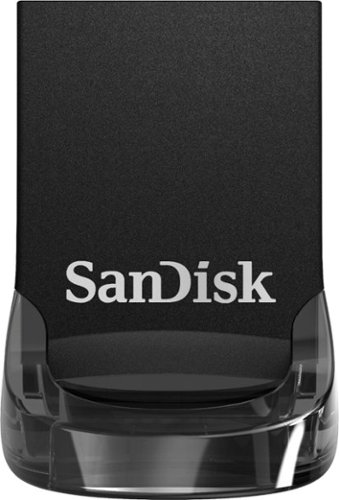
Store data on this 128GB SanDisk Ultra Fit USB flash drive. The low-profile casing prevents damage by keeping it snug to the port, making it a great fit for use with tablets, laptops and game consoles. This SanDisk Ultra Fit USB flash drive uses USB 3.1 technology to deliver up to 10 times the transfer speed of older drives.
Customer Rating
4
Does what it's supposed to, but the size format...
on March 15, 2019
Posted by: ferrari
from New Jersey, USA
No need to post data speed transfer rates; the Ultra Fit delivers as promised. My first try was with my desktop equipped with SSD drives & USB 3; I was more than pleased with the performance. Then tried my SSD equipped laptop; no issue there. No lag in either machine recognizing & connecting the drive. Job done.
What I question is the minute size of the Ultra-Fit. Depending on the form factor of the slot, there might not be enough surface left on the exterior to get a comfortable grip when retrieving it, especially for someone like myself with larger than average fumble fingers. And given its size, it begs to be tagged to a ring or keychain lest it gets lost or misplaced. I'm all for miniaturization, but have to say I'd prefer a few more mm's for a contact patch. Actually, my favorite thumb drive nowadays is a reversible USB + C that works with my phone. I imagine there are those that would prefer the tiny size in certain situations, I've had 2 inch drives protruding from their ports; on one occasion I knocked it out of my desktop with my knee, one other time the dog walking by the laptop knocked it sideways. I get the sales pitch - size is great for tablets, laptops, etc. So, whatever works for you - if you like compact, this is for you - no complaints on performance.
I noted & passed on the Cloud Storage offer. Who isn't offering online storage nowadays - Google Drives, One Drive, PC manufacturers; etc. Do we really need another cloud service & password to manage? Life is too complicated already! Once again, maybe it'll cater to someone's need out there; just not mine.
So should I check off recommended to a friend? Well, yeah, it works great and has good value for the size; if i think tiny is his schtick, sure, recommended. If he's fumble fingered like me, that's be a no!
What I question is the minute size of the Ultra-Fit. Depending on the form factor of the slot, there might not be enough surface left on the exterior to get a comfortable grip when retrieving it, especially for someone like myself with larger than average fumble fingers. And given its size, it begs to be tagged to a ring or keychain lest it gets lost or misplaced. I'm all for miniaturization, but have to say I'd prefer a few more mm's for a contact patch. Actually, my favorite thumb drive nowadays is a reversible USB + C that works with my phone. I imagine there are those that would prefer the tiny size in certain situations, I've had 2 inch drives protruding from their ports; on one occasion I knocked it out of my desktop with my knee, one other time the dog walking by the laptop knocked it sideways. I get the sales pitch - size is great for tablets, laptops, etc. So, whatever works for you - if you like compact, this is for you - no complaints on performance.
I noted & passed on the Cloud Storage offer. Who isn't offering online storage nowadays - Google Drives, One Drive, PC manufacturers; etc. Do we really need another cloud service & password to manage? Life is too complicated already! Once again, maybe it'll cater to someone's need out there; just not mine.
So should I check off recommended to a friend? Well, yeah, it works great and has good value for the size; if i think tiny is his schtick, sure, recommended. If he's fumble fingered like me, that's be a no!
Mobile Submission: False
I would recommend this to a friend!
Share this review:


-1point
0of 1voted this as helpful.
ferrari's Review Comments
ferrari has not submitted comments on any reviews.
ferrari's Questions
ferrari has not submitted any questions.
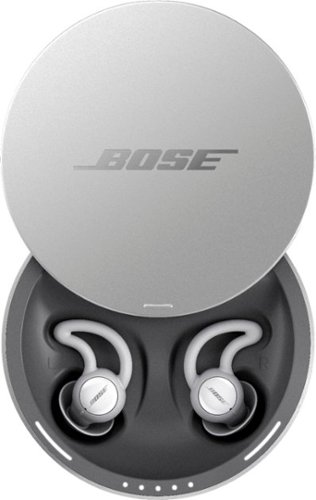
Sleep better. Cover unwanted noise with soothing sounds. Bose noise-masking sleepbuds~ are uniquely designed for sleep. They don~t stream music or have acoustic noise cancellation. Instead, these tiny, wireless earbuds use pre-loaded, soothing sounds to cover up unwanted noises, so you can get to sleep ~ and stay asleep. Plus, unlike traditional earplugs, they~re super comfortable and made to stay in place all night long, even if you sleep on your side. 1. Choose your sound, 2. Set an alarm, 3. Fall asleep without unwanted noise.
Can you listen to music or not? One answer says only the sounds from the app and another answer says yes you can listen to music. I want to listen to music from Youtube? Can I do this?
No - there is no input from anything other than the Bose App it comes with. Maybe on a future update, for now all you get is the built in soundscapes.
8 years, 1 month ago
by
ferrari
Sleep better. Cover unwanted noise with soothing sounds. Bose noise-masking sleepbuds~ are uniquely designed for sleep. They don~t stream music or have acoustic noise cancellation. Instead, these tiny, wireless earbuds use pre-loaded, soothing sounds to cover up unwanted noises, so you can get to sleep ~ and stay asleep. Plus, unlike traditional earplugs, they~re super comfortable and made to stay in place all night long, even if you sleep on your side. 1. Choose your sound, 2. Set an alarm, 3. Fall asleep without unwanted noise.
Can you use these at work to drown out a loud talkative coworker?
No - these don't have noise cancellation built in - I could clearly hear a tv on medium volume while i wore these. Get true noise cancelling headphones instead.
8 years, 1 month ago
by
ferrari
Nothing puts a vacuum to the test quite like a home with pets. That's why the BISSELL~ Pet Hair Eraser~ was developed from the ground up by pet parents for pet parents. Whether it's shedding season for your dog or your cat tracks kitty litter all over the house, this revolutionary vacuum is designed to make cleaning up after pets and the people who love them a breeze~from beginning to end. Say goodbye to hair wrap with its Tangle-Free Brush Roll, remove embedded hair everywhere with specialized pet tools, help capture allergens and eliminate odors with the SmartSeal~ Allergen System, and when you're finished cleaning, enjoy a hands-free tank empty with our patented Cyclonic Spooling System~.BR>
How load is it? I've used an Oreck XL upright and a Eureka Mighty Mite and would hope it's no louder as those. I prefer bagged vacuums but want to try the BISSELL Pet Hair Eraser because of its claims of not getting hair tangled on the roller.
I don't own the units you mentioned, I have a Miele canister, and it's no louder than that. I was surprised at it, as it does have great suction, and would have thought it should've been louder for the power it has. So far happy with the unit.
9 years, 11 months ago
by
ferrari