


ferrari's stats
- Review count169
- Helpfulness votes444
- First reviewOctober 18, 2012
- Last reviewAugust 3, 2026
- Featured reviews0
- Average rating4.7
Reviews comments
- Review comment count0
- Helpfulness votes0
- First review commentNone
- Last review commentNone
- Featured review comments0
Questions
- Question count0
- Helpfulness votes0
- First questionNone
- Last questionNone
- Featured questions0
- Answer count13
- Helpfulness votes16
- First answerAugust 26, 2016
- Last answerSeptember 13, 2020
- Featured answers0
- Best answers2
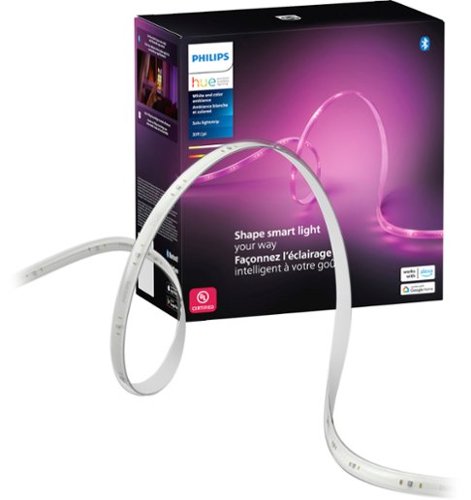
Enjoy a seamless blend of multiple colors of light at the same time in a single LED strip. The colors flow naturally together while casting a diffused rainbow of light to enhance your ambiance and room decor.
Posted by: ferrari
Philips Hue are not my first crack at using strip lighting for accents in my home; I have a couple of sets of no name lights that I use over my home theater setup, and a strip of Govee that I utilize behind a sectional sofa. While these both emit a soft glow, I was pleasantly surprised at the operation of the Philips Hue. Without a doubt, these are the brightest LED strips that I've seen or used.
Coming out of the box, aside from the transformer that plugs into the wall socket, there is another small box that contains the wifi & Zigbee operation. If you're not familiar with Zigbee, it's a wireless mesh protocol that is utilized by various manufacturers to control a number of different devices that include lighting, motion detection, alarms, and others. I believe the primary reason that Philips builds this into Hue devices is that it can operate without your wireless network. As Philips now has a plethora of lighting devices under the Hue umbrella, they will all communicate with each other independent of your wifi.I had always glossed over all the Philips advertising of the Hue line, but now that I've tried the strip lights, I've bought in. I've ordered the Hue hub to act as a controller, and will give me the ability to operate lighting both indoors & outdoors via a phone app. Note that everything you need to control this light strip is in the box, but if you want to control multiple lights from one source, you'll need the Philips hub.
While I love the performance of these lights, these are the most expensive strips I've seen. While I'd love to add some interior/exterior lighting into my setup, the cost soon becomes prohibitive. You can check their website to see how extensive their Hub product line is. For now, I've settled on adding the hub along with two more strips for mood lighting in my home theater area.
The other issue I have is with the strips themselves. This is a 33 foot strip, I've utilized about 18 feet of it. There are lines marked with a scissor where the strips can be cut. However the problem becomes what do you do with the unused portion. While there are 3rd party connectors with which you can combine cut pieces of strips, I do not believe Philips authorizes this; nor do I recommend it. There are various Reddit topics that discuss this issue. It is there that I learned that not all the scissor markings are areas that will serve as connection points. I'm just stating this as I recognize the thought of waste will come to the minds of people as they're cutting up some expensive lighting.
All that said, I am very impressed with the performance of the Hue, I would just be a little happier if the cost came down so I could add to my system.
Coming out of the box, aside from the transformer that plugs into the wall socket, there is another small box that contains the wifi & Zigbee operation. If you're not familiar with Zigbee, it's a wireless mesh protocol that is utilized by various manufacturers to control a number of different devices that include lighting, motion detection, alarms, and others. I believe the primary reason that Philips builds this into Hue devices is that it can operate without your wireless network. As Philips now has a plethora of lighting devices under the Hue umbrella, they will all communicate with each other independent of your wifi.I had always glossed over all the Philips advertising of the Hue line, but now that I've tried the strip lights, I've bought in. I've ordered the Hue hub to act as a controller, and will give me the ability to operate lighting both indoors & outdoors via a phone app. Note that everything you need to control this light strip is in the box, but if you want to control multiple lights from one source, you'll need the Philips hub.
While I love the performance of these lights, these are the most expensive strips I've seen. While I'd love to add some interior/exterior lighting into my setup, the cost soon becomes prohibitive. You can check their website to see how extensive their Hub product line is. For now, I've settled on adding the hub along with two more strips for mood lighting in my home theater area.
The other issue I have is with the strips themselves. This is a 33 foot strip, I've utilized about 18 feet of it. There are lines marked with a scissor where the strips can be cut. However the problem becomes what do you do with the unused portion. While there are 3rd party connectors with which you can combine cut pieces of strips, I do not believe Philips authorizes this; nor do I recommend it. There are various Reddit topics that discuss this issue. It is there that I learned that not all the scissor markings are areas that will serve as connection points. I'm just stating this as I recognize the thought of waste will come to the minds of people as they're cutting up some expensive lighting.
All that said, I am very impressed with the performance of the Hue, I would just be a little happier if the cost came down so I could add to my system.
I would recommend this to a friend!



Share this review:


0points
0of 0voted this as helpful.

Transform all you do and how you do it with Galaxy Book4 Edge, the first Galaxy PC built for AI, now with Copilot+ PC. With an innovative Snapdragon X Elite processor powering industry leading intelligence, it~s designed to help you unlock higher levels of productivity, communication, creativity and more. Galaxy Book4 Edge revolutionizes your PC experience with intuitive AI-powered features right at your fingertips. Searching for a document, email, or web page on your PC? Now you can just describe how you remember something, and Recall* will find it, instantly. Just provide a short description of what you remember and let your PC do the rest. Controlling your Galaxy AI phone is now easier too ~ call, text, set reminders and more from the convenience of your PC.~ From international webinars to chatting with others overseas, get accurate subtitles in real time with automatic Live Captions~ that translate 44 languages into English. And when you~re feeling creative, light your spark with Cocreator~ and amplify your artwork on the stunning 3K AMOLED touchscreen display. Embrace the power and unlimited possibilities of AI with Galaxy Book4 Edge.
Customer Rating

5
CoPilot laptop worth a long look
on July 23, 2024
Posted by: ferrari
AI is here - and the Galaxy Book4 Edge knows how to deal with it - effortlessly. After digesting all the media hype, news articles, and advertisements concerning AI; my impression was that it would be a steep learning curve. But my experience with the Book4 so far has been very comfortable and easy to pick up.
The Book4 is immediately impressive out of the box. Given the features & power, it's incredibly slim. Fit & finish are excellent. Setup is smooth, the perfunctory initial download for updates & restart took less than 10 minutes. If you haven't had a new laptop in awhile, you'll be amazed at the speed at which it will copy your files & settings from your previous unit - it still amazes me. 15 minutes from opening the box I was all set to go without skipping a beat. The Book4's power button also serves as a fingerprint reader; it works quite well, and identifies quickly unlike previous devices I've used the technology on.
Glancing at the keyboard, I noticed the new CoPilot button, which is used in conjuntion with the new AI features, and made me all the more anxious to see what this puppy could do. The first app on my list was Cocreator - actually, not sure if it's an app on it's own, more like a feature added to Paint. This is not something you can download or utilize like Meta AI or Image Creator; it's only available on a CoPilot PC. First off, I have zero artistic ability - even my hangman stick figures look sad. But, I gave it a shot and followed the guidance. It said to add text and draw what I'm thinking of. Looking at my dog, I typed in "Golden Retriever in the grass." I then suggests you loosely draw your image. Without even a stylus, I traced out something on the screen that you couldn't guess was either a dog, a pig, or a horse. Out of this, Cocreator made an image I was astounded with. My wife was watching, and said "let me try it." She played a few minutes, and was ready to go. We had just bought a Roblox gift card for our niece, so she typed in "A 9 year old girl in Roblox." What came out was something that if you printed it out on card stock would be difficult to differentiate from a $5 Hallmark card. So that's what she did, printed a card & enclosed the gift card. When she got it, my niece blurted out "where did you get this?!!" If a couple of non-artistic rank amateurs like us put this together in a few minutes, I can only imagine what it can do for someone with artistic talent & a stylus. What a giant leap for the Paint program! Also worth mentioning, the fact that the Book4 comes with a supersized touch pad definitely adds to the experience.
Which brings me to the point of the AMOLED screen. It's bright, sharp, positively the best screen I've owned. The fact that it's a touchscreen makes it even more amazing. Maybe it's an optical illusion, but it looks larger than my previous laptop's 17"OLED. It has automatic ambient light detection, and looks good even in bright daylight.
Another highlight, or maybe I should say innovation, is Live Caption. It's like Closed Caption gone mad. It will add text to your Zoom meeting in real time, movies or shows that don't have their own captioning, and... it speaks 44 languages and translates! My favorite use for this - how-to Youtube videos in a foreign language. Now nothing is beyond my reach!
Speaking of Zoom calls, the Book4 is not done yet! Whether it's a Zoom, a video phone call or a podcast, also built in is Windows Studio Effects. This feature improves lighting, has AI that will keep you centered in the shot, maintains eye contact, blurs your background, as well as other features (I saw make it look artistic or cartoonish, but didn't try that.)
In spite of all the increased processing power these AI features add, the Snapdragon processor seems to handle it all in stride. I'd be hard put to distinguish it from any Intel or AMD processor I've previously owned. In all the exercises I've put the Book4 to, I haven't heard it breathe more than a gentle breeze. I don't know the technical aspects of it, but my guess is they've got a one-up on their competitors when it comes to keeping it cool. One way to gauge this is to just take a look at the power pack - it looks pretty much like a 20W phone charger; not the brick that's usually associated with laptop power supplies.
Samsung has made a great entry into the CoPilot laptop field; if you're in the market, I strongly suggest you take a look.
The Book4 is immediately impressive out of the box. Given the features & power, it's incredibly slim. Fit & finish are excellent. Setup is smooth, the perfunctory initial download for updates & restart took less than 10 minutes. If you haven't had a new laptop in awhile, you'll be amazed at the speed at which it will copy your files & settings from your previous unit - it still amazes me. 15 minutes from opening the box I was all set to go without skipping a beat. The Book4's power button also serves as a fingerprint reader; it works quite well, and identifies quickly unlike previous devices I've used the technology on.
Glancing at the keyboard, I noticed the new CoPilot button, which is used in conjuntion with the new AI features, and made me all the more anxious to see what this puppy could do. The first app on my list was Cocreator - actually, not sure if it's an app on it's own, more like a feature added to Paint. This is not something you can download or utilize like Meta AI or Image Creator; it's only available on a CoPilot PC. First off, I have zero artistic ability - even my hangman stick figures look sad. But, I gave it a shot and followed the guidance. It said to add text and draw what I'm thinking of. Looking at my dog, I typed in "Golden Retriever in the grass." I then suggests you loosely draw your image. Without even a stylus, I traced out something on the screen that you couldn't guess was either a dog, a pig, or a horse. Out of this, Cocreator made an image I was astounded with. My wife was watching, and said "let me try it." She played a few minutes, and was ready to go. We had just bought a Roblox gift card for our niece, so she typed in "A 9 year old girl in Roblox." What came out was something that if you printed it out on card stock would be difficult to differentiate from a $5 Hallmark card. So that's what she did, printed a card & enclosed the gift card. When she got it, my niece blurted out "where did you get this?!!" If a couple of non-artistic rank amateurs like us put this together in a few minutes, I can only imagine what it can do for someone with artistic talent & a stylus. What a giant leap for the Paint program! Also worth mentioning, the fact that the Book4 comes with a supersized touch pad definitely adds to the experience.
Which brings me to the point of the AMOLED screen. It's bright, sharp, positively the best screen I've owned. The fact that it's a touchscreen makes it even more amazing. Maybe it's an optical illusion, but it looks larger than my previous laptop's 17"OLED. It has automatic ambient light detection, and looks good even in bright daylight.
Another highlight, or maybe I should say innovation, is Live Caption. It's like Closed Caption gone mad. It will add text to your Zoom meeting in real time, movies or shows that don't have their own captioning, and... it speaks 44 languages and translates! My favorite use for this - how-to Youtube videos in a foreign language. Now nothing is beyond my reach!
Speaking of Zoom calls, the Book4 is not done yet! Whether it's a Zoom, a video phone call or a podcast, also built in is Windows Studio Effects. This feature improves lighting, has AI that will keep you centered in the shot, maintains eye contact, blurs your background, as well as other features (I saw make it look artistic or cartoonish, but didn't try that.)
In spite of all the increased processing power these AI features add, the Snapdragon processor seems to handle it all in stride. I'd be hard put to distinguish it from any Intel or AMD processor I've previously owned. In all the exercises I've put the Book4 to, I haven't heard it breathe more than a gentle breeze. I don't know the technical aspects of it, but my guess is they've got a one-up on their competitors when it comes to keeping it cool. One way to gauge this is to just take a look at the power pack - it looks pretty much like a 20W phone charger; not the brick that's usually associated with laptop power supplies.
Samsung has made a great entry into the CoPilot laptop field; if you're in the market, I strongly suggest you take a look.
I would recommend this to a friend!






Share this review:


+1point
1of 1voted this as helpful.

Experience the pinnacle of ice-making innovation with the all-new GE Profile Opal 2.0 Ultra Nugget Ice Maker. Designed to redefine what premium means, the Opal Ultra combines cutting-edge technology, superior materials, and thoughtful features to deliver an unparalleled ice-making experience. This new advanced icemaker comes with a scale-inhibiting filter, metal scoop, scoop storage and new enhanced finishes.
Customer Rating

4
Beautiful machine but high maintenance
on July 23, 2024
Posted by: ferrari
I've been wanting a craft ice maker for some time now, so was anxious to try out the GE Opal. First things first, being part of the GE Profile lineup, it's a beautiful machine that looks the part in any high end kitchen. I was even more impressed the first time I walked into my dark kitchen at night and saw the soft glow from the LED - very nicely done.
Setup on the Opal does take some time. It involves doing a first "sanitizing" by mixing a mild bleach solution, running it through the machine, followed by a double rinsing. There is a supplied water filter which needs to be installed as well as connecting the side water tank. Then, fill the tank with water & it's ready to go. In short order, it will begin dropping the "crunchable" ice nuggets. There is no option to change the size, shape, or density of the nuggets; what you see is what you get. Personally, I'd like to have spheres for mixed drinks, but that'll have to wait for a refrigerator with craft ice!
Since this is a sizable machine (truly a small refrigerator/freezer), I had some concerns about power usage. There is an audible hum, comparable to your refrigerator; also similar to your refrigerator there is a fan at the rear that does throw out a fair bit of heat. I have one of those Kill-a-Watt meters to measure utility usage, so plugged the Opal into it to see how it fared.
I've now had the Opal running for 7 days now, it just me and the wife; we've given it moderate usage; probably half a dozen full cups of ice a day. Our dogs have also welcomed the machine, we'll throw some nuggets into their bowl & they think they're getting a treat! Over the past week, the Opal has averaged usage of a kilowatt per day. Around here, I believe I'm paying about 20-25 cents per kilowatt, so this is something you might consider. I'm a light user, if you're going to be filling multiple Stanley tumblers with ice, your power usage will be higher.
The other thing to consider with the Opal is that it is a high maintenance device. As I said, I've run this for a week, and the sanitize light just came on. I also got a text notification via the GE app. This involves pretty much the same thing as initially setting it up - disconnecting the hoses; mixing bleach solution, flushing the machine, rinse, repeat. This is the factory recommendation - once a week. While it's not mentioned in the manual, I'm sure the reason for this is that the way the machine operates it creates an favorable environment for mold. The factory recommendation may lean towards overkill, I'm just telling you what the maintenance spec calls for. In addition, there is a decalcifying which is recommended every 2-4 weeks. If you have a coffee machine, you know what that is - once again, mix solution, run it through the machine, rinse, repeat. The harder your water is, the more often you should decalcify.
The reason I mention these items is that if you add this all up, it amounts to about 8 hours a month - that's another job! Yes, the machine is convenient, and the craft ice is a nice feature to have, but it comes at a cost. This is not a plug & play, set & forget item. It comes with its costs.
I did mention the GE app, it's really nothing complicated; with it you can turn the machine on/off, turn the night light on/off; and it gives you the reminders/advisories for cleaning. There are also copies of the maintenance manual included.
So while I'm glad to have the Opal, I'm also mindful of the jobs it's assigning me every week. If you're good with that, it's a good looking product to add to your kitchen/bar setup.
Setup on the Opal does take some time. It involves doing a first "sanitizing" by mixing a mild bleach solution, running it through the machine, followed by a double rinsing. There is a supplied water filter which needs to be installed as well as connecting the side water tank. Then, fill the tank with water & it's ready to go. In short order, it will begin dropping the "crunchable" ice nuggets. There is no option to change the size, shape, or density of the nuggets; what you see is what you get. Personally, I'd like to have spheres for mixed drinks, but that'll have to wait for a refrigerator with craft ice!
Since this is a sizable machine (truly a small refrigerator/freezer), I had some concerns about power usage. There is an audible hum, comparable to your refrigerator; also similar to your refrigerator there is a fan at the rear that does throw out a fair bit of heat. I have one of those Kill-a-Watt meters to measure utility usage, so plugged the Opal into it to see how it fared.
I've now had the Opal running for 7 days now, it just me and the wife; we've given it moderate usage; probably half a dozen full cups of ice a day. Our dogs have also welcomed the machine, we'll throw some nuggets into their bowl & they think they're getting a treat! Over the past week, the Opal has averaged usage of a kilowatt per day. Around here, I believe I'm paying about 20-25 cents per kilowatt, so this is something you might consider. I'm a light user, if you're going to be filling multiple Stanley tumblers with ice, your power usage will be higher.
The other thing to consider with the Opal is that it is a high maintenance device. As I said, I've run this for a week, and the sanitize light just came on. I also got a text notification via the GE app. This involves pretty much the same thing as initially setting it up - disconnecting the hoses; mixing bleach solution, flushing the machine, rinse, repeat. This is the factory recommendation - once a week. While it's not mentioned in the manual, I'm sure the reason for this is that the way the machine operates it creates an favorable environment for mold. The factory recommendation may lean towards overkill, I'm just telling you what the maintenance spec calls for. In addition, there is a decalcifying which is recommended every 2-4 weeks. If you have a coffee machine, you know what that is - once again, mix solution, run it through the machine, rinse, repeat. The harder your water is, the more often you should decalcify.
The reason I mention these items is that if you add this all up, it amounts to about 8 hours a month - that's another job! Yes, the machine is convenient, and the craft ice is a nice feature to have, but it comes at a cost. This is not a plug & play, set & forget item. It comes with its costs.
I did mention the GE app, it's really nothing complicated; with it you can turn the machine on/off, turn the night light on/off; and it gives you the reminders/advisories for cleaning. There are also copies of the maintenance manual included.
So while I'm glad to have the Opal, I'm also mindful of the jobs it's assigning me every week. If you're good with that, it's a good looking product to add to your kitchen/bar setup.
Share this review:


+1point
1of 1voted this as helpful.

The Roomba i5+ robot learns and maps your home room-by-room so it can clean the room you want, when you want~with 10x the power-lifting suction and Premium 3-Stage Cleaning system. Powered by iRobot OS, it stays one step ahead of everyday messes, by learning your life and suggesting cleaning schedules~to clean when you~re out enjoying life. On-demand cleaning is only a command away, with Google assistant and Alexa compatibility that let you direct your robot to messes right when they happen. With Clean Base Automatic Dirt Disposal, Roomba will return itself to the base when the bin is full, automatically empty and resume cleaning, so you don~t have to think about emptying the bin for months at a time. (Compared to the Roomba 600 series cleaning system).
Posted by: ferrari
I think I've now passed my first decade as an owner of a robot vac. This is now the third Roomba I've had in that time. This is my second with self-empty feature. As an owner of two long haired dogs, it's easy to say that every one of them has been put through its paces.
The i5 comes very nicely packed; unboxing was a breeze, and best of all, it's complete and ready to go - no assembly or hazy instructions to read through. As a previous Roomba owner, I had the latest version of the app; I only needed to "add new product" which was accomplished by scanning its QR code. There was no issue with wifi, it immediately connected to my network and was ready to go. Well, almost - I noted in the app that the charge was less than half full, so I let it charge up in the dock. This is not a fault or knock on the product, just about every product with a lithium ion battery is shipped in a low battery condition for safety reasons. After an hour in the dock, the unit was ready to map.
As it went along, it was immediately recognizable that it was less clunky in its movement than previous models. Sometimes, when these robots encounter a barrier, they stop, and seem to take some time to assess their next move. The i5 however was quick on its feet, if it hit a wall or piece of furniture, it would immediately rotate & move on. I'm sure the processing power is better, or could be the camera, but whatever the case, it was obvious that the i series has some upgraded hardware. Result being the mapping was completed quite a bit quicker than with previous models.
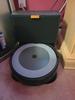
As far as the mechanical part of it, the functional pieces appear very similar if not identical to previous models. Turning it over, the brushes; whiskers, etc. are identical to previous Roomba models. One thing I noticed was that the spring pressure on the wheels seemed to be a bit more. The affect of that was that the unit appeared to have a slight rake to it (meaning tilted forward.) Maybe a design feature to help it clear thicker rugs, but whatever the purpose, the i5 cleaned just as effectively if not somewhat better than my J series. And, due to the more intelligent processing, the job got done a bit quicker. The noise level in operation is about the same, although I believe the self-empty feature may be a bit quieter. (Although it still can be a bit startling when it first clicks on!)
The tower portion comes with a vacuum bag installed (I did say fully assembled, right!), and a second refill is included in a side pod - thank you! The overall style of the unit is much better than previous models. the touch of linen on the robot and ribbing on the tower make it seem less antiseptic.
Overall, the i5 appears to be a solid improvement to its predecessors, as I've said before, every new model seems to improve in quality.
The i5 comes very nicely packed; unboxing was a breeze, and best of all, it's complete and ready to go - no assembly or hazy instructions to read through. As a previous Roomba owner, I had the latest version of the app; I only needed to "add new product" which was accomplished by scanning its QR code. There was no issue with wifi, it immediately connected to my network and was ready to go. Well, almost - I noted in the app that the charge was less than half full, so I let it charge up in the dock. This is not a fault or knock on the product, just about every product with a lithium ion battery is shipped in a low battery condition for safety reasons. After an hour in the dock, the unit was ready to map.
As it went along, it was immediately recognizable that it was less clunky in its movement than previous models. Sometimes, when these robots encounter a barrier, they stop, and seem to take some time to assess their next move. The i5 however was quick on its feet, if it hit a wall or piece of furniture, it would immediately rotate & move on. I'm sure the processing power is better, or could be the camera, but whatever the case, it was obvious that the i series has some upgraded hardware. Result being the mapping was completed quite a bit quicker than with previous models.
As far as the mechanical part of it, the functional pieces appear very similar if not identical to previous models. Turning it over, the brushes; whiskers, etc. are identical to previous Roomba models. One thing I noticed was that the spring pressure on the wheels seemed to be a bit more. The affect of that was that the unit appeared to have a slight rake to it (meaning tilted forward.) Maybe a design feature to help it clear thicker rugs, but whatever the purpose, the i5 cleaned just as effectively if not somewhat better than my J series. And, due to the more intelligent processing, the job got done a bit quicker. The noise level in operation is about the same, although I believe the self-empty feature may be a bit quieter. (Although it still can be a bit startling when it first clicks on!)
The tower portion comes with a vacuum bag installed (I did say fully assembled, right!), and a second refill is included in a side pod - thank you! The overall style of the unit is much better than previous models. the touch of linen on the robot and ribbing on the tower make it seem less antiseptic.
Overall, the i5 appears to be a solid improvement to its predecessors, as I've said before, every new model seems to improve in quality.
I would recommend this to a friend!
Share this review:


+3points
3of 3voted this as helpful.
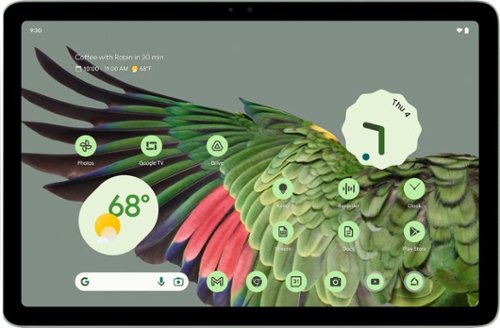
The Pixel Tablet is designed to be helpful at home and with work. Control your smart home, and say ~Hey Google~ for hands-free help, ~. It~s powered by the Google Tensor G2 chip, and it~s the perfect companion to your Pixel phone.
Customer Rating
5
An excellent entry to a crowded market
on May 17, 2024
Posted by: ferrari
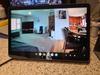
This is my introduction to the tablet market, having always favored laptops. However, I am not unfamiliar with them as my wife has had a couple of generations of IPads, probably for 10 years or better. So, I've seen her use it to phone my daughter & grandkids, play games, stream her soap opera, and as somewhat of a photo hobbyist, take, store & edit photos.
Out of the box, the Pixel has a solid, well built feel to it, not dissimilar to the Apple. On to setup; which I thought was relatively painless; Wifi connection was excellent, the only discomfort I had was with registering an identifying fingerprint. The Pixel uses a thin strip of a reader on its edge; it consistently was telling me to "clean the reader." Took about 10 minutes of sliding my finger left/right, up/down & sideways to get the image registered.
What did impress me was when it asked if I wanted to transfer information. I have a Samsung Galaxy S20, I connected it, approved authorization, and within 10 minutes I had a clone of my phone on the tablet.
The tablet includes Google TV, I quickly added Netflix, Amazon & Apple TV. Image quality is excellent, my wife did note that it was superior to her IPad, so I'm expecting to have the Pixel disappear regularly!
As I knew I was receiving this unit minus the docking pad, I immediately ordered one. Luckily, Best Buy had it on sale, it was delivered 2 days later. For me, this is the whole appeal appeal of the Pixel. Just about every aspect of it is improved with the dock, whether streaming, listening to music, making a call, gaming, etc. The magnetic catch is fabulous, really makes the tablet secure. I can't see why you wouldn't want it, unless your tablet is only for "on the go" use.
I have 7 or 8 security cameras in & around the house, the split screen function works well if I need to keep my eye on more than 1 location at a time. I can have all of them on the screen at once with discernible resolution, which my wife's IPad didn't accomplish well.
There was one issue that I found was somewhat of an annoyance; to adjust the sound level you had to go to settings, then adjust the volume control slider. I just wanted to find a way to put a sound icon on the main screen, similar to what you get in the Windows task bar, but was unable to accomplish this. I suppose I could use voice recognition to do this, but that adds a bit of a delay.
Overall though, I'm very happy with the Pixel; the only thing I'd repeat is that the dock really adds to the experience, and would recommend the entire package.
Out of the box, the Pixel has a solid, well built feel to it, not dissimilar to the Apple. On to setup; which I thought was relatively painless; Wifi connection was excellent, the only discomfort I had was with registering an identifying fingerprint. The Pixel uses a thin strip of a reader on its edge; it consistently was telling me to "clean the reader." Took about 10 minutes of sliding my finger left/right, up/down & sideways to get the image registered.
What did impress me was when it asked if I wanted to transfer information. I have a Samsung Galaxy S20, I connected it, approved authorization, and within 10 minutes I had a clone of my phone on the tablet.
The tablet includes Google TV, I quickly added Netflix, Amazon & Apple TV. Image quality is excellent, my wife did note that it was superior to her IPad, so I'm expecting to have the Pixel disappear regularly!
As I knew I was receiving this unit minus the docking pad, I immediately ordered one. Luckily, Best Buy had it on sale, it was delivered 2 days later. For me, this is the whole appeal appeal of the Pixel. Just about every aspect of it is improved with the dock, whether streaming, listening to music, making a call, gaming, etc. The magnetic catch is fabulous, really makes the tablet secure. I can't see why you wouldn't want it, unless your tablet is only for "on the go" use.
I have 7 or 8 security cameras in & around the house, the split screen function works well if I need to keep my eye on more than 1 location at a time. I can have all of them on the screen at once with discernible resolution, which my wife's IPad didn't accomplish well.
There was one issue that I found was somewhat of an annoyance; to adjust the sound level you had to go to settings, then adjust the volume control slider. I just wanted to find a way to put a sound icon on the main screen, similar to what you get in the Windows task bar, but was unable to accomplish this. I suppose I could use voice recognition to do this, but that adds a bit of a delay.
Overall though, I'm very happy with the Pixel; the only thing I'd repeat is that the dock really adds to the experience, and would recommend the entire package.
I would recommend this to a friend!

Share this review:


+1point
1of 1voted this as helpful.
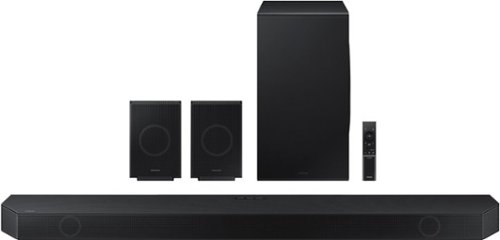
Experience our greatest of all time-level audio synchronized with your TV~s speakers* and customized to your living space. With intelligently tuned, 11.1.4 Ch. True Dolby Atmos Sound, the Q990D stands above the rest.
Customer Rating
5
Breathing new life to the theater room
on April 18, 2024
Posted by: ferrari
I've always had soundbars - and surround sound. But nothing that integrated completely/easily between components. Having a new Samsung tv, this was the answer. I can't believe how easily this package set itself up. With setup instructions coming from the tv screen, it was truly plug & play. The hardest part was having to do a wall mount bracket for one of the rears. (Brackets are provided for the soundbar itself, but not the rear speakers.) Once I had it set up, I had to walk to the rear speakers to see the LED lit up blue showing connection as I didn't want to believe my ears! Thank you Samsung, I've had fits connecting soundbars before, but not this time.
The first feature I encountered was Q-Symphony. When you have a compatible Samsung TV, the tv speakers work in conjunction with the soundbar. I felt this was superfluous and turned it off. Why should I have tv speakers competing with a top of the line soundbar? Your impression may vary. At least it's easily disabled.
Another feature, Spacefit Sound Pro, I was more interested in. This "calibrates" and adjusts the sound based on your specific area & acoustics. Having a room that was more "open" on one side than another, this suited my purpose. Not knowing the mechanics of it, I assume it is pumping more sound to the open area to fill the gap, I can only report that there is a difference, and it does sound better with the feature activated.
The rear speakers are impressive units, and are front, top, and side firing. They appear well constructed and deliver a clean clear sound with no evidence of distortion, rattling, etc. If you don't have a stand or mount for them, you will need to pick up a suitable product.
I'm not a student or disciple of surround sound, all I can say is I've been intrigued over the last week, hearing things in programming I haven't heard before, even in commercials. There is content that I wouldn't believe had been programmed for surround, yet I'm hearing distinctive sounds coming from the rear speakers - for instance, the Nascar race where you hear the sportscasters in the front, and the roar of the engines in the rear. Or maybe a commercial jingle pops different sounds out of the rear. I assume there is some decoding tech going on in the electronics, all I can say is I'm enjoying the hell out of it!
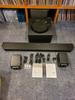
Also using the unit in combination with different devices, for instance, tapping on the soundbar with my Samsung phone to play content. Even more interesting, if you know what the Sound Burger is (a revival of an 80's mini portable turntable, now with Bluetooth - photo down below), I've connected that to the Q series to pump out some tunes. Yes, I do have an audiophile turntable in the same room, but as that doesn't use Bluetooth, I'll need some kind of RCA to HDMI device to make that magic as the Q only provides HDMI inputs.
If there's one thing I'd knock on the Q, I really don't care for the LED screen behind the grill - it's small & hard to see behind the grill. I would've preferred a small screen, perhaps on top, to better identify inputs - it's very difficult to determine what Bluetooth device you're connecting.
Other than that, very happy with the unit, and once again, thanks for making it so easy to hook up!
The first feature I encountered was Q-Symphony. When you have a compatible Samsung TV, the tv speakers work in conjunction with the soundbar. I felt this was superfluous and turned it off. Why should I have tv speakers competing with a top of the line soundbar? Your impression may vary. At least it's easily disabled.
Another feature, Spacefit Sound Pro, I was more interested in. This "calibrates" and adjusts the sound based on your specific area & acoustics. Having a room that was more "open" on one side than another, this suited my purpose. Not knowing the mechanics of it, I assume it is pumping more sound to the open area to fill the gap, I can only report that there is a difference, and it does sound better with the feature activated.
The rear speakers are impressive units, and are front, top, and side firing. They appear well constructed and deliver a clean clear sound with no evidence of distortion, rattling, etc. If you don't have a stand or mount for them, you will need to pick up a suitable product.
I'm not a student or disciple of surround sound, all I can say is I've been intrigued over the last week, hearing things in programming I haven't heard before, even in commercials. There is content that I wouldn't believe had been programmed for surround, yet I'm hearing distinctive sounds coming from the rear speakers - for instance, the Nascar race where you hear the sportscasters in the front, and the roar of the engines in the rear. Or maybe a commercial jingle pops different sounds out of the rear. I assume there is some decoding tech going on in the electronics, all I can say is I'm enjoying the hell out of it!
Also using the unit in combination with different devices, for instance, tapping on the soundbar with my Samsung phone to play content. Even more interesting, if you know what the Sound Burger is (a revival of an 80's mini portable turntable, now with Bluetooth - photo down below), I've connected that to the Q series to pump out some tunes. Yes, I do have an audiophile turntable in the same room, but as that doesn't use Bluetooth, I'll need some kind of RCA to HDMI device to make that magic as the Q only provides HDMI inputs.
If there's one thing I'd knock on the Q, I really don't care for the LED screen behind the grill - it's small & hard to see behind the grill. I would've preferred a small screen, perhaps on top, to better identify inputs - it's very difficult to determine what Bluetooth device you're connecting.
Other than that, very happy with the unit, and once again, thanks for making it so easy to hook up!
I would recommend this to a friend!





Share this review:


0points
0of 0voted this as helpful.
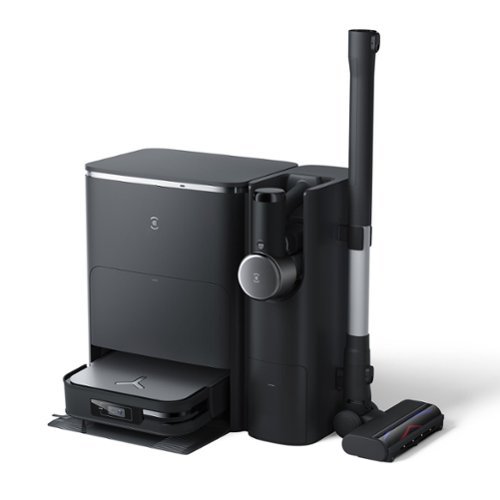
ECOVACS DEEBOT X2 COMBO COMPLETE is the total package for whole home cleaning. This exclusive set combines the convenience of our cutting edge robot vacuum and mop with the go-everywhere capabilities of our cordless, hand-held stick vacuum. Both state-of-the-art cleaning tools are charged up and automatically emptied by the industry-first OMNI Docking Station so they stay ready to clean every inch of your home. For the most advanced clean, it doesn~t get better than DEEBOT X2 COMBO COMPLETE.
Posted by: ferrari
Have to admit I was a bit unprepared when this showed up at the door. This is one big package, both in size and weight. I've had half a dozen robots over the years, including mop/vac combos, but the Deebot is in another galaxy.
Unpacking & assembly were straightforward, clear, concise directions (which is becoming rare these days), and an abundance of properly located stickers defining use. While initially intimidated by the package, going through the setup was intuitive, following guidance from the manual. Connection to wifi was trouble free, assisted along by the onboard voice assistant - which by the way is very pleasant in an Alexa sort of way, not stunting or robotic.
After charging, tried out the handheld unit. It's very light to the touch, having surprising power for it's size/weight. Tools are stored onboard, for both upholstery, crevice, and brush. Did not notice any fade in power over a half hour of usage.
Next, on to the robot itself. Gave it instructions via the app to map the area, which it proceeded to do in under 15 minutes. I have 3 main areas, kitchen with tile, dining room wood, living room rug. The kitchen has entry from both the dining & living rooms; had a bit of an issue trying to divide the areas in the app. Did some research online, I saw mentioned that there might be an issue trying to segregate a room with two entrances; the solution offered was to create a barrier wall on one entrance; then subsequently delete it. Was not a big problem for me, since it had already defined two area, one which required vacuum, the other mop. If the robot had to navigate a few extra steps to get back to base, so be it.
Next step was to command it to vacuum the rug. This is my biggest issue, with two long-haired dogs. I appreciated that the app offered a slider for power, I naturally put it up to max to see what it would pick up. I was not disappointed. After completing about 75%, it drove back to base, emptied, and returned to finish the job. Left very nice stripes along it's path, highlighting its hard work.
One thing I'd comment on is despite being the most powerful vac I've owned, it's by far the quietest - and in more than one way. The motor noise whirs more than shrieks, but it does one better. The unit is located on the upper floor of a bilevel; all my previous robots when traversing a transom from room to room I would get a clunk-thud, annoying apparent on the lower level (where I'm watching my TV!) I'm guessing this is due to the larger drive wheels and suspension of the unit. It's not only quiet where it works, but below it too - much appreciated.
A second thought on the motion of the unit - subjectively, it appears to have a pretty good intelligence going about its task. Not a lot of wasted motion, encountering an unexpected object it tends to figure out the path of least resistance. Even around my dogs - see photos. I have a robot that has a hard time getting out of its own corner; and never seems to be able to teach itself anything. Kudos to the programming folks at Ecovacs. Final thought on vacuum - very nice cloth bags provided - hopefully I'll be able to refill at a reasonable price.
On to the mopping, which I've only had a first go at. It's nice to provide a function to vac first, then mop, especially since I'm dealing with left behind dog crumbs & whatever dirt is shaken off from outside. The circular motion of the brushes seems to do a great job at spreading the water & cleaning up behind itself. Was pretty amazed at the content of the container while emptying the dirty water.
Lastly, there's the camera function. This is a nice feature you can view through the app, either while it's cleaning, or as a security device. Very handy if you need to check on something when you're not at home. Like when we had the earthquake last week!
While the Deebot carries a significant list price, one needs to figure it's a top of the line vac/mop; along with the handheld. If you're buying them separately, it's still going to end up at a big number - good handhelds aren't cheap. The other thing is it's a significant amount of floor space - I know I had a shelf unit sitting where the Deebot now resides, so some relocation was required. But if you can deal with that, the X2 far exceeded my expectations.
Unpacking & assembly were straightforward, clear, concise directions (which is becoming rare these days), and an abundance of properly located stickers defining use. While initially intimidated by the package, going through the setup was intuitive, following guidance from the manual. Connection to wifi was trouble free, assisted along by the onboard voice assistant - which by the way is very pleasant in an Alexa sort of way, not stunting or robotic.
After charging, tried out the handheld unit. It's very light to the touch, having surprising power for it's size/weight. Tools are stored onboard, for both upholstery, crevice, and brush. Did not notice any fade in power over a half hour of usage.
Next, on to the robot itself. Gave it instructions via the app to map the area, which it proceeded to do in under 15 minutes. I have 3 main areas, kitchen with tile, dining room wood, living room rug. The kitchen has entry from both the dining & living rooms; had a bit of an issue trying to divide the areas in the app. Did some research online, I saw mentioned that there might be an issue trying to segregate a room with two entrances; the solution offered was to create a barrier wall on one entrance; then subsequently delete it. Was not a big problem for me, since it had already defined two area, one which required vacuum, the other mop. If the robot had to navigate a few extra steps to get back to base, so be it.
Next step was to command it to vacuum the rug. This is my biggest issue, with two long-haired dogs. I appreciated that the app offered a slider for power, I naturally put it up to max to see what it would pick up. I was not disappointed. After completing about 75%, it drove back to base, emptied, and returned to finish the job. Left very nice stripes along it's path, highlighting its hard work.
One thing I'd comment on is despite being the most powerful vac I've owned, it's by far the quietest - and in more than one way. The motor noise whirs more than shrieks, but it does one better. The unit is located on the upper floor of a bilevel; all my previous robots when traversing a transom from room to room I would get a clunk-thud, annoying apparent on the lower level (where I'm watching my TV!) I'm guessing this is due to the larger drive wheels and suspension of the unit. It's not only quiet where it works, but below it too - much appreciated.
A second thought on the motion of the unit - subjectively, it appears to have a pretty good intelligence going about its task. Not a lot of wasted motion, encountering an unexpected object it tends to figure out the path of least resistance. Even around my dogs - see photos. I have a robot that has a hard time getting out of its own corner; and never seems to be able to teach itself anything. Kudos to the programming folks at Ecovacs. Final thought on vacuum - very nice cloth bags provided - hopefully I'll be able to refill at a reasonable price.
On to the mopping, which I've only had a first go at. It's nice to provide a function to vac first, then mop, especially since I'm dealing with left behind dog crumbs & whatever dirt is shaken off from outside. The circular motion of the brushes seems to do a great job at spreading the water & cleaning up behind itself. Was pretty amazed at the content of the container while emptying the dirty water.
Lastly, there's the camera function. This is a nice feature you can view through the app, either while it's cleaning, or as a security device. Very handy if you need to check on something when you're not at home. Like when we had the earthquake last week!
While the Deebot carries a significant list price, one needs to figure it's a top of the line vac/mop; along with the handheld. If you're buying them separately, it's still going to end up at a big number - good handhelds aren't cheap. The other thing is it's a significant amount of floor space - I know I had a shelf unit sitting where the Deebot now resides, so some relocation was required. But if you can deal with that, the X2 far exceeded my expectations.
I would recommend this to a friend!






Share this review:


0points
0of 0voted this as helpful.
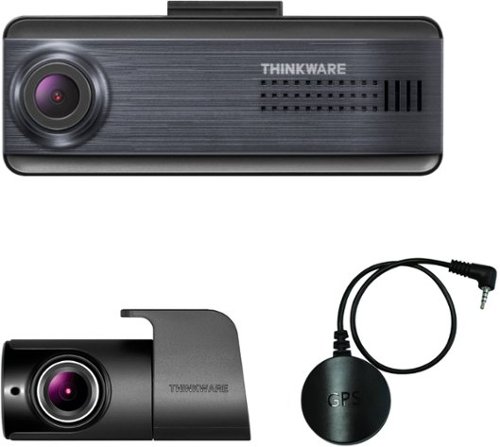
When it comes to capturing road incidents or helping you drive safely, the Q200 has you covered. Equipped with a high-resolution 2K QHD image sensor, the Q200 lets you capture every moment of your drive in crystal-clear detail, even in low-light conditions. The Q200 can also help you stay safe while you drive with alerts for lane departures and forward collisions. You can adjust settings or download files on the go thanks to its built-in Wi-Fi, and safeguard your parked vehicle with the Q200~s advanced Parking Surveillance mode.
Posted by: ferrari
I've had prior experience with Thinkware; I owned what I believe was their first model with front/rear coverage. I owned that vehicle for 10 years, and the dashcam had rock solid performance throughout it's life. Sold the vehicle with the dashcam intact (good selling point) and since I know the person, it's still kicking! In my wife's vehicle, I've gone through 3 other brands of cam and experienced overheating, frozen screens, & one that completely conked out after a month. So I had no reservation about installing this Q200 in my current vehicle.
If you want to take full advantage of all the dashcam's features, you really need to do a hardwiring. This can be a little tedious, finding the right fuses, the right size fuse adapter, routing the wiring, etc. But it's the only way you'll get full protection in parking mode. Sure, the dashcam offers a level of protection while you're in the vehicle, but hardwiring protects your vehicle while you're out of it. I received this unit with the optional OBD connector that greatly simplifies the installation. Simply plug it in to your car's OBD port below the dash, plug in your cam, and you've got 24 hour power. No need to identify a power source or probe your vehicle's electrical system. I strongly suggest picking up this optional adapter, especially if you're a novice at electrical. I plugged it in, and the LED came on immediately showing I had a power source. Plug & play at it's best.
The other thing I wanted to highlight about the Q200 is its small size, not taking up a lot of windshield real estate. However, if you look at it closely from either the top or bottom, you can see the aluminum cooling fins. It's pretty hefty given its size, it's obvious that Thinkware gave attention to cooling. I've had a cam that would overheat, especially after sitting in the sun on a hot day.
Yes, this is the first dashcam I've had that does without a screen, but do you really need one when you have the app? Honestly, the only reason I've ever used the screen while I'm in the car is to change a setting. This is an entry level model, if you need more, by all means upgrade. For me, this cam does everything I need it to do. My car is a recent model with lane departure, forward collision, etc, so I don't need an add-on with duplicate warnings.
Setup and pairing bluetooth & Wifi were relatively easy, I've had a few hiccups with other brands, obviously Thinkware gave this some thought and I appreciate that. Reviewing clips I found quality to be above average, especially on night time clips.
All in all, for an entry level entry, this is a great piece of equipment, has all the features I need, and given their track record with me, should operate trouble free for some time to come.
If you want to take full advantage of all the dashcam's features, you really need to do a hardwiring. This can be a little tedious, finding the right fuses, the right size fuse adapter, routing the wiring, etc. But it's the only way you'll get full protection in parking mode. Sure, the dashcam offers a level of protection while you're in the vehicle, but hardwiring protects your vehicle while you're out of it. I received this unit with the optional OBD connector that greatly simplifies the installation. Simply plug it in to your car's OBD port below the dash, plug in your cam, and you've got 24 hour power. No need to identify a power source or probe your vehicle's electrical system. I strongly suggest picking up this optional adapter, especially if you're a novice at electrical. I plugged it in, and the LED came on immediately showing I had a power source. Plug & play at it's best.
The other thing I wanted to highlight about the Q200 is its small size, not taking up a lot of windshield real estate. However, if you look at it closely from either the top or bottom, you can see the aluminum cooling fins. It's pretty hefty given its size, it's obvious that Thinkware gave attention to cooling. I've had a cam that would overheat, especially after sitting in the sun on a hot day.
Yes, this is the first dashcam I've had that does without a screen, but do you really need one when you have the app? Honestly, the only reason I've ever used the screen while I'm in the car is to change a setting. This is an entry level model, if you need more, by all means upgrade. For me, this cam does everything I need it to do. My car is a recent model with lane departure, forward collision, etc, so I don't need an add-on with duplicate warnings.
Setup and pairing bluetooth & Wifi were relatively easy, I've had a few hiccups with other brands, obviously Thinkware gave this some thought and I appreciate that. Reviewing clips I found quality to be above average, especially on night time clips.
All in all, for an entry level entry, this is a great piece of equipment, has all the features I need, and given their track record with me, should operate trouble free for some time to come.
I would recommend this to a friend!



Share this review:


0points
0of 0voted this as helpful.
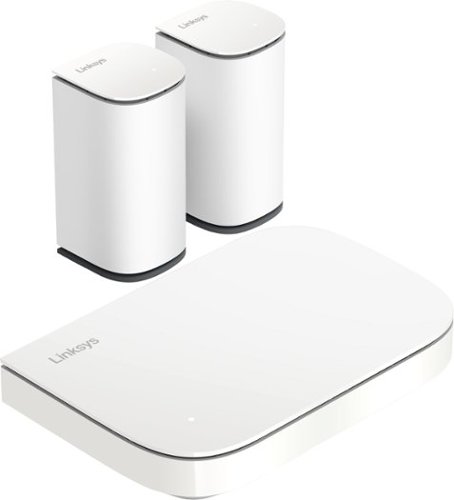
Linksys Micro 6 Mesh is the most affordable multi-gig Wi-Fi system we've ever built, delivering premium performance . Enjoy blazing-fast speeds, seamless coverage, and future-proof for multi-gig WiFi without compromising your budget.
Customer Rating
5
Small Format; Big Performance
on March 12, 2024
Posted by: ferrari
Was pleasantly surprised upon unboxing this unit. My previous setup was the first generation of the Velop which has been performing well aside from some intermittent dropped devices which required re-connection. My location is a rectangular bi-level, 20x50, so 2000 sq ft total. Router is in a corner on first level. My connections are base unit direct to router; 1 satellite in the room directly above; 2nd satellite 25 ft away on 2nd level. This gives me full bars on every device, every room.
This will be the third mesh system I've had to set up, I had a first generation Orbi that gave me trouble connecting to the satellite; and I noted before, the first generation Velop which also gave me difficulty setting up the 2nd satellite. With the Velop, I have over 30 devices connected - streaming TV's, Laptops, Desktops, Tablets, Printers, Thermostats, Surveillance cameras, etc. The setup for this new Velop system went like a dream - the satellites immediately connected, and broadcasting with the same name, all the devices hooked up without a problem.
The only system setting that I modified was to split the 2 bands (2&5Ghz) with their own name. The reason for doing this is that there are 2Ghz devices out there that don't like to be on the same named band with 5Ghz. They will either refuse to connect; or drop out altogether. Besides, it's a lot neater - I connect all the streaming devices & laptops to the 5G signal, and let everything else chug along on 2Ghz.
I mentioned my surprise at unboxing, these satellites are literally half the size of the previous generation (photo included.) Needless to say, my wife was thrilled about it, these units can be placed very unobtrusively in anyone's home. The inset connection plugs are also a nice feature.
I can't make a claim as to the specs on the box - 5,000 sq ft (I have 2) or 3 floor coverage (I have 2), all I can say is in my situation, the unit does exactly what it's supposed to do, and hasn't given me an issue to correct or think about. Given that these mesh units can easily double the price of this one, the Velop Micro 6 is something to consider.
I did get a giggle from their Planet Friendly blurb on the box - 65% recycled plastic; 65% recycled cardboard which is all well & good, but it's the last line that got me. "Returnable to Linksys for free for recycling, refresh or re-use after expiration of your warranty." Not exactly the language I would've chosen - seems to imply that I'll be looking for a replacement in a year. I'm sure that's not what they meant; I actually think this unit will serve my needs a bit longer than that.
Anyway, nice job, Linksys; I've been your customer for probably longer than 20 years at this point, and thanks for a product that is truly plug & play as advertised.
This will be the third mesh system I've had to set up, I had a first generation Orbi that gave me trouble connecting to the satellite; and I noted before, the first generation Velop which also gave me difficulty setting up the 2nd satellite. With the Velop, I have over 30 devices connected - streaming TV's, Laptops, Desktops, Tablets, Printers, Thermostats, Surveillance cameras, etc. The setup for this new Velop system went like a dream - the satellites immediately connected, and broadcasting with the same name, all the devices hooked up without a problem.
The only system setting that I modified was to split the 2 bands (2&5Ghz) with their own name. The reason for doing this is that there are 2Ghz devices out there that don't like to be on the same named band with 5Ghz. They will either refuse to connect; or drop out altogether. Besides, it's a lot neater - I connect all the streaming devices & laptops to the 5G signal, and let everything else chug along on 2Ghz.
I mentioned my surprise at unboxing, these satellites are literally half the size of the previous generation (photo included.) Needless to say, my wife was thrilled about it, these units can be placed very unobtrusively in anyone's home. The inset connection plugs are also a nice feature.
I can't make a claim as to the specs on the box - 5,000 sq ft (I have 2) or 3 floor coverage (I have 2), all I can say is in my situation, the unit does exactly what it's supposed to do, and hasn't given me an issue to correct or think about. Given that these mesh units can easily double the price of this one, the Velop Micro 6 is something to consider.
I did get a giggle from their Planet Friendly blurb on the box - 65% recycled plastic; 65% recycled cardboard which is all well & good, but it's the last line that got me. "Returnable to Linksys for free for recycling, refresh or re-use after expiration of your warranty." Not exactly the language I would've chosen - seems to imply that I'll be looking for a replacement in a year. I'm sure that's not what they meant; I actually think this unit will serve my needs a bit longer than that.
Anyway, nice job, Linksys; I've been your customer for probably longer than 20 years at this point, and thanks for a product that is truly plug & play as advertised.
I would recommend this to a friend!



Share this review:


+1point
1of 1voted this as helpful.

Draw more frames and win more games with the brand new Strix G18 and Windows 11 Home. Powered by a 14th Gen Intel Core i9-13980HX Processor and an NVIDIA GeForce RTX 4080 Laptop GPU boasting a max TGP of 175W with Dynamic Boost, be ready to dominate the competition in all of the latest games.
Customer Rating
5
Serious replacement for your gaming desktop
on March 10, 2024
Posted by: ferrari
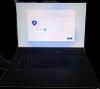
It's been many years now that you've seen ads claiming a laptop to be a replacement for a gaming desktop. Well, this may be the one that convinces you to set aside your current gaming hardware. First off, it's just the sheer gaming real estate that you're getting. When I opened the lid for the first time, something just struck me as being "different." The reason for this is the decision Asus made to change the standard aspect ratio. The majority of laptops are in a 16:9 format, this ROG presents a 16:10 ratio, giving it a more squarish appearance. Just wanted to point that out up front, as you may have a preference dependent upon your usage. In my case, when not gaming, I do a lot of side by side screen splits with different browsers, I found this afforded me the ability to have to do less scrolling as it presents more of each page lengthwise. The downside of this would be if you're streaming, you'll be getting a slightly larger letterbox on the top and bottom of your screen. But you're dealing with an eighteen inch screen, so your actual picture still has more screen space than a standard 17". In my case, this is a replacement for my Alienware M17, I can say that I'll never want to go back to the old format. Your opinion/needs may vary, but that's why I wanted to highlight this feature which you might not immediately pick out when browsing through multiple ads.
While unboxing, the first thing to mention is the box itself. It's in a slideout format, which is handy in the event you do want to transport the unit. Easy to use; compact, not much bigger than the unit itself, and has a carrying handle. Good design. As for the setup, you have of course the standard Windows updates; the Asus updates took some bit of time consisting of their Armoury crate, and it also required a Bios update. I'm always apprehensive when doing a Bios update for fear of bricking a unit, after the download and install procedure was done it took some minutes staring at a blank screen; far longer than I've ever experienced previously before it rebooted; which had me a bit nervous, but it finally did start up without a hiccup. Whew!
The ROG has a nice lighting strip along the front of it, and the keyboard is nicely lighted, all of this had a myriad of different effects; via the Armoury Crate & Asus Aura. There is a choice to hand this over to Windows Dynamic Lighting; however I'll need to do some research as to how all this integrates. For the moment I set the keyboard backlight to my preferred color & level, I'll do a deep dive when I get the time. There is no lid lighting ala the alien had, but that's ok.
Another feature I immediately noticed are the lid hinges. Unlike other laptops I've owned, they are very robust, as is the screen frame itself. This is a very weighty and solid unit; there is no flex when raising & lowering the lid, it has a very reassuring feel.
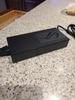
Also reassuring is the abundance of ventilation ports. Aside from the two USB ports on each side there is the RJ45 and power input. There is no card input. As a result, the entire back, bottom, and most of the sides are dedicated to making available space for this puppy to breathe, which is what you want in a power laptop. The charger itself is sizable, and in the time I've been using it, did not appear to become unreasonably warm. There was an option in the settings to only charge the battery to 80% to increase its lifespan, I enabled this as I've previously had laptops where the lithium battery started to expand; it's one less thing to worry about.
If there's something to pick at, I would've preferred the keyboard to be slightly larger given the space available; however, the trackpad is oversized, certainly the largest I've ever seen.
As for performance, the specs on this unit speak for themselves - it's just a powerhouse. While I don't do first person shooters that require high frame rates; my personal gaming preference is for Civilization 6, which after loading my Steam account, I raised all the lighting and shading effects to their upper levels. I can say that when I've gone late game with an expansive world, my M17 would start sounding like it had emphysema; the ROG took it all in stride.
All in all, Asus has put together a great package that's hard to beat in its class. Very well built, and should provide me with many years of service.
While unboxing, the first thing to mention is the box itself. It's in a slideout format, which is handy in the event you do want to transport the unit. Easy to use; compact, not much bigger than the unit itself, and has a carrying handle. Good design. As for the setup, you have of course the standard Windows updates; the Asus updates took some bit of time consisting of their Armoury crate, and it also required a Bios update. I'm always apprehensive when doing a Bios update for fear of bricking a unit, after the download and install procedure was done it took some minutes staring at a blank screen; far longer than I've ever experienced previously before it rebooted; which had me a bit nervous, but it finally did start up without a hiccup. Whew!
The ROG has a nice lighting strip along the front of it, and the keyboard is nicely lighted, all of this had a myriad of different effects; via the Armoury Crate & Asus Aura. There is a choice to hand this over to Windows Dynamic Lighting; however I'll need to do some research as to how all this integrates. For the moment I set the keyboard backlight to my preferred color & level, I'll do a deep dive when I get the time. There is no lid lighting ala the alien had, but that's ok.
Another feature I immediately noticed are the lid hinges. Unlike other laptops I've owned, they are very robust, as is the screen frame itself. This is a very weighty and solid unit; there is no flex when raising & lowering the lid, it has a very reassuring feel.
Also reassuring is the abundance of ventilation ports. Aside from the two USB ports on each side there is the RJ45 and power input. There is no card input. As a result, the entire back, bottom, and most of the sides are dedicated to making available space for this puppy to breathe, which is what you want in a power laptop. The charger itself is sizable, and in the time I've been using it, did not appear to become unreasonably warm. There was an option in the settings to only charge the battery to 80% to increase its lifespan, I enabled this as I've previously had laptops where the lithium battery started to expand; it's one less thing to worry about.
If there's something to pick at, I would've preferred the keyboard to be slightly larger given the space available; however, the trackpad is oversized, certainly the largest I've ever seen.
As for performance, the specs on this unit speak for themselves - it's just a powerhouse. While I don't do first person shooters that require high frame rates; my personal gaming preference is for Civilization 6, which after loading my Steam account, I raised all the lighting and shading effects to their upper levels. I can say that when I've gone late game with an expansive world, my M17 would start sounding like it had emphysema; the ROG took it all in stride.
All in all, Asus has put together a great package that's hard to beat in its class. Very well built, and should provide me with many years of service.
I would recommend this to a friend!




Share this review:


0points
0of 0voted this as helpful.
ferrari's Review Comments
ferrari has not submitted comments on any reviews.
ferrari's Questions
ferrari has not submitted any questions.

Sleep better. Cover unwanted noise with soothing sounds. Bose noise-masking sleepbuds~ are uniquely designed for sleep. They don~t stream music or have acoustic noise cancellation. Instead, these tiny, wireless earbuds use pre-loaded, soothing sounds to cover up unwanted noises, so you can get to sleep ~ and stay asleep. Plus, unlike traditional earplugs, they~re super comfortable and made to stay in place all night long, even if you sleep on your side. 1. Choose your sound, 2. Set an alarm, 3. Fall asleep without unwanted noise.
Can you listen to music or not? One answer says only the sounds from the app and another answer says yes you can listen to music. I want to listen to music from Youtube? Can I do this?
No - there is no input from anything other than the Bose App it comes with. Maybe on a future update, for now all you get is the built in soundscapes.
8 years, 1 month ago
by
ferrari
Sleep better. Cover unwanted noise with soothing sounds. Bose noise-masking sleepbuds~ are uniquely designed for sleep. They don~t stream music or have acoustic noise cancellation. Instead, these tiny, wireless earbuds use pre-loaded, soothing sounds to cover up unwanted noises, so you can get to sleep ~ and stay asleep. Plus, unlike traditional earplugs, they~re super comfortable and made to stay in place all night long, even if you sleep on your side. 1. Choose your sound, 2. Set an alarm, 3. Fall asleep without unwanted noise.
Can you use these at work to drown out a loud talkative coworker?
No - these don't have noise cancellation built in - I could clearly hear a tv on medium volume while i wore these. Get true noise cancelling headphones instead.
8 years, 1 month ago
by
ferrari
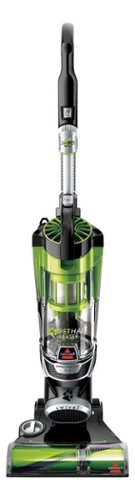
Nothing puts a vacuum to the test quite like a home with pets. That's why the BISSELL~ Pet Hair Eraser~ was developed from the ground up by pet parents for pet parents. Whether it's shedding season for your dog or your cat tracks kitty litter all over the house, this revolutionary vacuum is designed to make cleaning up after pets and the people who love them a breeze~from beginning to end. Say goodbye to hair wrap with its Tangle-Free Brush Roll, remove embedded hair everywhere with specialized pet tools, help capture allergens and eliminate odors with the SmartSeal~ Allergen System, and when you're finished cleaning, enjoy a hands-free tank empty with our patented Cyclonic Spooling System~.BR>
How load is it? I've used an Oreck XL upright and a Eureka Mighty Mite and would hope it's no louder as those. I prefer bagged vacuums but want to try the BISSELL Pet Hair Eraser because of its claims of not getting hair tangled on the roller.
I don't own the units you mentioned, I have a Miele canister, and it's no louder than that. I was surprised at it, as it does have great suction, and would have thought it should've been louder for the power it has. So far happy with the unit.
9 years, 11 months ago
by
ferrari