


ferrari's stats
- Review count169
- Helpfulness votes444
- First reviewOctober 18, 2012
- Last reviewAugust 3, 2026
- Featured reviews0
- Average rating4.7
Reviews comments
- Review comment count0
- Helpfulness votes0
- First review commentNone
- Last review commentNone
- Featured review comments0
Questions
- Question count0
- Helpfulness votes0
- First questionNone
- Last questionNone
- Featured questions0
- Answer count13
- Helpfulness votes16
- First answerAugust 26, 2016
- Last answerSeptember 13, 2020
- Featured answers0
- Best answers2

Experience fully immersive sound in a sleek, compact package with the Bose Smart Soundbar 600. Featuring Dolby Atmos, proprietary TrueSpace technology, and two upward-facing transducers, this TV speaker has the power to make you feel everything you play ~ whether you~re binging a new series, streaming this summer~s blockbuster, rocking out to your favorite artist, or playing a video game. For full immersion all the time, Bose TrueSpace technology intelligently analyzes signals other than Dolby Atmos, like stereo or 5.1, and upmixes them to create a multi-channel sound experience. The acoustic architecture of this Dolby Atmos soundbar squeezes five transducers ~ including two that fire upward ~ into a compact frame that fits perfectly under any television. With the Bose Smart TV Soundbar 600, you can stream content any way you want thanks to built-in Wi-Fi, Bluetooth, Apple AirPlay 2, Spotify Connect and Chromecast compatibility. This Bluetooth soundbar also has Bose Voice4Video technology and Amazon Alexa built in, so you can control your soundbar, TV and cable or satellite box with just your voice. Get a captivating sound experience that goes beyond simply watching with the Bose Smart Wireless Soundbar 600.
Customer Rating

5
Excellent sound to fill a mid-range space
on October 11, 2022
Posted by: ferrari
I've owned Bose products going on 30+ years now; and have always been impressed not only with the sound, but the build quality. This Smart Soundbar 600 is no exception. Right from the unboxing, you feel the heft & finish of the device.
Setup on the device was relatively painless. Install the provided HDMI cable to the tv (Earc port recommended) and plug it in. Download the Bose Music app, once installed, the app identifies the device, and upon registration it does a firmware update. The app is relatively simplistic with few options, i.e., volume, bass; or if connected to the internet, music streaming is available.
I have the 600 connected to a smart tv that's not so smart. While it does have an Earc port, I've tried 3 different soundbars with it, and it doesn't let any of them control the volume - so I've had to deal with the multiple remote switching. So I was pleased to see that I could now ditch the extra remote - maybe there's something to them calling this soundbar smart!
It does feature Alexa control, if you're not using that feature, there's a microphone icon that allows you to turn off its listening capability. Personally, I've got enough devices following me around the house, I can do without an extra.
The 600 is equipped with Dolby Atmos, I have not had the opportunity to enjoy that yet (need a smarter tv!) but looking forward to upgrade in the future - nice to have that capability built-in.
If there's one downside to the 600, while it does sound rich, it's not capable of room filling bass on it's own. There are satellite subwoofers available for purchase, but the cost is equivalent to that of the soundbar itself. This is why I would recommend this for a midsize room; for anything over say 12x12 you're going to want something with a little more punch.
But, overall this is a nice piece of high tech, and if you're not looking to blow out your doors & windows, a solid choice.
Setup on the device was relatively painless. Install the provided HDMI cable to the tv (Earc port recommended) and plug it in. Download the Bose Music app, once installed, the app identifies the device, and upon registration it does a firmware update. The app is relatively simplistic with few options, i.e., volume, bass; or if connected to the internet, music streaming is available.
I have the 600 connected to a smart tv that's not so smart. While it does have an Earc port, I've tried 3 different soundbars with it, and it doesn't let any of them control the volume - so I've had to deal with the multiple remote switching. So I was pleased to see that I could now ditch the extra remote - maybe there's something to them calling this soundbar smart!
It does feature Alexa control, if you're not using that feature, there's a microphone icon that allows you to turn off its listening capability. Personally, I've got enough devices following me around the house, I can do without an extra.
The 600 is equipped with Dolby Atmos, I have not had the opportunity to enjoy that yet (need a smarter tv!) but looking forward to upgrade in the future - nice to have that capability built-in.
If there's one downside to the 600, while it does sound rich, it's not capable of room filling bass on it's own. There are satellite subwoofers available for purchase, but the cost is equivalent to that of the soundbar itself. This is why I would recommend this for a midsize room; for anything over say 12x12 you're going to want something with a little more punch.
But, overall this is a nice piece of high tech, and if you're not looking to blow out your doors & windows, a solid choice.
I would recommend this to a friend!

Share this review:


0points
0of 0voted this as helpful.

Bring the best of De~Longhi~s expertise and technology to your countertop, now more accessible than ever, with the new Magnifica Evo. Featuring 7 expertly crafted beverages, Magnifica Evo brings an authentic espresso experience to your home, at the press of a button. The one-touch display panel makes it easier than ever to enjoy espresso made right, right at home. The built-in conical burr grinder and brewing unit deliver only the freshest espresso with a perfect grind, dose, and brew every time, for the richest and most aromatic beverages that taste fresh from the cafe. De~Longhi~s proprietary LatteCrema System is expertly designed to automatically craft espresso beverages with a long-lasting, silky-smooth foam~with milk or your favorite milk alternatives. Clean-up is simple thanks to our auto-clean function and detachable, dishwasher-safe design. Enjoy your favorite Italian espresso beverages from the comfort of your home with the exceptionally intuitive Magnifica Evo. Espresso made right is now just a touch away.
Customer Rating
5
Great all-in-one product
on October 8, 2022
Posted by: ferrari
Over the last 20+ years, I've owned 4 or 5 of these "super automatics" from various manufacturers, so very familiar with their positives & negatives. I will say that in spite of the complexity of these machines, they have been very reliable to me, and I'm hooked - I will never again go back to the standard coffee maker - or (shudder) go to a capsule based machine. I love my coffee too much for that abomination!
With every generation, improvements and features are added, and the Magnifica Evo has done a great job at incorporating the best of them in this latest generation.
As I'm pretty familiar with their operation, unboxing went pretty quickly. Primed the water filter & installed, on first run, the machine has a built-in rinse procedure. It comes with a test strip for water hardness, I can tell you that I normally set the hardness level 1 notch higher than the strip calls for; if that causes me to have to purchase one or two additional filters over the life of the machine, it's cheap insurance. The most detrimental thing you can do to these machines is to let the calcium build up; change your filters & decalcify when the machine calls for it. These things are pretty good at letting you know when to go to the doctor for a checkup!
Between the pre-programmed buttons for espresso, coffee, latte, etc.; you can further refine each drink to your liking (more beans, less water). The level of customization is just about infinite. I was happy to see the colorized icons on the preset buttons, especially helpful when you're groggy eyed in the morning and not having to decipher tiny print or hieroglyphics. My daughter would complain at my last machine "how do I use this?" Now I just say "you want coffee? Press the picture of coffee. Simple.
As is just about all of these machines, the coffee spout adjusts up & down, as does the latte dispenser. There is one difference with the Evo - the whole Crema Latte device detaches at the press of a button, De'Longhi provides a second spout just for steam which locks in with a very satisfying click. If you're not doing crema drinks, it gives a cleaner appearance to front of the machine. In the photos below you can see how it looks with & without the dispenser.
Going back to the satisfying click, that's the overall impression I got from the Evo Everything clicked into place easily & solidly, even the brew mechanism, which can sometimes be troublesome when it comes time to clean it up. It feels like the most solid machine I've owned yet. The other advice I'd give as a long term user is to get a small tube of food grade grease to lube the pistons & O-rings of the brew group, your machine will thank you with many years of service.
Did I mention the end result? I brewed some lattes with the Evo; I'd have to say in a blind taste test, I'd be hard put to tell what comes out of this machine from a $6 offering from the local coffee shop.
Thank you De'Longhi - great job.
With every generation, improvements and features are added, and the Magnifica Evo has done a great job at incorporating the best of them in this latest generation.
As I'm pretty familiar with their operation, unboxing went pretty quickly. Primed the water filter & installed, on first run, the machine has a built-in rinse procedure. It comes with a test strip for water hardness, I can tell you that I normally set the hardness level 1 notch higher than the strip calls for; if that causes me to have to purchase one or two additional filters over the life of the machine, it's cheap insurance. The most detrimental thing you can do to these machines is to let the calcium build up; change your filters & decalcify when the machine calls for it. These things are pretty good at letting you know when to go to the doctor for a checkup!
Between the pre-programmed buttons for espresso, coffee, latte, etc.; you can further refine each drink to your liking (more beans, less water). The level of customization is just about infinite. I was happy to see the colorized icons on the preset buttons, especially helpful when you're groggy eyed in the morning and not having to decipher tiny print or hieroglyphics. My daughter would complain at my last machine "how do I use this?" Now I just say "you want coffee? Press the picture of coffee. Simple.
As is just about all of these machines, the coffee spout adjusts up & down, as does the latte dispenser. There is one difference with the Evo - the whole Crema Latte device detaches at the press of a button, De'Longhi provides a second spout just for steam which locks in with a very satisfying click. If you're not doing crema drinks, it gives a cleaner appearance to front of the machine. In the photos below you can see how it looks with & without the dispenser.
Going back to the satisfying click, that's the overall impression I got from the Evo Everything clicked into place easily & solidly, even the brew mechanism, which can sometimes be troublesome when it comes time to clean it up. It feels like the most solid machine I've owned yet. The other advice I'd give as a long term user is to get a small tube of food grade grease to lube the pistons & O-rings of the brew group, your machine will thank you with many years of service.
Did I mention the end result? I brewed some lattes with the Evo; I'd have to say in a blind taste test, I'd be hard put to tell what comes out of this machine from a $6 offering from the local coffee shop.
Thank you De'Longhi - great job.
I would recommend this to a friend!




Share this review:


+1point
1of 1voted this as helpful.
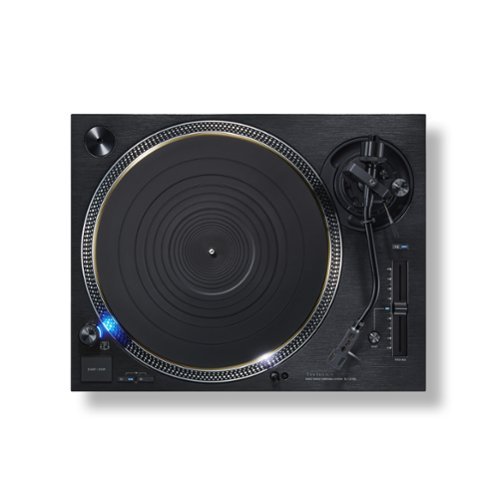
The direct-drive analogue turntable was first achieved worldwide by Technics. It alleviated issues such as signal-to-noise ratio and wow and flutter, which had until then posed problems for turntables. This turntable attracted interest for its high performance and reliability, and left a considerable track record, including use by broadcast stations. The performance and track record of the direct-drive turntable continues unabated to the present day, with support by numerous audiophiles. With a direct-drive system, the sound of the turntable can be even further enhanced. This is the uncompromising attitude and confidence of Technics, the creator of direct drive. Development of the SL-1210G thus began. The latest technologies have been added to solve issues involved with direct-drive systems, such as cogging. The SL-1210G includes a newly developed coreless direct-drive motor with greatly increased precision by incorporating Blu-ray Disc technology for rotation control. This cutting-edge direct-drive system will surpass previous direct-drive systems. It is not a reproduction but innovation. We are redefining the reference in direct-drive turntables for the modern age.
Customer Rating
5
Everything old is new again
on September 14, 2022
Posted by: ferrari
I'm going to assume that if you've come to this page, and are reading this review, that you know something of the history of the Technics SL series. If not, I might suggest you look up the history of this highly vaunted piece of equipment. It has a "heritage" page. And right at the top the intro says: The SL-1200, which was the catalyst for the birth of DJ culture, continues to be a de facto standard even after more than 50 years from its market release. The SL-1200 turntable series has transcended the status of being audio equipment and is now treated as a “musical instrument.” Technics turntables have a long history worth knowing.
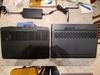
The 1200 line was first introduced in 1972. In 1979 came the 1200MK2; circa 1987-88 I purchased one second hand and it is still my companion today; working as well as the day I brought it home with no maintenance other than periodic cartridge/stylus replacement. But with my acquisition of the 1200G, I'll now be passing it on to a new vinyl devotee; I'm sure it will serve him well. But I took the opportunity to take a goodbye photo side by side with its replacement, and we'll talk about that.
I've been a vinyl enthusiast my entire life, and kept buying, even during the so-called "death of vinyl" years from 1985-2000. During the vinyl resurgence I purchased a VPI turntable; and now the 1200G has given me the reason to replace it. Why? In the world of high end turntables, there's a myriad of choices. Most of them are belt driven. The motors are usually separate from the plinth (base of the turntable) in order to reduce transmission of vibration. You need an outboard device to control the speed. Exotic tonearms can be a nightmare to align the cartridge as in the case of the VPI unipivot. Let's throw in removing the platter to oil the inverted bearing. Put it back together and talc the belt. This used to be fun to me. But I'm a little older now, I'm tired of all that, and I just want to listen to the music.
Enter the 1210G. This is set it and forget it heaven for an audiophile. Mount your cartridge on the headshell, set up the VTA (verticle tracking angle), Azimuth (side to side deflection) and tracking weight, screw the headshell to the tonearm, and you're done. No need for constant rechecking. Have a second or third cartridge for when you want to change the flavor or nuance of the music? Going from rock to jazz to classical? No problem - just plug it into the tonearm.
Getting back to the side by side shots of the 1210G vs. MK2. To the casual observer, there's not much that distinguishes one from the other aside from the color. The G has a button that activates 2X on the pitch slider; and another button to reset it. Unless you're a DJ, it's not something you'll ever have the need to touch.
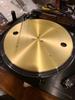
The only other obvious visual clue is the bronze colored edge of the platter peeking out underneath the black mat. This is where it gets crazy. The G's platter itself has probably on the order of 3X greater mass than the MK2's. It's a brass and aluminum 3 layered structure with anti-resonance rubber backing. Correspondingly, the platter slip mat supplied with the G is half the thickness and weight of the MK2. This is the visible part of the upgrade; most of the improvements are inside the case. The table is powered via a coreless direct drive motor with high torque. In spite of the increased mass of the platter, I believe the spec calls for startup to rotational speed of 3/4 of a second. Actually, there are a couple of other small differences between the two tables, the MK2 has a typical standard AC power cord; the cord on the G is more like something you'd see on a refrigerator; being the the stated power draw is 17 watts, not sure why the beefed up cord, I suppose some audiophiles might say this is to prevent intrusion from random electrical interference. The other difference is the ground wire, this time it's half the thickness of the MK2's, probably an 18 gauge. I would've preferred they stuck with something a little heavier.
Digging deeper, there are major improvements to the case that houses these components, constructed of four-layered die-cast aluminum, BMC (reinforced polymer), and rubber plinth with 10mm aluminum top plate. On the top side, the tonearm is lightweight magnesium, controlled by precision tonearm bearings in a cut-processed housing.
There is one minor annoyance I have - look closely at the on-off switch. The cylinder it sits on rises out of the table; on the G you might notice it comes up a bit further completely encasing the knurled part of the switch. The effect of this is that on the MKZ, there's enough of an edge that you can grasp the switch between your thumb and forefinger to turn the switch. With the G, the motion is more of pressing on the top with your middle & forefinger to turn the switch - not as comfortable. Again, minor annoyance to me; not sure why the difference other than the aesthetic of how it looks head on.
As I was setting the turntable up, I came across something that really shows the quality of the components used in the build. When you hit the stop button, the platter has a brake function to stop the rotation so that you can quickly change the record. This is nothing new, the function has been available in all 1200 series tables. It's also adjustable, accessed through the holes you see in the platter. However, if you use the on/off switch instead of the start/stop, the platter will continue to freewheel until it runs out of momentum. I still had both turntables running side by side at this point, and hit the on/off switch simultaneously. What I saw surprised me; so much that I took out my phone and set up the stopwatch. The MK2 ran out of momentum and stopped rotating at 13 seconds. The 1210G's platter was still spinning and ran - and ran - for a full minute before it coasted to a stop. I took a video of this and would've liked to include it in the review, but that's not possible. The appearance was as if the platter was floating frictionless on air. That told me all I needed to know about the quality of the motor bearings used to support the platter.
I don't think there's much point in telling you how great the sound is on this table. Once you get to this level of quality, there's too many issues that cloud the opinion. What cartridge are you using? What equipment do you have and what are your settings? Are you listening to rock, jazz, classical? How's the acoustics in the room? All of these infinite variables that flavor the sound. All I can say is that given what I've seen so far, the 1210G will not be the weak point in your system and will handle anything you can throw at it with grace. It certainly is a more than worthy contender in the arena of high end turntables. As I mentioned in the beginning of the review, the heritage in the 1200 line is legendary, the 1210G is now the cherry on top of the sundae.
The 1200 line was first introduced in 1972. In 1979 came the 1200MK2; circa 1987-88 I purchased one second hand and it is still my companion today; working as well as the day I brought it home with no maintenance other than periodic cartridge/stylus replacement. But with my acquisition of the 1200G, I'll now be passing it on to a new vinyl devotee; I'm sure it will serve him well. But I took the opportunity to take a goodbye photo side by side with its replacement, and we'll talk about that.
I've been a vinyl enthusiast my entire life, and kept buying, even during the so-called "death of vinyl" years from 1985-2000. During the vinyl resurgence I purchased a VPI turntable; and now the 1200G has given me the reason to replace it. Why? In the world of high end turntables, there's a myriad of choices. Most of them are belt driven. The motors are usually separate from the plinth (base of the turntable) in order to reduce transmission of vibration. You need an outboard device to control the speed. Exotic tonearms can be a nightmare to align the cartridge as in the case of the VPI unipivot. Let's throw in removing the platter to oil the inverted bearing. Put it back together and talc the belt. This used to be fun to me. But I'm a little older now, I'm tired of all that, and I just want to listen to the music.
Enter the 1210G. This is set it and forget it heaven for an audiophile. Mount your cartridge on the headshell, set up the VTA (verticle tracking angle), Azimuth (side to side deflection) and tracking weight, screw the headshell to the tonearm, and you're done. No need for constant rechecking. Have a second or third cartridge for when you want to change the flavor or nuance of the music? Going from rock to jazz to classical? No problem - just plug it into the tonearm.
Getting back to the side by side shots of the 1210G vs. MK2. To the casual observer, there's not much that distinguishes one from the other aside from the color. The G has a button that activates 2X on the pitch slider; and another button to reset it. Unless you're a DJ, it's not something you'll ever have the need to touch.
The only other obvious visual clue is the bronze colored edge of the platter peeking out underneath the black mat. This is where it gets crazy. The G's platter itself has probably on the order of 3X greater mass than the MK2's. It's a brass and aluminum 3 layered structure with anti-resonance rubber backing. Correspondingly, the platter slip mat supplied with the G is half the thickness and weight of the MK2. This is the visible part of the upgrade; most of the improvements are inside the case. The table is powered via a coreless direct drive motor with high torque. In spite of the increased mass of the platter, I believe the spec calls for startup to rotational speed of 3/4 of a second. Actually, there are a couple of other small differences between the two tables, the MK2 has a typical standard AC power cord; the cord on the G is more like something you'd see on a refrigerator; being the the stated power draw is 17 watts, not sure why the beefed up cord, I suppose some audiophiles might say this is to prevent intrusion from random electrical interference. The other difference is the ground wire, this time it's half the thickness of the MK2's, probably an 18 gauge. I would've preferred they stuck with something a little heavier.
Digging deeper, there are major improvements to the case that houses these components, constructed of four-layered die-cast aluminum, BMC (reinforced polymer), and rubber plinth with 10mm aluminum top plate. On the top side, the tonearm is lightweight magnesium, controlled by precision tonearm bearings in a cut-processed housing.
There is one minor annoyance I have - look closely at the on-off switch. The cylinder it sits on rises out of the table; on the G you might notice it comes up a bit further completely encasing the knurled part of the switch. The effect of this is that on the MKZ, there's enough of an edge that you can grasp the switch between your thumb and forefinger to turn the switch. With the G, the motion is more of pressing on the top with your middle & forefinger to turn the switch - not as comfortable. Again, minor annoyance to me; not sure why the difference other than the aesthetic of how it looks head on.
As I was setting the turntable up, I came across something that really shows the quality of the components used in the build. When you hit the stop button, the platter has a brake function to stop the rotation so that you can quickly change the record. This is nothing new, the function has been available in all 1200 series tables. It's also adjustable, accessed through the holes you see in the platter. However, if you use the on/off switch instead of the start/stop, the platter will continue to freewheel until it runs out of momentum. I still had both turntables running side by side at this point, and hit the on/off switch simultaneously. What I saw surprised me; so much that I took out my phone and set up the stopwatch. The MK2 ran out of momentum and stopped rotating at 13 seconds. The 1210G's platter was still spinning and ran - and ran - for a full minute before it coasted to a stop. I took a video of this and would've liked to include it in the review, but that's not possible. The appearance was as if the platter was floating frictionless on air. That told me all I needed to know about the quality of the motor bearings used to support the platter.
I don't think there's much point in telling you how great the sound is on this table. Once you get to this level of quality, there's too many issues that cloud the opinion. What cartridge are you using? What equipment do you have and what are your settings? Are you listening to rock, jazz, classical? How's the acoustics in the room? All of these infinite variables that flavor the sound. All I can say is that given what I've seen so far, the 1210G will not be the weak point in your system and will handle anything you can throw at it with grace. It certainly is a more than worthy contender in the arena of high end turntables. As I mentioned in the beginning of the review, the heritage in the 1200 line is legendary, the 1210G is now the cherry on top of the sundae.
I would recommend this to a friend!





Share this review:


0points
0of 0voted this as helpful.

Introducing the new Alienware m17 R5 - Alienware~s powerful 17-inch AMD-based laptop. Game, create, and stream content with powerful AMD Ryzen 6000 series processors and up to 64GB Dual Channel DDR5 4800MHz memory. Play with a cutting edge with exceptional power enabled by updated Alienware Cryo-tech cooling that dissipates heat to maintain system stability during the highest performance states.
Customer Rating

4
Top of the line powerhouse
on August 4, 2022
Posted by: ferrari
Right from the unboxing, the new M17 just oozes beauty and power. The Dark Side of the Moon finish is one of the best I've seen on a laptop device. Take it out of the box and you're immediately impressed with the fit, finish, and heft of the device. Open the lid and feel the smooth, solid hinge mechanism without the slightest hint of flex from the display frame.
I just need to get one thing out of the way; my only disappointment with the M17 - where's the numeric keypad? Ok, it's a gaming laptop, but there are many titles which can make use of the pad. I'm already missing it just for the simple purpose of punching in a pin number! So if the lack of a keypad is a deal buster for you, then read no further.
Still reading? Ok, well if you decided to walk away from the M17, what you'd be missing out on is arguably the most powerfully performing laptop on the market today. Well, maybe there's one other that edges it out, but you'd be talking about double the price - not insignificant since the M17 is not exactly an econobox to begin with.
Recognizing that Alienware has a loyal & avid following; it's natural to assume that this is the group that would be most likely to be looking into this new model. As a previous M17 owner, I thought it would be helpful to compare my well-worn 5 year old M17 to the new one, and have included side by side photos below.
The first thing you might notice is that yes, it's certainly prettier, mostly due to the thinner bezel around the display. One might think this would lead to a smaller, more compact unit, but the fact is, the new M17 will take up slightly more real estate on your desk.
Looking at the keyboard, by deleting the numeric keypad there is more open space to the left and right, what they did with some of this is stretch out the width and spacing of the alpha keys by 1/2". The result to me is I've had quite a few keystrike errors while getting used to the new layout. I don't know what it is about Dell (yes, this is a Dell if you weren't aware), my wife (an expert typist) has a new Dell laptop, and the key spacing is just off - I thought she was nuts when she first mentioned it, but when I tried it I was making errors as well - it just didn't feel right. It's as if they're trying to redesign the keyboard. In any case, the omission of the numeric pad was the primary (in fact, only) reason for me to drop a star on the review.
The other thing to note is the increase in the size of the touchpad; which I appreciated. You might also notice the size & shape of the speaker grill and vents have been redesigned. I would imagine this has something to do with improving cooling, I will say that in my use so far, the new M17 runs noticeably cooler than its elder in comparable situations. When it does go into high gear, the tone of the fans is more pleasant; my old M17 sounded like it was forcing air out of the vents, the new M17 breathes a lot easier.
As far as the audio, the improved grills and addition of Dolby Atmos has improved the sound; still not anywhere near the quality of desktop speakers, but an improvement nonetheless.
One thing that hasn't improved is the Alienware Command Center; it's still out to lunch. It's clunkly, slow to respond, unintuitive, and has poor customer support. I know this as I've previously communicated problems to no resolve. One is, I keep getting messages that ACC "needs to install additional components", which I allow, only to have the same message repeat on subsequent usage. Another issue I brought to them was the integration with Civilization 6, not exactly an unpopular title. Upon entering the game, the keyboard would begin to blink once a second; forcing me to turn off keyboard lighting when playing that title. Others had the same issue, emails to tech support went unanswered.
If I seem to be overly negative, I'm picking at the corners here, the things that annoy me. This is one fabulous machine; its predecessor served me well over the past 5 years, and if anything, the new one seems even more solidly constructed. I'll just try to get used to the lack of numeric keypad - or maybe I'll go to facial recognition ID instead of a pin number! You hear that Dell? Put the keypad back into this beautiful piece of work!
I just need to get one thing out of the way; my only disappointment with the M17 - where's the numeric keypad? Ok, it's a gaming laptop, but there are many titles which can make use of the pad. I'm already missing it just for the simple purpose of punching in a pin number! So if the lack of a keypad is a deal buster for you, then read no further.
Still reading? Ok, well if you decided to walk away from the M17, what you'd be missing out on is arguably the most powerfully performing laptop on the market today. Well, maybe there's one other that edges it out, but you'd be talking about double the price - not insignificant since the M17 is not exactly an econobox to begin with.
Recognizing that Alienware has a loyal & avid following; it's natural to assume that this is the group that would be most likely to be looking into this new model. As a previous M17 owner, I thought it would be helpful to compare my well-worn 5 year old M17 to the new one, and have included side by side photos below.
The first thing you might notice is that yes, it's certainly prettier, mostly due to the thinner bezel around the display. One might think this would lead to a smaller, more compact unit, but the fact is, the new M17 will take up slightly more real estate on your desk.
Looking at the keyboard, by deleting the numeric keypad there is more open space to the left and right, what they did with some of this is stretch out the width and spacing of the alpha keys by 1/2". The result to me is I've had quite a few keystrike errors while getting used to the new layout. I don't know what it is about Dell (yes, this is a Dell if you weren't aware), my wife (an expert typist) has a new Dell laptop, and the key spacing is just off - I thought she was nuts when she first mentioned it, but when I tried it I was making errors as well - it just didn't feel right. It's as if they're trying to redesign the keyboard. In any case, the omission of the numeric pad was the primary (in fact, only) reason for me to drop a star on the review.
The other thing to note is the increase in the size of the touchpad; which I appreciated. You might also notice the size & shape of the speaker grill and vents have been redesigned. I would imagine this has something to do with improving cooling, I will say that in my use so far, the new M17 runs noticeably cooler than its elder in comparable situations. When it does go into high gear, the tone of the fans is more pleasant; my old M17 sounded like it was forcing air out of the vents, the new M17 breathes a lot easier.
As far as the audio, the improved grills and addition of Dolby Atmos has improved the sound; still not anywhere near the quality of desktop speakers, but an improvement nonetheless.
One thing that hasn't improved is the Alienware Command Center; it's still out to lunch. It's clunkly, slow to respond, unintuitive, and has poor customer support. I know this as I've previously communicated problems to no resolve. One is, I keep getting messages that ACC "needs to install additional components", which I allow, only to have the same message repeat on subsequent usage. Another issue I brought to them was the integration with Civilization 6, not exactly an unpopular title. Upon entering the game, the keyboard would begin to blink once a second; forcing me to turn off keyboard lighting when playing that title. Others had the same issue, emails to tech support went unanswered.
If I seem to be overly negative, I'm picking at the corners here, the things that annoy me. This is one fabulous machine; its predecessor served me well over the past 5 years, and if anything, the new one seems even more solidly constructed. I'll just try to get used to the lack of numeric keypad - or maybe I'll go to facial recognition ID instead of a pin number! You hear that Dell? Put the keypad back into this beautiful piece of work!
I would recommend this to a friend!




Share this review:


+1point
1of 1voted this as helpful.
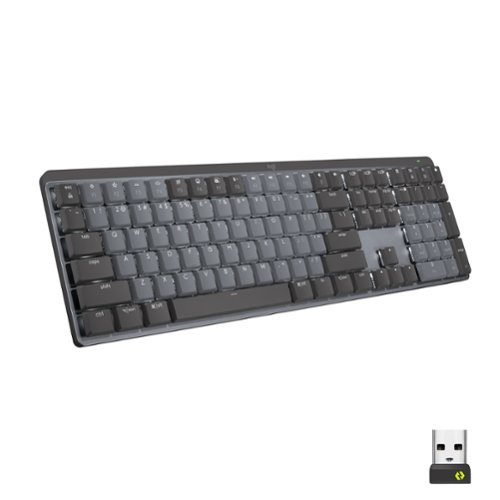
Introducing MX Mechanical - a full-size keyboard with extraordinary feel, precision, and performance. Low-profile mechanical typing delivers satisfying feedback in your choice of key switches ~ Tactile Quiet, Clicky, or Linear. MX Mechanical is crafted for ergonomic comfort, with smart illumination and easy-switch ~ allowing you to connect up to 3 devices and stay in your flow for hours.
Customer Rating
5
Logitech hits the mark - again
on June 22, 2022
Posted by: ferrari
Logitech has always been known - at least to me - as a manufacturer of quality long life products. I've had trackballs that have outlasted the life of the computers they're attached to. For the last 4-5 years I've been using their K800 keyboard that's performed magnificently; but I'm sorry old friend - the new kid on the block has outdone you!
First things first though - if your typing style requires a palm rest, you'll need to look elsewhere - or provide your own. I was unsure about this at first, but what I found was the multi functionality of the MX outdid the requirement for the palm rest. The MX can be used on your desktop, your tablet, or your TV if equipped with Bluetooth.
With the quick switch keys (picture below), you can easily move between devices. I've also added a shot of a size comparison with the K800. While the MX is by no means a mini keyboard, every square inch of it is functional. If you're using it with your TV, it's much more comfortable in your lap than a standard keyboard. And then, there's the weight factor. The aluminum top plate gives it a nice heft. so if you're not on a hard surface it's not going to be pushed around with the weight of your keystrokes.
Installation went perfectly, and the Logi options software is well done.
Function keys are pre-programmed (lighting, sound, etc), but with the Logi software you can customize to your preferences. Keyboard lighting has a number of different effects that can be enabled - no colors though.
I've included an "edge-on" shot so you can see how the keys are lifted from the baseplate; my immediate thought was "hey - no more gook stuck between the keys." Seems it will be easy to keep clean with a shot of compressed air. And then, there's the wow factor. It's really a sharp piece - desktop art if you will. I'm glad to add this to my Logitech family, and hopefully it will provide me with the same long life & quality service their other products have given me.
First things first though - if your typing style requires a palm rest, you'll need to look elsewhere - or provide your own. I was unsure about this at first, but what I found was the multi functionality of the MX outdid the requirement for the palm rest. The MX can be used on your desktop, your tablet, or your TV if equipped with Bluetooth.
With the quick switch keys (picture below), you can easily move between devices. I've also added a shot of a size comparison with the K800. While the MX is by no means a mini keyboard, every square inch of it is functional. If you're using it with your TV, it's much more comfortable in your lap than a standard keyboard. And then, there's the weight factor. The aluminum top plate gives it a nice heft. so if you're not on a hard surface it's not going to be pushed around with the weight of your keystrokes.
Installation went perfectly, and the Logi options software is well done.
Function keys are pre-programmed (lighting, sound, etc), but with the Logi software you can customize to your preferences. Keyboard lighting has a number of different effects that can be enabled - no colors though.
I've included an "edge-on" shot so you can see how the keys are lifted from the baseplate; my immediate thought was "hey - no more gook stuck between the keys." Seems it will be easy to keep clean with a shot of compressed air. And then, there's the wow factor. It's really a sharp piece - desktop art if you will. I'm glad to add this to my Logitech family, and hopefully it will provide me with the same long life & quality service their other products have given me.
I would recommend this to a friend!



Share this review:


0points
0of 0voted this as helpful.
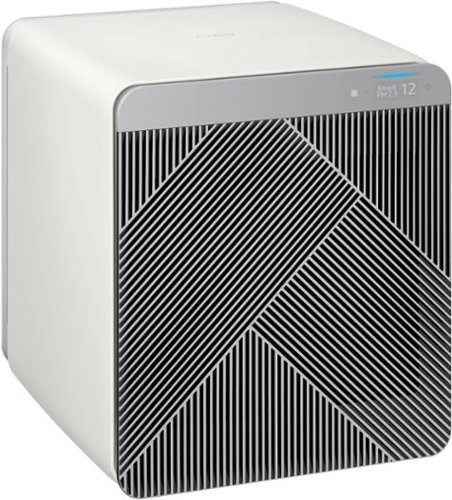
Design meets function with the BESPOKE Cube Air Purification System by Samsung. This visually appealing, virtually silent Air Purification System traps large dust particles, helps remove unpleasant odors, and captures ultrafine dust, providing clean air for your home.
Customer Rating
5
A standout in the home air purifier category
on June 13, 2022
Posted by: ferrari
Owning 2 long haired dogs & having had pets my entire life; I'm not new to air cleaners/purifiers. They've improved over the years as to what they can handle & the type/quality of filtration; and now Samsung has thrown their hat in the game.
The biggest problem I had with this item - the box it came in! The unit is heavy for its size, Upon getting it in the door, I pushed it across the living room to a spot where I could unbox it. What I didn't realize was that it's a pull off box; the bottom side is a pretty crumbly styrofoam; so I left a trail of crumbs across the floor. My advice - get a piece of cardboard to lay it on; more particles will come out when you pull off the box.
But it only gets better from here. As is the case with most devices today, the first step is to download the app; which in this case is Samsung Smart Things; a multi-function app for many Samsung products. Having a Samsung TV & Robot Cleaner, I already had the app, it was just a matter of adding the air purifier.
The purifier comes with a triple filtration system - a charcoal, the main Hepa filter, and a very fine mesh filter which they term as a pet hair; but I can see how it would also collect large particle & dust so it doesn't prematurely fill up the main Hepa filter. Very smart.
Once the filter pack was assembled, I fired it up. The control panel display is very low key, actually invisible if the unit is not on, when it is operating, it has an unassuming soft glow that would be very welcome if you're using it in a bedroom.
The app offers full control of the device, you can set the wind strength to high, wind free (low), sleep, pet (remove pet fur & odors), or smart, which basically lets the unit do its own thing according to the current air quality. It also has a Smart Sleep switch with an ambient light detector which will sleep the unit at an appointed time & it senses darkness.Not that you would actually need that, depending on your sensitivity to bedroom noise; the unit is very quiet, actually the quietest I've ever seen. Then again, I'm a person that enjoys a bit of white noise in the bedroom, but whatever your choice, the Samsung has it covered.
The sensitivity of the unit is pretty remarkable. We have it sitting in the living room; as we began to pan fry some chicken, I heard the unit go into high speed. When I went to look, I saw that the front display was illuminated GAS, as it had detected the small amount of gas emitted prior to the pilot light of the stove igniting the flame. When it does go into high speed, the front/rear panels automatically tip open to allow maximum air flow.
As a bonus, this is actually a pretty good looking addition to whatever room you put it in, it doesn't look like you have an appliance in your living space. Just put a vase or some knickknack on top of it & it's right at home.
Samsung seems to have done their homework on this piece - does what it's supposed to do, certainly better than any I've owned, and it looks good doing it. Hopefully I'll get a long life out of it.
The biggest problem I had with this item - the box it came in! The unit is heavy for its size, Upon getting it in the door, I pushed it across the living room to a spot where I could unbox it. What I didn't realize was that it's a pull off box; the bottom side is a pretty crumbly styrofoam; so I left a trail of crumbs across the floor. My advice - get a piece of cardboard to lay it on; more particles will come out when you pull off the box.
But it only gets better from here. As is the case with most devices today, the first step is to download the app; which in this case is Samsung Smart Things; a multi-function app for many Samsung products. Having a Samsung TV & Robot Cleaner, I already had the app, it was just a matter of adding the air purifier.
The purifier comes with a triple filtration system - a charcoal, the main Hepa filter, and a very fine mesh filter which they term as a pet hair; but I can see how it would also collect large particle & dust so it doesn't prematurely fill up the main Hepa filter. Very smart.
Once the filter pack was assembled, I fired it up. The control panel display is very low key, actually invisible if the unit is not on, when it is operating, it has an unassuming soft glow that would be very welcome if you're using it in a bedroom.
The app offers full control of the device, you can set the wind strength to high, wind free (low), sleep, pet (remove pet fur & odors), or smart, which basically lets the unit do its own thing according to the current air quality. It also has a Smart Sleep switch with an ambient light detector which will sleep the unit at an appointed time & it senses darkness.Not that you would actually need that, depending on your sensitivity to bedroom noise; the unit is very quiet, actually the quietest I've ever seen. Then again, I'm a person that enjoys a bit of white noise in the bedroom, but whatever your choice, the Samsung has it covered.
The sensitivity of the unit is pretty remarkable. We have it sitting in the living room; as we began to pan fry some chicken, I heard the unit go into high speed. When I went to look, I saw that the front display was illuminated GAS, as it had detected the small amount of gas emitted prior to the pilot light of the stove igniting the flame. When it does go into high speed, the front/rear panels automatically tip open to allow maximum air flow.
As a bonus, this is actually a pretty good looking addition to whatever room you put it in, it doesn't look like you have an appliance in your living space. Just put a vase or some knickknack on top of it & it's right at home.
Samsung seems to have done their homework on this piece - does what it's supposed to do, certainly better than any I've owned, and it looks good doing it. Hopefully I'll get a long life out of it.
I would recommend this to a friend!




Share this review:


0points
0of 0voted this as helpful.
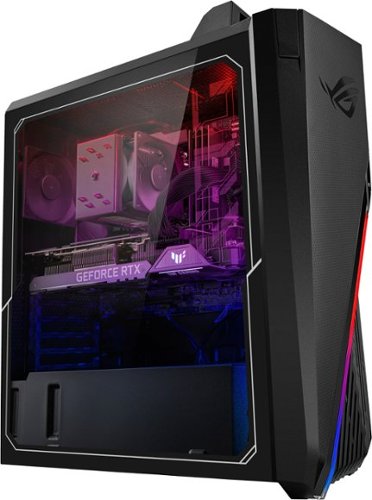
Annihilate your competition with this ASUS ROG gaming desktop. The Intel Core i7 processor and 16GB of RAM deliver rapid performance during fast-paced action, while the 1TB HDD and a 512GB SSD provide plenty of storage for large files and downloads. This Bluetooth-enabled ASUS ROG gaming computer features an NVIDIA GeForce RTX 3060 graphics card for tear-free rendering of 4K games.
Customer Rating
4
Entry to mid level gaming machine
on May 15, 2022
Posted by: ferrari
from Paramus NJ
Had an auspicious start to my experience with this piece. Upon unboxing, while lifting the pc out of the case, heard a rattle. Removed the plexiglass case cover; nothing there; then removed the back side cover where a little shaking revealed a screw (pic provided). Looking over the unit, it appeared identical to the screws they used to hold down the motherboard; but did not see any missing. Went on to make all the appropriate connections; but now there's something in the back of your head saying "what else is loose here?"
Provided with the unit is a short pamphlet - PC installation guide. It shows to hook up the monitor at the rear top of the unit - wrong! There's an HDMI port there, but it's not connected to the video card. You need to plug the HDMI cable into the GeForce card itself. Once that was done, powered up the pc and went through registration without issue.
Since this only comes with a 1TB hard drive (and a 512SS boot drive), I knew I'd have to add storage space for pics & videos. Asus provides an extra SATA power cable in the box, so I took off the plexiglass cover again, but found there was no spare SATA power available. Had to remove the rear of the case, and connect the cable from the box into the modular power supply, and feed it through into the working side of the pc. Then hooked up the SATA data cable into the motherboard.
This brings up my other beef about the pc. Since there was sparse information available in the box, went online to see if there was a full manual. I followed their recommendation to use the model # from the box (GF15CF), but could not make a match in their data listings. I chalked that up to the possibility that this was too new a pc to be included, and went on to check other similar units. I was disappointed to see that their online manuals are not much better than the pamphlets that come in the box, pretty much half the manual is either safety information or how to work Windows! I was really hoping for a motherboard diagram like you would get when you purchase a motherboard so I could check & see if there was any difference between the onboard SATA ports.
Guys; you're marketing this product as a "gaming machine." It would be a good assumption that your target audience is interested in information such as motherboard layout, maintenance items such as removing a CPU fan for cleaning & repasting; etc. Very disappointed as to these qualities of the product. Throw in a decent manual. Included a pic of the secondary drive I installed (The 1TB drive is accessed through the back side along with the power supply.)
To check out gaming operation, I installed my Steam client, and wanted to check out the display of my go-to game, Civilization 6. There are a lot of lighting effects that I've never been able to enable on my current gaming laptop. Set up the graphics display to 2560x1640 resolution, and enabled dynamic lighting, shadows, ant-aliasing, high resolution geometry & textures, all set to the highest options. Was very happy to see the game display in all its glory.
What wasn't so hot is the fan setup. The case fan is bargain basement quality. During gameplay, it's constantly throttling up & down, and it's loud. The same goes for the included keyboard & mouse, which I can partially understand; as most gamers like to choose these products to their specific liking.
Given the experience with the loose screw, and the lack of documentation, I hesitate to recommend this machine to any serious gamer.
That said,
Provided with the unit is a short pamphlet - PC installation guide. It shows to hook up the monitor at the rear top of the unit - wrong! There's an HDMI port there, but it's not connected to the video card. You need to plug the HDMI cable into the GeForce card itself. Once that was done, powered up the pc and went through registration without issue.
Since this only comes with a 1TB hard drive (and a 512SS boot drive), I knew I'd have to add storage space for pics & videos. Asus provides an extra SATA power cable in the box, so I took off the plexiglass cover again, but found there was no spare SATA power available. Had to remove the rear of the case, and connect the cable from the box into the modular power supply, and feed it through into the working side of the pc. Then hooked up the SATA data cable into the motherboard.
This brings up my other beef about the pc. Since there was sparse information available in the box, went online to see if there was a full manual. I followed their recommendation to use the model # from the box (GF15CF), but could not make a match in their data listings. I chalked that up to the possibility that this was too new a pc to be included, and went on to check other similar units. I was disappointed to see that their online manuals are not much better than the pamphlets that come in the box, pretty much half the manual is either safety information or how to work Windows! I was really hoping for a motherboard diagram like you would get when you purchase a motherboard so I could check & see if there was any difference between the onboard SATA ports.
Guys; you're marketing this product as a "gaming machine." It would be a good assumption that your target audience is interested in information such as motherboard layout, maintenance items such as removing a CPU fan for cleaning & repasting; etc. Very disappointed as to these qualities of the product. Throw in a decent manual. Included a pic of the secondary drive I installed (The 1TB drive is accessed through the back side along with the power supply.)
To check out gaming operation, I installed my Steam client, and wanted to check out the display of my go-to game, Civilization 6. There are a lot of lighting effects that I've never been able to enable on my current gaming laptop. Set up the graphics display to 2560x1640 resolution, and enabled dynamic lighting, shadows, ant-aliasing, high resolution geometry & textures, all set to the highest options. Was very happy to see the game display in all its glory.
What wasn't so hot is the fan setup. The case fan is bargain basement quality. During gameplay, it's constantly throttling up & down, and it's loud. The same goes for the included keyboard & mouse, which I can partially understand; as most gamers like to choose these products to their specific liking.
Given the experience with the loose screw, and the lack of documentation, I hesitate to recommend this machine to any serious gamer.
That said,
No, I would not recommend this to a friend.






Share this review:


+4points
5of 6voted this as helpful.
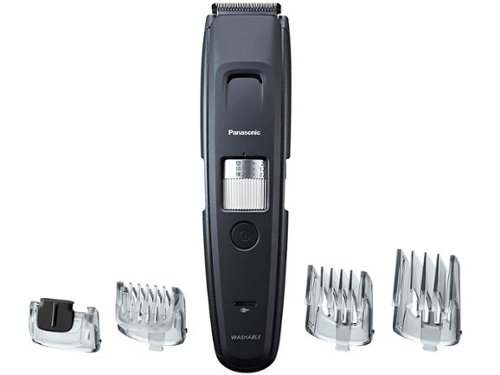
Long beard, medium, or short, Panasonic GB96-K Mens Beard Trimmer makes it easy for everyone from beginners to the more experienced to achieve barber-quality hair, beard and mustache trimmer styling at home. An acute-edge, ultra-sharp stainless-steel blade uses wider-tipped and spaced blades to catch more hair in one stroke for more efficient trimming. And, the electric beard trimmer is powered by a High-Torque motor, calibrated for clean, comfortable trimming of even dense beards, with no snagging or pulling. Four included comb attachments work the quick-adjust dial to provide up to 58 trim length settings from 0.5MM (with no attachment) to 30MM, to create the style and length you want while the 5mm-wide detail attachment provides precise trimming and control. The Panasonic GB96-k beard clipper has an IPX7 rating and waterproof design so you can trim in the shower or dry anytime. A single 1-hour charge provides up to 50 minutes of cordless use, or plug in and use corded for longer use. Unplug unit from electrical outlet when washing or using for wet trimming. To maintain peak performance, rinse blades under water after each use and replace blade every 3 years or when dull with replacement blade WER9620Y.
Posted by: ferrari
from Paramus NJ
Having a beard for over 20 years now, I've gone through a number of these devices. My first impression was just taking it to the hand - it's compact, feels solid & well engineered, and comfortable while in use. The rotating adjustment dial has solid "clicks" to it, so you know it's always where you want it to be.
In use, the trimmer cut cleanly & neatly with no indication of being under load. One thing I appreciated is at the lowest setting without a guard in place, I can clean off my neck below the beard line without leaving the appearance of stubble - not all trimmers will cut this close.
The next feature I liked is it runs noticeably quieter than any other trimmer I've owned - I can be in the bathroom and still be able to listen & comprehend the weather & traffic reports in the morning.
I also appreciate the upgrade to a lithium battery that'll run for an hour. There's only so many outlets in the bathroom, and I always find myself de-plugged in favor of my wife's hair drier. Now I only have to think about it once a week. Also, this device will run while plugged in if the battery is down - you'd be surprised at how many trimmers don't do this!
I also included a photo of the unit under running water, you can see it has a pass-through for the water to flow inside. Not a big thing, since the head easily snaps off for a more thorough cleaning, but still, a nice feature.
Very happy with this trimmer, thumbs up to Panasonic for the nice engineering.
Oh - nearly forgot - there's an owners manual! One of my pet peeves is getting a device & seeing "download the manual here." Either that, or there's no text, just undecipherable hieroglyphs. This is a fully functional and understandable manual. Thanks again, Panasonic!
In use, the trimmer cut cleanly & neatly with no indication of being under load. One thing I appreciated is at the lowest setting without a guard in place, I can clean off my neck below the beard line without leaving the appearance of stubble - not all trimmers will cut this close.
The next feature I liked is it runs noticeably quieter than any other trimmer I've owned - I can be in the bathroom and still be able to listen & comprehend the weather & traffic reports in the morning.
I also appreciate the upgrade to a lithium battery that'll run for an hour. There's only so many outlets in the bathroom, and I always find myself de-plugged in favor of my wife's hair drier. Now I only have to think about it once a week. Also, this device will run while plugged in if the battery is down - you'd be surprised at how many trimmers don't do this!
I also included a photo of the unit under running water, you can see it has a pass-through for the water to flow inside. Not a big thing, since the head easily snaps off for a more thorough cleaning, but still, a nice feature.
Very happy with this trimmer, thumbs up to Panasonic for the nice engineering.
Oh - nearly forgot - there's an owners manual! One of my pet peeves is getting a device & seeing "download the manual here." Either that, or there's no text, just undecipherable hieroglyphs. This is a fully functional and understandable manual. Thanks again, Panasonic!
I would recommend this to a friend!
Quality

5
Value
5
Ease of Use
5

Share this review:


0points
0of 0voted this as helpful.

Upgrade to smarter scrolling, better comfort, and more productivity with the Signature M650 L. The versatile mouse features an adaptive scroll SmartWheel that delivers line-by-line precision, and auto-switches to super-fast free spin mode with the flick of a finger. A choice of sizes for smaller, larger and left hands means there's a perfect fit for anyone. Seamless wireless connectivity, customizable side buttons, and a comfort shape keep you comfortably and productive hour after hour. Logitech~s SilentTouch technology delivers silent clicks to keep you focused ~ while the up to 24-month battery life and universal operating system compatibility ensure hassle-free performance.
Customer Rating
5
Most comfortable mouse I've used
on January 22, 2022
Posted by: ferrari
from New Jersey, USA
This was a pleasure right from the start. The M650L comes in the traditional clamshell package, with a big difference. There are two finger openings at the rear with perforations that allow it to be opened without the need for a knife or razor blade - thank you Logitech!
This was advertised to me as a left hand mouse; however, there's no text on the front or back of the packaging alluding to this. The "L" addendum on the model # refers to "large" for large hands. And that it is. The overall length of this is somewhat longer than the average mouse, but to me, the important thing is the height. It just immediately felt "right" to me. Everyone is different, but this honestly felt like it was custom molded for me.
It's basically symmetrical; with additional configurable buttons on the left side. I am left handed; as such I'm long accustomed to using pointing devices with my right hand. I'm currently using it with my right hand, and it's picture perfect, so I would recommend this to anyone - that is, if you want a mouse better adapted to a larger hand. In either case, the buttons are configurable with the Logitech Options software to suit your preferences.
The M650 also features silent soft click technology which works as advertised. Between that and the comfortable hand fit, I can already see the stress level on my hand/fingers reduced considerably.
I've got this on bluetooth, which installed immediately; however there is also an included Bolt usb receiver if that is your preference.
I've long been a user of Logitech products; the M650L is one more product I can positively recommend (that is, if you don't have a petite hand!)
This was advertised to me as a left hand mouse; however, there's no text on the front or back of the packaging alluding to this. The "L" addendum on the model # refers to "large" for large hands. And that it is. The overall length of this is somewhat longer than the average mouse, but to me, the important thing is the height. It just immediately felt "right" to me. Everyone is different, but this honestly felt like it was custom molded for me.
It's basically symmetrical; with additional configurable buttons on the left side. I am left handed; as such I'm long accustomed to using pointing devices with my right hand. I'm currently using it with my right hand, and it's picture perfect, so I would recommend this to anyone - that is, if you want a mouse better adapted to a larger hand. In either case, the buttons are configurable with the Logitech Options software to suit your preferences.
The M650 also features silent soft click technology which works as advertised. Between that and the comfortable hand fit, I can already see the stress level on my hand/fingers reduced considerably.
I've got this on bluetooth, which installed immediately; however there is also an included Bolt usb receiver if that is your preference.
I've long been a user of Logitech products; the M650L is one more product I can positively recommend (that is, if you don't have a petite hand!)
Mobile Submission: False
I would recommend this to a friend!


Share this review:


0points
0of 0voted this as helpful.

What if a vacuum was so advanced it could sense the type of floor it~s cleaning? BISSELL SurfaceSense Pet vacuum can! Its intelligent SurfaceSense Technology can detect floor types and automatically adjust the brush roll speed to give you optimal cleaning performance on any floor type. It~s also our first vacuum with a Tangle-Free, Multi-Surface Brush Roll which has stiff bristles for cleaning carpet and soft bristles for vacuuming hard floors, so it can pick up everything from fine dust to larger debris across all floor types. SurfaceSense Pet vacuum has a One Touch, Easy Empty dirt tank and a SmartSeal Allergen System that traps fine dust and allergens while you clean. The LED headlights illuminate hidden dirt and debris while the Quick Release Extension Wand and above floor tools work together to clean hard-to-reach spaces, like upholstery and stairs. And this vacuum doesn~t just clean up after pets, it helps save them, too! BISSELL proudly supports BISSELL Pet Foundation and its mission to help save homeless pets. When you buy a BISSELL product, you help save pets. We~re proud to design products that help make pet messes, odors and pet homelessness disappear.
Customer Rating
5
The best pet hair solution I've tried
on December 20, 2021
Posted by: ferrari
from New Jersey, USA
As an owner of long haired dogs for decades, I've owned a number of so called "pet vacuums" from various manufacturers, some of which are basically no different than a standard canister vac. The Bissell is a great contender in this arena. It's a bit smaller & lighter than previous models I've owned, but that doesn't mean it gives anything up in terms of suction power & cleaning ability.
One of the features that sets this machine apart is the "auto sense" function. This eases the transition from carpeting to hard floor/tile by adjusting the beater bar to slow up and act more like a whisk brush rather than a high speed scrubber. It's perfect in my environment going from a carpeted living room to a wood floor dining room and a tiled kitchen.
The Turbo Eraser (upholstery tool) is a great little tool for getting into corners or tight areas to get those dust bunnies. It's main function for me though is to give an extra bit of scrub power to sofas, pet mattresses or any other place you can't get the vacuum itself.
One of the nicest features of this vac is how easily the dust bin attaches & reattaches. I've struggled with some other models, not really knowing if you've got it in place, and wondering if you're going to break a clip if you force it. The Bissell got this right, very easy click on & off.
The other great feature is how easily the head disassembles to clean the rollers. No matter what the manufacturer's claims are, if you have a long haired animal, some of it is going to wind around the roller. They made this one easy to come apart & clean; no hunting for special tools & screwdrivers. Bravo Bissell!
One more upside is the wheel construction. The outer edges of the wheels are rubberized; if you've ever used a plastic wheeled vac on a hard surface floor that slides all over, you'll appreciate how nicely this machine holds its place.
The only downside I've seen so far is that the dust compartment capacity is a bit smaller than other similar vacuums. However, its ease of disassembly for cleaning purposes more than makes up for an extra trip to the trash.
If you've got long hairs roaming around, this Bissell is worth a look.
One of the features that sets this machine apart is the "auto sense" function. This eases the transition from carpeting to hard floor/tile by adjusting the beater bar to slow up and act more like a whisk brush rather than a high speed scrubber. It's perfect in my environment going from a carpeted living room to a wood floor dining room and a tiled kitchen.
The Turbo Eraser (upholstery tool) is a great little tool for getting into corners or tight areas to get those dust bunnies. It's main function for me though is to give an extra bit of scrub power to sofas, pet mattresses or any other place you can't get the vacuum itself.
One of the nicest features of this vac is how easily the dust bin attaches & reattaches. I've struggled with some other models, not really knowing if you've got it in place, and wondering if you're going to break a clip if you force it. The Bissell got this right, very easy click on & off.
The other great feature is how easily the head disassembles to clean the rollers. No matter what the manufacturer's claims are, if you have a long haired animal, some of it is going to wind around the roller. They made this one easy to come apart & clean; no hunting for special tools & screwdrivers. Bravo Bissell!
One more upside is the wheel construction. The outer edges of the wheels are rubberized; if you've ever used a plastic wheeled vac on a hard surface floor that slides all over, you'll appreciate how nicely this machine holds its place.
The only downside I've seen so far is that the dust compartment capacity is a bit smaller than other similar vacuums. However, its ease of disassembly for cleaning purposes more than makes up for an extra trip to the trash.
If you've got long hairs roaming around, this Bissell is worth a look.
Mobile Submission: False
I would recommend this to a friend!


Share this review:


+5points
5of 5voted this as helpful.
ferrari's Review Comments
ferrari has not submitted comments on any reviews.
ferrari's Questions
ferrari has not submitted any questions.
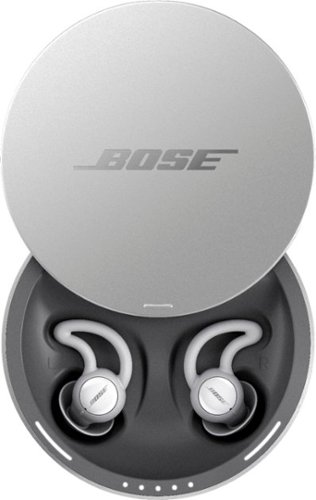
Sleep better. Cover unwanted noise with soothing sounds. Bose noise-masking sleepbuds~ are uniquely designed for sleep. They don~t stream music or have acoustic noise cancellation. Instead, these tiny, wireless earbuds use pre-loaded, soothing sounds to cover up unwanted noises, so you can get to sleep ~ and stay asleep. Plus, unlike traditional earplugs, they~re super comfortable and made to stay in place all night long, even if you sleep on your side. 1. Choose your sound, 2. Set an alarm, 3. Fall asleep without unwanted noise.
Can you listen to music or not? One answer says only the sounds from the app and another answer says yes you can listen to music. I want to listen to music from Youtube? Can I do this?
No - there is no input from anything other than the Bose App it comes with. Maybe on a future update, for now all you get is the built in soundscapes.
8 years, 1 month ago
by
ferrari
Sleep better. Cover unwanted noise with soothing sounds. Bose noise-masking sleepbuds~ are uniquely designed for sleep. They don~t stream music or have acoustic noise cancellation. Instead, these tiny, wireless earbuds use pre-loaded, soothing sounds to cover up unwanted noises, so you can get to sleep ~ and stay asleep. Plus, unlike traditional earplugs, they~re super comfortable and made to stay in place all night long, even if you sleep on your side. 1. Choose your sound, 2. Set an alarm, 3. Fall asleep without unwanted noise.
Can you use these at work to drown out a loud talkative coworker?
No - these don't have noise cancellation built in - I could clearly hear a tv on medium volume while i wore these. Get true noise cancelling headphones instead.
8 years, 1 month ago
by
ferrari
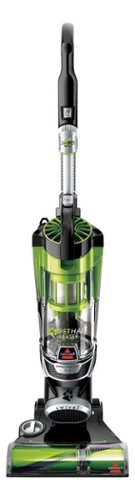
Nothing puts a vacuum to the test quite like a home with pets. That's why the BISSELL~ Pet Hair Eraser~ was developed from the ground up by pet parents for pet parents. Whether it's shedding season for your dog or your cat tracks kitty litter all over the house, this revolutionary vacuum is designed to make cleaning up after pets and the people who love them a breeze~from beginning to end. Say goodbye to hair wrap with its Tangle-Free Brush Roll, remove embedded hair everywhere with specialized pet tools, help capture allergens and eliminate odors with the SmartSeal~ Allergen System, and when you're finished cleaning, enjoy a hands-free tank empty with our patented Cyclonic Spooling System~.BR>
How load is it? I've used an Oreck XL upright and a Eureka Mighty Mite and would hope it's no louder as those. I prefer bagged vacuums but want to try the BISSELL Pet Hair Eraser because of its claims of not getting hair tangled on the roller.
I don't own the units you mentioned, I have a Miele canister, and it's no louder than that. I was surprised at it, as it does have great suction, and would have thought it should've been louder for the power it has. So far happy with the unit.
9 years, 11 months ago
by
ferrari