This reviewer is a member of the Best Buy Tech Insider Network Program. This invitation-only program provides BestBuy.com reviewers with manufacturer-supplied products for the purpose of writing honest, unbiased and usage-based reviews. Outside of receiving products to test and review, Best Buy Tech Insider Network Reviewers are not compensated in any other way.
Additional information about DeadPlasmaCell could not be loaded.
from Spring, Tx
I've been thinking about getting a Logitech Harmony remote for a while now. I currently have about 6 devices and of those 6 devices 4 of them have remotes that I have to use for various reasons. My Cable box (SA 8300HD) is my main remote, but wouldn't fully control my AV Receiver (Kenwood VR-615) It worked mostly every button except one major button.. an old Cable box remote worked that one. Then none of them worked my TV (Toshiba 32" LCD) or my Blu-ray Player (Sony BDP-S350) So I said screw it, i'm getting a Logitech Harmony remote. A good friend of mine has one and he loves it so I after much research I decided to go for the Harmony 700 after Best Buy had it on sale last week.
I unboxed the remote and let it charge (took about 3 hours) in the mean time I wrote down the model numbers to all the devices I would be using. Once the charging was complete I installed the software from Logitech's website (not physically included with this particular remote) installation took a couple of minutes and then it took me through the setup wizard. Setup was a breeze and once I inputed all my devices It took me through the "Activity" setup. Activities are buttons on your remote that do multiple functions. For example the "Watch TV" button will tell the remote to switch the TV's input to whatever input you've specified, be it cable box, antenna, etc. Then it will tell the receiver to switch to the proper audio input (All of which are asked specifically during the setup wizard) the remote will then act as a hybrid. For me the remote lets me control the volume through my AV receiver and control the cable box for watching TV.
Once you have all your activities setup you'll be good to go. The remote knows what to turn on and off depending on what activity you want to do. Say I'm watching TV and decide I want to play my Xbox 360, i just hit the activity button for it and it will switch my TV input to the Xbox 360, the stereo receivers output to the 360's and turn my cable box off (If I choose it to do so) The remote also controls my Xbox 360 as if it were an Xbox 360 DVD remote. If I want to go back and watch TV i just hit "Watch TV" and it shuts my Xbox off and switches everything back to the TV settings. It's very very simple and cool.
I've had the remote for only about a week so I can't comment on the battery life, but according to Logitech it should last 2 to 3 weeks on a full charge. 2 rechargeable batteries are included as well. It comes with a AC Plug that has a USB input to it for charging. Also note that the Mini-USB plug isn't your standard looking plug. I've included a comparison shot of a normal Mini-USB plug and the one that it comes with, so you might want to keep a good eye out on the cable it comes with. So far this remote seems to be a fantastic purchase and does exactly what I need it to do and then some. I am very happy with my purchase.
What's great about it: Easy to setup, Great Price, Tons of Features, Great feel
What's not so great: Unique Mini-USB input, can be a bit overwhelming if you aren't prepared.
This reviewer is a member of the Best Buy Tech Insider Network Program. This invitation-only program provides BestBuy.com reviewers with manufacturer-supplied products for the purpose of writing honest, unbiased and usage-based reviews. Outside of receiving products to test and review, Best Buy Tech Insider Network Reviewers are not compensated in any other way.
Additional information about Den17296 could not be loaded.
from Denver, CO
Being a previous owner of a Logitech remote, I was very skeptical of the remote. My old logitech remotes were horrible, but I'm glad I made the decision to try it again. The remote is easy to set up and extremely easy to use......bye bye to the stack of the remotes.
This reviewer is a member of the Best Buy Tech Insider Network Program. This invitation-only program provides BestBuy.com reviewers with manufacturer-supplied products for the purpose of writing honest, unbiased and usage-based reviews. Outside of receiving products to test and review, Best Buy Tech Insider Network Reviewers are not compensated in any other way.
Additional information about Magnoliamike could not be loaded.
from Riverside, Ca
this is the best part of my home theater system because of how easy it makes using my system for my wife. I am an advanced home theater person however she is not. but with this remote all she has to do is push one button and what ever she needs on turns on and switches to the right input for her. It was very easy to set up and I love how you can customize the controller completely to what you want. Rechargeable battery last a long time also.
Worth the money to make using a home entertainment system easy for everyone
This reviewer is a member of the Best Buy Tech Insider Network Program. This invitation-only program provides BestBuy.com reviewers with manufacturer-supplied products for the purpose of writing honest, unbiased and usage-based reviews. Outside of receiving products to test and review, Best Buy Tech Insider Network Reviewers are not compensated in any other way.
Additional information about banjoguy could not be loaded.
from Auburn, WA
I bought this replace a Harmony One damaged by an exuberant dog. I got the features I liked most at a small fraction of the price I paid for the One. Recharges, programs through the computer and just plain works. The lack of a charging dock means it takes up less space on the table. I am delighted and recommend this product without hesitation.
This reviewer is a member of the Best Buy Tech Insider Network Program. This invitation-only program provides BestBuy.com reviewers with manufacturer-supplied products for the purpose of writing honest, unbiased and usage-based reviews. Outside of receiving products to test and review, Best Buy Tech Insider Network Reviewers are not compensated in any other way.
Additional information about jec6613 could not be loaded.
from Connecticut
For those not familiar, the Logitech Harmony lineup is an activity based remote. What that means is, once setup, you press, "Watch TV," and it will set up your entire entertainment system to watch TV. It can be programmed in one of two ways: You can program up to 6 devices using special software installed on your computer, or up to 8 devices using a special website provided by Logitech. For functions where there is not a physical #Hard# button on the front of the remote, the functionality can be placed on the buttons on either side of the remote's display. Set up properly, they're exceptionally easy to use.
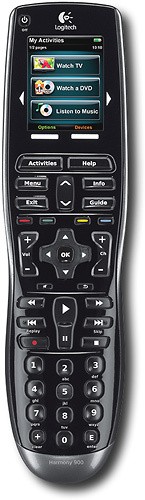
Unlike the more expensive Harmony One, this remote has four colored hard buttons for controlling your DVR and your Blu-Ray player. This is why myself, as well as almost everybody else I know, purchased one. The less expensive Harmony 650 as well as the Harmony 900 also have these buttons. Those four buttons take up a huge amount of your space on the screen if you don't have physical buttons.
Additionally, this remote features rechargabe Ni-MH batteries, and charges through a standard #MicroUSB# cell phone charger port. The batteries will go several weeks on a charge, and although it lacks a battery gauge, when it goes to a low battery condition you still have multiple days of heavy usage if you feel like not recharging it immediately.
This remote has a few, "Gotchas," though. Although it supports sequences #which is wonderful#, the programming almost always needs to be adjusted after the fact - the Logitech software does not properly program all of the buttons on a whole variety of devices and, often, the choices are a bit rediculous for the soft buttons as well - an Aspect button on a Media Center PC, for instance #for those who don't know, a Media Center PC changes its aspect through the Info button, so the Aspect button does nothing#.
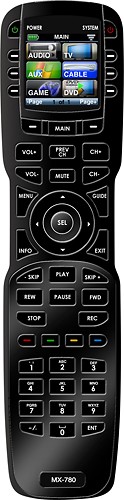
Besides the number of devices and programming that should be left to the professionals if you're not 100% sure about it; these #like all Harmony remotes# are limited in their ability to control a second zone of a receiver. You can sort of kluge it onto it, but it's not real support for it, and I wouldn't do it - get the MX-780 if you want that.
Additionally, there's a durability issue. My family owns many of these #as well as other model Harmony remotes# Every one has required replacment at least once, if not far more often. I'd purchase the extended protection for this in a heartbeat on these if I were to buy another #and I'm not going to#.
If I had to do it all again, I'd either go with a Harmony 900 or a URC MX-780. This remote is okay, and if you're on a budget it's probably the best one out there, but after the experience with these and the higher end remotes, the higher end models are worth far more than their higher price, and I'd scrape together the money to afford them if at all possible
What's great about it: All in one remote.
What's not so great: Programming is far tricker than it should be for an entry level remote, durability is poor.
No, I would not recommend this to a friend.
Other Best Buy Products I Recommend
Universal Remote Control - MX-780 48-Device Universal Remote
(15)
Logitech - Harmony Universal Remote Control
Logitech - Harmony Universal Remote Control - Black