


Cipher469's stats
- Review count196
- Helpfulness votes252
- First reviewOctober 29, 2009
- Last reviewJune 3, 2026
- Featured reviews0
- Average rating4.5
Reviews comments
- Review comment count0
- Helpfulness votes0
- First review commentNone
- Last review commentNone
- Featured review comments0
Questions
- Question count0
- Helpfulness votes0
- First questionNone
- Last questionNone
- Featured questions0
- Answer count15
- Helpfulness votes4
- First answerJuly 5, 2018
- Last answerNovember 19, 2021
- Featured answers0
- Best answers0
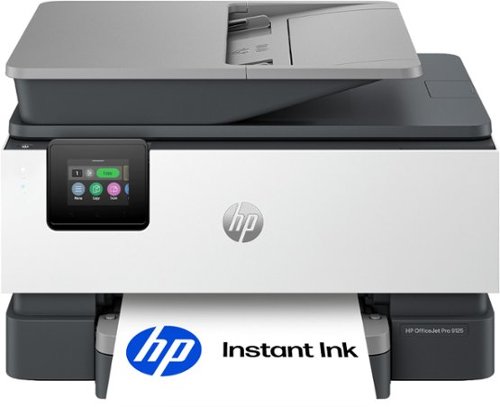
The HP OfficeJet Pro 9125 All-in-One Printer delivers fast color, fade-resistant prints, 250-sheet paper capacity, and duplex scan, copy capabilities plus fax, perfect for your office. Navigate this printer with the 2.7" color touchscreen and phone-like user interface. It includes wireless and printer security features to keep your multifunction printer up to date and secure, and is made with more than 40% recycled plastic content. Optimize print formatting with HP AI, that easily removes unwanted content from emails and web pages so your prints are just the way you want~no wasted pages or unwanted content. Subscribe to Instant Ink delivery service and get 3 months of free ink delivered directly to the door of your office. The HP OfficeJet Pro 9125 All-in-One also lets you print from anywhere with the HP app.
Posted by: Cipher469
The OfficeJet Pro 9125 from HP is a new print/scan/copy/fax(yes) device designed for small businesses or home use for those who want more than just a printer. I am in the second group; thus, I was pleased to take it for a test drive.
Out of the box and plugged in, there is truly little that needs to be done to complete set up. Mostly, you need to pay attention to the instructions shown on the small screen and execute them as directed. The most crucial step is connectivity as the 9125 is wireless. Using the HP Smart app, which I already have in use, the wi-fi connection was instantaneous. No entering password or any other data. Being so quickly ready to begin the final printing adjustments performed by the printer itself, I was totally impressed. Other than inserting the ink containers when directed and loading paper for the printing adjustments, the 9125 essentially set itself up.
Some additional and notable features of the 9125 are:
*Print speed: A fast 22 pages black/white per minute and 18 per minute for color.
*Duplexing: Two-sided printing and scanning. Generous 35-page document feeder. Other than putting out excellent product, duplexing for both copy and scan is a requirement. The job is easier, faster, and paper usage volume is reduced; saves money and trees.
*250 sheet paper tray. Though I prefer two trays, I rarely use any size other than standard 8.5x12. One generous 250 sheet tray, not a problem.
*2.7 Color touchscreen. It may be a bit small, but it exhibits well.
*Connectable to your smartphone for all functions via the app.
*Print speed: A fast 22 pages black/white per minute and 18 per minute for color.
*Duplexing: Two-sided printing and scanning. Generous 35-page document feeder. Other than putting out excellent product, duplexing for both copy and scan is a requirement. The job is easier, faster, and paper usage volume is reduced; saves money and trees.
*250 sheet paper tray. Though I prefer two trays, I rarely use any size other than standard 8.5x12. One generous 250 sheet tray, not a problem.
*2.7 Color touchscreen. It may be a bit small, but it exhibits well.
*Connectable to your smartphone for all functions via the app.
There is a lot to like about the 9125! However, there is one feature that has me scratching my head. The power cord is comparatively short! Unless you can place the 9125 near to an outlet, an extension cord will be needed. I would not recommend a “regular” cord be used. The better, potentially safer, choice is a heavier duty cord. Even better would be a surge protection strip with on/off capability.
Based on my personal experience with HP OfficeJet Pros, this new Pro 9125 should provide excellent service for a long time and at a reasonable cost. I would certainly recommend it to family and friends.
I would recommend this to a friend!
Share this review:


0points
0of 0voted this as helpful.
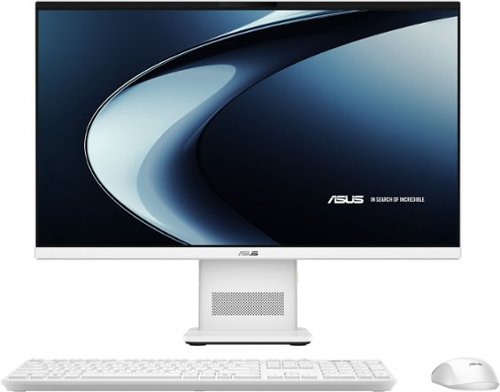
Meet the next wave of everyday computing with the first ASUS All-in-One powered by Snapdragon X Series. Built for fast, responsive performance and AI-enhanced experiences, this sleek 23.8~ touchscreen PC keeps everything you need in one streamlined design. From work tasks and video calls to streaming and browsing, the Snapdragon X platform delivers smooth performance with impressive power efficiency. The vibrant Full HD display with ultra-slim bezels gives you more screen and less distraction, while built-in AI capabilities help optimize performance, enhance video calls, and keep your workflow moving without slowdowns. With a clean white finish, wireless keyboard and mouse, and a clutter-free setup, this all-in-one is designed to fit naturally into any space~whether it~s your home office, dorm, or shared workspace.
Customer Rating

5
The Little Engine That Could
on May 31, 2026
Posted by: Cipher469
Asus’ motto is “In Search of Incredible;” and they are still on track. This new AIO Computer Model VM441QA is indicative of it.
Once out of the box, setting up the 441 is a snap. Not counting the power cord, all you have to do is put three items on your desk/table/whatever: the AIO console, the wireless keyboard, and the wireless mouse. No muss, no fuss, no clutter. Power up and let the 441 do its thing to get your new computer set up. Also, with CoPilot assisting, a new computer experience is afforded to you quickly and easily. Download your files and more of what you have saved to the cloud (ideally), and you are all set for the Asus experience.
For hardcore gamers, the 441 might not satisfy. However, for the most of us, the 441 has many excellent features to provide a positive working experience. These include, but are not limited to:
*Screen: 14” Full HD anti-glare touchscreen providing sharper image than regular HD. Colors are excellent.
*Processing: The processor is the 8-core neural processing Snapdragon X, which is fast and battery friendly. Drawing less power, it provides more usable battery time. Also, importantly, CPU clock speed is just a tad short of 3GH. All good for the user.
*AI assistance: Copilot+ PC can be helpful to the average user if you take time to learn how to use it. Help with research, writing, and similar tasks can all be enhanced with a Copilot. Gamers, once again, may not be satisfied with this version.
*Storage: File capacity is 512GB which should be plenty for most users. RAM (Random-Access Memory) is 16GB, making multitasking much easier without slowing down the computer. This is a definite plus. Working with the 441, I was immediately and genuinely impressed with its speed.
*Connectivity: Wireless is via Bluetooth and Wi-Fi. Wired is generous with 1 HDMI and 4 USB ports. USB includes A3.2, C3.2, and A2.0 (2). In addition, there is 1 Ethernet port. All ports are located on rear of the stand, which houses all operating components.
*Built-in front-facing 1080p camera (Not a major issue but webcam sharpness could be better.) and microphone.
* Wireless keyboard and mouse. These are the standard non-ergonomic types that usually come with a new computer. They work fine, of course. Because I must have ergonomics, my own wireless board and mouse attached easily to the 441.
*Environment Friendly: The 441 is Energy Star Certified and Gold level EPEAT qualified.
*Processing: The processor is the 8-core neural processing Snapdragon X, which is fast and battery friendly. Drawing less power, it provides more usable battery time. Also, importantly, CPU clock speed is just a tad short of 3GH. All good for the user.
*AI assistance: Copilot+ PC can be helpful to the average user if you take time to learn how to use it. Help with research, writing, and similar tasks can all be enhanced with a Copilot. Gamers, once again, may not be satisfied with this version.
*Storage: File capacity is 512GB which should be plenty for most users. RAM (Random-Access Memory) is 16GB, making multitasking much easier without slowing down the computer. This is a definite plus. Working with the 441, I was immediately and genuinely impressed with its speed.
*Connectivity: Wireless is via Bluetooth and Wi-Fi. Wired is generous with 1 HDMI and 4 USB ports. USB includes A3.2, C3.2, and A2.0 (2). In addition, there is 1 Ethernet port. All ports are located on rear of the stand, which houses all operating components.
*Built-in front-facing 1080p camera (Not a major issue but webcam sharpness could be better.) and microphone.
* Wireless keyboard and mouse. These are the standard non-ergonomic types that usually come with a new computer. They work fine, of course. Because I must have ergonomics, my own wireless board and mouse attached easily to the 441.
*Environment Friendly: The 441 is Energy Star Certified and Gold level EPEAT qualified.
Overall, the Asus AIO VM441QA is an excellent computer for anyone looking for computing power that won’t break the bank. For the average user, it can be an excellent assistant, possibly as near perfect as one can be. Asus keeps the bar high.
I would recommend this to a friend!
Share this review:


0points
0of 0voted this as helpful.
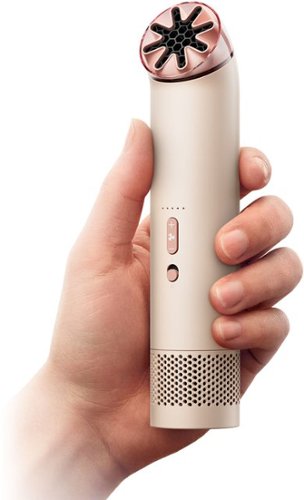
The Dyson HushJet Mini Cool Fan delivers powerful, quiet, fast evaporative cooling in a compact, portable design.
Posted by: Cipher469
Don’t be confused by the HushJet’s shape and blush coloring. It is a fan, and, for its intended purpose, a particularly good fan. The Mini performs at a level one would expect from Dyson.
This small fan puts out a significant amount of cool air at five different speeds. Even at the highest speed, it is noticeably quiet. It’s bladeless and cordless design makes it safe to carry on your person. In addition, to assist with carrying (only 7.5 ounces) and minimizing loss, a lanyard is enclosed for wrist or neck wear.
The Mini is powered by a 65,000rpm motor which creates remarkable airflow. I tried it out in 80+ degree weather, and I could feel the cool air movement, in a limited body area of course. Perhaps, if the air release opening were a bit larger and/or rectangular, a larger body area could be cooled. Just sayin’.
In operation, the fan is noticeably quiet. I did notice that standing on my wooden desk, it makes a faintly audible humming sound. However, it was not at a level to be annoying. In terms of usage, estimated time when the lithium battery is fully charged is an impressive estimation of six hours.
The only specific issue I have with this little fan is that the air projection angle is not up/down adjustable. This limits where the fan can be placed for maximum cooling of the body area you want cooled. The fan area is moveable, but movement is only in a circle which points the fan straight up.
Overall, the Mini could be a handy item to have inside or out if going into an uncooled area. Should you not want one for yourself, it could make a useful gift.
Overall, the Mini could be a handy item to have inside or out if going into an uncooled area. Should you not want one for yourself, it could make a useful gift.
I would recommend this to a friend!
Share this review:


0points
0of 0voted this as helpful.
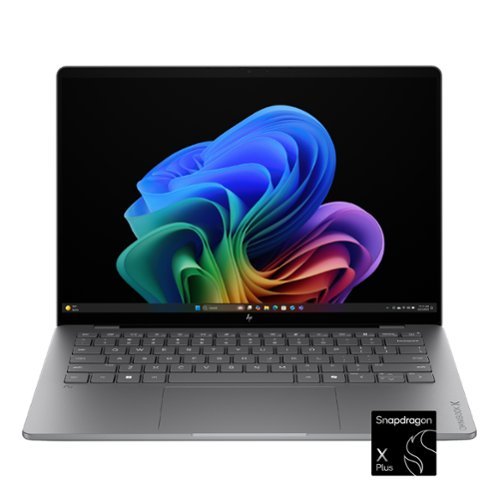
Advanced AI performance and beyond-all-day battery life. Powered by a Snapdragon X Plus processor, the HP OmniBook X 14 PC combines intelligent performance, incredible battery life, and a slim design that travels effortlessly~so you can stay productive anywhere, all day long.
Posted by: Cipher469
Over the last few months, I have become a fan of OmniBook laptops. I evaluated an OmniBook 5, loved it and gifted it to a grandson starting college. My daughter also could use a new easily portable laptop, so I bought a 5 for her. Both are incredibly happy with their OmniBooks. Thus, I am delighted to be able to evaluate this new “X” model.
Like the 5, the X is a winner. Anyone needing small size portability without sacrificing performance should consider an OmniBook, especially this new X model.
Like the 5, the X is a winner. Anyone needing small size portability without sacrificing performance should consider an OmniBook, especially this new X model.
Its many features include:
*Screen: When the X is powered up, you will be greeted by a 14” OLED screen (2K 1920x1200 with 300 nits brightness) displaying marvelous color, clarity, and wide viewing angles. Important to me, the screen is touch-enabled.
*Battery: When fully charged, you can expect many hours of usage. Should you run low, the X’s fast charge ability can go from 0 to 50% in about a half hour.
*Keyboard: Unlike some models, the X’s keyboard is backlit. For me, this is another requirement.
*Storage: SSD 512GB; RAM 16GB; plenty for most users.
*Processing: Snapdragon X Plus is so efficient that it assists in producing excellent AI while boosting battery time. CPU is 8-core, with speed of 3.4 Ghz. Neural Processing Unit runs up to 45 trillion operations per second. Yes, it is fast!
*Copilot+PC: This is Microsoft’s’ advanced level AI for computers. Its Recall component can help with finding documents, web sites, and more. Other assistance includes foreign language translation, image creation, and more. Some features may require a subscription.
Copilot can make mistakes, which I experienced using Recall. It got out of sync when identifying on-screen items. When I advised Copilot of the error, it was quickly corrected, and an apology for the error was made. Impressive!
Copilot can make mistakes, which I experienced using Recall. It got out of sync when identifying on-screen items. When I advised Copilot of the error, it was quickly corrected, and an apology for the error was made. Impressive!
To personalize Copilot to your preferences, there are several English-speaking styles to choose from, as well as choice of female or male voice. As a bit of an Anglophile, a Brit female speaking “proper” English is my choice. For speakers of other languages, the choice list is numerous.
Anecdotally, wanting to be helpful, Copilot can be quite the “Chatty Kathy.” The first question I asked was answered quickly, as were the follow-ups. Then, “she” continued letting me know help was available any time needed. To get out of the loop, I had to “hang up on her.” It was rather amusing.
Anecdotally, wanting to be helpful, Copilot can be quite the “Chatty Kathy.” The first question I asked was answered quickly, as were the follow-ups. Then, “she” continued letting me know help was available any time needed. To get out of the loop, I had to “hang up on her.” It was rather amusing.
*Graphics: The Qualcomm Adreno GPU’s job is to assist in generating high quality graphics, as well as excellent user experience. It does all this while optimizing power usage. Gamers should appreciate this.
*Portability: The X has many prime computer functions under a small hood. Weighing in at less than 3lbs, it is the perfect companion for students and frequent travelers, be it for work or pleasure. Don't get around much but you want a small computer for home? The X was built for you, too.
*Windows 11 Home
Overall, the HP OmniBook X 14” is an excellent compact laptop computer. It has excellent speed, power, optics, and AI ready to assist you, whether behind the scenes or overtly. Get acquainted with Copilot, especially if you are an active user. Don’t need a new computer yourself? The X would be an excellent gift for a student, frequent traveler, or whomever!
I would recommend this to a friend!
Share this review:


0points
0of 0voted this as helpful.

Don~t let its size fool you, this 2.0 mini soundbar delivers surprising sound and balance that transforms your entertainment. With seamless setup and compact profile, it blends into any space while standing out where it counts.
Customer Rating

4
Improved Audio at Bargain Price
on January 7, 2026
Posted by: Cipher469
I have never owned a Soundbar or had a serious interest in one. However, having just bought a new 2025 (major brand) 65” Smart TV, and having the opportunity to evaluate this soundbar, I tried it out.
Installing the Soundbar was an very uncomplicated process. After several failed attempts to connect via Bluetooth, I used the included HDMI cable and was quickly good to go. My understanding of a soundbar is that it should improve the audio experience. My new TV has audio with Dolby Atmos, as well as AI assistance. Numerous modes are also part of the audio package. Compared by alternating with and without the Soundbar, I found no significant difference with the Soundbar. As a result, this Soundbar could be immensely helpful for TVs without excellent audio built in. Also, this Insignia model comes at a very reasonable price for the performance.
While the Soundbar does perform well, I found the operation annoying at times. There are four flat black-on-black buttons for manual operation. Hard to see and unlabeled. Using the remote is, of course, the easier way to go. Besides, if the outcome improves the audio, it could minimize or even eliminate a little annoyance.
Overall, this compact Soundbar can enhance your TV audio experience and for a very reasonable price.
I would recommend this to a friend!
Share this review:


0points
0of 0voted this as helpful.
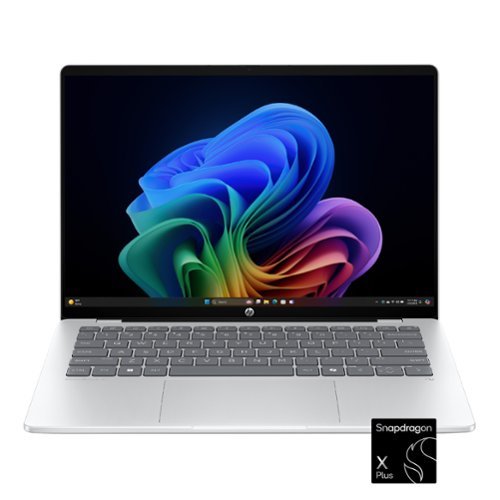
Built for advanced performance and seamless productivity, with an ultra-thin profile and HP AI Companion to act as your on-device personal assistant. Streamline your workflow with the AI-driven Snapdragon processor and an incredible battery life that holds up to heavy multitasking and intensive workloads. Stunning audio-visual experiences with the 1080p infrared camera and OLED display keep you looking and sounding your best.
Customer Rating
5
Good things can come in small packages.
on September 21, 2025
Posted by: Cipher469
For me, the worst part of getting started with the 5 was getting it up and running. First, for getting the box open, look for the small black on black “pull tab” on the underside black strip. Powering up with the on/off key took several attempts. Then, the boot up and running the start up software took longer than I have experienced in many a year. My thoughts were that the 5 was going to be a dud. HOWEVER, once it was up and running, any thought of the 5 being a dud was gone! Also, after the initial hiccup, the on/off key works perfectly.
The 5 has many excellent features, including:
*The battery power when fully charged is estimated to provide up to 34 hours of work time. I cannot attest to the full 34 hours, but I can attest to it being on for about 24 hours and it was still ready for more work.
*Keyboard: It is not backlit, which I don’t like. However, the size and clarity of the information on each key is quite easy to read.
*Screen: The 14” OLED screen is full HD (1920 x 1200), and brightness is 300 nits output.
*Storage: SSD 512 GB, RAM 16GB
*Processing: Snapdragon X Plus is the processor. It is so efficient that it contributes to extended battery power. In addition, the X has been shown to provide excellent AI performance.
* Portability: The 5’s size and weight make it an excellent companion for students, regular business or for fun travelers.
*AI: The 5 offers several AI features. Some are onboard and some are available by app. These include MS 365 Copilot (free app), HP AI Companion (Beta), and Recall (Preview). Utilizing one or more of these programs will involve a major learning curve for many of us, but it could surely be useful. Also, some programs require a subscription.
*The battery power when fully charged is estimated to provide up to 34 hours of work time. I cannot attest to the full 34 hours, but I can attest to it being on for about 24 hours and it was still ready for more work.
*Keyboard: It is not backlit, which I don’t like. However, the size and clarity of the information on each key is quite easy to read.
*Screen: The 14” OLED screen is full HD (1920 x 1200), and brightness is 300 nits output.
*Storage: SSD 512 GB, RAM 16GB
*Processing: Snapdragon X Plus is the processor. It is so efficient that it contributes to extended battery power. In addition, the X has been shown to provide excellent AI performance.
* Portability: The 5’s size and weight make it an excellent companion for students, regular business or for fun travelers.
*AI: The 5 offers several AI features. Some are onboard and some are available by app. These include MS 365 Copilot (free app), HP AI Companion (Beta), and Recall (Preview). Utilizing one or more of these programs will involve a major learning curve for many of us, but it could surely be useful. Also, some programs require a subscription.
OmniBook 5 is a worthy performer with great portability, and it is easy to use. I'd definitely recommend it.
I would recommend this to a friend!
Share this review:


0points
0of 0voted this as helpful.
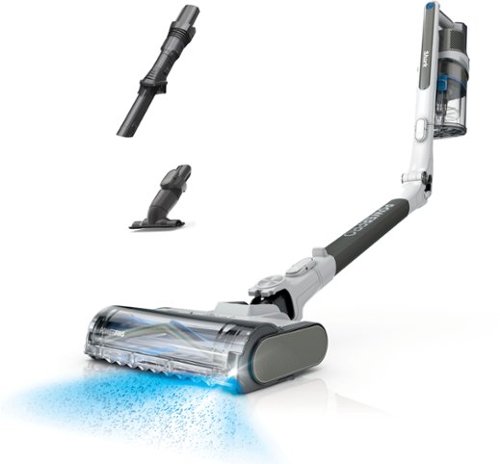
The Shark PowerPro Flex Reveal Plus provides hypervelocity suction in a lightweight, maneuverable design. Its PowerFins multi-surface nozzle digs deep into carpets and directly engages hard floors for continuous cleaning contact. It comes equipped with FloorDetect & Dirt-Reveal technology, which detects floor type and automatically adjusts brushroll speed for maximized performance on all surfaces and illuminates hidden dirt to ensure no spot is missed. It also has a self-cleaning brushroll to ensure no hair wrap ~ great for pet owners. It provides up to 50 minutes of runtime* to ensure you have enough power to clean your entire home. Its HEPA filtration system and anti-allergen complete seal capture & trap over 99.97% of dust & allergens~, keeping them out of the air you breathe. The LED headlights enable illumination of dark areas to easily spot dust & small debris, while the flexible wand makes under-furniture cleaning easy. If you need to clean furniture, countertops, or other hard-to-reach places, it converts easily into a hand vacuum. Attachable accessories include the 8~ Crevice Tool and Upholstery Tool. *Measured at the handvac in standard mode. ~Based on ASTM F1977 of particles .3 microns and larger. Allergens refer to non-living matter.
Posted by: Cipher469
SharkNinja continues to amaze me with inventive ideas and the continuous release of quality housecleaning and kitchen products. They have set their own bar so high that when I have the opportunity to test drive one of their products, the expectation is it’s going to be a winner. Only twice over the years have they disappointed me.
This new Shark PowerPro Flex is a versatile vacuum that is surprisingly compact, extremely easy to operate, and powerful enough to ensure it cleans well. The many features of the PowerPro become cleaning assets when the power is turned on. Prominent features include:
*A fully charged battery’s run time is projected to be about an hour. This will vary, of course, depending on area size and what configuration or power mode you are using.
*FloorDetect: No more manual adjusting necessary when moving from hard floor to carpet and vice/versa. A sensor immediately detects the change and adjusts suction as needed. So, you just keep on moving.
*Dirt Reveal: A special light on the front left corner of the cleaner base. It assists in “seeing” dust and other tiny particulates. Yes, it does help.
*”Headlights”: There is another visual assist feature that is also immensely helpful. Across the front of the vacuum unit is a string of LED lights that are an enormous help in dimly lit areas. I tried them in a darkened room and found they provided enough light to see and vacuum the room, one small area at a time, of course.
*Flexible wand: The wand usage can vary according to whatever area you need to clean, high or low. Aside from the attachments included to assist you, there is one feature that I find especially helpful! It is the ability to push a tab on the wand and bend it in a way that you can clean under beds, tables, etc. without having to bend down or get down on the floor.
*Hand vac cleaning: For those jobs where you need a hand vac, easily remove the wand from the upper unit, attach a brush or the crevice device, and you’re all set to vacuum. I have had a couple of Shark hand vacs for several years and they still function fairly well. However, the hand vac feature on the Flex is an entirely new and positive experience.
* Cleaning the vac: When you have finished cleaning, the dust cup can easily be detached from the wand and emptied without you having to touch the dust or whatever might have been picked up. Plus, the brushroll is self-cleaning, so no pulling hair or other fiber off the roll.
*A fully charged battery’s run time is projected to be about an hour. This will vary, of course, depending on area size and what configuration or power mode you are using.
*FloorDetect: No more manual adjusting necessary when moving from hard floor to carpet and vice/versa. A sensor immediately detects the change and adjusts suction as needed. So, you just keep on moving.
*Dirt Reveal: A special light on the front left corner of the cleaner base. It assists in “seeing” dust and other tiny particulates. Yes, it does help.
*”Headlights”: There is another visual assist feature that is also immensely helpful. Across the front of the vacuum unit is a string of LED lights that are an enormous help in dimly lit areas. I tried them in a darkened room and found they provided enough light to see and vacuum the room, one small area at a time, of course.
*Flexible wand: The wand usage can vary according to whatever area you need to clean, high or low. Aside from the attachments included to assist you, there is one feature that I find especially helpful! It is the ability to push a tab on the wand and bend it in a way that you can clean under beds, tables, etc. without having to bend down or get down on the floor.
*Hand vac cleaning: For those jobs where you need a hand vac, easily remove the wand from the upper unit, attach a brush or the crevice device, and you’re all set to vacuum. I have had a couple of Shark hand vacs for several years and they still function fairly well. However, the hand vac feature on the Flex is an entirely new and positive experience.
* Cleaning the vac: When you have finished cleaning, the dust cup can easily be detached from the wand and emptied without you having to touch the dust or whatever might have been picked up. Plus, the brushroll is self-cleaning, so no pulling hair or other fiber off the roll.
As you can see, the PowerPro Flex has lots of excellent features to help you clean your house. But wait, there’s more. As a hairy friend owner, I saved my two personal favorites for the last:
*Pet hair cleaning: Finding a vacuum that can actually remove pet hair from fabrics such as upholstery, bed covers, etc. has been pet peeve (no pun intended) of mine. The first time I tied the Flex in handvac mode using the included special brush, I quickly discovered I had found a vacuum cleaner that does remove pet hair. Plus, it can do so without grabbing and potentially damaging cloth or other material on which the hair is located. Yes!
*Noise: In my years of exposure to vacuum cleaners I have learned they can be LOUD. This is especially true when high power settings are used. But, if you wanted to clean, you adapted to the noise as best you could. With a pet, noise is certainly a concern. When a vacuum started running, mine would quickly leave the room. The first time I used the Flex in an area near where he was snoozing, he looked up at it, but he didn’t leave. Thinking that was certainly unusual, I realized I was missing something…LOUD noise. Not sound free, of course; but comparatively, the Flex is quiet. Comfortable to the ears. Yes!
*Pet hair cleaning: Finding a vacuum that can actually remove pet hair from fabrics such as upholstery, bed covers, etc. has been pet peeve (no pun intended) of mine. The first time I tied the Flex in handvac mode using the included special brush, I quickly discovered I had found a vacuum cleaner that does remove pet hair. Plus, it can do so without grabbing and potentially damaging cloth or other material on which the hair is located. Yes!
*Noise: In my years of exposure to vacuum cleaners I have learned they can be LOUD. This is especially true when high power settings are used. But, if you wanted to clean, you adapted to the noise as best you could. With a pet, noise is certainly a concern. When a vacuum started running, mine would quickly leave the room. The first time I used the Flex in an area near where he was snoozing, he looked up at it, but he didn’t leave. Thinking that was certainly unusual, I realized I was missing something…LOUD noise. Not sound free, of course; but comparatively, the Flex is quiet. Comfortable to the ears. Yes!
The Shark PowerPro Flex is another outstanding product offered by SharkNinja! They have raised the bar on themselves again. My hairy friend and I both unconditionally recommend this versatile vacuum for your housekeeping needs.
I would recommend this to a friend!
Share this review:


0points
0of 0voted this as helpful.
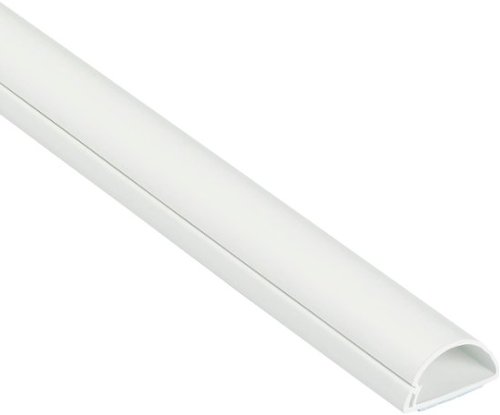
Half round profile of D-Line Raceway blends with d~cor for a neat solution to hide surface cables. One-piece design, flexible hinged lid, and self-adhesive backing result in a quick easy solution to conceal cables. Great for covering 1-3 wall mounted TV cords or to hide wires above baseboards, with the profile appearing as the natural top section.
Posted by: Cipher469
There are numerous types of cord covers in the marketplace, and I have a couple of large ones in place. This new small size from D-Line is ideal for small to medium cords. However, a single large cord might also fit.
The Raceway, as D-Line calls it, is an excellent choice for covering cords. Its small size and design not only conceal cords, but it also reduces the danger of tripping if it crosses open floor areas, as compared to some larger covers.
It is constructed of high-quality PVC, and the hinge to open for cord insertion can be opened/closed with no worry of damage to the cover itself. In addition to strength, it is also very versatile. Not included, but can be bought separately, are corner pieces, T’s, caps, etc. All at affordable prices.
*Should it be too long for your need, the cover can be cut/sawed to match your requirement.
*The white color makes it highly visible if placed on a dark surface. If you don’t like that, you can paint it any color you want. Rough it up slightly with fine sandpaper and apply the paint. Two coats recommended.
* When you have found your spot, peel the blue strip off the rear and expose the self-adhesive backing. Press into place, and you are good to go.
*Should it be too long for your need, the cover can be cut/sawed to match your requirement.
*The white color makes it highly visible if placed on a dark surface. If you don’t like that, you can paint it any color you want. Rough it up slightly with fine sandpaper and apply the paint. Two coats recommended.
* When you have found your spot, peel the blue strip off the rear and expose the self-adhesive backing. Press into place, and you are good to go.
Builders never put enough outlets in bathrooms. Having to use multi-plugs means multiple cords, and I found the perfect location for my Raceway. All I had to do was trim a few inches off the cover, and in minutes the job was finished. The Raceway installation was so quick and easy, I have already identified a couple of places where I could use more.
When you need to hide those cords, think of D-Line and the Raceway. Or if you need a bigger size or have a bundle of cords to cover, still think D-Line. They’ve got you covered.
I would recommend this to a friend!
Share this review:


0points
0of 0voted this as helpful.
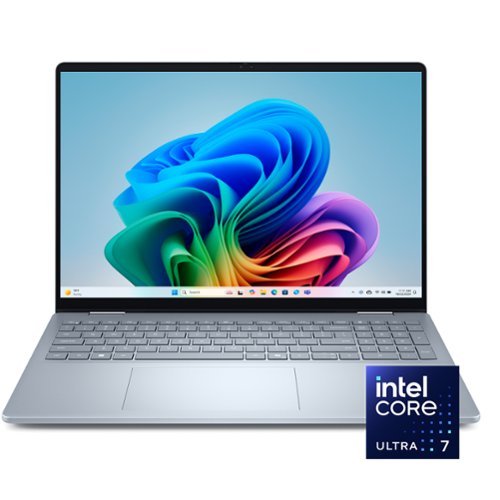
A versatile creative canvas. A stunning 16-inch screen built for versatile use with on-device Copilot+ featuring the latest Intel Core Ultra processors, designed to deliver the ultimate power efficiency and performance for the newest AI experiences in a sleek and stylish 2-in-1 laptop.
Posted by: Cipher469
I have long been a fan of Dell computers, currently owning an AIO desktop and a laptop. As a result, getting the opportunity to try out the new AI-centered (Copilot) Dell 16 Plus laptop was looked forward to. The overall experience has been one of mixed feelings.
Since the debut of MS OneDrive, setting up a new Windows computer has been a snap. OneDrive moves your files, etc. from the current computer to the new one easily and quickly. Now, there are more steps involved in getting the process up and running. The same can be said for MS Office. There is a new learning curve because of software changes. Add in the Copilot learning curve, and setup is no longer a snap. Essentially, these are all software matters, not hardware, but it’s all in the same package.
As with most Dells, the Dell 16 is feature loaded:
*Viewing: Excellent 16” touch screen: Resolution 1920x1200 WUXGA (Wide Extended- Graphics Array – Offering taller screen height; Refresh rate 60Hz
*Processing: Intel Core Ultra 7 Series 2, 8 Core CPU speeds: Basic 2.2 GHz/Boost 4.8 GHz. RAM memory 16 GB combined to provide fast accurate productive output.
*Storage: SSD 1TB.
*Connectivity : HDMI 1, USB 3 (1 USB-C charging). Bluetooth and Wi-Fi 7
* Lighted keyboard, which is a must for me. Also, there is an onboard numeric keypad, which I greatly prefer. Also, there’s an onscreen touch keyboard when in tablet format.
*Copilot Plus PC: This is the latest in Windows AI. It assists with response time in searching for documents, emails, web pages with a program called Recall. While I am still learning what Copilot can do ( Image generation and editing, enhanced video calls, real time language translation, and more), I am finding it helpful.
*Versatility: It’s called “2-in-1” because can be used as a laptop or a tablet. Conversion is easy because all you must do is fold it over. Plus, between those two formats, it can also lay flat or be folded into a “tent” to stand on a level surface as a speaking aid or other demonstration.
*Viewing: Excellent 16” touch screen: Resolution 1920x1200 WUXGA (Wide Extended- Graphics Array – Offering taller screen height; Refresh rate 60Hz
*Processing: Intel Core Ultra 7 Series 2, 8 Core CPU speeds: Basic 2.2 GHz/Boost 4.8 GHz. RAM memory 16 GB combined to provide fast accurate productive output.
*Storage: SSD 1TB.
*Connectivity : HDMI 1, USB 3 (1 USB-C charging). Bluetooth and Wi-Fi 7
* Lighted keyboard, which is a must for me. Also, there is an onboard numeric keypad, which I greatly prefer. Also, there’s an onscreen touch keyboard when in tablet format.
*Copilot Plus PC: This is the latest in Windows AI. It assists with response time in searching for documents, emails, web pages with a program called Recall. While I am still learning what Copilot can do ( Image generation and editing, enhanced video calls, real time language translation, and more), I am finding it helpful.
*Versatility: It’s called “2-in-1” because can be used as a laptop or a tablet. Conversion is easy because all you must do is fold it over. Plus, between those two formats, it can also lay flat or be folded into a “tent” to stand on a level surface as a speaking aid or other demonstration.
*Build: Dell Plus laptops are not encased in plastic. They are built with durable materials that meet military-grade requirements. Don’t throw the laptop down to evaluate it; but should you accidentally drop it, you’ll be glad for the build.
While I genuinely like Dell 16, I have two strong issues in one: Facial recognition (Windows Hello). Using facial recognition for logging on is especially important to me, because fingerprint ID is a “no go.” Since the debut of facial recognition a while ago, it has always been an important feature for me. Now, for some questionable reason, facial recognition is not available on the Dell 16! In settings, where one would look to activate it, the “Set up” button is not usable. (See pic) On screen it looks as if it’s available in the software, but it cannot be activated. This is a large backstep in security and a great loss for those of us who can’t use a fingerprint for access. The onboard camera is only usable as a web cam. It baffles me as to why such a desirable laptop, especially at its price level, would omit facial recognition.
Overall, the Dell 16 is a laptop to take you to a new level. It offers a lot to assist in computing/creating/writing needs. Except for, my stated issue, it is perhaps the best laptop I’ve seen in a while.
I would recommend this to a friend!

Share this review:


+4points
5of 6voted this as helpful.

Meet Pixel 9a ~ engineered by Google with more than you expect, for less than you think. Like Gemini built in to supercharge your productivity and creativity.~ A best-in-class camera~ for incredible photos. All-day battery.~ Durable design. And 7 years of updates so it keeps feeling new.~ All for under $500.
Customer Rating
5
Lots of bang for your bucks.
on April 27, 2025
Posted by: Cipher469
The Pixel 9a is the latest addition to the Pixel 9 smart phone series. It also comes with the lowest price tag ($499), but don’t let that fool you. The 9a is loaded with lots of bang for a comparatively few bucks. For the shutterbug, you might think of it as buying an excellent camera that comes with a genuinely nice phone.
The 9a comes with many excellent features, including:
*Processing: Google Tensor G4 with Titan M2 security coprocessor
*8GB RAM Memory and a choice of 128GB or 256GB Storage
*The OS is Android 15 and is supported with 7 years of security and system upgrades.
*Battery: Capacity is 5,100 mAh, providing 30+ hours with full charge per Google. I haven’t confirmed 30, but I can attest to 24 hours, and there was still power available. Wired charging is fast, and the 9a is compatible with Qi wireless charging.
*Cameras: The Main Wide lens is 48 megapixels with 82-degree field of view, optical and image stabilization, and 8x zoom. The Ultrawide lens is 13 megapixels with 120-degree field of view. Photo and video quality are excellent. Also, if you want to tweak a photo or “Reimagine,” as Pixel calls it, there are several options to work with. For photos, you clear up blurs, add a person to a photo,
and more. If you are shooting video and there’s annoying background noise, no worries, you can erase it. There’s a learning curve to “Reimagining,” but it is worth the effort to learn how to improve and/or personalize your photography.
* AI Gemini 2.0: I love to hear a woman speaking with a “proper” British accent, and Gemini does it exceptionally well. If you want her to speak with you in other languages, just let her know. Conversing with her can be fun; but it’s not without occasional bumps. First time trying, I asked her to talk to me about dinosaurs. I got an on-screen message that she wasn’t yet able to do that. Next, I asked her to show me a picture of a Tyrannosaurus Rex and got the same message. So, I am thinking Googling for help would have been better. However, the next day, I repeated the same requests, and Gemini quickly responded properly and promptly in both cases. Then, we were able to converse about that topic and others. I don’t know what happened overnight, but it greatly improved my impression of Gemini’s abilities.
*Processing: Google Tensor G4 with Titan M2 security coprocessor
*8GB RAM Memory and a choice of 128GB or 256GB Storage
*The OS is Android 15 and is supported with 7 years of security and system upgrades.
*Battery: Capacity is 5,100 mAh, providing 30+ hours with full charge per Google. I haven’t confirmed 30, but I can attest to 24 hours, and there was still power available. Wired charging is fast, and the 9a is compatible with Qi wireless charging.
*Cameras: The Main Wide lens is 48 megapixels with 82-degree field of view, optical and image stabilization, and 8x zoom. The Ultrawide lens is 13 megapixels with 120-degree field of view. Photo and video quality are excellent. Also, if you want to tweak a photo or “Reimagine,” as Pixel calls it, there are several options to work with. For photos, you clear up blurs, add a person to a photo,
and more. If you are shooting video and there’s annoying background noise, no worries, you can erase it. There’s a learning curve to “Reimagining,” but it is worth the effort to learn how to improve and/or personalize your photography.
* AI Gemini 2.0: I love to hear a woman speaking with a “proper” British accent, and Gemini does it exceptionally well. If you want her to speak with you in other languages, just let her know. Conversing with her can be fun; but it’s not without occasional bumps. First time trying, I asked her to talk to me about dinosaurs. I got an on-screen message that she wasn’t yet able to do that. Next, I asked her to show me a picture of a Tyrannosaurus Rex and got the same message. So, I am thinking Googling for help would have been better. However, the next day, I repeated the same requests, and Gemini quickly responded properly and promptly in both cases. Then, we were able to converse about that topic and others. I don’t know what happened overnight, but it greatly improved my impression of Gemini’s abilities.
The 9a’s case design has a notable difference than the others in the “9 series.” The camera lenses on the rear of the phone do not stick out above the surface, like many other phones. It is almost flat, providing a sleeker look. Also, the case's finish is slick. Thus, I highly recommend you put a snug (not slick) case on the phone. Otherwise, unless you have a very tight grip or rough hands, the phone could easily slip through your fingers and drop to whatever type surface you are on.
Having had the opportunity to test drive the Pixel 9a, I can highly recommend it as an outstanding camera (with an excellent phone attached). Plus, you can have it all for a comparatively bargain price. Graduations are coming soon, and the 9a would be a great gift!
I would recommend this to a friend!
Share this review:


0points
0of 0voted this as helpful.
Cipher469's Review Comments
Cipher469 has not submitted comments on any reviews.
Cipher469's Questions
Cipher469 has not submitted any questions.
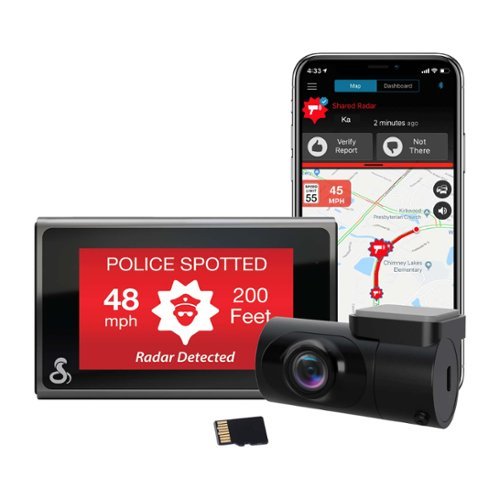
SC 400D - The ultimate solution to all of life's blindspots. Whether you're on the road or parked, a commercial driver or commuter, hauling cargo or chauffeuring kids - you're covered from all angles in all situations with a Cobra smart dash cam. With stunning, easily-sharable 4K UHD resolution, heads-up navigation, and live police alerts, there's no better way to protect the vehicles, drivers, passengers, and cargo you value most. See just how much peace of mind the award-winning Cobra SC 400D dash cam can provide.
Ist this suitable for a convertible?
I don' see why not, as it will be mounted on the windshield.
4 years, 6 months ago
by
Cipher469

Make a smart solution to upgrade your home security to IndoorCam Mini. Never second-guess what you see in clear 2K resolution, and give yourself control with pan and tilt functions to monitor your home~s most vital areas. IndoorCam Mini features On-Device AI Human Detection, a technology that identifies humans in the frame and only sends you the notifications that matter. After returning home, you can turn on Home Privacy Mode, which turns off the camera and rotates it to your preferred privacy angle. Best of all, there~s no monthly fee after your purchase.
It doesn't show night vision views, how is the resolution in complete darkness?
Resolution is surprisingly good. Please read my review for more details.
4 years, 7 months ago
by
Cipher469
Make a smart solution to upgrade your home security to IndoorCam Mini. Never second-guess what you see in clear 2K resolution, and give yourself control with pan and tilt functions to monitor your home~s most vital areas. IndoorCam Mini features On-Device AI Human Detection, a technology that identifies humans in the frame and only sends you the notifications that matter. After returning home, you can turn on Home Privacy Mode, which turns off the camera and rotates it to your preferred privacy angle. Best of all, there~s no monthly fee after your purchase.
Is this camera battery powered? Or does it need to be plugged in?
Make a smart solution to upgrade your home security to IndoorCam Mini. Never second-guess what you see in clear 2K resolution, and give yourself control with pan and tilt functions to monitor your home~s most vital areas. IndoorCam Mini features On-Device AI Human Detection, a technology that identifies humans in the frame and only sends you the notifications that matter. After returning home, you can turn on Home Privacy Mode, which turns off the camera and rotates it to your preferred privacy angle. Best of all, there~s no monthly fee after your purchase.
Can this camera do motion tracking for People ONLY? And stay still for everything else? Or will it track every movement. I'd rather have it track people only instead of cars driving by etc.
The Core Innovations ANT801DCR Indoor TV Antenna allows you to access HDTV channels up to 80 miles away, free of charge. The signal indicator displays reception strength for peak viewing potential, and the omni-directional design provides connectivity in all directions. The modern style makes this a unique addition to any setup. Enjoy content in up to 4K full HD where supported.
When will this product be available?
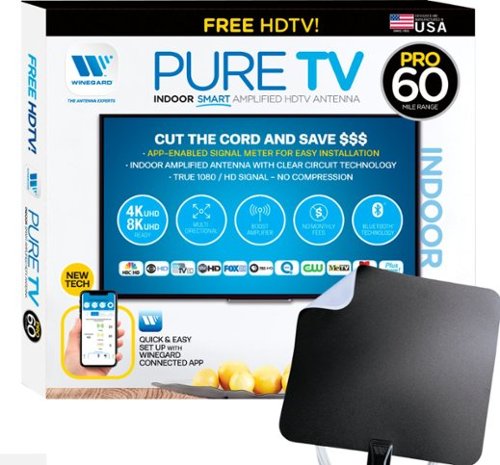
The PureTV Pro 60 is the only antenna with an actual signal meter integrated into the antenna to provide the best possible customer experience when installing. The PureTV Pro 60 has a dual-band, optimized antenna element that captures signals up to 60 miles away, while the antenna~s Clear Circuit Technology boosts the available signal, cuts dropout, and clears pixelation. The integrated, Bluetooth technology signal meter makes you the pro at installation. The PureTV Pro 60 uses a built-in tuner to get real-time signal data. Pair with the Winegard Connected app for no-fuss antenna positioning. Available for iOS and Android phones, the free, user-friendly Winegard Connected app quickly pairs with the PureTV Pro 60. Using both visual and audio indicators, you~ll get real-time feedback on the optimal antenna position for the best signal possible. The app shows a summary of available channels, and you can even fine-tune individual channels for maximum reception. Once you~re done, run a channel scan on TV, and start watching FREE TV.
Do I need a separate antenna for each TV in the house?
The PureTV Pro 60 is the only antenna with an actual signal meter integrated into the antenna to provide the best possible customer experience when installing. The PureTV Pro 60 has a dual-band, optimized antenna element that captures signals up to 60 miles away, while the antenna~s Clear Circuit Technology boosts the available signal, cuts dropout, and clears pixelation. The integrated, Bluetooth technology signal meter makes you the pro at installation. The PureTV Pro 60 uses a built-in tuner to get real-time signal data. Pair with the Winegard Connected app for no-fuss antenna positioning. Available for iOS and Android phones, the free, user-friendly Winegard Connected app quickly pairs with the PureTV Pro 60. Using both visual and audio indicators, you~ll get real-time feedback on the optimal antenna position for the best signal possible. The app shows a summary of available channels, and you can even fine-tune individual channels for maximum reception. Once you~re done, run a channel scan on TV, and start watching FREE TV.
What is the usb connector for?
If, instead of using the electrical plug for power, you want to plug into a power source with USB outlets, you will use it for the connection.
5 years, 5 months ago
by
Cipher469
The PureTV Pro 60 is the only antenna with an actual signal meter integrated into the antenna to provide the best possible customer experience when installing. The PureTV Pro 60 has a dual-band, optimized antenna element that captures signals up to 60 miles away, while the antenna~s Clear Circuit Technology boosts the available signal, cuts dropout, and clears pixelation. The integrated, Bluetooth technology signal meter makes you the pro at installation. The PureTV Pro 60 uses a built-in tuner to get real-time signal data. Pair with the Winegard Connected app for no-fuss antenna positioning. Available for iOS and Android phones, the free, user-friendly Winegard Connected app quickly pairs with the PureTV Pro 60. Using both visual and audio indicators, you~ll get real-time feedback on the optimal antenna position for the best signal possible. The app shows a summary of available channels, and you can even fine-tune individual channels for maximum reception. Once you~re done, run a channel scan on TV, and start watching FREE TV.
does it connect with local networks, abc, cbs, nbc etc? How many channels or what stations maybe seen in the Frisco, TX area?
Depending on how far you are from the stations' broadcast transmitters, you should be able to receive them. The Pro 60 has a 60 mile range.
5 years, 5 months ago
by
Cipher469
The PureTV Pro 60 is the only antenna with an actual signal meter integrated into the antenna to provide the best possible customer experience when installing. The PureTV Pro 60 has a dual-band, optimized antenna element that captures signals up to 60 miles away, while the antenna~s Clear Circuit Technology boosts the available signal, cuts dropout, and clears pixelation. The integrated, Bluetooth technology signal meter makes you the pro at installation. The PureTV Pro 60 uses a built-in tuner to get real-time signal data. Pair with the Winegard Connected app for no-fuss antenna positioning. Available for iOS and Android phones, the free, user-friendly Winegard Connected app quickly pairs with the PureTV Pro 60. Using both visual and audio indicators, you~ll get real-time feedback on the optimal antenna position for the best signal possible. The app shows a summary of available channels, and you can even fine-tune individual channels for maximum reception. Once you~re done, run a channel scan on TV, and start watching FREE TV.
Do I need a separate antenna for each TV in the house?

Shark AI Robot VACMOP combines powerful vacuum suction and hard floor wet mopping for a complete clean, all in one robot. Features include: Shark suction power, Sonic Mopping that delivers 100 scrubs per minute for stuck-on stains, and AI Laser Navigation for precision cleaning.
Is this product safe to use on laminate floors? My floors do not recommend steam mopping, not sure if this product uses steam. Also, if it does, is one of the vacuums safe for my floors? Thanks, WMC
No worries. No steam involved. Just water alone or water mixed with the provided cleaning fluid.
5 years, 6 months ago
by
Cipher469