


Cipher469's stats
- Review count196
- Helpfulness votes252
- First reviewOctober 29, 2009
- Last reviewJune 3, 2026
- Featured reviews0
- Average rating4.5
Reviews comments
- Review comment count0
- Helpfulness votes0
- First review commentNone
- Last review commentNone
- Featured review comments0
Questions
- Question count0
- Helpfulness votes0
- First questionNone
- Last questionNone
- Featured questions0
- Answer count15
- Helpfulness votes4
- First answerJuly 5, 2018
- Last answerNovember 19, 2021
- Featured answers0
- Best answers0
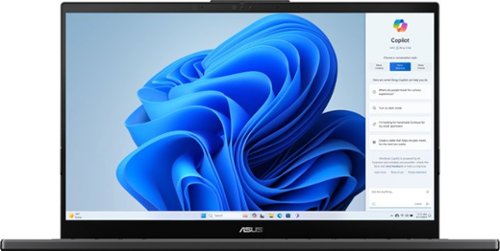
The versatile and powerful ASUS Vivobook Pro OLED is designed for those who want to do more, ignite creativity, or game. The Intel Core Ultra 9 processor, paired with NVIDIA RTX3050 graphics, deliver outstanding multitasking and creative power. Backed with advanced thermal technology, the laptop is primed to deliver maximum, sustainable performance. ASUS DialPad, an intuitive physical controller, gives you instant and precise fingertip control over creative, productivity, and entertainment apps. The NanoEdge OLED display with Dolby Vision comes with a cinema-grade 100% DCI-P3 gamut, and is PANTONE Validated for its accurate color. The Harman Kardon-certified quad-speaker Dolby Atmos audio system adds to the cinematic experience with ultra-realistic multi-dimensional sound.
Posted by: Cipher469
I like Asus laptops, because I have found them to be well built, perform well, and usually reasonably priced. This new Vivobook has those characteristics. However, from my point of view, there is one especially important feature missing.
The good stuff about the Pro 15 :
*Processing speed, provided by an Intel Core Ultra 9 processor, is excellent.
*System RAM memory is a high 24Gb. That, being enough for gaming, means it is great for
multitasking for non-gamers. Total storage capacity is an amazing 2,000 Gb.
*NVIDIA GeForce RTX 3050 Graphics are also great for gaming.
*Battery Life is projected to 10 hours. I cannot attest to that; but, from what I see so far, it could
be fact, not brag.
*The OLED and Full HD screen provide a great viewing experience.
*OS is Windows 11 Home 64-bit.
*Connectivity is facilitated by five ports: I Thunderbolt and 4 USB (2 USB A and 2 USB C).
*Super Wi-Fi 6E.
*Great audio is provided by Dolby Atmos technology paired with Harman Kardon speakers. Love
it.
*The back-lit keyboard includes a right-side numeric pad. Some folks don’t like that, but to me it
is a plus.
* And more….
*Processing speed, provided by an Intel Core Ultra 9 processor, is excellent.
*System RAM memory is a high 24Gb. That, being enough for gaming, means it is great for
multitasking for non-gamers. Total storage capacity is an amazing 2,000 Gb.
*NVIDIA GeForce RTX 3050 Graphics are also great for gaming.
*Battery Life is projected to 10 hours. I cannot attest to that; but, from what I see so far, it could
be fact, not brag.
*The OLED and Full HD screen provide a great viewing experience.
*OS is Windows 11 Home 64-bit.
*Connectivity is facilitated by five ports: I Thunderbolt and 4 USB (2 USB A and 2 USB C).
*Super Wi-Fi 6E.
*Great audio is provided by Dolby Atmos technology paired with Harman Kardon speakers. Love
it.
*The back-lit keyboard includes a right-side numeric pad. Some folks don’t like that, but to me it
is a plus.
* And more….
There is a lot to like about this excellent laptop. However, in my opinion, there is one especially important feature missing: the touchscreen! For such a top-shelf device at a top-shelf price, how can there be no touchscreen? For me and perhaps others who have hand difficulties, the touchscreen was a significant improvement for computers. No touchscreen is a giant step backward.
All in all, the Vivobook Pro 5 is an excellent laptop. Lots of operating horsepower, quite possibly more storage than any non-gamer will ever use (yet, there if you need it), excellent video and audio, and lots of battery power. Once again, Asus has upped their game in quality laptops. With the caveat of the missing touchscreen, I would certainly recommend it.
I would recommend this to a friend!
Share this review:


+1point
1of 1voted this as helpful.
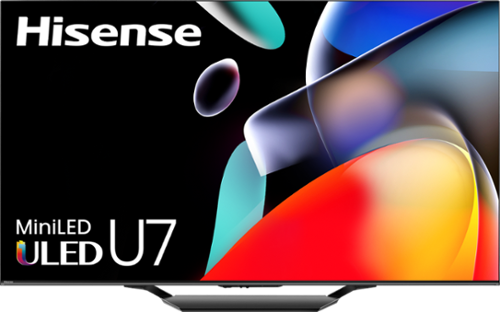
Change your entertainment game! The U7 series smart display from Hisense is packed with lots of exciting features that dramatically improve your watching and playing experience. Think: Mini-LED Pro, QLED Quantum Dot color technology and 144Hz Game Mode Pro. Plus, we even equipped the U7 with a NEXTGEN TV ATSC 3.0 tuner and Wi-Fi 6E router compatibility, making it virtually future-proof.
Customer Rating

4
Lotsa bang for the bucks!
on June 1, 2024
Posted by: Cipher469
When I first learned of Hisense TVs, I presumed they were just another new to the market brand of cheap TVs. A few months ago, my daughter bought a Hisense, and she is very satisfied with it. So, when the opportunity came along to try out this Hisense 65” U7model, I jumped on it. Much to my pleasant surprise, my previous “cheapo” presumptions were abruptly trashed. My opinion now is Hisense offers excellent TVs at moderate prices. They provide a lot of “bang for the bucks!”
Out of the box, the only labor required before placing the U7 is attaching the 3-piece stand. Once done, the hardest labor is lifting it to wherever you intend to place it. Unless you have very long arms and a very strong back, have someone to help with the lifting. When plugged in, you will notice a tiny white light at low front and center. That’s indicative of the always on feature, which maintains a small degree of power, so when you turn on the TV, there is no waiting for warmup.
The many features of the TV include:
• Connectivity: Four HDMI slots (Two 144 Hz and two 60Hz), Two USB, LAN, Cable/Antenna connection, and more. Something I have not seen before occurred after I connected my BD player. In the settings menu of the HDMI slots plugs, the device ‘s HDMI slot was changed from HDMI 3 to a name descriptive of my BD player. Looking into this, I found in settings the names can be edited to one of your choosing.
• The Mini-LED lighting array combined with QLED Quantum Dot color provides over a billion shades of color. The outcome produced is amazing. Watching live programming is so realistic, it’s like being in the same room with the onscreen folks.
• Dolby Vision captures the subtleness of facial expressions. In conjunction with Dolby Atmos which provides multi-dimensional sound, a great watching/listening experience is created.
• There are several viewing mode choices (movie, sports, and more) to assist you in finding your favorite. I tried them all and found the default mode looks great to me.
• There are a lot of streaming program icons (both free and subscription) available. A couple of my favorites are not included, so I plugged in a Fire Stick that I already had, and it works just fine.
• Connectivity: Four HDMI slots (Two 144 Hz and two 60Hz), Two USB, LAN, Cable/Antenna connection, and more. Something I have not seen before occurred after I connected my BD player. In the settings menu of the HDMI slots plugs, the device ‘s HDMI slot was changed from HDMI 3 to a name descriptive of my BD player. Looking into this, I found in settings the names can be edited to one of your choosing.
• The Mini-LED lighting array combined with QLED Quantum Dot color provides over a billion shades of color. The outcome produced is amazing. Watching live programming is so realistic, it’s like being in the same room with the onscreen folks.
• Dolby Vision captures the subtleness of facial expressions. In conjunction with Dolby Atmos which provides multi-dimensional sound, a great watching/listening experience is created.
• There are several viewing mode choices (movie, sports, and more) to assist you in finding your favorite. I tried them all and found the default mode looks great to me.
• There are a lot of streaming program icons (both free and subscription) available. A couple of my favorites are not included, so I plugged in a Fire Stick that I already had, and it works just fine.
There are some bothersome or, at least quirky, things to deal with. However, I do not see them as a deal breaker. When you get the U7 operational and see and hear how great the performance is, the things listed below should have no adverse effect on your viewing pleasure.
• The remote has lots of buttons, some backlit and some not. Unlit are the six direct buttons for the streaming services. Aren’t they important, too?
• With all TVs in my history (including “Smart,” when you turn it on, it brings the last channel watched. With this one, it always starts with the home page showing the various streaming service options. For TV watching, you must scroll down to find the TV icon. Then, the TV opens in the channel select function with the last channel used highlighted. When you go through this process, there is a large banner across the screen showing other options. It will usually go away in a few moments, but it is annoying to have to go through that process before you can watch a TV channel. On more than one occasion, it took several clicks to get it open.
• The remote is not always responsive when a button is pressed. Often, two or more presses are needed.
• If there is a closed caption selection icon, I haven’t found it yet.
• After several days of excellent operation, I turned the TV on one morning for a troubling experience. The home page came on when I powered up. I clicked the TV icon and got a black screen. Repeating, I still got a black screen. I tried a few of the streaming services, and the screen was black. About to blow my top, I stepped away for a bit to cool down. I pondered the matter, then a thought popped into my head. What do you usually have to do if your computer or other electronic device misbehaves? Unplug/count 10 to 20 seconds/plug it back in. I did that with the TV; and, voila, it worked. Then, I had a good laugh. So, keep this in mind if the same happens to you.
• When connecting other devices to the TV, HDMI and other slots are readily available. If you plan to connect an external antenna, screw it in first. The mount is almost flat against the rear of the TV console. Unless you have very small hands, it is quite a task to attach the antenna cable. If you have already connected the cables for the other devices, it’s even harder to do. So, I advise you to attach the antenna cable first.
• With all TVs in my history (including “Smart,” when you turn it on, it brings the last channel watched. With this one, it always starts with the home page showing the various streaming service options. For TV watching, you must scroll down to find the TV icon. Then, the TV opens in the channel select function with the last channel used highlighted. When you go through this process, there is a large banner across the screen showing other options. It will usually go away in a few moments, but it is annoying to have to go through that process before you can watch a TV channel. On more than one occasion, it took several clicks to get it open.
• The remote is not always responsive when a button is pressed. Often, two or more presses are needed.
• If there is a closed caption selection icon, I haven’t found it yet.
• After several days of excellent operation, I turned the TV on one morning for a troubling experience. The home page came on when I powered up. I clicked the TV icon and got a black screen. Repeating, I still got a black screen. I tried a few of the streaming services, and the screen was black. About to blow my top, I stepped away for a bit to cool down. I pondered the matter, then a thought popped into my head. What do you usually have to do if your computer or other electronic device misbehaves? Unplug/count 10 to 20 seconds/plug it back in. I did that with the TV; and, voila, it worked. Then, I had a good laugh. So, keep this in mind if the same happens to you.
• When connecting other devices to the TV, HDMI and other slots are readily available. If you plan to connect an external antenna, screw it in first. The mount is almost flat against the rear of the TV console. Unless you have very small hands, it is quite a task to attach the antenna cable. If you have already connected the cables for the other devices, it’s even harder to do. So, I advise you to attach the antenna cable first.
Over time one gets acclimated to a TV’s operation. Overall, the importance of quality TV viewing, whether via antenna or streaming, performance tops operational quirks or shortcomings. This Hisense 65” U7 Google TV is worth the effort. It provides excellent TV viewing at a surprisingly attractive price. Keep the savings in your pocket. There’s no need to pay thousands of dollars as in the past to have quality viewing. If you want to spend more money, buy two U7s.
I would recommend this to a friend!
Share this review:


0points
0of 0voted this as helpful.
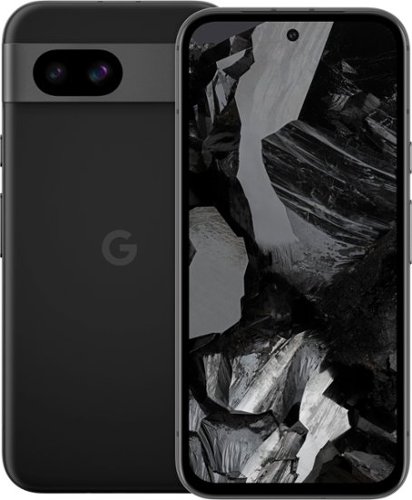
Meet Pixel 8a, engineered by Google. Take amazing photos with the Pixel Camera. And do more, even faster with Google AI. All at a great price.
Customer Rating

5
An Excellent Camera with an Excellent Phone
on May 19, 2024
Posted by: Cipher469
I have not had previous experience with a Pixel mobile phone; however, I have been curious about them. The new Pixel 8a is a real revelation! It is a notable example of good things coming in small packages.
In promoting the 8a, Google says it is “The best camera under $500.” That is a brag that is hard to challenge, because the camera functionality is amazing. Taking pictures or videoing in bright light is as sharp as one would expect. When taking pictures in low light, the Night Sight function automatically enhances the photo shot, thus producing a bright picture as the finished image. Google AI, Photo Unblur, and the Best Take function clears fixes blurs and shows skin tones as they actually are. All these features work so well individually or together, you’d have to intentionally work hard at producing a bad picture. The Front-Facing Camera and the Ultra Camera both have 13 megapixels. An excellent “automatic” camera!
Like the camera’s functionality, the Pixel 8a as a mobile phone is quite possibly the best under $500. It, too, provides phone many helpful features inside a small metal frame:
*The metal frame is “Green,” as it is built using recycled aluminum, plastic, and glass. Also, it is designed to be dust- and water-resistant. The display is scratch-resistant. Per Google, it is “the most durable a-Series phone yet.” It has slipped from my hands several times and hit carpet and wood flooring and remains unphased.
*The under $500 version has 128GB storage, which is likely fine for most folks. However, there is a 256GB version for $59 more. If you plan to take a lot of photos/videos, play games, etc., the extra cost of the upgrade is worth it. It’d be the best camera under $560.
*The processor is the “Google Tensor G3” which is said to be Google’s fastest and most efficient yet. The Tensor, paired with Google AI, powers and manages everything in the device. This includes a suite of security functions, and built-in VPN, to provide strong online protection. Another nice benefit in this regard is OS and security updates are provided for 7 years.
*Pixel Call Assist is another of the many helpful features. It helps make calls as well as filter out spam calls. Call Screen aids in dealing with unknown callers without your having to answer the call yourself. Wait, there’s more: Clear Calling reduces caller background noise for a clearer conversation.
* As a bonus to the many operational features of the Pixel 8a, Google has included free of cost: 3 months of YouTube Premium, 6 months of Fitbit, 3 months of Google One, and 100GB of storage for phone backup, photos, and files.
*The under $500 version has 128GB storage, which is likely fine for most folks. However, there is a 256GB version for $59 more. If you plan to take a lot of photos/videos, play games, etc., the extra cost of the upgrade is worth it. It’d be the best camera under $560.
*The processor is the “Google Tensor G3” which is said to be Google’s fastest and most efficient yet. The Tensor, paired with Google AI, powers and manages everything in the device. This includes a suite of security functions, and built-in VPN, to provide strong online protection. Another nice benefit in this regard is OS and security updates are provided for 7 years.
*Pixel Call Assist is another of the many helpful features. It helps make calls as well as filter out spam calls. Call Screen aids in dealing with unknown callers without your having to answer the call yourself. Wait, there’s more: Clear Calling reduces caller background noise for a clearer conversation.
* As a bonus to the many operational features of the Pixel 8a, Google has included free of cost: 3 months of YouTube Premium, 6 months of Fitbit, 3 months of Google One, and 100GB of storage for phone backup, photos, and files.
Bottom line is Pixel 8a is a bundle of excellence. It is either a great camera with a great phone included or vice versa. Either way, it’s a winner. What is especially attractive is that all this is available at an affordable price. Given the time period in which I am writing this, the 8a would be an excellent graduation gift! Or, for any other event in the year.
I would recommend this to a friend!
Share this review:


0points
0of 0voted this as helpful.
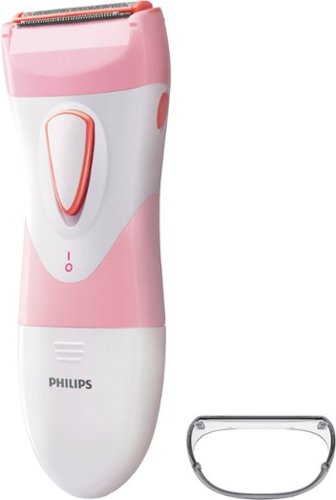
The Philips SatinShave Essential women's electric shaver lets you shave your legs quickly, easily, and safely without skin irritation. This electric shaver for women has a safe shaving system that protects your skin during shaving. Shave anywhere with this cordless battery-powered electric wet/dry shaver for women.
Customer Rating
5
In shavers, pink is the new black.
on April 24, 2024
Posted by: Cipher469
If you need a good electric shaver, always consider Philips, whether you are man or woman. From my experience, men’s models are very good to great. When manscaping tender body parts, safety and comfort are requirements. The shaver I use is a Philips that I have had for a good while. It works well overall. However, the scrotal area where the skin is crinkly, not smooth, usually gets at least one pinch. Not a nice feeling at all, so I don’t do it as often as I would like.
The opportunity to try out the Philips SatinShave for women arose. Despite it being pink and white, I thought why not try it. I am glad I did, because I accomplished the task without inflicting any “ouch” moments for the crinkly skin. Wet or dry, it performs very well. A hypoallergenic foil cover helps prevent irritation and rashes. Because of this painless and quick process, “scaping” for men or women can be done quickly and more often.
Men, if you want to facilitate manscaping activity, don’t be embarrassed to pass on the usually black shavers for men. Go pink with the Philips SatinShaver for those tender body parts. Plus, you can share it with a special lady if that helps with a decision to buy. Even better, buy her a SatinShave of her own. Yes, pink is the new black for shaving those tender parts.
I would recommend this to a friend!
Share this review:


0points
0of 0voted this as helpful.
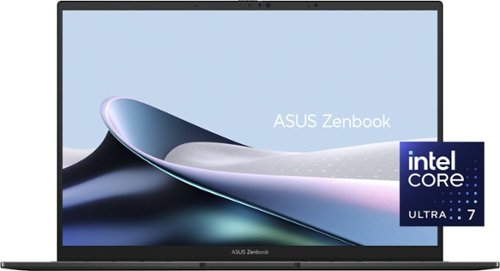
Wherever you need to go, our remarkably sleek Zenbook 14 OLED is there with you ~ the ultimate ultraportable laptop that takes sophistication to a whole new level. Discover new heights for speed and efficiency with the top-tier Intel Core Ultra 7 processor~taking you seamlessly from day to night on its all-day 75Wh battery. Immerse your senses on a gorgeous 14" ASUS Lumina OLED touchscreen and powerful new Super-linear speakers tuned by Harman Kardon.
Posted by: Cipher469
From my experience, ASUS makes particularly good products. That said, this new Zenbook Q425M resets the bar to an even higher level of quality. It certainly lives up to their slogan, “IN SEARCH OF INCREDIBLE.”
Open the box, and you will find a handsome laptop eager to please. Considering it is built to military-grade structural standards for durability, it weighs in at less than 3lbs and is very thin at 0.59 inches. These stats are of great benefit if you must carry it very often.
Start-up and internet connection were completed in what seemed like a flash. Me entering my password seemed the longest part of the process. Next, MS OneDrive quickly downloaded my files from the Cloud. The Q425M and I were partnered up in what seemed the fastest I have ever experienced. Fantastic!
So, what’s under the hood that makes it Fantastic?
*OS: Win 11.
*Processing: The performance certified Evo Intel Core Ultra 7 is made for quick action even when multitasking. Even more, it is designed to enhance AI-based applications.
*Memory: 16GB RAM. Storage capacity: 1TB SSD
*Graphics: Exceptionally good for most people.
* Touch Screen: 14” Lumina OLED offers the newest OLED technology, providing super viewing quality. Accuracy of colors and contrast is “Fantastic.” When using the touch process, only a light tap is needed. No poking, please.
* Keyboard: Back-lit, soft touch, and quiet. In addition, there is onscreen keyboard capability.
Battery: The fast (50% in 30 minutes per Asus) charging battery provides over 15 hours of processing power. I cannot attest to the full 15 hours; however, I have left it on for about 8 hours, using it periodically, and it was showing only 26% usage. Ergo, the 15 hours looks like a sure thing!
*Wi-Fi 6E affords fast internet. With my eero 7 mesh network, the Q425M rocks my world.
*Audio: Dolby ATMOS sound, Super Linear harman/kardon speakers, and ASUS Audio Booster together make for audio that is Fantastic!
*Webcam: The ASUS AiSense Camera lives up to its interesting name. Full HD and the AiSense function work together to ensure quick face recognition for login. In addition, the AI functionality manages framing, background blurring, and eye-tracking to ensure high image quality when you are on video calls.
*Connectivity of peripherals: The number of ports on laptops have decreased in the last few years, often necessitating a separate port “dock” to plug in other devices. Not a problem with the Q425M. I/O ports and slots include: Two Thunderbolt 4 Power combo, Headset/microphone jack, HDMI, and USB 3.2.
*OS: Win 11.
*Processing: The performance certified Evo Intel Core Ultra 7 is made for quick action even when multitasking. Even more, it is designed to enhance AI-based applications.
*Memory: 16GB RAM. Storage capacity: 1TB SSD
*Graphics: Exceptionally good for most people.
* Touch Screen: 14” Lumina OLED offers the newest OLED technology, providing super viewing quality. Accuracy of colors and contrast is “Fantastic.” When using the touch process, only a light tap is needed. No poking, please.
* Keyboard: Back-lit, soft touch, and quiet. In addition, there is onscreen keyboard capability.
Battery: The fast (50% in 30 minutes per Asus) charging battery provides over 15 hours of processing power. I cannot attest to the full 15 hours; however, I have left it on for about 8 hours, using it periodically, and it was showing only 26% usage. Ergo, the 15 hours looks like a sure thing!
*Wi-Fi 6E affords fast internet. With my eero 7 mesh network, the Q425M rocks my world.
*Audio: Dolby ATMOS sound, Super Linear harman/kardon speakers, and ASUS Audio Booster together make for audio that is Fantastic!
*Webcam: The ASUS AiSense Camera lives up to its interesting name. Full HD and the AiSense function work together to ensure quick face recognition for login. In addition, the AI functionality manages framing, background blurring, and eye-tracking to ensure high image quality when you are on video calls.
*Connectivity of peripherals: The number of ports on laptops have decreased in the last few years, often necessitating a separate port “dock” to plug in other devices. Not a problem with the Q425M. I/O ports and slots include: Two Thunderbolt 4 Power combo, Headset/microphone jack, HDMI, and USB 3.2.
It’s been a while since I have felt excited about a laptop. ASUS has a winner in the Zenbook Q425M, which lives up to their motto. It is vigorous power in a compact package. If you need a new laptop or just thinking about one, check out this Fantastic ASUS!
I would recommend this to a friend!
Share this review:


+4points
4of 4voted this as helpful.

Ring~s best battery-powered doorbell camera, loaded with cutting-edge features. Battery Doorbell Pro delivers Head-to-Toe HD+ Video, super-precise 3D Motion Detection with Bird's Eye View that shows you where visitors went on an overhead map of your property, and more.
Posted by: Cipher469
My front doorbell for several years has been the original wired ring Pro. It still works great. My son highly recommended it to me. After mine was installed, my next-door neighbor asked about it. I, of course, recommended it to him, and he got one. This speaks well for ring!
Now, ring has come out with a new battery-operated Pro. Having the opportunity to evaluate it, I jumped on it. The original Pro is great; however, this new model is amazing! Because I already have the ring app, an indoor chime, and a connection to Alexa, setup was very quick and easy. The only time-consuming part is giving the battery as full charge. After installing the charged battery, the time taken to be fully set up was less than 5 minutes. All that is left to do is mount it wherever you choose to place it.
My original Pro’s monitoring covered a very acceptable door approach area. The new Pro’s area and sharpness of view is totally amazing. It’s so much so it’s a little spooky. I say that because the Pro was set up and had not yet been mounted outside. It was lying on the kitchen island facing upward. Alexa keeps telling me someone has been detected, and I knew no one was there. So, I looked in the app to see what had been recorded. Lo and behold, it was me. The camera is facing upward and spotting me moving around horizontally to it. ring calls it 3D Motion Detection, and I call it amazing!
The video quality 1536 HD+ is amazing! Whether viewing on my living room Echo Show, on my TV, or in the app, the image is crisp, color is sharp, and the view is wide day or night. Also, audio is very clear. Camera functions include a snapshot ability. Amongst the various camera filter settings is a Package alert option.
I have used the word “amazing” a lot in this review, and that is because the new ring Battery Doorbell is amazing in every way. As much as I love my original Pro, this new Pro has taken doorbell cams to an amazing new level. Do I recommend it? Definitely!
I would recommend this to a friend!
Share this review:


0points
0of 0voted this as helpful.

The HP OfficeJet Pro 9135e delivers fast color printing, 500-sheet paper capacity, and duplex scanning and copying. It's AI-enabled to intuitively adapt to your workflow, with wireless and security features that keep your multifunction printer up to date and secure.

Posted by: Cipher469
My primary all-in-one printer is an HP OfficeJet Pro 9025e, and after almost 3 years of use it is still performing well. Having an opportunity to try out the new 9130e, I anticipated a new, upgraded model. Well, it does have a larger screen. The 9130e may be new; but, otherwise, my “old” 9025e is the winner.
With one exception the Initial setup of the 9130e is easy using HP Smart. If you don’t already have the app loaded, it can be downloaded from HP. The site URL is provided in the instructions that come with the printer. The exception mentioned was getting connected to 2.5 wi-fi. My default network is via eero Pro 7 tri-band mesh wi-fi, which includes 2.5 and works very well with all other 2.5 devices in my house. After several annoying attempts, I tried my old dual band network, and that worked. Go figure! The rest was then easy.
Printing: Initially, printing was a slow process. On the first couple of trials, the printer would make a loud (kerchunk) noise, then jerk as if it were having a spasm of some sort. That continued several times until the printed item was completed. The next day, the kerchunk was gone and the printing process was much improved. It still shakes a bit when printing, but it’s no more than you might expect. Other than photos, print quality is particularly good. From my experience with HP printers, photos are not done well anyway. For document printing, HP consistently does well.
Scanning (Duplex): This is the function that is most important to me, because I do a lot of scanning. Eliminating paper files is cleaner and doesn’t require a filing cabinet. The 9130e’s duplexing is seamless and quick, as it should be. Rather than the document being fed through and then pulled back to get the other side, both sides are done in one pass. Then, the scanned document is easily saved to file.
Copying: This function is done well and reasonably quick. Plus, the copy is an excellent match to the original. That is if you copy using the printer’s touch screen. Often, it won’t copy using HP Smart. You get a message that the printer is offline. The problem with that is you can scan and print with HP Smart, so obviously the printer is online. Otherwise, HP Smart would show it to be offline. Other than copying one or two single page items, this “offline” quirk makes copying an awful chore.
On the third day of use, after booting up, a message appeared on the printer’s screen. It said it was performing maintenance and it should not be interrupted. After almost 20 minutes of waiting, I shut it down. When I turned it back on after a couple of minutes, it was up and running. What was that about?
Working with the new 9130e made me appreciate my “old” 9025e, which has never let me down. Possibly, this particular printer is a “lemon” and not typical of the 9130e series, but I am not impressed by it. The 9025e is still on the market, and that’s the one I’d recommend.
No, I would not recommend this to a friend.
Share this review:


+1point
1of 1voted this as helpful.
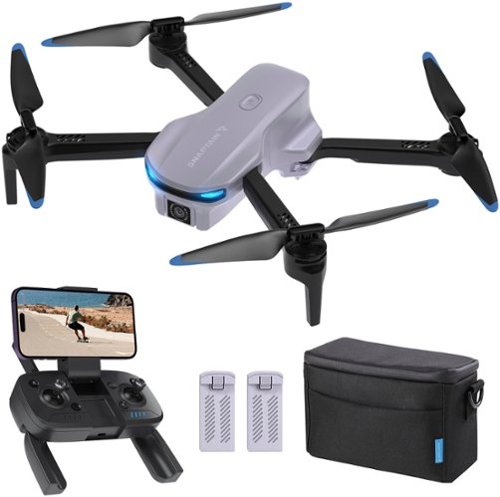
E10 1080P FHD camera drone opens a new chapter of drones with the simplest and intelligent operation mode, one-click take-off, one-click landing. This drone also provides new horizons with smooth FPV images.
Customer Rating
5
Excellent Compact Drone
on January 16, 2024
Posted by: Cipher469
When I first got the drone, I was looking forward to having some fun evaluating it. Unfortunately, that had to be done in bits and pieces due to some very bad weather. Even so, I have had enough short periods of opportunity to get a good feel for the E10. Not only is it fun to “play” with, but it also has a practical application in terms of photos and videos.
Out of the box, the E10 can be assembled in minutes. Charge one of the two included batteries, and it is ready to take to the sky. A charged battery provides about fifteen minutes of flight time. Having the other battery charged and with you doubles the session time. The accompanying manual provides most, if not all the info needed to operate the drone. There is an app providing additional information.
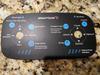
The hand-carried controller console is easy to operate and controls all motions (up/down, forward/backward, etc.) Take-off and landing are done using a single button. If the drone is sitting on the ground, push the button, and the drone ascends and hovers at a height of about four feet. When it’s in the air, press the same button, and the drone descends and lands. There are two toggle switches. One is for the four flight directions: forward/backward and left/right. The other also provides four directions: up/down and clockwise/counterclockwise. In addition, there are several buttons: on/off, inflight up/down, speed, circle fly, 3D flip, and emergency stop. Camera controls are on the front of the console. All controls are responsive and work very well. NOTE: The toggle switches are so responsive that it is easy to over-steer. Overcoming that will be the one major thing a new user has to learn. It would be a miracle if you did not have a crash or three while learning. (A removable overlay template is included on the console to assist in learning how to operate the controls properly.)
The only thing that you need to add to the E10 mix is a memory card. The 1080p camera included in the E10’s chassis will work without a card; however, for retention purposes, a card is recommended. I took some photos and videos; and, when I viewed them on my computer, I was amazed by the quality of both the stills and the video.
Also, included with the drone and control console are some spare rotor blades, a neck strap, and a very nicely padded carrying case.
The Snaptain E10 affords a lot fun and applicability for a competitive price. On a preferably sunny, windless day, you could take some great pictures or just have some fun flying your E10 drone.
I would recommend this to a friend!
Share this review:


+1point
1of 1voted this as helpful.

Experience a whole new level of fast. eero Max 7 with the power of Wi-Fi 7 technology can provide more than twice the speed of Wi-Fi 6, so you can enjoy lower latency, greater capacity, and more efficiency on your network. Get ready to level up your game - eero Max 7 delivers ultra high performance gaming, ideal for applications that require high throughput and low latency.
Customer Rating
5
No one beats eero better than eero!
on December 11, 2023
Posted by: Cipher469
When eero came out with the eero 6 mesh, I jumped on board, and it improved my Wi-Fi experience. Time passed, and the eero Pro 6 was introduced. Though still pleased with my 6, the Pro 6 Tri-band promised to take Wi-Fi coverage to the next level, and it delivered. It was also backward compatible with the erro satellite units already installed. Not only did it cover my house, garage, and deck with a strong signal, it included coverage in my yard. Now, eero has rolled out the Max 7 Tri-band.
Max 7 is the Pro 6 on steroids! New or improved features include:
*Supports up to 10Gbps internet.
*Optimizes Wi-Fi speeds up to 4.3 Gbps wireless, 9.4 Gbps wired, and 5+ Gbps wired to leaf.
*Console provides two 2.5 GbE and two 10 GbE ports, as well as a USB-C power port.
*Compatible with “eero-built-in” on certain Alexa devices, plus Zigbee and more.
*Highly rated strong encryption and security protocols to protect the user.
* One console can support over 200 devices. This package comes with two consoles.
*Though not new, per se, backward compatibility is still included. This is quite a money saver for the user! As a result, I have satellites throughout my house and garage. Major $$ savings.
*Supports up to 10Gbps internet.
*Optimizes Wi-Fi speeds up to 4.3 Gbps wireless, 9.4 Gbps wired, and 5+ Gbps wired to leaf.
*Console provides two 2.5 GbE and two 10 GbE ports, as well as a USB-C power port.
*Compatible with “eero-built-in” on certain Alexa devices, plus Zigbee and more.
*Highly rated strong encryption and security protocols to protect the user.
* One console can support over 200 devices. This package comes with two consoles.
*Though not new, per se, backward compatibility is still included. This is quite a money saver for the user! As a result, I have satellites throughout my house and garage. Major $$ savings.
Setup is easy whether you are an eero first-timer or already a user. I did have a problem with activating the console connected to my modem. After trial and error and a call to eero support, it turned out there was a problem with the power cord. Another eero cord was substituted, and in seconds eero 7 was in play. After that, my satellites automatically connected.
I am not a techie, and I don’t need to understand all the minute tech details. However, I have enough smarts to know if a product is performing as it should and how to troubleshoot when it’s not. Specific to eero, I have experienced each generation and can say eero mesh has gotten faster and stronger with each new series. You shouldn’t be disappointed with eero mesh at any level, but the Max 7 is top shelf! As a suggestion, if you really want to fly properly, make sure your modem is not outdated and/or incapable of Gigabit performance. That’d be like putting racing tires on junker auto.
The eero Max 7 Tri-band is amazing! I definitely recommend it to anyone who wants to “turbo” their Wi-Fi experience.
I would recommend this to a friend!
Share this review:


0points
0of 0voted this as helpful.
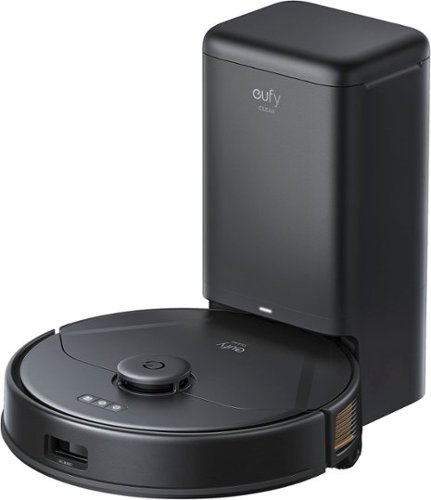
The eufy clean X8 Pro SES robotic vacuum with self-emptying station, twin-turbine 2x4,000 Pa powerful suction, active detangling roller brush, and iPath laser navigation for 45* days of hands-free deep cleaning.
Posted by: Cipher469
I was familiar with eufy in relation to security cameras, doorbells, and other similar gadgets, but I had no idea they were in the robot vacuum business. Having the opportunity to test drive the X8 Pro, I went in with great expectations.
Set up is so easily done that once you have found a home spot for the X8, it is ready in minutes for the first charging session. I already had the eufy app, which saved a bit of time, and connecting to wi-fi was a snap. In addition, within those set up minutes, Alexa was added in seconds. If not the easiest device to set up in my experience, it would definitely be close to it.
After allowing the X8 full charging time, mapping downstairs was the first project. Mapping was done quicker than any bot vac I have had before. That said, I was concerned with accuracy. The map produced sort of resembles a multi-color Rorschach Test. Surprisingly, in operation it is pretty darn close. On wood or other hard floors and at Standard suction level, it is a little louder than the ones I already use. While cleaning, the X8 moves so quickly it does not seem to spend enough time actually cleaning. I put out some small pellets as a test. It picked up most of them, so I ran zone clean to try for the rest. It rushed through that while picking up the remainder….except one in the center of the zone.
Except for the bathrooms having rugs, the upstairs is all carpet. After mapping was quickly done there (Rorschach again), vacuuming was started on Standard. Quickly noticing it was not cleaning well, I changed to Turbo which was visibly doing a much better job. Also, because it was primarily working on carpets and rugs, operating noise was greatly reduced as expected. Vacuuming the upstairs hallway naturally brought the X8 to the “cliff” at the top of the stairs. It handled that situation perfectly! No fall!
The mopping function is as good as its competition. You put some water in the tank, install it into the vac body, and watch it go. It’ll drag a damp “mop” behind it. If you have dust or similar on the floor, it might help clean a tad better. So, it’s neither better nor worse than other brands.
Self-dumping is a great feature, and the X8 has it. However, its bin is not one you can easily slip out and empty. The X8’s bin houses a disposable bag! Retro is fine for some things, but not for vacuums. Being able to go bagless has pretty much been the standard for quite some time. It’s easier, cleaner, and healthier. Also, the X8 will require a continuing investment in bags, albeit small. It’s still a step backward.
All in all, the X8 Pro is easy to set up and easy to operate with an uncomplicated app. It does an overall good job of vacuuming. Mapping is good, even if it doesn't appear as such on the map created for view. Cleaning is good, but not great. Self-dumping is great, but the actual receptacle is not. On paper the X8 has promise of excellence; but, unfortunately, it falls short in application.
I would recommend this to a friend!
Share this review:


0points
0of 0voted this as helpful.
Cipher469's Review Comments
Cipher469 has not submitted comments on any reviews.
Cipher469's Questions
Cipher469 has not submitted any questions.
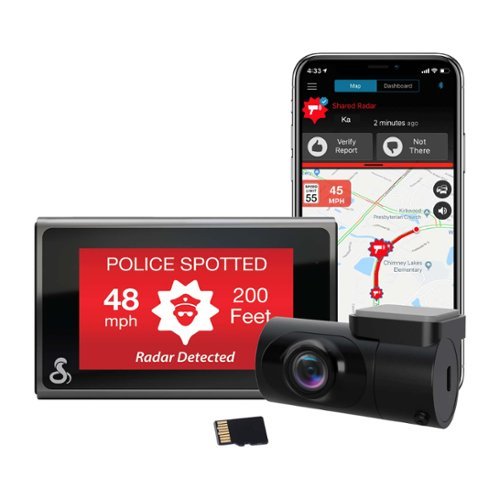
SC 400D - The ultimate solution to all of life's blindspots. Whether you're on the road or parked, a commercial driver or commuter, hauling cargo or chauffeuring kids - you're covered from all angles in all situations with a Cobra smart dash cam. With stunning, easily-sharable 4K UHD resolution, heads-up navigation, and live police alerts, there's no better way to protect the vehicles, drivers, passengers, and cargo you value most. See just how much peace of mind the award-winning Cobra SC 400D dash cam can provide.
Ist this suitable for a convertible?
I don' see why not, as it will be mounted on the windshield.
4 years, 6 months ago
by
Cipher469

Make a smart solution to upgrade your home security to IndoorCam Mini. Never second-guess what you see in clear 2K resolution, and give yourself control with pan and tilt functions to monitor your home~s most vital areas. IndoorCam Mini features On-Device AI Human Detection, a technology that identifies humans in the frame and only sends you the notifications that matter. After returning home, you can turn on Home Privacy Mode, which turns off the camera and rotates it to your preferred privacy angle. Best of all, there~s no monthly fee after your purchase.
It doesn't show night vision views, how is the resolution in complete darkness?
Resolution is surprisingly good. Please read my review for more details.
4 years, 7 months ago
by
Cipher469
Make a smart solution to upgrade your home security to IndoorCam Mini. Never second-guess what you see in clear 2K resolution, and give yourself control with pan and tilt functions to monitor your home~s most vital areas. IndoorCam Mini features On-Device AI Human Detection, a technology that identifies humans in the frame and only sends you the notifications that matter. After returning home, you can turn on Home Privacy Mode, which turns off the camera and rotates it to your preferred privacy angle. Best of all, there~s no monthly fee after your purchase.
Is this camera battery powered? Or does it need to be plugged in?
Make a smart solution to upgrade your home security to IndoorCam Mini. Never second-guess what you see in clear 2K resolution, and give yourself control with pan and tilt functions to monitor your home~s most vital areas. IndoorCam Mini features On-Device AI Human Detection, a technology that identifies humans in the frame and only sends you the notifications that matter. After returning home, you can turn on Home Privacy Mode, which turns off the camera and rotates it to your preferred privacy angle. Best of all, there~s no monthly fee after your purchase.
Can this camera do motion tracking for People ONLY? And stay still for everything else? Or will it track every movement. I'd rather have it track people only instead of cars driving by etc.
The Core Innovations ANT801DCR Indoor TV Antenna allows you to access HDTV channels up to 80 miles away, free of charge. The signal indicator displays reception strength for peak viewing potential, and the omni-directional design provides connectivity in all directions. The modern style makes this a unique addition to any setup. Enjoy content in up to 4K full HD where supported.
When will this product be available?
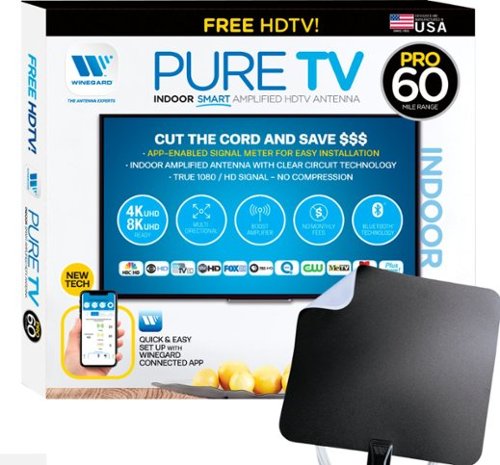
The PureTV Pro 60 is the only antenna with an actual signal meter integrated into the antenna to provide the best possible customer experience when installing. The PureTV Pro 60 has a dual-band, optimized antenna element that captures signals up to 60 miles away, while the antenna~s Clear Circuit Technology boosts the available signal, cuts dropout, and clears pixelation. The integrated, Bluetooth technology signal meter makes you the pro at installation. The PureTV Pro 60 uses a built-in tuner to get real-time signal data. Pair with the Winegard Connected app for no-fuss antenna positioning. Available for iOS and Android phones, the free, user-friendly Winegard Connected app quickly pairs with the PureTV Pro 60. Using both visual and audio indicators, you~ll get real-time feedback on the optimal antenna position for the best signal possible. The app shows a summary of available channels, and you can even fine-tune individual channels for maximum reception. Once you~re done, run a channel scan on TV, and start watching FREE TV.
Do I need a separate antenna for each TV in the house?
The PureTV Pro 60 is the only antenna with an actual signal meter integrated into the antenna to provide the best possible customer experience when installing. The PureTV Pro 60 has a dual-band, optimized antenna element that captures signals up to 60 miles away, while the antenna~s Clear Circuit Technology boosts the available signal, cuts dropout, and clears pixelation. The integrated, Bluetooth technology signal meter makes you the pro at installation. The PureTV Pro 60 uses a built-in tuner to get real-time signal data. Pair with the Winegard Connected app for no-fuss antenna positioning. Available for iOS and Android phones, the free, user-friendly Winegard Connected app quickly pairs with the PureTV Pro 60. Using both visual and audio indicators, you~ll get real-time feedback on the optimal antenna position for the best signal possible. The app shows a summary of available channels, and you can even fine-tune individual channels for maximum reception. Once you~re done, run a channel scan on TV, and start watching FREE TV.
What is the usb connector for?
If, instead of using the electrical plug for power, you want to plug into a power source with USB outlets, you will use it for the connection.
5 years, 5 months ago
by
Cipher469
The PureTV Pro 60 is the only antenna with an actual signal meter integrated into the antenna to provide the best possible customer experience when installing. The PureTV Pro 60 has a dual-band, optimized antenna element that captures signals up to 60 miles away, while the antenna~s Clear Circuit Technology boosts the available signal, cuts dropout, and clears pixelation. The integrated, Bluetooth technology signal meter makes you the pro at installation. The PureTV Pro 60 uses a built-in tuner to get real-time signal data. Pair with the Winegard Connected app for no-fuss antenna positioning. Available for iOS and Android phones, the free, user-friendly Winegard Connected app quickly pairs with the PureTV Pro 60. Using both visual and audio indicators, you~ll get real-time feedback on the optimal antenna position for the best signal possible. The app shows a summary of available channels, and you can even fine-tune individual channels for maximum reception. Once you~re done, run a channel scan on TV, and start watching FREE TV.
does it connect with local networks, abc, cbs, nbc etc? How many channels or what stations maybe seen in the Frisco, TX area?
Depending on how far you are from the stations' broadcast transmitters, you should be able to receive them. The Pro 60 has a 60 mile range.
5 years, 5 months ago
by
Cipher469
The PureTV Pro 60 is the only antenna with an actual signal meter integrated into the antenna to provide the best possible customer experience when installing. The PureTV Pro 60 has a dual-band, optimized antenna element that captures signals up to 60 miles away, while the antenna~s Clear Circuit Technology boosts the available signal, cuts dropout, and clears pixelation. The integrated, Bluetooth technology signal meter makes you the pro at installation. The PureTV Pro 60 uses a built-in tuner to get real-time signal data. Pair with the Winegard Connected app for no-fuss antenna positioning. Available for iOS and Android phones, the free, user-friendly Winegard Connected app quickly pairs with the PureTV Pro 60. Using both visual and audio indicators, you~ll get real-time feedback on the optimal antenna position for the best signal possible. The app shows a summary of available channels, and you can even fine-tune individual channels for maximum reception. Once you~re done, run a channel scan on TV, and start watching FREE TV.
Do I need a separate antenna for each TV in the house?

Shark AI Robot VACMOP combines powerful vacuum suction and hard floor wet mopping for a complete clean, all in one robot. Features include: Shark suction power, Sonic Mopping that delivers 100 scrubs per minute for stuck-on stains, and AI Laser Navigation for precision cleaning.
Is this product safe to use on laminate floors? My floors do not recommend steam mopping, not sure if this product uses steam. Also, if it does, is one of the vacuums safe for my floors? Thanks, WMC
No worries. No steam involved. Just water alone or water mixed with the provided cleaning fluid.
5 years, 6 months ago
by
Cipher469