
Share badradio's profile


badradio
badradio's stats
- Review count81
- Helpfulness votes163
- First reviewMay 9, 2010
- Last reviewJune 9, 2026
- Featured reviews0
- Average rating4.4
- Review comment count1
- Helpfulness votes5
- First review commentOctober 16, 2012
- Last review commentOctober 16, 2012
- Featured review comments0
Questions
- Question count0
- Helpfulness votes0
- First questionNone
- Last questionNone
- Featured questions0
- Answer count4
- Helpfulness votes0
- First answerOctober 23, 2016
- Last answerNovember 3, 2019
- Featured answers0
- Best answers0

A clean-shaven head isn~t just a style ~ it~s a statement. So if you're looking for reliable head shavers for bald men and women, choose Philips Norelco Head Shaver Pro 5000 Series from America~s #1 electric shave brand~, designed for a close shave that~s also comfortable on the skin. This is the perfect tool for those who want to look sharp, feel confident, and express themselves fully. This skull shaver is designed for a seamless, effortless head shave. The advanced 360~ Flexing Head adapts to the shape of your head, while the ComfortCut blades ensure a close, even cut in any direction. The PowerAdapt Sensor automatically adjusts performance based on hair density so you can shave head with minimal effort. An ergonomic, non-slip grip makes this bald head shaver easy to handle, even in the shower. The Li-ion battery provides 60 minutes of cordless shaving on a 1-hour charge. In a hurry? Just plug it in for 5 minutes to get enough power for one full shave. With IPX7 water resistance it~s easy to clean or use in the shower. The hair collection system ensures a clean shave, while the travel lock feature and the travel pouch ensure safe and comfortable storage. Designed for comfort and ease, it fits seamlessly into your routine ~ whether it~s a fresh start to your day or a quick touch-up before heading out. Because when you look good, you feel good.

Posted by: badradio
This is my first foray into specific head shavers. When the Phillips Norelco head shaver pro 5000 came around, I snatched it up quickly. I usually use a regular shaver I bought years ago to shave my head, but it's always a hassle with hair going everywhere making a mess. The head shaver pro 5000 fixes this and makes the whole process easy.
The packaging was done very well. The box neatly contained the shaver, cord and travel pouch with a small brush. Usually there is extra packaging or booklets that are not needed. I know this isn’t a huge factor, but like the shaver itself, cuts right to what is needed which is appreciated. I believe the full charging time was around an hour as the shaver had no juice left.
My personal experience was a learning one right from the start. My hair was about a half inch when I initially tried to use the shaver pro and didn’t work well at all. I learned quickly that this shaver is for close shaves only! After an initial shave, I used the pro 5000 and have to say it was the closest shave on my head I have ever had. The shaver took only a few minutes to shave my whole head and I was finished. Now unlike other hair shavers, I know this is to be used more often to keep that close shave on my noggin. I waited a few days to write this review because I wanted to use it again to verify my experience.
I also want to point out that the Pro 5000 can also be used in the shower as well, very nice. I have ruined other shavers with water, so this is a nice +.
If you are looking for a head shaver to be bald and beautiful, then this will at least make you nicely bald. I recommend the Norelco head shaver pro 5000 to anyone looking for a good close head shave.
The packaging was done very well. The box neatly contained the shaver, cord and travel pouch with a small brush. Usually there is extra packaging or booklets that are not needed. I know this isn’t a huge factor, but like the shaver itself, cuts right to what is needed which is appreciated. I believe the full charging time was around an hour as the shaver had no juice left.
My personal experience was a learning one right from the start. My hair was about a half inch when I initially tried to use the shaver pro and didn’t work well at all. I learned quickly that this shaver is for close shaves only! After an initial shave, I used the pro 5000 and have to say it was the closest shave on my head I have ever had. The shaver took only a few minutes to shave my whole head and I was finished. Now unlike other hair shavers, I know this is to be used more often to keep that close shave on my noggin. I waited a few days to write this review because I wanted to use it again to verify my experience.
I also want to point out that the Pro 5000 can also be used in the shower as well, very nice. I have ruined other shavers with water, so this is a nice +.
If you are looking for a head shaver to be bald and beautiful, then this will at least make you nicely bald. I recommend the Norelco head shaver pro 5000 to anyone looking for a good close head shave.
I would recommend this to a friend!
Share this review:


0points
0of 0voted this as helpful.

Make studying smoother and staying on track easier with the Lenovo Idea Tab, your AI-powered study buddy. The 11~ 2.5K display with a 90Hz refresh rate and quad Dolby Atmos speakers deliver clear visuals and rich sound for focused learning, lectures and fun. Need help on the spot? Instantly search or translate information on your screen with Circle to Search with Google, all without switching apps, enhanced by the Lenovo Tab Pen (sold separately) with 40% improved latency for smoother, more natural writing. Open the Notepad app and use Lenovo AI Notes to keep writing when you~re stuck, rephrase messy notes, or quickly summarize long content. Powered by the MediaTek D6300 with up to 70% more power*, multitasking feels smooth and effortless. Add the Pogo-pin folio keyboard for easy typing, and count on all-day battery life to keep up wherever your day takes you.

Posted by: badradio
The Lenovo Idea Tab is an interesting piece of tech in 2025. Marketed as a study assistant for students. The basic specs are: screen is 11” LCD IPS display,90Hz screen refresh with 4 GB of RAM, 128GB of SSD space.The RAM does come with an option to expand up to 7GB by taking some SSD space. This tablet is very competitively priced under $200, which to me, makes it stand out from the rest. There are also some tweaks that are implemented into the ONE VISION UI that is over Android.
Performance can be a mixed bag depending on the tasks involved. Now this product is aimed at a college student with the AI push as seen on the box, however they seem to have pinholed the expectations of the user due to the limited amount of RAM included. With 1 or 2 apps open, the tablet performs well enough, but any memory heavy app will have issues. This got me trying to create a profile for my child to take advantage of these apps, but again, the older specs can’t keep up with more than one profile or multiple apps at the same time. This results in choppiness and serious lag. I had these same issues 10 years ago with similar specs. Really makes me wonder why these apps were included in the first place? The battery from my short use with this tablet is very good! Multiple options for maintaining a healthy battery like 20% to 80% use only or just to 80%.
Software that is included are Digital Wellbeing & parental control, Kids space, Lenovo Vantage (which shows warranty and other important info) & One Vision app that gives options for different angels and also drag and drop functionality ability that is similar to how Samsung tablets/phones which is very handy. I also want to point out that Lenovo added the ability to change the UI to a more focused PC set up. I’m not sure how popular this will be, but I appreciate the option either way.
My recommendation for this tablet is for single use only with limited multitasking if you can avoid it. If you want to watch a movie, great. If you want to stream, use a browser, while doing homework, you will have problems. I know they are trying to attract a certain audience, but I feel they went too far in certain aspects.
Positives: 11” IPS screen, battery, sub $200 price
Negatives: 4GB RAM, stuttering & choppy experience with more than 1 app open. Creating more than 1 profile is not recommended.
Performance can be a mixed bag depending on the tasks involved. Now this product is aimed at a college student with the AI push as seen on the box, however they seem to have pinholed the expectations of the user due to the limited amount of RAM included. With 1 or 2 apps open, the tablet performs well enough, but any memory heavy app will have issues. This got me trying to create a profile for my child to take advantage of these apps, but again, the older specs can’t keep up with more than one profile or multiple apps at the same time. This results in choppiness and serious lag. I had these same issues 10 years ago with similar specs. Really makes me wonder why these apps were included in the first place? The battery from my short use with this tablet is very good! Multiple options for maintaining a healthy battery like 20% to 80% use only or just to 80%.
Software that is included are Digital Wellbeing & parental control, Kids space, Lenovo Vantage (which shows warranty and other important info) & One Vision app that gives options for different angels and also drag and drop functionality ability that is similar to how Samsung tablets/phones which is very handy. I also want to point out that Lenovo added the ability to change the UI to a more focused PC set up. I’m not sure how popular this will be, but I appreciate the option either way.
My recommendation for this tablet is for single use only with limited multitasking if you can avoid it. If you want to watch a movie, great. If you want to stream, use a browser, while doing homework, you will have problems. I know they are trying to attract a certain audience, but I feel they went too far in certain aspects.
Positives: 11” IPS screen, battery, sub $200 price
Negatives: 4GB RAM, stuttering & choppy experience with more than 1 app open. Creating more than 1 profile is not recommended.
No, I would not recommend this to a friend.



Share this review:


+5points
5of 5voted this as helpful.
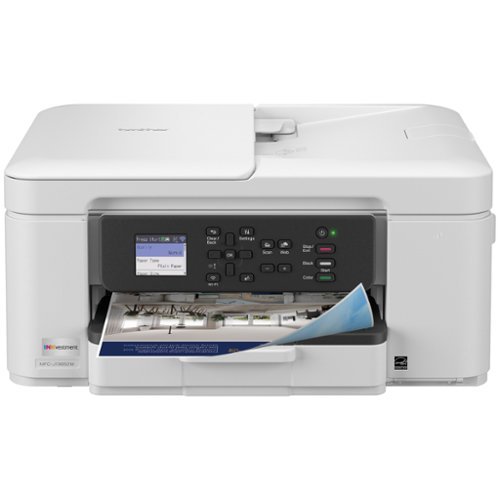
Looking for reliable printing with powerful efficiency-boosting features? The INKvestment 1365 Wireless Color Inkjet All-in-One Printer delivers. With versatile tools like automatic duplex (2-sided) printing, a 20-page single-sided automatic document feeder,(1) and wireless(2) and Cloud connectivity options(3) available on the 1.8~ color display, this multifunction printer helps you get your work done easily. Perfect for printing anything you need with the right amount of ink in-box, this color inkjet printer outputs vibrant colors and bold, rich blacks at fast print speeds, and Page Gauge(4) monitors your ink usage so you know when you~re running low. When paired with the Brother Mobile Connect app,(5) setup is quick and easy ~ plus, you can print from virtually anywhere on your mobile device.(6) Produce beautiful prints in vibrant color and bold blacks at fast print speeds with Brother Genuine LC504 Ink cartridges ~ the only brand we recommend for your Brother printer.
Posted by: badradio
This is my review for the INKvestment 1365 Wireless Color Inkjet All-in-One Printer for 2025. I personally chose this specific version because I needed a durable & dependable printer that I don’t have to worry about changing out the ink constantly. I have previously used Brother printers with INKvestment and was pleased with how long the ink lasted. I used the INKvestment 1365 Wireless Color Inkjet All-in-One Printer that I got back in 2018 and that lasted me up to this year with only changing the Ink once!
Set up was overall fast to get through. Loading the ink into the Brother printer was easier this time than with the previous version of this printer; just push each one in and close the door. I remember I happened to get ink on the first printer, but with this new ink format they chose, it was very neat with no ink leaking and getting anywhere. The process runs you through getting the paper and ink squared away so there are no issues when the actual printing begins. The process just needs one page printed and put on the scanner bed to ensure proper printing to make sure the heads are lined up. One word of caution: make sure to download the Brother driver app from your store on either Android / Apple. There are other apps you can download to use the user interface from the phone rather than the display on the printer itself.
There was really only one issue with the previous printer that kept coming up and that was dried out ink. I found myself constantly running diagnostics because the black specifically would get dull and the ink would get jammed, leaving very hard to read printouts. Now, I have not had this printer this long, but have not run into any issues thus far. I do have to say, it could also have been where I lived at the time (very dusty). I am hoping this new 1365 inkjet printer will last me as long as the previous one did. When it worked, it was perfect!
Lastly, I feel the size has been reduced and seems lighter for the device itself. The printing also seems easier overall to queue a print from anywhere in the house/apt and prints immediately. I like the aesthetics of the printer and the screen is easy to read and is in color, though I don’t believe it is a touch screen capable. I am happy with this printer so far, has done all the jobs I’ve asked for with no issues including duplex printing. I am crossing my fingers that the ink will stay in tact and I look forward to not buying ink for a long time.
Set up was overall fast to get through. Loading the ink into the Brother printer was easier this time than with the previous version of this printer; just push each one in and close the door. I remember I happened to get ink on the first printer, but with this new ink format they chose, it was very neat with no ink leaking and getting anywhere. The process runs you through getting the paper and ink squared away so there are no issues when the actual printing begins. The process just needs one page printed and put on the scanner bed to ensure proper printing to make sure the heads are lined up. One word of caution: make sure to download the Brother driver app from your store on either Android / Apple. There are other apps you can download to use the user interface from the phone rather than the display on the printer itself.
There was really only one issue with the previous printer that kept coming up and that was dried out ink. I found myself constantly running diagnostics because the black specifically would get dull and the ink would get jammed, leaving very hard to read printouts. Now, I have not had this printer this long, but have not run into any issues thus far. I do have to say, it could also have been where I lived at the time (very dusty). I am hoping this new 1365 inkjet printer will last me as long as the previous one did. When it worked, it was perfect!
Lastly, I feel the size has been reduced and seems lighter for the device itself. The printing also seems easier overall to queue a print from anywhere in the house/apt and prints immediately. I like the aesthetics of the printer and the screen is easy to read and is in color, though I don’t believe it is a touch screen capable. I am happy with this printer so far, has done all the jobs I’ve asked for with no issues including duplex printing. I am crossing my fingers that the ink will stay in tact and I look forward to not buying ink for a long time.
I would recommend this to a friend!
Share this review:


0points
0of 0voted this as helpful.

Meet Pixel 10 Pro, the new standard for pro phones. Advanced AI with Gemini, unbelievable camera quality, impeccable design, and the next-gen Google Tensor G5 chip.~
Posted by: badradio
This is my review of the Pixel 10 Pro XL. I did not have a choice in color, however Google did send over the Moonstone color which is a silver/grey type of finish. This color choice looks very nice for the Pixel XL. This phone comes absolutely packed with features this year through the work of AI, some good and some not so much. One question I wanted to answer to myself with this phone was just how much the AI changed the phone and if so, was it beneficial? Another question is coming from a 3 year old phone from another Android maker, how does the Pixel hold up in 2025 as a smart phone in the general sense like smoothness and speed?
Let’s start with the first change and nothing to do with AI; the Pixel now only comes with E-Sim. This means that if your carrier still uses only physical sims, you can’t use a Pixel 10! My network I used was ok as I was already using an Esim, so I did not have any issues. The process took about 15 minutes and I was up and running, a painless process.
On initial boot up there are several different AI apps or programs that will ask if you want to try them out. In settings, you can turn off these if you want to get that bare Android version. I have found that there are passive AI prompts like Magic Cue that seem genuinely helpful. Certain features do need several days to get used to the user, so some are not immediate. Daily Hub is a neat feature that hangs on your phone with weather for example. Throughout the day there will be reports on how the day is going, for example showing the weather is very nice and good to get out and enjoy it. Another app seemingly born from AI is Pixel Studio where you can have AI make all sorts of pictures. The app will offer suggestions as well to get you going in the right direction, like a fluffy bunny having a pastel lollipop. The freeform questions were very hit and miss for me, although I did finally get my football kitty I’ve been looking for.
Pixel 10 also shows off Google’s Material 3 Expressive art style. I personally feel it looks great for Android in general. The animations are different and have been touched up all over in areas in the UI. These changes really made the phone feel different for me in just enough ways coming from another Android eco system.
Another major focus this year was with the camera. Several apps pop up to help with taking shots, editing, focus, zoom, you name it. Just for the camera, there are: Camera Coach (helps with deciding where to take shot),Pro Res Zoom (which can really work amazing!), Add me, Best take, Panorama, Night shots etc. I want to point out that the Low light boost works amazingly well in my time with it. For example, after taking a picture of my wife, I changed the background to the beach in HI, then changed that to another background that looked decent even after removing the tables and drinks from the original picture. I also wanted to point out the Pro Res Zoom that after zoomin’ to 50 will work its AI magic and depending on what you are taking a picture of, will dramatically improve the finished take.
Magnets found their way to the Pixel lineup this year too. I am very much looking forward to finding the perfect charging accessory this way. Google implemented Qi2 charging in the XL model along with 45 watt cord charging with 25 wireless charging. You have to love options, right?
I have to say that the AI push was initially off putting. After trying out these features, they can really help with tasks. I can see using the Pro res zoom and getting creative with editing photos (which I never really did before, so there’s that). The low light feature is actually really great in low light, so that could be a game changer for taking photos at night. I added some examples, but I know there are much better ones too, look forward to seeing more from the community. The downside was the Pixel Studio app for example. Most of the requests I asked for did not happen. I hit my limit of requests (?) for AI seemingly very fast and had to wait another month. Weird.
To answer my initial question, was the AI addition helpful or not? For the most part, yes! The Tensor 5 chip is very smooth and does exactly what it needs to do. I was surprised that it stood its ground as I threw task after task at it. I hope Google continues to concentrate on AI that can actually assist users in the future.
Let’s start with the first change and nothing to do with AI; the Pixel now only comes with E-Sim. This means that if your carrier still uses only physical sims, you can’t use a Pixel 10! My network I used was ok as I was already using an Esim, so I did not have any issues. The process took about 15 minutes and I was up and running, a painless process.
On initial boot up there are several different AI apps or programs that will ask if you want to try them out. In settings, you can turn off these if you want to get that bare Android version. I have found that there are passive AI prompts like Magic Cue that seem genuinely helpful. Certain features do need several days to get used to the user, so some are not immediate. Daily Hub is a neat feature that hangs on your phone with weather for example. Throughout the day there will be reports on how the day is going, for example showing the weather is very nice and good to get out and enjoy it. Another app seemingly born from AI is Pixel Studio where you can have AI make all sorts of pictures. The app will offer suggestions as well to get you going in the right direction, like a fluffy bunny having a pastel lollipop. The freeform questions were very hit and miss for me, although I did finally get my football kitty I’ve been looking for.
Pixel 10 also shows off Google’s Material 3 Expressive art style. I personally feel it looks great for Android in general. The animations are different and have been touched up all over in areas in the UI. These changes really made the phone feel different for me in just enough ways coming from another Android eco system.
Another major focus this year was with the camera. Several apps pop up to help with taking shots, editing, focus, zoom, you name it. Just for the camera, there are: Camera Coach (helps with deciding where to take shot),Pro Res Zoom (which can really work amazing!), Add me, Best take, Panorama, Night shots etc. I want to point out that the Low light boost works amazingly well in my time with it. For example, after taking a picture of my wife, I changed the background to the beach in HI, then changed that to another background that looked decent even after removing the tables and drinks from the original picture. I also wanted to point out the Pro Res Zoom that after zoomin’ to 50 will work its AI magic and depending on what you are taking a picture of, will dramatically improve the finished take.
Magnets found their way to the Pixel lineup this year too. I am very much looking forward to finding the perfect charging accessory this way. Google implemented Qi2 charging in the XL model along with 45 watt cord charging with 25 wireless charging. You have to love options, right?
I have to say that the AI push was initially off putting. After trying out these features, they can really help with tasks. I can see using the Pro res zoom and getting creative with editing photos (which I never really did before, so there’s that). The low light feature is actually really great in low light, so that could be a game changer for taking photos at night. I added some examples, but I know there are much better ones too, look forward to seeing more from the community. The downside was the Pixel Studio app for example. Most of the requests I asked for did not happen. I hit my limit of requests (?) for AI seemingly very fast and had to wait another month. Weird.
To answer my initial question, was the AI addition helpful or not? For the most part, yes! The Tensor 5 chip is very smooth and does exactly what it needs to do. I was surprised that it stood its ground as I threw task after task at it. I hope Google continues to concentrate on AI that can actually assist users in the future.
I would recommend this to a friend!

Share this review:


0points
0of 0voted this as helpful.
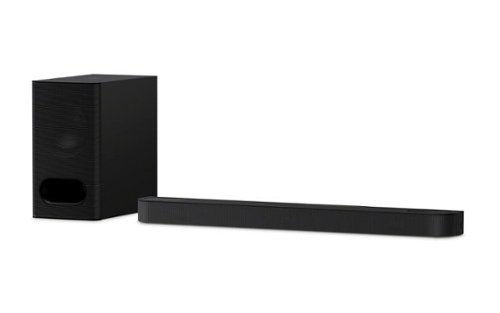
Discover 3.1.2ch spatial sound with the BRAVIA Theater Bar 6. Up-firing speakers, a dedicated center channel speaker, and support for Dolby Atmos and DTS:X will surround you with expansive sound and clear dialogue. The included subwoofer adds deep, powerful bass, letting you feel the rumble in every scene.
Posted by: badradio
Seems like Sony is making 2025 a pillar year. Having just released the stellar XM6 headphones, Sony now releases the Theatre soundbar 6. This includes a bass and a 3 speaker system with the middle designed for clearer voice output. This translates to an option of how you would like to hear the sound from the soundbar. The remote gives you an option of either “sound field” or “voice” that can alter the sound. I have been going back and forth and trying to decide if I prefer one over the other. I have to say after multiple days of testing that both options work pretty well. If you are an audiophile looking for options, I would recommend this soundbar.
Digging into the specifics, the bar reaches a respectable 40” in length and weighs around 33lbs. The bass is not nearly as heavy as the ones I have, very nice surprise all things considered with the tech inside. With this said, you will need to plan ahead for the best fit in your entertainment area.
The overall set up of the unit was smooth over all, but brought with it, the only real complaint I have about the entire experience. When I hooked up everything to the tv, the bass would not work. I reset and rehooked up all the cables but still nothing. I decided to look online to see if an app from Sony would help and found one called Bravia connect. I point this out because I do not have a Bravia TV, which feels like the main component for this app, but works great with the soundbar, no worries. Actually using the app fixed the bass not responding by giving a BOOM! Honestly I had the volume waaaay too high, think of it in terms of Marty in front of the Doc's speakers. Impressive to say the least!
I do wish Sony would make more of an effort to steer the customer to the app as it synced up immediately and fixed all issues. Gives a GUI for when changing from sound field to voice, so you know when it changes visually. The app also gives you control over the bass and what the median is for the best use case.
I watched several action movies, regular TV for baseball watching and used it as an MP3 for the tablet when listening to music. All I can say honestly, is that it changes what you expect to hear, no matter what it is. The sound is more enriched, whole and surrounding. Oh and shaky. The bass doesn’t mess around if you turn the volume up too much. I was told from others 3 doors away they could hear the movie and feel the floor moving. When Sony labeled this a Theatre bar, they weren’t lying.
+ Amazing sound & bass
+Bravia connect - App that helps set up - Download it!
- Sony doesn't advertise thier own app to help with syncing when setting up.
Digging into the specifics, the bar reaches a respectable 40” in length and weighs around 33lbs. The bass is not nearly as heavy as the ones I have, very nice surprise all things considered with the tech inside. With this said, you will need to plan ahead for the best fit in your entertainment area.
The overall set up of the unit was smooth over all, but brought with it, the only real complaint I have about the entire experience. When I hooked up everything to the tv, the bass would not work. I reset and rehooked up all the cables but still nothing. I decided to look online to see if an app from Sony would help and found one called Bravia connect. I point this out because I do not have a Bravia TV, which feels like the main component for this app, but works great with the soundbar, no worries. Actually using the app fixed the bass not responding by giving a BOOM! Honestly I had the volume waaaay too high, think of it in terms of Marty in front of the Doc's speakers. Impressive to say the least!
I do wish Sony would make more of an effort to steer the customer to the app as it synced up immediately and fixed all issues. Gives a GUI for when changing from sound field to voice, so you know when it changes visually. The app also gives you control over the bass and what the median is for the best use case.
I watched several action movies, regular TV for baseball watching and used it as an MP3 for the tablet when listening to music. All I can say honestly, is that it changes what you expect to hear, no matter what it is. The sound is more enriched, whole and surrounding. Oh and shaky. The bass doesn’t mess around if you turn the volume up too much. I was told from others 3 doors away they could hear the movie and feel the floor moving. When Sony labeled this a Theatre bar, they weren’t lying.
+ Amazing sound & bass
+Bravia connect - App that helps set up - Download it!
- Sony doesn't advertise thier own app to help with syncing when setting up.
I would recommend this to a friend!
Share this review:


0points
0of 0voted this as helpful.
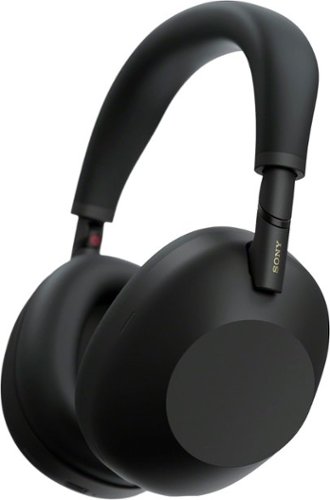
Powered by our next-gen processor and intelligent algorithms, the WH-1000XM6 premium headphones deliver studio-quality sound and our most advanced noise cancellation. Co-created with mastering audio engineers, every detail and note are heard as the artist intended. Enjoy a pure, uninterrupted listening experience anywhere with crystal-clear call quality and pro-level audio.
Posted by: badradio
The new 1000XM6 headphones by Sony are very sleek. They feature some new features this year over previous versions. The headphones come with a carrying case that closes with a magnetic hatch that closes with ease. I have taken a picture of the carrying case.
There are several software options in the X6 like dynamic noise cancelling depending where you are. Sony took this a step further by implementing gps too. They use an example in the booklet showing how the headphones will get louder or quieter depending on location like a bus stop or sitting in your room. I’m not sure I am the biggest fan. I kind of equate it to how cars are slowly being taken over with similar software, but to avoid accidents. I personally find that I like to pick a setting and keep it that way until I consciously decide something else.
The headphones come in 3 colors: white, black & blue. I have the blue variant myself. I can say it is a dark navy type color that if seen in certain lighting, looks black.
As I stated earlier, I have had these Sony headphones before, the XM4. I loved how those felt over my ears. The 1000XM6 unfortunately doesn't feel as comfortable. The way the sides come down on the head and ear tend to feel just a bit awkward. First few times I put on the headphones, I had to repeatedly check if they were on the correct side. Compared to the XM4, when you put them on, you can tell immediately if they are on correctly or not.
If you are happy with your current set, I wouldn’t honestly suggest buying these. At over $400+, the price is not cheap. Also, there is no IP67 here, in fact the booklet shows not to get them wet with spilled water for example, so keep this in mind.
+ Feels very sleek in the hand
+ Noise cancelling
- Feels awkward putting on
- No IP rating
There are several software options in the X6 like dynamic noise cancelling depending where you are. Sony took this a step further by implementing gps too. They use an example in the booklet showing how the headphones will get louder or quieter depending on location like a bus stop or sitting in your room. I’m not sure I am the biggest fan. I kind of equate it to how cars are slowly being taken over with similar software, but to avoid accidents. I personally find that I like to pick a setting and keep it that way until I consciously decide something else.
The headphones come in 3 colors: white, black & blue. I have the blue variant myself. I can say it is a dark navy type color that if seen in certain lighting, looks black.
As I stated earlier, I have had these Sony headphones before, the XM4. I loved how those felt over my ears. The 1000XM6 unfortunately doesn't feel as comfortable. The way the sides come down on the head and ear tend to feel just a bit awkward. First few times I put on the headphones, I had to repeatedly check if they were on the correct side. Compared to the XM4, when you put them on, you can tell immediately if they are on correctly or not.
If you are happy with your current set, I wouldn’t honestly suggest buying these. At over $400+, the price is not cheap. Also, there is no IP67 here, in fact the booklet shows not to get them wet with spilled water for example, so keep this in mind.
+ Feels very sleek in the hand
+ Noise cancelling
- Feels awkward putting on
- No IP rating
I would recommend this to a friend!


Share this review:


0points
1of 2voted this as helpful.

The Hisense U7 Series is the ultimate TV for sports and video games. It~s enhanced with Mini-LED Pro technology, reaching up to 3,000 nits peak brightness, which makes for the sharpest contrasts, brightest lighting and most dramatic shadows. Soak up over a billion vibrant shades on your screen with QLED Color and see how every play unfolds. And 165Hz Game Mode Ultra powers smooth, tear-free gaming for even the most action-packed video games.
Posted by: badradio
I have been going back and forth on the final score I want to give to this Hisense TV. I am giving it 5 stars, because I can't give 4.5, so I will include an asterisk. While this issue lies in the software side of the TV and not the actual picture that is shown on the screen. Would also like to point out that I am a gamer and spend time making sure the image of whatever I am watching or playing is the best it can be. With that said, this set does 4K gaming proud once the settings are configured.
When I received the set, I had 1 other person helping me set it up and out of the box, which you should really do! I immediately mounted the TV to a floor stand because I live in CA, nuff said.
On set up, the Google TV part came in and really helped by signing in and it finished the set up mostly from there, including wifi set up. The set prompted me for an update immediately and I had to stop and realized the wifi was already clearly working. Comes with several apps to use from streaming with MAX, to watching a soothing app (open window?) that has several nature scenes that play. There is also apparently a sample size of Google TV that is included in hopes of getting that sub out of you.
I tested several games and came away very impressed overall. I have included 2 pictures showing the very limited gaming options and another picture ofthe movie UP. First, watching movies on this TV is pure pleasure. My family has never spent this much time together in the same room consecutively....ever. Love it.
Coming from an LG C3, I was hoping for more options for on screen menus. For example there are only 5 options in the gaming section including longer frames per second (FPS) but nothing to show current frames the TV is giving out that I have seen. I personally loved this feature on the C3 and used it constantly. I use the FPS counter on Steam, but it does not always show for every game I tested. I am not sure if this is due to playing on screen 2 only from my PC. Additionally, I hope Hisense updates and adds more information on each setting and keeps them on. I cannot tell you how annoying it is to have to go into settings constantly to check to see if all the gaming settings are correct when playing.
Yes I would recommend this TV for anyone interested in a 4K set for sports, movies or gaming. Also currently on sale for a great price on Best Buy.
When I received the set, I had 1 other person helping me set it up and out of the box, which you should really do! I immediately mounted the TV to a floor stand because I live in CA, nuff said.
On set up, the Google TV part came in and really helped by signing in and it finished the set up mostly from there, including wifi set up. The set prompted me for an update immediately and I had to stop and realized the wifi was already clearly working. Comes with several apps to use from streaming with MAX, to watching a soothing app (open window?) that has several nature scenes that play. There is also apparently a sample size of Google TV that is included in hopes of getting that sub out of you.
I tested several games and came away very impressed overall. I have included 2 pictures showing the very limited gaming options and another picture ofthe movie UP. First, watching movies on this TV is pure pleasure. My family has never spent this much time together in the same room consecutively....ever. Love it.
Coming from an LG C3, I was hoping for more options for on screen menus. For example there are only 5 options in the gaming section including longer frames per second (FPS) but nothing to show current frames the TV is giving out that I have seen. I personally loved this feature on the C3 and used it constantly. I use the FPS counter on Steam, but it does not always show for every game I tested. I am not sure if this is due to playing on screen 2 only from my PC. Additionally, I hope Hisense updates and adds more information on each setting and keeps them on. I cannot tell you how annoying it is to have to go into settings constantly to check to see if all the gaming settings are correct when playing.
Yes I would recommend this TV for anyone interested in a 4K set for sports, movies or gaming. Also currently on sale for a great price on Best Buy.
I would recommend this to a friend!


Share this review:


+2points
2of 2voted this as helpful.
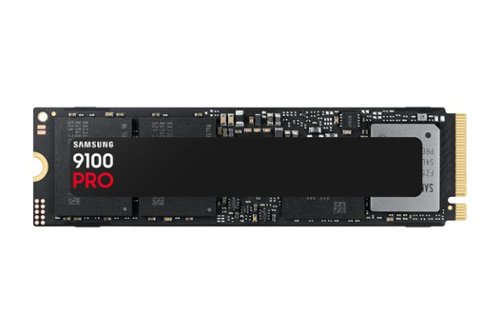
Blazing speed meets massive capacity built for AI and beyond. The Samsung 9100 PRO SSD delivers up to twice the speed of the 990 PRO SSD and up to an 8TB storage option, ensuring you have lightning fast speed and ample space for AI projects, 4K/8K video editing, gaming marathons, and more. Designed for next gen performance, it's the ultimate storage solution for your digital life.
Posted by: badradio
Ever since the Playstation 5 was released, SSD speed has been center stage. Gone are the days of loading screens everywhere in games. Initial loading in and out is a breeze as well with this SSD in any game I tested.
When installing this SSD into the laptop I am using, I am relieved to say there were no issues. Huge relief to be honest. I was hoping to add it to my C drive, but since that is a no go, I now have 2 TBs of storage just for my Steam gaming on a separate D drive now. The allocating took no time at all either and was up and running before I actually realized it. For those interested, transferring the Steam library was painless and did not take too long either.
I do want to point out that this SSD did not come with a heatsink included. I believe that I will get one in the very near future for the heat that is produced. You can find one for pretty cheap nowadays online and usually cheaper than buying together too.
There is also software included for drivers and installation. I have included a picture with my review. The GUI is pretty nice here, I feel Samsung did a good job on the app to monitor the SSD with some options to turn on or off to maximise performance.
I would recommend this item all the way. Not only is this going to be needed in the future, its great now in its speed of data.
When installing this SSD into the laptop I am using, I am relieved to say there were no issues. Huge relief to be honest. I was hoping to add it to my C drive, but since that is a no go, I now have 2 TBs of storage just for my Steam gaming on a separate D drive now. The allocating took no time at all either and was up and running before I actually realized it. For those interested, transferring the Steam library was painless and did not take too long either.
I do want to point out that this SSD did not come with a heatsink included. I believe that I will get one in the very near future for the heat that is produced. You can find one for pretty cheap nowadays online and usually cheaper than buying together too.
There is also software included for drivers and installation. I have included a picture with my review. The GUI is pretty nice here, I feel Samsung did a good job on the app to monitor the SSD with some options to turn on or off to maximise performance.
I would recommend this item all the way. Not only is this going to be needed in the future, its great now in its speed of data.
I would recommend this to a friend!

Share this review:


0points
0of 0voted this as helpful.
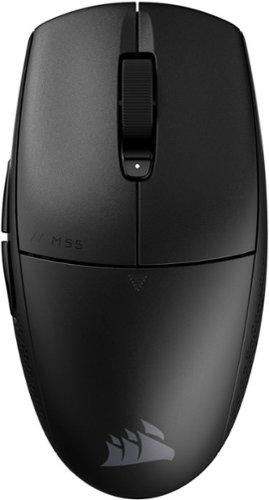
Become a truly unstoppable force. The CORSAIR M55 WIRELESS gaming mouse has the compact symmetrical shape to fit your hand size and grip style. The sleek M55 WIRELESS dashes across your desktop with ease, and quick snaps and flicks are a cinch to control thanks to ergonomic textured side grips. Its wireless connection is just as fast, transmitting inputs with near-zero lag via SLIPSTREAM WIRELESS v1.5. The optical sensor supports up to 24,000 DPI to track every sweep and stop with pinpoint precision. With prime performance so close at hand, M55 WIRELESS puts you in position to make your best gaming moves.
Posted by: badradio
This is a review for the Corsair M55 wireless mouse.
Right out of the box, this mouse felt great. First thing I noticed was the how light it is, no bulk here. I would say I have average sized hands for a guy I guess. With that said, the M55 is very comfortable to hold and use. The icing on the cake here is the portability that this mouse offers. I can use it anywhere and works like a charm! I write this from the living room on my labtop and my M55 is working great on the couch. The advertised Slipstream tech must be at work here, I can only guess. Whatever magic is at work, I love it.
I used it for gaming as well and yes on a mousepad. Very responsive and worked as I had hoped for. I love the fact that it shines in multiple activities with no downsides from my use with it.
The specs of this mouse show 24000 dots per inch. 6 buttons total with spin wheel, left and right with small button in between. To finish the hardward roundup are 2 more buttons on the left side for my thumb. On Chrome browser or Windows 11 for example, they controlled back and forward controls and were really responsive, no complaints at all. Works great when getting something from another app and returning to what you were doing at a push of a button.
Another topic I want to touch on is the ease in connecting the M55 to the laptop. Yes the inluded dongle works as intended and is small, so no big deal either way honestly. However, I wanted as minimal as possible, so connected via BT and have stayed this way since. The dongle and the on/off for the mouse and Bluetooth are located at the bottom of the mouse. I included some pics to show just this. Just altered one showing the S/N # of my unit.
The mouse wheel is nice and flat and just enough responsivness to not make too much of a distraction that I have found in previous bluetooth mice in the past. Feels like it is connected with a usb cord to be honest. Speaking of which, I know this is a more basic mouse on the functional level, but coming in under $50 in todays economy is really appreciated!
I would highly reccomend this mouse if you're looking for portability. No wires anymore, not even a dongle. I have not had this long enough to very just how long this battery lasts, but boasts over 100 hours. I have been using it for a few days now non stop and haven't seen anything, but again, only a few days. I plan on using an Eneloop battery and probably never have to worry again. Ok, maybe not for long while.
Right out of the box, this mouse felt great. First thing I noticed was the how light it is, no bulk here. I would say I have average sized hands for a guy I guess. With that said, the M55 is very comfortable to hold and use. The icing on the cake here is the portability that this mouse offers. I can use it anywhere and works like a charm! I write this from the living room on my labtop and my M55 is working great on the couch. The advertised Slipstream tech must be at work here, I can only guess. Whatever magic is at work, I love it.
I used it for gaming as well and yes on a mousepad. Very responsive and worked as I had hoped for. I love the fact that it shines in multiple activities with no downsides from my use with it.
The specs of this mouse show 24000 dots per inch. 6 buttons total with spin wheel, left and right with small button in between. To finish the hardward roundup are 2 more buttons on the left side for my thumb. On Chrome browser or Windows 11 for example, they controlled back and forward controls and were really responsive, no complaints at all. Works great when getting something from another app and returning to what you were doing at a push of a button.
Another topic I want to touch on is the ease in connecting the M55 to the laptop. Yes the inluded dongle works as intended and is small, so no big deal either way honestly. However, I wanted as minimal as possible, so connected via BT and have stayed this way since. The dongle and the on/off for the mouse and Bluetooth are located at the bottom of the mouse. I included some pics to show just this. Just altered one showing the S/N # of my unit.
The mouse wheel is nice and flat and just enough responsivness to not make too much of a distraction that I have found in previous bluetooth mice in the past. Feels like it is connected with a usb cord to be honest. Speaking of which, I know this is a more basic mouse on the functional level, but coming in under $50 in todays economy is really appreciated!
I would highly reccomend this mouse if you're looking for portability. No wires anymore, not even a dongle. I have not had this long enough to very just how long this battery lasts, but boasts over 100 hours. I have been using it for a few days now non stop and haven't seen anything, but again, only a few days. I plan on using an Eneloop battery and probably never have to worry again. Ok, maybe not for long while.
I would recommend this to a friend!



Share this review:


+2points
2of 2voted this as helpful.

Experience AeroClip Open-Ear Clip-On Earbuds with Adaptive Comfort.
Customer Rating

4
Small headphones with big sound, lack of controls
on March 20, 2025
Posted by: badradio
The first thing I noticed when I saw the packaging for the Soundcore AeroClips is that they look like mini headphones for the ears! When I took them out and held each one, I thought there was no way they would have a good sound. As it turns out, there were a few surprises that turned out good and some not so much. .
When you put the Aeroclips on your ear and position to your liking, you can barely feel they are there. The included ear grips that cover one of the ends helps make sure they are very snug. I personally chose the larger size of the two, which felt perfect. The Aeroclips can be moved up or down on the ear for comfort.
Now for a rather huge surprise for me. No tinny sounding cheap sound. They get very loud at full volume with rich sound. I was blown away! I had my daughter and wife test them as well. Everyone is very impressed by the sound quality they make.
On the comfort side of things, I found myself wearing them and forgetting they were on my ear. I love that. They are open ear and can hear the outside world if the volume is not at full. The Aeroclips are rated X4 on water resistance too(defined as splashing is ok but do not submerge in water).
The one big downside to me while wearing these, were the lack of controls. There are literally like 2 controls total when listening to music, pause and fast forward. I was disappointed to find that there were no back controls, what I mean is to go back 2 songs or start over. I had to take a star off for this because no going back while listening to music can be a no go. With this said, while using, make sure to put on repeat or whatever before stepping away from the actual controls. For calls, there are controls for accept, hold and hang up.
I would definitely recommend these Aeroclips if you can afford them as they are on the pricey side. Also, make sure to download the Soundcore app! Makes connection much easier when taking calls. I wish Anker would put that on the cover of the booklet as I feel it is important.
If you’re looking for a very minimalist, but basic earbud, look no further. I know these will be my go to when taking quick trip down the street or a walk.
When you put the Aeroclips on your ear and position to your liking, you can barely feel they are there. The included ear grips that cover one of the ends helps make sure they are very snug. I personally chose the larger size of the two, which felt perfect. The Aeroclips can be moved up or down on the ear for comfort.
Now for a rather huge surprise for me. No tinny sounding cheap sound. They get very loud at full volume with rich sound. I was blown away! I had my daughter and wife test them as well. Everyone is very impressed by the sound quality they make.
On the comfort side of things, I found myself wearing them and forgetting they were on my ear. I love that. They are open ear and can hear the outside world if the volume is not at full. The Aeroclips are rated X4 on water resistance too(defined as splashing is ok but do not submerge in water).
The one big downside to me while wearing these, were the lack of controls. There are literally like 2 controls total when listening to music, pause and fast forward. I was disappointed to find that there were no back controls, what I mean is to go back 2 songs or start over. I had to take a star off for this because no going back while listening to music can be a no go. With this said, while using, make sure to put on repeat or whatever before stepping away from the actual controls. For calls, there are controls for accept, hold and hang up.
I would definitely recommend these Aeroclips if you can afford them as they are on the pricey side. Also, make sure to download the Soundcore app! Makes connection much easier when taking calls. I wish Anker would put that on the cover of the booklet as I feel it is important.
If you’re looking for a very minimalist, but basic earbud, look no further. I know these will be my go to when taking quick trip down the street or a walk.
I would recommend this to a friend!

Share this review:


+1point
1of 1voted this as helpful.
badradio's Review Comments

From the award-winning creators of Civilization comes an action-strategy game about civilization's last stand. Threatened by an unknown enemy, the Earth's governments unite to form an elite paramilitary organization, known as XCOM, to combat this extraterrestrial attack. As the commander of XCOM, you control the global defense team in a battle against a terrifying alien invasion by creating a fully operational base, researching alien technologies, planning combat missions, and controlling soldier movement in battle.
Overall 1 out of 5
1 out of 5Steam Failure
By PMXan
from Georgetown, TX
The game itself is great and enjoyable.
The activitation requirement to have Steam is unacceptable and ridiculous. If you could activate without requiring an internet and steam connection, this would be a much more acceptable scenario.

badradio
ca
Steam is on xbox?!
October 16, 2012
May want to hit up Valve for this rant. Nothing to do with gameplay, story or graphics.
Sigh.......
Sigh.......
+5points
5of 5voted this comment as helpful.
badradio's Questions
badradio has not submitted any questions.
badradio's Answers

Type on your Chromebook or smartphone for effortless multitasking with this Logitech slim wireless keyboard. The built-in easy switch lets you pair and alternate multiple devices quickly, while the slim keys offer a comfortable, quiet typing experience. This Bluetooth-enabled Logitech slim wireless keyboard includes an auto-sleep feature that is activated when you're not typing to ensure long battery life.
Is this keyboard backlit at all?
no
6 years, 7 months ago
by
badradio
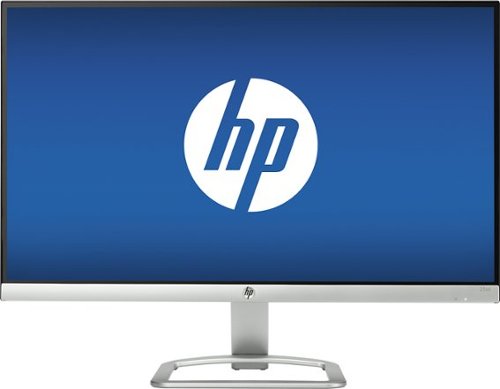
Play games or program tech solutions on the wide 23-inch screen of this HP LED HD monitor. The antiglare flatscreen offers views from any angle, and the 1920 x 1080 display offers super-sharp images. This HP LED HD monitor has HDMI and VGA inputs, letting you connect a variety of peripherals and devices.
Is this monitor good for fps gaming?
yes
9 years, 7 months ago
by
badradio
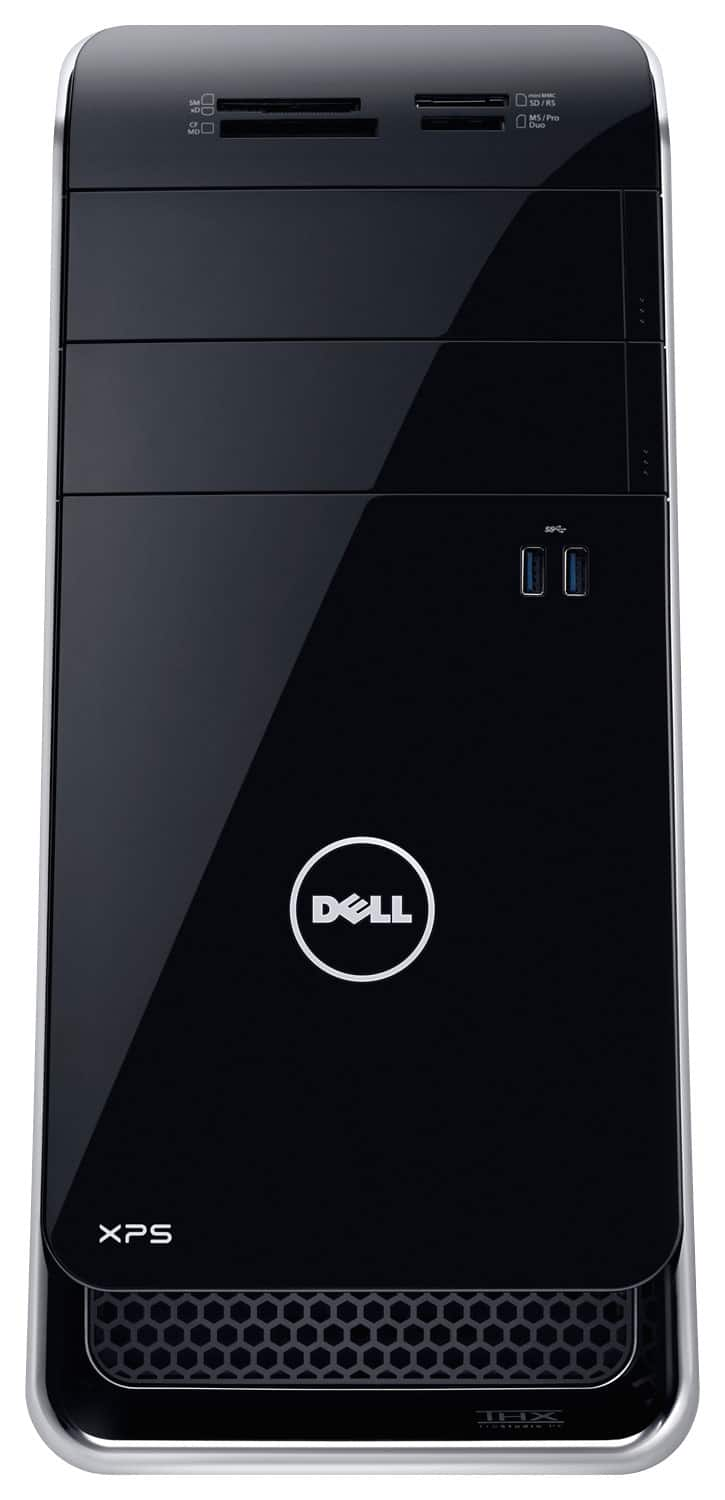
Dell XPS Desktop: Get the storage and performance you need with this desktop, which features both a 2TB hard drive and a 256GB solid state drive. NVIDIA GTX 960 graphics with 2GB dedicated video memory let you enjoy a realistic picture when you connect your HDTV or monitor via HDMI. Plus, Wireless-AC networking lets you connect to the Web at rapid speeds
I've read reviews elsewhere that complain that this build runs really loud. Have you experienced that with yours?
I may not have the best of hearing, but the Wave is literally less then 2 ft from me and I can barely hear it humming. Very quiet!
9 years, 7 months ago
by
badradio
Dell XPS Desktop: Get the storage and performance you need with this desktop, which features both a 2TB hard drive and a 256GB solid state drive. NVIDIA GTX 960 graphics with 2GB dedicated video memory let you enjoy a realistic picture when you connect your HDTV or monitor via HDMI. Plus, Wireless-AC networking lets you connect to the Web at rapid speeds
It says I can upgrade to Windows 10 free.Anyone known how I do that?Thank you
This PC comes with the latest version of Windows available. Just go to settings and download the latest update, the pc will do the rest unless you need to restart to finish the update.
9 years, 7 months ago
by
badradio