


JimC's stats
- Review count115
- Helpfulness votes8,372
- First reviewOctober 30, 2016
- Last reviewApril 28, 2026
- Featured reviews0
- Average rating4.8
Reviews comments
- Review comment count0
- Helpfulness votes0
- First review commentNone
- Last review commentNone
- Featured review comments0
Questions
- Question count0
- Helpfulness votes0
- First questionNone
- Last questionNone
- Featured questions0
- Answer count34
- Helpfulness votes324
- First answerDecember 4, 2016
- Last answerNovember 16, 2021
- Featured answers0
- Best answers11
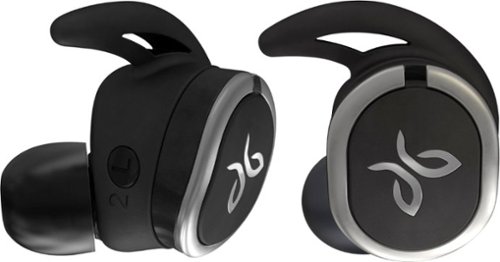
Pair your morning jog with these Jaybird RUN wireless earbuds, and enjoy your music each step of the way. Bluetooth compatibility with multiple devices lets you share your playlist without the tangle of wires. These Jaybird RUN wireless earbuds are sweatproof and dirtproof to handle the worst of your workout.
Customer Rating

5
Top Quality Earbuds That Stay In Your Ear!
on November 14, 2017
Posted by: JimC
from Chicago, IL
I am a fairly serious runner and biker and have always been annoyed by the wires connecting my earphones to my iPhone so I decided to look into wireless earbuds. I considered the Apple AirPods but some friends who used them said that they can fall out if you sweat a lot during your workout, and frankly, I think they look a little weird. Fortunately, I found that Logitech has a great product called the Jaybird Run which provides a nice solution.
The Jaybird Run earbuds are truly wireless and fit very securely in the ear. They are priced about the same as the AirPods but offer better features. Included in the box (see photo) are instructions, a wide variety of alternate tips and "fins" (which fit into the ear to secure the bud), a USB charging cable, a slim, moisture-resistant carrying case, a hard shell charging case and the earbuds.
Jaybird also has a free app (of course!) that you download to your phone (either Android or iPhone versions) which gives you additional features.
Everything looks extremely well made and the earbuds have a special coating to protect them from scratches and moisture.
First step is to charge the ear buds in the clam shell charging case. Just attach the charging cable, plug it into your computer or a USB outlet and LED lights will tell you when they are fully charged. The case itself serves as a supplemental battery, holding two full additional fast charges even when disconnected from power. Pop the earbuds back into the case for 5 minutes and you have another hour of charge! Leave them in for half an hour and they are fully charged again. You can do that twice before the case itself needs recharging.
Next, pair the earbuds with your phone via Bluetooth. An audio prompt guides you and the app gives full instructions, but my phone paired them quickly and without drama.
Put the earbuds in your ears and the "fin" will secure it there.
Put the earbuds in your ears and the "fin" will secure it there.
You can now start playing music immediately. The Jaybird Run will respond to various voice commands, allow you to interact with Siri, take calls, etc. You need to learn the various tap controls on the earbuds to activate some features but the app has full instructions. One quirk is connecting the app to the earbuds. You cannot be playing music while you connect to the app, but that issue resolved easily. The app gives you a nice equalizer feature, access to suggested Spotify playlists for working out and best of all - a "find my buds" tracking device in the unlikely event you lose one.
Sound quality is superb, very clear, distortion-free with excellent midrange and highs. Even the bass is very good – perhaps not as deep as you could get from over-the-ear headphones but quite acceptable.
The Jaybird Run earbuds are a bit heavier than unpowered earbuds but the very comfortable tip and securing fin will soon make you forget that they are even in your ear - except for the fact that you are surrounded by your music!
Will they stay in? Yes!!! I took them for a long (three hour) run and never had a problem even as I worked up a good sweat in 80+ degree weather. But running is probably not the biggest test. Can you rely upon the fit while biking? The next day I went for an all-day ride over some rough roads and once again they performed perfectly. They never felt loose. I had to recharge them in the case after about 3.5 hours while I stopped for food but that was quick. The case is a bit bulky to keep in your pocket but for most workouts you can rely upon the 3-4 hour playing time from each charge and leave the case at home.
The Bluetooth connection is very reliable. I have used the earbuds in my home and can walk 20 feet from my phone without a connection break. If you lose connection it quickly restores itself when you come back into range.
Bottom line - the Jaybird Run earbuds are an excellent investment for anyone who is a serious music fan and wants a rock-solid reliable workout partner. You will not regret this purchase!!!
My Best Buy number: 2833046088
Mobile Submission: False
I would recommend this to a friend!


Share this review:


+124points
151of 178voted this as helpful.
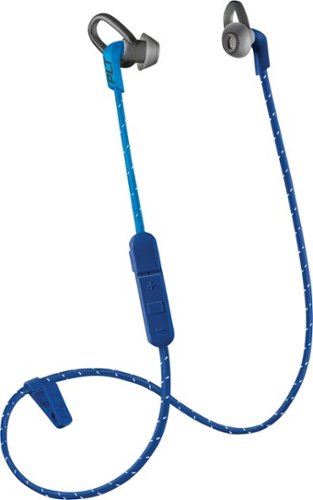
Enjoy clear audio without distraction while wearing these Plantronics BackBeat FIT wireless earbuds. They have a sweat-resistant coating and lightweight design that's comfortable to wear and stays in place as you exercise or lounge. These Plantronics BackBeat FIT wireless earbuds come with interchangeable tips in different sizes, providing a secure, noise-blocking fit.
Customer Rating
5
UltraLight Wireless Earbuds-Outstanding Sound,Life
on November 14, 2017
Posted by: JimC
from Chicago, IL
There are many options for playing music from your phone: internal speakers, external speakers, wired earphones and wireless earphones. I believe that for active users like me wireless earphones are the best choice. If you run, bike or work out regularly you certainly want to be free from wires and cannot use external speakers.
The issue with wireless earphones is whether to get expensive self-contained earphones which fit in the ear and have no connecting wires (such as Apple AirPods) or earphones which have a cable connecting the right earphone to the left earphone.
Plantronics has a great product called the BackBeat Fit 305 which are the latter type.
The BackBeat Fit 305 earbuds offer wireless connectivity and fit very securely in the ear. They are priced less than half the cost of AirPods and other fully wireless earbuds but offer some significant advantages. The battery life is much longer, the earbuds are much lighter and they are more secure and harder to lose.
Included in the box (see photo) are the earbuds, instructions, three sets (small, medium and large) of alternate tips with loops (which fit into the ear to secure the bud), a USB charging cable and a nice mesh drawstring pouch to hold everything.
Plantronics also has a free app (of course!) that you download to your phone (either Android or iPhone versions) which gives you additional instructions and a “find my headset” feature.
Everything looks very well made and the earbuds have a special sweat-resistant coating to protect them from moisture. The cable is braided and has a reflective stripe to make the earbud easier to spot if you drop them.
First step is to charge the ear buds. Just attach the charging cable, plug it into your computer or a USB outlet and LED lights will tell you when they are fully charged (about two hours when fully discharged.) Plantronics says a full charge will provide six hours playing time but I have used my set for at least seven hours before recharging.
Next, pair the earbuds with your phone via Bluetooth. An audio prompt guides you and the app gives full instructions, but my phone paired them quickly and without drama. Put the earbuds in your ears and the loop will secure it there.
Next, pair the earbuds with your phone via Bluetooth. An audio prompt guides you and the app gives full instructions, but my phone paired them quickly and without drama. Put the earbuds in your ears and the loop will secure it there.
You can now start playing music immediately. The Fit 305 will respond to various voice commands, allow you to interact with Siri, take calls, etc. The inline control has three raised symbols (+, -, square) which turn the earphones on/off, raise/lower volume, skip tracks (forward and backward), pause and repeat tracks and has a microphone for use during calls. Full instructions are included in the app but the use is pretty intuitive.
Sound quality is superb, very clear, distortion-free with excellent midrange and highs. The bass is not as deep as you could get from over-the-ear headphones but quite acceptable and definitely better than most wireless earbuds. The earbuds are very light (about one-half ounce) and the connecting cable is not noticeable when you use them, especially if you use the included clip to attach the cable to your clothing.
I have two minor qualms about the earbuds. First, the control unit is placed just 3 inches from the right earbud. It was probably placed there to give quick access but I think if it were located in the center of the cable between the two earbuds it would be easier to use and provide better weight balance. The other issue is the odd aesthetic choice by the designer. The short right cable from the control unit is a different color than the longer cable going to the left earbud. Each color version of the BackBeat Fit 305 has this strange color combination (dark blue/light blue, black/grey, grey/lime green, grey/red.) Not a functional issue and maybe some will like the combination, but it just seems a bit off to me.
The Bluetooth connection is super-reliable. I have used the earbuds in my home and can walk 30 feet from my phone without a connection break. If you lose connection it quickly restores itself when you come back into range.
Bottom line - the Plantronics BackBeat 305 earbuds are an excellent value for serious music fans who want a dependable workout partner. You will be glad you chose them!!!
My Best Buy number: 2833046088
Mobile Submission: False
I would recommend this to a friend!


Share this review:


+121points
123of 125voted this as helpful.
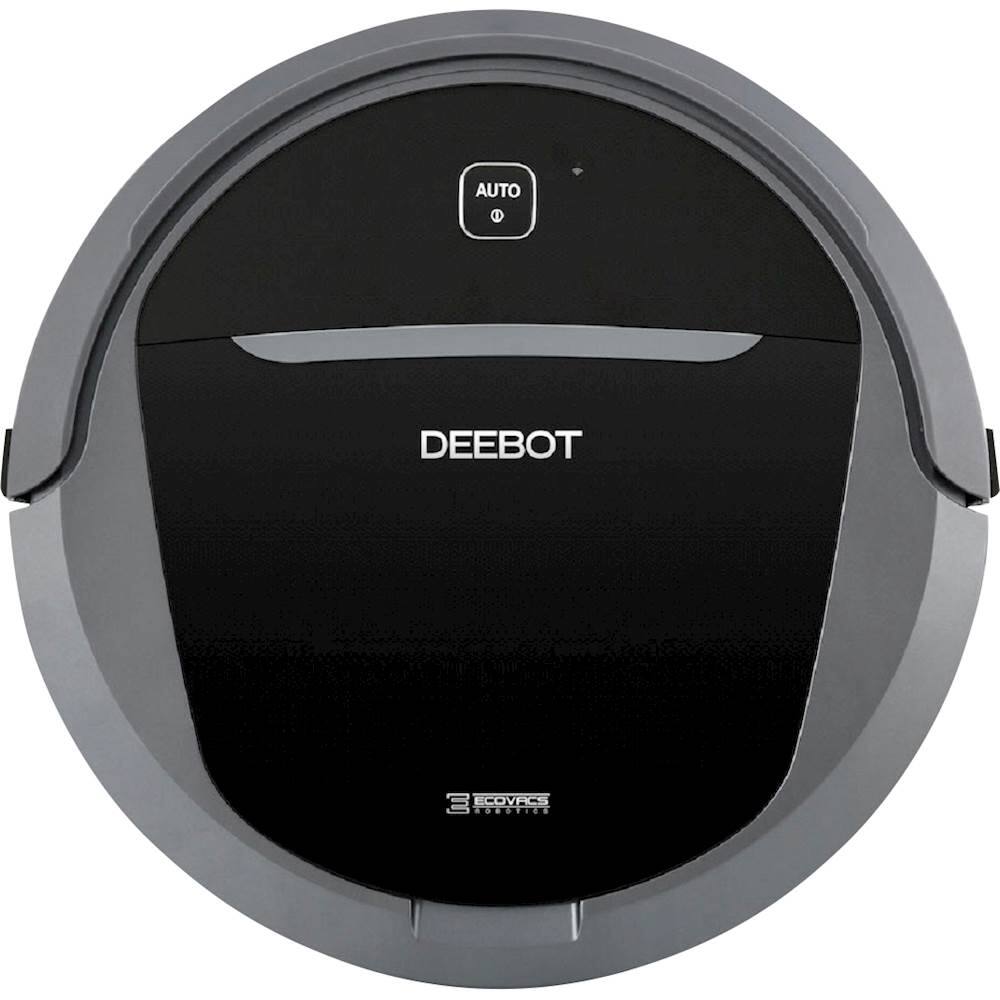
Vacuum and mop your floors for a deep clean with this DEEBOT floor cleaning robot. The obstacle detection technology prevents damage to your furniture, and the automatic charging feature returns the cleaner to the charging station when the battery gets low. This DEEBOT floor cleaning robot has a large dustbin for clearing big messes.
Customer Rating
5
Solid Choice for a Robot Vacuum, plus It Mops!!!
on October 26, 2017
Posted by: JimC
from Chicago, IL
I have always liked vacuums and have owned quite a wide variety over the years. You name it, I have probably owned at least one (Bissel, Dirt Devil, Electrolux, Eureka, Shark, Hoover, Miele, Oreck and probably a few other brands!) I like the sound and effect of a powerful vacuum pulling up dust and dirt from my carpets and floors. What I hate is dragging out a heavy machine or finding a way to shove it back into a crowded closet.
But I have never had a robotic vacuum until now. I had always questioned the ability of robot vacuums to really clean the carpets and floors automatically. Are they more a toy than a tool? How hard are they to use? Do they seem durable?
So this was my very skeptical attitude when I added the Ecovacs Deebot M81 Pro to my household equipment.
The vacuum was shipped to me and I feel that one important measure of quality is how well the manufacturer packs a piece of technology. On this score Ecovacs gets an A+. The outer shipping box exactly fits the inner box, holding it safely during transit. The inner box contains shock-absorbing materials and the vacuum itself is carefully covered with protective plastic on all important surfaces.
When you remove the Deebot from the box you will be impressed by the quality of its finish. It looks like the sophisticated high-tech device that it is, but it also looks very solid. The main driving wheels have a thick rubber tread and are about 5/8” wide so it gets excellent traction. The color is a nice combination of deep silver and black. The power/charging light is a deep blue which changes to red when the battery needs recharging.
Packed in the box in addition to the Deebot robot vacuum, there is a power station dock, a high capacity battery, two sets of side-sweeping brushes, a direct suction attachment, a wet/dry reservoir attachment, two wet/dry cleaning cloths, a measuring cup, an extra high efficiency filter with sponge insert, a full function remote control, an instruction manual and a quick set-up guide.
Setting up the Deebot is really easy. Position the power station dock against a wall and plug it in. I put mine under a low table along one wall. That meant that the Deebot would be hidden while on its charging base but always ready for action. Then strip off the protective plastic from the vacuum, insert the large battery into the bottom of the unit, snap on the red and green side-sweeping brushes and you are ready!
It was pretty intuitive to assemble and once you do, pressing the “Auto” button on the unit or on the remote control brings the robot to life. It smoothly pulls away from the charging dock then begins its search and destroy mission against the dirt on your floors.
The Deebot is less than 3” tall and a slightly under 14” wide so it will easily travel under most furniture and between chair legs. It is amazingly quiet (about the same noise level as an electric razor) and makes a low purring noise as it travels around the room. For those who own pets you know that most dogs regard vacuums are their mortal enemies and feel the irresistible need to bark and snap at them as you try to clean the carpet. But my Yorkie just watched the Deebot roll around, followed it for a while but apparently decided that it posed no danger to her family or her home!
Dog compatibility? Again, A+!
But does it work? Yes – very well!
In my condo I have a mixture of hardwood floors, granite floors and one carpeted bedroom. There are thresholds between several of the rooms because some of the floors are at slightly different heights.
The Deebot M81 Pro effortlessly drove around the apartment, climbed over the thresholds and diligently vacuumed every available open space. My condo is pretty large so I closed off some rooms and let the Deebot concentrate on specified rooms each time.
I thought my apartment was pretty clean at the start, but after about 30 minutes I checked the internal dust collection bin and was surprised to see that it was full. Every time I started the robot vacuum it found more dirt, dust, hair than I would have thought possible. The fact that the Deebot goes under couches, dressers, tables and chairs probably accounts for the impressive amount of dirt it collects.
After vacuuming, just lift out the bin, flip it open and dump it into a waste basket. I would suggest rinsing out the collection bin after every three or four uses. The filter has a sponge which can also be washed. If you are using the roller brush you may find that hair will be caught on it. But the roller brush removes easily and it was no trouble to clean off any trapped hair. If you want to avoid this problem entirely just use the direct suction base rather than the brush base.
Operation is very easy. On the remote you can simply press “Auto” and the robot vacuum will start working, feeling its way around your home, going under or around your furniture and making multiple passes over all surfaces. When it judges that it has completed cleaning it returns to the charging dock.
You can also select other cleaning modes. “Intensive” raises the suction level and brush speed. “Edge cleaning” keeps the robot at the perimeter of the rooms where most dust bunnies will hide. “Spot cleaning” vacuums in a spiral pattern in a small area for about 5 minutes.
In addition, you can schedule cleaning at programmed times
The Deebot will run for about 90-100 minutes before the battery begins to weaken. At that time it will automatically return to the charging dock and recharge the battery.
The Deebot will run for about 90-100 minutes before the battery begins to weaken. At that time it will automatically return to the charging dock and recharge the battery.
If at any time you want to end the cleaning, just hit the “Home” button and the Deebot will find its way back to the charging dock.
In addition to the included IR remote control you can download a smartphone app from Ecovacs which duplicates the functions of the IR remote control but also adds some additional features. For example, you can set a “Do Not Disturb” time which causes the robot to shut down and return to base at a designated time. You can also see the battery charge status and an estimate of the remaining life of the brushes and filter. The app also gives Amazon’s Alexa the ability to control the Deebot.
Now one feature which the Deebot M81 Pro has which I have not seen on other robot vacuums is the ability to damp mop a floor. I was really interested in this because most of my floors are not carpeted. Using this feature is really easy. Just put water (or a combination of water and a floor cleaning solution) into the Wet/Dry Reservoir, attach one of the two included cleaning cloths and then snap the unit onto the bottom of the Deebot. Then just start any cleaning cycle in the room you want to damp mop and it will do a pretty good job of cleaning that floor. The cleaning reservoir will only hold enough water for about 5-10 minutes of use but it is easy to refill.
The damp mop feature alone is enough to set this robot vacuum above its competitors.
I do have to say that robot vacuuming is not perfect. Due to its round design it really can’t get into every corner so some follow-up hand cleaning will be necessary. But overall, you should be very impressed by the quality of its unobtrusive, automatic cleaning efforts.
And, yes, it is super fun to watch it run around your home!
Entertainment/Geek coolness score? A+++!
My Best Buy number: 2833046088
Mobile Submission: False
I would recommend this to a friend!


Share this review:


+102points
108of 114voted this as helpful.
Bring the world into your living room with this Hisense smart TV. It enhances your viewing experiences via 4k UHD resolution capability, local dimming and motion smoothing. This Hisense 50H8C smart TV lets you stream media via applications such as Netflix or connect to local Wi-Fi to display files on the television screen.
Customer Rating
5
Best 4K Smart TV I have Ever Seen!
on October 15, 2017
Posted by: JimC
from Chicago, IL
Verified Purchase:Yes
I have bought a lot of TVs from Best Buy over the years (12 in the past 7 years) I love the latest improvements and the biggest screens I can get so I upgrade frequently and pass on my older TVs to my friends or sell them on Craigslist to recoup some of the cost of my latest toy.
But this is a TV that I will not be passing on. It has everything that you could want in a beautiful, thin, light package. I bought an inexpensive full motion wall mount and hung this great Hisense 50" TV in my bedroom. It is so light and thin I felt confident that even a lightweight bracket would hold it securely and I was right.
This TV has, by far, the best picture I have ever seen. The 4K HDR picture delivers incredible detail, fantastic color range, deep blacks and perfect motion response! You will be amazed at the quality!
The sound is quite good with the built-in speakers and Dolby/DBX system - I doubt that you will need a supplemental sound bar.
But the smart features really make this the perfect TV, It has Netflix, Amazon, Vudu, YouTube and a wide variety of other apps built in. And the WiFi connects easily and securely to your router, bringing you a solid streaming experience. The remote gives you direct access to the more popular apps (Netflix, Amazon, YouTube, Vudu).
Finally, you get some nice bonus features. It has a built-in alarm clock feature which turns on the TV at the time you select and shuts it off at another time. This makes it the perfect bedroom TV for me. I just set my cable box to turn on to a specified channel at the time I want to wake up and the TV does the rest. So much better than an alarm clock!
This 50" 4K Hisense proves that they make great TVs and I am now looking forward to the day that they introduce a really big (75 to 85 inch screen) so that I can upgrade my living room TV!
But this is a TV that I will not be passing on. It has everything that you could want in a beautiful, thin, light package. I bought an inexpensive full motion wall mount and hung this great Hisense 50" TV in my bedroom. It is so light and thin I felt confident that even a lightweight bracket would hold it securely and I was right.
This TV has, by far, the best picture I have ever seen. The 4K HDR picture delivers incredible detail, fantastic color range, deep blacks and perfect motion response! You will be amazed at the quality!
The sound is quite good with the built-in speakers and Dolby/DBX system - I doubt that you will need a supplemental sound bar.
But the smart features really make this the perfect TV, It has Netflix, Amazon, Vudu, YouTube and a wide variety of other apps built in. And the WiFi connects easily and securely to your router, bringing you a solid streaming experience. The remote gives you direct access to the more popular apps (Netflix, Amazon, YouTube, Vudu).
Finally, you get some nice bonus features. It has a built-in alarm clock feature which turns on the TV at the time you select and shuts it off at another time. This makes it the perfect bedroom TV for me. I just set my cable box to turn on to a specified channel at the time I want to wake up and the TV does the rest. So much better than an alarm clock!
This 50" 4K Hisense proves that they make great TVs and I am now looking forward to the day that they introduce a really big (75 to 85 inch screen) so that I can upgrade my living room TV!
My Best Buy number: 2833046088
My Best Buy number: 2833046088
Mobile Submission: False
I would recommend this to a friend!
Share this review:


+99points
100of 101voted this as helpful.
![The Fifth Element [Blu-ray] [1997]](https://pisces.bbystatic.com/prescaled/500/500/image2/BestBuy_US/images/products/8447535e-6816-4228-8760-156a6b8ec959.jpg)
Customer Rating
5
Classic SciFi, Worth Watching Again!
on October 15, 2017
Posted by: JimC
from Chicago, IL
Verified Purchase:Yes
I saw this in the bargain bin at my Best Buy and grabbed it because I remembered the fun of watching Bruce Willis, Gary Oldman and Chris Tucker hamming it up in a fun movie with great special effects twenty years ago! Milla Jovovich is beautiful and plays the quirky alien with enthusiasm. And there are lots of great supporting actors (Luke Perry, Tiny Lister, Ian Holm) but Chris Tucker (pre-Rush Hour days) and Bruce Willis at the height of his action movie career, teamed with the always interesting Gary Oldman will make you want to watch it over and over. Well worth the price!!
My Best Buy number: 2833046088
My Best Buy number: 2833046088
Mobile Submission: False
I would recommend this to a friend!
Share this review:


+18points
19of 20voted this as helpful.
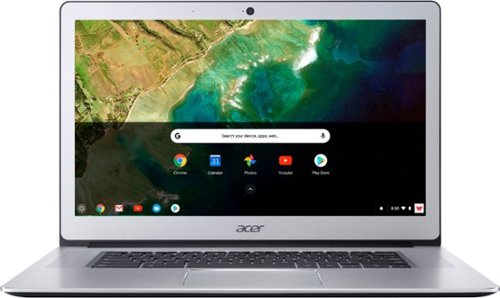
Stay productive wherever you go with this Acer Chromebook computer. Its quad-core Intel Pentium processor and 4GB of RAM run programs and apps efficiently, and its 32GB of storage holds personal documents and photographs. This Acer Chromebook computer has a 15.6-inch Full HD touch screen for clear viewing of videos and movies.
Customer Rating
5
Beautiful, Fast, Slim, Great Battery-Just Amazing!
on October 7, 2017
Posted by: JimC
from Chicago, IL
This Acer Chromebook may have the same effect upon you that it did for me. It is simply, an awesome package of technology and functionality, wrapped in a beautiful and sturdy silver aluminum body. If looks could kill this would be on the FBI Most Wanted list, but instead, it should be on every tech-geek’s Most Needed list.
I have been a devoted Microsoft user going all the way back to MS-DOS in the computer stone ages. I have used every Windows version from 3.1 to 10 when each arrived. So when I say that I resisted the concept of a non-Windows laptop you can understand my perspective.
When Chromebooks were introduced about six years ago (June 2011), my reaction was that it seemed like a regression to the old days of dumb terminals, networked and dependent upon a central computer. How could you trust that your data was safe unless it was in your own, local hard drive? How could you use a device that needed internet connection constantly?
Well, since that time the ubiquity of wireless networks has eliminated one of my objections. Essentially all public spaces and most homes have fast internet access. And ten years of experience with smart phones has quelled my concern about using cloud storage. And in that time Chromebooks have evolved from cheap, stripped-down devices to become viable competitors to Windows laptops.
This Acer Chromebook (CB515-1HT) has nearly every feature that you would want. The screen is a gorgeous HD (normally 1920x1080 but also supports 2160x1215) 15.6” LED with excellent touch control. It has two large speakers facing up on either side of the lighted keyboard, a nice 1MP camera with a wide view for video chats and a sensitive microphone for voice control. Processing power is supplied by an Intel Pentium Apollo Lake 2.5 GHz quad-core processor, 4 GB RAM and 32 GB SS hard drive. Connections include802.11AC/MIMO WiFi. two USB Type C (which are also the external display and power adapter connection points), two USB 3.0, BlueTooth, headphone, Micro SD and GoogleCast. The battery is outstanding, giving a full 12 hours of use between recharges. There is no fan so the laptop is elegantly silent in use. It is very thin – when closed it is 0.74 inches – not much thicker than an iPhone in a case!
How well does it work? Just as beautiful as it looks! It powers up instantly, connects to your WiFi network effortlessly and holds that connection regardless of how far you are from the access point thanks to the AC/MIMO technology. Coming from a Windows background I had to learn the Chrome approach to launching programs. No desktop icons – just links to installed apps on the start page, but you can set those small mini-icons into the “shelf” (equivalent to the Windows taskbar.)
It is very light – less than 4 pounds, nicely balanced with a great lighted keyboard and big touchpad.
Chromebooks do not need anti-virus software because you are not really running a full operating system locally, just accessing Google’s Linux-based OS. This eliminates most problems that plague Windows laptops.
Hundreds of useful applications, entertainment options and games are available for free from the Google Store. Besides Google Docs, the Microsoft Office suite is available for free as an online application. With its massive battery life, great connectivity, incredible screen and speakers this Chromebook makes watching Netflix or Amazon Prime away from your TV a real joy!
Think of this laptop as the ultimate tablet since you can run almost any Android app, easily browse the web, run Office applications, listen to music, watch videos, shop and do it all with the benefit of a real keyboard rather than trying to tap away at a screen. If you have a Google Cast TV you can easily connect it wirelessly and enjoy everything on your big video display.
When you consider all of its functionality you will agree that the price is a bargain. I enthusiastically recommend this Acer Chromebook!
I have been a devoted Microsoft user going all the way back to MS-DOS in the computer stone ages. I have used every Windows version from 3.1 to 10 when each arrived. So when I say that I resisted the concept of a non-Windows laptop you can understand my perspective.
When Chromebooks were introduced about six years ago (June 2011), my reaction was that it seemed like a regression to the old days of dumb terminals, networked and dependent upon a central computer. How could you trust that your data was safe unless it was in your own, local hard drive? How could you use a device that needed internet connection constantly?
Well, since that time the ubiquity of wireless networks has eliminated one of my objections. Essentially all public spaces and most homes have fast internet access. And ten years of experience with smart phones has quelled my concern about using cloud storage. And in that time Chromebooks have evolved from cheap, stripped-down devices to become viable competitors to Windows laptops.
This Acer Chromebook (CB515-1HT) has nearly every feature that you would want. The screen is a gorgeous HD (normally 1920x1080 but also supports 2160x1215) 15.6” LED with excellent touch control. It has two large speakers facing up on either side of the lighted keyboard, a nice 1MP camera with a wide view for video chats and a sensitive microphone for voice control. Processing power is supplied by an Intel Pentium Apollo Lake 2.5 GHz quad-core processor, 4 GB RAM and 32 GB SS hard drive. Connections include802.11AC/MIMO WiFi. two USB Type C (which are also the external display and power adapter connection points), two USB 3.0, BlueTooth, headphone, Micro SD and GoogleCast. The battery is outstanding, giving a full 12 hours of use between recharges. There is no fan so the laptop is elegantly silent in use. It is very thin – when closed it is 0.74 inches – not much thicker than an iPhone in a case!
How well does it work? Just as beautiful as it looks! It powers up instantly, connects to your WiFi network effortlessly and holds that connection regardless of how far you are from the access point thanks to the AC/MIMO technology. Coming from a Windows background I had to learn the Chrome approach to launching programs. No desktop icons – just links to installed apps on the start page, but you can set those small mini-icons into the “shelf” (equivalent to the Windows taskbar.)
It is very light – less than 4 pounds, nicely balanced with a great lighted keyboard and big touchpad.
Chromebooks do not need anti-virus software because you are not really running a full operating system locally, just accessing Google’s Linux-based OS. This eliminates most problems that plague Windows laptops.
Hundreds of useful applications, entertainment options and games are available for free from the Google Store. Besides Google Docs, the Microsoft Office suite is available for free as an online application. With its massive battery life, great connectivity, incredible screen and speakers this Chromebook makes watching Netflix or Amazon Prime away from your TV a real joy!
Think of this laptop as the ultimate tablet since you can run almost any Android app, easily browse the web, run Office applications, listen to music, watch videos, shop and do it all with the benefit of a real keyboard rather than trying to tap away at a screen. If you have a Google Cast TV you can easily connect it wirelessly and enjoy everything on your big video display.
When you consider all of its functionality you will agree that the price is a bargain. I enthusiastically recommend this Acer Chromebook!
My Best Buy number: 2833046088
Mobile Submission: False
I would recommend this to a friend!
Share this review:


+241points
262of 283voted this as helpful.
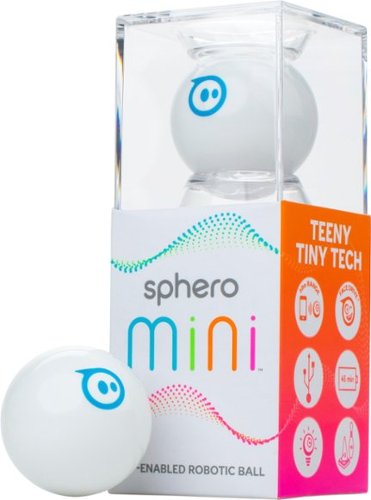
Enjoy a ton of technology in a small form with this Sphero Mini robot, which offers big robotic fun in ping-pong-ball size. Program the ball with the corresponding app, and play exciting games that test your ability to maneuver. Bowling pins and mini traffic cones help you hone your skill with this Sphero Mini robot.
Customer Rating

4
Has potential but the app needs a lot of work
on October 5, 2017
Posted by: JimC
from Chicago, IL
Sphero is best known for Star Wars toys (BB-8 and others). The Sphero Mini uses a lot of the same technology in a small (ping pong ball sized) package. It includes Blue Tooth, accelerometer, gyroscope, and LED lighting components along with an app to control and move the Sphero Mini. This little robotic ball has a lot of potential but requires a lot of patience and effort to master.
One huge problem is a lack of instructions to use it. There is no "quick start" guide, just three somewhat cryptic diagrams on the box flaps which show the app, separating the ball and charging it.
Sphero really likes packaging. To use the Sphero Mini for the first time you have to remove tape holding an outer band around the package, slide off that band, then untape the plastic storage cube from the lower portion of the box. The lower box contains a charging cable, a bag of tiny bowling pins & traffic cones and a document. You pull out the document, expecting (logically) it to be instructions but find to your dismay that it is just a long list of legal disclaimers and warnings in numerous languages! Someone at Sphero is really worried about being sued but apparently not concerned about helping their customers use their product.
Open the plastic cube and you have the Sphero Mini in your hands. But you then have to carefully remove a clear tape which secures the two halves of the ball. Once you do that, carefully squeeze the ball to separate it and access the device inside to charge it up. Then attach a micro USB cable to the inner device, plug it into a power source and wait. The inner ball with light up and cycle through multiple colors while charging. Eventually (after two hours the first time) the light changes to a solid green when fully charged. Put the ball back together and it is ready.
While charging up the Sphero, download the Sphero Mini app (available for both iPhone and Android). When you open the app for the first time you again encounter a ridiculously long legal document which you must scroll down and accept in order to use it. Then a colorful animation plays, along with some techno-music and a Connect screen appears. Tap “Connect” and an update with download and the device will connect via Blue Tooth. Next you have to “Aim” the ball. Again, there are no instructions but I found that you have to touch a white ball in a blue/green circle on the app to activate a blue light on the Sphero Mini, then carefully move the white ball in a circle it until causes the blue light on the Sphero Mini to point in your direction. This orients the ball for all games.
After this process, the app shifts to “Joystick” which is a simple large blue circle used to move the Sphero Mini in the direction you choose. Again, there are no instructions in the app! At the corners of the app screen you can access drive settings (Joystick, Slingshot, Tilt and Face Drive), connect to a different robot, some settings (color of LED in ball can be varied, music volume, some nearly useless FAQs and “Support” which is just an email link to Sphero) and some games.
The drive modes are fun but require some patience to master but all work. Face Drive is clever, using your phone’s face camera to read your expressions in order to move the ball, but results will vary based upon your phone’s camera.
I haven’t played with the games much. Again, lack of instructions made it unclear what you have to do but it appears that you use the Sphero Mini as a trackball to manipulate actions on your phone screen. They didn’t hold my interest for long.
One big complaint I have about the app is the very tiny, low contrast type used. It just adds to the frustration of no instructions.
One use to which I put the Sphero Mini was as a toy for my little Yorkie. She was fascinated by the moving ball and the changing colors, chasing it and barking at it. I would not recommend that you try this with bigger dogs because they will just eat the Sphero Mini and that would not be a good dietary supplement.
The Sphero Mini works fine on hard floors and low carpet but gets caught by thicker carpeting. It seems fairly durable but over the long-term I wonder how the outer shell will hold up to the need to unsnap it for charging every time you use it. Replacement shells in a variety of colors cost about $15.
Running time before recharge is about 45 minutes but I doubt that you would play with it that long at any session. Then you are facing a long (1-2 hour) charging time.
The box mentions coding but I saw no way to access any coding function. Maybe it is there but hidden like so much else.
Overall, the Sphero Mini gives you a lot of potential for the price but the app really needs a lot of work. Someone at Sphero needs to pay less to the lawyers and more to someone who can help out its users with some decent instructions and guides!
This is a good toy for gamers but definitely not for small children or for those who need step-by-step guidance.
One huge problem is a lack of instructions to use it. There is no "quick start" guide, just three somewhat cryptic diagrams on the box flaps which show the app, separating the ball and charging it.
Sphero really likes packaging. To use the Sphero Mini for the first time you have to remove tape holding an outer band around the package, slide off that band, then untape the plastic storage cube from the lower portion of the box. The lower box contains a charging cable, a bag of tiny bowling pins & traffic cones and a document. You pull out the document, expecting (logically) it to be instructions but find to your dismay that it is just a long list of legal disclaimers and warnings in numerous languages! Someone at Sphero is really worried about being sued but apparently not concerned about helping their customers use their product.
Open the plastic cube and you have the Sphero Mini in your hands. But you then have to carefully remove a clear tape which secures the two halves of the ball. Once you do that, carefully squeeze the ball to separate it and access the device inside to charge it up. Then attach a micro USB cable to the inner device, plug it into a power source and wait. The inner ball with light up and cycle through multiple colors while charging. Eventually (after two hours the first time) the light changes to a solid green when fully charged. Put the ball back together and it is ready.
While charging up the Sphero, download the Sphero Mini app (available for both iPhone and Android). When you open the app for the first time you again encounter a ridiculously long legal document which you must scroll down and accept in order to use it. Then a colorful animation plays, along with some techno-music and a Connect screen appears. Tap “Connect” and an update with download and the device will connect via Blue Tooth. Next you have to “Aim” the ball. Again, there are no instructions but I found that you have to touch a white ball in a blue/green circle on the app to activate a blue light on the Sphero Mini, then carefully move the white ball in a circle it until causes the blue light on the Sphero Mini to point in your direction. This orients the ball for all games.
After this process, the app shifts to “Joystick” which is a simple large blue circle used to move the Sphero Mini in the direction you choose. Again, there are no instructions in the app! At the corners of the app screen you can access drive settings (Joystick, Slingshot, Tilt and Face Drive), connect to a different robot, some settings (color of LED in ball can be varied, music volume, some nearly useless FAQs and “Support” which is just an email link to Sphero) and some games.
The drive modes are fun but require some patience to master but all work. Face Drive is clever, using your phone’s face camera to read your expressions in order to move the ball, but results will vary based upon your phone’s camera.
I haven’t played with the games much. Again, lack of instructions made it unclear what you have to do but it appears that you use the Sphero Mini as a trackball to manipulate actions on your phone screen. They didn’t hold my interest for long.
One big complaint I have about the app is the very tiny, low contrast type used. It just adds to the frustration of no instructions.
One use to which I put the Sphero Mini was as a toy for my little Yorkie. She was fascinated by the moving ball and the changing colors, chasing it and barking at it. I would not recommend that you try this with bigger dogs because they will just eat the Sphero Mini and that would not be a good dietary supplement.
The Sphero Mini works fine on hard floors and low carpet but gets caught by thicker carpeting. It seems fairly durable but over the long-term I wonder how the outer shell will hold up to the need to unsnap it for charging every time you use it. Replacement shells in a variety of colors cost about $15.
Running time before recharge is about 45 minutes but I doubt that you would play with it that long at any session. Then you are facing a long (1-2 hour) charging time.
The box mentions coding but I saw no way to access any coding function. Maybe it is there but hidden like so much else.
Overall, the Sphero Mini gives you a lot of potential for the price but the app really needs a lot of work. Someone at Sphero needs to pay less to the lawyers and more to someone who can help out its users with some decent instructions and guides!
This is a good toy for gamers but definitely not for small children or for those who need step-by-step guidance.
My Best Buy number: 2833046088
Mobile Submission: False
I would recommend this to a friend!


Share this review:


+122points
124of 126voted this as helpful.
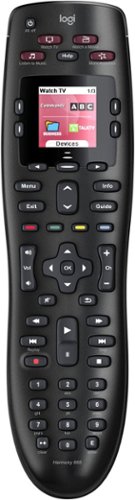
Throw away your extra remotes in favor of the Logitech Harmony 665 remote control. This functional remote works with a range of devices, from basic cable to Apple TV, and can combine up to 10 remotes in one versatile unit. This Logitech Harmony 665 remote control offers one-button setup for easy incorporation with your entertainment system.
Customer Rating
5
Finally - an easy solution for missing remotes!
on September 13, 2017
Posted by: JimC
from Chicago, IL
The Logitech Harmony 665 remote solves quite a few problems. First, it enables you to use a single remote to control up to ten devices. Now most cable remotes can handle basic functions for four devices (cable box, TV, DVD and audio) but when it comes to more advanced functions you usually find yourself reaching for the original device remote. With the Harmony all functions are available on the remote and an bright LCD screen guides you.
Next it gives you access to any device which is missing a remote. I had a very old Technics stereo (the remote was lost years ago), but the Harmony now controls it with ease!
Setting up the Harmony is really easy. Just collect your device names and model numbers then go to a dedicated website, download software and then connect the Harmony to your computer with an included cable. All commands for each device (up to 10) will be downloaded directly to your Harmony remote.
When you pick up the Harmony the LCD screen lights up so you never need to turn on a lamp in a darkened media room to study the tiny buttons on the typical remote. The Harmony provides everything you could want in a universal remote. It has a vast array of supported devices, very slick styling, LCD screen with adapts to your specific devices and it fits nicely in your hand. It is light (about 6 onces) and takes longer-lasting AA batteries (rather than the short-lived AAA batteries used by some remotes.)
The picture I have included shows the Logitech next to just four of the eight remotes I have programmed into it.
I am delighted that I have finally joined those who are devoted Harmony users!
Next it gives you access to any device which is missing a remote. I had a very old Technics stereo (the remote was lost years ago), but the Harmony now controls it with ease!
Setting up the Harmony is really easy. Just collect your device names and model numbers then go to a dedicated website, download software and then connect the Harmony to your computer with an included cable. All commands for each device (up to 10) will be downloaded directly to your Harmony remote.
When you pick up the Harmony the LCD screen lights up so you never need to turn on a lamp in a darkened media room to study the tiny buttons on the typical remote. The Harmony provides everything you could want in a universal remote. It has a vast array of supported devices, very slick styling, LCD screen with adapts to your specific devices and it fits nicely in your hand. It is light (about 6 onces) and takes longer-lasting AA batteries (rather than the short-lived AAA batteries used by some remotes.)
The picture I have included shows the Logitech next to just four of the eight remotes I have programmed into it.
I am delighted that I have finally joined those who are devoted Harmony users!
My Best Buy number: 2833046088
Mobile Submission: False
I would recommend this to a friend!

Share this review:


+127points
131of 135voted this as helpful.
![The Dark Knight Trilogy: With Movie Money [Special Edition] [Blu-ray]](https://pisces.bbystatic.com/prescaled/500/500/image2/BestBuy_US/images/products/304b2327-370a-41e7-956a-951dd4939472.png)
Christopher Nolan's groundbreaking Dark Knight Trilogy is featured in this special edition release. Nolan's dark, gritty portrayal of Bruce Wayne's transition into Batman and his struggles as Gotham's superhero set the precedent for modern superhero films. With minimal usage of CGI and a focus on character driven narratives, the three Christian Bale-led films were both critical and box office successes. The three entries - Batman Begins (2005), The Dark Knight (2008), and The Dark Knight Rises (2012) - are included in this collector's edition, as well as commentary and bonus Movie Money towards upcoming theatrical releases.
Customer Rating
5
The Full Story in One Package, with Extras!
on December 17, 2016
Posted by: JimC
Verified Purchase:Yes
This is a very nice collection of the three Dark Knight movies. You may have the individual movies but this set includes a lot of extra features and it is very nicely packaged. Definitely worth the small investment!
My Best Buy number: 2833046088
My Best Buy number: 2833046088
I would recommend this to a friend!
Share this review:


0points
0of 0voted this as helpful.
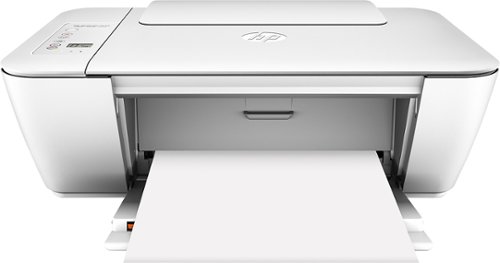
Print professional-looking documents easily with this HP DeskJet wireless all-in-one printer. The HP Auto Wireless Connect network lets it connect to multiple computers and other devices at any point in the house. This HP DeskJet wireless all-in-one printer can also scan documents right into your smartphone via HP Printer Control.
Customer Rating
5
Great value for a basic printer
on December 4, 2016
Posted by: JimC
Verified Purchase:Yes
This little HP printer does everything most could want (print, scan, copy) and it connects wirelessly to your PCs and phones. Not the fastest printer in the world, but for home use the speed is fine. Best of all, it was on sale for just $20 on Black Friday. That is less than the cost of the ink cartridges!
My Best Buy number: 2833046088
My Best Buy number: 2833046088
I would recommend this to a friend!
Share this review:


0points
0of 0voted this as helpful.
JimC's Review Comments
JimC has not submitted comments on any reviews.
JimC's Questions
JimC has not submitted any questions.
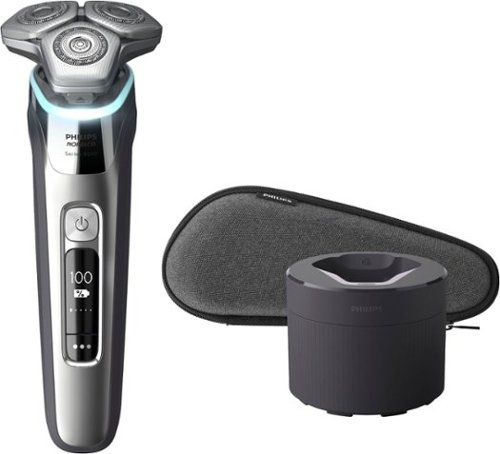
Philips Norelco Shaver 9500 delivers superior closeness and personalized skin comfort with SenseIQ technology. Designed to prevent skin irritation, the 9500 features Pressure Guard Sensor which guides you to the the right pressure as you shave.
Does this include a charging stand? It seems not. If not, can I buy a charging stand for this, separately?
The QuickClean pod doubles as a charging stand. You just attach the charging cord to the shaver while it is resting in the QuickClean pod.

4 years, 6 months ago
by
JimC
Philips Norelco Shaver 9500 delivers superior closeness and personalized skin comfort with SenseIQ technology. Designed to prevent skin irritation, the 9500 features Pressure Guard Sensor which guides you to the the right pressure as you shave.
Is this electric razor (the S9500) made in the Netherlands? I know that the higher end Phillips/Norelco models are usually manufactured in the Netherlands.
Yes, the shaver is both designed in the Netherlands and manufactured there.
4 years, 6 months ago
by
JimC
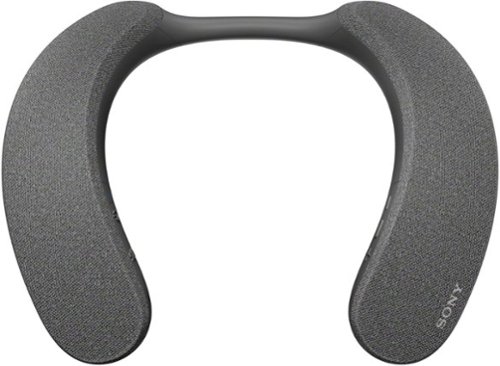
Explore a new world of personalized home theater audio. The SRS-NS7 Wireless Neckband Speaker uses Sony~s 360 Spatial Sound Personalizer technology to envelop you in the rich audio of your favorite shows and movies, while being unobtrusive to others in your home.
Can you hook the transmitter up to an AVR? If you can, will you lose any of the features? I have a surround sound system, but late at night I would want to use the NS7 so as not to disturb the family.
I have a 7.1.4 sound bar system that is connected to my TV through the HDMI Arc port. I added the SRS-NS7 transmitter to my TV by connecting it to the optical digital audio output and powered the transmitter at the USB port of the TV. This provides a signal to the neckband speaker which is independent of the sound bar. I can use the sound bar, the neckbad speaker or both together. If I want to minimize sound for others I just mute the sound bar and listen to just the neckband speaker. It works fine that way but even better when I listen to it and the sound bar as the same time.

4 years, 7 months ago
by
JimC

From America's most trusted printer brand~, the HP Smart Tank 7301 is a smart, connected and refillable tank printer that makes printing seamless for your home and small business with its high capacity, wireless connectivity and Ethernet networking. Create everyday color documents at a low cost with 3 years of Original HP Ink included in the box~. It's AI-enabled~ to intuitively adapt to your workflow, with wireless and security features that keep your multifunction printer up to date and secure.
Can this printer print legal sized paper 8.5 x 14
Yes, the paper tray can be easily extended to accommodate 8.5 x 14 legal paper.
The auto document feeder can also handle legal paper and there is a little support that flips up to facilitate feeding long paper.
The auto document feeder can also handle legal paper and there is a little support that flips up to facilitate feeding long paper.
4 years, 7 months ago
by
JimC
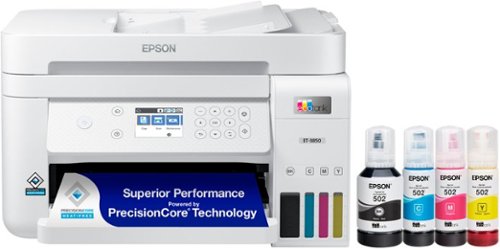
Your busy office needs a printer that~s fast, affordable, easy to use, and has great features. That~s why we developed the EcoTank ET-3850 ~ an innovative cartridge-free solution that uses high-capacity, easily refillable ink tanks. So you~ll worry less about running out of ink, and save a lot on replacement ink (1). The ET-3850 features an auto document feeder, fast printing with outstanding print quality, productive paper handling, a high-resolution flatbed scanner, and a large color display ~ making it the perfect printer for your home office.
What is the quality of the photos being printed with this machine? Will any Epson photo paper work or is there unique photo paper for this ink type?
The photo printing quality is excellent - not quite as good as a dedicated photo printer, but very close.
Attached is a sample that I printed.
Attached is a sample that I printed.

4 years, 8 months ago
by
JimC
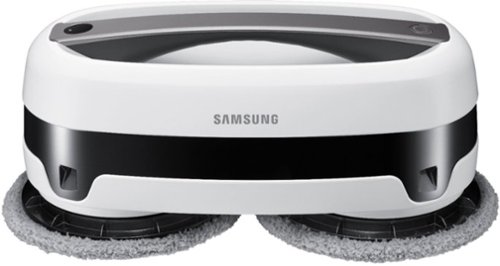
Sit back, relax and let the Samsung Jet Mop automatically clean your floors. Samsung~s Jet Mop automatically cleans all type of floors, like tile, vinyl, laminate or hardwood. This robotic mop features dual spinning fiber pads that easily and quickly remove dust and dirt. Now, you can simply take it easy as the intelligent Jet Mop does the hard work for you.
Does this unit require water(specific) or cleaner(special brand)? Example: deionized, distilled, tap, boiled, spring. Example: fabuloso, pledge, mop and glow, bleach/water, brand compatible.
No, just tap water is fine for the water tanks. I understand that you could also use a non-streaking floor cleaner but I haven't tried that yet.
5 years, 6 months ago
by
JimC
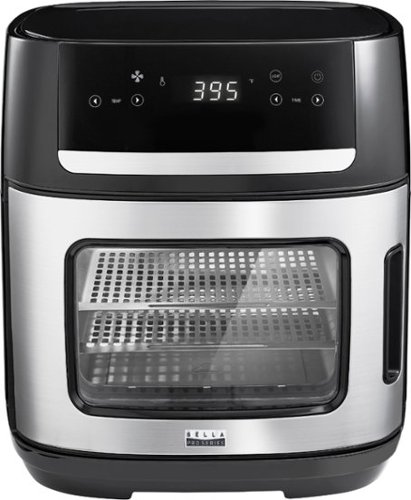
Experience versatile cooking with the bella PRO 12.6-qt. Digital Air Fryer Oven. Air Fry, Dehydrate, Rotisserie, Grill, Roast, Bake, Broil, and Reheat your favorite meals with consistent results every time. The extra-large capacity fits a 10~ pizza, 2.2 lbs. of french fries, 4 slices of bread, and a 4 lb. chicken. The powerful 1500 watt heating system uses High Performance Circular Heat Technology to circulate heat for fast, crispy, and evenly cooked results every time. 10 convenient preset menu options, adjustable temperature range from 90~F to 400~F and 24 hour auto shutoff timer with audible tone. Easy cleanup with the dishwasher safe removable accessories.
Can you buy an air fryer basket since the included racks to not have sides? What are the dimensions of the racks?
The interior dimension of the oven is about 10.5 inches wide, 10 inches deep (including rear wall curve), 6.8 inches tall
A basket could probably be placed inside but no such basket is included.
Here are the trays provided:
• Two 10.5 inch x 9.2 inch coated metal slotted cooking trays (8.3 inch x 7.3 inch flat surface)
• 10 inch diameter coated metal pan (9.2 inch interior diameter)
• 10.5 inch x 9.2 inch coated metal drip tray (8.3 inch x 7.3 inch flat surface)
A basket could probably be placed inside but no such basket is included.
Here are the trays provided:
• Two 10.5 inch x 9.2 inch coated metal slotted cooking trays (8.3 inch x 7.3 inch flat surface)
• 10 inch diameter coated metal pan (9.2 inch interior diameter)
• 10.5 inch x 9.2 inch coated metal drip tray (8.3 inch x 7.3 inch flat surface)
5 years, 7 months ago
by
JimC
Experience versatile cooking with the bella PRO 12.6-qt. Digital Air Fryer Oven. Air Fry, Dehydrate, Rotisserie, Grill, Roast, Bake, Broil, and Reheat your favorite meals with consistent results every time. The extra-large capacity fits a 10~ pizza, 2.2 lbs. of french fries, 4 slices of bread, and a 4 lb. chicken. The powerful 1500 watt heating system uses High Performance Circular Heat Technology to circulate heat for fast, crispy, and evenly cooked results every time. 10 convenient preset menu options, adjustable temperature range from 90~F to 400~F and 24 hour auto shutoff timer with audible tone. Easy cleanup with the dishwasher safe removable accessories.
What are the product dimensions, please? The specification doesn't include them (and should).
• Exterior dimensions: 13 inches wide, 14 inches deep (including cord wrap), 14.5 inches tall
• Interior dimensions: 10.5 inches wide, 10 inches deep (including rear wall curve), 6.8 inches tall
• Interior dimensions: 10.5 inches wide, 10 inches deep (including rear wall curve), 6.8 inches tall
5 years, 7 months ago
by
JimC
Experience versatile cooking with the bella PRO 12.6-qt. Digital Air Fryer Oven. Air Fry, Dehydrate, Rotisserie, Grill, Roast, Bake, Broil, and Reheat your favorite meals with consistent results every time. The extra-large capacity fits a 10~ pizza, 2.2 lbs. of french fries, 4 slices of bread, and a 4 lb. chicken. The powerful 1500 watt heating system uses High Performance Circular Heat Technology to circulate heat for fast, crispy, and evenly cooked results every time. 10 convenient preset menu options, adjustable temperature range from 90~F to 400~F and 24 hour auto shutoff timer with audible tone. Easy cleanup with the dishwasher safe removable accessories.
What size pizza can it fit?
This is definitely not a pizza oven! Most frozen pizzas are 11 inches in diameter and "rising crust" pizzas are about 12 inches in diameter. The included "pizza pan" is only 9.2 inches interior diameter. You cannot use this air fryer to bake standard frozen pizzas.

5 years, 7 months ago
by
JimC
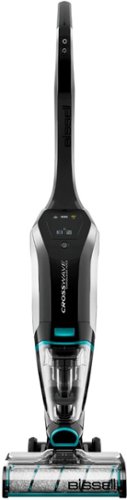
Clean hard floors and rugs with this BISSEL CrossWave Cordless Max multisurface wet/dry vacuum. The multisurface design vacuums and washes floors simultaneously, and the powerful battery offers up to 30 minutes of use per charge. This BISSEL CrossWave Cordless Max multisurface wet/dry vacuum includes a docking station that charges the battery and automatically cleans out dirt and debris.
How is this wet/dry vacumm with long dog hair? Does it get caught in that tiny filter or does it filter through to the dirty water ?. I have to vacumm balls of hair everyday.
I have a Yorkie who has very long hair. The Crosswave Cordless does a great job of picking up any hair on the ground and it is trapped by the strainer or loosely wrapped around the roller brush. I have had no problem cleaning with this great unit.
6 years, 6 months ago
by
JimC