


TheOffice1234's stats
- Review count180
- Helpfulness votes1,035
- First reviewDecember 11, 2009
- Last reviewJune 7, 2026
- Featured reviews0
- Average rating4.6
Reviews comments
- Review comment count0
- Helpfulness votes0
- First review commentNone
- Last review commentNone
- Featured review comments0
Questions
- Question count0
- Helpfulness votes0
- First questionNone
- Last questionNone
- Featured questions0
- Answer count27
- Helpfulness votes22
- First answerApril 24, 2020
- Last answerDecember 18, 2021
- Featured answers0
- Best answers6

Meet the YubiKey by Yubico: the ultimate hardware security key for phishing-resistant multi-factor authentication (MFA). The YubiKey requires a physical touch to authenticate, eliminating the risk of remote attacks. The YubiKey functions by combining something you know (your password) with something you have (the physical YubiKey) to add an extra layer of security. The YubiKey can also store Passkeys, which replace passwords entirely.Most cyber attacks begin with compromised account credentials, usually stolen usernames and passwords. Using a security key as two-factor authentication offers a straightforward and effective approach to safeguarding your identity, accounts and devices. Embraced by leading global brands and millions of users worldwide, the YubiKey remains a trusted choice for enhanced security.For consumers:- The highest level of phishing defense, yet easy to use, the YubiKey is your key to trust.- Works out of the box with Google, Apple ID, Facebook, X, Dropbox, password managers, and hundreds of other services.- The YubiKey works across both desktop and mobile with touch or tap-and-go authentication using USB or NFC.- Eliminate the need to reach for your phone to open an app, or memorizing and typing in a code~simply touch the YubiKey to verify and you~re in.- YubiKeys reduce the risk of unauthorized access to online accounts, emails, financial transactions, and sensitive information.For businesses:- Defend against phishing and credential theft with highest-assurance authentication.- Enhance security for users across devices, including desktop and mobile.- YubiKey hardware security keys reduce cyber risks and keep your intellectual property, customer data and financial information safe.- Works out-of-the-box with enterprise systems like Google Workspace, Microsoft Entra ID, Identity Access Managers, password managers and hundreds of other services.- Supports multiple protocols, including Smartcard/PIV and FIDO2, allowing for modern phishing-resistant authentication with device-bound passkeys.*Note that Yubico recommends having a spare key
Customer Rating

5
Good Hardware – Needs better docs for beginners
on August 5, 2024
Posted by: TheOffice1234
YUBIKEY 5C NFC
Good Hardware – Needs better docs for beginners
FIRST – YOU NEED TO KNOW
2FA (two factor authentication) and MFA (multi factor authentication) can be hard to configure and use no matter what product you choose. 90% of the complexity lays outside of the device itself.
YUBIKEY
It is nice that it is USB-C, thin, and overall compact and affordable.
Unfortunately, YUBIKEY has done close to nothing to help you setup and use the key. The back of the package (you know the one you ripped opening it up and tossed in the trash), had on it “Get Started: ybuco.com/start”. This takes you to a generic video, but no step-by-step setup. Mostly the video (and much of the website) is prompting you to buy a second key, before you even used the first key, as a “backup”.
If you scroll down on the website there exists a list of apps and instructions on how to setup the key for each site. But even then, the videos only give you a hint of where to go on your chosen site, much of the rest is still up to you to figure out. In some cases, even though the app is listed, there is no video. In some cases, the videos provided are not the correct ones for the selected app/service.
If you are new to setting up a hardware key (as I am), expect a long learning curve. I might suggest some baby steps as listed below.
BABY STEP USE CASE 1: Backup Authentication Method
I already get 2FA via SMS and various authenticator apps, but sometimes these methods fail and I need another method to log in. So, with services that allow multiple authentication methods, (like SMS, Apps, and Keys), I configured YUBIKEY to be a backup key. This does not work on sites that only let you have a single MFA option. Eg Either SMS or a KEY but not both.
BABY STEP USE CASE 2: Authentication to a Password Manager
Another “easy” use case is to require the key to access your password manager. This is a good way to lock the front door to all your passwords without having to spend weeks and months trying to configure each site/app individually.
BEYOND THE BASICS
To really use the key (or any key) as you should, prepare to spend a lot of time researching and getting everything setup on an account-by-account basis for maximum security. Be prepared to install apps on your phones and PC’s. Also know that many accounts / apps / sites don’t support a key like this.
RECOMMENDATION
The YubiKey 5C NFC is a well-built product. From a hardware perspective it is very nice, thin and sturdy. Because this is such a complex topic, I wish they would have guided the user through setup in more of a step-by-step basis instead of leaving you to crawl the web to figure it out on your own. They do give you some hints, but they mostly point you in the general direction and leave the rest to
you.
you.
There are not many of the financial institutions that I use that directly support the key for MFA (most just use SMS), so the best I can do is use the key in front of a password manager and make sure I change complex passwords frequently.
If you think of this as a generic hardware device, like a USB drive then it is appropriate not to expect a lot of handholding. USB drive makers don’t give you any documentation to tell you how to use the drive, because you already know how to use it based on past experience with other USB drives.
What is different in this case, is that what you are tying to use it for can be very complex. This complexity is not derived or due to the device itself, but of the nature of what it is used for.
I would recommend this to a friend!


Share this review:


+7points
7of 7voted this as helpful.

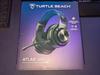
A new standard in PC gaming audio has been set with the Turtle Beach Atlas Air - the first wireless open back gaming headset for PC. 40mm drivers with high-fidelity 24-bit audio mode and a removable, flip-to-mute high-bandwidth (16-bit/32kHz sampling rate) microphone are both fully adjustable in the Swarm II software for the ultimate PC gaming experience. The world~s first floating earcup plus a floating headband lends to its class-leading light weight of 301g and an ultra-comfortable fit. Atlas Air is equipped with low-latency 2.4GHz wireless + Bluetooth for reliable wireless connection on Windows PCs, PS5 & PS4, and mobile devices.
Customer Rating

4
FLOATING STYLE HEADSET – GOOD FOR GROUP GAMING
on June 27, 2024
Posted by: TheOffice1234
PRODUCT
TURTLE BEACH - ATLAS AIR WIRELESS OPEN BACK GAMING HEADSET
Model:TBS-5101-05SKU:6579298
Model:TBS-5101-05SKU:6579298
QUICK REVIEW
FLOATING STYLE HEADSET – GOOD FOR GROUP GAMING
Targeting the upper mid-range of headsets, the ATLAS AIR, is an average performer for audio quality. The sound envelop overall is OK/Average in Games, Music and Movies. The mic is pretty good. The headset is comfortable to wear with a floating style headband and soft cushioned over the ear “Floating” earcups. I appreciate that it can be connected via a Dongle (USB-A), BlueTooth (version not listed in specs), or a 3.5mm cable (all included). The PC software is a little finicky (SWARM II 1.0.0.3) especially on the update process, but stick with it and you will be fine. I like that the mic can be completely detached.
There is sound leakages both incoming and outgoing which can be distracting to some users. You will have to decide if the tradeoff of a lightweight headset is worth some background noise distraction. Again, some people like to hear what is going on around them.
I think the coolest feature is that you can rotate the outer ring on the left earcup for master volume. This is super easy to use.
I think the coolest feature is that you can rotate the outer ring on the left earcup for master volume. This is super easy to use.
Overall, while it is very comfortable, the sound quality and loose fit leave some room for improvement. I have less expensive headsets that sound better, but are much heavier. I have more expensive headsets that leak a lot more sound. The Atlas air sits about in the middle.
UNBOXING / QUALITY / PARTS
The headset is nicely packaged, with everything you need, including dongle, charging cable, 3.5mm wired cable, detachable mic with windscreen all in a carrying back with an internal side pocket so your accessories don’t get lost in the bottom of the bag. The headset is impressively large, and modern looking. Even though it is all plastic, it does not feel cheap. The is a ton of flex on the headband which seems like it will resist breaking (ie bend but don’t break). The cups do not fold flat, in case that is relevant to you.
SETUP (PC)
It was easy to download and install the latest SWARM II software. The software immediately requires updating, as does the firmware for the dongle and the headset. This is pretty normal and nothing to worry about. In my case, I found that I had to reboot after the first round of updates and the last round of updates. Eventually it all got sorted out and worked well.
When connecting the microphone, make sure it is plugged in, in the correct orientation. It will snap into place when the it is correct.
It was easy to download and install the latest SWARM II software. The software immediately requires updating, as does the firmware for the dongle and the headset. This is pretty normal and nothing to worry about. In my case, I found that I had to reboot after the first round of updates and the last round of updates. Eventually it all got sorted out and worked well.
When connecting the microphone, make sure it is plugged in, in the correct orientation. It will snap into place when the it is correct.
AUDIO / USAGE
I like that the cups are completely surround the ear, instead of pressing on the ears.
However, I have a large hear and these things are very loose. If you turn your head quickly, they feel like they will fall off (but they don’t). There is a Velcro adjustment strap, but it can’t be made any tighter than it is already out of the box.
I like that the cups are completely surround the ear, instead of pressing on the ears.
However, I have a large hear and these things are very loose. If you turn your head quickly, they feel like they will fall off (but they don’t). There is a Velcro adjustment strap, but it can’t be made any tighter than it is already out of the box.
I found the sound not as full as I prefer, no matter how much I played with the equalizer. Maybe it is related to the “floating cup” design. I found if I pressed in the headset cups with both hands the sound quality improved immensely. Putting the volume at nearly 100% helps in game mode and watching movies.
Music Quality (Jazz Blues Rock) – 6/10
Voices (Games, Movies) – 8/10
Movies (Overall) – 6/10
Gaming (Action / Adventure) – 7/10 The sound was clear, but not very directional (spatial awareness)
Voices (Games, Movies) – 8/10
Movies (Overall) – 6/10
Gaming (Action / Adventure) – 7/10 The sound was clear, but not very directional (spatial awareness)
SUMMARY
The Atlas headset has a lot going for it. (3 connectivity modes, low weight, floating cups, quality build). If the audio was stronger, then I would give it a full recommendation. All I can say is that I am very picky when it comes to audio, for me that is more important than any other feature. I think it is best suited for a group gaming console setup where you want to hear those around you. My main use is PC based Solo gaming where I want a completely immersive experience.
If you need a comfortable floating headset, this is worth a closer look / test drive.
If you need a comfortable floating headset, this is worth a closer look / test drive.
I would recommend this to a friend!





Share this review:


0points
0of 0voted this as helpful.
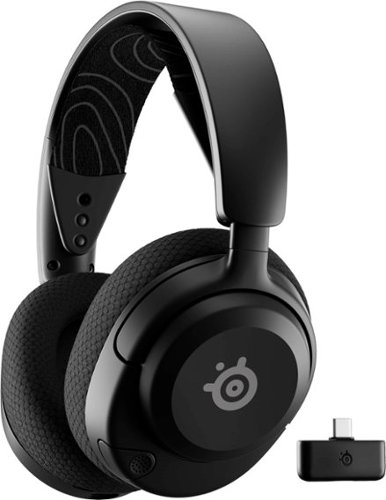
Unlock 100+ game audio presets with Arctis Nova 5 and the Companion App. Switch detailed EQ profiles for games like Fortnite, Apex Legends, Minecraft, and more without leaving the game. With 60-hour battery life, and 2.4GHz/Bluetooth wireless, play longer on PC, PS, Switch, and mobile with a USB-C wireless dongle.
Customer Rating
4
GOOD “STEP UP” HEADSET, WITH SOME MINOR DRAWBACKS
on June 25, 2024
Posted by: TheOffice1234
PRODUCT
STEELSERIES - ARCTIS NOVA 5 WIRELESS GAMING HEADSET FOR PC, PS5, AND PS4 - BLACK
MODEL:61670SKU:6576706
MODEL:61670SKU:6576706
SUMMARY REVIEW
GOOD “STEP UP” HEADSET, WITH SOME MINOR DRAWBACKS
The ARCTIS NOVA 5 has a lot going for it. The comfort “floating” style headset is easy to wear for long periods of time. Fits well for a Large Head. The sound quality is good. The included accessories have everything you need right out of the box. The SteelSeries control software allows you to fine tune the sound envelope to your preferences. I appreciate being able to switch from Dongle Mode to Bluetooth Mode in order to support a wider range of devices.
Overall, this is a good step up from lower tiered headsets. Pricewise it sits at the upper middle tier. For sound quality, I think there are better options in this price range.
Overall, this is a good step up from lower tiered headsets. Pricewise it sits at the upper middle tier. For sound quality, I think there are better options in this price range.
UNBOXING / PARTS
Like all SteelSeries products, the products are well protected with every included option. There is a cable for charging the headset (USB-A to USB-C Male), there is a cable for extending the Dongle away from the computer (USB-A to USB-C Female). The dongle itself is USB-C which is a nice change from traditional USB-A Dongles. My only tiny complaint is that the USB-C dongle is about the width of 3 ports. Depending upon how your ports are oriented and located on your laptop or desktop you might have an issue with the dongle blocking other parts.
The headphone materials are lightweight, which is good for comfort. I can’t tell how durable they will be in the long run. Overall, it has a more “budget feel” to it.
NOTE: For larger heads, pull down firmly (it takes some force) on the ear cups to extend the cups.
PC GAMING
I appreciate that the drivers auto load, but not the advanced control panel. This lets me choose what PC’s to install the control software (a good thing). I did have to manually pair the dongle and headset, it was not auto paired as indicated in the documentation.
Environment Sound leakage. I was surprised how much ambient (outside) noise leaked into the headset in quiet parts of the game. This is a personal choice, some people like to hear what else is going on around them. I find it diminishes immersive gameplay. With no sound playing from the game, it is like you are not even wearing a headset in terms of sound blocking. Again, depending upon your preferences, this is either the best for sound leakage or worst for sound leakage. I can only say of the dozen or so headsets I’ve testing in the past 3 years, this allows the more outside sound to reach your ears than just about any headset I’ve tried.
Comfortable to wear for long periods of time. I felt no fatigue even after a few hours.
I wish it had a wired 3.5mm jack option for additional device compatibility.
SOUND QUALITY / CAPABILITY
Using the SteelSeries Control App (Sonar) you can fine tune the sound field to exactly how you want experience you sound. There are even pre-defined game profiles to optimize the sound on game per game basis.
I find the sound quality just OK. It has good overall (average) sound. The sound felt a little thin / weak to me. I don’t know how to best describe it (sound is hard to describe) but compared to other headsets I’ve tested it is just not as immersive or rich.
RECOMMENDATION
The SteelSeries Arctis Nova 5 is a solid choice for mid-range headset. It prioritizes comfort and long battery life over sound isolation and audiophile sound quality. For a good everyday gaming headset it is a good choice, especially if you already have other SteelSeries products.
No, I would not recommend this to a friend.





Share this review:


+1point
2of 3voted this as helpful.
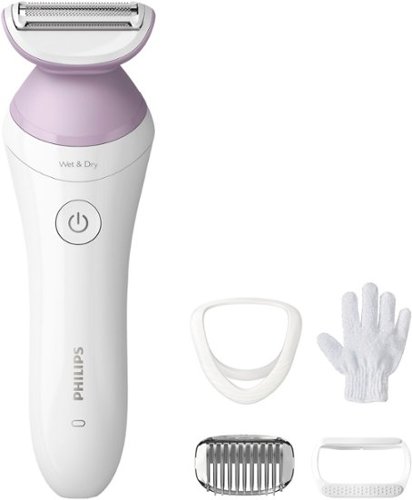
The convenient and easy-to-use Philips Lady Shaver Series 6000 is designed to be gentle and comfortable on the skin in different body areas*. 80% of our consumers confirm no razor burns and redness**. Achieve hair-free skin without compromising on skin comfort. The floating foil glides naturally over your curves and contours, maintaining close contact with your skin for an even shave. For an even more gentle and comfortable shave, use during your shower or bath routine with anti-slip grip for optimal Wet & Dry use.
Customer Rating
4
Cute Power Razor - works well, good kit
on April 30, 2024
Posted by: TheOffice1234
PRODUCT:
PHILIPS LADY ELECTRIC SHAVER SERIES 6000 – WHITE MODEL:BRL136/00
REVIEW:
The Phillips Lady Shaver is a very well built and nice kit. The shaver itself is sturdy, nicely balanced and works wet or dry. This model kit includes an exfoliating glove, 3 guards, and a charging cable.
NOTE: It does not include a power supply so you will have to buy that separately or use a spare one you might have laying around. I get that everyone is trying to save money and reduce e-waste, but I do wish the charging cable had an option to be used without a USB port.
The multiple trimming options are a great feature. The included guard attachments make it hard to accidentally nick yourself with the various trim blades.
PERFORMANCE / USE:
As a life-long manual razor user, I found the shave didn’t feel as “close” as with my traditional razor. I also missed a lot of spots, despite repeatedly going over different areas, this could be attributed to user error. Maybe I just need more practice with an electric shaver versus a manual razor.
For the most part I will continue to use a manual shaver as my primary, but use this to tidy up spots missed with my traditional razor and to do a quick buzz in between my usual manual razor shaves.
For the most part I will continue to use a manual shaver as my primary, but use this to tidy up spots missed with my traditional razor and to do a quick buzz in between my usual manual razor shaves.
RECOMMENDATION:
If you are already used to power razors, this seems a like a good to average razor.
I would recommend this to a friend!


Share this review:


0points
0of 0voted this as helpful.
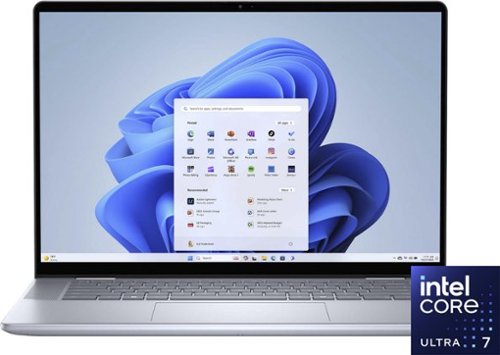
Whether you~re working, collaborating, creating or playing, Intel Core Ultra processors deliver a dedicated engine to help unlock AI possibilities on the PC, the next level in an immersive graphics experience, and high-performance low power processing, so you can confidently perform for longer while on the go.
Customer Rating
5
QUALITY - PERFORMACE - STYLE
on April 28, 2024
Posted by: TheOffice1234
PRODUCT REVIEWED
Dell - Inspiron 16” 2-in-1 Touch Laptop - Intel Core Ultra 7 Processor - 16GB Memory - 1TB SSD – Intel Arc Graphics - Ice Blue
Model: i7640-7366BLU-PU
Model: i7640-7366BLU-PU
REVIEW
As a gamer I always want more power, more screen, more RAM, more of everything. In this case I just need a sturdy and reliable laptop with a touchscreen, for my Wife, to replace her aging Dell 2-in-1 Laptop from around 2016. My wife uses her laptop for crafting, doing puzzles, and couch surfing. She required a touch screen, and something with solid performance. Although her old Dell laptop is 4K/16GB with a budget GPU, I can’t say she knows what that means or even cares.
So, from her context, this is more or less a 1:1 replacement at the same price point as 7 years ago.
FIRST IMPRESSIONS
As expected, and as previously experienced with other Dell’s, the Dell Inspiron 2-in-1 is well built and solidly constructed. The screen is vibrant and bright (300 nits) it will do OK outdoors, but not outstanding in full sun.
Some upgrades that I appreciate is a full 1080p camera, that does a good job on video calls. I also like the full Wi-Fi 6e support for faster connectivity. The battery life is much better than on older models and reportedly can exceed 15 hours. In a few days of testing, the battery has held up well.
Finally, I like the combination of ports. Thunderbolt 4 ports means I can easily dock this laptop to an external docking station for ease of use or expand the laptop with more USB ports if needed without impacting performance. I’m also happy to see a real, and full-size HDMI port, in case I need to connect to older monitors (instead of thunderbolt 4 / DisplayPort over USB). I am curious about the “*” in the specs that state you can only drive a 1080p monitor from the HDMI port. This is curious, but must be real if they put a disclaimer on the spec sheet. That does not seem to apply to the Thunderbolt connectivity. I’m driving a 4K external screen for my testing with it just fine (3 screens at once were not issue from my dock). I do wish it had a built in ethernet port, but that is not a big deal for most people and can easily be solved with a docking station anyway.
SETUP
As with all Win11 laptops, just follow along and you are setup, so that part is easy. Other than “Dell branded” bloatware and McAfee, this was not much to uninstall.
TESTING
I’m not going to go crazy with testing and specs (I’m fighting my geek instincts here). The Dell seems responsive, the keyboard is nice. I hate touchpads and so does my wife, but with a touch screen and external mouse, that is not an issue. I was able to get the expected speeds from my external Thunderbolt 4 drive. You are not going to be doing much of any gaming with this laptop, other than online games, so there is no need to test graphics performance on AAA games.
OK I had to do one test, more for curiosity, than any actual need. The Drive in my build is a KIOXIA (never heard of it), but performance was top notch for an NVME Gen 4 drive 6K Read / 5K Write.
RECOMMENDATION
If you want a well-built laptop for everyday use (not gaming), that will hold up for years, I think this is worth a close look. It is in the high-end price range for the class of screen, but if it holds up as well as my previous four 2-in-1 Inspirons, then it is worth it. You get what you pay for. None of my prior four Inspirons ever died or failed after, even after 5-7 years of adult use. It was just time for upgrades. The only thing slightly lacking is a built in 4K screen, but it is not a big deal for this use.
I would recommend this to a friend!



Share this review:


+5points
5of 5voted this as helpful.
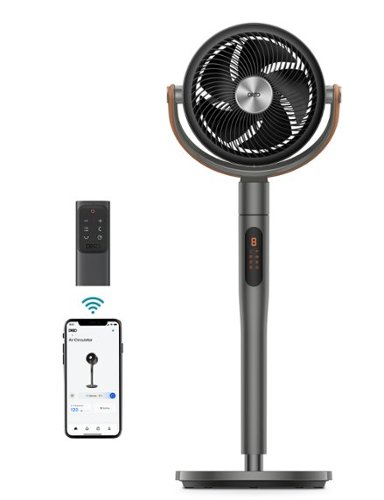
Dreo Pedestal Fan with Remote, PolyFan 613S, 43'' Quiet Standing Fan for Home Bedroom, 120~+105~ Smart Oscillating Floor Fans with Wi-Fi/Voice Control, Works with Alexa/Google, 6 Modes, 8 Speeds
Posted by: TheOffice1234
PRODUCT
Dreo - Pedestal Fan with Remote, 120° + 105°Smart Oscillating
REVIEW
Overall I like the Dreo Fan. It is well weighted with no wobble and can be very quiet. Even at full speed, it is not too loud. This is not your old school department store. The base is very heavy to add stability. The air flow is very powerful. It is very stylish and can be angled just about any way you want. I like that it has controls on the body, as well as a remote, as well as an app. So all the basis are covered however you want to interact with it.
I have a few small negatives. It is pretty short, even when extended. It can't for example clear my window to push warm air out in a straight path. I have to angle it out and hope the air it making it out the window. When first opened it unit smells like stale cigarettes. The remote control response is a little sluggish, so that you end up pressing buttons too many times.
Overall it is a welcome addition, my small home office faces east, and I get tons of sun. With all my computers and monitors, I can easily push 90 degrees, so I need a good way to push out the hot air.
RECOMMENDATION
I recommend the DREO for anyone needed high volume output, high quality, and a stylish looking fan.
I would recommend this to a friend!



Share this review:


0points
0of 0voted this as helpful.
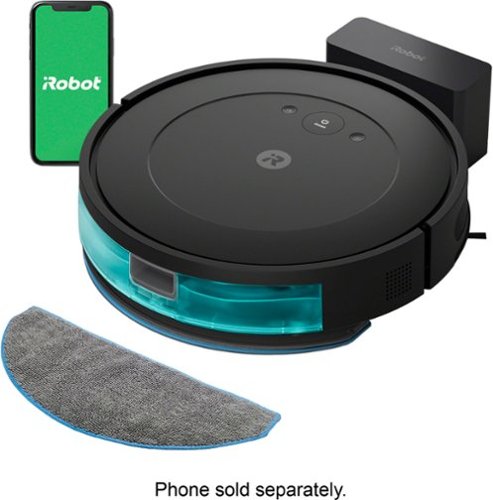
The Roomba Combo Essential robot is a 2-in-1 vacuum and mop, loaded with cleaning essentials and powered by iRobot OS. It has 3 levels of powerful suction plus mopping for a custom cleaning in a single pass. With a sleek, low-profile design and our Edge-Sweeping Brush, dirt and dust can't hide in corners or under your couch. The easy-to-use iRobot Home App provides control over your clean with favorite cleaning routines, personalized suggestions, and intuitive smart home integrations. While you kick back or go out, it can go to work on your floors.
Customer Rating
5
GOOD VACUUM / MOP COMBO – EXCEEDED EXPECTATIONS
on April 7, 2024
Posted by: TheOffice1234
PRODUCT
IROBOT ROOMBA COMBO ESSENTIAL ROBOT VACUUM & MOP (Y01420) – BLACK
SUMMARY
GOOD ROBOTIC VACUUM / MOP COMBO – BETTER THAN I EXPECTED
REVIEW
For a value focused “ESSENTIAL” model, the ROOMBA does a surprisingly good job of overall cleaning. I tested it on a 700 SQFT distressed hardwood floor, with rugs, and 2 dogs. Other than self-emptying, I’m not sure what other features I might want or need.
For vacuuming only, I give this model a “B+”. It misses some corners, and does not do a deep vacuum, but it still performed very well. For Vac + Mop, I give it an “A-“. It really did a good job.
Some Drawbacks
- Slower than others on vacuum only mode (2.5 hours vs 1.5 hours)
- Dust Collection bin is smaller because part of the chamber is allocated to water
- Mopping is limited to “Water Only”, no cleaners for a sanitizing clean
- Not sure it knows when it is full. It was very clogged after 2.5 hours.
- Slower than others on vacuum only mode (2.5 hours vs 1.5 hours)
- Dust Collection bin is smaller because part of the chamber is allocated to water
- Mopping is limited to “Water Only”, no cleaners for a sanitizing clean
- Not sure it knows when it is full. It was very clogged after 2.5 hours.
Some Positives
- One of the quieter robot vacs I’ve tested
- It is short, so it easily gets under chairs and tables
- It managed to get itself unstuck from a tricky spot under a row of chairs
- Better than average cleaning with mopping
- One of the quieter robot vacs I’ve tested
- It is short, so it easily gets under chairs and tables
- It managed to get itself unstuck from a tricky spot under a row of chairs
- Better than average cleaning with mopping
SETUP
It eventually went OK, but there really are not any instructions. The quick start guide just says to plug it in and install the app. When I plugged it in, it just started up and took off. Eventually I wrangled it back to home base and set up the app. The “real” manual can be downloaded from the app and that actually tells you how to use it. In my case after I told it my network, I could no longer see it from my phone over WiFi. I could only operate the unit if I turned off WiFi and used my phone’s data plan.
THE APP
Easy to use, not much to it. Start, Stop, Pause, Schedule. I did not see anything in app about setting up restricted zones or anything fancy, just the basics.
RECOMMENDATION
As the name implies, it covers all the essentials nicely, especially if your definition of essential includes a web mop. I think it is ideal for a simple layout on a single floor, especially good for hardwood floors. I think in heavily carpeted situations, the small dust bin would become and issue and quickly fill up.
In short I recommend this product
I would recommend this to a friend!





Share this review:


+1point
1of 1voted this as helpful.

Best for personal use and home offices, the Brother HL-L2400D Compact Black & White (Monochrome) Laser Printer is an efficient, time-saving addition to your personal workflow. The simple, affordable choice for black & white printing, it consistently produces crisp, easy-to-read black & white prints. As quick as it is efficient, the HL-L2400D prints up to 32 ISO pages per minute (1) (ppm). The 250-sheet paper tray (2) reduces the frequency of paper refills, decreasing the number of manual tasks in your day, while the automatic duplex printing feature will save you even more time and help to decrease paper waste. Connect to your device via the Hi-speed USB 2.0 interface. (3) Cost-effective and reliable, this efficient time-saver is a great addition to any home workspace.
Customer Rating
5
VALUE B & W DUPLEX LASER – BEST FOR TEXT
on January 22, 2024
Posted by: TheOffice1234
PRODUCT
Brother - HL-L2400D Black-and-White Laser Printer - Gray
VALUE B & W DUPLEX LASER – BEST 4 TEXT – OK GRAPHICS – NEEDS A CABLE
REVIEW
This printer is a great value considering the high quality (1200dpi) full duplex (dual sided) printing. It is fast (32ppm), quiet, and has a decent tray capacity (250 pages). It is no frills, but does a very good job overall. If you just want a solid printer for everyday use or a small workgroup, this is worth a very close look and consideration.
Though it only includes a 700 page starter toner cartridge out of the box, a new cartridge is affordable enough not to break the bank.
PRINT QUALITY
- Text is fantastic (11 / 10)
- LineArt (presentation graphics) (7/10) with noticeable banding
- Photos (7/10) with noticeable banding
- Text is fantastic (11 / 10)
- LineArt (presentation graphics) (7/10) with noticeable banding
- Photos (7/10) with noticeable banding
CAUTION
- Need your own USB 2.0 cable (not included)
- It is not network ready (no wifi or ethernet capability)
- Need your own USB 2.0 cable (not included)
- It is not network ready (no wifi or ethernet capability)
WINDOWS SETUP
- Just turn it on, and plug it in. Windows will find and download the drivers after a few minutes.
- Just turn it on, and plug it in. Windows will find and download the drivers after a few minutes.
RECOMMENDATION
A good value basic B&W printer. I think this would be great for anyone who needs 2 sided printing and does not use too many graphics. Do I think it should include the USB cable? YES. Am I going to ding the review. I guess not. Many people (like me) will have one laying around in their junk drawer. I just don’t like the thought of someone buying this and having to wait to use it until they order a USB cable.
I would recommend this to a friend!



Share this review:


+4points
4of 4voted this as helpful.
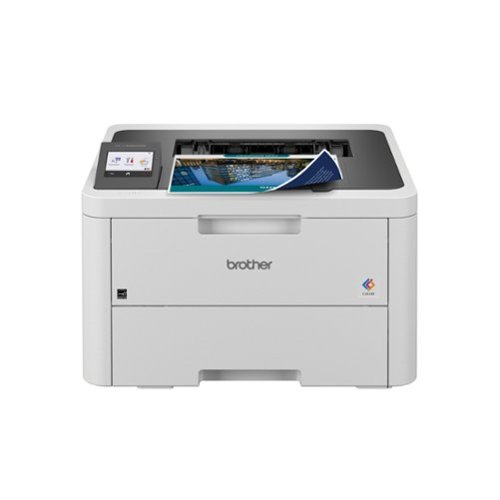
Great for shared workspaces and working from home, the Brother HL-L3280CDW wireless digital color printer is engineered to facilitate efficiencies that simplify every workday. Space-saving, capable, and trustworthy, this high-volume printer creates laser-quality, smudge-free documents that position you for success. Steady, flexible connection options and consistent performance means it is ready to get to work whenever you need it. Achieves timesaving print speeds up to 27 ISO pages per minute (ppm)(1) and features an easy to use 2.7~ touchscreen, dual-band wireless connectivity(2) and mobile device compatibility(3). For peace of mind while printing, you can rely on its advanced security features to safeguard sensitive data. Engineered and supported by Brother, the HL-L3280CDW is a natural fit in any small, bustling workspace.
Customer Rating
4
GOOD COLOR LASER FOR THE PRICE
on November 19, 2023
Posted by: TheOffice1234
PRODUCT
HLL3280CDW Brother Color Printer with Laser Quality Output
HLL3280CDW Brother Color Printer with Laser Quality Output
GOOD COLOR LASER FOR THE PRICE
The HLL3280CDW is a good value-based color laser printer. The color output is above average. It was easy to setup (wireless), and is relatively compact.
The printer is fast and quiet.
In terms of photo printing on plain paper, it was a little behind our other leading brand color laser, and a little behind our leading brand color ink jet. The colors a tiny bit duller, but still good overall.
There are also more noticeable artifacts in the image than my other printers. All that being said, this is also about 30% less expensive for the printer and the color toner for this Brother HLL3280CDW is about 50% less expensive than the leading brand.
Overall it is a fair compromise (about 10% less photo quality for 50% savings).
SIDE NOTE ON CRAFTING
One item does not allow us to use this as we intended (for crafting). It does not support card stock thick paper. The specs say the limit is 43lb paper and crafting paper is 90-100lbs. We did run a 90lb paper through the manual feed and it worked, but was extremely curled with noticeable banding.
SUMMARY
In summary, it is a good every day printer and a decent value in cost and supplies.
I would recommend this to a friend!


Share this review:


+6points
6of 6voted this as helpful.

Meet the Ninja Thirsti 18 oz. Travel Bottle engineered to keep drinks colder and fizzier for longer. This innovative drinkware is designed for carbonated drinks but is perfect for still, sparkling, hot or cold drinks too. LeakLock lid won~t leak, drip or spill. This durable 18/8 stainless steel bottle resists scratches and dents and fits in most cupholders making it ideal for life on the go.
Customer Rating
5
Well made travel bottle focused on fizzy drinks
on October 18, 2023
Posted by: TheOffice1234
PRODUCT
Ninja Thirsti 18oz. Travel Bottle, Black
Well made, heavy duty travel bottle focused on fizzy drinks.
My wife's first comment, "great just what we need, yet another beverage bottle". (our cupboards are full of them that we don't use for one reason or another).
After using it for a few days we think this is one that will actually get used. We tested it for it's stated purpose, keeping fizzy drinks cold and fizzy, and found that it lived up to it's claim.
We both like the carrying handle that is large, and heavy duty. We both liked the smaller screw on cap, but also that you can open up the larger, more traditional cap as well. Sometimes the cap and handle got in the way when drinking, but overall it worked well.
We have 2 dogs and take 3 long walks per day. This bottle can be filled with drinks for the humans and easily be taken with us.
Pros:
- Kept pop fizzy for at least 3 hours ( length of my testing period)
- Kept pop cold for at least 3 hours ( length of my testing period)
- Convenient handle for carrying
- Attractive design
Cons:
- While attractive the cup is a little clumsy to drink from and the cap has to be positioned so not to fall in the users face
- The cup is on the heavy side
- Kept pop cold for at least 3 hours ( length of my testing period)
- Convenient handle for carrying
- Attractive design
Cons:
- While attractive the cup is a little clumsy to drink from and the cap has to be positioned so not to fall in the users face
- The cup is on the heavy side
We recommend the bottle.
I would recommend this to a friend!
Share this review:


0points
0of 0voted this as helpful.
TheOffice1234's Review Comments
TheOffice1234 has not submitted comments on any reviews.
TheOffice1234's Questions
TheOffice1234 has not submitted any questions.
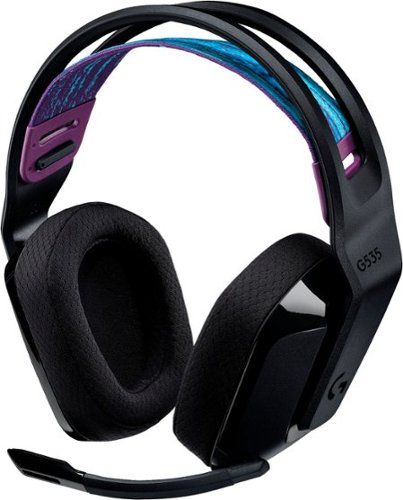
G535 gives you performance, freedom and comfort for all your gaming sessions. Enjoy advanced LIGHTSPEED wireless, up to 33-hour battery life, and 40 mm drivers for crystal-clear sound. Just 236 grams, an adjustable headband, and soft memory foam earpads ensure all-day comfort.
looking at the packaging, it mentions nothing about supporting Dolby atmos. I went to the store and put it back on the shelf. This product isn't on the logitech site, where is best buy getting this information?
My understanding is that the ATMOS APP (DOLBY ACCESS) from the MS APP Store will support any type/brand of headphone / speaker, since it is all simulated anyway. I don't know why the box and literature don't mention it. I suspect a licensing agreement issue. Meanwhile with or without the logo, it is my understanding you can use the app with any combination so speakers or head phones as long as you "Subscribe" to the app.
4 years, 5 months ago
by
TheOffice1234
G535 gives you performance, freedom and comfort for all your gaming sessions. Enjoy advanced LIGHTSPEED wireless, up to 33-hour battery life, and 40 mm drivers for crystal-clear sound. Just 236 grams, an adjustable headband, and soft memory foam earpads ensure all-day comfort.
How do I enable Dolby Atmos for the 535 headset? I see nothing in GHub, and Windows only has Windows Sonic for Headphones. Is this a program I need to purchase and download through the Microsoft Store? Thank you.
I am by no means an expert on all things Dolby so I can only tell you my experience.
Yes you have to install the "free" Adobe Access App from the windows app store. Then you have to "Subscribe" for the right to unlocking ATMOS capability on the APP. (This is a Dolby thing so don't blame Logitech). When I did this a few months ago, the first year was free, then each year was something like $10-$15. Some of the headset makers are including a free coupon for an extra year. One nice thing is that the app works across multiple platforms with the same subscriptions (at least PC and XBOX is what I have).
Yes you have to install the "free" Adobe Access App from the windows app store. Then you have to "Subscribe" for the right to unlocking ATMOS capability on the APP. (This is a Dolby thing so don't blame Logitech). When I did this a few months ago, the first year was free, then each year was something like $10-$15. Some of the headset makers are including a free coupon for an extra year. One nice thing is that the app works across multiple platforms with the same subscriptions (at least PC and XBOX is what I have).
4 years, 5 months ago
by
TheOffice1234
G535 gives you performance, freedom and comfort for all your gaming sessions. Enjoy advanced LIGHTSPEED wireless, up to 33-hour battery life, and 40 mm drivers for crystal-clear sound. Just 236 grams, an adjustable headband, and soft memory foam earpads ensure all-day comfort.
I purchased these headphones but GHub does not find them. I've tried reinstalling, rebooting, updating, restarting, no luck. This product is not listed on the Logitech website which gives me concern as to support. Anyone have any suggestions?
I don't have an exact answer as of today 12/18 I download Ghub (for the first time) and it found them right away. In my case the Dongle is plugged in, Windows 10, and the default speaker is the G535 headset.
4 years, 5 months ago
by
TheOffice1234
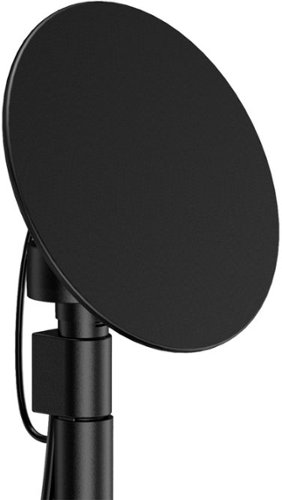
Enjoy live TV broadcasts from your favorite local networks without the cable bill! The Core Innovations ANT100TCR Outdoor/Attic Amplified TV Antenna allows you to access HDTV channels up to 100 miles away, free of charge. The 360-degree motorized rotation delivers better range and reception in imperfect locations, and the wireless remote control gives you the flexibility to make adjustments from the comfort of your living room. Enjoy content in up to 4K full HD where supported, and mount the antenna to the included mounting pole to further boost signal strength.
We have been unable to get any of the local network channels. We have scanned this every way possible and have rotated the antenna in all directions. What are we doing wrong?We are missing all the big ones, NBC, CBS, FOX and PBS.
if you did not do so already then look at a site like antenna web to get the general direction on where to aim the main antenna. then you can fine tune from there. many phone have compass apps to you help you find where 125 degrees is located (as an example)
disconnect everything and carefully re-attach. little cable goes between motor and dish. long cable goes between motor and controller box. make sure it is plugged into back of controller on the outermost port that says antenna
make sure controller box is plugged in and turned on you should see a red light on the back of the dish if it is all connected properly.
connect the antenna out (either the build in cable or the spare port) to your receiver / tv and scan for channels.
if that does now work, the contact mfg.
good luck
disconnect everything and carefully re-attach. little cable goes between motor and dish. long cable goes between motor and controller box. make sure it is plugged into back of controller on the outermost port that says antenna
make sure controller box is plugged in and turned on you should see a red light on the back of the dish if it is all connected properly.
connect the antenna out (either the build in cable or the spare port) to your receiver / tv and scan for channels.
if that does now work, the contact mfg.
good luck
4 years, 7 months ago
by
TheOffice1234
Enjoy live TV broadcasts from your favorite local networks without the cable bill! The Core Innovations ANT100TCR Outdoor/Attic Amplified TV Antenna allows you to access HDTV channels up to 100 miles away, free of charge. The 360-degree motorized rotation delivers better range and reception in imperfect locations, and the wireless remote control gives you the flexibility to make adjustments from the comfort of your living room. Enjoy content in up to 4K full HD where supported, and mount the antenna to the included mounting pole to further boost signal strength.
How many TVs will this antenna support?
Buy default you can connect 2 sets (there are 2 ports) , but with a good quality splitter / amplifier you can hook up as many as you want.
4 years, 7 months ago
by
TheOffice1234
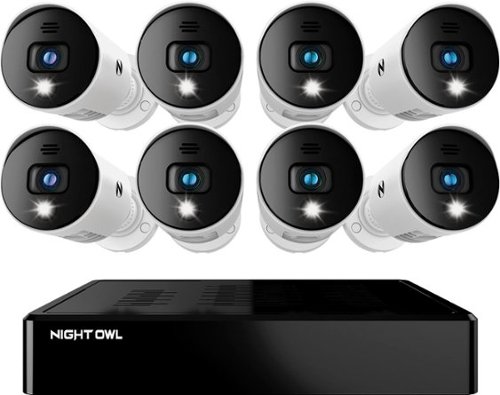
Night Owl is excited to offer our U.S. designed and engineered 1080p HD Bluetooth digital video recorder with wired 1080p HD spotlight cameras and pre-installed hard drive. With secure spp-based Bluetooth setup, there is no need to connect a TV or monitor for setup or viewing (optional). You can easily configure your system right from the app on your smartphone or tablet with the Bluetooth connection. While a TV or monitor is not required, with Google Assistant you can use simple voice commands to stream camera footage directly to your TV or monitor, all while remaining hands free. Each camera has 1-way audio (speaker) which works with our built-in siren and preset voice alerts. From within the app, you can easily activate the built-in siren, startling intruders and sending them packing. Smart detectiont Technology including human detection,facial capture and vehicle alerts reduce the risk of false alarms, keeping you safe and well protected. Facial capture lets you see who is on your property by snapping a photo and sending the image to your smart device. Motion-activated spotlights flood your yard with bright lights when human motion is detected, instantly warding off trespassers. Our app gives you control of your system and easy access to your recordings, regardless of where you are. Night Owl never charges fees for storage or access to your videos. All recordings are securely stored on a pre-installed hard drive for convenience. You can view and download the recordings as you need them. This system provides the latest technology to give you the ultimate security experience. NOTE: The DVR is compatible with our DP2 Series wired BNC cameras and our WNIP2 Series Wi-Fi IP devices, but is not backward compatible with other Night Owl products.
Does this product have night vision?
Yes, 1 small IR LED but it is OK for short distances
4 years, 8 months ago
by
TheOffice1234
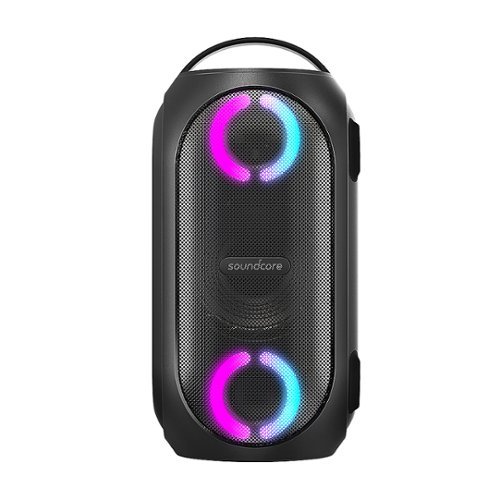
Soundcore Partycast is a portable Bluetooth Party Speaker with 80 watts of power, an 18-hour playtime, and a party-starting light show. Using our exclusive partycast technology, you can link over 100 partycast speakers together for synchronized music and lights to create the ultimate experience. IPX7 Waterproofing means you won~t need to worry about liquid getting on it, and with its USB charge-out capabilities your phone will stay charged no matter how long the party lasts.
Can you turn the lights off
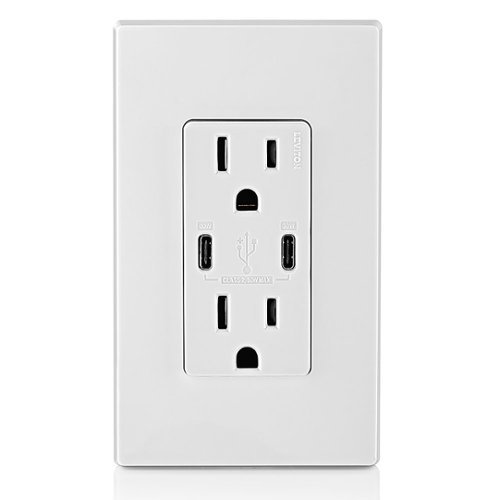
6A/30WT Duplex Tamper-Resistant Outlets with USB C Dual Wall Chargers- White
Does it include the Screwless Wall Plate shown in the pic? Thank you.

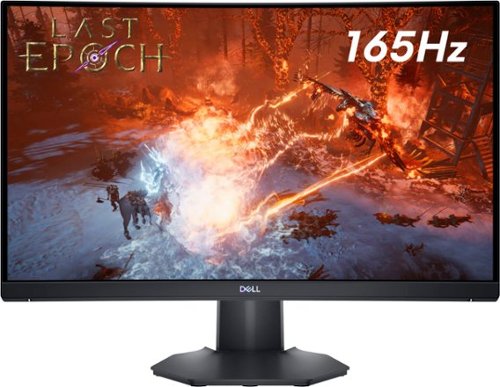
The new Dell 24" Curved Gaming Monitor is equipped with a 4ms Response Time - 165Hz - AMD FreeSync Premium Technology featuring Vertical Alignment, Anti-glare with 3H hardness, and 1500R Curvature. Adjustable height and LED screen, this 24" monitor is equipped for ultimate game play.
Is this a 6 bit panel? Any HDR?
Box does not say HDR and Windows would not let me select HDR, so I assume it is not HDR, still pretty bright though.

5 years, 2 months ago
by
TheOffice1234

The Wahl Edge Pro corded hair clipper, trimmer and detailer is an all-in-one full power clipper. This trimmer kit includes a detail trimmer for intricate designs or personal trimming of the ear, nose, and brow. Our T-Blade attachment allows for easy trimming, grooming, and touch-ups. The precision trimmer head provides close and precise trims and detailing.