


EagleCroft's stats
- Review count90
- Helpfulness votes822
- First reviewOctober 11, 2013
- Last reviewJune 7, 2026
- Featured reviews0
- Average rating4.4
- Review comment count1
- Helpfulness votes0
- First review commentApril 6, 2014
- Last review commentApril 6, 2014
- Featured review comments0
Questions
- Question count0
- Helpfulness votes0
- First questionNone
- Last questionNone
- Featured questions0
- Answer count9
- Helpfulness votes26
- First answerAugust 22, 2018
- Last answerApril 17, 2019
- Featured answers0
- Best answers0
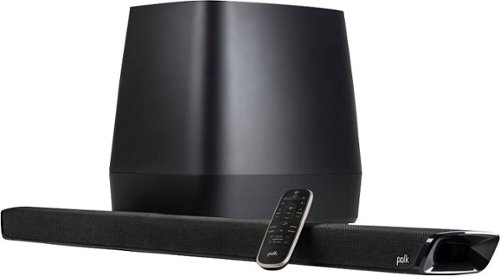
Polk MagniFi 2 high-performance home theater sound bar and wireless subwoofer system provide bigger, more dynamic sound than traditional sound bars, and is optimized to make movies, TV, video games and music come to life. The MagniFi 2 comes with a wireless 8" subwoofer and features patented SDA surround technology for a wider, more immersive listening experience and Voice Adjust technology for crystal clear dialogue. Stream your favorite music with Chromecast built-in from Google Play Music, Amazon Music HD, Apple Music, Roon, Qobuz, Spotify, Tidal and many more. Compatible with HD and 4K TVs. Includes HDMI and Optical cables for quick and easy setup. At just over 2~ tall, the sound bar can easily fit under your TV without blocking its remote sensor, and with 2 keyhole slots coupled the unit can also be mounted to any flat surface offering a variety of placement options.
Customer Rating

3
Doesn't earn the right to wear a Polk Audio badge
on February 2, 2021
Posted by: EagleCroft
from Exeter, NH
I have been using the Polk Magnifi 2 for 30 days now and have formed an opinion on it that I will share with the reader. If you are here reading this you are either deciding on whether to buy this soundbar system, or you are here to justify the purchase you already made. In either case I hope my review helps you stay informed and make good decisions.
The BIG question: no pussyfooting around, the one question that always must be answered when reviewing a product is “would you buy it again?”. I am sorry to say my answer is a resounding “NO”.
Why?
I do not like writing a negative review about a manufacturer that I have held in high regard for over 30 years. I am a huge fan of Polk Audio; I have been aware of them since I was a teenager that could only read about their amazing audio products. I could only dream about owning them back in those days, I could never have been able to afford them. Now that I am an “old-guy”, I can afford to buy high-end electronics and purchasing a Polk Audio system is as much about owning the brand as it is the audio reproduction itself. To my dismay, the former proved far more worthy than latter. Having the brand ‘Polk’ on my entertainment center looks great! I feel good about owning one of their products, given that I drooled over them back in the 80’s. But the audio reproduction itself does not reflect the reputation and high regard that I hold Polk Audio in. I was, and am, disappointed.
I replaced a Samsung Sound bar in favor of the Magnifi 2, and much to my surprise it was a step backwards in audio quality. The Polk soundbar has many things going for it that are a positive, but its Achilles heel is the subwoofer. The soundbar produces good audio, impressive really (better than the Samsung it replaced). But when you add the subwoofer into both systems, the Samsung is just a more refined system that ultimately sounds better.
Aesthetically the Polk soundbar wins in overall looks. It is a discreet soundbar that is not too flashy, in fact I would say minimalistic. But has just enough pizazz and shiny bits to make it look interesting. But that is just the soundbar part. The subwoofer does not carry on these characteristics. The subwoofer is a goofy looking shape that is made primarily of plastic. It has few controls on it, essentially you power it on, and it connects to soundbar through Bluetooth. The pairing was very straight-forward, and I had no problems at all connecting.
Let us do some pro’s and con’s and then wrap this up:
PROS
- Polk name brand
- Easy setup and connection
- Multiple HDMI inputs, including ARC and Optical
- Classy and subdued aesthetics.
- Material quality on the soundbar is particularly good.
- Audio quality out of the soundbar alone is particularly good, I’d say better than the Samsung it replaced.
- Most of the functionality can be performed at the soundbar without the need of the remote control.
- Google Chromecast is a good feature to have when you want to pipe audio throughout multiple rooms.
- Polk name brand
- Easy setup and connection
- Multiple HDMI inputs, including ARC and Optical
- Classy and subdued aesthetics.
- Material quality on the soundbar is particularly good.
- Audio quality out of the soundbar alone is particularly good, I’d say better than the Samsung it replaced.
- Most of the functionality can be performed at the soundbar without the need of the remote control.
- Google Chromecast is a good feature to have when you want to pipe audio throughout multiple rooms.
Cons
- The bass reproduction is sloppy, unimpressive and becomes boomy when pushed.
- The buttons on the remote control are unlit and are not tactile making it difficult to adjust easily – particularly in a darkened room.
- The LEDS on the soundbar are minimalistic and require the user to refer to the owner’s manual to understand what they mean and how to adjust them. It would be far better to have a simple LCD readout on the soundbar to provide useful information. Or even better – push a setup screen through HDMI onto the TV monitor. If the use of single lit LEDS was to save a few pennies, in my opinion I would rather spend a little more to get a better designed interface.
- 3D audio simulation is also under-whelming. It works for what it is but it is not as good as it would be with a set of satellite speakers positioned behind me while watching a movie. It is okay for what it is, but to me it sounds fake and manipulated.
- Loudness consistency is frustrating… I experienced louds and lows while watching various media. One minute I cannot hear the audio well, so I crank up the volume. Then a commercial comes on and I get blasted out of my chair. The Samsung system I had before did not have this problem. I played around with the settings available to me, but alas I could not overcome this annoying behavior.
- The sound equalization controls are also minimally effective, they work – but it seems like the ranges are limited. You have some control, but not enough to my liking.
- The bass reproduction is sloppy, unimpressive and becomes boomy when pushed.
- The buttons on the remote control are unlit and are not tactile making it difficult to adjust easily – particularly in a darkened room.
- The LEDS on the soundbar are minimalistic and require the user to refer to the owner’s manual to understand what they mean and how to adjust them. It would be far better to have a simple LCD readout on the soundbar to provide useful information. Or even better – push a setup screen through HDMI onto the TV monitor. If the use of single lit LEDS was to save a few pennies, in my opinion I would rather spend a little more to get a better designed interface.
- 3D audio simulation is also under-whelming. It works for what it is but it is not as good as it would be with a set of satellite speakers positioned behind me while watching a movie. It is okay for what it is, but to me it sounds fake and manipulated.
- Loudness consistency is frustrating… I experienced louds and lows while watching various media. One minute I cannot hear the audio well, so I crank up the volume. Then a commercial comes on and I get blasted out of my chair. The Samsung system I had before did not have this problem. I played around with the settings available to me, but alas I could not overcome this annoying behavior.
- The sound equalization controls are also minimally effective, they work – but it seems like the ranges are limited. You have some control, but not enough to my liking.
Design Defect?
The most annoying characteristic I found about the Polk Audio system is a loud popping/clicking/scratching sound that is made when switching modes (hard to describe the exact sound that is made). I believe this is a bug with the design, and there is a work around which I will share. But I should not have to be looking for work arounds on a shipping product. If this is a design defect it should have been caught before the product was released. The example I will give is while watching a YouTube video through the YT app that comes with the Roku box, I have in my home theater. I will be watching a video, and all seems fine. Then the video ends and the next video in the que starts up. As soon as it does and switches the loud scratch sound is emitted. I have learned to mute the audio when this happens, but I am not always fast enough. This only happens when I am using ARC through HDMI. I can work around this problem by using the fiber optic cable instead of HDMI for audio. When I do this the problem disappears. I have rerun the exact same steps on my Samsung soundbar system, and I could not reproduce it. It is 100% reproduceable on the Polk system, however. It must have something to do with switching audio streams or video stream or media resolution, etc. It occurs in YouTube frequently as most videos are short. It probably occurs in other media too but switching does not occur as much in those formats. As far as I can tell this is a design flaw, and maybe Polk will be able to address it in a firmware update.
The most annoying characteristic I found about the Polk Audio system is a loud popping/clicking/scratching sound that is made when switching modes (hard to describe the exact sound that is made). I believe this is a bug with the design, and there is a work around which I will share. But I should not have to be looking for work arounds on a shipping product. If this is a design defect it should have been caught before the product was released. The example I will give is while watching a YouTube video through the YT app that comes with the Roku box, I have in my home theater. I will be watching a video, and all seems fine. Then the video ends and the next video in the que starts up. As soon as it does and switches the loud scratch sound is emitted. I have learned to mute the audio when this happens, but I am not always fast enough. This only happens when I am using ARC through HDMI. I can work around this problem by using the fiber optic cable instead of HDMI for audio. When I do this the problem disappears. I have rerun the exact same steps on my Samsung soundbar system, and I could not reproduce it. It is 100% reproduceable on the Polk system, however. It must have something to do with switching audio streams or video stream or media resolution, etc. It occurs in YouTube frequently as most videos are short. It probably occurs in other media too but switching does not occur as much in those formats. As far as I can tell this is a design flaw, and maybe Polk will be able to address it in a firmware update.
I wish I had better things to say about the Polk Audio Magnifi 2, I really do. But I must report exactly what I encounter during testing. I am sure having a set of surround satellites would greatly improve the overall experience. But in a 1:1 comparison with a Samsung system (which cost less), I found the Polk to be a disappointment. I really hate having to constantly adjust the volume level and hitting mute on the already clumsy remote control.
Polk – you can do better than this!
Mobile Submission: False
No, I would not recommend this to a friend.
Share this review:


+1point
5of 9voted this as helpful.
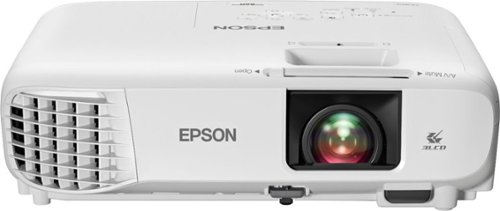
Sit back, relax and watch movies with this Epson video projector. It offers 3,300 lumens of color & white brightness to ensure vibrant, accurate colors, and its HD resolution delivers crisp image quality at 1080p. This Epson video projector lets you connect a Blu-ray player or gaming console via an HDMI input for smooth streaming of your favorite media.
Customer Rating

4
Projectors aren't dead yet!
on January 3, 2021
Posted by: EagleCroft
from Exeter, NH
When I recently told a friend that I have a new video projector, his reaction was less than stellar. What he replied with was, “did you get it at a pawn shop”? Projectors have declined in popularity over the recent years, in favor of big screen LCD TVs that have gotten thinner, lighter, and better quality pictures all at a lower price. So why would anyone buy a video projector these days? Well that’s a very good question! The easiest answer I can give you is when you go to the movie theater do you think you’re watching an LCD TV or a projector? Of course it’s the latter of the two, although LCD technology is in use with the projector. There are pluses and minuses for using a home theater projector, rather than a big screen TV. It would be outside the purpose of this review to convince you one way or the other. That’s a whole debate in and of itself. But generally people that are buying a projector have a very good reason. So I’ll focus just on the quality of the absent home cinema 880 projector. And whether I recommend it for someone looking to purchase.
The Epson 880 features state of the art projection, at least for the next six months! LOL! We all know technology moves quickly, but I’m sure that if you purchased a projector you’re going to enjoy it for many years. The Epson projector delivers a beautiful 1080P picture and can do it on as big as a 320-inch blank wall or screen. Now you’re probably no longer questioning the purchase of a projector. An LCD TV screen of that size, even if it did exist would be incredibly expensive. A projector like this one doesn’t take up much space, in fact it is portable enough to bring around with you. It can project video onto just about any surface. Anyhow that gets more into the area of my projectors are such cool devices. Imagine playing your favorite video game on a giant wall, inside or outside. The same goes for your favorite movie or TV show.
Epson uses a proprietary three chip Technology for best in class brightness and picture quality. The unit features a built-in speaker but that’s really only useful when you don’t have external speakers to plug-in with. If you’re purchasing a projector chances are you already have the audio portion figured out. Set up is super simple, within 15 minutes out of the box I was streaming high resolution videos. Don’t be fooled by it not being a 4K projector. At 1080P this does an amazingly good job, and you would be hard-pressed to notice any difference. Older projectors suffered from low luminance, the Epson 880 has an impressive 3300 lumens of color and white brightness. The three LCD imaging technology that Epson engineered Into this unit provides dazzling, and crisp vivid colors. The quality of the video reproduction is a qualifying factor in buying the unit like this. The stunning 1080P images and fast data processing provides outstanding clarity even for fast action video like you would need for watching sports or playing video games. The ability to project at a high res color and white brightness level means that I have no trouble using this in both day and night settings.
Connectivity is simple as you can imagine, simply plug-in your HDMI devices, or just stream. Setting up is very simple, Epson made the process very easy even for those that aren’t technical. Epson designed in features that analyze picture quality and self corrects itself. Old style projectors were prone to going out of alignment and calibration. This projector takes care of it without any manual intervention. And it works really well! Video contrast is outstanding, the specifications show a 16,000 to 1 contrast ratio and over a billion colors. This means you’ll still have rich detail and colors even in dark scenes.
There are four easy presets to quickly and simply optimize video adjustments. I leave mine on dynamic and find that does a quality job on all the material I throw at it. The color accuracy is very impressive, and I haven’t noticed any of the color brightness or rainbow issues that many old projectors here suffered with. I’ve been a fan of Epson products of all types going back 30 years to my first dot matrix printer. They’ve always built quality devices and back them up with a solid warranty. In this case the home cinema 880 comes with a two-year warranty from the manufacturer. Plus I like to add in an extended warranty from Best Buy‘s Geek Squad. For a little extra money you get a lot of peace of mind. I recommend it. Look at it this way, you could end up having to replace the lamp yourself in a few years. Or if you have coverage oftentimes they will provide a new lamp for free. Things may have changed but it used to be that way. Talk to your salesperson if you are considering one. That’s why I think the extended warranty makes financial sense.
There are different ways of installing, or mounting a projector. I keep mine on a small stand. But you can mount them on ceilings using the built-in mount holes. I also use a 100 inch projection screen to optimize the video quality. I recommend getting a screen for best video quality. However it’s not essential and you can project on a plain white wall, or white sheet, or the side of a house outdoors. I use a soundbar and subwoofer with this unit. This provides a compact and good sounding audio solution for movies and video games. I recommend pairing a projector with an external sound system. Best Buy has many options… The audio portion does present the one negative I have to say about this unit, which I will cover at the end of my review.
The built-in projection lens feature is digital zoom, but also a manual focus. The focal length is set at 16.7 mm with an F number of 1.44. The display performance for NTSC is 480 lines, or PAL at 560 lines. During usage I found the unit to throw off a very small amount of heat, and the fan noise was minimal (in quiet mode 28 dB). The included remote control is simple to use, featuring all of the functions on the handheld itself. I operate it with no problem from 20 feet away from the unit. The connections on the back of the unit or somewhat sparse, but get the job done. You will find one HDMI connector, one type A USB and one type B USB. There’s also a 3.5 mm audio-out port.
In conclusion I really like this unit from the Epson. The picture quality and accuracy is fantastic. Set up was simple and without any surprises. The only negative I have to say about the unit is that it does not provide Bluetooth connectivity. Instead you have to use a cable to connect external audio. I was very surprised that something as common these days as Bluetooth was not built-in. I purchased a small transceiver that plugs into the 3.5 mm port. From there I could easily broadcast to my sound bar system. I’m not sure why Epson didn’t include this built into the unit. It’s not an expensive part, in fact I paid just $30 for the transceiver. It would be a lot easier if it was just built-in. So not a 100% Positive review, but darn close. I recommend the Epson 880, at this price point it would be difficult to find anything to perform as well. For my purposes the 880 is everything I need to enjoy big screen theater like movies right in the comfort of my own home. Two thumbs up! :-)
Mobile Submission: False
I would recommend this to a friend!
Share this review:


0points
0of 0voted this as helpful.
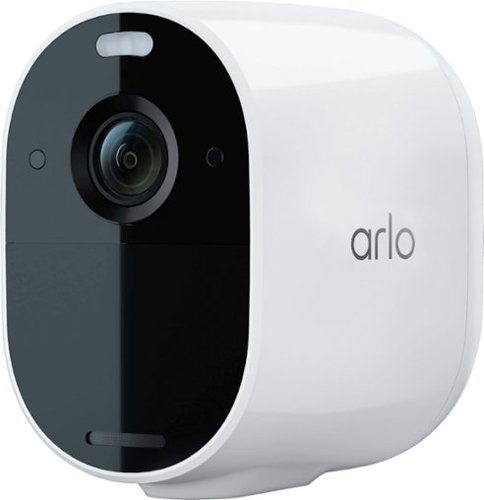
Protection for every home and family. Capture the details in full 1080p HD video for a clearer picture, day or night. Spend less time recharging with 6 months of battery life*. Connects directly to Wi-Fi without the clutter of extra gear. The Arlo Essential is wire-free and weather-resistant to deliver fast, easy installation and flexibility to get the perfect camera view. With the integrated spotlight, see important features like faces and licenses plates in full color, at night with color night vision. Ward off unwanted guests by triggering the siren or integrated spotlight automictically or manually from the Arlo App. Receive smarter alerts for people, vehicles and packages and take quicker action like sound the siren, call a friend or dial emergency services with the included trial of Arlo Secure**. Works with Amazon Alexa, Google Assistant, Apple HomeKit*** and Samsung SmartThings.
Customer Rating

2
I was surprised! But not in a good way...
on December 11, 2020
Posted by: EagleCroft
from Exeter, NH
I’ve tried and tried to like this camera, but I just find it to be half-baked. The price of entry is very enticing, and perhaps that is the entire point. Coming in at under a hundred bucks (at the time of this writing), it’s one of those tech toys that if you were ever curious about it won’t break the bank to try. And that is what I did, and I found myself wanting more… Not features, but just reliability, dependability, and ease of continued use.
I’ve lived with the Arlo Essential Camera now for nearly a month and in doing so I have concluded two things. One, I like having security cameras, and two - this particular Arlo is not the one. But why? On paper this seems like a screaming deal, it is feature rich and comes from a respected manufacturer. The unit has a real quality feel to it. It’s solid, doesn’t rattle, the shell is glossy white and reminds me of an Apple product. But the similarity to Apple ends there.
The primary feature that drew me to this product wasn’t just price, it was the fully wireless capability. It uses WiFi to connect to your home network. So no wires… But what about power? Ahhh… This was what really snagged me - it runs off a built-in (non-removable) LiON battery. I’m renting an apartment and I really didn’t want to run wires, so this device was perfect for my needs.
My findings are that the device has all the features built-in as advertised, but I found none of the features to be anything more than average (and many were below expectation). I would not purchase this particular model again, but I would look at more expensive higher end models that they build. As I mentioned I felt the build quality was very good, and that I felt this model was to get people interested.
My gripes:
Battery life wasn’t great. This depends on a lot of factors of course, because the camera goes into a lower power mode when there isn’t activity detected. The more often it activates, the more power it consumes. Use the spotlight feature and the battery will drain even faster.
Because the battery needs to be recharged you need to either get used to pulling it down to recharge (which can be a pita), attach a solar panel to it to keep it charged, or keep a USB cable plugged into it and charge it as needed or just leave it plugged in.
The battery isn’t removable, which isn’t unexpected since most products these days are completely sealed. Still, I’d like to have that option.
Video quality. I haven’t been super impressed with clarity. Certainly the specs read better than what in reality you get. I found faces and other details to get fuzzy.
Audio quality. Not that good at picking up sounds. Audio is muffled and low.
Lag - I am not a fan at all of the video lag from this camera. It’s not good… There is a nearly 1 second lag between reality and what’s shown on the app.
Night vision quality with IR and spotlight still stinks. Forget any details beyond 10 feet.
Motion sensor is finicky, I found it not to be sensitive enough.
The app - multiple issues with notifications, hanging on my Apple iPhone. Lost connections, etc.
While away on vacation after 5 days I couldn’t access the camera. When I got home I found the camera to be completely drained and dead. I recharged it fully and found that the app no longer recognized the camera. It would not even connect. I had to look up how to do a hard reset, back to factory defaults to revive the camera. Ultimately that worked but I lost all my footage and settings.
Because the battery needs to be recharged you need to either get used to pulling it down to recharge (which can be a pita), attach a solar panel to it to keep it charged, or keep a USB cable plugged into it and charge it as needed or just leave it plugged in.
The battery isn’t removable, which isn’t unexpected since most products these days are completely sealed. Still, I’d like to have that option.
Video quality. I haven’t been super impressed with clarity. Certainly the specs read better than what in reality you get. I found faces and other details to get fuzzy.
Audio quality. Not that good at picking up sounds. Audio is muffled and low.
Lag - I am not a fan at all of the video lag from this camera. It’s not good… There is a nearly 1 second lag between reality and what’s shown on the app.
Night vision quality with IR and spotlight still stinks. Forget any details beyond 10 feet.
Motion sensor is finicky, I found it not to be sensitive enough.
The app - multiple issues with notifications, hanging on my Apple iPhone. Lost connections, etc.
While away on vacation after 5 days I couldn’t access the camera. When I got home I found the camera to be completely drained and dead. I recharged it fully and found that the app no longer recognized the camera. It would not even connect. I had to look up how to do a hard reset, back to factory defaults to revive the camera. Ultimately that worked but I lost all my footage and settings.
I’ll leave it there, 10 reasons to not buy this camera. I have other things that annoyed me - but you get the point. If I could get my money back on this Arlo camera I definitely would. But I can’t… Having said that I wouldn’t have a problem trading it in and applying a credit towards another Arlo camera because I was impressed with the build and material quality. I do have one gripe about the material quality actually, there is a small black plastic cover under where the lens is. That has scratched very easily and is noticeable. One last bonus gripe… Arlo provides a free 3 month subscription for the camera. You don’t have to continue it, but if you don’t you lose many of the features. Signing up for a subscription opens up other features that you won’t get stand alone. And keep that in mind because there is not an SD card slot. So memory storage will be an issue if you don’t subscribe. That’s probably the real reason for the low price, kind of like buying a cell phone. Initial cost is low, but you’ll be paying monthly to make it useful. And finally… USB-B? Why? Why not USB-C and charging would be so much faster… Thumbs down for me. If your needs and expectations are light and minimal, then give it a whirl. For me I’d recommend saving your nickels to get a better camera. For instance the Arlo 3 or 4? Hmmm… Arlo I still like you, but I am unfortunately not a fan of this model. Just my honest personal opinion, for what it’s worth.
Mobile Submission: False
No, I would not recommend this to a friend.
Share this review:


+3points
3of 3voted this as helpful.
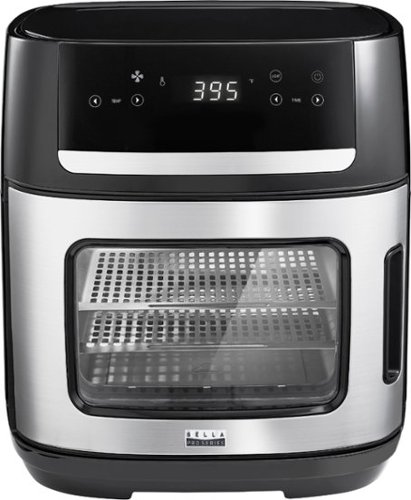
Experience versatile cooking with the bella PRO 12.6-qt. Digital Air Fryer Oven. Air Fry, Dehydrate, Rotisserie, Grill, Roast, Bake, Broil, and Reheat your favorite meals with consistent results every time. The extra-large capacity fits a 10~ pizza, 2.2 lbs. of french fries, 4 slices of bread, and a 4 lb. chicken. The powerful 1500 watt heating system uses High Performance Circular Heat Technology to circulate heat for fast, crispy, and evenly cooked results every time. 10 convenient preset menu options, adjustable temperature range from 90~F to 400~F and 24 hour auto shutoff timer with audible tone. Easy cleanup with the dishwasher safe removable accessories.

Posted by: EagleCroft
from Exeter, NH
I purchased a very inexpensive Air Fryer years ago. I didn’t pay much for it, and in return it didn’t last long. Ultimately it became unusable and I ended up having to throw it away. Lesson learned? You get what you pay for. It was poorly made, but the silver lining was that I found I really liked the way air fryers worked. Enter the Bella Pro Series - 12.6-qt. Touchscreen Air Fryer Pizza Oven Dehydrator (that’s mouthful)! On paper it tic’d off all of my requirements, one of which was to get a more expensive model so that I get what I pay for. I’m disappointed to report that the mantra didn’t hold up (and I suspect neither will this cooker).
Air fryers are pretty simple technology that has been around for quite a long time. They use a heating element placed in a closed space and use a fan to circulate the air quickly. Think of them as one of the hot air popcorn poppers, but inside a case. Essentially the same thing, except they also add some digital technology to properly time and control the cooking period.
The trouble with the Bella 90116 is that even though it offers a number of different uses, air fry, bake, dehydrate, rotisserie - it does them all with limitations and each average at best. It air fries foods but the trays that hold the food are too shallow and small. The trays themselves are made of a flimsy metal, coated in a non-stick material. They don’t feel like they are going to last long, I guess time will tell. I haven’t yet tried the dehydrate feature, I have no doubt it’ll work - but again the trays are so small that you won’t be able to make much. A standalone dehydrator features stackable trays and provides a lot of surface area. Foods shrink when they dehydrate, so the output from the Bella will be very small. Speaking of small, the rotisserie is not going to hold a very big bird. The bird pictured on the rotisserie as advertised must be a cornish game hen. If you are looking for an oven to cook frozen pizzas, this will not work. The interior is far too small. I made my own pie out of dough which worked but ended up with quite a mess as the cheese and pepperoni grease overflowed. It dripped down onto the bottom tray, and also down out of the door. To be safe I’d recommend making a pizza smaller than ten inches. Which is going to be a snack, not a meal.
The panel controls are also lacking, kind of half-baked - pardon the pun. The pre-programmed modes seem a bit random and ill thought out. There isn’t a Cancel button, or a pause button. The light button turns on the interior light, but only momentarily - maybe 30 seconds. I’d like to be able to keep it turned on while in use - but alas there is no such control. Also annoying is the blinking red power light. It always blinks! Why? It’s annoying, especially in a dark kitchen. It reminds me of an appliance that needs to have its clock set - except this doesn’t have one! But the manual offers a solution, perhaps not on purpose. It instructs the owner to always unplug the appliance when not in use. Really? So should I do that with all my appliances. That statement worries me, it’s like the manufacturer doesn’t have the confidence in their own product. Which brings me to my next comment. Never have I ever read in a user’s manual “Plasticizer Warning”. Maybe this is something all manufacturers have to add now to warn their customers. Maybe it’s nothing to worry about, but a quick Google search on this term yields results about harmful phthalates. But here’s the thing… It instructs the owner to place a heat resistant barrier between the bottom of the unit and the countertop - else there may be a discoloration due to the migration of plasticizers! Ummm… I’m more worried now about the plasticizers transferring to my food and my living space. Page 7 of the manual, check it out...
In a crowded marketplace nothing stands out about this air fryer from Bella. Well maybe its Warranty which is a generous 2 years. I suspect it will be needed, just remember they aren’t going to replace worn out parts, just defective ones. The quality of materials used in this product are in my opinion subpar. To me it appears that lots of cost cutting went on when this was built. Since I am unable to return this product I will take extreme caution while using it. I will always unplug it, and only plug it in long enough to use it. My fear is not entirely unfounded, the parent company Sensio (which renamed itself Made by Gather), recalled products in the past due to risk of fire. My advice, buy a different one.
Mobile Submission: False
No, I would not recommend this to a friend.
Share this review:


+10points
16of 22voted this as helpful.
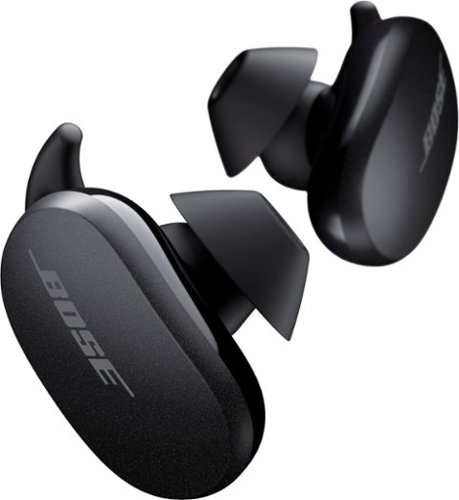
Better sound begins with better silence. That~s why Bose QuietComfort Earbuds are engineered with the world-class noise cancelling and high-fidelity audio. Microphones inside and outside the earphones sense noise and react instantaneously to cancel the signal. Get rid of disruptions so you can turn up the music on your wireless earbuds and amplify whatever you~re most passionate about ~ from hiking or circuit training to coding or baking. And when you need to be more aware of your surroundings, minimize noise cancelling with a quick double tap, so you can walk down a busy street or listen for your boarding announcement. StayHear Max tips provide extra comfort and stability for an even better experience. Rule the Quiet with Bose QuietComfort Earbuds and get an exhilarating experience that~s tough to find in any other Bluetooth earbuds. The Bose QuietComfort Noise Cancelling Earbuds are available in Triple Black, Soapstone and limited-edition Sandstone or Stone Blue.
Customer Rating
4
Bose - really, really good, but not quite great...
on October 7, 2020
Posted by: EagleCroft
from Exeter, NH
Opinions are my own, based on my own personal experience with the product. I’ve been using the Bose earbuds for a week on a daily basis. Here are my thoughts on the product:
Audio Quality = 5 Stars
The sound quality is typical Bose, vivid rich audio. Not really meant for audiophiles, the audio is fine-tuned to be colorful, and immersive, and overall pleasing.
Noise Cancellation = 5 Stars
Ridiculously good. Bose does noise cancellation like no other company. I got to use them on a flight recently. They were so GOOD, that I nearly missed my free snack… I had them in when the flight attendant came by. I totally did not hear her. It took the passenger next to me tapping my shoulder to get my attention. The sound isolation combined with noise cancelation - and the outside world disappears. Keep that in mind if you wear these for running, or other sports where you actually want to hear a little bit of the outside world around you.
Comfort = 5 Stars
Super comfortable! These never bother me or cause fatigue and I’ve had them in for up to 4 hours. In fact I’ve forgotten take them out on a couple of occasions leaving the gym.
Battery Life = 5 Stars
Outstanding. I’ve had them in for 4 hours straight and there was still lots of juice in them. Plus when I drop them back into the carrying case they get recharged!
Ease of Use = 3 Stars
I find the whole double-tapping, tap hold, thing annoying. I frequently accidentally tap them while working out or running. This is a pain in the r-ear… Bose should update the app to include a lockout feature so that tapping is disabled. That would make a huge difference. I also do not like that you cannot control the volume on the earbuds. I have other headphones that have no buttons, but you increase or decrease the volume by sliding your finger up or done on one side of the headphones. Bose should adopt this method, because it’s a pain if you are in the gym listening to music and you need to adjust the volume but you keep your phone in your bag (which I do). I have to get my phone out and then adjust the volume. An annoyance. Yes, you can tell Siri or whichever voice attendant you have to change the volume. But try doing that in a loud gym. If you do manage to shout out the commands and it works, you end up with looking foolish to those around you.
Fit and Finish = 4 Stars
The engineering is good, as is the manufacturing however it’s not up to Apple’s level of fit and finish.
Quality of Materials (earbuds themselves) = 4 Stars
Again, not quite Apple quality of materials, but close and above average otherwise.
Quality of Materials (charging case) = 3 Stars
I’m really surprised that Bose dropped the ball on this one. I find the carrying case to feel a bit cheap, and not made of the materials that one would expect at this price point.
Packaging = 3 Stars
I almost gave this a 2, but I didn’t only because from an environmental standpoint their minimalist packaging is a good idea. But… When you spend this kind of money you want to have a nice box and good documentation to keep. I generally don’t throw good boxes away. Whereas in this case I probably will toss it because it’s nothing special. So maybe that is self-defeating environmentally.
Unboxing Experience = 2 Stars
Sorry, I had to do it… I am giving a 2 because the unboxing experience is about as good as a product costing 75% less. Look these are expensive, in a crowded market space. Even Bose should differentiate a little. Take a look at Apple products, they know how to do it. Pity that Bose doesn’t.
Tech = 5 Stars
The 5 is for the noise cancelation. Top class! Audio reproduction is very good, but not mind blowing. There aren’t a lot of bells and whistles with these, but those that it does have are done very well.
Documentation = 2 Stars
There basically isn’t any. This seems to be the norm nowadays, everything is online in PDF. I get it… But I’m old school, I would like a bit more documentation to make these a truly special product.
Volume Levels = 5 Stars
Excellent, plenty of power - more than I need even in a loud gym. The volume controls stink but the amplifiers do a good job. I also was impressed with the fullness of sound at low volume levels. This is actually a very important consideration, and the mark of a well engineering speaker.
Charging cable USB-C = 3 Stars
I wasn’t even going to mention the cable, I mean who cares? Well my gripe is that the cable end to end is 12 inches long. That is not a lot of length, and you might end up dangling the case off of a charger. Which isn’t the best idea… I can’t imagine why Bose didn’t provide a longer cable.
USB Charger = 0 Stars
Okay, another gripe. Bose include a type C cable (that’s too short), but they don’t provide a charger at all. Nothing. I am sure everyone had these now, but how much more would it actually cost to include a small Bose branded charger? It just irks me the wrong way, especially at this price point.
Software App = 4 Stars
Kudos on the software application, it handles many of the features that aren’t physically controllable on the earbuds themselves. It’s a well thought out application, I had no issues with it and it made set up quick and simple.
iPhone Integration = 4 Stars
Very good integration to my iPhone SE, it worked well with Siri, took calls, made calls. Not as integrated as a set of AirPods, but that should be as expected.
Mic Quality / Phone Call = 5 Stars
Best sound quality I’ve used in an earbud. Mind you it’s difficult to pick up your voice when these are in your ears and your mouth is not anywhere near the microphones. These feature 4 built-in mics, and they actually do a really good job. I actually think the microphone voice quality pickup is better than the aforementioned AirPods. The Bose wizards figured out they can monitor ambient sounds from one earbud while the other focuses on your voice. They can then extract the ambient sounds resulting in much clearer tonality. Very impressive!
Other Device Pairing = 4 Stars
No problems pairing to a Samsung TV, an Android phone, and a Thinkpad laptop.
Signal Strength = 5 Stars
Good strong signal, using the last BT 5.1 spec. As long as I stayed within 30 feet line of sight I had zero dropouts.
Auto Transparency = 4 Stars
I thought this was a bit gimmicky at first, but actually quite a good feature. When you remove one of the earbuds the other one left in reduces volume so you can have a quick conversation, etc.
Wireless Charging Case = 3 Stars
I already mentioned that I was disappointed in the quality of the materials, and build quality of the battery case. But separate from that is the usability of the case, of which I had some issues with. First the case is bulky, or at least bulkier than competitors models. Maybe it’s due to larger battery cells, but I do feel it’s just a bit too big. The bigger issue I had was the earbuds freezing on me (stuck). Now I don’t know whether the problem was with the case or with the earbuds themselves. But either way I had a problem where I could not get the headphones to work at all. They wouldn’t connect, they would charge, but they were unusable. It’s frustrating because there is no On/Off on the earbuds. I finally figured out I needed to hold down the single button in the case for 30 seconds (it’s a long time), which caused a full reset and ‘unstuck’ the earbuds. I had to re-pair them to devices - but at least they were functioning again.
Fantastic! = 5 Stars
The battery life in the earbuds themselves is already impressive. The backup battery in the case makes it even better by keeping them juiced up and always ready to go.
Qi Charging = 4 Stars
If you have a Qi charging base, it works great. Sometimes I had to fiddle with the positioning.
Water resistance = 4 Stars
These are not waterproof, but they are IPX4-rated, which means they can stand up to sweat, and maybe some bad weather.
Summary:
Wireless earbuds aren’t a new ‘thing’, what’s different about this set is the execution of development, engineering and product quality. When someone notices that you are wearing a Bose branded product, it says something about you. It suggests that you are willing to pay extra for quality, reputation, and peace of mind (you buy them knowing they are going to be a good product).You could spend much more or much less on other brands. There is certainly a bit of a ‘status’ that comes with buying a brand like Bose. That just means they’ve built a following, created a positive reputation. You do pay for it, however that’s why premium brands exist. I’m hoping that future firmware and software updates will be coming to fill some feature gaps and fix bugs like I had. Happy listening!
Audio Quality = 5 Stars
The sound quality is typical Bose, vivid rich audio. Not really meant for audiophiles, the audio is fine-tuned to be colorful, and immersive, and overall pleasing.
Noise Cancellation = 5 Stars
Ridiculously good. Bose does noise cancellation like no other company. I got to use them on a flight recently. They were so GOOD, that I nearly missed my free snack… I had them in when the flight attendant came by. I totally did not hear her. It took the passenger next to me tapping my shoulder to get my attention. The sound isolation combined with noise cancelation - and the outside world disappears. Keep that in mind if you wear these for running, or other sports where you actually want to hear a little bit of the outside world around you.
Comfort = 5 Stars
Super comfortable! These never bother me or cause fatigue and I’ve had them in for up to 4 hours. In fact I’ve forgotten take them out on a couple of occasions leaving the gym.
Battery Life = 5 Stars
Outstanding. I’ve had them in for 4 hours straight and there was still lots of juice in them. Plus when I drop them back into the carrying case they get recharged!
Ease of Use = 3 Stars
I find the whole double-tapping, tap hold, thing annoying. I frequently accidentally tap them while working out or running. This is a pain in the r-ear… Bose should update the app to include a lockout feature so that tapping is disabled. That would make a huge difference. I also do not like that you cannot control the volume on the earbuds. I have other headphones that have no buttons, but you increase or decrease the volume by sliding your finger up or done on one side of the headphones. Bose should adopt this method, because it’s a pain if you are in the gym listening to music and you need to adjust the volume but you keep your phone in your bag (which I do). I have to get my phone out and then adjust the volume. An annoyance. Yes, you can tell Siri or whichever voice attendant you have to change the volume. But try doing that in a loud gym. If you do manage to shout out the commands and it works, you end up with looking foolish to those around you.
Fit and Finish = 4 Stars
The engineering is good, as is the manufacturing however it’s not up to Apple’s level of fit and finish.
Quality of Materials (earbuds themselves) = 4 Stars
Again, not quite Apple quality of materials, but close and above average otherwise.
Quality of Materials (charging case) = 3 Stars
I’m really surprised that Bose dropped the ball on this one. I find the carrying case to feel a bit cheap, and not made of the materials that one would expect at this price point.
Packaging = 3 Stars
I almost gave this a 2, but I didn’t only because from an environmental standpoint their minimalist packaging is a good idea. But… When you spend this kind of money you want to have a nice box and good documentation to keep. I generally don’t throw good boxes away. Whereas in this case I probably will toss it because it’s nothing special. So maybe that is self-defeating environmentally.
Unboxing Experience = 2 Stars
Sorry, I had to do it… I am giving a 2 because the unboxing experience is about as good as a product costing 75% less. Look these are expensive, in a crowded market space. Even Bose should differentiate a little. Take a look at Apple products, they know how to do it. Pity that Bose doesn’t.
Tech = 5 Stars
The 5 is for the noise cancelation. Top class! Audio reproduction is very good, but not mind blowing. There aren’t a lot of bells and whistles with these, but those that it does have are done very well.
Documentation = 2 Stars
There basically isn’t any. This seems to be the norm nowadays, everything is online in PDF. I get it… But I’m old school, I would like a bit more documentation to make these a truly special product.
Volume Levels = 5 Stars
Excellent, plenty of power - more than I need even in a loud gym. The volume controls stink but the amplifiers do a good job. I also was impressed with the fullness of sound at low volume levels. This is actually a very important consideration, and the mark of a well engineering speaker.
Charging cable USB-C = 3 Stars
I wasn’t even going to mention the cable, I mean who cares? Well my gripe is that the cable end to end is 12 inches long. That is not a lot of length, and you might end up dangling the case off of a charger. Which isn’t the best idea… I can’t imagine why Bose didn’t provide a longer cable.
USB Charger = 0 Stars
Okay, another gripe. Bose include a type C cable (that’s too short), but they don’t provide a charger at all. Nothing. I am sure everyone had these now, but how much more would it actually cost to include a small Bose branded charger? It just irks me the wrong way, especially at this price point.
Software App = 4 Stars
Kudos on the software application, it handles many of the features that aren’t physically controllable on the earbuds themselves. It’s a well thought out application, I had no issues with it and it made set up quick and simple.
iPhone Integration = 4 Stars
Very good integration to my iPhone SE, it worked well with Siri, took calls, made calls. Not as integrated as a set of AirPods, but that should be as expected.
Mic Quality / Phone Call = 5 Stars
Best sound quality I’ve used in an earbud. Mind you it’s difficult to pick up your voice when these are in your ears and your mouth is not anywhere near the microphones. These feature 4 built-in mics, and they actually do a really good job. I actually think the microphone voice quality pickup is better than the aforementioned AirPods. The Bose wizards figured out they can monitor ambient sounds from one earbud while the other focuses on your voice. They can then extract the ambient sounds resulting in much clearer tonality. Very impressive!
Other Device Pairing = 4 Stars
No problems pairing to a Samsung TV, an Android phone, and a Thinkpad laptop.
Signal Strength = 5 Stars
Good strong signal, using the last BT 5.1 spec. As long as I stayed within 30 feet line of sight I had zero dropouts.
Auto Transparency = 4 Stars
I thought this was a bit gimmicky at first, but actually quite a good feature. When you remove one of the earbuds the other one left in reduces volume so you can have a quick conversation, etc.
Wireless Charging Case = 3 Stars
I already mentioned that I was disappointed in the quality of the materials, and build quality of the battery case. But separate from that is the usability of the case, of which I had some issues with. First the case is bulky, or at least bulkier than competitors models. Maybe it’s due to larger battery cells, but I do feel it’s just a bit too big. The bigger issue I had was the earbuds freezing on me (stuck). Now I don’t know whether the problem was with the case or with the earbuds themselves. But either way I had a problem where I could not get the headphones to work at all. They wouldn’t connect, they would charge, but they were unusable. It’s frustrating because there is no On/Off on the earbuds. I finally figured out I needed to hold down the single button in the case for 30 seconds (it’s a long time), which caused a full reset and ‘unstuck’ the earbuds. I had to re-pair them to devices - but at least they were functioning again.
Fantastic! = 5 Stars
The battery life in the earbuds themselves is already impressive. The backup battery in the case makes it even better by keeping them juiced up and always ready to go.
Qi Charging = 4 Stars
If you have a Qi charging base, it works great. Sometimes I had to fiddle with the positioning.
Water resistance = 4 Stars
These are not waterproof, but they are IPX4-rated, which means they can stand up to sweat, and maybe some bad weather.
Summary:
Wireless earbuds aren’t a new ‘thing’, what’s different about this set is the execution of development, engineering and product quality. When someone notices that you are wearing a Bose branded product, it says something about you. It suggests that you are willing to pay extra for quality, reputation, and peace of mind (you buy them knowing they are going to be a good product).You could spend much more or much less on other brands. There is certainly a bit of a ‘status’ that comes with buying a brand like Bose. That just means they’ve built a following, created a positive reputation. You do pay for it, however that’s why premium brands exist. I’m hoping that future firmware and software updates will be coming to fill some feature gaps and fix bugs like I had. Happy listening!
Final Score = a very solid 4
Biggest annoyances
Hard to press button to open clamshell case
Mechanical sounding female voice attendant
Lack of volume control on the device
Tap feature
Size can be an issue, they protrude enough to get caught on clothing and (these days) masks.
You cannot charge the earbuds without the case. So don’t forget it, or you’ll be cursing when the batteries in your earbuds give out.
Hard to press button to open clamshell case
Mechanical sounding female voice attendant
Lack of volume control on the device
Tap feature
Size can be an issue, they protrude enough to get caught on clothing and (these days) masks.
You cannot charge the earbuds without the case. So don’t forget it, or you’ll be cursing when the batteries in your earbuds give out.
Favorite things
Sound cancellation
Audio quality
Wingtip design - really does stay put in my ears yet remain comfortable
Good software application
Battery life
Sound cancellation
Audio quality
Wingtip design - really does stay put in my ears yet remain comfortable
Good software application
Battery life
Feature suggestions
Find my earbud feature. If you misplace one or both have a way either through the case or a connected phone to make them chirp, or buzz or something to help locate them.
Offer some other built-in attendant voices to choose from.
Volume Control on the earbuds themselves.
Lock-out of touch sensitive controls
I’m bothered by hearing myself breathe while I’m wearing earbuds. Invent a feature to reduce this anomaly so you can put on noise cancellation without any music - and create a nice comforting noise free (inner sound free) experience.
Find my earbud feature. If you misplace one or both have a way either through the case or a connected phone to make them chirp, or buzz or something to help locate them.
Offer some other built-in attendant voices to choose from.
Volume Control on the earbuds themselves.
Lock-out of touch sensitive controls
I’m bothered by hearing myself breathe while I’m wearing earbuds. Invent a feature to reduce this anomaly so you can put on noise cancellation without any music - and create a nice comforting noise free (inner sound free) experience.
Mobile Submission: False
I would recommend this to a friend!
Share this review:


+6points
7of 8voted this as helpful.
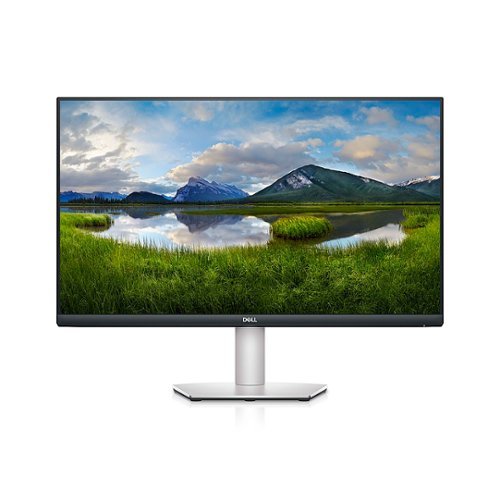
Dell 27" lifestyle-inspired 4K UHD monitor that supports HDR content playback for an amazing entertainment experience. Comes in a beautiful silver finish with a height adjustable stand and VESA compatibility.
Customer Rating

5
Beautiful screen, highly adjustable stand.
on October 4, 2020
Posted by: EagleCroft
from Exeter, NH
Like many people these day I find myself still working from home. Recently I decided to begin using an external display monitor rather than staring at my laptop screen all day long. After a bit of research I found out a few things. One, many monitors were sold out! The reason is obvious as already stated, many people are working from home which has caused a shortage in the computer monitor market. My goal was to find a monitor that was at least 27 in wide diagonally, one that had very good resolution and refresh rate to be easy on my eyes (since I have to stare at it day in and day out. I was also looking for one that was easily adjustable in height as I like to move around a bit to keep the blood going, and the muscle aches from occurring. LOL! I also wanted one that I could change screen orientation. I often read a lot of documents and putting the screen in portrait mode allows me to see an entire page much easier then when in landscape mode.
I came upon the DELL S2721QS 4K UHD HDR computer monitor, and have been using it now for close to a month. I use it all day long for work, which involves looking at documentation, computer code, attending virtual meetings, as well as in the off hours watching streaming videos, and the occasional video game. The monitor is on literally 14 hours a day. I knew all this beforehand so I made sure the monitor was going to be able to handle this heavy duty use.
After about a month of usage I'm ready to render my verdict. In terms of everything I was looking for in a monitor the Dell S2721QS fits like a glove. In this price range I was impressed with this performance, its quality materials, it's vivid rich colors, and even its built-in speakers. It also has an outstanding stand which is very solid and heavy, and can be manipulated in many positions and height levels. I've noticed that my eyes are not as tired at the end of a day, like they were staring at my laptop's screen. Neck pain, headaches, shoulder stiffness and eye strain have all been reduced because of me using this monitor daily.
I’m very pleased with the 4K video, the clarity of the IPS screen, the depth of colors, the low blue light output, as well as the even distribution of its backlight that to me is seemingly flicker free. At the end of the day my neck is not as sore nor are my shoulders and my eyes aren't ready to fall out of my head. The ergonomics from the adjustable stand combined with the high-quality display has made my work day more enjoyable and more productive.
Other bonus features that I appreciate are the built-in speakers that play audio coming off of either of the built-in HDMI ports, or DisplayPort. The audio output is not as good as bigger freestanding speakers but are definitely much better than the speakers in my laptop. The S2721QS monitor also comes with AMD Freesync technology which makes a noticeable difference in video gaming. If you're curious about the Freesync technology I recommend going to Dell's website or AMD’s to learn more.
I'm very happy with this monitor, particularly given the amount of use it gets from me. It literally serves 3 jobs, first as a computer monitor, then an HDR video TV monitor, and finally as a gaming monitor. The low blue light emission screen and all of its other features and characteristics I’ve covered are most definitely worth the extra cost of a monitor like this one. The 4K ultra high definition LCD screen is beautiful whether looking at it straight or at angle from either side.
This is a terrific all-around monitor that I recommend you take a look at. It also comes with a terrific warranty from Dell, which features a free panel replacement for one year should you have any problems with pixel degradation. There are even more features that I haven't covered here, that may be of interest to you. You best bet is to speak with a Blue Shirt associate at Best Buy or at their website. For me the Dell S2721QS checks off all the boxes. I like it a lot and I think you will too!
Mobile Submission: False
I would recommend this to a friend!
Share this review:


+8points
8of 8voted this as helpful.

You can make everything fresh and delicious with the Oster Pro~ 1200 Plus' versatility and performance. The powerful motor starts up with 1200 watts of power that consistently crushes ice, pulverizes greens and turns frozen fruit into a smooth sorbet. Seven speeds including 3 pre-programmed Smart Settings~ take the guess work out of blending and food prep, providing simple one-touch controls for salsas, milkshakes and smoothies at the touch of a button. Featuring a 50% larger blade system (compared to previous Oster~ blender models) and patented Dual Direction Blade Technology~ that blends in forward and reverse motion, optimizing blade power and allowing ingredients to move down into the jar for faster, easier blending. 24 ounce Blend-N-Go~ cup included to take nutritious smoothies on the go.
Posted by: EagleCroft
from Gainesville, Florida
It’s difficult to get excited about a kitchen blender, until you need one! I’ve owned a half dozen blenders over the years, which tells you none of them last. I should qualify that further by saying that none of the ones I purchased lasted. I’m frugal and tend to try and find a balance of price to performance. As I’ve gotten older and somewhat wiser I’ve added ‘quality’ to that list, which always comes at a higher cost (usually). I say ‘usually’ because the last blender I bought was over a hundred dollars and was a piece of junk. That blender, who’s brand name I’ll only hint to (hint: martial artist), lasted 6 months and fell apart. Not only was the product quality horrendous the company’s customer support was the worst I’d ever experienced.
Anyway, fast forward and I now own the Oster Pro® 1200 Plus Blend-N-Go® blender. I’ve owned it for a month, and so far I am impressed. It is far better quality than the one it replaces. Time will tell how well it holds up, but given the materials at the stress points I think it will last a long time.
Pros
Glass Pitcher - I love the pitcher! I never like plastic pitchers on blenders. Glass doesn’t scratch like plastic does, nor does it weep chemicals like plastic does, glass isn’t porous like plastic is, glass is easier to clean. Glass is hands-on the best material for the job.
Glass Pitcher - I love the pitcher! I never like plastic pitchers on blenders. Glass doesn’t scratch like plastic does, nor does it weep chemicals like plastic does, glass isn’t porous like plastic is, glass is easier to clean. Glass is hands-on the best material for the job.
Metal parts where it matters. The aforementioned blender I owned by another highly marketed company was made almost entirely of plastic. It died an early life. I decided to give that blender an autopsy. What I found was lazy manufacturing quality, and cheap materials. The “karate” brand blender used plastic gears, and power transfer parts. The Oster on the other hand uses metal parts where it matters. I haven’t had to take this one apart but I can see that the power transfer is metal to metal which will last a long time and won’t degrade performance.
10 year warranty on drive mechanism
The included smoothie cup can double as the blender container by attaching the blade bottom. After blending simply turn the cup over, remove the blade bottom, and replace with a sealable top drinking lid.
Smart blending technology is really cool! The pre-programmed settings provide a simple way to blend smoothies and other concoctions. It’s such a simple idea, yet so useful!
Very strong motor, yet reasonably quiet. Also I noted that when blending the ‘tunnel’ created in the mixture is well formed. I don’t know if this is of any relevance, but it would seem to me this indicates the blades and the interior of the pitcher work in harmony to blend quickly and efficiently.
Cons
Printed documentation. Maybe I’m missing something but I got a simple pamphlet included with the blender with no instructions for use. Fortunately the Internet has a PDF version, plus it wasn’t too difficult to figure out.
Printed documentation. Maybe I’m missing something but I got a simple pamphlet included with the blender with no instructions for use. Fortunately the Internet has a PDF version, plus it wasn’t too difficult to figure out.
Body material. The one area I think Oster skimped on is the case shell which may look like brushed nickel, but is actually painted plastic. I get it, at this price point cost considerations come into play and I’d rather have metal parts where they are necessary. Which in this case the shell is not one of. Just a minor thing, but I mention it since it will likely get scratched.
And that’s it! The pros far outweigh the cons. If this blender is in your price range, I say get it! It’s been happily churning out margaritas and daiquiris for weeks now, crushing ice like a monster - it’s actually fun to use! I think it’s a really good buy.
Mobile Submission: False
I would recommend this to a friend!
Share this review:


0points
1of 2voted this as helpful.

Brew coffee at your leisure with this Breville Vertuo Next Classic espresso machine. Centrifusion technology with spin rates of up to 7000 rpm ensure thorough coffee extraction, and the included 12 Vertuo coffee capsules introduce you to a variety of coffee flavors. This Breville Vertuo Next Classic espresso machine is Bluetooth-enabled for easy updates, installation and synchronizing with the Nespresso mobile app.
Customer Rating
5
Suddenly I'm a Barista! Nespresso Breville Vertuo
on September 2, 2020
Posted by: EagleCroft
from Gainesville, FL
Another gadget for the kitchen, but at least this one makes me a delicious caffeinated brew to get me going in the morning. I’m a coffee lover, I’ll admit it. I wouldn’t say I’m an addict, as there have been days where I completely forgot to have a cup (or three), and did just fine. Although at the end of the day when I realized I forgot to have coffee I feel like I missed out. I’ve had just about every type of coffee from every type of coffee maker known to man. Ha! So I feel uniquely qualified to offer my review of the Vertuo Next. I’d seen these cool-looking machines in department and specialty shops, with their colorful tin-pods full of coffee grounds and always wondered how easy they would be to operate, and would the coffee be that much better?
Pros
- Nice compact design, takes up minimum counter space.
- Quality materials that suggest this coffee machine will last.
- Good looking design, modern yet contemporary. Fits in well in my kitchen.
- Aluminum sealed capsules ensure fresh grounds and delicious coffee every time.
- Capsules are recyclable, and return envelopes are available to return them after use.
- Low noise during operation, just enough sounds to make you eager for the brewing to complete.
- Quick heat-up time, and brewing time means you aren’t waiting long to enjoy a fresh brew.
- Large reservoir holds plenty of water to make many cups before having to refill.
- Water level is clearly visible and the container is easy to remove, fill and replace.
- Height adjustable cup holder is a nice touch, and has a real quality heft and feel to it.
- Provided sample coffees were all delicious, not one stinker in the bunch. Yum!
- Thick insulated power cable has plenty of length to connect to an AC outlet.
- Coffee came out at just the right temperature, hot, but not too hot and definitely not cool.
- Aromatics fill the kitchen every cup that is brewed. Smells so good!
- Best of all - the flavors! Wonderful! Nespresso engineers and baristas worked together on perfecting a cup of espresso, or coffee. The unique bar coding on each capsule provides instructions to the Vertuo on how to optimize the brewing process specific to those grounds. The end result is consistent, delicious cups time after time. It’s almost impossible to mess up a cup with this system.
- Nice compact design, takes up minimum counter space.
- Quality materials that suggest this coffee machine will last.
- Good looking design, modern yet contemporary. Fits in well in my kitchen.
- Aluminum sealed capsules ensure fresh grounds and delicious coffee every time.
- Capsules are recyclable, and return envelopes are available to return them after use.
- Low noise during operation, just enough sounds to make you eager for the brewing to complete.
- Quick heat-up time, and brewing time means you aren’t waiting long to enjoy a fresh brew.
- Large reservoir holds plenty of water to make many cups before having to refill.
- Water level is clearly visible and the container is easy to remove, fill and replace.
- Height adjustable cup holder is a nice touch, and has a real quality heft and feel to it.
- Provided sample coffees were all delicious, not one stinker in the bunch. Yum!
- Thick insulated power cable has plenty of length to connect to an AC outlet.
- Coffee came out at just the right temperature, hot, but not too hot and definitely not cool.
- Aromatics fill the kitchen every cup that is brewed. Smells so good!
- Best of all - the flavors! Wonderful! Nespresso engineers and baristas worked together on perfecting a cup of espresso, or coffee. The unique bar coding on each capsule provides instructions to the Vertuo on how to optimize the brewing process specific to those grounds. The end result is consistent, delicious cups time after time. It’s almost impossible to mess up a cup with this system.
Cons
Nothing is perfect, as is the case here.
- Minor gripe but the machine came out of the box with lint all over it making it appear to have been used. What it actually was that the plastics have a natural static charge, and the recycled packaging had shed tiny flakes of paper. It was a bit of a pain to wipe away all of the particles.
- The inside capsule holder had some type of dried material on it when brand new. I’ll include a picture. This also made me think the unit might have been used. But it actually was brand new and once I ran through the first time cleaning process everything was good.
- This con can be a pro too… The rubber feet under the unit hold the maker firmly in place. At the same time if counter space is at a premium moving the Nespresso around can be a pain. I found placing it on top of a piece of hard cardboard made it easier to move out for use, and back away when done.
- Poor availability of the pods / capsules. I looked everywhere to buy more coffee in the capsule design and couldn’t find them. I had to resort to ordering them online and waiting until my shipment arrived to continue enjoying the rich coffee this machine makes.
- The biggest issue I have with this product is the cost associated with buying new capsules. The least expensive was around a dollar a pod. Yes, still less expensive than a coffee house like Starbucks. However, it is far more expensive than brewing a pot of coffee. Enjoying a cup from the Vertuo is a special treat.
Nothing is perfect, as is the case here.
- Minor gripe but the machine came out of the box with lint all over it making it appear to have been used. What it actually was that the plastics have a natural static charge, and the recycled packaging had shed tiny flakes of paper. It was a bit of a pain to wipe away all of the particles.
- The inside capsule holder had some type of dried material on it when brand new. I’ll include a picture. This also made me think the unit might have been used. But it actually was brand new and once I ran through the first time cleaning process everything was good.
- This con can be a pro too… The rubber feet under the unit hold the maker firmly in place. At the same time if counter space is at a premium moving the Nespresso around can be a pain. I found placing it on top of a piece of hard cardboard made it easier to move out for use, and back away when done.
- Poor availability of the pods / capsules. I looked everywhere to buy more coffee in the capsule design and couldn’t find them. I had to resort to ordering them online and waiting until my shipment arrived to continue enjoying the rich coffee this machine makes.
- The biggest issue I have with this product is the cost associated with buying new capsules. The least expensive was around a dollar a pod. Yes, still less expensive than a coffee house like Starbucks. However, it is far more expensive than brewing a pot of coffee. Enjoying a cup from the Vertuo is a special treat.
Summary:
This machine is well designed, and executed. It accomplishes what it was made for, to create premium tasting coffees. Setting up the machine was super easy, and the bar code technology on the pods made making a perfect cup of coffee idiot-proof. It made me into a specialty coffee shop Barista! In my home this coffee will be used for special occasions, or special visitors. One can certainly get used to having a cup or more every day, but the cost may be prohibitive. For me this is a supplemental coffee machine. For pure quantity I have a coffee maker that churns out decent coffee for a fraction of the cost of a Nespresso pod. But when a special occasion calls for it I’ll offer coffee from the Nespresso. It’s a real treat, and any coffee lover will appreciate the rich, hot and deliciousness that this kitchen gadget can produce. The pods come in many differing types of brews, I do recommend getting a sampler so you can identify your favorites. If you are a lover of coffee - you need to have one in your kitchen even if you already have a regular coffee maker. Love it!
This machine is well designed, and executed. It accomplishes what it was made for, to create premium tasting coffees. Setting up the machine was super easy, and the bar code technology on the pods made making a perfect cup of coffee idiot-proof. It made me into a specialty coffee shop Barista! In my home this coffee will be used for special occasions, or special visitors. One can certainly get used to having a cup or more every day, but the cost may be prohibitive. For me this is a supplemental coffee machine. For pure quantity I have a coffee maker that churns out decent coffee for a fraction of the cost of a Nespresso pod. But when a special occasion calls for it I’ll offer coffee from the Nespresso. It’s a real treat, and any coffee lover will appreciate the rich, hot and deliciousness that this kitchen gadget can produce. The pods come in many differing types of brews, I do recommend getting a sampler so you can identify your favorites. If you are a lover of coffee - you need to have one in your kitchen even if you already have a regular coffee maker. Love it!
Mobile Submission: False
I would recommend this to a friend!
Share this review:


+1point
1of 1voted this as helpful.
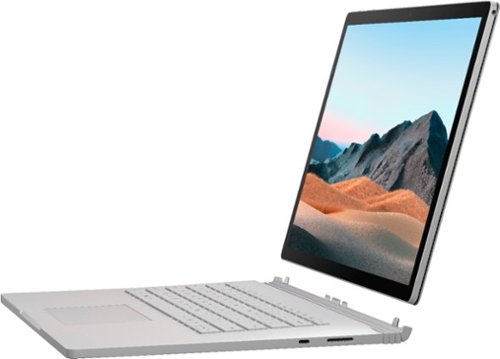
Performance meets versatility. From intensive video and graphics files to high-octane gaming, the most powerful Surface laptop yet combines speed, graphics, and long battery life with the versatility of a laptop, tablet, and portable studio. Tackle your biggest demands with quadcore powered 10th Gen Intel~ Core~ processors, blazing NVIDIA~ graphics, and high-resolution PixelSense~ Display designed for Surface Pen* and touch.
Customer Rating
4
Very Powerful, and Innovative Design
on July 27, 2020
Posted by: EagleCroft
from Ocala, FL
Welcome to my review of the Microsoft Surface Book 3 15” Model:SLZ-00001. Before I begin I would like to disclose that I have been provided the Surface Book 3 in exchange for and as fair compensation of my time testing and reviewing the product in a fair, honest and unbiased manner.
If you are reading this review it’s most likely because you are thinking of buying a high-end laptop computer and you want to see what other buyers have experienced before you pull the trigger. That’s what I hope to help you with. There is a lot of marketing material available from the manufacturer easily available to you online. My review is based on the way I use a computer, and my life experiences (i.e. I’m not writing a sales pitch).
A powerful computer is needed for specific applications; (1) those that require lots of number-crunching CPU power such as writing and compiling source code, (2) graphics intensive applications that require powerful GPUs for video editing, photo-editing, graphics design and rendering, 3D modeling, VR, and gaming. There are differing levels of capabilities within these classes, and generally speaking the more you spend the more power you get. In review is the Surface Book 3 SLZ-00001 model, which features a 10th generation Intel Core i7 processor, and an nVidia GeForce GTX 1660 TI GPU. Internal storage is provided by a 256GB SSD, RAM comes in at 16GB. There are a ton of other features, but for the purposes of what I believe the target customer will be - these are the primary factors to focus on.
Executive Summary: I used the SB3 for compiling code (via Microsoft Visual Studio), and for editing videos and photos, for CAD and 3D modeling. I do consider myself a power user who works in technology, but my profession is not editing videos or using CAD software for modeling and design. If your needs fall into that category and you have above average power needs in your profession - my advice is to skip over this particular model and jump up to the top of the line and get the Surface Book 3 with the nVidia Quadro RTX 3000 GPU. Max out the memory and the SDD, and you will have a monster of a machine to use for Solidworks, or AutoCad, or heavy duty video renderings. The Quadro RTX 3000 GPU is a fantastic graphics processor, it pushes this laptop into the desktop replacement arena. If you can afford it, get that one!
Let’s get to it!
Software I installed and ran:
Adobe Photoshop Premiere Pro (professional video editor)
Adobe Photoshop & Lightroom (professional photo editor)
Adobe Photoshop Elements & Premiere Elements (consumer photo and video)
Dassault SolidWorks (3D modeling)
AutoDesk AutoCad (3D modeling)
Avid Media Composer (Video Editor)
Microsoft Visual Studio
Adobe Photoshop & Lightroom (professional photo editor)
Adobe Photoshop Elements & Premiere Elements (consumer photo and video)
Dassault SolidWorks (3D modeling)
AutoDesk AutoCad (3D modeling)
Avid Media Composer (Video Editor)
Microsoft Visual Studio
Results
PPR installed and ran without any issues, updates occurred quickly and no problems. I didn’t notice any issues until I started rendering very large video files and optimizing them. Then I notice lag in the system. The CPU utilization was high, but not terrible, neither was the memory overwhelmed. I could only surmise the issues I was experiencing were due to the GPU in this particular notebook. The average user may never notice, but the professional would absolutely notice.
P&L installed and ran without any issues, updates occurred quickly and no problems. App start time was a little better than average I would say, likely due to the high speed RAM and speedy SSD. I had no problem editing large uncompressed images, I noticed no lag at all. It really performed well, and the imaging on the LCD panel was beautiful and very accurate colors. I was impressed.
Elements (photo & video), installed just fine and came up quickly. No surprise each application worked splendidly, since these are essentially lite versions of the professional packages which I just discussed. The Surface Book 3 handled these without breaking a sweat.
Now we start getting into the heavy stuff… Modeling software is a notoriously power hungry application, particularly on the video system. But I wanted to see if the SB3 was up to the challenge. SolidWorks installed and configured fine. It had it moments during the install, and during updates. But it’s a big application, so I wasn’t surprised. SW3D ran fine until I introduced some rather large files to work on. It didn’t crash, but it did slow down and became noticeable when rendering and moving 3D objects. Again, I was likely seeing the limitations of the built-in GPU. I wouldn’t recommend it for the pro, but the enthusiast is going to be okay.
ADAC - same story, installation was none-eventful. But I did have the same type of issues running large AutoCad files as I did with SolidWorks. For the average hobbyist and tinkerer this machine would suffice. But not for a power-user, especially one that is using this for their business.
Avid Media Composer is a great video editing system, but a bit complicated. I had more problems running this one than I did Adobe Premiere when editing and rendering large videos. No crashes, just laggy and not as speedy as my desktop workstation which has a high end video card in it. Again, it worked - and did the job. But doesn’t compete with a professional video editing machine.
Installed Microsoft Visual Studio and everything worked smoothly and super fast. I loaded up some raw uncompiled code, and it had no problem at all in crunching through it. As quick as my desktop PC I do most of my work on. Excellent performance all around.
Application Testing Summary
All the applications installed and ran, and were entirely usable. Professional level power-use of the applications were a challenge to the SB3 at times, most likely due to the video GPU in this particular unit. Microsoft does offer a huge step up in the SB3 family featuring an NVIDIA® Quadro RTX™ 3000 GPU. If I was going to buy a laptop for 3D modeling or complex video editing - I would absolutely buy this model. My guess is that with that GPU onboard any lag I experienced in my tests would vanish. The RTX 3000 is a monster graphics processor for a laptop, and many of the current graphics applications (including those I tested with), will make use of the capabilities in the GPU. If I ever get my hands on that model I’ll rerun the tests and let you know.
Likes
Beautiful design and top notch build quality (Apple level construction)
Choice of materials - sturdy shell, stiff surfaces underneath, soft-touch on top.
Gorgeous screen, big, bold and vibrant (3:2 aspect 3240x2160). Best screen I’ve seen on a laptop, Period.
Battery life is advertised up to 17.5 hours. However I never hit the posted times - but I believe them! I’m actually shocked at how good the battery life is considering there’s a power i7 CPU, a super bright LCD panel, and a speedy GPU. Credit goes to intelligent battery power saving, and a dual-battery configuration (one in the tablet and one in the base). But remember if you go into tablet mode you’ll be running on just the one smaller battery so time will be seriously diminished.
Keyboard is wonderful! Best keyboard on a laptop I’ve used, and I’ve used many. Again, no expense was spared in building this impressive machine.
Touchpad is big and responsive, with the right amount of sensitivity in the goldilocks zone.
SD Card slot, since just about every gadget uses one for storage.
Discrete nVidia 1660 ti GPU built into the base is like a supercharger on a muscle car. But remember when you undock the video chip stays in the base not in the tablet.
Microsoft engineers thankfully put some nifty touches in this design. For example when you discount the tablet (undock), you are free to roam about. But wait, what happens if your tablet battery runs down? Do you have to go back and redock? Nope! The center connector that binds the table to the keyboard base doubles as a power port. So you simply use the same connector to charge the base to charge the table. Neat!
I like the power adapter, it is lightweight, small, and doesn’t look like every other adapter I have in my drawers at home (a good thing). I’m also intrigued that a 3-prong plug (with ground), is not used. Instead a standard 2-prong plug connects to a socket. This is actually wonderful, but I am curious why and how they decided on this. But I like it!
Beautiful design and top notch build quality (Apple level construction)
Choice of materials - sturdy shell, stiff surfaces underneath, soft-touch on top.
Gorgeous screen, big, bold and vibrant (3:2 aspect 3240x2160). Best screen I’ve seen on a laptop, Period.
Battery life is advertised up to 17.5 hours. However I never hit the posted times - but I believe them! I’m actually shocked at how good the battery life is considering there’s a power i7 CPU, a super bright LCD panel, and a speedy GPU. Credit goes to intelligent battery power saving, and a dual-battery configuration (one in the tablet and one in the base). But remember if you go into tablet mode you’ll be running on just the one smaller battery so time will be seriously diminished.
Keyboard is wonderful! Best keyboard on a laptop I’ve used, and I’ve used many. Again, no expense was spared in building this impressive machine.
Touchpad is big and responsive, with the right amount of sensitivity in the goldilocks zone.
SD Card slot, since just about every gadget uses one for storage.
Discrete nVidia 1660 ti GPU built into the base is like a supercharger on a muscle car. But remember when you undock the video chip stays in the base not in the tablet.
Microsoft engineers thankfully put some nifty touches in this design. For example when you discount the tablet (undock), you are free to roam about. But wait, what happens if your tablet battery runs down? Do you have to go back and redock? Nope! The center connector that binds the table to the keyboard base doubles as a power port. So you simply use the same connector to charge the base to charge the table. Neat!
I like the power adapter, it is lightweight, small, and doesn’t look like every other adapter I have in my drawers at home (a good thing). I’m also intrigued that a 3-prong plug (with ground), is not used. Instead a standard 2-prong plug connects to a socket. This is actually wonderful, but I am curious why and how they decided on this. But I like it!
Dislikes
Terrible speakers. It’s a shame too because the internal audio system is top-notch. I’m surprised Microsoft didn’t do better… They bought the right audio processors and amplifiers but not the right speakers. Shame. Having said that if you plug a good pair of amp’d speakers into the earphone jack you will get amazing sound!
Position of headphone jack. Who’s idea was it to put the headphone jack on the top of the bezel? It makes no sense when the system is used as a laptop or a tablet. Then again, most people are going to use bluetooth. I guess I should be thankful that they included a jack at all (since Apple no longer does).
Only one power port. I use a Chromebook for light-duty tasks (surfing), and I really love it. One thing it has that I wish the SB3 had is a power port (USB 3), on either side of the laptop. This is so convenient! I can sit on either side of an outlet and plug in without having to reroute the cable. Such a simple thing, but so useful!
Microsoft makes a beautiful pen that works with the Surface Book 3, in fact it should be packaged with the SB3. And yet, it’s an option you have to buy. So I did not have one to use in my tests. A huge disappointment, and I found it confusing…
I have a love/hate thing going with the hinge. I’m sure it’ll grow on me, but I don’t see the appeal. It’s innovative I guess, but the best solution? Not so sure. Time will tell. I just don’t like the gap when the unit is closed. Also the hinge has a limited range of movement. Just not a fan, but I’ll live with it.
Position of headphone jack. Who’s idea was it to put the headphone jack on the top of the bezel? It makes no sense when the system is used as a laptop or a tablet. Then again, most people are going to use bluetooth. I guess I should be thankful that they included a jack at all (since Apple no longer does).
Only one power port. I use a Chromebook for light-duty tasks (surfing), and I really love it. One thing it has that I wish the SB3 had is a power port (USB 3), on either side of the laptop. This is so convenient! I can sit on either side of an outlet and plug in without having to reroute the cable. Such a simple thing, but so useful!
Microsoft makes a beautiful pen that works with the Surface Book 3, in fact it should be packaged with the SB3. And yet, it’s an option you have to buy. So I did not have one to use in my tests. A huge disappointment, and I found it confusing…
I have a love/hate thing going with the hinge. I’m sure it’ll grow on me, but I don’t see the appeal. It’s innovative I guess, but the best solution? Not so sure. Time will tell. I just don’t like the gap when the unit is closed. Also the hinge has a limited range of movement. Just not a fan, but I’ll live with it.
Mobile Submission: False
I would recommend this to a friend!
Share this review:


0points
0of 0voted this as helpful.
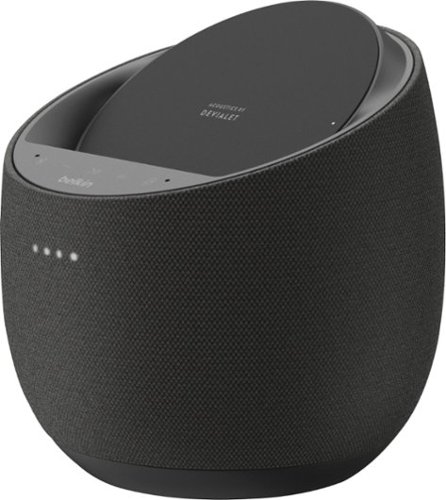
Improve your listening experience with this Belkin SoundForm Elite Hi-Fi smart speaker. The Push-Push dual woofer design delivers deep, distortion-free bass, and the Speaker Active Matching technology helps maximize sound quality. Google Assistant integration lets you control this Belkin SoundForm Elite Hi-Fi smart speaker and play songs from your library using voice commands.
Customer Rating
4
Good first attempt. But I wanted to like it more..
on June 23, 2020
Posted by: EagleCroft
from Ocala, FL
Belkin is a solid technology company that has been building quality products over a wide spectrum of consumer electronics categories for many years. The Belkin company story is quite interesting, and worth reading on their website (in About Us). From assembling cables in a garage, to being part of parent company Foxconn - this is a substantial company with huge engineering resources. I mention this mainly because for a company not known for building portable speakers - they entered the field in a big way. The portable speaker market is saturated, and Belkin did a smart thing... They partnered with French audio company Devialet who set the speaker world on its ear with the introduction of the Phantom speaker. If you have ever walked into an Apple Store and seen a strange 'space-alien' looking speaker pumping out gobs of amazing sound - then you have experienced Devialet's astounding technology. Unfortunately technology like theirs comes at a price, around three thousand dollars! This price point makes bringing this magnificent product out of reach for most people (me included). Until now... Belkin struck a deal with Devialet to license their speaker technology. It is a brilliant idea, and I was so hopeful! There are many things I love about the SoundForm Elite speaker, but alas I come away disappointed because the potential is there but the execution was not. I came away feeling this product wasn't fully baked, and wasn't ready for marketplace prime time. I'm not saying the speaker isn't worth considering, but this could have been a huge slam-dunk for Belkin if they had just worked on this a bit more. I have high hopes for a version 2.0, or other more mature products in the Belkin speaker line-up. If you are the type that needs to have the newest toy on the block - then check this out. Otherwise this speaker is a mixed bag and requires careful consideration and comparison.In its price category are many fantastic speakers, from big brand name audio companies. This was a good first attempt by Belkin, and I applaud them for the effort. However, they missed out on a home run here. Give it a listen in a Best Buy, compare it to Bose or make your way back to the Magnolia section in the store and check out other high end portable speakers. This is a good speaker worth your consideration. It's just a little sad because it could have been a contender!
Hits
Devialet's "push-push" and "SAM: speaker technologies
Beautiful audio reproduction
Gets loud without distortion
Good build quality
Pleasant aesthetics
Innovative packaging of several technologies
Integration of Google's Smart Home technology
Wireless inductive charging worked well
Support for a few streaming music services (Spotify, Google Music, Pandora, etc.)
Voice controls through Google, with whole house capabilities
WiFi or Bluetooth connectivity
Devialet's "push-push" and "SAM: speaker technologies
Beautiful audio reproduction
Gets loud without distortion
Good build quality
Pleasant aesthetics
Innovative packaging of several technologies
Integration of Google's Smart Home technology
Wireless inductive charging worked well
Support for a few streaming music services (Spotify, Google Music, Pandora, etc.)
Voice controls through Google, with whole house capabilities
WiFi or Bluetooth connectivity
Misses
Giant wall-wart. I hate these power adapters. Please spend another few pennies and place a cord in between the transformer and the wall outlet. Serious pet-peeve of mine.
The cloth covering on the speaker is loose and I can foresee it catching on something and getting pulled and damaged. I see no easy way of replacing it.
No primary ON/OFF button
Google voice command doesn't support Power On or Power Off
Lacking a dedicated APP that should be developed for this
Flush buttons are difficult to use with any precision and no haptic feedback.
Volume buttons do not adjust up or down with enough granularity. I found it difficult to find a happy volume level (without using google assistant)
Lacking a mini-jack for line input. I have a high-res audio player that I can't connect to this speaker. That is silly.
Lacking a battery for portability. This runs only on AC. I live in a part of the country that loses power every winter, and sometimes in the summer. Why couldn't Belkin have either built in a rechargeable battery pack. Or made it a modular system where a rechargeable battery could be added on as an option? I can only assume cost savings (again).
The power connector leading to the underside of the speaker kept getting tugged out unexpectedly. I had to re-seat it a number of times. Finally I put a piece of duct tape on it to keep it from falling out. Bad design.
Google assistant has many clicks and pops that are made when an event occurs, these are system sounds. The problem is they get equally loud along with music. So crank up your music, get a text message on your mobile phone - and your in for a loud attention sound. Annoying.
No USB or Lightning connector for input or for charging.
No sensitivity settings for the flush buttons
Control panel surface is a fingerprint magnet.
Lacking controls on the speaker itself. Could use more functionality and Belkin should include a built-in display to show status and other controls.
The speaker froze-up on me twice while switching between whole house (wifi) mode, and Bluetooth. I had to reset the speaker to factory defaults (pinhole button on bottom of speaker), to clear it up.
I see no option to update firmware to fix bugs (which I encountered)
No support for Apple or Amazon music streaming services
Minuscule user's guide and not much more information online
Not great at low volume level listening. Audio quality suffers.
Unboxing was nothing interesting, quite boring really. For a premium product I expect more of how Apple boxes up their products.
Giant wall-wart. I hate these power adapters. Please spend another few pennies and place a cord in between the transformer and the wall outlet. Serious pet-peeve of mine.
The cloth covering on the speaker is loose and I can foresee it catching on something and getting pulled and damaged. I see no easy way of replacing it.
No primary ON/OFF button
Google voice command doesn't support Power On or Power Off
Lacking a dedicated APP that should be developed for this
Flush buttons are difficult to use with any precision and no haptic feedback.
Volume buttons do not adjust up or down with enough granularity. I found it difficult to find a happy volume level (without using google assistant)
Lacking a mini-jack for line input. I have a high-res audio player that I can't connect to this speaker. That is silly.
Lacking a battery for portability. This runs only on AC. I live in a part of the country that loses power every winter, and sometimes in the summer. Why couldn't Belkin have either built in a rechargeable battery pack. Or made it a modular system where a rechargeable battery could be added on as an option? I can only assume cost savings (again).
The power connector leading to the underside of the speaker kept getting tugged out unexpectedly. I had to re-seat it a number of times. Finally I put a piece of duct tape on it to keep it from falling out. Bad design.
Google assistant has many clicks and pops that are made when an event occurs, these are system sounds. The problem is they get equally loud along with music. So crank up your music, get a text message on your mobile phone - and your in for a loud attention sound. Annoying.
No USB or Lightning connector for input or for charging.
No sensitivity settings for the flush buttons
Control panel surface is a fingerprint magnet.
Lacking controls on the speaker itself. Could use more functionality and Belkin should include a built-in display to show status and other controls.
The speaker froze-up on me twice while switching between whole house (wifi) mode, and Bluetooth. I had to reset the speaker to factory defaults (pinhole button on bottom of speaker), to clear it up.
I see no option to update firmware to fix bugs (which I encountered)
No support for Apple or Amazon music streaming services
Minuscule user's guide and not much more information online
Not great at low volume level listening. Audio quality suffers.
Unboxing was nothing interesting, quite boring really. For a premium product I expect more of how Apple boxes up their products.
I guess I set my expectations too high for this speaker. But all is not lost, the potential is still there to create a stunningly good speaker. It just isn't this revision. The unit cost is high, probably due to the licensing fees from Devialet. But that still doesn't excuse the lack of many features and straight forward refinement for this device. I hope the product manager for Belkin is reading this review. Please go back and make this into the product it was meant to be. I'll send you the requirements if you like! You guys are very close, everyone deserves a second chance. Take yours, and swing for the fence this time!
Mobile Submission: False
No, I would not recommend this to a friend.
Share this review:


+1point
1of 1voted this as helpful.
EagleCroft's Review Comments

Bose~ SoundLink~ Mini Speaker: Enjoy full, robust sound anywhere you go with this speaker that features an ultracompact design for easy movement from room to room. Bluetooth technology allows you to wirelessly stream music and more from your compatible cell phone, audio player and more.
Overall4 out of 5
4 out of 5King of the Hill "Portable Bluetooth Speakers"
By EagleCroft
from Exeter, NH
I'll admit it, I'm an audio snob. Unfortunately my wallet doesn't match my audio desires - so I try to get the best bang for my buck. I have tried many portable speakers starting at $50 and steadily worked my way up. I really didn't want to spend $200 on a speaker, but once I got to demo the Bose Soundlink Mini I found out that there was something very special about this little gem. I've tested speakers 2 times, even 3 times its size and none have reproduced the full spectrum and warmth of sound that the Soundlink Mini has. To be honest as a self-proclaimed audiophile I have shunned Bose products, they were always too mainstream for me - too mass marketed and price / value never made sense to me. I instead would opt for the more esoteric name brands (and still do). But in this case there is simply no competition at this price point (and Bose products never go on sale). Being able to pack this much sound into such a small case is just unbelievable. The engineers at Bose are simply magicians, or at least "wicked smart". It almost doesn't make sense when you hear this speaker playing, you expect to see a subwoofer hidden somewhere. I’d like to suggest to Bose that they change the name from Soundlink to “The Bose Tardis”, as its size belies its true capabilities (Dr. Who reference). I did several side by side comparisons with more than a half dozen Bluetooth speakers and the closest any one of them came was the UE Boom. The Bose has warmer tones overall, which I particularly like (vocals sound full, but not overdone). The UE Boom has better sound separation; the bass is good – but not as good as the Bose. Its upper end is crisp, and actually too bright for my ears. Of all the sub $200 speakers I’ve tried, these 2 are the crème of the crop. The edges out a win for me, but if I were more interested in portability (throwing the speaker in a backpack and heading to the beach), in that case the UE Boom is a better choice. The Bose is more of a home-body; it looks great perched upon its dock, charging. Frankly the Bose is too nice to bring outside. It’s not without its faults though, the Bose lacks a Line Out jack (which would be nice), and although it’s pointless to me some people might want a speakerphone built-in. The docking station is a great feature too, allowing you to quickly set it down to charge (and it looks good too). The Bose Soundlink Mini is a winner, buy it- you’ll not regret it.

EagleCroft
Exeter, NH
Responding to posted question...
April 6, 2014
To the reader who asked for brand names of esoteric speakers I was referring to, I own a pair by B&W, and a pair by KEF. Not crazy priced speakers, but not mainstream either. I'm still extremely pleased with the purchase of the Bose Soundlink Mini. In fact I took the time to video a review of it, and comparing it to other similarly priced BT speakers (notably the UE Boom). Once I edit and clean up the video, add dialog - I'll be posting on YT. BTW, a couple of other notables about the the Bose: (1) it sounds great a low volume levels. Most reviews focus on how loud a speaker can get. Many times that isn't as important as how -good it sounds at low volume levels. The Mini really, really shines in this area. At low volumes the sound is still warm, and deep and well assembled. It's amazingly efficient. For comparison the UE Boom sounds good at loud volume, but loses its richness at a low volume and the bass all but disappears. Most small speakers suffer this same malady, play them softly and they sound like an old transistor radio. Not the case with the Bose Mini - it's wonderful. The other nice thing that the Bose engineers did (or should I said didn't do) is add all sorts of annoying confirmation tones that most other BT speakers have. I have no idea why other manufacturer's have followed this trend, I don't need to hear loud confirmation tones (or even human voices) to let me know when I power on or hit max volume. Bose is elegant and refined, and doesn't try to show off.
0points
0of 0voted this comment as helpful.
EagleCroft's Questions
EagleCroft has not submitted any questions.
EagleCroft's Answers
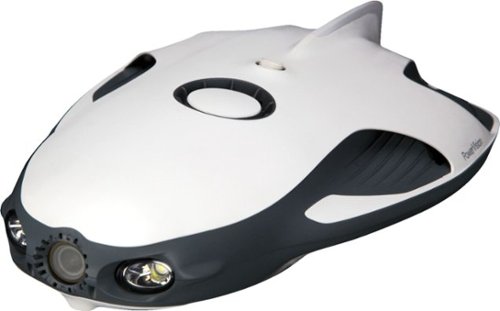
Open a world of ocean exploration with this PowerRay Wizard underwater camera. The detachable PowerSeeker fishfinder can be used by itself to map landscapes, and the 4K Ultra HD camera with wide-angle lens captures photos or videos in lakes or seas. Real-time streaming at 1080p from this PowerRay Wizard underwater camera lets you share your adventures via social networks.
How many lumens does the light produce
Good question!
Power: 3Wx2
Brightness: 450 lumens(with dimming control)
Color Temperature: 6500K
Power: 3Wx2
Brightness: 450 lumens(with dimming control)
Color Temperature: 6500K
7 years, 1 month ago
by
EagleCroft

Enjoy your workout and travel playlists with these JBuds Air true wireless earbuds. Three EQ settings include JLab Signature, Balanced and Bass Boost to customize your listening experience, and the charging case provides 10 hours of additional battery life. Take clear, hands-free phone calls with the built-in microphone and Bluetooth 5.0 technology of these JBuds Air true wireless earbuds.
this headphones are conpatible for iphones?
Yes, I use them on my iPhone 7+. They sound great!
7 years, 5 months ago
by
EagleCroft
Enjoy your workout and travel playlists with these JBuds Air true wireless earbuds. Three EQ settings include JLab Signature, Balanced and Bass Boost to customize your listening experience, and the charging case provides 10 hours of additional battery life. Take clear, hands-free phone calls with the built-in microphone and Bluetooth 5.0 technology of these JBuds Air true wireless earbuds.
Is it possible to just use one?
Yes, you can use just one earbud and keep the other in the case.
7 years, 5 months ago
by
EagleCroft

One solution across all your devices. With Office 365 Personal, you get Word, Excel, PowerPoint, Outlook, and more. Work anywhere with apps that are always updated with the latest features. 12-month automatically renewing subscription for one person including 1TB OneDrive cloud storage.
So does that mean when 12 months is up it automatically renews
Yes, you need to make sure you go into your account and disable the auto-renewal.
7 years, 7 months ago
by
EagleCroft
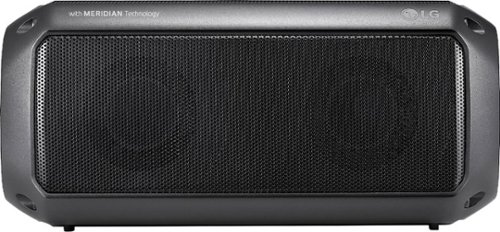
Feel the beat with this LG PK3 portable Bluetooth speaker. It provides dynamic sound and rich bass thanks to its Meridian Audio technology, so you can bring the party with you. The IPX-7 water resistance lets you go anywhere, rain or shine. This LG PK3 portable Bluetooth speaker keeps the music going for up to 12 hours per charge.
I want to use this as a speaker on my TV. Will it work for this purpose if I leave it plugged into a wall outlet for power all the time?
Sure! Just be aware that it uses a Type-C USB connector. The cable is provided, but isn't very long. So depending on your needs and access to a USB port - you may need to buy a longer cable. Otherwise it will need a typical micro audio connector cable to plug it into your TV (unless you use Bluetooth). I hope that helps.
7 years, 8 months ago
by
EagleCroft
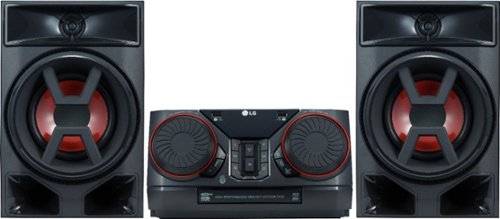
Enjoy room-filling audio in any living space with this LG Hi-Fi shelf system. Its two 150W speakers produce loud, detailed sound, and it streams music via Bluetooth when you pair it with an Android device. This LG Hi-Fi shelf system has an EQ function that optimizes the audio based on the music you're listening to.
Can I connect a turntable to this system? My current shelf system has an AUX input.
Chances are, no... It really depends on your turntable. Unlike most discreet audio components turntables require a preamp to boost the signal before it can be amplified. Some new turntables don't need this, so your best bet would be to check your owner's manual from the turntable and verify that it can run without a preamp.
7 years, 9 months ago
by
EagleCroft
Enjoy room-filling audio in any living space with this LG Hi-Fi shelf system. Its two 150W speakers produce loud, detailed sound, and it streams music via Bluetooth when you pair it with an Android device. This LG Hi-Fi shelf system has an EQ function that optimizes the audio based on the music you're listening to.
Does it have a CD player
Enjoy room-filling audio in any living space with this LG Hi-Fi shelf system. Its two 150W speakers produce loud, detailed sound, and it streams music via Bluetooth when you pair it with an Android device. This LG Hi-Fi shelf system has an EQ function that optimizes the audio based on the music you're listening to.
Does this have a telescoping antenna?
No, it uses a length of wire which is directional as the antenna.
7 years, 9 months ago
by
EagleCroft
Enjoy room-filling audio in any living space with this LG Hi-Fi shelf system. Its two 150W speakers produce loud, detailed sound, and it streams music via Bluetooth when you pair it with an Android device. This LG Hi-Fi shelf system has an EQ function that optimizes the audio based on the music you're listening to.
How can I add speakers to this system. What speakers are compatible?
It comes with two speakers, that are attached with separate R/L +/- speakers wires. You can add more speakers the same way I'm sure, but be aware that the speakers are matched to the system. I'm not sure how many ohms the system speakers run on, and that's critically important to the efficiency and volume of sound. Remember 300 Watt RMS doesn't necessarily mean it can drive large speakers, chances are you need very efficient speakers with a low ohm rating to work well with this system. It's doable, but you'll have to do some homework to make it sound good.
7 years, 9 months ago
by
EagleCroft