


mobilelawyer's stats
- Review count132
- Helpfulness votes425
- First reviewAugust 25, 2010
- Last reviewApril 15, 2026
- Featured reviews0
- Average rating4.8
Reviews comments
- Review comment count0
- Helpfulness votes0
- First review commentNone
- Last review commentNone
- Featured review comments0
Questions
- Question count0
- Helpfulness votes0
- First questionNone
- Last questionNone
- Featured questions0
- Answer count14
- Helpfulness votes9
- First answerMarch 24, 2014
- Last answerMay 26, 2021
- Featured answers0
- Best answers0
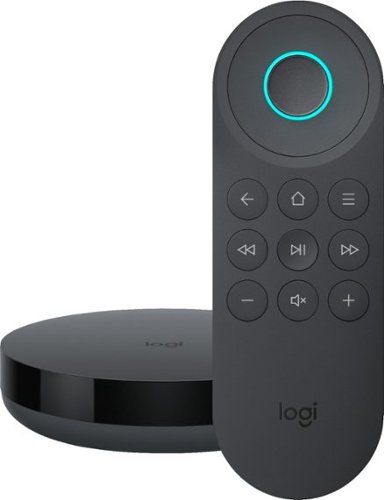
Simplify device management with this Logitech Harmony Express smart universal remote control. Amazon Alexa is built in, letting you issue voice commands to access entertainment, ask questions and a host of other features. This Logitech Harmony Express smart universal remote control lets you change TV channels, open apps on tablets and tackle numerous other tasks.
Posted by: mobilelawyer
from Mobile, AL, USA
You don't even have to call her name when you use this voice remote, but make no mistake, Alexa is doing all the work. And using this device is dead simple.
The remote is a diminutive lighted little beauty. My pictures show it in my hand, and also show the remote next to its hub, the larger Harmony Hub, and the Harmony Elite remote. The size is incredibly small for all the Harmony Express does.
First, you must install the Harmony Express software on your iPhone or Android device. Plug the hub's power supply into the wall, and the USB connector from the power supply into the hub. There is a separate emitter for attachment in the event the hub cannot have a clear a line of sight to your devices. The software finds the hub, searches Wi-Fi connections for availability, let's you connect, and then downloads and applies any firmware updates that may be available.
The hub searches for all the devices connected to your network. In my case, I use an Onkyo AVR to which all my entertainment devices are connected. It acts as an HDMI 4K switcher becuase my monitor only does 4K from one HDMI input. Not all devices were found, but those that were not could be manually added. Each device was then assigned to one of the inputs on the AVR, by dragging and dropping on the software. That easy. You don't have to name or define any tasks like you would with the conventional Harmony Hub remotes. The set-up process is even more simple than this description can convey. Simple and intuitive.
The rest is nothing short of magic. And realizing that this device could wind up interfering with all the other Alexa-enabled devices already in place, the designers made sure you did not have to invoke Alexa's name to speak a command.
Picture this. I told you what I did to set up the software. All my devices were off. I picked up the remote, pressed and held the OK button, and spoke into it, "Go to NBC". In a moment, the monitor, the AVR, and my TiVo, switched on. The input on the AVR was set to the TiVo. A moment later, the TiVo changed to my local NBC station. "Go to channel 3.1" The TiVo changed to that channel. "Turn on Roku" the AVR and monitor stayed on, the AVR input was switched to my Roku device which turned on. There is a list of commands that the literature with the device lists and which Alexa will understand. Everyone that I tried worked to perfection. "Go to Netflix". The Roku changed to its Netflix app. "Go to Fire TV" The AVR switched to my Fire TV device. "Go to Blu-Ray" The AVR switched to my Blu-Ray player and turned it on.
You generally cannot improvise though. If you do not speak the exact phrase that Alexa is programmed to understand, you'll be advised by her that she does not know how to perform the task you have spoken. And, of course, if there is extraneous noise, or you did not speak clearly, she may not understand you. Those kinds of problems were minimal for me.
The analogy that I make is to the Harmony Hub activities, if you have ever programmed those devices. Your voice command becomes the activity. Because of the way the devices have been recognized and identified to the software, it knows what needs to be done when you want to do something like "Watch CBS". It turns on all the devices and sets the inputs on the command, whether you are switching from one activity to another or turning everything off. "Turn off the TV" and everything turns off.
You do not use your voice at all to control non-switching activities like turning the volume up or down or using the rocker switch to navigate on the device being controlled. The rocker is the lighted circle and the OK button is the middle of the circle. Your voice and those first-named buttons will be doing 99 percent of the work. But the OK, rocker, volume, pause/play, return, and skip search buttons are about all you need. A third function button serves different purposes for different devices, depending on how you have set the remote up. And some of the function buttons can be programmed to serve contrasting functions depending on whether you use a short press or a long press. Again, all the buttons on the remote are lighted. At this juncture, you cannot use the Harmony Express microphone to search within an app, like Netflix. The implication is that a search function may come later. There are no batteries. The remote is charged with a USB cable attached to your computer.
I have been playing with this device for a couple of days and I really love it. I love the way it feels in my hand and the way it works. Will it replace my Harmony Elite remote? I can't say that it will do all the things my Elite can do. It can't, and the Express costs just as much if not more unless you can find the Elite on sale. My Elite controls more devices, but it was way more complex to get set up and must be periodically fiddled with to keep it in tip top shape. What the Express does is arguably simpler work, but the tasks are generally performed flawlessly and without any intervention. It is addictive. I promise. I think that for most home theater users, the Express could become their remote of choice. I would be truly amazed if many users of this device would let it go after putting it through the paces.
There were a couple of hiccups. My AVR has five identified HDMI inputs and a sixth one that can be assigned. The Express did not find, and I therefore could not use the assigned HDMI input, which I wanted to use for another of my streaming devices. I could still use it by running the device's HDMI to a second input on my monitor, instead of routing it through the AVR. The software saw that route and made it available. And you cannot use the Express in a room where you are already using a Harmony Hub device. Since Alexa can also work with the Harmony Hub remotes, this restriction is totally understandable. In my Livingroom where the Harmony Hub Elite had been used, it was disabled so that the Express functions could be enabled. The magic does have its limitations.
If you are in the market for a universal remote, you ought to consider this one. It's perfect for what it was designed to do. Another thing. Even though you don't have to call Alexa's name to summon her, you can still ask her to do anything she's otherwise programmed to do by speaking into the remote, just like you could on any other Alexa- enabled device. What's the temperature? She'll tell you just like she always has.
Amazing. Now Logitech has trained Alexa. What in the world could be next?
Mobile Submission: False
I would recommend this to a friend!


Share this review:


+3points
3of 3voted this as helpful.

Logitech C920s is a budget-friendly, work-from-anywhere webcam that delivers a professional video meeting experience. It includes features designed to make you look and sound great in your next meeting. A 78~ diagonal field of view perfectly frames you and your space, while autofocus adjusts smoothly and precisely. RightLight 2 technology automatically adjusts to your lighting situation even in low-light or backlit conditions. And dual integrated mics accurately capture your voice from multiple angles for greater nuance. If you~re streaming or recording, use Logitech~s Capture app to edit and customize. Flip down the lens cover at any point to protect your privacy.
Customer Rating

4
Big Improvement over your Laptop Camera
on April 12, 2019
Posted by: mobilelawyer
from Mobile, AL, USA
This Logitech was as easy and hassle-free on installation as any webcam I have ever used. No software is provided in the box, and the instructions do not point toward a website to download any software.
I plugged in the AC adapter, and connected the USB cable from the camera. Windows 10 detected the camera and installed the proper drivers, and i was up and running.
When I checked the Logitech website, software was in fact available, and I downloaded and installed it. This software allowed further manipulation of the field of view than did the Windows 10 camera app.
Resolution is 1080p with a frame rate of 30fps.The picture is snappy with good color and contrast. I thought it to be a big improvement over the picture offered in my laptop camera.
It worked just great in Skype, and the price is right.
It worked just great in Skype, and the price is right.
Mobile Submission: False
I would recommend this to a friend!
Share this review:


0points
0of 0voted this as helpful.
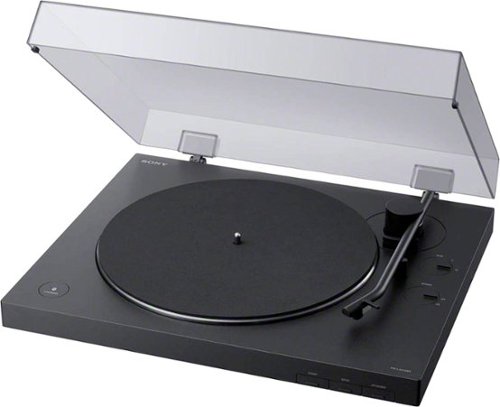
Enjoy timeless vinyl in modern quality with this Sony wireless turntable. Bluetooth connectivity pushes high-quality audio to wireless speakers and headphones, while a built-in phono audio output ensures wired devices can be connected as well. A minimalist design simplifies use of this Sony wireless turntable to a single button press, and two operating speeds allow for customizable playback.
Customer Rating

5
Simple, Elegant, Functional
on April 4, 2019
Posted by: mobilelawyer
from Mobile, AL, USA
True vinyl aficionados have never accepted digital reproduction. Analog sounds better, they say, and always has. I cannot agree or disagree with that premise, since I haven’t listened to my LP's for more than 30 years. Another consideration is that I am not a person of means enough to invest in turntables that cost hundreds if not thousands of dollars, and esoteric cartridges that require another huge cash outlay. But I had an ample collection of those LP's languishing in the closet, with many titles that I had not listened to in years, and along came this Sony with a belt-driven platter and a Bluetooth radio to boot. How could I resist the temptation? I couldn't, of course.
An Initial Challenge
This turntable is elegant and understated. The tone arm is shipped battened down to the it's rest, and the stylus is protected with a cover to secure it while you assemble the turntable. You must physically install the aluminum platter onto the spindle, and thread the belt which spans its inner diameter over the motor spindle. The instructions guide you through the process, but I mistook a vinyl appendage under the platter for the motor spindle. When I powered up, nothing happened. I quickly fixed the problem, found the motor spindle (it's metal), threaded it, and applied the black rubber mat to the top of the platter.
The literature states that the cartridge is of moving-magnet design. The stylus is replaceable, but the instructions do not indicate that other manufacturer's cartridges can be installed, which is understandable given the price of this device. With its dust cover installed, the assembly is quite attractive, and its all-black color will neutrally blend into virtually any home environment.
My receiver's low-level phono input had never been used until I attached this turntable's phono plug connectors. There is a three-level switch to adjust the output to suit your amplifier or receiver's sensitivity. I was pleasantly surprised at the sound. The records I played had been well cared for over the years, and, on most there was little groove noise, and relatively few pops and crackles. But some were present. Such is the nature of the interaction between grooves, vinyl, dust, styli and time. If you don't have a phono pre-amp on your receiver or amp, the turntable can also send a high-level "line" signal to one of your available inputs.
I would describe the "sound" of the Sony cartridge as neutral and well-balanced. I listened to several classical pieces and the imaging was precise. I just sat back and enjoyed the music, just as I would have so many years ago when LP's provided virtually the only high-fidelity sound source available in the home. I did have some initial reservations about the isolation provided by the turntable's feet. The Sony sat on a five-foot-wide hardwood enclosure which holds my other components. The floor is hardwood glued to a concrete slab. A 12-inch powered subwoofer is about twelve feet away. I listened at moderate to high volume without issue, so perhaps my reservations were unfounded. Still, in using this or any turntable, the user should be careful to protect the delicate stylus and careful to have the volume turned down when initially playing a record.
When the start button is pressed, the platter begins to turn, and the arm lifts and moves to the initial record groove, without the user having to touch anything but the button to initiate the process. If you want to pause, another button is pressed to lift the arm off the record in place. The upward and downward movement of the arm is nicely damped. Pressing the Stop button causes the arm to lift and return to its reset. The arm also returns to the rest if the entire side of the record is played through.
What about Bluetooth?
I have the diminutive Sony Bluetooth speaker, the SRS-XB21, sitting on a shelf on the other side of the large living room where the turntable is placed. I never thought I would be using it to listen to an LP on a turntable, but in a few minutes, I had the devices paired. The turntable will allow up to eight separate devices to be paired with it. The sound was just gorgeous. I was able to take the speaker into the next room to enjoy the music playing on the turntable. I have never understood how such rich sound can come from such a little speaker, but the input from this turntable was perfectly reproduced. I have another practical reason for using the Bluetooth feature which I will explain in more detail later.
USB Transfer
This turntable also has a USB output, but the cable is not supplied. I have one and connected the turntable to my computer to make a digital copy of one of my disks. I can't speak for all, but I am thinking this use for the turntable may be a significant purchasing reason for vinyl owners like me.
A Little Work, But It's Fun
"Ripping" LP's, of course must be done in real time. It requires the use of the Audacity software which Sony refers you to in the turntable manual. The audio runs from the phono amp on the turntable, through the USB cable and into your computer for processing. Depending on your operating system, you may need to adjust some of its audio-handling parameters to receive and process the signal from the turntable and monitor the signal while you record. Since I wanted to convert the tracks to mp3, Audacity required me to download a codec to accomplish that. In making the conversion, Audacity allows you to add the metadata from the song such as the artist, title, track number, etc. Once converted, Audacity also provides a means to edit the digital file, if needed, to trim it or to add fading, as the user may desire. The sampling rate selection affects both the audio quality and the ultimate size of the outputted file.
I was very pleased with the sound quality of the ripped mp3 files. Now, I suppose I am going to spend hour after hour listening to some of my long forgotten, but always-loved vinyl tracks while they are converted to digital form. It's a tough job, but somebody must do it, and I'm the man. Thank God, I have held on to those records after all these years. I am going to be having some great fun for many hours.
Bluetooth revisited
One issue that I had was deciding where to place the turntable. I promise, the design is beautiful, but all my existing audio-video equipment made permanent placement a challenge. My stuff is in a cabinet directly under a large flat panel tv mounted on the wall. To fully enjoy all the features of this turntable, it needs to be in proximity of both my computer and my receiver. But after I ripped the tracks for this review, my wife did not like the placement of the turntable on top of the audio-video cabinet I was using. I disconnected it and moved it to a built-in bookshelf in another part of the living room. Instant wife approval! From that location, I can use the Bluetooth connection to enjoy the music from the records, and simply move the turntable temporarily back to the audio-video cabinet for ripping sessions. I have a man-cave upstairs with an amplifier and computer set up which might also furnish a permanent resting place for the turntable and future ripping chores, but for now, the little black beauty stays where it is.
Wrap-Up
As you may have surmised, I very much like this turntable. It is affordable, physically attractive, practical, and has been a joy to use. And now my track-ripping duties are going to keep me busy for a long, long while. Oh, the torture!
Mobile Submission: False
I would recommend this to a friend!


Share this review:


+30points
31of 32voted this as helpful.
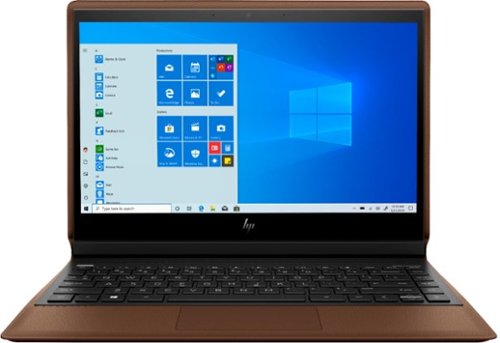
Make media more fun with this HP Spectre Folio convertible laptop. Three possible screen positions let you watch videos or edit photos in comfort, and its powerful Intel Core i7 processor is ideal for gaming. This HP Spectre Folio convertible laptop has a 256GB M.2 solid-state drive, ensuring speed and ample storage.
Customer Rating
5
Quality, Durability and Power
on November 20, 2018
Posted by: mobilelawyer
from Mobile, AL, USA
You must see and hold this beautiful convertible to appreciate it. And it will stimulate your sense of smell as well. I'm not kidding. The diminutive but built-like-a-tank metal tablet and its metal base and lighted keyboard are encased in an attractive pebble leather protective sleeve. No picture will do this device justice. Every aspect of the presentation exudes quality and durability and it weighs only 3.24 pounds.
The hardware is more than capable of everything I could throw at it. 8GB of memory, 256GB PCI-e solid state hard drive, and a core i7-8550y processor. The IPS 13.3-inch touch screen is beautiful to behold, whether you use it as a tablet or as a laptop. A digital pen for the inkers (and you know who you are) is included so you will not be deprived of any productivity function!
There is a USB-C port which the AC converter utilizes, a USB-A dongle for connection of legacy devices, and two Thunderbolt ports on the other side of the base. And, yes, there is a conventional headphone jack as well! The Bang & Olufsen quad audio is excellent. Wi-Fi sports the fastest AC speed of your router.
I ran this rig all day connected to Wi-Fi, doing office tasks and periodically streaming audio and video. I think most would obtain all day battery life.
Unless you must have the biggest and heaviest rig, opt for the best. This one does everything well and looks so good doing it. Highly and unequivocally recommended!
Mobile Submission: False
I would recommend this to a friend!


Share this review:


+1point
2of 3voted this as helpful.
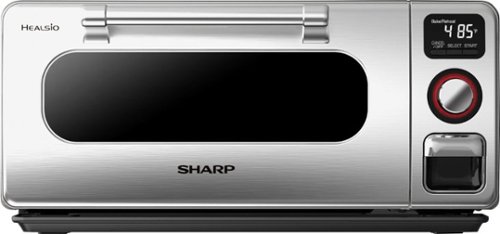
Revolutionize your cooking with this Sharp Superheated steam countertop oven. Combining the power of super-heated steam and traditional radiant heating, it crisps and browns the outside of your food while leaving the inside moist and cooked to perfection. This 1750W design requires no preheating or defrosting either. This Sharp Superheated steam countertop oven includes a broiler pan and crisper tray for easy convenience.
Posted by: mobilelawyer
from Mobile, AL, USA
This Sharp SuperSteam Toaster/Pizza Oven was a revelation. The name is a misnomer if you think it describes exclusively what this appliance does. It does so much more. And does it well.
First, it is not a small counter-top appliance. It weighs almost 25 pounds and has enough interior space for 12.5 X 12.5-inch toasting and broiling pans. And it needs some space around the unit for venting. The chrome finish is gorgeous, but like all such finishes, it is a fingerprint magnet.
There is almost no cooking task that it cannot do. It can bake, broil and toast with the best conventional oven. It is limited only by its size. Obviously, it can't hold a full-size turkey or ham. But I used it to make our favorite chicken tetrazzini recipe in a huge casserole dish. No problem. I heated a frozen pizza. I cooked hot dogs and hamburgers. I baked brownies. I made toast and delicious grilled cheese sandwiches. A recipe book is included, but the cooking possibilities are endless. There is a handy chart in the back of the book for the temperature and cooking times for generic items.
There is no preheating, so it is quick. Because it uses a combination of super-heated steam and more conventional electrical heating elements to thoroughly cook your food. I prepared two hot dogs for lunch. Fill the reservoir with water for the steam. Set the unit to grill on the broiling pan at 485 degrees for eight minutes and press the button to start. That’s it.
And the cooked food is extremely flavorful and moist on the inside. The toast and pastries were beautifully browned on the outside. I have never eaten a frozen pizza with the flavor this little unit unleashed. I am sure the super heated steam played a large part. I cannot readily name a shortcoming.
For a young person living in an apartment, a full- sized stove could be totally replaced by this attractive unit. And for an elderly adult, almost every food could be prepared at counter top level without having to bend down to open a stove door and retrieve its contents. And it is faster and more economical to use that a full size oven.
I am very fond of it. Highly reccomended!
Mobile Submission: False
I would recommend this to a friend!


Share this review:


+13points
16of 19voted this as helpful.
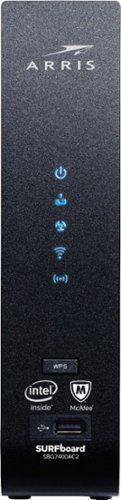
The SURFboard SBG7400AC2 combines a DOCSIS 3.0 Cable Modem with an AC2350 Wi-Fi Router. The SBG7400AC2 is equipped with four 1-Gigabit Ethernet ports and provides Wi-Fi speeds up to 2350 Mbps. It is compatible with major US Cable Internet providers including Cox, Spectrum, Xfinity and others. It's best for cable internet speed plans up to 400 Mbps. Setup is quick and easy with the SURFboard Central app.
Customer Rating
5
Say goodbye to...bufferbloat? Wait, what???
on September 6, 2018
Posted by: mobilelawyer
from Mobile, AL, USA
I got an unexpected pleasant surprise from this cable modem/gigabit router combo. Stay tuned.
When I got the opportunity to test this Arris SURFboard SBG7400AC2, my first question was whether it would work on my provider, Mediacom. It did not show up on their list of approved modems. But it's a brand new model, and Mediacom is usually slow to evaluate and add equipment to the list.
My fears were totally unfounded. I hooked up the RG-6 cable from the Mediacom drop, attached an ethernet cable between the network switch that serves my gear and one of the four gigabit ports on the Arris, and I was up and running. I had no internet at first, but after a few minutes I got to Mediacom's wallgarden website for self-installers. I entered my account number and password, allowed the modem to configure, and was instructed to re-boot. All was well.
I am getting download speeds of up to 80mbps. This performance is well-above the promised 60mbps download for my plan, so I have no complaints. With 24 download and 8 upload channels, the Arris can get download speeds of up to a gigabit if your plan offers it. I'm too cheap for that experience right now, but its nice to have it as a possible option for the future.
Now for the pleasant surprise. With my previous modem/router combo, I usually got D's and F's on the DSLreports.com speedtest which also measures bufferbloat. With the Arris, I consitently get A's and only an occasional B.
Why should you care? Bufferbloat is high latency (or lag) that occurs when there's other traffic on your network. It can adversely affect streaming performance. Geeks have spent years developing router firmwares to combat it. I adjusted nothing and tweaked no settings to get these results. This benefit is not touted in any of the specs, but the test results speak for themselves. I have attached a graphic.
Subjective streaming performance has been great from my over the top service, YouTubeTV, as well as Netflix, Hulu and Amazon. I also streamed locally and over the web from my NAS set up, with perceptibly better performance. I can't promise this will happen with your provider and set-up, but I have experienced it with mine. Bufferbloat is a complex issue. Read up on it. Your head will explode. This Arris may be your relief.
AC2300 2.4/5.0 GHz Dual-band Concurrent Wi-Fi performs well with solid coverage throughout my two-story house. I use an extender from another manufacturer to help. Getting it mated with the Arris was a chore, but that problem was not unique to the Arris.
One performance issue was the slow-loading menus when accessing the Arris through a browser. The client list of attached devices can take a while. Be prepared for the browser connection to time out on occasion. A smartphone app is available for control as well, but it is a slimmed-down version of the configuration options assessable from a web browser.
Any downside? Well, if a voltage surge makes it though my UPS, it could kill both my internet and my home network by bricking this device. With a separate modem and router, there's a better chance one device could survive. But that issue is not bothering me now. The Arris is preforming too well. The old modem and router combo are on vacation in the closet, and I don't predict their return.
Mobile Submission: False
I would recommend this to a friend!

Share this review:


+7points
7of 7voted this as helpful.
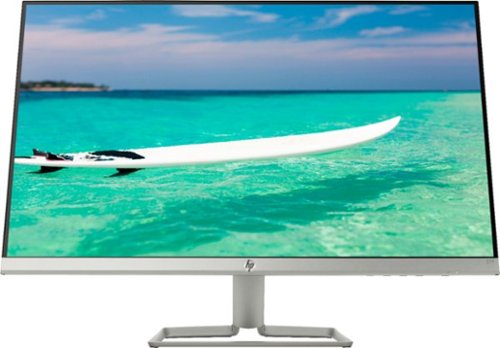
Enjoy crisp, colorful picture quality with this Full HD HP monitor. The ultrathin bezel on the 27-inch screen provides an expansive viewing area so you can stay productive, and its AMD FreeSync technology reduces input lag and screen tearing. This HP monitor has two HDMI ports for connecting gaming consoles and other devices.
Customer Rating
5
Big Screen, Nice Presentation, Great Price
on August 21, 2018
Posted by: mobilelawyer
from Mobile, Alabama
This monitor was a true pleasure to unbox and set up. You simply mount the stand to the monitor, and plug in the power and video cables and you are up and running. No tools are required. It weighs just over eight pounds and came with an HDMI cable. It has two HDMI ports and one VGA. The stand allows the display to be tilted, but if you want to rotate it, you'll have to pick up and rotate the entire stand. It's not that hard to do becuase the assembly is so light.
The monitor has a matte surface on the screen. The silver color of the frame and base is just beautiful, and the 27 inches of screen real estate is something to behold. I have never had a monitor screen that large.
This is an IPS monitor and offers great reproduction, even if viewed from an angle. Resolution is in HD, 1920 X 1080. It was a pleasure to view images and videos on this monitor. Still images and streamed video action were handled flawlessly. Relative black levels were very good.
This is a pure monitor. There are no speakers. And there is no provison for having it serve as a USB hub. The only inputs are for video and power.
It weighs only a little, but is beautiful to view and use, and the big screen is great for viewing and streaming movies and videos.
She's a keeper!
Mobile Submission: False
I would recommend this to a friend!
Share this review:


0points
1of 2voted this as helpful.
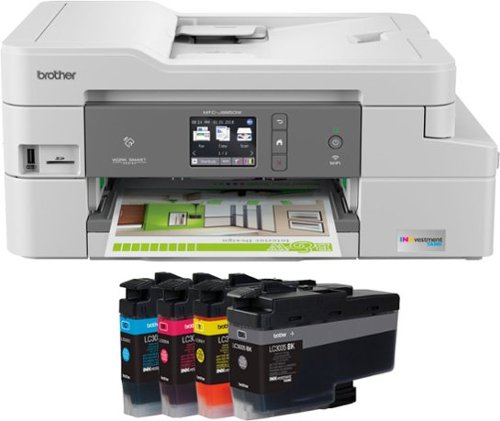
The Brother MFC-J995DW XL INKvestment Tank all-in-one inkjet printer with tank technology is the optimal choice for your home or small office needs. The MFC-J995DW XL features reengineered INKvestment Tank cartridges along with an internal ink storage tank to deliver uninterrupted printing for up to 2 years without the need to purchase ink. Business-capable features include mobile device printing, Near Field Communication (NFC) print and scan capabilities, flexible paper handling options, automatic two-sided printing and easy on-screen navigation using a 2.7" color touch screen. With the ink included in-box, the Brother INKvestment Tank all-inclusive solution delivers truly uninterrupted printing, exceptional features, super convenience, large page yields and low-cost printing. Includes a two-year limited warranty with free online, call, or live chat support for the life of your printer. Prints up to 12 ISO ppm*, up to 10 ppm* in color.
Posted by: mobilelawyer
from Mobile, Alabama
I am actually reviewing this printer a little early. I guess I ought to come back in a couple of years and see if the ink lasted that long. I'm betting it will, considering my usage. Brother says "up to two years". My experience with Brother inkjets has shown them to be ink misers. This is a primary consideration for me when selecting a printer.
This J995DW is my second Brother MFC to own. The XL designation means it comes with the larger ink cartridges. There is also a model with smaller cartridges that only go for a year. In addtion to printing on 8X10 stock for personal and legal business, I often scan and sometimes print photos, usualy 4X6. I don't fax, so I can't review that function.
When you install the cartidges, the printer goes through a routine to transfer the ink from the cartidge to an internal tank. This is the INKvestment Tank Ink System and is designed to allow more pages of printing while keeping the size of the printer compact. I infer from that description that perhaps the contents of the cartridge may be under pressure. Do follow the installation instructions carefully. You are supposed to shake the black cartridge BEFORE you insert it. I realized I had not shaken it, and got some leakage when I removed it and shook it, becuase inserting the cartridge in the machine appears to pierce its seal, so the tank transfer can be completed.
Print quality on plain injet paper has been great. I am very pleased with the photo printing as well, and, of course, love being able to print directly from my Pixel 2 smartphone, using the either the Brother android utility or NFC. They both worked beautifully. I score the quality of the prints as excellent to my eye. The colors were vivid and not over-saturated. See the attached photo.
Scanning and copying was equally trouble-free. I scanned both to a USB stick and directly to my computer over Wi-Fi. I did have to connect with a USB cable to set up the Wi-Fi, but it has worked flawlessly since, and the printer is available to devices on my home network.
This is an inkjet and not a laser. You'll have to be satisfied with 10-12 pages per minute, depending on whether you are printing in color or blank and white. I did not experience any snags with the automatic feeding of multiple pages.
I wish the printer had more paper capacity. But 125 pages is not an atypical capacity for a printer of this category. Such is one of those design trade-offs. More capacity would make it far less compact, and this MFC is a remarkably petite beauty.
I recommend it highly.
Mobile Submission: False
I would recommend this to a friend!

Share this review:


+9points
9of 9voted this as helpful.
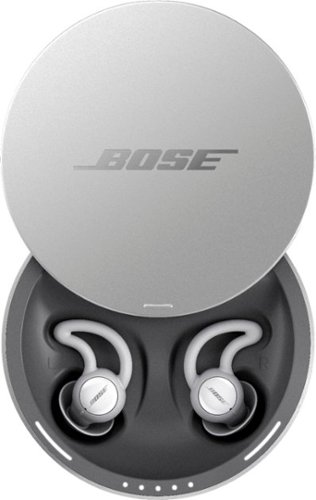
Sleep better. Cover unwanted noise with soothing sounds. Bose noise-masking sleepbuds~ are uniquely designed for sleep. They don~t stream music or have acoustic noise cancellation. Instead, these tiny, wireless earbuds use pre-loaded, soothing sounds to cover up unwanted noises, so you can get to sleep ~ and stay asleep. Plus, unlike traditional earplugs, they~re super comfortable and made to stay in place all night long, even if you sleep on your side. 1. Choose your sound, 2. Set an alarm, 3. Fall asleep without unwanted noise.
Customer Rating
5
A Sleep Mask for Your Ears
on July 5, 2018
Posted by: mobilelawyer
from Mobile, Alabama
Bose has always been an innovator. These sleepbuds are no exception, and they work quite well.
First, the presentation. The buds are designed to be nested in a sturdy metal case which both protects them and charges them. You can connect the supplied AC adapter through the supplied usb cable, or you can plug the usb cable into another device to charge the buds.
You must then install the smartphone app to control the buds and select the masking background of your choice to help blot out the noise while you sleep. Three sizes of ear fittings are offered: small, medium and large. I have rather large ears, but the smallest of the three nested in my ears the best. Once they buds are in, they are quite comfortable. I did not feel any discomfort at all either going to sleep, during the night, or when I got up in the morning.
Most of the background choices are what you might think and are descriptive: Rustle, Cascade, Shower, Circulate, Altitude, Swell, Campfire, Warm Static, Downstream, and Tranquility. I would surmise that the choices are based on sounds that your memory would be likely to associate with peaceful sleep, like cracking campfires, running brooks and rustling leaves and wind. I chose rustle and it worked beautifully for me.
The buds fit tightly into your ear canal for one level of sound suppression. After placement I was not conscious of their presence. When the rustle sound was played through the app, I could hear leaves rustling and a gentle wind blowing as I eased off to sleep. I generally awaken each night several times due to non- noise related issues, as I did with the sleepbuds. I eased back to sleep, not even conscious of the rustle sound.
I woke up completely refreshed and it took me a few minutes to even perceive the rustle masking sounds were still present. I will try the other sounds as well. I did find the inclusion of "Altitude" in the suppression mix to be somewhat ironic. After all Bose is known for its "Quiet Comfort" selection of headphone and earbud products which are designed to keep the aircraft sounds suppressed underneath the music. This product seeks to use the monotonous whine of jet engines to mask sounds which otherwise might interrupt your sleep. I suspect it will work on me as well, and will have try it soon.
I do have a nit to pick. I was never able to get the buds to connect via Bluetooth to my phone without first putting them back in the case, and then immediately removing them from the case, and proceeding through the prompt in the app to connect them. The product instructions suggest this as a last resort. So far, it has proved to be the sole resort which results in a connection.
And the buds do fit so nicely in the case: by both the contour cut-out and the magnets that hold each bud in the correct position for charging. A white light adjacent to each bud confirms they are properly seated. A separate row of leds shows charging progress.
These sleepbuds work. They will go with me on the road when I must have a perfect night's sleep for work task the next day. There is a convenient travel pouch for taking them on the road.
My main problem. I am a snorer. I strongly suspect my wife is going to want to try these out as well. I don't blame her. I would expect them to work for her. I guess I will be purchasing another set soon!
Mobile Submission: False
I would recommend this to a friend!


Share this review:


+8points
10of 12voted this as helpful.
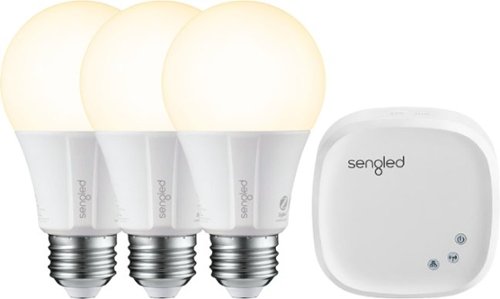
Add lighting control to your smart home platform with this Sengled bulb three-pack plus hub. The hub controls up to 64 smart bulbs, turning them on or off and dimming them in response to app or voice assistant commands and programs. This Sengled bulb three-pack plus hub includes classic A19-style bulbs for compatibility with most home fixtures.
Posted by: mobilelawyer
from Mobile, Alabama
This is not my first venture into smart light bulbs. I have others, including some that work directly with Alexa with no hub intervention. But this package was easy to set up and get working.
Plug in the hub into one of the Ethernet connections on your router; turn all the bulbs on; download and install the Sengled Element Home software on your smartphone; open the app, and follow the instructions. The only hitch I ran into is that the three bulbs found and identified in the app are named Bulb 1, Bulb 2 and Bulb 3. I had two of them in the dining room lamps and one above the kitchen table, and since each installation was going to be in a different group, I had to physically unscrew two of the bulbs and exchange their location. I was not able to switch them on and off to locate which bulb was where before defining the location: they could only be controlled as a unit. But once the location was defined, then the lights could individually be turned on and off.
I then added the Sengled Element Home skill to Alexa and established control over the bulbs in that app. And my commands to turn them on and off were instantly obeyed.
The bulbs have a nice, pleasant, soft color temperature, and the brightness for each bulb can be fully adjusted within the Element Home App.
The hub does not require a physical Ethernet connection once set up. If you want to move it away from the router and use wi-fi, you simply unplug the power to the unit, wait a minute, move it to the desired location, and power it back on. Somehow the app locates it and you are back in business. Just keep it within the wi-fi range of your router, and you are set.
Mobile Submission: False
I would recommend this to a friend!

Share this review:


+14points
14of 14voted this as helpful.
mobilelawyer's Review Comments
mobilelawyer has not submitted comments on any reviews.
mobilelawyer's Questions
mobilelawyer has not submitted any questions.
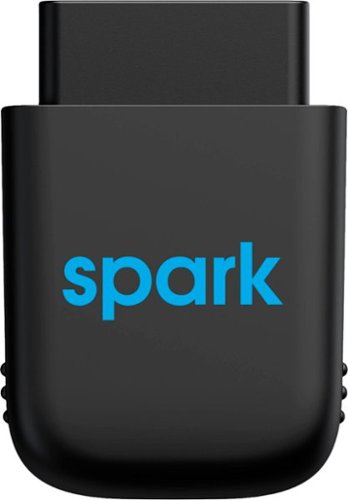
Diagnose automobile mechanical issues with this AT&T Harman Spark smart car device. Compatibility with Android and iOS mobile devices offers convenient control and monitoring, while a 4G LTE receiver brings Wi-Fi to your ride. This AT&T Harman Spark smart car device features an accelerometer and gyroscope sensors for vehicle tracking.
You connect the Sync up. Drive where and does the OBD port bring gyour battery down if not in use and your not in use when parked.
No, the device will not deplete your battery. It has its own battery which recharges while your vehicle is in operation, so that it can continue to monitor your car while it is parked.
5 years ago
by
mobilelawyer
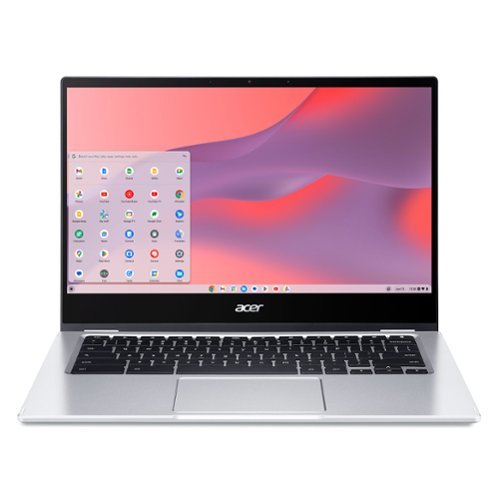
Do More, See More, Anywhere: Watch your favorite movies, TV shows and other media~while on the move or traveling~on Acer~s exciting new convertible Chromebook Spin 514, which offers a 78% screen-to-body ratio to maximize your viewing experience on its 14~ Full HD touch display. The Chromebook Spin 514 leverages the power of the latest AMD processor inside to ensure epic functionality when working on intensive and demanding applications~without the worry of ever slowing down! It features a 360~ durable hinge to provide you with four different modes to enjoy, a high-quality, military-grade tested metal casing, and enough battery life to keep you fired up and running all day long!
Does this chrombook have a cooling fan?
what type of tv has a internal tuner that i don't need converter box [have antenna]
You have to look at the specifications for the set. If it has a tuner, the feature will be listed. Some sets don't have a tuner. My Vizio model does not, and I knew it didn't. I tune my local channels with a TiVo. Silicon Dust makes a variety of boxes that tune both cable and over the air channels. If you have a smart TV, you can simply download an app to stream your local channels from the HD Homerun box.
6 years, 1 month ago
by
mobilelawyer
Simplify device management with this Logitech Harmony Express smart universal remote control. Amazon Alexa is built in, letting you issue voice commands to access entertainment, ask questions and a host of other features. This Logitech Harmony Express smart universal remote control lets you change TV channels, open apps on tablets and tackle numerous other tasks.
Despite numerous requests, I see that both Amazon and Harmony will still not create a remote with number keys. There are apps that you can download for your Amazon Fire TV known as iptv services. But, you can't change channels without number keys!
I am using the Express without a keypad. You speak the channel, and Alexa and Harmony Express pull up the channel, whether you say "Go to Channel 10" or "Go to Fox". But do be advised that I am using a TiVo, where each channel has a specific number.
7 years, 1 month ago
by
mobilelawyer
Enjoy crisp, colorful picture quality with this Full HD HP monitor. The ultrathin bezel on the 27-inch screen provides an expansive viewing area so you can stay productive, and its AMD FreeSync technology reduces input lag and screen tearing. This HP monitor has two HDMI ports for connecting gaming consoles and other devices.
Can this be turned vertically in its stand?
The stand allows the screen to be titled several degrees up and down to suit your viewing angle. It does not allow rotation. To rotate the screen, you would need to rotate the stand, which is not that hard to do because the monitor and stand are relatively light.
7 years, 9 months ago
by
mobilelawyer
Enjoy crisp, colorful picture quality with this Full HD HP monitor. The ultrathin bezel on the 27-inch screen provides an expansive viewing area so you can stay productive, and its AMD FreeSync technology reduces input lag and screen tearing. This HP monitor has two HDMI ports for connecting gaming consoles and other devices.
How do I connect speakers to this montior
The speakers would be powered from your computer, not this monitor. It has video inputs only.
7 years, 9 months ago
by
mobilelawyer
Enjoy crisp, colorful picture quality with this Full HD HP monitor. The ultrathin bezel on the 27-inch screen provides an expansive viewing area so you can stay productive, and its AMD FreeSync technology reduces input lag and screen tearing. This HP monitor has two HDMI ports for connecting gaming consoles and other devices.
Is there a removeable screen protector on the monitor from the manufacturer? It appears to have a removeable film, but I'm worried it's supposed to be there and if I remove it then the monitor will be messed up.
There was no film on mine. The screen has a matte surface, not shiny.
7 years, 9 months ago
by
mobilelawyer
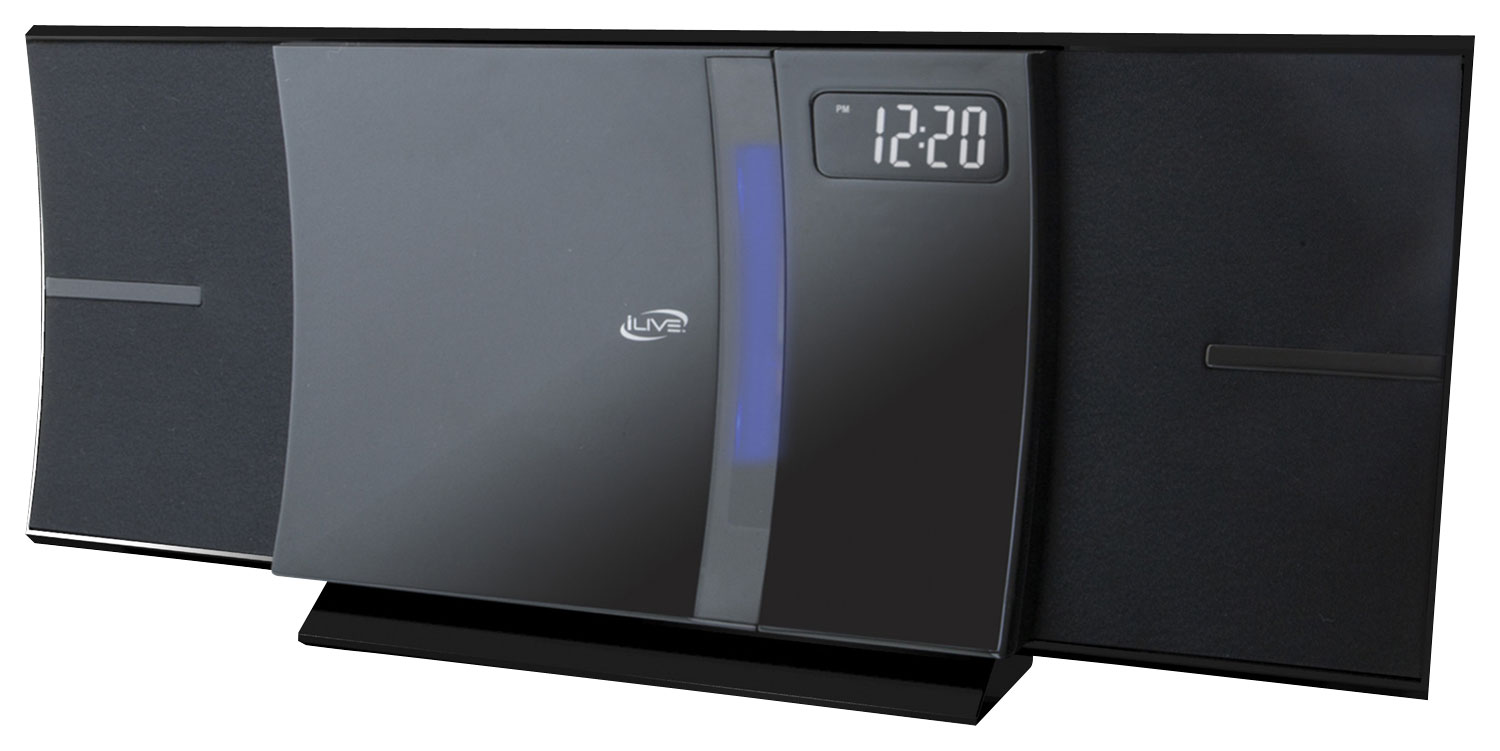
Enjoy your favorite tracks with this iLive IHB603B stereo system, which supports Bluetooth 2.1 and features an FM radio, CD player and 3.5mm auxiliary input for a variety of listening options. A remote ensures simple operation.
I was wonder how big is the system meaning lenth, and is the sound very loud
From the product literature for the SRS-XB41:
Size & Weight
DIMENSIONS (W X H X D)
11 1/2 in x 4 1/8 in x 4 1/4 " (291 mm x 104 mm x 105 mm)
WEIGHT
3 lb 5 oz (1500 g)
I am attaching a picture with a conventional flashlight at the bottom for size comparison. The smaller SRS-XB21 is on the bottom, and the larger SRS-XB41 is on top. I have both. They each put out sound at a loud volume that belies their respective size, but the SB 41 is bigger with punchier bass, and a higher output. It will fill the largest room with loud, clear, detailed sound.
Size & Weight
DIMENSIONS (W X H X D)
11 1/2 in x 4 1/8 in x 4 1/4 " (291 mm x 104 mm x 105 mm)
WEIGHT
3 lb 5 oz (1500 g)
I am attaching a picture with a conventional flashlight at the bottom for size comparison. The smaller SRS-XB21 is on the bottom, and the larger SRS-XB41 is on top. I have both. They each put out sound at a loud volume that belies their respective size, but the SB 41 is bigger with punchier bass, and a higher output. It will fill the largest room with loud, clear, detailed sound.

8 years, 2 months ago
by
mobilelawyer
Enjoy your favorite tracks with this iLive IHB603B stereo system, which supports Bluetooth 2.1 and features an FM radio, CD player and 3.5mm auxiliary input for a variety of listening options. A remote ensures simple operation.
Will this system transmit Bluetooth signal to my hot tub Bluetooth speakers in my backyard?
From the product product specifications: These features allow you to setup multiple SRS-XB21 (or compatible speakers) together in a chain or specify their position individually. You can add up to 100 speakers it says but I have no way of testing that. It is nice to be able to add 2 of them and specify one for left channel and one for right. Here is a quick list of compatible speakers - SRS-XB21, SRS-XB31, SRS-XB41, SRS-XB20, SRS-XB30, SRS-XB40, GTK-XB60, GTK-XB90.
Are your hot tub speakers on this list above? If not, the answer is "no". But the Bluetooth radios on these units have a good range, and they are portable, so you could simply take the Sony to the hot tub.
Are your hot tub speakers on this list above? If not, the answer is "no". But the Bluetooth radios on these units have a good range, and they are portable, so you could simply take the Sony to the hot tub.
8 years, 2 months ago
by
mobilelawyer
Enjoy your favorite tracks with this iLive IHB603B stereo system, which supports Bluetooth 2.1 and features an FM radio, CD player and 3.5mm auxiliary input for a variety of listening options. A remote ensures simple operation.
Can I use my Samsung phone for the bluetooth to play music?
You should be able to do so. That is what the speaker is designed to do. It worked perfectly with my Pixel 2 smartphone.
8 years, 2 months ago
by
mobilelawyer