


mobilelawyer's stats
- Review count132
- Helpfulness votes425
- First reviewAugust 25, 2010
- Last reviewApril 15, 2026
- Featured reviews0
- Average rating4.8
Reviews comments
- Review comment count0
- Helpfulness votes0
- First review commentNone
- Last review commentNone
- Featured review comments0
Questions
- Question count0
- Helpfulness votes0
- First questionNone
- Last questionNone
- Featured questions0
- Answer count14
- Helpfulness votes9
- First answerMarch 24, 2014
- Last answerMay 26, 2021
- Featured answers0
- Best answers0
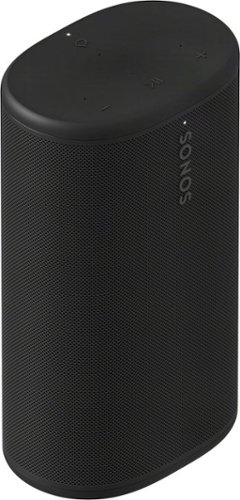
Powerful, portable, and ready for anything, Sonos Play delivers big stereo sound and bass in a go-anywhere design. Stream over WiFi or Bluetooth, and connect seamlessly to your Sonos system. With up to 24 hours of battery life, easy wireless charging, and IP67 waterproof durability, this smart speaker amplifies every moment, everywhere.
Customer Rating

5
Way More Than a Bluetooth Speaker
on April 15, 2026
Posted by: mobilelawyer
This is the first Sonos product I have had the pleasure of using, but it won't be my last.
The Sonos Play is a beautifully designed portable speaker that has attributes unique to Sonos products. Yes, it is a Bluetooth speaker and it is portable and waterproof with an IP67 rating. But it also has the ability to connect to other Sonos speakers wirelessly via WiFi.
Sonically, the Play is has a neutral, room- filling sound, and a battery charge that lasts just about forever. You can carry the speaker from room to room, inside, outside and from venue to venue for days on end before it has to be recharged. In my week of usage, I never ran it down. A handsome charging base keeps the battery topped off, and there seems to be no downside to simply leaving the speaker on the charger at all times, whether it is in use or not.
To get the speaker ready for use, you take it out of the box and turn it on. You install the Sonos app on your smartphone to complete the set up which will involve connecting the speaker to your WiFi network and downloading a firmware update. This was done in just a few minutes while the Sonos app walked me through the process.
The Sonos app furnishes a plethora of music in every category for your listening enjoyment, and the app allows the user to connect to their other subscribed services and access them through the Sonos app. I added YouTube Music, Amazon Music and Apple Music. I was pleasantly surprised to be able to add Tune in Radio as well which I use to listen to both local and distant radio stations.
I decided to park the Sonos Play on its charger next to my TV, and never turn it off. I can come home, sit down on the couch and listen to my music through the Sonos instead of my smartphone speaker. It is as simple as hitting the play button on the phone. It is easy and seamless. I've used other Bluetooth speakers before to stream from my smartphone, but the Sonos software beats them all for ease of use.
The versatility of this product begins with Bluetooth and is greatly extended by its WiFi connectivity with other Sonos products. I was furnished with the Sonos Era 100 SL wireless speaker which is close in size to the Play. I placed the Era 100 on the other side of my TV and used the Sonos app to connect it to the Play via WiFi.
The connected pair played with even more room filling volume, all adjustable and controllable with the app. Mind you, the sound was not in stereo- you would need to have two identical Sonos speakers to accomplish that, but otherwise, the Play and the Era 100 were in perfect sync. My sound bar, unfortunately, is not a Sonos product. If it were, I could have connected two Era 100 speakers via WiFi and they could have been used as rear channel surround sound speakers with the sound bar.
The Sonos Play is a great sounding versatile wireless speaker which is enhanced by its connectivity with other Sonos products. It is highly recommended.
I would recommend this to a friend!




Share this review:


0points
0of 0voted this as helpful.
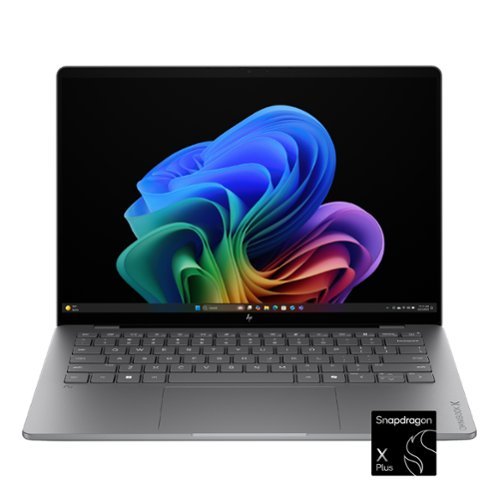
Advanced AI performance and beyond-all-day battery life. Powered by a Snapdragon X Plus processor, the HP OmniBook X 14 PC combines intelligent performance, incredible battery life, and a slim design that travels effortlessly~so you can stay productive anywhere, all day long.
Posted by: mobilelawyer
I am not a stranger to Windows on ARM and Snapdragon processors. I have owned several generations of Surface Pro devices, but this is the first HP laptop that I have tested running Windows on ARM and I like what I see and feel from this software and hardware combination.
All the boxes are checked for my needs. I don’t game. I use laptops mostly for work and entertainment. There are plenty of ARM native apps available now, including the whole Microsoft Office Suite. I was able to boot up this machine and update Windows as needed in just a few minutes. I did have to hunt for and download Outlook Classic as I don’t go for the newer Outlook that Microsoft offers by default.
The lighted keyboard is comfortable to type on and I get good speed from my sometimes less than nimble fingers. The 2K OLED touchscreen panel is fine for my needs, and I appreciate the 16GB of RAM and 512GB of storage. The NVMe M.2 SSD is Gen4 and plenty fast. I have had no problem running this rig for a full day without depleting the battery. The Snapdragon X Plus processor has been quite efficient. The Meteor Silver laptop is attractive and light. It weighs less than three pounds. The screen does not fold back into a tablet mode, but I have seldom used that feature on laptops when it has been available.
The 1920 X 1080 screen seems very bright to me, causing me to question whether the 300 nit brightness rating is overly conservative. Subjectively, this panel is as bright or brighter than several other 14 inchers that I currently have access to that have higher brightness specifications.
The two USB-ports are complimented by a USB-A jack and thank goodness, a combination headphone/microphone jack. The compact and attractive wall charger brought a depleted battery up to a full charge within the 30-minute specification. Wi-Fi 6E (2x2) and Bluetooth 5.3 wireless connectivity. The webcam offers excellent performance in normal lighting and even allows a Windows Hello login in virtual darkness, although I did put my face right in front of the screen to accomplish that.
I am playing with the AI features and trying to test their capabilities. I am not quite past the “enjoyable toy” stage, but I am working on it.
I would recommend this rig to anyone with usage patterns like mine. It’s attractive, light, battery sipping and efficient. It just works.
I would recommend this to a friend!


Share this review:


0points
0of 0voted this as helpful.
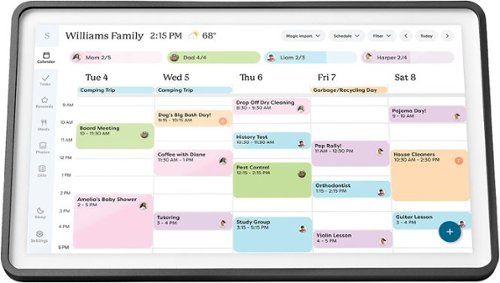
Skylight Calendar 2 - 15" Digital Calendar with removable Shadowbox Frame. Daily Planner and Touchscreen Smart Display for Family Schedules, Work, and Office. Get the whole family organized with chore charts, meal planning, and customizable lists on a WiFi-connected system with a beautiful and intuitive digital display.
Customer Rating

4
Great product. Where do you mount it?
on March 13, 2026
Posted by: mobilelawyer
As soon as this product became available, I asked to review it, and with a specific place in mind to mount it: on my refrigerator. We cleared all the magnets and junk off the side, and waited for our Skylight Calendar 2 to arrive, and, out of the box, it seemed to meet every expectation.
It is very attractive, and the clear set up instructions provided for two ways to mount the device: on wall after drilling holes in the wall, or, for landscape orientation only, using the provided stand which allows placement on a horizontal surface, like a conventional picture frame.
The lack of any provision for refrigerator mounting with magnets was a disappointment for me, because I had that mounting scheme in my head, and, quite frankly still do. Admittedly, I had ordered mounting magnets from a third party source, assuming they would fit the Calendar 2. They did not, so I was relegated to using the provided stand. As you can see in my pictures, the calendar looks great on my kitchen counter, even if the placement is not what I originally envisioned.
It only took a few minutes to set up the calendar and consolidate my and my wife’s Gmail and Outlook calendars. This was easily accomplished with the Skylight iOS app. The calendar is a very convenient way to cross-check our family activities, and all the calendars are now two-way synced, so they can also be changed from any computer we use at home or, our iPhones, or by manually using the keyboard on the Skylight calendar. Very practical and convenient. And an Alexa skill is also available that will allow you to ask you know who to add items to your calendar or grocery list.
You can also add recipes and family pictures with a paid Calendar plus subscription in the Skylight software. I have subscribed to this on a monthly basis to see how we like it. The jury is out on that: we wanted the Skylight primarily for the calendar feature. Even more features are available for an additional charge at the Skylight plus level. We have not sampled that feature.
So, now I have an attractive and practical calendar, but I have not been able to put it where I want to put it - on the fridge - and that is an issue for me and my wife. The third party solution I tried will not work with this new model, and I think it is telling that Skylight does not offer such an accessory. Perhaps the magnet solution has other issues that have generated concerns that I am not aware of.
I do not want to drill holes in my walls to mount any device. I would rather use the stand, but a refrigerator mount would be perfect for my situation.
I do not want to drill holes in my walls to mount any device. I would rather use the stand, but a refrigerator mount would be perfect for my situation.
I recommend this product for its attractiveness, functionality and usability. If you need to put it on the refrigerator, you probably need to look elsewhere.
I would recommend this to a friend!




Share this review:


-1point
0of 1voted this as helpful.
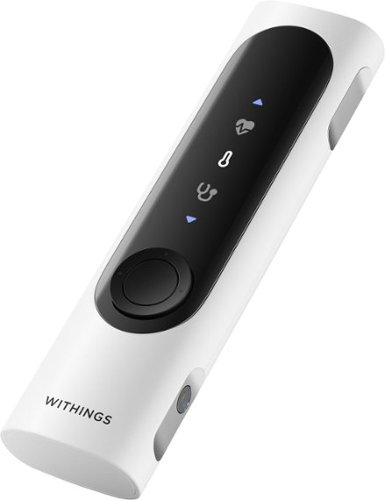
A 360~ health view for real-life impact. Your health moves with you~now your check-ups can too. In one minute, BeamO provides a full view of your heart, lungs, & temperature at home or on the go. Tracking key health indicators, like these, can potentially help address various health needs.
Customer Rating
5
Measure, collect, review & share
on February 12, 2026
Posted by: mobilelawyer
The BeamO is a diagnostic tool that goes further than your smartwatch. When you set it up you proceed to collect your health data and coalesce it into the Withings app. It allows you to measure your heart rate, record an electrocardiogram (ECG), collect your breathing and heart sounds, and measure and collect your temperature.
A few smartwatches such as the Pixel and some of the Apple watch models offer the ECG, and I have used both of those as well as the BeamO. The measurement takes about 30 seconds to record. The ECG is a diagnostic tool that helps detect Atrial Fibrillation and other symptoms that could lead to a heart attack. The app collects a history of those readings and reports a score for comparison over a period of time. My cardiologist is monitoring my Afib carefully, so the self-monitoring results give me an at home tool to use as well. The BeamO does not take the place of your doctor by any means and is designed more to point you toward your healthcare provider if important symptoms are detected.
Using the Withings app, you can share your ECG and other recorded information privately and securely with your physician, and you can also send the results to your loved ones or others with whom you may wish the share the information.
Using the Withings app, you can share your ECG and other recorded information privately and securely with your physician, and you can also send the results to your loved ones or others with whom you may wish the share the information.
In addition to the ECG function, the BeamO can record both heart and lung sounds for storage in your app and for sharing with your doctor. I don’t know whether this is a first in a home health device, but I have never seen it in a smartwatch.
The BeamO does not record blood pressure, so keep your cuff and your pencil handy to record that information, if you need it.
One of the more interesting aspects of this device to me is that it shares data with the Apple Watch that I am using now and adds information and measurements from the watch to the data being collected by the BeamO. This is extremely useful because the devices share some of the same recording and collection capabilities, but some of the collection (like sleep data) is exclusive to my smartwatch. I found that all my sleep data and history are there to see in the Withings app.
The collection and presentation of the health data in the Withings app is excellent, and it is easy to see and compare results for today, yesterday, last week, or the entire month. A map of my entire walk this morning showed up the app, along with a health score. This gives me a baseline to increase my exercise routines and see how the score improves.
The collection and presentation of the health data in the Withings app is excellent, and it is easy to see and compare results for today, yesterday, last week, or the entire month. A map of my entire walk this morning showed up the app, along with a health score. This gives me a baseline to increase my exercise routines and see how the score improves.
I found the BeamO to be a useful healthcare device, and the Withings app makes it a depository of health information that is so convenient to access and use for many purposes. I highly recommend it.
I would recommend this to a friend!



Share this review:


0points
0of 0voted this as helpful.
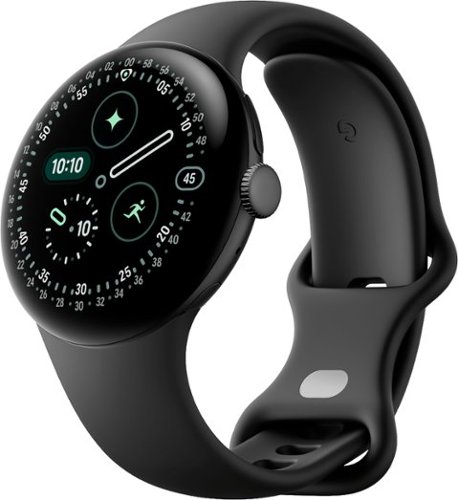
Meet the Pixel Watch 4, an exceptional smartwatch engineered by Google with precision craftsmanship. It~s built to last, from a first-of-its-kind Actua 360 domed display to Google~s longest battery life and fastest charging yet.~ ~ ~ ~ And it packs helpful AI, powerful health and fitness tools,~ and safety features to give you peace of mind.~
Posted by: mobilelawyer
I am a big fan of the Pixel watch. I have always liked its simplicity and clean looks. I own a Pixel Watch 2 that is being replaced by this Pixel Watch 4. They have much in common, and that is a good thing. The initial appearance is so similar, it is difficult to tell them apart. Both of mine have the 41mm bezel, which looks best on my small wrists.
The Pixel Watch 4 has an improved display that is curved to result in a 10% increase in the active area, and the display is 50% brighter- up to 3000 nits which makes for better viewing in direct sunlight. This model offers integration with Gemini out of the box, which should be welcome news to those of you who have had the pleasure of interacting with Google’s AI persona. Richer colors are offered in the display, and a beefed-up haptic engine and custom speaker spice your interaction with this model. You will enjoy these new improvements the moment you finish setting up the watch.
Battery life is said to be 25% longer, or up to 30 hours. My experience easily confirms this spec. This model certainly betters the battery performance of the Watch 2 which, for me, was not bad.
The charger is different. The Watch 2 required you to lay the watch face up, being sure the cord came out on the same side as the stem. If you didn’t, you might find out later in the morning that you did not successfully fully charge the phone. A new dock has you place the bezel on its side, so that the face is vertical to you in bed, so that the time is visible to you lying in bed. A quick charge will result in a 50% charge in 15 minutes! I really like that feature as I walk with my wife in the morning after wearing the watch all night for sleep monitoring.
The charger is different. The Watch 2 required you to lay the watch face up, being sure the cord came out on the same side as the stem. If you didn’t, you might find out later in the morning that you did not successfully fully charge the phone. A new dock has you place the bezel on its side, so that the face is vertical to you in bed, so that the time is visible to you lying in bed. A quick charge will result in a 50% charge in 15 minutes! I really like that feature as I walk with my wife in the morning after wearing the watch all night for sleep monitoring.
The Snapdragon processor is 25 percent faster while drawing ½ the power. The Corning Gorilla glass and aluminum housing is water resistant to 50 meters, and now has a replaceable battery and display- a welcome first for this model.
The Pixel Watch 2 already had me sold on its health and fitness features. A couple of months ago the phone alerted me to an abnormally high pulse rate while I was at rest, sitting at my desk. This warning had me visiting my provider and the ER as a precautionary measure. My issue has not evolved into an official diagnosis of AFib, but I now monitor that status on my Pixel Watch on a frequent basis. That feature is, of course, retained in the Watch 4, and it is a great one which is not always available as a feature on other smartwatches.
Improvements to the health and fitness capabilities on the new model include better and more accurate sleep tracking and skin temperature sensing as well as more route tracking via GPS. If you monitor your walks, like I do, the phone uses AI to automatically detect and classify your activity, even if you forgot to start the monitoring yourself. This is perhaps my favorite of the new features.
I liked the old model. I love the Pixel Watch 4 and recommend it.
I would recommend this to a friend!



Share this review:


0points
0of 0voted this as helpful.

MAX2 never misses. It captures everything around you in pro-quality 8K 360 video while completely erasing your extension pole from the shot. You~ll be able to create immersive point-of-view footage, selfies, follow-cam footage and more from the same video. Capture the scene in front of you and your reaction at the same time without worrying about where the lenses are pointed~even in extreme conditions. MAX2 is tough and durable with replaceable lenses.1 Just swap in a new one if a lens is damaged. After recording, automatically play back your footage in POV or Selfie mode or use the GoPro Quik app~s powerful, yet simple editing tools to Reframe your footage into shareable 4K videos. Go vertical for TikTok or widescreen for YouTube, change angles and perspectives, or add pro-quality effects. Incredible image quality, GoPro durability and packed with endless creative possibilities. It~s more than a 360 camera. It~s 360~MAX~D.
Customer Rating
5
Get the right extension pole!
on November 5, 2025
Posted by: mobilelawyer
This is an action camera made to stitch together the output from both wide-angle cameras into a full 360-degree video. Since the software is combining the two outputs into one, you will need an extension pole that is at least a couple of feet long so as to not be visible in your shots when you are using the 360-degree feature. The GoPro Shorty that I already had for my Hero12 wasn’t long enough for the 360-degree unobstructed shots, but it was just fine when taking one-lens shots. You can do either with the Max2.
I am including pictures of both cameras to show their relative size. If you already have a Hero, you may not need a Max unless its unique 360-degree perspective and the post-production features that can be utilized with either the GoPro software or third-party solutions. By all means, I recommend getting one of the Premium subscriptions for the Quik editing tools and cloud features and other benefits. I have the Premium which I have been using with my Hero12 but will probably upgrade to the Premium+ to get the 500GB of extra storage and stability enhancing features.
Setup required downloading new firmware before the initial use. This required the use of the Quik software which I already had on my smartphone. The process was quick and took only several minutes. Of course, this camera requires a micro-SD card for proper usage, so be sure you have an extra one around to use when you prepare the camera for its first use.
Setup required downloading new firmware before the initial use. This required the use of the Quik software which I already had on my smartphone. The process was quick and took only several minutes. Of course, this camera requires a micro-SD card for proper usage, so be sure you have an extra one around to use when you prepare the camera for its first use.
The video quality from this camera is excellent. Pixel peepers would argue that 8K resolution feature may mislead you because it is spread around the full output of both cameras, perhaps disappointing those that want to quibble about those things. I am not a quibbler. I am pleased with the output of this camera, and that includes both bright light and low light performance. Of course, there is some degradation in low light, but not enough to disappoint me in my usage scenarios. I primarily shoot in 4K.
I think the main feature with this camera is that you can go back and reframe the videos into traditional videos and capture and reframe still shots into photos with either the GoPro Quick or other software. Want a different aspect ratio? No problem. The possibilities are extensive.
Battery life is fine. I think I could get about an hour of 4K footage with no problem, but have not confirmed that through my usage. The Max2 did heat up during charging, but my usage for video did not produce significant heat. Of course, your experience could vary. I was able to bring the unit to a 95 percent charge in about an hour on initial set up. The battery already had a partial charge on it when I plugged it in to my charger. The charger is not furnished, but you do get a USB-cable in the box.
Battery life is fine. I think I could get about an hour of 4K footage with no problem, but have not confirmed that through my usage. The Max2 did heat up during charging, but my usage for video did not produce significant heat. Of course, your experience could vary. I was able to bring the unit to a 95 percent charge in about an hour on initial set up. The battery already had a partial charge on it when I plugged it in to my charger. The charger is not furnished, but you do get a USB-cable in the box.
Another unique feature of this camera is that the lenses are replaceable with no tools. You simply twist them off and on. Fortunately, in my brief period of use, I’ve not had to replace either lens. Note that you don’t get an extra lens in the package: the only two supplied are already on the camera. If you have used other GoPro products, the menu system on the Max is similar.
I recommend the Max2 for those who will utilize its features. I’m assuming that most Max2 owners already own a GoPro and have got a Max to supplement their usage with the 360-degree feature. Or maybe you were a 360-degree person all along and didn’t know it until you heard about this camera! Enjoy!
I would recommend this to a friend!




Share this review:


0points
0of 0voted this as helpful.
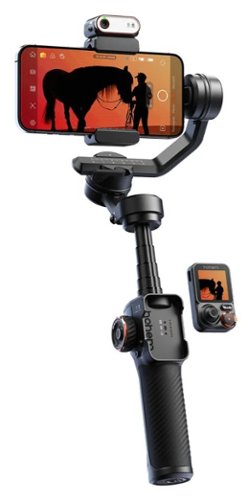
The iSteady M7 brings mobile filmmaking to new heights through innovations. Featuring an upgraded on-device AI tracker, it seamlessly tracks any subject, from person to object, with your phone's native camera. With an innovative detachable touchscreen remote, it enables real-time preview and tracking target selection from a distance, making solo filmmaking easier than ever!
Customer Rating
5
A great tool- but not a toy
on November 4, 2025
Posted by: mobilelawyer
This device is a rock-steady gimbal and so much more. It’s like a video crew in a box for creators. There is so much you can do with it, and after several days, I am nowhere near reaching its full potential. Give me time. I’m working on it!
There is a learning curve. You can’t just take this out of the box and put it to immediate use without some preparation. You must balance your smartphone first and that takes some patience. The unit had no problem in handling my iPhone 15 Pro Max. The gimbal must be unlocked in all three axes. You then attach the smartphone and adjust until you get balance and then lock it in place. The phone can be used vertically or horizontally and can be re-adjusted for each orientation. The gimbal and accessories are easily stored in the supplied carrying case.
Once powered up, you grasp the handle and control the gimbal with the attached touchscreen OR the controls on the handle, OR the supplied app for either ios or android phones. The handle has a handy eight-inch extension pole, and the unit can be placed on a horizontal surface with legs extended and controlled remotely with the detachable touchscreen.
The AI tracking features work like a charm, and you can use hand signals from a distance to stop and start the video and reframe. The remote control allows you to directly view the camera video and fine tune the tracking of either you, or some other human, animal or object. The battery lasts up to 12 hours, but you won’t get that kind of life if you are using the tracking features. You can also reverse charge your phone from the gimbal using the supplied USB cable.
The AI tracking features work like a charm, and you can use hand signals from a distance to stop and start the video and reframe. The remote control allows you to directly view the camera video and fine tune the tracking of either you, or some other human, animal or object. The battery lasts up to 12 hours, but you won’t get that kind of life if you are using the tracking features. You can also reverse charge your phone from the gimbal using the supplied USB cable.
The gimbal is on the heftier side but must be designed that way to support and stabilize larger phones. The M7 is not going to break easily, and you should get many years of use with this practical device. Numerous tutorials are available from Hohem, and I advise using them to further your understanding of the use and versatility of this device.
I highly recommend it.
I would recommend this to a friend!


Share this review:


0points
0of 0voted this as helpful.
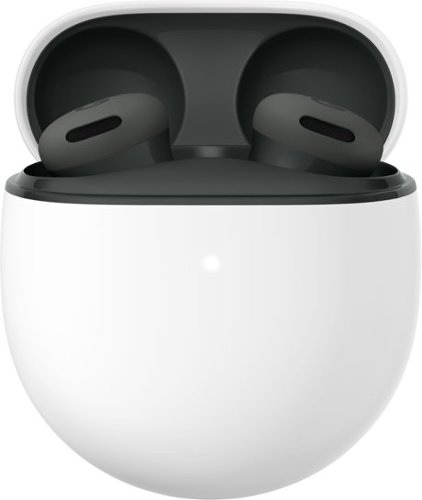
Inspired by the industry-leading design of Pixel Buds Pro 2, Pixel Buds 2a deliver lightweight comfort, crisp audio, Active Noise Cancellation with Silent Seal 1.5, and an all-day battery with the charging case.1 Plus, with the twist-to-adjust stabilizer, just twist the buds to get a more secure fit. All this and more, for less.~
Customer Rating
4
Great Sound, Nice Fit
on October 23, 2025
Posted by: mobilelawyer
I have used prior iterations of the the Pixel Buds, and have been pleased with the sound. This 2a model has some important features new features that raise the bar.
First, and this is important to me, is battery life. After almost a week of use, I have not yet managed to run the battery down. Mind you, that is with some recharging inside the case between uses, but not much. I have used the buds with noise cancelling enabled which somewhat lessens battery life, but I think that 7 hours of continuous use while out of the case is very good battery life, with about 20 hours life held in the case for re-upping.
Second, the Active Noise Control feature is certainly welcomed. I found it effective in lessening background noise while listening to music. It certainly enhances the overall listening experience.
I found the sound to be well balanced, with no undue emphasis of either bass or treble. And there was plenty of bass because the buds made a perfect seal in my ear. There are multiple tips furnished to help each user find the best seal. A good seal is essential for full enjoyment of these buds.
Comfort was excellent. I wore these buds for hours on end and never experienced any discomfort. More importantly, they never fell out of my ear.
The Active Noise Control has three modes: Noise Cancellation, Off and Transparency. I much preferred leaving the ANC on at all times. If I turned it off, the sound field seems to collapse. The Noise Cancellation and Transparency modes, to me, sounded identical - both equally balanced and neutral
These buds are excellent in almost every way, but I deducted a star because telephone callers sometimes complained that I sounded distant when we conversed while I was using the Buds.
My personal listening experience was completely positive, and I highly recommend these buds.
I would recommend this to a friend!



Share this review:


-1point
0of 1voted this as helpful.

Obsessively engineered with Bose~s best noise cancellation for headphones and spatialized audio for immersive listening, the QuietComfort Ultra Headphones (2nd Gen) make every note expand, every beat hit harder, and every melody take up more space. Sink deeper into your favorite songs and sounds with the ultimate combination of plush comfort, premium design, and seamless connectivity.
Customer Rating
5
The QuietComfort Box has been Checked Again
on October 10, 2025
Posted by: mobilelawyer
I have enjoyed Bose products over the years but had never tried their noise cancelling over the ear headphones. While the 2nd Gen product is brand new, the original Quietcomfort headphones have earned almost universal praise. I believe more kudos are in order with this new model.
I can report to you that the Quietcomfort ‘phones, although enclosing and sealing off my ears completely, are quite light, comfortable and non-fatiguing. It is possible to forget they are there as you enjoy the music. In fact, my first night of listening found me waking up the next morning with the ‘phones in place over my ears. They are that non-constricting.
From opening the box to listening to music takes only a couple of minutes. I installed the software on my smartphone, pressed the on button on the ‘phones and got a confirming LED light. The software recognized the headphones, and I had the devices paired easily.
Musical satisfaction was instantaneous. The presentation was neutral. I did use the app to knock down the lowest bass response down a few decibels to meet my personal preferences. Full equalization is available if you are so inclined. I felt my adjustment was just a small tweak.
The active noise cancellation must be experienced to be believed. I am not going to be flying this month, so I tried to come up with a way to evaluate the ANC without getting on a plane. I turned to YouTube and found a pink noise presentation which was probably set up for students and others who wanted to have a way to physically drown out distractions for study and sleep. I bumped up the pink noise to almost 70 decibels through my speakers while listening to music through the Bose’ phones. The noise reduction was quite effective. I was able to hear music only with the headphones over my ears and got blasted with the pink noise when I took the ‘phones off. Between songs the pink noise was muffled to the extent it could have almost been mistaken for tape hiss.
Battery life has been excellent. A full charge is said to provide 30 hours of playing time. These ‘phones certainly meet that spec, and when you take them off, they automatically go into a sleep mode to preserve battery life. One feature that I absolutely love is that you can successfully pair these ‘phones to multiple devices. So many similar products do not offer that feature.
I rate the sound quality as top notch and have used many headphones both wired and wireless over the years. If you value comfort and noise reduction, you will be making a serious mistake if you don’t give these a try. Highly, highly recommended.
I would recommend this to a friend!




Share this review:


+2points
2of 2voted this as helpful.
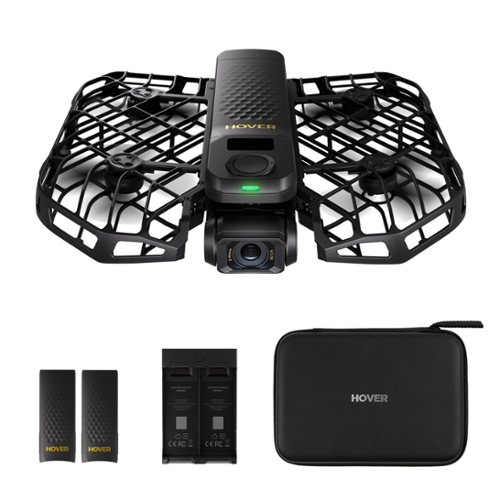
The X1 PROMAX is an 8K flying action camera, capturing stunning visuals in 8K at 30fps and 4K at 120fps. Its compact, foldable design makes it easy to carry, while the simple palm takeoff, OmniTerrain adaptability, and collision detection ensure safe, seamless operation. Equipped with premium stabilization, the X1 PROMAX delivers exceptional clarity and performance in all conditions, perfect for capturing breathtaking shots wherever adventure takes you.
Posted by: mobilelawyer
What good is a drone if it is impractical to use? I have never taken my drone on a family trip of any kind. It hasn’t been impossible, but it has been impractical. It takes up significant space, and it is a hassle to unpack it, use it, and get it re-stowed, not to mention the hassle of going through security if a plane trip is involved.
The HOVERAir - X1 Pro directly addresses this dilemma. It is tiny and fits in the palm of your hand. It does indeed look like a toy, but it most decidedly is not. This retail combo offered by BestBuy comes with an attractive zippered case with enough room to stow the folded drone and the two extra batteries in their charging unit, all of which are supplied.
Once you have downloaded the app on your phone, and have set up the drone properly, it is possible to use the drone to perform pre-programmed tasks without the use of your smartphone or an outboard controller of any kind. For example, you can have the drone follow you, spiral up and then back down, hover, or climb up to a bird’s eye view. When the task is completed, you simply extend your arm and offer the drone your open palm, and it lands and cuts off its rotors.
You can use the app as a controller while you guide the drone looking through its front camera. Hover offers a separate joystick controller through its website, but I could not find that assessory on the BestBuy website. Prior drone owners may consider the control offered by the app alone as limited and there is a learning curve. This size of the drone limits it ability to overcome significant wind gusts, and I found that it sometimes was off the mark when instructed to return to its original starting position.
I have not been able to avoid crashing the unit several times, but it has taken a licking and just keeps going. It had to be engineered to survive crashes because it lacks obstacle avoidance. If you set it up to follow you, and a low hanging limb gets in the way, the drone will hit the limb.
I am certainly not suggesting that due care in its operation should be ignored. I expect to hone my skills with this drone over time. Hover offers a subscription for extended warranty and accident protection.
I am certainly not suggesting that due care in its operation should be ignored. I expect to hone my skills with this drone over time. Hover offers a subscription for extended warranty and accident protection.
You can record both stills and videos using the software supplied. I thought the quality was excellent, whether shooting in HD or 4K. Each battery is said to support a flying time of 20 minutes, but operating conditions can reduce your shooting time. During my operation over the past several days, both battery and unit firmware updates have been detected, downloaded and installed without issue.
Size matters, and in the case of the X1 Pro, smaller is better. I can accept the limitations of this drone to enjoy the benefits of its small size and utility. I can see professionals using this cam to supplement the work of their larger units. I suspect that for family and hobby use, this drone is going to be very popular. Instead of being discouraged from using it, I have not been able to resist trying to exhaust its possibilities, and it is going to travel in my carry-on the next time I get on a plane. If this little drone sounds like it might fit your needs, I would encourage you to give it a try. It’s addictive.
I would recommend this to a friend!


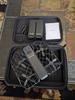
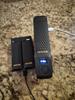
Share this review:


+3points
3of 3voted this as helpful.
mobilelawyer's Review Comments
mobilelawyer has not submitted comments on any reviews.
mobilelawyer's Questions
mobilelawyer has not submitted any questions.
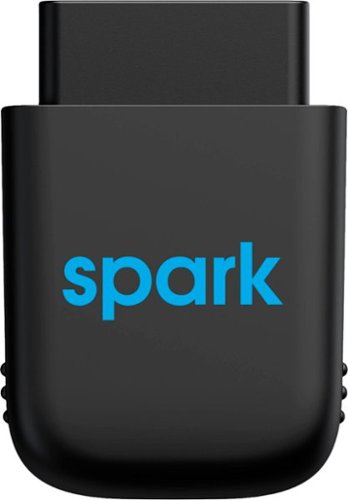
Diagnose automobile mechanical issues with this AT&T Harman Spark smart car device. Compatibility with Android and iOS mobile devices offers convenient control and monitoring, while a 4G LTE receiver brings Wi-Fi to your ride. This AT&T Harman Spark smart car device features an accelerometer and gyroscope sensors for vehicle tracking.
You connect the Sync up. Drive where and does the OBD port bring gyour battery down if not in use and your not in use when parked.
No, the device will not deplete your battery. It has its own battery which recharges while your vehicle is in operation, so that it can continue to monitor your car while it is parked.
5 years ago
by
mobilelawyer
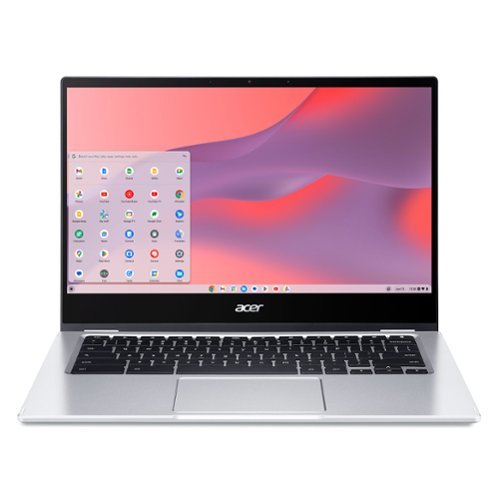
Do More, See More, Anywhere: Watch your favorite movies, TV shows and other media~while on the move or traveling~on Acer~s exciting new convertible Chromebook Spin 514, which offers a 78% screen-to-body ratio to maximize your viewing experience on its 14~ Full HD touch display. The Chromebook Spin 514 leverages the power of the latest AMD processor inside to ensure epic functionality when working on intensive and demanding applications~without the worry of ever slowing down! It features a 360~ durable hinge to provide you with four different modes to enjoy, a high-quality, military-grade tested metal casing, and enough battery life to keep you fired up and running all day long!
Does this chrombook have a cooling fan?
what type of tv has a internal tuner that i don't need converter box [have antenna]
You have to look at the specifications for the set. If it has a tuner, the feature will be listed. Some sets don't have a tuner. My Vizio model does not, and I knew it didn't. I tune my local channels with a TiVo. Silicon Dust makes a variety of boxes that tune both cable and over the air channels. If you have a smart TV, you can simply download an app to stream your local channels from the HD Homerun box.
6 years, 1 month ago
by
mobilelawyer
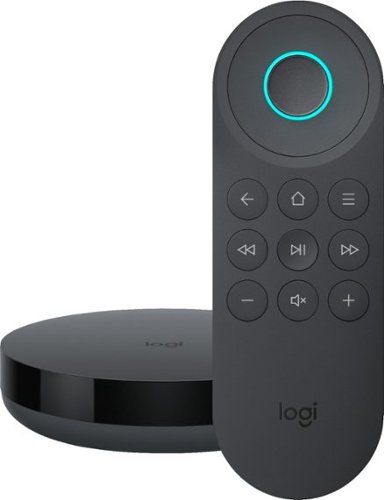
Simplify device management with this Logitech Harmony Express smart universal remote control. Amazon Alexa is built in, letting you issue voice commands to access entertainment, ask questions and a host of other features. This Logitech Harmony Express smart universal remote control lets you change TV channels, open apps on tablets and tackle numerous other tasks.
Despite numerous requests, I see that both Amazon and Harmony will still not create a remote with number keys. There are apps that you can download for your Amazon Fire TV known as iptv services. But, you can't change channels without number keys!
I am using the Express without a keypad. You speak the channel, and Alexa and Harmony Express pull up the channel, whether you say "Go to Channel 10" or "Go to Fox". But do be advised that I am using a TiVo, where each channel has a specific number.
7 years, 1 month ago
by
mobilelawyer
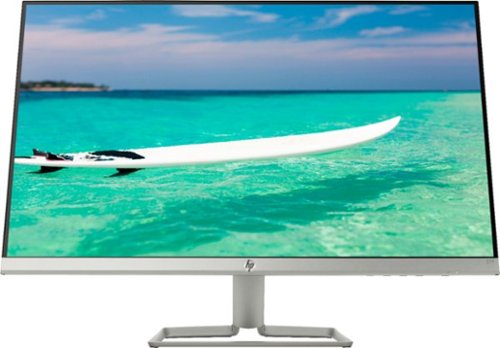
Enjoy crisp, colorful picture quality with this Full HD HP monitor. The ultrathin bezel on the 27-inch screen provides an expansive viewing area so you can stay productive, and its AMD FreeSync technology reduces input lag and screen tearing. This HP monitor has two HDMI ports for connecting gaming consoles and other devices.
Can this be turned vertically in its stand?
The stand allows the screen to be titled several degrees up and down to suit your viewing angle. It does not allow rotation. To rotate the screen, you would need to rotate the stand, which is not that hard to do because the monitor and stand are relatively light.
7 years, 9 months ago
by
mobilelawyer
Enjoy crisp, colorful picture quality with this Full HD HP monitor. The ultrathin bezel on the 27-inch screen provides an expansive viewing area so you can stay productive, and its AMD FreeSync technology reduces input lag and screen tearing. This HP monitor has two HDMI ports for connecting gaming consoles and other devices.
How do I connect speakers to this montior
The speakers would be powered from your computer, not this monitor. It has video inputs only.
7 years, 9 months ago
by
mobilelawyer
Enjoy crisp, colorful picture quality with this Full HD HP monitor. The ultrathin bezel on the 27-inch screen provides an expansive viewing area so you can stay productive, and its AMD FreeSync technology reduces input lag and screen tearing. This HP monitor has two HDMI ports for connecting gaming consoles and other devices.
Is there a removeable screen protector on the monitor from the manufacturer? It appears to have a removeable film, but I'm worried it's supposed to be there and if I remove it then the monitor will be messed up.
There was no film on mine. The screen has a matte surface, not shiny.
7 years, 9 months ago
by
mobilelawyer
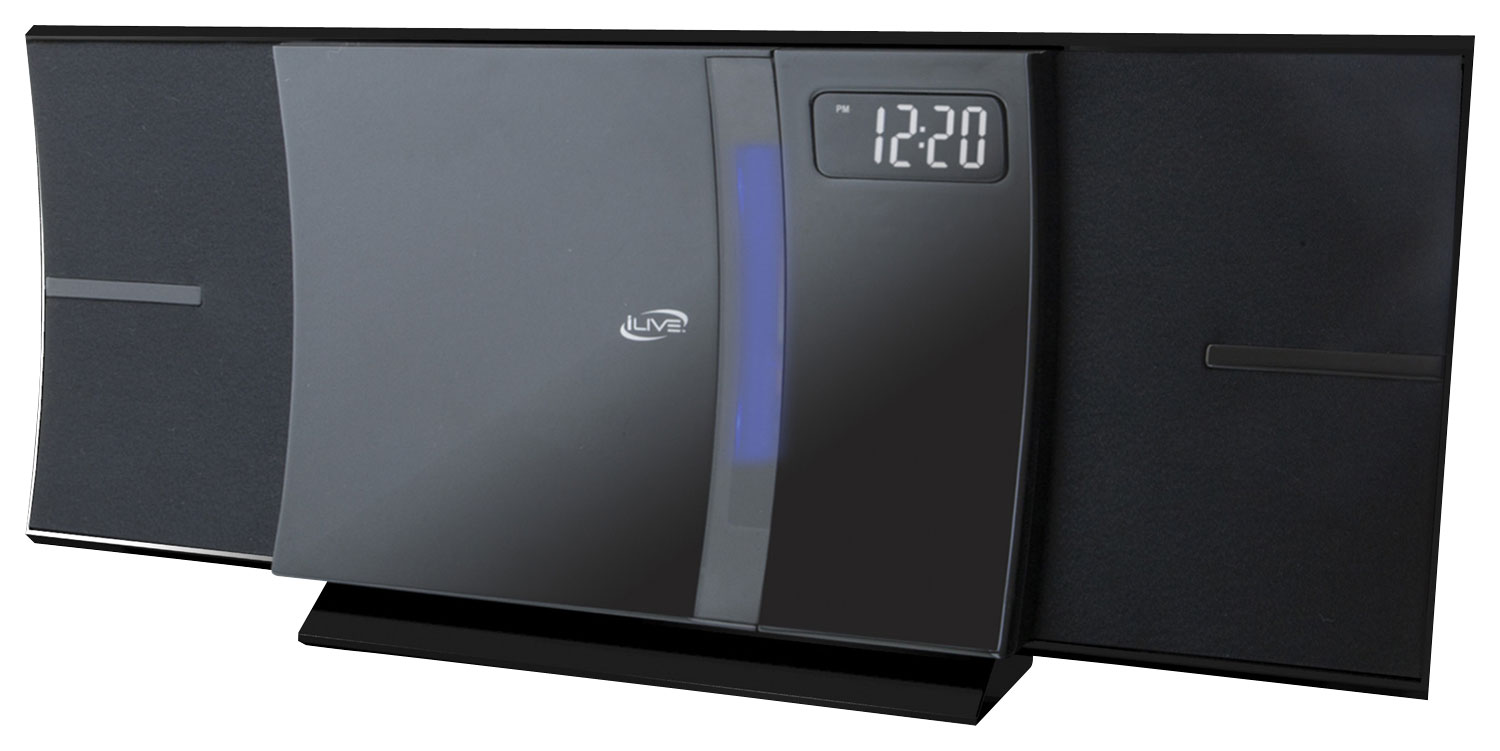
Enjoy your favorite tracks with this iLive IHB603B stereo system, which supports Bluetooth 2.1 and features an FM radio, CD player and 3.5mm auxiliary input for a variety of listening options. A remote ensures simple operation.
I was wonder how big is the system meaning lenth, and is the sound very loud
From the product literature for the SRS-XB41:
Size & Weight
DIMENSIONS (W X H X D)
11 1/2 in x 4 1/8 in x 4 1/4 " (291 mm x 104 mm x 105 mm)
WEIGHT
3 lb 5 oz (1500 g)
I am attaching a picture with a conventional flashlight at the bottom for size comparison. The smaller SRS-XB21 is on the bottom, and the larger SRS-XB41 is on top. I have both. They each put out sound at a loud volume that belies their respective size, but the SB 41 is bigger with punchier bass, and a higher output. It will fill the largest room with loud, clear, detailed sound.
Size & Weight
DIMENSIONS (W X H X D)
11 1/2 in x 4 1/8 in x 4 1/4 " (291 mm x 104 mm x 105 mm)
WEIGHT
3 lb 5 oz (1500 g)
I am attaching a picture with a conventional flashlight at the bottom for size comparison. The smaller SRS-XB21 is on the bottom, and the larger SRS-XB41 is on top. I have both. They each put out sound at a loud volume that belies their respective size, but the SB 41 is bigger with punchier bass, and a higher output. It will fill the largest room with loud, clear, detailed sound.

8 years, 2 months ago
by
mobilelawyer
Enjoy your favorite tracks with this iLive IHB603B stereo system, which supports Bluetooth 2.1 and features an FM radio, CD player and 3.5mm auxiliary input for a variety of listening options. A remote ensures simple operation.
Will this system transmit Bluetooth signal to my hot tub Bluetooth speakers in my backyard?
From the product product specifications: These features allow you to setup multiple SRS-XB21 (or compatible speakers) together in a chain or specify their position individually. You can add up to 100 speakers it says but I have no way of testing that. It is nice to be able to add 2 of them and specify one for left channel and one for right. Here is a quick list of compatible speakers - SRS-XB21, SRS-XB31, SRS-XB41, SRS-XB20, SRS-XB30, SRS-XB40, GTK-XB60, GTK-XB90.
Are your hot tub speakers on this list above? If not, the answer is "no". But the Bluetooth radios on these units have a good range, and they are portable, so you could simply take the Sony to the hot tub.
Are your hot tub speakers on this list above? If not, the answer is "no". But the Bluetooth radios on these units have a good range, and they are portable, so you could simply take the Sony to the hot tub.
8 years, 2 months ago
by
mobilelawyer
Enjoy your favorite tracks with this iLive IHB603B stereo system, which supports Bluetooth 2.1 and features an FM radio, CD player and 3.5mm auxiliary input for a variety of listening options. A remote ensures simple operation.
Can I use my Samsung phone for the bluetooth to play music?
You should be able to do so. That is what the speaker is designed to do. It worked perfectly with my Pixel 2 smartphone.
8 years, 2 months ago
by
mobilelawyer