


mobilelawyer's stats
- Review count132
- Helpfulness votes425
- First reviewAugust 25, 2010
- Last reviewApril 15, 2026
- Featured reviews0
- Average rating4.8
Reviews comments
- Review comment count0
- Helpfulness votes0
- First review commentNone
- Last review commentNone
- Featured review comments0
Questions
- Question count0
- Helpfulness votes0
- First questionNone
- Last questionNone
- Featured questions0
- Answer count14
- Helpfulness votes9
- First answerMarch 24, 2014
- Last answerMay 26, 2021
- Featured answers0
- Best answers0

Boost your productivity with the essential offline solution for all your PDF needs. With Adobe Acrobat Pro 2024, you can easily create, edit, convert, and protect your documents on Windows and Mac without connecting to the cloud. Manage your documents efficiently with new features including enhanced accessibility tools, star a document, and create a new form from scratch. The updated Acrobat interface also means that you~ll be able to easily find the tools you need to complete PDF tasks faster than ever. You can own this software for a full three years, no subscription required.
Customer Rating

5
Classic in every sense
on November 19, 2024
Posted by: mobilelawyer
I had a subscription to Adobe Acrobat Pro, but this new product got my attention. It seems to have all the features that I use in Pro, but it can be obtained for a three-year term, and if you compare the total price of the Pro Subscription over three years, Classic is a better deal IF it has all the features you need. Here is a list of the features of Classic from the BestBuy product page:
• Work securely offline, without connecting to the cloud, with desktop-only PDF tools.
• Edit text and images and reorder and delete pages in a PDF.
• Convert PDFs to Microsoft Word, Excel, or PowerPoint files while preserving fonts, formatting, and layouts.
• Easily create, fill, and sign forms.
• Password-protect documents or redact sections of a PDF to keep sensitive information secure.
• Star a document to favorite or flag your PDF for easy future access.
• Extract discontinuous pages from a PDF to focus on the information you need.
• Create and validate PDFs to meet accessibility standards for people with disabilities.
• Acrobat Classic is a 3-year term license. It is non-renewing. No subscription required.
• Note that Acrobat Classic cannot be used with AI Assistant (add-on).
• Paid features are not available on web browsers and mobile devices.
• Edit text and images and reorder and delete pages in a PDF.
• Convert PDFs to Microsoft Word, Excel, or PowerPoint files while preserving fonts, formatting, and layouts.
• Easily create, fill, and sign forms.
• Password-protect documents or redact sections of a PDF to keep sensitive information secure.
• Star a document to favorite or flag your PDF for easy future access.
• Extract discontinuous pages from a PDF to focus on the information you need.
• Create and validate PDFs to meet accessibility standards for people with disabilities.
• Acrobat Classic is a 3-year term license. It is non-renewing. No subscription required.
• Note that Acrobat Classic cannot be used with AI Assistant (add-on).
• Paid features are not available on web browsers and mobile devices.
This is a desktop only product. You make the changes on your computer. The paid features are not available through browser add-ons and mobile devices. If those features are important to you, this is not your product. I do not generally want to connect to the cloud when I am working on a pdf document.
This product seems to work swimmingly for the things I use Acrobat for, and, once installed, I am not constantly badgered to login to my account to use it. This is a much-welcomed change from Acrobat Pro, and makes it a winner in my book.
I would recommend this to a friend!
Share this review:


0points
0of 0voted this as helpful.

Go above and beyond with a Next Gen AI Copilot+ PC that seamlessly blends power, mobility and style. Bring your creations to life in an ultra-thin flip design. The latest AI accelerating Intel technology redefines power efficiency so you get more performance while looking and sounding your best with AI-enhanced video and audio tools.
Customer Rating
5
Variations on a Theme of Lunar Lake
on October 24, 2024
Posted by: mobilelawyer
2024 has been an exciting but confusing year for Windows laptop buyers. First came Intel’s Core Ultra 7 Series 1 which improved battery life over last year’s Intel model. Then we saw the Snapdragon processor introduced by HP and others showing off its great performance and efficiency running Windows on ARM on the first Copilot+ PCs. AMD answered with its Ryzen AI series, also offered by HP. Now Intel has answered with its Lunar Lake processors, which are also certified to run AI under Microsoft’s Copilot requirements.
As efficient as the ARM based Snapdragon is, some users must also have support for their legacy software that runs on the x86 architecture. With ARM, native software runs efficiently and gets exemplary battery life. But X86 software either runs in emulation which tends to diminish battery life or does not run at all on ARM machines. Lunar Lake handles all your Windows legacy software without a hitch and promises efficiency to compete with Snapdragon. I think it has succeeded.
This OmniBook Ultra Flip Core Ultra 7 Series 2 Evo Edition from HP comes in an attractive package with a breathtaking OLED screen sporting 2880 X 1800 3K resolution and 500 nits of brightness. The aluminum case in Eclipse Gray is light at 2.9 lbs, but quite sturdy and cool to the touch- whether starting cold or running all day. It did not heat significantly during my use, and its fan was quiet in the few instances when it actually ran.
Key travel is exemplary, and the spacious haptic touchpad is a cinch to use. I have used this computer as a daily driver for almost a week, and it has performed without issue running Windows Office 365 apps for production, web conferencing, and email correspondence. The speakers produce a spacious and non-tinny sound (but who really listens to much audio over laptop speakers?).
Battery life can extend to 10 hours or more of real-world use. To get this kind of battery life, of course, you are running the computer in the power efficiency mode, turning down the brightness to about halfway, and letting the computer sleep when you are away from it. Those are reasonable constraints that I always use to increase battery life. If you are going to be gaming, which is not really this model’s forte, or running photo or video editing software, or streaming in HDR with the brightness turned up, your battery life will go down significantly.
HP knows how to design a keyboard. It is such a pleasure to type on this machine. For me, key travel could not have been better. The weight and the feel of this machine suited me perfectly. Since it is a 2 in 1 design, it is also possible to use it as a tablet in the tent mode. This is a great convenience when you are trying to show a webpage or a document to someone.
There are 3 USB-C ports, all of which offer power delivery and Display Port video. Two of them are Thunderbolt 4, which support DisplayPort 2.1, and one is USB-C 3.1 which supports DisplayPort 1.4a. There is also a headphone/microphone combo jack.
The 16GB of LPDDR5X memory and the PCIe 4.0 SSD were speedy, and this machine never bogged down on any task I assigned it. The Intel ARC integrated graphics produced excellent performance on the beautiful OLED screen.
There are 3 USB-C ports, all of which offer power delivery and Display Port video. Two of them are Thunderbolt 4, which support DisplayPort 2.1, and one is USB-C 3.1 which supports DisplayPort 1.4a. There is also a headphone/microphone combo jack.
The 16GB of LPDDR5X memory and the PCIe 4.0 SSD were speedy, and this machine never bogged down on any task I assigned it. The Intel ARC integrated graphics produced excellent performance on the beautiful OLED screen.
I have not used the AI features extensively, and did not on the Snapdragon PC I evaluated earlier. This machine should be ready for those who want to exploit those features with NPU performance of 47 trillion operations per second. I’m learning. Give me time.
This laptop succeeds at all levels for me. If it has the features you want, I recommend it highly. When it goes on sale (which is right now as I type this), act immediately!
I would recommend this to a friend!



Share this review:


0points
1of 2voted this as helpful.

The Shark CarpetXpert HairPro with StainStriker, 2-in-1 upright deep carpet cleaner with built-in spot & stain remover provides unbeatable deep carpet cleaning* and unbeatable tough stain elimination~ for all homes. Shark~s deep-cleaning HairPro innovation is designed to pull up deeply embedded hair from carpet fibers with no clogs, no clumps, and no hair wrap. Instantly eliminates odors - even smoke and pet urine. Disclaimers: *Shark CarpetXpert models vs. consumer carpet cleaners based on ASTM F2828 using included cleaning solution as of May 15, 2024. ~Based on pet stains (TM116) and household stains (TM110) vs. extractor market, using included stain cleaner and best-performing accessory. .
Customer Rating
5
Well Worth the Investment!
on October 23, 2024
Posted by: mobilelawyer
When I agreed to test the product, I had the impression that this machine was something like a wet dry vacuum. It is in a way, but the CarpetXpert is best described as a vacuum device designed to deep clean your carpets and upholstery. You don’t use the suction in the way a conventional Shark vacuum would. In fact, to get your carpet ready for cleaning with the CarpetXpert, you use your conventional vacuum to take up the surface dirt while the carpet is dry. Then you go over the carpet with the CarpetXpert which injects water and cleaning solution into the carpet and then pulls the dirty water into a tank on the machine for disposal. The result is a clean and relatively dry carpet.
The system is engineered to use two different types of cleaning agents, both exclusive to Shark. The agent called Deep Clean is diluted with water when you fill the main tank on the machine. The bottle furnished with the machine was sufficient to clean one 8 X 10 carpet in my living room with some left over to attack a problem area in one of our upstairs rooms. A 48-ounce bottle of the solution is $23.99. Bear in mind that the replacement solution comes in a quantity sufficient to clean several rooms of carpet. The other solution is called OXY Multiplier. It is for the toughest stains, and I was able to use a small amount for the stains I wanted to attack, and I had plenty left over in the trial bottle. It is not diluted and is poured full strength into the StainStriker tank. The replacement size is 32 ounces and costs $13.99 from Shark.
I was very pleased with the cleaning result in my living room. The machine is designed to apply solution as you push it forward, and then vacuum only as you pull backwards. You can also throw the switch to vacuum only if you want a faster drying time on the area you have already cleaned. I found the rug slightly damp when I finished, and it was dry to the touch the next morning.
There were no obviously visible stains on the living room carpet to clean, but the rug had seldom been shampooed, and the filthy wastewater showed just how through the Shark clean had been. For the 8 X 10 rug, I had to dump the wastewater three times before the job was complete.
I had a stain upstairs that simply begged to be tested. Years ago, and I mean several years ago, something spilled in one of the bedrooms that prior cleanings had never dealt with. And by prior cleanings, there was at last one professional job on the room in question, which did not get the stain out. Since I was not even sure of the source of the stain, I was skeptical that the Shark system would be able to do anything with it.
First, I vacuumed the area of the stain with our conventional Shark vacuum to remove the surface dirt. I then used one of the several StainStriker wand attachments to go over the area of the stain with the OXY Multiplier solution to hopefully loosen the stain. I then went back over the area with the main floor nozzle using the Deep Clean solution. First indications were that the stain was no longer visible, but I wanted to wait until morning when the carpet was fully dry to confirm the results. Unbelievably, the stain was gone!
I am impressed with this device! It will take a few minutes to put together, and several hours to learn to properly use it. There is no way to avoid reading the instructions to learn this device, trust me on this. I read the instructions over several times and watched videos before I felt comfortable to perform my first cleaning job. And after the job was complete, I had to spend significant time cleaning the various tanks and nozzles so that they would be ready for the next use.
The results were well worth the investment of time. Shark’s great reputation was further confirmed in my mind, and remember: the CarpetXpert has a five year warranty!
I would recommend this to a friend!






Share this review:


+2points
2of 2voted this as helpful.
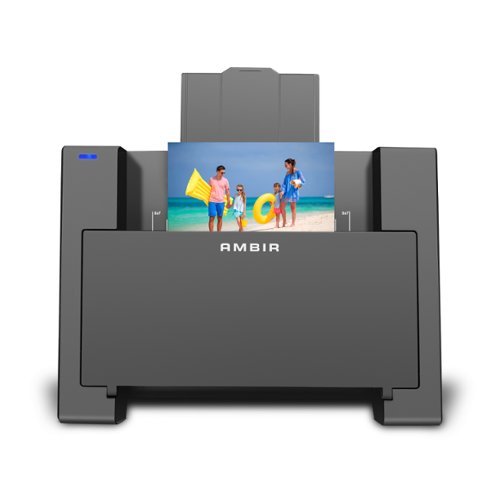
Introducing the ultimate solution for effortlessly preserving and revitalizing your cherished memories. Say hello to our cutting-edge photo scanner and PictureStudio photo editing software, designed to breathe new life into your old, faded photos with just a single touch. Gone are the days of sifting through endless photo albums in search of that one special moment. With our seamless search feature, navigating through your digitized photo collection has never been easier. Simply enter a keyword or filter by tag, and watch as your memories come to life before your eyes. Whether it's restoring colors to faded photographs, organizing your entire photo collection in one convenient location, or effortlessly sharing and backing up your memories, AMBIR has you covered.
Posted by: mobilelawyer
This is a reasonably priced photo scanner that does exactly what it is designed to do and does it well.
It looked great on my desk.
It looked great on my desk.
There is no power switch. I used the supplied USB cable to connect to the scanner to my Mac Mini. When I did, a bright blue LED on the device let me know that I was getting power. I then downloaded the Mac Picture Studio software for my computer (Windows and Mac versions are available, of course), and ran through the set-up routine which took a few minutes. The software found my computer and allowed me to calibrate the device in order to print photos. You have the option of telling the software where to store your scanned files and the format you choose to use. I chose .jpeg, but .png, .bmp. and .pdf are also available.
I had a shoebox of 4 x 6 prints to run through, and I must say that I am amazed at how quickly I could scan them in and have the resulting files ready for review and manipulation. Of all the ones I scanned, there was one stubborn print that had no obvious wrinkles or defects, but which skewed to one side every time it got pulled through the scanner which resulted in a skewed .jpeg. I finally got it to go through. Every other print I tired, went though the scanner perfectly. I had some that were smaller than 4 x 6 which scanned without issued, but did not have any 8 x 10 prints to test. The scanner can physically handle a print that large, if you have them.
The Picture Studio lets you crop and manipulate exposure as well to make older prints look more acceptable.
The Picture Studio lets you crop and manipulate exposure as well to make older prints look more acceptable.
This software might not have been meant to replace some of the well-known professional and semi-professional editing software, but I submit that it was great for touch ups and minor corrections. The ability to tag people makes it handy to locate photos at a later date. The software also offers to load your scanned photo directly to social media. I did not use that feature out of privacy concerns.
I did have one practical problem that the Picture Studio could not help me with. Few of the prints had the date recorded on the back, and left me guessing. I was surprised that we had not written the date on the back of these prints when they were made, and some of them were over 30 years old. The Picture Studio can help, however, in organizing the photos after the fact by adding tags and sorting by event.
You will still have work in front of you to find and organize your aging prints, but this scanner and software make the process a whole lot easier, and faster. Time is money. Highly recommended!
I would recommend this to a friend!

Share this review:


0points
0of 0voted this as helpful.
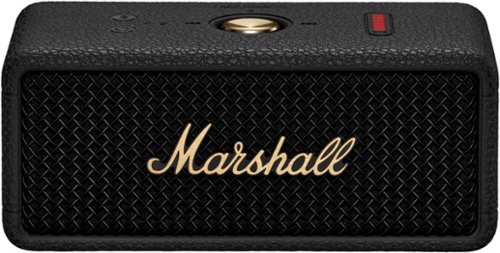
Not all speakers are created equal. Some can provide the soundtrack to your life while taking on dust, dirt, and rain. Emberton III does exactly that and more. It~s not for display, it~s there to join the party, wherever the party ends up. You can chuck it in a bag, throw it in the back seat of your car, take it on a cross-country ride, or hit the beach, completely stress free. Emberton III is ready for the fast lane. While you~re busy living life to the fullest, you~ll experience absolute 360~ sound. True Stereophonic is a unique form of multi-directional sound from Marshall ~ where every spot is a sweet spot. No matter where you~re standing, the music will sound vibrant, balanced and loud. Just like it should. With 32+ hours of portable playtime, and battery preservation features built for almost endless listening sessions, you can keep the music playing on repeat. We~ve also updated Emberton III~s design to make it more straightforward and convenient to use while staying true to its rock ~n~ roll heritage. The classic grill, textured sleeve and iconic Marshall script hark back to our legendary amps with the added benefit of a built-in mic. Emberton III will go the distance and back again.
Customer Rating
5
Big Sound from a Little Speaker
on September 18, 2024
Posted by: mobilelawyer
I grew up on the idea that bigger speakers are always better. This little waterproof (IP67) and dust resistant wonder is designed to challenge that idea. And of course, this handsome speaker looks like a classic Marshall guitar amp, but only smaller. A lot smaller.
It has no problem at all filling a room with music, and the sound is balanced and natural. Plenty of bass, treble and midrange at an amazing volume without any noticeable strain. But this fantastic sound isn’t confined to one room- you take it with you wherever you go. To the beach, to the office, to the neighbors, and there is no need to hunt for any plug.
On a full charge, you should get 32 hours of listening pleasure. I have been playing with it for only a couple of days, so I can’t fully substantiate that kind of life between charges, but I have no reason to doubt it. The LED row on the top of the device always tells you how much charge you have left, and after my initial listening sessions, it has barely moved.
I love the look and feel of this device as well. It will never slip out of your hand. Its rubber surface grabs and holds on. The big gold button in the center controls playback, such as start stop and pause, next or previous track as well as volume. The on/off and Bluetooth pairing buttons are smaller and the same color as the case, but you can feel them as you run you finger over the case. They are not lighted but are easy to find in the dark with touch. Of course, there is a blue LED that blinks when the device is in pairing mode and goes off when pairing is complete.
The unit comes with a USB-C to USB-C charging cord. No charger is provided. There is also a hardened cutout on the side for attaching a carrying strap, which is not provided. Marshall supplies a color multipage quick start guide.
I pressed the on button and immediately heard the Marshall startup sound. The Bluetooth LED was already blinking, and I hunted for the speaker on my iPhone and paired with it immediately. When I did that, a window opened on my phone and invited me to install the Marshall App which I accomplished in just a few seconds. Even though I plugged the Marshall into a USB charger for a few minutes, nine of the ten LEDs were already illuminated out of the box.
The sound is superb and spacious because it is radiating from both the front and the back of the device, offering both direct and reflected sound. While the Emberton III has two drivers, it did not produce the type of stereo imaging that I would expect to hear listening to left and right stereo speakers placed several feet apart. Who would expect such from such a small device? I got full musical enjoyment from what I heard.
Highly recommended.
I would recommend this to a friend!



Share this review:


0points
0of 0voted this as helpful.

Elevate your driving experience with this cutting-edge Wireless Apple CarPlay Adapter. Perfect for iPhone users and compatible with vehicles that have built-in Apple CarPlay, this adapter transforms your commute by enhancing both safety and accessibility. Benefit from effortless auto-pairing and a stable Bluetooth connection that seamlessly integrates with your vehicle's system. Enjoy the convenience of wireless hands-free media streaming and voice control, allowing you to focus on the road while staying connected and entertained. Unlock the full potential of your car's capabilities with this essential upgrade.
Customer Rating
5
Bluetooth Convenience
on September 12, 2024
Posted by: mobilelawyer
When I bought my new Toyota last year, the first feature the salesman showed me was Apple Car Play. It was a selling point, but I noticed the salesman plugged his iPhone into a USB port. I specifically asked if the Car Play would work with Bluetooth, and he professed not to know. I should have inquired further, but I had found the car I wanted, and the lack of Bluetooth support would not have swayed my decision one way or the other.
It was easy to plug the phone in with a short USB cord and let it rest in the spot carved out for a phone in close proximity to the under-dashboard connection. But I quickly got tired of pulling my phone out of my pocket every time I got into the car, and then having to remember to unplug it and stick it into my pocket when I got out. And why would I want to have my phone constantly charging while using the car, especially on longer trips?
I soon found out that there are a large number of devices that are marketed to offer the omitted Bluetooth connectivity that would make Apple Car Play the seamless experience I wanted. I have been using such a device for more than a year, and, for the most part, it has worked well. But sometimes, for whatever reason, the Bluetooth connection did not happen after I started the car and failed to reconnect to Car Play until the next time I stopped and started the car. This was infrequent, but frustrating. When I was offered the opportunity to text this Rexing device, I jumped at the chance, and I found that it quicky resolved the connection issue.
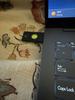
The first question I had was how many hoops I was going to have to jump through to disconnect the old device and get the new Rexing working. It turns out there were no hoops to jump through at all. I unboxed the tiny device and plugged it into the USB port on my car that supports Car Play. Several USB charging ports are available on the car, but only the one under the dashboard supports car play. I started the car, and the Blue LED on the device told me the device had power. I then paired the device with my iPhone, and I was in business.
In the several days I have used this product, I have experienced no instances of my Car Play connection not working. The connection is not instantaneous upon starting the car. My experience with car play is that is always takes a few seconds for the connection to the phone to complete whether you are connecting wired or wirelessly. And each start after the Rexing device was installed has been issue free. It just works and works seamlessly.
Good job, Rexing! Highly recommended!
I would recommend this to a friend!



Share this review:


0points
0of 0voted this as helpful.

Meet the YubiKey by Yubico: the ultimate hardware security key for phishing-resistant multi-factor authentication (MFA). The YubiKey requires a physical touch to authenticate, eliminating the risk of remote attacks. The YubiKey functions by combining something you know (your password) with something you have (the physical YubiKey) to add an extra layer of security. The YubiKey can also store Passkeys, which replace passwords entirely.Most cyber attacks begin with compromised account credentials, usually stolen usernames and passwords. Using a security key as two-factor authentication offers a straightforward and effective approach to safeguarding your identity, accounts and devices. Embraced by leading global brands and millions of users worldwide, the YubiKey remains a trusted choice for enhanced security.For consumers:- The highest level of phishing defense, yet easy to use, the YubiKey is your key to trust.- Works out of the box with Google, Apple ID, Facebook, X, Dropbox, password managers, and hundreds of other services.- The YubiKey works across both desktop and mobile with touch or tap-and-go authentication using USB or NFC.- Eliminate the need to reach for your phone to open an app, or memorizing and typing in a code~simply touch the YubiKey to verify and you~re in.- YubiKeys reduce the risk of unauthorized access to online accounts, emails, financial transactions, and sensitive information.For businesses:- Defend against phishing and credential theft with highest-assurance authentication.- Enhance security for users across devices, including desktop and mobile.- YubiKey hardware security keys reduce cyber risks and keep your intellectual property, customer data and financial information safe.- Works out-of-the-box with enterprise systems like Google Workspace, Microsoft Entra ID, Identity Access Managers, password managers and hundreds of other services.- Supports multiple protocols, including Smartcard/PIV and FIDO2, allowing for modern phishing-resistant authentication with device-bound passkeys.*Note that Yubico recommends having a spare key
Customer Rating
5
Your Convenient Authenticator
on August 4, 2024
Posted by: mobilelawyer
Everyone wants security with an online account. There are so many things that can go wrong: your password is too elementary, and an intruder figures it out; there is a password leak and yours is compromised; you forget your password and can’t get into your account- the list goes on.
This YubiKey5 NFC offers a simple solution. It is very easy to set up and you will never have to worry about forgetting your password as long as you have your key with you. You can require its use to get into a particular device or a particular account. If the person trying to use your protected device does not have your YubiKey they, they aren’t going to get into your device without it.
One question that begs an answer when you are trying to protect a device is what happens if you lose or destroy your key? In that case, you’d better have a backup YubiKey which is also registered to the same account or device. A case in point is Apple. They won’t let you register a key with a device unless you also register a backup key with them at the same time. That is good common sense, but I did not have a second key, so I was not able to follow that recommendation.
It was easy to set up the Yubi with various accounts, and easy in most cases to remove the key if used as one of the two step verification methods. This Yubi key supports every conceivable protocol, and the list of accounts and services is vast.
The set up is fast and easy, and the device is tiny, water resistant, and convenient to use. It is designed to store on your key chain. The only obstacle to its use, as far as I am concerned, is me. I fear that I would lose it and not have it available if I needed it. But it does what it is designed to do and is a great solution if a hardware authentication device is what you want and need. This is clearly the one to get.
I would recommend this to a friend!


Share this review:


+1point
1of 1voted this as helpful.

The most flexible laptop, reimagined ~ Surface Pro empowers your creativity and productivity with responsive performance designed for seamless multitasking, intuitive touchscreen, and built~in AI assistance through Copilot. Using the Windows ecosystem, it helps you work more efficiently across your apps and devices, with all~day battery life~. All wrapped up in an ultra~portable design, Pro adapts to the way you create, collaborate, and do more than you ever imagined.
Posted by: mobilelawyer
This is a beautiful, practical device and probably a no-brain upgrade for Surface Tablet lovers like me.
The OLED screen is an absolute delight to behold. The Snapdragon processor running Windows 11 on ARM speeds through a typical day of office work, internet research, photo editing and media consumption. The 16GB of RAM and 512GB SSD are more than enough to handle my needs. The front and rear facing cameras are excellent, and the built-in AI abilities enhance and expand your creative use of them.
Every Copilot+PC has a powerful AI processor, also known as a Neural Processing Unit (NPU) which can deliver up to 45 trillion operations per second (TOPS). You will begin to put this NPU to work the moment you boot up your computer. Of course, you can smash the Co-Pilot key and a screen will pop up asking you what you want to explore. You can type in your instructions, or speak them into your microphone, and you will get both a typed and spoken answer.
If you are watching virtually any video that contains audio or communicating with a group through Teams or Zoom, your computer now can translate scores of foreign languages into English and present the generated subtitles to you in real time. This is immensely useful. I tuned into a CNN news channel being broadcast in Spanish, and this feature translated everything that was spoken into English subtitles in real time. Right now, this only seems to work in one direction: translating the other language into English. I am confident that translation in the other direction will work as well as the product matures.
Another example: open the Paint application and use the co-creator feature. Draw a picture and use artificial intelligence to enhance it, and the amount of creativity is varied by adjusting a slider. I did not care for the result I got when I tried this with a drawing, so I took a picture of my living room using the rear camera and enhanced it with both impressionistic and surrealistic styles using various levels of creativity. I am attaching the rather interesting result.
AI and Copilot PCs are in their infancy, so some of the promised features are not yet available to the public. I expect that my use of AI will broadly expand in the days and months ahead.
Battery life has been exemplary. I easily get a full day of use with varied tasks, and when I close the keyboard cover to let the device sleep, I can open it back up hours later with almost no battery drain. Of course, to get the best battery life, I turn the brightness down some. My use scenario easily yields about 10 hours of battery life in real world use, and I am sure that by tweaking the settings I could squeeze out more.
Battery life has been exemplary. I easily get a full day of use with varied tasks, and when I close the keyboard cover to let the device sleep, I can open it back up hours later with almost no battery drain. Of course, to get the best battery life, I turn the brightness down some. My use scenario easily yields about 10 hours of battery life in real world use, and I am sure that by tweaking the settings I could squeeze out more.
I felt little heat from this efficient computer. The fan, when it did turn on, was barely audible. I could shut the keyboard cover which puts the device to sleep and come back to it hours later with only a tiny amount of battery drain. This was a first for any Windows computer I have ever used, and it was greatly appreciated.
As much as I love the OLED screen, the base model with the still- great LED screen also supports the same sharp 2880 x 1920 resolution and should squeeze out even more battery life, if you can live with the 256GB SSD. Remember, these Surface Pro Tablets have a user replaceable SSD, which differentiates them from most other Copilot+ PCs. You’ll need some technical acumen and patience to research how to image your original SSD containing the operating system and copy it to the new SSD, but it’s certainly doable without having to take the device apart.
I personally have always loved the Surface tablet form factor. I owned a Surface RT, a fourth-generation Surface Pro, a Surface X, and still have a Surface Go 2. Windows on ARM has been frustratingly slow to evolve, but this Copilot+ PC is a giant step forward. Better emulation means many more applications designed for X86 chips can run under ARM.
All my Microsoft 365 office products are running natively and work exactly as they do on my desktop and other Windows laptops. All my home and office printers (with one exception, which was also problematic on a recently acquired Core Ultra 7 Intel laptop) were easily found and proper drivers installed under Windows 11 through a network search. ARM 64 native versions of the Chrome browser, Zoom Workplace, VLC Media player, my VPN client, and a beta version of DaVinci Resolve were located and installed without incident. I have also installed the free version of Adobe Acrobat, which appears to be a 64-bit version of that App running under emulation. It runs without issue. Running Windows Task Manager in a detailed view will let you see which apps are running natively, and which apps are running under emulation.
Various other apps including Netflix, Paramount+, Amazon Prime, HD Homerun, and Hulu were installed through the Microsoft Store. All work perfectly. Given the great impetus created by Microsoft’s development of Copilot+PCs and with so many manufacturers adopting the new architecture, many more native applications will be available soon.
There are some limits to what emulation can run, especially with older programs. I tried installing a 32-bit application which I have used for many years to edit videos, VideoReDo. I hoped it might run under emulation but was not surprised it didn’t.
The keyboard cover and pen, if you use one or both, each costs extra. I tested the Microsoft - Surface Slim Pen (2nd Edition) and Pro Keyboard for Pro (11th Edition) which BestBuy offers as a package for a reasonable but still significant $280. I would not consider buying the Surface device alone without a keyboard cover (which also has a trackpad). You need this tool to fully enjoy the benefits of having a compact device which runs the full Windows operating system on ARM.
You should note that the keyboard in the package I mentioned is NOT the new Bluetooth Flex keyboard which can be totally detached from the tablet and still connect to the tablet through Bluetooth. You’ll have to pay even more for the convenience of the Flex, if that feature appeals to you. It is $350 and DOES NOT come with a pen, although it has a well to store one if you already have it.
You should note that the keyboard in the package I mentioned is NOT the new Bluetooth Flex keyboard which can be totally detached from the tablet and still connect to the tablet through Bluetooth. You’ll have to pay even more for the convenience of the Flex, if that feature appeals to you. It is $350 and DOES NOT come with a pen, although it has a well to store one if you already have it.
Good news if you already have one of the Signature keyboards originally designed for Surface 8, 9 and Surface X- they all have a well for holding a pen and will work on this Copilot device, minus only the Copilot key. Not having to invest in a new keyboard would put the buyer in a position to move up to the Snapdragon Elite processor for about a hundred dollars more than the cost of the device and a new keyboard or stepping down to the base model to save some dollars and get a little more battery life. Either of those choices are going to be tempting to a buyer who already has a Signature keyboard.
As you may have gathered, I am excited about this product. This model is by far the best Surface tablet I have ever used, and I am enjoying it more every day. Highly recommended for Surface fans!
Share this review:


0points
0of 0voted this as helpful.
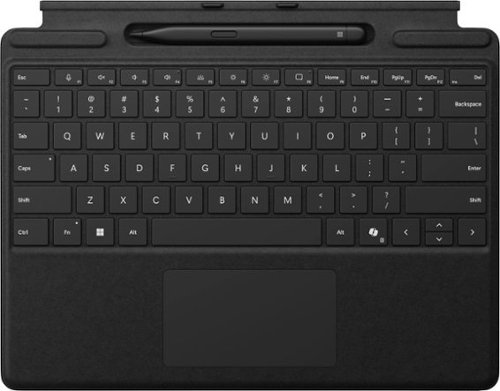
Next-level versatility comes in the perfect pair ~ Surface Slim Pen (2nd Edition) stores securely and recharges in the premium keyboard, featuring a large glass touchpad and luxurious, Alcantara material covering. Ready to pair with Surface Pro (11th Edition), Surface Pro 9 and Surface Pro 8.*

Posted by: mobilelawyer
This slim pen and Pro Keyboard Combination offer the best value for for a newcomer to the Surface Tablet.
I would not consider buying a Surface Pro Tablet without a keyboard cover. It adds little weight to the tablet, and with its built in touchpad, gives the user full laptop functionality for the most efficient use of the Windows 11 operating system features. For the combination price, the surface slim pen is also included, which offers even more flexiblity to creators.
This is NOT the new Flex keyboard, which functions via Bluetooth, even if unattached to the tablet. That keyboard is significantly more expensive, and does not come with any pen.
This keys, of course, are lighted, which is a great feature for using your computer in marginal lighting. And it also contains a copilot key, which instantly summons an AI assistant, which you can address with your voice or by typing the keys.
This keyboard requires no batteries and is powered off the Surface Tablet. It is a pleasure to use and type on.
Good news for owners of the Signature keyboard cover that came with the Surface 8, 9 or X tablet: that keyboard will work perfectly with your new Copilot Surface Tablet without having to purchase a new keyboard. Those keyboards are virtually identical to this one, lacking only the Copilot key.
I reccomend this combination for its good value and great utility.
I would recommend this to a friend!

Share this review:


0points
0of 0voted this as helpful.
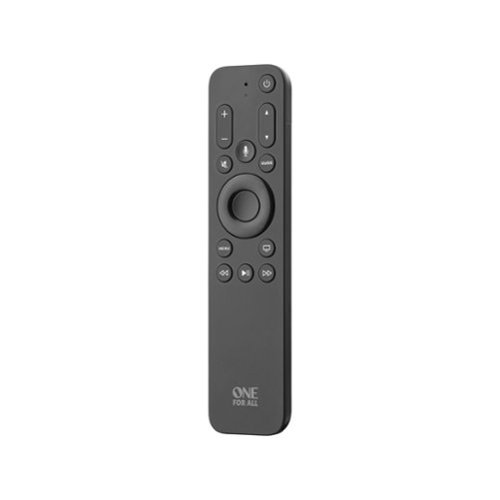
This One For All Apple TV Remote will elevate your viewing experience with intuitive control and effortless navigation. Control your Apple TV as well as Television and Audio devices, without the constraints of mode-switching. Enjoy the comfort of Siri Voice search, find and access all content across live TV and streaming apps easily with minimum effort. The remote also comes with backlit keys allowing you to easily find it in a low light environment, thanks to the built-in accelerometer which activates when motion is detected.
Posted by: mobilelawyer
The box says the remote is a replacement remote for the Apple TV. That is a pretty tall order, and I contend that the One for All certainly filled that fuction for me.
I am guessing that our situation with Apple TV may be similar to many other users: 99 per cent of the streaming and entertainment activity we share at home comes from our Apple TV. It is the consumate streaming device: beautiful interface, excellent 4K picture, excellent sound. The Apple TV has it all, so if we lost our remote, we would have to go running to Best Buy to get another- except that we wouldn't. Our Apple TV is controlled by the Harmony Hub which allows us to use all our devices through the Harmony infrared transmitter, allowing the devices to be controlled through wifi, so that line of sight is not necessary. All the while I tested this One for All, our beautiful aluminum Apple TV remote stayed in the basket that holds all the other remotes.
So when I got this remote for testing, I wondered how it would interface with all my other devices. That question was answered in minutes. I took the remote out of the box, and operated its controls within a few inches of the Apple TV, (per the simple instructions) and a press of the controls showed that it was working immediately. The serial number for the paired remote shows up on the system menu of the Apple TV, and I confirmed that the serial number was the same as the one printed on the One For All Box.
I went through set up to allow the remote to control the audio volume on my receiver, and to also control my TV. I also had to turn on the CEC function on my TV, which had been previously turned off for best function while I was using the Harmony Remote.
With one exception, and I also experienced this with the native Apple TV remote when I was using it, all the expected functions worked perfectly. A press of the on/off button turned on the Apple TV, the TV and the receiver, allowing full control of all components. Another press of the on/off button turned everything off. Occasionly, pressing the off button would appear to turn off all components, but then I would see the warning on my TV that nothing was connected to the HDMI port where the Apple TV was feeding. I had to go back, turn everying on, and then try again to get everything to go off. This was sporadic and has also happened historically with the native remote. It is due to the CEC function on my TV not working as it should, and has nothing to do with this remote or the native remote not working as expected. Further testing seemed to indicate that if I held the on/off button down for a few seconds, everything would be turned off without futher ado.
One other observation: neither the channel up and down rocker switch nor the guide button were functional on the One for All remote. This is due to my Vizio TV. It lacks any tuner, so there is nothing for the remote to control in that regard. The instructions say the rocker also pages up and down, that function was not working with the rocker switch. The navigation button is what I always used anyway to scroll up or down, and it worked fine on this remote.
The overriding feature of this remote, which is powered by batteries, and is not rechargable like the native remote, is the lighted buttons. What a nice thing to have at night when watching the TV in total darkness! That feature alone justifies an investement in this remote. Two AAA batteries are required and are not supplied in the box.
If you are a Harmony Hub user like our family, this remote allowed us to enjoy an added feature. When paired with the Apple TV, all the commands from the infra red remote were read by our Harmony Hub, and I was able to control the Sony receiver and the Apple TV even though they were behind the closed doors of a home entertainment cabinet. Those components got their signal via an infra red extender attached via cable to the Harmony Hub. Just to make sure that everything would work as intended, even without the help of the Harmony Hub, I disconnected the hub, and opened the cabinet doors so the One for All could "see" the infrared receivers of both enclosed devices, and all worked perfectly.
The lighted controls on the remote are a wonderful selling point. For those who want or need that feature, they might be the main reason you would want to consider this device. Everything else that I was using the native remote for works just as well on the One for All as in the original. I did read another review expresssing disappointment that the swipe function on the native remote is absent from One for All. Having never used that function on the native remote, I never missed it.
I highly reccomend this product.
I would recommend this to a friend!


Share this review:


+6points
6of 6voted this as helpful.
mobilelawyer's Review Comments
mobilelawyer has not submitted comments on any reviews.
mobilelawyer's Questions
mobilelawyer has not submitted any questions.
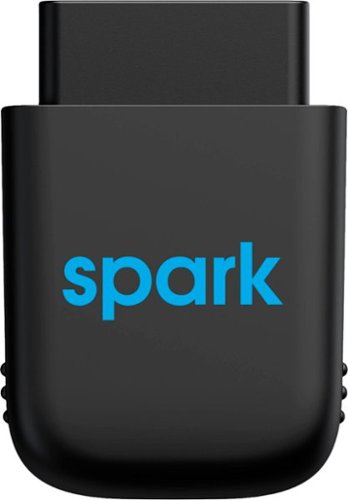
Diagnose automobile mechanical issues with this AT&T Harman Spark smart car device. Compatibility with Android and iOS mobile devices offers convenient control and monitoring, while a 4G LTE receiver brings Wi-Fi to your ride. This AT&T Harman Spark smart car device features an accelerometer and gyroscope sensors for vehicle tracking.
You connect the Sync up. Drive where and does the OBD port bring gyour battery down if not in use and your not in use when parked.
No, the device will not deplete your battery. It has its own battery which recharges while your vehicle is in operation, so that it can continue to monitor your car while it is parked.
5 years ago
by
mobilelawyer
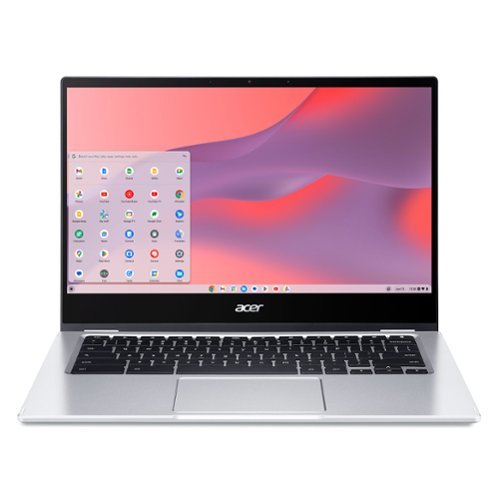
Do More, See More, Anywhere: Watch your favorite movies, TV shows and other media~while on the move or traveling~on Acer~s exciting new convertible Chromebook Spin 514, which offers a 78% screen-to-body ratio to maximize your viewing experience on its 14~ Full HD touch display. The Chromebook Spin 514 leverages the power of the latest AMD processor inside to ensure epic functionality when working on intensive and demanding applications~without the worry of ever slowing down! It features a 360~ durable hinge to provide you with four different modes to enjoy, a high-quality, military-grade tested metal casing, and enough battery life to keep you fired up and running all day long!
Does this chrombook have a cooling fan?
what type of tv has a internal tuner that i don't need converter box [have antenna]
You have to look at the specifications for the set. If it has a tuner, the feature will be listed. Some sets don't have a tuner. My Vizio model does not, and I knew it didn't. I tune my local channels with a TiVo. Silicon Dust makes a variety of boxes that tune both cable and over the air channels. If you have a smart TV, you can simply download an app to stream your local channels from the HD Homerun box.
6 years, 1 month ago
by
mobilelawyer
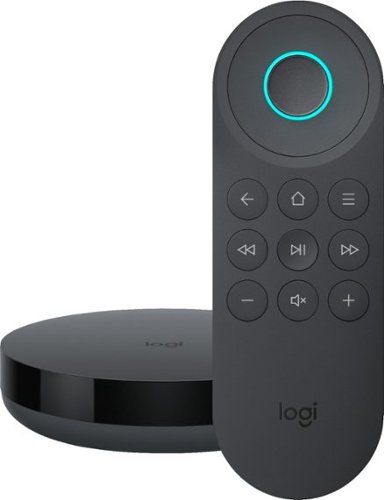
Simplify device management with this Logitech Harmony Express smart universal remote control. Amazon Alexa is built in, letting you issue voice commands to access entertainment, ask questions and a host of other features. This Logitech Harmony Express smart universal remote control lets you change TV channels, open apps on tablets and tackle numerous other tasks.
Despite numerous requests, I see that both Amazon and Harmony will still not create a remote with number keys. There are apps that you can download for your Amazon Fire TV known as iptv services. But, you can't change channels without number keys!
I am using the Express without a keypad. You speak the channel, and Alexa and Harmony Express pull up the channel, whether you say "Go to Channel 10" or "Go to Fox". But do be advised that I am using a TiVo, where each channel has a specific number.
7 years, 1 month ago
by
mobilelawyer
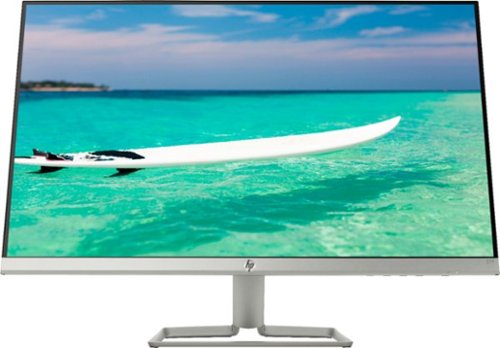
Enjoy crisp, colorful picture quality with this Full HD HP monitor. The ultrathin bezel on the 27-inch screen provides an expansive viewing area so you can stay productive, and its AMD FreeSync technology reduces input lag and screen tearing. This HP monitor has two HDMI ports for connecting gaming consoles and other devices.
Can this be turned vertically in its stand?
The stand allows the screen to be titled several degrees up and down to suit your viewing angle. It does not allow rotation. To rotate the screen, you would need to rotate the stand, which is not that hard to do because the monitor and stand are relatively light.
7 years, 9 months ago
by
mobilelawyer
Enjoy crisp, colorful picture quality with this Full HD HP monitor. The ultrathin bezel on the 27-inch screen provides an expansive viewing area so you can stay productive, and its AMD FreeSync technology reduces input lag and screen tearing. This HP monitor has two HDMI ports for connecting gaming consoles and other devices.
How do I connect speakers to this montior
The speakers would be powered from your computer, not this monitor. It has video inputs only.
7 years, 9 months ago
by
mobilelawyer
Enjoy crisp, colorful picture quality with this Full HD HP monitor. The ultrathin bezel on the 27-inch screen provides an expansive viewing area so you can stay productive, and its AMD FreeSync technology reduces input lag and screen tearing. This HP monitor has two HDMI ports for connecting gaming consoles and other devices.
Is there a removeable screen protector on the monitor from the manufacturer? It appears to have a removeable film, but I'm worried it's supposed to be there and if I remove it then the monitor will be messed up.
There was no film on mine. The screen has a matte surface, not shiny.
7 years, 9 months ago
by
mobilelawyer
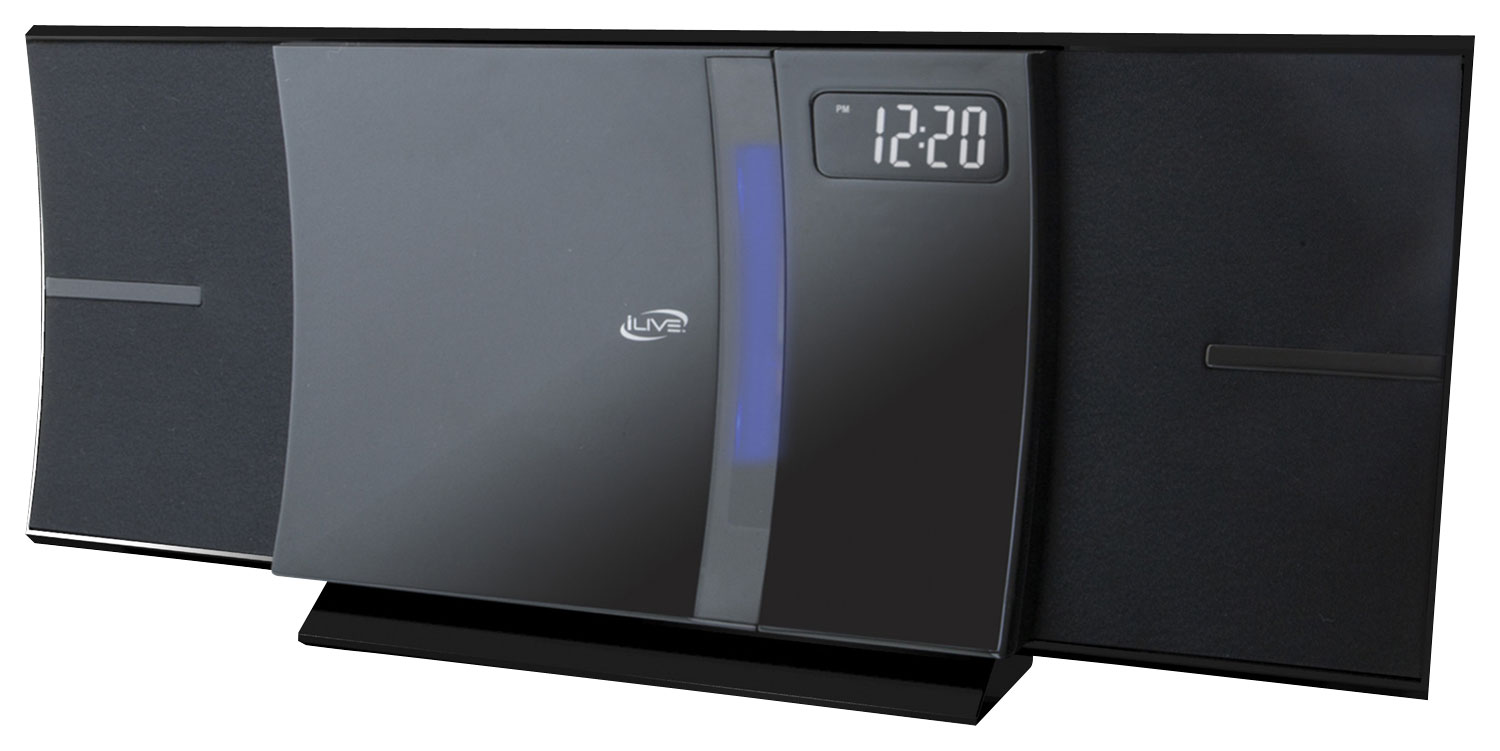
Enjoy your favorite tracks with this iLive IHB603B stereo system, which supports Bluetooth 2.1 and features an FM radio, CD player and 3.5mm auxiliary input for a variety of listening options. A remote ensures simple operation.
I was wonder how big is the system meaning lenth, and is the sound very loud
From the product literature for the SRS-XB41:
Size & Weight
DIMENSIONS (W X H X D)
11 1/2 in x 4 1/8 in x 4 1/4 " (291 mm x 104 mm x 105 mm)
WEIGHT
3 lb 5 oz (1500 g)
I am attaching a picture with a conventional flashlight at the bottom for size comparison. The smaller SRS-XB21 is on the bottom, and the larger SRS-XB41 is on top. I have both. They each put out sound at a loud volume that belies their respective size, but the SB 41 is bigger with punchier bass, and a higher output. It will fill the largest room with loud, clear, detailed sound.
Size & Weight
DIMENSIONS (W X H X D)
11 1/2 in x 4 1/8 in x 4 1/4 " (291 mm x 104 mm x 105 mm)
WEIGHT
3 lb 5 oz (1500 g)
I am attaching a picture with a conventional flashlight at the bottom for size comparison. The smaller SRS-XB21 is on the bottom, and the larger SRS-XB41 is on top. I have both. They each put out sound at a loud volume that belies their respective size, but the SB 41 is bigger with punchier bass, and a higher output. It will fill the largest room with loud, clear, detailed sound.

8 years, 2 months ago
by
mobilelawyer
Enjoy your favorite tracks with this iLive IHB603B stereo system, which supports Bluetooth 2.1 and features an FM radio, CD player and 3.5mm auxiliary input for a variety of listening options. A remote ensures simple operation.
Will this system transmit Bluetooth signal to my hot tub Bluetooth speakers in my backyard?
From the product product specifications: These features allow you to setup multiple SRS-XB21 (or compatible speakers) together in a chain or specify their position individually. You can add up to 100 speakers it says but I have no way of testing that. It is nice to be able to add 2 of them and specify one for left channel and one for right. Here is a quick list of compatible speakers - SRS-XB21, SRS-XB31, SRS-XB41, SRS-XB20, SRS-XB30, SRS-XB40, GTK-XB60, GTK-XB90.
Are your hot tub speakers on this list above? If not, the answer is "no". But the Bluetooth radios on these units have a good range, and they are portable, so you could simply take the Sony to the hot tub.
Are your hot tub speakers on this list above? If not, the answer is "no". But the Bluetooth radios on these units have a good range, and they are portable, so you could simply take the Sony to the hot tub.
8 years, 2 months ago
by
mobilelawyer
Enjoy your favorite tracks with this iLive IHB603B stereo system, which supports Bluetooth 2.1 and features an FM radio, CD player and 3.5mm auxiliary input for a variety of listening options. A remote ensures simple operation.
Can I use my Samsung phone for the bluetooth to play music?
You should be able to do so. That is what the speaker is designed to do. It worked perfectly with my Pixel 2 smartphone.
8 years, 2 months ago
by
mobilelawyer