


mobilelawyer's stats
- Review count132
- Helpfulness votes425
- First reviewAugust 25, 2010
- Last reviewApril 15, 2026
- Featured reviews0
- Average rating4.8
Reviews comments
- Review comment count0
- Helpfulness votes0
- First review commentNone
- Last review commentNone
- Featured review comments0
Questions
- Question count0
- Helpfulness votes0
- First questionNone
- Last questionNone
- Featured questions0
- Answer count14
- Helpfulness votes9
- First answerMarch 24, 2014
- Last answerMay 26, 2021
- Featured answers0
- Best answers0

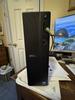
Boost productivity with a high-performance desktop designed to fit in any space. Featuring built-in AI, powered by Intel Core Ultra desktop processors (Series 2).
Customer Rating

4
The small and silent type
on July 10, 2025
Posted by: mobilelawyer
This thin desktop runs a speedy and highly efficient Intel Core Ultra 7 265 laptop CPU in a compact desktop chassis that takes up little space. As configured and used as designed, you will probably never hear its fan at all, and it will run cool as a cucumber. If the marketeers have guessed correctly, the purchaser of this computer, if he or she decides to upgrade, might later increase the RAM to enhance performance, and perhaps nothing else. Design choices are aimed in that direction. The supplied DDR5 16 GB of memory running at 5600MT/s occupies a single slot, making it ultra easy to upgrade by filling the second memory slot.
The price is right for what you get. Office applications, web browsing and media
consumption are going to run speedily and efficiently for the home user, and the 1TB m.2
NVMe (2230, not 2280) should well suffice for the intended user.
The price is right for what you get. Office applications, web browsing and media
consumption are going to run speedily and efficiently for the home user, and the 1TB m.2
NVMe (2230, not 2280) should well suffice for the intended user.
If you want to install a 2280-sized SSD, you can, but it will be a hassle that the typical
buyer of this device might not want to endure. There is only one usable NVMe slot and the supplied SSD occupies it. You would have to place the replacement SSD in an enclosure and use third party software to image the Dell supplied SSD to the replacement, power off the computer, remove the power cord, open the chassis, switch out the SSDs, replace the power cord, reboot the computer (and pray). If you’ve done that before, you shouldn’t be intimidated. I will probably do this at some point. As configured, there is no way to install a second SSD or conventional hard drive inside the chassis. Neither the caddy nor the power connector for the additional drive(s) is supplied with this model.
buyer of this device might not want to endure. There is only one usable NVMe slot and the supplied SSD occupies it. You would have to place the replacement SSD in an enclosure and use third party software to image the Dell supplied SSD to the replacement, power off the computer, remove the power cord, open the chassis, switch out the SSDs, replace the power cord, reboot the computer (and pray). If you’ve done that before, you shouldn’t be intimidated. I will probably do this at some point. As configured, there is no way to install a second SSD or conventional hard drive inside the chassis. Neither the caddy nor the power connector for the additional drive(s) is supplied with this model.
I am not a gamer, but for those who are, the gaming experience should be exactly as this Ultra 7 265 processor supports on laptops that do not have separate video card, which seems to be fine for many users. Serious gamers are probably not going to be looking at this model as their go-to device.
This computer has 1 PCI-E x16 slot, making it possible to install a video card, but I would recommend caution before going in that direction. Two factors mitigate against video card installation. The first is space and the second is heat. This case is tiny and meant to be that way. Any video card produces heat, and a heat producing component inside this chassis offers the potential for trouble. The case does not have the ventilation to exhaust air around the video card, possibly limiting the life of the card and damaging other components. The power supply is only 180 watts, and the video card and CPU together may use up to the full capability of that power supply depending on what you are trying to do. The placement of the slot in relation to other components does not leave room for fitting any card that occupies more than a single slot, and there is no provision for any separate power connection. You will have to also have a half-height bracket for the card to fit in this machine. In case you want to look for a video card that will fit and work on this computer, I could not find one on either the BB or the Dell website. The single slot cards that I did find from other sources were at or around $200, raising a huge cost-benefit issue on adding such a card. I would also think that the quiet operation of this computer would be adversely affected by the addition of a video card. The fan on that card will produce plenty of sound when it is taxed, destroying one of the built in features of this Dell, which is silence.
The SD card reader on the front panel is a great convenience, and there is a plethora of USB-A connections on the front and back of the computer. A single USB-C 3.2 port is on the front panel as well as an audio input jack. Both HDMI 2.1 and Display port 1.4 video connections are on the back panel.
This Dell is recommended for those who fit the use profile it was designed for and not recommended for those who want to make it into something else. It shines the most as the small silent and efficient type.
I would recommend this to a friend!



Share this review:


+2points
2of 2voted this as helpful.
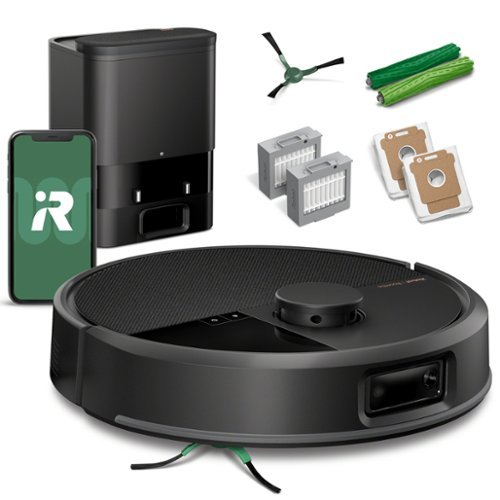
Unleash advanced cleaning power with the Roomba Max 705 Vac Robot + AutoEmpty Dock, engineered to keep busy, pet-loving homes spotless. Extreme power-lifting suction combined with anti-tangle Dual Rubber Brushes extract and eliminate debris from carpets and hard floors. Get the most out of your robot with fast, advanced 3D mapping, object recognition, custom settings and precise navigation. Dirt and debris are trapped for 75 days in the dock for hands-free cleaning.
Posted by: mobilelawyer
I was alarmed when I opened the box only to find a quick reference card, a warranty card and a multi-language safety guide. "It can't be this simple to set up," I thought. Actually, it was.
The only extra parts in the box were the sweeper brush, which I immediately installed, and a filter. I opened the Rooma to install the filter and discovered that the loose filter was a replacement for the filter that had already been installed. Inside the auto empty dock were two disposal bags. I conneced one to the dock, and left the other in the storage well for use as a replacement. The dock also housed a cleaning brush for the filter. I do not remember seeing that tool before with other Roombas, and I look forward to using it.
This model is a talker. As I pushed the Roomba toward the dock until it touched both charging connectors, a female voice told me the Roomba was charging, and a white led confirmed the charging status. I decided to let the unit charge all night before attempting to complete the set up process.
New software was required for the operation of the Roomba Max 705. My previous model, the Roomba Combo j7+, used the iRobot app. This model uses the Roomba Home app. Once I installed the software and connected the Roomba, a firmware download was required and I was advised it might take some time to complete. It did take a while. In fact, I waited a couple of hours and never got any prompt that the download had been completed.
I re-booted my iPhone, and when I opened the Roomba Home app advised that it was time to map my house for the first time. The Roomba completed that task in a breeze, taking about 30 minutes. When I attemped the first whole house cleaning, however, I ran into a glitch. The unit went back to base before it even finished the living room. I assumed the mapping and the first job had drained the battery down and that the job would resume momentarily. It didn't. I am not sure what caused that glitch, becuase it has not happened again. All subsequent jobs have been completed successfully.
And if "completed successfully" seems like faint praise, such is not intended. The vacuum quietly and powerfully cleaned my floors leaving no visible residue, and I was very pleased at the result which was obtained on the single pass setting. Subjectively, the Roomba seems quieter than my previous models. It's lidar-based technology allows it to avoid obstacles, and in several days of use, it has not gotten stuck a single time.
We live in a home with a kitchen that opens into a large living room with no wall separating the two areas. Although the initial mapping was accurate, the Roomba Home software allows you to create subrooms within the mapped area, which I did, and it also allows you to rename rooms, and I also took advantage of that feature as well.
The software allows the Roomba to clean all the mapped area, or specfic rooms. Cleaning can also be scheduled for every day or specfic days.
For the first time in my experience, a spot clean feature can be selected for cleaning. It covers an area about one square meter which you select on the mapped area. We used this after an accident when a glass pot cover fell onto the floor and shattered. It worked like a charm.
I have no complaints about the job this Roomba is doing after several days use. Just like its predecessors, it works tirelessly while I am at work, leaving the rooms vaccuumed clean when I get home. If you've had other Roombas or if you haven't, I think you'll like it, and I reccomend it.
I would recommend this to a friend!




Share this review:


0points
0of 0voted this as helpful.
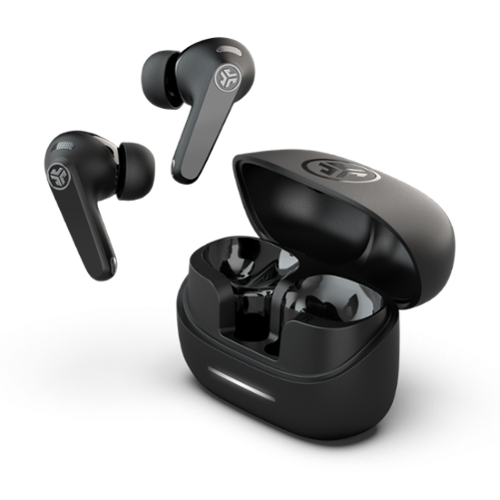
JBuds Pods ANC feature our innovative stem design that elevates every aspect of your listening and communication experience. The ergonomic stems provide stability through every adventure and house six perfectly positioned microphones that work together for hybrid ANC and crystal-clear calls. Adjust your fit without triggering touch controls and immerse yourself in Lab Spatial Audio that surrounds you. With an incredible 56+ hours of playtime, these true wireless earbuds enhance both your audio and your everyday listening experience.
Customer Rating
4
Comfortable and Long Lasting
on June 21, 2025
Posted by: mobilelawyer
I have been using these JBUDS PODS for several days, and I cannot seem to make much of a dent in the batteries. They were fully charged when I took the JBUDS out of their case, and I am still at 100 per cent as I type this. Bear in mind I am not a constant user. I don’t use these at work, but I do like to listen to music at night and use my tablet and laptop without disturbing others.
They are comfortable, and the sound is excellent. Perhaps not the very best I’ve heard, but they are so comfortable to wear for long periods that I don’t feel like nitpicking on the sound. Nor does the sound grate on me after long periods of listening. The treble is defined without sounding edgy, and the bass adds plenty of body without sounding boomy for show. The balance is just right.
And the JBUDS stay in place. Not once have they come loose with ordinary activity. You just forget they are there.
One important point for first time users. You must make sure that the tips that fit in your ear canal are the proper size so that you get a complete seal when you put them on. This is important and not stressed or mentioned in the Quick Start Guide that comes in the box. The JBUDS seemed to fit nicely in my ear when I first put them on, but the sound was tinny with no bass at all. You get three pairs of tips in the box, so I switched out the ones that were installed at the factory with a larger pair which did make a nice seal in my ears, and made all the difference in the world with the sound. The bass was back, and the sound absolutely blossomed.
JLAB offers an app for both Android and iPhone users which provides multiple ways to manipulate and control the sound of these buds. You will find it useful, but I recommend that you pair the buds with your phone first before installing the app. The quick start guide seems to suggest that the app should be installed first. When I did that, the iPhone would show up on the app as paired with the phone, but the buds were not in the phone’s Bluetooth list, and the sounds came through the phone’s speakers and not the buds. The only way I found to fix that was to uninstall the app, turn off the buds by putting them back in the case, and then reboot the phone. I then put the buds back in the pairing mode and paired them without installing the app. The buds paired and worked perfectly, and I was then able to download the app again, and everything worked perfectly.
I tried the ANC and could hear its effect on background noise with varied results. If only the ANC could turn off the ringing in my ears caused by my tinnitus!
These are fine ear pods with extra long battery life and great sound. I recommend them highly!
I would recommend this to a friend!



Share this review:


0points
0of 0voted this as helpful.
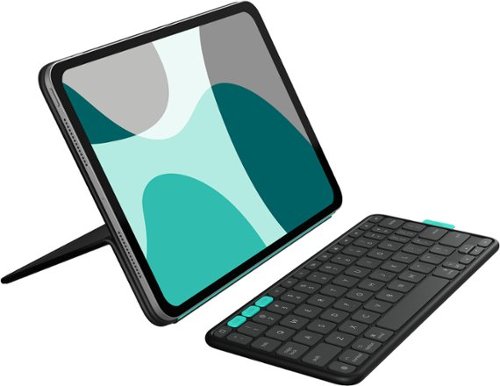
Flip into joy with Flip Folio, the iPad case featuring a stowable keyboard and front and back protection. You can type anywhere, any way you like~or stash the keyboard away and just relax. Find the right angle with adjustable viewing angles, plus portrait and landscape modes for iPad. Dock your iPhone, or connect to your TV for even more options. Now available for iPad Pro and iPad Air.
Customer Rating
4
Which niche do you fit into?
on June 12, 2025
Posted by: mobilelawyer
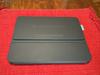
There are many niches to fill in the iPad case and cover realm. What are your needs? Protection? Looks? Keyboard cover? Removable keyboard? Bluetooth keyboard? Logitech tries to address as many needs as possible with this product, and succeeds more than it fails, but no iPad case can meet every need.
You get a nice-looking package with this FlipFolio. Your device is held in the Folio with magnets, so it is easy to completely remove the iPad from the case if needed. The cover folds up to protect the screen when it is not being used to support the device, and the two parts of the FlipFolio keep the iPad in a protective sandwich until you are ready to use it. The keyboard is also held on the back of the folio with magnets so that all components are at your beck and call when you are ready to hit the road.
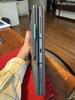
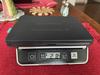
But there is a price to pay for the convenience of keeping the entire package stuck together for travel. It is very heavy: 2.84 pounds. The naked iPad is only 1.2 pounds. Weight wise, a Flip-Folioed iPad Air weighs more than a MacBook Air notebook!
And there is a reason this product is called a FlipFolio and not an iPad case. If, for any reason the sandwiched assembly slipped out of your hands and fell to the ground from waist level, you would be probably be shopping for a new iPad. The magnets hold the device nicely to the cover and base while you are using the iPad for work or play, but there is no conceivable way the magnets would hold if you dropped everything on the floor. The sides of the iPad are not protected at all. The FlipFolio should be carried in another bag or sleeve for full protection.
I point out these shortcomings to say that they are more design choices than design failures. I have used enough cases to learn that it is nigh well impossible to combine a keyboard case into a fully protecting cocoon. Other efforts have had the same results. You pay your money and you make your choice.
The cover has a bending joint that requires some force to get it in the supporting position for the iPad, but in my several days of use, it always bent back into a smooth and unbroken cover for the iPad when I was ready to pack everything up.
The small but effective keyboard had a great typing feel and was easy to get adjusted to and used effectively. It is powered by a watch battery that will have to be replaced every couple of years. As soon as the protective tab was pulled, one of three device selection keys was blinking, beckoning me to pair it with the iPad. The keyboard can be paired with two more devices as well, such as your phone or another computer. This is a greatly desired convenience for you multi-taskers. Unfortunately, the three device selection keys are the only lighted keys- you will have to find the typing keys by touch or natural light.
For my personal needs, the weight is a deal-breaker. But such does not stop me from recommending the FlipFolio for those who need all its features and who do not care about the weight, and I know there are many who will fall into that category. I have several iPad cases that are used depending on what task I have in mind. It has been a choice I have had to make since owning the device.
I would recommend this to a friend!


Share this review:


0points
0of 0voted this as helpful.
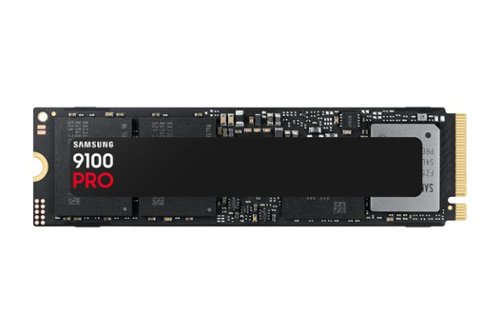
Blazing speed meets massive capacity built for AI and beyond. The Samsung 9100 PRO SSD delivers up to twice the speed of the 990 PRO SSD and up to an 8TB storage option, ensuring you have lightning fast speed and ample space for AI projects, 4K/8K video editing, gaming marathons, and more. Designed for next gen performance, it's the ultimate storage solution for your digital life.
Posted by: mobilelawyer
The only computer that I had available to install this state of the art NVMe drive in was a Dell desktop 3910 which has a motherboard designed to support 12th generation Intel chips. I had no expectation that its PCIe lanes would come anywhere near delivering the speed this 5X4 capable drive can support.
I am heading toward building or buying a rig that will fully support a drive like the Samsung 9100 Pro , but I am not able to do that right now, especially with the current scarcity of supporting hardware.
This Samsung package comes with the drive only: no heatsink is supplied, although BestBuy sells a package that does include a heatsink. When I removed the original 30 mm “shorty” NVMe drive from the Dell, I noticed that it had no thermal pad underneath. No thermal pad was supplied with the 9100 Pro either. Since I had heard so much about thermal issues with NVMe drives and had experienced thermal issues with other such drives in enclosures, I wondered how this brand-new drive would fare in the environment I could supply for it.
This Samsung package comes with the drive only: no heatsink is supplied, although BestBuy sells a package that does include a heatsink. When I removed the original 30 mm “shorty” NVMe drive from the Dell, I noticed that it had no thermal pad underneath. No thermal pad was supplied with the 9100 Pro either. Since I had heard so much about thermal issues with NVMe drives and had experienced thermal issues with other such drives in enclosures, I wondered how this brand-new drive would fare in the environment I could supply for it.
It turns out that that it did quite well. With my use on this Dell desktop, the temperature of the drive, monitored by both the Windows 11 system and the Samsung Magician software which I downloaded, was well within the design parameters of the drive- usually running between 35 and 50 degrees C. Mind you, I am not running games on this rig nor am I performing intensive tasks. I’m not doing that now but may want to build a video editing rig when I get the hardware that will fully support it. This Samsung would certainly be ready for that new build and perform accordingly.
As best I can determine, my current motherboard can only support up to 3X4 PCIe speeds, so both the Samsung Magician and CrystalDiskMark read and write speeds are in the 3500 MB/s range. Based on the specifications for this 9100 Pro drive, the proper motherboard and CPU can support delivery of almost five times the speed I am getting now.
Have a noticed any difference in performance on my Dell? Of course! For one thing, I replaced a 256GB drive with a 2TB. Virtually everything I do on the computer is speedier, if for no reason other than having a brand new, larger capacity drive. One of the selling points of this highly-speced drive is its compatibility. It had no problem improving the performance of my Dell desktop.
This drive is helping me now, but will also serve my future needs, and I am willing to invest in that capability. I recommend it.
I would recommend this to a friend!

Share this review:


0points
0of 0voted this as helpful.

Meet Pixel 9a ~ engineered by Google with more than you expect, for less than you think. Like Gemini built in to supercharge your productivity and creativity.~ A best-in-class camera~ for incredible photos. All-day battery.~ Durable design. And 7 years of updates so it keeps feeling new.~ All for under $500.
Customer Rating

5
What More Could You Want?
on April 29, 2025
Posted by: mobilelawyer
What changes did you want in the A series from Pixel? I had my 8A for comparison when the 9A arrived. The things I like the most:
1. The camera bar is gone. The phone now lays perfectly flat on its matte back cover on a horizontal surface.
2. The battery is bigger, now 5100 mAh.
3. The Tensor G4 chip is more powerful than the G3, as seen in the attached Geekbench results.
4. Water and dust resistance rose from IP67 to IP68.
5. The display is noticeably brighter.
6. The price is exactly the same and a treasure trove of new AI features have been added.
2. The battery is bigger, now 5100 mAh.
3. The Tensor G4 chip is more powerful than the G3, as seen in the attached Geekbench results.
4. Water and dust resistance rose from IP67 to IP68.
5. The display is noticeably brighter.
6. The price is exactly the same and a treasure trove of new AI features have been added.
I liked the look and feel of the 8A. The 9A is even more impressive to me because I love its clean lines with absolutely no bump in the back.
As expected, the camera performance is excellent for both stills and 4K video. The new macro focus ability for extreme close ups is a welcome feature. The low light abilities of the Pixel software never ceases to amaze me.
I had great fun playing with the Add Me feature. I snapped a picture of my wife standing in the living room and then gave her the phone to take a picture of me. The software showed my wife the position of the first photograph to allow me to step into the proper position to add me next to her. She snapped the picture, and the two photos were combined into one of us together in our living room. Then Magic Editor allowed me to replace the background. I typed “Grand Canyon” and the results were amazing. The possibilities with AI are endless.
If you are taking group photos, the Best Take feature allows you to make multiple exposures of the group shot and use the best take of each individual head shot to compose the result.
The AI magic is not confined to stills. A feature called Audio Magic Eraser allows you manipulate the audio portion of your videos to turn up or turn down the relative volume of specific people in the video.
The AI magic is not confined to stills. A feature called Audio Magic Eraser allows you manipulate the audio portion of your videos to turn up or turn down the relative volume of specific people in the video.
Gemini Live was available with my 8A, but I had never used the feature. You can ask whatever complex question that you have, and Gemini will have an answer, and perhaps not a short one! I asked the assistant to research the best aviation band antennas for a recently- purchased radio, and was amazed to see the results in seconds, which was like an instant precis of all the work I had done in the past week. The suggestions were spot on and the suggested approaches to selecting the best antennas showed insight far beyond what I expected. I will be trying out the deep research abilities of Gemini shortly.
Every user’s smartphone needs and expectations vary to some extent. I love the size, features and utility of the Pixel 9A. It offers every feature that I could want or need now with the pure and unadulterated Android OS with seven years of updates. For the price, it cannot be bettered by any other phone that I am aware of, and for my needs and expected uses it is a perfect fit, even if price is not factored in. Highly recommended.
I would recommend this to a friend!




Share this review:


+2points
2of 2voted this as helpful.

The GO Charge Wireless Bluetooth Mouse is small, comfortable in your hand, and dare we say~kind of cute? Your everything go-to, it goes with you from desk to caf~ to coworking space and beyond. We see you digital nomads. Three saved device connections means you can seamlessly switch connections as easily as you switch filters.
Posted by: mobilelawyer
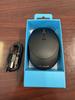
The name of this practical travel mouse tells you as much as you need to know. It is light, small, and can be kept on your desktop or tossed in your travel bag when you get ready to hit the road.
You can use the supplied 2.4Gz dongle to connect to your computer’s USB port, or you can mate the mouse to two other devices using Bluetooth.
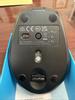
I did not try the dongle as I don’t like to fool with them or worry about losing or misplacing the tiny things. But, if you need a connection alternative, the dongle is there and ready, and you can leave it stowed in a slide in caddy on the underside of the mouse.
I mated the mouse with my computer in seconds. The mouse had a charge on it out of the box, and I selected one of the bluetooth connections on the underside, holding the button down until the LED blinked appropriately, and then paired the mouse with my computer. Quick and easy.
The controls are simple as you would expect. Left click, right click, and scroll. There is a DPI button to adjust the sensitivity.
You will never have to worry about replacing a battery in this mouse as it conveniently charges via the supplied USB cable.
I cannot conceive of a more practical travel mouse. Get one and go!
I would recommend this to a friend!

Share this review:


0points
0of 0voted this as helpful.

Experience birdwatching like never before with Bird Buddy, the ultimate AI-powered smart bird feeder. Featuring a 5MP camera with HDR, 2K video, and slow-motion functionality, Bird Buddy captures stunning close-ups of your feathered visitors in crystal-clear detail. The Bird Buddy app sends real-time notifications when birds (or surprise guests) stop by, providing AI-powered recognition of over 1,000 bird species along with fascinating facts to deepen your connection with nature. Designed for convenience, Bird Buddy is built with weather-resistant, bird friendly housing and offers multiple mounting options for easy setup in any outdoor environment. The detachable Solar Roof extends battery life, ensuring you~ll never miss a moment. Perfect for backyard birdwatchers and wildlife enthusiasts, Bird Buddy also supports global conservation efforts by contributing to research on bird populations and migration patterns.
Customer Rating
5
Your Patience Will Be Rewarded
on March 28, 2025
Posted by: mobilelawyer
No complicated assembly will be necessary for this bird feeder. There are only a few steps from opening the box to placing the feeder, but patience may be required for getting the feeder properly placed.
The camera fits inside the charger and has a large battery inside which should easily provide many weeks of coverage after a full charge. No AC converter is provided, so I used the same one that I use for my smartphone. A USB-C to USB-C cable is provided with the house, and let it get juiced for several hours. An indicator LED shows when the battery is charging.
You next download the Bird Buddy app for your smartphone, IOS or Android, and you need to use the app to set up your camera. I went ahead and established an account through the app before I even tried to set up the camera. Next, I paired the camera with my smartphone, and had to download a firmware update which took a while. The software warned that the process could take as long as a couple of hours, but mine was finished in well short of an hour.
You can sign up for a one-week trial of monitoring features which notifies you of when you have visitors at the feeder and sends a digital postcard of the bird and identification of the species. You will get both still pictures and videos of visitors. Here is where patience comes in. Many factors affect the kind and quantity of birds you will attract. I moved the feeder around several times before I found the most ideal spot. I may have to experiment further. It takes several days before birds attempt to feed. The instructions say you may have to wait as long as two weeks. My visitor came quicker, but some were uninvited.
One problem that I expected was from the abundant squirrel population in my yard. I have a brick veneer house which squirrels can easily climb. Mounts can be purchased for the side of the house, but that will not work with squirrels who can climb the brick. I went to a hardware store and purchased a Shepard’s pole. My first location try brought only squirrels. They were able to climb up an adjacent azalea bush and jump directly on the feeder. A squirrel can deplete the birdseeds in the feeder in short order, and when they come, they certainly affect whether birds will try to feed when squirrels are around. Yes, I got postcards when squirrels visited. The software has an option to ignore squirrel visits, but I would rather know they are coming, so that I can make further adjustments to avoid them.
I finally was able to mount the pole away from bushes and trees to get the best results. I wound up having to grease the pole to make it impossible for squirrels to climb it. That worked, but it is a messy and temporary measure before I can find an alternative. There are attachments that you can add to the pole which are designed to defeat squirrel visits, including a collar for the pole that looks like the devices vets use on dogs and cats to prevent them from licking themselves after surgery or injury. I am told these are surprisingly effective.
The sharing aspect of the software is very rewarding and exciting. My family members are notified when a new bird species visits and can use their smartphones to view the birds with me. The software also allows you to see what results users around the world are getting and the kinds of birds they see. With a paid subscription, you can add up to 10 people who can visit your feeder whenever they want and also get postcards of new visits from new visitors.
The battery is barely depleted after a week, but I will have to wait and see if the solar panel will keep it charged indefinitely without my intervention. The instructions do not promise such because weather and other variables come into play. I do anticipate periodically having to take out the camera for a recharge, but removing the camera is simple task.
The battery is barely depleted after a week, but I will have to wait and see if the solar panel will keep it charged indefinitely without my intervention. The instructions do not promise such because weather and other variables come into play. I do anticipate periodically having to take out the camera for a recharge, but removing the camera is simple task.
I have attached some pictures of my “catches” so far, and find the Bird Buddy is becoming an addictive hobby. If you are fascinated by birds, you ought to try this device. I highly recommend it.
I would recommend this to a friend!






Share this review:


0points
0of 0voted this as helpful.
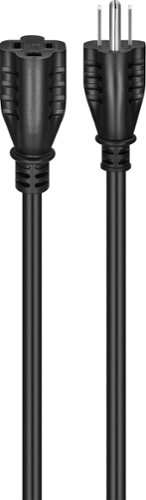
Are you seeking more flexibility between your electronic devices and your power outlets? The Best Buy Essentials 6~ 16ga Indoor/Outdoor Extension Power Cord provides a safe and reliable solution. This extension cord is rated for indoor or outdoor use, adding an additional 6 ft. (1.83m) to reach an existing outlet. Its grounded design delivers safe, reliable power from your outlet and is compatible with both 2-prong and 3-prong electronics. As always, it~s backed by Best Buy, so you can trust that it will get the job done.
Posted by: mobilelawyer
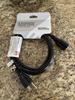
This cord looks way more substantial than typical lamp cord and reassures you that it ought to be able to handle just about any load that your electronics could draw. I understand that a 16 AWG wire like this one is rated for 13 amps. It is big and relatively thick.
When you look for extension cords, you are usually relegated to cords that look just like the cords that run to your table lamps. This grounded cord makes the typical offering look, shall we say, lacking. I placed this cord into service feeling that it is probably going to last my lifetime, and I truly mean that. I have it placed in a console which houses my UPS, and I use this cord as an extension from the mains to my UPS. Multiple devices are attached to that UPS: My television, my cable modem, several different kinds of streaming devices, two networked TV tuners, a computer, and a Blu-Ray/DVD player. I have no doubt that this extension will be able to handle the current draw from those devices with it's hands tied behind its back!
It is durable and reassuring and I highly recommend it.
I would recommend this to a friend!
Share this review:


0points
0of 0voted this as helpful.
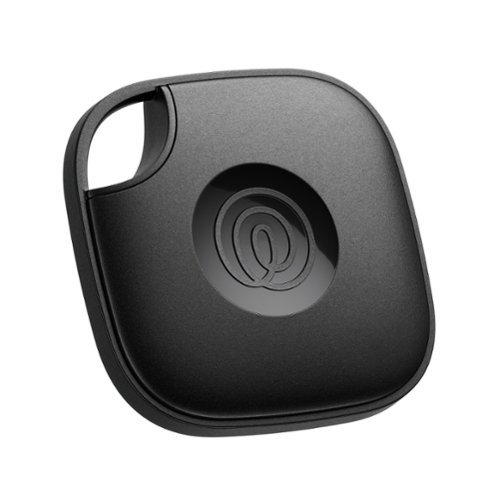
Tile keeps stuff safe~and people and pets protected. Attach Tile to your important things like keys, bags, and backpacks~no accessories required. With a loud ring and long range, find what you~ve Tiled by ringing the device or viewing its last location from your phone. Double-press the Tile button to find your phone, even when silenced. Plus, Tile can work as an SOS button to send discreet alerts to your Life360 Circle in unsafe situations. Track everything and everyone you love on one map, all from one app.
Customer Rating
4
Unique Tracking Features
on December 18, 2024
Posted by: mobilelawyer
This small location tracker works well and can be set up and controlled by a downloaded ios or android app, depending on the phone you are using. That differentiates it from its most well-known competitor, the Air Tag.
Once set up and registered, the location of your tag shows up on a map which shows its current and recent history and you can use your phone to page your tile (which responds with a ringtone) from a distance of 350 feet. You can also double press the logo on the tile to ring the phone.
After setting up the tile on the app, you will be invited the have other people joined into a circle, such as "Family" and they will be able to download the app and monitor the location of participating members with tile devices.
The tile also offers an SOS feature that is activated when you hold the logo down for several seconds. This sends a signal to emergency personnel. You have to activate that feature and when you do, the application offers several seconds to cancel the SOS before it goes out so that you can test it. I am happy to report that I was not confronted with an emergency during my testing to find out how well that feature works.
You can also upgrade the features with a paid subscription that costs $99 a year. The addtional fee offers a replacement warranty for all tile products for defects or accidental damage, unlimited sharing with friends and family, an expanded location history, text access to premium Customer Care, and Item reimbursement for lost items that cannot be located through the tile app. As well as smart alerts which proactively notify you if an item is left behind.
The Tile performs its duties well, but I found the set up process a little confusing as to exactly what features came with the tile and what features were available only with the addtional premium. To use the full features, you have to install two apps: The Tile app, and then the Life360 app. At any rate, you are offered one month free on the premium services, and will be billed $99 a year thereafter.
The historical tracking and automatic notification of authorities when the SOS button is pressed are unique to the Tile device and may be of the utmost importance to potential users looking for those features. Others may opt for the free features alone.
I would recommend this to a friend!

Share this review:


0points
0of 0voted this as helpful.
mobilelawyer's Review Comments
mobilelawyer has not submitted comments on any reviews.
mobilelawyer's Questions
mobilelawyer has not submitted any questions.
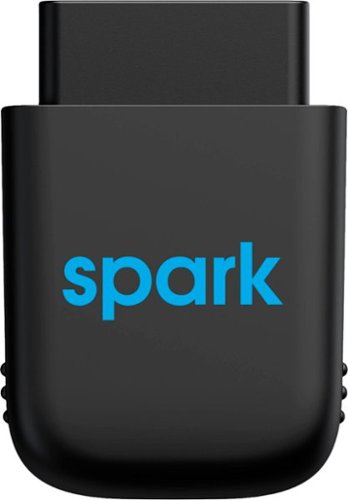
Diagnose automobile mechanical issues with this AT&T Harman Spark smart car device. Compatibility with Android and iOS mobile devices offers convenient control and monitoring, while a 4G LTE receiver brings Wi-Fi to your ride. This AT&T Harman Spark smart car device features an accelerometer and gyroscope sensors for vehicle tracking.
You connect the Sync up. Drive where and does the OBD port bring gyour battery down if not in use and your not in use when parked.
No, the device will not deplete your battery. It has its own battery which recharges while your vehicle is in operation, so that it can continue to monitor your car while it is parked.
5 years ago
by
mobilelawyer
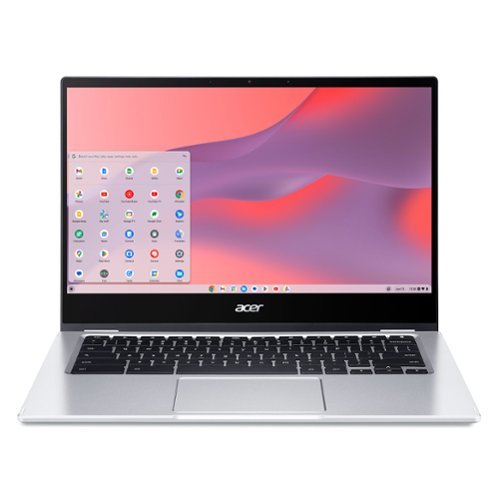
Do More, See More, Anywhere: Watch your favorite movies, TV shows and other media~while on the move or traveling~on Acer~s exciting new convertible Chromebook Spin 514, which offers a 78% screen-to-body ratio to maximize your viewing experience on its 14~ Full HD touch display. The Chromebook Spin 514 leverages the power of the latest AMD processor inside to ensure epic functionality when working on intensive and demanding applications~without the worry of ever slowing down! It features a 360~ durable hinge to provide you with four different modes to enjoy, a high-quality, military-grade tested metal casing, and enough battery life to keep you fired up and running all day long!
Does this chrombook have a cooling fan?
what type of tv has a internal tuner that i don't need converter box [have antenna]
You have to look at the specifications for the set. If it has a tuner, the feature will be listed. Some sets don't have a tuner. My Vizio model does not, and I knew it didn't. I tune my local channels with a TiVo. Silicon Dust makes a variety of boxes that tune both cable and over the air channels. If you have a smart TV, you can simply download an app to stream your local channels from the HD Homerun box.
6 years, 1 month ago
by
mobilelawyer
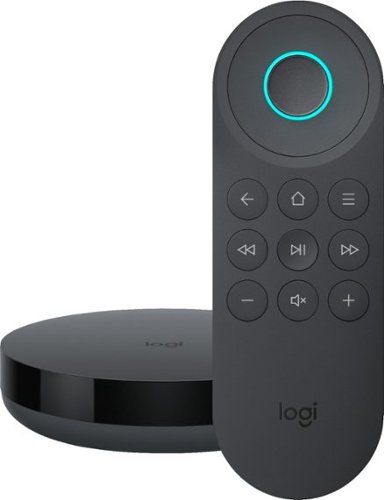
Simplify device management with this Logitech Harmony Express smart universal remote control. Amazon Alexa is built in, letting you issue voice commands to access entertainment, ask questions and a host of other features. This Logitech Harmony Express smart universal remote control lets you change TV channels, open apps on tablets and tackle numerous other tasks.
Despite numerous requests, I see that both Amazon and Harmony will still not create a remote with number keys. There are apps that you can download for your Amazon Fire TV known as iptv services. But, you can't change channels without number keys!
I am using the Express without a keypad. You speak the channel, and Alexa and Harmony Express pull up the channel, whether you say "Go to Channel 10" or "Go to Fox". But do be advised that I am using a TiVo, where each channel has a specific number.
7 years, 1 month ago
by
mobilelawyer
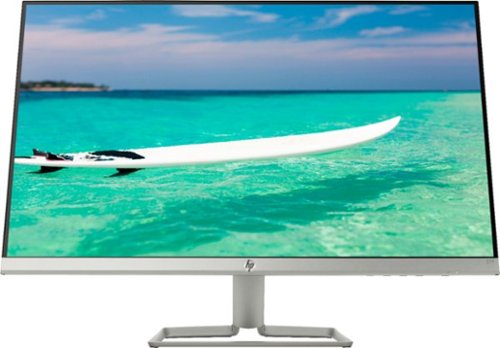
Enjoy crisp, colorful picture quality with this Full HD HP monitor. The ultrathin bezel on the 27-inch screen provides an expansive viewing area so you can stay productive, and its AMD FreeSync technology reduces input lag and screen tearing. This HP monitor has two HDMI ports for connecting gaming consoles and other devices.
Can this be turned vertically in its stand?
The stand allows the screen to be titled several degrees up and down to suit your viewing angle. It does not allow rotation. To rotate the screen, you would need to rotate the stand, which is not that hard to do because the monitor and stand are relatively light.
7 years, 9 months ago
by
mobilelawyer
Enjoy crisp, colorful picture quality with this Full HD HP monitor. The ultrathin bezel on the 27-inch screen provides an expansive viewing area so you can stay productive, and its AMD FreeSync technology reduces input lag and screen tearing. This HP monitor has two HDMI ports for connecting gaming consoles and other devices.
How do I connect speakers to this montior
The speakers would be powered from your computer, not this monitor. It has video inputs only.
7 years, 9 months ago
by
mobilelawyer
Enjoy crisp, colorful picture quality with this Full HD HP monitor. The ultrathin bezel on the 27-inch screen provides an expansive viewing area so you can stay productive, and its AMD FreeSync technology reduces input lag and screen tearing. This HP monitor has two HDMI ports for connecting gaming consoles and other devices.
Is there a removeable screen protector on the monitor from the manufacturer? It appears to have a removeable film, but I'm worried it's supposed to be there and if I remove it then the monitor will be messed up.
There was no film on mine. The screen has a matte surface, not shiny.
7 years, 9 months ago
by
mobilelawyer
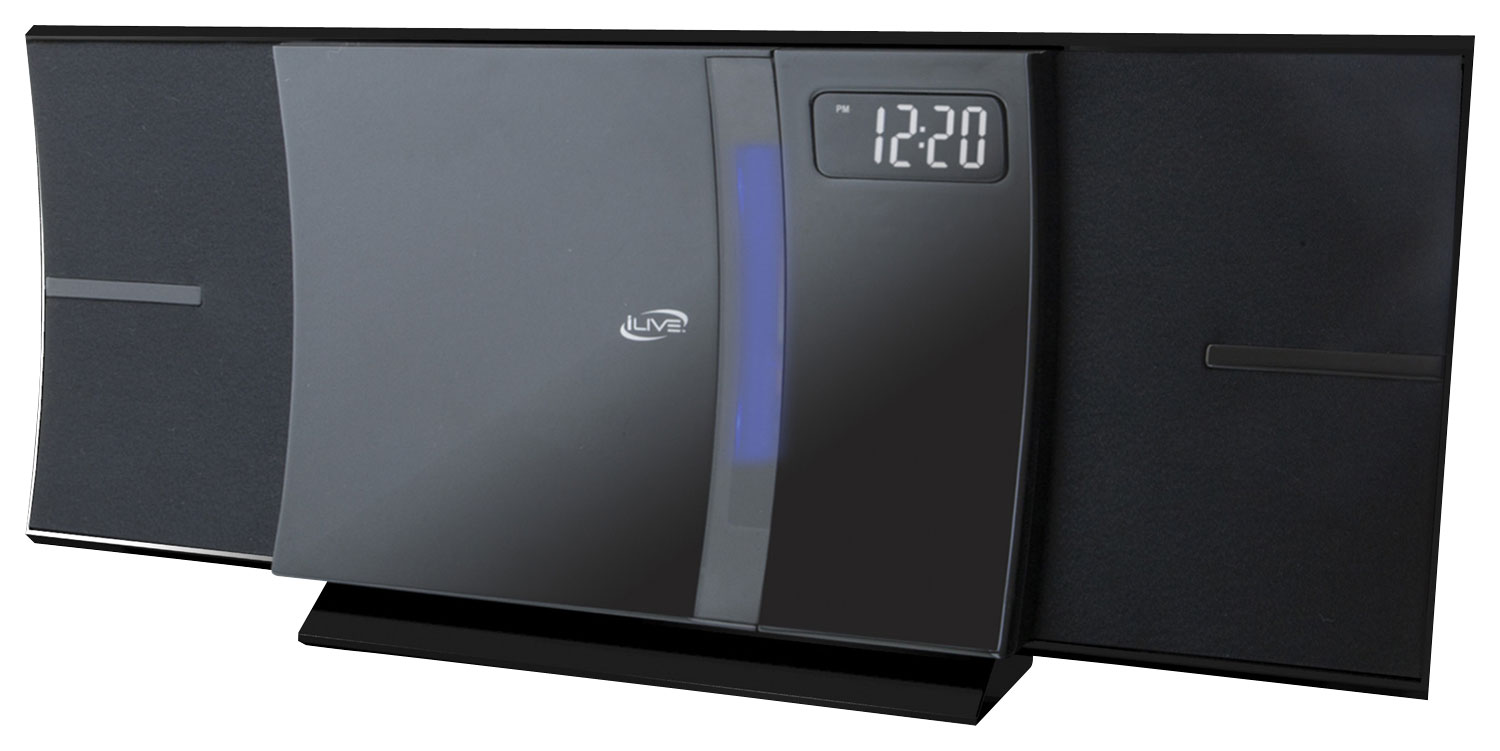
Enjoy your favorite tracks with this iLive IHB603B stereo system, which supports Bluetooth 2.1 and features an FM radio, CD player and 3.5mm auxiliary input for a variety of listening options. A remote ensures simple operation.
I was wonder how big is the system meaning lenth, and is the sound very loud
From the product literature for the SRS-XB41:
Size & Weight
DIMENSIONS (W X H X D)
11 1/2 in x 4 1/8 in x 4 1/4 " (291 mm x 104 mm x 105 mm)
WEIGHT
3 lb 5 oz (1500 g)
I am attaching a picture with a conventional flashlight at the bottom for size comparison. The smaller SRS-XB21 is on the bottom, and the larger SRS-XB41 is on top. I have both. They each put out sound at a loud volume that belies their respective size, but the SB 41 is bigger with punchier bass, and a higher output. It will fill the largest room with loud, clear, detailed sound.
Size & Weight
DIMENSIONS (W X H X D)
11 1/2 in x 4 1/8 in x 4 1/4 " (291 mm x 104 mm x 105 mm)
WEIGHT
3 lb 5 oz (1500 g)
I am attaching a picture with a conventional flashlight at the bottom for size comparison. The smaller SRS-XB21 is on the bottom, and the larger SRS-XB41 is on top. I have both. They each put out sound at a loud volume that belies their respective size, but the SB 41 is bigger with punchier bass, and a higher output. It will fill the largest room with loud, clear, detailed sound.

8 years, 2 months ago
by
mobilelawyer
Enjoy your favorite tracks with this iLive IHB603B stereo system, which supports Bluetooth 2.1 and features an FM radio, CD player and 3.5mm auxiliary input for a variety of listening options. A remote ensures simple operation.
Will this system transmit Bluetooth signal to my hot tub Bluetooth speakers in my backyard?
From the product product specifications: These features allow you to setup multiple SRS-XB21 (or compatible speakers) together in a chain or specify their position individually. You can add up to 100 speakers it says but I have no way of testing that. It is nice to be able to add 2 of them and specify one for left channel and one for right. Here is a quick list of compatible speakers - SRS-XB21, SRS-XB31, SRS-XB41, SRS-XB20, SRS-XB30, SRS-XB40, GTK-XB60, GTK-XB90.
Are your hot tub speakers on this list above? If not, the answer is "no". But the Bluetooth radios on these units have a good range, and they are portable, so you could simply take the Sony to the hot tub.
Are your hot tub speakers on this list above? If not, the answer is "no". But the Bluetooth radios on these units have a good range, and they are portable, so you could simply take the Sony to the hot tub.
8 years, 2 months ago
by
mobilelawyer
Enjoy your favorite tracks with this iLive IHB603B stereo system, which supports Bluetooth 2.1 and features an FM radio, CD player and 3.5mm auxiliary input for a variety of listening options. A remote ensures simple operation.
Can I use my Samsung phone for the bluetooth to play music?
You should be able to do so. That is what the speaker is designed to do. It worked perfectly with my Pixel 2 smartphone.
8 years, 2 months ago
by
mobilelawyer