


mobilelawyer's stats
- Review count132
- Helpfulness votes425
- First reviewAugust 25, 2010
- Last reviewApril 15, 2026
- Featured reviews0
- Average rating4.8
Reviews comments
- Review comment count0
- Helpfulness votes0
- First review commentNone
- Last review commentNone
- Featured review comments0
Questions
- Question count0
- Helpfulness votes0
- First questionNone
- Last questionNone
- Featured questions0
- Answer count14
- Helpfulness votes9
- First answerMarch 24, 2014
- Last answerMay 26, 2021
- Featured answers0
- Best answers0
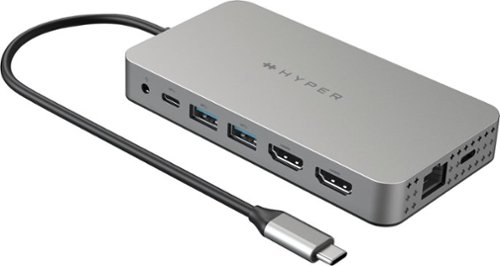
Meet the newest way we~re extending M1 & M2 MacBook connectivity. With the Dual 4K HDMI 10-in-1 USB-C Hub, you can extend to 2 displays at 4K video while getting access to 10 essential ports, including USB-C, HDMI, USB-A, and many more. Enjoy transferring photos in a flash, quick charging your device, and extending to 2 HDMI displays, all without having to download cumbersome drivers. And it~s fully compatible with MacBook Air/Pro (M1, M2, M3 & Intel powered) devices, Windows PC devices as well as Chromebook devices.
Customer Rating

5
Duality for my M1 Air
on September 21, 2022
Posted by: mobilelawyer
Duality for my M1 Air
This is a 10- port hub which works swimmingly with your M1 Mac devices, but its power comes from the Mac you will be assessing, so remember than when you hook everything up for your initial use. I was running off the battery power of my M1 Air when I first connected my two monitors to the hub and got a warning that the power to the device was insufficient. I got out the power adapter for the Air, plugged it into my Mac, and all was good.
No driver installation is required. Once the Mac, the hub and the monitors are all connected, a hyperdisplay icon will magically appear on your desktop. Click it, and the hub may want to download an update. When the process is complete, you will have the option of a mirrored mode or an extended display mode for your two monitors. For my office work, I like to use the extended display option with allows me to extend my desktop over the two available screens.
In my view, the Hyperdrive worked perfectly. I was able to get work done with my Air that had previously been reserved for my office Windows set up. Once the cables were hooked up, I was in business in minutes, with full 4K usability on my 4K Asus Monitor (the companion Dell monitor shown in the picture is 2K). I also use a set of desktop speakers which plugged right in to the 3.5 mm audio jack on the Hyperdrive. I also really enjoyed being able to use both SD cards and micro SD cards with the convenient slots for them on this hub. I was also able plug an ethernet cable directly into the hub so I wouldn’t have to rely on a Wifi connection for access to our office drives.
I have no complaints. This is a utilitarian device that does its job with no fuss and allows me to expand those two USB-C ports on the Mac to serve multiple devices: One port on the Mac is connected to the power adapter, and the other to the hub with its useful 10 port expansion.
A job well done for the aptly- named Hyperdrive!
I would recommend this to a friend!

Share this review:


+3points
3of 3voted this as helpful.
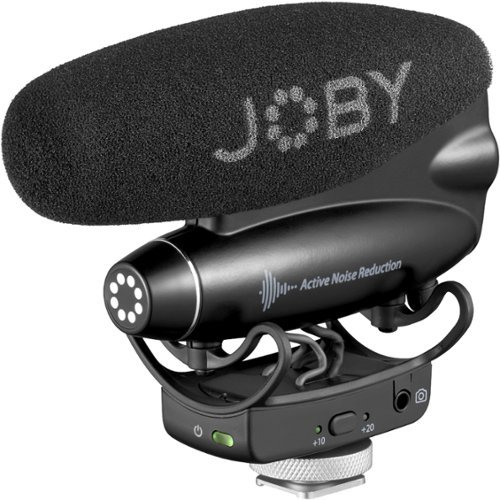
Meet JOBY Wavo PRO, an advanced on camera shotgun microphone. Features packed with a creator-driven approach, no shooting challenge is too big for Wavo PRO. Built for storytellers, filmmakers and expert creators, Wavo PRO is designed to pair with the latest camera hardware and brings broadcast level audio performance to this dynamic and growing audience. The built in ANR (Active Noise Reduction) algorithm removes self-generated structural noise in real time making sure you get the cleanest audio possible directly into your camera while shooting on the go. At the heart of the microphone lies the digital sound processor that can be controlled by the Wavo PRO app (iOS and Android): here you can actively shape your sound and monitor audio levels even when you're in front of the camera. Wavo PRO delivers professional content in a fun and fully intuitive package. JOBY partnered with Rycote team to develop a brand new shock mount for the cleanest professional sound.
Customer Rating
5
Better Audio for Your Video
on September 4, 2022
Posted by: mobilelawyer
Your first audio experience with a DSLR or mirrorless camera is probably using the built-in microphone. When you listen to the audio, you are often disappointed with the results. Instead of having a focused sound presentation from your subject, you hear the effect of the room reflections. If other sounds are in the vicinity of your subject, it’s hard to pick out to sound you want to focus on from the sounds around it.
The Wavo Pro is a practical solution for those issues. It is a shotgun mic that mounts on the hot shoe of your device with a response pattern that is concentrated on the sound directly in front of the mic. Get your subject in that area (and within eight to ten feet) and this mic focuses on that sound source, lessening the interference from competing sources and reflections. It works well, and with ANR (Active Noise Reduction) included you get even more help in hearing what you want to hear without distracting background noises.
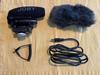
Before I held the Wavo in my hands, I was expecting it to be larger than it is. It is very small and light and that is a good thing. When mounted to my Nikon D3300 via the hot shoe, it never got in my way. It comes with a USB-A to USB-C cable for charging the mic, and 30 minutes of charging gives approximately 8 hours of use. You also get a cable to connect the Wavo to the audio input of your camera as well as a “dead cat” wind shield for outdoor use.
Video bloggers will love this mic. Just get your subject in front of you. if you are interviewing someone, use a lavalier mic on yourself and plug the lavalier directly into the Ext input on the Wavo. You can even use the convenient iPhone or Android software to further equalize and mix the inputs.
In my testing, the Wavo always improved the sound, and never diminished the audio.
The Wavo is an attractive, well-built device works beautifully. Once integrated into your video shooting routine, it quickly becomes a necessity that you will not want to be without.
I highly recommend it.
I would recommend this to a friend!



Share this review:


0points
0of 0voted this as helpful.

The Velox Wireless Air Vent mount is a magnetic phone mount with wireless fast charging for MagSafe-compatible iPhones. Just place your device against the Velox mount, and it will snap into place in perfect alignment for up to 7.5W of wireless power. The Velox Wireless Air Vent mount is easily installed by simply sliding the prongs onto the air vent blade, where silicone grips prevent it from slipping. The ball joint on the air vent mount allows you to adjust the cradle for an ideal and safe viewing position while you drive. The siliconized surface provides added grip to prevent your phone from slipping, while the aluminum housing efficiently dissipates heat. Now it's easier than ever to keep your phone powered up on the go. *ONLY compatible with MagSafe iPhone series and cases.
Customer Rating
5
It's Not Going to Come Off!
on July 8, 2022
Posted by: mobilelawyer
This product was unique to me in that it is both a phone holder for your car and a wireless charger. It seems to fit both roles nicely.
The mount is rather brainless. It has a soft rubber attachment that held firm to my A/C vent. It held the phone sercurely, but you could slide the phone mount on and pull it off in seconds without fuss. I liked that feature.
The mount looked good and the phone was easily accessable from the drivers seat.
What's the first question in your mind as you attach your expensive iPhone to the magnet that holds it in place? Is it going to hold? In my experience, the answer was an unequivocal "Yes!". You can feel the magnet grip the phone and it takes a substantial effort to get it back off. I consider such a feature rather than a detriment.
I am sure the same would be true with the phone in a MagSafe case. I did not have a MagSave case available for testing before submitting this review, so I used my naked iPhone 12 while testing this product. I never had to worry about it coming off. If left alone on the mount, it never moved even a millimeter.
I am not in the car long enough during my drive to and from the office to get a full charge on an empty phone battery during the commute, but I will bet that many users would have no problem doing that with this 7.5 watt charger.
It is attractive and, I think, fairly priced for what it does.
I would recommend this to a friend!

Share this review:


0points
0of 0voted this as helpful.
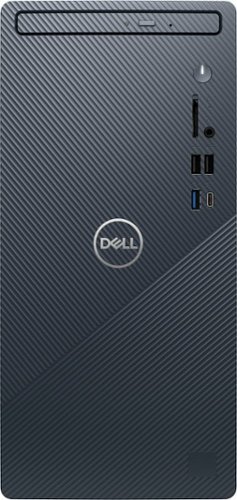
The new Inspiron Compact Desktop with responsive features in a modern design empowers you to stay connected with the people and content key to your day-to-day life. It features the latest 12th Generation Intel~processors and 12GB memory.
Customer Rating
5
A Compact Package with Some Nice Surprises
on June 27, 2022
Posted by: mobilelawyer
And I thought the Inspiron name was reserved for laptops. Not so. This Inspiron is a desktop rig, and a compact and attractive one at that. I had almost forgotten about the pleasure of having a built in DVD drive, but I am happy to be reminded of the convenience it brings.
I have upgraded a couple of Windows 10 rigs to Windows 11, but this is my first experience with a cleanly installed (at Dell and not be me) version of the newest Windows operating system. With a 12th generation Intel processor, the Core i5 12400, running at up to 2.5ghz, six cores, 12GB of RAM, and an M.2 256 GB SSD, the presentation was lovely, and the price is right. The system is shipped with the home version of the operating system.
This would be a perfect general-purpose machine for just about any home office or student. The Intel UHD graphics served all my needs, but for those who want more, there are two expansion slots on the motherboard, a PCI-express x16 slot and a x1 slot for the addition of a video and audio card. The Intel AX201 card offers the latest Wi-Fi 6 standards, and the performance is top notch.
There is an interesting situation with the installation of SATA drives, if you need more storage. There are plenty of SATA and power connectors inside this little box, but there is not a hard drive cage to be found anywhere. Given the size of the unit, such is forgivable. The owner’s manual points out that a full size 3.5 or 2.5-inch drive can be mounted directly into the inside front of the case, and I found the four screw holes, but no screws were provided for that purpose.
The computer runs dead quiet and nice and cool to the touch. For my needs, it easily handled anything I threw at it. The supplied wired keyboard and mouse completed the package. The keyboard is not lighted but is full sized with a number pad. It is a pleasure to type on. The only component you will need to supply to use this rig is a monitor. And there are connections aplenty. I counted 8 USB ports: four on the back, and four on the front, one of which was USB-C. I connected my monitor with an HDMI cable, but a display port is offered as well.
A full software package is offered for the built in DVD drive. McAfee personal security is also provided with a trial subscription, as well as a 30-day trial of Microsoft office.
While enjoying this computer, I found a very nice surprise: the Dell Mobile Connect app. This is the first time I have ever been able use messaging through my iPhone on a Windows machine, and it works very nicely. You’ll have to have your phone relatively near as it uses Bluetooth to communicate with it, but I’m not complaining about that at all. Just install the app on your phone and the windows version on this computer and you will be ready to go. Yep, type a message from your computer using Dell Mobile Connect and you’ll be in blue bubble heaven with all your fellow iPhone friends!
Value, performance and utility. All the boxes are checked with this rig. Nice job, Dell!
I have upgraded a couple of Windows 10 rigs to Windows 11, but this is my first experience with a cleanly installed (at Dell and not be me) version of the newest Windows operating system. With a 12th generation Intel processor, the Core i5 12400, running at up to 2.5ghz, six cores, 12GB of RAM, and an M.2 256 GB SSD, the presentation was lovely, and the price is right. The system is shipped with the home version of the operating system.
This would be a perfect general-purpose machine for just about any home office or student. The Intel UHD graphics served all my needs, but for those who want more, there are two expansion slots on the motherboard, a PCI-express x16 slot and a x1 slot for the addition of a video and audio card. The Intel AX201 card offers the latest Wi-Fi 6 standards, and the performance is top notch.
There is an interesting situation with the installation of SATA drives, if you need more storage. There are plenty of SATA and power connectors inside this little box, but there is not a hard drive cage to be found anywhere. Given the size of the unit, such is forgivable. The owner’s manual points out that a full size 3.5 or 2.5-inch drive can be mounted directly into the inside front of the case, and I found the four screw holes, but no screws were provided for that purpose.
The computer runs dead quiet and nice and cool to the touch. For my needs, it easily handled anything I threw at it. The supplied wired keyboard and mouse completed the package. The keyboard is not lighted but is full sized with a number pad. It is a pleasure to type on. The only component you will need to supply to use this rig is a monitor. And there are connections aplenty. I counted 8 USB ports: four on the back, and four on the front, one of which was USB-C. I connected my monitor with an HDMI cable, but a display port is offered as well.
A full software package is offered for the built in DVD drive. McAfee personal security is also provided with a trial subscription, as well as a 30-day trial of Microsoft office.
While enjoying this computer, I found a very nice surprise: the Dell Mobile Connect app. This is the first time I have ever been able use messaging through my iPhone on a Windows machine, and it works very nicely. You’ll have to have your phone relatively near as it uses Bluetooth to communicate with it, but I’m not complaining about that at all. Just install the app on your phone and the windows version on this computer and you will be ready to go. Yep, type a message from your computer using Dell Mobile Connect and you’ll be in blue bubble heaven with all your fellow iPhone friends!
Value, performance and utility. All the boxes are checked with this rig. Nice job, Dell!
I would recommend this to a friend!


Share this review:


+14points
15of 16voted this as helpful.
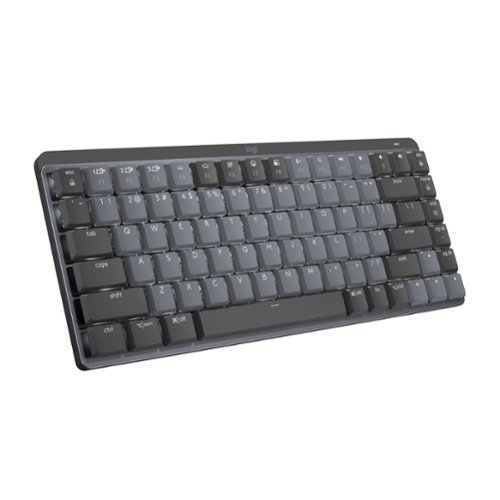
Introducing MX Mechanical Mini- a minimalist keyboard with extraordinary feel, precision, and performance. Low-profile mechanical typing delivers satisfying feedback in your choice of key switches ~ Tactile Quiet, Clicky, or Linear. MX Mechanical Mini is crafted for ergonomic comfort, with smart illumination and Easy-Switch ~ allowing you to connect up to 3 devices and stay in your flow for hours.
Posted by: mobilelawyer
My daughter laughed at me when I sat down to type on this mini mechanical marvel… and, yes, she’s still laughing. I’m just an average typist and certainly not a speed demon, but I do love the old school ambiance of this keyboard.
By old school, I am talking about the springy, clickity-clack feel and sound of this wireless Logitech that connects to your desktop or laptop via a tiny USB dongle or via Bluetooth. I think “mechanical” is a rather inexact term here. The use of any keyboard involves the mechanics of striking a switch with the tips of your fingers to complete a circuit. Use a modern laptop and you’ll hear little noise and feel little play in the keys. Use this keyboard and feel the deeper springy key travel and hear the satisfying rattle of each key movement. It’s like the difference in driving between a manual and an automatic transmission. Some will argue that you haven’t really had a true driving experience with an automatic, and I think the analogy works between types of keyboards as well. Both get the job done, but the one you want to use is a matter of taste and personal choice.
This Logitech is modern in look and designed for utility. It has no number pad like the original Logitech MX, and it is somewhat lighter because it is smaller. It is still weighted enough to stay still on the desktop while you use it. The color of the keys is gray and the LEDs that light them are white- all very businesslike.
I very much enjoyed using this keyboard. One thing you will have to consider is where you are going to use it. Most office environments will be fine. I am typing this review in the middle of the night at home and did not want to wake my wife while typing, so I am using my laptop. Later this morning, I’m going back to the MX Mechanical Mini. It’s an acquired taste, but it’s addictive.
I would recommend this to a friend!


Share this review:


0points
0of 0voted this as helpful.

Introducing the industry's first Quad-band mesh Wi-Fi 6E system. Orbi Quad-band, with dedicated Wi-Fi connections, new Wi-Fi 6E, and a 10 gig wired Internet port, delivers ultra-fast speeds and massive device capacity. With combined Wi-Fi speeds of up to 10.8Gbps across up to 9,000 square feet for up to 200 connected devices, you'll enjoy the amazing Wi-Fi experience.
Customer Rating
5
Breathtaking Performance
on February 17, 2022
Posted by: mobilelawyer
from Mobile, Alabama
When the box containing this mesh system arrived at my door, the size and weight of the system was significant. Bigger is not always better, but these three units- one a router and its two matching satellites- each weighing in at three pounds- are darn big. In the case of this system, however, bigger is definitely better.
By better, I mean significantly better at pushing a wide band wi-fi signal through my house with results sufficient to satisfy me that I am getting the most out of my high speed gigabit internet service. The power of this system would probably be wasted on a lesser connection.
My house is a fraction of the size that this product's specifications say it could actually cover- i only have a 2200 square foot house- but the house is a story and a half, and would be extremely difficult and expensive to wire for ethernet cable to every room. You don't have to do that with this mesh arrangement. The backhaul connection between these three units uses a dedicated wifi radio channel to move data between them and the results I obtained are far better than I have ever come anywhere close to getting with a router alone or a router connected to an access point.
I strongly suspect that many customers for this system are going to use it just like I am using it- without any ethernet connection between the units. If you are physically able to have ethernet handle the backhaul connection, there is a 2.5 Gbs connection on the router and each satellite available for that duty which could significantly increase your performance. To utilize it, I would have to obtain a 2.5 Gbs splitter to pipe the backhaul signal between the router and the two satellites and be able to run the cables through walls to reach the satellites. Such is not practical for me because of a high wall with horizontal members to drill through which could not be accessed without removing the dry wall. Such is just not in the cards for me.
This quad band system has guts and power that point toward the future. The WAN port which connects to your modem is a 10Gbs port. I scratch my head over that impressive feature because there is no 10Gbs LAN port on the router to send that wide data pipe to the rest of your home network over ethernet. It is a moot point right now for me because my internet connection is only 1gigabit. I have a gigabit switch connected to one of the three LAN ports on the router unit which serves a number of direct ethernet connected devices in my equipment cabinet adjacent to the router. The satellites in other rooms upstairs are connected only by their wifi radios.
The router and satellites are powered by a quad core processor with 512 NAND Flash and 1 GB of RAM. The massive router and satellite units offer 12 high performance antennas with high power amplifiers. I will forgo comment on the specified bandwidth performance of 10.8 Gbs, because my setup does not offer a means to fully utilize or test that level of performance.
It took me no more than 20 minutes to get the entire system up and working, and it was not complicated at all. Each unit must be plugged into a power adapter. You are prompted to use the Orbi app for your iPhone or Android phone which will walk you through the setup and add a month of free security to help protect your home LAN from outside threats. After a month, you will have to pay for that service. If you don't want to be bothered with that future expense, you can login to the router through a locally connected device to complete your set up, but you'll have to forgo remote access. That is exclusive to the smartphone app, and it will be up to you to weigh any risk associated with outside monitoring of your home network offered through the Netgear Armor program.
After the guided set up, my router and its two satellites were meshed together and ready for action.
I used the Speedtest app on my iPhone 12 to measure the wifi internet performance at various locations. I do not have any present equipment with wifi 6E capability, but this system supports that technology as well. This system also has support for your legacy 2.4Ghz wifi devices , but the 5Ghz radios, of course, provide the high performance which this system is capable of delivering.
As a baseline, I measured internet performance with the Speedtest app on my Mac Mini which had a direct ethernet connection to the router through a 12 port switch. I obtained a download speed of 919 Mbps from my provider and an upload of 12.1 Mbps. The upload measurement appeared to be an aberration as I usually get around 60Mbps on upload and subsequent measurements confirmed this to be the case.
From my iPhone 12, standing directly in front of the router, and about 10 feet away, the speed test app showed a download speed of 784 Mbps and an upload of 63.4 Mbps. Moving 22 feet away from the router yielded a download speed of 577 Mbps and an upload of 58.7Mbps.
Both of the satellites are in upstairs bedrooms. One is somewhat closer to the router unit than the other, but has extensive HVAC and ductwork between the living room where the router is and the satellite location. This has been a signal impediment in the past.
For the nearer satellite upstairs, I measured 412 Gbs download and 59.2 upload. For the further upstairs satellite behind multiple walls I got 291 Gbs download and 53.8 upload. The latter result compares to the sub- 100 Gbs wifi download speed in that bedroom on my previous equipment. Remember that if I had both those satellites connected to the router unit with ethernet cable, I would fully expect download speeds approaching the 1Gbs limit of my internet connection in both the further and nearer bedrooms upstairs.
The here and now wifi results I have enjoyed from the 5Ghz radios exceeded my expectations although they fall short of the full capabilities of this mesh system connected with ethernet cable. Using the sheer radio power to reach through walls is the only alternative for me right now and this system represents the very best of that technology. I suspect that many users who lack the capability to run ethernet cable to every room in the house and have gigabit or multi gig internet service are going to be attracted to this powerful mesh system. I fall into that catagory.
If you can run ethernet cable to every room in your house, however, you’ll be probably want to consider a hardwired local network with every device that can be connected with ethernet cable connected in that manner, using lower powered access points for wifi where needed. The most secure system wouldn’t use wifi at all, but for most home users, including me, such is not an option.
With the caveats I have mentioned, this mesh system is highly recommended. You will have to pay a premium for the power and the convenience, but if this is your only practical alternative, you are going to want to take a careful look at this ultimate Orbi.
I would recommend this to a friend!





Share this review:


+8points
8of 8voted this as helpful.
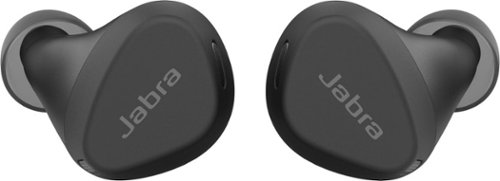
Jabra Elite 4 Active is designed to stay comfortably in place. And that~s not all: with Active Noise Cancellation (ANC), adjustable equalizer, and HearThrough technology, plus instant access to Spotify Tap playback, Elite 4 Active are engineered to bring a real boost to your workout. Made with a secure active fit, and IP57-rated water and sweat proof protection, these buds are engineered for all kinds of workouts. And with a 2-year warranty when you register them in the Jabra Sound+ app, you~ll never have to worry about your workout buddies letting you down. ANC blocks intrusive sounds at the touch of a button, so you can stay immersed in your music. From ignoring the sound system at the gym, to filtering out ambient urban noise, you get in ~ and stay in ~ the zone. You can even customize how your music sounds. Whether you want to boost the bass or turn up the treble, just download the Jabra Sound+ app and tune the equalizer to your preference. You can also activate Spotify Tap playback for instant, seamless connection to the music you need to power you through.
Posted by: mobilelawyer
from Mobile, Alabama
How Often Used:Daily
I have been enjoying these buds for the past week in various activities, some sweaty and some not, and find them a joy to use.
Out of the box, the buds had enough charge on them to get them set up and operating, but after a week of use, when the Jabra app offered a firmware upgrade, neither the buds nor the charging base had enough juice to allow me to start the download. I have continued to use them to listen to music without issue until I have a chance to charge them back up to complete the firmware upgrade.
Based on my experience, you will easily get the promised seven hours of listening, and up to 28 hours if you include the charging case. Put the buds back in the charger for a quick charge, and you are fully charged after an hour.
The buds are sweatproof with IP57 durability. This doesn't mean you can use them while swimming, but even the most strenuous workout should not harm them.
I liked the way these buds firmly seated in my ears. They are not likely to come out with any excercise activity. But although the box advertises "punchy bass", my experience shows you will have to work to get that. I was alarmed at how tinny the buds sounded when I first placed them in my ears. You have to twist them for the best seal, and the sweet spot is quite critical. I enhanced the bass further by using an equalization profile for extra bass. With those adjustments, the sound was just fine.
The effectiveness of the active noise cancellation is very difficult to evaluate. I have not used another ANC device, so I don't have a basis of comparison. The app has three settings: Off, On and Hear Through. The default is off. If you are doing something (like jogging or running) where you NEED to hear surrounding sounds I would think off would be the preferred setting. Hear through is designed to let more of the sounds around you be heard, with some ANC.
With ANC on, I thought I could perceive less background noise. I certainly could not hear the robot vaccum in the next room, but I could hear it when it got into my vicinity. I do wish I had been able to test the ANC in flight, where I suspect it would be most effective. Alas, I am not flying in the near future. I did notice an asterick by the ANC feature on the box that the "hear through" is adjustable after a firmware upgrade. I look foward to that enhancement.
I reccomend these buds for those in the active life. With or without the ANC, they offer good sound and durablity for the price point.
I would recommend this to a friend!
Sound Quality

4
Comfort

5
Durability
5
Quality
5
Value
5
Ease of Use
4

Share this review:


+2points
2of 2voted this as helpful.

Welcome to the future of brushing. Our new LED electric toothbrush doesn't only clean, it also whitens! Equipped with blue LED light for whitening support and sonic technology for better cleaning, this toothbrush leaves your smile whiter and brighter. And, with 4 unique modes, your new toothbrush customizes each brushing session to exactly what you need: Clean, Whiten, Polish, and Sensitive.
Customer Rating

4
Refreshing Stimulation
on January 20, 2022
Posted by: mobilelawyer
from Mobile, Alabama
I have been using this toothbrush for a week and have throughly enjoyed it. It is light and well-balanced in the hand, and stimulates my gums while it cleans and whitens my teeth.
You pick it, turn it on, and re-press the "on" button to toggle through its several modes: Clean, White, Polish and Sensitive. Clean is the default mode, White concentrates on surface stains caused by coffee and tea, and Polish impoves the gloss of your teeth by changing the vibration intensity. Sensitive is for those who find the other modes too stimulating- I didn't and enjoyed the stimulation from each.
I am quite pleased with the results. My teeth and gums are clean and refreshed. It will take longer than a week to show how much this device whitens my teeth, but it does use LEDs to hasten the whitening, and I am confident my caffeine- stained teeth will benefit.
An interesting feature of this device is intelligent brushing. It pauses briefly after operating for 30 seconds so that you can change quadrants and cover all four (Upper right, upper left, lower right and lower left) over the course of the two-minute reccomended miniumum brushing time.
I have two crticisms, neither of which should be a deal killer.
First, the packaged instructions for charging the device are inccorrect. You are advised to charge the device for 12 hours before the first time use, and to turn it on before placing it in the base for charging. When you turn it on, the brush function starts. It would be ridiculous to place an operating tootbrush, motor running and LEDs illuminated, in the charging stand, but that is what happens when you turn the device on. So ignore that directive.You are also advised that when you have placed the device in the base that the base will blink green to indicate charging. My base did not. It blinked red. When I returned from work and checked, the LED was solid green. If the specifications are correct, the full charge should last 30 days. To keep the device always charged, the instructions reccomend keeping the toothbrush on the charger when not in use. A USB-C to USB-A cable is supplied to attach the base to a DC source.
My second criticism is that you will need a find a charger with a 5V output to charge the toothbrush. I used a retired iPad charger for the initial charge, and it worked fine, but I consider the ommission of a DC power source a disappointing packaging decision by the manufacturer, and deducted a star from my rating because of it.
The toothbrush is fine one, though, and highly-reccomended for the great job it does. I expect to use it for years to come.
Mobile Submission: False
I would recommend this to a friend!

Share this review:


+8points
8of 8voted this as helpful.
![Webroot - Security for Chromebook Antivirus (1 Device) (1-Year Subscription) - Windows [Digital]](https://pisces.bbystatic.com/prescaled/500/500/image2/BestBuy_US/images/products/76bb7cd0-4cfc-43ea-9638-94951e9607ea.jpg)
Webroot Security for Chromebook is enhanced antivirus protection that is always-on, running seamlessly in the background and proactively alerting you about malicious activity, websites, apps and extensions. Included, Webroot Web Threat lets you browse safely and be alerted of dangerous sites in Google Chrome.
Posted by: mobilelawyer
from Mobile, Alabama
I am using this software on my several year old HP Chromebook x360 with great success- I think. No threats have been found so far, and installation was a snap.
You download the software and enter your key, and an initial scan on your device is completed immediately. Future scans are done automatically, or, if you find a need to do so, you can scan manually at any time.
You are also given an opportunity to install the Webroot extension for chrome which also installs the software's protection in the chrome browser. This is a nice feature, but with one drawback: if you install the extension on your chomebook, you are prompted the first time you use the chrome browser in any other device to enter your key, which is not going to be accepted unless you buy another license. To get rid of this nag, simply click on "Don't show again" and the prompt will not come back. Since I use chrome on several computers and devices, the nag screen was an annoyance, albeit a temporary one.
Webroot also offers its own browser for maximum protection from risky websites. I used it some, but on sites where you have to log in, you'll have to know your login and password, becuase this browser does not offer the to import that information from other browsers.
While using the Webroot browser, did notice a lack of those pesky ads that seem to pop up from nowhere in other browsers, and I certainly have no complaint about that.
Mobile Submission: False
I would recommend this to a friend!
Share this review:


0points
0of 0voted this as helpful.

MagGo Magetic Portable 5K Battery with Bracket is both a charger and a stand, specifically for your MagSafe compatible iPhone 12 & 13. Using new technology, this can magnetically attach to the back of your phone, providing it a wireless charge along with a strong attachment. The battery also has a bracket that folds out, so that you can stand your phone up wherever you want.
Customer Rating
5
Convenient and Attractive
on November 30, 2021
Posted by: mobilelawyer
from Mobile, Alabama
This is an attractive portable battery charger for you iPhone 12 or 13 if you want to use its MagSafe capabilities. A magnet securely holds your phone in place while it charges, and the battery acts as a stand if you want to use the phone while it is charging.
The case is light- about the weight of your iPhone, and grippy. It should not slip out of your hand when you pick it up.
I charged the battery up overnight, and it topped out my iPhone in a couple of hours. It also has a USB-C cable that works both ways: it charges the Anker batterery and it allows the Anker device to charge other devices through the USB-C cable.
The device has a 5000mAh capacity which should be more than enough to charge up your phone and have some juice to spare.
Highly reccomended if you need an alternate and portable charging source.
Mobile Submission: False
I would recommend this to a friend!


Share this review:


0points
0of 0voted this as helpful.
mobilelawyer's Review Comments
mobilelawyer has not submitted comments on any reviews.
mobilelawyer's Questions
mobilelawyer has not submitted any questions.
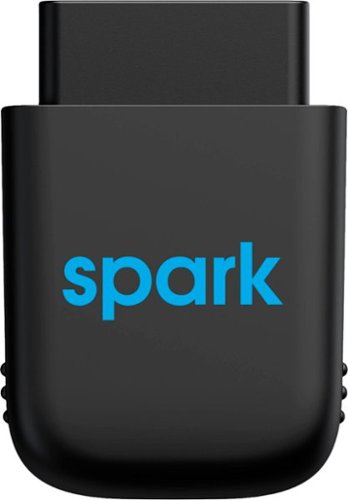
Diagnose automobile mechanical issues with this AT&T Harman Spark smart car device. Compatibility with Android and iOS mobile devices offers convenient control and monitoring, while a 4G LTE receiver brings Wi-Fi to your ride. This AT&T Harman Spark smart car device features an accelerometer and gyroscope sensors for vehicle tracking.
You connect the Sync up. Drive where and does the OBD port bring gyour battery down if not in use and your not in use when parked.
No, the device will not deplete your battery. It has its own battery which recharges while your vehicle is in operation, so that it can continue to monitor your car while it is parked.
5 years ago
by
mobilelawyer
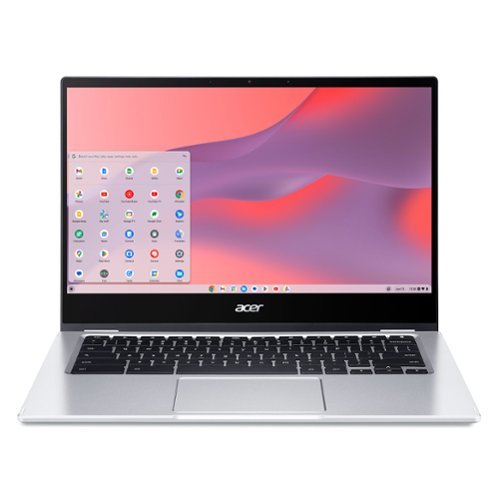
Do More, See More, Anywhere: Watch your favorite movies, TV shows and other media~while on the move or traveling~on Acer~s exciting new convertible Chromebook Spin 514, which offers a 78% screen-to-body ratio to maximize your viewing experience on its 14~ Full HD touch display. The Chromebook Spin 514 leverages the power of the latest AMD processor inside to ensure epic functionality when working on intensive and demanding applications~without the worry of ever slowing down! It features a 360~ durable hinge to provide you with four different modes to enjoy, a high-quality, military-grade tested metal casing, and enough battery life to keep you fired up and running all day long!
Does this chrombook have a cooling fan?
what type of tv has a internal tuner that i don't need converter box [have antenna]
You have to look at the specifications for the set. If it has a tuner, the feature will be listed. Some sets don't have a tuner. My Vizio model does not, and I knew it didn't. I tune my local channels with a TiVo. Silicon Dust makes a variety of boxes that tune both cable and over the air channels. If you have a smart TV, you can simply download an app to stream your local channels from the HD Homerun box.
6 years, 1 month ago
by
mobilelawyer
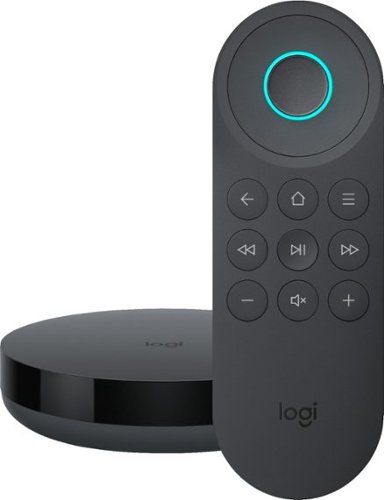
Simplify device management with this Logitech Harmony Express smart universal remote control. Amazon Alexa is built in, letting you issue voice commands to access entertainment, ask questions and a host of other features. This Logitech Harmony Express smart universal remote control lets you change TV channels, open apps on tablets and tackle numerous other tasks.
Despite numerous requests, I see that both Amazon and Harmony will still not create a remote with number keys. There are apps that you can download for your Amazon Fire TV known as iptv services. But, you can't change channels without number keys!
I am using the Express without a keypad. You speak the channel, and Alexa and Harmony Express pull up the channel, whether you say "Go to Channel 10" or "Go to Fox". But do be advised that I am using a TiVo, where each channel has a specific number.
7 years, 1 month ago
by
mobilelawyer
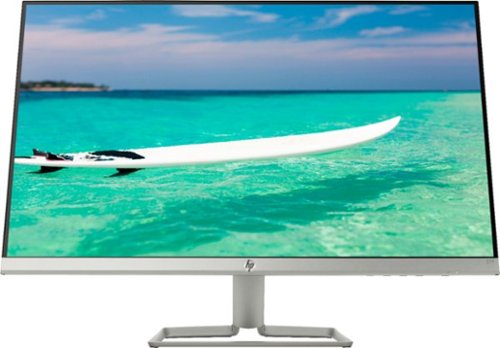
Enjoy crisp, colorful picture quality with this Full HD HP monitor. The ultrathin bezel on the 27-inch screen provides an expansive viewing area so you can stay productive, and its AMD FreeSync technology reduces input lag and screen tearing. This HP monitor has two HDMI ports for connecting gaming consoles and other devices.
Can this be turned vertically in its stand?
The stand allows the screen to be titled several degrees up and down to suit your viewing angle. It does not allow rotation. To rotate the screen, you would need to rotate the stand, which is not that hard to do because the monitor and stand are relatively light.
7 years, 9 months ago
by
mobilelawyer
Enjoy crisp, colorful picture quality with this Full HD HP monitor. The ultrathin bezel on the 27-inch screen provides an expansive viewing area so you can stay productive, and its AMD FreeSync technology reduces input lag and screen tearing. This HP monitor has two HDMI ports for connecting gaming consoles and other devices.
How do I connect speakers to this montior
The speakers would be powered from your computer, not this monitor. It has video inputs only.
7 years, 9 months ago
by
mobilelawyer
Enjoy crisp, colorful picture quality with this Full HD HP monitor. The ultrathin bezel on the 27-inch screen provides an expansive viewing area so you can stay productive, and its AMD FreeSync technology reduces input lag and screen tearing. This HP monitor has two HDMI ports for connecting gaming consoles and other devices.
Is there a removeable screen protector on the monitor from the manufacturer? It appears to have a removeable film, but I'm worried it's supposed to be there and if I remove it then the monitor will be messed up.
There was no film on mine. The screen has a matte surface, not shiny.
7 years, 9 months ago
by
mobilelawyer
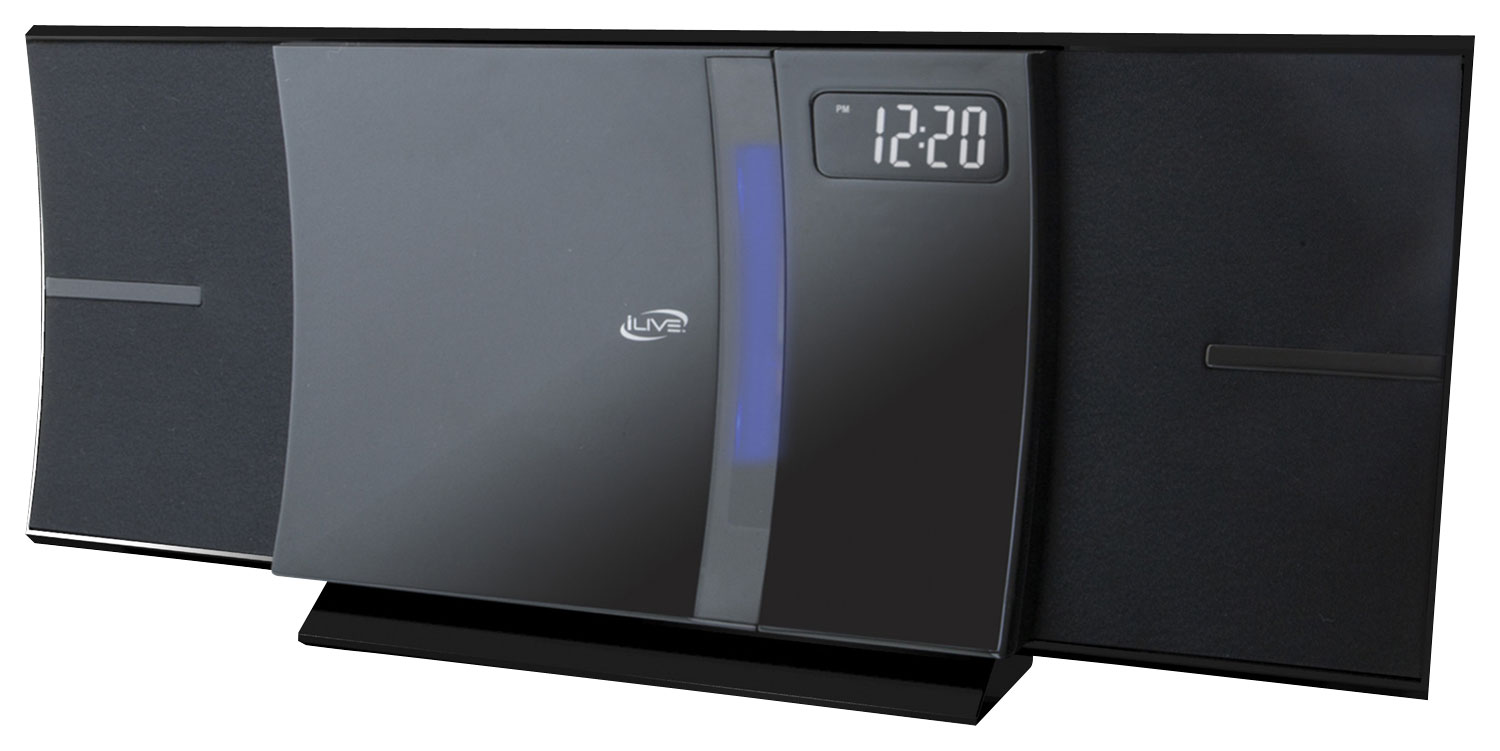
Enjoy your favorite tracks with this iLive IHB603B stereo system, which supports Bluetooth 2.1 and features an FM radio, CD player and 3.5mm auxiliary input for a variety of listening options. A remote ensures simple operation.
I was wonder how big is the system meaning lenth, and is the sound very loud
From the product literature for the SRS-XB41:
Size & Weight
DIMENSIONS (W X H X D)
11 1/2 in x 4 1/8 in x 4 1/4 " (291 mm x 104 mm x 105 mm)
WEIGHT
3 lb 5 oz (1500 g)
I am attaching a picture with a conventional flashlight at the bottom for size comparison. The smaller SRS-XB21 is on the bottom, and the larger SRS-XB41 is on top. I have both. They each put out sound at a loud volume that belies their respective size, but the SB 41 is bigger with punchier bass, and a higher output. It will fill the largest room with loud, clear, detailed sound.
Size & Weight
DIMENSIONS (W X H X D)
11 1/2 in x 4 1/8 in x 4 1/4 " (291 mm x 104 mm x 105 mm)
WEIGHT
3 lb 5 oz (1500 g)
I am attaching a picture with a conventional flashlight at the bottom for size comparison. The smaller SRS-XB21 is on the bottom, and the larger SRS-XB41 is on top. I have both. They each put out sound at a loud volume that belies their respective size, but the SB 41 is bigger with punchier bass, and a higher output. It will fill the largest room with loud, clear, detailed sound.

8 years, 2 months ago
by
mobilelawyer
Enjoy your favorite tracks with this iLive IHB603B stereo system, which supports Bluetooth 2.1 and features an FM radio, CD player and 3.5mm auxiliary input for a variety of listening options. A remote ensures simple operation.
Will this system transmit Bluetooth signal to my hot tub Bluetooth speakers in my backyard?
From the product product specifications: These features allow you to setup multiple SRS-XB21 (or compatible speakers) together in a chain or specify their position individually. You can add up to 100 speakers it says but I have no way of testing that. It is nice to be able to add 2 of them and specify one for left channel and one for right. Here is a quick list of compatible speakers - SRS-XB21, SRS-XB31, SRS-XB41, SRS-XB20, SRS-XB30, SRS-XB40, GTK-XB60, GTK-XB90.
Are your hot tub speakers on this list above? If not, the answer is "no". But the Bluetooth radios on these units have a good range, and they are portable, so you could simply take the Sony to the hot tub.
Are your hot tub speakers on this list above? If not, the answer is "no". But the Bluetooth radios on these units have a good range, and they are portable, so you could simply take the Sony to the hot tub.
8 years, 2 months ago
by
mobilelawyer
Enjoy your favorite tracks with this iLive IHB603B stereo system, which supports Bluetooth 2.1 and features an FM radio, CD player and 3.5mm auxiliary input for a variety of listening options. A remote ensures simple operation.
Can I use my Samsung phone for the bluetooth to play music?
You should be able to do so. That is what the speaker is designed to do. It worked perfectly with my Pixel 2 smartphone.
8 years, 2 months ago
by
mobilelawyer