


Selva's stats
- Review count269
- Helpfulness votes1,460
- First reviewSeptember 1, 2014
- Last reviewJune 10, 2026
- Featured reviews0
- Average rating4.7
- Review comment count2
- Helpfulness votes27
- First review commentSeptember 1, 2014
- Last review commentApril 18, 2017
- Featured review comments0
Questions
- Question count0
- Helpfulness votes0
- First questionNone
- Last questionNone
- Featured questions0
- Answer count3
- Helpfulness votes2
- First answerSeptember 19, 2016
- Last answerNovember 3, 2016
- Featured answers0
- Best answers0
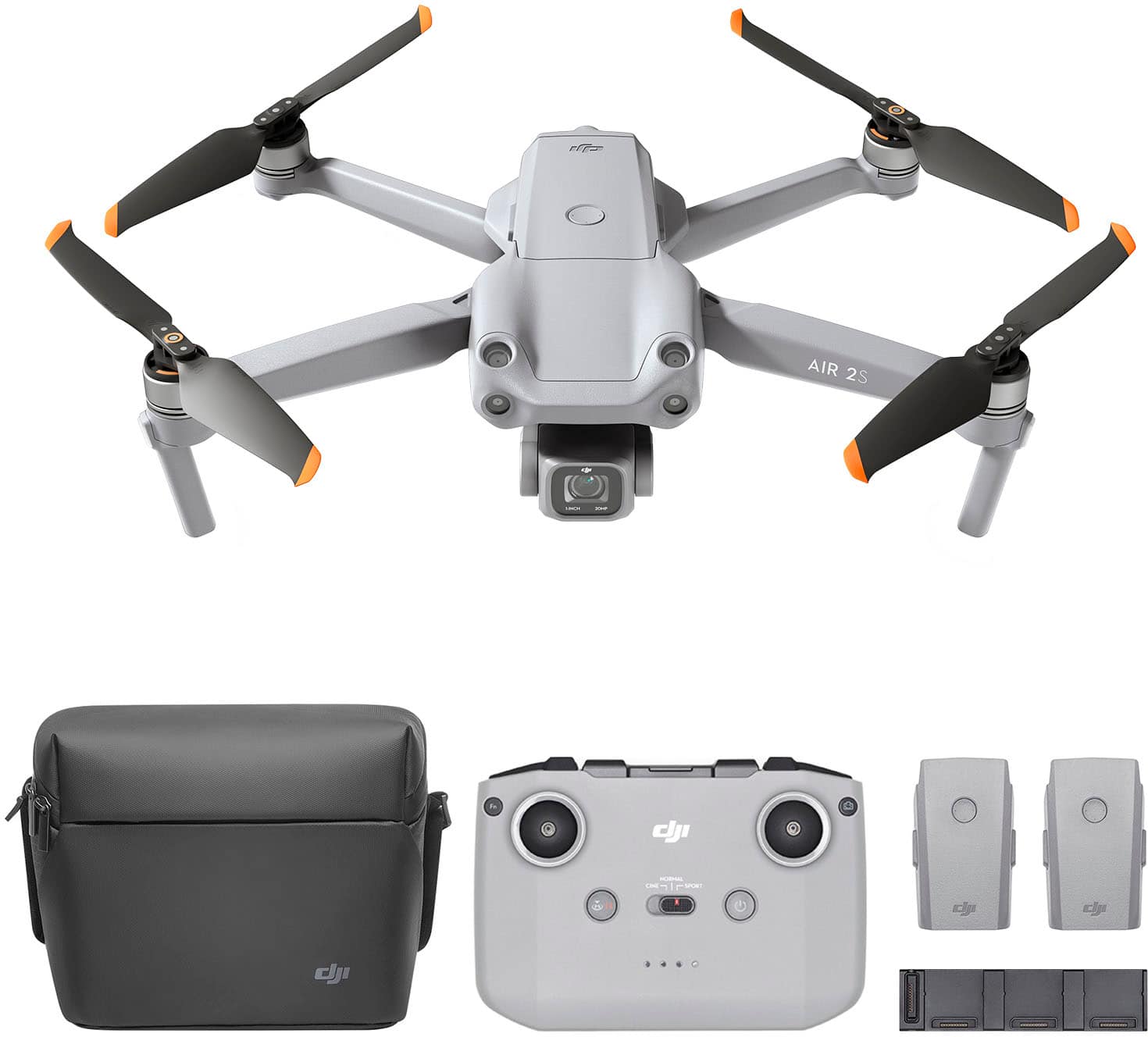
Featuring a 1-inch CMOS sensor, powerful autonomous functions, and a compact body weighing less than 600 g, DJI Air 2S is the ultimate drone for aerial photographers on the move. Take this all-in-one aerial powerhouse along anywhere to experience and record your world in stunning detail.
Customer Rating

5
Outstanding drone! Compact and powerful config!
on April 28, 2021
Posted by: Selva
from Chander AZ
I have been using high-end professional cameras for videos and photos for several years and looking for a drone to take videos and photos for events. DJI introduced DJI Air 2S Drone Fly More Combo with Remote Controller with excellent specification. DJI Air 2S came with excellent packing. Inside the box, there are many items including DJI Air 2S Aircraft, DJI RC-N1 Remote Controller, Three Intelligent Flight Battery, Battery Charger, AC Power Cable, 6 pairs of Low-Noise Propellers, Gimbal Protector, Type-C Cable, DJI RC-N1 RC Cable (USB Type-C Connector), DJI RC-N1 RC Cable (Lightning Connector), DJI RC-N1 RC Cable (Standard Micro-USB Connector), Spare DJI RC-N1 Control Sticks (Pair), ND Filters Set (ND4/8/16/32), Battery Charging Hub, Battery to Power Bank Adaptor and shoulder bag.
Setup is relatively easy and followed the instructions from the quick guide for assembling propellers. It has 8GB of internal memory. I had a spare 128GB external memory card and inserted the memory care on the side of the aircraft. I have charged all 3 batteries at the same time along with DJI RC-N1 remote controller using a Battery charging hub that came with the Fly more combo package. I have downloaded the DJI Fly app from the iOS app store and installed it in iPhone 12 pro max. After account registration, it is highly recommended to use the academy option in the app to watch tutorials, tips, flight safety, and user manual. DJI Fly app lot of features to configure for safety, control, camera, and transmission. After turning on the aircraft and remote controller with iPhone, it will show all the settings on the iPhone. The controller has three different settings Normal, Cine, and Sport. The controller has a power off and a Land button along with a button to change photo/video. The warning messages will be displayed on the phone for Gimbal Stuck, Ambient light low, etc. The aircraft is very compact and lightweight. The landing gear/legs are foldable, and it is taking less space inside the shoulder bag.
Operating the aircraft is a great experience. After clicking the take-off button on the screen, the aircraft will automatically take off to an altitude of 1.2m. By using control sticks, it is very easy to control the aircraft. The experience is breathtaking and the video and photo quality is outstanding and exceeded my expectations. I was able to operate the aircraft without any issues and able to able to record 10 mins of video and took many photos by changing the mode while flying the drone. I am excited to try out on many trips to get different perspectives of views on those locations. There is pro mode and auto mode for recording videos and photos. If you are familiar with high-end cameras and photography concepts, I highly suggest using the pro mode to change ISO, White Balance, Shutter speed, etc.
Operating the aircraft is a great experience. After clicking the take-off button on the screen, the aircraft will automatically take off to an altitude of 1.2m. By using control sticks, it is very easy to control the aircraft. The experience is breathtaking and the video and photo quality is outstanding and exceeded my expectations. I was able to operate the aircraft without any issues and able to able to record 10 mins of video and took many photos by changing the mode while flying the drone. I am excited to try out on many trips to get different perspectives of views on those locations. There is pro mode and auto mode for recording videos and photos. If you are familiar with high-end cameras and photography concepts, I highly suggest using the pro mode to change ISO, White Balance, Shutter speed, etc.
There is a cool feature called MasterShots provides the best shots in any location with just a tap by selecting the subject, and the drone will film while executing ten different maneuvers in sequence, keeping the subject center-frame and generating a short cinematic video afterward. Focus Track features Spotlight 2.0, Active Track 4.0, and Point of Interest 3.0 allowing DJI Air 2S to follow or circle the subject. DJI Air 2S provides an added layer of airspace safety with the built-in AirSense system. This receives ADS-B flight location information from airplanes and helicopters in the flying area that transmits ADS-B signals and warns you through the DJI Fly app.
I was blown away by the quality of videos and photos from DJI Air 2S. With 1 inch CMOS sensor and powerful autonomous functions, it records the locations in stunning clarity and detail. The 10-bit Dlog-M color profile can record up to one billion colors while retaining all the little details that make footage with accurate color. The recordings can be done in RAW format which will allow flexibility for post-processing. The Intelligent HDR technology merges multiple shots automatically, increasing the dynamic range of images without the need for post-processing. DJI Air 2S is an excellent drone with tons of features. It records amazing videos and photos and takes videos/photos to the next level. I am thrilled to explore all features of DJI Air 2S in the upcoming trips to Grand Canyon and Hawaii. I highly recommend buying Fly more combo to get two extra batteries, extra propellers, a charging hub, and other accessories.
Mobile Submission: False
I would recommend this to a friend!


Share this review:


-4points
0of 4voted this as helpful.
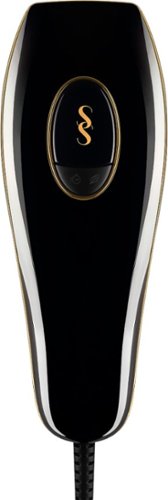
SmoothSkin Pure is safe, fast and clinically proven to deliver permanent hair reduction, with visible results in just four weeks. Our unique Smart Skin Sensor automatically detects and delivers the highest power suited to your skin tone for permanent results. Ten intensity levels and three comfort modes offer the safest, most powerful and personalized treatment to leave your skin smooth and hair-free for months. SmoothSkin are the original pioneers and the world's #1 best-selling IPL hair removal brand. FDA cleared for safe and effective, permanent hair removal on your body and face.
Customer Rating
5
Excellent hair removal product! Awesome results!
on April 18, 2021
Posted by: Selva
from Chander AZ
I have been using razors and wax procedures to remove hairs from body parts ad looking for a better and effective solution to reduce hair growth. I got Smooth Skin Pure IPL Hair Removal System. It came with Smooth Skin Pure IPL Hair Removal System Handset and Base Unit, Power Cable, and User Manual. I have read the manual in detail before the first use and have been using almost 6 weeks. I have a pink skin tone with soft skin. The ergonomic of the Smooth Skin Pure system is great. I tried in my legs for a patch test to make sure there is no adverse reaction on my skin.
I have followed the steps to treat my skin. I have connected the power supply plug into an electrical outlet. The fans started and the skin sensors changed to blue, indicating the device is switched on. By pressing the activation button, the device started flashing with a warm sensation. I have started moving the handset to the treatment area slowly without any overlapping between flashes. It is recommended to wait 7 days before treating the same area again and to get complete results, it should be used every week for 12 weeks. The power bar lights will be the indicator of maximum energy used and it is recommended to refer to the chart in the manual for skin tone and equivalent power setting.
There are three different modes Power mode, Gentle mode and Speed mode can be used in Smooth Skin Pure. Power Mode is the highest power setting of the device and delivers the best results, as it is using the maximum power output possible for your unique skin tone. I have used the mode for stubborn areas where the hair tends to be denser, such as underarms. I have used Gentle mode in few areas where the skin is very sensitive and using gentle mode will reduce the pain and irritation. I have used Speed mode, which is the fastest mode, and therefore the lowest power mode. Speed Mode is best for treating larger areas where the hair is less dense (such as arms or legs), and where you want to move along the treatment area quickly.
When in any of these modes, the Glide method or Stamp method can be used. Stamp Method is recommended for small areas such as the underarm by placing the handset on the skin, press & release the activation button and remove from the skin before carefully re-applying to the next treatment area. The Glide method is recommended for larger areas such as legs by placing the handset on the skin, hold down the activation button and then glide the handset along the skin between flashes.
It is very easy to clean by wiping down the skin tone sensor with a dry lint-free cloth after each treatment. The filter gets hot during use and it is recommended to wait 10 mins after use before cleaning the sensor. It comes with 2 years warranty. I have been using Smooth Skin for each week for 6 weeks now. The results were exceeded my expectation and hair growth is very less after 6 weeks of use. I will continue to use this product for another 6 weeks to maximum results. I highly recommend Smooth Skin IPL to everyone for better and long-term results.
Mobile Submission: False
I would recommend this to a friend!


Share this review:


-3points
1of 5voted this as helpful.
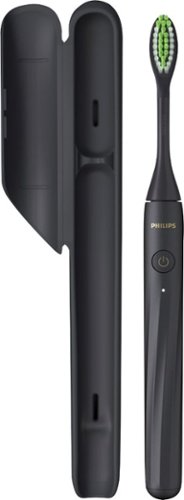
Philips One by Sonicare is an ultra-portable electric toothbrush that keeps your smile bright. Always be ready to touch up your smile, no matter where the day takes you. Designed with you in mind, Philips One is a big step up from manual brushing.
Customer Rating

4
Compact and Budget friendly Philips sonicare!
on April 1, 2021
Posted by: Selva
from Chander AZ
I have been using a round-shaped electric brush until now and got Philips Sonicare - Philips One by Sonicare Rechargeable Toothbrush. The package came with One (1) Philips One by Sonicare Rechargeable Toothbrush, matching brush head, and 1 travel case. It is very easy to use by just pushing the button.
The micro-vibrations and tapered bristles polish teeth for a brighter smile which runs automatically for two minutes. The build quality is really solid and easy to hold as well. The brush heads match the colorful handle for a super sleek look.
I feel much better coverage than round shape toothbrushes. The brush is slim, lightweight, and water-resistant. It is advertised as with 30 days battery life for twice a day usage with 2 mins per brushing. Charging can be done with provided USB cable. It does perform really well and provide a clean brush experience.
It is definitely a budget-friendly electric toothbrush and definitely will not match the features of high-end Sonicare toothbrushes.
Mobile Submission: False
I would recommend this to a friend!
Share this review:


0points
0of 0voted this as helpful.
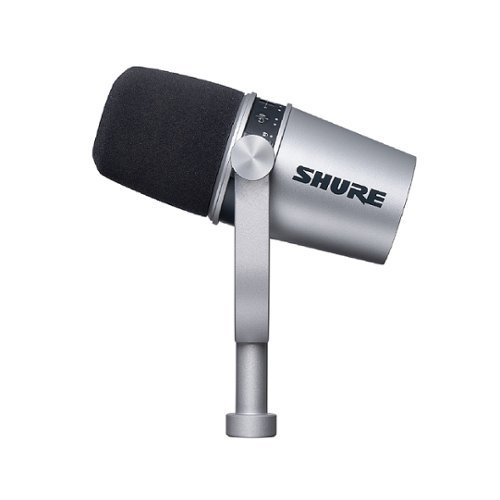
The Shure MV7 is a professional-quality USB/XLR dynamic microphone, ideal for close mic applications that require vocal intelligibility with a balanced tone. A touch panel interface on the microphone itself provides control over microphone gain, headphone level, monitor mix, and muting, and the ShurePlus MOTIV Desktop Application allows users to save their own presets or enable auto-gain, compression, and EQ presets for easy real-time audio processing. The attractive and durable all metal design features an adjustable yoke that can be mounted onto a variety of microphone stands for flexible placement options.
Customer Rating
5
Outstanding Sound! Excellent USB/XLR microphone!
on March 5, 2021
Posted by: Selva
from Chander AZ
I have been looking for USB based mic for recording and streaming instead of XLR type mics. I have tried various models and there were some limitations. Shure is known for making excellent mics and got Shure MV7. It came with Shure MOTIV MV7 Podcast Microphone, 10 ft (3m) USB-A cable, 10 ft (3m) USB-C cable, and a quick manual. It has a dual USB/XLR output that allows digital or analog recording. Setup is relatively easy. I have connected MV7 via USB-C cable to MacBook Pro and it recognized without any issues and it is recommended to download the ShurePlus Motiv Desktop application to configure the mic settings and perform the firmware update. ShurePlus Motiv Desktop will allow adjusting mic gain, monitor mix, EQ, limiter, compressor, and the option of enabling Auto Level Mode. With the Motiv application, presets can be saved depending upon the recording environment. All settings are saved in the mic and it allowed me to use the mics in windows PC, MacBook Pro, and android tablets.
Build quality is great and it has a touch panel on the microphone itself to control microphone gain, headphone level, monitor mix, mute, and settings lock which is really cool instead of standard buttons in other mics. After the initial setup, I made a test voice call with zoom and Microsoft teams and my voice sounded so good on the recording without making any adjustments. I have tried auto mode in the Motiv app and it worked really well in most situations. However, I have turned off the Auto mode setting to allow manual adjustments to fit my recording needs. MV7 is available in two colors Black finish and silver. I have downloaded the Motiv app on the Samsung S7+ tablet and connected MV7 using a USB C cable and tried Smule singing app. The Voice-Isolating Technology works really well and provided rich sound quality.
The recording quality is exceeded my expectation. For recording and podcast, I have configured MV7 connected with Focusrite Scarlett 2i2 to have more controls that are connected to a pair of HS8 studio speakers with Garageband to do the post-processing. I have connected SM58 using XLR cable to try out the quality using XLR and the sound quality is the same. There is no mic stand provided on the box and I was able to use my existing mic stand. MV7 uses a micro-USB connection to the mic on USB-A and USB-C conversion cables. Now, all devices are using USB-C to USB-C, it could have been much better designed using USB-C to USB-C. The micro-USB port in USB is kind of fragile on the mic. I have been using MV7 for all my recordings and video calls. Shure MV7 exceeded my expectation due to quality build, design, and sound quality. If you are looking for a mic for excellent sound quality, Shure MV7 will be the perfect choice for content creators, gamers, podcasters, and streamers.
Mobile Submission: False
I would recommend this to a friend!


Share this review:


0points
0of 0voted this as helpful.
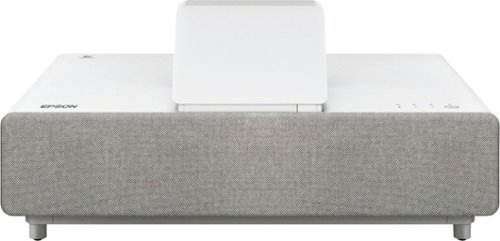
With an immersive 4K HDR3 viewing experience, Epson Ultra Short Throw Laser Projector represents a new generation of digital projection that redefines the everyday television experience by offering a stunning 130" picture. Equipped with proprietary 4K PRO-UHD~2 3LCD technology, Epson Ultra Short Throw Laser Projector produces vivid colors and deep blacks for an exceptionally bright, colorful and sharp picture in virtually any viewing environment. Whether you~re watching a live sporting event, streaming your favorite series, gaming on the latest generation of consoles, or watching a blockbuster movie, Epson Ultra Short Throw Laser Projectior will simply amaze you.
Customer Rating
5
Outstanding Laser projector! Stunning quality!
on March 3, 2021
Posted by: Selva
from Chander AZ
I have been looking for a laser short throw project for a while and got Epson EH-LS500W. The Epson EH-LS500W is a laser short throw projector. It came with excellent packing with projector, power cable, remote, android TV dongle, and android TV remote. The lens is perfectly placed on the center and came with a plastic box to cover during non-usage. There are various ports on one side with consist of a LAN port, two HDMI 2.2 ports (HDMI 2 with ARC), USB – A port, a stereo mini-jack audio output, and an RS-232C port. On the other side inside the panel, there is one HDMI and USB port to connect the Android TV dongle.
Setup is easy and I have placed the projector on the wood TV stand. I have connected the power and HDMI cable and powered on the projector. The instructions were very clear and configured the android TV dongle as per the instruction manual. After the initial setup, I have turned on the projector and configured basic settings with provided remote. Please note that settings can be done in the projector panel as well. I have used the focus lever to adjust picture sharpness and a movie from Netflix. I was blown away by the picture quality and brightness. The 4000 lumens color and white brightness with 2000000:1 contract ratio delivered a crisp and clear picture. The provided remotes were very small and easy to use. There is no need for an Android TV remote as most of the functions can be done with the Epson remote itself.
Epson LS500W provides 4K PRO-UHD2 Projection Technology advanced processing for resolution enhancement, color, and image processing, resulting in an exceptionally sharp picture. It is pixel-shifting technology and not a true native 4K. However, the picture quality is equally good as native 4K. There are 4 presets Cinema, Bright Cinema, Dynamic, and Game modes available in the projector. While using Bright cinema and Dynamic modes, the noise is relatively high. With Cinema mode, the projector is whisper quiet and laser light output is only 50%. I have adjusted the light output setting to 60% to increase the brightness and keep the noise low. The bulb lifespan will be around 20,000 hours. This projector is 3D capable. However, no glasses provided with a projector. It has integrated speakers with 10 watts per channel. I am running with a 9.2 speaker setup with the receiver and not using integrated speakers. The picture quality is outstanding with 4K UHD and HDR10.
We have been using LS500 regularly now due to its crisp and bright picture quality. The picture quality is equally good as my Samsung 82” OLED TV. I have tried 4K movies, XBOX, Nintendo, and picture quality exceeded my expectation. I am looking to replace my existing screen with an Epson projector TV system when it is offered as a separate item for sale and I am sure that Epson LS500 will provide exceptional quality with Epson projector TV system. We played few movies on weekends with friends and they were blown away by the picture quality from this projector and everyone is looking to upgrade to LS500. I am not using provided Android TV dongle as I am using NVIDIA android TV pro to watch movies from Netflix, Prime, and KODI / Plex to watch family 4K videos from NAS drive.
It is advertised as an ultra-short throw projector and it requires a minimum of 1.28 feet from the wall for a 120” screen. I have to move the furniture from the wall to use the projector to maximize 120” output. This projector can deliver up to 130” stunning Picture Quality with an immersive, bright viewing experience for TV shows, sporting events, gaming, and movies by accepting content up to 4K. It has 3LCD and delivers a Maximum Resolution of 4096 x 2160 (4K) with 4000 lumens of color and white brightness. It has a digital keystone correction and a manual focus lever. It is energy-star certified and comes with a 2-year warranty.
We have been watching movies, sports on a 120-inch screen for more than 7 years now in the living room and it is definitely a huge upgrade from Epson 4030UB. LS500 exceeded our expectations with picture quality. Epson EH-LS500W is one of the best Ultra Short Throw projectors in the market and highly recommend to everyone.
Mobile Submission: False
I would recommend this to a friend!


Share this review:


-8points
1of 10voted this as helpful.
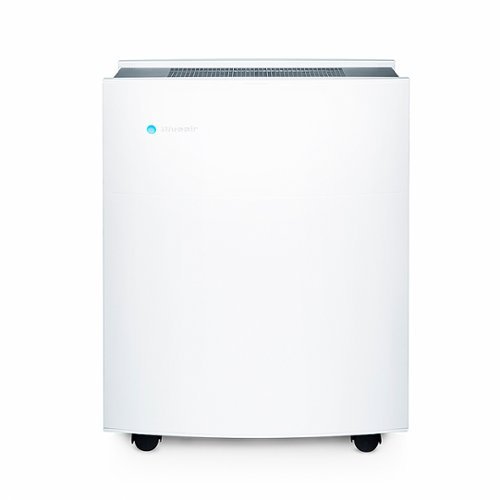
The Blueair Classic 680i air purifier brings clean energizing air to spacious bedrooms living rooms or any big rooms up to 698 sq ft. A built-in air quality sensor makes it easy to confirm your air is virtually free of asthma and allergy triggers and indoor air pollutants such as mold, dust, pet dander, and pollen by scanning the air quality in real time and adjusting fan speed to your current air quality. The Classic 680i delivers unmatched performance thanks to HEPASilent technology which combines electrostatic and mechanical filtration technologies. This combination pioneered by Blueair delivers high clean-air delivery rate (CADR) with whisper-silent operation and high energy efficiency.
Customer Rating
5
Outstanding Air Purifier to breathe pure air!
on February 25, 2021
Posted by: Selva
from Chander AZ
We have been looking for air purifiers for quite some time due to stay at home situation. My spouse is having sinuses issues and it is important to have clean air inside the home. I got BlueAir - Classic Series 680i Air Purifier. It came with excellent packing. Setup is really easy by removing the wraps from three high-quality double duty filters and installed on three sides. I have downloaded the BlueAir app from the iOS store after the registration. The instructions were very clear to integrate with home Wi-Fi so that it can be controlled via the phone app.
The build quality is outstanding with a very classy look. I have placed the air purifier in the living room. There are few settings on the top of the purifier to see WiFi connection, Filter status, VOC, and PM status along with power on/off button and to change fan setting. In the app, there are various tabs to show PM 1 (particles are commonly caused by combustible fuels such as oil, gas, and coal), PM 2.5 (particles are typically created by car traffic, factories, cleaning fluids, cooking, and smoking.), PM 10 (particles are generally dust from construction or pollen), tVOC (total sum of chemicals in the air emitted from such things as detergents, paint, perfumes, and car exhausts), TMP (Temperature to show hot or cold the environment is), HUM (Humidity is the volume of water vapor in the air).
Fan speed can be controlled either with 4 levels (0 to 3) or Auto mode. I have set it as auto mode and it works beautifully based on the situation. It is showing filter status (180 days to start with) which is really cool to track the installation date and life of the remaining filter to change on time. Schedules can be created in the app to run the purifier on specific days and times. In the Settings section, there are options to change LED brightness, Child lock settings.
After the initial setup, I have captured the quality of air and its way above the recommended range. It ran for 30 mins at full speed and the levels were dropping below the range and status Polluted to Excellent. It is really nice to see the trend on each day both outdoor and indoor air quality. We cook a lot with oil every day and this air purifier recognizes the odor and turns the fan speed automatically to clean the air. It covers close to 750 square feet and comes with a dual protection filter to remove odors 4x faster, as well as 99.97% of airborne particles, like pollen, dust, pet dander, and more with HEPASilent filtration technology. The sound is on the higher side when it runs a full speed which is fine to fix the air quality. It is running only at full speed while cooking and the remaining time it is whisper quiet. BlueAir offers a filter subscription and details can be found on their website.
I am really impressed with the features and air quality delivered by the BlueAir purifier and will be buying at least two more for the office and upstairs loft. It is one of the best air purifiers in the market and highly recommends to buy to enjoy pure air inside the home.
Mobile Submission: False
I would recommend this to a friend!
Share this review:


-2points
0of 2voted this as helpful.
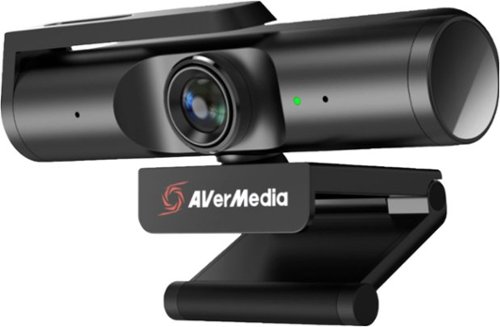
The Live Streamer CAM 513 captures astonishing 4Kp30 video that elevates content to a professional level. With Sony~~ Exmor~~ technology and AVerMedia~s precision adjustments, this plug-and-play webcam is all about the details, featuring 4K Ultra HD crystal-clear video for recording, streaming, and more. For work conferences, school lessons, live streaming, and more.
Customer Rating
4
Excellent 4K Webcam for Livestream and video call!
on January 18, 2021
Posted by: Selva
from Chander AZ
I have been looking for a better webcam for 4K video streaming and video calls. AVerMedia Live Streamer 4K CAM PW513 Webcam is an excellent choice. Setup is relatively easy and connected the USB 3.0 cable with webcam and desktop PC. It is a plug and plays and no driver needs to work. I have downloaded AverMedia CamEngine software (beta) for the Windows version to utilize the full potential of this webcam. This webcam supports 4K Ultra HD to capture 4Kp30 video with an ultra-wide-angle design to cover 94 degrees. It has a privacy shutter which is really nice feature.
I have tried the video quality without any adjustments and the quality is not great out of the box. It was really dark and grainy. However, after installing AverMedia CamEngine software, I was able to adjust brightness, contrast, pan, tilt, and zoom controls. The video quality is excellent after the adjustments. I have used this webcam for many Zoom / MS teams calls and everyone was saying the video quality is very good.
It has an integrated microphone and works really well. The low light capabilities could have better and this camera has only a fixed focus instead of autofocus. The Sony Exmor R sensor delivers both 3840x2160p@30fps as well as 1920x1080p@60fps video streaming. It is a perfect webcam for high-quality video calls. For the price, autofocus and low light capabilities should be default features and it still delivers excellent video streaming quality in 4K.
Mobile Submission: False
I would recommend this to a friend!


Share this review:


0points
0of 0voted this as helpful.
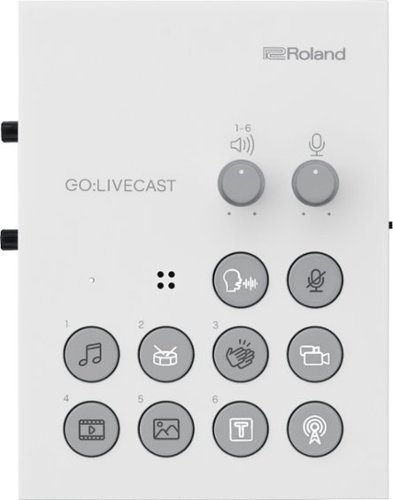
Get up and streaming in minutes with professional-level content using just Roland~s GO:LIVECAST Streaming Studio and your mobile device. You~ll easily create high-quality content using the two-camera functionality, interview-ready camera switching, screen-in-screen capability, graphic presets, sound effects triggers, audio mixing, and more ~ all without needing a computer or other A/V gear. With multiple connector inputs, you can use this with your whole studio including external microphones - or use the built-in mic for quality sound. This powerful recording and streaming tool will help you create engaging live web shows rivaling the most advanced creators on social media. The GO:LIVECAST is a content creator~s dream with the absolute simplicity of selecting your favorite streaming platform, like Facebook or YouTube, and pressing the ~ON AIR~ button to go live!
Customer Rating
4
Compact Live Streaming Device with many features!
on December 2, 2020
Posted by: Selva
from Chander AZ
I have been looking for a compact and easy to carry the device to do live streaming. Roland - Live Streaming Studio for Smartphones is a perfect choice. It came with GO: LIVECAST Streaming Studio for Smartphones, Lightning to USB Micro-B type cable, USB Type-A to USB Micro-B type cable, USB Type-C to USB Micro-B type cable, and QuickStart Guide. Setup is relatively easy. I have used a USB power adapter and connected a USB Micro B cable to the streaming studio and connected a lightning cable to my iPhone 11 Pro max, and connected the condenser mic via XLR input as well. There are two ways to provide the power supply. For outdoor use, it can be connected using a USB cable with a power bank. At home, it can be connected to a power outlet using the USB power adapter. All cables have been provided for iPhones or Android devices.
I have downloaded Roland GO: LIVECAST app from the iOS app store. There are various buttons on the top of LIVECAST streaming studio to adjust mic sensitivity, mic effect on/off, Power indicator, adjust the pad volume, mute the mic, Satellite camera button, ON AIR button for live broadcasting or video recording. There are a set of buttons to show still images or videos, stream sound efforts, background music, etc. On the left side, there are options to connect headphones, headset, or monitor speakers. On the right side, there is a button to set 48V phantom power for condenser mics along with XLR input. If you are using a Dynamic microphone, please set it OFF.
In the LIVECAST app, there are various options to set Beauty Filter, Live Set, ability to comment, Camera selection, Mic effect, Pad assign, and Broadcast. It will show the LIVE/Rec indicator, Elapsed time on the top. During live streaming, there are options to play background music, Drum roll, and Applause effects. Pad buttons can be configured with different settings. Screen orientation can be set as portrait or landscape mode during live streaming. The broadcast destination can be set as Facebook Live, YouTube, Twitch, and TwitCasting and authentication has to be done with user ID and password. In Facebook Live, there are ways to set the destination as TimeLine, Page, or Group. In YouTube Live, the options can be Public, Unlisted, or Private. I have tried live stream with Facebook Live and YouTube and the Streaming quality was outstanding with clear sound. There are tons of features in Roland Live Streaming Studio for Smartphones and the manual has very detailed information. It is compatible with many iOS and Android phones. I highly recommend Roland Live Streaming studio due to the compact factor and many built-in features.
Mobile Submission: False
I would recommend this to a friend!


Share this review:


+4points
4of 4voted this as helpful.
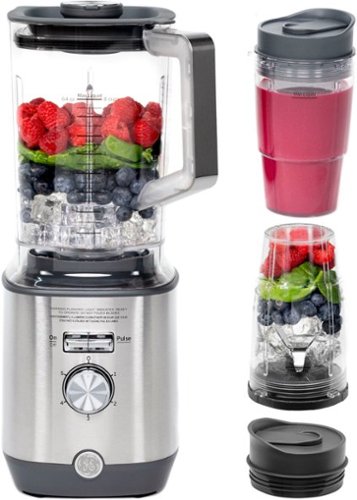
Now that quality you've come to love from GE is available right on your countertop, thanks to GE Appliances blenders, available in both Standard and Immersion designs. Our immersion blenders are ideal for one-handed operation, and available whisk and chopping attachments make whipping up family meals a cinch. You can even take it with you to help make kitchen magic on the go. GE Appliances standard blenders are the perfect addition to any kitchen and have the power to blend through tough ingredients to make delicious shakes, sauces and pur~es. The available personal blending cups are perfect for your morning smoothie and help make clean-up a snap. Make your blending experience a snap with help from GE Appliances, a brand you trust.
Customer Rating
5
Beautiful Blender with solid features!
on December 1, 2020
Posted by: Selva
from Chander AZ
We were looking to buy a blender from GE due to the quality products they make and pleased with the results of GE products. We got GE - 5-Speed 72-Oz. Blender with Blender Cups - Stainless Steel. It came with Blender, 72 oz. Pitcher and two 16-Oz. Blender Cups. Setup is relatively easy and the 72-oz. pitcher allows us to make smoothies and drinks for larger groups at a party. All of our guests enjoyed the taste of smoothie that came from this blender. The 12 pre-set Auto-iQ smart programs allow to infuse and unlock flavors with heat to make spa waters, craft cocktails, mixers, and more.
The 5-speed setting is really a nice feature. The Stainless Steel finish blender perfectly complements our kitchen stainless steel appliances. The 1000W motor easily liquefies solid ingredients, quickly creating purees and juices with smooth, even consistencies. It is dishwasher-safe and it is very easy to clean as well. The blender is very quiet during operation. I like the Convenient Cord Storage feature which allows the kitchen counter free of clutter with convenient built-in power cord storage in the blender. It comes with a 1-year manufacturer warranty.
We have been using this blender very frequently and it is definitely a great addition to our kitchen. It is another great product from GE and I highly recommend this product.
Mobile Submission: False
I would recommend this to a friend!
Share this review:


0points
0of 0voted this as helpful.
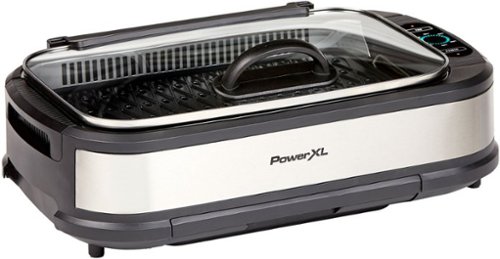
The same BBQ taste and authentic char-grilled flavor on steaks, chicken, ribs, veggies and much more right on your countertop with this electric smokeless indoor grill by PowerXL.
Customer Rating
4
Great indoor smokeless grill!
on November 29, 2020
Posted by: Selva
from Chander AZ
We have been looking for an indoor grill and got Power XL Smokeless Indoor Grill. It came with Smokeless Grill, Non-Stick Cross Hatch Grill Plate, Non-Stick Griddle Plate, Stainless Tempered Glass Lid, and PowerXL Smokeless Grill Recipe Book. It is very easy to assemble. As recommended in the manual, we did wash the grill plate with soap before the first use.
The instructions were very clear in the guide. We tried grilled chicken on this grill. I have filled 2 cups of water in the tray and powered on the grill. I set the grill at 300°F and turned the chicken every 10 mins to make sure that it cooked all the sides evenly. Due to the large cooking surface, we were able to put close to 10 chickens at once. The grilled chicken came out well and the taste was really good. The Cerami Tech nonstick surface is really nice as nothing sticks to the surface. This grill can heat up to 450°F and with the glass lid, it is easy to see the inside food while cooking.
With Airflow technology and smoke-capture fan, this smokeless grill removes hot, smoky air and return clean filtered air. It is very easy to clean all the accessories. We did handwash for the first two use and after that, we started using the dishwasher as all parts are dishwasher safe. The design of the grill is great and it did not occupy much space in the kitchen. We have used this grill more than 3 times within a week and impressed with the outcome of the grilled chickens and steaks. We have ordered the free griddle after paying 15.99$ for shipping which should have been included in the grill itself. We really impressed with the quality and outcome of this indoor grill.
Mobile Submission: False
I would recommend this to a friend!


Share this review:


+1point
6of 11voted this as helpful.
Selva's Review Comments
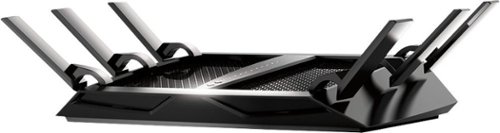
The NETGEAR Nighthawk X6 AC3200 Router, with breakthrough Tri-Band WiFi 5 delivers multiple bands for homes with many WiFi devices. WiFi speed up to 3.2Gbps and 6 high performance antennas provide maximum speed and range. Smart Connect allows you to game, stream, and download mega-sized files without lags.
Overall 2 out of 5
2 out of 5Not worth for the price
By Jacobs
from CA
I bought this router to replace my perfectly working Asus RT-66R model. I wanted to change my router just to get bit more range in my new 2200sqft home. Prior to getting this router I have tried one of the best range extender Ampedwireless AE-20. It’s range was excellent, but connection was very much degraded and struggled to get connected at times though it was set up to clone settings from original router.
So, after reading few positive reviews on BBY and mixed reviews on amazon, I decided to give new Nighthawk R8000 a try. I am happy with its slightly improved range than Asus and very much disappointed with its 2.4Ghz performance. I have more than 15 years of network experience and I really don’t bother tech support unless until it is really out of my hand and hardware specific.
Here I am trying to do a fair comparison with two routers I have (Asus & Netgear) + sign means “better” and – signs means “poor”
Wired Connection:
+ RT-66R has excellent wired connection which works at par with Motorola SB6141’s consistency
+ RT-66R has excellent wired connection which works at par with Motorola SB6141’s consistency
- R8000 has fair wired connection with slight consistency issues.
Wireless 5.0 Ghz:
+ RT-66R has excellent consistent connection
+ R8000 has excellent consistent connection as well at full speed by ISP
+ RT-66R has excellent consistent connection
+ R8000 has excellent consistent connection as well at full speed by ISP
Wireless 5.0 Ghz Second Connection:
- RT-66R Not applicable (does not come with this feature)
+ R8000 excellent connection with full speed by ISP’s
- RT-66R Not applicable (does not come with this feature)
+ R8000 excellent connection with full speed by ISP’s
Wireless 2.4 Ghz:
+RT-66R has excellent connection with 80~Mbps out of my actual 120~Mbps ISP feed at channel 6 with 450 Mbps capability.
+RT-66R has excellent connection with 80~Mbps out of my actual 120~Mbps ISP feed at channel 6 with 450 Mbps capability.
- R8000 is a complete failure in terms of 2.4Gh network
I have tried all available channels and found it degrade my 120~Mbps connection 1-14 ~ Mbps
I have tried all available channels and found it degrade my 120~Mbps connection 1-14 ~ Mbps
At this point I called customer service and it sounded like they kind of aware of the issue. With minimal trouble shooting and changing the channels to their recommended channels (01, 06, 09 & 11), there was no improvement. So they asked me to degrade from 600Mpbs to 289Mbps and it started working.
So technically now their claim of 3200Mbps became 2911Mbps.
Access Control:
+ RT-66R has fairly good access control capabilities. You can schedule what time of the day each device can access the internet. This feature is important for me as I found it is very useful with kids on top of parental control settings.
+ RT-66R has fairly good access control capabilities. You can schedule what time of the day each device can access the internet. This feature is important for me as I found it is very useful with kids on top of parental control settings.
- R8000 access control only let you allow or deny connecting a particular device. You cannot decide what time it should be able to connect. – Major drawback for me.
Parental Control:
- RT-66R has poor parental control settings, but with an option to point DNS to OpenDNS we can achieve better parental control settings with their FREE offerings.
+R8000 – also use OpenDNS but with dedicated service assigned to netgear so that you can add bypass account also which can’t be done with OpenDNS free account. This is the only additional benefit I found with this router so far compared to RT-66R.
VPN:
+ RT-66R is also able to use OpenVPN with mobile access with their free App. I was abe to access local network using iOS and Android devices with no issues.
+ RT-66R is also able to use OpenVPN with mobile access with their free App. I was abe to access local network using iOS and Android devices with no issues.
-R8000 – did not bother to check as soon as I read that it does not support mobile devices using same OpenVPN platform.
LED Control:
- RT-66R – Not applicable (missing feature)
- RT-66R – Not applicable (missing feature)
+R8000 – very useful feature if you have your router in bedroom or other place you don’t like lot of flashing lights. Can be accessed via web GUI and with a dedicated hard button at the rear of the router.
USB Storage and Cloud access:
+RT-66R allow you to create a personal cloud with your router with AiCloud application. I am able to enjoy my music and movies over AiCloud on the move.
+RT-66R allow you to create a personal cloud with your router with AiCloud application. I am able to enjoy my music and movies over AiCloud on the move.
- R8000 – could not find any documentation about cloud access. Only information I found is about ReadyCloud and it is dedicated to Netgear NAS only. Another major setback for an expensive router.
Web GUI:
Though Netgear has a simple interface and easy to follow GUI, it lack modern look and feeling. I like Asus GUI better.
Though Netgear has a simple interface and easy to follow GUI, it lack modern look and feeling. I like Asus GUI better.
Customer service:
+ Asus- Never had to call them. No subscription fee, 24/7 free support (as far as you are within product warranty).
+ Asus- Never had to call them. No subscription fee, 24/7 free support (as far as you are within product warranty).
- Netgear – Though I received prompt customer service when I called, it was shocking to learn that the phone support is only available for 90 days of purchase, then you have to pay PREMIUM subscription to get phone support.
CONCLUSION:
I have thoroughly tested all important feature that I need. Rest of the features are generic to me and I am not bothered much about them.
I am sure this router with Dual 5.0Ghz network will be very useful for those who have new wireless devices. For me I have a lot of devices that depends on 2.4Ghz frequency such as smoke detectors, thermostat, laptop that connects to NAS for backup etc. and degraded and unreliable 2.4Ghz network make it absolutely worthless considering the amount I spent on this router.
I am seriously thinking to take this back to the store. I don’t see any point in spending almost double amount of money to get a couple of benefits and a lot of drawbacks and pay for a premium to get their phone support if needed to an overpriced product.
I would not recommend this router at its current price and it is unable to meet its original claims and comes with a premium phone support after 90 days.

Selva
Chander AZ
Contact Netgear Support
September 1, 2014
Hi Jacobs,
Please reach out to Netgear Support. I had similar issue in my home (2800 square feet) during the setup and Support asked me to change settings in Router page and now i am getting superior coverage in 2.4 and 5 Ghz for all 17 connected devices.
Regards
Selva
Selva
+23points
27of 31voted this comment as helpful.
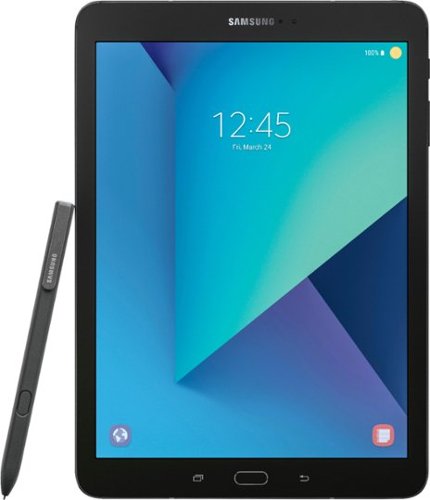
Work, play and communicate with this Samsung Galaxy Tab S3 featuring a 2.15 GHz + 1.6 GHz quad core processor. This versatile tablet has an ultra-clear Super AMOLED display, so you can watch HD movies on the go. Capture and share your world with the 13MP camera in this Samsung Galaxy Tab S3~s, which features an integrated flash for great results in low light.
Overall5 out of 5
5 out of 5Outstanding 2-in-One Tablet from Samsung
By Selva
from Chander AZ
There are not much Android tablets with premium specs in the market compare to Apple iPad, but Samsung is not ready to give up the fight with the release of high-end Samsung Galaxy Tab S3 with significantly updated specs, HDR screen and improved S Pen support. It is equally positioned with iPad Pro.
Samsung Galaxy Tab S3 screen has a 9.7-inch 1536 x 2048 Super AMOLED display with support of HDR content and it matches the iPad Pro 9.7 in size and resolution. Samsung Tab S3's screen size and resolution have not changed with pixel density of 264 pixels per inch. It has Super AMOLED display, for brighter, richer colors. The main upgrade over the Tab S2 is HDR content support. There is not a huge amount of HDR content yet, but once there is this it will be really helpful with Samsung Galaxy Tab S3. Another big change for this model is that there's no 8.0-inch option, Tab S3 only coming in a 9.7-inch size.
Tab S3 has metal and glass build with similar size to Tab S2. Samsung upgraded the design for the Galaxy Tab S3, replacing the soft plastic back of the Tab S2 with a glass one, but retaining the metal frame. The overall appearance like an oversized Samsung Galaxy S7.
While cameras are never the highlight of a tablet, Samsung Tab S3 came with 13MP back side camera and 5MP front facing camera with LED flash. It does include an autofocus and can record 4K video at 30fps.Samsung Galaxy Tab S3 came with 6,000mAh one and it can last up to 12 hours of video playback. I have used more than 10 hours without any issues. It supports fast charging via USB Type-C, so you shouldn't be waiting too long.
Tab S3 runs the latest major version of Android 7.0 overlaid with Samsung's own interface. It came with quad-core Snapdragon 820 chipset and 4GB of RAM. The Samsung Galaxy Tab S3 only comes in one size - 32GB, but it also has a microSD card slot with support for cards of up to 256GB if you need more storage for apps and games.
Beyond the core specifications, Samsung Galaxy Tab S3 is packed full of features, including support for Samsung's S Pen stylus. This is the latest and greatest version of the stylus, with a smaller 0.7mm tip and increased pressure sensitivity. It also works with S Pen features like Screen Off Memo, which lets you take down notes without turning the screen on or launching an app. The Tab S3 also supports keyboards using a pogo connection, so all that along with the screen specification make this remarkably similar to the iPad Pro 9.7.
It has 4 stereo speakers tuned by AKG promises distortion free sounds. It came with fingerprint scanner and it supports Samsung Flow, which can sync notifications between your tablet and Galaxy handset.
I have listed the key specifications below
• 9.7-inch 1536 x 2048 Super AMOLED display
• Supports HDR content
• Matches the iPad Pro 9.7 in size and resolution
• A metal and glass build
• Similar size to Tab S2 but thicker and heavier
• 13MP rear camera with autofocus
• 5MP front-facing camera with LED flash
• 6,000mAh battery with fast charging
• Supposedly lasts through 12 hours of video on one charge
• Snapdragon 820 chipset and 4GB of RAM
• Android 7.0 out of the box
• Just 32GB of storage, but microSD support of 256GB
• Supports S Pen stylus and keyboards
• Four stereo speakers tuned by AKG
• Fingerprint scanner
• Supports HDR content
• Matches the iPad Pro 9.7 in size and resolution
• A metal and glass build
• Similar size to Tab S2 but thicker and heavier
• 13MP rear camera with autofocus
• 5MP front-facing camera with LED flash
• 6,000mAh battery with fast charging
• Supposedly lasts through 12 hours of video on one charge
• Snapdragon 820 chipset and 4GB of RAM
• Android 7.0 out of the box
• Just 32GB of storage, but microSD support of 256GB
• Supports S Pen stylus and keyboards
• Four stereo speakers tuned by AKG
• Fingerprint scanner
It is one of the best android tablet with premium features and equally matching iPad Pro. It worked really well with Samsung Book Cover Keyboard for accurate and comfort typing.
Selva
Chander AZ
April 18, 2017
Hi Malack,
Apps can be downloaded from Google Play or Samsung Store. If you are looking for side loading apps from 3rd party, you can do that as well. It is similar like S2 with upgraded features.
Regards
Selva
Selva
0points
0of 0voted this comment as helpful.
Selva's Questions
Selva has not submitted any questions.
Selva's Answers
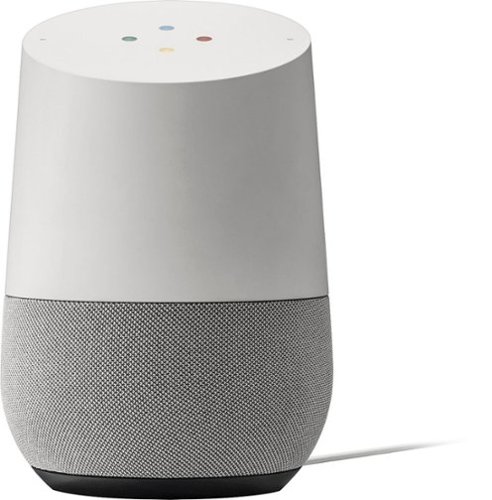
Simplify your everyday life with the Google Home, a voice-activated speaker powered by the Google Assistant. Use voice commands to enjoy music, get answers from Google and manage everyday tasks. Google Home is compatible with Android and iOS operating systems, and can control compatible smart devices such as Chromecast or Nest."
How can I order this so it arrives just in time for Christmas as it only has a 15 day return policy right?
You can order online and choose two day shipping or you can go to any store to pick up immediately.
9 years, 7 months ago
by
Selva
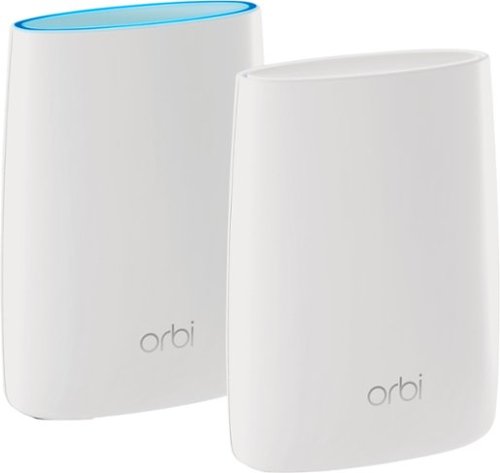
Orbi Whole Home WiFi System delivers up to 3.0Gbps high-performance WiFi. Sleek, modern design with high-gain internal antennas for up to 5,000 square feet of coverage. FastLane3 Technology creates a dedicated Tri-Band WiFi for seamless 4K streaming and gaming everywhere in your home. Keep a single WiFi name for uninterrupted connections as you move from room-to-room. Circle Smart Parental Controls runs on Orbi Routers for a smart way for families to manage content and time online, on any connected device. Provide internet access to guests without sharing your personal network password. Orbi is ready right out of the box and compatible with your ISP. Just use the Orbi app to get started with better WiFi, everywhere in minutes.
I currently have the Netgear NightHawk router. Will this be better than that, and should I get rid of that one?
Yes. It is much better than X6 or X8. I am getting 300+ mbps in all over the places in my house.
9 years, 8 months ago
by
Selva
Orbi Whole Home WiFi System delivers up to 3.0Gbps high-performance WiFi. Sleek, modern design with high-gain internal antennas for up to 5,000 square feet of coverage. FastLane3 Technology creates a dedicated Tri-Band WiFi for seamless 4K streaming and gaming everywhere in your home. Keep a single WiFi name for uninterrupted connections as you move from room-to-room. Circle Smart Parental Controls runs on Orbi Routers for a smart way for families to manage content and time online, on any connected device. Provide internet access to guests without sharing your personal network password. Orbi is ready right out of the box and compatible with your ISP. Just use the Orbi app to get started with better WiFi, everywhere in minutes.
Can you use with comcast.
Yes. It will work with any ISPs. You just need to connect router with your modem and during setup it will identify the satellite as well.
9 years, 8 months ago
by
Selva