


RedScorpion's stats
- Review count234
- Helpfulness votes1,564
- First reviewJune 21, 2012
- Last reviewJune 11, 2026
- Featured reviews0
- Average rating4.5
Reviews comments
- Review comment count0
- Helpfulness votes0
- First review commentNone
- Last review commentNone
- Featured review comments0
Questions
- Question count0
- Helpfulness votes0
- First questionNone
- Last questionNone
- Featured questions0
- Answer count14
- Helpfulness votes42
- First answerMay 13, 2016
- Last answerSeptember 30, 2020
- Featured answers0
- Best answers5
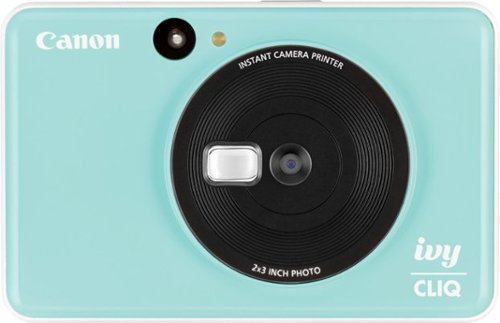
Capture and print digital memories instantly with this Canon IVY Cliq instant camera printer. The microSD card slot adds up to 256GB of storage space, while ZINK photo paper creates inkless, water-resistant pictures in under a minute. This Canon IVY Cliq instant camera printer features a small selfie mirror for taking perfectly centered group shots.
Posted by: RedScorpion
from Oklahoma City, OK
The Canon IVY Cliq is an update on the old Polaroid of years ago. It produces zero ink pictures and it does a good job.
The instant ink photos feel a bit like a gimmick, but they are fun. Last summer I picked up a Polaroid Onestep and I was incredibly disappointed. the pictures looked awful, and the film was incredibly expensive. Thankfully, the Cliq suffers from none of those problems. On a single charge, I was able to take ten pictures and the pictures came out looking pretty good.
I compared the IVY Cliq with the HP Sprocket instant ink printer. I took one picture with my phone and the other with the Cliq. I probably got more fine detail with the Sprocket, but the colors looked better with the IVY. Also, there was less banding and distracting lines with the IVY. The photos looked more like actual, tiny photos.
The camera itself comes with a tiny selfie mirror built in along with a slot for a micro-sd card to back-up pictures. Both worked as expected. I wish this camera had a digital view screen and a way to print photos from my phone, but as an instant point and print, it works well.
My general attitude with reviews is "did the item work as described and did I enjoy it?". The IVY more than met those expectations. I wish it had Bluetooth built-in (I believe the more expensive models do), but I can't fault this model as it is good at what it does.
I think the cameras are fun and look snappy, the prints look good, the film isn't too expensive (last I checked you can get a pack of 20 shots for $10), and the device is simple and reliable. Easily recommend to friends and family.
Note: With Mother's Day /graduations coming up, I think these cameras will make for a good gift. Combine the camera with a photo album for small prints, and really make their day.
Mobile Submission: False
I would recommend this to a friend!


Share this review:


+10points
11of 12voted this as helpful.
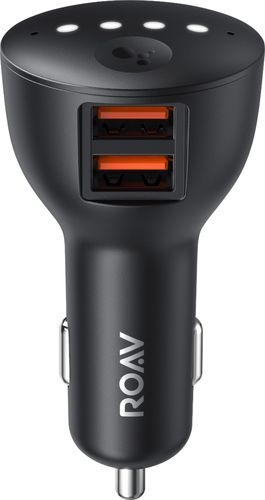
Ensure full power for your mobile devices during long drives with this Anker ROAV Bolt car charger. It~s compatible with Google Assistant for voice-controlled navigation and music streaming, and it supports versatile connectivity via Bluetooth, and auxiliary port. This Anker ROAV Bolt car charger~s compact, lightweight design offers convenient portability and storage.

Posted by: RedScorpion
from Oklahoma City, OK
.... but it just doesn’t work very well.... yet.
The microphone struggles to pick up what I say. When I get the device to hear me, it cuts off or the app doesn’t register my command. I don’t know how much of that is a problem with the Google assistant app or with the device, but it just doesn’t work as advertised.
The few times it does work, the volume is really low compared to the Bluetooth music I am streaming. So I play a game of turning the audio up to listen to Google, but then turn it back down before the music comes back on. There’s a toggle that is supposed to let the device stream commands through the Bluetooth for phone calls as opposed to streaming media, but that toggle didn’t work for me.
The interface is unintuitive. I can hear Google tell me I have notifications, but it just keeps flashing lights. If I pressed the Google button, it just told me again I had notifications. There’s an almost Morse code guide to button presses and I never seemed to be in the sweet spot to have anything work.
The “instructions”, available with the device and online, are bare minimum. You get a small foldout with the device and the extra steps online were pretty useless in my experience.
I can get the device to dictate a text message, but I still have to press send on the phone. About the only thing that has worked well is when I ask it for a sports update or for it to give me the weather.
Getting the device connected to the Google assistant app was pretty easy. I set it up in two cars, one with AUX and the other with Bluetooth with two different iPhones. The problems were pretty universal. I think audio quality is better over AUX, but then you have an additional cable to worry about. But if your car lacks Bluetooth audio streaming, this does provide a pretty reliable way to stream your music.
I really hope it gets better. I think this is a great idea and I want to see this product work. Hands free commands seems like a great idea, but a weak microphone makes no sense on a device like this as the device has to compete with the car stereo and road noise to work. This device just isn’t ready, yet.
I oddly would still recommend it for the right person. If nothing else it provides some functionality and good Bluetooth streaming and I really hope the other stuff gets better with time and my own practice with the device. But as it is, most people I know would just get frustrated and stop using it and I can’t really blame them.
Mobile Submission: True
I would recommend this to a friend!

Share this review:


+19points
19of 19voted this as helpful.
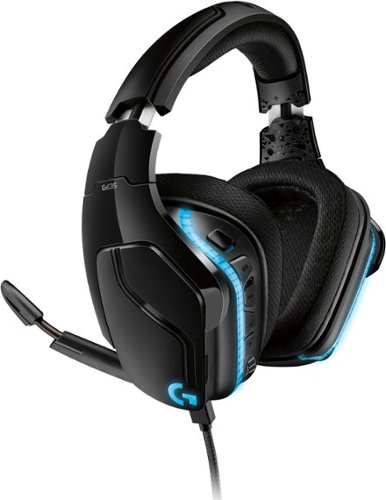
Logitech G635 is a premium gaming headset, enhanced with the most advanced Logitech audio technology. Hear more detail with large 50 mm Pro-G drivers, made of woven hybrid mesh designed to reduce distortion. LIGHTSYNC RGB lighting is fully customizable and reacts to in-game action on supported games. For maximum immersion, DTS Headphone:X 2.0 surround sound creates precise in-game positional awareness. Hear enemies sneaking up behind you, sense air attacks or special-ability cues, and enjoy the full cinematic experience of your favorite games. Additional gaming features include a large 6 mm flip-to-mute mic, programmable G-Keys on the headset, and the ability to tune EQ settings and more with Logitech G HUB software.
Customer Rating

5
Great with A Few Caveats
on March 24, 2019
Posted by: RedScorpion
from Wichita, KS
Bottom Line: These headphones sound great. In analog mode, these are easily my favorite drivers in a headphone. The clarity is amazing.
Longer Version: The USB audio sounds great compared to the audio I get out of my laptop, but not as great as the audio I get from a soundblaster sound card on a PC.
These headphones can connect either by USB or analog. I personally prefer the audio quality via analog and the atmos plugin for windows, but the DTS X spatial sound over USB does a good job, too.
Probably should point out that the 7.1 effect is spatial audio. There aren’t actually 7 speakers in the headset. Software is able to create a surround sound effect through software.
The lighting effects are great. You can sync with a screen or with audio. You can choose from millions of colors. The effect is really impressive for streamers or competitive players.
The buttons are assignable and I really like having another microphone toggle on the headphones themselves.
The comfort is good. They are lighter than many of my other headphones, but they do feel a bit heavier while wearing them. They do a great job limiting outside noise, but don’t expect active noise cancelling.
The USB cable is plenty long enough, but I found myself wishing the analog 3.5mm cable was longer. It was fine if you want to plug into an Xbox controller, but a bit short for my pc on the floor.
The microphone works in analog (3.5mm) and USB. It apparently sounds “okay”. I asked a few people online to help me perform a test comparing this microphone to a headset by sennheiser and, unfortunately, the sennheiser seemed to sound better to most people I talked to, but that could just be a matter of preference. The microphone works and is easy enough to set up.
Headphone volume control is on the headphones and it works great over usb, but doesn’t work over the 3.5mm analog connector. So, if you want to use these headphones to listen to mp3s or play on an Xbox, you will need to use the software with those devices to increase or decrease volume.
Be sure to download the latest copy of g-hub from the Logitech website. That will allow you to customize the audio and lighting settings.
Also, in my testing, I found that these headphones conflict with icue software for Corsair peripherals. If you use a RGB Corsair mouse, the headphone software will keep that Corsair mouse from working. It appears that is related to which driver is controlling the lighting effects and Corsair can’t handle the conflict.
Hope that helps. I am enjoying the headphones and my complaints feel like nitpicks. They truly sound amazing and look very cool.
Mobile Submission: True
I would recommend this to a friend!
Share this review:


+2points
3of 4voted this as helpful.
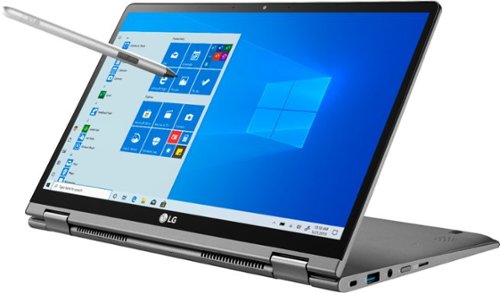
Experience portable creative power with this 14-inch LG gram two-in-one laptop. Featuring a 14-inch touch display and Wacom AES pen, this laptop lets you write and draw directly on the screen. This LG gram laptop delivers fast, long-lasting performance with an Intel Core i7 processor and up to 21 hours* of battery life per charge.
Posted by: RedScorpion
from Wichita, KS
This laptop is incredibly polished. It just looks and feels great. It's light, has a superb battery life, a convenient fingerprint reader, a rich display, a tiny power brick, and a convenient stylus. If you are in the market for a 2-in-1 device, you really can't go wrong with this one. I wasn't aware LG made PCs, but this device definitely got my attention. It has exceeded my expectations and I can't recommend it highly enough.
There are a lot of 2-in-1 laptops. For me, this device is set apart by its style and the storage. The 512gb storage and the 16GB of Ram are an excellent addition. The computer boots up fast and multitasks very well. It truly feels like an iPad replacement done right. You get the convenience of a light tablet with a bigger screen and a fully featured operating system. It's a fast computer out of the box and, if you want, you can always add a micro-sd card for more document, music, or photo storage.
The stylus works great. It comes with replacement heads and a tool to replace them. The screen and the pen did a great job recognizing the pressure I was putting on the stylus to make lines thicker or darker. It works out of the box (once you install the battery) and really could not be any simpler.
The laptop sacrifices 4K for a FHD 1080P display that supports HDR video in Windows 10, but I don't feel like that is a problem. At this size, I can't tell much of a difference and with that sacrifice in screen resolution, you get a faster device.
A few tips: First, there are two audio performance apps included. The DTS app does a good job improving the sound for the whole device and isn't just a headphone mixer as I originally thought. Second, the pre-installed LG app provides allows you to change many settings including the keyboard back light toggle. For the first day, I didn't even realize the keyboard had lighting.
There are plenty of wonderful 2-in-1 devices made by HP, Dell, Lenovo, and others, but I would highly recommend the LG gram. It's one of the most polished laptops available.
Mobile Submission: False
I would recommend this to a friend!
Share this review:


+15points
15of 15voted this as helpful.
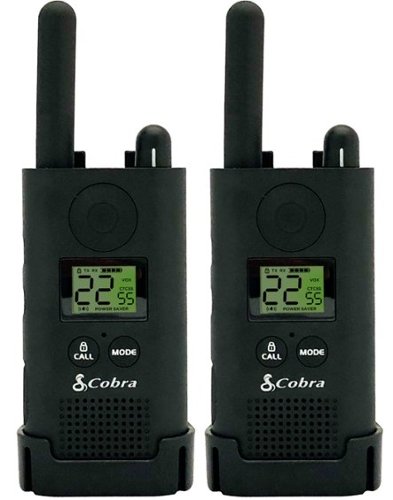
Stay in contact on the job by using this 2-pack of Cobra Pro Business radios. They have 22 preset privacy channels to minimize external interference and a 20-floor/250,000 sq. ft. signal range to keep you connected. These Cobra Pro Business radios are voice-activated to free up your hands for other tasks.

Posted by: RedScorpion
from Wichita, KS
I am a bit disappointed. I got these walkies for hiking trips or severe storm outages. They don’t work that great. No way they get 25 miles. They don’t do well over a mile distance. I have been testing for a few days and thought mine were defective, but turns out nobody is getting the listed range.
I like the different frequency settings, the size, and the cradle charger. But I don’t think these perform up to the descriptions on the packaging and on the Best Buy site.
As such, I can’t recommend them.
Mobile Submission: True
No, I would not recommend this to a friend.
Share this review:


+1point
1of 1voted this as helpful.
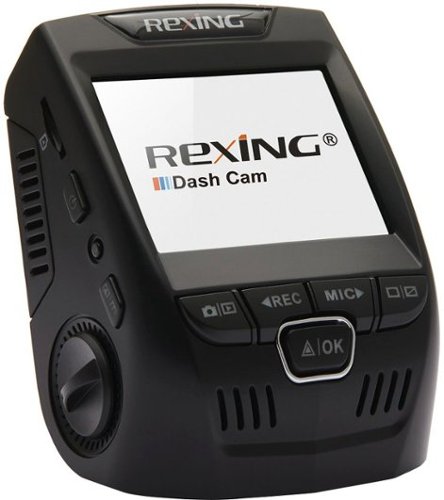
Only at Best BuyRecord your every move on the road with this Rexing V1 Plus dash cam. Front-facing and rear-facing mount options let you choose the angle you want to capture, and the viewing screen means this dash cam can double as a backup camera. With included mounting materials, this Rexing V1 Plus dash cam is easy to install.
Customer Rating

4
Solid Video Quality and Plenty of Extras
on December 29, 2018
Posted by: RedScorpion
from Wichita, KS
I have been testing this camera out for the last week and, overall, I like it. It's taken me a bit to figure everything out, though.
First, the good: this camera comes with nearly everything you could want to hook the camera up to the car. It comes with a USB cable, a DC car cable, and an adapter you could plug in to your car's fuse box. Of the two cables, only the latter two are really viable for the car as the mini-usb cable is really too short. That could be a problem if, like me, you use your primary DC outlet to charge your smartphone. In my case, I had an extra mini-usb cable and used that cable instead. But, the existing cables are good enough if you have an extra dc port or want to wire the camera into the fuse box.
There are two window adapters and they came with included tape. However, this is my first (and so far only) dash cam. I didn't like the idea of fixing the mount to the windshield and, instead, ordered a suction cup mount. It works perfectly fine, but will set you back another $10.
But the kit comes with a 32gb micro-sd card. And, really, I don't know why you would need anything more. It will record for nearly 6 hours at 1080p before it begins to re-write data. That seems like plenty of time if you are wanting to go back to old footage. You can also lock footage so that it doesn't get overwritten by the camera later.
I struggled with the interface for this camera as it can be a bit difficult to see the screen if the camera is picking up too much light. That made it a bit difficult to set the camera up properly and get the best angle.
The camera starts recording upon receiving power. But, if you want to set the date / time and license plate or change any other settings, you will need to stop the camera from recording to be able to access the menu from the button on the side of the camera.
I like the camera. I like all the accessories. Most importantly, I like the quality of the shots during the day and at night. The camera comes with a lot of cables and clips, but at the same time, it didn't come with the cable or the mount I needed. I guess I would keep that in mind if you find yourself with a set up like I have.
Mobile Submission: False
I would recommend this to a friend!


Share this review:


+4points
7of 10voted this as helpful.
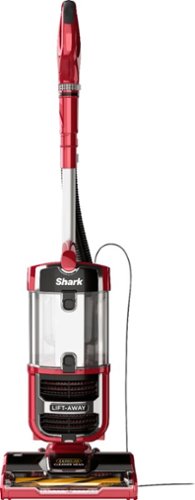
Keep living areas spotless with this Shark Navigator vacuum. The Zero-M cleaner head actively removes hair buildup from the brush roll for continuous power, and the Above-Floor Lift-Away technology let you access hard-to-reach areas such as stairs and furniture. This Shark Navigator vacuum has swivel steering for easy maneuverability in tight spaces.
Posted by: RedScorpion
from Wichita, KS
So after using this vacuum for a few days, I came to a realization: I can’t come up with anything negative to say about this vacuum. Maybe it could be a bit quieter?
This thing looks pretty. It works great. It is easy and simple to use. It’s super convenient and surprisingly light to carry.
It works great on carpet and hard floors with our pet hair. It’s great for stairs.
I really like this vacuum and can’t recommend it highly enough.
Mobile Submission: True
I would recommend this to a friend!


Share this review:


0points
0of 0voted this as helpful.
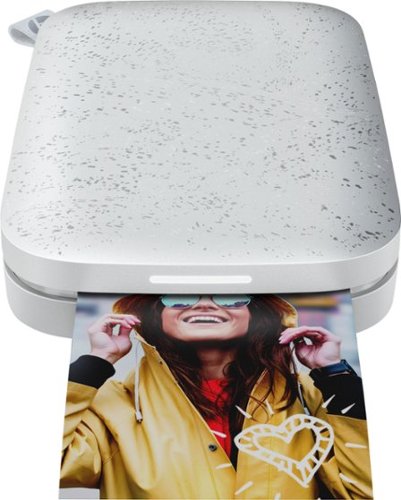
Print pictures from your smartphone with this HP Sprocket 2nd Edition Instant photo printer. The compact chassis fits in your pocket and features advanced Bluetooth connectivity so you and your friends can quickly and easily print pictures from your smartphones. This HP Sprocket 2nd Edition Instant photo printer lets you know whose picture is printing with personalized lights.
Posted by: RedScorpion
from Wichita, KS
The HP Sprocket 2nd Edition uses no ink and instead heats ZINK paper to reveal the photo in a single pass. It’s fun. The pictures are cute and you can stick them to anything.
I feel like this printer is a Polaroid for the digital age. Everyone has a phone and this printer produces instant prints for far less money than a Polaroid or an inkjet.
Multiple devices can hook up to the printer at the same time. At one point I had a Samsung Galaxy Tab S4, an iPhone, and an iPad hooked up. The apps work virtually the same regardless of device and connection was simple.
But, I was expecting a bit more from a 2nd Edition. The prints look good, but they aren’t great. It won’t replace a good inkjet for overall printer quality. I noticed banding in skies or solid colors and sometimes flesh tones would get overblown or washed out.
The big new feature with the second edition is the AR. You can now print from a video clip or put an animated frame and when you scan the picture with the app, the picture will come to life and even play a video clip. The AR feature worked well on my iPhones and even displayed location information and google street information for the pictures. You can decide if you want information embedded in the print or not.
The AR prints were, again, fun. But, some AR features were limited by which device I used to view the photo. For instance, I could create a picture with an embedded video on my phone and view the video with my phone, but if I tried to view that same video on another phone, it wouldn’t work. It would still show location data and any photos related to that location, but I couldn’t watch the picture come to life with the embedded video clip. This makes sense as it is pulling the file from my original device and not a cloud service. But, I wish it was a universal feature... Now, the animated borders and stickers will work on any phone with the app.
However, I couldn’t get the AR features to work on my tablets. My Samsung Galaxy crashed whenever I tried to view any AR details and the iPad didn’t fare much better. It just never could reveal anything. Now, I could view the embedded location information printed from my tablets on my iPhone, but the opposite didn’t work. I know all devices had the AR features turned on.
Battery life is okay, but if you are using this at a party or group function, I would have it plugged in. After 5 - 6 photos, my battery would be down to the final bar. On that note, the charging cable is too short. I think it is only a foot and a half.
It appears that HP is adding more features and functions to the app and the printer at all times. So, I am hopeful that there will be more AR borders and stickers in the future as the current selection is rather slim.
Also, I would like it if we could get a PC driver at some point. I don’t see why laptops or surface devices can’t join the party.
So, would I recommend the Sprocket? Sure. I am having a lot of fun with it. I don’t know if the new features are enough to warrant an upgrade for original Sprocket owners, but at $5 - $10 for a pack of 20 prints, I think this is a great pick-up. I look forward to getting a travel case and a small photo booklet.
Mobile Submission: True
I would recommend this to a friend!


Share this review:


+45points
56of 67voted this as helpful.
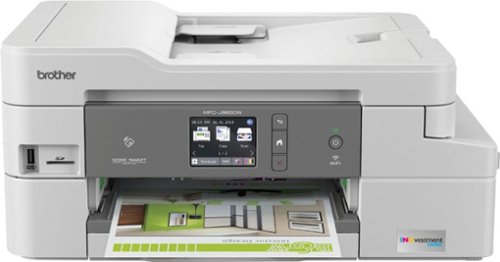
The Brother MFC-J995DW INKvestment Tank all-in-one inkjet printer with tank technology is the optimal choice for your home or small office needs. The MFC-J995DW features reengineered INKvestment Tank cartridges along with an internal ink storage tank to deliver uninterrupted printing for up to 1 year without the need to purchase ink. Business-capable features include mobile device printing, Near Field Communication (NFC) print and scan capabilities, flexible paper handling options, automatic two-sided printing and easy on-screen navigation using a 2.7" color touch screen. With the ink included in-box, the Brother INKvestment Tank all-inclusive solution delivers truly uninterrupted printing, exceptional features, super convenience, large page yields and low-cost printing. Includes a two-year limited warranty with free online, call, or live chat support for the life of your printer. Prints up to 12 ISO ppm*, up to 10 ppm* in color.
Posted by: RedScorpion
from Wichita, KS
Seriously, this printer checks all of my boxes and then some. It’s perfect for a home or small office set up. It prints good photos and fast documents. It has a manual tray in the back for loading a variety of documents and a standard paper tray in the front. It has a loading scanner tray on the top of the printer, but you can always put documents and photos directly on the scanning bed as well.
The big push for this printer is the “investment ink”. At full, Brother estimates you can get page yields of 1,200 color pages and around 2,400 back and white pages. Brother estimates that these tanks will last a year based on standard usage, but obviously, your yield is going to vary depending on the type of content you are printing. I have had this printer a week. I have printed about 70 documents and about 20 fine quality pictures. So far, I have barely made a dent in my remaining ink (see attached picture). I would have run out of ink in my standard inkjet a few photos ago. But this printer keeps on going. And, when I eventually replace my ink tanks, I expect I will pay less for the year as these huge tanks aren’t all that expensive. I was spending $50 on my HP cartridges that were empty in a few months. I expect these tanks will last much much longer.
The printer is easy to set up. Documentation with the printer is fairly limited. There is a QR code on the front of the included documentation that will take you to online files in you need more info, but in my experience, everything was pretty straight forward. You can download the latest drivers from the Brother website or install from the included DVD. For my test, I fully installed the brother software on my laptop, but the other PCs on my network required no software installation. Windows found the device on the network and installed basic drivers for them with no prompting on my part. I would still recommend installing the software as you get more features and can easily monitor the printer’s ink chambers, but if you just want to print office documents, you don’t really need more than the basic windows driver. The printer works great on both Samsung and Apple tablets and phones. In both cases, I could download the Brother iPrint&Scan from Google Play and the Apple App Store to print photos, but AirPrint worked great to just print documents from my iPad and iPhone.
The feature set on this printer is amazing. You get dual sided printing. You can fax. You can scan to email. You can scan a document into an editable Word document. You can scan to One Drive, Drop Box, e-mail, or Google Drive. You can even scan a spreadsheet directly into Excel. Scanning to mobile produced a QR code that you can scan with your phone to download scanned document. There are tons and tons of features for this printer and, in my experience, they all worked well.
So far, printer maintenance has been easy. In the last week, the printer itself has had two firmware updates. Both times, the printer notified me of the update and installed it quickly and effortlessly. I’ve had no problem with streaks or lines in prints. Everything has come out looking great.
I like the quality of my photo prints on this printer much more than a HP printer I picked up a few years ago. The images just look brighter and truer to the screen image. With the right photo paper, images really pop. I got the best results from premium Fujifilm, but even pictures on HP paper looked good.
I like the quality of my photo prints on this printer much more than a HP printer I picked up a few years ago. The images just look brighter and truer to the screen image. With the right photo paper, images really pop. I got the best results from premium Fujifilm, but even pictures on HP paper looked good.
If I had any complaint, the manual paper tray on the back of the machine could be a bit finicky. The printer would say paper is loaded, but sometimes when I went to print I had to reload the photo paper in order to get it to go through. It’s important, I discovered, to make sure your photo paper is fully in the slot. Beyond that, the Brother MFC-J995DW has worked flawlessly. I have been testing this printer for a week. I have documents and photos everywhere and my family thinks they look great.
I love the features and simplicity of the printer, the quality of the prints, and the size of the ink tank. This printer really does check all my boxes and I recommend it to anyone in the market.
Mobile Submission: True
I would recommend this to a friend!


Share this review:


+82points
87of 92voted this as helpful.
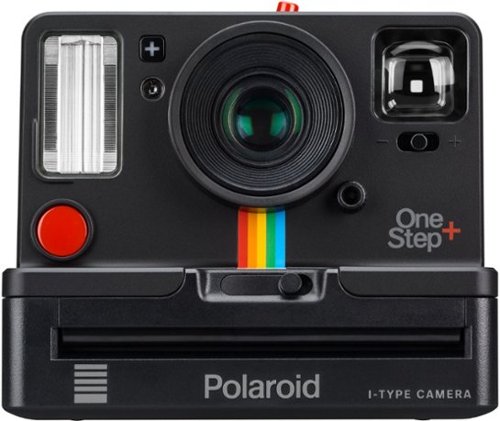
Explore your creative side with this Polaroid OneStep+ instant camera. Featuring Bluetooth connectivity, this camera connects to your smartphone and provides a suite of creative options such as light painting and double exposure through the integrated Polaroid Originals app. This Polaroid OneStep+ instant camera makes it easy to take the perfect close-up shots with the included portrait lens.
Posted by: RedScorpion
from Wichita, KS
Brief Summary: The OneStep+ is an expensive, finicky nostalgic throwback. It works with the Bluetooth on your smartphone to take timed shots and to scan in your photos (among other features), but at roughly $2+ a picture, you would be better off sticking to the Polaroid Snap Touch or purchasing a photo printer.
Nostalgic tech is everywhere these days. My girlfriend and I are building our own vinyl record collection. Modern tech is working to make some of these old analog trinkets work better with our digital devices. The OneStep+ aims to recapture the nostalgia of the old OneStep cameras, but it adds Bluetooth functionality to enable timed shots and double exposures. Problem is it’s just all a bit too cumbersome. Setting up the analog levers on the camera, lining up the shot, and then snapping with the phone is just a hassle. I do like the ability to scan in my Polaroid pictures with the app, but it was a bit difficult keeping the glare out of the scan.
Then there are the actual pictures. The cartridges come in packs of 8. My black and white pictures look good. But my color pictures on the i-type film were awful. 2/8 pictures came out. At $2.00 a picture ($16 - $20 for a cartridge of 8), I can’t see myself wanting to practice or make this into an actual hobby. I read later that the color film is more sensitive to light and that those pictures need to be shielded for up to 6 minutes. The black and white pictures came out better, but, again, this is a hassle.
I like the idea of instant prints, but the OneStep+ is too cumbersome and difficult to be much more than a novelty. I can’t see myself using it much until cartridges come down in price a good deal. I love the look and this did give me a nostalgic thrill, but it also reminded me why I love my digital camera and my smartphone.
Mobile Submission: True
No, I would not recommend this to a friend.


Share this review:


+6points
12of 18voted this as helpful.
RedScorpion's Review Comments
RedScorpion has not submitted comments on any reviews.
RedScorpion's Questions
RedScorpion has not submitted any questions.
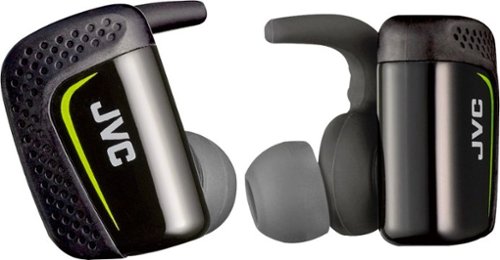
Play cool music while performing your fitness routines with these water-resistant JVC wireless sport headphones. The Pivot Motion Fit provides a secure hold during rigorous workouts, and the JVC Headphones Manager app lets you control audio settings. These JVC wireless sport headphones come with a lightweight charging case that provides three hours of battery life on a single charge.
Hi, how is the sound quality for talking? Do the buttons hurt your ears when you push them in?
I didn't think they sounded that good and the person I called said I sounded very static-y.
8 years ago
by
RedScorpion

Automatically go from hundreds of mystery folders to a visual view in the photo and video Organizer. See your best photos thanks to auto-curation. Effortlessly extract candid photos from your raw footage. Make photos and videos look amazing with automated photo editing and video creation options. And create and share beautiful printed artwork, new dynamic slideshows, photo and video collages, animated GIFs*, and full-length movies. Being creative is even easier with the Elements bundle.
Do you have to purchase a monthly or annual subscription in addition to the software?
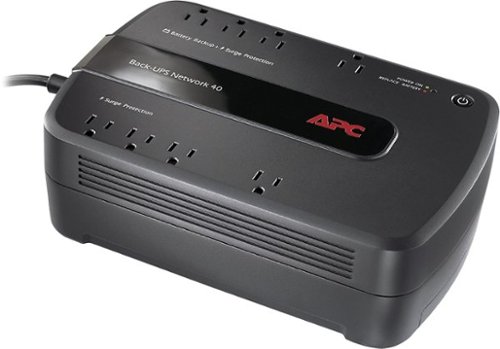
Keep your home networking equipment working when the electricity goes out with this APC Back-UPS Network 40 BN4001 UPS that features 4 battery-backup and surge-protection outlets to ensure electronics remain powered during outages.
Where do I get a new Battery for this?
I'm sure my battery didn't last three years and I need a new one. What size am I looking for and where can I get one?
You can find replacement battery information on APC's website at:
http://www.apc.com/tools/upgrade_selector/
http://www.apc.com/tools/upgrade_selector/
10 years ago
by
RedScorpion
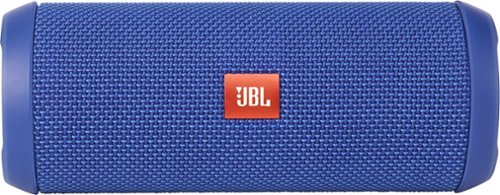
JBL Flip 3 Speaker: Stream your favorite songs and Internet radio stations from your compatible audio device using this speaker, which offers extensive playback with the rechargeable battery. Dual external bass radiators offer booming low tones, and you can enjoy clear phone calls with the integrated speakerphone.
can it be connected to a ipod nano
Yes.
If your iPod Nano has blue-tooth (which the newer models do), then you can connect this to your Nano that way. If your Nano does not have blue-tooth, you can always connect the Flip 3 with an auxiliary 3.5mm audio cable.
If your iPod Nano has blue-tooth (which the newer models do), then you can connect this to your Nano that way. If your Nano does not have blue-tooth, you can always connect the Flip 3 with an auxiliary 3.5mm audio cable.
10 years ago
by
RedScorpion