


RedScorpion's stats
- Review count234
- Helpfulness votes1,564
- First reviewJune 21, 2012
- Last reviewJune 11, 2026
- Featured reviews0
- Average rating4.5
Reviews comments
- Review comment count0
- Helpfulness votes0
- First review commentNone
- Last review commentNone
- Featured review comments0
Questions
- Question count0
- Helpfulness votes0
- First questionNone
- Last questionNone
- Featured questions0
- Answer count14
- Helpfulness votes42
- First answerMay 13, 2016
- Last answerSeptember 30, 2020
- Featured answers0
- Best answers5
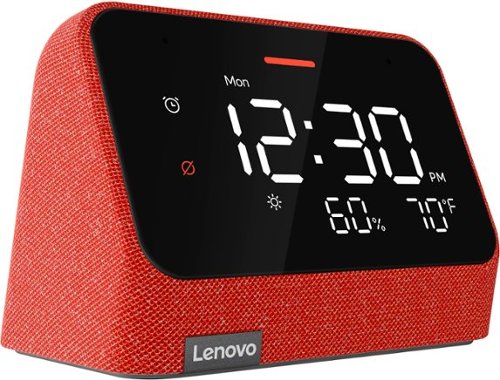
The Lenovo Smart Clock Essential is the ultimate smart clock for any room. With its big and bold display, you can check out the time from across the room. Just ask Alexa for help around your home, play music, control smart home devices, and more.
Customer Rating

5
An Effective Little Alexa Alarm Clock
on February 2, 2022
Posted by: RedScorpion
from Oklahoma City, OK
I should say upfront that I received the The Lenovo - Smart Clock Essential 4" Smart Display with Alexa for the purposes of providing fair and honest feedback. And, on the whole, I like it. The screen features an auto dim feature. Alexa integration works well. The built-in speakers won't blow anyone away, but they sound good for a device this side and sound good for music or alexa alerts. Setup could be a bit simpler, but as an alarm clock with Alexa built-in, the Lenovo - Smart Clock Essential has met my expectations and I'm liking it.
Setup - I thought the set up was a bit more difficult than I expected it to be. Part of the problem is the reliance on the Alexa app which may make things a bit confusing. You will need to download the Alexa app from either the Apple or Google Play app store. The Alexa app detected my Smart Clock right away, connected the clock to my home wifi, and downloaded an update. But I was confused after that as to how to change the display. By default the Smart Clock Essential shows sound decibel levels instead of the weather. To change that to the weather, you have to open the Alexa app, click on the devices icon in the bottom right, then click on "all devices", then you're looking for the icon for your Lenovo Smart Clock. But, you are looking for the Lenovo Smart Clock device with the wifi signal in what appears to be a house. You aren't looking for the Lenovo Smart Clock with headphones / speakers next to it. Yeah, I made that mistake a few times. It all felt too confusing.
Then, some of the adjustments in the App don't seem to stick. At night, the screen automatically adjusts to nearly totally dim. A lot of people will probably like that setting. I wanted the screen to stay a bit brighter at night. So, from the Alexa app, I adjusted the screen brightness. And the screen brightness stuck, for about five minutes until it reverted to the previous setting. Why let me make that adjustment if it isn't going to stick?
Experience - Using the clock with Alexa is simple. You just say "Alexa, set an alarm for ......" Which is good, because setting an alarm with the buttons on the clock is a bit more tedious. You use the alarm clock symbol to start the process and progress through steps, but if you want to actually save your alarm, you have to press the up button to confirm at the end. That process felt a bit unintuitive.
I really like the size of the device. It fits well in small spaces. The screen looks nice and the entire device has a very modern feel to it.
There is no USB port for charging your phone. There are docks you can get that customize your experience a bit. For instance, Lenovo has an octopus dock that lights up and changes the "eyes" on the screen when you talk to Alexa. At this time, I'm not sure if the Smart Clock Essential is compatible with an other Lenovo Smart Clock dock.
There is a MIC toggle on the back of the clock. If you don't want Alexa listening in, you can manually turn the microphone off.
Conclusion - On the whole, I like it. It's an effective alarm clock and the weather indicators are a nice touch. Despite some app struggles, Alexa integration works well. I hope a software update corrects the nighttime auto dimming issues I described above. I think software setup and use could be a bit simpler, but if you use Alexa for your other devices, you're probably familiar with the Alexa app at this point.
I would recommend this to a friend!




Share this review:


+4points
5of 6voted this as helpful.
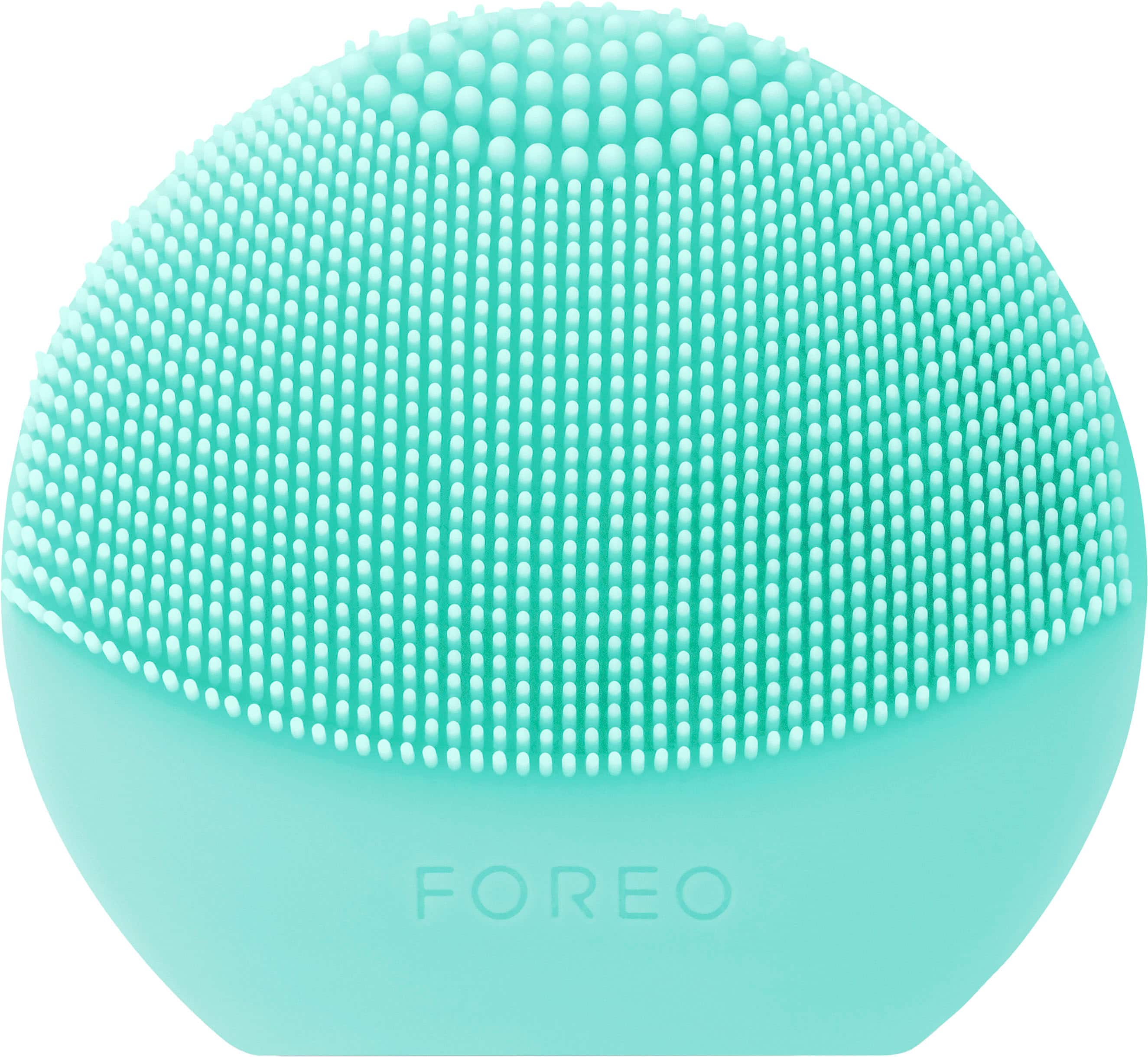
Level up your skincare game by discovering the beauty of T-Sonic~ facial cleansing! Combining ultra-hygienic silicone and 8,000 T-Sonic~ pulsations per minute, this tiny but mighty device removes up to 99.5% of dirt, oil, sweat and makeup residue in just 1 minute! Offering a gentle facial massage and three new playful colors to enjoy, LUNA~ play plus 2 ensures an effective and fun facial cleansing routine, whether you~re at home or on-the-go!
Posted by: RedScorpion
from Oklahoma City, OK
I should say upfront that I received the FOREO - LUNA play plus 2 for the purposes of proving an honest and unbiased review. However, I can openly admit that I am not the target audience for this item. So, to help me with my review, I let my wife test out the LUNA play plus 2 for a week and the short of it is she really likes it.
I can attest that her skin has looked better over the last few days. In her words "she has had fewer skin blemishes and her skin feels much softer." She was pointing out a known problem area on her face that has really looked better over the last week. Compared to some products she was using before, she hasn't noticed her skin drying out. She looks forward to using the LUNA every evening. It fits well in her hand. She has no problem gripping it. It's small enough that she can easily include it in travel luggage.
I should point out that the LUNA isn't chargeable. It may be possible to remove and replace the internal battery, but FOREO apparently didn't design this model with battery replacement in mind as the access is covered with a label. On the original battery, LUNA estimates up to 600 uses. Still, my wife has enjoyed this enough that, when the LUNA does die sometime in the far off future, she will treat it like the family hamster and quickly purchase another one.
I should note that for my review model, FOREO also included a small sample of the FOREO Micro - Foam Cleanser. I'm not sure which my wife likes more, the cleanser or the LUNA. I'm also not entirely sure which product is delivering the best results. All I know is that my wife now wants both of them.
They say a good product is something you didn't know you needed, but once you experience it, you can't live without it. My wife is really enjoying the LUNA. She has greatly enjoyed it and for that reason we are giving it a 5/5.
I would recommend this to a friend!
Quality

5
Performance
5
Durability
5
Value
5
Ease of Use
5
Share this review:


+1point
1of 1voted this as helpful.
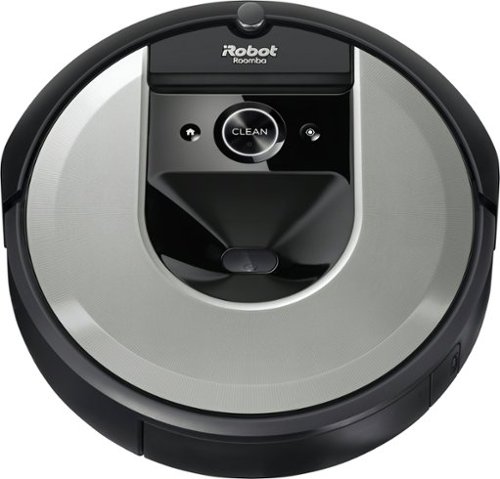
The Roomba i6 robot vacuum unleashes powerful cleaning when, where, and how you want with a single command to your Google Assistant or Alexa voice assistant. When messes happen, just say, ~Tell Roomba to clean under the kitchen table.~ Smart navigation maps specific objects in your home, guiding it to the mess, right when the mess happens. With 10x the suction* and automatic, personalized schedules~even recommendations during pollen and pet-shedding seasons~ its vacuuming that fits seamlessly into your life. *(compared to the Roomba~ 600 series cleaning system) *(Alexa and all related logos are trademarks of Amazon.com or its affiliates. Google is a trademark of Google LLC)
Customer Rating
5
Excellent Robot Vacuum
on December 10, 2021
Posted by: RedScorpion
from Oklahoma City, OK
This is my first Roomba. I've had a few robot vacuum and smart devices over the last few years, but this is my first Roomba. And, I have got to say, the iRobot set up process is the easiest of any robot vacuum I have ever used. The Roomba i6 is the most thorough robot vacuum I have used. It's the most careful around wiring and obstacles. It's one of the fastest robot vacuums I have used. And, it sucks up quite a bit of a debris over the course of its cleaning run. For those reasons, I highly recommend the iRobot Roomba i6 (6150).
Setup was pretty simple. Download the Roomba iRobot app from the Google Play or Apple App Store and follow the instructions. I had no problems getting my robot up and running. Connecting to the home wifi was a breeze.
My first cleaning run went totally fine. The robot didn't stumble down stairs, wrap itself up on cables, or somehow wind up on its side. (Other robots were not so lucky....)
Tip: Run a mapping run before your first cleaning run so that you can set up barriers, rooms, cleaning zones, and keep out zones. The vacuum will map as it runs, but it can take a few cleaning runs to finish a map. I found it better just to run a mapping run up front.
As for cleaning, I found that the vacuum will run for about an hour on a full charge. The waste bin filled up after its first cleaning run. If your vacuum picks up as much as mine did, I recommend emptying the waste bin after every run. My vacuum covered roughly 400 square ft in an hour. Your mileage may vary depending on obstacles and other settings.
If I had any complaints with the Roomba i6, it would probably be limitations to the mapping software. There is no way to follow your robot on a moving map. The software will tell you what room your robot is in assuming you have labeled your map, but it doesn't show you on a map where your robot is. The map you get is also very simplistic. I've seen robot vacuum maps that look detailed enough that they could be house blueprints, and these aren't quite up to that level.
Still, that's really just a nitpick. This is one of the best experiences I have had with a robot vacuum. It works well. Was easy to set up. The cleaning zones, Google and Alexa integration, and overall vacuum performance make the iRobot Roomba i6 (6150) very easy to recommend.
5/5
Mobile Submission: False
I would recommend this to a friend!


Share this review:


0points
0of 0voted this as helpful.
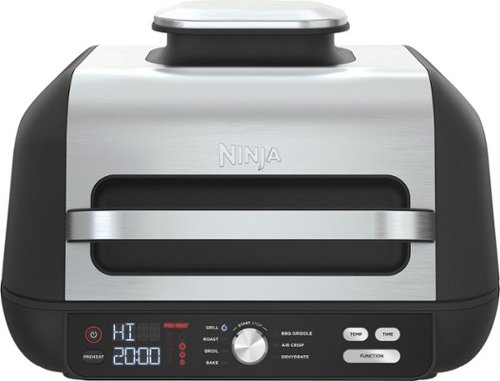
The Ninja Foodi XL Pro Grill & Griddle is the grill & griddle that sears, sizzles, and air fry crisps. With the 500F independently powered grill grate, you get direct, edge-to-edge high heat for steakhouse grilling, griddle searing, and more.
Customer Rating

4
The Kitchen Multi Tool
on December 10, 2021
Posted by: RedScorpion
from Oklahoma City, OK
The Ninja - Foodi XL Pro Indoor 7-in-1 Grill & Griddle can seemingly do it all. From grilling steaks, cooking burgers, baking a cake, to cooking your Sunday breakfast, it is really impressive how much you can do with this device. I have enjoyed my time with the grill & griddle. I should say up front that I received the Ninja - Foodi XL Pro Indoor 7-in-1 Grill & Griddle for purposes of providing a fair and unbiased review. I always enjoy reviewing Ninja products as I know I am going to eat well for my days of testing. And the Ninja - Foodi XL Pro Indoor 7-in-1 Grill & Griddle was no exception. If you are looking for a portable cooktop with many functions, the Foodi XL Pro is easy to recommend.
The Foodi XL Pro comes with an air fryer basket, griddle, the powered grill grate, and the base unit. There is no cooking thermometer included in this model and there is no option to hook one up that I could see. For my steaks, I used an external thermometer to compare internal temps with recommended cook settings and times. There is a baking option with the Foodi XL, but if you want a baking pan, you'll have to buy that separately.
Cooking space was more than adequate. You can fit a full bag of chicken strips in the air fryer basket. You can fit four big burgers on the griddle. And I could fit several steaks on the grill.
Unfortunately, cooking using the powered grill grate wasn't a perfect experience for me. The grate gets hot enough, but I found that the grill grate had too much of a slope. Steaks kept trying to slide off the cooking surface and into the grease trap. This could be a problem that rectifies itself as I use the unit more, but it was annoying to have to constantly adjust the steaks and keep them from sliding. The grill grate is pretty slick and combined with the slope, I worry a lot of items will want to slide off. Having said that, the steaks still came out well and they tasted good. It was just annoying having to constantly adjust them.
Using the griddle and air fryer basket were simple. The griddle and air fryer basket fit on top of the powered grill grate. One of the big additions with this device was the ability to cook with the lid open. Again, I really liked the ability to use this device as an open griddle. It made cooking hamburgers and breakfast food a breeze.
Cooking with the Foodi XL Pro was easy thanks in part to the intuitive controls. If you can use a stove top, you can use a Ninja Foodi. The dial based controls made running the grill relatively simple.
Cleanup can take a bit of time. There is no grill brush. The gas powered grill grate, air fryer basket, and griddle are dishwasher safe, but be prepared that they will take up quite a lot of room in your dishwasher. And cooking meats with the lid down will lead to splatter on the inside of the unit. I spent quite a bit of time cleaning out the top of the unit. I'm not sure how it could be simpler, but I wish it were a bit easier to clean the inside of the unit.
My wife and I recently embarked on a subscription grocery plan. We're looking forward to using the Ninja Foodi XL to cook all sorts of new meal items over the coming weeks. It will also make for an additional cook top for many Christmas dishes. I wish the grill wasn't quite as sloped and that cleanup were a bit easier, but I see my wife and I using this grill for many meals to come. In terms of functions and ease of use, I think the Foodi XL Pro Indoor 7-in-1 Grill & Griddle is a winner.
Mobile Submission: False
I would recommend this to a friend!


Share this review:


+9points
9of 9voted this as helpful.
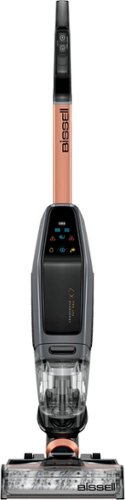
Cleaning up after pets has never been easier than with CrossWave X7 Cordless Pet Pro, our BEST CrossWave multi-surface cleaner for homes with pets. It vacuums and washes at the same time, across sealed hard floors and area rugs, combining cleaning steps and saving you time. It~s perfect for grab and go cleaning of frequent pet messes with up to 30 minutes* of hassle-free, cordless run time and it weighs just over 10.5 lbs. Our pet parent engineers incorporated three different cleaning modes: Hard Floor Mode, Area Rug Mode and TURBO PET Mode to boost cleaning performance, especially for pet and everyday stuck-on messes. CrossWave X7 Cordless Pet Pro multi-surface cleaner also has LED headlights to illuminate pet hair, dirt and debris while cleaning along baseboards and in corners. And unlike when you use a mop and bucket, there~s no need to worry about putting dirty water on the floor while you clean, since our Two-Tank Technology keeps the clean and dirty water separate. When you~re done cleaning, CrossWave X7 Cordless Pet Pro cleans itself! It has a self-cleaning cycle that rinses the brush roll and inside of the CrossWave with clean water, so there~s less clean-up after cleaning. Plus, it comes with two trial-size bottles of our PET Clean + Natural formula and two PET Multi-Surface Brush Rolls. And this machine doesn~t just clean up after pets, it helps save them! BISSELL proudly supports BISSELL Pet Foundation and its mission to help save homeless pets. When you buy a BISSELL product, you help save pets, too. We~re proud to design products that help make pet messes, odors and pet homelessness disappear.
Customer Rating
5
Got a Pet? Get a Bissell
on December 8, 2021
Posted by: RedScorpion
from Oklahoma City, OK
Dog? check. Dog food? check. Dog leash? check. Sanity fading fast? check. Bissell - CrossWave X7 to clean up after dog's slobber, spilled food, and chew stick residue? Checkmate.
The Bissell CrossWave X7 is positioned as a must have accessory for pet owners and it does a good job. My hard floors are noticeably cleaner after using the CrossWave X7 and I thought I did a pretty good job keeping them clean before.
The CrossWave is light. Set up was easy. It was completely charged out of the box in under four hours. Inside the box, you get two bottles of the pet cleaning solution and two rollers to compliment the solution. In the user guide, Bissell talks about matching different roller types to the cleaning solution that works for you. Bissell advertises that you will get around thirty minutes of use on a single charge and that was my experience.
Everything works well. The unit maneuvers easily. The lights around the roller change from white to blue to let you know when you are dispensing liquid.
Some tips, as tempting as it might be, don't hold down on the nozzle for the cleaning solution. You'll burn through that clean tank in no time and fill up your dirty tank real quick if you aren't careful. In my experience, a little solution does go a long ways.
The CrossWave X7 comes with two small bottles of cleaning solution. In my experience, you will easily go through those bottles in just a few cleaning sessions. After refilling the cleaning tank twice, I had nearly emptied out one of the bottles. Best to keep a bigger bottle on hand.
The unit has a self cleaning feature, but you still have to disassemble the unit to clean it after you are done. And, that's probably my biggest gripe with the unit. There's a lot to take a part. I struggled a bit to get the cover back on the roller. Tip: line the cover up with the grooves like a hinge and roll it back in place.
So in conclusion, I think this is a great unit for hard floors and area rugs. I wish maintenance were a tad bit simpler. But, I'm sure I will get used to that. Nitpicks aside, this is an easy vacuum to recommend.
Mobile Submission: False
I would recommend this to a friend!


Share this review:


+2points
3of 4voted this as helpful.
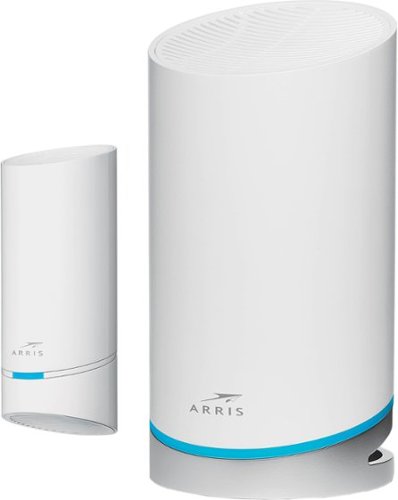
Overhaul your home's Wi-Fi with this ARRIS SURFboard mAX mesh Wi-Fi 6 system. The router supports download speeds of up to 6.6 Gbps for seamless movie streaming, while the compatible mobile app enables easy management. This ARRIS SURFboard mAX mesh Wi-Fi 6 system covers up to 5500 sq. ft., creating an ideal choice for large homes, and two integrated Ethernet ports connect additional wired devices.
Customer Rating
4
Good Router with Buggy App Based Setup
on November 11, 2021
Posted by: RedScorpion
from Oklahoma City, OK
I should say upfront that I received the ARRIS - SURFboard mAX Pro Wireless-AX6600 Tri-Band Mesh Wi-Fi 6 System for purposes of providing an honest and unbiased review. So far, I have been impressed with the coverage and network speeds, but set up is restricted to a phone app which can be a bit buggy. Firewall and advanced software configurations are non-existent. On top of that, there are only two network ports: the WAN and 1 Lan port. But, if you're simply wanting fast WIFI 6 with great coverage, the SURFboard mAX Pro Wireless-AX6600 is a great option. The included satellite works well and the system can be expanded with additional satellite in the future.
Unboxing: There isn't much in the box. The router with AC adapter and CAT cable and the included satellite are basically it. That means there wasn't much in the way of documentation.
I had to set this up twice. First time, I tried to set it up in bridge mode behind an existing AT&T Fiber Modem. That didn't work too well. Second time, I set it up as its own router and everything connected pretty painlessly. The app walks you through steps of setting the device up, but occasionally the app would hang and suggest it couldn't find a device only for it to suddenly work when I hit "retry".
Coverage has been very good. At the minimum, it has been much better than the WIFI that came with the AT&T modem / router. I recently added an outdoor security camera, and the SURFboard mAX Pro Wireless does a great job getting a strong signal out to the corner of the house where the camera is hanging.
I have had good performance. Speed tests behind the network have been good. I just wish the router had more firewall options. I wish I could access the router from a computer and not just a phone.
I should point out that my WIFI experiences may not be the same as yours. The more walls, the harder the time that the 5GHZ band will have getting coverage. I had good luck adding this mesh based system at my house, but if you try setting this up in an older building with many devices between the router and your device, you may not has as much luck.
Speaking of router configurations, the SURFboard mAX Pro Wireless will set a subnet that does not conflict with an existing router. That seems to be their work around to keep the mesh system compatible with the widest range of devices possible and was a feature I appreciated.
A few other observations: The LEDs on the devices are bright. They can be controlled via the APP. In addition, you can remotely check on your network from anywhere with the APP. The app includes limited parental controls that can be configured with the creation of user profiles.
I personally wish there were more LAN ports. A lot of people are still working from home and the WIFI speeds are nice, but many employers are requiring employees work from a wired based LAN. As it is, you could always add a cheap switch to this, but that's just one more cog in the machine and device I have to plug-in.
If you are seeking a quick way to add a mesh network to your home internet, the SURFboard mAX Pro Wireless Tri-Band Mesh system is a great option. App issues aside, I have enjoyed my time with the router and recommend it.
Recommended 4/5
Mobile Submission: False
I would recommend this to a friend!


Share this review:


+1point
1of 1voted this as helpful.
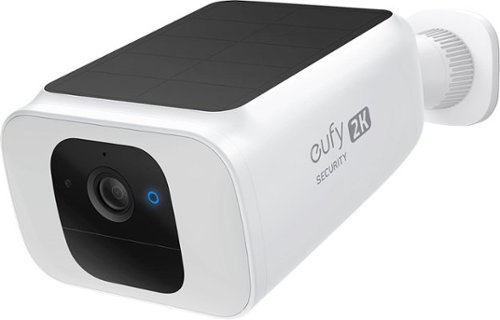
The SoloCam Solar Spotlight Cam is the latest in cutting-edge eufy Security battery cameras with an integrated solar panel. With the built-in 13,400mAh battery and integrated solar panel, just a few hours of direct sunlight each day is enough to extend the battery life to near-infinite power. When motion is detected at night, the ultra-bright spotlight will automatically turn on, which will not only help the color night vision, but will also scare off intruders. When it comes to security, the key is in the details. Consumers can see exactly what is happening around their home in crisp 2K clarity, detect humans that come into frame, and filter out false alerts with the built-in local AI technology. There is 8GB eMMC of 60 days free local storage and there~s no monthly fee after your purchase.
Customer Rating
5
Great Picture with Solar Charging
on November 11, 2021
Posted by: RedScorpion
from Oklahoma City, OK
2K video quality combined with solar charging makes the Eufy Security Spotlight Cam Solar a great security camera. I have been using the camera for the last week. It's sitting near 100% or at 100% charge all the time. Zone mapping has worked great. The camera's software was easy to set up and the AI detection does a good job distinguishing between cars and people. The experience hasn't been perfect, solar charging built-in comes with its own drawbacks, but the experience has been pretty good. I'm happy with the camera and I can easily recommend it to others.
To use the camera, you will need to download the Eufy Security App and set up an account. From there, setting up and initializing the camera was relatively easy. You will need to fully charge and update your camera before you mount it.
Mounting is both easy and difficult. The camera needs a good amount of direct sunlight to charge. That means, you can't place the camera directly underneath an easement or guttering. You need an area with direct sunlight for the camera to work its best.
Even when the camera gets direct sunlight, the camera doesn't appear to be that efficient with its solar charging. I've had the camera out for a week now. Most days had direct sunlight, but I only showed a 1 or 2 bars solar charge when the device was charging at its most efficient. The Eufy app states that 300 mAh is required to charge the camera 2%. Even on the sunniest of November days, I peaked at around 170 mAh according to the app.
Despite not charging as efficiently as I would like, the camera maintains its charge. But I have the camera out in the sunlight all day. I don't believe the camera would stay charged with just one or two hours in the sun. But even if there is a slow drain, it will still be a long time before I actually have to take the camera down and charge it with a cable.
I looked into gutter mounting options. If you consider a gutter mount, you should know that despite being a Eufy camera, the Solar Cam 2K is quite a bit heavier than other Eufy cameras. Make sure any gutter mount you pick-up is sturdy and can accommodate the extra weight.
But the solar does appear to be working. I'm not sure it works as well as Eufy advertises, but it has worked well enough for me so far with the way I have the camera mounted.
I just recently installed a new WiFi 6 mesh network and so far I haven't had any coverage problems with the Solar Cam. It's not the strongest device on my network, but so far, the 2.4ghz connection has worked well.
Ai detection has done a good job distinguishing people and objects. So far, I haven't had any false alarms. The notifications and the recordings have only been triggered by people. I could change that setting if I wish, but my phone gets enough notifications. So far, I am really happy with the camera's software.
The built-in speaker and microphone work well. I've had conversations with people. At first I pretend to be God, and then when that schtick fails, I explain that I am testing a new camera. And so far, I have had no problem hearing them and they have had no problems hearing me.
The spotlight works well, but keep in mind that using the spotlight too much will drain your battery all the quicker.
I like this camera. The video quality is great. If you have the camera mounted in a well lit space WITH good WIFI coverage, I believe your experience with the camera will be positive.
Recommended 4.5/5
Mobile Submission: False
I would recommend this to a friend!
Share this review:


0points
0of 0voted this as helpful.
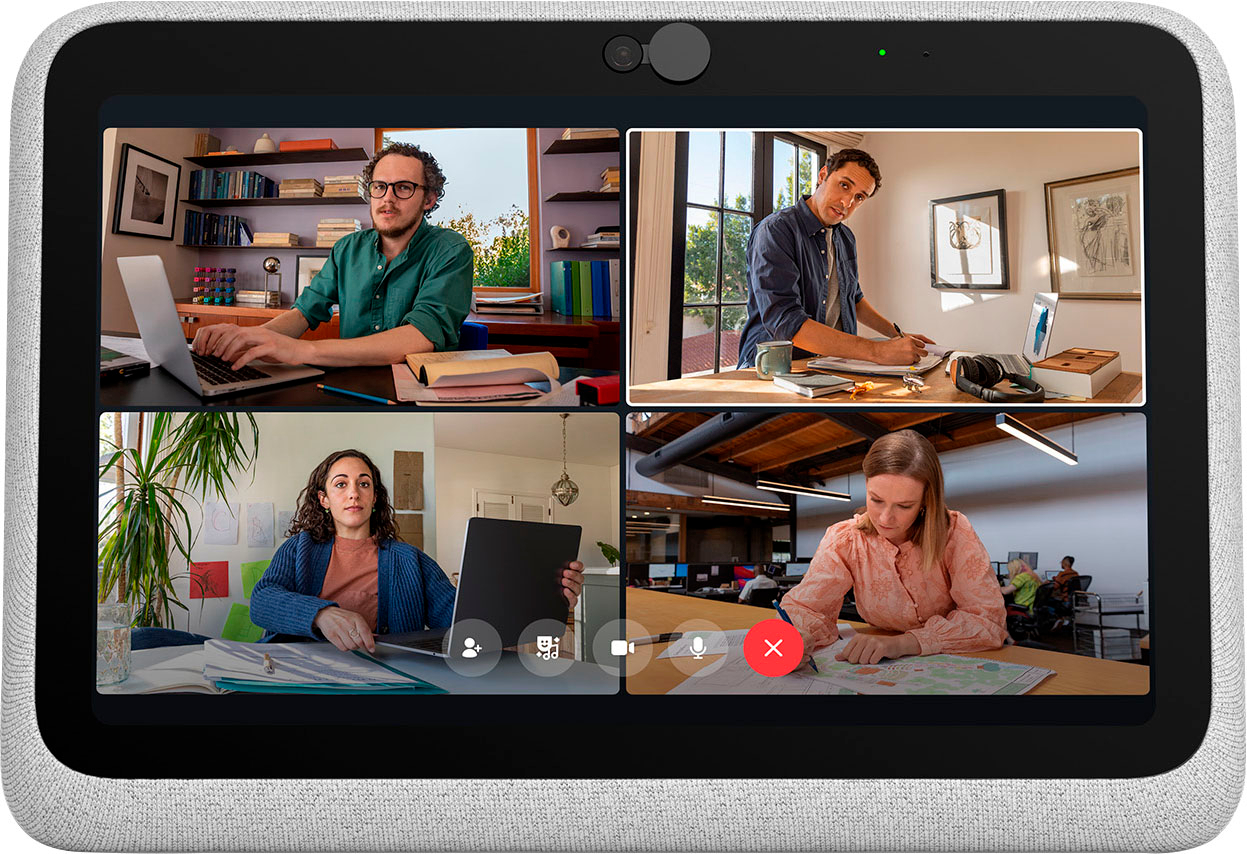
The entire Meta Portal family is video calling designed to bring people closer.Portal Go makes the best of Portal portable, so you~re free to see where the conversation takes you. Whether you~re chasing a toddler or just want a change of scenery, Portal Go~s built-in battery and integrated carry handle help keep the conversation going as you move from room to room. Connect to anyone~even if they don~t have a Portal~with Messenger, WhatsApp, Zoom and more. Portal~s Smart Camera will pan and zoom to keep you in frame so you can move and talk naturally, whatever the task at hand. High fidelity audio fills any room with sound whether you~re on a call, watching entertainment, listening to music with Spotify, Pandora or Tidal, or even using Portal Go as a portable Bluetooth speaker around the home. You can take your office anywhere with a dedicated calling screen to free up your laptop with screen sharing, calendars and conference calling on Zoom, Microsoft Teams, Webex, or Workplace. An ever-expanding AR library lets you blur backgrounds or add effects to liven up calls, while StoryTime uses AR, animation and music to let you tell immersive bedtime stories to loved ones anywhere in the world. Portal Go brings the good times to any room in your house even when it~s not in use with an HD display showing all your favorite photos from Instagram, Facebook or uploaded from your phone via the Portal app. You can explore with Portal~s browser or enjoy entertainment via a range of apps. And with Alexa Built-in, you can ditch the remote and control your smart home and connected devices with the sound of your voice. When you~re done, simply set your Portal Go on its Charging Dock until you need it next. Portal~s simple privacy settings mean you can easily disable the camera and microphone, or block the with the camera cover. All Messenger and WhatsApp calls are encrypted.
Customer Rating
4
The Best Video Conferencing Device Goes Portable
on November 11, 2021
Posted by: RedScorpion
from Oklahoma City, OK
The Portal Go is a portable take on my favorite video conferencing device. Facebook Portals are easy to use and set up. They work well. The video tracking technology does a great job keeping subjects in frame. The microphone does a good job picking up voices. The Facebook Portal truly makes you feel like you are talking with someone in the same room. The Portal Go builds on what came before, but now it's portable. In my opinion, the only thing holding the Portal Go back is the proprietary power adapter and the lack of downloadable apps. Still, I really like many of the new features with the Go and I recommend it.
Unboxing Experience: So, right away, I like the soft edges and backing to the Portal Go. This is my first Portal (I have purchased 5 of them as gifts or for family) that has a power button on the back. For privacy, the camera slider is still there. Moving the slider all the way to the left will block the camera. A toggle on the top of the Portal will completely turn off the camera and microphone.
Facebook has also included a 45w USB-C wall charger and a proprietary wireless charging dock.
Experience with the Portal: Speaking of the proprietary charging dock, I am not a huge fan. The charging dock isn't magnetic. So, you have to line it up properly every time you seat the Portal. It doesn't always make contact. In my case, I received a faulty 45w USB-C wall adapter. I've been told Facebook is sending me a replacement. In the meantime, I am using a 47w USB-C wall adapter meant for a laptop. Because this adapter is proprietary, a replacement of both the dock and the wall adapter costs $50.
45w is a higher power draw than a typical phone charger, so I understand some control over charging options. But, I think I would have preferred a USB-C power port to this wireless charging pad. Either that, or the charging pad needed to be bigger and flatter.
The Portal Go does charge fast. Battery life off the charging pad is pretty good. In a video call lasting over an hour and a half, I only lost about 50% of the battery.
Unlike other Portal devices that can be rotated to be used in either portrait or landscape mode, the Portal Go only works in landscape mode.
Picture and audio have been great. As a portable blue-tooth speaker or as a portable Spotify or Pandora player, the Portal Go sounds really good. Videos look really good. Photos look good. I feel like there is less glare on this screen than I had with my other Portal devices.
Then there are the apps. Portal app selection has always been spotty in my opinion. There just aren't many applications. Facebook has a dozen apps and then a decent amount of websites that the Facebook Appstore treats as apps. But, they're just bookmarks for a website. I wish there were more video streaming apps. As it is, there is a Plex app for people interested in streaming from their home libraries. But, where is the Hulu, the Disney+, The Sling, or the Netflix app?
It still feels to me like Facebook integration on the device could be stronger. Integration with my Facebook groups and overall news feed would be appreciated. As it is, I have access to live videos from pages I follow and I can broadcast live video to my news feed, but that's it.
The nice thing about using Facebook Messenger for video conferencing is that Facebook Messenger works on nearly anything. I can have video conference with people on their phones, their computers, or their tablets in addition to other portal users.
In conclusion, despite charger difficulties, the Portal Go is my new favorite Portal. I really like the image quality, the audio quality, and the portability of the device. Hopefully more apps are developed to take advantage of the device.
Recommended 4/5
Mobile Submission: False
I would recommend this to a friend!
Share this review:


0points
0of 0voted this as helpful.
![Adobe - Photoshop Elements 2022 - Windows [Digital]](https://pisces.bbystatic.com/prescaled/500/500/image2/BestBuy_US/images/products/6475/6475048_sd.jpg)
Bring out your creativity to share your life stories. Adobe Sensei AI technology* and automated options do the heavy lifting so you can instantly turn photos into art, warp photos to fit any shape, and more. Add moving overlays or 3D camera motion to take your photos to a whole new level, and save them as MP4s for easy sharing on social. Grow your skills with 60 Guided Edits that step you through how to create perfect pet pics; extend, remove, or replace photo backgrounds; and more. Effortlessly organize your photos, and craft personalized creations like dynamic photo and video slideshows with all-new styles and inspirational quote graphics. Transform your favorite photos into gallery-quality wall art, beautiful prints, and unique keepsakes with the built-in prints and gifts service. ~And enjoy an updated look that makes the software even easier to use and navigate. *Adobe Sensei is the technology that powers intelligent features across all Adobe products to dramatically improve the design and delivery of digital experiences, using artificial intelligence and machine learning in a common framework.~FUJIFILM Prints & Gifts service is available in the U.S. only.
Customer Rating
5
Elements Keeps Getting Better!
on November 9, 2021
Posted by: RedScorpion
from Oklahoma City, OK
It is another fall which means we get a new version of Photoshop Elements. The changes in Photoshop Elements 2022 are more evolutionary than revolutionary, but the bug fixes along with a few new features make this the best Photoshop Elements, yet. For less than $100, Photoshop Elements provides a wide assortment of tools. The new guided edits and artistic effects make it easy for a novice to create impressive photos. Whether you’re new to Elements and photo editing or you’re looking to upgrade your older version of Photoshop Elements. Elements 2022 is well worth your time.
The interface for elements hasn’t changed much over the last few years. But launching the application will quickly reveal some new guided edits. Some of them worked better than others. Extend Background was hit or miss for me. If the edges of your photo were relatively simple, the edit worked well. If the entire photo was detailed and busy, it didn’t work quite as well. Perfect Pet worked a bit better for me. The edit guides you through stamp clone and selection tools to remove unwanted objects and clean up the image. In addition, Adobe added a warp feature. It works really well. Warp makes it very easy to blend one image into a shape on another image. (Think about the glasses in the cover of the film “Almost Famous”)
However, the feature that I think is most impressive and will get the most use is the artistic effects that you can easily apply and adjust with a slider. As you can see in my attached photos, I had some fun with the artistic effects. There are roughly 30 artistic effects and you can apply them to the entire picture, the subject, or the background.
Rounding out the features that I felt were most useful, creating moving pictures that you could then use with social media or with digital photo frames that support mp4 playback.
Most of these features are implemented well into the guided edits, but you still have quick and expert workspace to give you whatever level control you desire of your editing. A bit of practice in quick mode, and you’ll be manipulating layers in expert mode in no time.
I’ve been using Elements for a few years now. In my opinion, you can do a lot with it and most photographers will benefit from the tools it provides. The changes to Elements 2022 don’t feel too drastic, but you can always count on each new edition of Elements to be better than the year before and 2022 is the best Photoshop Elements has ever been. I recommend it to anyone wanting to tweak their photos or turn their photos into works of art.
Mobile Submission: False
I would recommend this to a friend!


Share this review:


0points
0of 0voted this as helpful.
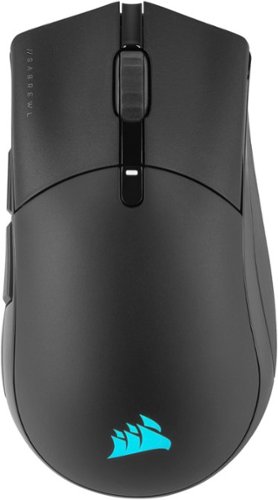
The CORSAIR SABRE RGB PRO WIRELESS Gaming Mouse is designed for and tested by esports pros, weighing an ultra-light 79g and equipped with SLIPSTREAM WIRELESS technology to achieve lightning-fast response times and 2,000Hz hyper-polling. CORSAIR QUICKSTRIKE buttons provide zero gap for fast and responsive clicks, The SABRE RGB PRO WIRELESS boasts a 26,000 DPI MARKSMAN optical sensor customizable in 1 DPI steps, with a dedicated button to cycle through five DPI presets on-the-fly. Finished with high-quality materials such as 50 million click-rated OMRON switches and 100% PTFE glide pads, the SABRE RGB PRO WIRELESS cuts through the competition.
Customer Rating
5
Comfortable, Light, and Fast Gaming Mouse
on October 24, 2021
Posted by: RedScorpion
from Oklahoma City, OK
This is my favorite Corsair gaming mouse. It's light. It's simple to use. It has fast wireless over the lightspeed connection. Even the Bluetooth connection was more than fast enough for every day tasks. It has great battery life. I was able to use it several days without a recharge. In fact, over the last few weeks, I have only charged it once. It moves smoothly across my mousepad. It just works well and I highly recommend it.
Setup: Set up is pretty straight forward. There's a toggle on the bottom of the mouse for Bluetooth or slipstream wireless USB. There's a storage compartment built into the mouse to house the USB slipstream receiver if you wish to travel with the mouse or use the mouse in Bluetooth mode instead.
To get the most benefit out of your mouse, you will need to download iCUE from Corsair's website. From there, you can update your mouse's firmware, customize DPI, button, and lighting settings. Note, you can't control lighting settings while in Bluetooth mode.
Experience: I've spent the last few weeks, dusting off Overwatch and shooting down infected in Back 4 Blood. The mouse is super light with a great glide. I'm able to snipe targets with ease. Without sounding redundant, sometimes I just appreciate when a device works and works well and the SABRE RGB PRO Wireless works well.
Conclusion: I think the Sabre RGB Pro Wireless is a great compliment to any PC gaming set up and highly recommend it. 5/5
Mobile Submission: False
I would recommend this to a friend!


Share this review:


+1point
1of 1voted this as helpful.
RedScorpion's Review Comments
RedScorpion has not submitted comments on any reviews.
RedScorpion's Questions
RedScorpion has not submitted any questions.
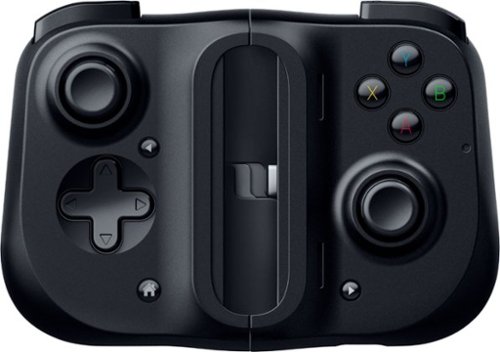
Bring your A-game anytime, anywhere. Introducing a universal mobile gaming controller that fits most smartphone devices, designed to bring console-level control to your on-the-go gaming. With this controller by your side, wherever you go, victory will follow.
Will it fit my phone? I have the samsung s10e and I know it will work with the connection but I don't know if it will fit the s10e.
Yes, I am using it to play Halo on my S10e.

5 years, 8 months ago
by
RedScorpion
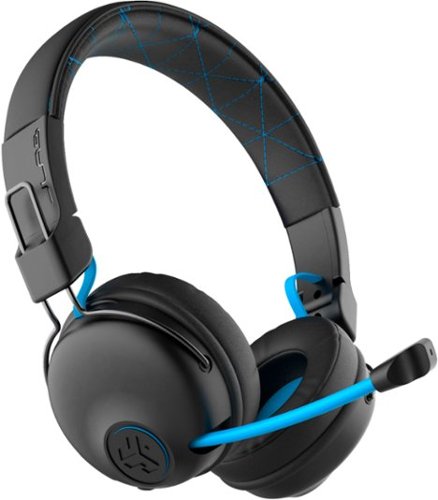
Hear all your games in high-quality sound with this JLab Play wireless gaming headset. With an increased mid to high frequency response and super-low 60 ms latency, this headset is able to deliver clear vocals and enhance spatial awareness without lag. JLab~s Play wireless gaming headset delivers over 22 hours of playtime and compatibility with PCs, consoles and mobile devices to handle every session.
where is the micro phone? can it be used for a call center?
The headset features a retractable boom mic on the right ear piece. In my opinion, the headset would work well in a call center or home based call center. There is a mute button built in to the headset and the mic works in either Bluetooth or the wired 3.5mm mode.
5 years, 10 months ago
by
RedScorpion
Hear all your games in high-quality sound with this JLab Play wireless gaming headset. With an increased mid to high frequency response and super-low 60 ms latency, this headset is able to deliver clear vocals and enhance spatial awareness without lag. JLab~s Play wireless gaming headset delivers over 22 hours of playtime and compatibility with PCs, consoles and mobile devices to handle every session.
Is it compatible with ps4 & xbox?
Yes.
But it is not wireless on PS4 and XBOX. To use with your XBOX or PS4, you will neeed to use the included 3.5MM AUX console cord.
But it is not wireless on PS4 and XBOX. To use with your XBOX or PS4, you will neeed to use the included 3.5MM AUX console cord.
5 years, 10 months ago
by
RedScorpion
Hear all your games in high-quality sound with this JLab Play wireless gaming headset. With an increased mid to high frequency response and super-low 60 ms latency, this headset is able to deliver clear vocals and enhance spatial awareness without lag. JLab~s Play wireless gaming headset delivers over 22 hours of playtime and compatibility with PCs, consoles and mobile devices to handle every session.
Will these headphones work with I buy power computers
Yes, if the computer has Bluetooth built-in. If the computer does not have Bluetooth built-in, you will need to purchase a separate USB Bluetooth Adapter *(they tend to run between $10 and $20).
5 years, 10 months ago
by
RedScorpion
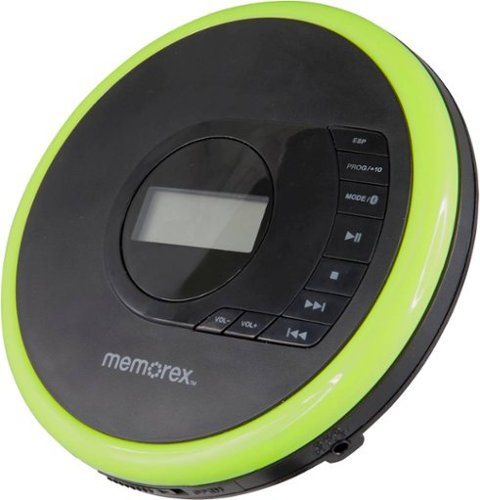
Listen to your favorite albums and audiobooks on the go with this Memorex portable CD player. The 40-second anti-skip protection function for CDs ensures smooth, uninterrupted listening, while the dynamic bass boost system delivers rich sound. This Bluetooth Memorex portable CD player features an LCD screen and digital control buttons for conveniently choosing tracks and adjusting volume.
Can you play audio books on this CD player? And What accessories will I need to buy?
If your audio book comes on CD or MP3 CD, you can play it on this player. It doesn't come with a power cord. It includes 2 AA batteries.
6 years, 1 month ago
by
RedScorpion
Listen to your favorite albums and audiobooks on the go with this Memorex portable CD player. The 40-second anti-skip protection function for CDs ensures smooth, uninterrupted listening, while the dynamic bass boost system delivers rich sound. This Bluetooth Memorex portable CD player features an LCD screen and digital control buttons for conveniently choosing tracks and adjusting volume.
iS THIS AN MP3 CD?

Listen to your favorite albums and audiobooks on the go with this Memorex portable CD player. The 40-second anti-skip protection function for CDs ensures smooth, uninterrupted listening, while the dynamic bass boost system delivers rich sound. This Bluetooth Memorex portable CD player features an LCD screen and digital control buttons for conveniently choosing tracks and adjusting volume.
Can it be used with or without the earbuds?
Yes?
Without the included earbuds, you can use your own or connect via Bluetooth. There is no built in speaker on the player if that's what you are asking.
Without the included earbuds, you can use your own or connect via Bluetooth. There is no built in speaker on the player if that's what you are asking.
6 years, 1 month ago
by
RedScorpion
Listen to your favorite albums and audiobooks on the go with this Memorex portable CD player. The 40-second anti-skip protection function for CDs ensures smooth, uninterrupted listening, while the dynamic bass boost system delivers rich sound. This Bluetooth Memorex portable CD player features an LCD screen and digital control buttons for conveniently choosing tracks and adjusting volume.
have a 2019 mazda cx3 w/bluetooth capability. Will this work? Is a usb power cord available?
It should pair with your car, but there is no USB power cord. It still relies on an older ac or dc adapter.

6 years, 1 month ago
by
RedScorpion
Listen to your favorite albums and audiobooks on the go with this Memorex portable CD player. The 40-second anti-skip protection function for CDs ensures smooth, uninterrupted listening, while the dynamic bass boost system delivers rich sound. This Bluetooth Memorex portable CD player features an LCD screen and digital control buttons for conveniently choosing tracks and adjusting volume.
Will this work with Apple Bluetooth earbuds?
I don't see why it wouldn't. I paired it with Bluetooth headphones from Samsung, Sony, and JVC without problems. The only quirk is you have to make sure to turn on the Bluetooth feature each time you start the CD player. Also, sometimes the devices have to be re-synced every time you power on. My headphones kept the connection, but some of my Bluetooth speakers did not.
6 years, 1 month ago
by
RedScorpion
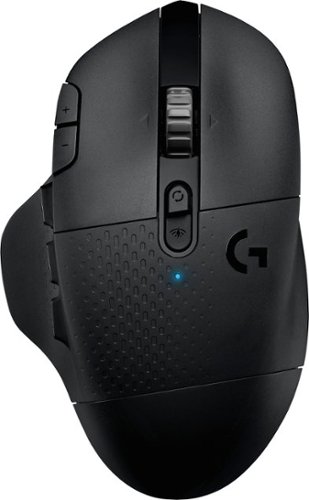
With 15 programmable controls, LIGHTSPEED wireless technology, hyper-fast scroll wheel, and the revolutionary HERO 25K sensor, G604 offers both versatility and high-performance with endless possibilities to play with mastery. Dual connectivity lets you toggle between Bluetooth and ultra-fast 1 ms LIGHTSPEED advanced wireless technology~even on separate machines. Extremely accurate tracking and class-leading power efficiency enables up to 240 hours of high-performance gaming with one AA battery.
I read online that this mouse doesnt work with windows 10?
I am using Windows 10 ver. 1903. It works fine. It works on Windows 10 over Bluetooth and with the included USB light speed receiver.
6 years, 7 months ago
by
RedScorpion