


RedScorpion's stats
- Review count234
- Helpfulness votes1,564
- First reviewJune 21, 2012
- Last reviewJune 11, 2026
- Featured reviews0
- Average rating4.5
Reviews comments
- Review comment count0
- Helpfulness votes0
- First review commentNone
- Last review commentNone
- Featured review comments0
Questions
- Question count0
- Helpfulness votes0
- First questionNone
- Last questionNone
- Featured questions0
- Answer count14
- Helpfulness votes42
- First answerMay 13, 2016
- Last answerSeptember 30, 2020
- Featured answers0
- Best answers5
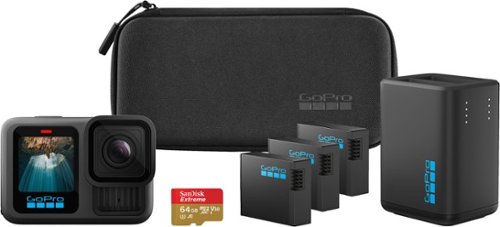
This bundle includes our best camera yet~HERO13 Black~plus the Dual Battery Charger, 3 Enduro batteries, a 64GB SD card and a camera case. In addition to best-in-class 5.3K60 video and legendary durability, HERO13 Black is compatible with HB-Series Lenses. These lenses expand your capture capabilities for more immersive POV shots, the ability to focus closer than ever, motion blur using neutral density filters and anamorphic footage. The powerful Enduro battery delivers incredible recording time in all weather conditions, while an updated mounting system delivers more mounting flexibility than any GoPro before it. And with essential features such as HyperSmooth 6.0 video stabilization, automatic highlight videos and the ability to auto upload your footage to the cloud,2 HERO13 Black delivers an incredible combination of leading-edge tech and creative possibilities.
Customer Rating

5
The Little Camera That Could (In Good Light)
on December 29, 2025
Posted by: RedScorpion
Confession, I am a relative newcomer to GoPro; my previous experience was mostly with handheld gimbals. Compared to my handheld gimbal setup, the Hero 13 provided similar stabilization but was much easier to mount, making it far more convenient for action shots and outdoor activities. After a week with the Hero 13, I am impressed by the video and still shot quality in good lighting. Nighttime shots could be a bit grainy and problematic, but well-lit shots look great.
The software interface is as simple or as complicated as you want to make it. Each battery in the bundle gave me around an hour of recording time during typical use. Overall, this will definitely be part of my go-to-filming equipment going forward. I think the Hero 13, and this bundle specifically, are a great option for those seeking a high-quality portable camera.
Unboxing: This bundle comes with a lot. You get the camera, a memory card, two USB-C cables, three batteries, a battery charging dock, and mounting hardware to mount the camera to a helmet.
Setup: You will need to set up and update the camera out of the box using the GoPro Quick App. The process is easy and straightforward. GoPro has a subscription service for backing up footage to the cloud. It is an optional service, but I would highly consider it.
Experience: Overall this has been one of the best experiences with a device I have had. Everything works as advertised. Voice controls, controls with the Quick App, footage backup have all worked great.
I am extremely impressed with the video quality in well-lit shots. However, my only nitpick in terms of performance would have to be nighttime shots which can have problems with focus and random glitches. I am a bit surprised at nighttime performance since daytime shots look so good. Another nitpick is that lens cover can be a bit tricky to remove and access to the battery compartment can be a bit more difficult than I expected.
I got around an hour worth of recording time on a single battery. However charging time could be a bit slow at around two hours to get the battery fully charged from zero.
Conclusion: The addition of the extra batteries and the base charging station make this bundle an exceptional value. The only thing keeping the Hero 13 from perfection is low light performance. But for daytime shots on the go, this little camera produces a great picture. Unfortunately, I have not been able to get my hands on the lens filters or lens mods yet, but I look forward to trying them soon. If this is a product you have been considering, it is an excellent value for the quality of footage you can get. Highly recommended. 4.5/5
I would recommend this to a friend!





Share this review:


-1point
0of 1voted this as helpful.
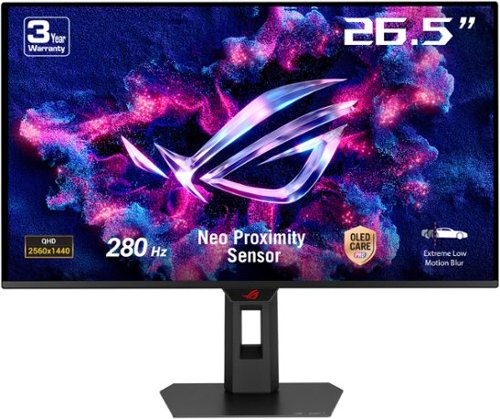
The ROG Strix OLED XG27ACDMS is a 27-inch, 280Hz QHD gaming monitor. With the addition of the Neo Proximity Sensor in the new ROG OLED Care Pro suite, the monitor transitions to a black screen when no user is detected, guarding against burn-in.
Customer Rating
5
Oled Excellence with Pixel Cleaning Reminders
on December 4, 2025
Posted by: RedScorpion
The Asus XG27ACDMS monitor stands out with its high-quality OLED display, impressive HDR capabilities, smooth G-Sync performance, USB-C Display Port, and a fast refresh rate, offering an exceptional visual experience. Additionally, Asus provides extra mounting accessories for users who wish to install third-party desk or wall mounts. Display settings are easily adjusted via Asus’ “Display Widget Center” Windows application. It is truly a great display. However, the pixel refresh reminder, intended to help minimize burn-in, can be annoying. It often ignored user timer settings, although it can be dismissed when necessary.
Setup: Inside the Box, you get the display, a small bag that you can use to organize cables, a power cord, a Display Port Cable (standard size), the traditional stand mount, and a mount designed to work with third party desk or wall mounts.
Experience: I opted to hook the display up with an HDMI 2.1 cable. The reason was that I wanted to see if I could get G-Sync working over HDMI. I do not have a USB-C cable that I thought would be sufficient for DP over USB-C, so I opted to test via the HDMI 2.1 since that is the primary display out on my laptop and, I have a feeling, will be the primary hookup method for anyone on a gaming laptop. Results are that everything worked great. G-Sync was enabled assuming “Variable Refresh Rate” was enabled on the monitor and the monitor was set to the correct resolution and was the only active display.
I should talk a bit about the stand included. It works well enough. With it you can raise, tilt, and rotate the display. For most users, this stand will be more than enough. But for those wanting desk or wall mounting options, Asus has you covered with an included mounting adapter.
A few extras that I liked, in addition to the extra mount and the bag, are the included USB-C DP which can double as a 15w charger for phones or mobile devices. There is also a headphone jack if you wish to hook up speakers or headphones directly to the monitor. There is no USB hub, but I rarely use the hubs built-in to monitors and I appreciate that I did not have a bunch of extra connections or power cables to hook up.
After hooking the monitor up and turning on Windows, I received a prompt to download and install the “Asus Display Widget Center” application. It is a solid option for customizing the display and works much better than the built-in controls for customizing the display. Although, I kept the display on the HDR settings which did limit customization. On more standard, non-HDR settings, I had to turn brightness down quite a bit as the display is very bright by default out of the box.
Everything about this display is truly top notch. My only problem has been the annoying “pixel cleaning” reminders. I do not understand the need for the feature in the first place as the display will run a pixel display in standby after the PC has been shut off. Running a pixel cleaning every four to eight hours personally seems excessive and unnecessary. The built-in pixel cleaning reminders could pop up on the screen at random intervals every thirty minutes.
The “Pixel Cleaning” feature is designed to prevent burn-in, a nuisance on OLED displays, but this is the first OLED display I have had that has been so persistent about running pixel cleanings. My experience with other brands was that the feature should only be manually run once or twice a year or there was a risk that the display could be damaged. I am not sure why this display is so persistent with the notification. Thankfully, the notification can be turned off. You can always check the OLED care section of the monitors on screen display to make sure that cleaning has been run recently.
Conclusion: I really like this display, and it has become my go-to OLED monitor. The vibrant colors and deep blacks make movies and games look stunning, while the intuitive menu system makes adjusting settings effortless. The included features, such as a versatile stand, extra mounting adapter, and USB-C DP that doubles as a 15W charger, add to the overall convenience and ease of use. Pixel refresh reminders appear at random and can interrupt gaming sessions. But the notifications can thankfully be turned off. Despite this minor annoyance, anyone looking for a high-quality monitor should check this model out.
4.5/5
I would recommend this to a friend!






Share this review:


0points
0of 0voted this as helpful.
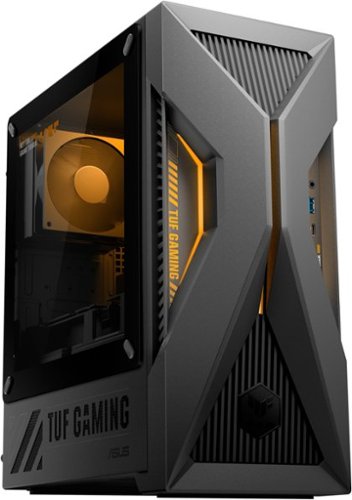
The TUF Gaming T500 is a rugged, performance-driven desktop built to handle intense gaming and multitasking with ease. Inspired by mecha anime and industrial design, its bold chassis features angular lines, yellow accent lighting, and a transparent side panel to fully showcase the tactical build. Powered by an Intel Core i5-13420H processor and NVIDIA GeForce RTX 5060 graphics, and backed by 16GB of DDR5 memory and 1 TB SSD PCIe Gen 4 storage, the T500 delivers fast, responsive performance across gaming, content creation, and everyday workloads. A custom thermal solution~including copper heatpipes and a 90mm cooling fan~keeps temperatures low and airflow steady under pressure, while the tool-less design makes upgrades simple. Certified to meet MIL-STD-810H standards for durability against drops, shock, vibration, and extreme temperatures, the T500 is engineered to last through years of tough gaming sessions.
Customer Rating

3
Cool Concept, Hot Problems
on November 23, 2025
Posted by: RedScorpion
The Asus TUF T500MVC is, by definition, a gaming computer. Over the past week, I’ve spent considerable time playing games on it. However, it stands apart from any other PC I’ve encountered—it’s a true mobile/desktop hybrid, featuring a desktop-grade graphics card paired with a laptop’s processor, memory, and motherboard. It’s a unique device, one of those rare curiosities I felt compelled to test for myself.
On the positive side, the T500MVC is notably smaller and lighter than typical gaming PCs, and its included power supply unit is energy-efficient. Thanks largely to its NVIDIA 5060 GPU, it can handle 1080p gaming with most settings enabled. Honestly, the mobile processor didn’t pose any major issues for me by itself; it’s not the fastest, but it’s “fine.” My main concern with this model is its cooling system. The machine runs hot, and I encountered thermal throttling a few times.
Setup: Asus includes the PC, a keyboard, and a mouse along with some documentation. Out of the box, there were quite a few updates. Windows alone takes thirty minutes or so to update before you can even get into the operating system.
Experience: For my testing, I attached the ASUS TUF T500MVC to a 1080p gaming monitor with GSYNC. I put the PC through a couple of tests including benchmarking and hours of game testing. I assessed Helldivers 2, Warhammer Space Marine 2, Doom Eternal, Guardians of the Galaxy, and Endless Legend 2.
I got decent framerates in 1080p with most of the bells and whistles turned on. In Helldivers 2 I averaged around 70 to 80 fps which is not terrible. However, it was in Helldivers 2 where I experienced my first case of thermal throttling which brought the experience down to a stutter.
The CPU is a mobile processor that can get up around 90c before it begins throttling to keep it from burning up. Normally, I do not experience this on other gaming PCs or laptops. Laptops can get hot, too, but usually there are cooling options like cooling pads and other tips to keep the heat from affecting performance. Plus, most laptops come equipped with more fans than this desktop.
The CPU is a mobile processor that can get up around 90c before it begins throttling to keep it from burning up. Normally, I do not experience this on other gaming PCs or laptops. Laptops can get hot, too, but usually there are cooling options like cooling pads and other tips to keep the heat from affecting performance. Plus, most laptops come equipped with more fans than this desktop.
The TUF T500 only has two fans: the heat pipe with exhaust fan for the CPU and the fan on the graphics card itself. That is it. Most desktop users will have elaborate water cooling or advanced coolers for the CPU and will have intake and exhaust fans on the case itself. The T500 does not have those or even have the option to install them. The PSU is extremely limited. It is tiny and barely the size of a laptop charger. I did not see any way of adding to the cooling options despite a small place at the front of the case where I assume you could mount a very tiny fan if you could find one that fits and find a way to power it. This cooling option is just not enough to keep this machine going.
Which leads me into the next topic: upgradability. Most desktop PCs you can swap out parts or upgrade the experience. This machine would be exceedingly difficult to upgrade. In theory, you could get a new PSU from ASUS to power an upgraded GPU. But I am not sure how plausible that is with the limited power connections on the board for the GPU.
You can upgrade RAM. Because this machine uses laptop board, you will need SODIMM memory. These modules are DDR5 SODIMM. The laptop caps at 5200 but comes with one stick of a 16GB DDR5 at 5600. In theory you could add another module to the second slot. I just swapped out the existing module with a new kit to get the machine up to 32GB or RAM, but if you could find a compatible module you could just add to the configuration ASUS has set up. Unfortunately, memory prices are sky high now, but I really think this machine benefits from having 32GB of RAM.
The Wi-Fi module could be replaced. It is a smaller M.2 and it could be swapped for a stronger card. I should note that the card that comes equipped with the machine is a WiFI6, not 6E or 7. There is no 6G connectivity with this machine if that is important to you.
There is also another M.2 2280 slot for an additional NVME hard drive. But please note you will need to supply your own M.2 screw if you wish to add on to the storage that comes with the machine.
Solutions: I have spent the last couple of days trying to produce some solutions to cool down this machine. I came up with one solution that helps a bit: a laptop thermal pad. With gaming laptops, it is common to place a thermal pad underneath the laptop that has fans built-in to it to cool the laptop from the bottom up. I found an older thermal pad that I had and because the T500 pulls air from the bottom and front of the case, having the thermal pad blow air up into the case and its vents seemed to help if only a tiny bit.
Adding RAM seemed to help with load times. Also, there is a firmware update from Asus that I would recommend you install. It is important to use a GSYNC compatible monitor and make sure that the NVIDIA App does not set games to upscale into 4K.
Conclusion: This is an exceedingly difficult machine to recommend. If you got it for the right price and have a strong interest in a gaming PC that has less power draw, then this could be a fit. It does play most games. Because of the thermals, I do not think I would attempt VR gaming with it. But most games run well enough at 1080p. I am extremely disappointed in the cooling solution that Asus supplies. A gaming computer should not be throttling out of the box. Upgrading the PSU and including more cooling options in the case would have helped make a better argument for the machine. Most gaming PCs are easily serviceable; a part fails and you can hot swap in a new one. When this processor or its fan goes, you are probably stuck. This machine is a curiosity, but not a compelling recommendation. I cannot say it is a bad pickup if you are aware of its shortcoming, but a PC with standard hardware is far easier to recommend.
No, I would not recommend this to a friend.




Share this review:


+4points
4of 4voted this as helpful.
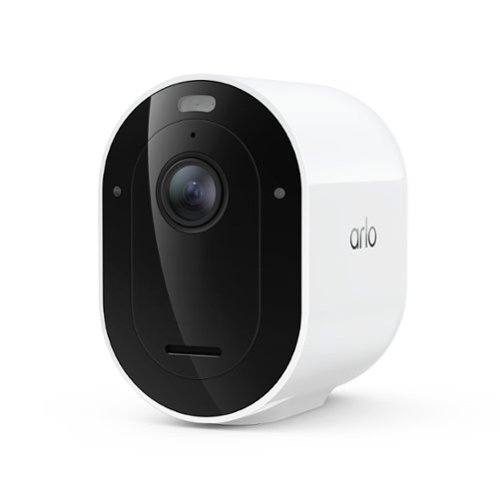
Experience powerful protection and sharp visibility with a wireless outdoor security camera that captures crystal-clear 2K HDR (High Dynamic Range) video, which captures a wider range of light and color so details stay sharp in both bright and shadowed areas of your footage. The wide 160~ Field of View lets you see more of your yard at once, allowing you to positively identify people, vehicles, and animals with ease, while Auto Zoom and Tracking automatically focuses on moving objects so you never miss a critical moment. A 1-Month Arlo Secure Early Warning System Plan trial is included, providing 60-day video history so you can review past footage at any time, Custom Detections for personalized notifications like whether your garage door is open, sprinklers are on, or your side gate is left open, and one-tap Emergency Response to call for immediate help when it matters most. As a fully capable outdoor camera wireless solution, setup is easy with Bluetooth and Dual-Band Wi-Fi, which automatically connects to the 2.4 or 5GHz network, whichever is stronger, and no wiring hassles means this wireless security camera outdoor installs anywhere around your home as a simple DIY setup with a removable battery that is easy to recharge or swap out for a fully charged one. Brilliant Color Night Vision has a sophisticated low-light filter and a more powerful Integrated Spotlight so you can easily distinguish critical details like the color of a shirt, car, and facial features, making it a dependable security camera outdoor solution day and night, and Low Power Mode extends battery life for all-day surveillance with up to 15% more battery life than the previous generation. Whether you need a single outdoor camera or a complete set of surveillance and security cameras for your property, the Arlo Pro 6 delivers dependable wireless cameras for home security and remains one of the most versatile cameras for home security available today.
Customer Rating
3
Good Performance, But Features Come at a Cost
on October 30, 2025
Posted by: RedScorpion
Located firmly between the Arlo Essential 3rd Generation and The Arlo Ultra is the Arlo Pro 6th Gen. Delivering a wide 160-degree field of view with excellent HDR picture enhancements, the general image quality is quite good during the day and passable at night. Battery life is good. Live notifications and customizable A.I. alerts are an excellent feature. Unfortunately, A.I. features and cloud-based storage are locked behind an Arlo subscription package. However, if you are already invested in Arlo camera plans or are interested in cloud-based back-up starting at $7.99 for a solo camera ($95.88 billed yearly), then the Arlo Pro 6th Gen may be for you.
Unboxing: You get a camera, a rechargeable battery, indoor USB-C to USB-A charging cable, wall mount kit, and security decal.
Experience: I had naively thought I could pair this camera with my VMB4000 base station for offline storage. That assumption was incorrect. Arlo has a website you can find with a simple Google search that will tell you which cameras are compatible with which base station. From what I can tell, you need a VMB5000 for this camera if you wish to store footage offline. But I am not entirely sure if that is accurate. Be sure to check out Arlo’s website if offline storage via a base station is important to you.
This camera took several hours to charge. On the plus side, battery life has been good. Over five days, I only dropped two percent of my available battery. The battery is also removeable so you could hot swap the battery with a charged one if you chose. The entire camera separates via a button on the bottom of the camera that ejects the lens and battery compartment from the camera’s casing. It is a bit clunky, but it works.
Video quality is generally good. I struggle to make out license plates in the street. The field of view is useful. The entire image has more of a blue hue to it than I was expecting. But nighttime shots did an excellent job with black levels thanks in part to the HDR. I do not entirely understand the emphasis on color nighttime shots as I only got those colors if the camera’s lights came on.
I really like the notification alerts that show clips of the video inside the notification. The customizable A.I. notifications are useful. But you need an Arlo subscription plan for smart activity zones, A.I. detection, and cloud-based video storage. Without a subscription, all you can get is a basic movement notification and then view the feed live from your phone. I do not find that especially useful. Half of what I am getting from this camera is hidden behind a paywall. Either I must pony up for a base station for local storage, or I need to pay a subscription to get the best features advertised on the box. $9.99 per month is not terrible, but it feels ridiculous when other camera manufacturers include these features with their device without a subscription. If you wish to have a plan with multiple cameras, you could be looking at $20 a month.
In terms of smart home integration, I got the cameras to work within Alexa, but not Google Home or Apple HomeKit.
Conclusion: I like the image quality and battery life of the Pro 6th Gen camera. Nighttime footage is okay, but I have seen better footage from similarly priced cameras. Hiding some of the camera’s best features behind a paywall feels like a tease. For that reason, I can only recommend the camera to users with an existing Arlo subscription. For everyone else, there are better options. 3/5
I would recommend this to a friend!






Share this review:


0points
0of 0voted this as helpful.
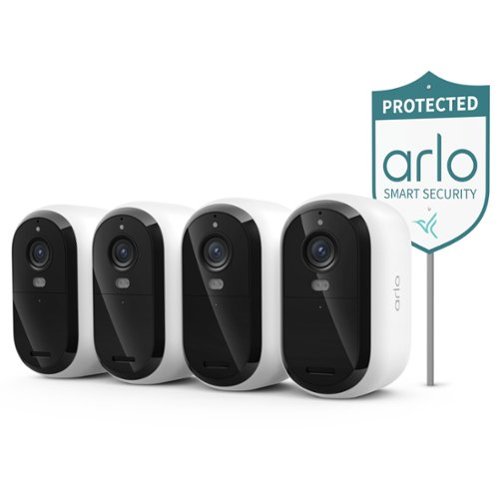
The Arlo Essential Security Camera 2K (3rd Gen) Bundle is a $305 value if purchased separately at regular price. Protect your home and family with a powerful outdoor camera wireless solution that delivers crystal-clear 2K resolution, keeping a watchful eye on people, vehicles, and packages around the clock. Get instant alerts the moment motion is detected and watch live video directly on your phone, with Dual-Band WiFi ensuring a stronger, more reliable connection at all times. A 1-Month Arlo Secure Early Warning System Plan trial is included, providing 60-day video history so you can review past footage at any time, Smart Detections covering Person and Vehicle Recognition and Package and Animal Detection, and can act as a reliable pet camera for monitoring your animals around the property, and Interactive Notifications on your phone's lock screen with Emergency Response and Call a Friend so help is always within reach. The Essential 3rd Gen is one of the most dependable wireless cameras for home security, setup is simple and wire-free for total flexibility, and the camera mounts and removes easily whenever it is time to recharge, while Color Night Vision lets you see shirt color, car color, and facial features even after dark for reliable day and night surveillance. Hear and speak clearly with visitors using noise-canceling 2-Way Audio, quickly deter threats with the Integrated Siren, and extend battery life with Low Power Mode for all-day monitoring. Whether you need reliable cameras for home security or a complete set of security cameras wireless outdoor, the Arlo Essential Battery Camera works seamlessly with Amazon Alexa, Samsung SmartThings, IFTTT, and Google Home to deliver dependable protection at every corner of your home.
Customer Rating

2
Less "Home Security," More "Battery Anxiety"
on October 30, 2025
Posted by: RedScorpion
My very first home security camera system was an Arlo Pro 2nd Gen that I was still using until the app updated and broke the experience when I added on the Arlo Essential 3rd Gen. That was my first letdown, and my experience did not improve much. The Arlo Essential 3RD Generation 2K camera is a disappointment. Its best features are locked behind a monthly paywall. Battery life is awful. Software is glitchy. Wi-Fi connectivity was weak which could lead to connection drops and severe lag. I did like the live notifications which included snippets of the video. I also really liked the color accuracy during daytime shots. But overall, I was disappointed with the experience.
Unboxing: Arlo includes four 2K cameras with mounting equipment, a security sign, and a USB-C to USB-A charging cable. The cameras come with mounting stands and batteries already installed.
Experience: Again, my experience soured very quickly. I was hoping I could pair these cameras with the Arlo VM4000 base station. I had forgotten how old that station was and I cannot fault Arlo from moving on to bigger and greater things. Buyers looking to repeat my mistake should note that these cameras will not work with the VMB4000 station.
What I was not expecting was a sudden update to the Arlo app that instantly hid my Pro 2 cameras. Now, no matter what I try, I cannot get the cameras to work in the app. And because of their age, it is quite possible I will never get them working in app again. Which is a shame because these were my favorite portable cameras for many years. It was easy to pick up and put in a room with a dog or put on a shelf near the baby’s crib to keep an eye on him while he slept.
The battery life on the Essential 3rd Gen cameras is not good. Arlo advertises that you should get up to 4 months on a full charge. That is a lousy number, and I do not think I will get that. I dropped ten percent in five days with light usage. If I set up motion detection and full color nighttime visuals (which require the built-in light), I think I will be lucky to get two months of usage. That means I will have to either install a solar charging option or take the cameras down every two months, give or take, to charge. That is absolutely abysmal battery life for a wireless security system.
Many of the best features of the camera are locked behind a subscription. You get a trial subscription with the camera for 30 days. But after that, you are looking at $20 a month or $215 a year for the Arlo Plus plan. $29 a month if you want the plan with professional monitoring. You need a plan for smart activity zones, A.I. detection, and cloud-based video storage. You need the plan to get video history; there is no local storage without a base station, and I am not entirely sure the latest base station would provide local storage for these cameras as I do not have a compatible station. Without a subscription, all you can do is get a basic movement notification and then view the feed live from your phone. I do not know how useful that will be to most people. There are other camera packages from other companies with included base stations and even some cameras with built-in microSD storage support. This model by Arlo just feels dated and anything but user friendly.
There are some positives. I liked the color accuracy of the daytime shots. But nighttime shots often felt washed out and overly gray. Color nighttime shots required the use of the camera’s spotlight, but those images did look good. Still, I did not feel like I got great amount of detail from the cameras. I will not be making out license plates in the street, but the image quality was acceptable.
I also liked the smart notifications which showed an animated image in my phone’s notification screen. That is more useful than getting a notification on the phone that a camera has been triggered and then be forced to open the camera’s app and wait to see the footage.
I also liked the smart notifications which showed an animated image in my phone’s notification screen. That is more useful than getting a notification on the phone that a camera has been triggered and then be forced to open the camera’s app and wait to see the footage.
Conclusion: I cannot recommend this package. I do not care for the Arlo experience as it is right now. There are so many other camera packages that include local storage. It is one thing to offer extended cloud-based backup (something I would like), but it is another thing entirely to force a subscription to have any backup at all or to use some of the better software features. That is to say nothing of how ridiculously overpriced this experience is. I would pay $30 a year; I will not pay $20 a month. An updated base station could be useful for local storage, but you would lose out on smart features of the device. Combine that with simply okay video quality and an abysmal battery life, and I am not sure who this camera package is for. There are better options at better prices. Plus, I am not thrilled that Arlo just resigned my Arlo Pro 2nd Gen system to the dustbin. 2/5
No, I would not recommend this to a friend.




Share this review:


0points
0of 0voted this as helpful.
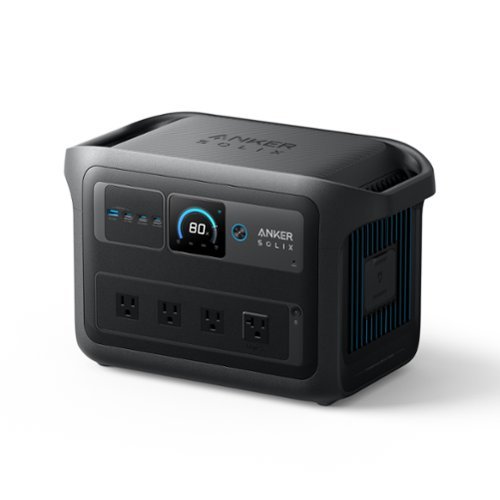
Anker SOLIX C1000X Gen2 Portable Power Station ~ your on-the-go energy companion! Compact yet mighty, this battery powered generator is designed to keep your adventures charged. With a robust 1,024Wh capacity, it delivers reliable power for camping trips, outdoor events, and emergency situations. Boasting 9 powerful output ports, it ensures you can charge a variety of devices simultaneously. The Anker SOLIX C1000X Gen2 is the solution to your power needs, wherever life takes you.
Posted by: RedScorpion
The Anker SOLIX C1000X Gen 2 is an impressive power station. Perfect for emergency situations to power household devices, but also small enough for camping or road trips. Perfect AC port placement. Support for DC and solar charging. Full AC charge in under an hour. There are so many positives, it is hard to mention them all. I really like this power station.
Unboxing: Anker includes the charging station, an AC charging cable, and a DC charging cable perfect for charging via your car’s DC port.
Note: Users will need the Anker application on their smart phone or tablet to update the power station’s firmware and to control the station via Wi-Fi or Bluetooth. There was a firmware update out of the box.
Experience: I have been using and discharging the power station for a week now. There are a surprising number of features. You could use this power station as a UPS for your gaming PC or medical device. In my test, the C1000 Gen 2 performed brilliantly, and I did not notice any hiccups or glitches when switching from AC to battery power. Charging ports are perfectly placed with enough space to allow for big charging bricks. The USB-C ports are powerful enough to power a powerful laptop. The onscreen display is easy to read and supplies plenty of information.
The unit is not light, but it is not too heavy either considering everything packed inside. In my testing, the unit never got too hot, but users should know that should the fans crank up, the power station produces a decent level of white noise.
The unit is not light, but it is not too heavy either considering everything packed inside. In my testing, the unit never got too hot, but users should know that should the fans crank up, the power station produces a decent level of white noise.
I drained the unit completely twice. Charging back over AC is super quick with the battery fully charged in about an hour. I was unable to test out solar charging at this time. The DC charging was slow. At the 98 W I was receiving via DC charge, it would take an entire day to charge. At best, I could see using DC charging to top the unit off.
I mentioned the Anker App, but you can set the app to optimize charge and discharge based on grid peak hours. You can also set up a storm emergency mode assuming your station is connected to wi-fi. The station has an Output Port Memory switch. If the AC outlet or car charger switch is on when the battery is depleted, those ports will automatically turn on when the station reaches ten percent above the discharge limit. I could see this being an excellent feature for those who plan to hook up solar panels to the station.
Conclusion: The SOLIX C1000X Gen 2 has a lot to like. If necessary, I could use this in an emergency to run my fridge for six hours. Or I could take it on a trip and charge phones and cameras while running small fans. This is a great little power station. Quite easy to recommend. 5/5
I would recommend this to a friend!






Share this review:


0points
0of 0voted this as helpful.
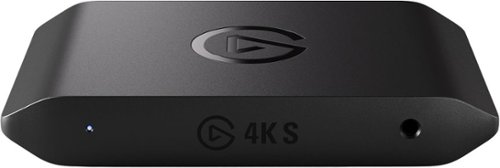
Showcase your gameplay at its best with Elgato Game Capture 4K S. Play and capture in crisp 4K60, ultra-smooth 1440p120, or even 1080p240~all with near-zero latency. With VRR passthrough, HDR10 capture on Windows, and analog audio input, this external USB-C card delivers pro-level features in a plug-and-play form factor. Whether you~re streaming or recording, it works seamlessly on Windows, macOS, and iPadOS~no drivers needed. 4K S is compatible with OBS Studio, Streamlabs, Discord, Zoom, and more. Connect your PS5, Xbox, or docked Switch 2, and share your gameplay in cinematic detail.
Customer Rating
5
Stream Big, Spend Small
on October 18, 2025
Posted by: RedScorpion
The Elgato 4K-S Capture Card rocks. It lacks some of the technical features of the 4K-X, but for streamers on a budget or those wanting to show off footage from their Nintendo Switch 2, the 4K-S manages to hit that sweet spot in terms of price and functionality. Whether I was streaming to a PC or an iPad, I was impressed with the quality of the passthrough and the recordings. This is an easy recommendation for anyone wanting to stream game capture footage from Switch 2 and a compelling recommendation for PC and PS5 gamers wanting a separate capture option. All-in-all, it is hard not to be impressed.
Unboxing: Inside the box you will find an HDMI-2.0 cable, a USB-C cable, and the capture device. The capture card itself is spartan with an analog audio input on the front and HDMI-in, USB-C, and HDMI-out on the back.
Experience: If the capture card is hooked up with input / output HDMI and a USB-C power source, your display will turn on, and you will have audio and video passthrough. To capture you will need to download software from Elgato for your device of choice. I evaluated on PC and an Apple iPad. There did not appear to be a capture software option for Android devices at the time of my testing.
This is my first dedicated capture card. Prior to this, I used built-in streaming options whenever I would stream from X-Box. Switch 2 is limited in its capture and stream options making the 4K-S a perfect case study. I had some concerns about latency since so many Switch 2 games are platformers, but in my time with the card, I did not notice any input lag or latency.
Users wondering about the differences between the 4K-S and the 4K-X should know that the 4K-X supports higher refresh rates in passthrough and capture. The 4K-X also supports HDMI 2.1 whereas the 4K-S is running with HDMI-2.0. Again, those are not typically concerns with a Nintendo Switch 2 but could be more of an issue with more powerful gaming PCs and consoles.
Conclusion: This is my first dedicated capture card, and it performs brilliantly. My gaming session captures look great. Set up was easy. The application is simple enough to be functional, but customizable enough to satisfy those who wish to tinker and tweak their captures. This is a slam dunk capture card and easily recommend it to those with a Nintendo Switch 2.
I would recommend this to a friend!



Share this review:


+1point
1of 1voted this as helpful.
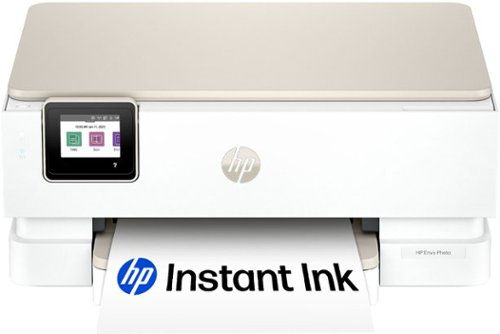
From America's most trusted printer brand, the HP Envy Photo 7275 delivers color printing, scanning and copying, plus 125-sheet paper capacity and separate photo tray. Seamlessly go from printing vibrant, high-quality photos and personalized creations to everyday documents. It's AI-enabled to intuitively adapt to your workflow, with wireless and security features that keep your multifunction printer up to date and secure.
Customer Rating

4
A.I. Print Enhancements and Excellent Photo Prints
on October 17, 2025
Posted by: RedScorpion
The HP Photo Envy 7275 is a solid printer. It comes with impressive features including A.I. print assistance, self-healing wi-fi, and a dedicated photo tray. Photo prints look great. Print speed is impressive. Scanning features work well. Users should know that while there is a USB 2.0 port on the back, the 7275 is designed for Wi-Fi connections. There is no USB 2.0 cable in the box. The initial cartridges included with the printer will not last particularly long (I went through one-third of the color ink after printing 6 4X6 prints and one-tenth of the black after printing a few documents). Still, the printer does an excellent job with photos and standard text only print documents. I think the set-up process is a bit more complicated than it needs to be, one or two of my prints suffered from lines through colored objects, and I am not convinced HP’s subscription ink service is worth the hassle, but I like this printer. The fact that it comes with a solid flatbed scanner is a bonus.
Setup: Inside the box, you get the printer, the power cable, and two set up HP 64 ink cartridges. There is a lot of tape designed to secure the printer in shipping that will need to be removed. The printer has a setup process that involves setting up an HP app on either your Android or Apple smart phone. You scan a QR code to start the process and the HP app will walk you through the entire process. The printer is synchronized to an account created with HP. Later, when I added the printer to my Windows 11 PCs, the setup process downloaded a Windows App where you could turn on or off A.I. assisted printing.
As with any new printer, the setup process will print out an alignment page, but, as part of the A.I. assistance, the printer will not have you scan the print to confirm alignment. The process works well enough, but I noticed some print defects after my initial setup which necessitated me running the alignment assistant later.
The Setup process strongly pushed HP E-Ink subscription service. You can avoid or cancel out, but the application tried to set up E-Ink by default.
But this feels needlessly complicated. I just want to add a printer in Windows and then have necessary software installed at that time. Linking the printer to an account might make web based and mobile printing a bit simpler, but I still prefer a PC centric approach. The more my devices require an always on internet connection or push for a subscription, the leerier I become. I have enough subscriptions.
Experience: Photo prints work well. The separate photo tray for 4x6 or 5x7 prints is a nice feature. The HP app on iPhone and Android did a decent job of automatically cropping photos for the best print. You could further refine and customize prints from the application, and it all worked well.
I was also impressed with photo prints from Windows. This may be in part related to the A.I. printing, but I did not have to worry about white bars around photos or other misalignments that I can often see when I do prints on other printers from the default Windows print tool.
I was also impressed with photo prints from Windows. This may be in part related to the A.I. printing, but I did not have to worry about white bars around photos or other misalignments that I can often see when I do prints on other printers from the default Windows print tool.
Document prints were a bit of a mixed bag. I do not care how many times I ran alignment; there were still some faint streaks through solid colors with what should be a clean print head. I also noticed some dark lines in solid colors that should not have been present. Some of these quirks got better with alignment and cleaning, but some did not. I am not sure this critique is worth going into too much as I am sure the print quality will be fine for most people, but, although good, it was not a perfect experience.
Users who require physical LAN connections for their devices should note that there is no LAN port included on this device. HP is solidly committed to Wi-Fi and the USB-2.0 port on the back feels like an afterthought. Also, there is no document feed scanner.
As noted above, the ink cartridges that come with the printer will not last exceptionally long. HP is strongly pushing a subscription service. If you choose to get cartridges on your own, you will need the HP 64 cartridge. The cartridges come in standard and xl sizes.
Conclusion: This is a good printer. The scanner did an excellent job for a multi-function device. Some users may lament the lack of a dedicated LAN port or a document feed scanner. I am sick of subscriptions. The idea of buying a printer with just enough ink to test, but not enough to last any significant amount of time is a bit frustrating. It is one thing to give users an option to subscribe to an instant ink delivery service, it is another thing to force it on the buyer. I have some concerns about the lines that appeared through some of my prints. The more time spent cleaning new print heads or troubleshooting alignment, the more ink I wasted.
Still, at the end of the day, I like this printer enough to recommend it. Photos looked great. I wish the dedicated photo tray held more sizes of prints, but this is a good start. 4/5
I would recommend this to a friend!



Share this review:


0points
0of 0voted this as helpful.
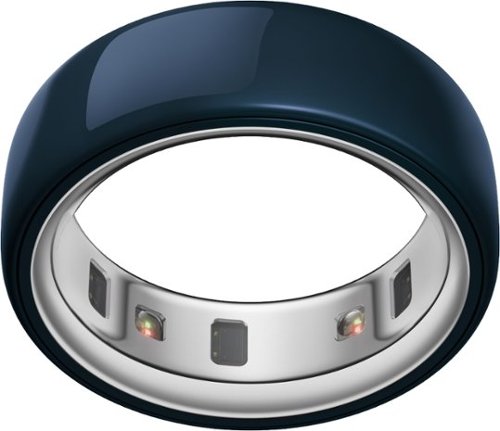
Oura Ring 4 Ceramic is a modern expression of our revolutionary smart ring technology that blends refined elegance with everyday durability. The high-performance ceramic exterior is designed to keep up with you and all that you do. The Ceramic Collection is available in four unique colors: Midnight, Petal, Tide and Cloud. Each new color is built to accent your style and personality. This colorful new take comes with the same cutting-edge technology of Oura Ring 4. Track over 50 health metrics and get personalized insights into your sleep, activity, readiness, stress, heart health, metabolic health, women's health and more. It is built around a breakthrough sensing technology, Smart Sensing, which adapts to your finger to deliver accurate, continuous data. With 5-8 days of battery life, you'll see a complete picture of your health. It's designed with recessed sensors on the interior, making it comfortable and gentle, even on sensitive skin. Oura Ring 4 Ceramic comes in sizes 4-15 and four stunning finishes to fit your style and your finger, effortlessly. Keep your Oura Ring 4 Ceramic looking like new with the Ceramic Polishing Pad. Once you activate your Oura Ring 4 Ceramic, you~ll receive an in-app message and email with instructions to redeem your free Ceramic Polishing Pad. Due to the hardness of the zirconia ceramic, it can take on the color of softer metals, like a dumbbell or cookware. Over time, you may notice grey marks on your Oura Ring 4 Ceramic. Rest assured, it's not damaged ~ it's evidence of a metal transfer and easy to remove with proper cleaning. Use caution when handling metal objects and consider removing your Oura Ring for some activities. The Oura Ring 4 Ceramic Polishing Pad is your partner in keeping your ring in top condition.
Customer Rating
5
Oura Ring 4: Precious Data, Zero Invisibility
on October 10, 2025
Posted by: RedScorpion
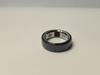
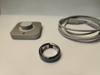
The Oura Ring 4 is my first experience with a “smart ring.” While it hasn’t granted me any superpowers, such as invisibility, it has certainly captured my toddler’s imagination—he refers to it as his “precious.” Adjusting to wearing the Oura Ring 4 took a bit of time, but its battery life and ability to relay a wealth of health information directly to my phone is impressive.
The Oura application stands out as the best health and fitness app I have used. There is a wealth of health and fitness data which the ai features of the application use for coaching and advice. It presents data points clearly and reports information with impressive accuracy. For instance, during a particularly stressful day, the app effectively captured my stress level through its data tracking. If you are searching for an advanced fitness tracker that you can wear on your finger, the Oura Ring 4 is both stylish and highly functional.
Experience: The Oura Ring 4 is not just a piece of tech; it is also a fashion accessory. It looks good if a bit bigger and bulkier than I expected. I spent some time with the Oura sizing kit and decided on the size 11 ring for my right hand’s ring finger. However, I have noticed that at times my hands swell or shrink and in the evenings the ring fits better on my left index finger.
Because of its size, I find myself catching the Oura on items like car door handles and pockets more than I expected I would. The thickness of the ring can also interfere with my grip from time to time. If you are on the fence about whether you could get used to having an Oura Ring 4 based on the size of the ring, make sure to spend sufficient time with the Oura sizing kit.
Battery life has been great. I know that Oura advertises a seven-day battery life, and that estimate holds up in my experience. Charging the ring is easy enough with the included USB-C charging stand. In my experience, the ring would go from a forty percent charge to a full charge in about an hour on the charging stand.
Third party integration has worked better than any other fitness tracker I have owned. My wife and I use Personify Health through her employer. Personify Health, formerly “Virgin Pulse,” tracks our sleep and exercise details and my wife then receives gift cards through work based on our activity progress. Oura has been the simplest device we own to sync with Personify Health. The Oura application also synced easily with Google Fit.
I should note that it takes some time for the app to properly calibrate its readings and recommendations. Some details are available immediately, but some items can take a week or longer to appear in the app.
Conclusion: I think this is a great health / wellbeing accessory. It is a bit more convenient than my smart watch to slide on before activity and the information reported in the application is quite detailed and impressive. My biggest ongoing concern is durability and whether or not I will ever personally get used to the thickness of the ring itself. But after a week of use, I do like it. It all works very well and if the idea of a smart ring appeals to you, the Oura Ring 4 is a great option.
4.5/5 Recommended
I would recommend this to a friend!

Share this review:


0points
0of 0voted this as helpful.

Pop. Play. Party! Designed for ultimate portability, the Pop Party Speaker cranks up the fun anytime, anywhere. With flexible mounting options and a detachable loop handle, it~s made for seamless portability and quick setup. Its compact design is perfect for any adventure, while vibrant RGB lighting sets the perfect vibe. IP55 waterproofing ensures the party continues, rain or shine, and the JLab app gives you full control over sound and lighting. Plus, with LabSync, you can connect up to 100 speakers for an unforgettable experience.
Posted by: RedScorpion
Who knew a twenty-five-dollar speaker could be so impressive? The JLab Pop Party speaker is fun. You can attach it to handlebars or slap it on a fridge. Audio quality is surprisingly good for a speaker of this size and price point. I like it. My kids like it. After a few days of heavy use, I think I can easily recommend the JLab Pop Party speaker.
Setup: JLab includes the speaker, a QuickStart guide, and a charging cable. The speaker has a USB-C connection. You will need the JLab application on your phone or tablet to customize the speaker’s EQ, lights, and to update the firmware. There is a firmware update for the speaker out of the box. From that point, the JLab application is straightforward. I had no problems customizing the lighting or the equalizer.
Experience: The speaker has a two-inch woofer on the back and a two-inch driver on the front. The audio experience is surprisingly good for a speaker at this size and price point. Lights are very bright.
Battery life will depend on volume levels and whether RGB lights are on. I was able to listen to my pandora station for an entire afternoon before the speaker got to low.
I loved that I could easily hook the speaker to a towel rod or slap it on the fridge and have it stay in place.
I loved that I could easily hook the speaker to a towel rod or slap it on the fridge and have it stay in place.
My only nitpick is the multi-function button. Trying to click a button a certain number of times to achieve a different function has never worked that well for me, but I admit this is my personal nitpick.
It is difficult to nitpick a speaker at this price point. It works well. I love the lighting. You could get several Pop Party speakers and pair them together. Overall, I am sold. I plan to pick up a few more. I can easily recommend the JLab Pop Party speaker.
4.5/5
I would recommend this to a friend!





Share this review:


-1point
0of 1voted this as helpful.
RedScorpion's Review Comments
RedScorpion has not submitted comments on any reviews.
RedScorpion's Questions
RedScorpion has not submitted any questions.
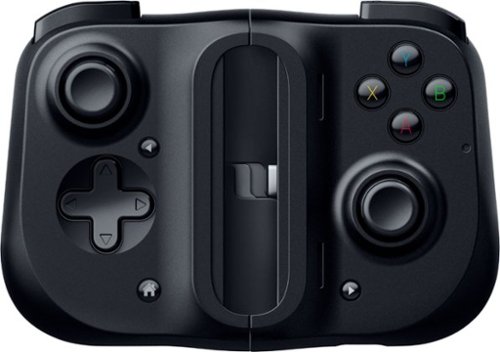
Bring your A-game anytime, anywhere. Introducing a universal mobile gaming controller that fits most smartphone devices, designed to bring console-level control to your on-the-go gaming. With this controller by your side, wherever you go, victory will follow.
Will it fit my phone? I have the samsung s10e and I know it will work with the connection but I don't know if it will fit the s10e.
Yes, I am using it to play Halo on my S10e.

5 years, 8 months ago
by
RedScorpion
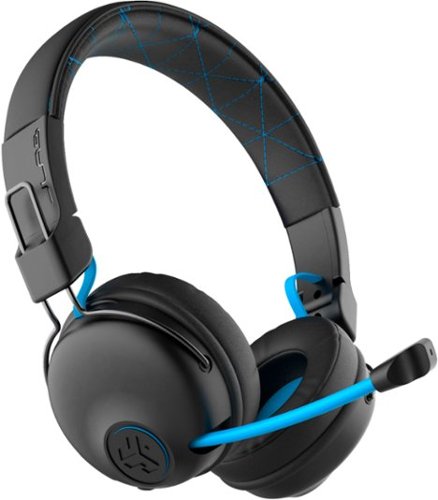
Hear all your games in high-quality sound with this JLab Play wireless gaming headset. With an increased mid to high frequency response and super-low 60 ms latency, this headset is able to deliver clear vocals and enhance spatial awareness without lag. JLab~s Play wireless gaming headset delivers over 22 hours of playtime and compatibility with PCs, consoles and mobile devices to handle every session.
where is the micro phone? can it be used for a call center?
The headset features a retractable boom mic on the right ear piece. In my opinion, the headset would work well in a call center or home based call center. There is a mute button built in to the headset and the mic works in either Bluetooth or the wired 3.5mm mode.
5 years, 10 months ago
by
RedScorpion
Hear all your games in high-quality sound with this JLab Play wireless gaming headset. With an increased mid to high frequency response and super-low 60 ms latency, this headset is able to deliver clear vocals and enhance spatial awareness without lag. JLab~s Play wireless gaming headset delivers over 22 hours of playtime and compatibility with PCs, consoles and mobile devices to handle every session.
Is it compatible with ps4 & xbox?
Yes.
But it is not wireless on PS4 and XBOX. To use with your XBOX or PS4, you will neeed to use the included 3.5MM AUX console cord.
But it is not wireless on PS4 and XBOX. To use with your XBOX or PS4, you will neeed to use the included 3.5MM AUX console cord.
5 years, 10 months ago
by
RedScorpion
Hear all your games in high-quality sound with this JLab Play wireless gaming headset. With an increased mid to high frequency response and super-low 60 ms latency, this headset is able to deliver clear vocals and enhance spatial awareness without lag. JLab~s Play wireless gaming headset delivers over 22 hours of playtime and compatibility with PCs, consoles and mobile devices to handle every session.
Will these headphones work with I buy power computers
Yes, if the computer has Bluetooth built-in. If the computer does not have Bluetooth built-in, you will need to purchase a separate USB Bluetooth Adapter *(they tend to run between $10 and $20).
5 years, 10 months ago
by
RedScorpion

Listen to your favorite albums and audiobooks on the go with this Memorex portable CD player. The 40-second anti-skip protection function for CDs ensures smooth, uninterrupted listening, while the dynamic bass boost system delivers rich sound. This Bluetooth Memorex portable CD player features an LCD screen and digital control buttons for conveniently choosing tracks and adjusting volume.
Can you play audio books on this CD player? And What accessories will I need to buy?
If your audio book comes on CD or MP3 CD, you can play it on this player. It doesn't come with a power cord. It includes 2 AA batteries.
6 years, 1 month ago
by
RedScorpion
Listen to your favorite albums and audiobooks on the go with this Memorex portable CD player. The 40-second anti-skip protection function for CDs ensures smooth, uninterrupted listening, while the dynamic bass boost system delivers rich sound. This Bluetooth Memorex portable CD player features an LCD screen and digital control buttons for conveniently choosing tracks and adjusting volume.
iS THIS AN MP3 CD?

Listen to your favorite albums and audiobooks on the go with this Memorex portable CD player. The 40-second anti-skip protection function for CDs ensures smooth, uninterrupted listening, while the dynamic bass boost system delivers rich sound. This Bluetooth Memorex portable CD player features an LCD screen and digital control buttons for conveniently choosing tracks and adjusting volume.
Can it be used with or without the earbuds?
Yes?
Without the included earbuds, you can use your own or connect via Bluetooth. There is no built in speaker on the player if that's what you are asking.
Without the included earbuds, you can use your own or connect via Bluetooth. There is no built in speaker on the player if that's what you are asking.
6 years, 1 month ago
by
RedScorpion
Listen to your favorite albums and audiobooks on the go with this Memorex portable CD player. The 40-second anti-skip protection function for CDs ensures smooth, uninterrupted listening, while the dynamic bass boost system delivers rich sound. This Bluetooth Memorex portable CD player features an LCD screen and digital control buttons for conveniently choosing tracks and adjusting volume.
have a 2019 mazda cx3 w/bluetooth capability. Will this work? Is a usb power cord available?
It should pair with your car, but there is no USB power cord. It still relies on an older ac or dc adapter.

6 years, 1 month ago
by
RedScorpion
Listen to your favorite albums and audiobooks on the go with this Memorex portable CD player. The 40-second anti-skip protection function for CDs ensures smooth, uninterrupted listening, while the dynamic bass boost system delivers rich sound. This Bluetooth Memorex portable CD player features an LCD screen and digital control buttons for conveniently choosing tracks and adjusting volume.
Will this work with Apple Bluetooth earbuds?
I don't see why it wouldn't. I paired it with Bluetooth headphones from Samsung, Sony, and JVC without problems. The only quirk is you have to make sure to turn on the Bluetooth feature each time you start the CD player. Also, sometimes the devices have to be re-synced every time you power on. My headphones kept the connection, but some of my Bluetooth speakers did not.
6 years, 1 month ago
by
RedScorpion
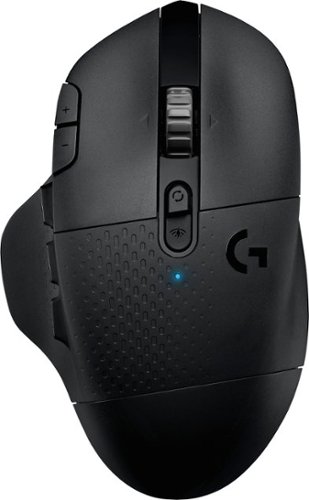
With 15 programmable controls, LIGHTSPEED wireless technology, hyper-fast scroll wheel, and the revolutionary HERO 25K sensor, G604 offers both versatility and high-performance with endless possibilities to play with mastery. Dual connectivity lets you toggle between Bluetooth and ultra-fast 1 ms LIGHTSPEED advanced wireless technology~even on separate machines. Extremely accurate tracking and class-leading power efficiency enables up to 240 hours of high-performance gaming with one AA battery.
I read online that this mouse doesnt work with windows 10?
I am using Windows 10 ver. 1903. It works fine. It works on Windows 10 over Bluetooth and with the included USB light speed receiver.
6 years, 7 months ago
by
RedScorpion