


RedScorpion's stats
- Review count234
- Helpfulness votes1,564
- First reviewJune 21, 2012
- Last reviewJune 11, 2026
- Featured reviews0
- Average rating4.5
Reviews comments
- Review comment count0
- Helpfulness votes0
- First review commentNone
- Last review commentNone
- Featured review comments0
Questions
- Question count0
- Helpfulness votes0
- First questionNone
- Last questionNone
- Featured questions0
- Answer count14
- Helpfulness votes42
- First answerMay 13, 2016
- Last answerSeptember 30, 2020
- Featured answers0
- Best answers5
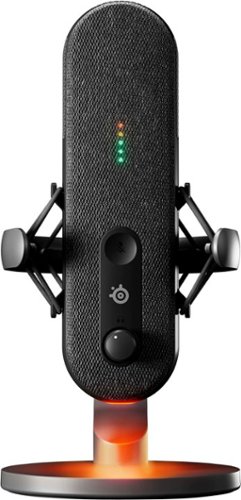
Alias, designed from the ground up for gamers, elevates streams and content creation to broadcast-quality levels. With a 3x bigger capsule than other mics for accurate voice capture, express yourself to your audience. Enhance your audio with Sonar Software, which features easy-to-use drag 'n' drop app routing, AI noise cancellation, and a 10-band parametric EQ.
Customer Rating

5
An Easy Pill to Swallow
on October 30, 2023
Posted by: RedScorpion
This is easily the best USB microphone I have had. Vocals on the Alias have been clear. The stand is sturdy. The shock mount is both stylish and effective at minimizing vibrations. The desk stand is sturdy. The ability to mount this to a microphone arm is an excellent selling point. And, come on, it just looks amazing. The Sonar application has come with a bit of a learning curve, but all-in-all, this is an exceptionally good package. Anyone looking for a USB microphone for streaming or podcasting should check it out. I am incredibly impressed with this pill shaped microphone.
Setup: Inside the box, you get the microphone with stand, a USB-C to USB-A cable, and a boom arm adapter.
Installation is plug and play, but if you want access to streaming features, mixers, and lighting controls, you will need to install SteelSeries GG with Sonar.
Experience: I love the size of the microphone. I love having the LED level indicator, mute toggle, MIC, and volume gain dials on the microphone itself. As said previously, my recordings have sounded great. This is a great piece of hardware and I have no complaints.
Lighting is controlled through the Engine / Gear section of GG and PRISM. PRISM controls the illumination light on the bottom of the microphone while the LED Gain indicator and the mute indicator are controlled from the Gear section of GG. I am not sure why these pieces of software are not combined, but it works. By default, the gain indicator lights are green, green, green, yellow, and red, but you could change those lights to all blue for instance.
To control audio mixing, you will need the Sonar plug-in installed with GG. Sonar is where I had some difficulties. Now Sonar will work with any audio device and not just the Alias microphones. You have toggles within Sonar to select your playback device, your streaming playback device, and your microphone input. On three computers, this all worked fine, but on an ASUS computer, I had difficulties getting the microphone input working because there was a software conflict with ASUS’ Armory Crate. Should you find yourself struggling with red error messages in Sonar and you are using an ASUS computer, I found that if you revoke microphone access to ASUS’ Armory Crate from within Windows 11 Privacy controls that should fix the problem. In my case, there was a software conflict between Armory Crate and Sonar. Even though I didn't have the audio controls within Armory Crate turned on, it still created a conflict with GG and Sonar.
There is a learning curve with Sonar. Getting everything tweaked exactly right for streaming has taken me a few days of testing, and I am still figuring it out. SteelSeries have included audio mix presets for many games that sound good to me, but learning and assessing all the mixes and toggles will take a bit of time.
Conclusion: The software has taken me a bit of time to get my head around, but I am getting there. I absolutely love the Alias microphone. The engineers and designers at SteelSeries have outdone themselves once again. The Alias is a stylish microphone. It looks impressive on the desk. My recordings sound great. I am planning on getting a boom arm. This is now my go-to microphone. I highly recommend it.
5/5 Easily Recommend
I would recommend this to a friend!


Share this review:


0points
0of 0voted this as helpful.
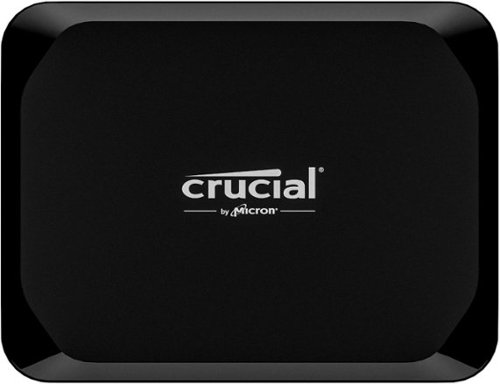
Dependable storage for your favorite devices, wherever you go - that's what the Crucial X9 Portable SSD offers. With lots of space for all yoru favorite photos, videos, games and more, the Crucial X9 gives you speedy file transfers and compatibility with PCs, Macs, tablets, gaming consoles and Android phones, making it the perfect plug-and-play storage solution
Customer Rating
5
Small SSD with Solid Performance
on October 24, 2023
Posted by: RedScorpion
The Crucial X9 Portable SSD is my favorite portable storage device. I had no idea it would be this small. It is a small NVME. Think of two USB-A flash drives stacked next to one another and you have a basic idea of how big this drive is. Performance has been solid; I get transfer rates near 1,050MB/S read and write. I am sold. This is an easy drive to recommend.
Unboxing: Users should know that in addition to the drive, you get a small, 9-inch USB-C to USB-C cable. If you only have USB-A ports, you will need some type of adapter. You also get a one-month trial of Adobe Acrobat Pro and links on the drive to Mylio Photo Organizer and Acronis backup software.
Experience: A lot of what I love about this drive is centered on the packaging. This thing is small and convenient. But with 2TB of storage, it can store a lot of data. I assessed the X9 on my Android devices, on my Windows 11 PCs, and on my network router. It worked well on everything.
Transfer rates are good. Transfer rates can vary from device to device, but I got close to the specs posted by Crucial. This drive hits the right balance of performance and price.
Conclusion: This is a solid drive. I really like it and it will be my portable storage of choice going forward. Highly recommended. 5/5
I would recommend this to a friend!


Share this review:


0points
0of 0voted this as helpful.
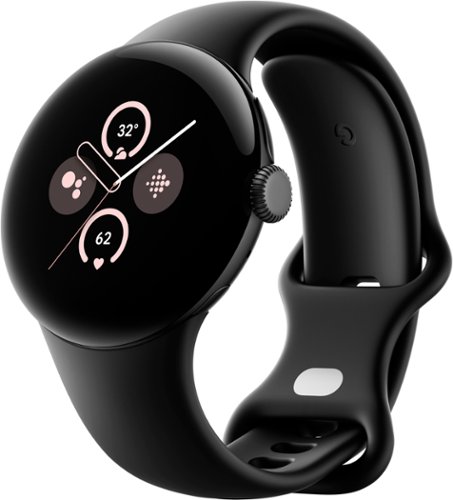
Google - Pixel Watch 2 Matte Black Smartwatch with Obsidian Active Band Wi-Fi - Matte Black - (2017)
Meet the Google Pixel Watch 2 (Wi-Fi), engineered by Google with the best of Fitbit.~ Understand your health and fitness with Fitbit~s most accurate heart rate tracking.~ See the best of Google at a glance, including Gmail and Calendar, and get peace of mind from personal safety features.~ And keep going with even longer battery life.~ Works with most phones running on Android 9.0 or newer.~
Customer Rating
5
A Top Watch for Android Users
on October 19, 2023
Posted by: RedScorpion
After a week with the Pixel Watch 2, I can say that Google has done a great deal right in making this watch. It is fast. It is responsive and snappy. I like the fishbowl look on the screen. It is easy to use. It is easy to set up with an Android phone. Battery life is nearly 24 hours, and it charges very quickly. In addition to all the WearOS goodies, this also feels like a true successor to my old Fitbit. All-in-all, a lot to like about this watch…. and just a few things that left me scratching my head. The watch face is a little small for larger wrists. Still, if the size of the watch face is not an issue, then this watch is easy to recommend and would make a great gift this holiday season.
Setup: Inside the box, you get the watch, a watch band for larger wrists, and the USB-C charging cable. Swapping out bands is pretty simple. I like the watch’s unique band attachment system much more than the tiny pins found on similar watches. The only downside is that you will not be able to attach a normal watch band without some type of adapter.
I connected the Pixel Watch 2 to a Google Pixel 6 phone. Fast pairing the watch with my phone was easy and within minutes, I had the watch up and running.
Experience: Right away, I noticed how quick and responsive the interface is. This watch feels snappy. The screen is bright and crisp. I think the WearOS 4 interface is near perfect. I found it super easy to use. From the crown to the touch screen, the user experience is exceptionally good.
Battery life is close to 24 hours. I have a lot of notifications going off, but I get close to a full day and night before I need to put the watch back on the charger. I am not sure why, but it took me a bit to get used to the charger. It has metal pins, and you have to line the phone up a certain way with the cable pointing under the crown. It felt a little complicated, but it does charge the watch quickly. I usually have a full battery within 45 minutes to an hour.
There are a lot of new features that I like. Stress tracking and auto workout management have been nice additions. I am always searching for that “must have” WearOS app, but remote camera control, Maps, Messages, and GMAIL have all worked very well.
I have expanded the amount of Google Home devices over the last few years. The ability to turn off light switches from my watch is a nice touch. Hey Google integration has also been super easy and efficient.
My only real complaints are that this watch feels too small for my wrist. I am used to bigger watch faces and this is taking me a bit of time to adjust to. I mentioned that there is a larger wrist band, but it is really just longer to accommodate a bigger wrist. I like the overall design and I still like the watch; I just wish it were a bit bigger.
As it is, this is a nice smart watch. It works very well. This is lightyears ahead of the old WearOS watches of a few years back. If you are okay with the smaller watch face and a battery that does good to get near 24 hours of life, I think you will find a lot to like here: a snappy, responsive watch with a clear display and intuitive controls. As an Android phone user, it is nice to have even more options for a good smart watch. With the Pixel Watch 2, Google has released one of the best WearOS watches to date.
4.5/5
I would recommend this to a friend!



Share this review:


0points
0of 0voted this as helpful.

Protect and monitor your home from anywhere with the Tapo C125 Spot Camera. This sleek indoor home security solution has a flexible braket and magnetic base allowing for simple setup where you need it. Expereience 2K QHD Clear View up to 140~ Field of View, AI Detection, Customizable Alarm Feature and much more through your smartphone via the Tapo App.
Customer Rating
5
Tiny and Impressive Camera
on October 17, 2023
Posted by: RedScorpion
After a week with the TP-Link Tapo C125 Wi-Fi Camera, I am impressed. The Wi-Fi 6 enabled camera performs great. The camera and stand are small and versatile. Two-way communication works great. Integration with Alexa and Google Home was super easy to set up. Image quality was good. AI detection does an excellent job of picking up people and animals. The camera also makes a good baby monitor. All-in-all, I am impressed.
Setup and Installation: Set up was simple. TP-Link includes several mounting methods. You could mount it with included screws. You could mount with the magnetic plate and adhesive. I chose to just put my camera up on a shelf. You will need to download the “TP-Link Tapo” app to your phone.
Adding a device from within the app was simple. I had the camera online and updated within minutes. Yes, there is a firmware update out of the box, but I had no difficulties getting it to install. Again, the app will walk you through that process.
The camera comes with a month of cloud storage, but I chose to add a 128GB MicroSD card. Once you have inserted the card, the camera will have a voice prompt telling you to finish formatting and setting up the card from within the Tapo app.
Experience: I really like the size of this camera. It is small enough that if you fold it up to the stand, it is the size of a hockey puck. It is easy to mount or place in a room.
I have been incredibly surprised at the amount of features that come packed into this little camera. It is the only camera I have that has AI recognition while I am watching a stream from the camera. The privacy shutter is nice and convenient. If you do not like the blue activity light, you can turn that off from within the app. If you wanted to magnetically mount the camera to a garage door opener, you could invert the camera image from within the app. I should note that I have a Wi-Fi 6 router and Access Point, but streaming the video feed has been quick with no buffering or delays.
The camera is equipped to detect glass breaks or baby cries. For those reasons, I intend to put this camera in the baby room that my wife and I are setting up.
Alexa and Google Home integration have been good. It is nice to be able to have Alexa put the camera footage up on my TV through our Amazon Fire TV Stick.
Two-way communication with the camera is easy and quick.
My only nitpicks (and these truly are nitpicks) is that I wish the camera had used USB-C instead of a dedicated power adapter. The included cable is long and the thankfully the plug isn’t a huge wall wart, but I USB-C connection would have been more convenient.
Conclusion: I really like this camera. It is extremely easy to recommend. I plan to pick a few more up. Solid performance, customizable mounting options, and an easy-to-use app make this camera a solid pickup.
5/5 Recommended
I would recommend this to a friend!






Share this review:


+1point
1of 1voted this as helpful.

Meet the Ninja Thirsti 18 oz. Travel Bottle engineered to keep drinks colder and fizzier for longer. This innovative drinkware is designed for carbonated drinks but is perfect for still, sparkling, hot or cold drinks too. LeakLock lid won~t leak, drip or spill. This durable 18/8 stainless steel bottle resists scratches and dents and fits in most cupholders making it ideal for life on the go.
Posted by: RedScorpion
Wow! This works! The Ninja Thirsti 18 oz is a travel mug / bottle from Ninja. I have owned Ninja appliances for years, and when I found out they were putting a spin on the travel mug / bottle, I knew I had to try it. This is my new go-to mug for travel or just around the house. This bottle works great.
Experience: I decided I would put the Ninja Thirsti up against insulated tumblers and an opened bottle of soda. After a day of waiting, the Thirsti was still cold and fizzy whereas the opened soda bottle and the insulated tumbler had long since gone warm and flat.
I like the twist close lid. I never had any leaks. Everything is constantly perfectly sealed.
Cleanup: Ninja advertises the Thirsti as dishwasher safe, but to prolong the life of the bottle, the instructions recommended hand washing the bottle. However you decide to wash the bottle, you should know there are three different rubber fittings inside the lid. Should you ever lose or need to replace those rubber gaskets, Ninja does sells replacements for the three gaskets on their website for two dollars apiece.
Conclusion: I really like this travel mug. I prefer to wash it by hand, but washing in the dishwasher works as well. Ninja already makes many of my go-to appliances, this is now my go-to bottle. If you find yourself seeking an insulated bottle to keep your drinks cold, warm, and / or fizzy, you should check out the Ninja Thirsti.
5/5
I would recommend this to a friend!



Share this review:


0points
0of 0voted this as helpful.
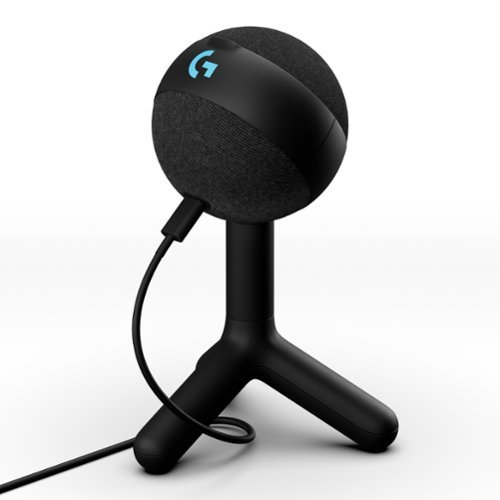
Logitech G Yeti Orb is a premium RGB gaming microphone with LIGHTSYNC that delivers best-in-class audio performance and ease of use. With LIGHTSYNC RGB and a condenser capsule optimized for game streaming, plus Blue VO!CE presets, Yeti Orb is the easiest way to game with clear, focused audio. Just plug in via USB and you~re ready to join the voice chat, stream, and create video content with a massive jump in your vocal quality ~ instantly. Control your whole setup at once with G HUB. It~s that easy.
Posted by: RedScorpion
Who does not want to be the next big thing in streaming? Step 1: Play some games. Step 2: show off my less than stellar skills. Step 3: Swear and hang my head in shame. Step 4: profit, right? The Logitech G Yeti Orb is my first dedicated desktop microphone in many years. In addition to streaming, my friends and I have decided to start a movie podcast. So far, I have been impressed with the vocal quality. The G Yeti Orb makes a solid case for a place on my desktop. Streamers seeking a good entry level microphone should check it out, but be prepared, that price point comes with performance that, while good, is not great. It is a solid microphone and does better than my headset microphones and built-in laptop mics, but in my tests, it did not do much to mask mouse or keyboard clicks.
Installation is straight forward. Users should make sure they have the latest version of Logitech G Hub installed. The Yeti Orb connects to the PC via the included USB-C to USB-A cable. Once connected, Windows detects the Yeti Orb microphone and G Hub allows you to turn on various lighting and sound presets. The entire process is quite simple.
Some games have unique effects in G-Hub. Having your keyboard, mouse, headset, and Yeti Orb synchronized with the various effects is a neat touch. I like the orb shape and the size of the microphone.
In addition to the included stand, you could mount the mic on a boom stand or mic arm.
Experience: To evaluate the Yeti, I recorded numerous sessions with a USB headset microphone, a laptop built-in microphone, an analogue headset microphone, and the Yeti Orb. The Yeti Orb was the clear winner in terms of accurately recording my voice. Everything sounded clear and noise from the in-room fan / purifier was not picked up while using the Yeti Orb.
However, keyboard and mouse clicks were not hidden. You could hear the clicks of the mouse while I talked. The microphone is good, but there obviously are limits to how good it can be. I tried positioning the microphone super close while the keyboard and mouse were further back on the desk, but it did not matter. Those clicks came through very clearly. It is possible that a boom arm would help.
With my headset microphones, I can mute the microphone by either flipping a microphone up or via a physical button on the microphone. There is no mute button on the Yeti Orb. While I appreciate its minimalist design, a mute toggle on the microphone would have been helpful.
Conclusion: I like the microphone. I wish it did a better job of masking my mouse and keyboard clicks, but I do not know if I can criticize a microphone at this price point for not having that feature. For its price, it does work very well. It captured my voice better than any other PC microphone / headset I evaluated. My biggest complaint is that it lacks a mute toggle; I wish there were a mute button.
Still, this is a good microphone. If you are seeking a new microphone for streaming or gaming, give the Logitech G Yeti Orb a look. 4/5
I would recommend this to a friend!



Share this review:


+1point
1of 1voted this as helpful.
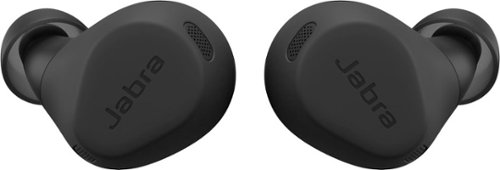
Jabra Elite 8 Active Bluetooth true wireless earbuds with HearThrough technology are designed to withstand your toughest workouts while allowing you to stay tuned in to your surroundings. Using military-grade testing, we put these earbuds through the test with rigorous cycles of thermal, shock, dust and water treatment, giving you excellent performance in any environment. Completely watertight even when fully submerged in water, the Bluetooth earbuds are able to withstand huge clouds of dust and survive drops from 3 feet totally intact. With ultimate grip through Jabra ShakeGrip, they stay secure in your ear all day without the need for ear wings. Experience immersive audio from all angles thanks to the richness and range of Spatial Sound powered by Dolby Audio, blasting your favorite work-out playlist and fully immerse yourself in quality sound that surrounds your head. Powerful 6mm speakers ensure the audio is clear and rich no matter what you~re listening to. Powerful Adaptive Hybrid Active Noise Cancellation (ANC) automatically adapts to the environment you~re in, filtering out unwanted interference from wind and other extremes. The wind neutralizing HearThrough technology muffles any wind interference, delivering cleaner, sharper sound wherever you are. HearThrough also provides an open ear experience so you can stay in tune with your surroundings without compromising on sound quality. Leave your phone at home but take your music with you. Download your music to your smartwatch, connect your earbuds, and head out for a phone-free run. Your connection will stay solid and stable no matter what, so you can push yourself to the limit without bringing your device along for the ride. And with Bluetooth Multipoint, you can seamlessly switch between your phone or smartwatch without needing to reconnect. 56 hours (ANC off) of battery in earbuds + case & Fast Charge to get 1 hour of battery in 5 minutes. Need to know the weather forecast or take a call on the go? Simply tap the earbud and ask your preferred Voice Assistant, without having to reach for your phone.
Customer Rating
5
My New Favorite Buds
on September 24, 2023
Posted by: RedScorpion
The Jabra Elite 8 Active earbuds are my new favorite buds. Their amazing fit, touch controls, great sound, excellent battery life, and wireless charging has won me over. These are my new go-to earbuds. …. But they are not perfect. Still, anyone looking for rugged earbuds with great sound should definitely give these buds a look.
Setup: Inside the box you get the buds, case, a short USB-A to USB-C charging cable, and additional tips so you can decide which works best for you. The default tips worked the best for me, but it is good to experiment, and you may find that different ears need varied sizes.
Pairing is easy. In my tests, I paired the buds with my Samsung Galaxy Watch 5, A Samsung Galaxy S22, and a Windows 11 PC. Pairing with all the devices was easy. When I pressed the buttons on both buds, a pairing option opened automatically on my Galaxy S22. Jabra says you can have up to ten devices paired with the buds, but only two devices can be in use at a time.
Jabra advertised the ability to pair the buds with a watch, and it does work. But I could not find too many apps that would stream audio from the watch. Most audio apps just allow a remote connection to the phone. For instance, if I download iHeartRadio or Amazon Music, the phone app connects to the phone. It does not appear to stream the music straight from the watch in my experience. So, that may be a feature in search of an application.
Fit: Speaking of fit, these are the best fitting earbuds I have ever owned bar none. I have had a rough go with buds. They usually want to push themselves out of my ear. These Jabra stay where I put them and, after a while, I forget they are even in there.
Sound: I think these buds sound great. From the Jabra+ app, I can customize the audio equalizer. I prefer the Bass boost setting. ANC and Pass-Through audio both works well. With simple presses of the left earbud, I can switch between the two.
Spatial Sound: This has been a bit of a disappointment to me. Turning Spatial Sound on created tinny sounding vocals. Plus, many audio apps such as Amazon Music have spatial audio presets built in. Having both the spatial audio preset on the buds and the source music created a mess. But I had better audio with the spatial audio in Jabra+ turned off. Audio was richer without the feature turned on. I know Jabra has been tweaking this with the firmware, so perhaps it will get better, but I just updated the firmware to 1.4.2(1033) and I thought the spatial audio worked better with the prior firmware release. (but that is just me)
Speaking of Firmware: I have had these buds a week and I have already had to update the firmware twice. First for a firmware update that was released before I received the buds and another that just came out. Jabra+ walks you through the process, but it can take ten or fifteen minutes to complete.
Microphone performance: I made a few phone calls with the Elite 8 Active. To date, everyone says I sound good. The software does an excellent job of isolating my voice from the Oklahoma wind. There was some distortion if I was in an area with a lot of vehicle traffic, but I am hopeful that a firmware update will improve that performance.
Google Assistant: Hey Google performance has worked well. Individuals wanting Alexa support will need to look elsewhere.
Touch Buttons: I really like the tactile push buttons. They work so much better and are more intuitive in my opinion than the touch / glide controls of other earbuds.
Software: I cannot say enough good things about Jabra+. It has a simple, clean interface that is easy to use. I appreciate the white noise options and the ability to toggle audio presets. It is also the only way to upgrade the firmware on the buds that I could find.
Battery Life: Jabra advertises 8 hours of battery life, an additional 24 hours in the case, and fast wireless charging. ANC may affect your playback time a bit. In my testing, Jabra’s estimates are on the mark. If anything, they may be a bit conservative.
Conclusion: I have mixed feelings about the spatial audio. I am not sure if microphone performance is where it should be in noisy environments. But those are my only real nitpicks. These buds work great. I have been extremely impressed with the Jabra Elite 8 Active. I have a feeling spatial audio and microphone performance will only get better with future firmware updates. As of right now, these are my go-to earbuds. They perform well, they are tough, and they travel well. I really like them, and they are easy to recommend. 4.5/5
I would recommend this to a friend!



Share this review:


-1point
0of 1voted this as helpful.
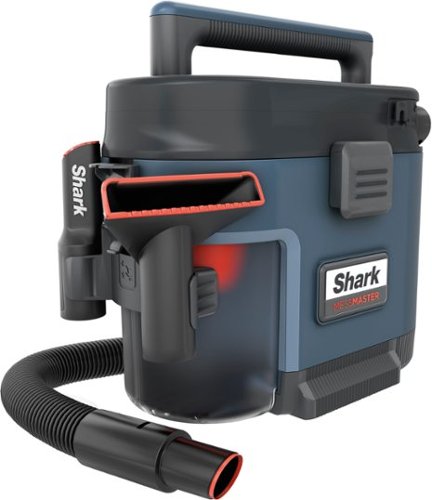
Meet the ultra-powerful, wet & dry MessMaster vacuum. Powered by No Loss of Suction Technology, it handles life~s un-vacuumable messes, from DIY disasters to kid chaos. When you~re done, MessMaster can rinse itself, cleaning the dust bin with just a cup of water. You even have the option to line the dust bin with a plastic bag to keep the mess contained for easy disposal.
Customer Rating
5
Shark Masters the Portable Wet / Dry Vac
on September 23, 2023
Posted by: RedScorpion
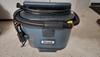
The Shark MessMaster is a portable wet / dry vac with a surprising amount of suction and functionality for a vac of this size. Over the last three weeks, I have vacuumed up several messes. The MessMaster even helped me clean up and sell a car. Throughout my testing, I have been impressed with its light weight, suction power, accessories, and the ease of cleaning it up. The Shark MessMaster has managed every challenge I have thrown at it, and I strongly recommend it.
I appreciate that many of the components are dishwasher safe. Shark included three or four 4-gallon trash bags. That is the ideal size. Using the bags does make cleanup a bit easier, but it is not necessary. Running water through the vacuum a few times helped me clean up any stubborn dust or debris. The crevice tool and the extension wand worked well hard to reach places.
If I had any nitpicks, I wish there were more storage for attachments and extension wands. Also, the power cord seems a bit short to me. I have had to get out the extension cords every time I have used it because many of the messes were not near an outlet.
Still, those are truly nitpicks and do not stop me from recommending the Shark MessMaster. It is a very capable, portable, and easily cleanable wet / dry vac. It is already proven its usefulness to me, and I am sure I will be using it for years to come.
I would recommend this to a friend!


Share this review:


+2points
2of 2voted this as helpful.

The Tablo 2-tuner, whole-home DVR ablo lets you watch, pause, and record TV for free~. Tablo connects to your TV antenna and your Wi-Fi to send live broadcast programming from ABC, NBC, FOX, CBS~, and more as well as a selection of 100+ free streaming channels~ to compatible smart devices - including smartphones, tablets, as well as smart TVs & streaming players from Roku, Amazon Fire TV, Apple TV, Android TV, Chromecast w/ Google TV, Samsung TV, LG TV, anywhere in your home.
Customer Rating
5
A Godsend for Cord Cutters
on September 5, 2023
Posted by: RedScorpion
Wow. This works really well. The Tablo is my first over the air tuner that wasn’t built into a TV. Somehow, the Tablo, even with amplification turned off, can pick up stations that my TV cannot with the same antenna in the same spot. From one antenna, I can stream the game to my TV with surround sound in 5.1 while my wife watches from her phone in another room. This thing works. I am so impressed. Only caveat is that the Apple TV, Samsung, and LG WebOS apps are still listed as “coming soon.” There is an older Tablo app on the Apple TV Appstore, but it won’t work with this device. But if you have an Amazon Firestick, this device is great.
Setup: You can mount the Tablo on a wall, but I chose to lay it flat on my entertainment center. There is Wi-Fi built-in, but to minimize variables, I hooked my Tablo up to a wired ethernet switch. You will need the Tablo app on your phone or tablet to set the device up. There were a couple of firmware updates available out of the box.
There is a blue light on the Tablo, but you can turn it off from the app if you think the light is too bright.
Experience: Even with amplification turned off, I received more TV channels over the air using the Tablo than I did from the TV’s built-in tuner. I had no problems with signal drop, but my antennas are up high. I’m about 6 to 15 miles away from the towers and I picked up over 50 stations.
I’ve been watching TV on the Tablo for a week and a half. I’ve had no buffering. I’ve had no signal drop. The built-in guide and DVR are simple and effective. The college football games on Saturday looked and sounded great.
Experience: Even with amplification turned off, I received more TV channels over the air using the Tablo than I did from the TV’s built-in tuner. I had no problems with signal drop, but my antennas are up high. I’m about 6 to 15 miles away from the towers and I picked up over 50 stations.
I’ve been watching TV on the Tablo for a week and a half. I’ve had no buffering. I’ve had no signal drop. The built-in guide and DVR are simple and effective. The college football games on Saturday looked and sounded great.
My one complaint is that the Apple TV app is not currently ready, but I just have to be patient. I wish that the Tablo application had guide integration with Amazon’s Live TV interface.
Conclusion: But that is really it. This thing has worked great. I love it. This is the perfect OTA device for cord cutters. I highly recommend it. 5/5
I would recommend this to a friend!



Share this review:


+10points
10of 10voted this as helpful.
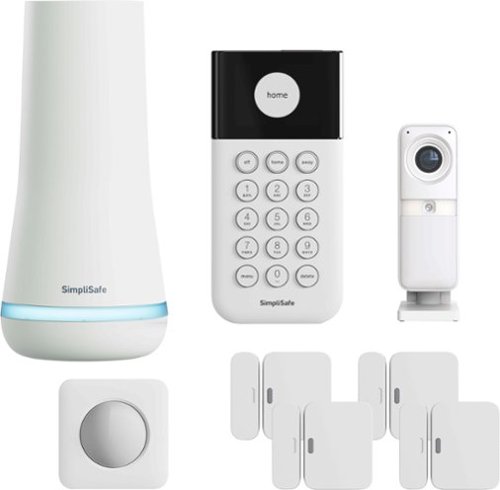
SimpliSafe delivers advanced security solutions that put you, your home, and your safety first. With optional professional monitoring powered by Fast Protect Technology, SimpliSafe combines innovative hardware with advanced AI and real people ~ for 24/7 professional monitoring that delivers fast emergency response when you need it most. The award-winning SimpliSafe system is effective, intuitive, and affordable ~ so that home can be safe and secure for everyone. You can protect every inch of your home. SimpliSafe has sensors for every room, window and door. HD security cameras for inside and out. Smarter ways to detect motion that alert you only when a threat is real. Hazard sensors that detect floods, and other threats to your home. Powerful sirens that can help stop intruders in their tracks. And, it~s backed by optional 24/7 professional monitoring~experts who are ready to dispatch emergency help immediately. That~s the unmatched combination that separates SimpliSafe Home Security from the others. Our bundles are designed from the start to be effective yet affordable. And with no long-term contracts or hidden fees.This 8-piece bundle provides 24/7 protection. The Smart Alarm Wireless Indoor Security Camera helps stop crime in real time with live guard protection that allows monitoring agents to see, speak to, and deter intruders during an active alarm*. The camera also features a built in privacy shutter that you control. The Base Station is the brains of the system. It sends alarm signals to the monitoring center with a built-in cellular connection and includes a back up battery that lasts up to 24 hours and a loud, 95 dB siren. The smash-safe Keypad is soft to the touch, easy to use during the day and night, and requires no plug so it can be placed anywhere. Entry Sensors (4 total) protect your doors, windows, and cabinets and are designed to blend into the background. And the Motion Sensor is designed for human detection, not pet detection. Advanced security, whole home protection. There's no safe like SimpliSafe.
Customer Rating

4
It's Simpli the Best (....I'll show myself out.)
on August 31, 2023
Posted by: RedScorpion
I guess I should say up front that I have been a SimpliSafe customer for five years now. I had a Gen 2 system which I updated over the years. It was starting to feel a bit dated. Sensors were getting harder and harder to find and arming and disarming the system remotely could take a bit of time. So, I was looking forward to upgrading to the Gen 3 system. I have had a few hiccups during my upgrade process. Some of them were my fault, but others, I am not sure. Still, on the whole, I like SimpliSafe. (I recommend the service to everyone.) I had an alarm trip a year ago and SimpliSafe was quick in getting help on the scene. Their service is really great.
The Gen 3 system has taken me a bit of trial and error to set up, but it works well. The system feels more up to date. Camera integration has worked well. I had some struggles getting the camera to work at first, and on one occasion, one of my sensors refused to properly connect to the base station. But, on the whole, I really like the SimpliSafe Gen 3 system.
Setup: My Gen 3 system came with four entry sensors, two motion sensors, the base station, a keypad, and a wireless camera. I later added a glass break sensor. I should note that Gen 2 / 1 sensors are not compatible with a Gen 3 system. If you are upgrading, do not think they are interchangeable.
Setup: My Gen 3 system came with four entry sensors, two motion sensors, the base station, a keypad, and a wireless camera. I later added a glass break sensor. I should note that Gen 2 / 1 sensors are not compatible with a Gen 3 system. If you are upgrading, do not think they are interchangeable.
Installation of the sensors is super easy. You simply remove the tape for the 3M strips and adhere the sensors where you want them. Instead of adding sensors in via an identifier code, everything now has a connect button to help you sync the sensor with the base station.
Follow the installation instructions for a new installation. I made the mistake of trying to migrate my old system to my new system before the base station for the new system was properly set up. That created some problems that I had to get tech support to help with. So, do not make my mistake. If you are migrating from an old to a new system, set up the new system before migrating.
The camera is mountable, and it comes with mounting hardware. I placed mine on a bookshelf. Getting the camera to work with my system was very trial and error. For some reason, the connection / setup process for the camera would hang up mid-way. Eventually, I had to take the base station base off, remove the batteries, replace the batteries, and plug the base station back in and then I was able to get the camera to connect. Since that initial setup hurdle, I have not had any problems with the camera. But, if you are having trouble getting your camera to synchronize with your base station, I would suggest following the steps I listed above.
Experience: The system works well. The new keypad has a screen that you can press to navigate the menu and select necessary features. I added sensors pretty easily from the keypad.
The SimpliSafe app has always been easy to use. Upgrading from Gen 2 to Gen 3, I get a system status on the home screen and can see overall if system is functioning correctly. If a sensor is open, it will tell me which sensor from the app.
The SimpliSafe app has always been easy to use. Upgrading from Gen 2 to Gen 3, I get a system status on the home screen and can see overall if system is functioning correctly. If a sensor is open, it will tell me which sensor from the app.
The camera has a shutter that remains closed until the camera is in use. Video Quality and integration with the system has been particularly good. Battery life has been great. I have had the camera running for two weeks and I am still at 99% battery.
My only hiccup beyond set up so far is one day I had a sensor malfunction. The entry sensor showed it was open despite the lighting indicators that it had closed. I had to take the sensor apart and replace the battery to get it working properly. But, outside of that, I have not had any problems.
Google and Alexa integration have worked well. I can arm the system from “Hey Google,” but I cannot disarm the system via voice commands. That is for the best as anyone could break in and then say, “hey Google, disarm the SimpliSafe.”
Conclusion: I have had a few glitches with my SimpliSafe experience. Most have been resolved and a few were my fault. Camera set up should not have been as difficult or taken me as long. But SimpliSafe support was great when I needed it. I like the system so much I have purchased more sensors. There are new software updates rolling out to the system all the time. I am not sure why I had difficulties getting the camera to connect. It is working now, and I have not had any difficulties with it since. I like SimpliSafe. I like the Gen 3 system, and I am sure I will be adding more sensors and cameras in the future. 4.5/5
I would recommend this to a friend!



Share this review:


0points
0of 0voted this as helpful.
RedScorpion's Review Comments
RedScorpion has not submitted comments on any reviews.
RedScorpion's Questions
RedScorpion has not submitted any questions.
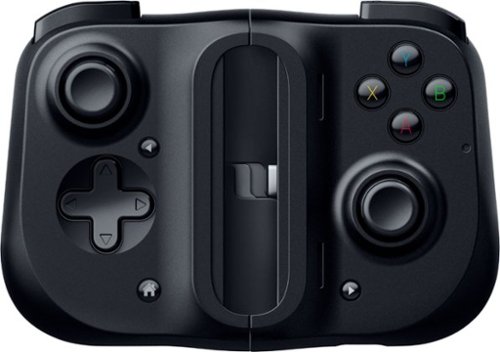
Bring your A-game anytime, anywhere. Introducing a universal mobile gaming controller that fits most smartphone devices, designed to bring console-level control to your on-the-go gaming. With this controller by your side, wherever you go, victory will follow.
Will it fit my phone? I have the samsung s10e and I know it will work with the connection but I don't know if it will fit the s10e.
Yes, I am using it to play Halo on my S10e.

5 years, 8 months ago
by
RedScorpion
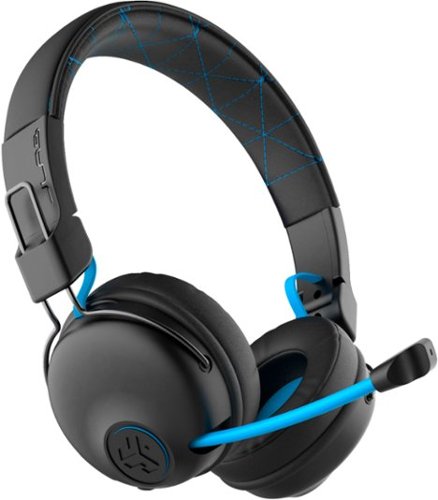
Hear all your games in high-quality sound with this JLab Play wireless gaming headset. With an increased mid to high frequency response and super-low 60 ms latency, this headset is able to deliver clear vocals and enhance spatial awareness without lag. JLab~s Play wireless gaming headset delivers over 22 hours of playtime and compatibility with PCs, consoles and mobile devices to handle every session.
where is the micro phone? can it be used for a call center?
The headset features a retractable boom mic on the right ear piece. In my opinion, the headset would work well in a call center or home based call center. There is a mute button built in to the headset and the mic works in either Bluetooth or the wired 3.5mm mode.
5 years, 10 months ago
by
RedScorpion
Hear all your games in high-quality sound with this JLab Play wireless gaming headset. With an increased mid to high frequency response and super-low 60 ms latency, this headset is able to deliver clear vocals and enhance spatial awareness without lag. JLab~s Play wireless gaming headset delivers over 22 hours of playtime and compatibility with PCs, consoles and mobile devices to handle every session.
Is it compatible with ps4 & xbox?
Yes.
But it is not wireless on PS4 and XBOX. To use with your XBOX or PS4, you will neeed to use the included 3.5MM AUX console cord.
But it is not wireless on PS4 and XBOX. To use with your XBOX or PS4, you will neeed to use the included 3.5MM AUX console cord.
5 years, 10 months ago
by
RedScorpion
Hear all your games in high-quality sound with this JLab Play wireless gaming headset. With an increased mid to high frequency response and super-low 60 ms latency, this headset is able to deliver clear vocals and enhance spatial awareness without lag. JLab~s Play wireless gaming headset delivers over 22 hours of playtime and compatibility with PCs, consoles and mobile devices to handle every session.
Will these headphones work with I buy power computers
Yes, if the computer has Bluetooth built-in. If the computer does not have Bluetooth built-in, you will need to purchase a separate USB Bluetooth Adapter *(they tend to run between $10 and $20).
5 years, 10 months ago
by
RedScorpion
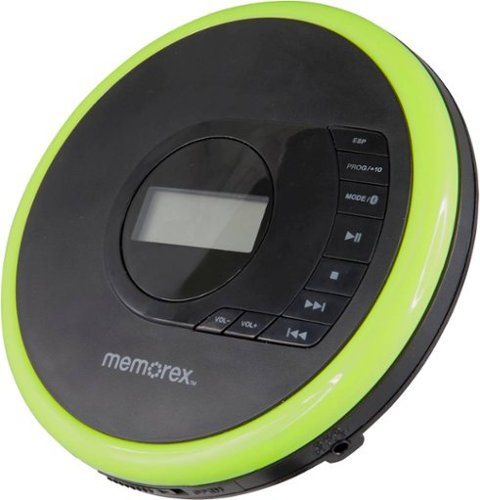
Listen to your favorite albums and audiobooks on the go with this Memorex portable CD player. The 40-second anti-skip protection function for CDs ensures smooth, uninterrupted listening, while the dynamic bass boost system delivers rich sound. This Bluetooth Memorex portable CD player features an LCD screen and digital control buttons for conveniently choosing tracks and adjusting volume.
Can you play audio books on this CD player? And What accessories will I need to buy?
If your audio book comes on CD or MP3 CD, you can play it on this player. It doesn't come with a power cord. It includes 2 AA batteries.
6 years, 1 month ago
by
RedScorpion
Listen to your favorite albums and audiobooks on the go with this Memorex portable CD player. The 40-second anti-skip protection function for CDs ensures smooth, uninterrupted listening, while the dynamic bass boost system delivers rich sound. This Bluetooth Memorex portable CD player features an LCD screen and digital control buttons for conveniently choosing tracks and adjusting volume.
iS THIS AN MP3 CD?

Listen to your favorite albums and audiobooks on the go with this Memorex portable CD player. The 40-second anti-skip protection function for CDs ensures smooth, uninterrupted listening, while the dynamic bass boost system delivers rich sound. This Bluetooth Memorex portable CD player features an LCD screen and digital control buttons for conveniently choosing tracks and adjusting volume.
Can it be used with or without the earbuds?
Yes?
Without the included earbuds, you can use your own or connect via Bluetooth. There is no built in speaker on the player if that's what you are asking.
Without the included earbuds, you can use your own or connect via Bluetooth. There is no built in speaker on the player if that's what you are asking.
6 years, 1 month ago
by
RedScorpion
Listen to your favorite albums and audiobooks on the go with this Memorex portable CD player. The 40-second anti-skip protection function for CDs ensures smooth, uninterrupted listening, while the dynamic bass boost system delivers rich sound. This Bluetooth Memorex portable CD player features an LCD screen and digital control buttons for conveniently choosing tracks and adjusting volume.
have a 2019 mazda cx3 w/bluetooth capability. Will this work? Is a usb power cord available?
It should pair with your car, but there is no USB power cord. It still relies on an older ac or dc adapter.

6 years, 1 month ago
by
RedScorpion
Listen to your favorite albums and audiobooks on the go with this Memorex portable CD player. The 40-second anti-skip protection function for CDs ensures smooth, uninterrupted listening, while the dynamic bass boost system delivers rich sound. This Bluetooth Memorex portable CD player features an LCD screen and digital control buttons for conveniently choosing tracks and adjusting volume.
Will this work with Apple Bluetooth earbuds?
I don't see why it wouldn't. I paired it with Bluetooth headphones from Samsung, Sony, and JVC without problems. The only quirk is you have to make sure to turn on the Bluetooth feature each time you start the CD player. Also, sometimes the devices have to be re-synced every time you power on. My headphones kept the connection, but some of my Bluetooth speakers did not.
6 years, 1 month ago
by
RedScorpion
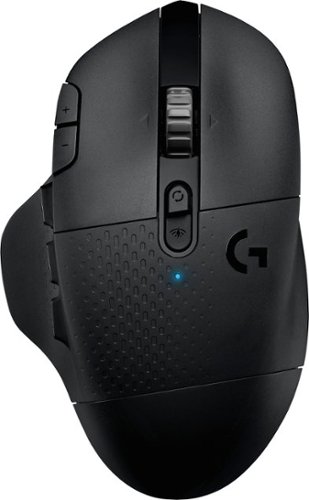
With 15 programmable controls, LIGHTSPEED wireless technology, hyper-fast scroll wheel, and the revolutionary HERO 25K sensor, G604 offers both versatility and high-performance with endless possibilities to play with mastery. Dual connectivity lets you toggle between Bluetooth and ultra-fast 1 ms LIGHTSPEED advanced wireless technology~even on separate machines. Extremely accurate tracking and class-leading power efficiency enables up to 240 hours of high-performance gaming with one AA battery.
I read online that this mouse doesnt work with windows 10?
I am using Windows 10 ver. 1903. It works fine. It works on Windows 10 over Bluetooth and with the included USB light speed receiver.
6 years, 7 months ago
by
RedScorpion