


KKCNIck's stats
- Review count423
- Helpfulness votes436
- First reviewOctober 20, 2010
- Last reviewJune 10, 2026
- Featured reviews0
- Average rating4.5
- Review comment count1
- Helpfulness votes0
- First review commentOctober 2, 2014
- Last review commentOctober 2, 2014
- Featured review comments0
Questions
- Question count0
- Helpfulness votes0
- First questionNone
- Last questionNone
- Featured questions0
- Answer count17
- Helpfulness votes5
- First answerJune 17, 2009
- Last answerNovember 7, 2020
- Featured answers0
- Best answers2

You've got enough on your plate, let Yale get the door. Fitting into any lifestyle, this lock offers increased convenience and security giving you one less thing to worry about during your day. With multiple ways to unlock, the ability to share and track entry codes, and advanced Auto-Lock with DoorSense, the Yale Assure Lock 2 protects your home and family. Add a Yale Smart Module to control your lock from your smartphone or voice assistant when you~re away from home.
Customer Rating

5
Great secure smart lock with easy install
on October 20, 2022
Posted by: KKCNIck
Unboxing: Box was heavier than expected but everything inside the box was well packaged. Everything was logically placed in the box starting with the instructions. Keypad was covered in plastic to keep it from harm during transport.
Installation: Inside the box there are two sets of instructions a quick guide and the instruction booklet. The quick guide mostly advises you to download the app and pair your new lock with the app. The app has videos on how to complete the instruction which was nice. Inside the instruction booklet are measurements and even a ruler that allows you to measure your door to make sure you have the space and the correct size openings to install this lock on your door. Once I verified my door was able to take the lock the installation was easy enough. I had one issue connecting the cable from the outside piece to the inside piece because of how close it was to the locking unit. Otherwise, it was a smooth installation. Took about 15 minutes. Once installed the app tests the functionality and you are good to go. I did not get the additional smart Wi-Fi unit and I was unable to test the door sense as my door did not meet the requirements for installation.
Usage: Using my phone to unlock and lock the door worked as expected. Using the code on the panel also worked great. I liked that this unit had physical buttons unlike other units that opt for a touchscreen. I have larger fingers, and this keeps me from pushing multiple keys or not pushing anything at all. With the physical buttons I know I have pushed the key. Within the app you can assign multiple users and give each user a code. You are also able to set an access schedule to limit when those codes can be used. You can also see when a code was used and by which user if you need to audit anything. Note to users you will need the smart module that connects this unit to Wi-Fi to use any home automation via Alexa or google home. Without the smart unit which I did not purchase codes and Bluetooth are the only ways to interact with this lock.
Pros: Look of the lock is smooth and looks great on my door.
Fairly easy installation especially if you have installed locks before.
App was very instructive on how to install lock with videos.
Ability to add and remove wifi capabilities is nice for the security minded
Cons: If you are running this unit on Bluetooth only you need to be close to the lock to make any changes via the app and to see any logs or entries.
I would recommend this to a friend!
Share this review:


0points
0of 0voted this as helpful.
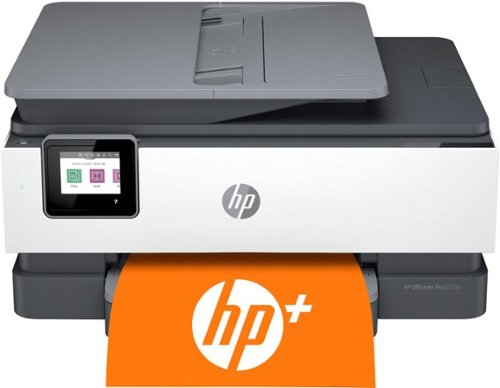
Increase your productivity with fast print speeds, automatic two-sided printing, easy mobile printing, and reliable Wi-Fi connections. Includes 1 full year subscription for Instant Ink delivery service with HP+ activation. This product has been refurbished.
Customer Rating
5
Awesome printer with 1yr free ink
on October 11, 2022
Posted by: KKCNIck
I loved how the setup was easy since I already had the HP app downloaded. A simple removal of some blue tape, install ink and paper. Then the app finds the printer and all set. I did elect to sign up for the $24.99 plan which includes 700/ pages per month. Since the free ink is for the year you get that for 12 months so why not maximize. Then just need to align the correct plan for the 13th month. The app is really good. You can program the scan functions, print documents, scan and copy from the app. Also it has a ton of templates from greeting cards to coloring pages. The print speed and quality are about normal for inkjet. It is clear and clean but still not the shiny look of laser. The speed is pretty quick. The scan quality is really good and the text document I scanned was really legible. I liked how it was really light to move and it has all the connection options: usb, lan and wireless. It even has a fax jack if that is needed. I would as HP to offer a $3.99 plan that included 400 pages per month or an annual plan so you can print more during school time and less during summer months.
I would recommend this to a friend!
Share this review:


0points
0of 0voted this as helpful.
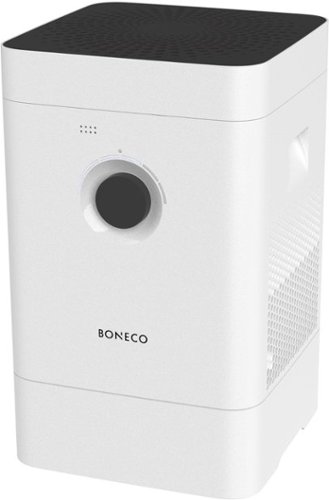
Convenient handling, high performance and easy to clean ~ these are features of the HYBRID H300. It takes care of providing the ideal humidity within your four walls. At the same time, the innovative, integrated filter cleans the room air and alleviates discomfort for people with allergies. Thanks to an integrated sensor, this appliance measures the relative humidity level in real time and automatically adjusts its evaporator output. The HYBRID H300 provides for real well-being in your house!
Customer Rating

3
Good for humidifier/purifier only
on October 10, 2022
Posted by: KKCNIck
The setup was pretty easy and well documented. I did not like how the humidity was determined as I felt it added too much in the air. The sitting water was also a concern. I was just worried it would get moldy so i removed the water and it became a air purifier. After a week I did not notice anything and the air filter was clean. However the app did imply the filter needed cleaning. I wish this would have added/removed humidity so I could better dial it in. If your looking for additional humidity then this seems to provide that but I do think as an air purifier it could do more. The filters are pretty expensive also. I did not get a chance to try this but it does and a scent emitter which is nice to keep the room smelling good. I do wish they provided a sample so I could test this out. The noise is non existent which is nice since I would not be able to sleep if it was loud. The app does show the fan speed, humidity and filter levels so that is pretty well rounded. The housing does look modern in the corner of the room.
I would recommend this to a friend!
Share this review:


0points
0of 0voted this as helpful.

Meet the Razer DeathStalker V2 Pro~a wireless ultra-slim optical keyboard optimized for top-tier performance and durability. Featuring new low-profile switches and Razer HyperSpeed Wireless for ultra-responsive gaming, all housed within a durable, ultra-slim casing for long-lasting ergonomic use.
Customer Rating
5
Great wireless keyboard, switches are too quiet
on September 28, 2022
Posted by: KKCNIck
I’m a mechanical keyboard enthusiast and I’ve always been a fan of wired keyboards. Now here comes Razer with a wireless mechanical keyboard. Great concept, overall great build.
Look and feel
The keyboard itself feels heavy which is nice. It has a premium feel to it. The fact that the USB C cable can double as a physical connection for the keyboard makes a difference, especially when you’re wanting to use the keyboard with wired connection, so having the option to go wireless and wired is great. The thing I have an issue with are the switches. They aren’t tactile enough and they are too silent. I know everyone has their own preference and with Razers record of tactile, heavy or light switches, this one feels a bit underwhelming for the price tag. When I shop for mechanical keyboards is the tactile feel of the switches and keys. Now the actual physical keys feel good. They are premium, soft, and great for typing. But again, the tactile feel of it isn’t worth the price tag.
Software
Well there’s not much to say about the Razer Synapse software. It’s still the same, clunky, software that Razer always uses. It hasn’t been updated for ease of use yet and its still glitchy when creating different profiles. It at least auto-updates the firmware of the devices and the primary reason I use it is for my Razer Naga Pro to change macro settings on the fly.
Overall I give the Deathstalker Pro 6.5/10 . Reason being, for a premium product, the switches are too quiet and they don’t feel right at all. Outside of that, the build quality is at least on point with what you would expect from Razer.
I would recommend this to a friend!
Share this review:


0points
0of 0voted this as helpful.
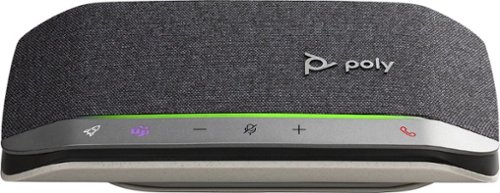
Enjoy the versatile speakerphone for Hybrid work and beyond with the Sync 20 Personal USB/Bluetooth Smart Speakerphone with Noise and Echo Reduction. For remarkable conference calls and music anywhere. Take it wherever you go. Its battery lasts for hours and can charge your smartphone. You~ll always hear and be heard. The multimedia quality sound is a music-lover~s delight. Designed specifically for today~s professional, it~s sleek, compact, and filled with smart features to keep conference calls simple.
Customer Rating
5
Awesome wireless Soundbar/power Bank
on September 26, 2022
Posted by: KKCNIck
When I first unboxed this I was unsure what value it would offer. Setup was pretty simple. Just hold the Bluetooth button on the side until you hear pairing. Then you add under settings/Bluetooth in Windows or IOS. After connection I was prompted to download Plantronics Hub. This allowed me to push a firmware update and see how this thing works. I was also able to set what the Rocketship button does. In my case I chose Play/Pause. You can also launch a voice assistant or redial if your use case warrants it. After that I used it for the day making calls and playing music in the background. I heard the caller well and and they heard me just as well as when I had the phone to my ear. This added some more versatitly to my setup as I can now have just this and my cell phone and make work calls when I am working remote but also can jam to some tunes when I am not on a call. All of this while sitting at my desk vs a headset which just cuts all the sound around me out. Now I did have issues when I wanted to take a call and my dog was barking. The caller heard it pretty clear so the noise cancelling is still better on a dedicated headset. Also the music on this was pretty good. As good as a pair of computer speakers and better than my iPhone/laptops speakers but that is about it. Ultimately the price is sort of high for the value but it is pretty useful if you work in a hybrid environment.
I would recommend this to a friend!
Share this review:


0points
0of 0voted this as helpful.
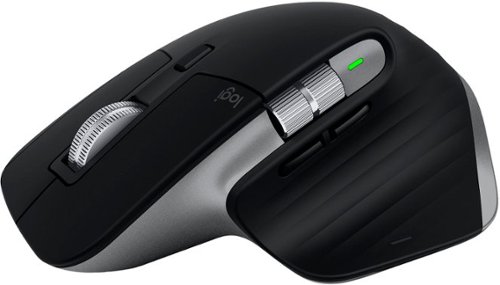
Introducing Logitech MX Master 3S for Mac ~ an iconic mouse remastered for Mac. Now with Quiet Clicks and 8K DPI any-surface tracking for more feel and performance in your Mac computer set-up. Get creative with a complimentary 1-month Creative Cloud subscription with your purchase of MX Master 3S for Mac, and create, make, and do like never before.
Customer Rating
5
Great Mouse, Inadequate software
on September 23, 2022
Posted by: KKCNIck
Now I’ve personally been using the MX series of mice from Logitech for years. When they decided to release a version of the MX line for Mac I was thrilled. Finally, a mouse that I can use with my MacBook that isn’t a magic mouse and will work wonders for my carpel tunnel.
Look and Feel
The mouse is nice and large. Feels great on my palms and after using it for at least 8 hours straight, I’ll admit that it is the most comfortable mouse I’ve ever used. The buttons are perfectly placed, my only gripe about the actual mouse buttons, they aren’t loud. They are silent, I think Logitech was trying to go for the same tactile feel of the MacBook’s touchpad, and I will say for what it’s worth it succeeds in this. But it’s still too silent. I like a more classic feel to my clicks. I don’t like the textured feel of it. Overall I give the look and feel of the mouse an 8/10 just because of the clicking.
Software and Performance
Now, on the software end… It was quite annoying installing the software for the mouse. It had me download one version of the app, then it directed me to download the plus version of the app, and then when I wanted to actually perform an update on the firmware, it had me download a different app, which then it didn’t even recognize it or see that the mouse was being used. But once the software was configured properly, the actual customization of the mouse was seamless.
The fact that it has app-specific profiles and performs different functions was amazing. One second I’m in photoshop editing photos, and with the simple move of the horizontal scroll wheel, I was able to switch brushes in a snap. Then with the gesture controls, I can seamlessly add a new layer. The complexity yet simplicity of the customization options are phenomenal.
Logitech needs to make better decisions when it comes to the apps and their naming conventions. Or at least streamline the process like Corsair and just have 1 software that manages all the products. Overall the customization of the mouse features is something they should continue to do even on Windows platforms.
Also to note… increasing the mouse to 8K DPI… INSANITY!!!! Can’t even see the cursor move. It’s like overclocking your mouse! Can’t wait to see what it’s like in a game.
Overall I give the software and performance a solid 6/10 due to the hoops and ladders needed to install it and also because I’m still not able to do a firmware update.
I give the MX Master 3S for Mac a solid 7.5/10. Just gotta fix some bugs and quirks here and there, but this is truly a solid entry into the Mac space with a mouse that I believe surpasses the Magic Mouse 2 in all its glory with comfortability and more features.
I would recommend this to a friend!
Share this review:


0points
0of 0voted this as helpful.
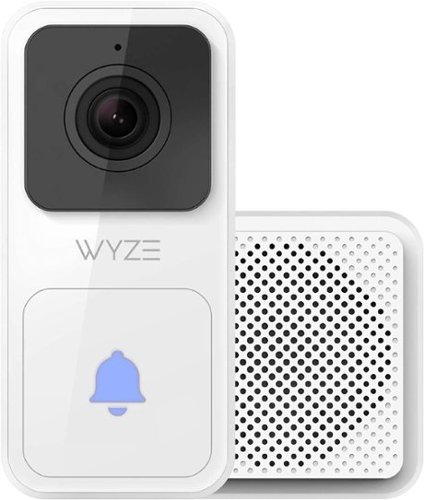
Your front door is an incredibly magical place. It~s where opportunity knocks and excitement arrives in cardboard boxes. It welcomes friendly faces and new acquaintances. And it~s a mighty protector against all that~s unwelcome. That~s why we built you a device that allows you to be at your front door no matter where you are. That~s why we packed advanced camera hardware and smart features into a mighty small frame. That~s why we lab tested it under extreme conditions so it always performs when you need it to. We engineered a video doorbell so magical, it makes you the magician. Infrared LEDs illuminates up to 29.6 ft.
Customer Rating

4
great but app was challenging to configure
on September 22, 2022
Posted by: KKCNIck
The Wyze Video Doorbell (wired) was very easy to install (maybe 10 minutes from start to finish). All items needed were nicely packaged as well as having the extra screws (in case one is dropped). Maneuvering through the phone app is a bit cumbersome, but once you know where everything is located, making changes to alerts, doorbell chimes, etc are simple. Due to living in a block construction home, after installation I did have issues with staying connected to Wi-Fi for live screaming as well as communication with people at the door (sounds were extremely choppy and the live stream was constantly freezing up). To resolve this issue, I did need to move my wireless access point within 6 feet of the front door (this may be an issue for some people who have firm locations for access points or a weaker WiFi signal in that area of the house). All in all, the installation is very cut and dry, the mounting brackets are easy to assemble and install and mounting the doorbell is a breeze. The hardest part of the installation process will be finding the correct breaker for the doorbell if it is not noted on your breaker panel.
I would recommend this to a friend!
Share this review:


0points
0of 0voted this as helpful.
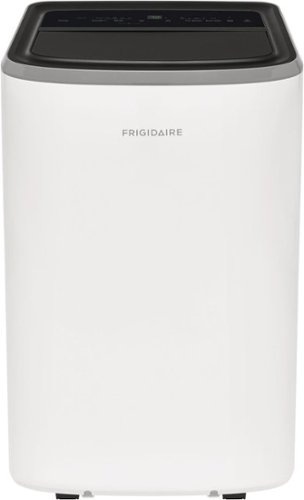
The Frigidaire 12,000 BTU 3-in-1 Portable Air Conditioner keeps your home cool and comfortable when and where you need it. Enjoy more cooling flexibility with two different fan speeds plus dehumidifying Dry Mode to keep your room cool and comfortable while also removing excess moisture from the air. Plus, cool your room anywhere, anytime from your smart device with the Frigidaire app.
Customer Rating
4
Excellent AC but could be quieter
on August 24, 2022
Posted by: KKCNIck
Summary: Great unit with some issues that may not effect everyone
Unboxing: This was one of the easier pieces of equipment I have purchased to unbox. Usually you have to cut the box or flip it upside down. This box had a detachable bottom so once the straps where cut you can just lift the box off the unit. All accessories where tucked in the tubing together.
Setup: Once unboxed there is tape to be removed from the unit and setting up the exhaust. Included are two different foam liners to keep the window and the exhaust panel as tight as possible. The two pieces for the exhaust panel extender are held together with screws which is a nice change as previous units have had a locking mechanism that sometimes did not hold up well.
App: The phone app was easy enough to set up. There was no code to scan just place the unit in pairing mode and have the app find it. App is fairly simple you are able to turn off and on the unit, set fan speed, change from cool to dry all with a few taps. There is a scheduler in the app which was nice. I had no issue manually turning on and off and changing the temp. The only option that was missing was the swing
Functionality: This unit replaced another unit that I had in the same location and it cools the room pretty quickly. The unit isn’t quiet but isn’t overly loud. I could still have a conversation with someone in the same room without yelling.
Overall: Great unit but wish it was slightly quieter when running. Also, the included drain tubing was comically short. I didn’t have to use it but for those who do if you don’t have a drain right next to the unit you will have to buy a longer hose from your local home improvement store.
I would recommend this to a friend!
Share this review:


0points
0of 0voted this as helpful.

Quietly, power through tough food scraps and waste with this Frigidaire Garbage Disposal. Our tough, stainless steel Torque Master Grinding System is equipped with Sliver Guard for safely keeping most metal out of your disposal, and BIOSHIELD for protecting against odors and food residue. The 3-bolt mount design makes installation a cinch, and each disposer includes a removable splash guard for easy cleaning. This unit is backed by a 10-Year Product Warranty, and a Lifetime Warranty for failures caused by corrosion.
Customer Rating
5
Great disposal for a family of 4-6. Very Quiet
on August 18, 2022
Posted by: KKCNIck
Setup: At first, I was unsure if this would replace my current disposal without major plumbing reconfiguration. I was able to attach the new unit with my existing plumbing. This made the disposal easier to install for me. They included all the parts except Plumbers putty if you’re replacing the sink seal. In my case I did not have to as mine was still in good shape. Also remember to knock out the Dishwasher line plug if you have one of those. I used a screwdriver, and it popped right out. Then after testing the first run. I had no leaks. Finally, I added the magnet collar they provide to catch any fallen metal to the side. I was up and running in about 1hr.
Use: The disposal is extremely quiet compared to the ½ HP one my builder installed. It seems to grind food well. I do prefer my old food plastic drain over the new one since the water and food drains slow. I wish it were a little freer flowing and the rubber sat on the top of the disposal instead of being put in the sink drain. I feel like if I stick my hand in there to clean it the plastic drain comes out with my hand. I did test the included sink plug and water was filling in the sink so that is another plus. The plug is a cheap looking metal so keep your expectations low as it is not brushed nickel or anything and likely will not match the sink.
Use: The disposal is extremely quiet compared to the ½ HP one my builder installed. It seems to grind food well. I do prefer my old food plastic drain over the new one since the water and food drains slow. I wish it were a little freer flowing and the rubber sat on the top of the disposal instead of being put in the sink drain. I feel like if I stick my hand in there to clean it the plastic drain comes out with my hand. I did test the included sink plug and water was filling in the sink so that is another plus. The plug is a cheap looking metal so keep your expectations low as it is not brushed nickel or anything and likely will not match the sink.
Summary:
I liked the Garbage disposal that added more power and is extremely quiet without a major construction project under the sink. Everything was included and it worked as advertised. I would just wish they included a better drain plug and the rubber food catch really restricts the water flow in the drain.
I would recommend this to a friend!
Share this review:


+3points
3of 3voted this as helpful.

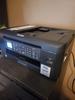
Brother - MFC-J1010DW Wireless Color All-in-One Refresh Subscription Eligible Inkjet Printer - Black
The affordable Brother MFC-J1010DW is the perfect color inkjet all-in-one printer for your home, home office or small office including robust features and business-centric functionality not normally found in similarly priced inkjet printers. The MFC-J1010DW is easy to connect along with being compact and economical, perfect for small spaces and budgets. This wireless printer has multiple flexible connection options, including a built-in wireless(2) interface for sharing with multiple users on your network, WiFi Direct or connect locally to a single computer via a USB interface. Experience high quality, reliable printing, copying, scanning and faxing plus wireless printing from your desktop, laptop, smartphone or tablet.(2) The 1.8~ color display lets you easily navigate on screen menus. Featuring the Brother Mobile Connect(3) App, a user-friendly interface that gives you the freedom to print and manage your printer from virtually anywhere. The MFC-J1010DW also features the Brother Page Gauge(4) which estimates remaining page levels, so you always know how much ink is left. Use the 20-page capacity automatic document feeder or the 150-sheet capacity adjustable paper tray for generous output without constant monitoring. Two-sided (duplex) printing helps save paper, while mobile device printing(2) and Cloud connectivity let you print-from and scan-to popular Cloud services(5) directly from the device.
Customer Rating
4
Good but there is a lot of competition for price
on August 14, 2022
Posted by: KKCNIck
Setup Process was simple. The setup took 10 minutes from opening the box and configuring it. Windows 11 and Mac OS found and installed the drivers quickly. Setting up the app on mobile devices was easy enough as well as it found the printer via the Wi-Fi connection (for context I have an Amplifi Alien Wi-Fi 6 Router) The Brother app on PC is a little clunky (like most standard printing applications) so I just use the built in Windows controller. Scanning works as well.
Cons – Doesn’t hold as much paper as one would need. Printing in color is a slow process, especially when printing multiple pages. Windows app is clunky and slow even when installed on a machine that has 2 M.2 SSD’s in RAID 0 config.
Pros – Easy to use. Windows detected the drivers prior to me installing the software. Using Windows built in controls, printing is easy and painless. B/W/Monochrome printing is smooth, there’s no blotching on the paper or bleeding when printing in color. The mobile app works wonders especially when scanning so you can save the documents directly to your mobile device. Mobile printing is fast and easy as well and scales nicely when transmitted from mobile device to the printer.
Pros – Easy to use. Windows detected the drivers prior to me installing the software. Using Windows built in controls, printing is easy and painless. B/W/Monochrome printing is smooth, there’s no blotching on the paper or bleeding when printing in color. The mobile app works wonders especially when scanning so you can save the documents directly to your mobile device. Mobile printing is fast and easy as well and scales nicely when transmitted from mobile device to the printer.
Overall – Great product, clunky app. Would recommend this over any HP printer, just need to buy the add-on to hold extra paper. But overall, a great addition to any home office. I think Brother should have included a larger supply of paper and spent more time developing a modern app for administering Print/Scan functions in Windows. I assume that at least in my case this is still the most used device printing in the average home. I did find my wife became frustrated waiting for the pages to come out when catching up on work at night compared to our other printer in the house. In the end she cancelled the job and printed the next day at work. Naturally that defeats the purpose of a home printer/scanner.
No, I would not recommend this to a friend.
Share this review:


+4points
6of 8voted this as helpful.
KKCNIck's Review Comments
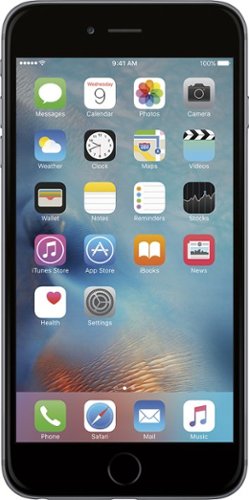
iPhone 6 Plus isn't just bigger ~ it's better in every way. Larger yet thinner. More powerful, yet power efficient. It's a new generation of iPhone.
Overall5 out of 5
5 out of 5Best Iphone Yet
By KKCNIck
from montgomery, il
It is a huge step up from the original IPhone. Each Year they get better and better. This year finally the most needed thing (larger Display). I only wish the 2 features in the plus were in this and it would have been perfect. Full 1080p display and the optical Image Stabilization. The Plus is nice but its practically a tablet and really should have been able to have those features in both. Otherwise very happy with the upgrade.

KKCNIck
montgomery, il
I wish I put the review on the correct phone
October 2, 2014
Was meant for the iphone 6 sorry
0points
0of 0voted this comment as helpful.
KKCNIck's Questions
KKCNIck has not submitted any questions.
WHAT LAB TOP IS GOOD FORDOWN LOADING MOVIES AND MUSIC THAT IS CHEAP
anything with a good wireless n card and a 500gb hard drive. Look at Gateway for that one.
15 years, 8 months ago
by
KKCNIck
montgomery, il
i just bought the Toshiba - Satellite Laptop with Intel® Pentium® Processor - Gold Onyx. does anyone know how to activate the 15 months of norton av?
step by step instruction would be most appreciated. thanks :)

Yes there should be a cert in the box with a key.
16 years, 1 month ago
by
KKCNIck
montgomery, il
Which laptop would be best to run Quickbooks Pro 2010?
any with a dual core intel processor and at least 2gb of ram is ideal.
16 years, 1 month ago
by
KKCNIck
montgomery, il
How do I pick a new laptop?
Need to buy a laptop. will use at home (home office). Will download CD's and Itunes (up to 5,000 songs)
Well any laptop will do that. It is a matter of hard drive space. I would look at the Toshiba A305-6916 if you can find one because they are priced right and have great speakers for playback. Also has a 320gb hd which is pleanty of room.
16 years, 11 months ago
by
KKCNIck
montgomery, il
Is bestbuy selling the Asus G51?
I heard that some people have bought it instore but i cannot find anything online. I have yet to call my nearest BB to see but i'm just checking.
Yeah I just saw one for $999 and it has p7450 processor and a 1gb nvidia gt260 card. It also comes with a free upgrade to windows 7 when released. I would find the G50vt that they are clearancing if you can because there is not much difference and you will save money.
16 years, 11 months ago
by
KKCNIck
montgomery, il
Which is the best processor?
Intel Celeron? AMD Athalon X2? Intell Pentium?
Intel Core 2 Duo or quad. Go with Centrino 2 when choosing a laptop.
16 years, 11 months ago
by
KKCNIck
montgomery, il
is the Toshiba laptop good for a graphic designer ?
please see this link ,its for a Toshiba laptop is it good for me as a graphic designer???
(((the link ))):http://www.bestbuy.com/site/olspage.jsp?skuId=9164343&type=product&id=1218040476937
and am not thinking about the MacBook because i cant afford it.
(((the link ))):http://www.bestbuy.com/site/olspage.jsp?skuId=9164343&type=product&id=1218040476937
and am not thinking about the MacBook because i cant afford it.
Yeah great graphics card and plenty of ram and hd space. Buy it.
16 years, 11 months ago
by
KKCNIck
montgomery, il