


TechEnthusiast's stats
- Review count209
- Helpfulness votes894
- First reviewAugust 16, 2014
- Last reviewJune 2, 2026
- Featured reviews0
- Average rating4.1
Reviews comments
- Review comment count0
- Helpfulness votes0
- First review commentNone
- Last review commentNone
- Featured review comments0
Questions
- Question count0
- Helpfulness votes0
- First questionNone
- Last questionNone
- Featured questions0
- Answer count13
- Helpfulness votes17
- First answerAugust 25, 2016
- Last answerJanuary 22, 2022
- Featured answers0
- Best answers2

Start your day with a fresh cup of morning joe with this 5-cup Mr. Coffee programmable coffeemaker. The 25-oz. carafe is calibrated to ensure accurate measuring for hassle-free brewing, while the brew later function ensures a cup is ready when you need it. This Mr. Coffee programmable coffeemaker has an auto shutoff feature for enhanced safety.
Customer Rating

4
5 Cup is 25 oz. NOT 40 oz.
on August 3, 2020
Posted by: TechEnthusiast
from Elgin, IL
So let me start by saying that this wasn't at all what I was expecting.
This is my very first coffeepot, and I got this because it was advertised as a 5 cup coffeepot. Being in the US, I assumed that this meant it was 40 ounces (since 1 cup = 8 ounces). I totally missed the reference to this being a "mini brew."
I was shocked and dismayed when it arrived and it was only 25 ounces. Rather than being the great big brewer that I was expecting, it was a rather small and simple thing.
I did some research, and apparently the "cup" is not an international standard of measure. Apparently in Europe, a cup can be anywhere from 4-6 ounces.
After adjusting my expectations accordingly, I tried to make use of this coffeepot anyway. I have to say that I am largely happy with it.
First, before you first use it, WASH IT. My unit came reeking of very strong chemical odors. I thoroughly washed the carafe and then ran it through a brew cycle with nothing but water to clean it out.
The machine doesn't appear to come with any directions, but it's simple enough to operate.
Fill the carafe with 25 ounces of water, lift the lid of the machine and poor the water into the reservoir at the back of the machine (there's a gauge to see if you're accidentally overfilling it), add a coffee filter to the basin near the front of the machine, and add your ground coffee. At this point, you can just hit the brew button and about 6 minutes later you will have a pot of coffee.
The machine also has a clock built into it, and it supports a delay brew function if you want to set it up but actually have it run at a later time.
If you want to use this to make hot tea, follow all of the same steps for coffee but omit the coffee filter and ground coffee and place a tea bag in the carafe.
As far as maintenance goes, running it through a cycle with a dilute vinegar solution in place of water should remove any scale (nasty while film) that develops. Then you just need to run a cycle or two of plain water to remove the vinegar odor.
This wasn't at all what I was expecting, but I think that I'll be happy with this nonetheless. I appreciate its simplicity, and it makes a fine cuppa.
Mobile Submission: False
I would recommend this to a friend!
Share this review:


0points
3of 6voted this as helpful.
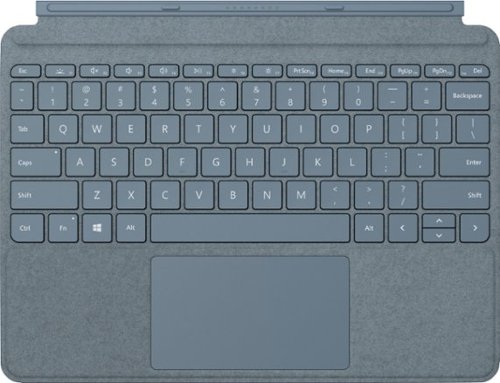
Pair Surface Go Type Cover with Surface Go* for a full keyboard experience anywhere. Ultra-compact, yet it includes a complete mechanical keyset, backlit keys, and extra-large trackpad. Plus, three colors are covered in rich Alcantara material~ for an added touch of luxury and comfort.
Customer Rating

3
A necessary accessory, but not a good keyboard.
on July 8, 2020
Posted by: TechEnthusiast
from Elgin, IL
This Surface Go keyboard was provided to me as part of Best Buy’s Tech Insider Program. Reviewers in this invitation-only program are provided products for the purpose of writing honest, unbiased reviews. The thoughts and feelings expressed below are my own, and neither Microsoft nor Best Buy had any input in the writing of this review.
The Surface Go keyboard is a necessary purchase for the Surface Go tablets, but that doesn’t make it a very good keyboard.
Alcantara is supposed to be this luxurious and revolutionary material. For those of you who haven’t had the chance to experience it in person . . . it’s basically artificial suede. It might just be me, but after decades of plastic, metal, and even rubberized wrist rests; the suede-like texture on this keyboard just feels wrong. I’ll probably get used to it in time, but I tend to think that I would have been happier with a rubberized or plastic finish instead.
The keyboard keys themselves have a good amount of travel for such a thin keyboard, but they are quite cramped. The “o” and “p” keys in particular keep throwing me off as the positioning just feels “off.” Given time (and assuming that this is the only keyboard that you use), you may get used to this.
The trackpad is glorious. The surface of the pad is smooth and registers motions beautifully. The size is “adequate.” Larger would have been appreciated, but it doesn’t feel too small by any means. Palm rejection isn’t great though as it kept registering stray touches as I typed.
The keyboard is backlit, and it has three lighting stages. The backlight isn’t all that bright, but it’s nice that they included it. Backlighting is one of those things that isn’t strictly necessary but adds a nice premium feel when it’s included.
The keyboard attaches to the Surface Go via magnetic connectors, and it also doubles as a cover to protect the screen. The keyboard connects to the tablet at a bit of an elevated angle which makes for a more comfortable typing experience. The magnetic connection is strong, and the keyboard seems to protect the screen quite well. The keyboard connects to the Surface via pogo connector pins at the bottom of the tablet. This connection is immediate and doesn’t require playing with settings or software at all.
The Surface Go NEEDS a keyboard to function as a proper laptop computer. This keyboard is designed for it, doesn’t require fiddling with Bluetooth settings, and has the added benefit of protecting your screen from scratches.
As a Surface accessory, I strongly recommend buying it.
I won’t lie though . . . it’s not a very good keyboard in a general sense.
Mobile Submission: False
I would recommend this to a friend!
Share this review:


0points
0of 0voted this as helpful.
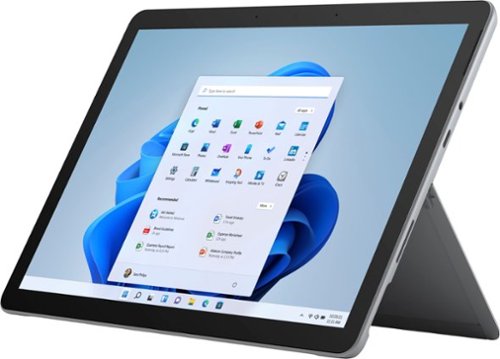
Your perfect everyday companion. Surface Go 2 is perfect for keeping up and winding down - delivering tablet portability with laptop versatility, long battery life, a stunning touchscreen, and Windows security for the whole family. Browse, shop, and manage email with ease, relax with your favorite TV shows, and much more.
Customer Rating

5
Great secondary / travel device.
on July 8, 2020
Posted by: TechEnthusiast
from Elgin, IL
This Surface Go 2 was provided to me as part of Best Buy’s Tech Insider Program. Reviewers in this invitation-only program are provided products for the purpose of writing honest, unbiased reviews. The thoughts and feelings expressed below are my own, and neither Microsoft nor Best Buy had any input in the writing of this review.
I got the Surface Go 2 in the hopes of having it replace an old 10 inch Windows tablet that I’ve been using for a few years now that’s gotten a little long in the tooth. I love smaller Windows devices. Having a small, versatile device that can do a little bit of everything without taking up too much space is great for when you’re traveling.
This devices comes preinstalled with Windows in S mode. I took the liberty of keeping the tablet in S mode for my entire first day with the device so that I could offer a proper review of it both in S mode and out of S mode.
Windows 10 in S mode remains as unappealing as ever. The Windows App Store remains a desolate wasteland.
Windows 10’s “S mode” is locked down version of the operating system that only allows you to install apps from the Windows App Store. The logic behind this is that your system is more secure since any apps you install have been properly vetted by Microsoft to ensure that they don’t contain any viruses or spyware. The apps you’re allowed to install have also been vetted to ensure that they will perform well on your device without overly taxing it (guaranteeing an A+ user experience).
While running in S mode, the device seems snappy enough. Windows opened and closed quickly though I did observe some lag while typing. I’m not sure if that’s maybe an issue with my keyboard though. I found that S mode so thoroughly limits what you can do with this device that there’s almost no chance of straining the system.
If you have an Office 365 account, a Netflix or Hulu account, and/or a Spotify or Pandora account; then you can use the device well enough in S mode for basic productivity and/or entertainment. The device’s micro SD slot and USB type-c port offer options for bringing your own music or videos to this device.
It should be noted that support for 3rd party peripherals is sorely lacking in the Windows Store. I have a Logitech keyboard with some extra bells and whistles that requires a separate application for configuring macros and the like. Sadly, this application can’t be installed in S mode and doesn’t appear to have anything analogous within the app store. Same situation with my Epson fitness tracking watch.
If you subscribe to YouTube TV or any other “Google Flavored” services, then you’re out of luck in S mode. None of these services will work in the Edge browser, and the Windows Store does not include any Google apps.
In S mode, I got about 6 hours of battery life with moderate media usage.
The best word I can use to describe this device in S mode is “anemic.”
Fortunately, switching out of S mode is very easy to accomplish (note: switching out of S mode is permanent and cannot be reversed).
Once out of S mode, I went ahead and installed my usual group of applications (Chrome, Steam, etc. . . .). Honestly, I didn’t really notice any performance hit. But I went into this knowing that this is a light-medium duty device, and I tempered my expectations accordingly. 8GB of RAM is more than adequate for most light-medium duty tasks. The 128GB of storage isn’t much, but I plan on dropping in a 256GB micro SD card before too long that should compensate for that. The CPU is mediocre at best, but for light-medium duty tasks, it’s more than up to the challenge.
The hardware is stunningly beautiful. The screen (though small) is bright and crisp. The surface hinge is just as impressive on this baby surface as it is on its larger brethren. The device is thin, sleek, and premium. The screen bezels are large enough to give you somewhere to put your fingers when using this as a tablet, but they aren’t so large that they’re distracting.
The Surface Go 2 features Windows Hello, and it can be setup to automatically recognize your face (via the camera) and log you in.
Out of S mode, I found that I was getting closer to 5 hours of battery life (still perfectly respectable).
I was a little dismayed that this tablet doesn’t come with a USB type-A port (traditional USB). The only connection options are the surface connect port (useful for charging or if you purchase Microsoft’s dock), a micro SD card slot, a headphone jack, and a USB type-C port (not thunderbolt enabled). The USB type-C port does support video output, so if you have a USB type-C to HDMI cable or adapter, it should work with this device. You can also charge this device via USB type-C if you have an appropriate charging cable (Note that not all USB type-C charging cables are created equal. Some charge at slower rates). This particular model does NOT have a SIM card slot.
The audio is . . . not awful? It’s a little tinny and weak. It’s definitely not going to fill a room, but it’s adequate for watching a video or listening to some music as you type. And hey, it has both a headphone jack and Bluetooth. Worst case scenario, you can always plug in a nice pair of headphones or pair it to a larger Bluetooth speaker.
The tablet does not come with a keyboard, but it is compatible with pretty much any Bluetooth keyboard if you prefer a physical keypad. I wouldn’t recommend connecting a wireless keyboard with a dongle as there just aren’t enough ports on this device. Microsoft does sell a separate keyboard that magnetically attaches to this device.
As far as performance goes, this tablet is a bit of a jack of all trades (master of none).
This device is fully capable of running word processing software for typing up reports and the like. This device is also fully capable of streaming media (music and movies) for entertainment purposes. This device can run basic photo editing software. This device is even capable of light-duty gaming with older titles or online streaming services (note: this computer DOES NOT have a dedicated graphics card and will choke on anything too intensive).
This device IS NOT able to quickly edit 4K video. This device IS NOT able to run the newest and greatest games. This device IS NOT able to hold your entire music and video library.
This is an excellent SECONDARY computer (once it’s out of S mode – seriously, switch it over as soon as you get it). It’s great if you’re a road warrior who needs something light, portable, and capable for use in a coffee shop or while traveling. It can manage a little bit of everything, but you shouldn’t rely on it to be your primary computer for everything.
Mobile Submission: False
I would recommend this to a friend!
Share this review:


+1point
1of 1voted this as helpful.
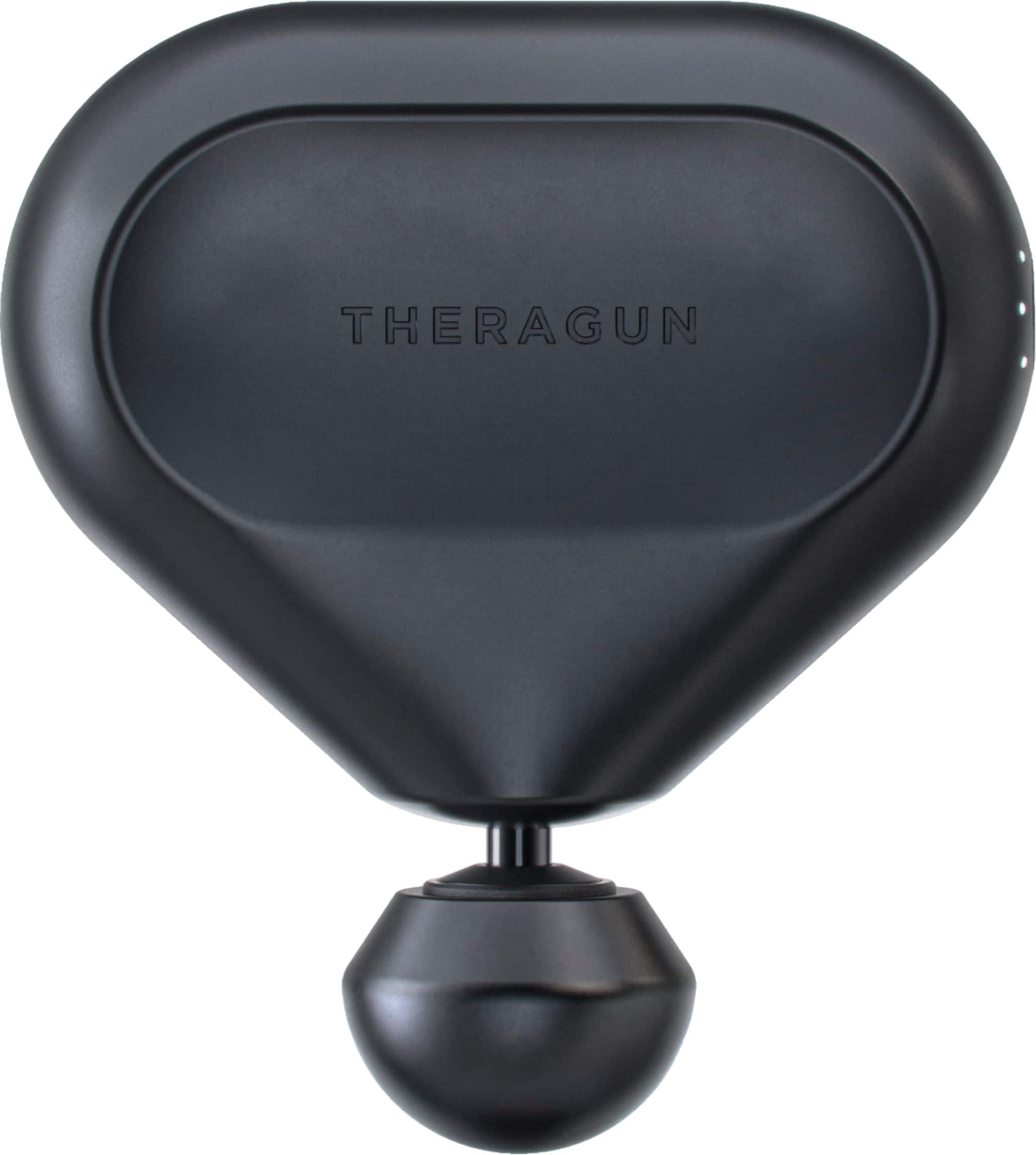
Portable treatment packed with power. Theragun quality, anytime, anywhere. Theragun Mini is your pocket-sized partner, giving you Theragun quality deep muscle massage treatment with unparalleled portability. Compact but powerful, Theragun Mini is the most agile massage device that goes wherever you do.
Customer Rating
5
I had no idea how much I needed this
on May 6, 2020
Posted by: TechEnthusiast
from Elgin, IL
I can honestly say that I'm completely floored by this product.
I've been experiencing some pretty intense lower back and shoulder pain for the past year or so. I thought that this massage gun might help.
I've been experiencing some pretty intense lower back and shoulder pain for the past year or so. I thought that this massage gun might help.
I'm amazed at just how much it has been helping.
The massager is made out of a black, rubberized material and comes with a small travel bag and a charging cable. It fits comfortably in my hand and has three intensity settings. The device emits a dull buzzing noise on all three settings. But even at its highest setting, the noise wasn't so loud that I couldn't watch TV or carry on a conversation.
Unlike vibrating massagers which have motors that cause the device to vibrate from side to side, this massager is a percussive massager. It has a little rubber ball at the end which rapidly moves in and out to repeatedly jab you and loosen up stiff muscles. This seems to result in a very deep and effective massage.
I strongly recommend this product if you've been having issues with muscle aches and pains.
Mobile Submission: False
I would recommend this to a friend!
Share this review:


+2points
2of 2voted this as helpful.
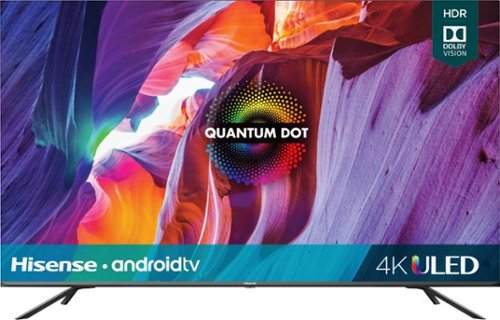
Transform your viewing experience with this 55-inch Hisense Quantum smart TV. The Dolby Vision HDR technology and Dolby Atmos blend to deliver immersive visuals and cinema-like sound, while the Hi-View Engine and local dimming zones produce vivid and sharp image contrasts. This Hisense Quantum smart TV features AI technology for adjusting pictures automatically, and the game mode improves refresh rates for impressive responses.
Customer Rating
4
Lots of bells and whistles. A good investment.
on April 26, 2020
Posted by: TechEnthusiast
from Elgin, IL
This HiSense TV is great.
Image quality is superb, sound quality is also terrific, and the app selection is quite robust.
Menu navigation is quite intuitive, and the setup was a breeze.
Menu navigation is quite intuitive, and the setup was a breeze.
Unboxing this TV was a bit of an adventure as it’s quite big. Having a second person to help with the unboxing probably isn’t a bad idea.
The voice control via the remote is a nice feature and again is quite intuitive. Unfortunately, while you can open any app using your voice, only certain apps allow you to do anything further in them with your voice.. It’s also cool that you can turn the TV off with your voice. Unfortunately, you can’t seem to turn the TV on with your voice.
I was pleasantly surprised to learn that this TV has 4 HDMI ports and two USB ports in addition to the built-in Chromecast. The connectivity options are great.
It’s unfortunate that the remote isn’t programmable. I would have liked to have programmed a button specifically for YouTube TV.
Setting up the internal Chromecast was probably the trickiest part of this. Without doing anything, the TV was showing up in my Google Home app as a speaker. In order to get it to register as a video option, I had to go into the TV’s settings and set up a unique name for it to be recognized. After doing this, the TV showed up as an option to send video to.
I’m fairly impressed with this TV, and I would recommend that you purchase it.
Mobile Submission: False
I would recommend this to a friend!
Share this review:


+3points
3of 3voted this as helpful.
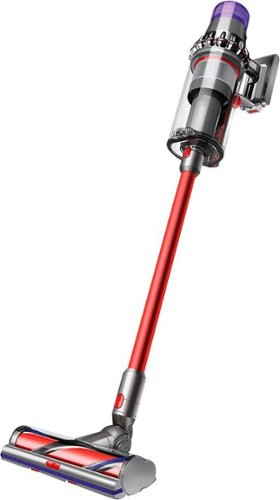
Full-size cleaning without the cord. Full-size Bin. Full-size cleaner head. Now with full-size bin and full-size cleaner head for full-size cleaning, without the cord. ~ Tested at the cleaner head to ASTM F558, dust-loaded.~ Runtime based on consecutive use of two battery packs. Actual runtime will vary based on power mode, floor type, and/or attachments used.~In Boost mode. All other modes achieve at least 99.97% filtration.
Customer Rating
4
Lots and lots of attachments. Terrific battery.
on March 3, 2020
Posted by: TechEnthusiast
from Elgin, IL
The Dyson vacuum is a powerful, light-weight machine with a surprising amount of versatility.
This vacuum comes with tons of attachments. Every time I reached into the box another attachment would seem to appear. In total, there are six separate attachments included. Unfortunately, the vacuum didn’t come with any type of storage rack or box for them. There also isn’t any type of flexible hose attachment. This is very much a stick vacuum.
The vacuum also comes with two power packs and two charging cords. The one charging cord is intended to go inside of an included wall mount. I tend to keep my vacuums in closets, and none of my closets include an electrical outlet, so this doesn’t do me much good. You might be able to get some use out of it if you plan on storing this in a basement or laundry room. Battery life is pretty impressive, and the time remaining displays on an LCD on the handle.
The vacuum obviously has a lot of power, but that doesn’t necessarily translate into a lot of suction. While vacuuming a tight stairwell with solid walls on either side, I found that the air blowing out of the top of the canister was actually kicking up a ton of dust and debris around me (making a bigger mess than the one that I was cleaning), but the suction at the nozzle wasn’t all that great. Taking the vacuum out of eco mode and running it at full blast fixed this to some degree, but it still wasn’t the greatest experience.
There is a single button on the handle for changing modes, and the trigger has to be continuously pressed to get this vacuum to operate. At times, this was annoying as my finger would occasionally slip off and the vacuum would suddenly stop.
Vacuuming hardwood went smoothly, but the brush roller attachment kinda felt like it was dragging against the floor a little. Despite that, the roller did not do any damage to my floor and did a suitably impressive job cleaning.
Vacuuming on my carpeting also went fairly smoothly. In auto-mode, the vacuum automatically kicked up the power a notch as I went onto the carpet and again did an admirable job cleaning. That being said, the roller also felt like it was dragging a little here too. I think that it’s just this particular attachment that’s a problem as the other attachments all generally worked fine.
The smaller upholstery tool did an excellent job of cleaning cat fur off of my kitty cat’s cat tree. I was amazed by how much hair it managed to pull out of the carpeting.
Emptying the vacuum was a breeze. Just slide down the little plastic piece on the back, and the bottom hinge pops right open for the dirt to fall out.
Overall, I’m pretty happy with this vacuum.
Mobile Submission: False
I would recommend this to a friend!
Share this review:


+1point
1of 1voted this as helpful.
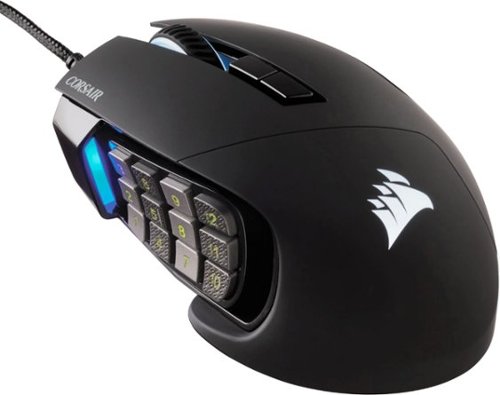
Make your moves with this Corsair Scimitar RGB Elite gaming mouse. With the 17 programmable buttons and a repositionable Key Slider system, this mouse offers comfort and function for longer gameplay. An 18,000 dpi sensor delivers pinpoint accuracy. This Corsair Scimitar RGB Elite gaming mouse is built for durability with a braided cord and sturdy scroll wheel.
Customer Rating
5
Comfortable and flashy gaming mouse
on January 19, 2020
Posted by: TechEnthusiast
from Elgin, IL
I love MMO mice. Having access to all of those buttons is not only great for gaming but for productivity too. I was pleasantly surprised to see that this mouse takes it a step further. The entire button panel on the side can be slid forward or backward to fit your exact hand shape. This is accomplished using a little allen wrenchy, screwdriver thingy that comes with the mouse.
There are 12 buttons along the side, and each vertical row alternates between a smooth surface and a textured surface so that you can better tell what button you're about to press without looking.
The right side of the mouse has a textured surface as well which helps you maintain a nice grip on the mouse as you move it around.
The mouse's cable is a nice braided wire. It feels sturdy and is plenty long.
The Corsair iCue software has to be downloaded from their website. It gives you the ability to program macros for the side buttons and to adjust the color patterns for the mouse. The software made it look like each zone of the mouse could have its color adjusted independently. But at the time of this review, changing the color in one zone seemed to change it everywhere.
I really like this mouse. It's flashy, it's comfortable, and it has all the features that I could ever want.
I strongly recommend it.
Mobile Submission: False
I would recommend this to a friend!
Share this review:


+1point
1of 1voted this as helpful.
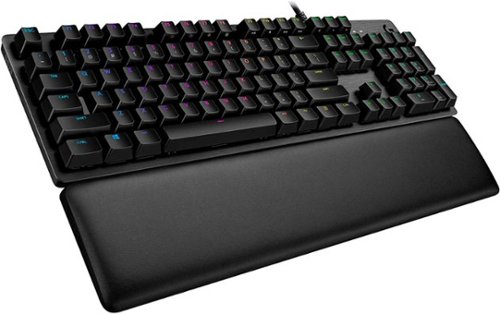
G513 is a high performance RGB mechanical gaming keyboard that features advanced technologies in a modern and sleek design. G513 includes full spectrum ~16.8M color RGB per key lighting with LIGHTSYNC technology, choice of mechanical switches, and a memory foam palmrest to deliver utmost comfort. G513 is the perfect blend of performance, advanced technologies and features, and unparalleled build quality and comfort.
Customer Rating
4
Surprisingly heavy keyboard with great key travel
on January 19, 2020
Posted by: TechEnthusiast
from Elgin, IL
My very first though upon opening this keyboard was "Wow, this thing is heavy." The top of the keyboard is made out of a solid plate of aluminum, and you can feel every ounce of it.
The second thought I had was "Wait, this needs to plug into 2 USB ports?"
The keyboard is sturdy, and the key travel is great. The keyboard really is a joy to type on.
The Logitech software has to be downloaded from their site (no installation disc - just as well as my computer doesn't have a DVD drive), and it gives you a lot of customization options to adjust things like the light pattern of the backlighting and the row of macro keys at the top of the keyboard.
I'll warn you now, if you have a cat or dog, expect hair to get stuck in this keyboard. The keys are fairly deep, and a can of compressed air was not strong enough to get a stray bit of cat hair out from between the keys. If you have any OCD tendencies, this may drive you mad.
The keyboard has a USB port for hooking up a mouse or other peripheral. I think this is great, but I'm not really taking advantage of it as this keyboard is taking up 100% of my computer desk's keyboard tray. There simply isn't enough room to plug a mouse in as well (my mouse is sitting on top of the desk and is plugged into my tower). Still, it may come in handy for plugging in something like a USB drive down the road.
I really like this keyboard, and I would strongly recommend it.
Mobile Submission: False
I would recommend this to a friend!
Share this review:


+1point
1of 1voted this as helpful.
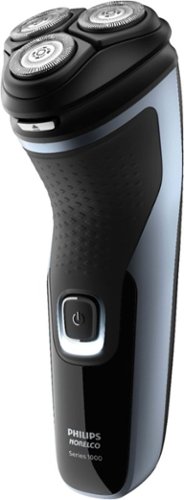
Achieve a close, clean shave with this Philips Norelco 2500 shaver. The pop-up trimmer adds definition to mustaches and sideburns, while the 27-self-sharpening blades trim whiskers just above the skin for a smooth finish. Flexible floating heads conform to the contours of your face to ensure full coverage. This Philips Norelco 2500 shaver comes equipped with a rechargeable battery for up to 45 minutes of shave time on a single charge.
Customer Rating
4
Good razor, but not exceptional
on November 21, 2019
Posted by: TechEnthusiast
from Elgin, IL
The Norelco 2500 is a perfectly good razor, but it's not exceptional.
Honestly, I didn't get the closest shave using it. I found the pop-up trimmer kept wanting to close itself, and the razor took several passes to clear two days' worth of stubble.
The razor also had trouble following the contours of my neck and left hairs completely untouched even after several passes.
That being said, it does the job well enough; and I didn't cut myself to ribbons the way that I would with a manual razor.
I would recommend this device.
Mobile Submission: False
I would recommend this to a friend!
Share this review:


0points
0of 0voted this as helpful.
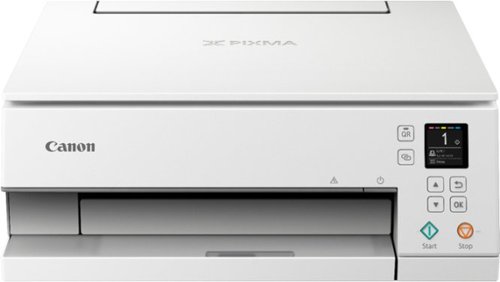
Upgrade your home office to handle on-demand printing jobs with this Canon PIXMA all-in-one wireless inkjet printer. The built-in LED bar and 1.44-inch OLED display let you view and navigate the printing status easily, while the auto expandable output tray makes printing from across the room possible. This Canon PIXMA all-in-one wireless inkjet printer features a five-color individual ink system for replacing ink tanks more efficiently.Prints up to 15 ISO ipm* in black, up to 10 ipm* in color
Customer Rating
4
Setup was quirky, but works well
on November 17, 2019
Posted by: TechEnthusiast
from Elgin, IL
The Canon Pixma TS6320 is a little quirky to install, but it works well.
Canon is very keen on having users scan a QR code when installing this printer. It worked okay, but honestly it seemed like it just over complicated the process needlessly. I'm used to traditional printer installs using a windows based computer, and this was just different enough to throw me a little.
The printer hardware seems very solid and well constructed. The bypass tray for photo paper is at the top back and covered by a door. The printer itself is quite large and doesn't fit on my media tower very well.
The printer seems to print well, and the print quality is adequate. It's not the best I've ever seen, but it's certainly not bad.
Yes, I would recommend this printer.
Mobile Submission: False
I would recommend this to a friend!
Share this review:


+2points
2of 2voted this as helpful.
TechEnthusiast's Review Comments
TechEnthusiast has not submitted comments on any reviews.
TechEnthusiast's Questions
TechEnthusiast has not submitted any questions.
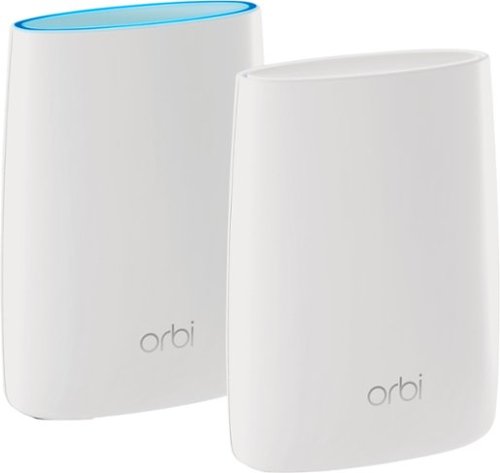
Orbi Whole Home WiFi System delivers up to 3.0Gbps high-performance WiFi. Sleek, modern design with high-gain internal antennas for up to 5,000 square feet of coverage. FastLane3 Technology creates a dedicated Tri-Band WiFi for seamless 4K streaming and gaming everywhere in your home. Keep a single WiFi name for uninterrupted connections as you move from room-to-room. Circle Smart Parental Controls runs on Orbi Routers for a smart way for families to manage content and time online, on any connected device. Provide internet access to guests without sharing your personal network password. Orbi is ready right out of the box and compatible with your ISP. Just use the Orbi app to get started with better WiFi, everywhere in minutes.
Can you use with comcast.
Yes. I'm using it with Comcast myself.
You plug the Ethernet cable from your modem to the Orbi router the same as you would any other router. The big difference between the Orbi and other routers is that it comes with a separate satellite unit to extend your wireless range. The satellite unit hooks up to the router wirelessly. Installation and pairing takes about ten - fifteen minutes to complete.
You plug the Ethernet cable from your modem to the Orbi router the same as you would any other router. The big difference between the Orbi and other routers is that it comes with a separate satellite unit to extend your wireless range. The satellite unit hooks up to the router wirelessly. Installation and pairing takes about ten - fifteen minutes to complete.
9 years, 8 months ago
by
TechEnthusiast
Orbi Whole Home WiFi System delivers up to 3.0Gbps high-performance WiFi. Sleek, modern design with high-gain internal antennas for up to 5,000 square feet of coverage. FastLane3 Technology creates a dedicated Tri-Band WiFi for seamless 4K streaming and gaming everywhere in your home. Keep a single WiFi name for uninterrupted connections as you move from room-to-room. Circle Smart Parental Controls runs on Orbi Routers for a smart way for families to manage content and time online, on any connected device. Provide internet access to guests without sharing your personal network password. Orbi is ready right out of the box and compatible with your ISP. Just use the Orbi app to get started with better WiFi, everywhere in minutes.
So if it comes with two, I'm assuming you have one that internet is linked to by cable and the other is used as a extender? Or do you have to have both units hooked to cable?
The router portion is connected to your modem via an Ethernet cable, but the satellite / extender unit links up to the router wirelessly. The only wire that you need to have connected to the extender is the power cord.
9 years, 8 months ago
by
TechEnthusiast
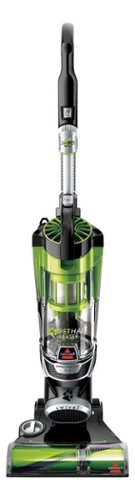
Nothing puts a vacuum to the test quite like a home with pets. That's why the BISSELL~ Pet Hair Eraser~ was developed from the ground up by pet parents for pet parents. Whether it's shedding season for your dog or your cat tracks kitty litter all over the house, this revolutionary vacuum is designed to make cleaning up after pets and the people who love them a breeze~from beginning to end. Say goodbye to hair wrap with its Tangle-Free Brush Roll, remove embedded hair everywhere with specialized pet tools, help capture allergens and eliminate odors with the SmartSeal~ Allergen System, and when you're finished cleaning, enjoy a hands-free tank empty with our patented Cyclonic Spooling System~.BR>
How load is it? I've used an Oreck XL upright and a Eureka Mighty Mite and would hope it's no louder as those. I prefer bagged vacuums but want to try the BISSELL Pet Hair Eraser because of its claims of not getting hair tangled on the roller.
I haven't tried the two vacuums that you mentioned, but I can say that I was surprised that this vacuum wasn't terribly loud.
Given it's size and the number of vents coming out of it, I expected it to be deafening. Upon turning it on, I was surprised by just how mild the sound was. It'll definitely drown out a television or radio some, but you'll still be able to hear people talking over it.
Given it's size and the number of vents coming out of it, I expected it to be deafening. Upon turning it on, I was surprised by just how mild the sound was. It'll definitely drown out a television or radio some, but you'll still be able to hear people talking over it.
9 years, 9 months ago
by
TechEnthusiast