


TechEnthusiast's stats
- Review count209
- Helpfulness votes894
- First reviewAugust 16, 2014
- Last reviewJune 2, 2026
- Featured reviews0
- Average rating4.1
Reviews comments
- Review comment count0
- Helpfulness votes0
- First review commentNone
- Last review commentNone
- Featured review comments0
Questions
- Question count0
- Helpfulness votes0
- First questionNone
- Last questionNone
- Featured questions0
- Answer count13
- Helpfulness votes17
- First answerAugust 25, 2016
- Last answerJanuary 22, 2022
- Featured answers0
- Best answers2

Type on your Chromebook or smartphone for effortless multitasking with this Logitech slim wireless keyboard. The built-in easy switch lets you pair and alternate multiple devices quickly, while the slim keys offer a comfortable, quiet typing experience. This Bluetooth-enabled Logitech slim wireless keyboard includes an auto-sleep feature that is activated when you're not typing to ensure long battery life.
Customer Rating

4
Good keyboard, but also a missed opportunity
on November 3, 2019
Posted by: TechEnthusiast
from Elgin, IL
The Logitech K580 is an excellent keyboard, but it's also a bit of a missed opportunity.
I'm a big fan of hooking my chromebook up to my TV and using it to stream video or type on a larger screen. I thought this keyboard would make this a much more convenient experience.
I was partially right.
The keyboard is a joy to type on, and the build quality feels great. The Chrome OS specific keys all work very well, and I have no complaints whatsoever . . . except for one.
They should have included a touch pad.
Given the fact that there are very few Chrome OS devices that would require a full-time, separate keyboard (i.e. not laptops) it makes sense that most users would want to use this only occasionally with a television or other display. A touch pad would made this much more convenient.
As it is, having to carry around a separate Bluetooth mouse is just one more thing to keep track of.
Aside from that, this is an excellent keyboard.
Mobile Submission: False
I would recommend this to a friend!
Share this review:


+1point
1of 1voted this as helpful.

Say goodbye to cords and cables with these Skullcandy Sesh true wireless headphones. Bluetooth technology seamlessly connects to your smartphone, tablet or PC, letting you stream music or take phone calls with the built-in microphone. These water-resistant Skullcandy Sesh true wireless headphones come with a charging case, providing up to an extra 7 hours of listening time.
Posted by: TechEnthusiast
from Elgin, IL
Pros:
No evident lag when watching videos
Charging case has LED indicator lights
Ear buds snap into case magnetically
No evident lag when watching videos
Charging case has LED indicator lights
Ear buds snap into case magnetically
Cons:
Ear buds are a little uncomfortable over time.
Pressing the button feels a little awkward
Ear buds are a little uncomfortable over time.
Pressing the button feels a little awkward
I’m a Skullcandy fanboy.
I’ve used multiple Skullcandy headphones and speakers over the years, and I’ve never been disappointed. That trend continues with these Sesh ear buds. These things are AWESOME.
Connecting them to my phone was a quick and easy process. The instruction sheet that comes with the ear buds is very thorough. Note that each ear bud only has a single button on it, and all of the features are controlled by either pressing the left or right button or by pressing a series of presses (i.e. left ear bud twice to lower volume and right ear bud twice to raise the volume). Remembering all of the button combinations will take time, but I’m confident that it will become second nature eventually.
The buds themselves fit into the ear a little unusually. The bulk of the ear bud actually points straight up. It nestles nicely enough in my ear canal, but I kept feeling like gravity was trying to drag them out. This caused a little bit of ear fatigue after wearing them for three hours straight.
The battery life is superb. I wore them for four hours and they were still going strong when I dropped them into the charging case before lunch.
Speaking of the charging case, it has four LED lights on it to indicate how much of a charge it holds. I did note that the lights seemed to instantly blink off every time I dropped the ear buds in, so I don’t know how reliable the indicators actually are. That is to say that I would start with 4 lights, drop my ear buds in, and then seconds later it would only show 3 lights when I checked the charge. I seriously doubt that it’s charging the ear buds THAT quickly, but it’s still nice to have some indication of how much charge I have on hand (and to their credit, the case does charge VERY quickly. I went from half a charge to a full charge in less than an hour).
The sound quality is great for my needs. These don’t have active noise cancellation, but they seal in the ear nicely enough to block out most ambient noise.
I’m very happy with these and would recommend them in a heartbeat.
Mobile Submission: False
I would recommend this to a friend!
Share this review:


+2points
2of 2voted this as helpful.
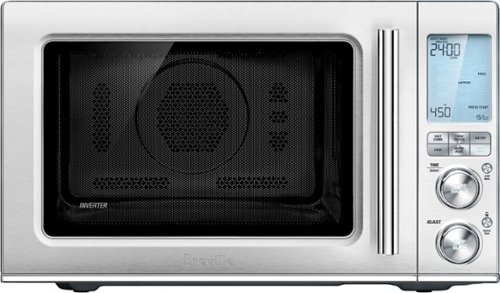
Ensure meals are cooked evenly with this Breville the Combi Wave 3-in-1e microwave. The grill, convection oven and microwave functions provide a variety of cooking options, while the Element IQ technology precisely delivers the right cooking temperature for optimal results. This Breville the Combi Wave 3-in-1 microwave features a Power Smoothing inverter for automatic adjustment of power to enable even heat distribution.
Customer Rating

3
Device is good, manual is truly awful.
on October 26, 2019
Posted by: TechEnthusiast
from Elgin, IL
The Breville Combi Wave is a pretty good device, but the instruction manual is somewhat lacking.
Pages 2-12 of the instruction manual consists of a confusing array of dire warnings. I’m naturally a cautious person, and this caused me a fair amount of worry. The manual also uses the term “microwave” interchangeably to describe both the cooking mode and the machine itself. It’s never entirely clear which one they’re referring to.
Given the nature of the device (both a microwave AND an oven), I’d hoped for clear cut direction on when you can and can’t use metal inside of it. Unfortunately, the manual isn’t very clear on that at all.
The only thing I can safely say is that you can apparently use the crisper pan in the modes that use both the microwave and the convection oven (surprising given its metal legs and metal [ceramic?] surface).
The manual also fails to address the orange feet on the trivet. It’s not clear if these are heat safe and intended to remain on the trivet or if they were just included for protection during shipping. I'm hesitant to use this in oven mode until I get some clarification on that.
The device itself appears to work very well. I used it to air fry some french fries (made from actual potatoes), microwave vegetables, and to make breakfast sandwiches; and it worked without any issues whatsoever.
I was going to bake a cake in it, but given the lack of direction regarding the feet on the trivet and whether metal bakeware is safe to use in it (I’m assuming that it probably is, but it’s not at all clear from the manual), I’m waiting for further clarification from Best Buy / Breville before I take that risk.
Speaking of risks, this device does have a child lock to prevent children and the elderly from inadvertently causing damage with it. This is probably a good thing given the potential for damage this device presents.
I’d cautiously recommend this device if you’re fairly tech savvy and cautious in the kitchen, but Breville desperately needs to revise this manual. It’s really quite bad. If the manual were better, I would probably be very impressed with this device. As it is, I would quite strongly NOT recommend this device for the elderly or anyone who isn’t good with technology.
Mobile Submission: False
I would recommend this to a friend!


Share this review:


+16points
52of 88voted this as helpful.
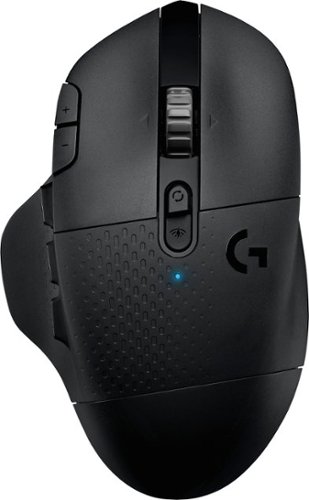
With 15 programmable controls, LIGHTSPEED wireless technology, hyper-fast scroll wheel, and the revolutionary HERO 25K sensor, G604 offers both versatility and high-performance with endless possibilities to play with mastery. Dual connectivity lets you toggle between Bluetooth and ultra-fast 1 ms LIGHTSPEED advanced wireless technology~even on separate machines. Extremely accurate tracking and class-leading power efficiency enables up to 240 hours of high-performance gaming with one AA battery.
Customer Rating
4
Good mouse once you update driver
on October 17, 2019
Posted by: TechEnthusiast
from Elgin, IL
BEFORE YOU DO ANYTHING WITH THIS MOUSE, install the "Logitech G Hub" software and immediately update the driver.
When I first plugged this mouse in, I was absolutely horrified by how badly it worked. Moving the mouse across the full length of my mouse pad barely caused the cursor on my screen to move an inch.
Upon downloading the software though, I was immediately prompted to install an update.
The change was dramatic.
The mouse is much more responsive now, and the software gives all sorts of options for remapping buttons and programming macros.
The mouse itself is a little lighter and more "plasticky" than I was expecting, but the shape is very comfortable in the hand.
I'm very pleased with this mouse and would recommend it to a friend.
Mobile Submission: False
I would recommend this to a friend!
Share this review:


+1point
1of 1voted this as helpful.
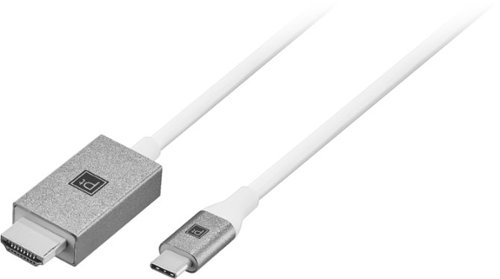
Connect a MacBook, Chromebook or laptop with a USB-C port to a TV, monitor, projector or other display with the Platinum USB-C-to-HDMI Cable. The cable is easy to connect, supports resolutions up to 4K and is 6ft long. The anodized aluminum housing ensures durability while providing a sophisticated appearance.
Customer Rating
4
Functional cable with decent build quality
on September 30, 2019
Posted by: TechEnthusiast
from Elgin, IL
This platinum cable worked well enough for my needs.
I got it to hookup my USB-C enabled Chromebook to my TV. It should be noted that it didn't work at first, and I had to unplug the cable from my Chromebook and then plug it back in for it to recognize it.
The cable seems sturdy, and I don't anticipate it breaking any time soon.
The length is adequate, but I wish it was maybe two feet longer for my particular needs.
All in all, I'm satisfied with this cable.
Mobile Submission: False
I would recommend this to a friend!
Share this review:


+1point
1of 1voted this as helpful.
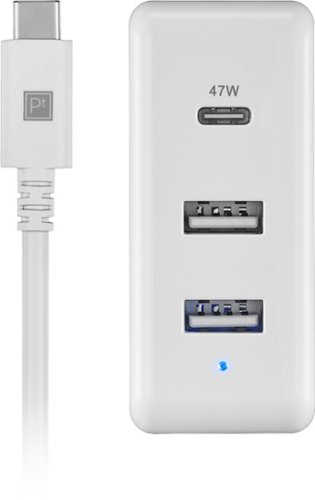
Charge a MacBook, Chromebook or laptop with a USB-C port with the Platinum 65W 8~ USB-C 3-Port Wall Charger with 47W USB-C Power Delivery for MacBook, iPad, iPhone, Chromebook or USB-C Laptops . Equipped with fast-charging Power Delivery, the charger provides 65 total watts, comes with an 8-foot USB-C cable and has two standard USB ports to charge smartphones, tablets and more.
Customer Rating
3
Functional, but somewhat impractical
on September 29, 2019
Posted by: TechEnthusiast
from Elgin, IL
I wasn't impressed by this charger.
They made a poor design choice by having so much happening within the power block. I found that it was too heavy to actually stay in the wall.
I know, I really should be plugging this into a surge protector, but I travel around a lot, and I often have to plug my laptop into whatever outlet is handy.
I tried a variety of outlets both out and about and at home, and I couldn't get this charger to actually stay in any of them for more than five minutes. No sooner would I get comfortable, then the weight of the charging block would cause the thing to pop right out of the wall.
Plugging it into a surge protector on my floor worked well enough since gravity isn't an issue then, but seeing as how I picked this up for use when I travel, it doesn't really fit my needs at all.
I wouldn't recommend this product.
Mobile Submission: False
No, I would not recommend this to a friend.
Share this review:


+4points
4of 4voted this as helpful.
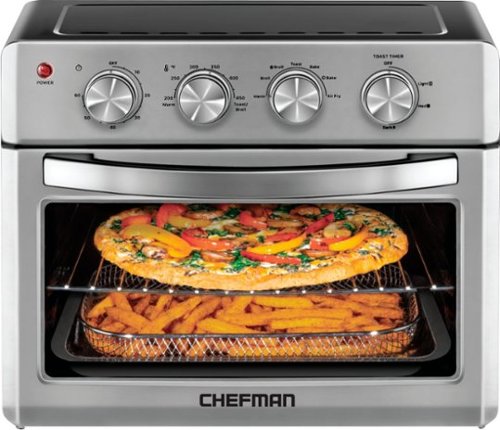
Say goodbye to clutter and hello to this multi-functional Toaster Oven Air fryer! Enjoy a variety of delicious dishes with ease and convenience using the Chefman Toast-Air~ Convection Oven + Air Fryer. No more heating up your kitchen with a full-size oven - get the same results as a traditional convection oven with the convenience of countertop cooking for faster and more evenly cooked food. This countertop convection oven is a useful tool in any busy kitchen with variable temperature controls and cooking functions to air fry, bake, broil, convection bake, toast, and warm, as well as a temperature range from 200-450~ F to set at the desired temperature. 7 preset options make any kitchen task easy, while the interior cooking light allows you to easily monitor cooking process. The extra-large 25-liter interior (12.5 x 11.75 inches) can fit up to 6 slices of toast and most baking pans. With the highly efficient rapid air technology and high-speed convection system, you can get even, crispy fried texture using little to no oil. The rack positioning is designed for maximum space and even air flow ~ if using multiple racks, rotate them halfway through for best results. The air fryer function is perfect for cooking once-frozen leftover foods and making them taste fresh again. Feeling some toast? This counter oven features an option to select the desired level of toast, from light to dark. With a 60-minute countdown timer and ready signal bell, you always know when your food is ready; the unit automatically shuts off when the door is opened for added safety. Air fry basket, flat wire rack, broil pan, and crumb tray are easily removable and dishwasher safe for convenience and quick clean up; non-stick interior and stainless-steel exterior wipe down easily. With the cookbook included, it~s even easier to conquer any cooking need with this toaster-oven air fryer and enjoy the benefits!
Customer Rating

5
GREAT multi-function device
on September 29, 2019
Posted by: TechEnthusiast
from Elgin, IL
This thing is terrific.
I just moved into a place that didn't some with an oven, and I've been making do with a hot plate, a microwave, and an electric grill for the past month while I recoup my finances from my move. I got this primarily for baking, but I've quickly discovered that it's able to do so much more.
This Chefman can: Bake, Convection Bake, Broil, Convection Broil, and Air Fry.
I'd never used a convection oven before, and I was wowed by how quickly it cooked (side note: if using convection bake, you'll need to adjust cooking times and/or temperatures. It cooks MUCH faster at a much lower heat. I made au gratin potatoes, and the directions said to cook for 25 minutes, and they were done in about 15).
The first use was a little scary as it released an awful smell and small amounts of smoke starting coming from the machine. Be careful, but DON'T PANIC. Later uses I did not encounter this at all.
I like the fact that the unit automatically turns off once the timer hits zero. The one drawback to this is that you're limited to a maximum of 1 hour for cooking.
The unit was large enough to easily fit my glass casserole dish, and I'm anticipating using this for baking cookies and small cakes in the near future.
The air fry function is great. I chopped up a potato, lightly tossed it in olive oil with some salt and pepper, and 40 minutes later I have french fries.
I really can't recommend this oven enough. It's absolutely awesome.
Mobile Submission: False
I would recommend this to a friend!


Share this review:


+26points
29of 32voted this as helpful.
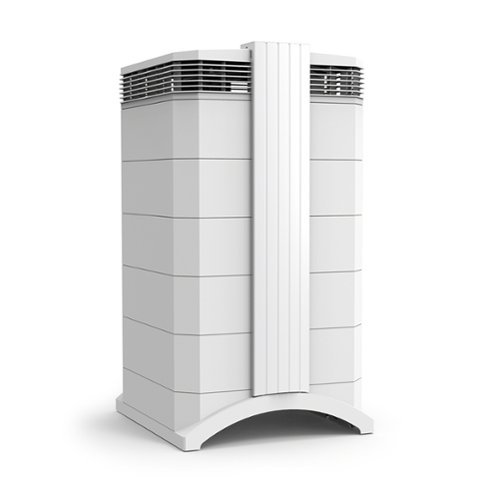
The IQAir new edition HealthPro Plus is the best choice for asthma and allergy sufferers. IQAir HyperHEPA filtration is proven to trap the smallest, most harmful particles in the air, down to 0.003 microns ~ 100 times smaller than 0.3 microns. That includes viruses, pet dander, dust mites, air pollution, even cigarette smoke. IQAir nanofiber technology and innovative design stop particles 100x smaller than 0.3 microns. IQAir uses only safe, proven technology to clean the air. IQAir systems produce no unhealthy ozone, ions, UV or chemicals. IQAir tests every HealthPro Plus system at the factory to ensure its performance meets our strict specifications. We test total system efficiency ~ the actual air coming from the outlet. Results are detailed in a hand-signed Certificate of Performance that is shipped in the box with every HealthPro Plus system. V5-Cell filtration provides the best solution for gas & odor control. The V5-Cell combines 2 types of media: one adsorbs odors & gases, the other changes pollutants to oxidized form. The new edition HealthPro Plus delivers up to 25% more clean air, up to 38% longer filter life, and 32% less sound.
Customer Rating
4
I think it's working?
on September 17, 2019
Posted by: TechEnthusiast
from Elgin, IL
As a kid, I never had any issues with allergies. Once I started getting older though, allergies very much became a thing. I'm not sure if it's just a placebo effect, but the IQAir filter does seem to help some.
The box the filter came in was enormous. I drive a small car, and I had to pick it up from my local FedEx store. I could just barely fit it in my back seat.
The filter was very easy to setup. Lie the box on its side, open the top, remove the styrofoam with the casters and paperwork, and pull the filter out by the handle.
I will warn you that the handle is plastic and doesn't feel terribly stable. Also, the two side pieces are plastic and kind of "clipped" into place. I knocked the one ajar when removing the filter and had to snap it back into place.
The caster rails just clip into place along the bottom, and the casters themselves have to be smashed onto little plastic pegs protruding from the rails until they click (this was the hardest part of the whole setup process).
The filter offers variable fan speeds ranging from 1-6. I found 1-3 were fairly quiet and easy to tune out. Above 3, the filter becomes quite loud and distracting.
The filter advertises that it's able to filter out ultra-fine particle (UFPs). This was another big selling point for me as I have a small 3D printer, and there has been a lot of stuff in the news lately about the dangers of UFPs from these types of devices. It gives me some peace of mind that I'm not poisoning myself to death for the sake of 3D printing little plastic boats.
All in all, I'm pleased with this air filter and would recommend it to a friend.
Mobile Submission: False
I would recommend this to a friend!
Share this review:


+2points
3of 4voted this as helpful.
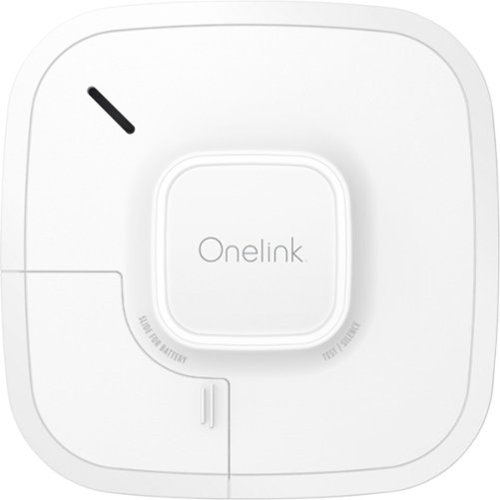
Be aware of danger with this Onelink smart smoke and carbon monoxide alarm. Wi-Fi connectivity makes sure all the alarms go off no matter where the problem is, and notifications are sent to your smartphone via the compatible app when there's trouble. Manage repairs and emergencies quickly using the precision voice alerts and dual protection included in this Onelink smart smoke and carbon monoxide alarm.
Customer Rating
5
Great for those who work away from home.
on August 23, 2019
Posted by: TechEnthusiast
from Elgin, IL
First, let me start by saying that I didn’t burn down my house for this review. I’m sorry, I know that probably would have been the best way to test this smoke detector, but . . . no.
That being said, I played with it for a week, and I got a good feel for it.
Before you do ANYTHING install the app. It will guide you through the installation. Also, there’s a little book inside the box guiding you through the installation as well. You should read that too. The app does a good job of guiding you, but it skips over how exactly the mounting holes are supposed to work.
And speaking of mounting, the smoke detector seemingly will not activate until it’s up on a wall or ceiling. I tried setting it up with it sitting in my hand (thinking that I’d just attach it to a wall after it was configured), and it wouldn’t even turn on.
Once installed . . . it’s a smoke / CO detector. It basically just sits there quietly and you forget about it unless there is an issue.
The accompanying app offers you various alerts and testing options. But aside from that, you can set it up and forget about it.
I commute to work, and it’s a comfort knowing that I’ll get a phone alert if anything ever happens while I’m away from home. I would strongly recommend this smoke detector.
Mobile Submission: False
I would recommend this to a friend!
Share this review:


+2points
2of 2voted this as helpful.

Write and design with confidence with this Google Pixelbook pen. The responsive instrument can be used with Google Pixelbook or Google Assistant to make taking notes or creating art more efficient. The realistic feel of this Google Pixelbook pen helps you write and draw naturally so you can focus on your designs.
Customer Rating
4
Okay, but doesn't add much to the experience
on August 15, 2019
Posted by: TechEnthusiast
from Elgin, IL
I found the pen to be rather “gimmicky.”
I wanted to like it; I really did. I am into digital art, and I enjoy sketching for fun. I just couldn’t find a way to use it that felt all that natural to me.
The pen itself is comfortable enough in the hand. The barrel is thicker than a #2 pencil, but it still manages to fit in my hand well.
The pen is supposedly able to detect different pressure levels, but I wasn’t able to find any apps that actually seemed to take advantage of it. Light press or heavy press, I got the exact same line. This was true even in Google’s own canvas app. This is probably my biggest complaint about the pen.
The instructions for using the button on the pen confused me at first. I read that I was supposed to “hold the button to activate the Google Assistant.” What they neglect to mention is that you’re supposed to be holding the button as you’re circling an item on your screen so that the Google Assistant can activate and offer options for it. Just pressing and holding the button doesn’t summon up the assistant so that you can ask it to turn on the lights or anything.
The pen felt very comfortable on the screen. I’ve used some styluses that left me nervous that they were damaging the screen somehow. This stylus flows nice and smoothly across the screen.
I did like using the pen in lieu of a mouse. Being able to click tiny links and icons with pinpoint accuracy using the pen tip was nice.
Do I think that the pen is an essential purchase to compliment your Pixel Slate? No. You’ll be able to use your Pixel Slate just fine without this and not miss a beat.
Do I think that the pen adds something to the whole Pixel experience? Possibly. If you’re really keen on drawing apps (and can find one that actually uses the pressure sensitivity), then this might be a good investment for you.
If you’re into digital art, then I’d recommend this pen. Otherwise, it doesn’t add enough to the Pixel Slate experience to warrant the purchase.
Mobile Submission: False
I would recommend this to a friend!
Share this review:


+6points
6of 6voted this as helpful.
TechEnthusiast's Review Comments
TechEnthusiast has not submitted comments on any reviews.
TechEnthusiast's Questions
TechEnthusiast has not submitted any questions.
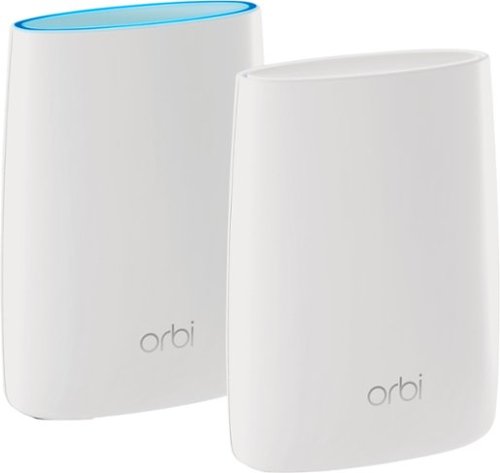
Orbi Whole Home WiFi System delivers up to 3.0Gbps high-performance WiFi. Sleek, modern design with high-gain internal antennas for up to 5,000 square feet of coverage. FastLane3 Technology creates a dedicated Tri-Band WiFi for seamless 4K streaming and gaming everywhere in your home. Keep a single WiFi name for uninterrupted connections as you move from room-to-room. Circle Smart Parental Controls runs on Orbi Routers for a smart way for families to manage content and time online, on any connected device. Provide internet access to guests without sharing your personal network password. Orbi is ready right out of the box and compatible with your ISP. Just use the Orbi app to get started with better WiFi, everywhere in minutes.
Can you use with comcast.
Yes. I'm using it with Comcast myself.
You plug the Ethernet cable from your modem to the Orbi router the same as you would any other router. The big difference between the Orbi and other routers is that it comes with a separate satellite unit to extend your wireless range. The satellite unit hooks up to the router wirelessly. Installation and pairing takes about ten - fifteen minutes to complete.
You plug the Ethernet cable from your modem to the Orbi router the same as you would any other router. The big difference between the Orbi and other routers is that it comes with a separate satellite unit to extend your wireless range. The satellite unit hooks up to the router wirelessly. Installation and pairing takes about ten - fifteen minutes to complete.
9 years, 8 months ago
by
TechEnthusiast
Orbi Whole Home WiFi System delivers up to 3.0Gbps high-performance WiFi. Sleek, modern design with high-gain internal antennas for up to 5,000 square feet of coverage. FastLane3 Technology creates a dedicated Tri-Band WiFi for seamless 4K streaming and gaming everywhere in your home. Keep a single WiFi name for uninterrupted connections as you move from room-to-room. Circle Smart Parental Controls runs on Orbi Routers for a smart way for families to manage content and time online, on any connected device. Provide internet access to guests without sharing your personal network password. Orbi is ready right out of the box and compatible with your ISP. Just use the Orbi app to get started with better WiFi, everywhere in minutes.
So if it comes with two, I'm assuming you have one that internet is linked to by cable and the other is used as a extender? Or do you have to have both units hooked to cable?
The router portion is connected to your modem via an Ethernet cable, but the satellite / extender unit links up to the router wirelessly. The only wire that you need to have connected to the extender is the power cord.
9 years, 8 months ago
by
TechEnthusiast
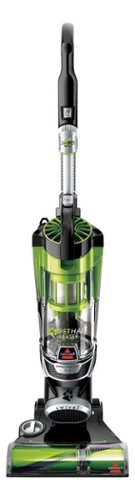
Nothing puts a vacuum to the test quite like a home with pets. That's why the BISSELL~ Pet Hair Eraser~ was developed from the ground up by pet parents for pet parents. Whether it's shedding season for your dog or your cat tracks kitty litter all over the house, this revolutionary vacuum is designed to make cleaning up after pets and the people who love them a breeze~from beginning to end. Say goodbye to hair wrap with its Tangle-Free Brush Roll, remove embedded hair everywhere with specialized pet tools, help capture allergens and eliminate odors with the SmartSeal~ Allergen System, and when you're finished cleaning, enjoy a hands-free tank empty with our patented Cyclonic Spooling System~.BR>
How load is it? I've used an Oreck XL upright and a Eureka Mighty Mite and would hope it's no louder as those. I prefer bagged vacuums but want to try the BISSELL Pet Hair Eraser because of its claims of not getting hair tangled on the roller.
I haven't tried the two vacuums that you mentioned, but I can say that I was surprised that this vacuum wasn't terribly loud.
Given it's size and the number of vents coming out of it, I expected it to be deafening. Upon turning it on, I was surprised by just how mild the sound was. It'll definitely drown out a television or radio some, but you'll still be able to hear people talking over it.
Given it's size and the number of vents coming out of it, I expected it to be deafening. Upon turning it on, I was surprised by just how mild the sound was. It'll definitely drown out a television or radio some, but you'll still be able to hear people talking over it.
9 years, 9 months ago
by
TechEnthusiast