


TechEnthusiast's stats
- Review count209
- Helpfulness votes894
- First reviewAugust 16, 2014
- Last reviewJune 2, 2026
- Featured reviews0
- Average rating4.1
Reviews comments
- Review comment count0
- Helpfulness votes0
- First review commentNone
- Last review commentNone
- Featured review comments0
Questions
- Question count0
- Helpfulness votes0
- First questionNone
- Last questionNone
- Featured questions0
- Answer count13
- Helpfulness votes17
- First answerAugust 25, 2016
- Last answerJanuary 22, 2022
- Featured answers0
- Best answers2
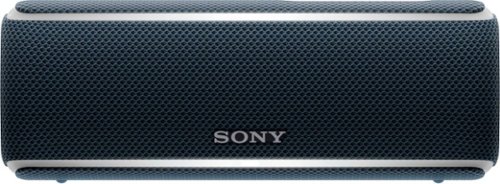
Enjoy your favorite songs with this Bluetooth Sony speaker. Its multicolored line lights and flashing strobe turn any gathering into a party, and the 12 hours battery keeps the music playing all night long. This portable Sony speaker is resistant to water, dust and rust, so you can supply the tunes for any adventure.
Customer Rating

4
Good little speaker with some nice gimmicks.
on March 29, 2018
Posted by: TechEnthusiast
from Itasca, IL
Pros:
Great aesthetic design.
Solid build quality
Water resistant
Great aesthetic design.
Solid build quality
Water resistant
Cons:
Tricky to setup
Tricky to setup
The Sony speaker has a comfortable fabric body with a thick, rubberized flap covering the ports and a thin rubberized strip with the controls. The speaker also has four tiny little rubber feet on its bottom to keep it from rolling away. It’s a very nice look, and it’s very comfortable in the hand. I do have some concerns about the fabric mesh collecting dirt. Fortunately, this speaker is water resistant and can handle a good scrubbing.
The LED strip runs along the length of the device and wraps around the sides. LED lighting is controlled by the Sony “Music Center” app. I was a little disappointed by how subdued the lighting was. I wasn’t planning on using this as a lamp, but I was thinking that it would get brighter than it did. The light pulses outward from both the top and bottom of the speaker, but it doesn’t really take full advantage of the strip. I was also surprised that the LED only appears to be white. I was under the impression that it was going to be multi-color.
I had a little bit of trouble pairing this speaker to my phone. Despite the fact that my phone is a newer model and running Android Nougat, this speaker wouldn’t show up for Blue-tooth pairing. It wasn’t until I tried pairing the speaker with an older android tablet running Lollipop that it suddenly showed up as available on both devices. Since then I’ve paired it with both my tablet and my phone without issue.
The speaker does have an Aux-in port. So if Blue-tooth pairing isn’t your thing, you can still use this speaker with a wired connection. The speaker also charges via micro usb, so you theoretically don’t have to worry about exotic, proprietary charging cables. That being said, I tried plugging it into a battery bank; and I didn’t see any evidence that it was actually charging.
This tiny little speaker has a lot of punch to it. Audio was clear and loud.
The party boost was a fun little surprise. With this turned on, you can smack various part of the speaker to produce a sound effect. I was surprised by how much force it takes to get a sound effect out of the speaker, but it still made for a fun little addition.
The party chain, multi-speaker mode theoretically allows you to pair this up with other speakers to achieve a whole home or surround sound experience. Unfortunately, I couldn’t get this to work with another (older) party chain compatible speaker that I had. I’m guessing that both speakers have to be the exact same model.
All in all, I found this to be an excellent little speaker. I would recommend it to a friend.
My Best Buy number: 2115535767
Mobile Submission: False
I would recommend this to a friend!
Share this review:


0points
0of 0voted this as helpful.
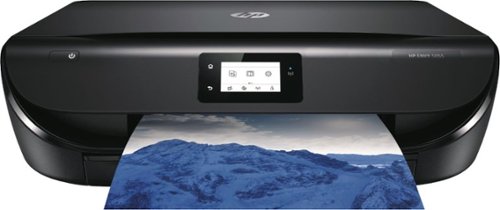
Get affordable prints and increased versatility. Set up, connect, and print right from your mobile device, and produce high-quality photos and everyday documents. Print, scan, and copy with ease.Up to 10 ISO ppm* black, up to 7 ISO ppm* color.
Customer Rating
4
Great printer for light-moderate home use
on March 27, 2018
Posted by: TechEnthusiast
from Itasca, IL
Pros:
Sleek appearance
Flatbed scanner
Instant Ink Compatible
Good image quality
Sleek appearance
Flatbed scanner
Instant Ink Compatible
Good image quality
Cons:
Difficulty setting up
Hidden complexities to the Instant Ink program
“Always connected” state may be a turn off for the more security conscious
Tiny capacity paper tray
Difficulty setting up
Hidden complexities to the Instant Ink program
“Always connected” state may be a turn off for the more security conscious
Tiny capacity paper tray
The HP Envy 5055 is a great home printer if all you’re doing is printing photos and the occasional document.
I love how sleek this printer is. Everything is nice and contained in a clean, minimalist design. I have no problems leaving this out where guests could see it as it just blends into the room. My one complaint about the design is that the paper tray is so very tiny. At a guess, I’d say that this could only hold maybe 50 sheets of 24# paper. This isn’t great if you’re doing a lot of high volume printing, but it’s just fine if you’re primarily using this as a photo printer. The printer also feeds from the bottom and doesn’t seem to have a manual feed tray. I’d hesitate loading this up with thicker cardstocks or envelopes.
I work with commercial printers every day, so I’m used to a very high standard where color printing is concerned. The Envy’s print quality is “good.” It’s far from the best I’ve ever seen (commercial printers and even some other home printers do much better), but it’s not bad by any means. I found that the contrast of my printed image was more than a bit off compared to what was displaying on my monitor. The brights were much brighter and the darks were much darker. A few minutes adjusting my image in a photo editor easily compensated for this though.
I love the fact that it comes with a flatbed scanner. I’ll be honest, I primarily got this printer for the scanner. Sure, there are scanning apps for smartphones; but they pale in comparison to a device that’s actually designed for scanning. Unlike a smartphone, you don’t have to worry about lining up your corners, trying to get a jittery shot off without blurring your image, ambient lighting messing up your scan, or the color of your background making it so that your scanning app can’t find your page edge.
With the Envy, you just place your page in the corner and scan it using either the phone app or your computer. No fuss, no muss.
This printer is HP Instant Ink compatible. This is an optional feature. You have the option to bypass this when first setting up the printer if you only want to use this as a traditional printer. At the time of this review, HP is offering a free “15 pages a month” plan. Basically the way this works is that your printer is constantly connected to the internet and reporting back to HP how many pages you’ve printed and how much ink is in your cartridges. When you run out of ink, HP automatically sends you a new cartridge (at no additional charge). That being said, you are only allowed a fixed number of prints in a month. If you go over that, then you have to pay overage fees.
While signing up for this service, I accidently clicked the link for the legal documents and disclaimers. I decided to go ahead and skim them since they were pulled up anyway.
I’m glad I did.
A couple things you need to know about Instant Ink that aren’t immediately apparent:
1. HP owns the cartridges: While you actively use the cartridges, HP actually owns them. You will need to return any empty cartridges to HP, and you will also need to return the cartridges currently in your printer should you decide to exit the program.
2. If you exit the free plan for any reason, you can never go back: If you decide to upgrade from the free plan to one of the paid plans, then you can never downgrade back to the free plan. Same for if you exit the program completely. You can’t turn around and go back to the free plan a few months down the road.
3. A printed page counts as any piece of paper that gets ink on it: That annoying last page that periodically prints with just a URL and a date when you’re printing a web page? Yes, that counts as a full page. Presumably, jammed pages would count toward this total as well.
4. The website and app do not register your page usage in real time: Page usage is only updated once a day. I printed four pages and the site said that I was only at zero until the next morning when all four registered all at once.
5. The free plan doesn’t roll over: HP advertises that unused pages roll over to the next month. The free plan is the exception to this rule. With the free plan, you get 15 pages a month. Period.
6. The free plan has different overages than the paid plans. The paid plans allow you to get an additional 15 pages for $1 more a month. The free plan only allows you to get an additional 10 pages for $1 a month.
1. HP owns the cartridges: While you actively use the cartridges, HP actually owns them. You will need to return any empty cartridges to HP, and you will also need to return the cartridges currently in your printer should you decide to exit the program.
2. If you exit the free plan for any reason, you can never go back: If you decide to upgrade from the free plan to one of the paid plans, then you can never downgrade back to the free plan. Same for if you exit the program completely. You can’t turn around and go back to the free plan a few months down the road.
3. A printed page counts as any piece of paper that gets ink on it: That annoying last page that periodically prints with just a URL and a date when you’re printing a web page? Yes, that counts as a full page. Presumably, jammed pages would count toward this total as well.
4. The website and app do not register your page usage in real time: Page usage is only updated once a day. I printed four pages and the site said that I was only at zero until the next morning when all four registered all at once.
5. The free plan doesn’t roll over: HP advertises that unused pages roll over to the next month. The free plan is the exception to this rule. With the free plan, you get 15 pages a month. Period.
6. The free plan has different overages than the paid plans. The paid plans allow you to get an additional 15 pages for $1 more a month. The free plan only allows you to get an additional 10 pages for $1 a month.
I think that Instant Ink is a great program, but you have to be very careful with it. My problem with inkjet printers has always been that I print so seldom that my ink drys out. In my case, this program is absolutely great. For others . . . maybe not.
I would recommend this printer for home users looking to print the occasional document or photo. I would not recommend this printer for businesses or anyone looking to do high volume printing.
My Best Buy number: 2115535767
Mobile Submission: False
I would recommend this to a friend!
Share this review:


+222points
232of 242voted this as helpful.
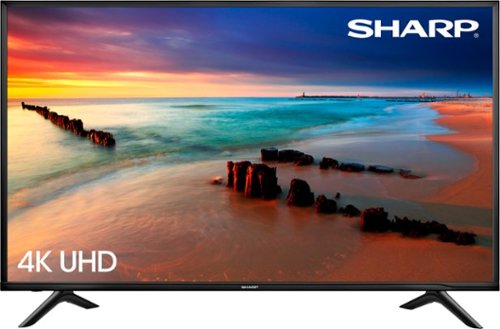
Only at Best BuyEnjoy television and movies in stunning clarity with this 60-inch Sharp Smart TV. Its 4K panel resolution delivers a clear, crisp picture, and its three HDMI inputs and one USB input let you connect accessories and stereo receivers. This Sharp Smart TV is Netflix certified for simple, fast streaming of digital content.
Customer Rating

5
Terrific TV with a whole slew of features
on February 26, 2018
Posted by: TechEnthusiast
from Itasca, IL
The Sharp 60” 4K TV is a terrific television with a lot of features.
Pros:
BIG screen
High resolution
Supports wireless display casting
Built in apps
Web browser can be downloaded from app store (not pre-installed by default)
BIG screen
High resolution
Supports wireless display casting
Built in apps
Web browser can be downloaded from app store (not pre-installed by default)
Cons:
No Hulu
No YouTube TV (Note: referring to the relatively new live TV streaming service and not the standard YouTube that everyone’s been using for the past decade).
Finding a stand for a TV of this size (60” - most stands only support up to 55”) and weight (roughly 45 lbs) is daunting.
No Hulu
No YouTube TV (Note: referring to the relatively new live TV streaming service and not the standard YouTube that everyone’s been using for the past decade).
Finding a stand for a TV of this size (60” - most stands only support up to 55”) and weight (roughly 45 lbs) is daunting.
I really like this TV a lot. The features and resolution are great, and the size makes it awesome for entertaining.
Unboxing was extremely difficult and took two people. Two important things to keep in mind when unboxing this television: 1. Don’t pull it out from the top, and 2. Don’t apply any pressure to the screen. The box didn’t provide any guidance on the best way to unbox this, so we ended up using a box cutter and cutting the box down along the sides and tearing it down.
Finding a stand was difficult as most of the stands I found at stores only supported up to 55” TVs. Ironically, it was actually easier to find wall mounts at this size (though my walls are spongy, and I wouldn’t trust them to support a 45lb TV).
4K content still isn’t universally available yet. Most of my accessories cap out at 1080p, and I wasn’t too impressed with the resolution at first. Then I booted up a 4K video on YouTube using the included YouTube app. WOW.
All in all, I was very impressed by the television.
My Best Buy number: 2115535767
Mobile Submission: False
I would recommend this to a friend!
Share this review:


+1point
1of 1voted this as helpful.
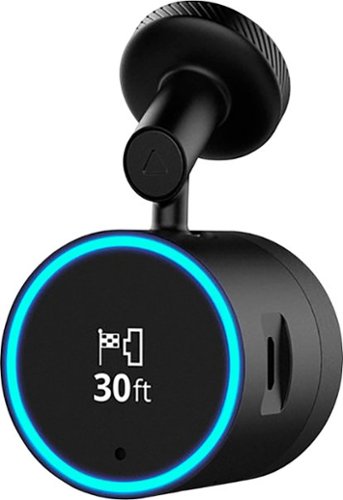
Garmin Speak~ Plus with Amazon Alexa is what you love about Amazon Alexa, now in your vehicle. Use voice control for hands-free access to music, news, navigation and more. Plus, a built-in dash cam gives you forward collision and lane departure warnings.
Customer Rating

3
Good hardware, but software needs serious work.
on February 19, 2018
Posted by: TechEnthusiast
from Itasca, IL
This is a great device in concept, but the Alexa integration is buggy to say the least. Alexa ignores what i say a lot of times, and oftentimes the interactions are . . . bizarre. I’ve typed out some of my conversations with Alexa on this device to help demonstrate this point:
Me: Alexa, set a calendar event.
Alexa: What is the event?
Me: Testing Alexa
Alexa: When is the event?
Me: Today at 3 PM.
Alexa: What is the event?
Me: . . . Testing Alexa.
Alexa: When is the event?
Me: Today at 3 o’clock.
Alexa: What is the event?
Me: . . . Nevermind.
Alexa: What is the event?
Me: Testing Alexa
Alexa: When is the event?
Me: Today at 3 PM.
Alexa: What is the event?
Me: . . . Testing Alexa.
Alexa: When is the event?
Me: Today at 3 o’clock.
Alexa: What is the event?
Me: . . . Nevermind.
Me: Alexa, set a reminder.
Alexa: What is the reminder?
Me: Return Redbox rental.
Alexa: When would you like to be reminded?
Me: Tomorrow at 8 AM.
Alexa: I’m sorry, reminders are not currently supported on this device.
Alexa: When would you like to be reminded?
Me: Tomorrow at 8 AM.
Alexa: I’m sorry, reminders are not currently supported on this device.
Alexa: Your reminder has been set. (Note: it wasn’t)
Alexa: I’m having problems.
Alexa: What is the reminder?
Me: Return Redbox rental.
Alexa: When would you like to be reminded?
Me: Tomorrow at 8 AM.
Alexa: I’m sorry, reminders are not currently supported on this device.
Alexa: When would you like to be reminded?
Me: Tomorrow at 8 AM.
Alexa: I’m sorry, reminders are not currently supported on this device.
Alexa: Your reminder has been set. (Note: it wasn’t)
Alexa: I’m having problems.
Me: Alexa, ask Garmin for directions to the [nearby city] Panera Bread on [street].
Alexa: I’ve found a few options for Panera Bread. Panera Bread on [street] in [city] is 2.7 miles away. Is this okay?
Me: Yes / Okay / Select that one (Note: three separate attempts)
Alexa: (after a long pause) Search canceled
Alexa: I’ve found a few options for Panera Bread. Panera Bread on [street] in [city] is 2.7 miles away. Is this okay?
Me: Yes / Okay / Select that one (Note: three separate attempts)
Alexa: (after a long pause) Search canceled
Me: Alexa, call [person].
Alexa: Calls aren’t currently supported on this device. You can make calls from the Alexa app instead.
Alexa: Calls aren’t currently supported on this device. You can make calls from the Alexa app instead.
Me: Alexa, text [person]
Alexa: Text messages aren’t currently supported on this device. You can send texts from the Alexa app instead.
Alexa: Text messages aren’t currently supported on this device. You can send texts from the Alexa app instead.
In addition to this, the dash cam features are . . . bizarre and worrisome.
I initially tested this while driving through an impromptu snow storm. At one point I hit a rather shallow pothole and suddenly I heard an extremely loud and strident tone coming from my windshield. It scared me so much that I almost got into a wreck. Apparently the dash cam had perceived the pothole as a wreck and started recording video of the accident. Ironic since everything was fine, but the cam almost CAUSED an accident. Strangely, this only seems to trigger on shallow potholes. I was sure that the speedbumps I go over in the parking garage at work would trigger it (they’re scary steep and rattle my teeth every time I go over them). Nope. The dash cam didn’t even notice them.
Viewing videos and pictures from the dash cam is impractical. You have to download a separate Garmin “VIRB” app in order to view them (in addition to the Garmin “Speak” app that you need to download just to use this device). That being said, DON’T OPEN VIRB. The Speak app uses VIRB to view photos and videos, but if you try to open VIRB yourself, it will tell you that it can’t find your camera. Why I have to waste precious phone storage for a 2nd app that I can’t even use myself is beyond me. This was an extremely bad design choice.
I was pleasantly surprised to see that this device has lane departure warnings. This will actually prove useful late of a night when I have trouble seeing the lane markings.
Note that on my Chevy Spark, I have to set the radio to Bluetooth to allow my phone’s audio to play over the car’s speakers. This requires first starting my car, then starting my radio, then waiting for my phone to pair with the radio, and then switching to Bluetooth (kind of a pain). The volume for Alexa is very quiet compared to my radio’s default. I found that I had to crank the car’s volume to max just to hear Alexa, and then I get deafened every time my car switches back to radio (which it does by default the next time I turn the radio on).
The device lost internet connection several times in a suburban area. I don’t believe that the problem was my phone as I still seemed to have full internet and phone service on my smartphone itself. The device also went unavailable for an extended period several times over the course of a few days as it installed updates.
All in all, I think that the hardware is solid; but the software needs some serious work.
I would recommend this device, but only because I see it as having great potential once they get the bugs worked out.
My Best Buy number: 2115535767
Mobile Submission: False
I would recommend this to a friend!
Share this review:


0points
0of 0voted this as helpful.
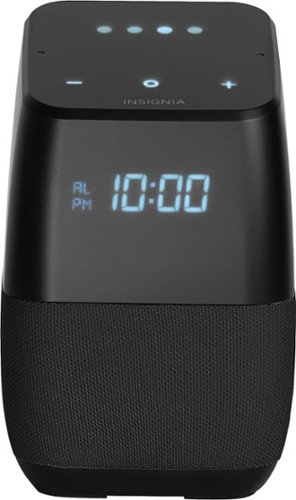
Only at Best BuyFind your favorite songs with the simple sound of your voice with this Insignia voice-activated wireless speaker. Wi-Fi and Bluetooth connectivity let you pair with compatible devices for more enjoyment, and Google Assistant is included to answer questions or search the internet. This Insignia voice-activated wireless speaker features a compact footprint and brilliant display.
Customer Rating
4
Great smart speaker with some weird caveats.
on February 13, 2018
Posted by: TechEnthusiast
from Itasca, IL
The Insignia Smart Speaker is an awesome speaker.
Music playback is loud and clear, it's aesthetically pleasing in a nice black color, and the microphone is nice and responsive.
It comes with Google's Assistant and allows you to voice control compatible devices. You can ask it questions and have it do conversions (ex. "Hey Google, how many teaspoons are in a 1/4 cup?). And finally, you can use it to set reminders and calendar events for yourself.
On top of all this, it has a digital clock on the front.
Now for the not so great.
First, it can't make phone calls. This feature seems to be limited to Google's own devices for right now. It WAS able to ring my phone when I misplaced it. But when I tried calling my parents to check in on them, the speaker informed me that it wasn't able to make calls yet.
Second, the alarm is super quiet. It doesn't matter how loud or soft you set the assistant to be, the alarm volume (and only the alarm volume) remains crazy quiet. I haven't stumbled across any voice commands or anything to adjust this. I wouldn't recommend using this as a bedroom alarm clock in light of this.
Third, for a little more than a week, the microphone was being scary sensitive. I don't know if it got some kind of buggy firmware update or what, but it could hear me from just about ANYWHERE in my home no matter how loudly or softly I was talking. I have multiple smart speakers (including one next to my bed that I use as an alarm clock), and the Insignia was responding to EVERY voice command (even when I was two rooms away). Given how quiet the alarm is, that proved to be a major problem when setting my morning alarm (overslept by half an hour) and when trying to use my kitchen speaker as an oven timer (burnt my chicken to a crisp).
This problem seemed to resolve itself after about a week and a half. I find it a little disturbing that the hardware is even capable of this degree of sensitivity though.
This problem seemed to resolve itself after about a week and a half. I find it a little disturbing that the hardware is even capable of this degree of sensitivity though.
I would not recommend this speaker as an alarm clock. On the surface, it looks perfect for this type of use. That being said, it's not.
I WOULD recommend this speaker for the kitchen or living room though. If you want to control smart devices, or set quick little alarms to remind yourself to take something out of the oven, this device is great.
My Best Buy number: 2115535767
Mobile Submission: False
I would recommend this to a friend!
Share this review:


0points
2of 4voted this as helpful.
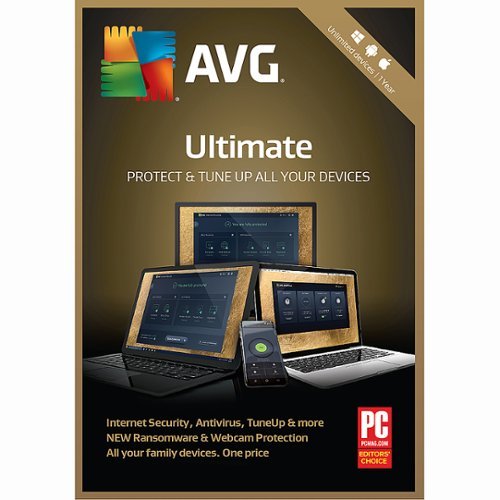
Safeguard your online identity with AVG Ultimate security software. It protects your computer from harmful viruses and spyware, and it offers automatic updates, so you'll always be protected from the newest threats. AVG Ultimate security software includes email shield technology and web protection that scans attachments and nearby Wi-Fi hotspots for safety.
Customer Rating
4
Good program, but be careful with it
on January 19, 2018
Posted by: TechEnthusiast
from Itasca, IL
I liked AVG anti-virus, but you have to be a little careful that you don’t end up breaking your system by putting programs to “sleep.”
Installation was relatively straightforward. I went to their site, entered my product key, logged into my account (took me a little bit as I couldn’t remember my password from their free version), and downloaded the software.
I was surprised that it didn’t prompt me to remove the free version that I already had installed. I honestly can’t tell if it upgraded the version I already had or installed this alongside it. I tend to think that it upgraded as I don’t have an overabundance of new icons in my start menu.
Installing on a second computer proved a little trickier as I’d missed that I had to click a validation link in an email they’d sent me. I’m not sure why this was necessary for the second computer but not for the first.
The user interface is . . . busy. It tries so hard to be feature rich that it makes it a little hard to navigate.
This installed and ran on my desktop beautifully (3rd Gen Core i3 processor and 6GB RAM). It didn’t do so well on my Atom based tablet with 2GB of RAM. The performance hit was noticeable but it was still quite usable on the Atom based tablet.
I’m not so keen on AVG’s whole “putting programs to sleep” function. It touts this as a way to free up system resources to boost performance. It claims that it just puts the program into a standby mode, but it won’t negatively impact any active tasks.
This isn’t quite true.
Shortly after putting a couple (seemingly) innocuous programs to sleep, I found that a lot of my games wouldn’t open (I’d put the background updater for one of the games to sleep and my graphics card program). I also experienced a system crash shortly after doing this. Waking the programs up appears to have fixed the issue.
All in all, I’m fairly happy with AVG. I would caution users not to let it run amok with your system settings, but it does offer an extra level of protection against the threat of computer viruses and malware.
My Best Buy number: 2115535767
Mobile Submission: False
I would recommend this to a friend!
Share this review:


0points
0of 0voted this as helpful.
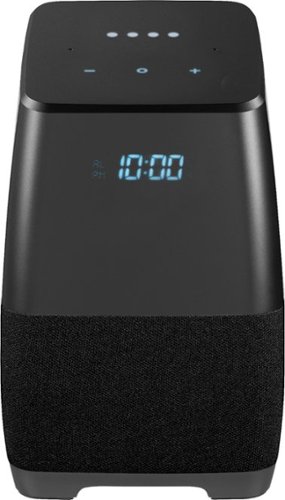
Insignia - Voice Smart Portable Bluetooth Speaker and Alarm Clock with Google Assistant - Gray/Black
Only at Best BuyAnswer all your questions and share your playlist with this Insignia portable wireless speaker. Featuring Google Assistant, this compact speaker lets you search the internet or set your schedule with just the sound of your voice. Bluetooth compatibility on this Insignia portable wireless speaker allows sharing and casting to multiple devices, including phones, tablets and even other speakers.
Customer Rating
4
Great smart speaker with caveats
on January 15, 2018
Posted by: TechEnthusiast
from Itasca, IL
This is a great smart speaker, but it's not perfect.
The microphone on this thing is incredible. I've been standing in my kitchen (a full room away), and this speaker still hears me. I have another Google smart speaker, and its microphone isn't nearly as good. Like my other smart speaker, this does have trouble hearing me over itself at certain volumes. Bear this in mind before cranking up the volume.
I like the digital clock face on the front. It just screams that it wants to be used as a bedroom alarm clock (except for one glaring problem - more on that in a moment).
The audio is clear and loud (except for when it isn't - again, more on that in a moment).
I love the black aesthetic. It goes well with my apartment's decor.
Unlike a lot of 3rd party smart speakers, this one is capable of making phone calls right out of the box.
Now for the bad: The alarm is super quiet.
It's weird. I have the volume turned up to 50%, and the assistant's voice is quite loud. That being said, when the alarm goes off; you can barely hear it.
I've tried cranking the volume up, but the alarm volume appears to be constant.
This is a major problem if you were planning on using this as a bedroom alarm clock.
Still, this makes a great living room smart speaker for controlling my Chromecast and smart plugs.
I definitely recommend this speaker (except for as an alarm clock).
My Best Buy number: 2115535767
Mobile Submission: False
I would recommend this to a friend!
Share this review:


+1point
2of 3voted this as helpful.
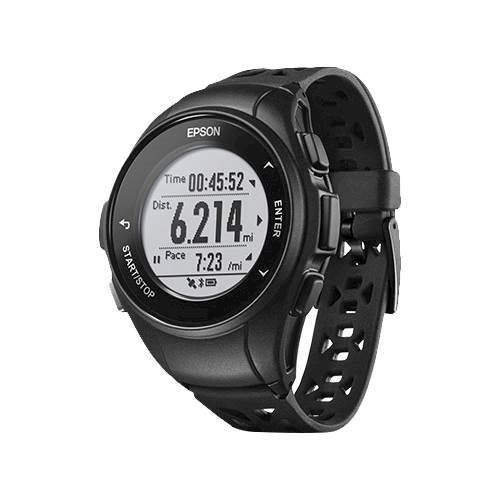
Train with technology and maximize your run with this ProSense GPS running watch. Featuring built-in GPS, this lightweight watch logs your route, tracks your pace and even measures your stride length to chart your progress. CardioSense on-wrist heart rate monitoring helps keep your run heart healthy, while smart notifications on this ProSense GPS running watch alert you to calls and messages.
Customer Rating
4
Good fitness tracker geared toward runners
on December 11, 2017
Posted by: TechEnthusiast
from Itasca, IL
This is a great tracker for runners.
It monitors all manner of useful metrics for running and walking. It monitors steps, time, calories, pace, sleep, location (via GPS), and distance; and it can be setup to monitor running, walking, or treadmill workouts.
Syncing the watch proved a little problematic. My one year old, budget android phone was unable to to establish a connection. Fortunately, Epson's website does offer instruction for establishing a wired connection to a PC using their proprietary charging cable.
The marketing materials advertise a week's worth of battery on a charge (with GPS turned off). I only managed 3-days.
You do have to be a little careful when handling the watch. I somehow managed to trigger a workout while putting my coat on. It then took me a few minutes to figure out how to exit the workout and view the actual time.
I've been using this watch on the treadmill, and it tracks my metrics beautifully. That being said, it didn't register anything while I was on the stationary bike, elliptical, or stair machine. Like I mentioned earlier, this device is strongly geared towards runners / joggers. General fitness enthusiast who are looking for a tracker that tracks everything will be disappointed.
The display can be customized in regards to what metrics it shows and how it shows them, but it doesn't appear capable of displaying push notifications from a cell phone. This was a little disappointing as I like to keep abreast of any incoming text messages as I work out.
If you're a jogger or runner, this watch would be a good investment for you. If you're a general fitness enthusiast looking for a good all around tracker, you may want to keep looking.
My Best Buy number: 2115535767
Mobile Submission: False
I would recommend this to a friend!
Share this review:


+1point
1of 1voted this as helpful.
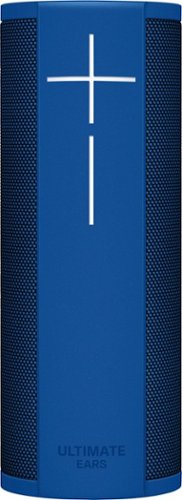
Request songs and initiate searches from Alexa with this Ultimate Ears BLAST wireless speaker. Its Wi-Fi and Bluetooth connectivity let you access the internet, make voice commands and take calls without stopping the music you~re streaming. The 360-degree profile and full-range drivers of this Ultimate Ears BLAST wireless speaker produce big, dynamic sound for your music.
Customer Rating
3
Great speaker . . . if you can get it to set up.
on November 23, 2017
Posted by: TechEnthusiast
from Itasca, IL
Logitech makes some of the best keyboards and mice in the world. . . . They should probably just stick with that.
The Ultimate Ears Blast speaker was an absolute nightmare to set up. Their site lists the requirements as being an Apple device running iOS 10.2 or an Android device running Android 5.0 or later. Good luck finding an Android device that this will work with this, though. I tried setting this speaker up on a ZTE phone running Android 5.1 and an Acer tablet also running Android 5.1. Neither of them was able to get through the installation process. The phone was able to find the speaker during setup, but it would consistently tell me that the speaker was unavailable. The tablet said the speaker was unavailable 2 out of every 3 attempts, but it would allow me to progress through the setup process on the 3rd attempt. Unfortunately, I still couldn’t finish the setup process with the tablet. At random points during setup (usually during the bluetooth setup but once on the finish screen itself) the setup process would suddenly lockup and force me to start over from the beginning (again with the speaker being unavailable 2 out of every 3 tries).
I finally ended up borrowing a family member’s LG phone just long enough to set up the speaker. It took two tries on her phone, but I was able to make it all the way through the setup process.
This brings us to the next difficulty.
Having set up the speaker using my Amazon account and her WiFi, I tried changing Amazon accounts, thinking we could all give it a try as a family.
NOPE.
The speaker locks into whatever Amazon account is entered during setup, and good luck trying to change it. You can sign out of the account (whereupon Alexa quits responding completely), but upon trying to sign back in, it automatically logs you in with the account you initially used. As near as I can tell, there is no way to switch to a different account.
The speaker, itself, works well with just a few little quirks.
Alexa answered questions easily and kept us amused with some of its quirky answers. That being said, there were times when the speaker would just inexplicably stop responding for extended periods of time. The light on top would light up (indicating that it was listening), but then it wouldn’t react at all. Other times, the speaker seemingly goes to sleep with the light not even turning on.
Unfortunately, the speaker doesn’t appear to be capable of making phone calls or using Amazon’s “Drop In” function (yet?). It was able to set reminders, answer questions and perform other Echo functions, though.
The speaker also exhibited an odd, unpleasant “buzz” when set to maximum volume. Keeping it at 4-5 (out of 10) was adequately loud for our needs, though.
The hardware, itself, is somewhat problematic too. The USB charging port is hidden behind a rubber flap on the bottom (note: don’t pull on the metal ring on the bottom. That won’t lift the flap). The port is positioned in such a way that you can’t have the speaker stand upright while charging. This is problematic for people who would be inclined to use this speaker as a full-time Alexa speaker and a part-time portable, Bluetooth speaker. Hopefully a stand or something will become available in the near future to allow this to charge while standing upright.
I don’t dislike this speaker, but the aggravation of the setup process definitely soured things for me some. Between that, the sometimes unreliable response to voice prompts, the lack of the ability to make phone calls, and the unfortunate placement of the charging port; this speaker was a little disappointing.
It was cute listening to Alexa as my family asked her to tell us jokes and sing songs to us though.
I love the Logitech brand, and I’d heard good things about their UE speaker line, but this speaker misses the mark some.
Honestly? I’m on the fence about whether or not to recommend this speaker.
My Best Buy number: 2115535767
Mobile Submission: False
I would recommend this to a friend!
Share this review:


+3points
4of 5voted this as helpful.

Video editing doesn't have to be daunting or take tons of time. Go from hundreds of mystery folders to a visual view of your videos automatically sorted by date. Use automated editing options and step-by-step guidance to create and share everything from animated GIFs and video collages to new dynamic slideshows and full-length movies.
Customer Rating
4
Great software, but there's a learning curve
on November 20, 2017
Posted by: TechEnthusiast
from Itasca, IL
I'm a longtime Photoshop / Illustrator / InDesign user, but this was my first foray into video editing. Premiere Elements proved itself to be very versatile, but there's definitely a learning curve to using it.
First off, there are no instructions. Prepare to search Google (or Bing if that's your cup of tea) like a maniac as not everything is as intuitive as it could be.
I uploaded a video that I wanted to trim the beginning and end off of (nobody wants or needs to see 5 minutes of me fumbling around trying to setup the shot or awkwardly trying to turn things off), and I made the mistake of selecting the "Smart Trim" function. It then proceeded to spend an hour just analyzing my video in an effort to find any and all scenes without any people so that it could remove them. While I appreciate that this could be very useful, it wasn't at all what I wanted to do. I literally just wanted to trim 5 minutes from the beginning and end.
It turns out, it's very easy to do this by just dragging the blue arrow to where you want to split the video, clicking "timeline" and choosing the split option, and then just selecting the part you don't want to keep and deleting it (no hour's worth of analysis needed).
The second thing I noticed was that the software renders very slowly on my Y-series i7 processor. I know that video editing is a very demanding task, but I was honestly surprised by just how long it took on my system. I don't know that a U-series would have made much difference, but I thought it worth mentioning.
I did appreciate that it tells you how big your file is going to be prior to exporting. I needed the file to be small enough to fit on a standard DVD (4.7GB), and it was going to be a teensy bit too big. Fortunately, Premiere had tools that allowed me to reduce the video quality to decrease file size. I managed to get it dropped down by switching from 1080p resolution to 720p.
I need to practice with it more, but my initial impressions are that this is a good, solid piece of software with a lot of functionality. I look forward to learning how to use more of its functions.
My Best Buy number: 2115535767
Mobile Submission: False
I would recommend this to a friend!
Share this review:


0points
0of 0voted this as helpful.
TechEnthusiast's Review Comments
TechEnthusiast has not submitted comments on any reviews.
TechEnthusiast's Questions
TechEnthusiast has not submitted any questions.
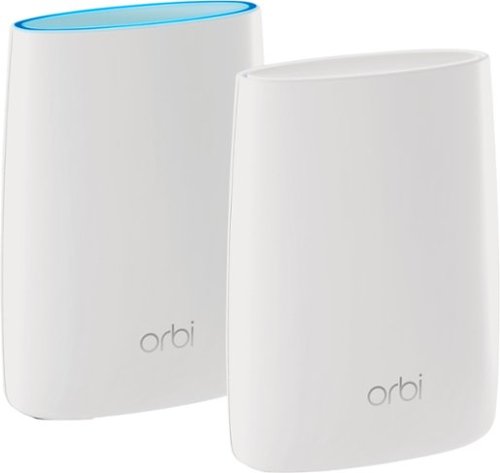
Orbi Whole Home WiFi System delivers up to 3.0Gbps high-performance WiFi. Sleek, modern design with high-gain internal antennas for up to 5,000 square feet of coverage. FastLane3 Technology creates a dedicated Tri-Band WiFi for seamless 4K streaming and gaming everywhere in your home. Keep a single WiFi name for uninterrupted connections as you move from room-to-room. Circle Smart Parental Controls runs on Orbi Routers for a smart way for families to manage content and time online, on any connected device. Provide internet access to guests without sharing your personal network password. Orbi is ready right out of the box and compatible with your ISP. Just use the Orbi app to get started with better WiFi, everywhere in minutes.
Can you use with comcast.
Yes. I'm using it with Comcast myself.
You plug the Ethernet cable from your modem to the Orbi router the same as you would any other router. The big difference between the Orbi and other routers is that it comes with a separate satellite unit to extend your wireless range. The satellite unit hooks up to the router wirelessly. Installation and pairing takes about ten - fifteen minutes to complete.
You plug the Ethernet cable from your modem to the Orbi router the same as you would any other router. The big difference between the Orbi and other routers is that it comes with a separate satellite unit to extend your wireless range. The satellite unit hooks up to the router wirelessly. Installation and pairing takes about ten - fifteen minutes to complete.
9 years, 8 months ago
by
TechEnthusiast
Orbi Whole Home WiFi System delivers up to 3.0Gbps high-performance WiFi. Sleek, modern design with high-gain internal antennas for up to 5,000 square feet of coverage. FastLane3 Technology creates a dedicated Tri-Band WiFi for seamless 4K streaming and gaming everywhere in your home. Keep a single WiFi name for uninterrupted connections as you move from room-to-room. Circle Smart Parental Controls runs on Orbi Routers for a smart way for families to manage content and time online, on any connected device. Provide internet access to guests without sharing your personal network password. Orbi is ready right out of the box and compatible with your ISP. Just use the Orbi app to get started with better WiFi, everywhere in minutes.
So if it comes with two, I'm assuming you have one that internet is linked to by cable and the other is used as a extender? Or do you have to have both units hooked to cable?
The router portion is connected to your modem via an Ethernet cable, but the satellite / extender unit links up to the router wirelessly. The only wire that you need to have connected to the extender is the power cord.
9 years, 8 months ago
by
TechEnthusiast
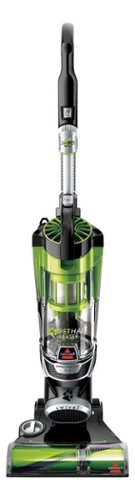
Nothing puts a vacuum to the test quite like a home with pets. That's why the BISSELL~ Pet Hair Eraser~ was developed from the ground up by pet parents for pet parents. Whether it's shedding season for your dog or your cat tracks kitty litter all over the house, this revolutionary vacuum is designed to make cleaning up after pets and the people who love them a breeze~from beginning to end. Say goodbye to hair wrap with its Tangle-Free Brush Roll, remove embedded hair everywhere with specialized pet tools, help capture allergens and eliminate odors with the SmartSeal~ Allergen System, and when you're finished cleaning, enjoy a hands-free tank empty with our patented Cyclonic Spooling System~.BR>
How load is it? I've used an Oreck XL upright and a Eureka Mighty Mite and would hope it's no louder as those. I prefer bagged vacuums but want to try the BISSELL Pet Hair Eraser because of its claims of not getting hair tangled on the roller.
I haven't tried the two vacuums that you mentioned, but I can say that I was surprised that this vacuum wasn't terribly loud.
Given it's size and the number of vents coming out of it, I expected it to be deafening. Upon turning it on, I was surprised by just how mild the sound was. It'll definitely drown out a television or radio some, but you'll still be able to hear people talking over it.
Given it's size and the number of vents coming out of it, I expected it to be deafening. Upon turning it on, I was surprised by just how mild the sound was. It'll definitely drown out a television or radio some, but you'll still be able to hear people talking over it.
9 years, 9 months ago
by
TechEnthusiast