


rtbestbuy's stats
- Review count182
- Helpfulness votes217
- First reviewNovember 22, 2014
- Last reviewJune 2, 2026
- Featured reviews0
- Average rating4.5
Reviews comments
- Review comment count0
- Helpfulness votes0
- First review commentNone
- Last review commentNone
- Featured review comments0
Questions
- Question count0
- Helpfulness votes0
- First questionNone
- Last questionNone
- Featured questions0
- Answer count11
- Helpfulness votes29
- First answerAugust 15, 2017
- Last answerOctober 5, 2021
- Featured answers0
- Best answers3
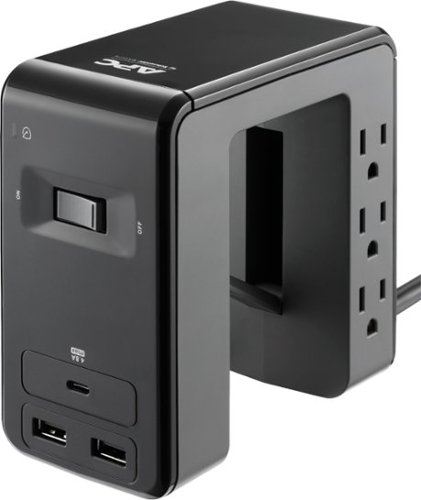
Run and organize your computer system safely with this six-outlet APC SurgeArrest Essential desk-mount power station. Lightning and surge protection and a fail-safe mode prevent your electronics from getting damaged during current spikes, and the powered USB-A and USB-C ports let you charge three gadgets simultaneously. This APC SurgeArrest Essential desk-mount power station has an LED indicator for circuit issues for added precaution.
Customer Rating

5
Unique and Useful Design
on December 15, 2019
Posted by: rtbestbuy
from Bay Area, CA
This surge protector is kind of a unique design which is really useful. A lot of surge protectors have built in USB charging ports. However, you either end up foraging under your desk to plug in cables, or stepping on the always plugged in cables. The APC "C" shape and clip lets it slide onto the edge of the desk or top of the cubicle partition, so it's easily accessible. I ended up using one on my computer table and one on the back edge of the TV stand. The plugs are much more accessible, the power cables are more manageable, and the USB power ports are readily available. Speaking of which, the three ports (two USB and one USBc) share 4.8Amps, not 2.4, which makes charging two high current devices possible. The power cable to the surge protector swivels at the unit so the unit can be used stand up or clipped. The wall plug is a flat 90 degree type, so the power cable doesn't protrude from the wall socket. All in all, APC came up with a very clever design to try to tame the under desk power cord mess.
Mobile Submission: False
I would recommend this to a friend!
Share this review:


0points
0of 0voted this as helpful.
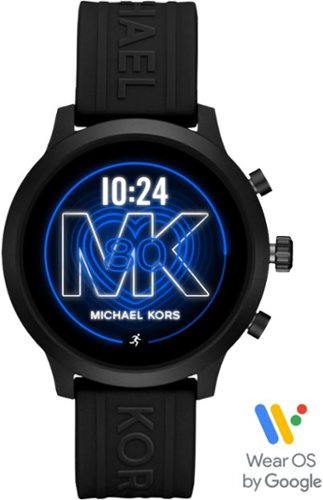
Keep time, track your fitness and increase productivity with this Michael Kors Access smartwatch. The water-resistant design offers protection in the rain or by the pool, and the Bluetooth connectivity lets you play music and make calls directly. This Michael Kors Access smartwatch has a 1.7-inch AMOLED touchscreen display for easy menu navigation and notification clarity.
Customer Rating

4
Smart, Stylish, in Need of Some Substance
on December 4, 2019
Posted by: rtbestbuy
from Bay Area, CA
The Michael Kors Access MKGO Smartwatch is light, thin, stylish, comfortable on the wrist, and at 7mm thick one of the thinnest smartwatches on the market. It has a brilliant, razor sharp AMOLED touchscreen display that is easy to read even in bright sunlight. The display is 'always on', switching from color to a dimmer monochrome display to save power when no movement is detected. The face is round, rather than square, so it looks more like a traditional watch and at 43mm wide it's not obnoxiously large on your wrist.
The Access MKGO is pretty feature rich, with an on board GPS, optical heart rate monitor, n-way accelerometer, and altimeter, wifi, nfc, and bluetooth. There is a built in mic, but no speaker. It's waterproof to 100ft. WearOS looks a lot like Android and there are a lot of apps to do useful and useless things. The battery is quick charge, a full charge seems to take about an hour, which is good because the battery is only good for about a day to day and a half at best.
Unboxing, the watch comes with a charging cable, a user's manual that essentially says "Download the WearOS App, pair, and follow the instructions". If you want any information about what the buttons do, or what swiping in a direction does (it is a touchscreen afterall), you're directed to the Michael Kors support site. You have to supply a usb charger. And there is a deceptively large book that has the safety information in a zillion languages. Charge up the watch and you're ready to go.
The MKGO is Google WearOS based and comes with the WearOS App installed, along with Google Fit and Assistant. There are lots of apps for fitness (including Strava), as well as music, productivity, agendas, games, etc. Although there is no speaker, the watch will pair with bluetooth headphones/earbuds and can be used for tunes while working out if you've forgotten your phone. I don't know what the crystal is made from, but it's pretty tough. I cracked it pretty hard against a weight without so much as scratching it.
I've used this watch over the last two weeks at the gym and on a half dozen or so bike rides ranging from 20 to 50 miles each. Battery life goes down dramatically when tracking activity, figure about 15% battery/hour. The longest bike ride was about five hours, starting at 90% battery. The watch was in battery save mode and at 15% at the end of the ride. As I said earlier, it's a good thing that the battery quick charges. On days that I didn't do any fitness activity tracking, I would see about 50% battery usage over 16 hours.
I really like the MKGO, mostly because I don't feel it, it's just there when I want it. I don't have this big, clunky, heavy thing swinging around my wrist. It does a lot of what I want, allowing me to check notifications and texts in the car or on my bike without stopping to check my phone (yes, I don't text and drive...). The heart rate and fitness monitoring seem pretty accurate and it's very convenient being able to swipe the screen rather than try to remember which button to push.
That being said, the MKGO is not without its negatives. The biggest is battery life, which could be a lot better. The processor used it the latest Qualcomm Wear processor, but it's a bit hamstrung by only 512MB of RAM and 4GB of storage. After WearOS and pre-installed apps, about 1.6GB of storage is left for additional apps and user stuff. The performance lag is especially notable when switching apps, which can take a few seconds. And there is no speaker.
For me, the negatives are tolerable and the positives, particularly the fit and the display, outweigh them. The broad selection of apps that is growing all the time is another real selling point. The MKGO is not perfect, but that is the state of the art right now, and it's definitely worth considering.
Mobile Submission: False
I would recommend this to a friend!


Share this review:


+5points
5of 5voted this as helpful.
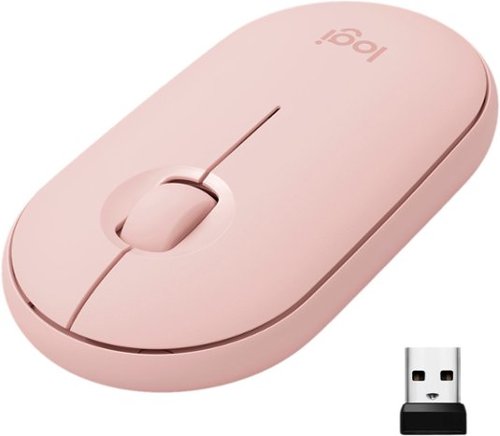
Own your space with Logitech Pebble M350 ~ a modern, slim, and silent portable mouse designed for your curated lifestyle. Make a statement with a slim mouse that can easily be scooped up and brought to the cafe or library. Silent clicking and scrolling means you can stay focused without disturbing those around you. And the Logitech Pebble stays powered for up to 18-months on a single AA battery so you don~t have to worry about losing power.
Customer Rating
5
Perfect Mouse for a Laptop or Tablet
on November 27, 2019
Posted by: rtbestbuy
from Bay Area, CA
The Logitech Pebble 350 really is the perfect mouse for a laptop or tablet, anything that is going to travel. It's a standard three button (two buttons and a center roller/button) moust that is on the small side, but not so small as to be unusable. It's very flat, not much thicker than my laptop) so it fits easily into a laptop case, pack or pocket without causing a bulge. It's bluetooth, so you don't have to have an open USB port for a cable or dongle. It does come with a dongle in the battery compartment just in case your device doesn't support bluetooth (see picture).
The Pebble 350 worked perfectly with a couple of different Windows laptops and a Chromebook. Most importantly, there was no glitching or skipping that you sometimes see with wireless mice and it has worked on EVERY surface I've tried it on. It's quiet, almost clickless and feels good in the hand. The battery life is claimed to be 18 month on a single AA battery (obviously not tested). There is really everything to recommend this mouse.
Mobile Submission: False
I would recommend this to a friend!

Share this review:


+1point
1of 1voted this as helpful.
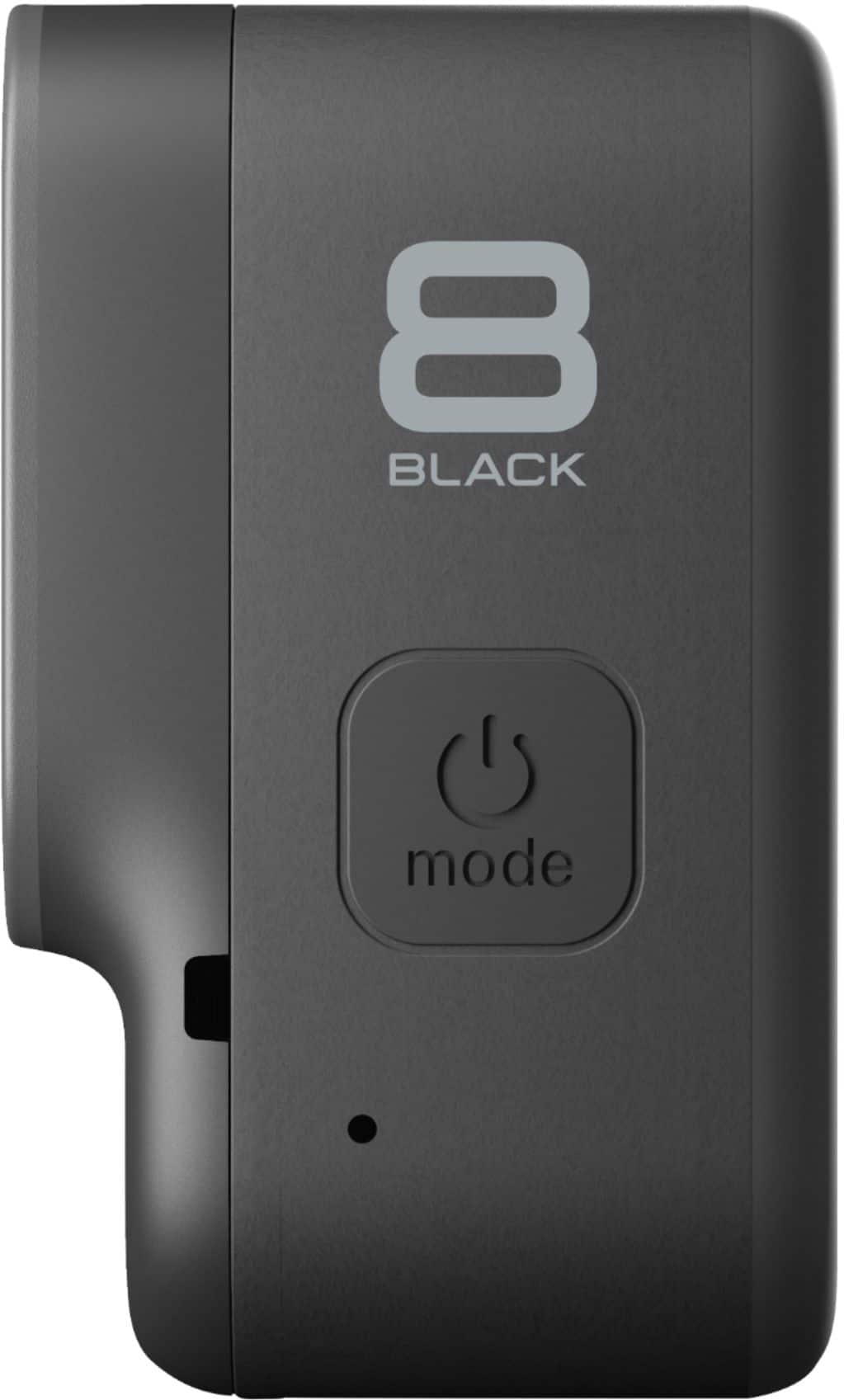
Capture smooth time lapse videos with this GoPro HERO8 camera. The HyperSmooth stabilization technology offers two levels of stabilization for smooth video reproduction, while the optional media mod offers advanced customization, giving aspiring creators a convenient way of adding more lighting and pro-quality audio to their footage. This GoPro HERO8 camera features a streamlined design with folding fingers at the base for swapping mounts quickly.
Customer Rating
5
Hero8 Black: Incremental Changes for the Better
on November 5, 2019
Posted by: rtbestbuy
from Bay Area, CA
The GoPro Hero8 Black looks a lot like the Hero7, and really represents an incremental rather than monumental change. It basically offers all the features of the Hero7 and more. The biggest changes are physical. The Hero8 eliminates the need for a separate mounting frame with built-in, foldable mounting fingers that are magnetically secured when folded. The front lens no longer protrudes prominently from the camera. There is only one door for the battery, MicroSD card, and usb connector with a new latch design. The built-in micro hdmi connnector is gone. The battery is the same form factor as the Hero7 (and 6, 5) but has a higher voltage (4.4v vs 3.8v) to enable some of the higher frame rate features. The new Hero8 battery can be used in the Hero7 or 6, and the old battery can be used in the Hero8, but some higher frame rate features become disabled. The new battery provides the same amp-hour rating as the old battery.
The Hero8, thanks to the new, higher voltage battery, provides HyperSmooth 2.0 stabilization at all frame rates, including 4K/60fps and 1080/240fps. The new stabilization is a touch better than the Hero7 in side by side comparisons. There is a boost mode that provides even more stabilization at the cost of a small amount of frame cropping. The one downside is that the battery life seems to be a little worse than the Hero7.
The stills (photo) capability improved as well, both in quality and function. While it's not going to replace a dedicated camera, or even a high end phone, it's useful when you are out in tough conditions. Image quality shows more dynamic range and color saturation than the Hero7 and there is a new 'LiveBurst' mode which captures 1.5 sec of images before and after the shutter press. It allows you to select the best still in the range.
The menu system changed a little bit. Not significantly from the Hero7, but enough to make it a little easier and quicker to navigate. There are 10 presets for different video settings so you can easily pre-program the settings you want and switch from say 4K/60fps to 2.7K/120fps with one flick. It's also now possible to change the functions of the four shortcut buttons to meet your specific needs.
There are also some new video and editing tricks, but I still prefer to handle editing post-production. The front mounted mic does seem to handle wind noise better. I use the Hero8 either handlebar or helmet mounted on a road bike and the audio is much cleaner.
The other big change is the 'Mod' capability, which is coming sometime in 2020. The Mod capability seems to be oriented towards the vlogging/livestreaming crowd. And speaking of livestreaming, the Hero8 will support livestreaming in 1080p, up from the Hero7's 720p.
Overall, GoPro has a winner on their hands with the Hero8. Simply being able to change or charge the battery without pulling the camera out of a frame is a big deal. While I don't think I would have bought a Hero8 simply to upgrade from a Hero7, the choice of the Hero8 over the Hero7 for a new camera was a no-brainer, even with the Hero7 selling at a discount.
Mobile Submission: False
I would recommend this to a friend!
Share this review:


+3points
3of 3voted this as helpful.

Turn your videos into amazing movies and fun creations with Adobe Premiere Elements 2020. The Adobe Sensei AI technology powers automated options that make it simple to get started. Share your memories in animated GIFs, video collages, dynamic slideshows, and full-length movies.
Customer Rating
4
Friendly UI, Good Automation But Still Lacking
on November 5, 2019
Posted by: rtbestbuy
from Bay Area, CA
First, the disclaimer, this is a Windows only review, running on a relatively high end system(I7, 16gig ram, Nvidia 1060, ssd). There are some differences between the Windows and Mac versions, but the differences are fewer and fewer. Unfortunately, one of the differences is a major ding for the Window version.
Installation was easy, although huge. Download the 3.6GB (yes, GB) file, unzip it, and click 'Set-up'. Installation takes about 5 min and was uneventful. I would say the installation is huge, but if you're editing 2K or 4K video files, you're used to huge.
Adobe Premier Elements is focused on the home/consumer market and is heavily weighted towards automated processing. Tagging has been added to video as well as photos, identifying individuals by facial recognition. The user interface is pretty consistent across the product line, once you figure it out. The new home screen provides access to all functions and apps, which is very convenient. Unfortunately, it also assumes that you want to use Photoshop Elements and clutters things up a bit with functions only available there. Once you are in the Premier editor, you have a choice of Quick, Guided, or Expert edits. The Guided edits have been expanded over 2019 and the new functions are pretty useful. I found the Guided edits really useful while learning the new capabilities of Premier. One really nice improvement over 2019 is that the video processing is faster.
As I said, there are a couple of serious deficiencies. Launching Premier requires an Adobe Creative Cloud account and login, which I find really intrusive. But the most serious deficiency was the lack of an included HEVC codec; you have to buy an add-on from Microsoft. Granted it's only 99 cents, but most 4K action cams, especially GoPro, require it, and the Microsoft codec is a bit cranky. Adobe should be supplying it's own (and fully supported) codec. One other failing is the lack of support for 3D formats. With the wider availability of 3D cameras in the consumer/action cam market, support for spherical or rectilinear video would be really nice.
Overall, the expanded user interface and automated edits make Premier Elements even more user friendly than previous versions. Hopefully, Adobe will address the deficiencies in an update soon and make this a real winner.
Mobile Submission: False
I would recommend this to a friend!
Share this review:


+1point
1of 1voted this as helpful.
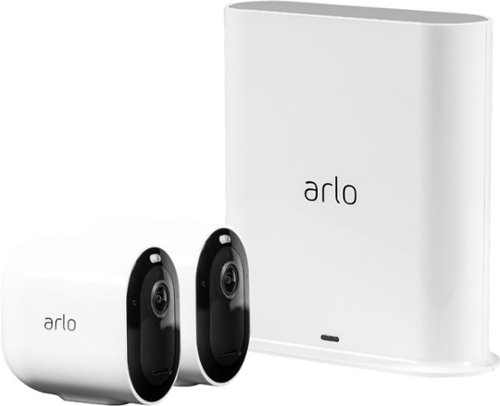
Keep an eye on your home or business day and night with Arlo Pro 3. With no wires, you can install Pro 3 in minutes and view video directly from your phone. Spot unique details with color night vision, and see more in dark areas with the integrated spotlight. The advanced lens provides superior image quality, a wider field of view, and allows you to auto track and zoom on moving objects with clarity. Receive notifications when your camera spots people, vehicles, animals, or packages, and view live video or recorded clips directly from your phone, with 3 months of included Arlo Smart.* Hear and speak to visitors clearly with two-way audio.
Customer Rating
5
Significant Upgrade to the Arlo Product Line
on October 8, 2019
Posted by: rtbestbuy
from Bay Area, CA
I wanted to expand an existing Arlo Pro 2 two camera installation with more cameras, and chose the Arlo Pro 3 two camera system, including the newer Arlo Smart Hub. The new hub has an easier sync system and also supports Zigbee, Z-Wave, and other 'smart home' protocols. The cost difference for the system vs two addon cameras is negligible and was worth the Smart Hub upgrade. While it doesn't yet support it, I'm guessing that Arlo will add support for controlling things like smart bulbs, thermostats, and other Smart Home devices.
Setup was easy. Download the (Android) app, connect the base station to power and an Ethernet port on your Internet router, press the sync button on the camera, and wait a minute. If you don't already have an Arlo account, you will have to create one. About 10 min at a relaxed pace, actually even easier than the original Arlo install. Place the cameras and you're done. One really significant advantage to the Arlo system is that it's totally wire free. Don't like where you placed the cameras, move the mounts (all my cameras are outside) to where you want them. The Arlo utilities make it pretty easy to hold the camera in a location and 'preview' the view. The magnetic mounts are the same as the Ultra's and can attach to either the top or bottom back of the camera, which makes it even easier to aim. As with the Pro 2's, the video can be flipped 180 degrees if you want to mount the camera upside down.
The Pro 3's video is 2K, actually 2560x2560, which is a significant bump up from the Pro 2, 1920x1080. The newer Pro 3's produce noticeably better video along with a wider and deeper field of view than the Pro 2's, which were pretty good. The Pro 3's also add a small spotlight which comes on when the camera detects motion at night. It is sufficient for color video and significantly improves the low/night light recording over the Pro 2, which uses IR for black & white recording at night.
The control panel is available by app(android/ios) or from a web browser, so you can view or download videos on a computer or your phone. They work similarly, very easy to use and intuitively laid out. The web interface still requires Flash to be enabled in the browser, which is really unfortunate since almost all browsers will not allow flash by the end of the year. Hopefully, Arlo will have updated their website by then. Arlo still has one of the most generous free video storage plans, keeping a 7 days before deleting. Additionally, the Pro 3 system comes with a 3 month free trial of Arlo Smart, the paid cloud service.
The batteries are the same as the Arlo Ultra, different than the Arlo Pro (2) batteries. They are slightly larger and about double the power capacity. In the 3 days I've had the Pro 3's up, the power has dropped 1%, so I'd guess that the 3-6 month runtime between charges is accurate. Speaking of charging, the cameras use a magnetic charging pad, which eliminates the little rubber cover over the micro USB port.
The motion detect sensitivity is adjustable and video can be triggered by both/either motion or sound. The Pro 3 expands the motion zone concept with promised AI (doesn't everyone...). But the motion zones work well and have kept wind driven leaves and shadows from triggering a recording after I set it up. Audio is bidirectional, although I don't use it, and it does work full duplex (talk and listen at the same time), which I did try and it certainly seems more natural.
Except for the website still using Flash for video, the one minor nit I had was that Arlo shipped only one mag mount and one screw mount. I would have preferred two mag mounts in the box.
Overall, the Arlo Pro 3 package including the Smart Hub offers significant improvements over the previous generation, while keeping the ease of setup and use. Coupled with an excellent Basic storage package, the new Arlo Pro 3 for either a new system or upgrade is highly recommended. It should certainly be on anyone's short list when considering a home or small business security system.
Mobile Submission: False
I would recommend this to a friend!
Share this review:


+3points
3of 3voted this as helpful.
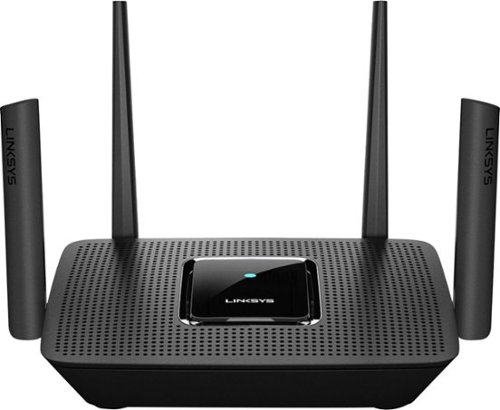
The MR9000 Max Stream~ AC3000 is a mega-performance Tri-Band router that's perfect for homes who want to maximize their entertainment experience. With up to 3 Gbps of superior speed and coverage up to 3000 sq. ft., you'll always have ultrafast Wi-Fi 5 throughout your home, and it supports up to 25 devices. Tri-Band and MU-MIMO technology also make it ideal for simultaneous streaming of HD movies, online gaming and more along with less dead zones, pixelated videos, and lag. The MR9000 is also mesh enabled, making it easy to expand your Wi-Fi. So, instead of investing in a new router, you can add coverage by simply adding Linksys Velop~ Mesh Wi-Fi 5 nodes for seamless Wi-Fi everywhere. Plus, with future proofing Intelligent Mesh~ technology that adapts to your Wi-Fi needs, you'll always be on the fastest path to the Internet. This router is also easy to set up with the Linksys app and keeps your family safe with features such as Parental Controls, making it easy to manage content and screen time.
Customer Rating
4
Really Fast Wireless Router, Weak Administration
on October 7, 2019
Posted by: rtbestbuy
from Bay Area, CA
The first thing to know is that the Linksys MR9000 is a really fast router. Really, really fast! Like there is almost no difference in latency between gigabit Ethernet connected devices and wireless to wireless devices. The performance is truly impressive. Wireless coverage is about average, I was able to connect throughout the house and back yard although performance fell off the further away I got. This is really less a comment about the router than about the limits of WiFi. The ability to expand coverage with a mesh using the Linksys Velop nodes is a real plus for anyone with local dead spots in their wireless network.
Setup was easy, almost trivial. Out of the box, the router antennas unfold, plug in the included wall wart, connect the included ethernet cable to the port marked "internet" and your modem and you're ready to go. The included instructions essentially say "Go get the (Android/IOS) app(this is where to find it) and do what it tells you to do." Download the app, look for the Linksys default local wireless network, plug in the key (on the bottom of the router), and you're ready to configure. Set up your local SSID, WiFi password and security, and you're pretty much done. There are some other settings (guest network, port forwarding and filtering, parental controls), but those are not necessary to get up and running. One other plus, the Linksys app runs on ChromeOS, so you can load the Linksys app on your Chromebook.
One significant plus was that the Linksys MR9000 was able to set up through another router, which was running NAT. While not a usual configuration, it allowed me to test the Linksys before actually installing it as my edge router. It could conceivably be used to provide a second WiFi network in this configuration.
There are a few limitations that make this router less than perfect. The first is the lack of a web interface for configuration. It's convenient when you're on a laptop to be able to just pop up a browser window without having to fumble for your phone. Next, the USB port is currently not functional; it's marked for 'future expansion'. Would be nice to be able to use it for a printer, storage, or logging. Finally, the web app is pretty average in the controls and monitoring it offers, it would be nice to have more control and visibility into the router. Hopefully these shortcomings will be addressed in an update.
Overall, the performance and mesh expansion via Velop nodes really make this a winner and well worth your consideration.
Mobile Submission: False
I would recommend this to a friend!
Share this review:


+4points
4of 4voted this as helpful.
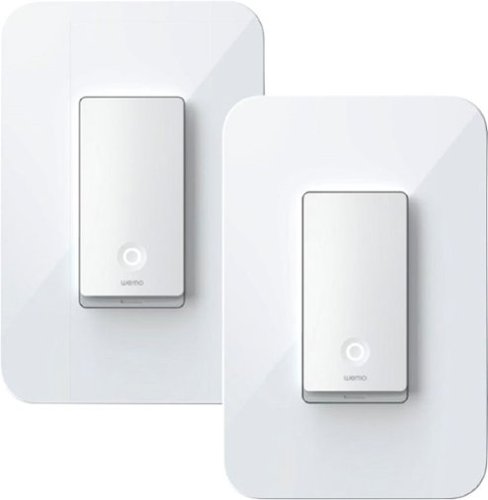
Get smart about lighting with this two-pack of Wemo smart light switches. The Wemo app offers remote operation via smartphones and makes it easy to set lighting on schedules or timers. Compatible with popular virtual assistants, these Wemo smart light switches offer convenient hands-free operation without a smart hub.
Customer Rating

1
Not There Yet
on September 23, 2019
Posted by: rtbestbuy
from Bay Area, CA
The Wemo 3-Way lightswitch 2pack looks like a great way to add automation to a 3-Way switch. Being able to replace a single switch in the circuit would have eased installation and made it more economical. It would be nice if it actually worked; unfortunately, the app just isn't there yet. Now, for the record, this is a Wemo installation using Android devices for control, it may actually work with the IOS app.
I tried three different Android devices, a Samsung S8, an older, long decommissioned Android phone, and a generic Android tablet. I also tried to install the app on a Chromebook, but it won't install on ChromeOS, even though ChromeOS now supports native Android apps. I tried two different wireless routers, Google Wifi and an older Linksys router. I tried 2.4 ghz only. I tried multiple configurations for the Android wifi. I tried multiple resets and power cycles of the Wemo switches. I uninstalled the app multiple times, clearing the cache and data. I spent a couple of hours on the phone with customer support and was not able to solve the connection problems. They offered to exchange the units for new units, but I don't think that will solve the problem. The app would search for the switch, seem to find the switch, try to connect and fail. Since both units failed in exactly the same fashion, I believe the app to be at fault.
It should not be this hard. Even if Wemo tech support had been able to get the units to connect, a call to them for a simple installation should not have been necessary. Until Wemo fixes the app and provides a simple, reliable configuration process for Android, I would avoid this product.
Mobile Submission: False
No, I would not recommend this to a friend.
Share this review:


0points
0of 0voted this as helpful.
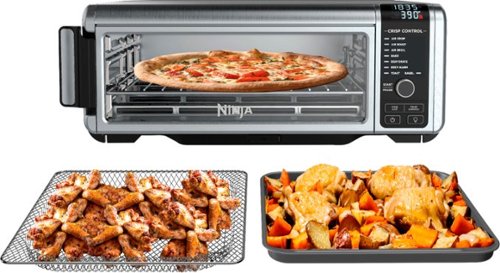
The Ninja Foodi Digital Air Fry Oven is an air fryer, convection oven, and toaster oven that packs a lot of features and cooking capacity in a small countertop footprint. Air Fry, Air Roast, Air Broil, Bake, Bagel, Toast, Dehydrate, and Keep Warm~all in one powerful, stainless-steel 1800-watt appliance~and create full family-sized meals in as little as 20 minutes. When you're done cooking, reclaim your counter space by simply flipping the oven up and away to clean and store.
Customer Rating
5
Perfect for Small Kitchens, But Great for Everyone
on September 9, 2019
Posted by: rtbestbuy
from Bay Area, CA
The Ninja Foodi Air Fry Oven is the perfect solution to counter creep, where appliances multiply and take over the kitchen counter. It works as a toaster oven, convection oven, air fryer, and dehydrator, all while taking up about as much space as a regular toaster oven. Even less when it's folded up (more on this later).
We've wanted a small oven that could roast vegetables, which we do quite a bit. The Ninja works perfectly for this in about 1/2 to 2/3 the time it takes in a regular oven, and at a lower temperature too. It has a large cooking space (13"x13") that it can accomodate a medium pizza with heating that is extremely even over the entire oven. Oh, it also does toast very evenly, best I've seen in a toaster. Preheating is almost instantaneous.
The air fry function, with the large area, is actually easier to use than the air fryer we tried. The air-frying tray allows you to spread your ingredients out over a larger area than a dedicated air fryer, with much more uniform results. French frys and sweet potato chips were great! We also tried the dehydrator function with apples and bananas. It worked great, making fruit chips. We haven't tried cookies yet, but we're looking forward to it. After about a week, it's become the goto appliance and has seen daily use for every meal.
It includes a non-stick sheet pan, an air fryer pan, and a crumb tray that all store inside the oven when not in use. Everything (except the oven itself) is machine washable, easing cleanup. The oven itself has a hinged foot in the back that allows it to fold up and be pushed back against the wall for storage. It only sticks out about 8" from the wall that way. Also when folded up, the entire bottom can be opened for easy access to the interior for cleaning. While we're at it, the controls are among the most intuitive I've seen, very easy to use.
In summary, the Ninja Foodi Air Fry Oven is a absolute winner, replacing a host of dedicated appliances at a very reasonable price. About the only downside is that it's not very tall, so there's no frying a chicken whole. You might find other countertop ovens on the market with a taller cooking area, but I don't think you will find one that's better for smaller spaces or with as many user friendly features. Highly recommended!
Mobile Submission: False
I would recommend this to a friend!
Share this review:


+1point
1of 1voted this as helpful.
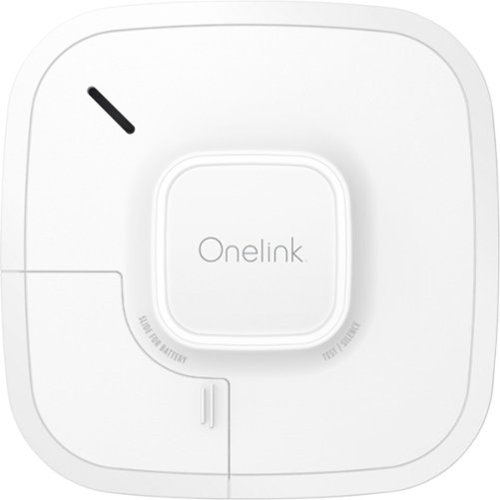
Be aware of danger with this Onelink smart smoke and carbon monoxide alarm. Wi-Fi connectivity makes sure all the alarms go off no matter where the problem is, and notifications are sent to your smartphone via the compatible app when there's trouble. Manage repairs and emergencies quickly using the precision voice alerts and dual protection included in this Onelink smart smoke and carbon monoxide alarm.
Customer Rating

3
Easy Install and Setup, But Limited "Smarts"
on August 27, 2019
Posted by: rtbestbuy
from Bay Area, CA
We have a number of plain (dumb) FirstAlert 10 yr smoke detectors in our house. I wanted to add a smoke + CO detector and the FirstAlert OneLink smart detector seemed like a natural. Because of location the detector needed to be battery powered and a smart, wifi detector seemed like a bonus.
Installation and setup was easy. Battery power meant no wiring to the unit, just install two anchors (the base doubles as a template for drilling the holes), screw mount the base, and twist on the unit. Download the app (NOTE: this is an Android installation) and follow the instructions to set up the unit. Took about 10 minutes, it really couldn't have been much easier.
Once the detector is on your wifi network and connected to the phone you can run through a test (yes, it's really, really loud), and monitor the operation of the detector, including battery life. This is where the limits of the OneLink become apparent. There is limited integration with home control technologies. Apple Homekit and Alexa are supported, but currently Google (Nest) Home is not, although there is a comment on the support site that they are "Working with Google". There is no integration with Samsung SmartThings. The account you create at FirstAlert/OneLink is accessible only through the phone app, there is no web gateway for monitoring or control or alerts. There is also no integration with IFTTT, which is really a shame as it would be nice to have the OneLink detector turn on the (smart) house lights for exit if a fire is detected, or trigger other devices. One other feature that would be really nice to have is to track the level of particulates and CO over time, as this is becoming a 'thing' for homes in real estate sales, but there is no reporting of sample levels.
All in all, it's basically a regular smoke + CO detector with a remote alert to phone capability. Nice to have the remote alert, but the OneLink could have been much more. Really hope that FirstAlert adds more integrations and functionality in the future.
Mobile Submission: False
I would recommend this to a friend!
Share this review:


0points
0of 0voted this as helpful.
rtbestbuy's Review Comments
rtbestbuy has not submitted comments on any reviews.
rtbestbuy's Questions
rtbestbuy has not submitted any questions.
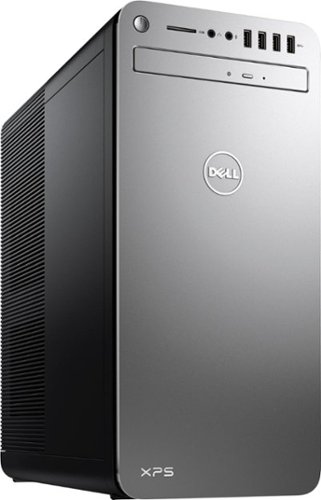
XPS Desktop - Intel Core i7 - 16GB Memory - NVIDIA GeForce GTX 1050 Ti - 2TB Hard Drive + Intel Optane Memory
Since there is no graphics card, I'm curious to the max resolution. My Dell monitor is capable of 2560x1440. Will I need an add on card to get this resolution?
Max resolution of the Intel HD 620 video controller is 4096x2304.
8 years, 10 months ago
by
rtbestbuy