


rtbestbuy's stats
- Review count182
- Helpfulness votes217
- First reviewNovember 22, 2014
- Last reviewJune 2, 2026
- Featured reviews0
- Average rating4.5
Reviews comments
- Review comment count0
- Helpfulness votes0
- First review commentNone
- Last review commentNone
- Featured review comments0
Questions
- Question count0
- Helpfulness votes0
- First questionNone
- Last questionNone
- Featured questions0
- Answer count11
- Helpfulness votes29
- First answerAugust 15, 2017
- Last answerOctober 5, 2021
- Featured answers0
- Best answers3
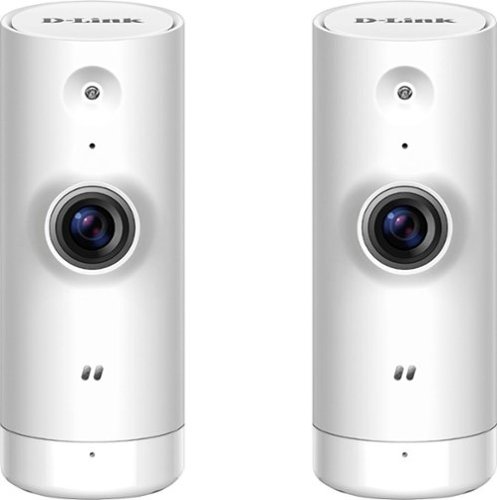
Keep an eye on your home with this two pack of D-Link Mini HD Wi-Fi cameras. They have sound and motion detection and can send notifications to mobile devices to let you know when they've activated. These D-Link Mini HD Wi-Fi cameras have night vision to record images in dark conditions.
Customer Rating

3
Decent Cameras, But No Cloud Storage
on October 3, 2017
Posted by: rtbestbuy
from Bay Area, CA
The two pack of cameras is really inexpensive, the video and sound quality decent, and the feature set appealing. The cameras are small and relatively inobtrusive. However, Dlink needs to address some serious limitations in order to make these cameras a real bargain.
The registration process for each camera is straightforward, if a bit klunky; if you make a mistake, be prepared to start over, and some of the steps can take a minute or so to complete. You must create or login to the mydlink.com portal. It is pretty much a requirement that you install the "Mydlink lite" app on your phone or tablet to configure. Once configured, the camera shows up as a device on your mydlink.com portal page and can be accessed by app or through a web browser (which also requires a plugin to function and does not yet support Microsoft Edge).
Dlink does not yet provide any cloud storage, although it might be added later and there is no local storage on the camera. Cloud video storage would vastly improve the utility of the cameras. The only way currently to record video is to be viewing the video, push the record button in the app, and record it on your phone/tablet/computer. For checking on a recovering relative(have they fallen and can't get up?), or to watch the pets while you're not home, these cameras are great. For home security, where the motion notification can take a couple of minutes, I think not so much.
My Best Buy number: 2013577562
Mobile Submission: False
I would recommend this to a friend!
Share this review:


+1point
1of 1voted this as helpful.

Fuse physical and digital worlds with this Merge cube. It's a toy hologram that you can hold in the palm of your hand, and it works with free apps downloaded onto your iOS or Android smart device at the Merge Miniverse site. This Merge cube lets you play your favorite games with virtual reality goggles.
Customer Rating

5
Ok, I'm Sold!
on October 2, 2017
Posted by: rtbestbuy
from Bay Area, CA
I thought this was a joke when I first opened it up, a little foam block that looks like a chewtoy. But I loaded several of the free apps from miniverse.io and WOW! All of a sudden I'm holding the Earth in my hand instead of a cube. Or a skeleton, or a game. Really cool!
Moving or rotating the cube changes the view. The cube works in either phone mode or VR goggle mode, so you don't have to have goggles to use it, and it can be used with tablets for a larger (or shared) image. Obviously, the ultimate success will depend on whether they can continue to provide content, but I think they have a real winner on their hands.
My Best Buy number: 2013577562
Mobile Submission: False
I would recommend this to a friend!
Share this review:


0points
0of 0voted this as helpful.
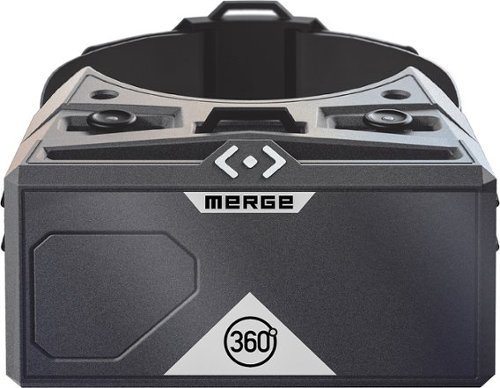
Be transported into another world with the Merge VR Goggles. Compatible with Android and iOS devices, Merge VR Goggles provide an immersive virtual reality experience powered by your smartphone.Explore virtual worlds with these Merge VR goggles. The input system lets you perform simultaneous action, such as running and jumping, and the soft foam construction keep you comfortable. These Merge VR goggles take you to new worlds via hundreds of apps with VR START, and they~re compatible with newer Android and iPhone devices for versatility.
Customer Rating
5
Excellent intro to VR
on September 29, 2017
Posted by: rtbestbuy
from Bay Area, CA
The Merge VR goggles are very versatile and comfortable. They are very lightweight by themselves, which is important since you're slipping a phone into them. They fitted an iPhone 5S, Samsung S5 and Samsung S8 easily. One nice advantage, the phone is surrounded in foam, so when the kids drop them the phone is well protected, a condition which was unfortunately tested in my case.
They seem like a nice compromise between the very expensive goggles that fit only one or two phones, and the cheaper units that are not as well constructed or protected. The price is low enough to be able to fool around with VR (and AR using the phone's camera) without feeling like you absolutely have to have a real use for VR goggles before buying them.
One thing to note, although the lenses can be moved to accommodate the width of your eyes, you need to use your own glasses for correction. This wasn't a problem for me as there was plenty of room for my wire frames and the foam body molded around the frames without bending them. If you have large glasses, you might want to try fitting them first, but the goggles seem to work well with glasses.
My Best Buy number: 2013577562
Mobile Submission: False
I would recommend this to a friend!
Share this review:


0points
0of 0voted this as helpful.
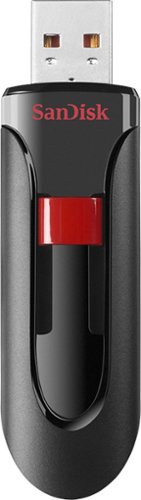
Store and protect everything from cherished photos and videos to sensitive work files with the Cruzer Glide USB Flash Drive. The drive comes with SanDisk SecureAccess software, which lets you password-protect and secure files you want to keep private while permitting access to files you want to share. The compact drive features a red slider that glides shut to shield the USB connector. SanDisk products are constructed to the highest standards and rigorously tested. You can be confident in the outstanding quality, performance and reliability of every SanDisk product.
Customer Rating

4
Cheap Storage, Good Bang for the Buck
on September 8, 2017
Posted by: rtbestbuy
from Bay Area, CA
Verified Purchase:Yes
Funny how SneakerNet evolved from floppies to flash drives... This is a USB 2.0 device, so transfer speeds are limited. For very large files, or lots of files, this is not the device. BUT, for making a Recovery Drive for Windows10, or for creating an install media, where you just need a cheap 16G or greater flash drive to store away a backup image, it's perfect. Half the price of a high speed USB 3.0 flash drive, also good for older systems that don't have USB 3.0 ports. Very reliable!
My Best Buy number: 2013577562
My Best Buy number: 2013577562
Mobile Submission: False
I would recommend this to a friend!
Share this review:


0points
0of 0voted this as helpful.
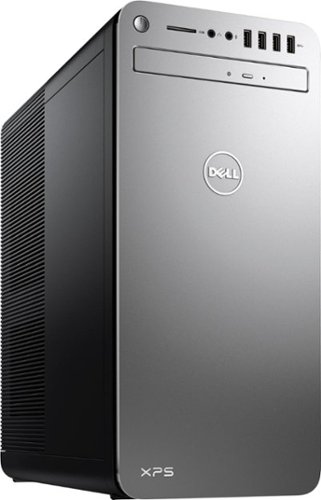
XPS Desktop - Intel Core i7 - 16GB Memory - NVIDIA GeForce GTX 1050 Ti - 2TB Hard Drive + Intel Optane Memory
Customer Rating
5
Really Fast, Nice Design!
on August 15, 2017
Posted by: rtbestbuy
from Bay Area, CA
This is a really fast computer for office and file intensive operations. I mean really, really fast. This pc comes with the Optane disk cache module instead of a separate video card. The latest iteration of Intel I7-7700 comes with the HD 620 video core, which is a big improvement over past generations and puts it close to the Nvidia 1050 in graphics performance. For gaming, much easier to add the video card of your choice later than trying to wedge in the Optane module.
The real speed comes from the Optane disk cache; for many operations it's faster than an SSD. Bootup is extremely quick, and file operations are extremely fast. The Optane cache acts like a non-volatile (retains memory on power down) ultra high speed 16GB store between memory and the hard disk. I was quite surprised that it outperformed a older, otherwise similar system with an SSD drive for video editing.
The chassis is the same width and height as previous XPS systems, but is about 3" less deep. The internals are a mechanical marvel of compact design and in spite of two fans it's exceptionally quiet. 16GB is about the minimum memory these days for a multitasking power workstation, and it's nice that it's supplied in two dimms, not four, leaving two empty dimm slots for expansion. Externally, there are 10 usb ports (two 2.0, the rest 3.0 or 3.1) and one USB C port. Video is only either hdmi or display port, which is fine for newer monitors. If you have an older monitor, pick up a hdmi-DVI cable (about $5-$10). The power supply is a 460 watt supply with enough reserve to be sufficient for anything but the highest performance gaming video cards. A Nvidia 1060 or 1070 should be fine.
Setup was super easy and fast. Initial boot was really fast, go through the usual question round from Microsoft, then on to the update round. The updates took very little time, largely due to the apparent speed of the disk. I would be surprised if it took 15 min from initial power on to usable computer.
One really nice thing is the absence of crapware. Aside from Microsoft Office 30 day trial, there is a one-year McAfee LiveSafe subscription and Power2Go DVD playing/burning software. And the Dell update and support stuff, but that's about it.
The only negatives are the placement of the frontside USB ports right above the dvd drive as if they were really intended only for temporary devices, like a backup drive or a USB stick. The DVD drive itself is a laptop style drive, very thin and no motorized eject. One last irritation is that you must make your own system restore backup; this requires a minimum 16GB USB memory stick (yes, memory stick, you can't create restore DVDs).
These are minor annoyances with a truly fine system. All in all, a well constructed, really fast office workstation capable compute engine that can be made gamer ready easily. Recommended!
My Best Buy number: 2013577562
Mobile Submission: False
I would recommend this to a friend!
Share this review:


+3points
3of 3voted this as helpful.
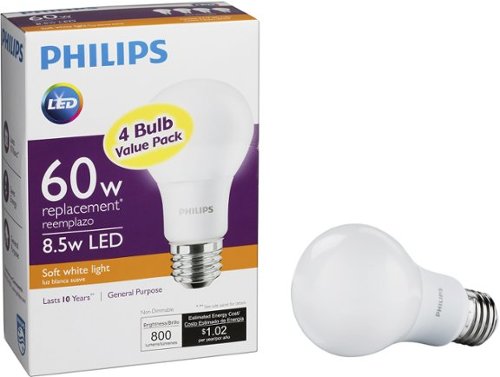
Save money by replacing standard bulbs with these Philips LED bulbs. Sold in a pack they have a lifespan of more than 10 years for increased efficiency, and they produce soft white light that is warm and relaxing. These Philips LED bulbs look and feel like traditional lighting for easy integration into your space.
Customer Rating
5
Nice Bright LED Light
on August 11, 2017
Posted by: rtbestbuy
from Bay Area, CA
Verified Purchase:Yes
These were replacing some CFL bulbs that were failing. Much brighter and instant on. They also seem to be in between the usual 'daylight' and 'warm' bulbs in color temperature, which I like a lot. So far several months with no failures, no flicker, and they survived a power outage/surge without problem. One thing to note, they are noticeably brighter than a bargain brand 60w equivalent that I tried and even a relatively new 60w equivalent CFL. I would say more like a 75w, which is a nice bonus.
My Best Buy number: 2013577562
My Best Buy number: 2013577562
Mobile Submission: False
I would recommend this to a friend!
Share this review:


0points
0of 0voted this as helpful.
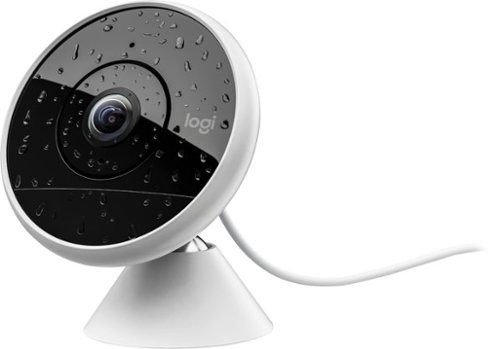
Install this Logitech Circle 2 security system in just minutes, and keep your family and valuables protected with full HD video. Advanced Motion Filtering keeps track of noticeable changes, recording them so you see only what is significant. The ultra-wide 180-degree lens lets you see more of your surroundings with this Logitech Circle 2 security system.
Customer Rating
4
Great Camera, But Pricey Cloud Service.
on July 30, 2017
Posted by: rtbestbuy
The Logitech Circle 2 cameras are weatherproof wifi security cameras that can be purchased configured for battery or wall power. Video is 1080p, 30fps with 180 degrees coverage and motion sensing. Each camera connects to directly to the cloud service, there is no separate 'hub' to install. There are separate accessories to attach to a window or mount directly to a wall plug. The camera also includes a microphone and a speaker for (brief) two way voice chats.
The Circle 2 consists of a common camera unit and a base that is either wired or wireless. The 'wired' base is a 10 foot usb cable that plugs into a standard usb power adapter. The two 'base' packages are not (yet) available separately as accessories, but I would guess the accessory list will grow. I was able to run the wired camera off a portable power bank (10000mah, power while charging capable), so that could be used for battery back up.
Video quality is excellent, even at night with the built in IR led turned off. The wide angle really is 180 degrees, and the 'fisheye' effect is noticeable, but not objectionable. The app allows control over alerts, storage or streaming only, indicator LED, IR LED, video resolution, field of view, and microphone sensitivity.
Setup was totally painless. Download the app (NOTE: this was using an Android phone), create an account, connect by bluetooth to the camera (NOTE: your phone must be Bluetooth LE capable), select the wifi ssid, input the password, and connect. The camera will update itself to the latest firmware and reconnect to the cloud service. And you're up and running.
This is a new product, so there are bound to be some bugs, but the only thing that I found was that the indicator LED couldn't be turned off. There are some features that would be nice to have, but the good news is that there appears to be lots of capability that can be harnessed.
The cloud service comes in three flavors, Free (1 day storage), Basic ($3.99/month/camera, 14 day storage), and Premium ($9.99/month or $99/yr per camera, 30 day storage). Premium also adds some addition customization features. Transmission from the camera to the cloud is encryptied (https) and the video is stored encrypted according to the Logitech description.
Although the camera units are common, and spare batteries are available, the base units are required to make them interchangeable.
If you add multiple cameras (3-5 or more), you'll really want to create motion zones, which are only available in the Premium service. With three cameras, that adds up to $30/month or $300/yr on top of the cost of the cameras. This starts to push into the price of monitored service from Xfinity or ADP. Hopefully Logitech will address this in the future with a multi-camera discount.
If you add multiple cameras (3-5 or more), you'll really want to create motion zones, which are only available in the Premium service. With three cameras, that adds up to $30/month or $300/yr on top of the cost of the cameras. This starts to push into the price of monitored service from Xfinity or ADP. Hopefully Logitech will address this in the future with a multi-camera discount.
My Best Buy number: 2013577562
Mobile Submission: False
I would recommend this to a friend!
Share this review:


0points
0of 0voted this as helpful.
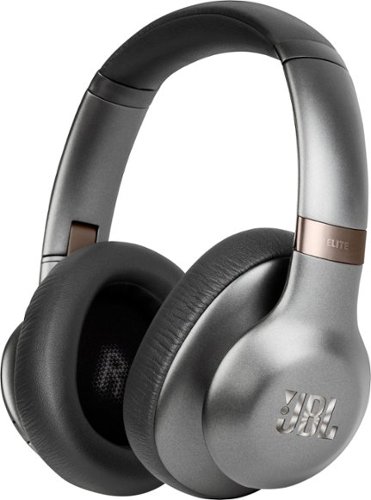
Personalize your hi-fi experience with these over-ear JBL Everest Elite headphones. Their TruNote calibration function optimizes audio output based on ear cup fit, and their dedicated Harman software development kit provides operability with smart devices. Customize the EQ and get feature updates for these wireless JBL Everest Elite headphones via the My JBL Headphones app.
Customer Rating
4
Very Good Headphones, Room for Improvement
on July 11, 2017
Posted by: rtbestbuy
There is a lot to like about the JBL 750NC headphones. First and foremost, the sound quality is excellent. Bluetooth headphones often don't measure up to wired headphones, but these phones are excellent out of the box. The built in microphone worked very well on calls.
The headphones are extremely light and comfortable. They feel secure without feeling like they are pinching your head; I've worn them for several hours at a time. They fold up very compactly and fit nicely in the supplied hardshell case, along with wired connector and usb cable; very clean. The noise control works very well, with selectable levels from 'suppress all external noise' to 'substitute for hearing aid'.
JBL's app to control and update the headphones worked well for me and gives a lot of control over the headphones. In addition to control over ambient noise levels, there is a selectable equalizer with presets and a selectable setting which is stored in the headphones for personalized sound settings, so you can tailor the frequency response to your personal tastes (and hearing limitations).
There are a few downsides, which keep them from being excellent headphones at this pricepoint. The battery life is good, but not great, although it should be sufficient to get through an average day. The buttons to control the settings are large, but closely spaced and not well differentiated, making them difficult to find by feel. Track Advance/Replay is a long press of the volume up/down button, which means a delay of several seconds to advance a track. I would have preferred a double-click so that I could advance through several tracks more quickly. Technically, JBL only provides the SBC codec, it would be nice to have had native AAC, APTX, and maybe MP3 codecs so that the bluetooth source (eg., phone) didn't have to recode the audio stream (which takes cycles and can inject noise artifacts). JBL chose Bluetooth 4.0, and it would have been very nice if they had chosen BT4.2, which allows two simultaneous connections. These phones are perfect for an open office, where you might have them connected to both a computer and a phone, but that is not supported under BT4.0.
My Best Buy number: 2013577562
Mobile Submission: False
I would recommend this to a friend!
Share this review:


0points
0of 0voted this as helpful.
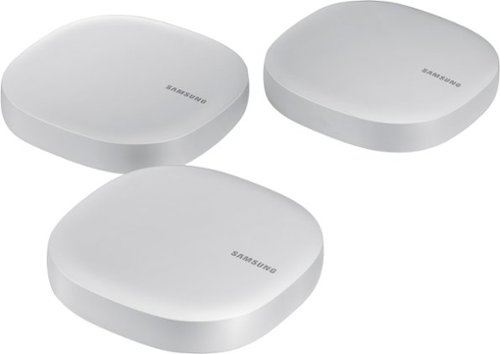
Control everything from lighting to your refrigerator in your home with this all in one Samsung Mesh WiFi Router and Smart Home Hub. Not only does it deliver an optimized Wi-Fi signal to every corner of your home, it also works as a SmartThings Hub, connecting compatible cameras, lights, voice assistants, and more to create your smart home. Now you can manage your Wi-Fi and all your smart devices from the palm of your hand with this Samsung Mesh WiFi Router and Smart Home Hub.
Customer Rating
3
Nice Marriage, But Some Serious Shortcomings
on July 5, 2017
Posted by: rtbestbuy
Ok, so this is a nice marriage of products but with some not insignificant shortcomings. Meshing a home hub and router extends both capabilities significantly, and Samsung has done a nice job packaging it in a small, unobtrusive package. This is a new product and features may be added later, but right now the feature list is rather sparse.
The wifi mesh router is very similar to other wifi mesh routers, relying on cloud based control and a phone app only. The feature set is really beyond minimal, but I would expect it to gain function as the product matures. Wifi performance was about average at best. It does claim to operate in bridge or standalone mode, so that it could be used in place of a wireless extender; however, when I tried it with a hardwired VOIP phone (remote connected to work), there were dropouts and disconnects, making it unuseable. There is no support for IPv6 and the IPv4 is fixed to 192.168.1.x. There is no support for static IP addresses.
The home automation hub is also meshed, so it doesn't suffer the coverage issues you see in fixed hubs. The first problem is that there was no way to transition from an existing home hub to the new one; you have to re-register everything and start from scratch. Kinda breaks the promise of a cloud control setup... The second problem is that there is really no guide to what you can and can't do, so setting up a 'smart home' is really an exercise in "poke and hope". The third problem is that the number of supported devices is really limited right now; I expect this will grow as the product matures.
I guess my biggest problem with the Connect is the phone app paradigm. If your Internet connection is down for any reason, or Samsung cloud, or anything inbetween your phone and the hub, you're out of control. It would be really nice to have a local control portal, like a local web interface. The app also requires a completely ridiculous set of permissions, basically anything on your phone including contacts, photos, messages, files, and history, which brings up serious privacy issues. Samsung's privacy policy pretty much states "you have none", so make sure you know what you are agreeing to before you click the button.
My Best Buy number: 2013577562
Mobile Submission: False
I would recommend this to a friend!
Share this review:


-2points
0of 2voted this as helpful.
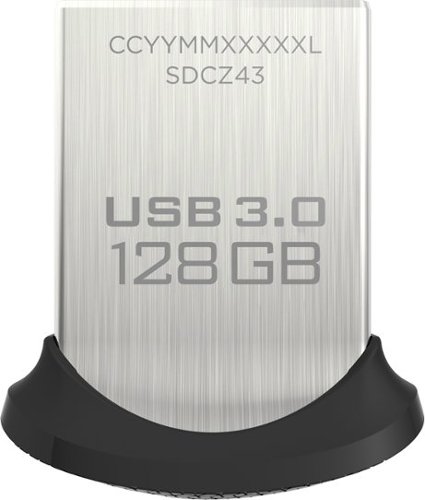
Secure your files and enjoy rapid transfers with this SanDisk Ultra Fit SDCZ43-128G-A46 flash drive, which offers read speeds up to 130MB/sec. SecureAccess software helps ensure your files remain private, and a cap protects the drive from damage.
Customer Rating
5
Excellent addition for extra storage.
on June 18, 2017
Posted by: rtbestbuy
Verified Purchase:Yes
Nice fast tiny flash drive. I needed something I could leave attached to a travel laptop that didn't have much native storage and couldn't be upgraded. This was much faster than a micro SD card, but didn't really stick out enough to cause any problems catching on things. Very fast read/write performance and I haven't noticed much heating mentioned by other reviewers. Hasn't affected battery lifetime significantly.
My Best Buy number: 2013577562
My Best Buy number: 2013577562
Mobile Submission: False
I would recommend this to a friend!
Share this review:


0points
0of 0voted this as helpful.
rtbestbuy's Review Comments
rtbestbuy has not submitted comments on any reviews.
rtbestbuy's Questions
rtbestbuy has not submitted any questions.
XPS Desktop - Intel Core i7 - 16GB Memory - NVIDIA GeForce GTX 1050 Ti - 2TB Hard Drive + Intel Optane Memory
Since there is no graphics card, I'm curious to the max resolution. My Dell monitor is capable of 2560x1440. Will I need an add on card to get this resolution?
Max resolution of the Intel HD 620 video controller is 4096x2304.
8 years, 9 months ago
by
rtbestbuy