


rtbestbuy's stats
- Review count182
- Helpfulness votes217
- First reviewNovember 22, 2014
- Last reviewJune 2, 2026
- Featured reviews0
- Average rating4.5
Reviews comments
- Review comment count0
- Helpfulness votes0
- First review commentNone
- Last review commentNone
- Featured review comments0
Questions
- Question count0
- Helpfulness votes0
- First questionNone
- Last questionNone
- Featured questions0
- Answer count11
- Helpfulness votes29
- First answerAugust 15, 2017
- Last answerOctober 5, 2021
- Featured answers0
- Best answers3

The TUF Gaming F16 is built to power through every gaming challenge. Dive into Windows 11 Home with confidence, backed by an Intel Core Processor i7-14650HX and NVIDIA GeForce RTX 5060 Laptop GPU with NVIDIA Advanced Optimus for smooth, responsive gameplay. Its sleek design, featuring a subtle TUF logo, pairs understated style with rugged strength. The 165Hz FHD display with 100% sRGB color range delivers vibrant, lifelike visuals that pull you straight into the action. With 32GB of DDR5 memory and a spacious 1TB PCIe Gen4 SSD, multitasking and storage are effortless. Designed for real-world toughness, it meets military-grade durability standards. Powerful components require powerful cooling, so we~ve equipped the TUF Gaming F16 with a whole suite of technology to keep it running at peak performance. From the 2nd Gen Arc Flow Fans inspired by aircraft engines to a full-width heatsink and integrated dust filters, the F16 will never lose its cool. And with Dolby Atmos and Hi-Res Audio, you~ll get rich, immersive sound that enhances every moment of your game.
Customer Rating

5
Awesome Bang For The Buck!
on July 25, 2025
Posted by: rtbestbuy
The Asus TUF F16 is available in multiple builds. This build is equipped with an Intel i7 14650HX processor, 32gb of DDR5 memory, a 1TB m2 ssd, and an Nvidia 5060/8gb vram video card. All this is wrapped in a solid laptop frame with with an excellent full size keyboard and bright 16" 1980x1200 display with excellent color saturation.
I picked up the TUF F16 a couple days before a week long trip and used it as my only computer during the trip. It was awesome! It really made the perfect home computer replacement. It has more than sufficient horsepower for gaming, as well as for more mundane office tasks, email, spreadsheets, documents, etc. The full size keyboard with separate arrow keys and numeric keypad was a nice luxury. The keyboard deck feels solid with good wrist support and a large responsive touchpad.
Gaming performance was more than adequate using moderate settings. even in my traditional test program, Red Dead Redemption. I was a little concerned after reading review of the Nvidia 5060 with 8gb vram instead of 16gb, but for the FHD screen it was fine. Didn't see any real issues and the 165hz screen made for smooth movenent. I did some video rendering just for test purposes, and it handled it nicely. Very fast. Also ran some AI queries local to the F16 and they seemed pretty snappy as well.
The Asus TUF F16 is large, and with the 240W powerbrick, heavy by laptop standards, but similar to other gaming laptops. Battery life was pretty good, I would get about three hours or so of office style life, less if gaming. It's very quiet, even when gaming, and doesn't heat up much at all. The lack of fan noise was really impressive. Some of the gaming laptops can sound like a DC3 taking off. After a half hour of gaming (Diablo IV), it was a lttte warm on the deck above the function keys, but that was it. No real heating at all on the keyboard. Speaker sound was good, nice base and clear, about average for a laptop these days.
The bottom of the laptop is secured by six screws and can be removed to upgrade or add components. The Asus TUF F16 uses two standard laptop dimms that can be upgraded to 64GB if you ever feel the need. The M.2 SSD has a nice heatsink attached and there is a second M.2 connector should you wish to add a second SSD. And yes, the 1TB primary could easily be upgraded to a larger drive if so desired.
Bottom line, I'm extremely pleased with the Asus TUF F16 and would recommend it highly for casual or moderate gaming. It's not the ultimate gaming rig, but a bargain at a quarter of the price of the high end rigs. Definitely punches well above it's weight and is an absolute joy to use. Highly recommended, well done Asus!
I would recommend this to a friend!
Share this review:


+1point
1of 1voted this as helpful.
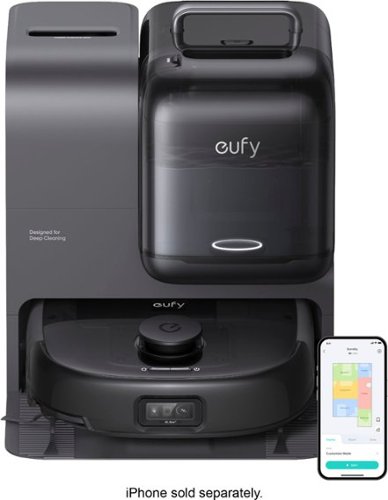
Designed for Pet Families~The eufy Robot Vacuum E28. Say goodbye to fur, dander, and pet messes. The eufy E28 is built for homes with pets, delivering powerful 20,000Pa suction and anti-tangle DuoSpiral brushes that lift hair from every surface. The HydroJet one-pass mopping system cleans without streaks, while the detachable spot cleaner handles muddy pawprints and spills on the spot. Maintenance? Not your job. The smart base auto-empties, washes, dries, and refills~so you never touch the mess. CornerRover reaches edges where pet hair hides, and AI-powered navigation avoids bowls, toys, and tails. Control everything from your phone for a truly hands-free clean. Let E28 handle the mess, so you can enjoy more snuggles~not scrubbing.
Customer Rating
5
A 3-in-1 Cleaning Machine!
on July 16, 2025
Posted by: rtbestbuy
Let's just start with this: The Eufy Omni E28 is a robovac vacuum, mop, and a lift off deep/spot cleaner that all work extremely well! In addition to excellent vacuuming and mopping, the Omni E28 is the best yet at object avoidance, edge cleaning, and surface detection. While it may be a bit pricey, it offers a lot of bang for the buck.
Our house is a split level home with tile, wood, linoleum, and carpeted floors, about 1900 sq. ft overall. And dogs, which adds to the challenge. In the past, we've had multiple robovacs, one for each level. While we may continue this approach, the Omni E28 can create multiple maps and gives us the option of using it on each level. The Omni E28 uses both LiDAR and optical camera for object avoidance, and can recognize (via AI) a couple hundred different types of objects.
Out of the (really big) box, there is a docking station/lift off cleaner the robovac, two bottles of cleaning fluid, and instructions. No real assemble, but a lot of plastic unwrapping. Fill the water container, add cleaner, and it's ready to go. I already had the Eufy app loaded on my phone, Eufy has a unified app for their security products and robovacs. Bluetooth the robovac to the app, join it to your home wifi, and it's ready to go. First time out, it creates a map of the home, which can be modified when things move. It should be noted that while they store (and use) the map and may use it internally, their privacy policy implies that they will not sell ("share" in privacy policy parlance) your information without your permission. This is increasingly important as the camera guided robovacs are scanning the contents of your home.
Programming via the app allows you to clean the whole house, room, a user defined area, or just rugs. The Omni E28 can detect and map rugs, and can be limited to cleaning just those. It can vacuum, mop, or both. When doing both, it will recognize rugs and only vacuum them. You can create multiple maps, which I plan to do for the different levels of our house. This does involve manually moving the robovac. While I didn't try the lift-off cleaner extensively, I did try to spot clean some stubborn stains on a carpet and on a tile floor. It did a good job on both, and is not heavy or clumsy to move around. It does need to be plugged in to a wall socket for power however.
It did a great job cleaning the house. First run out I deliberately did not pick up anything, dog toys, blankets, and shoes were all down on the floor. The Omni E28 avoided them all, cleaning aroung them and most importanly, never getting stuck anywhere. Getting stuck is the bane of a robovac, it will inevitibly happen when you are out and the robovac will have to be manually returned to the dock for reorientaion. I also deliberately picked up the E28 while it was cleaning and restarted it a few feet from where it had been. It figured out where it was, and continued cleaning. Yay!
I'm a fan of self-emptying robovacs, it makes cleanup a lot easier and makes it possible to let the unit run for a few days without cleaning every time. The Omni E28 has a 'pet' setting that makes it run back to the dock for emptying about twice as often as if it's not set. It is very loud when emptying, but fortunately it's only a few seconds. The mopper is the same way. The mopper is a roller mopper that does a really excellent job on floors, by the way. The dock has both a built in mop cleaner and dryer. The mop dryer is a real nice to have as it limits odors.
No robovac is perfect, but the Omni E28 seems to do a better job than most on edges and corners. As with ALL robovacs, behind doors, under low furniture, and some nooks and crannys remain a manual vacuum chore. What it does do is 99% of the work, which is fine by me. And, the inclusion of the lift off cleaner is one more thing I can remove from the cleaner closet. If it isn't the best of the best, the Eufy Omni E28 is certainly really close. I would highly recommend considering it.
I would recommend this to a friend!
Share this review:


0points
0of 0voted this as helpful.
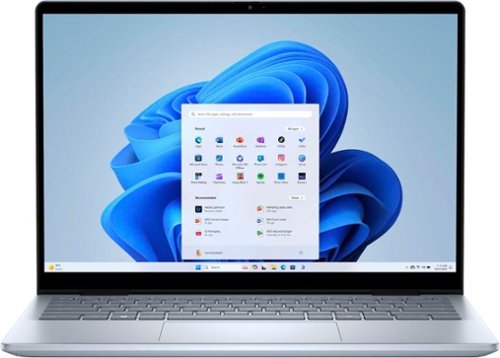
No matter what adventure you chase, the 360~ hinge gives you the flexibility to get things done, whether in tablet, tent, stand or laptop modes. An optional active pen allows for natural writing while taking notes or journaling.
Customer Rating

4
Solid Mid-Range Choice
on July 15, 2025
Posted by: rtbestbuy
The Dell Inspiron 7440 2-in-1 14 is a solid, mid-range choice for home or office. The construction, typical Dell, is excellent with an all aluminum frame and a nice, solid feeling keyboard deck that doesn't flex under your wrists. The keyboard is a compact, chiclet style keyboard that seems standard on laptops these days, but the tactile feedback is very good. The keys are full sized, nicely spaced and backlit, but there is no numeric keypad. Typing on it is very fast. One nice touch, the function keys do double duty and can be set as either 'F' keys or media control keys by default. The 2-in-1 comes from the 350 degree hinge, which allows you to use it in laptop, tent, or tablet configuration, although at 3.5 lbs, it makes for a heavy tablet.
The 14 inch WVA (Dell speak for IPS Wide Viewing Angle) display is very sharp and bright with excellent color saturation and depth. Very comfortable viewing, with a small bezel, but not an edge to edge screen. The resolution is FHD+, 1920x1200, which makes the display slightly more square and allows a little extra length for documents, spread sheets, and so forth to be displayed. For videos, you probably won't notice any difference, but if you use this laptop for anything office you'll appreciate the extra display length. I did use it with a e-stylus in tablet mode, which worked well for sketching, although it's too heavy for sustained hand held note taking.
Out of the box, you get a USB-c AC adapter and power cord, the 2-in-1, and the ubiquitous safety information. Unlike other Dell laptops I've used, opening the lid did not turn it on. Turning it on required pressing the power/fingerprint scanner. After the Windows 11 install, configure and update session, you're ready to rock and roll. I was a little disappointed that the webcam didn't support Windows Hello, but swiping the fingerprint scanner was easy enough and certainly faster than a password or pin.
With an Intel Core 5 (120u) and 16GB of ddr5 memory, the 7440 was quite zippy handling word processing, spreadsheets, and email, even large spreadsheets and documents. Web browsing and videos were similarly snappy. Even light gaming (Diablo 4 at low video settings) was acceptable. I did try some photo retouch and complex drawing, which was also surprisingly doable. The 7440 did bog down a bit when I tried to do some rather complicated video editing, but that's to be expected. All in all, pretty surprising performace. I was able to go a full day on a single battery charge, so I think the spec'ed battery life of 8-10 hours is probably reasonable. One note, the speakers were adequate for Zoom, but a bit weak for watching a movie or video; a Bluetooth speaker or headset is a better choice.
There are two USB-c 3.2/displayPort connectors, 2 USB-A connectors and a HDMI port, so no lack of connectors. Either USB-c port can be used for charging the laptop. There is the ubiquitous mini-jack for audio and a slot for a micro-sd card. Bluetooth 6.0 and WiFi 6AXe provide wireless connectivity
Overall, the Dell Inspiron 7440 2-in-1 (Intel Core 5) is a solid performer, well built, and should last a long time. It's a good value, especially on sale. It should definitely be on your short list if you are considering a home office laptop.
I would recommend this to a friend!
Share this review:


0points
0of 0voted this as helpful.

Enter your new era of gaming. With an Intel Core Ultra 7 265F processor and high-performance graphics card, it delivers elevated performance in a compact size. Customize your PC with RGB effects through OMEN Light Studio and get personalized settings recommendations with OMEN AI. The 16L is the perfect companion for your next adventure.
Customer Rating
5
Solid Small Form Factor Gaming Rig!
on July 9, 2025
Posted by: rtbestbuy
The HP Omen 16L, as built with Intel Core Ultra 7 265F, 16GB DDR5 Memory, Nvidia RTX 5060 Ti w/16GB GDDR7, and a 1TB SSD, is a solid performer in a small, quiet package. It definitely punches well above its weight with solid midrange gaminig performance at a budget friendly price. As a bonus, the small (13"x12"x6"), quiet packaging makes it a good choice as a dual use general purpose desktop. This was originally supposed to replace an aging gaming system and is becoming my goto everyday computer as well.
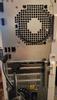
In the box (all recyclable), is the destop, a wired mouse and keyboard, and a power cable. Documentation is usual safety note and minimal "getting started" guide. Build quality is excellent, very solid feel and clean wiring inside (see pictures). Port and button placement are excellent, 4 USB ports in back, 4 USB and 2 USBc ports in front along with a power button. Very clean! The dual fan design keeps the computer cool with minimal noise. Setup is the usual Windows annoyances, figure an hour or two of setup and updates, installing Battle.net, Steam, games, etc.
HP's choice to equip the Omen 16L with the Nvidia 5060 TI w/16GB video ram rather than 8GB was a brilliant choice. The specs originally listed 8GB VRAM, but the system as received is 16GB. From the reviews of the 5060TI cards, 16GB seems to be necessary for anything over 1080p. I've been seeing anywhere from 100 to 120 FPS at 1440p (2K monitor) in games, which pretty much hits the limitation of my monitor, no tearing or artifacts. The frame rates do drop a bit when I tried a 4K monitor, I think that 2K(1440p) is really the sweet spot with this card. Games that I use for video testing included Horizon Forbidden West, Red Dead Redemption 2, Cyberpunk 2077, God of War, and Microsoft Flight Simulator.
I did upgrade from the original 16GB single memory stick to 32GB dual memory sticks, since I plan on using this computer for video rendering as well. The Omen 16L comes with a 1TB pci4 m.2 ssd, but also has a second pci4 m.2 ssd connector if you want to add more storage. There is also the option to add a SATA drive. The power supply is a 500W supply which is sufficient for the computer as equipped. There are no pci expansion slots on the motherboard, but there are so many USB ports it's really not necessary. Networking is wired 2.5GB, and wireless, WiFi 6E and Bluetooth 5.3. There are two fans to provide flow through cooling in addition to the power supply fan and the cpu cooling fans. The fans, at least so far, have been whisper quiet.
Access to the interior is through a removeable side panel that slides an inch or so to lock/unlock, then lifts out. There is a screw securing it (see the picture of the back) that could have been a nice, knurled knob instead. So far, the only disappointment has been the lack of any real BIOS settings to push performance. Hopefully that might be corrected in an update. Otherwise, the Omen 16L (as equipped) is a solid midrange gaming computer that is exceptionally thought out. Highly recommended.
I would recommend this to a friend!




Share this review:


+6points
6of 6voted this as helpful.

The X870 EAGLE WIFI7 supports AM5 Processors and features unparalleled performance. GIGABYTE X870 motherboards come with upgraded power design, high grade storage standards, and outstanding connectivity that enables you to optimize your performance.
Customer Rating
5
Really Fast, Flexible Motherboard!
on May 23, 2025
Posted by: rtbestbuy
Summary: Really nice, fast motherboard with lots of features, I/O overkill, easy install, and bios options for overclocking.
Long story short, I was upgrading the motherboard in an older Win 10 system that I use for games, video and photo processing, and development. I wanted to go AMD for this iteration and decided to go to the AM5 socket. I got a great deal on an AMD Ryzen 9 9900x. AMD has committed to the AM5 socket for the next 3 years. I was tired of Intel's new socket with each generation. I also didn't want to go with the top tier gaming motherboards, I didn't think the marginal gains in options were worth the cost of components. But that's me.
The Gigabyte X870 Eagle WiFi7 motherboard fit my requirements
- AM5 socket
- Four DDR5 memory sockets, dual memory, up to 256GB
- Integrated AMD Graphics
- PCIe 5 support (at least one PCIe slot and one M.2 connector)
- Lots of storage support (3 M.2 slots and 4 SATA ports)
- USB 4 (Lots, USB-c USB 3.2, USB 2.0)
- WiFi7 support
- AM5 socket
- Four DDR5 memory sockets, dual memory, up to 256GB
- Integrated AMD Graphics
- PCIe 5 support (at least one PCIe slot and one M.2 connector)
- Lots of storage support (3 M.2 slots and 4 SATA ports)
- USB 4 (Lots, USB-c USB 3.2, USB 2.0)
- WiFi7 support
Additionally, I wanted overclocking support, but didn't want to go to extremes, and I wanted an ATX form factor, I was tired of dealing with the mini and micro motherboards.. The X870 Eagle balances performance and cost (and cost of components) very well with a full ATX form factor. The I/O connectors are almost overkill, with 3 M.2 connectors, 4 SATA 6gb connectors, and way more USB connectors than I can use. Not bad, Gigabyte!
Installation was pretty straightforward, with some minor hiccups. Initially, I was just replacing a motherboard/CPU combo, but ended up with a new power supply (connectors) and a new case (cpu and case cooling). But again, everything is pretty standard, the motherboard dropped in with 9 mounting screws. Connectors are well marked, except for (still) having to tidy up some wiring with zip ties, it all came together very easily. Plugged in a M.2 SSD and video card (more on this later) and was off and running.
The only minor negatives are that the PCIe 5 M.2 slot is right under the video card, so a pre-installed ssd heatsink is a non-starter. Also, there is a plastic vanity cover at the back of the video slot that may interfere with longer cards.
There are a zillion options in the BIOS for performance tweaks, including processor speed, core allocation, and memory speed. Going to take some time to explore them, but for now this is a blazing fast system. If you're looking for a budget friendly AM5 motherboard with modern connectivity, solid performance, and future upgradability, the Gigabyte X870 Eagle WiFi7 should be on your short list. Highly recommended!
I would recommend this to a friend!
Share this review:


0points
0of 0voted this as helpful.

The myQ Smart Outdoor Camera doesn~t just watch, it acts. Equipped with myQ Smart Secure, it automatically locks compatible doors and closes your myQ smart garage, alerting you instantly when it detects someone during preset times.
Customer Rating

3
Easy Setup, Smart Feature Camera
on May 14, 2025
Posted by: rtbestbuy
The MyQ Outdoor Camera is a compact 1080p resolution, 130-degree wired outdoor camera. It has two way audio, motion detection, facial recognition, and infrared/color night vision. Setup is simple: load the MyQ app on your phone, power on the camera, and hit 'search'. Once the camera is found, select the wifi and set the password, and you're pretty much done. Next step is selecting a paid plan, more on this later. By default, you are signed up for the 30 day trial 'pro' plan. Managing the camera and options is equally simple.
The camera is powered by a micro-usb connector and comes with a 25ft usb to micro-usb cable and usb power supply. Both the cable ends have o-rings to seal out water and dirt. The unit is IP65 rated, which means dust and splash. Not sure how it would fare in a downpour.
The image is available in the MyQ app. I have a Chamberlain WiFi garage door opener and wanted a camera in the garage. The image quality is pretty good, better than I expect with a 1080p camera, but not up to 2K or 4K image quality. The motion detection, and type selection (humans, animals, vehicles) all worked really well, as did the surprisingly good face recognition.
I had ideas of using it to auto close the garage door. Our garage can get very damp in the Winter and very hot in the Summer, so I thought the outdoor camera a better choice. That feature appears to be a subscription only feature, along with storage, motion type selection, face recognition and all automation features. Live video and basic motion alerts are the only features available without a subscription, which adds $40/yr for the single camera for 7 days storage or $100/yr for multiple cameras, more features, and 30 days storage. The MyQ ecosystem seems to only include wire powered cameras with 1080p resolution and garage door openers currently, which makes the cameras and plans a limiting choice. Didn't really test it, but I'm also leery of the IP65 rating for locations where the camera would be exposed to heavy rainfall.
No, I would not recommend this to a friend.
Share this review:


0points
0of 0voted this as helpful.

Experience the perfect fusion of bestinclass sound and fearless design. Our latest earbud doesn~t just keep up ~ it leads. Introducing Method 360 ANC with Sound by Bose: engineered for incredible audio and nonstop action.
Customer Rating
5
Feature Packed Earbuds at a Bargain Price
on May 12, 2025
Posted by: rtbestbuy
The Skullcandy Method 360 ANC earbuds provides excellent sound and a whole host of high end features at a bargain price. This is a real step up for Skullcandy. I've been using the Method 360's for several days in different sound profiles. Fit (always a problem for me) has been excellent even after several hours wear and they don't fall out, even during exercise or other activities. Nice extra is that they can be used in pairs or individually. Most of my wear has been while hiking, walking, and working out at the gym.
The Method 360 ANC earbuds are 'Sound by Bose', and apparently use the Bose drivers, design, and sound tuning. I can't really compare them to the current Bose earbuds, but they do blow away my previous buds. My longest stretch with them was a little over five housr with ANC set for ambient awareness on, so battery life seems to be very good. Sound quality is also excellent, with very punchy base and just enough accentuated highs to make it bright without making it shrill.
Noise cancelling worked very well on a test walk, street noise was basically zero. It also worked very well on public transit, cutting the train noise to near zero. Switched to 'Stay Aware' (Skullcandy's term for ambient awareness) and it was a very different story, external noise really popped. There is a third setting, ANC off, which basically provided usual muted external sounds.
The microphone worked well enough to use the Method 360's as a substitute for a phone headset. I used them during a walk on a breezy day and my 'test subject' (my friend on the other end of the call) had no problem understanding me or recognizing my voice. The wind cancellation was pretty good and the voice sounded natural. This is all subjective, of course.
The companion app is actually one of the best I've seen. It has
- a five band equalizer, which lets you tone down the base accentualtion for those base heavy beats
- hearing modes to set the mode and level of ANC or Stay Aware
- button setting to select what 1, 2, 3 tap or long press does
- low latency audio for gaming
- multipoint connectivity
The tap settings are totally configurable to a host of functions, and are settable per earbud. Usual play/pause, next, previous, ANC control, vol up/down, as well as 'fast actions' (Spotify, take a pic, Assistant) and phone controls.
- a five band equalizer, which lets you tone down the base accentualtion for those base heavy beats
- hearing modes to set the mode and level of ANC or Stay Aware
- button setting to select what 1, 2, 3 tap or long press does
- low latency audio for gaming
- multipoint connectivity
The tap settings are totally configurable to a host of functions, and are settable per earbud. Usual play/pause, next, previous, ANC control, vol up/down, as well as 'fast actions' (Spotify, take a pic, Assistant) and phone controls.
The Multipoint connectivity worked really well, I have the Method 360's paired to both my laptop and phone. It takes some getting used to as the switching is done automagically depending on pre-assigned priority, but again, it works well.
The case is a charging case and is supposed to provide about 40 hrs of charge. I didn't test this, but I did go a couple days without recharging the case. I will say the case design is probably the weakest point. It's a little fiddly figuring which earbud goes where. They are held in magnetically. More distressing, the case slides open and the latch closed is not very positive. I had the case open one time by itself bouncing around hanging on a backpack. Won't do that again.
Overall, the Skullcandy Method 360 ANC earbuds are a solid bargain. Definitely recommended!
I would recommend this to a friend!

Share this review:


0points
0of 0voted this as helpful.
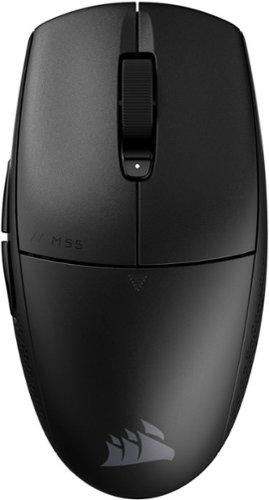
Become a truly unstoppable force. The CORSAIR M55 WIRELESS gaming mouse has the compact symmetrical shape to fit your hand size and grip style. The sleek M55 WIRELESS dashes across your desktop with ease, and quick snaps and flicks are a cinch to control thanks to ergonomic textured side grips. Its wireless connection is just as fast, transmitting inputs with near-zero lag via SLIPSTREAM WIRELESS v1.5. The optical sensor supports up to 24,000 DPI to track every sweep and stop with pinpoint precision. With prime performance so close at hand, M55 WIRELESS puts you in position to make your best gaming moves.
Customer Rating
5
Nice Budget Gaming Mouse!
on April 30, 2025
Posted by: rtbestbuy
The Corsair M55 Wireless mouse is very fast, light, and easy to like. It has a symmetric shape with large buttons and a slightly tapered end that makes it very comfortable to use. The mouse glides rather effortlessly on the large pads underneath. The 24000 dpi optical sensor contributes to extremely precised movement. There are two additional buttons on the left side that default to 'forward', 'back' operations and a third button behind the wheel that selects 1 of 5 DPI settings.
The M55 Wireless is a wireless only mouse and connects either by Bluetooth or the Corsair proprietary 'Slipstream' protocol. Slipstream is a single point, low latency wireless protocal that requires a computer dongle, which can also stow away in a pocket under the mouse when not being used. To be honest, I noticed no real difference between the Bluetooth and Slipstream response times. As with most budget mice, the M55 uses a single AA battery which is claimed to last 185 hours active Slipstream time or 400 hours active Bluetooth time.
The M55 works with iCUE software downloaded from Corsair. iCUE lets you upgrade firmware, individually set each of the DPI settings, and reprogram all of the buttons except the left click. One caveat, the M55 must be connected via Slipstream in order to be seen by the software.
I've been using the M55 exclusively on a (Windows) computer that I use for gaming, video and photo editing, as well as general use. It has worked well, very comfortable using both a 'palm' grip for general use and a 'claw' grip for gaming.
Some things to note, there are no instructions included with the mouse, just a warranty guide and safety compliance doc. The power button underneath does double duty as power and switching between Bluetooth and Slipstream. To 're-pair' in Bluetooth, one has to hold the DPI button on top while turning on the mouse, which is a little awkward. Also, although the mouse is symmetric, the two buttons on the side really make it a right handed mouse.
Overall, the Corsair M55 Wireless is a good gaming mouse that works well for gaming and general use, with particular high marks for precise operation. It seems solidly constructed, surviving a roll off the tabletop onto the floor. Overall, a good value and a solid gaming mouse.
I would recommend this to a friend!


Share this review:


+2points
2of 2voted this as helpful.
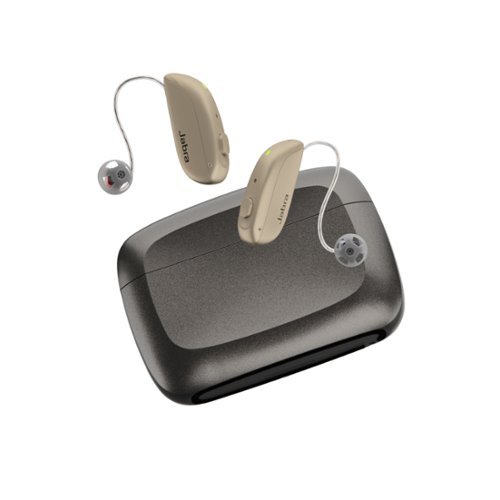
Experience better hearing today and save thousands ~ with clinic-quality hearing aids & licensed audiology services, at half the cost of in-person clinics. With the Select 500, you'll hear conversations clearly, know where sounds are coming from, and enjoy advanced noise cancellation. Make hands-free calls with iOS and Android, and know that your hearing aids are ready for the future of connectivity with Bluetooth LE Audio and Auracast~. When you choose Jabra Enhance, you're not just getting hearing aids~you're getting a virtual audiology clinic with an in-house team of licensed hearing professionals, excited to help you hear better. Our Audiology Team uses clinical software to professionally program your hearing aids based on your audiogram or online hearing test, and are just a tap or call away, 7 days a week for unlimited adjustments.
Customer Rating
5
Superior Hearing, Complete Package!
on August 13, 2024
Posted by: rtbestbuy
The Jabra Enhance Select 500 hearing aids are the newest, top of the line offering from Jabra. They are offered with an over the counter package that includes remote licensed evaluation, care, and online support. Short take: The support package works as well as any in-person care I've received. The Enhance Select 500 hearing aids themselves are excellent, especially in noisy situations and comparable to any top of the line hearing aids.
I've been wearing hearing aids for several years as I now have significant and progressive hearing loss. I started with low end units, single microphone, mimimal audio processing and they worked well for a time. Music never sounded very good and I was finding conversations, especially in social situations, would be difficult to follow. Also, although the batteries were rechargeable, they would barely last the day. That's when I decided I needed to upgrade to true noise cancelling and audio processing.
The Jabra Enhance 500's are rechargeable over the ear hearing aids. They are tiny, about 2/3 the sized of most over the ear hearing aids. They hide behind your ear with a thin wire receiver that is inserted into the ear. They are comparable to the best high end hearing aids, with two microphones for noise cancellation and some serious audio processing for natural sound. Battery life is spec'ed at 24 hours, I've gotten to 36 hours. The carrying/charging case contains a battery good for at least three charges and is good for at least a long weekend.
In the box there are assorted ear cups, carrying/charging case with integral battery, cleaning and other assorted tools and a manual. There is an app to download for control and support. Support is really excellent, actually much easier and comparable to in office visit. Jabra provides Zoom sessions with live audiologists for evaluation and audio test evaluation, instructional videos, online documents and even a useful paper manual. Follow up care is also via Zoom or phone support. Any needed supplies during the 3 year support period may be requested and are sent fedex, which I found to be quicker and more convenient than scheduling an in office appointment with a hearing aid professional.
Setup was easy, but does require an IOS or Android phone. Install the app and connect the hearing aids via bluetooth to the phone and app. Once connected, the firmware level is checked and updated if necessary. After that, create an account at Jabra and log in via computer. There is a hearing test that I did using wired headphones connected to a computer. You listen to a series of tones stepping at increasing volume, just like the audiologists office. That will determine the frequency curve and tell you how bad your hearing has gotten. The test results are examined by Jabra hearing specialists and the resulting curves pushed down to your hearing aids through the app. Takes a day or two and can be repeated multiple times to fine tune the response. At the same time, a live Zoom session with a specialist is scheduled for about a week out to check the initial tuning.
Music was surprising, or I should say, what I had been missing was surprising. Conversations were another case, where I was really surprised how much easier it was to follow along and how much less distracting the background noise was. The difference in audio processing was really striking. The smaller size also makes a noticeable difference. I wear my hearing aids while cycling, hiking, and at the gym. The smaller size makes them more comfortable and more secure.
I have large ears and needed longer wires than were initially supplied. Jabra includes a gauge as one of the tools in the package. Once gauged, Jabra fedex'ed the wires to me two days later. I had to change them but the tool is supplied in the box, there are videos online, and you can request help via Zoom if necessary. It was very easy.
Jabra seems to have really gone all in on providing online support that is as close to in-office support as possible. The Jabra Enhance Select 500's are definitely about as state of the art as it gets with hearing aids. All in all, I am exceptionally pleased with both the hearing aid performance and the level of support provided by Jabra in the Enhance Select 500 package. I highly recommend them.
I would recommend this to a friend!
Share this review:


0points
0of 0voted this as helpful.
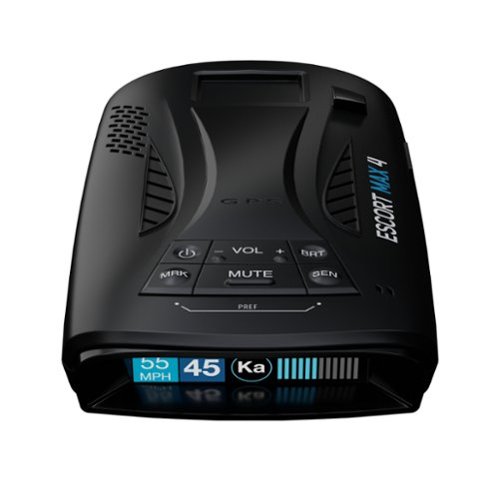
Open new roads with twice the filtering accuracy and the best performance in its class. The ESCORT MAX 4 radar detector is your passport to worry-free journeys and unforgettable driving experiences.
Customer Rating
5
A Feature Rich, Affordable Radar Detector
on August 5, 2024
Posted by: rtbestbuy
Short take: The Escort MAX 4 radar detector offers a lot of high end features at an entry level price.
The job of a radar detector has become much more complicated. Radar and laser detectors are more sophisticated and work at greater distances. Radar interference comes from a variety of new sources. Red light cameras, speed warning signs, collision avoidance systems, adaptive cruise control, convenience store doors, the list is growing all the time.
I won't repeat a list of all the features of the MAX 4, just the few that were the most valuable to me. First, I got this to primarily to avoid speed traps while travelling. We are retired and have a camper van that we are starting to use for more extended travel. In addition, I drive (and live) in a city which has copiously embraced speed cameras, speed warning signs, and red light cameras. The features that drew me to the MAX 4:
1) AutoLearn™ Intelligence: automatically geotags your route, locks out false alerts, and allows you to mark problem locations.
2) Defender Database: database of verified speed traps, etc. It can be updated (modest extra yearly cost). A 90 day trial is included with product registration.
3) IVT Filter: automatically reduces false alerts from moving In-Vehicle Technology sources such as collision avoidance systems and adaptive cruise control.
4) Android Auto (Apple CarPlay) app integration: Very important for on dash display and control.
5) Drive Smarter® App: Phone app that is essentially Waze for radar traps and traffic events.
1) AutoLearn™ Intelligence: automatically geotags your route, locks out false alerts, and allows you to mark problem locations.
2) Defender Database: database of verified speed traps, etc. It can be updated (modest extra yearly cost). A 90 day trial is included with product registration.
3) IVT Filter: automatically reduces false alerts from moving In-Vehicle Technology sources such as collision avoidance systems and adaptive cruise control.
4) Android Auto (Apple CarPlay) app integration: Very important for on dash display and control.
5) Drive Smarter® App: Phone app that is essentially Waze for radar traps and traffic events.
Driving around the city the first time, the MAX 4 was going off all the time, a tribute to the city's proactive campaign at speed control and traffic monitoring. After several trips, the drive was much (much!) quieter, the static sources had been learned and marked. It was quite impressive. It did go off and alert me to a mobile speed trap just off the freeway (motorcycle cop with a radar gun). It seemed to alert me well ahead of any possible speed reading (there were cars in front of me and I wasn't speeding), but I can't say just how much time I would have had to slow down. Seemed to give enough warning that those towns that finance themselves with speeding tickets right at the 30mph sign (slowing from 65mph) should be out of luck!
The signal indicator displays the band of the alert, which is important because most police/speed traps are K and Ka bands, and laser. The display also shows signal strength (how close the alert is) and seemed to ramp smoothly. The Signal Counter displays the number of alerts being detected. The Escort MAX 4 offers an almost ridiculous assortment of configuration options. The basic display shows speed limit, current speed, band and signal strength. There are a wide variety of modes for display, detection, tones, colors, and units. Configuration is through the Drive Smarter app and is quite straightforward. Device update is through a computer (Win/Mac) connection via USBc.
All in all, the Escort MAX 4 offers an advanced radar detector at pretty much a entry level price. My only minor criticism is that the smart plug power source is a 12v power port (cigarette lighter) adapter. It has an additional usb port, but it would have been nice if the MAX 4 had just used a USBc power port. In spite of the minor quibble, the Escort MAX 4 is well worth your consideration and highly recommended.
I would recommend this to a friend!
Share this review:


0points
0of 0voted this as helpful.
rtbestbuy's Review Comments
rtbestbuy has not submitted comments on any reviews.
rtbestbuy's Questions
rtbestbuy has not submitted any questions.
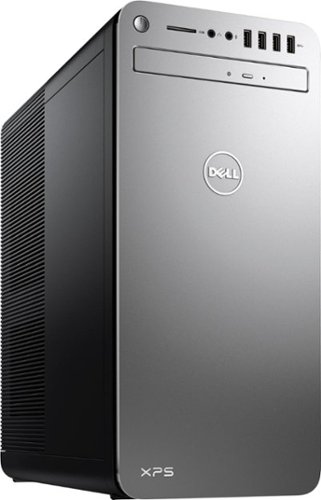
XPS Desktop - Intel Core i7 - 16GB Memory - NVIDIA GeForce GTX 1050 Ti - 2TB Hard Drive + Intel Optane Memory
Since there is no graphics card, I'm curious to the max resolution. My Dell monitor is capable of 2560x1440. Will I need an add on card to get this resolution?
Max resolution of the Intel HD 620 video controller is 4096x2304.
8 years, 9 months ago
by
rtbestbuy