


rtbestbuy's stats
- Review count182
- Helpfulness votes217
- First reviewNovember 22, 2014
- Last reviewJune 2, 2026
- Featured reviews0
- Average rating4.5
Reviews comments
- Review comment count0
- Helpfulness votes0
- First review commentNone
- Last review commentNone
- Featured review comments0
Questions
- Question count0
- Helpfulness votes0
- First questionNone
- Last questionNone
- Featured questions0
- Answer count11
- Helpfulness votes29
- First answerAugust 15, 2017
- Last answerOctober 5, 2021
- Featured answers0
- Best answers3
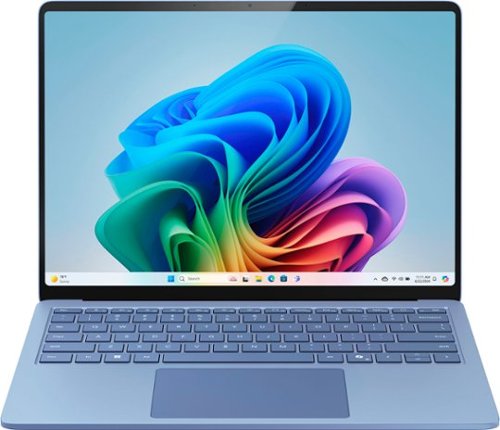
Exceptionally powerful, ultrathin laptop ~ This Surface Laptop is not just faster~it~s more intuitive. Unlock your creativity and stay productive throughout the day with accelerated performance that powers a new AI era, enabling Copilot experiences deeply integrated with the Windows ecosystem. Enjoy all~day battery life to keep your ideas flowing, and immerse yourself in stunning visuals on its modern, razor~thin touchscreen display.
Customer Rating

5
I'm Convinced!
on July 5, 2024
Posted by: rtbestbuy
The Microsoft Surface Copilot+ laptop might be the best answer to the question "Why should I buy a new PC?" even without considering the AI hardware enhancements. I'm writing this from the new 13.8" Surface Copilot+ Laptop for Business, Snapdragon Plus processor, 16gb ram, 512gb ssd. It seems about as fast as or maybe a little faster than my previous I7 (gen 14) laptop, and some quick benchmarking seems to bear that out. The battery life is fantastic! I've been using it for a little over five hours of active use (email, web, excel, word, and a couple compiles) and the battery is at 63%. It is really living up to the all day computer moniker. And there are no vent holes and no fan noise; it's totally quiet! Solid build, nice chiclet keyboard with good feel, awesome high res (2304x1536) touch screen, and charging by either Surface Connect or USB-C port. I've had no problem with Windows apps compatiblity so far.
The most hyped part of the Copilot+ PCs is the built in AI NPU (neural processing unit). This effectively does the AI processing on the PC instead of sending it to the cloud. This has the obvious advantage that your data, queries, and results aren't sent to the cloud; they stay local. There are very few programs that take advantage of it yet, and most feel like demonstrations. The two I found really useful were LiveCaptions and Webcam effects. The Copilot app doesn't use the local NPU yet, but I would guess that will change soon.
All in all, an exceptionally capable, quiet, well built laptop with awesome battery life and a stellar display. Add in to that a capable NPU and the promise of local AI processing, the Surface Copilot+ Laptop is well worth your consideration.
I would recommend this to a friend!
Share this review:


0points
0of 0voted this as helpful.
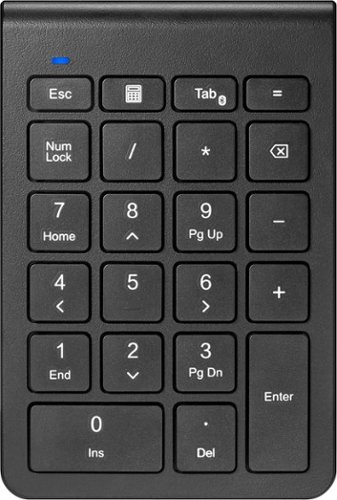
Enter numbers with greater speed and accuracy using the NS-PK3KANB24 Insignia 22-Key Bluetooth Scissor Switch Number Keypad for Windows, macOS, ChromeOS, iPadOS and Android. The keypad connects to your computer or tablet wirelessly with an easy Bluetooth connection. Its slim, inclined design makes it comfortable to use, and it offers a smooth typing experience with quiet scissor switch technology. The compact size lets you carry it everywhere. An LED shows the keypad~s status and when functions are enabled. Finish your work faster with this Insignia keypad.
Customer Rating
5
Perfect Solution!
on March 31, 2024
Posted by: rtbestbuy
The Insignia Bluetooth 22-Key Keypad is perfect for anyone who has longed for a full size 101 key keyboard with a laptop. This is especially true for travel, where a dock and separate keyboard is not really an option. For anyone who has missed the numeric keypad on a 101 key keyboard, this is the answer.
The Insignia 22-Key Keypad is trivial to set up. Simply pop it out of the box, pull the tab on the included AAA battery and pair to your laptop. Because it's wireless, you can position it next to your laptop or wherever you want. The keys are chicklet style keys typical of laptops, silent, and with nice throw and tactile feedback.
Insignia has included 5 'extra' keys in addition to the usual 17 numeric keys found on the 101 key keyboard, esc, calc, tab/pair, equals, and backspace. All of these are useful if you are working with spreadsheets, or any numeric entry. Holding the 'tab' key down for several seconds puts the keyboard in pair mode.
Construction is quite good, nice, solid plastic and a very thin profile. The keyboard fits nicely into a calculator pocket in a laptop bag. Makes it easy to tote around. You can see the profile of the keyboard next to my laptop in the photo.
All-in-all, the Insignia Bluetooth 22-Key keypad is a reasonable alternative to a full size keyboard for a 12", 14", 15" or even some 16" laptops that don't provide a complete 101 key keyset. And at the price, it's really a no-brainer purchase. Highly recommended!
I would recommend this to a friend!

Share this review:


0points
0of 0voted this as helpful.
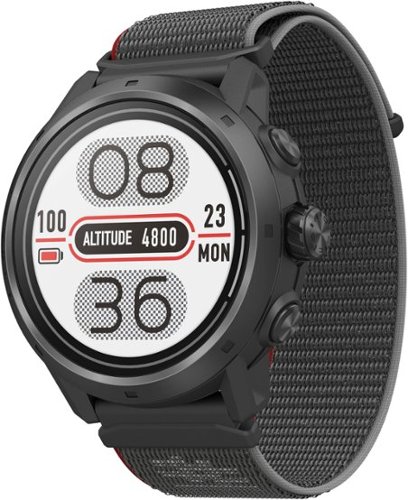
Designed for performance over all types of terrain, COROS Apex 2 Pro GPS Outdoor Watches are built with revolutionary technologies for your most ambitious goals. With an even more durable exterior, redesigned GPS antenna for stronger performance, enhanced navigation experience, next-generation optical heart rate sensor, and longer GPS battery life, COROS Apex 2 Pro watches are our most powerful wrist-worn tools to guide your training and track your movements across the wilderness. Get ready to train smarter and go longer.
Customer Rating

4
A Pretty Good Fitness Watch
on March 28, 2024
Posted by: rtbestbuy
Short Answer: The Coros Apex 2 Pro is a rugged, feature rich, accurate fitness watch which is hampered by a couple of missing features.
The Coros Apex 2 Pro is a large watch that definitely makes its presence known on your wrist. It is a little over 1/2" thick with a large solid 47mm bezel surrounding a 33mm screen. A 22mm nylon band velcro closure band keeps it snug on your wrist. Over the last week, I've have logged about 200mi of mixed road, gravel, and virtual cycling with it, mixed with hiking, walking, gym, and general wear. If you sweat a lot, you'll want to replace the nylon band with a silicone band. It gets soaked and becomes uncomfortable, and started to stink after only a week.
Out of the box, there is the watch, a charging cable, a quick start guide, and regulatory stuff. Setup was fast, download the Coros app to your phone, pair, basic setup, and you are ready to go. I started with the initial config, and changed options later as I figured out what I needed.
First things first, I found the GPS to be very accurate especially when paired with my phone. Even walking inside through stores was tracked pretty well. Coros does seem to do some correction using the phone GPS, I turned off the phone and the Apex 2 Pro GPS track did get a bit more fiddly. The heart rate monitor seemed quite accurate as well, tracking nicely with a chest strap HR monitor I use (and was hoping to replace). The display is a LCD display with a backlight that was very readable under all conditions. Battery life is stellar, I've charged the watch only once.
Interface is through two fixed buttons and a digital dial (crown) button that is used to scroll through lists. The lists are large but can be configured and some shortcuts applied to the two fixed buttons thankfully. There is touchscreen scrolling that can be active always, on maps and activity lists, or just on the maps. It's not perfect, but the UI is quite useable. There doesn't appear to be any activity auto-detect; you have to manually start and end each activity.
The Apex 2 Pro has a sleep monitoring function that did detect when I fell asleep watching tv. I'm a side sleeper. The watch is so large that I couldn't wear it to bed without catching it on something or hitting myself.
The Apex 2 Pro comes preloaded with maps and you can add a route for breadcrumb routing. The watch will alert you if you are off route and show your position relative to the route, but it won't get you back on route. There is no turn by turn navigation. Additionally, it doesn't appear you can a route library from which to choose, you have to load each route from the app as you need them.
There are a couple of features that are almost inexplicably missing. ANT+ support was removed, which makes Bluetooth the only option for sensors. Since most cycling sensors (heartrate, cadence, powermeter, ...) only support single channel Bluetooth, you can't pair them with both a cycling computer and the watch simultaneously. Additionally, there is no NFC/wallet feature, so no using the watch to pay for coffee in the middle of the ride. Coros works with a number of third party apps, but doesn't integrate with Zwift, MyWhoosh, Rouvy, or any other virtual cycling trainer. The HR broadcast can replace a chest monitor, but the watch can't do anything else, including display time, while in this mode. Music and podcasts must be downloaded as mp3's, there is no streaming interface.
It's pretty clear that Coros is focussed on the fitness market. They also seem to be committed to adding activities and improvements to the Apex 2 Pro. The long battery life make it a great choice for any multi-day activities and as a backup to other devices. The Coros Apex 2 Pro is a good watch that covers all the fundamentals, but at a premium price that should be balanced against how well it suits your activities.
I would recommend this to a friend!
Share this review:


0points
0of 0voted this as helpful.

Experience the height of gaming innovation with the ROG Zephyrus G16. Featuring an all-new premium aluminum chassis with customizable lighting, this laptop merges style and durability. Its ultra-slim 0.59~ profile and lightweight 4.30lbs 16~ chassis redefines portability without compromising performance. Powered by Windows 11, an Intel Core Ultra 9 185H processor, and an NVIDIA GeForce RTX 4080 laptop GPU, the Zephyrus G16 seamlessly aligns with your lifestyle, meeting all your gaming and creative demands. ROG Intelligent Cooling features liquid metal for reduced CPU temperatures and upgraded Arc Flow Fans for improved airflow to sustain peak performance on the Zephyrus G16 no matter the task. Immerse yourself in the OLED ROG Nebula Display and enjoy rapid 0.2ms response times, vivid 2K resolution, and a smooth 240Hz refresh rate.
Customer Rating
5
Gaming Meets Everyday Laptop...Awesome!
on March 14, 2024
Posted by: rtbestbuy
Short answer: call it the Little Laptop that Could! This is probably the most versatile laptop I've ever owned and certainly the most satisfying. The Asus ROG Zephyrus G16 GU605MZ is the upper middle model of the line, equipped with an Intel U9 processor and Nvidia RTX 4080 laptop graphics processor. This is wrapped in an elegant and solid aluminum case with a full size keyboard and a magnificent 16in 2K+ (2560x1600) OLED display. It comes with a hefty 240w power brick.
Out of the box, the Zephyrus G16 is immediately impressive. It feels solid, no plastic, no flexing and weighs in at an immensely portable 4lbs. The next thing you notice is that the chassis is incredibly thin. At 16mm, it's about half the thickness of a typical gaming laptop and a pound or two lighter. The 240w power brick adds another pound plus to your carry weight, but it is thinner than most. There is a significant but to this... the Zephyrus G16 can charge on a 100w usb-c charger. For gaming you'll obviously want to use the high power brick, but for day to day use and travel, a much smaller, and lighter, power option is available. Charging with the 240W supply took about 2 hrs from 10%. Charging with a 100W supply took around 6 hrs. The only odd note: The three LED indicators for charging, disk, and lighting are on back bottom of the display bezel and are not visible when the lid is open.
Initial power on is the usual Windows setup, update, setup again cycle, then on to game and utility installs. The Asus Armory Crate app has a host of monitoring and performance/economy options and has worked well. It also mercifully lets you control or disable all the lighting effects. One thing you will notice immediately, especially if you have used a gaming laptop in the past, is the lack of noise. Even in full on gaming mode, the cooling fans are quite livable, not the jet roar of prior generation gaming laptops.
The display and speaker quality are both first rate. At 16 inches the display is quite readable; I could reduce the scaling to 2/3 of the recommended scaling with no readability issues. The display is absolutely gorgeous and quite bright, with nice saturated colors. Using it outdoors is sunlight was quite workable. Additionally, the murky shadows (think Diablo or any dungeon crawler) don't hide the bad guys. The dynamic range is impressive. The speakers are good, excellent by laptop standards, but still won't replace a good Bluetooth speaker or headset. The keyboard is chicklet style with nice large keys for those of us fat fingered types. The keys have respectable throw and good tactile feedback. I do wish Asus had found a way to add a numeric keypad.
I did run some benchmarks before playing any games. The SSD and WLAN were up there with the fastest of them. CPU was mid-pack as was the graphics performance. It's really remarkable that Asus was able to get the level of performance they did given the thermal limiting going on to squeeze all that power into a relatively quiet, very thin laptop. Games were a different story. So far, it's been Diablo 4, Horizon Zero dawn, and a couple of shooters. No tearing or lag, and response time has been as instantaneous as I can see. I also do a lot of video editing and rendering was exceptionally fast. Music and audio processing was similarly fast.
Battery life was quite interesting. Using it as a general purpose laptop (web surfing, email), I was able to go 7 to 8 hours on a charge. Video streaming seemed to have about the same runtime. In gaming mode, even with refresh turned down to 60hz, I was only able to go about an hour & 15 minutes before the battery hit 10%. In 240hz, it dropped to an hour. it was interesting that even plugged in and in game, the laptop never became more than warm and the fans became noticeable but never objectionable. There is some really elegant cooling going on there!
Bottom line, if you're looking for ultimate performance from a gaming laptop, look elsewhere. If you want a hybrid use laptop that will provide near top of the line game power, that you will actually want to carry, that can handle multimedia processing efficiently, that can run near silent in an office environment, and is an absolute joy to use, look no further. The awesome Asus ROG Zephyrus G16MZ should be the top of your list. Well done Asus!
I would recommend this to a friend!

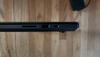
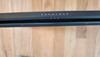
Share this review:


+5points
5of 5voted this as helpful.

Sculpted by victory. Made for the spotlight. The M75 WIRELESS sports an expertly designed ambidextrous mouse shape, enabling right- and left-handed players to take on the best competition with swagger and style. Weighing just 89g, the M75 WIRELESS is light and fast for the quickest mouse movements, and connects via near-zero lag SLIPSTREAM WIRELESS and Bluetooth. The mouse~s 26K DPI CORSAIR MARKSMAN optical sensor tracks movements with extreme precision, and shots register instantly on optical switches, guaranteed for 100 million clicks. Light up the leaderboard with uniquely styled two-zone RGB, customized in CORSAIR iCUE software. Grasp the M75 and win with flair
Customer Rating
4
Light, Fast, Accurate, and Cool!
on February 26, 2024
Posted by: rtbestbuy
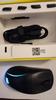
The Corsair M75 RGB mouse upgrades the M75 Air with RGB lighting and ambidextrous operation. The M75 RGB is a 9 button plus wheel mouse with thumb buttons on either side of the mouse. It comes set up for right hand operation, with two raised buttons on the 'thumb' (left) side and flush buttons on right side. it comes with addtional button covers so that the left side can be flush and the right side raised, all flush, or all raised. It's actually a really really clever feature. These are the buttons that are assigned to up and down scrolling by default. There are two additional buttons on the bottom of the mouse for DPI and wireless connection/power.
The Corsair M75 RGB is exceptionally light, in part due to a rechargeable battery, wireless and extremely fast and accurate. The slide pads are large and the mouse moves easily. All the buttons are programmable (but see caveat) via ICUE software. It's large, but fits nicely in the hand whether using a 'Claw' or relaxed grip.
The mouse connects to your PC via Bluetooth, dedicated wireless dongle, or USB cable. I didn't notice any difference in latency between them in game or out. I just stayed with Bluetooth. I've had the mouse on for five days with no recharge necessary. The mouse goes to sleep after a while to save power, but wakes and connects instantly when moved.
There is only one profile memory in the mouse, but as I said, everything is supposed to be programmable via ICUE. I say supposedly because the mouse is new and the current version of ICUE software didn't recognize it. So, for now, it's all capability but now reality. The DPI can be set to one of three presets by the button on the bottom, but the higher DPI can't be set until ICCUE is available.
Overall, the Corsair M75 RGB is a good gaming mouse that hits most marks out of the box. I've been using it both for gaming and daily use happily. It seems solidly constructed and has already surviced a drop to a wood floor (not planned). I would have given it five stars, but the lack of ICUE support was a bit disappointing. Hopefully that will be rectified in the near future.
I would recommend this to a friend!

Share this review:


0points
0of 0voted this as helpful.
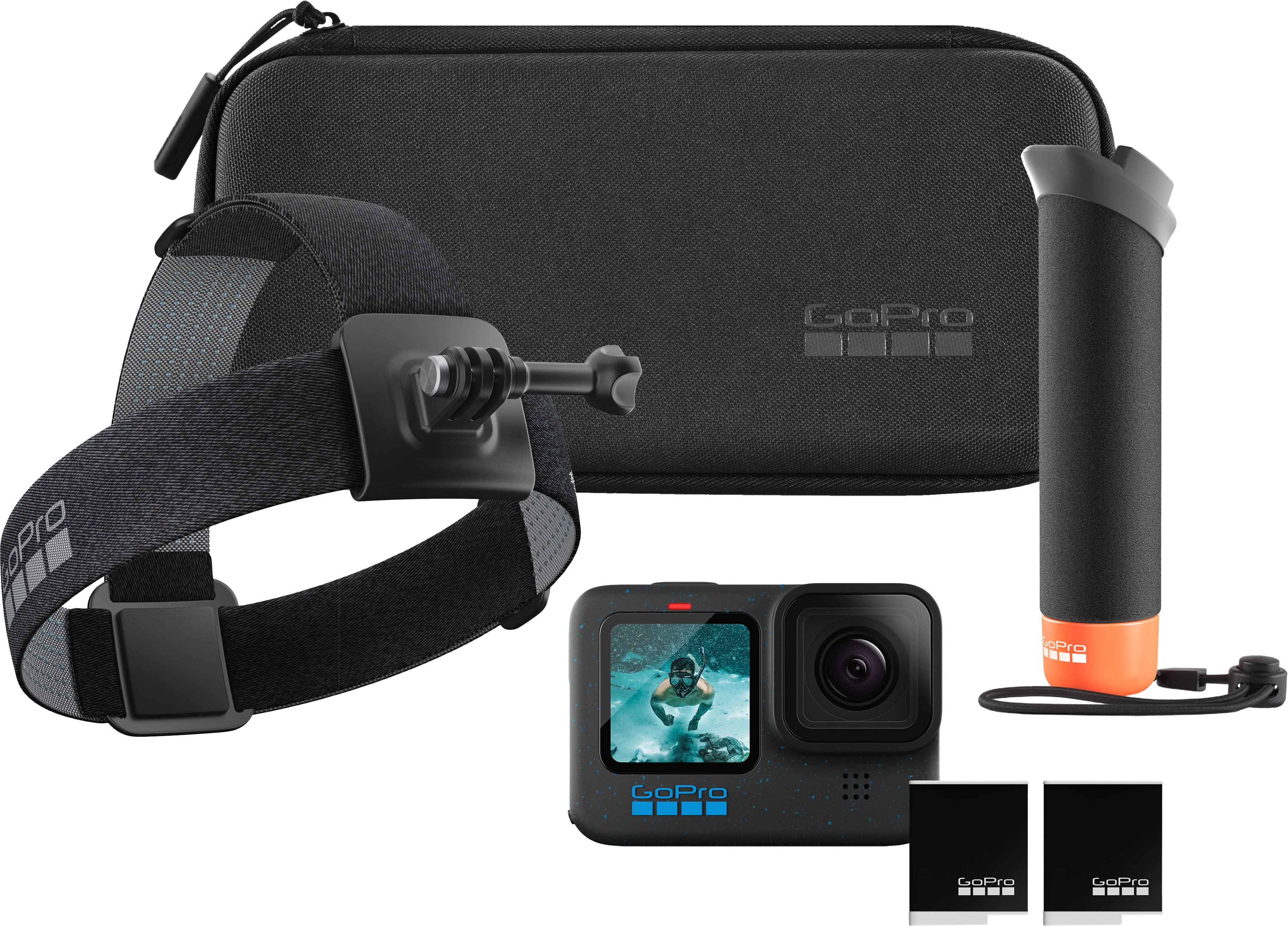
This awesome bundle comes with everything you need to capture and share amazing GoPro footage. It includes the GoPro HERO12 Black~a tough, lightweight camera with incredible image quality, even better HyperSmooth video stabilization and a huge boost in battery life. Thanks to its improved power management, it delivers 2x longer continuous recording at 5.3K60 (70 minutes). After recording, simply charge your GoPro and your footage will auto-upload to the cloud and a highlight video will be automatically sent to you. This bundle also includes The Handler (Floating Hand Grip), Head Strap 2.0, an extra Enduro battery and a case.
Customer Rating
5
GoPro Goes Pro
on December 18, 2023
Posted by: rtbestbuy
The GoPro Hero 12 Black offers a number of significant upgrades and improvements over the Hero 11 and one significant downgrade. The Hero 12 uses the same processor and image sensor as the Hero 11. Many of the new features are in aid of content creation post-production and video professionals. While most seem to be firmware enhancements rather than new hardware capabilities, there is one really significant hardware improvement, the addition of a standard tripod threaded mount. Yay!
I'm a cyclist and primarily use the GoPro cycling, although I'm starting to use it more for general videos. While cycling, I use a handlebar mount, helmet mount and chest mount for different perspectives. I also used the GoPro for passing sequences, mounted on a tripod and on the hand mount included in the bundle. I'm not an expert by any means, but I have started doing some post-production video processing utilizing some of the new features of the Hero 12.
The longer battery life is a welcome improvement, anywhere from (in my experience) 15% to 40% better than the Hero 11, with the most improvement at the higher resolution/frame rates. The image stabilization is still the best in the industry and HyperSmooth 6.0 is the best yet. Not only is it more stable, but the image shrinkage seems to be less. The addition of HDR video modes (and GP-log if I ever figure out how to use it properly) bring out better color in bright, high contrast scenes. The new video modes, especially 8:7 video, will prove especially useful. I really like the 8:7 format as it lets you switch easily between horizontal(think YouTube) or vertical(TikTok) formats in post-production.For the post-production geeks (getting there, but not quite there yet) there is timecode sync to syncronize multiple videos and GPlog and LUT metadata to assist in color grading.
One feature that slipped under the radar is the new Bluetooth audio capabilities. Not only can you use a remote Bluetooth mike, but the Hero 12 will record separate tracks for the local mike and the Bluetooth mike, so you can choose which to use later. Additionally, and more important to me, the Hero 12 will respond to voice commands over Bluetooth. The voice commands all worked flawlessly without any training or other setup. The Hero 12 is also the first GoPro that will pair with more than one device at a time (up to 6, I believe).
The Hero 12 is supposed to be better about not overheating than previous GoPros. I've never had any issues with a GoPro overheating, even on 95 degree days, but for the most part my longer videos are all on a moving bike with lots of air flow.
The one downgrade was the removal of the GPS from the Hero 12. GoPro claims very few ever used the feature. While I never used the overlay feature, it was nice to have the geotag metadata to insert clips or stills on maps. The one thing I wish GoPro would improve is the charge time on their batteries. 90 minutes to a full charge is pretty annoying! The good news is that the bundle includes a second battery along with a nice case, the surprisingly useful stick handle, and a head mount.
The GoPro Hero 12 Black offers spectacular daylight video and best in class stabilization. The new features, while not earthshattering, offer a lot of new function for both the enthusiast and professional with no increase in price. Highly recommended!
I would recommend this to a friend!
Share this review:


+1point
1of 1voted this as helpful.
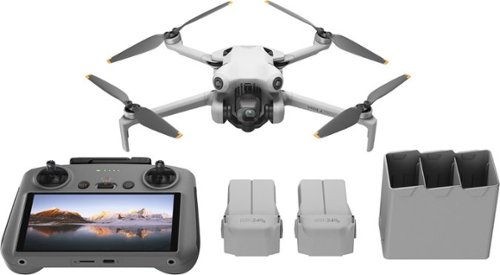
DJI Mini 4 Pro integrates powerful imaging capabilities, omnidirectional obstacle sensing, ActiveTrack 360~ with the new Trace Mode, and 20km FHD video transmission, bringing even more things to love for pros and beginners alike.
Customer Rating
5
Great Package for Enthusiast or Professional!
on December 15, 2023
Posted by: rtbestbuy
Great Package for Enthusiast or Professional!
The DJI Mini 4 Pro drone is simply the best ultralight (under 250gms) drone, hands down! It's ideal for either hobbyist or even professional use. It's available in different packages bundling controllers and batteries that allow you to trade off flying time vs FAA ultralight designation. There are two controllers available,one uses your phone as a screen and one has a built-in touchscreen. I opted for the 'Combo Plus' package, which includes the Mini 4 Pro, RC2 Controller (built-in screen), extra batteries, charger, assorted spare blades, and a case. The plus batteries put it over the FAA limit of 250gms, but add about 15min of flying time. I really like the RC2 controller, with the built-in touchscreen. It makes the whole unit more compact and doesn't tie up my phone.
Quick note: The 'plus' battery puts the drone over the 250gm limit, which means you have to register with the FAA ($5). Other than that, there is no difference in the rules and responsibilities for the drone or drone operator. Whether over or under 250gms, the rules are exactly the same.
Before I talk about the Mini 4 Pro, I want to mention that this is one bundle worth getting. Generally, bundles include stuff that you may never or rarely use. Not this one! In addition to the RC2 controller and Mini 4 Pro, it adds:
- two plus batteries for a total of three
- a rapid charger that charges up to three batteries sequentially almost twice as fast as charging in the drone itself. It also has a charging port for phone, controller, etc.
- three spare sets of blades and tool
- two charging/download cables, usbc-usbc and usba-usbc
- nice padded case to hold it all
All really useful stuff!
- two plus batteries for a total of three
- a rapid charger that charges up to three batteries sequentially almost twice as fast as charging in the drone itself. It also has a charging port for phone, controller, etc.
- three spare sets of blades and tool
- two charging/download cables, usbc-usbc and usba-usbc
- nice padded case to hold it all
All really useful stuff!
DJI has done a good job of packing the Anafi with features found in more expensive drones. It has an absolutely stellar 4K camera that will can be physically rotated for horizontal or vertical format (tiktok vs youtube). The stabilization is excellent and with 10 bit color/dlog, the video quality is punching way above class. There are four optical sensors for collision avoidance with 360 degree monitoring. There are a bunch of flight modes for all occasions. The collision avoidance can be set to simply stop (default), or try to go around.
In addition to operator controlled flight, there is pre-programmed autonomous flight mode and follow mode. Operator controlled flight is easy, the controls are intuitive and nothing happens too quickly. Return to home worked well on my first test flight, I sent the drone off to tour the park nearby, then had it find it's way home over the roof of my house. It landed next to me. I was able to try out follow mode, having the drone follow me on my bike. It kept up at 15mph. I did ride under a couple of trees and the Mini 4 Pro successfully avoided them, circling just outside the leaf line while keeping me in view. Awesome!
In short, the DJI Mini 4 Pro is a professional drone in a ultralight, hobbyist body. I definitely recommend the RC2 controller/plus package with it, it is a really good value. Whether you're an enthusiast, blogger, or budding professional, the DJI Mini 4 Pro Combo Plus package should be first in line for your consideration. Highly recommended!
I would recommend this to a friend!
Share this review:


0points
0of 0voted this as helpful.
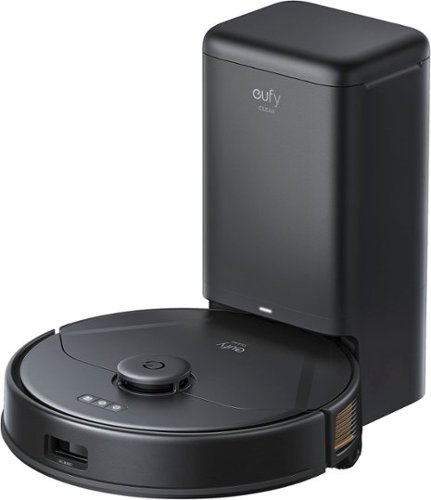
The eufy clean X8 Pro SES robotic vacuum with self-emptying station, twin-turbine 2x4,000 Pa powerful suction, active detangling roller brush, and iPath laser navigation for 45* days of hands-free deep cleaning.
Customer Rating
4
Excellent Vacuum, Weak Mopping
on December 14, 2023
Posted by: rtbestbuy
The Eufy X8 Pro SES vacuum is a terrific mapping robovac with a self empty station (hence SES). Short answer, it does a terrific job on the pair hair and other outside detritus our two dogs manage to deposit all over the floor. Now if only it would get the sofa cushions...
Out of the box, there is the X8 Pro, Charging/Empty Station, mopping accessories, and the usual paperwork. Almost all of the packaging is cardboard, which earns points for recyclability. Plug in the Charging/Empty station, get the robovac charging, and take the opportunity to download the Eufy_clean app (Android/IOS). Connect the Eufy X8 to your wifi network and you're ready to go. NOTE: the X8 requires 2.4ghz wifi band, so make sure it's enabled on your access point. At this point, turn it loose and let it map out your house. Programming options are pretty good. Once mapped, you can set the area to be cleaned, set the vacuum power, and the number of times to traverse the area, all from the app.
Our house is a split level home with tile, wood, linoleum, and carpeted floors, with about 1300 sq ft on one level and 400 sq ft on the other. This presents a significant challenge to robovacs, since they don't handle steps other than to avoid them. Up until now, we've had one robovac, two maps, and manually carried the robovac back and forth. This has obvious limitations. We added the Eufy X8 to handle the lower level. Two dogs and associated dog toys complete the challenge. Our house (well, floor) is cluttered with the usual detritus of living: furniture, power cords, backpack, purse, the odd shoe, a constantly changing landscape of living. The Eufy X8 Pro has handled it all admirably.
We have sent it out several times to vacuum. Each time it has updated the map in the app with that day's obstacles. Each time it has done a good job of picking up all the dog hair. It does an excellent job on the edges, a common problem area for robovacs. So far, the X8 hasn't stalled on any objects and the vacuum brush hasn't had tangles or buildup, all good signs.
I'm a fan of self emptying docking robovacs, it makes cleanup a lot easier and makes it possible to let the unit run for a few days without cleaning every time. The X8 Pro SES empty station has a disposable bag that is claimed to last for 30-60 days of cleaning. This of course depends on the dog's ability to fill it. But thus far, it seems reasonable.
Mopping is a weak point. There is a plastic 'shield' that goes under the empty station that keeps the water from accumulation on your floor. You first add the mopping accessory to the bottom of the X8. Then when wanting to mop, open the top of the X8, add water to the mopping container, and turn it loose. It doesn't lift the mop over rugs, so you either have to take up throw rugs or add 'no-go' zones to the map. It also doesn't seem to scrub the mop at all, just drag the mop around. Also, the mop has to be removed and cleaned manually, there is no cleaner at the self-empty station. Good for a once in a while quick mop, but otherwise disappointing.
All told, the Eufy X8 Pro SES is a terrific vacuum with an bonus occasional mopper tossed in. I'd definitely recommend it for your consideration, especially if you don't need the mopping capability. This would have been a five start review if it had been a vacuum only.
I would recommend this to a friend!
Share this review:


0points
0of 0voted this as helpful.
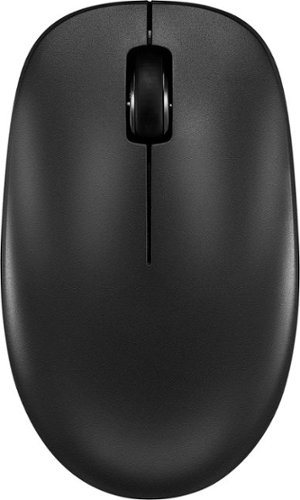
Whether you just got a new computer or simply upgrading your current setup, you can~t go wrong with this Insignia NS-PM3NK3B24 Bluetooth 3-Button Mouse. It uses reliable Bluetooth technology to easily connect to your Windows, macOS, ChromeOS, iPadOS and Android systems. A slim, ambidextrous design works for both right and left-handed users, and a timeless layout consists of 3 buttons. Finally, optical technology makes this mouse more than suitable for a variety of daily uses. Upgrade your setup with this easy-to-use Insignia mouse.
Customer Rating
5
Very Nice 3-Button Mouse
on December 14, 2023
Posted by: rtbestbuy
The Insignia Bluetooth 3-Button Mouse is exactly that: an inexpensive,3-button Bluetooth mouse that just works. Quiet, comfortable, well made. And of course, inexpensive. Just a very appealing add-on mouse.
Setup was trivial. Pop the battery in, turn on the (on/off) switch and hold the DPI/Pairing button for four or five seconds until the blue led blinks rapidly. Pair it with your computer, all the computers recognized and installed it appropriately. Done.
I find it much more convenient to use a laptop with a mouse than fat-fingering my way across a touchpad and have several mice scattered around the house the way some people scatter reading glasses. I can bring one of my three laptops (Win11 general, Win 11 gaming, and ChromeOS) into a room, pair if not already paired, and I'm up and running. The Insignia Bluetooth Mouse is a standard 3-button configuration (left, right, and center roller) with a nice arched top and contoured sides. It fits my hands (size large gloves) and my wife's hands (small) very nicely. It has a nice heft to it, partly due to the AA battery that powers it.
There is no configuration utility other than the native OS utility, but you can change the dpi on the mouse to 800, 1200, or 1600 dpi by pressing the (again DPI/Pairing) button quickly. The blue light blinks once for 800, twice for 1200, and three times for 1600 DPI. The range should cover all but the most ardent gamer's needs.
The mouse appears to be well made, with nice slider strips running the width of the mouse. Much better that the four little dots common on inexpensive mice. Also, it's worked well on a variety of surfaces. One other nice thing, the buttons have nice tactile feedback, but are almost completely silent, important while sharing a living room with a significant other. Highly recommended!
I would recommend this to a friend!
Share this review:


0points
0of 0voted this as helpful.
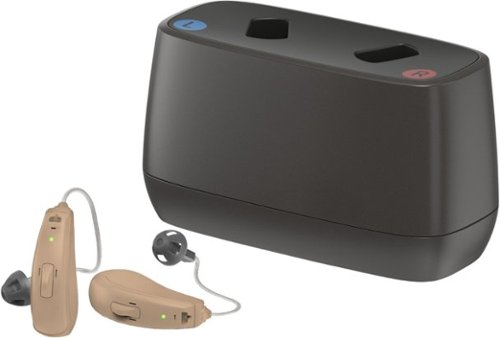
The Jabra Enhance Select 50R are custom-programmable hearing aids, nearly invisible when worn, and lightweight for all-day comfort. They integrate advanced microphones and can be remotely adjusted by a Jabra Enhance licensed hearing professional to your unique needs to help you hear your best. Shop with confidence and take advantage of our 3-year warranty and 3-year loss and damage coverage. Bluetooth streaming is available for both Apple/Android compatible devices so you can listen to calls and stream music directly to your hearing aids. For device compatibility, please see our ~Specifications Sheet~ by navigating to Features - Manuals & Guides - Specification Sheet. 3 years of professional virtual hearing care from Audiology Team includes: 1) Orientation and individual programming of your hearing aids, plus unlimited ongoing adjustments & fine-tuning, based on your hearing needs, 2) Demonstrating how to use and maintain your hearing aids (device parts, batteries, charging case, cleaning, etc.), 3) Walking you through setup step-by-step to ensure hearing aid wires and domes fit comfortably, 4) Reassessing and reprogramming hearing aids based on changes in your hearing or health conditions, and 5) Video chats with a licensed hearing specialist about your hearing and hearing aids, as often as needed.
Customer Rating
5
Very Complete, Comprehensive Package!
on October 24, 2023
Posted by: rtbestbuy
The Jabra Enhance Select 50R hearing aids are an over the counter package that utilizes remote licensed care and online support to provide an offering rivaling the best in-office care at a fraction of the cost. I'm old and I've been wearing hearing aids for several years as I have significant hearing loss. My last pair had developed problems and had to go back to the manufacturer for repair. I decided to try out an over the counter set as a backup. After unsatisfactorily trying a couple of different brands with app only support, I settled on the Jabra Enhance 50R's with app and live online care and support available. They have now become my full time hearing aids with excellent sound quality, situational hearing profiles, and superb battery life.
The Jabra Enhance 50R's are rechargeable, over the ear type that hide behind your ear with a thin wire receiver that is inserted into the ear. In the box there are assorted ear cups, charging stand and usb charger, carrying case, cleaning and other assorted tools and a manual. There is an app to download for control and support. Support is stellar, with live Zoom sessions, instructional videos, online documents and even a useful paper manual. Care is available via phone of video chat session. In many ways it was much more convenient than scheduling an in office appointment with a hearing aid professional, then going back for an adjustment in a couple of weeks. It does require some more of the wearer however.
Setup was easy. Install the app and connect the hearing aids via bluetooth to the phone and app. Yes, they can be used as earbuds as well. Once connected, the firmware level is checked and updated if necessary. After that, create an account at Jabra and log in via computer. There is a hearing test that I did using wired headphones connected to a computer. Listen for a series of tones to determine the frequency curve (really, about how bad your hearing has gotten). The test results are examined by Jabra hearing specialists and the resulting curves pushed down to your hearing aids through the app. Takes a day or two and can be repeated multiple times to fine tune the response. At the same time, a live Zoom session with a specialist is scheduled for about a week out to check the initial tuning.
I have large ears and needed longer wires than were initially supplied. There is a gauge in the package, put in over your ear and take a picture of each ear and send it in. Jabra fedex'ed the wires to me two days later. I had to change them, but the tool is supplied in the box and there are videos demonstrating how to change the wires. It was very easy. After a few days wearing the Enhanc 50R's, I requested a slight change to the tuning for voice. It was pushed out a day later. I have a follow on video session scheduled for another week out to check the settings.
As I statee earlier, battery life of the Enhance 50R's is stellar. Previous rechargeable hearing aids would last through the day, but needed to be recharged at the end of each day. Although Jabra rates the 50R's at up to 30hrs, I've managed to go through an entire weekend, turning them off when going to bed without recharging. I am very active, bicycling upwards of 200 miles a week and am a bit of a gym rat. The 50R's seem to handle sweat, and an accidental shower or two, without a problem.
Jabra seems to have really gone all in on providing as close to in-office support as possible. Support and warranty continue for three years, which is the probable lifetime of the hearing aids. All in all, I am exceptionally pleased with both the hearing aid performance and the level of support provided by Jabra in the Enhance 50R package. I highly recommend them.
I would recommend this to a friend!
Share this review:


0points
0of 0voted this as helpful.
rtbestbuy's Review Comments
rtbestbuy has not submitted comments on any reviews.
rtbestbuy's Questions
rtbestbuy has not submitted any questions.
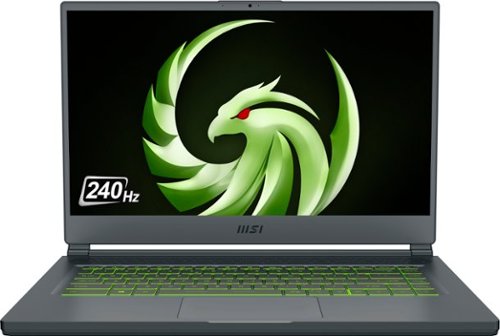
Unexpected. Unseen. Unreal. The Delta 15 AMD Advantage Edition uses the latest AMD Ryzen 7 5800H processor and Radeon RX 6700M graphics. Coming in at 4.19lbs light and 0.75in thin, the Delta 15 supports SmartShift, Smart Access Memory and Wi-Fi 6E for powerful performance inside a premium chassis. Break through and set off a new standard in gaming with the Delta 15.
What is the weight of the laptop? And what is the weight of the AC power adapter? Does it come with a giant and heavy AC power adapter?
The laptop is a bit over 4lbs and about 3/4" thick. Battery life if you're not gaming, or if you dial back the game settings is pretty stellar - about 10 hours for just general office type operation. The power supply is a bit of a brick, but not as heavy as other gaming laptop power supplies. I would guess about a pound.
4 years, 8 months ago
by
rtbestbuy
Unexpected. Unseen. Unreal. The Delta 15 AMD Advantage Edition uses the latest AMD Ryzen 7 5800H processor and Radeon RX 6700M graphics. Coming in at 4.19lbs light and 0.75in thin, the Delta 15 supports SmartShift, Smart Access Memory and Wi-Fi 6E for powerful performance inside a premium chassis. Break through and set off a new standard in gaming with the Delta 15.
Can i use hdmi to connect an external monitor with this laptop without losing performance?
Sort of. HDMI is somewhat bandwidth limited, so the refresh rate will be lower than the laptop refresh rate. Better to use the USB-c DP functionality to get a higher refresh rate on an external monitor.
4 years, 8 months ago
by
rtbestbuy
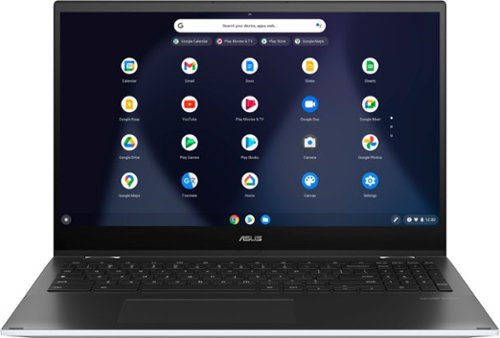
ASUS C536EA Chromebook: Stay productive and entertained with this ASUS 15.6-inch Chromebook notebook. The 8GB memory ensure fast startups, while the Intel i3 processor and 128GB SSD offer smooth performance. This ASUS 15.6-inch Chromebook notebook has an LED-backlit FHD display that provides an engaging viewing experience and is easily visible in dark environments.
Does the backlighting on the keyboard actually shine through the letters or just around the key?
It shines around the keys and through the script on the top of the keys. So for example on the "A" key illuminates the "A" and around the key as well.
5 years ago
by
rtbestbuy
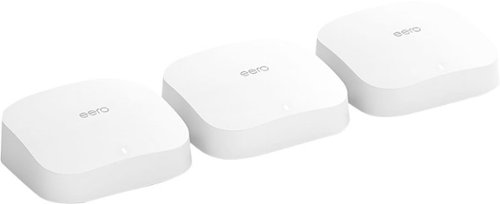
eero Pro 6 delivers premium Wi-Fi 6 performance. The 3-pack Wi-Fi 6 system supports speeds up to a gigabit and coverage up to 6,000 square feet. So you can say goodbye to dead spots and buffering. Work, play, video conference, and stream from anywhere in your home~even when the whole family is online. Set up eero in minutes and get automatic updates, a built-in Zigbee smart home hub, and more. Powered by TrueMesh, eero optimizes your wifi to work for your space and supports 75+ devices.
the 3 pack is too much for me... am i able to purchase 2 eero pro 6 and itll work like the 3pack?
Yes, you can buy only two and mesh them. There are also other options. You can also buy an Eero 6 or Eero 6 extender and use that as the 'remote' node in the mesh.
5 years, 6 months ago
by
rtbestbuy
eero Pro 6 delivers premium Wi-Fi 6 performance. The 3-pack Wi-Fi 6 system supports speeds up to a gigabit and coverage up to 6,000 square feet. So you can say goodbye to dead spots and buffering. Work, play, video conference, and stream from anywhere in your home~even when the whole family is online. Set up eero in minutes and get automatic updates, a built-in Zigbee smart home hub, and more. Powered by TrueMesh, eero optimizes your wifi to work for your space and supports 75+ devices.
I have a camera system and need to be able to have 2.4 & 5g separated for cameras. Can you turn off band steering?
yes, it's currently a 'Discover' feature and is off by default. If you mean can you define separate SSID's for the 2.4Ghz and 5Ghz networks, then no.
5 years, 6 months ago
by
rtbestbuy
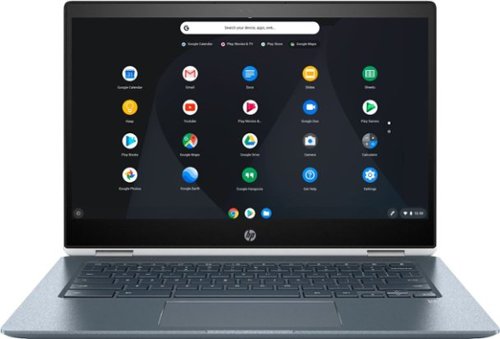
Stream your favorite media on the go with this HP Chromebook touchscreen laptop. The notebook has 8GB of RAM and an Intel Core i3 processor so it's easy to use Google Play apps for everyday productivity. This HP Chromebook touchscreen laptop has a modern 360-degree design and 13-hour, 30-minute battery life for work on the go.
Is the keyboard backlit?

Watch classic and modern flicks on this Samsung Blu-ray player. It supports 4K televisions and monitors for enjoying exceptional picture quality, and its HDR technology delivers deeper contrast and improved details. The built-in Bluetooth on this Samsung Blu-ray player lets you watch content on your mobile device while it's playing on another display.
Does the UBD-M9700/ZA support the following: DTS-X, Dolby Atmos, Dolby Vision, HDR10+, and/or HDR10?
DTS-HD, Atmos, HDR10+, and HDR10. It doesn't support Dolby Vision. Don't know about DTS-X as that may be a bitstream passthrough.
7 years, 10 months ago
by
rtbestbuy
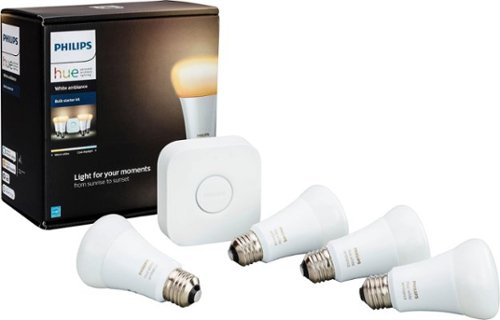
Make your home a more welcoming hub with this Philips Hue white ambiance A19 starter kit. Whether you desire a warm natural glow or energizing color tones, customize it just the way you like with the accompanying app. For parties, easily sync your lights to music with this Philips Hue white ambiance A19 starter kit.
Can I access lights when NOT at home
By access, I assume you mean get status and control them? Yes, either from the phone app or the myHue website.
8 years, 5 months ago
by
rtbestbuy
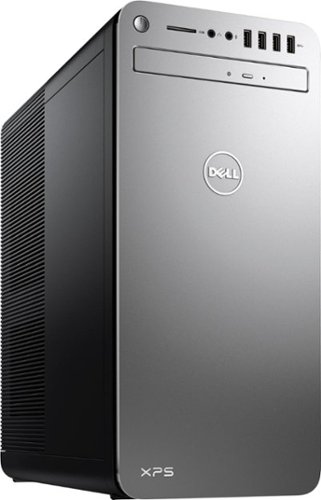
XPS Desktop - Intel Core i7 - 16GB Memory - NVIDIA GeForce GTX 1050 Ti - 2TB Hard Drive + Intel Optane Memory
What version of Windows 10 is it shipped with? Windows 10 Home ? or Pro?
Windows home is shipped with it. Windows pro may be available as an optional upgrade from Dell at some additional cost.
8 years, 9 months ago
by
rtbestbuy
XPS Desktop - Intel Core i7 - 16GB Memory - NVIDIA GeForce GTX 1050 Ti - 2TB Hard Drive + Intel Optane Memory
Which version of the I7700 processor is it? (e.g. I770K 4.2 GHz or I7700 4.2 or I770T @ 2.9GHz)?
The processor is the clock locked i7-7700. It has a base frequency of 3.6Ghz and a 'turbo'/max frequency of 4.2Ghz
8 years, 9 months ago
by
rtbestbuy