
Share trikedik's profile


trikedik
trikedik's stats
- Review count63
- Helpfulness votes15
- First reviewSeptember 6, 2019
- Last reviewJune 4, 2022
- Featured reviews0
- Average rating4.6
Reviews comments
- Review comment count0
- Helpfulness votes0
- First review commentNone
- Last review commentNone
- Featured review comments0
- Question count1
- Helpfulness votes0
- First questionFebruary 25, 2022
- Last questionFebruary 25, 2022
- Featured questions0
- Answer count1
- Helpfulness votes0
- First answerJanuary 20, 2022
- Last answerJanuary 20, 2022
- Featured answers0
- Best answers0
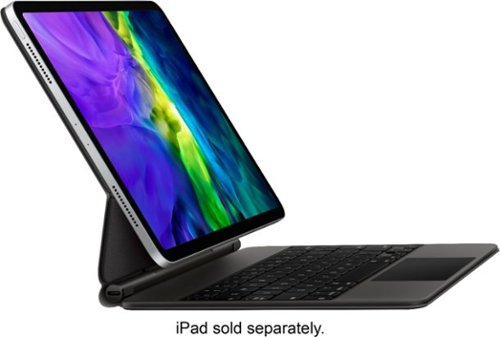
Magic Keyboard is an amazing companion for iPad Air 11-inch. It features an incredible typing experience, a trackpad that expands how you can work with iPadOS, a USB~C connector for pass-through charging, and front and back protection. Magic Keyboard has a floating cantilever design, allowing you to attach iPad Air magnetically and to smoothly adjust it to the perfect viewing angle for you.
Customer Rating

4
Great keyboard, but expensive.
on September 25, 2021
Posted by: trikedik
Verified Purchase:Yes
Turns your iPad Air into a full blown computer with this keyboard. Very well built and works flawlessly with iPad Air Gen 4.
Length of ownership: 117
Mobile Submission: false
I would recommend this to a friend!
Quality

5
Value

3
Ease of Use
5
Share this review:


0points
0of 0voted this as helpful.

Intel~ Gamer Days Bundle digital game download featuring HUMANKIND~ and Crysis Remastered Trilogy.
Customer Rating

5
A few good games to get you going
on September 25, 2021
Posted by: trikedik
Verified Purchase:Yes
Free games just for buying a laptop I needed? Sure! I was going to purchase Humankind anyway, so it is nice that it came with this computer. You get a Steam key and download from them. I was never a big fan of the Crysis series, and it is not available yet, but I am not going to complain because it is free!
Length of ownership: 7
Mobile Submission: false
I would recommend this to a friend!
Quality
5
Value

4
Ease of Use
5
Share this review:


0points
0of 0voted this as helpful.

The all-new iPad Air. It's more versatile than ever. The stunning 10.9-inch Liquid Retina display with wide color lets you see photos, videos, and games in vivid, true-to-life detail.~ It features the A14 Bionic chip with Neural Engine, delivering power and advanced machine learning capabilities to edit a 4K video, create a beautiful presentation, design a 3D model, and do all of these things with ease. And now with support for Magic Keyboard and Apple Pencil (2nd generation)~, fast, easy, and secure Touch ID and Apple Pay, a 12MP back camera and 7MP FaceTime HD camera, USB-C connector for charging and accessories, all-day battery life~, and fast Wi-Fi 6. With iPad Air you have the power to bring your ideas to life.
Customer Rating
5
Perfect Device For Most People
on September 25, 2021
Posted by: trikedik
Verified Purchase:Yes
Apple could stop updating their iPad for 5 years and no one will have caught up. This is a fantastic device and more than enough for 99% of people. The screen is gorgeous, the OS is snappy, and everything about this tablet reeks of quality, both the hardware and software.
Length of ownership: 131
Mobile Submission: false
I would recommend this to a friend!
Battery Life
5
Display
5
Durability
5
Share this review:


0points
0of 0voted this as helpful.
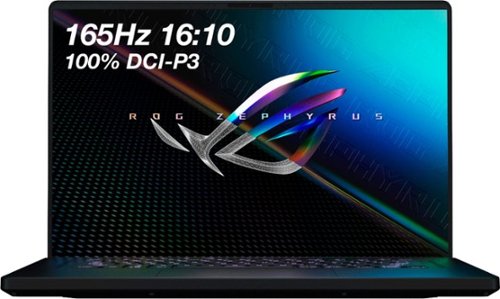
ASUS ROG Gaming Laptop. Enjoy everyday gaming with this ASUS notebook PC. The 11th Gen Intel Core i9 processor and 16GB of RAM let you run graphics-heavy games smoothly, while the potent NVIDIA RTX 3060 graphics produce high-quality visuals on the new fast 16-inch 165hz WQXGA display. This ASUS notebook PC has 1TB SSD that shortens load times and offers ample storage.
Customer Rating
5
Fantastic Gaming Laptop
on September 25, 2021
Posted by: trikedik
Verified Purchase:Yes
I originally went to Best Buy to get the 14 inch ROG laptop that has the Ryzen 9 processor. That was sold out, and I needed a laptop so I took this one instead. Same 1TB, 16GB RAM, and 3060 that the 14 has, but a bigger display and an i9 instead of AMD. I was not expecting much from this computer, but wow, it is a beast. The i9 handles everything I have thrown at it with ease and I am able to play games at max settings. There are a few that I need to tune down a little because the resolution of this screen and small 6GB VRAM, but for the most part, all settings are maxed out.
Then there is the display, and it is absolutely beautiful. The increase in resolution makes a huge difference over 1080, everything looks super crisp. The screen also gets pretty bright, I don't know the NITs of it, but it is bright when plugged in.
I also like this laptop because I can use it at work without all the crazy gaming laptop designs that are being used in gaming laptops today. This is an understated laptop with a soft finish that makes it feel premium. Build quality wise, I am not expecting to get more than 2 years out of it though.
The moue pad is awesome on this laptop. Finally, someone took a cue from Apple and put a giant mouse pad on this laptop. I never understood why PC manufacturers kept using tiny mouse pads on their new laptop, but this one does away with that and has a huge mouse pad that is responsive and a pleasure to use.
Overall, I rate this laptop very high because it is affordable and packed with the latest and greatest tech. The i9 really does an impressive job, and my only wish is that the 3060 came with 8GB VRAM instead of 6, but you can't have everything you want I guess.
Mobile Submission: false
I would recommend this to a friend!
Battery Life
3
Speed
5
Display
5
Share this review:


+1point
1of 1voted this as helpful.
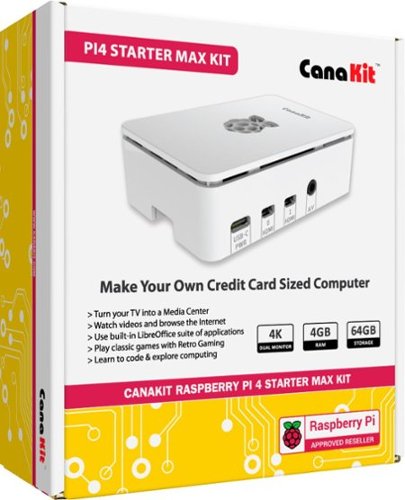
Realize your ideal computer with this Raspberry Pi 4 Starter MAX kit. The 1.5GHz processor and 4GB RAM allow for rapid multitasking, while three heat sinks and a fan keep the unit running at optimal conditions. This Raspberry Pi 4 Starter MAX kit features a high-gloss case and includes two micro HDMI-to-HDMI cables for easy setup.
Customer Rating
5
Great kit for starting off with Rapberry Pi 4
on June 19, 2020
Posted by: trikedik
Verified Purchase:Yes
This is a great little kit that comes with everything necessary to get your Pi up and running. Super easy to use and fun to toy around with. I have another one like it that sits there and serves as my Plex Media server and have had no issues. Great little kit!
Length of ownership: 26
Mobile Submission: false
I would recommend this to a friend!
Quality
4
Value
5
Ease of Use
5
Share this review:


0points
0of 0voted this as helpful.
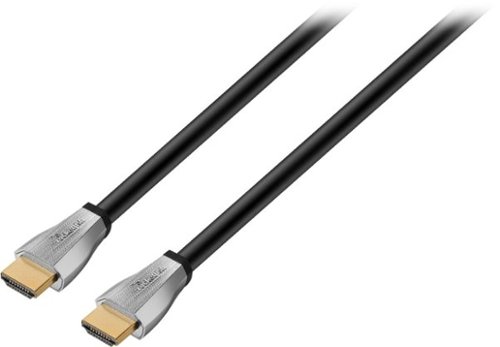
Only @ Best BuySet up your television and DVR with this Rocketfish 4K UltraHD cable, and enjoy high-quality high-definition entertainment the way it was meant to be viewed. The 4-foot cable offers ample length for connecting components, and a triple-layer shield protects against interference. This Rocketfish 4K UltraHD cable supports transfer speeds up to 18 Gbps for lag-free enjoyment of your media.
Customer Rating
5
It works and gets the job done
on June 12, 2020
Posted by: trikedik
Verified Purchase:Yes
Works as intended and advertised. Was able to hook it up and use with no problems.
Length of ownership: 21
Mobile Submission: false
I would recommend this to a friend!
Quality
5
Value
4
Ease of Use
5
Share this review:


0points
0of 0voted this as helpful.

Microsoft - Surface Go - 10" Touch-Screen - Intel Pentium Gold - 8GB Memory - 128GB Storage - Silver
New 10~ Surface Go is perfect for all your daily tasks, giving you laptop performance with tablet portability, a stunning touchscreen, and the Windows and Office* experience you know. From email, browsing, and home projects to unwinding with a favorite TV show, Surface Go is by your side wherever you are ~ with up to 9 hours~ of battery life, built-in HD cameras, hassle-free connectivity, and all the ports you need, including multi-tasking USB-C. * Sold separately.
Customer Rating
5
Great little tablet
on April 19, 2020
Posted by: trikedik
Verified Purchase:Yes
Quick Summation:
The Microsoft Surface Go is the smallest in the Surface lineup. It has a beautiful screen, pleasing aesthetics, and a solid feel. While the performance is hampered by its low-powered insides in some instances, the Surface Go (as configured here) is plenty powerful enough to write some essays, browse the web, watch movies, and more. While power users should probably steer clear, the Surface Go is a... "Go" for most users out there (I’ll see myself out).
Yay!
· Premium materials and build quality
· Beautiful screen
· Can truly be a productivity machine with Type Cover keyboard (sold separately)
· Type Cover keyboard accessory has great depth, is backlit and has a great trackpad
· Decent performance with 8 GB RAM and 128 SSD options
· Extremely portable
Nay!
· Performance, including the Pentium chip, is not stellar (especially in the systems with 4 GB RAM and 64 GB eMMC)
· Graphics are not much better - casual games only
· Accessories can add up quickly
· Windows 10 is not the best tablet experience that can be had
Meh.
· The speakers, while decent, are nothing to write home about
· 128 GB SSD fills up fast (storage is expandable through Micro SD card slot on back)
· 8 GB RAM is about the sweet spot for a machine like this, and in this price range
Verdict: The Yay’s Have It!
The Surface Go is a surprising little machine. It handles most day-to-day tasks with aplomb. The screen is bright, and colors really do "pop". The Type Cover keyboard attachment, while an additional $99.99 - $129.99, is excellent - with good depth, backlit keys and a large trackpad. It is also a must have accessory. Students and professionals on the go who value portability at the expense of a bigger screen or more powerful machine would do well to check out the Surface Go. One caveat I have, I truly believe the only configuration worth purchasing is the top model, which comes in at $549.00 and was used in this review (the Surface Go with the LTE connection adds another $130.00 to the price tag, coming in at $679.00).
Introduction:
Ever since Steve Ballmer departed Microsoft, I feel as though the company has been on a tear (I think the stock [MSFT] reflects that). They are taking on Amazon Web Services (AWS) with Microsoft Azure and fighting for share in many areas. They have also released a slew of computers over the last few years. While there were some bumps along the way (Surface RT), Microsoft seems to have perfected the 2-in-1 combination. Indeed, Microsoft's Surface line of products have shown themselves to be of the highest quality, often earning praise in the media for their ingenuity and premium materials. With their current line of Surface computers, Microsoft has cemented itself as one of the top computer hardware manufacturers. The fact that their hardware ties in so nicely with their software only confirms this. The configuration used for this review is the Surface Go with 8GB RAM and a 128 GB SSD, without LTE.
Hardware:
While the Surface Go starts at $399.00, it certainly does not skimp on build quality. The Go is a well-built machine, with a Magnesium case that is both very solid feeling and surprisingly light. Of course, as with any tablet, the screen is what dominates, and in this respect the Surface Go does not disappoint. The screen is bright and extremely vivid.
A quick breakdown of the screen per Microsoft’s site:
· Screen: 10" PixelSense™ Display
· Resolution: 1800 x 1200 (217 PPI) resolution
· Aspect ratio: 3:2
· Contrast ratio: 1500:1
· Touch: 10-point multi-touch
· Corning® Gorilla® Glass 3
While a 10-inch screen is going to be too small for many, I found the size to be adequate for what I was doing. One thing I should note about the screen is that it is surrounded by rather thick bezels, especially by today’s standards and designs.
Using the optional Surface Pen on the Surface Go screen is a pleasure. I am not an artist, so I can’t speak to the Surface Pen as an art instrument, though drawing and taking notes on the Surface Go with the Surface Pen felt very natural. There was no perceptible lag when using the Surface Pen. The Surface Pen is a $99 accessory that comes in several colors and can often be had for a lower price on Amazon.
The ports on the Surface Go are limited, but the inclusion of a USB-C port helps alleviate the issue if you use a USB-C hub. It is also nice that you can charge your Surface Go through the USB-C port in addition to Microsoft’s proprietary Surface Connect port. Microsoft offers a hub that connects using the Surface Connect port that offers 4 USB 3.0 ports, 2 Mini DisplayPort ports, a 3.5 mm headphone jack, and a Gigabit Ethernet port. So, even though ports are limited, with hubs that can be used with either USB-C or the Surface Connect port, the Surface Go is well connected. The microSDXC card reader is tucked behind the kickstand on the back of the machine. I would suggest getting a card to put your personal documents and media on, as the 128 GB of storage goes fast.
The Surface Go has the following ports per Microsoft’s site:
· 1 x USB-C
· 3.5 mm headphone jack
· 1 x Surface Connect port
· Surface Type Cover port4
· microSDXC card reader
The Type Cover keyboard, which must be purchased separately and is a must have if you plan on getting any real work done with the Surface Go, is really quite good. It has backlit keys, good depth, and a large (for its size) trackpad. The Type Cover keyboard attaches effortlessly and is what really makes the Surface Go a portable productivity machine. I should note here that the Type Cover keyboard does not have full-size keys. Some people may have issues with this, but I found that within a few days I could happily type away as usual. The Type Cover keyboard comes in a variety of colors that match the colors offered with the Surface Pen and goes from $99.99 for the plain black to $129.99 for the colored variants. The pricier Type Cover models also come with Microsoft’s Alcantara® surface, which is a fabric-like material that makes using the Type Cover a pleasant experience.
Of course, the kickstand is present on the Surface Go. Just like its big brother, the Surface Pro, the Surface Go has an adjustable kickstand that props the tablet up. The kickstand has a huge range and allows anything from propping the Surface Go up to watch a movie, to lying at a slight angle to allow for better drawing.
There are two cameras on the Surface Go. The front-facing camera is 5-megapixels and the camera on the rear of the device is 8-megpixels. Neither will blow you away, but they suffice.
Performance:
Perhaps the biggest knock on the Surface Go is Microsoft’s choice to go with a Pentium Gold Processor 4415Y. This is a dual-core, 4-thread processor that clocks in at 1.6 GHz. The knock on this processor is that it is not very powerful, and by most objective analysis this holds true. Benchmarks for the Surface Go can be easily found, but I am less concerned with the Surface Go’s raw power and more concerned with its overall execution. In that regard, the Pentium Gold processor in the Surface Go is fine for day-to-day use and light multitasking. I was able to stream, browse with multiple tabs open, and perform a bevy of other tasks without much issue. I used Edge for the most part and found it to have minimal issues when browsing with many tabs open. There are occasions, however, where you will notice the Surface Go chug a little bit during heavy browsing or multitasking. While the Pentium Gold processor in the Surface Go is by no means powerful, it should be sufficient for most light tasks.
The graphics are another area where the Surface Go does not excel. Casual games play fine and are enjoyable, but more demanding games are out of the question here. I enjoy playing more dated games sometimes, and the Surface Go is able to play them easily (such as The Elder Scrolls: Oblivion). While you won’t be able to play more demanding games, the games that the Surface Go is able to play can be pleasant entertainment and a good way to kill a little time.
The battery life on the Surface Go is somewhat disappointing. Microsoft rates the Surface Go as having a battery that lasts for 9 hours on a charge on the Wi-Fi only model. I have yet to achieve this duration while using the Surface Go on battery, but then I keep my screen a little brighter than most and almost always have several applications open. I was averaging around 6 hours with my regular use, as described above. The battery can be charged with the included charger, which uses Microsoft’s proprietary Surface Connect port, or through the USB-C port. The ability to charge through the USB-C port is a big benefit as you will be able to charge you Surface Go from a portable battery pack.
The Surface Go model used for this review has 8 GB RAM and a 128 GB SSD. While the SSD is somewhat speedy, it really is limited by its low 128 GB of storage, although you can expand the storage using the microSDXC card reader. There are other models of the Surface Go that come with a 64 GB eMMC drive that I would highly advise against getting. There are two main reasons I think the 128 GB SSD is necessary. First, 64 GB simply is not enough storage, especially after Windows eats up its share. With Windows Updates now reserving more storage, 128 GB is the effective minimum in my opinion. The second reason is that eMMC drives are slow compared to their SSD brethren. As for the RAM issue, I again strongly urge an upgrade to 8 GB RAM as I feel that is the effective minimum for RAM in modern computers.
User Experience:
The first thing to point out about the Surface Go is that it comes with Surface Go Windows 10 Home in S mode. This means that unless you opt for the Surface Go for Business Windows 10 Pro, you will be limited by Windows 10 S. If you don’t know the difference between Windows 10 and Windows 10 S, the most important difference is that you can only run
The Microsoft Surface Go is the smallest in the Surface lineup. It has a beautiful screen, pleasing aesthetics, and a solid feel. While the performance is hampered by its low-powered insides in some instances, the Surface Go (as configured here) is plenty powerful enough to write some essays, browse the web, watch movies, and more. While power users should probably steer clear, the Surface Go is a... "Go" for most users out there (I’ll see myself out).
Yay!
· Premium materials and build quality
· Beautiful screen
· Can truly be a productivity machine with Type Cover keyboard (sold separately)
· Type Cover keyboard accessory has great depth, is backlit and has a great trackpad
· Decent performance with 8 GB RAM and 128 SSD options
· Extremely portable
Nay!
· Performance, including the Pentium chip, is not stellar (especially in the systems with 4 GB RAM and 64 GB eMMC)
· Graphics are not much better - casual games only
· Accessories can add up quickly
· Windows 10 is not the best tablet experience that can be had
Meh.
· The speakers, while decent, are nothing to write home about
· 128 GB SSD fills up fast (storage is expandable through Micro SD card slot on back)
· 8 GB RAM is about the sweet spot for a machine like this, and in this price range
Verdict: The Yay’s Have It!
The Surface Go is a surprising little machine. It handles most day-to-day tasks with aplomb. The screen is bright, and colors really do "pop". The Type Cover keyboard attachment, while an additional $99.99 - $129.99, is excellent - with good depth, backlit keys and a large trackpad. It is also a must have accessory. Students and professionals on the go who value portability at the expense of a bigger screen or more powerful machine would do well to check out the Surface Go. One caveat I have, I truly believe the only configuration worth purchasing is the top model, which comes in at $549.00 and was used in this review (the Surface Go with the LTE connection adds another $130.00 to the price tag, coming in at $679.00).
Introduction:
Ever since Steve Ballmer departed Microsoft, I feel as though the company has been on a tear (I think the stock [MSFT] reflects that). They are taking on Amazon Web Services (AWS) with Microsoft Azure and fighting for share in many areas. They have also released a slew of computers over the last few years. While there were some bumps along the way (Surface RT), Microsoft seems to have perfected the 2-in-1 combination. Indeed, Microsoft's Surface line of products have shown themselves to be of the highest quality, often earning praise in the media for their ingenuity and premium materials. With their current line of Surface computers, Microsoft has cemented itself as one of the top computer hardware manufacturers. The fact that their hardware ties in so nicely with their software only confirms this. The configuration used for this review is the Surface Go with 8GB RAM and a 128 GB SSD, without LTE.
Hardware:
While the Surface Go starts at $399.00, it certainly does not skimp on build quality. The Go is a well-built machine, with a Magnesium case that is both very solid feeling and surprisingly light. Of course, as with any tablet, the screen is what dominates, and in this respect the Surface Go does not disappoint. The screen is bright and extremely vivid.
A quick breakdown of the screen per Microsoft’s site:
· Screen: 10" PixelSense™ Display
· Resolution: 1800 x 1200 (217 PPI) resolution
· Aspect ratio: 3:2
· Contrast ratio: 1500:1
· Touch: 10-point multi-touch
· Corning® Gorilla® Glass 3
While a 10-inch screen is going to be too small for many, I found the size to be adequate for what I was doing. One thing I should note about the screen is that it is surrounded by rather thick bezels, especially by today’s standards and designs.
Using the optional Surface Pen on the Surface Go screen is a pleasure. I am not an artist, so I can’t speak to the Surface Pen as an art instrument, though drawing and taking notes on the Surface Go with the Surface Pen felt very natural. There was no perceptible lag when using the Surface Pen. The Surface Pen is a $99 accessory that comes in several colors and can often be had for a lower price on Amazon.
The ports on the Surface Go are limited, but the inclusion of a USB-C port helps alleviate the issue if you use a USB-C hub. It is also nice that you can charge your Surface Go through the USB-C port in addition to Microsoft’s proprietary Surface Connect port. Microsoft offers a hub that connects using the Surface Connect port that offers 4 USB 3.0 ports, 2 Mini DisplayPort ports, a 3.5 mm headphone jack, and a Gigabit Ethernet port. So, even though ports are limited, with hubs that can be used with either USB-C or the Surface Connect port, the Surface Go is well connected. The microSDXC card reader is tucked behind the kickstand on the back of the machine. I would suggest getting a card to put your personal documents and media on, as the 128 GB of storage goes fast.
The Surface Go has the following ports per Microsoft’s site:
· 1 x USB-C
· 3.5 mm headphone jack
· 1 x Surface Connect port
· Surface Type Cover port4
· microSDXC card reader
The Type Cover keyboard, which must be purchased separately and is a must have if you plan on getting any real work done with the Surface Go, is really quite good. It has backlit keys, good depth, and a large (for its size) trackpad. The Type Cover keyboard attaches effortlessly and is what really makes the Surface Go a portable productivity machine. I should note here that the Type Cover keyboard does not have full-size keys. Some people may have issues with this, but I found that within a few days I could happily type away as usual. The Type Cover keyboard comes in a variety of colors that match the colors offered with the Surface Pen and goes from $99.99 for the plain black to $129.99 for the colored variants. The pricier Type Cover models also come with Microsoft’s Alcantara® surface, which is a fabric-like material that makes using the Type Cover a pleasant experience.
Of course, the kickstand is present on the Surface Go. Just like its big brother, the Surface Pro, the Surface Go has an adjustable kickstand that props the tablet up. The kickstand has a huge range and allows anything from propping the Surface Go up to watch a movie, to lying at a slight angle to allow for better drawing.
There are two cameras on the Surface Go. The front-facing camera is 5-megapixels and the camera on the rear of the device is 8-megpixels. Neither will blow you away, but they suffice.
Performance:
Perhaps the biggest knock on the Surface Go is Microsoft’s choice to go with a Pentium Gold Processor 4415Y. This is a dual-core, 4-thread processor that clocks in at 1.6 GHz. The knock on this processor is that it is not very powerful, and by most objective analysis this holds true. Benchmarks for the Surface Go can be easily found, but I am less concerned with the Surface Go’s raw power and more concerned with its overall execution. In that regard, the Pentium Gold processor in the Surface Go is fine for day-to-day use and light multitasking. I was able to stream, browse with multiple tabs open, and perform a bevy of other tasks without much issue. I used Edge for the most part and found it to have minimal issues when browsing with many tabs open. There are occasions, however, where you will notice the Surface Go chug a little bit during heavy browsing or multitasking. While the Pentium Gold processor in the Surface Go is by no means powerful, it should be sufficient for most light tasks.
The graphics are another area where the Surface Go does not excel. Casual games play fine and are enjoyable, but more demanding games are out of the question here. I enjoy playing more dated games sometimes, and the Surface Go is able to play them easily (such as The Elder Scrolls: Oblivion). While you won’t be able to play more demanding games, the games that the Surface Go is able to play can be pleasant entertainment and a good way to kill a little time.
The battery life on the Surface Go is somewhat disappointing. Microsoft rates the Surface Go as having a battery that lasts for 9 hours on a charge on the Wi-Fi only model. I have yet to achieve this duration while using the Surface Go on battery, but then I keep my screen a little brighter than most and almost always have several applications open. I was averaging around 6 hours with my regular use, as described above. The battery can be charged with the included charger, which uses Microsoft’s proprietary Surface Connect port, or through the USB-C port. The ability to charge through the USB-C port is a big benefit as you will be able to charge you Surface Go from a portable battery pack.
The Surface Go model used for this review has 8 GB RAM and a 128 GB SSD. While the SSD is somewhat speedy, it really is limited by its low 128 GB of storage, although you can expand the storage using the microSDXC card reader. There are other models of the Surface Go that come with a 64 GB eMMC drive that I would highly advise against getting. There are two main reasons I think the 128 GB SSD is necessary. First, 64 GB simply is not enough storage, especially after Windows eats up its share. With Windows Updates now reserving more storage, 128 GB is the effective minimum in my opinion. The second reason is that eMMC drives are slow compared to their SSD brethren. As for the RAM issue, I again strongly urge an upgrade to 8 GB RAM as I feel that is the effective minimum for RAM in modern computers.
User Experience:
The first thing to point out about the Surface Go is that it comes with Surface Go Windows 10 Home in S mode. This means that unless you opt for the Surface Go for Business Windows 10 Pro, you will be limited by Windows 10 S. If you don’t know the difference between Windows 10 and Windows 10 S, the most important difference is that you can only run
Length of ownership: 624
Mobile Submission: false
I would recommend this to a friend!
Ease of Use
5
Quality
5
Value
5
Share this review:


+1point
1of 1voted this as helpful.
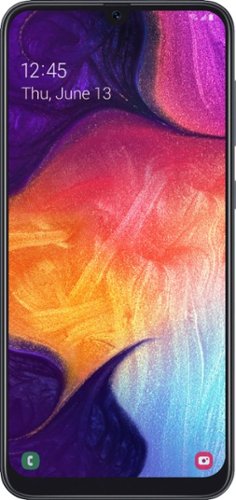
Stay connected with this Samsung Galaxy A50 smartphone. The 6.4-inch Full HD+ display provides crisp, detailed visuals and accurate touch operations, while the 64GB of storage offers plenty of space for your applications and media files. This Samsung Galaxy A50 smartphone has 4GB of RAM for working with multiple windows simultaneously, and the 4000 mAh battery offers up to 14 hours of internet usage time.
Customer Rating
4
Great phone for the money
on April 19, 2020
Posted by: trikedik
Verified Purchase:Yes
This is a pretty good phone. I got it for $100 off, so I'm not sure I would pay full price for it. The screen is nice, and the camera is actually quite good. I don't game or use my phone for resource intensive tasks anymore, but I did run Geekbench 5 on it and... well, let's just say you get what you pay for. The processor and graphics processor in this phone are weak, very weak. If you are looking for a powerful phone with lots of memory, look at some of the slightly higher-priced phones, as this will not meet your demands.
The things I like are the phones screen, camera, and size. Storage isn't an issue as you can add a micro-SD card to store all your stuff. I read that people are having issues in activating this on Verizon. I'm not sure what the issue is, but I got the unlocked version, popped my SIM card in, and have had no issues with Verizon working on it.
My main gripe is the fingerprint reader doesn't function too well, well, mostly not at all. But there are other methods to authenticate, so not a deal breaker.
I guess, in summation, if you're looking for a phone with a decent screen, good camera, and generally good build quality, this might be up your alley.
Mobile Submission: false
I would recommend this to a friend!
Quality
5
Value
4
Ease of Use
4
Share this review:


-2points
0of 2voted this as helpful.
![Good Omens [Blu-ray]](https://pisces.bbystatic.com/prescaled/500/500/image2/BestBuy_US/images/products/304b2327-370a-41e7-956a-951dd4939472.png)
This release features all episodes from the Amazon miniseries based on the Terry Pratchett and Neil Gaiman novel of the same name. A demon and an angel attempt to prevent the Antichrist coming to Earth and disrupting the peaceful life they've created together.
Customer Rating
4
Good overall show, entertaining
on March 22, 2020
Posted by: trikedik
Verified Purchase:Yes
I liked this show, good sense of humor and some witty lines. Overall, a good piece of entertainment, especially while being stuck indoors during these unprecedented times.
Length of ownership: 43
Mobile Submission: false
I would recommend this to a friend!
Share this review:


0points
0of 0voted this as helpful.
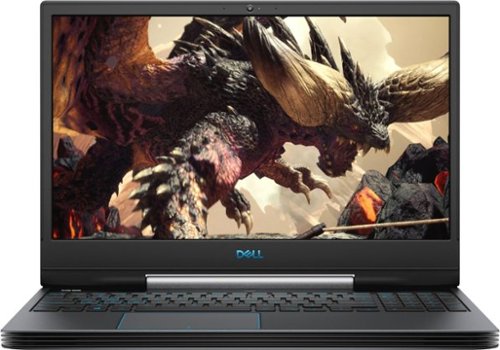
Work or play on the go with this Dell G5 15 notebook. The 15.6-inch FHD display delivers a clear crisp picture, while the NVIDIA GTX 1660 Ti graphics card supports most modern games. This Dell G5 15 notebook has a 256GB SSD and 1TB hard drive for ample storage and quick file access, and the Intel Core i7 processor and 16GB of RAM offer quick multitasking.
Customer Rating
4
A good laptop, but the fans!
on March 14, 2020
Posted by: trikedik
Verified Purchase:Yes
I got this laptop because I needed a laptop with a little more horsepower than my current MacBook Air. This definitely has the power; the processor is great and handles everything I throw at it, including some heavily multi-threaded applications (Handbrake). I like to game occasionally too, and the 1660ti in this is plently powerful for 1080p at 60 fps gaming.
One thing I would note is that when plugged in and running resource intensive tasks, the fans are loud. I don't mean kind of loud, I mean you have to raise your voice considerably to have a conversation. However, that is what you get with a machine with specs like this. The hardware is fine, but definitely not fancy. One last note, this is a big machine for a 15 inch laptop; it is thick and deeper than most laptops in this range (has to be for the cooling system).
Overall, this is a good machine if you are looking for a decent priced desktop replacement with some power to get through more demanding tasks.
In addition to my one last note, another last note to keep in mind: the processor in this is very powerful, but when unplugged it drops its power draw to make the battery last longer (and the battery actually does last a decent amount if you're just watching videos and browsing the web), so don't expect the same performance you'll get when it is plugged in when running on battery power.
Length of ownership: 7
Mobile Submission: false
I would recommend this to a friend!
Ease of Use
5
Quality
4
Value
4
Share this review:


0points
0of 0voted this as helpful.
trikedik's Review Comments
trikedik has not submitted comments on any reviews.
trikedik's Questions
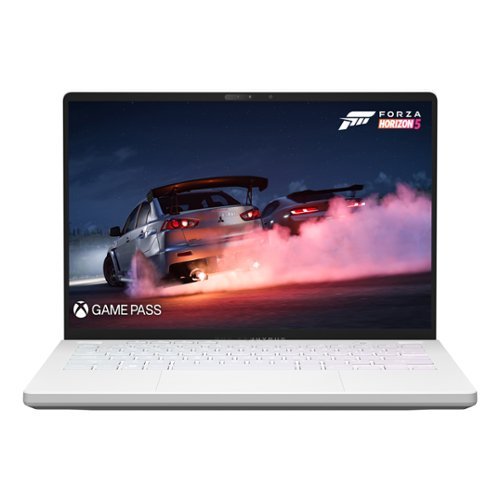
Game like a pro on Windows 11 with this ROG Zephyrus G14. Double up on AMD firepower with Ryzen 9 6900HS CPU and Radeon RX 6800S GPU featuring exclusive AMD SmartShift and Smart Access Memory technology that dynamically boosts performance for any task. Be confident in screen quality with an ROG Nebula 120Hz Display. Leap into the next generation of memory and storage with 16GB of DDR5 RAM, and 1TB of PCIe 4.0 SSD storage.
I see that this comes with only 16GB RAM and that one 8GB is soldered on. My question is, since this supports up to 24GB, will I be able to replace the other 8GB RAM stick with a 16GB RAM stick to achieve 24GB? Wish this came with 32GB!
4 years, 3 months ago
by
trikedik
trikedik's Answers
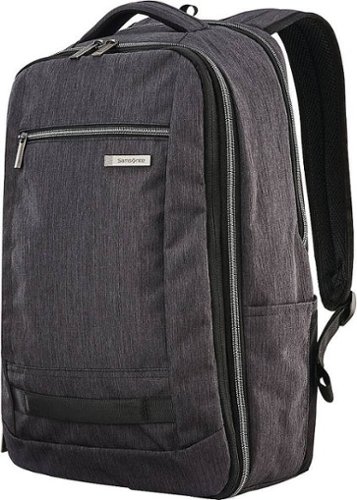
Experience a hassle-free commute with this Samsonite Modern Utility travel backpack. Elastic compression straps and multiple zippered sleeves and pockets ensure organized parking and increased storage space for your essentials. This Samsonite Modern Utility travel backpack can be expanded by 2.5 inches for additional items and boasts comfortable padding on the shoulder straps and back panel for comfortable wear.