
Share Deezul's profile


Deezul
Deezul's stats
- Review count24
- Helpfulness votes2
- First reviewJuly 31, 2018
- Last reviewJune 17, 2019
- Featured reviews0
- Average rating4.8
Reviews comments
- Review comment count0
- Helpfulness votes0
- First review commentNone
- Last review commentNone
- Featured review comments0
Questions
- Question count0
- Helpfulness votes0
- First questionNone
- Last questionNone
- Featured questions0
- Answer count7
- Helpfulness votes4
- First answerMarch 18, 2019
- Last answerApril 20, 2019
- Featured answers0
- Best answers1
![Ready Player One [SteelBook] [4K Ultra HD Blu-ray/Blu-ray] [Only @ Best Buy] [2018]](https://pisces.bbystatic.com/prescaled/500/500/image2/BestBuy_US/images/products/304b2327-370a-41e7-956a-951dd4939472.png)
Customer Rating

5
Great movie, lots of 80s easter eggs
on September 5, 2018
Posted by: Deezul
from Cumming, GA
Verified Purchase:Yes
If you a child of the 80s who still digs video games and pop culture, this is the movie for you. Lots of tunes from the 80s mixed in with plenty of 80s nostalgia. And it looks GREAT in 4K. Be ready for lots of "Hey, isn't that xxxx?" when watching this. I saw it in the theaters and missed several call outs to video games through the years.
Mobile Submission: False
I would recommend this to a friend!
Share this review:


0points
0of 0voted this as helpful.

Delight the avid gamer in your life with the gift of this $50 League of Legends game card. The opportunity to buy new items, heroes and cosmetic skins ensures they stand out during intense, online multiplayer battles. This $50 League of Legends game card instantly boosts in-game wealth for a competitive advantage.
Customer Rating
5
League of Legends!
on August 17, 2018
Posted by: Deezul
from Cumming, GA
Verified Purchase:Yes
My son wanted this. He's into the LoL, and so I'm more than happy to let him use my Rewards number for free points. He's bought quite a few since he got his first job, so I guess they are worth it?
Mobile Submission: False
I would recommend this to a friend!
Share this review:


0points
0of 0voted this as helpful.
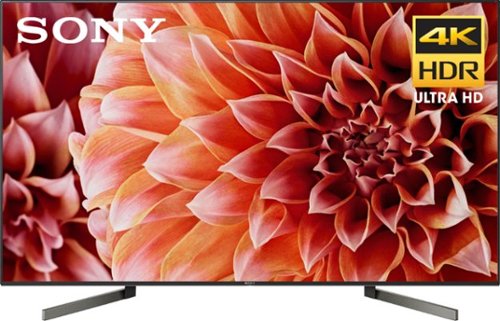
Place this 55-inch Sony 4K LED TV in your living room for hours of entertainment and streaming. Its 4K resolution and automatic dimming technology deliver a crisp picture with bright, accurate colors, and its Smart connectivity lets you stream digital media from Netflix and Hulu. This Sony 4K LED TV hides cables and wires for a seamless appearance.
Customer Rating
5
Models keep getting better
on July 31, 2018
Posted by: Deezul
from Cumming, GA
Verified Purchase:Yes
I had previously purchased the X900E series TVs, a 65" and a 49", for my home. When my mother decided it was time to upgrade her TV, I naturally recommeded what I had. But with the new models now out, she was able to get a slightly better TV for nearly the same price as last year. And now she'll be getting Dolby Vision, and of course all the other bonuses that come with a newer model TV. I'm happy with my 900E TVs, so I know she'll be happy with the 900F. The 850 series doesn't have full screen backlighting, and the step up to the Sony OLED is over 50%. I think OLED TVs are not worth the price differnce at this point, so the 900F is a happy medium.
Mobile Submission: False
I would recommend this to a friend!
Share this review:


+1point
1of 1voted this as helpful.
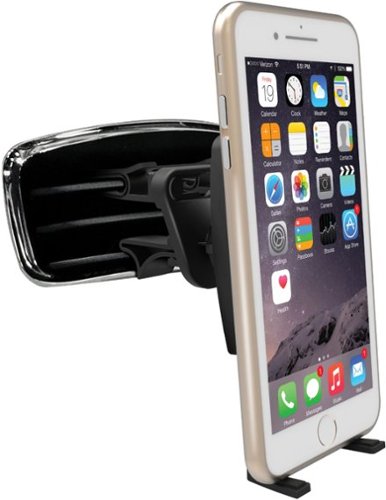
Only at Best BuyKeep your smartphone or GPS device in place with this Bracketron MagnetXT vent mount. The strong magnet holds even heavier tech in place, letting you operate it safely as you drive. This Bracketron MagnetXT vent mount works with vehicle air vents that are vertical, horizontal or round, so you can use it in any car.
Customer Rating

4
Does the job
on July 31, 2018
Posted by: Deezul
from Cumming, GA
Verified Purchase:Yes
I have tried this in two vehicles, and you'll need to make sure it fits. The first vehicle, a Kia Sorrento, it was not a good fit and either I had to put in on a vent that was too far to reach or put it in a location that was blocked by one of the stems on the steering wheel. In another car, a Chevy Camaro, it works great since it is farther away from the steering wheel but still within reach. I like that I don't have to lock the phone in place - I just had to put the magnetic connector behind my case, and then with the legs on the holder extended, the phone stays in place. If it fits and it's reachable, it's great. But make sure you're comfortable and it's not blocked!
Mobile Submission: False
I would recommend this to a friend!
Share this review:


0points
0of 0voted this as helpful.
Deezul's Review Comments
Deezul has not submitted comments on any reviews.
Deezul's Questions
Deezul has not submitted any questions.
Deezul's Answers
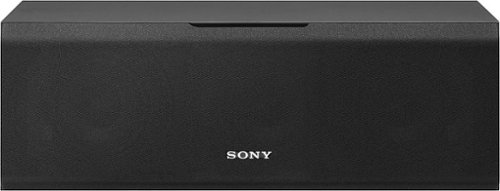
This Sony Core Series SSCS8 2-way center-channel speaker features a 4" cellular-reinforced, foamed-mica woofer and two 1" polyester wide-dispersion super tweeters to deliver detailed cross-spectrum sound.
Can I use this center speaker without a reciever and plug it straight into a TV?
No, it's not independently powered. It needs to be connected to a separate receiver that is attached to the TV.
7 years, 1 month ago
by
Deezul
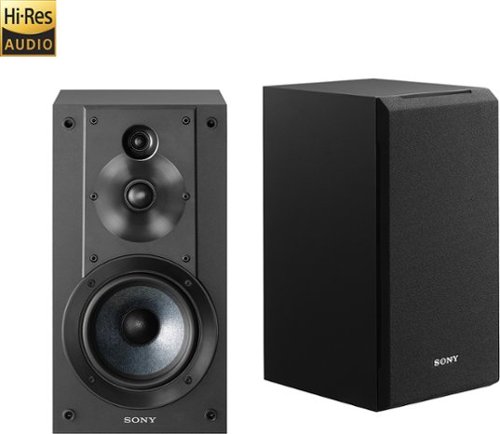
Immerse yourself in room-filling sound with these Sony Core Series SSCS5 bookshelf speakers, which feature 5" woofers and 3/4" and 1" tweeters for precise instrument and vocal reproduction and dynamic acoustic depth.
I'm thinking of getting these speakers, but wanted to know if (in the future), would I be able to also connect a set of rear speakers? I'm looking into this receiver, in case that makes a difference: https://www.bestbuy.com/site/sony-725w-5-2-ch-hi-res-4
Immerse yourself in room-filling sound with these Sony Core Series SSCS5 bookshelf speakers, which feature 5" woofers and 3/4" and 1" tweeters for precise instrument and vocal reproduction and dynamic acoustic depth.
Will these work with an Onkyo TX-NR676? I want to use these as the rear surrounds, the sscs3s for my fronts and sscs8 for the center.
They're speakers, they'll work. They are my rear surrounds with my Sony STR-DN1080, but if I hadn't already purchased the SSCS3s, I would have considered buying 4 of these and using 2 for the front and 2 for the rear. I have a good enough subwoofer to compensate for the smaller single sub in these speakers. I also had a little bit more room to install the floor speakers instead of just bookshelf speakers.
7 years, 2 months ago
by
Deezul
Immerse yourself in room-filling sound with these Sony Core Series SSCS5 bookshelf speakers, which feature 5" woofers and 3/4" and 1" tweeters for precise instrument and vocal reproduction and dynamic acoustic depth.
For those of you who have the bookshelves, the matching center, and the matching subwoofer, what are your crossover settings in the AVR? Also on the back of the sub, what are you turning the crossover knob to?
I have these connected to a STR-DN1080. I don't have the Core sub, but an older Sony sub. I adjusted the volume setting on the sub to give me a little bit more punch, but mostly have left the sub settings. I use the dedicated Sub-woofer out connection on the AVR, and used the built in calibration tool to adjust the distance. Your question is probably more apropos for the AVR than these speakers.
7 years, 2 months ago
by
Deezul
Immerse yourself in room-filling sound with these Sony Core Series SSCS5 bookshelf speakers, which feature 5" woofers and 3/4" and 1" tweeters for precise instrument and vocal reproduction and dynamic acoustic depth.
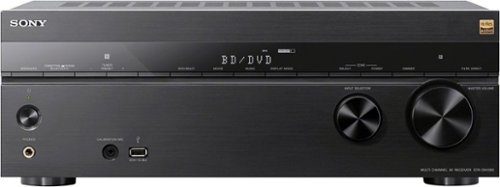
Hear music in rich clarity with this Sony home theater AV receiver. Powerful surround sound makes movies come alive on your home theater system, and nine speaker channels flex their output to match your physical layout. This Sony home theater AV receiver works with a wide variety of audio formats, such as Google Home, Chromecast and Spotify. Includes HDMI 4K Ultra HD and 3D pass-through technologies for compatibility with 3D TVs, Blu-ray players and gaming consoles and 4K Ultra HD TVs.
Would I be able to use a wireless subwoofer with this receiver as part of a 5.1 setup with wired speakers? If so, would it need to be a Sony subwoofer, or would other brands work as well? Thanks!
The receiver's wireless connectivity is for Bluetooth and networking. If you want to connect wireless speakers, they have to be Bluetooth compatible or else you'll need to get an adapter to connect to the subwoofer on the back of the receiver, then use the wireless receiver to connect to the subwoofer.
7 years, 2 months ago
by
Deezul
Hear music in rich clarity with this Sony home theater AV receiver. Powerful surround sound makes movies come alive on your home theater system, and nine speaker channels flex their output to match your physical layout. This Sony home theater AV receiver works with a wide variety of audio formats, such as Google Home, Chromecast and Spotify. Includes HDMI 4K Ultra HD and 3D pass-through technologies for compatibility with 3D TVs, Blu-ray players and gaming consoles and 4K Ultra HD TVs.
I have L-C-R front speakers and L-C-R rear speakers and a sub, so a 6.1 set up. How would I connect these speakers to this reciever?
You'll hook up the rear center to one of the rear back connectors. The manual mentions a surround back channel, but nothing about how to connect a single surround back. I believe when going through the setup tool via the receiver, you can select just a single surround back, but I don't know if you connect it to surround back left or surround back right. You can experiment and plug both the surround back speakers from receiver into the single speaker you have.
The manual doesn't really say which one to connect it to. It just that it should be right behind the listening position.
The manual doesn't really say which one to connect it to. It just that it should be right behind the listening position.
7 years, 2 months ago
by
Deezul