
Share Rayviator's profile


Rayviator
Rayviator's stats
- Review count64
- Helpfulness votes213
- First reviewOctober 18, 2018
- Last reviewAugust 19, 2025
- Featured reviews0
- Average rating4.6
- Review comment count5
- Helpfulness votes3
- First review commentOctober 31, 2020
- Last review commentOctober 9, 2023
- Featured review comments0
Questions
- Question count0
- Helpfulness votes0
- First questionNone
- Last questionNone
- Featured questions0
- Answer count32
- Helpfulness votes15
- First answerOctober 20, 2018
- Last answerOctober 9, 2023
- Featured answers0
- Best answers4
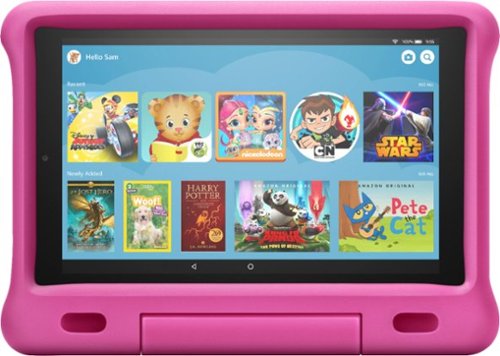
All-New Fire HD 10 Kids Edition Tablet - 32 GB, Pi
Customer Rating

5
Not a tablet for the advanced user
on January 23, 2021
Posted by: Rayviator
Verified Purchase:Yes
I have purchased 3 of these tablets so each of my kids has one. We started off with the older 8 inch and in comparison, these 10 inch versions are much faster and the picture quality is WAY better, so is the audio speakers. However, if you compare this to other big brand tablets, you start to feel how slow this one is in comparison. For little kids that want to use free apps and games, this tablet has worked out great with the Amazon free time app. That is probably the major selling point here. As a tech savvy parent, I have to say the parental controls are cumbersome at best, and frustrating during other times. Just feels like too many steps to get everything setup. Also, if you want to remove parental controls to buy something for your kid, it feels like a pain to do that. Overall, once you have it setup and the apps installed, it works great for what it is. Also, during the pandemic, we did try to use these for school purposes for our kids, but that was a terrible experience, so my advice is don't use it for school.
Likes: 2 year hassle free warranty from Amazon which includes accidental damage; Large HD screen; speakers; foam case; Kids apps
Dislikes: Processing power is slow compared to the competition; RAM is also lacking for multitasking
Oh, by the way: We have used the accidental warranty and Amazon was able to replace the tablet with a brand new one without issue.
Length of ownership: 427
Mobile Submission: false
I would recommend this to a friend!
Ease of Use

4
Quality
4
Value

5
Share this review:


0points
0of 0voted this as helpful.
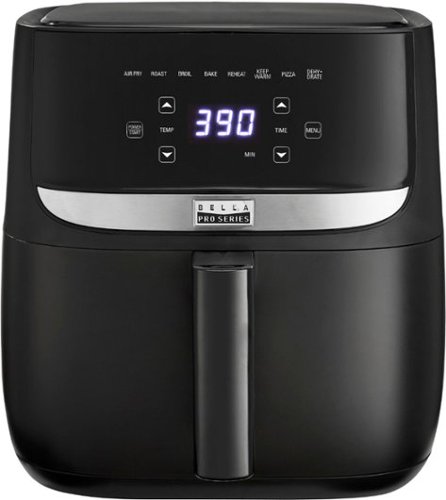
Revolutionize cooking with the Bella Pro Series 6-qt. Digital Air Fryer. The High Performance Circular Heat Technology and powerful 1700-watt heating system deliver fast, crispy, and evenly cooked food every time. Time saving appliance with up to 50% faster preheat than a conventional oven. Large 5-lb. food capacity for your favorite foods, including; fried chicken, roasted salmon, French fries, kale chips, homemade 9~ pizza and guilt free donuts. Digital touchscreen control, adjustable temperature from 90~F to 400~F, and integrated 60-minute auto shutoff timer with audible tone. The matte black finish adds style to any kitchen. Easy clean up with a dishwasher-safe, PFOA-free non-stick pan and crisping tray.
Customer Rating

4
Does what it says it does
on January 23, 2021
Posted by: Rayviator
Verified Purchase:Yes
This Air Fryer is very easy to use and makes a great gift. The touchscreen interface makes this a breeze to make a meal and the lights are plenty bright. The overall size is decent and will take up some valuable counter space. If you worry about the quality or longevity, I recommend buying the Geek Squad protection plan for piece of mind. If you don't end up using it, you can always call before the plan expires to get a prorated amount back.
Likes: Ease of use; variety of cooking options; amount of food it holds in the frying pan
Dislikes; Grate seems a bit on the cheap side; feels like it might not last for the long haul
Oh, by the way: This brand always seems to be on sale, so wait for one. Lastly, just enjoy the product!
Length of ownership: 44
Mobile Submission: false
I would recommend this to a friend!
Quality
4
Ease of Use
5
Value
5
Share this review:


0points
0of 0voted this as helpful.
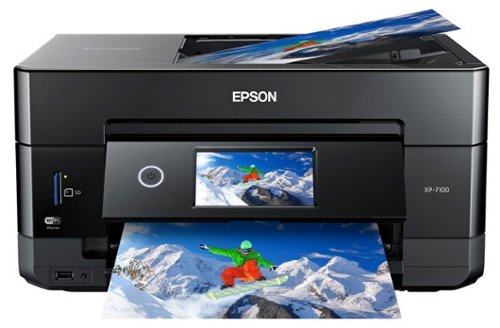
Get creative with this Epson Expression Premium XP-7100 Small-in-One printer. This compact device quickly prints gorgeous, durable photos with smudge-resistant Claria ink and lets you explore your creativity with specialty paper and DVD printing. This Epson Expression Premium XP-7100 Small-in-One printer gets the job done quickly with the 30-page auto document feeder and two-sided printing, scanning and copying.Fast print speeds up to 15.8 ISO ppm* in black, up to 11 ISO ppm* in color; creates a 4" x 6" photo-quality print in as little as 12 seconds.*
Customer Rating
5
Works just like it should!
on January 23, 2021
Posted by: Rayviator
Verified Purchase:Yes
We bought this printer to replace an older Epson which was less capable and glad we did. This one works flawlessly with WiFi printing and Apple Airprint. The touch screen works great as we have never had an issue. The Epson ink I have found tends to be a bit cheaper than the competitors as well which was a selling point for us. It also has a scanner and auto-document feeder which was a must have for us.
Likes: Large touchscreen; easy interface; reliable WiFi connection; USB and SD card printing options; not small, but not large in size either
Dislikes: Made primarily out of plastic so feels a bit cheap; feels heavy
Oh, by the way: The motorized screen can be manually moved up and down without worrying about damaging anything. So if the screen somehow gets stuck, don't be afraid to move it up or down to get it cleared.
Length of ownership: 526
Mobile Submission: false
I would recommend this to a friend!
Quality
5
Value
5
Ease of Use
5


Share this review:


-1point
1of 3voted this as helpful.
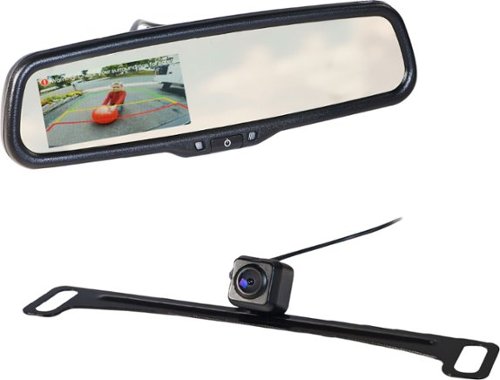
Increase safety and vehicle awareness while parking and reversing with this 4.3~ Rear-View Mirror Monitor and Back-Up Camera Kit by EchoMaster. The MRC-LP01CP features a 4.3~ OEM-style rear-view mirror monitor with auto-adjusting brightness and white balance and a durable license plate back-up camera that automatically activates when the vehicle is placed in reverse. This universal rear-view mirror monitor and back-up camera kit comes complete with all mounting hardware and accessories for easy installation.
Customer Rating
5
A few years later and still going strong
on January 23, 2021
Posted by: Rayviator
Verified Purchase:Yes
If you are looking for an aftermarket backup camera or front camera option, this one is a good one. I used this setup as a front camera on my 2017 Ford F150. Installation is pretty much straight forward. I did watch a video online for some basic instructions, but got everything working over a weekend. I will say, the rearview mirror camera is a bit pixelated, so don't expect an HD picture out of this thing. Also, the mirror does have the option to hookup two cameras if you wanted to. There is no record option which I already knew when I bought it. I hooked everything up with an aftermarket switch (Does not come in the kit) so that the video only comes on when I flip the camera switch. The only complaint I have is that the rearview mirror is a bit loose so, so if you want the perfect position, it may move a bit but then settle into a position afterwards.
Likes: Versatility; easy of use
Dislikes: Rearview mirror is a bit loose; Video quality could be better
Oh, by the way: The lines in the mirror can be removed if you cut a specific wire; If you want to keep them there, know they don't move at all if you are looking for that type of feature.
Length of ownership: 751
Mobile Submission: false
I would recommend this to a friend!
Quality
4
Value
4
Ease of Use
4


Share this review:


+1point
3of 5voted this as helpful.
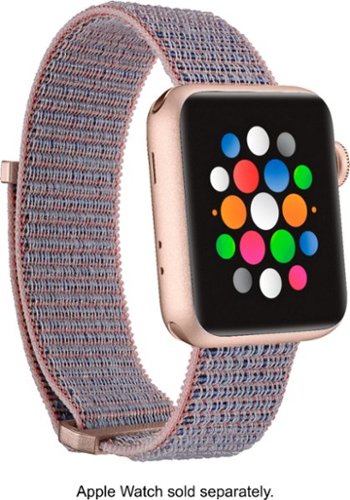
Swap out the band of your existing Apple Watch with the Modal MD-AWB38PNYV Active Nylon Watch Band for Apple Watch 38mm, 40mm, 41mm and Apple Watch Series 1-9 41mm. It's made of soft nylon for comfort and durability and its gold lugs with a rose gold tint add a fun finishing touch to your smart watch's appearance. It~s also adjustable to fit a variety of wrist sizes.
Customer Rating

3
Not as good as the original
on January 23, 2021
Posted by: Rayviator
Verified Purchase:Yes
If you want an apple watch band alternative, I guess this would be the one to get. However, after trying out the Apple banded one and this one, I think this one has a bit of a design flaw. This strap can be a bit more of a pain to put on if you have larger hands and need to open the strap all the way. The Apple banded version makes it easier to grab the strap without getting stuck near the plastic clasp area.
Likes: Velcro; price; color options
Dislikes: Placement of plastic clasps
Oh, by the way: There is no reflective material option like the Nike branded Apple watch bands.
Length of ownership: 393
Mobile Submission: false
No, I would not recommend this to a friend.
Quality

3
Value
5
Ease of Use
5
Share this review:


0points
0of 0voted this as helpful.
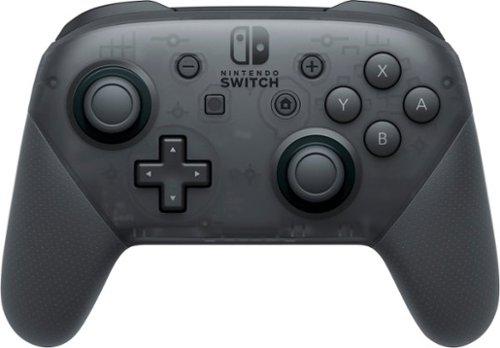
Enhance game play with this Nintendo Switch pro controller. Its traditional design includes motion controls, two analog control sticks and the ability to read Amiibo figures, and a USB-C cable is provided for charging. This Nintendo Switch pro controller works with any mode, whether the console is docked or undocked. Can be used by pairing wirelessly to Nintendo Switch 2. Can be charged by connecting it to the Nintendo Switch 2 dock via a USB cable.
Customer Rating
5
The best of the best for Switch controllers
on January 23, 2021
Posted by: Rayviator
Verified Purchase:Yes
This controller is a much better quality than the other Switch alternatives out there. The batter life is great, the rumble is awesome, and it feels good in the hands. The Switch joy-cons don't compare to this one.
Likes: Quality; color; rumble; battery life; USB-C charging
Dislikes: Maybe offer some other color options?
Oh, by the way: A year later and this thing is working like it did on day one. I haven't had any issues with this controller. If you feel like you might have issues down the road, buy the geek squad protection plan, I have used those in the past and they have come in handy!
Length of ownership: 368
Mobile Submission: false
I would recommend this to a friend!
Quality
5
Value
4
Ease of Use
5
Share this review:


0points
0of 0voted this as helpful.
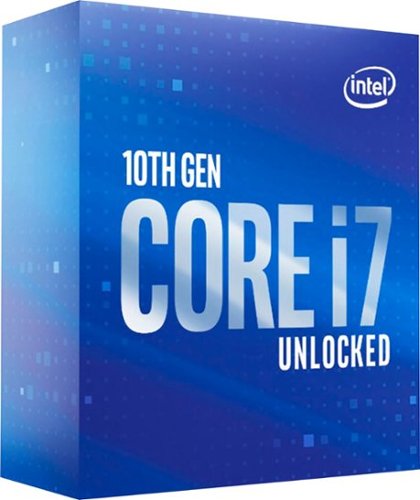
Build a powerful PC with this 10th Gen Intel Core i7 desktop processor. The eight cores and Hyper-Threading technology support advanced multitasking, while the base clock speeds of up to 3.1GHz deliver speedy responses. This unlocked Intel Core i7 desktop processor features Intel Turbo Boost Max to handle complex content creation tools.
Customer Rating
5
Snappier than i5-10600k
on January 23, 2021
Posted by: Rayviator
Verified Purchase:Yes
I bought this on the Black Friday sale after I returned the i5-10600K. While the i5 wasn't a bad CPU, the tech reviewers I was watching had highly recommended going with an 8 core/16 thread chip instead of a 6 core/12 thread if their audience wanted better performance over 3-6 years, depending on what type of tasks are performed by the computer. I built mine for PC gaming and I have noticed everything has been running a bit snappier. I can't say that I notice any FPS differences really, but programs open a bit quicker and my CPU usage is a bit lower than it was with the i5.
Likes: Easy installation; Great performance; overclocking; better performance than last years i9 CPU
Dislikes: I can't think of any, it's great!
Oh, by the way: This CPU does NOT come packaged with a CPU cooler, so you will need to plan to purchase that separately. I knew this going into it, but some may not. Also, make sure you get a good CPU paste for cooling and just apply a little bead size over the CPU.
Length of ownership: 58
Mobile Submission: false
I would recommend this to a friend!
Quality
5
Value
5
Ease of Use
5

Share this review:


+8points
8of 8voted this as helpful.
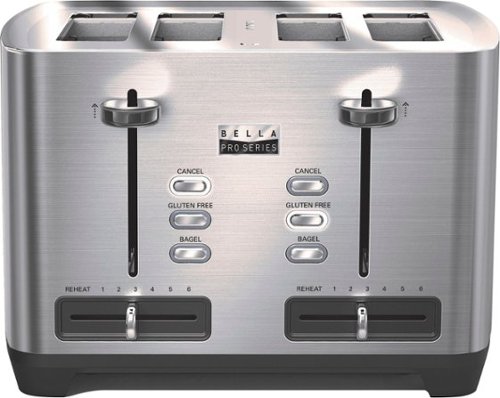
Add a slice of toast or a bagel to a hearty breakfast with this bella PRO 4-Slice Wide-Slot Toaster. It has four slots that make it easy to serve the entire family, and its anti-jam feature facilitates smooth operation. This stainless steel Bella Pro toaster is suitable for frozen snacks, bagels and a variety of breads.
Customer Rating
5
Makes me toast and treats me well
on January 21, 2021
Posted by: Rayviator
Verified Purchase:Yes
This toaster is great! It makes me toast perfectly and doesn't talk back either. If you want a toaster that just works and doesn't burn your strudels, get this one.
Likes: Aesthetics, 4 slot toaster; plenty of heat settings
Dislikes: Doesn't make coffee or eggs or bacon
Oh by the way: The crumb trays at the bottom are easy to clean. You have one tray for each pair of slots under the toaster.
Length of ownership: 537
Mobile Submission: false
I would recommend this to a friend!
Quality
5
Ease of Use
5
Value
5

Share this review:


+4points
4of 4voted this as helpful.

Enhance the audio capability of your TV with this white Sonos Beam compact smart sound bar, which features voice activation through Amazon Alexa and Google Assistant. Whether you're watching a movie or playing games, this system produces a wide spectrum of sound through four full-range woofers to fill every corner of the room. The plug-and-play feature of this Sonos Beam compact sound bar ensures easy setup.
Customer Rating
5
Good sound in a little package
on January 21, 2021
Posted by: Rayviator
Verified Purchase:Yes
The Sonos beam is a great home theater speaker for smaller living rooms. I paired this beam with x2 Sonos ONE:SL speakers and I get a good surround sound theater feel.
Likes: Aesthetics, quality, sound, size, smart assistance integration, Airplay 2 integration
Dislikes: The microphones integrated are inconsistent when I say the magic word, “Hey Google”. I wish they worked the first time every time; No Bluetooth
Oh by the way: I don’t have one yet, but getting the Sonos Sub with this setup will give the beam better sound since it doesn’t have to worry about putting out the lower frequencies. If you have the cash, get a sub which I plan to do in the near future. Also, the Sonos app on the iPhone is the only app that can be used to tune the sound via “Trueplay”. So, if you have an android (Google type of phone), than you won’t be able to use the “Trueplay” setting. You will still be able to make EQ adjustments manually though.
Length of ownership: 419
Mobile Submission: false
I would recommend this to a friend!
Quality
5
Value
4
Ease of Use
5


Share this review:


0points
0of 0voted this as helpful.
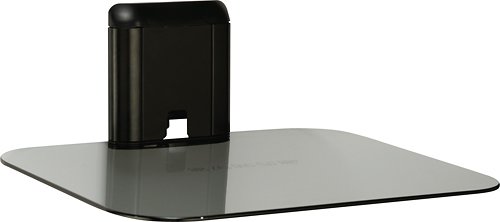
Keep your A/V components secure with this Sanus Foundations Vertical Series VMA401-B1 on-wall shelf that features an integrated cable management system to help ensure an organized look and tempered-glass material that holds up to 15 lbs.
Customer Rating
5
Perfect for a projector
on January 21, 2021
Posted by: Rayviator
Verified Purchase:Yes
This stand is the perfect size for a medium to smaller sized projector. It supports up to 15lbs and fit the Epson Home Cinema 2250 projector just fine. The kit comes with a single anchor screw to attach to a stud or you can use the 3 screws and drywall anchors which are heavy duty as well. It comes with directions, no template for mounting. Have a level and pencil handy. The platform itself has some fixed height adjustment and it works by placing the smoked glass platform on three different fixed positions.
Likes: Small footprint; easy installation; perfect size to hold a projector
Dislikes: Nothing to dislike really
Oh by the way: The drywall anchors are the type that need to feed all the way through the wall since the plastic flaps will extend on the other side of the dry wall. If you every need to remove this mount, the drywall mounting kit is probably going to be a pain to take out.
Length of ownership: 5
Mobile Submission: false
I would recommend this to a friend!
Quality
5
Value
5
Ease of Use
5
Share this review:


+1point
1of 1voted this as helpful.
Rayviator's Review Comments
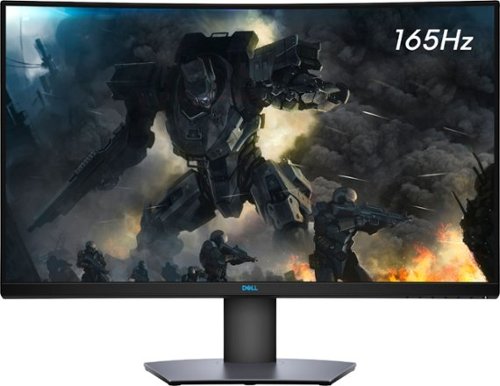
Enjoy stunning panoramic views during gameplay with this Dell 32-inch curved gaming monitor. A vibrant 2560 x 1440 resolution coupled with a contrast ratio of 3000:1 delivers precise colors for an immersive gaming experience. This Dell 32-inch curved gaming monitor has AMD FreeSync 2 to reduce screen tearing and splitting, and a 165Hz refresh rate keeps the action smooth.
Overall5 out of 5
5 out of 5Great specs for the price
By grizzlyone95
This monitor provides a lot of value for the price, especially on sale! It goes down to 350 or even 330 I saw once, and at that point it's a steal. You get 1440p, 165 hz, HDR, 32" of glorious Freesync goodness.
The colors are very good, much better than my previous TN panel. I do not notice the 4ms response time causing issues playing online, though I usually play single player anyway.
The only main issue I had with it, is this monitor is not actually compatible with G Sync. All the official reviews do say it's compatible with G Sync, but it technically is not. I was able to get it working, but only after tweaking some settings via Custom Resolution Utility. Basically you need to set the FPS limit for Freesync to around 75 - 165 instead of the default 48 - 165. And you also need to adjust this in the right spot depending on if you have DisplayPort connection or HDMI connection.
After I did this the monitor did work with G Sync without flickering or other bugs. So I am very happy with it now! HDR is amazing when games support it, like Doom Eternal. I say on sale you can't find a better monitor for gaming and productivity.

Rayviator
Try a Display Port 1.4 cable
October 31, 2020
Make sure your firmware is updated on your monitor and try getting a new DP 1.4 cable. The cable that comes in the box is only a 1.2 cable. Also, make sure your free sync is turned on from the monitor and G-sync is turned on. Also, your graphics card needs to be a 10 series or newer. The updated DP 1.4 cable has worked for many.
+1point
1of 1voted this comment as helpful.
Enjoy stunning panoramic views during gameplay with this Dell 32-inch curved gaming monitor. A vibrant 2560 x 1440 resolution coupled with a contrast ratio of 3000:1 delivers precise colors for an immersive gaming experience. This Dell 32-inch curved gaming monitor has AMD FreeSync 2 to reduce screen tearing and splitting, and a 165Hz refresh rate keeps the action smooth.
Overall3 out of 5
3 out of 5Flickering Issue.
By AsadFlickeringVictim
Overall, it is pretty good and decent Monitor.
However, it has a wired issue- it will do randomly Flickering. it just randomly black-out and come back for 1~2s. (its just like Alt-Tab out) 1~2 times a day. I tried both with/without Freesync. Same issue.
However, it has a wired issue- it will do randomly Flickering. it just randomly black-out and come back for 1~2s. (its just like Alt-Tab out) 1~2 times a day. I tried both with/without Freesync. Same issue.
https://www.reddit.com/r/Monitors/comments/epk6dw/dell_s3220dgf_flickering/
This is the same topic reddit. After reading that, i am still not sure how to fix this issue.
I am using the DP port with in-box DP cable.
Rayviator
Get a DP v1.4 cable
November 27, 2020
You need to buy a DP v1.4 cable. As I mentioned in my review, the cable in the box is a v1.2. The new cable should stop the flickering.
0points
0of 0voted this comment as helpful.
Enjoy stunning panoramic views during gameplay with this Dell 32-inch curved gaming monitor. A vibrant 2560 x 1440 resolution coupled with a contrast ratio of 3000:1 delivers precise colors for an immersive gaming experience. This Dell 32-inch curved gaming monitor has AMD FreeSync 2 to reduce screen tearing and splitting, and a 165Hz refresh rate keeps the action smooth.
Overall5 out of 5
5 out of 5Great picture and build quality.
By Rayviator
This is an excellent monitor and especially at the Black Friday price. I was able to get G-Sync to work with my RTX 2070-Super no problem. Like others have stated you need to buy a v1.4 DisplayPort cable as the one that comes in the box is only a v1.2 which will cause flickering issues with G-sync turned on. Also, be sure to check the box and make sure you get the REV A03 or A04 model.
Rayviator
G-Sync "compatible" with the right cable/settings
February 3, 2021
To expand on my review, I know that G-Sync is "Officially" support by Dell, but it DOES work. Again, the Display Port cable that comes in the box is a v1.2 and will NOT work properly and WILL cause flickering when you try to enable G-Sync. I had to buy a verified Display Port v1.4 cable and only then did it work without flickering issues and continues to work no problem. I have been playing COD Cold War without any G-Sync issues what so ever. When I go into the NVIDIA Control Panel, under the "Display" menu, "Set up G-SYNC" becomes available. I then check the box that says, "Enable G-SYNC, G-SYNC Compatible". The button below it, I have it selected on "Enable for full screen mode". Hopefully this additional information helps.
0points
0of 0voted this comment as helpful.
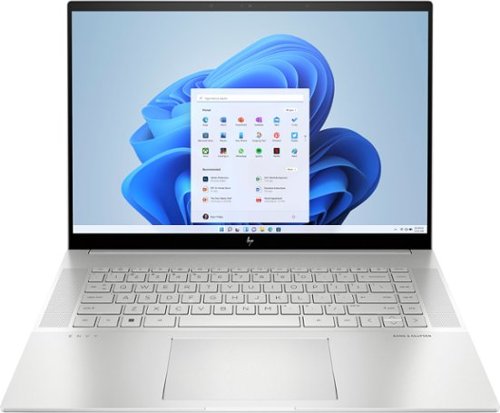
To stay up and creating on the run, you need power, mobility and seamless connectivity between all your creative tools. Power your ideas wherever they take you.
Overall5 out of 5
5 out of 5Excellent value when on sale
By Rayviator
I have put in weeks of research to find a laptop that could meet my needs as a video creative for 4k and 5k Drone videos and photos. I am coming from a 2018 i5 MacBook Pro with 16 GB Ram and 512 GB hard drive. I was dead set on getting either an M2 Max 14 inch MacBook Pro or M1 Max 16 Inch MacBook Pro which would have cost me about $2,600 from the Refurb Apple Store. I decided to see what 13th Gen Intel had to offer and research various benchmarks and YouTube reviews of different laptops with 13th Gen i9 processors.
Then I found this HP Envy 16 Inch on sale for $1,299. The benchmarks for the i9 13900H is on par if not better than the M1 Max and with the RTX 4060 GPU on this HP Envy 16, it exceeds the performance of the integrated M1 MAX GPU. This laptop has the power and performance for a lot less than it’s Apple competition. Where this falls short is the overall brightness which is 400 nits where the Apple is 500 nit average and up to 1000 nit peak. Also, the battery life is about 6 to 7 hours of watching content, productivity, email, surfing the web, etc. If you are gaming or doing power intensive tasks, the battery last about 2 to 3 hours. The MacBook Pro is going to be closer to 16 hours or more. You will have to determine if spending an extra $1,000 or more is worth a brighter screen and better battery life.
A couple things to mention that is not clear in the product description, YES you can easily upgrade this laptop. It is NOT based on the Evo platform where the RAM is soldered on. You can upgrade this RAM to 64 GB of DDR5, and you can add a second NVME Drive. The included drive is a MICRON 3400 with a Read of 6,600 MB/s and a Write of 5,000 MB/s. You can also swap out the Wi-Fi/Bluetooth adapter if you want. This has the Intel AX211 NGW. Another thing is, you CAN charge this laptop via USB-C and I was able to get 91 watts of charge consistently. You will probably get a message saying to use a higher watt power adapter for full performance though. So don’t expect to get full CPU/GPU power using USB-C charging.
I do want to highlight the following, Windows Hello works great and reminds me of how well Face ID works. Start up from power off to being logged in using Windows Hello takes about 15 seconds. When you restart from power on, it takes about 25 seconds to be logged back in. The speakers for me were TERRIBLE at first. Be sure to go to the HP website and download all of the latest drivers and update the BIOS to the latest version. That fixed the speaker problems for me which was low volume. Last thing I want to mention again is that if you want the FULL power this laptop has to offer, you will need to have it plugged in to outlet using the included 200W adapter. Apple products give you the full power plugged in or not. Hopefully this review gave you the insight you were looking for.
Rayviator
USB-C Charging Reply
June 24, 2023
I didn't do anything special to get USB-C charging to work. When powered on, USB-C charging is not enough, you will still see the battery drain. If you have the laptop off or in sleep mode, the battery will charge with no problem. I will say, I am using a 120-watt power brick so it's possible if your power brick is not 100-watt or more, it could struggle with USB-C charging.
-1point
1of 3voted this comment as helpful.
To stay up and creating on the run, you need power, mobility and seamless connectivity between all your creative tools. Power your ideas wherever they take you.
Overall5 out of 5
5 out of 5Excellent value when on sale
By Rayviator
I have put in weeks of research to find a laptop that could meet my needs as a video creative for 4k and 5k Drone videos and photos. I am coming from a 2018 i5 MacBook Pro with 16 GB Ram and 512 GB hard drive. I was dead set on getting either an M2 Max 14 inch MacBook Pro or M1 Max 16 Inch MacBook Pro which would have cost me about $2,600 from the Refurb Apple Store. I decided to see what 13th Gen Intel had to offer and research various benchmarks and YouTube reviews of different laptops with 13th Gen i9 processors.
Then I found this HP Envy 16 Inch on sale for $1,299. The benchmarks for the i9 13900H is on par if not better than the M1 Max and with the RTX 4060 GPU on this HP Envy 16, it exceeds the performance of the integrated M1 MAX GPU. This laptop has the power and performance for a lot less than it’s Apple competition. Where this falls short is the overall brightness which is 400 nits where the Apple is 500 nit average and up to 1000 nit peak. Also, the battery life is about 6 to 7 hours of watching content, productivity, email, surfing the web, etc. If you are gaming or doing power intensive tasks, the battery last about 2 to 3 hours. The MacBook Pro is going to be closer to 16 hours or more. You will have to determine if spending an extra $1,000 or more is worth a brighter screen and better battery life.
A couple things to mention that is not clear in the product description, YES you can easily upgrade this laptop. It is NOT based on the Evo platform where the RAM is soldered on. You can upgrade this RAM to 64 GB of DDR5, and you can add a second NVME Drive. The included drive is a MICRON 3400 with a Read of 6,600 MB/s and a Write of 5,000 MB/s. You can also swap out the Wi-Fi/Bluetooth adapter if you want. This has the Intel AX211 NGW. Another thing is, you CAN charge this laptop via USB-C and I was able to get 91 watts of charge consistently. You will probably get a message saying to use a higher watt power adapter for full performance though. So don’t expect to get full CPU/GPU power using USB-C charging.
I do want to highlight the following, Windows Hello works great and reminds me of how well Face ID works. Start up from power off to being logged in using Windows Hello takes about 15 seconds. When you restart from power on, it takes about 25 seconds to be logged back in. The speakers for me were TERRIBLE at first. Be sure to go to the HP website and download all of the latest drivers and update the BIOS to the latest version. That fixed the speaker problems for me which was low volume. Last thing I want to mention again is that if you want the FULL power this laptop has to offer, you will need to have it plugged in to outlet using the included 200W adapter. Apple products give you the full power plugged in or not. Hopefully this review gave you the insight you were looking for.
Rayviator
USB-C Charging follow-up
October 9, 2023
The only way to get USB-C charging to work is when the laptop is either turned off completely or when it is in sleep mode. It will not charge via USB-C when you are using the laptop. I am using a 65-watt charging brick with a thunderbolt cable to get this to work.
+1point
1of 1voted this comment as helpful.
Rayviator's Questions
Rayviator has not submitted any questions.
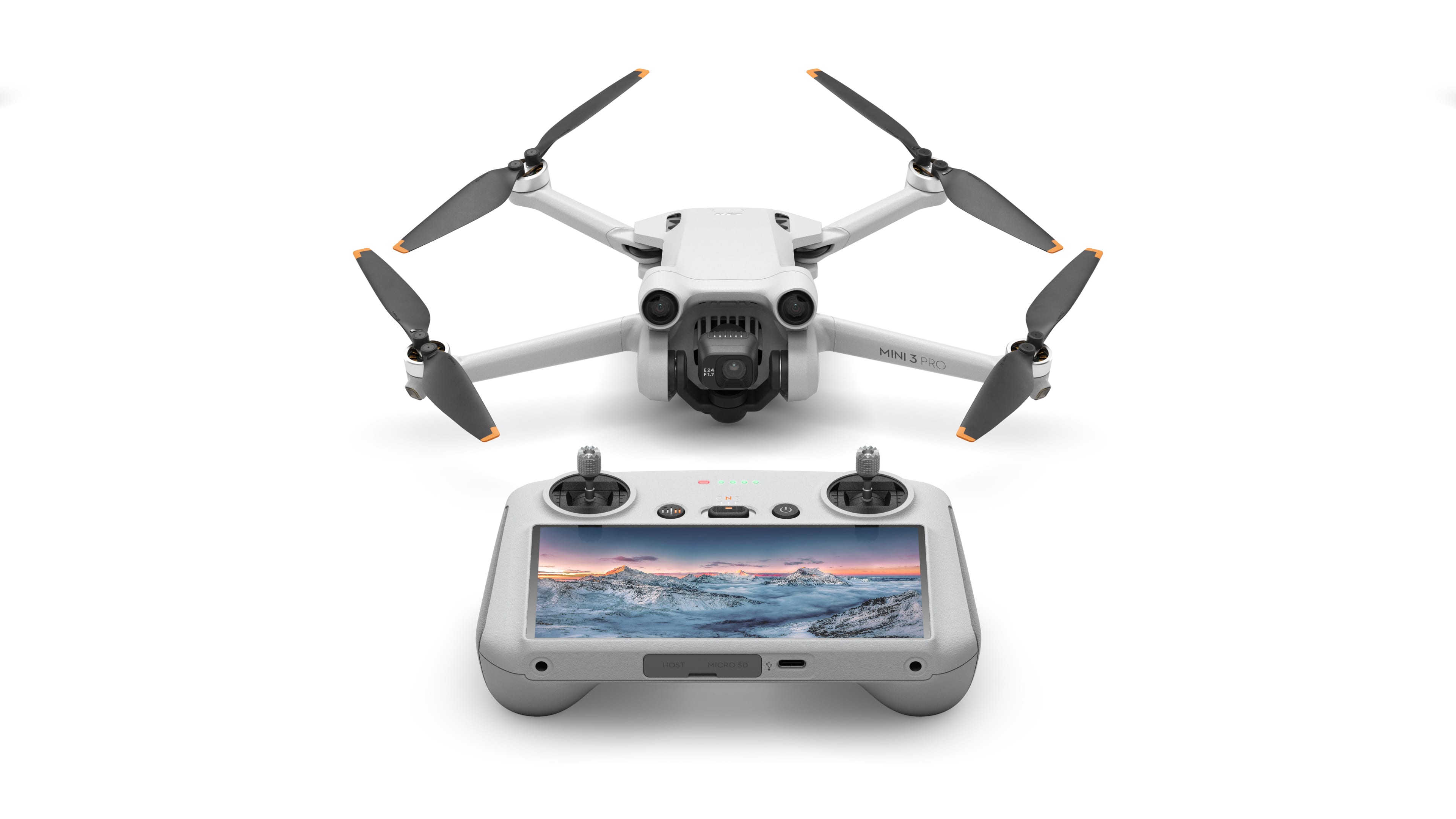
The mini-sized, mega-capable DJI Mini 3 Pro is just as powerful as it is portable. Weighing less than 249 g and with upgraded safety features, it's not only regulation-friendly, it's also the safest in its series. With a 1/1.3-inch sensor and top-tier features, it redefines what it means to fly Mini.
Is there an HDMI (or other) video out of the pilot's screen? I want to show others what is happening on a large monitor as it's happening. Thanks.
The mini-sized, mega-capable DJI Mini 3 Pro is just as powerful as it is portable. Weighing less than 249 g and with upgraded safety features, it's not only regulation-friendly, it's also the safest in its series. With a 1/1.3-inch sensor and top-tier features, it redefines what it means to fly Mini.
The mini-sized, mega-capable DJI Mini 3 Pro is just as powerful as it is portable. Weighing less than 249 g and with upgraded safety features, it's not only regulation-friendly, it's also the safest in its series. With a 1/1.3-inch sensor and top-tier features, it redefines what it means to fly Mini.
how do I download the images and videos takes to my cell phone?
The mini-sized, mega-capable DJI Mini 3 Pro is just as powerful as it is portable. Weighing less than 249 g and with upgraded safety features, it's not only regulation-friendly, it's also the safest in its series. With a 1/1.3-inch sensor and top-tier features, it redefines what it means to fly Mini.
If I have a mini 3 drone with the controller with monitor and I have a mini 3 pro that also uses another controller with a monitor will the 2 monitors interfere with each other if we try to fly both drones at the same time using 2 different controllers.
The mini-sized, mega-capable DJI Mini 3 Pro is just as powerful as it is portable. Weighing less than 249 g and with upgraded safety features, it's not only regulation-friendly, it's also the safest in its series. With a 1/1.3-inch sensor and top-tier features, it redefines what it means to fly Mini.
The mini-sized, mega-capable DJI Mini 3 Pro is just as powerful as it is portable. Weighing less than 249 g and with upgraded safety features, it's not only regulation-friendly, it's also the safest in its series. With a 1/1.3-inch sensor and top-tier features, it redefines what it means to fly Mini.
The mini-sized, mega-capable DJI Mini 3 Pro is just as powerful as it is portable. Weighing less than 249 g and with upgraded safety features, it's not only regulation-friendly, it's also the safest in its series. With a 1/1.3-inch sensor and top-tier features, it redefines what it means to fly Mini.
The mini-sized, mega-capable DJI Mini 3 Pro is just as powerful as it is portable. Weighing less than 249 g and with upgraded safety features, it's not only regulation-friendly, it's also the safest in its series. With a 1/1.3-inch sensor and top-tier features, it redefines what it means to fly Mini.
The mini-sized, mega-capable DJI Mini 3 Pro is just as powerful as it is portable. Weighing less than 249 g and with upgraded safety features, it's not only regulation-friendly, it's also the safest in its series. With a 1/1.3-inch sensor and top-tier features, it redefines what it means to fly Mini.
What is the warranty
The mini-sized, mega-capable DJI Mini 3 Pro is just as powerful as it is portable. Weighing less than 249 g and with upgraded safety features, it's not only regulation-friendly, it's also the safest in its series. With a 1/1.3-inch sensor and top-tier features, it redefines what it means to fly Mini.
I this drone going to be compatible with the new FAA requirements that go into effect in September, 2023?
Yes, this drone is compliant with the new remote ID rules. However, so long as you don't use the extended range batteries, you don't need to register this drone. Once you start using the extended range batteries, the weight goes above the 249 grams and you will have to register, so just be mindful of that. Have fun flying!
2 years, 8 months ago
by
Rayviator