
Share Rayviator's profile


Rayviator
Rayviator's stats
- Review count64
- Helpfulness votes213
- First reviewOctober 18, 2018
- Last reviewAugust 19, 2025
- Featured reviews0
- Average rating4.6
- Review comment count5
- Helpfulness votes3
- First review commentOctober 31, 2020
- Last review commentOctober 9, 2023
- Featured review comments0
Questions
- Question count0
- Helpfulness votes0
- First questionNone
- Last questionNone
- Featured questions0
- Answer count32
- Helpfulness votes15
- First answerOctober 20, 2018
- Last answerOctober 9, 2023
- Featured answers0
- Best answers4
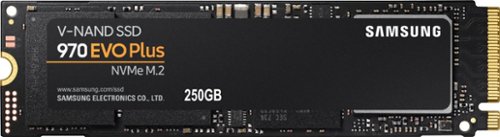
Store and retrieve files quickly with this Samsung 970 EVO Plus M.2 250GB SSD. The sequential read/write speeds of up to 3500/2300MB/sec. together with firmware optimization ensure faster computing performance. This Samsung 970 EVO Plus M.2 250GB SSD has a dynamic thermal guard for optimal temperature regulation, and V-NAND architecture maximizes internal speeds.
Customer Rating

5
Reliable and the read/write speeds are FAST!
on January 18, 2021
Posted by: Rayviator
Verified Purchase:Yes
This is the best NVME SSD you can buy from a brick-and-mortar store. If you want the best, you found it! I’ve ready plenty of other reviews and watch videos on NVME SSD comparisons and there is no comparison to the rest. If it’s on sale, it’s a no brainer to get this. I’m currently using it as a boot drive for Windows 10 pro. If you want to use this for other things like storing programs, files, and games, you should probably go for the larger 1TB option so it lasts longer.
Likes: Easy to install; blazing read/write speeds
Dislikes: Non-sale price is steep
Oh, by the way: You won’t regret buying this series of NVME drive
Length of ownership: 79
Mobile Submission: false
I would recommend this to a friend!
Ease of Use

5
Quality
5
Value
5

Share this review:


0points
0of 0voted this as helpful.
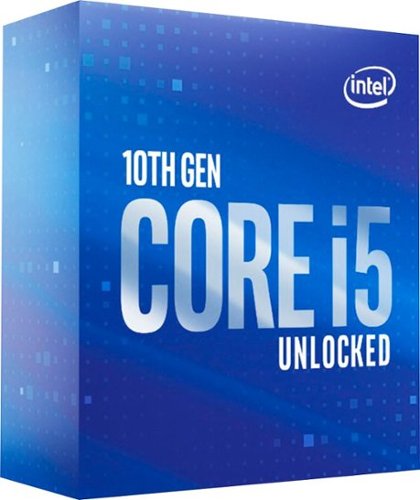
Set up a powerful desktop PC with this 10th Gen Intel Core i5 processor. DDR4 support and six cores provide accelerated multitasking support, while the base clock speeds of up to 4.1GHz deliver high-speed responses. This Intel Core i5 processor features Intel Turbo Boost technology for enhanced performance to handle demanding applications.
Customer Rating
5
Worked just fine but.....
on January 18, 2021
Posted by: Rayviator
Verified Purchase:Yes
I built my very first PC during what seem like a black Friday shopping “season” and I decided to go with the i5-10600K for PC gaming. My initial experience was just fine and there were no issues getting this CPU working right out of the box. However, after watching popular YouTube tech channels, I quickly had buyer’s remorse as most explained that a 6 core, 12 thread CPU is likely not going to cut it past 3 years+ for AAA gaming. So even though my initial PC experience was just fine, I went ahead and returned this for an i7-10700K instead which has 8 cores, 16 threads which should provide some PC longevity for gaming. Everyone’s situation is different, and if you are looking at buying this CPU, have confidence that it will work just fine out of the box and will likely meet your immediate PC needs.
Likes: Easy to setup after installing
Dislikes: Cooling fan not included
Oh, by the way: If you want PC horsepower with some longevity, you might want to opt for an i7 or i9 series CPU. I think the i7 will meet the majority of peoples needs though.
Length of ownership: 79
Mobile Submission: false
I would recommend this to a friend!
Quality
5
Value

4
Ease of Use
5

Share this review:


-13points
1of 15voted this as helpful.
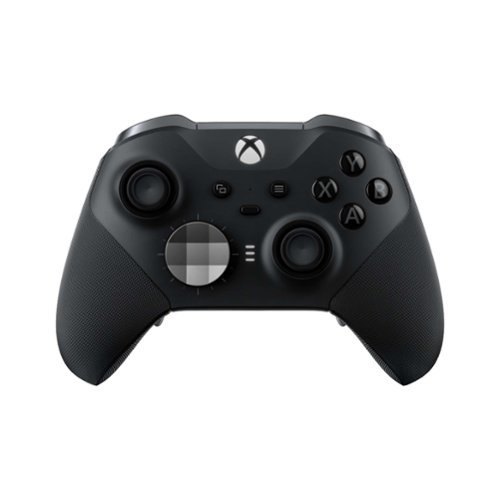
Experience the Xbox Elite Wireless Controller Series 2 featuring adjustable-tension thumbsticks, wrap-around rubberized grip, and shorter hair trigger locks. Experience limitless customization with interchangeable components and exclusive button mapping options in the Xbox Accessories app. Save up to 3 custom profiles on the controller and switch between them on the fly. Swap thumbstick toppers, D-pads, and paddles to tailor your controller to your preferred gaming style. Stay in the game with up to 40 hours of rechargeable battery life and refined components that are built to last. Use Xbox Wireless, Bluetooth, or the included USB-C cable to play across Xbox Series X|S, Xbox One, and Windows. Designed to meet the needs of today~s competitive gamers, the Xbox Elite Wireless Controller Series 2 puts exceptional performance, customization, and durability where it matters most~in your hands.* .
Customer Rating

4
Get a USB dongle for wireless PC gaming
on January 18, 2021
Posted by: Rayviator
Verified Purchase:Yes
The Xbox Elite Wireless Controller Series 2 is one of the best feeling controllers I have ever used. The build quality overall is great, and modularity is a bonus. The options to wirelessly charge or using the USB-C cable is also great. Battery life has been awesome for how often I use the controller for PC gaming. This controller connects to your PC by either pairing via Bluetooth, direct connection using the included USB-C cable, or by purchasing a separate Microsoft USB dongle. I have not had any stick drift issues thus far, but I did purchase the extended warranty from Microsoft for $20. I bought this controller on sale which in my opinion is still expensive for what this is. If this was a controller at the $120 price, it would definitely be worth it.
Likes: Build quality, modularity, battery life; hard shell case, all the cables included
Dislikes: Poor Bluetooth connectivity
Oh, by the way: After connecting this controller to my newly built PC, it struggled to keep a wireless connection. This controller worked perfectly fine when directly connected. I downloaded all the drivers necessary and tried some other trouble shooting recommendations, but in the end, the Bluetooth on this controller just plain sucks. I went and purchased the Microsoft controller USB dongle and all my wireless connection issues were resolved with this controller. If you want wireless play via PC, the USB dongle is a much buy unfortunately.
Length of ownership: 68
Mobile Submission: false
I would recommend this to a friend!
Quality
4
Value
4
Ease of Use
5


Share this review:


+2points
6of 10voted this as helpful.
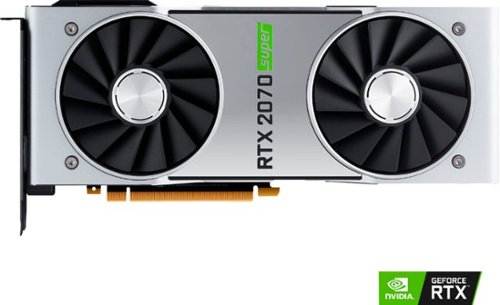
Customize your gaming computer with this NVIDIA GeForce RTX 2070 SUPER graphics card. Real-time ray tracing delivers accurate images, while the 8GB of GDDR6 memory with a 14Gbps memory clock offers high speeds for smooth operations. This NVIDIA GeForce RTX 2070 SUPER graphics card has DisplayPort, HDMI and USB Type-C ports for connecting high-definition monitors to deliver detailed, crisp visuals.
Customer Rating
5
Works great for COD gaming
on January 18, 2021
Posted by: Rayviator
Verified Purchase:Yes
During the pandemic, I built my first PC and it happens to be geared towards gaming. I needed a graphics card and we all know how difficult it is to get one a retail prices these days. When this card came up as available, I had to get it in order to complete my gaming PC build. I’m easily getting over 100 fps in COD Cold War at medium to high settings detail, using a Dell S3220dgf monitor.
Likes: Plenty of graphical power for my needs; glowing green logo; fan noise is quiet for the most part; aesthetics is nice looking; has USB-C, DVI; and HDMI output options
Dislikes: Right out of the box, it has coil whine. I don’t hear it with headphones on, but I do as I’m typing this review.
Oh, by the way: The card has some heft to it and it looks and feels premium. If you need a graphics card and this comes up as available again, don’t hesitate to smash that purchase button.
Length of ownership: 85
Mobile Submission: false
I would recommend this to a friend!
Quality
5
Value
4
Ease of Use
5

Share this review:


0points
0of 0voted this as helpful.
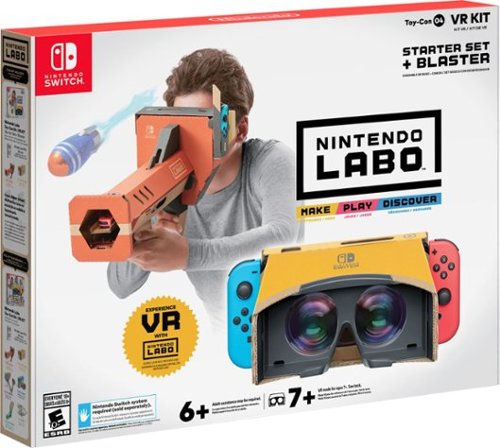
Introducing your gateway into one of the most immersive, robust Nintendo Labo kits to date, this one combines DIY fun, pass-and-play multiplayer, and family-friendly play for a unique first VR experience kids and families can build themselves. Just add your Nintendo Switch console and its Joy-Con controllers to feel your creations come to life as you and your family blast through an alien invasion and more.
Customer Rating

3
The WOW factor is easily lost
on January 18, 2021
Posted by: Rayviator
Verified Purchase:Yes
As a family with one Switch and three Switch lights, it was time we found something different to try out instead of Animal crossing. When this kit was on sale (extreme discount), it was the right time to try it out with minimal loss to the bank account if we didn’t like it. This kit was very easy to put together, my 9-year-old did most of the work. After assembly, we found that the switch screen up close makes this a less than desirable experience. Everything is very pixelated in a world of HD screens and 4K TVs. It’s very noticeable how bad the screen is that close to your eyes. The quality of the card board is very good and doesn’t feel like it will degrade very quickly, as long as you are not being abusing to the kit. After about a week, the “cool” factor wore off and nobody in the family has really played with it since. All in all, it’s a great idea, but I would skip this if I were to buy it again.
Likes: Fun concept; easy to build; decent materials construction
Dislikes: “Cool” factor quickly wears off; lenses get dirty easily; viewing experience is terrible in a world of HD screens
Oh, by the way: If you do buy this kit, make sure you follow the directions and keep track of all the pieces. It’s not fun if you have to tear it apart because you forgot to add in a piece earlier on in the build process.
Length of ownership: 143
Mobile Submission: false
No, I would not recommend this to a friend.
Quality

3
Value
4
Ease of Use
5

Share this review:


0points
0of 0voted this as helpful.
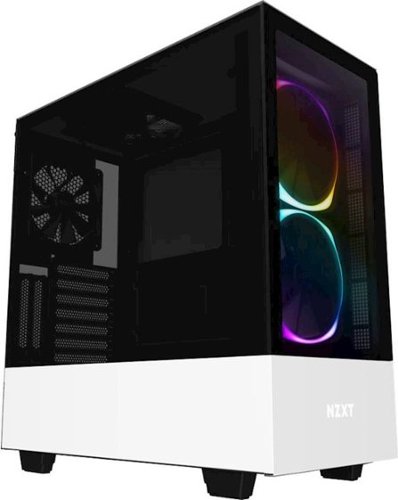
Turn your PC into a work of art with this NZXT compact white computer case. Two built-in fans and precision engineering ensure optimal airflow and keep your components cool. This NZXT compact white computer case has a tempered glass panel for showing off your components and built-in LEDs that enhance the experience with colorful light shows.
Customer Rating
5
Great case with just enough Pizzazz!
on January 18, 2021
Posted by: Rayviator
Verified Purchase:Yes
Thanks to the pandemic, I found extra time to build a computer! This NZXT-H510 case was a breeze to build in, everything worked great out of the box and the led lights add some fun to the case! I will say, this case was still a bit bigger than I had hoped, but not bad. You will need to download the NXZT-CAM application to control the lights, and there are plenty of options available for colors, brightness, and patterns.
Likes: Color scheme, LED lights, room to build in, quality parts
Dislikes: I wish there was an additional USB-A ver 3 port on top for a total of x1 USB-C and x2 USB-A ver 3. Instead, this case only has 1 of each.
Oh, by the way: This case has some heft to it which speaks to its quality. The fans are also quiet, but this computer was built for my kids to attend online classes during the week, so we haven’t pushed it to its limits yet.
Length of ownership: 81
Mobile Submission: false
I would recommend this to a friend!
Quality
5
Value
5
Ease of Use
5


Share this review:


+3points
8of 13voted this as helpful.

The new AirPods - complete with Wireless Charging Case - combine the intelligent design with breakthrough technology and crystal clear sound. Powered by the new Apple H1 headphone chip, AirPods now feature hands-free access to Siri using just your voice. And up to 3 hours of talk time on a single charge.~
Customer Rating
5
Airpods just work!
on January 18, 2021
Posted by: Rayviator
Verified Purchase:Yes
These Airpods just work if you have Apple devices and that’s the value in what you are buying here. There are probably better headphones/earbuds with better audio out there, but not of them will work this flawlessly with Apple products. Airpods CAN work with any devices that uses Bluetooth, just hold down the button on the back of the Airpod case and you activate Bluetooth pairing.
Likes: Small footprint; decent battery life; quick charging; instant pairing with Apple devices; both wired and wireless charging
Dislikes: Audio could be much better for the price; does not have a water proof rating
Oh by the way: I have used these headphones for working out on the treadmill and with some sweat, nothing has happened to these so far. So, these headphones seem to withstand workouts and some sweating. I do have a pair of Airpod Pro’s as well and my recommendation is to save up for those instead. The PRO version has a water proofing rating of IPX4, include noise canceling, and the audio is MUCH better.
Length of ownership: 39
Mobile Submission: false
I would recommend this to a friend!
Quality
5
Value
3
Ease of Use
5
Share this review:


0points
0of 0voted this as helpful.
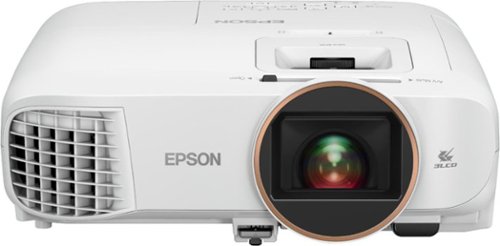
Android TV built-in projector for seamless access to content Powered by Google, watch all your favorite streaming channels including Netflix, Hulu, HBO NOW, YouTube and more. Sit back, relax and watch movies with this Epson video projector. It offers 2.700 lumens of color & white brightness to ensure vibrant, accurate colors, and its HD resolution delivers crisp image quality at 1080p. This Epson video projector lets you also connect a Blu-ray player or gaming console via an HDMI input for smooth streaming of your favorite media.
Customer Rating
4
Almost meets expectations
on January 18, 2021
Posted by: Rayviator
Verified Purchase:Yes
This is my first projector and at $799 (sale price), this is on par with other smart projectors such as the BenQ TH685i. Overall, this projector makes me wish I had a 4K version instead. This is a true native 1080p projector which can process a 4K signal, it just outputs in 1080p. Also, this is a 3D capable projector with the right 3D glasses.
Setup: Right out of the box, this projector was very easy to setup if you have any familiarity with setting up apps. It weighs about 8 lbs, so not that heavy. Build quality seems to be okay for being made out of primarily plastic. This projector is running Android TV version 9 and once you connect to WiFi, there is an update to install. I was able to quickly log into my apps such as YouTube, Disney+, ESPN and Hulu without issue. After dialing in the picture settings to get everything looking as best as it could, the entire process took about an hour from unboxing to initial setup.
Likes: The overall footprint (size) seems to be on the smaller side compared to other projectors I have seen. Having genuine built-in Android TV is great. There are plenty of “Smart” projectors on the market with non-native versions of Android which can cause problems with Apps if those operating systems are not approved by popular Apps such as Netflix or Disney+. Epson made the right choice by going with genuine Android TV. The brightness is rated at 2700 lumens and I feel this has been bright enough for my purposes of having a projector in the bedroom. You can seem my pictures where I show the image in different lighting.
Dislikes: The fan noise on eco mode is barely noticeable, but once you change the setting to bright or dynamic, it gets pretty loud. Also, this produces some heat. This might be expected from all projectors, I just didn’t know it would put out this much hot air. This projector doesn’t have ARC. Your audio choices are limited which are the mono 10 watt speaker, Bluetooth, or Auxiliary. Lastly, out of the box, this projector has a dead or stuck pixel in the far left side (see picture) and it makes some sort of grinding noises best way to describe it. This being my first projector, I have no clue what that noise could be.
Oh by the way: The mono speaker in our bedroom setting is okay, but in our living room it was definitely too weak. We had to connect an external speaker to the Aux cable. The 1080p picture is noticeable, at least to me. If I had the funds or opportunity to compare a 4K projector, I feel the 4K picture would likely be more “crisp”. For my first projector, this almost met all my expectations.
Length of ownership: 2
Mobile Submission: true
I would recommend this to a friend!
Ease of Use
5
Quality
4
Value
4


Share this review:


+2points
2of 2voted this as helpful.
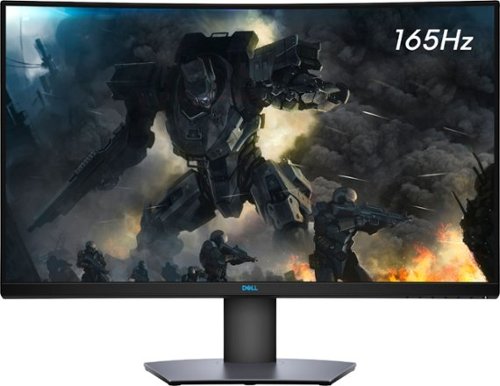
Enjoy stunning panoramic views during gameplay with this Dell 32-inch curved gaming monitor. A vibrant 2560 x 1440 resolution coupled with a contrast ratio of 3000:1 delivers precise colors for an immersive gaming experience. This Dell 32-inch curved gaming monitor has AMD FreeSync 2 to reduce screen tearing and splitting, and a 165Hz refresh rate keeps the action smooth.
Customer Rating
5
Great picture and build quality.
on November 25, 2020
Posted by: Rayviator
Verified Purchase:Yes
This is an excellent monitor and especially at the Black Friday price. I was able to get G-Sync to work with my RTX 2070-Super no problem. Like others have stated you need to buy a v1.4 DisplayPort cable as the one that comes in the box is only a v1.2 which will cause flickering issues with G-sync turned on. Also, be sure to check the box and make sure you get the REV A03 or A04 model.
Mobile Submission: true
I would recommend this to a friend!
Ease of Use
5
Quality
5
Value
5

Share this review:


+9points
16of 23voted this as helpful.
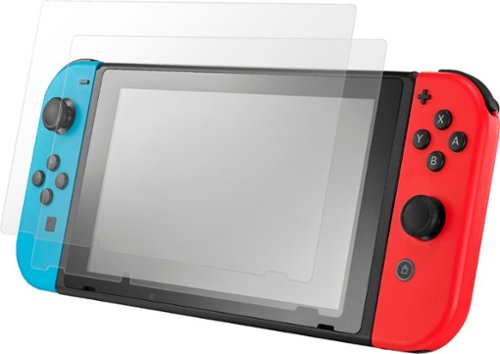
Keep your console safe and scratch-free with this two-pack of Insignia glass screen protectors for Nintendo Switch. Simple designs and the included wipes and dust removal stickers offer easy bubble-free installation. These Insignia glass screen protectors preserve screen clarity and provide reliable protection against scratches, bumps and the effects of impacts.
Customer Rating
5
Great screen protector
on October 17, 2020
Posted by: Rayviator
Verified Purchase:Yes
Great screen protector, it was exactly what we were looking for. The glass gives the switch screen the feel of a cellphone glass screen instead of feeling plastic. It was very easy to install myself.
Length of ownership: 270
Mobile Submission: true
I would recommend this to a friend!
Quality
5
Value
5
Ease of Use
5
Share this review:


0points
0of 0voted this as helpful.
Rayviator's Review Comments
Enjoy stunning panoramic views during gameplay with this Dell 32-inch curved gaming monitor. A vibrant 2560 x 1440 resolution coupled with a contrast ratio of 3000:1 delivers precise colors for an immersive gaming experience. This Dell 32-inch curved gaming monitor has AMD FreeSync 2 to reduce screen tearing and splitting, and a 165Hz refresh rate keeps the action smooth.
Overall5 out of 5
5 out of 5Great specs for the price
By grizzlyone95
This monitor provides a lot of value for the price, especially on sale! It goes down to 350 or even 330 I saw once, and at that point it's a steal. You get 1440p, 165 hz, HDR, 32" of glorious Freesync goodness.
The colors are very good, much better than my previous TN panel. I do not notice the 4ms response time causing issues playing online, though I usually play single player anyway.
The only main issue I had with it, is this monitor is not actually compatible with G Sync. All the official reviews do say it's compatible with G Sync, but it technically is not. I was able to get it working, but only after tweaking some settings via Custom Resolution Utility. Basically you need to set the FPS limit for Freesync to around 75 - 165 instead of the default 48 - 165. And you also need to adjust this in the right spot depending on if you have DisplayPort connection or HDMI connection.
After I did this the monitor did work with G Sync without flickering or other bugs. So I am very happy with it now! HDR is amazing when games support it, like Doom Eternal. I say on sale you can't find a better monitor for gaming and productivity.

Rayviator
Try a Display Port 1.4 cable
October 31, 2020
Make sure your firmware is updated on your monitor and try getting a new DP 1.4 cable. The cable that comes in the box is only a 1.2 cable. Also, make sure your free sync is turned on from the monitor and G-sync is turned on. Also, your graphics card needs to be a 10 series or newer. The updated DP 1.4 cable has worked for many.
+1point
1of 1voted this comment as helpful.
Enjoy stunning panoramic views during gameplay with this Dell 32-inch curved gaming monitor. A vibrant 2560 x 1440 resolution coupled with a contrast ratio of 3000:1 delivers precise colors for an immersive gaming experience. This Dell 32-inch curved gaming monitor has AMD FreeSync 2 to reduce screen tearing and splitting, and a 165Hz refresh rate keeps the action smooth.
Overall3 out of 5
3 out of 5Flickering Issue.
By AsadFlickeringVictim
Overall, it is pretty good and decent Monitor.
However, it has a wired issue- it will do randomly Flickering. it just randomly black-out and come back for 1~2s. (its just like Alt-Tab out) 1~2 times a day. I tried both with/without Freesync. Same issue.
However, it has a wired issue- it will do randomly Flickering. it just randomly black-out and come back for 1~2s. (its just like Alt-Tab out) 1~2 times a day. I tried both with/without Freesync. Same issue.
https://www.reddit.com/r/Monitors/comments/epk6dw/dell_s3220dgf_flickering/
This is the same topic reddit. After reading that, i am still not sure how to fix this issue.
I am using the DP port with in-box DP cable.
Rayviator
Get a DP v1.4 cable
November 27, 2020
You need to buy a DP v1.4 cable. As I mentioned in my review, the cable in the box is a v1.2. The new cable should stop the flickering.
0points
0of 0voted this comment as helpful.
Enjoy stunning panoramic views during gameplay with this Dell 32-inch curved gaming monitor. A vibrant 2560 x 1440 resolution coupled with a contrast ratio of 3000:1 delivers precise colors for an immersive gaming experience. This Dell 32-inch curved gaming monitor has AMD FreeSync 2 to reduce screen tearing and splitting, and a 165Hz refresh rate keeps the action smooth.
Overall5 out of 5
5 out of 5Great picture and build quality.
By Rayviator
This is an excellent monitor and especially at the Black Friday price. I was able to get G-Sync to work with my RTX 2070-Super no problem. Like others have stated you need to buy a v1.4 DisplayPort cable as the one that comes in the box is only a v1.2 which will cause flickering issues with G-sync turned on. Also, be sure to check the box and make sure you get the REV A03 or A04 model.
Rayviator
G-Sync "compatible" with the right cable/settings
February 3, 2021
To expand on my review, I know that G-Sync is "Officially" support by Dell, but it DOES work. Again, the Display Port cable that comes in the box is a v1.2 and will NOT work properly and WILL cause flickering when you try to enable G-Sync. I had to buy a verified Display Port v1.4 cable and only then did it work without flickering issues and continues to work no problem. I have been playing COD Cold War without any G-Sync issues what so ever. When I go into the NVIDIA Control Panel, under the "Display" menu, "Set up G-SYNC" becomes available. I then check the box that says, "Enable G-SYNC, G-SYNC Compatible". The button below it, I have it selected on "Enable for full screen mode". Hopefully this additional information helps.
0points
0of 0voted this comment as helpful.
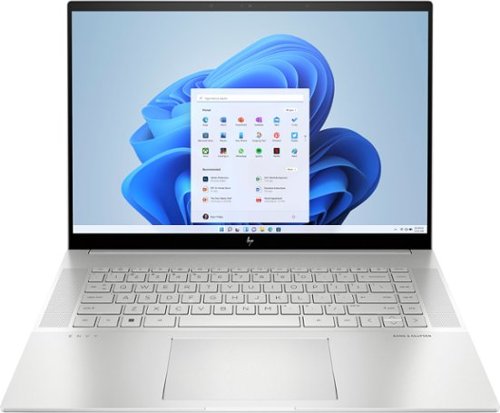
To stay up and creating on the run, you need power, mobility and seamless connectivity between all your creative tools. Power your ideas wherever they take you.
Overall5 out of 5
5 out of 5Excellent value when on sale
By Rayviator
I have put in weeks of research to find a laptop that could meet my needs as a video creative for 4k and 5k Drone videos and photos. I am coming from a 2018 i5 MacBook Pro with 16 GB Ram and 512 GB hard drive. I was dead set on getting either an M2 Max 14 inch MacBook Pro or M1 Max 16 Inch MacBook Pro which would have cost me about $2,600 from the Refurb Apple Store. I decided to see what 13th Gen Intel had to offer and research various benchmarks and YouTube reviews of different laptops with 13th Gen i9 processors.
Then I found this HP Envy 16 Inch on sale for $1,299. The benchmarks for the i9 13900H is on par if not better than the M1 Max and with the RTX 4060 GPU on this HP Envy 16, it exceeds the performance of the integrated M1 MAX GPU. This laptop has the power and performance for a lot less than it’s Apple competition. Where this falls short is the overall brightness which is 400 nits where the Apple is 500 nit average and up to 1000 nit peak. Also, the battery life is about 6 to 7 hours of watching content, productivity, email, surfing the web, etc. If you are gaming or doing power intensive tasks, the battery last about 2 to 3 hours. The MacBook Pro is going to be closer to 16 hours or more. You will have to determine if spending an extra $1,000 or more is worth a brighter screen and better battery life.
A couple things to mention that is not clear in the product description, YES you can easily upgrade this laptop. It is NOT based on the Evo platform where the RAM is soldered on. You can upgrade this RAM to 64 GB of DDR5, and you can add a second NVME Drive. The included drive is a MICRON 3400 with a Read of 6,600 MB/s and a Write of 5,000 MB/s. You can also swap out the Wi-Fi/Bluetooth adapter if you want. This has the Intel AX211 NGW. Another thing is, you CAN charge this laptop via USB-C and I was able to get 91 watts of charge consistently. You will probably get a message saying to use a higher watt power adapter for full performance though. So don’t expect to get full CPU/GPU power using USB-C charging.
I do want to highlight the following, Windows Hello works great and reminds me of how well Face ID works. Start up from power off to being logged in using Windows Hello takes about 15 seconds. When you restart from power on, it takes about 25 seconds to be logged back in. The speakers for me were TERRIBLE at first. Be sure to go to the HP website and download all of the latest drivers and update the BIOS to the latest version. That fixed the speaker problems for me which was low volume. Last thing I want to mention again is that if you want the FULL power this laptop has to offer, you will need to have it plugged in to outlet using the included 200W adapter. Apple products give you the full power plugged in or not. Hopefully this review gave you the insight you were looking for.
Rayviator
USB-C Charging Reply
June 24, 2023
I didn't do anything special to get USB-C charging to work. When powered on, USB-C charging is not enough, you will still see the battery drain. If you have the laptop off or in sleep mode, the battery will charge with no problem. I will say, I am using a 120-watt power brick so it's possible if your power brick is not 100-watt or more, it could struggle with USB-C charging.
-1point
1of 3voted this comment as helpful.
To stay up and creating on the run, you need power, mobility and seamless connectivity between all your creative tools. Power your ideas wherever they take you.
Overall5 out of 5
5 out of 5Excellent value when on sale
By Rayviator
I have put in weeks of research to find a laptop that could meet my needs as a video creative for 4k and 5k Drone videos and photos. I am coming from a 2018 i5 MacBook Pro with 16 GB Ram and 512 GB hard drive. I was dead set on getting either an M2 Max 14 inch MacBook Pro or M1 Max 16 Inch MacBook Pro which would have cost me about $2,600 from the Refurb Apple Store. I decided to see what 13th Gen Intel had to offer and research various benchmarks and YouTube reviews of different laptops with 13th Gen i9 processors.
Then I found this HP Envy 16 Inch on sale for $1,299. The benchmarks for the i9 13900H is on par if not better than the M1 Max and with the RTX 4060 GPU on this HP Envy 16, it exceeds the performance of the integrated M1 MAX GPU. This laptop has the power and performance for a lot less than it’s Apple competition. Where this falls short is the overall brightness which is 400 nits where the Apple is 500 nit average and up to 1000 nit peak. Also, the battery life is about 6 to 7 hours of watching content, productivity, email, surfing the web, etc. If you are gaming or doing power intensive tasks, the battery last about 2 to 3 hours. The MacBook Pro is going to be closer to 16 hours or more. You will have to determine if spending an extra $1,000 or more is worth a brighter screen and better battery life.
A couple things to mention that is not clear in the product description, YES you can easily upgrade this laptop. It is NOT based on the Evo platform where the RAM is soldered on. You can upgrade this RAM to 64 GB of DDR5, and you can add a second NVME Drive. The included drive is a MICRON 3400 with a Read of 6,600 MB/s and a Write of 5,000 MB/s. You can also swap out the Wi-Fi/Bluetooth adapter if you want. This has the Intel AX211 NGW. Another thing is, you CAN charge this laptop via USB-C and I was able to get 91 watts of charge consistently. You will probably get a message saying to use a higher watt power adapter for full performance though. So don’t expect to get full CPU/GPU power using USB-C charging.
I do want to highlight the following, Windows Hello works great and reminds me of how well Face ID works. Start up from power off to being logged in using Windows Hello takes about 15 seconds. When you restart from power on, it takes about 25 seconds to be logged back in. The speakers for me were TERRIBLE at first. Be sure to go to the HP website and download all of the latest drivers and update the BIOS to the latest version. That fixed the speaker problems for me which was low volume. Last thing I want to mention again is that if you want the FULL power this laptop has to offer, you will need to have it plugged in to outlet using the included 200W adapter. Apple products give you the full power plugged in or not. Hopefully this review gave you the insight you were looking for.
Rayviator
USB-C Charging follow-up
October 9, 2023
The only way to get USB-C charging to work is when the laptop is either turned off completely or when it is in sleep mode. It will not charge via USB-C when you are using the laptop. I am using a 65-watt charging brick with a thunderbolt cable to get this to work.
+1point
1of 1voted this comment as helpful.
Rayviator's Questions
Rayviator has not submitted any questions.
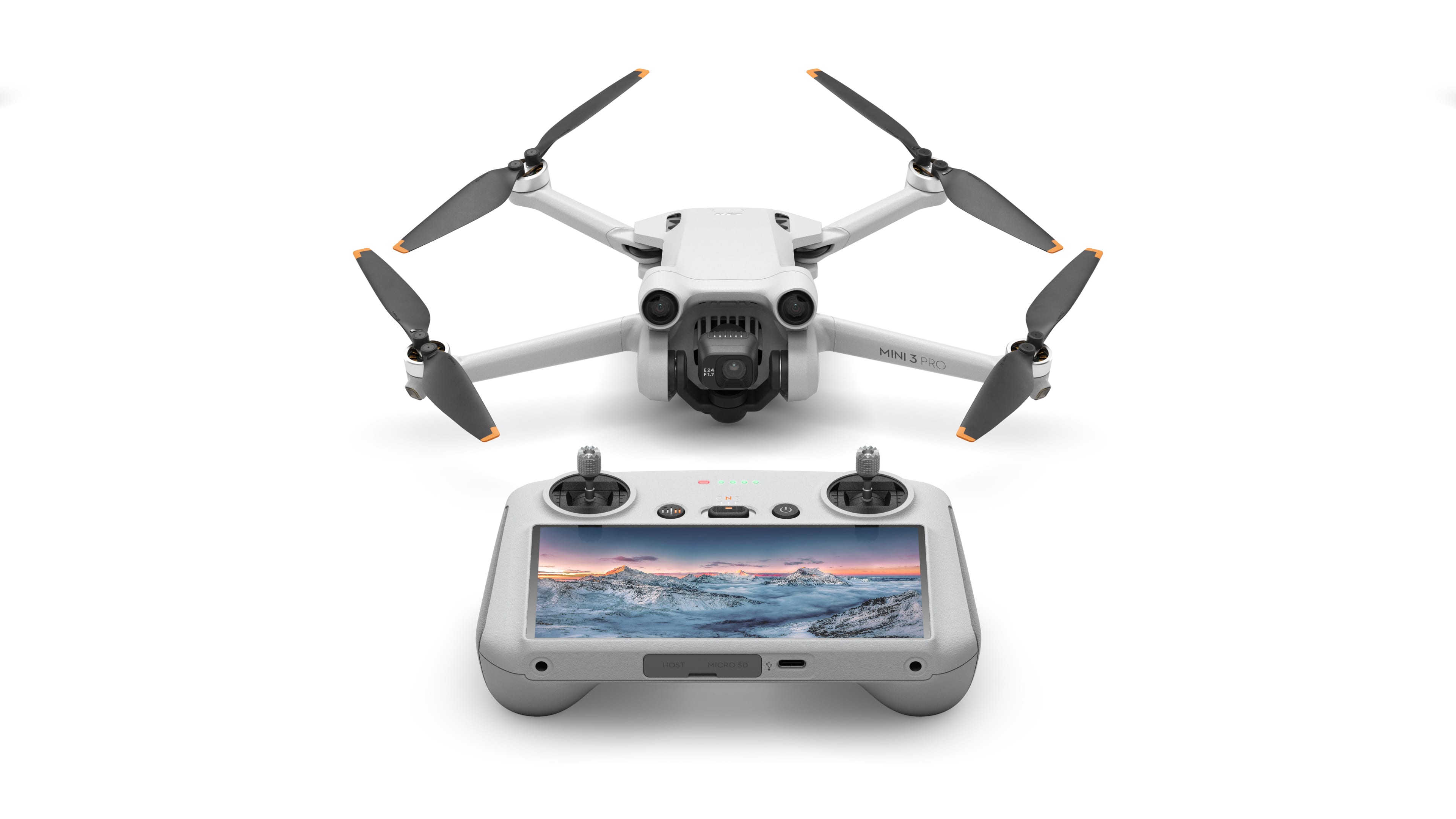
The mini-sized, mega-capable DJI Mini 3 Pro is just as powerful as it is portable. Weighing less than 249 g and with upgraded safety features, it's not only regulation-friendly, it's also the safest in its series. With a 1/1.3-inch sensor and top-tier features, it redefines what it means to fly Mini.
Is there an HDMI (or other) video out of the pilot's screen? I want to show others what is happening on a large monitor as it's happening. Thanks.
The mini-sized, mega-capable DJI Mini 3 Pro is just as powerful as it is portable. Weighing less than 249 g and with upgraded safety features, it's not only regulation-friendly, it's also the safest in its series. With a 1/1.3-inch sensor and top-tier features, it redefines what it means to fly Mini.
The mini-sized, mega-capable DJI Mini 3 Pro is just as powerful as it is portable. Weighing less than 249 g and with upgraded safety features, it's not only regulation-friendly, it's also the safest in its series. With a 1/1.3-inch sensor and top-tier features, it redefines what it means to fly Mini.
how do I download the images and videos takes to my cell phone?
The mini-sized, mega-capable DJI Mini 3 Pro is just as powerful as it is portable. Weighing less than 249 g and with upgraded safety features, it's not only regulation-friendly, it's also the safest in its series. With a 1/1.3-inch sensor and top-tier features, it redefines what it means to fly Mini.
If I have a mini 3 drone with the controller with monitor and I have a mini 3 pro that also uses another controller with a monitor will the 2 monitors interfere with each other if we try to fly both drones at the same time using 2 different controllers.
The mini-sized, mega-capable DJI Mini 3 Pro is just as powerful as it is portable. Weighing less than 249 g and with upgraded safety features, it's not only regulation-friendly, it's also the safest in its series. With a 1/1.3-inch sensor and top-tier features, it redefines what it means to fly Mini.
The mini-sized, mega-capable DJI Mini 3 Pro is just as powerful as it is portable. Weighing less than 249 g and with upgraded safety features, it's not only regulation-friendly, it's also the safest in its series. With a 1/1.3-inch sensor and top-tier features, it redefines what it means to fly Mini.
The mini-sized, mega-capable DJI Mini 3 Pro is just as powerful as it is portable. Weighing less than 249 g and with upgraded safety features, it's not only regulation-friendly, it's also the safest in its series. With a 1/1.3-inch sensor and top-tier features, it redefines what it means to fly Mini.
The mini-sized, mega-capable DJI Mini 3 Pro is just as powerful as it is portable. Weighing less than 249 g and with upgraded safety features, it's not only regulation-friendly, it's also the safest in its series. With a 1/1.3-inch sensor and top-tier features, it redefines what it means to fly Mini.
The mini-sized, mega-capable DJI Mini 3 Pro is just as powerful as it is portable. Weighing less than 249 g and with upgraded safety features, it's not only regulation-friendly, it's also the safest in its series. With a 1/1.3-inch sensor and top-tier features, it redefines what it means to fly Mini.
What is the warranty
The mini-sized, mega-capable DJI Mini 3 Pro is just as powerful as it is portable. Weighing less than 249 g and with upgraded safety features, it's not only regulation-friendly, it's also the safest in its series. With a 1/1.3-inch sensor and top-tier features, it redefines what it means to fly Mini.
I this drone going to be compatible with the new FAA requirements that go into effect in September, 2023?
Yes, this drone is compliant with the new remote ID rules. However, so long as you don't use the extended range batteries, you don't need to register this drone. Once you start using the extended range batteries, the weight goes above the 249 grams and you will have to register, so just be mindful of that. Have fun flying!
2 years, 8 months ago
by
Rayviator