
Share WhitehouseWillie's profile


WhitehouseWillie
WhitehouseWillie's stats
- Review count103
- Helpfulness votes36
- First reviewAugust 13, 2018
- Last reviewJanuary 16, 2026
- Featured reviews0
- Average rating4.7
Reviews comments
- Review comment count0
- Helpfulness votes0
- First review commentNone
- Last review commentNone
- Featured review comments0
Questions
- Question count0
- Helpfulness votes0
- First questionNone
- Last questionNone
- Featured questions0
- Answer count5
- Helpfulness votes0
- First answerJuly 29, 2019
- Last answerJune 26, 2020
- Featured answers0
- Best answers0

The NETGEAR Nighthawk AC2400 Smart Wi-Fi 5 Router provides up to 1733 + 600 Mbps Wi-Fi and MU-MIMO for lag-free gaming, better video streaming and multiple mobile devices. With Gigabit Wi-Fi, Beamforming, and built-in high-powered amplifiers and external antennas, get ready for extreme performance. Unlike typical Wi-Fi routers that just blast the Wi-Fi signals in all directions, with Beamforming+ the router and device communicate with each other, so the router can directly beam the Wi-Fi signal to the device. Boosting speed, reliability, and range for both implicit and explicit 2.4 and 5.0GHz Wi-Fi devices, the result is a stronger, faster, more reliable connection that is locked in even when the device is moved around the home
Customer Rating

5
Fast and Easy
on December 7, 2018
Posted by: WhitehouseWillie
from Sunny South
Verified Purchase:Yes
I bought this to replace another Netgear router that was two or three years old. I had great service out of my other router and the price on this unit was great so I was pleased to go back with another Netgear. I hooked this up and set it up in very short order. The two speeds on my old router had to be selected for each device independently, but this one can be automatically negotiated by giving the same credentials (login name and password) to both networks. I have two phones and six smart TVs and a satellite system and a Nest thermostat and who knows what else automatically connected and this router has detected and networked them all effortlessly. I speed tested my internet speed and it was really rocking. It completely cured my issues with streaming movies and although my house isn't large, the range of this device is awesome. I have had this Netgear router installed for about a month and so far it has been flawless.
Mobile Submission: False
I would recommend this to a friend!
Share this review:


0points
0of 0voted this as helpful.
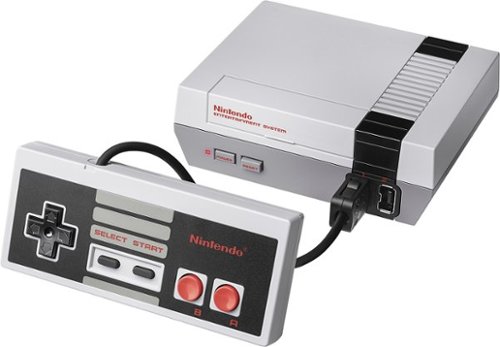
Connect this Nintendo NES Classic Edition console system to your television for hours of fun. The all-in-one system includes 30 favorite NES games such as Final Fantasy, Super Mario Bros and Mega Man 2. This Nintendo NES Classic Edition comes with an HDMI cable, controller and power adaptor for out-of-the-box gaming enjoyment.
Customer Rating

4
Old School fun
on September 21, 2018
Posted by: WhitehouseWillie
from Sunny South
Verified Purchase:Yes
So I waited forever for these to get back in stock. When it showed up it worked just fine and was easy to hook up and access the games. It is small and compact and fits neatly on my end table. My only gripe is the very short cord from the controller to the game deck; otherwise I am pleased with the Nintendo Classic. Thanks
Mobile Submission: False
I would recommend this to a friend!
Share this review:


0points
0of 0voted this as helpful.

Listen to your playlist in peace with these Sony headphones. They have a 40mm dome driver to deliver the full depth of audio, and the noise cancelling feature minimizes outside disturbances for a better listening experience. These Sony headphones have a battery life of up to 30 hours for extended jam sessions.
Customer Rating
5
A World Apart
on August 13, 2018
Posted by: WhitehouseWillie
from Sunny South
Verified Purchase:Yes
Disclaimer - I am not a millennial whose wardrobe isn't complete without earbuds and whose life has a constant soundtrack. But, I can see what I have been missing by not mixing in some audial enjoyment. I tried these on in Best Buy and found my self in another world of quiet and isolation, but about the time I put them on the salesman came by and spoke something to me. I couldn't hear what he said, but he mimed putting his hand on his ear so I did that and WOW, I could hear clearly. Just cup your hand over your right ear and the noisy world is back. After using these for a month or so I have come to appreciate the ease of use. I put them on at work and double tap the surface of the right headphone (after holding the power button for two seconds) and my iPhone playlist fires up and I can use my finger to swipe up or down for volume and forward or back to advance or rewind my playlist. How intuitive is that? And another double tap stops playback. It has two tactile buttons located out of the way on the left earcup that have easy function. The power button that is on/off with a two second push or Bluetooth seek mode if you hold for about seven seconds. The other button cycles through noise cancelling, ambient sound, or off. AND all functions come with a pleasant announcement of the status such as "power on" slight pause, then "Bluetooth connected" is what I hear each morning at work. I am not an audiophile, but I believe the reviews from those who are that praise the sound quality because it is pretty stunning to me. The most amazing effect has to be the noise canceling though. It is like being in a cocoon within the larger world, but it can be frightening when you stop the effect suddenly. I tried driving to the store with them on the first day I had them and actually pulled over to check on my car when I cancelled the noise cancelling to make sure I wasn't missing something. The road noise in a 2017 Rav4 is scary when you step out of complete isolation. After pulling over in a parking lot and walking around the car to make sure I didn't have a flat tire or something I decided to use the ambient sound setting for my trip. I really don't recommend using these for ANY time you really need to be connected to the outside world, but during lunchtime at work you can enter "a world apart" for real.
Mobile Submission: False
I would recommend this to a friend!
Share this review:


0points
0of 0voted this as helpful.
WhitehouseWillie's Review Comments
WhitehouseWillie has not submitted comments on any reviews.
WhitehouseWillie's Questions
WhitehouseWillie has not submitted any questions.
WhitehouseWillie's Answers
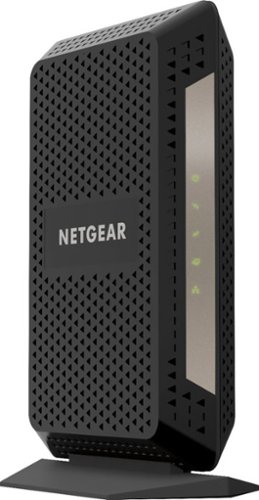
The CM1000 Ultra-High Speed Cable Modem, with speeds up to 1Gbps and DOCSIS 3.1 is 10X faster than DOCSIS 3.0 devices. It's backward compatible with DOCSIS 3.0 and ready for future service plan upgrades for XFINITY from Comcast, Cox, and Spectrum. A Gigabit Ethernet port provides faster access and downloads.
If I buy this modem, do I need to buy the router to use the internet?
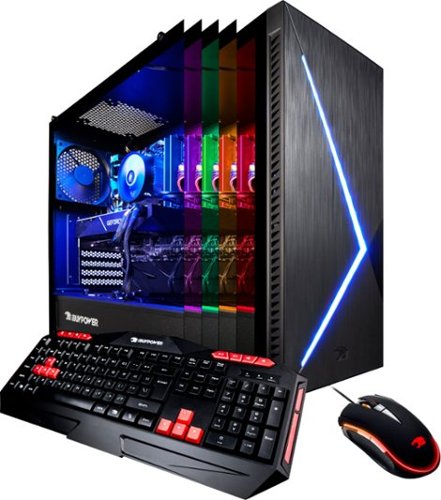
Immerse yourself in stunning game environments with this iBUYPOWER desktop computer. The NVIDIA GeForce RXT 2070 graphics card has 8GB of dedicated video memory for cinematic visuals at high frame rates, and the 1TB SSD ensures sufficient speed and storage. This iBUYPOWER desktop computer has an Intel Core i7 processor and 16GB of RAM for optimal performance.
My new pc the BB952 came with 2 antennas and I don’t know where to put it .
These screw onto the card that sticks out of the back of the computer (it is a wireless device that plugs into the motherboard inside) to allow you to connect to your wireless network more easily. These are the wireless network antennas and they just screw in and rotate to the optimum position to receive a signal.
6 years, 10 months ago
by
WhitehouseWillie
Immerse yourself in stunning game environments with this iBUYPOWER desktop computer. The NVIDIA GeForce RXT 2070 graphics card has 8GB of dedicated video memory for cinematic visuals at high frame rates, and the 1TB SSD ensures sufficient speed and storage. This iBUYPOWER desktop computer has an Intel Core i7 processor and 16GB of RAM for optimal performance.
Immerse yourself in stunning game environments with this iBUYPOWER desktop computer. The NVIDIA GeForce RXT 2070 graphics card has 8GB of dedicated video memory for cinematic visuals at high frame rates, and the 1TB SSD ensures sufficient speed and storage. This iBUYPOWER desktop computer has an Intel Core i7 processor and 16GB of RAM for optimal performance.
I bought this computer on Christmas and I tried to change the lighting on it using the application, but instead of changing the color it says," Smart lighting not detected." If anyone knows a way to fix this that would be greatly appreciated.
Immerse yourself in stunning game environments with this iBUYPOWER desktop computer. The NVIDIA GeForce RXT 2070 graphics card has 8GB of dedicated video memory for cinematic visuals at high frame rates, and the 1TB SSD ensures sufficient speed and storage. This iBUYPOWER desktop computer has an Intel Core i7 processor and 16GB of RAM for optimal performance.
does this model have a way to change lighting?
Yes, it does. The Techs at Best Buy said they used to come with a remote control for lighting, but that wasn't the way it was with mine. Go to the Programs button on your Start Menu and select the ASRock Utility option and open the ASRRGBLED utility and voila! you will be able to select different lighting options. I set mine to cycle through the colors slowly and have liked the effect pretty much. Hope you find this before you give up.
6 years, 10 months ago
by
WhitehouseWillie