
Share WhitehouseWillie's profile


WhitehouseWillie
WhitehouseWillie's stats
- Review count103
- Helpfulness votes36
- First reviewAugust 13, 2018
- Last reviewJanuary 16, 2026
- Featured reviews0
- Average rating4.7
Reviews comments
- Review comment count0
- Helpfulness votes0
- First review commentNone
- Last review commentNone
- Featured review comments0
Questions
- Question count0
- Helpfulness votes0
- First questionNone
- Last questionNone
- Featured questions0
- Answer count5
- Helpfulness votes0
- First answerJuly 29, 2019
- Last answerJune 26, 2020
- Featured answers0
- Best answers0
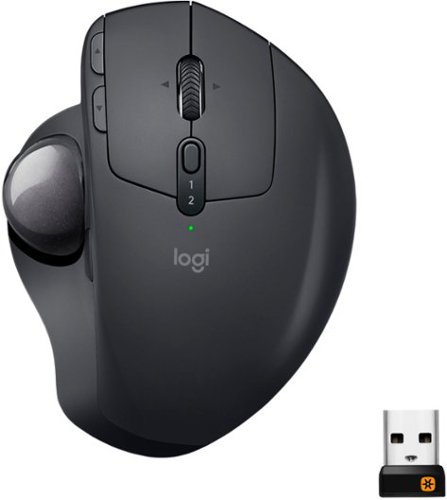
A new standard of comfort and precision. Logitech's most advanced trackball for trackball enthusiasts and consumers searching for alternatives to mice and touchpads. Delivers 20% less muscular strain compared to a regular mouse. MX ERGO PLUS features a unique adjustable hinge and extra 10~ wedge for customized comfort and the latest tracking, scrolling and power management technology. Logitech FLOW enables effortless multi-computer control.
Customer Rating

5
Great for work/home pc use
on May 15, 2020
Posted by: WhitehouseWillie
Verified Purchase:Yes
This trackball has made working from home infinitely easier for me. I can switch between work and home PCs by pushing the button. And I have never accidently switched so the button has good resistance against oops pushes. I didn't really like the extra "wedge" and it didn't stay in place good anyway. I have used the very similar trackball from Logitech that is wayyyyyy cheaper and made the mistake of buying an extra one for my work computer before seeing this MX ERGO that made both the others extraneous. Oh well. Trackball mice work so much better on a chair arm and this one really rocks. With the Logitech Bluetooth keyboard that can control three devices by switching a dial my work from home environment is finally satisfactory. Thanks
Length of ownership: 44
Mobile Submission: false
I would recommend this to a friend!
Ease of Use

5
Quality
5
Value
5
Share this review:


0points
0of 0voted this as helpful.
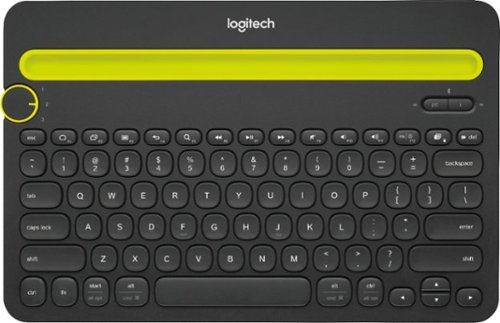
Type on anything with Logitech K480 Wireless Multi-Device Keyboard - a unique compact computer keyboard that also works with your tablet and smartphone. Easily switch between 3 connected Bluetooth devices by turning the EASY-SWITCH dial. Type in comfort with the familiar keyboard layout, with all the shortcut keys you use the most, whether you're typing on a Windows, Mac or Chrome computer, or an Android or iOS tablet or smartphone. Plus, this multi-device keyboard features an integrated cradle that holds your phone or tablet at just the right angle for you to read while you type.
Customer Rating

4
Excellent for what it is
on May 15, 2020
Posted by: WhitehouseWillie
Verified Purchase:Yes
I got this keyboard for working from home and having to use two comuters on one monitor. I had to bring my work laptop home and hook it up to my 65" hdtv to work from home. It worked, but it was a pain in the butt to have two keyboards and two mice and I can't tell you how many times I picked up a keyboard and started pounding away then suddenly realize it was the wrong peripheral; not to mention all the cords. Logitech has saved the day. I got a trackball that switches between PCs with the push of a button and this keyboard is just as easy. I turn the dial and it goes. They really got it right in a highly visible dial with numbers on it so I have no doubt which device I am controlling. Pairing bluetooth to my three devices was a snap too. I did have to buy a $12 dongle to plug in my stupid work laptop because it doesn't have built-in bluetooth. Easy peasy. I don't really use it on my phone (as of yet). My gripes are small and not really this keyboard's fault. The unit is short and doesn't lay across both my legs easily when I man-spread in my easy chair and it has no numeric keypad. They could fix both things by adding a keypad, but that would make the unit less convenient and portable. Overall this thing kills it for working from home. Thanks!
Length of ownership: 12
Mobile Submission: false
I would recommend this to a friend!
Ease of Use
5
Quality
5
Value
5
Share this review:


0points
0of 0voted this as helpful.
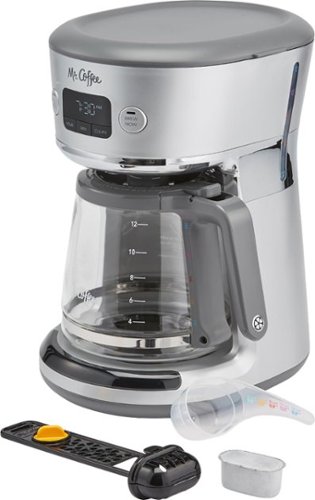
Upgrade your kitchen with this Mr. Coffee coffee maker. The 12-cup capacity lets you make coffee for a crowd, while the two-step Advanced Water Filtration System ensures quality output. This Mr. Coffee coffee maker features Brew Now and Brew Later options so you can make your drink immediately or program a future brewing cycle.
Customer Rating
4
Good maker okay coffee
on May 15, 2020
Posted by: WhitehouseWillie
Verified Purchase:Yes
This is a decent machine for the price and does a good job of brewing coffee and keeping it warm for you. It is lightweight and small so takes very little space. It has a charcoal filter which appeals to my to take any contaminants from the water. The carafe is spacious and the measuring cup that tells you the quantity to load per cup is quite helpful. The electronics work well and it brews an eight cup pot in about five minutes or less so it is efficient enough. Those are the facts about this coffee maker. The bad part is that my wife and I are very spoiled to the single cup coffee maker and can't bring ourselves to part with it yet.
Length of ownership: 24
Mobile Submission: false
I would recommend this to a friend!
Quality

4
Ease of Use
5
Value
5
Share this review:


0points
0of 0voted this as helpful.
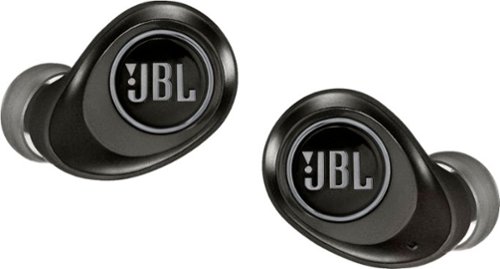
Perceive every detail of your music with this pair of JBL wireless headphones. The 10Hz to 22kHz frequency response lets you enjoy the full range of sound, while the in-line microphone provides an effortless switch to hands-free calls. Featuring 5.6mm dynamic drivers, these JBL wireless headphones supply rich, resonant bass for your enjoyment.
Customer Rating

3
Good sound quality
on March 14, 2020
Posted by: WhitehouseWillie
Verified Purchase:Yes
I got these on sale and was excited about the "true-wireless" tag. I listen to headphones every single day at work and much of the weekend too so I know what I like and what I don't. So let me give the good: the sound is good quality for me, not tinny or piercing or too low to hear. The charging case is pretty cool too once I figured out exactly how it works. The case actually charges up so that when you drop the buds into the magnetic holes it charges them whether the case is plugged in or not. The process is good because the little blue ring lights when the bud is secure in the case and begins to charge. The case itself has a row of four LEDS that indicate by either blinking or staying solid how much charge the case has. The bud functions are rather solid too with a few quirks. When you pull the buds from the case (right one first) they pair automatically. The right one pairs to my phone and the left one pairs to the right one. This is good and bad. At work I often wear one bud only so I can be aware of my surroundings and if I walk too far from the other bud it is annoying. The right one will drop the left one if it is left behind with a bunch of beeping. The left one without the right one will just disconnect from the source. The right bud button pauses with one press and the left button advances with one press, this is very good to separate these functions (unless you are on the move with only one bud) so you don't accidently choose the wrong function AND the button press is very tactile and works every time. Re-connecting to the phone or to the right bud isn't too hard but is a pain that it isn't just automatic, I usually just drop the right bud in the case and then take it back out to auto re-connect. Now the bad. The buds are not huge, but they are way heavier on the part not in the ear canal and bending over or jostling around can loosen them and there IS NO hook or anything to retain them and they just fall right out. Usually one falls out and when I bend over to get it the other falls out. I find that my ears don't fit most earbuds well anyway so much of that may be on me. The other bad thing was that I go for an extended walk at lunch (1 mile plus) and twice the buds have gone crazy on me. They just started making an electronic warbling that could not be stopped by pressing the buttons. The only cure was to put them back in the case to automatically turn them off. This meant most of my walk was in unintended silence or holding my phone in one hand trying to hear with the speaker. This really was unacceptable and meant I don't use these while exercising. So, for me these are very convenient when sitting at my desk in my office, but NOT for exercising. My solution is to plug my BEATS headphones in while at my desk and use the JBLs and then throw the JBLs in the case (which switches them off) and grab the BEATS when I head out to exercise. This works for me with only the drawbacks I listed. I would recommend these with reservations.
Length of ownership: 39
Mobile Submission: false
I would recommend this to a friend!
Quality
4
Value

3
Ease of Use
4
Share this review:


0points
0of 0voted this as helpful.
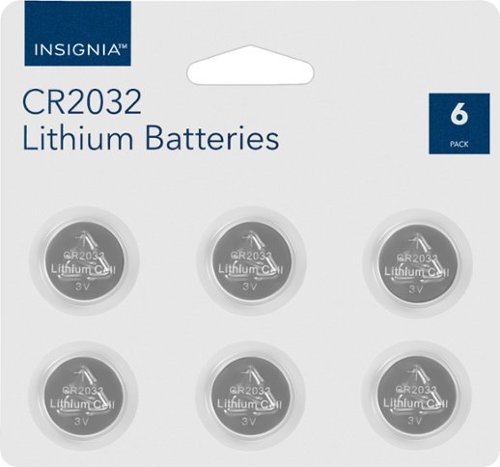
Replace worn-out power cells with this 6-pack of Insignia CR2032 lithium batteries. The 3V coin cells fit in watches and electronic devices to keep them running.
Customer Rating
5
Essential batteries
on February 16, 2020
Posted by: WhitehouseWillie
Verified Purchase:Yes
These battery packs are so handy to have around. From key fobs to baseball cap mounted LED lights to guitar tuners there are a ton of uses around the house. The price is very good and I trust Best Buy and their "store" brand to provide good quality. I have not been disappointed yet and these worked well in my Craftsman LED brim light; have yet to use them extensively yet, but to work on install is good. I have had these in for a couple of weeks and they are working fine. I would recommend these to others.
Length of ownership: 25
Mobile Submission: false
I would recommend this to a friend!
Quality
5
Value
5
Ease of Use
5
Share this review:


0points
0of 0voted this as helpful.

Stop cracks with this Just Wireless screen protector for iPhone 6 Plus, 6s Plus, 7 Plus or 8 Plus. The installation applicator helps the tempered glass screen go on easy and bubble-free and provides durable impact protection. This Just Wireless screen protector has a fingerprint-resistant coating that keeps your screen free of smudges.
Customer Rating
5
Great, but
on January 31, 2020
Posted by: WhitehouseWillie
Verified Purchase:Yes
This is the fourth purchase of Armor Edge and probably my last until I get a new phone... Because they are LIFETIME guaranteed. That means my wife is on her third iteration. Somehow or other she can manage to damage a steel block and go "I don't know how it happened". Seriously. We are on her third protector (second FREE!) and we have no idea how the first two got damaged. So when my wife's apparently cloned daughter had me replace her broken iPhone 7 Plus screen I spent the extra bucks to get one of these beauties and a Speck case. I like quality and things that work and Armor Edge glass and Speck cases and NiteIze phone holsters epitomize those qualities. But one caveat out of all the protectors I have installed and had others install this one for the iPhone 7 Plus was not placed in the installer properly. I am a stickler for putting the glass on PERFECTLY or I will notice it is off every time I look at it. The AE glass comes with a plastic case that lets you fold it over onto the phone lined up just right, but just before I was going to pull off the plastic liner and expose the adhesive I noticed the glass was not seated in the tray. I took it out and put it in the right spot and it was the most perfectly seated glass I have done yet. So check it before you stick it! A motto I live by. ; )
Length of ownership: 10
Mobile Submission: false
I would recommend this to a friend!
Quality
5
Value
5
Ease of Use
5
Share this review:


-1point
1of 3voted this as helpful.
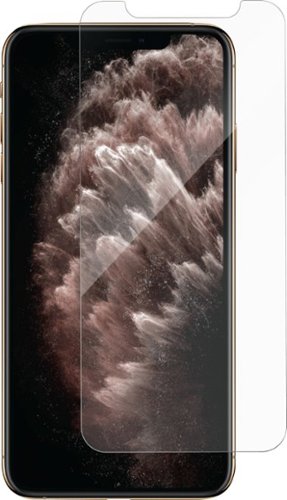
Keep the screen of your Apple iPhone 11 Pro Max protected from cracks and chips with this AE screen protector. The fingerprint-resistant construction ensures your screen stays clear and preserves touch function for fast response. With installation materials included, this AE screen protector is easy to apply and delivers a seamless fit that's nearly invisible.
Customer Rating
5
Better option
on December 20, 2019
Posted by: WhitehouseWillie
Verified Purchase:Yes
There are a lot of tempered glass options out there and I have tried a few. I have never put a screen protector on my phone, but I keep one on all my wife's phones and some for my granddaughters too. I first tried Armor Edge on my granddaughters Apple SE ( a pretty ancient model) and it taught me about the case that doubles as an applicator. The glass is stuck to one side of the case and you put the phone in the other side, where it fits perfectly, peel off the plastic cover and flip the glass side over the phone. I was skeptical, but it fit perfectly and the few bubbles pressed right out. I was very impressed; but I didn't take the lesson to heart and tried a cheaper competitor when my wife got a new 11 Pro and had to buy twice. This one didn't have the convenient applicator case and what's worse is it didn't stick. The 11 Pro seems to have more of a curve and the bottom portion lifted up after a day or two. So I got the Armor Edge for five bucks off at Best Buy and it turned out freakin' awesome. In fact I was so impressed I decided I would actually get one to protect my 1100 dollar 11 Pro. I was impressed that it had convinced me to do this because I was always afraid the glass would deaden the touch response; nope not a bit. What was the topper was that shortly after getting my wife's applied we took it to my daughter's house with the three young grandchildren and in a matter of minutes the corner was crushed and broken. I was not pleased, but the next day at Best Buy I got a free replacement and they even put it on for me. You got to love a great warranty and the good folks at Best Buy. I like the product a lot.
Length of ownership: 5
Mobile Submission: false
I would recommend this to a friend!
Quality
5
Value
5
Ease of Use
5
Share this review:


+1point
1of 1voted this as helpful.
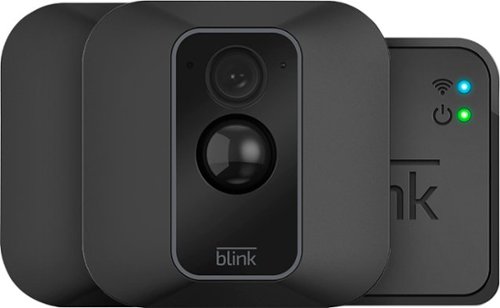
Monitor your property with this Amazon Blink two-camera system. The durable construction supports indoor and outdoor use, while the customizable motion detection helps reduce false alarms. Wi-Fi compatibility and live-view recording offer convenient viewing using an iOS or Android device. This Amazon Blink two-camera system has a 110-degree viewing angle and supports 720p and 1080p video for a clear image.
Customer Rating
5
Excellent solution
on December 8, 2019
Posted by: WhitehouseWillie
Verified Purchase:Yes
This was the right solution for me. No monitoring fees, no installation fees, audio capable, no wiring, remote access and more. When I caught the two camera system on sale I jumped on it. Front door and back patio covered. The patio detection was way too sensitive to start and the flapping BBQ grill cover would set it off but a tweak on the sensitivity setting and it was good. The audio is good and motion detection is awesome. The only improvement I can think of is a push button by the door to do a 5 minute disable so it wouldn’t record me taking out the trash. The free cloud storage has been more than sufficient for me. I have been using it for a few weeks and it has worked exactly as I had hoped it would.
Length of ownership: 35
Mobile Submission: false
I would recommend this to a friend!
Quality
5
Value
5
Ease of Use
5
Share this review:


0points
0of 0voted this as helpful.
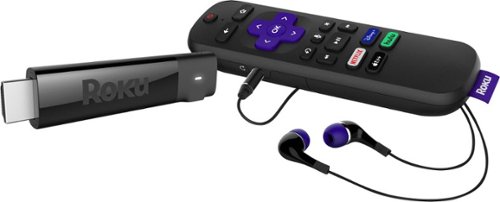
Stream your favorite shows from free and premium channels on your HD, 4K or HDR TV with this Roku Streaming Stick+ headphone edition. The long-range receiver offers high-quality HD, 4K or HDR content, while the private listening feature lets you use the headphones on the voice remote to listen during quiet hours. This Roku Streaming Stick+ headphone edition has an ultra-portable design for easy transportation.
Customer Rating
5
Excellent performance
on November 29, 2019
Posted by: WhitehouseWillie
Verified Purchase:Yes
This is not my first ROKU device, so I knew that the operation would be good and the viewing options would be pretty sweet. I was not wrong. There are many options for viewing free stuff, but the main thing I wanted this stick for was to view my new Disney+ flicks. I also have Prime and some movies stored up in Vudu so those are available too. First off the remote is very good; it has limited buttons so it is easy to learn. Second the earphones operation is great; just plug them in and no one else has to listen to what you're watching. This is great for when everyone else goes to bed. The benefit of this update is that you don't need an electric outlet; just plug the stick in your HDMI port and plug the included cable in your USB port and voila! you have ROKU service. Just FYI, each ROKU device has to be set up separately but they will share info with each other so you can shortcut some of the channel selections and such. Well worth the money.
Length of ownership: 12
Mobile Submission: false
I would recommend this to a friend!
Quality
5
Value
5
Ease of Use
5
Share this review:


+2points
2of 2voted this as helpful.
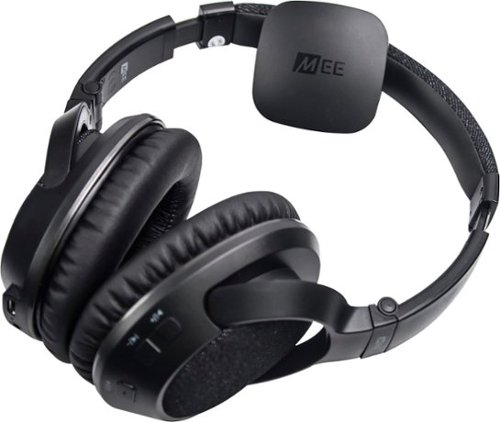
Enjoy cord-free hi-fi sound with this MEE Audio Bluetooth transmitter and headphones set. The over-the-ear memory foam pads provide a comfortable fit, while the battery delivers up to 24 hours of media playback. This MEE Audio Bluetooth transmitter and headphones set delivers wireless audio streaming up to 30 feet away from your paired device.
Customer Rating
5
Great for the price
on September 27, 2019
Posted by: WhitehouseWillie
Verified Purchase:Yes
My wife needed some comfortable earphones for her computer to use in the living room so I could watch TV at the same time. I had given her some Sony wired earphones but she complained they were too heavy. I use wireless headphones and earbuds all the time so I figured she would like to go wireless too. These were the right price and had the right features. Having an automatically pairing unit that could connect to three different outputs was a great selling point for me and they turned out to be very light and quite comfortable. We felt these headphones were just right for us and helps keep harmony in the household too.
Length of ownership: 46
Mobile Submission: false
I would recommend this to a friend!
Quality
4
Value
5
Ease of Use
5
Share this review:


0points
0of 0voted this as helpful.
WhitehouseWillie's Review Comments
WhitehouseWillie has not submitted comments on any reviews.
WhitehouseWillie's Questions
WhitehouseWillie has not submitted any questions.
WhitehouseWillie's Answers
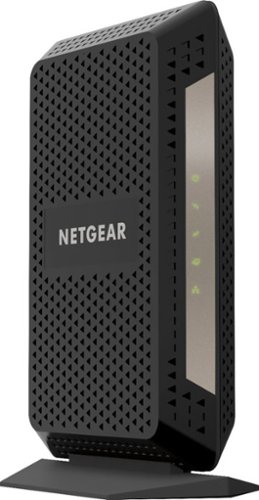
The CM1000 Ultra-High Speed Cable Modem, with speeds up to 1Gbps and DOCSIS 3.1 is 10X faster than DOCSIS 3.0 devices. It's backward compatible with DOCSIS 3.0 and ready for future service plan upgrades for XFINITY from Comcast, Cox, and Spectrum. A Gigabit Ethernet port provides faster access and downloads.
If I buy this modem, do I need to buy the router to use the internet?
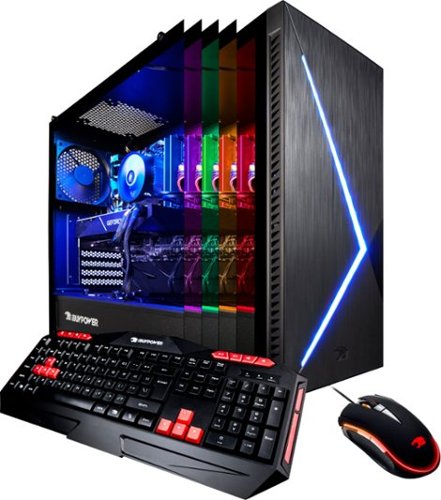
Immerse yourself in stunning game environments with this iBUYPOWER desktop computer. The NVIDIA GeForce RXT 2070 graphics card has 8GB of dedicated video memory for cinematic visuals at high frame rates, and the 1TB SSD ensures sufficient speed and storage. This iBUYPOWER desktop computer has an Intel Core i7 processor and 16GB of RAM for optimal performance.
My new pc the BB952 came with 2 antennas and I don’t know where to put it .
These screw onto the card that sticks out of the back of the computer (it is a wireless device that plugs into the motherboard inside) to allow you to connect to your wireless network more easily. These are the wireless network antennas and they just screw in and rotate to the optimum position to receive a signal.
6 years, 10 months ago
by
WhitehouseWillie
Immerse yourself in stunning game environments with this iBUYPOWER desktop computer. The NVIDIA GeForce RXT 2070 graphics card has 8GB of dedicated video memory for cinematic visuals at high frame rates, and the 1TB SSD ensures sufficient speed and storage. This iBUYPOWER desktop computer has an Intel Core i7 processor and 16GB of RAM for optimal performance.
Immerse yourself in stunning game environments with this iBUYPOWER desktop computer. The NVIDIA GeForce RXT 2070 graphics card has 8GB of dedicated video memory for cinematic visuals at high frame rates, and the 1TB SSD ensures sufficient speed and storage. This iBUYPOWER desktop computer has an Intel Core i7 processor and 16GB of RAM for optimal performance.
I bought this computer on Christmas and I tried to change the lighting on it using the application, but instead of changing the color it says," Smart lighting not detected." If anyone knows a way to fix this that would be greatly appreciated.
Immerse yourself in stunning game environments with this iBUYPOWER desktop computer. The NVIDIA GeForce RXT 2070 graphics card has 8GB of dedicated video memory for cinematic visuals at high frame rates, and the 1TB SSD ensures sufficient speed and storage. This iBUYPOWER desktop computer has an Intel Core i7 processor and 16GB of RAM for optimal performance.
does this model have a way to change lighting?
Yes, it does. The Techs at Best Buy said they used to come with a remote control for lighting, but that wasn't the way it was with mine. Go to the Programs button on your Start Menu and select the ASRock Utility option and open the ASRRGBLED utility and voila! you will be able to select different lighting options. I set mine to cycle through the colors slowly and have liked the effect pretty much. Hope you find this before you give up.
6 years, 10 months ago
by
WhitehouseWillie