
Share Paul's profile


Paul
Paul's stats
- Review count73
- Helpfulness votes29
- First reviewApril 23, 2020
- Last reviewApril 9, 2026
- Featured reviews0
- Average rating4.2
- Review comment count5
- Helpfulness votes3
- First review commentJuly 30, 2020
- Last review commentMarch 25, 2023
- Featured review comments0
- Question count1
- Helpfulness votes0
- First questionSeptember 18, 2020
- Last questionSeptember 18, 2020
- Featured questions0
- Answer count19
- Helpfulness votes1
- First answerApril 23, 2020
- Last answerJuly 16, 2023
- Featured answers0
- Best answers1
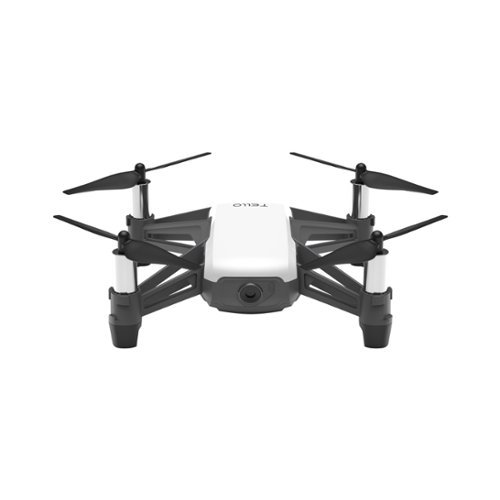
Learn about drones, shoot video and easily perform impressive tricks with this lightweight Ryze Tello drone. The 5-megapixel camera records JPEG photos and 720p MP4 video, and the Tello flies up to 10m vertically and up to 100m away. This Ryze Tello drone operates up to 13 minutes per charge.Fly Responsibly:Before takeoff, update all software and firmware, and read the instructions thoroughly.See the FAA website for registration requirements and information about flying a drone safely: https://www.faa.gov/uas/getting_started/. Additional state or local requirements may apply. Check your local jurisdiction. The following websites may help you make informed decisions about flying your drone: www.knowbeforeyoufly.org and www.modelaircraft.org.
Customer Rating

4
Delicate
on January 17, 2022
Posted by: Paul
Verified Purchase:Yes
I bought this for my brother for his business. It broke on the first day. There are optional cages you can buy to protect the propellers. I strongly recommend buying those if you are going to use this anywhere other than an open field.
Length of ownership: 405
Mobile Submission: False
I would recommend this to a friend!
Share this review:


0points
0of 0voted this as helpful.
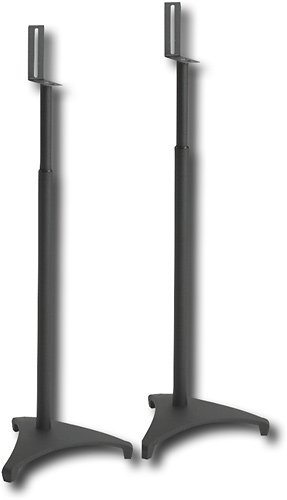
From the Sanus Euro Foundations line, these distinctive speaker stands are as sleek and stylish as they are functional. Stable adjustable design is ideal for satellite and surround speakers.
Customer Rating

5
Works
on January 17, 2022
Posted by: Paul
Verified Purchase:Yes
Assembly was a bit obnoxious, but they work with a wide variety of small speakers and have optional attachments depending on what's in the back of your small speakers. Once assembled and attached, they are very stable.
Length of ownership: 277
Mobile Submission: False
I would recommend this to a friend!
Quality

5
Value
5
Ease of Use

3
Share this review:


0points
0of 0voted this as helpful.

Chromecast with Google TV (4K) brings you the entertainment you love, in up to 4K HDR.~ Get personal recommendations based on your subscriptions, viewing history, and content you own ~ all in one place. No more jumping between apps to decide what to watch. And use the remote to search with your voice.~
Customer Rating
4
Basic, reliable
on January 17, 2022
Posted by: Paul
Verified Purchase:Yes
This is the second I've purchased. The first was to add Atmos to the streaming apps on a slightly older TV. The second was to add streaming apps to a much older TV.
If you only plan to use a couple of streaming apps (e.g. Netflix), this is fine. If you plan to do anything more complicated, you'll run into problems. You can connect a hub, and thus add things like secondary storage, but the problem is that the OS doesn't want to let you move most streaming apps to secondary storage. Almost everything will have to go on internal storage, which means that 8GB will get used up very quickly. You can theoretically do things like stream games, connect a camera and do video conferencing, but in practice, you will have to be very selective about extra features like that given the very limited 8GB of internal storage and the limitations of the operating system.
However, as long as your needs are basic, and you just want to be able to stream HDR, Dolby Vision, Atmos, etc., to an older TV, this is simple, easy, and reliable.
Length of ownership: 153
Mobile Submission: False
I would recommend this to a friend!
Quality

4
Value
5
Ease of Use
5
Share this review:


0points
0of 0voted this as helpful.
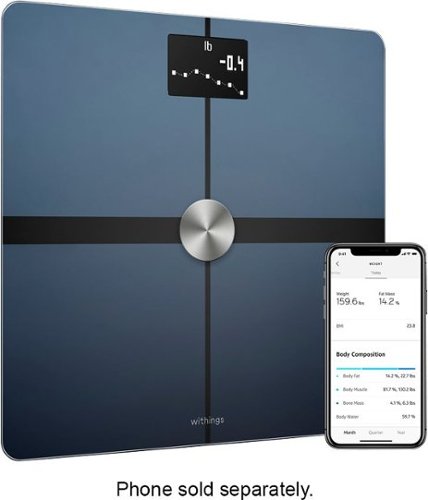
Just step on this advanced clinically tested smart scale for instant feedback and highly accurate weight & weight trends, BMI, full body composition (body fat and water percentage, plus muscle and bone mass), and much more. Every weigh-in appears in the Health Mate app automatically, via Wi-Fi or Bluetooth sync. And unlike many smart scales, with Wi-Fi sync, you don~t have to have your phone with you when you weigh-in to synchronize your data.
Customer Rating

3
Expensive and dangerous
on January 17, 2022
Posted by: Paul
Verified Purchase:Yes
First, it's too tall, so it won't fit under the bathroom door (unlike my previous smart scale), which limits where I can put it in the bathroom. Second, the feet are not rubberized, so this is super slippery and dangerous to use as it will slide all over the place on a bathroom tile floor. The transmission of data over Wi-Fi is a bit delayed, but that's normal for a Withings product, and I assume typical for Wi-Fi devices. My previous smart scale was Bluetooth, and although it was instantaneous, you had to open the app on your phone before using the scale.
While the hardware is awful, the Withings Android app is pretty solid and useful.
Overall, I would avoid it, as the slippery feet are simply too dangerous. I put rubber pads on the bottom of mine, which probably changed the accuracy. Not only is it dangerous, but too darned expensive for what you get.
Length of ownership: 82
Mobile Submission: False
No, I would not recommend this to a friend.
Quality
3
Value

1
Ease of Use
4
Share this review:


0points
0of 0voted this as helpful.
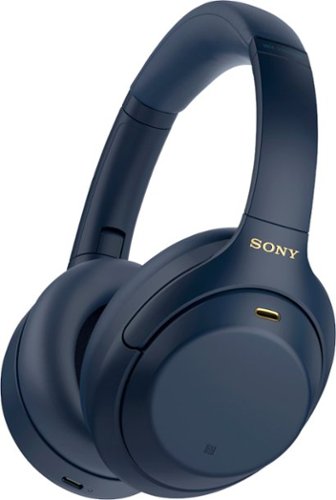
Sony~s intelligent noise canceling headphones with premium sound elevate your listening experience with the ability to personalize and control everything you hear. Get up to 30 hours of battery life with quick charging capabilities, enjoy an enhanced Smart Listening feature set, and carry conversations hands-free with speak-to-chat.
Customer Rating
5
Amazing sound, amazing noise cancellation
on December 9, 2021
Posted by: Paul
Verified Purchase:Yes
I upgraded to these from Sony H.ear On 2 (WH-H900N). Some audiophile reviewers complained that out of the box, they sound too "dark" and "bass-heavy" (one audiophile compared these headphones to strapping a pair of Toyota Corollas to one's head). I found the opposite. My previous headphones were much darker and more bass-heavy than these. These have much clearer mid and upper range, while still having a nice punchy bass, even if not as punchy as my old H.ear On 2 headphones.
If you are an audiophile, you might find the sound disappointing compared to using analog headphones with a $1000 pre-amp/DAC, but every other reviewer I came across praised the sound quality, and being used to cheaper headphones, I have to agree.
As with other Sony headphones, the touch controls are super intuitive and easy to use.
The noise cancellation is among the best you can get, and this very much improves the apparent sound quality of any music you listen to.
I didn't like the Adaptive Sound Control. It's a good idea in theory, but I found that it constantly made "gong" noises while constantly adjusting the noise cancellation levels. I decided it wasn't worth giving up battery life for the constant interruptions to my music, so I turned it off. and manually adjust noise cancellation and transparency as needed.
DSEE is a bit gimmicky (it's basically Sony's audio version of DLSS), but as with my older Sony headphones, I find it worth the loss of battery life for a slight improvement in sound quality.
I set it to prefer sound quality over connection stability, but for some reason, it is stuck on AAC and won't use LDAC (I'm using an Android phone, and don't have multi-device turned on).
I do not use speak-to-chat, as I talk to myself during podcasts, sing along to songs, etc. As with other Sony headphones, you can cover the right earcup to temporarily turn down the music and turn transparency mode on. The music resumes as soon as you remove your hand. Alternately, you can take the headphones off to pause the music. Either of these works better for me than voice-activated transparency.
Fair warning: user reviews from older users report that these headphones are not very durable and can break easily. Treat them with a lot of extra care.
Length of ownership: 2
Mobile Submission: False
I would recommend this to a friend!
Quality
5
Value
4
Ease of Use
5
Share this review:


0points
0of 0voted this as helpful.
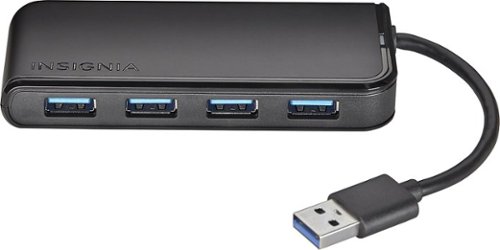
Expand your PC or Mac connectivity with this Insignia NS-PCH6430 USB hub, which interfaces with a single USB 3.0 port to enable connection of up to 4 USB devices. A 5V, 500 mAh/port output delivers a rapid charge to compatible devices.
Customer Rating
4
Gets the job done.
on October 27, 2021
Posted by: Paul
Verified Purchase:Yes
It's getting harder to find USB-A hubs that are reasonably fast. These days, the fat hubs use USB-C and are meant as docking stations (monitor, Ethernet, etc).
If you just want to connect multiple USB devices at higher speeds (in my case, I needed to connect a camera). The only downside is that this is meant more for laptop users than desktop users, so the connecting cable is short.
Length of ownership: 7
Mobile Submission: true
I would recommend this to a friend!
Ease of Use
5
Quality
4
Value
3
Share this review:


0points
0of 0voted this as helpful.

Game in confidence on the CORSAIR MM300 PRO Premium Spill-Proof Cloth Gaming Mouse Pad ~ Extended, providing space for your mouse and keyboard on a roomy 930mm x 300mm surface. A spill-proof, stain-resistant coating protects against accidents, while a 3mm-thick micro-woven fabric creates a dense surface for ultra-fast, smooth mouse movements. Finished with 360~ precision-stitched anti-fray edges to guard against surface peeling and an anti-skid rubber base to remain firmly in place even during intense gaming, the MM300 PRO has the durability and build quality for years of all thrills, no spills gaming.
Customer Rating
5
Huge!
on October 27, 2021
Posted by: Paul
Verified Purchase:Yes
Big enough to accommodate a full size keyboard as well as your mouse and still have room leftover for any other gaming input devices you might use.
At first I was worried this would be a bit much, but after using it for a while, I love it.
Length of ownership: 20
Mobile Submission: true
I would recommend this to a friend!
Ease of Use
5
Quality
5
Value
4
Share this review:


0points
0of 0voted this as helpful.

Brio 4K is an advanced webcam that helps you meet like a pro in every video call. Stream crystal-clear video up to 4K with beautiful colors and RightLight 3 auto light correction, or get up to 90 fps high frame rates at 720p. Also features autofocus, adjustable field of view, and 5x digital zoom. Brio 4K is certified for Zoom, and Google Meet, enables fast and secure facial recognition for Windows Hello, and is compatible with other popular applications. Low-carbon aluminum for camera housing and a minimum 38% post-consumer recycled plastic in the plastic components makes Brio 4K a choice you~ll feel good about.
Customer Rating
5
Fast, easy to install. Good image quality.
on October 27, 2021
Posted by: Paul
Verified Purchase:Yes
It installs quickly and needs no drivers. The image quality is great. There's an app you can install if you want to use the more advanced features, but if you just need a Windows Hello devices or a webcam for video conferencing, this works with no muss or fuss.
The mount works great, but might cover some of the image on monitors with thin bezels. The only real downside I can see is that it is on the expensive side.
Length of ownership: 7
Mobile Submission: true
I would recommend this to a friend!
Ease of Use
5
Quality
5
Value

2
Share this review:


0points
0of 0voted this as helpful.
Just step on this advanced clinically tested smart scale for instant feedback and highly accurate weight & weight trends, BMI, full body composition (body fat and water percentage, plus muscle and bone mass), and much more. Every weigh-in appears in the Health Mate app automatically, via Wi-Fi or Bluetooth sync. And unlike many smart scales, with Wi-Fi sync, you don~t have to have your phone with you when you weigh-in to synchronize your data.
Customer Rating

2
It works, but slips on bathroom tile, so dangerous
on October 27, 2021
Posted by: Paul
Verified Purchase:Yes
This is one of the more expensive smart scales generally available in stores. While it does most of what you expect a smart scale to do, they couldn't be bothered to put rubber on the feet, so it slides around and is dangerous to use. If you put it on a rug, you get a lower weight (false reading). Also, the transfer of data from the scale to your app takes a few minutes, unlike my cheaper smart scale in which the data transfer is instant (the app for the cheaper scale even makes a bell sound so you know when the data is received).
I would suggest getting one of the cheaper smart scales instead of this one.
Mobile Submission: true
No, I would not recommend this to a friend.
Quality
2
Value
5
Ease of Use
2
Share this review:


0points
0of 0voted this as helpful.
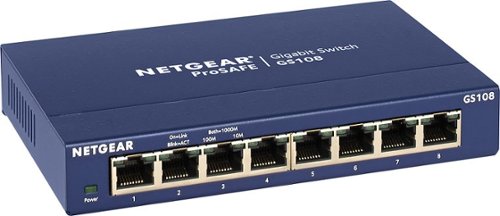
NETGEAR ProSAFE 8-port Gigabit desktop switch, designed for business with simple plug-and-play connectivity and no configuration needed. It comes with a sturdy metal case and the NETGEAR limited lifetime warranty. It supports Energy-Efficient Ethernet (IEEE802.3az) for optimized energy savings and DSCP-based QoS for traffic prioritization.
Customer Rating
5
Reliable
on September 14, 2021
Posted by: Paul
Verified Purchase:Yes
I don't know why, but consumer-grade hubs or switches that look like scaled-down versions of what you might find in a rack (such as this one) seem to last longer than consumer-grade switches with fancier industrial design that looks like it was intended for home use.
Length of ownership: 138
Mobile Submission: false
I would recommend this to a friend!
Ease of Use
5
Quality
5
Value
5
Share this review:


0points
0of 0voted this as helpful.
Paul's Review Comments
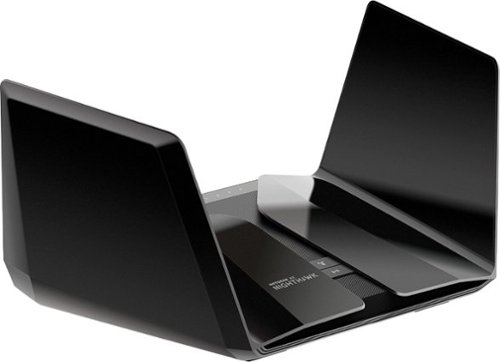
The NETGEAR Nighthawk AX6000 12-Stream WiFi Router is powered by the industry~s latest 802.11ax WiFi standard with 4 times increased data capacity to handle today and tomorrow~s growing home network. Blazing-fast combined WiFi speeds up to 6Gbps and AX optimized 64bit 2.2GHz Quad-core processor powers smart home applications, ultra-smooth 4K UHD streaming, online gaming, and more. Keep your family safe from cyber threats with NETGEAR Armor anti-virus and data theft protection for your home and all of your smartphones and computers. Free trial included.
Overall5 out of 5
5 out of 5Stellar, but pricey
By Paul
I think this RAX120 is a better deal than the RAX200 right now. The RAX120 has a 5gbps ethernet port instead of 2.5, and a faster CPU. The RAX200 is tri-band instead of dual-band, and if configured correctly can offer higher speeds to WiFi 6 client devices. All in all, I'd say the RAX120 is worth saving $100.
It's definitely faster (for WiFi 6 devices) and produces a noticeably stronger signal than the RAX80.
The one downside is that as with the RAX80, you may have to toggle QoS off and on or on and then off to get the WiFi connection speeds up to where they should be, and you may have to do this again after firmware updates. Consider yourself warned.
If you have another router set up in AP mode (what I'm doing with my old RAX80) with this as the main, the hand-off between the two routers is not exactly seamless (sometimes you'll have to wait a few seconds for your device to connect to the other router), but these routers aren't really designed to function as mech routers, so that is to be expected.
Other than that, stability and speed have been stellar.

Paul
UPDATE
July 30, 2020
This is the original reviewer
So I ran into a nasty issue. Randomly, devices will stop connecting to one or the other bands. Keep getting "invalid password" when I try to connect an affected device to the affected band. Nothing I do changes this. Netgear said they were "looking into it" and would "fix it soon" around 10 months ago. It still has not been fixed. This router is great when it works, but a device this expensive should not have a bug this glaring for this long. I can no longer in good conscience recommend this router to anyway.
0points
0of 0voted this comment as helpful.
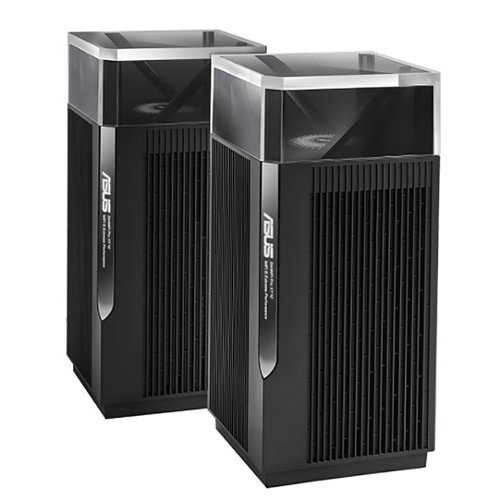
ZenWiFi Pro AXE1100 Tri-Band WiFi 6E Mesh System (ET12 2PK) is the new paradigm for whole home mesh Wi-Fi, combining performance and beauty in a perfectly balanced package. Working with the ASUS Wi-Fi 6E ecosystem, it takes the productivity and entertainment capabilities of your whole-home network to the next level. Features include whole room coverage up to 6000 sq. ft. and 6+ rooms, dual 2.5G ports, 6GHz Band, AiMesh, with included lifetime internet security.
Overall5 out of 5
5 out of 5Remarkable Router
By Construction
Bought this mesh system after being extremely unhappy with my Nighthawk AX11000 Tri-Band WiFi 6 Router router. This ASUS router is amazing. Only potential gripe is one router completely covers my whole house easily. I don't even know why they sell this in pairs unless you need to cover 6000sf home. I would have been more than happy with the one unit. Amazing coverage and speeds....one day I might plug in the mesh point.....It is that good. Yes it is expensive and maybe technology has gotten that much better in a few years, but this router is amazing.
Paul
The 6 GHz band has short range
August 2, 2022
The higher the frequency, the more signal attenuation you get when it passes through physical objects such as walls. This is why the 2.4 GHz band is available in more parts of your home than the 5 GHz band. If and when you start using that 6 GHz band with client devices,you're probably going to want that second node/access point.
It's best if you connect these two routers via an Ethernet cable, otherwise the Wi-Fi connection between the two units will affect bandwidth over whichever band gets used (and that can change from moment to moment as the two units look for the best band to use for the backhaul, causing performance to change during use).
+1point
1of 1voted this comment as helpful.
ZenWiFi Pro AXE1100 Tri-Band WiFi 6E Mesh System (ET12 2PK) is the new paradigm for whole home mesh Wi-Fi, combining performance and beauty in a perfectly balanced package. Working with the ASUS Wi-Fi 6E ecosystem, it takes the productivity and entertainment capabilities of your whole-home network to the next level. Features include whole room coverage up to 6000 sq. ft. and 6+ rooms, dual 2.5G ports, 6GHz Band, AiMesh, with included lifetime internet security.
Overall4 out of 5
4 out of 5Fast
By Rexx
Very fast. However the 6GHz network serms to drop out frequently. Going to tey a wired backhaul to see if that makes a difference.
Paul
Absolutely use a wired backhaul if possible
August 15, 2022
This does not have two 5 GHz bands, so you cannot have a dedicated wireless backhaul. Because of the way AI Mesh works, which of the three bands (2.4 GHz, 5 GHz, 6 GHz) gets used as a backhaul will change every so often depending on what's going on. Whichever band gets used as a backhaul will suddenly have the throughput halved. If your connection to the ISP is less than 500 megabits per second, then you might not notice, but it could still make things weird.
The reviews I read strongly recommend using a wired backhaul with the ET12 for this reason. The nice thing is that both units have 2.5 gbps Ethernet WAN and LAN ports. If you have a switch between the two, the switch will need to be 2.5 gbps. If you have 1 gbps from your ISP or faster, having a 2.5 gbps Ethernet connection between these two units will make a difference. (At 1 gbps, in practice you'll get around 800 mbps or so because with 1000 base-T, 1 gbps is a hard maximum.) This is good because a lot of routers these days have a WAN port that is faster than 1 gbps, but only 1 gbps LAN ports. This is one of the few routers you want if you are getting multigig connection from your ISP and have the Ethernet hardware to make use of it.
+1point
1of 1voted this comment as helpful.
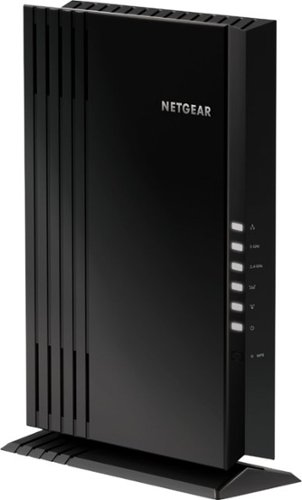
The NETGEAR 4-stream Wi-Fi 6 mesh extender EAX20 is built for the future of Wi-Fi to create a powerful mesh Wi-Fi network for increased coverage to every corner of your home. Experience the power of the latest-generation Wi-Fi 6 (802.11ax) for dramatically faster Wi-Fi to your smartphones, tablets, computers and so many more devices. Even more capacity plus backward compatibility with your current- and previous-generation routers and devices (Wi-Fi 5, Wi-Fi 4, and earlier-generation Wi-Fi standards) means that you'll enjoy ultrafast Wi-Fi in the farthest corners of your home today and for all your future tech purchases for years to come.
Overall5 out of 5
5 out of 5Ad hoc mesh for your existing router
By Paul
I used to use an older Nighthawk router as an access point. This was very clunky, as devices would connect to the first router they could, then hold on for dear life and refuse to connect to the other router as you moved around the house.
With this, the access point acts more like a proper mesh system. As I move around the house, devices connect to either the main router or this device as needed, depending on which has the stronger signal.
Caveat 1: I am using this with a Nighthawk router, so I have no idea how well this plays with other routers from other companies.
Caveat 2: if at all possible, connect this to your existing router using an ethernet cable. As with all range extenders, if you connect to the main router over WiFi, any devices connecting to this will generate twice the traffic (each packet gets broadcast on the network twice to make it to the main router). Depending on what you have going on in your network, this could halve throughput if you don't connect via ethernet. This is true of all range extenders.
I would definitely recommend this if your existing router is a Netgear Nighthawk. I have no idea how good or bad this device is with other routers.
Paul
Update: Don't get
August 15, 2022
Sadly, I'm not allowed to edit my original review. I ultimately had to unplug this as it caused connection issues with WiFi devices, even with the wired connection.
0points
0of 0voted this comment as helpful.
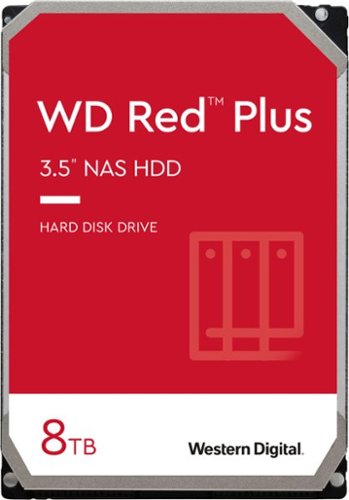
WD Red Plus NAS internal hard drives are designed with CMR technology for RAID-optimized NAS systems with up to eight bays. Perfect for handling increased workloads associated with small- to medium-sized business environments, including expanded OS compatibility and ZFS.
Overall 1 out of 5
1 out of 5TIGGEDOUT
By Twantabee
Only 2T show up in computer, have not figured out how to get use of other 6T yet. So frustrating for th none computer savvy!
Paul
March 25, 2023
Check the documentation for the motherboard of your computer. There might be a BIOS setting, or your computer might just be too old, or your operating system is too old. Google "Windows support for hard disks that are larger than 2 TB" for more details.
+1point
1of 1voted this comment as helpful.
Paul's Questions
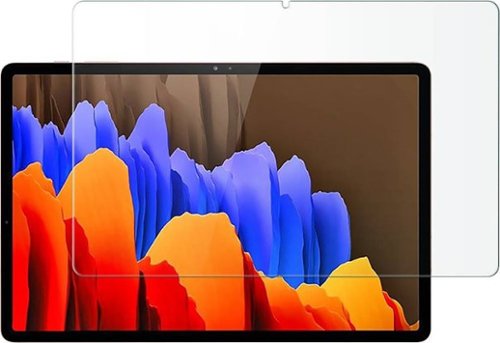
Protect your Samsung Galaxy Tab S7 Plus and Tab S8 Plus against damage with this clear ZeroDamage HD screen protector. The tempered glass guards your screen against cracks and dents, ensuring long-lasting use, while the anti-fingerprint coating prevents smudges without compromising sensitivity. This ZeroDamage HD screen protector retains amazing clarity, enhancing the viewing experience.
There was an issue with this same fingerprint reader in phones where a screen protector would allow other people to unlock the device. Does this screen protector produce that same problem?
5 years, 8 months ago
by
Paul
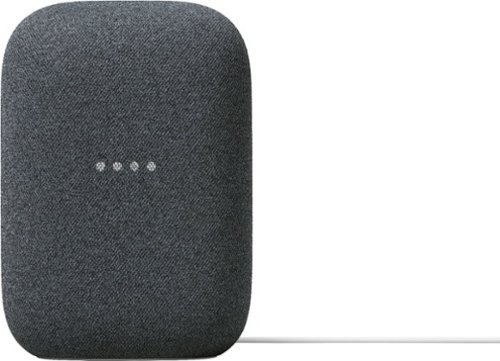
Meet Nest Audio. Hear music the way it should sound, with crisp vocals and powerful bass that fill the room. Just say, ~Hey Google~ to play your favorite songs or get help from Google Assistant.~ Stream music or podcasts from services you use most. And create a home audio system with your other Nest smart speakers, just like that.
Meet Nest Audio. Hear music the way it should sound, with crisp vocals and powerful bass that fill the room. Just say, ~Hey Google~ to play your favorite songs or get help from Google Assistant.~ Stream music or podcasts from services you use most. And create a home audio system with your other Nest smart speakers, just like that.
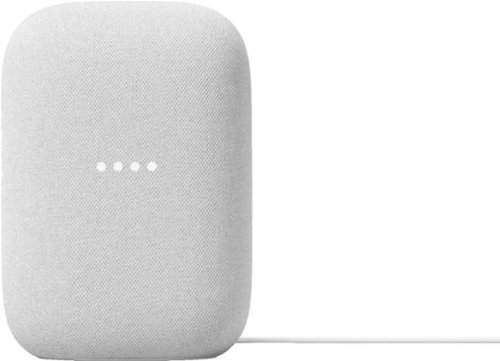
Meet Nest Audio. Hear music the way it should sound, with crisp vocals and powerful bass that fill the room. Just say, ~Hey Google~ to play your favorite songs or get help from Google Assistant.~ Stream music or podcasts from services you use most. And create a home audio system with your other Nest smart speakers, just like that.
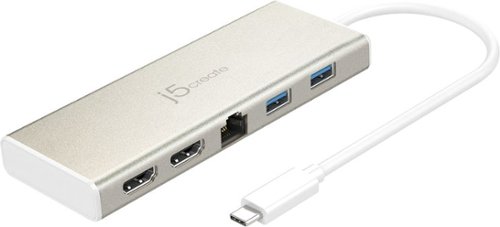
The USB-C Dual HDMI Mini Dock provides extra connectivity for your USB-C computer, featuring data transfer, power delivery and video displays. Easily add two additional USB computer peripherals, two HDMI monitors, and a Gigabit Ethernet connection through your USB-C port. When connected to a power source, the USB-C input charging port allows you to continue charging your laptop or smartphone. Its compact and lightweight design, making it great for use on the go.
My 4K HDMI port suddenly stopped working. What can I do to fix it?
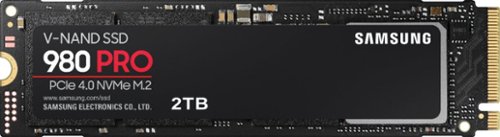
Unleash the power of the Samsung 980 PRO PCIe 4.0 NVMe Gen4 SSD for next-level computing. 980 PRO delivers 2x the data transfer rate of PCIe 3.0, while maintaining compatibility with PCIe 3.0.~ ~The NVM Express~ design mark is a registered trademark of NVM Express, Inc.* Results are based on a comparison with Samsung PCIe 3.0 NVMe SSDs and SATA SSDs. PS5 compatible with heatsink as recommended by Sony; heatsink sold separately.
Unleash the power of the Samsung 980 PRO PCIe 4.0 NVMe Gen4 SSD for next-level computing. 980 PRO delivers 2x the data transfer rate of PCIe 3.0, while maintaining compatibility with PCIe 3.0.~ ~The NVM Express~ design mark is a registered trademark of NVM Express, Inc.* Results are based on a comparison with Samsung PCIe 3.0 NVMe SSDs and SATA SSDs. PS5 compatible with heatsink as recommended by Sony; heatsink sold separately.
Does this SSD work with the ROG Strix Z790-E? If so, does it require a heatsink?
The ROG Strix Z790-E has a heatsink that comes with the motherboard. Assuming you didn't take it off and lose it, you should be fine with the built-in heatsink that comes with your motherboard. Just don't forget to remove the film from the bottom of the heatsink.
I'll be honest, if I were building a computer right now, I would probably get the Firecuda 530. You are unlikely to notice a performance difference with anything Gen 3x4 or above, but the Firecuda is rated for many more writes before going bad, and thus should last longer.
I'll be honest, if I were building a computer right now, I would probably get the Firecuda 530. You are unlikely to notice a performance difference with anything Gen 3x4 or above, but the Firecuda is rated for many more writes before going bad, and thus should last longer.
3 years, 3 months ago
by
Paul
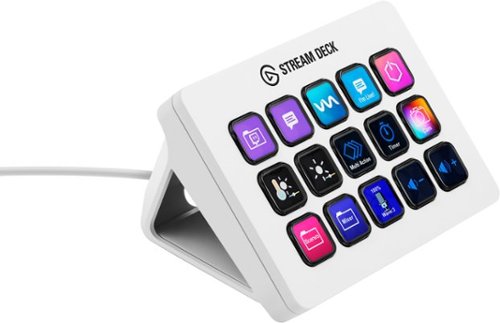
Stream Deck gives you 15 LCD keys to control your apps and tools. Trigger actions, launch social posts, adjust audio, play sound clips, activate lights, and much more. Get visual feedback to confirm your commands. Set Stream Deck to automatically switch key configurations as you jump between apps. It~s the ultimate workflow hack, and it~s fully customizable. Personalize your Stream Deck with custom icons, screensavers, and a growing range of interchangeable faceplates. Use the app to configure keys with ease, and hit the Stream Deck Store for app plugins, icon packs, thousands of royalty free tracks, effects, and more.
Can I use hot keys as cpu/gpu/ram temperature and usage to display on the Stream Deck?
Sorry, my previous answer was wrong. There is a hardware monitor plugin, but I don't know if it monitors the specific things you were looking for.
Click on the little keyboard icon next to the setup gear, then click on the "plugins" tab, then search for "hw" and the relevant plugin will pop up.
Click on the little keyboard icon next to the setup gear, then click on the "plugins" tab, then search for "hw" and the relevant plugin will pop up.
3 years, 3 months ago
by
Paul
Stream Deck gives you 15 LCD keys to control your apps and tools. Trigger actions, launch social posts, adjust audio, play sound clips, activate lights, and much more. Get visual feedback to confirm your commands. Set Stream Deck to automatically switch key configurations as you jump between apps. It~s the ultimate workflow hack, and it~s fully customizable. Personalize your Stream Deck with custom icons, screensavers, and a growing range of interchangeable faceplates. Use the app to configure keys with ease, and hit the Stream Deck Store for app plugins, icon packs, thousands of royalty free tracks, effects, and more.
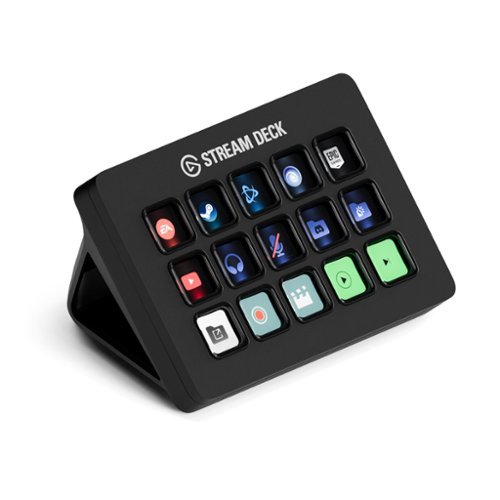
Stream Deck gives you 15 LCD keys to control your apps and tools. Trigger actions, launch social posts, adjust audio, play sound clips, activate lights, and much more. Get visual feedback to confirm your commands. Set Stream Deck to automatically switch key configurations as you jump between apps. It~s the ultimate workflow hack, and it~s fully customizable. Personalize your Stream Deck with custom icons, screensavers, and a growing range of interchangeable faceplates. Use the app to configure keys with ease, and hit the Stream Deck Store for app plugins, icon packs, thousands of royalty free tracks, effects, and more.
Stream Deck gives you 15 LCD keys to control your apps and tools. Trigger actions, launch social posts, adjust audio, play sound clips, activate lights, and much more. Get visual feedback to confirm your commands. Set Stream Deck to automatically switch key configurations as you jump between apps. It~s the ultimate workflow hack, and it~s fully customizable. Personalize your Stream Deck with custom icons, screensavers, and a growing range of interchangeable faceplates. Use the app to configure keys with ease, and hit the Stream Deck Store for app plugins, icon packs, thousands of royalty free tracks, effects, and more.