
Share Paul's profile


Paul
Paul's stats
- Review count73
- Helpfulness votes29
- First reviewApril 23, 2020
- Last reviewApril 9, 2026
- Featured reviews0
- Average rating4.2
- Review comment count5
- Helpfulness votes3
- First review commentJuly 30, 2020
- Last review commentMarch 25, 2023
- Featured review comments0
- Question count1
- Helpfulness votes0
- First questionSeptember 18, 2020
- Last questionSeptember 18, 2020
- Featured questions0
- Answer count19
- Helpfulness votes1
- First answerApril 23, 2020
- Last answerJuly 16, 2023
- Featured answers0
- Best answers1
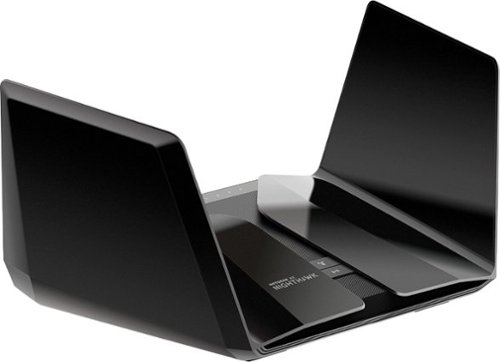
The NETGEAR Nighthawk AX6000 12-Stream WiFi Router is powered by the industry~s latest 802.11ax WiFi standard with 4 times increased data capacity to handle today and tomorrow~s growing home network. Blazing-fast combined WiFi speeds up to 6Gbps and AX optimized 64bit 2.2GHz Quad-core processor powers smart home applications, ultra-smooth 4K UHD streaming, online gaming, and more. Keep your family safe from cyber threats with NETGEAR Armor anti-virus and data theft protection for your home and all of your smartphones and computers. Free trial included.
Customer Rating

5
Stellar, but pricey
on June 30, 2020
Posted by: Paul
Verified Purchase:Yes
I think this RAX120 is a better deal than the RAX200 right now. The RAX120 has a 5gbps ethernet port instead of 2.5, and a faster CPU. The RAX200 is tri-band instead of dual-band, and if configured correctly can offer higher speeds to WiFi 6 client devices. All in all, I'd say the RAX120 is worth saving $100.
It's definitely faster (for WiFi 6 devices) and produces a noticeably stronger signal than the RAX80.
The one downside is that as with the RAX80, you may have to toggle QoS off and on or on and then off to get the WiFi connection speeds up to where they should be, and you may have to do this again after firmware updates. Consider yourself warned.
If you have another router set up in AP mode (what I'm doing with my old RAX80) with this as the main, the hand-off between the two routers is not exactly seamless (sometimes you'll have to wait a few seconds for your device to connect to the other router), but these routers aren't really designed to function as mech routers, so that is to be expected.
Other than that, stability and speed have been stellar.
Length of ownership: 5
Mobile Submission: false
I would recommend this to a friend!
Ease of Use

3
Quality

5
Value

2
Share this review:


0points
0of 0voted this as helpful.
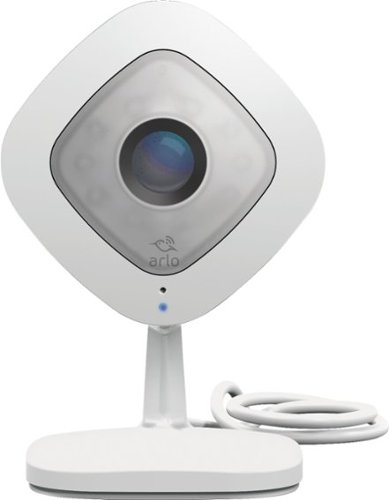
See and hear in perfect detail with the Arlo Q HD security camera. Experience a new sense of security with 1080p HD video, night vision, and 2-way audio. Arlo Q alerts you whenever motion or sound is detected and notifies you with instant alerts so you never miss an important moment again.
Customer Rating

2
Great when they work, which is most of the time.
on May 1, 2020
Posted by: Paul
The night mode works great, the image quality is great. The two-way audio is too quiet for some to hear.
But my main beef is connectivity.
I have two Arlo Q cameras, and the smart home stuff get their own separate router at my house. The two Arlo cameras are the only high-bandwidth devices on that router. The WiFi signal is reasonably strong where the cameras are at (I measured).
Despite this, I occasionally have connectivity issues, and it takes many tries to actually get those cameras back on the WiFi network. Most recently, I was forced to give up trying to connect these cameras to the network. They are now decorative paperweights.
Mobile Submission: false
No, I would not recommend this to a friend.
Quality

1
Value
1
Ease of Use
1
Share this review:


+1point
1of 1voted this as helpful.
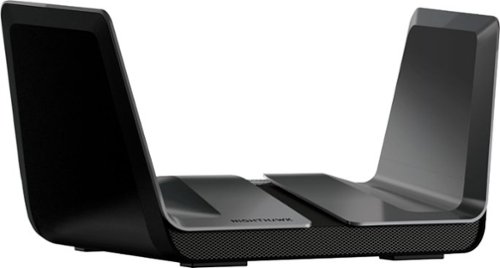
The NETGEAR Nighthawk AX8 8-Stream AX6000 Wi-Fi 6 Router offers improved network capacity for more Wi-Fi devices in your home and 2Gbps wired connectivity support for an incredibly faster Internet experience. It has a 64-bit 1.8GHz quad-core processor designed to transfer multi gigabits of data with almost zero CPU load. 160MHz channel support doubles the speeds as offered by 80MHz channels to provide gigabit speeds to compatible devices.
Customer Rating

4
Good, but with some frustrations
on April 23, 2020
Posted by: Paul
I bought this to replace an old R7000. The R7000 is now acting as an access point in another part of the house, and it still needs fairly frequent reboots even though it now carries a much lighter load than before.
The RAX80 has been rock solid compared to the old R7000. No reboots. It's been very reliable with a good, strong signal.
The downside is that every so often, the throughput speeds will go down by around 20%, even over ethernet. Usually, this happens if the ISP increases my bandwidth, or occasionally after a firmware update. If this happens to you, the fix is to enable QoS, apply, then disable QoS and apply. Some people say rebooting the router works, although I haven't had to try that yet as enabling and disabling QoS usually does the trick for me.
Also, this router has yet to receive a firmware update to make WPA3 available. It seems that very few Netgear routers have that as yet.
The Android app is OK, but limited. If you want to do anything tricky, you may need to fire up a web browser on a desktop or laptop.
Caveat: I do not have any WiFi-6 devices, so I have not been able to test the WiFi-6 performance.
Mobile Submission: false
I would recommend this to a friend!
Ease of Use
5
Quality

4
Value
2
Share this review:


0points
0of 0voted this as helpful.
Paul's Review Comments
The NETGEAR Nighthawk AX6000 12-Stream WiFi Router is powered by the industry~s latest 802.11ax WiFi standard with 4 times increased data capacity to handle today and tomorrow~s growing home network. Blazing-fast combined WiFi speeds up to 6Gbps and AX optimized 64bit 2.2GHz Quad-core processor powers smart home applications, ultra-smooth 4K UHD streaming, online gaming, and more. Keep your family safe from cyber threats with NETGEAR Armor anti-virus and data theft protection for your home and all of your smartphones and computers. Free trial included.
Overall5 out of 5
5 out of 5Stellar, but pricey
By Paul
I think this RAX120 is a better deal than the RAX200 right now. The RAX120 has a 5gbps ethernet port instead of 2.5, and a faster CPU. The RAX200 is tri-band instead of dual-band, and if configured correctly can offer higher speeds to WiFi 6 client devices. All in all, I'd say the RAX120 is worth saving $100.
It's definitely faster (for WiFi 6 devices) and produces a noticeably stronger signal than the RAX80.
The one downside is that as with the RAX80, you may have to toggle QoS off and on or on and then off to get the WiFi connection speeds up to where they should be, and you may have to do this again after firmware updates. Consider yourself warned.
If you have another router set up in AP mode (what I'm doing with my old RAX80) with this as the main, the hand-off between the two routers is not exactly seamless (sometimes you'll have to wait a few seconds for your device to connect to the other router), but these routers aren't really designed to function as mech routers, so that is to be expected.
Other than that, stability and speed have been stellar.

Paul
UPDATE
July 30, 2020
This is the original reviewer
So I ran into a nasty issue. Randomly, devices will stop connecting to one or the other bands. Keep getting "invalid password" when I try to connect an affected device to the affected band. Nothing I do changes this. Netgear said they were "looking into it" and would "fix it soon" around 10 months ago. It still has not been fixed. This router is great when it works, but a device this expensive should not have a bug this glaring for this long. I can no longer in good conscience recommend this router to anyway.
0points
0of 0voted this comment as helpful.
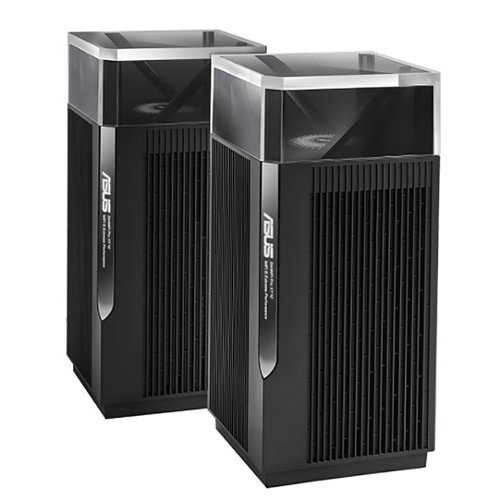
ZenWiFi Pro AXE1100 Tri-Band WiFi 6E Mesh System (ET12 2PK) is the new paradigm for whole home mesh Wi-Fi, combining performance and beauty in a perfectly balanced package. Working with the ASUS Wi-Fi 6E ecosystem, it takes the productivity and entertainment capabilities of your whole-home network to the next level. Features include whole room coverage up to 6000 sq. ft. and 6+ rooms, dual 2.5G ports, 6GHz Band, AiMesh, with included lifetime internet security.
Overall5 out of 5
5 out of 5Remarkable Router
By Construction
Bought this mesh system after being extremely unhappy with my Nighthawk AX11000 Tri-Band WiFi 6 Router router. This ASUS router is amazing. Only potential gripe is one router completely covers my whole house easily. I don't even know why they sell this in pairs unless you need to cover 6000sf home. I would have been more than happy with the one unit. Amazing coverage and speeds....one day I might plug in the mesh point.....It is that good. Yes it is expensive and maybe technology has gotten that much better in a few years, but this router is amazing.
Paul
The 6 GHz band has short range
August 2, 2022
The higher the frequency, the more signal attenuation you get when it passes through physical objects such as walls. This is why the 2.4 GHz band is available in more parts of your home than the 5 GHz band. If and when you start using that 6 GHz band with client devices,you're probably going to want that second node/access point.
It's best if you connect these two routers via an Ethernet cable, otherwise the Wi-Fi connection between the two units will affect bandwidth over whichever band gets used (and that can change from moment to moment as the two units look for the best band to use for the backhaul, causing performance to change during use).
+1point
1of 1voted this comment as helpful.
ZenWiFi Pro AXE1100 Tri-Band WiFi 6E Mesh System (ET12 2PK) is the new paradigm for whole home mesh Wi-Fi, combining performance and beauty in a perfectly balanced package. Working with the ASUS Wi-Fi 6E ecosystem, it takes the productivity and entertainment capabilities of your whole-home network to the next level. Features include whole room coverage up to 6000 sq. ft. and 6+ rooms, dual 2.5G ports, 6GHz Band, AiMesh, with included lifetime internet security.
Overall4 out of 5
4 out of 5Fast
By Rexx
Very fast. However the 6GHz network serms to drop out frequently. Going to tey a wired backhaul to see if that makes a difference.
Paul
Absolutely use a wired backhaul if possible
August 15, 2022
This does not have two 5 GHz bands, so you cannot have a dedicated wireless backhaul. Because of the way AI Mesh works, which of the three bands (2.4 GHz, 5 GHz, 6 GHz) gets used as a backhaul will change every so often depending on what's going on. Whichever band gets used as a backhaul will suddenly have the throughput halved. If your connection to the ISP is less than 500 megabits per second, then you might not notice, but it could still make things weird.
The reviews I read strongly recommend using a wired backhaul with the ET12 for this reason. The nice thing is that both units have 2.5 gbps Ethernet WAN and LAN ports. If you have a switch between the two, the switch will need to be 2.5 gbps. If you have 1 gbps from your ISP or faster, having a 2.5 gbps Ethernet connection between these two units will make a difference. (At 1 gbps, in practice you'll get around 800 mbps or so because with 1000 base-T, 1 gbps is a hard maximum.) This is good because a lot of routers these days have a WAN port that is faster than 1 gbps, but only 1 gbps LAN ports. This is one of the few routers you want if you are getting multigig connection from your ISP and have the Ethernet hardware to make use of it.
+1point
1of 1voted this comment as helpful.
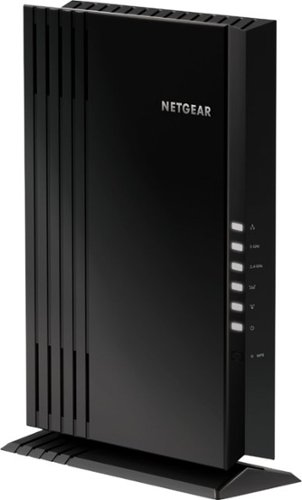
The NETGEAR 4-stream Wi-Fi 6 mesh extender EAX20 is built for the future of Wi-Fi to create a powerful mesh Wi-Fi network for increased coverage to every corner of your home. Experience the power of the latest-generation Wi-Fi 6 (802.11ax) for dramatically faster Wi-Fi to your smartphones, tablets, computers and so many more devices. Even more capacity plus backward compatibility with your current- and previous-generation routers and devices (Wi-Fi 5, Wi-Fi 4, and earlier-generation Wi-Fi standards) means that you'll enjoy ultrafast Wi-Fi in the farthest corners of your home today and for all your future tech purchases for years to come.
Overall5 out of 5
5 out of 5Ad hoc mesh for your existing router
By Paul
I used to use an older Nighthawk router as an access point. This was very clunky, as devices would connect to the first router they could, then hold on for dear life and refuse to connect to the other router as you moved around the house.
With this, the access point acts more like a proper mesh system. As I move around the house, devices connect to either the main router or this device as needed, depending on which has the stronger signal.
Caveat 1: I am using this with a Nighthawk router, so I have no idea how well this plays with other routers from other companies.
Caveat 2: if at all possible, connect this to your existing router using an ethernet cable. As with all range extenders, if you connect to the main router over WiFi, any devices connecting to this will generate twice the traffic (each packet gets broadcast on the network twice to make it to the main router). Depending on what you have going on in your network, this could halve throughput if you don't connect via ethernet. This is true of all range extenders.
I would definitely recommend this if your existing router is a Netgear Nighthawk. I have no idea how good or bad this device is with other routers.
Paul
Update: Don't get
August 15, 2022
Sadly, I'm not allowed to edit my original review. I ultimately had to unplug this as it caused connection issues with WiFi devices, even with the wired connection.
0points
0of 0voted this comment as helpful.
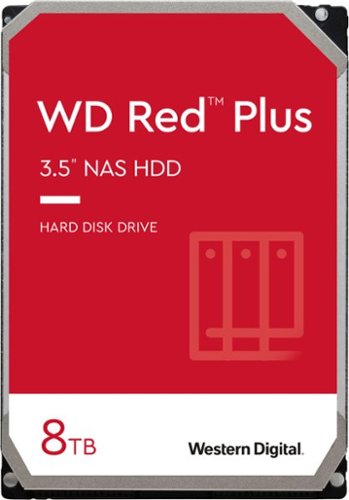
WD Red Plus NAS internal hard drives are designed with CMR technology for RAID-optimized NAS systems with up to eight bays. Perfect for handling increased workloads associated with small- to medium-sized business environments, including expanded OS compatibility and ZFS.
Overall 1 out of 5
1 out of 5TIGGEDOUT
By Twantabee
Only 2T show up in computer, have not figured out how to get use of other 6T yet. So frustrating for th none computer savvy!
Paul
March 25, 2023
Check the documentation for the motherboard of your computer. There might be a BIOS setting, or your computer might just be too old, or your operating system is too old. Google "Windows support for hard disks that are larger than 2 TB" for more details.
+1point
1of 1voted this comment as helpful.
Paul's Questions
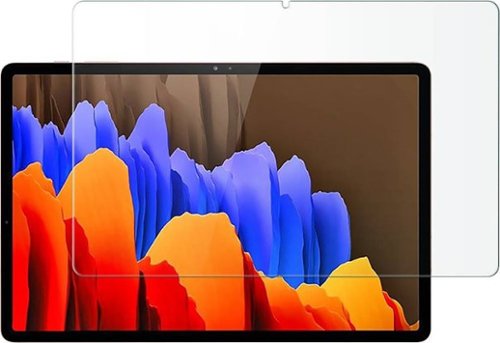
Protect your Samsung Galaxy Tab S7 Plus and Tab S8 Plus against damage with this clear ZeroDamage HD screen protector. The tempered glass guards your screen against cracks and dents, ensuring long-lasting use, while the anti-fingerprint coating prevents smudges without compromising sensitivity. This ZeroDamage HD screen protector retains amazing clarity, enhancing the viewing experience.
There was an issue with this same fingerprint reader in phones where a screen protector would allow other people to unlock the device. Does this screen protector produce that same problem?
5 years, 8 months ago
by
Paul
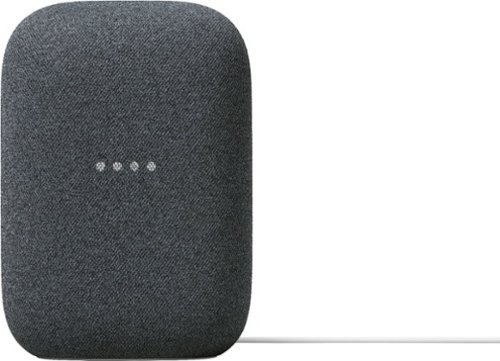
Meet Nest Audio. Hear music the way it should sound, with crisp vocals and powerful bass that fill the room. Just say, ~Hey Google~ to play your favorite songs or get help from Google Assistant.~ Stream music or podcasts from services you use most. And create a home audio system with your other Nest smart speakers, just like that.
Meet Nest Audio. Hear music the way it should sound, with crisp vocals and powerful bass that fill the room. Just say, ~Hey Google~ to play your favorite songs or get help from Google Assistant.~ Stream music or podcasts from services you use most. And create a home audio system with your other Nest smart speakers, just like that.
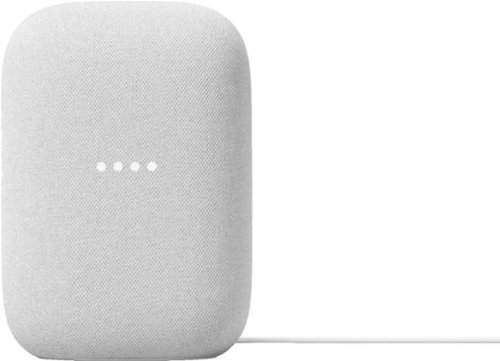
Meet Nest Audio. Hear music the way it should sound, with crisp vocals and powerful bass that fill the room. Just say, ~Hey Google~ to play your favorite songs or get help from Google Assistant.~ Stream music or podcasts from services you use most. And create a home audio system with your other Nest smart speakers, just like that.
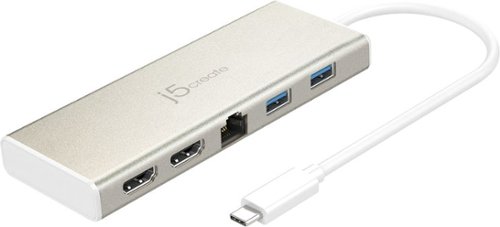
The USB-C Dual HDMI Mini Dock provides extra connectivity for your USB-C computer, featuring data transfer, power delivery and video displays. Easily add two additional USB computer peripherals, two HDMI monitors, and a Gigabit Ethernet connection through your USB-C port. When connected to a power source, the USB-C input charging port allows you to continue charging your laptop or smartphone. Its compact and lightweight design, making it great for use on the go.
My 4K HDMI port suddenly stopped working. What can I do to fix it?
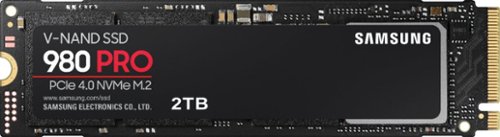
Unleash the power of the Samsung 980 PRO PCIe 4.0 NVMe Gen4 SSD for next-level computing. 980 PRO delivers 2x the data transfer rate of PCIe 3.0, while maintaining compatibility with PCIe 3.0.~ ~The NVM Express~ design mark is a registered trademark of NVM Express, Inc.* Results are based on a comparison with Samsung PCIe 3.0 NVMe SSDs and SATA SSDs. PS5 compatible with heatsink as recommended by Sony; heatsink sold separately.
Unleash the power of the Samsung 980 PRO PCIe 4.0 NVMe Gen4 SSD for next-level computing. 980 PRO delivers 2x the data transfer rate of PCIe 3.0, while maintaining compatibility with PCIe 3.0.~ ~The NVM Express~ design mark is a registered trademark of NVM Express, Inc.* Results are based on a comparison with Samsung PCIe 3.0 NVMe SSDs and SATA SSDs. PS5 compatible with heatsink as recommended by Sony; heatsink sold separately.
Does this SSD work with the ROG Strix Z790-E? If so, does it require a heatsink?
The ROG Strix Z790-E has a heatsink that comes with the motherboard. Assuming you didn't take it off and lose it, you should be fine with the built-in heatsink that comes with your motherboard. Just don't forget to remove the film from the bottom of the heatsink.
I'll be honest, if I were building a computer right now, I would probably get the Firecuda 530. You are unlikely to notice a performance difference with anything Gen 3x4 or above, but the Firecuda is rated for many more writes before going bad, and thus should last longer.
I'll be honest, if I were building a computer right now, I would probably get the Firecuda 530. You are unlikely to notice a performance difference with anything Gen 3x4 or above, but the Firecuda is rated for many more writes before going bad, and thus should last longer.
3 years, 3 months ago
by
Paul
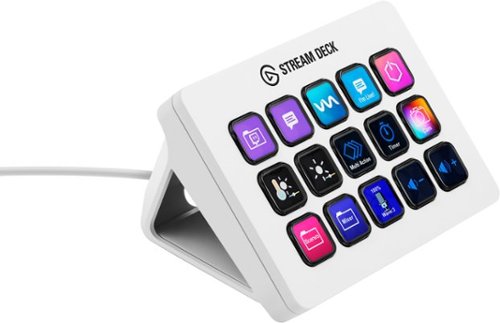
Stream Deck gives you 15 LCD keys to control your apps and tools. Trigger actions, launch social posts, adjust audio, play sound clips, activate lights, and much more. Get visual feedback to confirm your commands. Set Stream Deck to automatically switch key configurations as you jump between apps. It~s the ultimate workflow hack, and it~s fully customizable. Personalize your Stream Deck with custom icons, screensavers, and a growing range of interchangeable faceplates. Use the app to configure keys with ease, and hit the Stream Deck Store for app plugins, icon packs, thousands of royalty free tracks, effects, and more.
Can I use hot keys as cpu/gpu/ram temperature and usage to display on the Stream Deck?
Sorry, my previous answer was wrong. There is a hardware monitor plugin, but I don't know if it monitors the specific things you were looking for.
Click on the little keyboard icon next to the setup gear, then click on the "plugins" tab, then search for "hw" and the relevant plugin will pop up.
Click on the little keyboard icon next to the setup gear, then click on the "plugins" tab, then search for "hw" and the relevant plugin will pop up.
3 years, 3 months ago
by
Paul
Stream Deck gives you 15 LCD keys to control your apps and tools. Trigger actions, launch social posts, adjust audio, play sound clips, activate lights, and much more. Get visual feedback to confirm your commands. Set Stream Deck to automatically switch key configurations as you jump between apps. It~s the ultimate workflow hack, and it~s fully customizable. Personalize your Stream Deck with custom icons, screensavers, and a growing range of interchangeable faceplates. Use the app to configure keys with ease, and hit the Stream Deck Store for app plugins, icon packs, thousands of royalty free tracks, effects, and more.
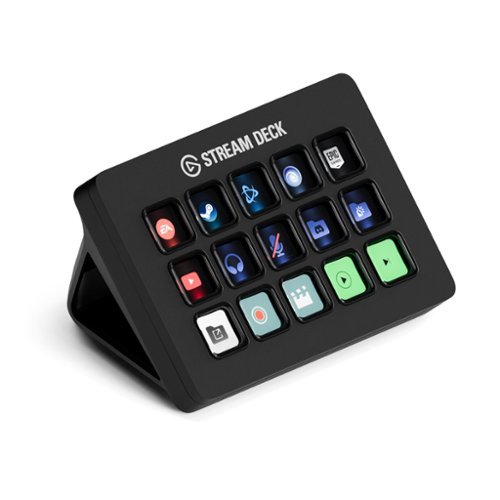
Stream Deck gives you 15 LCD keys to control your apps and tools. Trigger actions, launch social posts, adjust audio, play sound clips, activate lights, and much more. Get visual feedback to confirm your commands. Set Stream Deck to automatically switch key configurations as you jump between apps. It~s the ultimate workflow hack, and it~s fully customizable. Personalize your Stream Deck with custom icons, screensavers, and a growing range of interchangeable faceplates. Use the app to configure keys with ease, and hit the Stream Deck Store for app plugins, icon packs, thousands of royalty free tracks, effects, and more.
Stream Deck gives you 15 LCD keys to control your apps and tools. Trigger actions, launch social posts, adjust audio, play sound clips, activate lights, and much more. Get visual feedback to confirm your commands. Set Stream Deck to automatically switch key configurations as you jump between apps. It~s the ultimate workflow hack, and it~s fully customizable. Personalize your Stream Deck with custom icons, screensavers, and a growing range of interchangeable faceplates. Use the app to configure keys with ease, and hit the Stream Deck Store for app plugins, icon packs, thousands of royalty free tracks, effects, and more.