
Share ITGUY's profile


ITGUY
ITGUY's stats
- Review count41
- Helpfulness votes2
- First reviewSeptember 21, 2018
- Last reviewJune 5, 2025
- Featured reviews0
- Average rating4.8
Reviews comments
- Review comment count0
- Helpfulness votes0
- First review commentNone
- Last review commentNone
- Featured review comments0
Questions
- Question count0
- Helpfulness votes0
- First questionNone
- Last questionNone
- Featured questions0
- Answer count4
- Helpfulness votes1
- First answerFebruary 9, 2019
- Last answerFebruary 10, 2023
- Featured answers0
- Best answers1
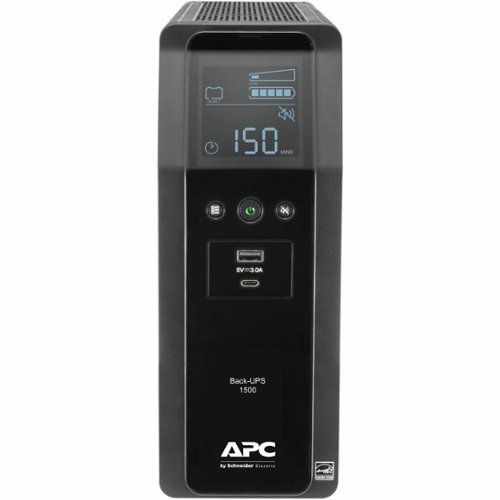
The Back-UPS Pro family offers guaranteed power protection for high performance computer systems, routers/modems, external storage devices, game consoles and other electronics in your home or business. These UPSs supply electronics with abundant battery backup during outages and stabilize unsafe voltage levels. They also provide power protection from damaging surges and spikes, and allow the use of management software so you get the most out of your UPS. Premium features of this family may include Automatic Voltage Regulation (AVR), an LCD display, Smart Outlets, energy saving functions that reduce electricity use, network manageability, Watchdog, or configurable outlets. Together with the rest of the Back-UPS Pro's standard features, they are the perfect choice to protect your data and keep your system available.
Customer Rating

4
When you need it...
on September 21, 2018
Posted by: ITGUY
from San Diego
Verified Purchase:Yes
You need one of these whenever you are running any kind of equipment that needs to survive a power outage. Yes, it is not enterprise grade, but, for the price, it gets the job done and keeps vital equipment running for sometime.
Mobile Submission: False
I would recommend this to a friend!
Share this review:


+1point
1of 1voted this as helpful.
ITGUY's Review Comments
ITGUY has not submitted comments on any reviews.
ITGUY's Questions
ITGUY has not submitted any questions.
ITGUY's Answers
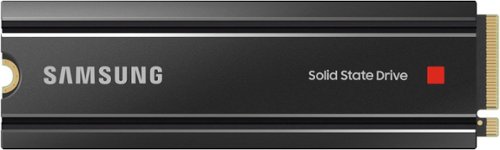
Unleash the power of the Samsung 980 PRO with Heatsink for next-level computing. With a PCIe 4.0 NVMe interface, get up to 2x the data transfer rate of PCIe 3.0~ while remaining compatible with PCIe 3.0. ~Results are based on a comparison with Samsung PCIe 3.0 NVMe SSDs and SATA SSDs.
Unleash the power of the Samsung 980 PRO with Heatsink for next-level computing. With a PCIe 4.0 NVMe interface, get up to 2x the data transfer rate of PCIe 3.0~ while remaining compatible with PCIe 3.0. ~Results are based on a comparison with Samsung PCIe 3.0 NVMe SSDs and SATA SSDs.
Unleash the power of the Samsung 980 PRO with Heatsink for next-level computing. With a PCIe 4.0 NVMe interface, get up to 2x the data transfer rate of PCIe 3.0~ while remaining compatible with PCIe 3.0. ~Results are based on a comparison with Samsung PCIe 3.0 NVMe SSDs and SATA SSDs.
When adding this to a PC, will I need to format the SSD once it's installed, or will the PC recognize the SSD drive? What steps are necessary for installation. And what is the best file format for the PC, NTSF or exFAT?
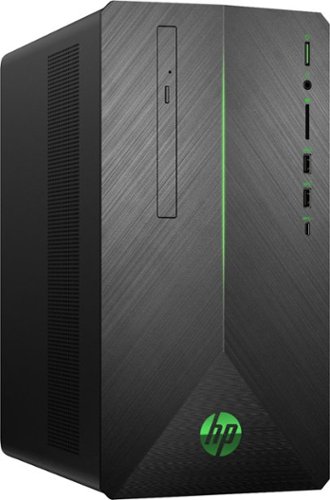
Enjoy totally immersive gameplay with this bold and powerful HP Pavilion gaming desktop. Lag is nonexistent thanks to AMD Radeon RX 580 graphics, while high-speed performance is provided by an AMD Ryzen processor and 8GB of DDR4 RAM. Interior expansion slots allow for upgrades that ensure your HP Pavilion gaming desktop remains up to date.