
Share ryanmcv's profile


ryanmcv
ryanmcv's stats
- Review count34
- Helpfulness votes102
- First reviewOctober 31, 2018
- Last reviewMarch 15, 2025
- Featured reviews0
- Average rating4.8
- Review comment count13
- Helpfulness votes29
- First review commentDecember 11, 2018
- Last review commentNovember 18, 2024
- Featured review comments0
Questions
- Question count0
- Helpfulness votes0
- First questionNone
- Last questionNone
- Featured questions0
- Answer count5
- Helpfulness votes29
- First answerMarch 29, 2023
- Last answerMarch 29, 2023
- Featured answers0
- Best answers3
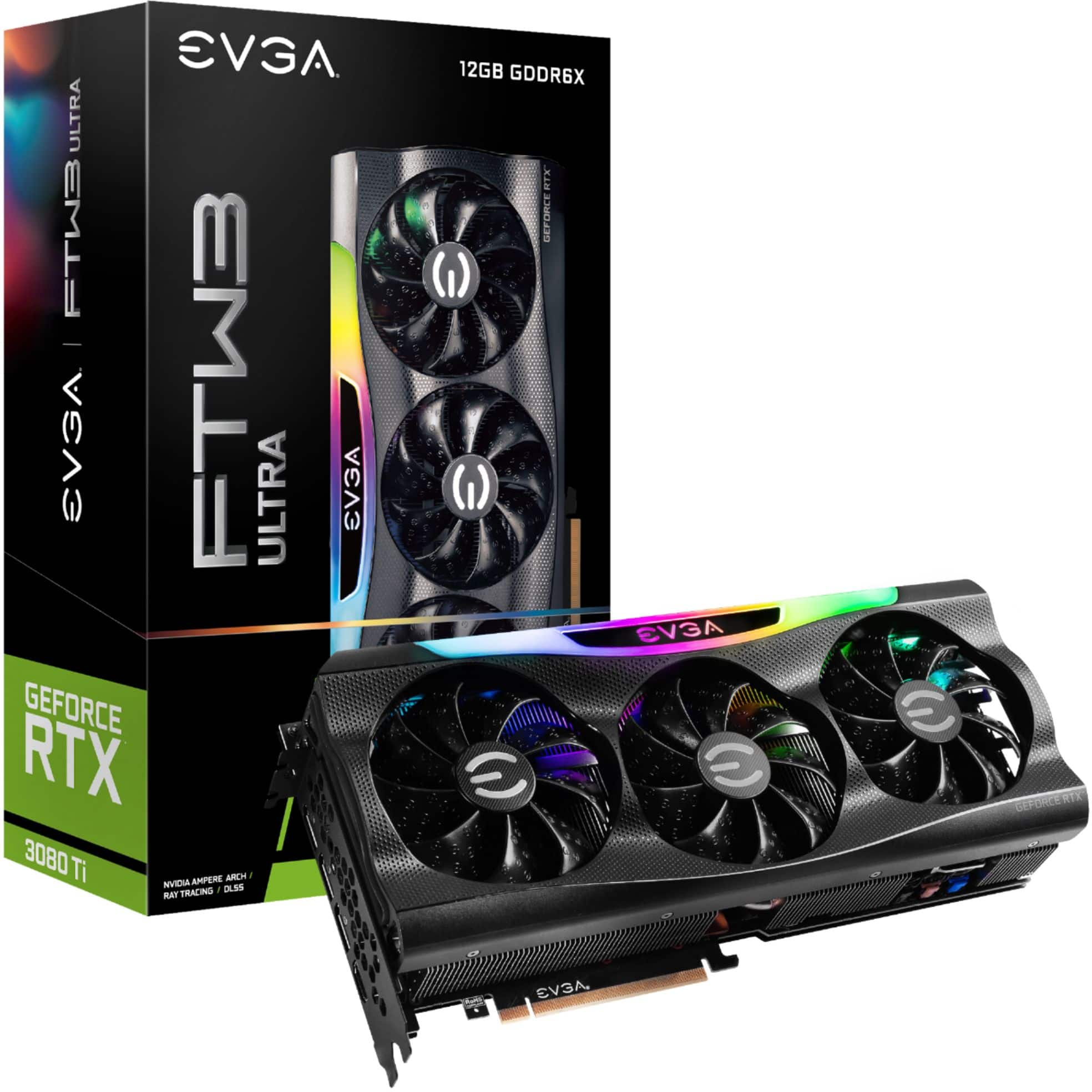
The EVGA GeForce RTX 3080 Ti delivers the unprecedented performance that gamers crave for 4K resolution gaming, powered by the NVIDIA Ampere architecture. It's built with enhanced RT Cores and Tensor Cores, new streaming multiprocessors, and superfast G6X memory for an amazing gaming experience. Combined with the next generation of design, cooling, and overclocking with EVGA Precision X1, the EVGA GeForce RTX 3080 Series presents a new definition in ultimate performance.
Customer Rating

5
The Best 3080 Ti Available
on April 9, 2022
Posted by: ryanmcv
Verified Purchase:Yes
I just finished building my first PC and was surprised to see this available for pickup at my local Best Buy last week. The card fits nicely in my NZXT H510 Elite case, though the power cables just barely touch the glass of the case when it's closed. Regardless, this FTW3 is beautiful and runs quite cool in a compact case like the H510. Temps usually settle around 80 to 82 under heavy loads. The card is beautiful and the LEDs are fully customizable via EVGA's Precision X1 software. Glad to see that GPUs are becoming easier to find at MSRP.
Length of ownership: 3
Mobile Submission: False
I would recommend this to a friend!
Quality

5
Value

4
Ease of Use
5
Share this review:


+3points
3of 3voted this as helpful.

Play at home or on the go with a vibrant OLED screen. Play on your TV at home or pick up and play in handheld mode on a vivid 7-inch OLED screen with the Nintendo Switch ~ OLED Model system. The system also features 64 GB of internal storage, enhanced audio, a wide, adjustable stand, and a dock with a wired LAN port. Enjoy three modes in one system. TV mode: Connect your system to the TV using the included dock to enjoy a traditional gaming experience in HD. Handheld mode: Bring your games on your next travel adventure and enjoy playing on a 7-inch OLED screen that makes colors pop. Tabletop mode: Use the wide, adjustable stand to position the screen and detach the included Joy-Con controllers to enjoy game time even without a TV. Games for the whole family. Nintendo Switch systems are the home of games like Super Mario Bros. Wonder, Mario Kart 8 Deluxe, and others starring Mario and friends. And don~t forget series like Animal Crossing, The Legend of Zelda, Splatoon, Pikmin, and more! Connect and play together. Share the smiles! You can buddy up on one system, play online, or even link your systems together wherever you are for multiplayer favorites like the Super Smash Bros. Ultimate game. Joy-Con controllers included. The two included Joy-Con controllers let you play multiplayer games right out of the box~just pass one to a friend and go. Attach them to the screen for handheld mode or use both as a single controller when you play on the big screen. Plus, built-in motion controls really put you in the game in titles like Super Mario Party.
Customer Rating
5
Worthy Upgrade from Original Switch
on November 14, 2021
Posted by: ryanmcv
Verified Purchase:Yes
I upgraded to this OLED model from my original Nintendo Switch that served me well for the last several years. While there's no noticeable gain in performance, the OLED display is stunning and fits the form factor of the Switch perfectly. The minimal bezels truly help to immerse you in your games. If you play mostly in handheld mode like I do, you should consider upgrading. If you play mostly docked, then there really isn't much here for you. Highly recommended!
Length of ownership: 37
Mobile Submission: False
I would recommend this to a friend!
Quality
5
Value
5
Ease of Use
5
Share this review:


0points
0of 0voted this as helpful.
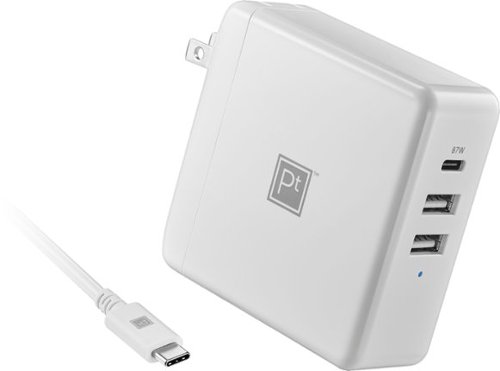
Charge a MacBook, Chromebook or laptop with a USB-C port with the Platinum 95W 8~ USB-C 3-Port Wall Charger with 87W USB-C Power Delivery for MacBook, iPad, iPhone, Chromebook or USB-C Laptops. Equipped with fast-charging Power Delivery, the charger provides 95 total watts, comes with an 8-foot USB-C cable and has two standard USB ports to charge smartphones, tablets and more.
Customer Rating
5
Versatile Charger for Laptops and Tablets
on November 14, 2021
Posted by: ryanmcv
Verified Purchase:Yes
I use this charger for my larger laptops and tablets. The 87W of power via USB-C is enough to charge my laptops at full speed, unlike some smaller chargers that don't provide enough power. This should offer enough power for MacBook Pros and other power-hungry laptops. The USB-A ports are perfect for charging phones and other small devices. The included USB-C cable is of high quality and is 8 feet long. Highly recommended!
Length of ownership: 20
Mobile Submission: False
I would recommend this to a friend!
Quality
5
Value
5
Ease of Use
5
Share this review:


0points
0of 0voted this as helpful.
![Hacksaw Ridge [SteelBook] [Includes Digital Copy] [4K Ultra HD Blu-ray/Blu-ray] [Only @ Best Buy] [2016]](https://pisces.bbystatic.com/prescaled/500/500/image2/BestBuy_US/images/products/304b2327-370a-41e7-956a-951dd4939472.png)
Customer Rating
5
Incredible Steelbook and Movie
on November 14, 2021
Posted by: ryanmcv
Verified Purchase:Yes
Lionsgate continues its steak of amazing 4K steelbooks with this gorgeous release. The slipcover and amazing artwork complement each other perfectly. This is one of my favorite World War II movies in recent memory and this steelbook is a treasured addition to any collection.
Length of ownership: 11
Mobile Submission: False
I would recommend this to a friend!
Share this review:


0points
0of 0voted this as helpful.
Customer Rating
5
Another Great Steelbook
on May 15, 2021
Posted by: ryanmcv
Verified Purchase:Yes
Lionsgate is on a roll with their latest line of 4K steelbooks. Saw is one of my favorite horror films and I was thrilled to see it was getting a 4K and steelbook release by Lionsgate. The video quality is excellent for a 17-year old film. The steelbook itself is beautiful with excellent artwork and a very unique transparent slipcover. I hope Lionsgate continues to release its classic catalogue films in this format!
Length of ownership: 2
Mobile Submission: false
I would recommend this to a friend!
Share this review:


0points
0of 0voted this as helpful.
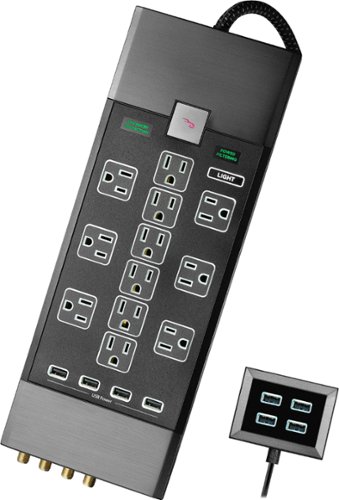
Only at Best Buy Operate your home theater system with this 12-outlet Rocketfish power center. It provides ample surge protection for premium components, and it has four onboard USB ports to charge portable devices. Connect this Rocketfish - Premium 12-Outlet/8-USB Surge Protector Strip to a distant electrical source thanks to its 6-foot cord and two included 1-foot extension cables.
Customer Rating
5
Feature-Rich Surge Protector
on March 4, 2021
Posted by: ryanmcv
Verified Purchase:Yes
This is definitely the most premium-looking, feature-rich surge protector I've ever owned. I love the braided cord and the LED-lit outlets, which look great at night. I'm glad the LEDs can be easily turned off when you need a pitch-dark room.
The joule rating is great, though I wish the clamping voltage rating were a bit lower (it's 500v, which is a bit high for a home theater surge protector). The EMI/RFI noise filter is also a nice touch, but it's certainly not as effective as a dedicated power conditioner.
As a nice bonus, there is a separate 4-port USB hub that can be used anywhere else in your home, and it too has LED lighting that can be turned on or off. I placed it on my desk to charge my tablet, phone, and headphones.
Overall, this is a great value, especially if you can wait for a decent sale.
Length of ownership: 16
Mobile Submission: false
I would recommend this to a friend!
Quality
5
Value
4
Ease of Use
5
Share this review:


0points
0of 0voted this as helpful.
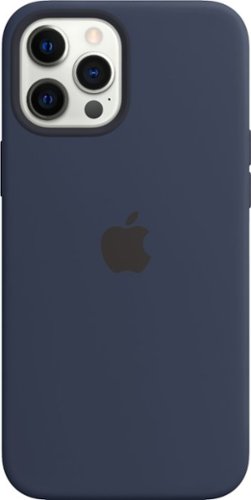
Designed by Apple to complement iPhone 12 Pro Max, the Silicone Case with MagSafe is a delightful way to protect your iPhone.The silky, soft-touch finish of the silicone exterior feels great in your hand. And on the inside, there's a soft microfiber lining for even more protection.With built-in magnets that align perfectly with iPhone 12 Pro Max, the case offers a magical attach and detach experience, every time. The perfectly aligned magnets make wireless charging faster and easier than ever before.And when it's time to charge, just leave the case on your iPhone and snap on your MagSafe charger, or set it on your Qi-certified charger.Like every Apple-designed case, it undergoes thousands of hours of testing throughout the design and manufacturing process. So not only does it look great, it's built to protect your iPhone from scratches and drops.
Customer Rating
5
Fits Like a Glove
on January 11, 2021
Posted by: ryanmcv
Verified Purchase:Yes
I've always been a fan of Apple's silicone iPhone cases. Like previous ones, this silicone case for the 12 Pro Max fits like a glove and doesn't add much bulk or weight to the phone. My only complaint is that dust seems to easily accumulate around the edges of the screen while this case is on, especially with a screen protector installed. Regardless, this provides a good amount of protection while still showing off the sleek design of the 12 Pro Max.
Length of ownership: 22
Mobile Submission: false
I would recommend this to a friend!
Quality
5
Value

3
Ease of Use
5
Share this review:


0points
0of 0voted this as helpful.
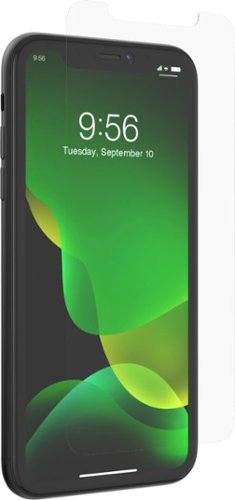
Place a layer of protection on your Apple iPhone 11 or iPhone XR with this InvisibleShield Glass Elite screen protector. The EZ Apply tabs and alignment mat make using the protector effortless, while enhanced touch response doesn't get in the way of your phone's function. Boasting ion-exchange technology, this InvisibleShield Glass Elite screen protector resists scratches and shattering.
Customer Rating
5
Perfect Fit; Easy Installation
on January 11, 2021
Posted by: ryanmcv
Verified Purchase:Yes
Extremely easy installation. A little pricey for what it is, but I like the peace of mind of the lifetime warranty with replacements. I hardly notice the screen protector since it is crystal clear and perfectly aligned. Be sure to register on the ZAGG website so you can request a replacement if the screen protector ever breaks!
Length of ownership: 11
Mobile Submission: false
I would recommend this to a friend!
Quality
5
Value
4
Ease of Use
5
Share this review:


0points
0of 0voted this as helpful.
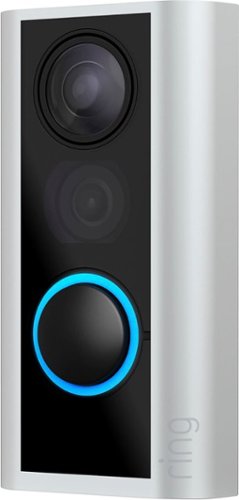
Upgrade your everyday peephole to a motion-detecting, two-way-talking, HD video doorbell. Easy to install and completely non-invasive, Peephole Cam sets up or comes down in minutes~making it perfect for both homes and apartments. See who~s at your door, sense knocks, and get alerts from anywhere, so you can spend less time worrying about home and more time enjoying your every day.
Customer Rating
5
Perfect for Apartments
on August 7, 2020
Posted by: ryanmcv
Verified Purchase:Yes
My apartment's office no longer accepts packages for residents, so delivery drivers simply leave packages at my front door. I needed a way to keep an eye on my packages while I'm away from home, and this is the perfect solution!
- Easy to install - no tools or modifications to your door required.
- Long battery life. After almost 3 weeks, it still shows 70% battery life.
- The yearly subscription for video recording service is among the cheapest I've seen from any camera brand.
- Long battery life. After almost 3 weeks, it still shows 70% battery life.
- The yearly subscription for video recording service is among the cheapest I've seen from any camera brand.
If your apartment is in a busy hallway, you will get a lot of motion alerts, so you will need to fine-tune the app's settings to reduce when and how the camera alerts you of motion. Other than that, I have no complaints. Highly recommended!
Length of ownership: 24
Mobile Submission: false
I would recommend this to a friend!
Quality
5
Value
5
Ease of Use
4
Share this review:


0points
0of 0voted this as helpful.
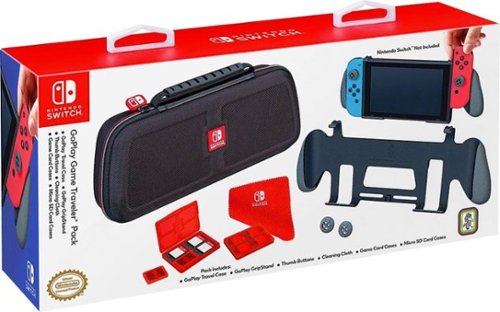
Accessorize your Nintendo Switch system with this RDS GoPlay traveler pack. It has sectioned compartments and padded dividers for safe, organized storage, and the GripStand platform lets you display your console or hold it comfortably. Enhance the feel of your Joy-Con sticks with the two thumb buttons of this RDS GoPlay traveler pack.
Customer Rating

2
Scratches your Switch
on May 22, 2020
Posted by: ryanmcv
Verified Purchase:Yes
The travel case is nice and sturdy, and the grip itself is comfortable to hold. Unfortunately, the plastic clamps at the top of the grip scratch your Switch right above the screen. The scratches will get deeper every time to put on or take off the grip. Very poor and cheap design. If you are concerned with keeping your Switch in good cosmetic condition, then avoid this product.
Length of ownership: 26
Mobile Submission: false
No, I would not recommend this to a friend.
Quality

1
Value

2
Ease of Use
3
Share this review:


+1point
1of 1voted this as helpful.

The Dyson Outsize+ is Dyson's largest intelligent cordless vacuum with laser illumination. It is engineered with the suction power, additional run time, larger format, and tools designed to deep clean your whole home. A laser on the Laser Slim Fluffy cleaner head reveals invisible dust on hard floors. In auto mode, the machine optimizes power and run time based on floor type. Dyson's de-tangling Digital Motorbar XL cleaner head deep cleans carpets and hard floors. The 25% wider cleaner head, 150% larger bin, and twice the run time compared to the Dyson V15 Detect covers more floor with each pass and allows for more cleaning between bin emptying and charges. Its versatile cordless format transforms into a handled vacuum with one click so you can clean up high, down low, and everywhere in-between. Comes with a 2-year warranty and lifetime Dyson support.
Overall5 out of 5
5 out of 5Big Time Clean - No More Upright Needed
By ryanmcv
I own a couple of different Dyson cordless vacuums, including the V7 Fluffy and V15 Detect. One vacuum usually doesn't have enough battery life or dust bin capacity to cover my entire house, so I've placed each one at different areas around the house. This new Outsize+ model finally has the bin capacity, battery life, and features I need to make it my one and only vacuum for the entire 3,000 square foot house. It takes some of the best features of the V15 Detect model and adds extra bin capacity and battery life for those who need to clean large areas.
=== UNBOXING AND OVERVIEW ===
- Like every Dyson cordless model, the Outsize+ is extremely easy to unbox and set up, though be prepared to sift through a lot of cardboard and protective packaging to find everything in the box.
- The Outsize+ features a matte red stainless steel-looking color on the wand. It doesn't show any fingerprints, but the red color certainly stands out amongst my neutral-colored home décor.
- The Outsize+ comes with two cleaner heads (the Laser Slim Fluffy and the Digital Motorbar XL) and five attachments (hair screw tool; soft dusting brush; crevice tool; combination tool; and stubborn dirt brush).
- Two click-in batteries are included, and the battery is very easy to swap out when one runs out of charge. Two wall chargers are also included, so you can charge both batteries at once and make sure you always have a back-up. With both batteries fully charged, Dyson claims you can get up to 2 hours of run time (1 hour per battery).
- This model is missing some of the intelligent features of the V15 Detect, such as the measurements of dust particles and sizes shown on the screen after each use. But I suspect this won't be a deal-breaker for most people.
- Compared to the 0.2 gallon bin on the V15 Detect, the 0.5 gallon bin on the Outsize+ is 150% larger. This is great for vacuuming the entire house, but the Outsize+ is noticeably heavier than any other Dyson cordless vacuum I've used. Definitely something to keep in mind.
- Like every Dyson cordless model, the Outsize+ is extremely easy to unbox and set up, though be prepared to sift through a lot of cardboard and protective packaging to find everything in the box.
- The Outsize+ features a matte red stainless steel-looking color on the wand. It doesn't show any fingerprints, but the red color certainly stands out amongst my neutral-colored home décor.
- The Outsize+ comes with two cleaner heads (the Laser Slim Fluffy and the Digital Motorbar XL) and five attachments (hair screw tool; soft dusting brush; crevice tool; combination tool; and stubborn dirt brush).
- Two click-in batteries are included, and the battery is very easy to swap out when one runs out of charge. Two wall chargers are also included, so you can charge both batteries at once and make sure you always have a back-up. With both batteries fully charged, Dyson claims you can get up to 2 hours of run time (1 hour per battery).
- This model is missing some of the intelligent features of the V15 Detect, such as the measurements of dust particles and sizes shown on the screen after each use. But I suspect this won't be a deal-breaker for most people.
- Compared to the 0.2 gallon bin on the V15 Detect, the 0.5 gallon bin on the Outsize+ is 150% larger. This is great for vacuuming the entire house, but the Outsize+ is noticeably heavier than any other Dyson cordless vacuum I've used. Definitely something to keep in mind.
=== LASER SLIM FLUFFY HEAD PERFORMANCE ===
- The laser Fluffy head is Dyson's best innovation in years. I've used it for over a year on the V15 Detect, and I'm so glad it's included with the Outsize+. My house is almost 90% hard floors, and they have never felt so clean. Gone are the days of wondering if you've actually picked up all of the dust and crumbs on your hard floor. As you can see in the attached photo, there is a green laser on the right side of the Fluffy head that projects at a 90-degree angle.
- The laser works great, though it is a bit dim on the left side of the head. Regardless, I have found dust and crumbs in places on my floor that I never thought were there. The laser reveals even the smallest amount of dust and hair so you can be sure you don't miss anything.
- The laser does not work very well in a bright room. For the best performance, I have to turn off most of my lights and close my blinds. Not a huge deal to me as that is a small price to pay for a clean floor.
- The laser can be turned off via a small switch on the head itself, though it's unclear what impact this has on battery life (probably little or none).
- The laser Fluffy head is Dyson's best innovation in years. I've used it for over a year on the V15 Detect, and I'm so glad it's included with the Outsize+. My house is almost 90% hard floors, and they have never felt so clean. Gone are the days of wondering if you've actually picked up all of the dust and crumbs on your hard floor. As you can see in the attached photo, there is a green laser on the right side of the Fluffy head that projects at a 90-degree angle.
- The laser works great, though it is a bit dim on the left side of the head. Regardless, I have found dust and crumbs in places on my floor that I never thought were there. The laser reveals even the smallest amount of dust and hair so you can be sure you don't miss anything.
- The laser does not work very well in a bright room. For the best performance, I have to turn off most of my lights and close my blinds. Not a huge deal to me as that is a small price to pay for a clean floor.
- The laser can be turned off via a small switch on the head itself, though it's unclear what impact this has on battery life (probably little or none).
=== DIGITAL MOTORBAR XL HEAD ===
- This XL cleaner head is 25% larger than the one included with the V15 Detect and is mainly for use on rugs and carpet, though it can also be used on hard floors. The cleaner head has "hair removal vanes" that prevent hair from wrapping around the bar as you vacuum.
- Once again, it works as advertised. I have vacuumed the carpets in my bedrooms extensively with this cleaner head and have not noticed any hair wrapped around the bristles -- it all makes its way into the bin.
- Like the Fluffy head, the Digital Motorbar XL cleaner head will adjust the vacuum's suction based on floor type and carpet thickness to maximize battery life and cleaning performance. On both cleaner heads, you can choose Eco, Auto, or Boost modes via a button below the LCD screen. Boost mode obviously provides the best performance but there is a big hit to battery life.
- You can also adjust the suction of this cleaner head using the red adjustment slider on the front. Sliding it towards the plus (+) side increases suction for heavily soiled carpets, while the minus (-) side is best for deep pile carpets or if you need to capture larger debris.
- This XL cleaner head is 25% larger than the one included with the V15 Detect and is mainly for use on rugs and carpet, though it can also be used on hard floors. The cleaner head has "hair removal vanes" that prevent hair from wrapping around the bar as you vacuum.
- Once again, it works as advertised. I have vacuumed the carpets in my bedrooms extensively with this cleaner head and have not noticed any hair wrapped around the bristles -- it all makes its way into the bin.
- Like the Fluffy head, the Digital Motorbar XL cleaner head will adjust the vacuum's suction based on floor type and carpet thickness to maximize battery life and cleaning performance. On both cleaner heads, you can choose Eco, Auto, or Boost modes via a button below the LCD screen. Boost mode obviously provides the best performance but there is a big hit to battery life.
- You can also adjust the suction of this cleaner head using the red adjustment slider on the front. Sliding it towards the plus (+) side increases suction for heavily soiled carpets, while the minus (-) side is best for deep pile carpets or if you need to capture larger debris.
=== OTHER FEATURES AND THOUGHTS ===
- Like other Dyson cordless models, the Outsize+ is very easy to clean and maintain. The point-and-shoot design of the canister makes it very easy to empty debris directly into a trash can, though the added weight of the larger bin can make this a bit of a challenge when it's full. The filter keeps dust out of the air and is easy to clean by just running it under a faucet.
- I was pleasantly surprised to see that the Outsize+ fits perfectly in my Floor Dok that was originally designed for the V11 (see photo). To get it to charge in the Dok, I had to add a bit of padding in the charging cradle underneath the plug/barrel to raise it up higher. The charging port on the Outsize+ is a bit more recessed than that of the V11, so you have to make the barrel protrude a bit further up from the Dok. I believe the newest variant of the Floor Dok is fully compatible with the Outsize+ with no adjustments needed.
- I appreciate the variety of smaller tools/attachments that are included, but it is certainly a bit hard/awkward to use those tools given the increased weight of the Outsize+.
- Like other Dyson cordless models, the Outsize+ is very easy to clean and maintain. The point-and-shoot design of the canister makes it very easy to empty debris directly into a trash can, though the added weight of the larger bin can make this a bit of a challenge when it's full. The filter keeps dust out of the air and is easy to clean by just running it under a faucet.
- I was pleasantly surprised to see that the Outsize+ fits perfectly in my Floor Dok that was originally designed for the V11 (see photo). To get it to charge in the Dok, I had to add a bit of padding in the charging cradle underneath the plug/barrel to raise it up higher. The charging port on the Outsize+ is a bit more recessed than that of the V11, so you have to make the barrel protrude a bit further up from the Dok. I believe the newest variant of the Floor Dok is fully compatible with the Outsize+ with no adjustments needed.
- I appreciate the variety of smaller tools/attachments that are included, but it is certainly a bit hard/awkward to use those tools given the increased weight of the Outsize+.
=== OVERALL ===
The Dyson Outsize+ is the new go-to cordless vacuum for those who want to vacuum their larger homes in one go without having to worry about battery life or dust bin size. Forget the old, clunky upright vacuum – this is your new one-stop shop. It has everything you need for hard floors and carpets, with the laser Fluffy head being essential to my cleaning routine. The versatility and expandability of this vacuum is unmatched by any other brand. Highly recommended!
The Dyson Outsize+ is the new go-to cordless vacuum for those who want to vacuum their larger homes in one go without having to worry about battery life or dust bin size. Forget the old, clunky upright vacuum – this is your new one-stop shop. It has everything you need for hard floors and carpets, with the laser Fluffy head being essential to my cleaning routine. The versatility and expandability of this vacuum is unmatched by any other brand. Highly recommended!

ryanmcv
Phoenix, AZ
YES, I would recommend this to a friend!
July 27, 2022
I don't know why it says that I would not recommend this -- I clicked YES! Apologies for the confusion!
0points
0of 0voted this comment as helpful.
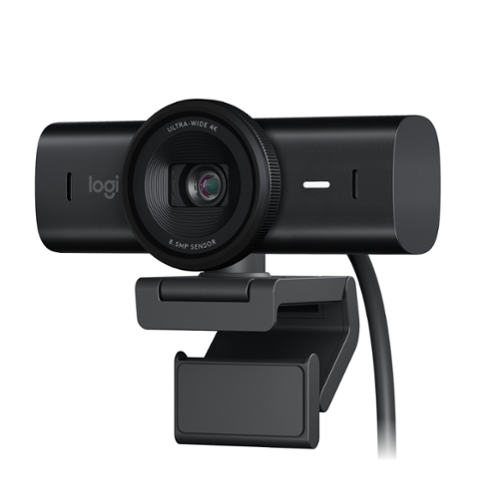
Meet, stream, master with the Logitech MX Brio Ultra HD 4K Webcam for Collaboration and Streaming. Experience sharp, ultra HD 4k resolution video with AI image enhancement, our in-house designed lens, and our most advanced webcam sensor yet with 70% bigger pixels for 2X better face visibility and 2x finer image details in difficult lighting conditions.. Fine controls on this HD webcam let you precisely adjust lighting and white balance with ISO, Shutter Speed, Temperature, Tint, and Vibrance. Dual omnidirectional microphones reduce background sound so you can be heard clearly with noise-reducing technology. Show Mode lets you share your physical work and notes on video calls by tilting the web camera down.
Overall 4 out of 5
4 out of 5Two Steps Forward, One BIG Step Backwards
By ryanmcv
I've been using Logitech's C920 webcam as my "work from home" webcam for the past few years and had been considering an upgrade to the previous 4K Brio webcam since I sit in on quite a few video calls each week. I was about to order the previous 4K Brio camera when I saw that Logitech had launched this new MX Brio model. The MX Brio is a great webcam and is superior in many ways, but it is missing one major feature that I think many people would have valued.
=== PROS ===
- Like any webcam, the MX Brio is incredibly easy to set up. The included cable is USB-C and is about 5 feet long, which is longer than the cables for other webcams that I've used. The cable is detachable from the back of the webcam.
- As expected, the camera works perfectly with Microsoft Teams, Zoom, Cisco Webex, and every other Windows application that I've used. There is an LED to the right of the lens that changes colors to alert you when the camera is on: white means audio and video are on; yellow means only audio is on.
- I'm a big fan of the included privacy shutter, which is very easy to open or close by gently turning the ring surrounding the lens. It's a much more elegant solution than the plastic flip-down covers that come with cheaper webcams.
- The webcam mount is highly adjustable and very sturdy. It includes a suction pad on the back which adheres to the back of your monitor. Once mounted, you can easily adjust the webcam either side-to-side or up and down.
- Since I have some gaming accessories connected to my computer, I manage all of my Logitech devices via the G HUB app. I was happy to see the MX Brio instantly recognized in G HUB when I connected it. You can also manage the MX Brio via the Logi Options+ app. Available adjustments include crop, exposure, white balance, brightness, contrast, saturation, focus, and more.
- Compared to 1080p webcams, the 4K resolution of the MX Brio provides a noticeable uptick in fine details and sharpness. Logitech claims that the MX Brio also uses "AI-enhanced image quality" which results in "2x better face visibility" in difficult lighting conditions. I can't verify the numbers, but I can verify that the image quality is far and away the best I've seen on any webcam, even when I turn off my overhead office lights.
- The microphone is also excellent. Logitech claims that it uses omnidirectional microphones to suppress background noises, and it seems to work very well.
- The MX Brio feels very premium with an all-aluminum body and fingerprint-resistant design.
- Like any webcam, the MX Brio is incredibly easy to set up. The included cable is USB-C and is about 5 feet long, which is longer than the cables for other webcams that I've used. The cable is detachable from the back of the webcam.
- As expected, the camera works perfectly with Microsoft Teams, Zoom, Cisco Webex, and every other Windows application that I've used. There is an LED to the right of the lens that changes colors to alert you when the camera is on: white means audio and video are on; yellow means only audio is on.
- I'm a big fan of the included privacy shutter, which is very easy to open or close by gently turning the ring surrounding the lens. It's a much more elegant solution than the plastic flip-down covers that come with cheaper webcams.
- The webcam mount is highly adjustable and very sturdy. It includes a suction pad on the back which adheres to the back of your monitor. Once mounted, you can easily adjust the webcam either side-to-side or up and down.
- Since I have some gaming accessories connected to my computer, I manage all of my Logitech devices via the G HUB app. I was happy to see the MX Brio instantly recognized in G HUB when I connected it. You can also manage the MX Brio via the Logi Options+ app. Available adjustments include crop, exposure, white balance, brightness, contrast, saturation, focus, and more.
- Compared to 1080p webcams, the 4K resolution of the MX Brio provides a noticeable uptick in fine details and sharpness. Logitech claims that the MX Brio also uses "AI-enhanced image quality" which results in "2x better face visibility" in difficult lighting conditions. I can't verify the numbers, but I can verify that the image quality is far and away the best I've seen on any webcam, even when I turn off my overhead office lights.
- The microphone is also excellent. Logitech claims that it uses omnidirectional microphones to suppress background noises, and it seems to work very well.
- The MX Brio feels very premium with an all-aluminum body and fingerprint-resistant design.
===CONS===
- Here's my biggest gripe: for some inexplicable reason, Logitech decided to remove Windows Hello support from the MX Brio. Even though its previous high-end webcam supported the feature, Logitech does not support it with the MX Brio. This is a major loss and was one of the main reasons I was considering upgrading to the previous 4K Brio camera. When I ordered the MX Brio, I made the mistake of assuming that Windows Hello support would have carried over to this new, updated model. But that is NOT the case. The MX Brio does not include the infrared hardware required for Windows Hello. I'm not sure what Logitech was thinking here, but it certainly makes the webcam much less desirable for Windows users.
- The USB-C cable is very stiff - so much so that it puts a bit of downward pressure on the back of the webcam, causing some unintended movements when swiveling the camera side-to-side or up and down.
- Here's my biggest gripe: for some inexplicable reason, Logitech decided to remove Windows Hello support from the MX Brio. Even though its previous high-end webcam supported the feature, Logitech does not support it with the MX Brio. This is a major loss and was one of the main reasons I was considering upgrading to the previous 4K Brio camera. When I ordered the MX Brio, I made the mistake of assuming that Windows Hello support would have carried over to this new, updated model. But that is NOT the case. The MX Brio does not include the infrared hardware required for Windows Hello. I'm not sure what Logitech was thinking here, but it certainly makes the webcam much less desirable for Windows users.
- The USB-C cable is very stiff - so much so that it puts a bit of downward pressure on the back of the webcam, causing some unintended movements when swiveling the camera side-to-side or up and down.
===OVERALL===
Strictly from a camera quality perspective, the MX Brio excels at almost every level. It is highly customizable via the G HUB or Logi Options+ apps and has a premium design with a very functional privacy shutter. But the lack of Windows Hello support is a major drawback in my book, and enough for me to deduct one star.
Strictly from a camera quality perspective, the MX Brio excels at almost every level. It is highly customizable via the G HUB or Logi Options+ apps and has a premium design with a very functional privacy shutter. But the lack of Windows Hello support is a major drawback in my book, and enough for me to deduct one star.
ryanmcv
Phoenix, AZ
November 17, 2024
No - it does NOT support Windows Hello. Any comment from Logitech indicating otherwise is incorrect. If you want Windows Hello support, you need to purchase the non-MX version of the Brio 4K webcam.
0points
0of 0voted this comment as helpful.

Experience the height of gaming innovation with the ROG Zephyrus G16. Featuring an all-new premium aluminum chassis with customizable lighting, this laptop merges style and durability. Its ultra-slim 0.59~ profile and lightweight 4.30lbs 16~ chassis redefines portability without compromising performance. Powered by Windows 11, an Intel Core Ultra 9 185H processor, and an NVIDIA GeForce RTX 4090 GPU, the Zephyrus G16 seamlessly aligns with your lifestyle, meeting all your gaming and creative demands. ROG Intelligent Cooling features liquid metal for reduced CPU temperatures and upgraded Arc Flow Fans for improved airflow to sustain peak performance on the Zephyrus G16 no matter the task. Immerse yourself in the OLED ROG Nebula Display and enjoy rapid 0.2ms response times, vivid 2K resolution, and a smooth 240Hz refresh rate.
Overall4 out of 5
4 out of 5Beautiful Gaming/Creator Laptop but Big Tradeoffs
By ryanmcv
I've been looking forward to the new Zephyrus G16 since it was announced at CES earlier this year. At first glance, it appears to be the equivalent of a MacBook Pro in the form of a Windows laptop. I also own a 16" MacBook Pro (M1 Pro model), so for the past week, I've been able to use them both side-by-side and see the good and bad of both machines. Bottom line: the Zephyrus G16 is a beautiful and powerful machine that will satisfy both creators and gamers, but it comes with some very notable tradeoffs including heat, fan noise, performance, and some areas of questionable build quality.
=== DESIGN & BUILD QUALITY (4 Stars) ===
- This G16 model is the "Eclipse Gray" color which I personally prefer over the other "Platinum White" color. The color is a bit darker than a Space Gray MacBook Pro. It does attract a few fingerprints, but they wipe away very easily.
- Unlike every other ROG laptop I've used, this body of this new G16 is almost entirely aluminum, which gives it a very premium feeling. There is hardly any plastic to be found outside of the keyboard. Notably, the edge of the laptop near the trackpad is rounded, so there are no sharp edges that will cut into wrists while typing.
- The laptop measures 13.9" wide by 9.7" deep, and just over a half inch thick. This model weighs about 4.3 pounds. If you've ever held or used a modern 16" MacBook Pro, you will know what to expect -- the dimensions of the G16 are almost identical.
- There are a decent number of ports available. On the left, there's the new "ASUS Slim" power port, an HDMI 2.1 port, a Thunderbolt 4 Type-C port, a USB-A 3.2 port, and 3.5mm jack. On the right, there's a full size UHS II SD card reader, another USB-A 3.2 port, and a USB-C 3.2 port. There is no Ethernet port on this laptop.
- For its 2024 models, ASUS introduced its new, proprietary "ASUS Slim" power port. I like that the plug is reversible similar to USB-C, but I was hoping that ASUS would also be able to reduce the size of the actual power brick. Unfortunately, that isn't the case. The included 240W power brick is still pretty bulky, and you'll need to find room for it in your bag if you want to get the most power out of this laptop while traveling. You can also power and charge the laptop via USB-C, but the laptop can only draw up to 100W of power via USB-C, which will limit performance.
- The new “Slash Lighting” array on the cover is neat, but I’m indifferent towards it. You can select tons of different flashing patterns, but when you’re using the laptop, you can’t actually see the lights. But if you’re a fan of minimalist decorative lighting, you’ll like the new Slash light.
- There are a couple of things about the G16's build quality that concern me. First, the hinge of the display does not feel very tight. As such, the display is a bit wobbly when it is touched. If you pick up the laptop while it is open, there is a very good chance that the display will fall further backwards due to the looseness of the hinge. Secondly, there are significant "creaking" and "popping" noises that come from the machine's bottom cover whenever there is any amount of pressure applied to the bottom of the laptop. In day-to-day use, the issue is most noticeable when using the laptop on my lap or picking it up to move it. The simple movements of my lap or changes in pressure to the bottom cover when moving the laptop are enough to cause very audible creaking/popping/flexing noises. I've tried tightening the screws on the bottom cover and I've made sure that the bottom cover is properly seated. But the noises persist, and it can definitely be annoying. I attempted to contact ASUS about these build quality issues before I posted this review, but I did not receive a response.
- This G16 model is the "Eclipse Gray" color which I personally prefer over the other "Platinum White" color. The color is a bit darker than a Space Gray MacBook Pro. It does attract a few fingerprints, but they wipe away very easily.
- Unlike every other ROG laptop I've used, this body of this new G16 is almost entirely aluminum, which gives it a very premium feeling. There is hardly any plastic to be found outside of the keyboard. Notably, the edge of the laptop near the trackpad is rounded, so there are no sharp edges that will cut into wrists while typing.
- The laptop measures 13.9" wide by 9.7" deep, and just over a half inch thick. This model weighs about 4.3 pounds. If you've ever held or used a modern 16" MacBook Pro, you will know what to expect -- the dimensions of the G16 are almost identical.
- There are a decent number of ports available. On the left, there's the new "ASUS Slim" power port, an HDMI 2.1 port, a Thunderbolt 4 Type-C port, a USB-A 3.2 port, and 3.5mm jack. On the right, there's a full size UHS II SD card reader, another USB-A 3.2 port, and a USB-C 3.2 port. There is no Ethernet port on this laptop.
- For its 2024 models, ASUS introduced its new, proprietary "ASUS Slim" power port. I like that the plug is reversible similar to USB-C, but I was hoping that ASUS would also be able to reduce the size of the actual power brick. Unfortunately, that isn't the case. The included 240W power brick is still pretty bulky, and you'll need to find room for it in your bag if you want to get the most power out of this laptop while traveling. You can also power and charge the laptop via USB-C, but the laptop can only draw up to 100W of power via USB-C, which will limit performance.
- The new “Slash Lighting” array on the cover is neat, but I’m indifferent towards it. You can select tons of different flashing patterns, but when you’re using the laptop, you can’t actually see the lights. But if you’re a fan of minimalist decorative lighting, you’ll like the new Slash light.
- There are a couple of things about the G16's build quality that concern me. First, the hinge of the display does not feel very tight. As such, the display is a bit wobbly when it is touched. If you pick up the laptop while it is open, there is a very good chance that the display will fall further backwards due to the looseness of the hinge. Secondly, there are significant "creaking" and "popping" noises that come from the machine's bottom cover whenever there is any amount of pressure applied to the bottom of the laptop. In day-to-day use, the issue is most noticeable when using the laptop on my lap or picking it up to move it. The simple movements of my lap or changes in pressure to the bottom cover when moving the laptop are enough to cause very audible creaking/popping/flexing noises. I've tried tightening the screws on the bottom cover and I've made sure that the bottom cover is properly seated. But the noises persist, and it can definitely be annoying. I attempted to contact ASUS about these build quality issues before I posted this review, but I did not receive a response.
=== DISPLAY, KEYBOARD, TRACKPAD, & AUDIO (5 Stars) ===
- The star of this laptop is unquestionably the beautiful 16:10 2560x1600 OLED display. I thought the 16” MacBook Pro had reached the pinnacle of laptop displays, but I was wrong. The OLED panel in the G16 is a sight to behold with perfect black levels and rich, deep colors. Viewing angles are perfect from every direction. While only rated for 500 nits, the display gets eye-searingly bright. The 240Hz refresh rate and G-SYNC support mean that games look incredibly smooth with no tearing or choppiness. Creators and gamers alike will love this OLED panel, I’m sure.
- The keyboard seems similar to past ROG Zephyrus laptops that I’ve used. Keys have 1.7mm of travel and the key caps are very large and nicely spaced. The keyboard is RGB-lit, though the entire keyboard can only display one color at a time (there are not multiple RGB zones to control).
- The trackpad is among the best I’ve ever used on a Windows laptop. It is very large and made of smooth glass. It appears to be a 16:10 aspect ratio to match the laptop’s display. Gestures work perfectly. My only complaint is that the trackpad is not haptic like the one on a MacBook Pro. Rather, the G16 trackpad is a traditional “diving board” mechanism that is easily pressed at the bottom but can’t be pressed at the top. It would be nice if the entire surface was clickable like a MacBook.
- Likewise, the speakers are probably the best I’ve used in any Windows laptop. They are just a small step below the quality of the 16” MacBook Pro speakers. Bass is rich and deep and there is practically no distortion at higher volumes.
- The star of this laptop is unquestionably the beautiful 16:10 2560x1600 OLED display. I thought the 16” MacBook Pro had reached the pinnacle of laptop displays, but I was wrong. The OLED panel in the G16 is a sight to behold with perfect black levels and rich, deep colors. Viewing angles are perfect from every direction. While only rated for 500 nits, the display gets eye-searingly bright. The 240Hz refresh rate and G-SYNC support mean that games look incredibly smooth with no tearing or choppiness. Creators and gamers alike will love this OLED panel, I’m sure.
- The keyboard seems similar to past ROG Zephyrus laptops that I’ve used. Keys have 1.7mm of travel and the key caps are very large and nicely spaced. The keyboard is RGB-lit, though the entire keyboard can only display one color at a time (there are not multiple RGB zones to control).
- The trackpad is among the best I’ve ever used on a Windows laptop. It is very large and made of smooth glass. It appears to be a 16:10 aspect ratio to match the laptop’s display. Gestures work perfectly. My only complaint is that the trackpad is not haptic like the one on a MacBook Pro. Rather, the G16 trackpad is a traditional “diving board” mechanism that is easily pressed at the bottom but can’t be pressed at the top. It would be nice if the entire surface was clickable like a MacBook.
- Likewise, the speakers are probably the best I’ve used in any Windows laptop. They are just a small step below the quality of the 16” MacBook Pro speakers. Bass is rich and deep and there is practically no distortion at higher volumes.
=== PERFORMANCE, COOLING, & UPGRADES (4 Stars) ===
- The Intel Core Ultra 9 processor is powerful, but it’s a significant step down from the Core i9 processors offered in other ROG laptops. Intel’s Ultra processors are designed for thin and light laptops to minimize heat and maximize battery life. As such, there are some performance compromises. In TimeSpy, the highest CPU score I was able to achieve was 11,939, which is about 15% lower than a Core i9-13900H.
- The following benchmarks were conducted with the “Turbo” setting selected in ASUS Armoury Crate: Time Spy benchmark: 16,424 (graphics score 17,874). The Last of Us Part1 (High preset, DLSS set to Quality): 70 fps average. God of War (Ultra preset; DLSS Quality): 87 fps average. Cyberpunk 2077 (Ray Tracing ultra, DLSS Quality & frame gen): 90 fps average. Dead Space (Ultra preset, DLSS Quality): 88 fps average. So yes, you run practically any game at high or ultra settings.
- Compared to other laptops with the same specs, these benchmarks are a bit lower. This is mainly due to the lower-powered RTX 4090 in the G16, which can only draw a maximum of 115W. Other, thicker laptops with a 4080 or 4090 can draw more power and deliver better performance. I didn’t get a chance to test a 4080 model of the G16, but I have to imagine the performance difference between the 4080 and 4090 in these G16 models is minimal.
- When under full load, this is probably the hottest laptop I’ve ever used. If you touch the bottom of the laptop or the area right above the keyboard while gaming, you might regret it. No joke: it’s like touching a hot stove top. I saw the CPU get as hot as 93 degrees Celsius, while the GPU seems to top out at a more reasonable 80 degrees. But the thin form factor and aluminum design of the G16 make for a VERY hot laptop.
- Similarly, if you get annoyed by fan noise, this is NOT the laptop for you. The fans aren’t very noticeable when doing simple tasks such as web browsing or light photo editing. But once you set the laptop to “Turbo” mode and start gaming or doing more intense creative tasks, you’d better grab a pair of headphones: the fans get as loud as 49 to 50 dB, and the fan noise is relatively high-pitched. I am still playing around with the fan curves in the Armoury Crate “manual” mode to find a good balance of performance and fan noise.
- Battery life is decent for such a thin and powerful machine, but it’s going to be LARGELY dependent on how you use this laptop. I was able to get about 6 hours of use with standard web browsing and day-to-day tasks (screen at half brightness). I decided to really test the battery’s limits by playing The Last of Us on Performance mode – and the battery was dead within 1 hour. So if you want to game while traveling, don’t forget the power adapter.
- The included 2 TB SSD offers tons of space and is very fast, with read speeds upwards of 7,000 MB/s and write speeds of 6,500 MB/s. There is one extra M.2 slot if you want to add more storage.
- 32GB of DDR5 RAM are soldered onto the board. As such, you can’t add or upgrade the RAM, so I’m glad ASUS decided to include 32GB rather than 16GB. The RAM clock speed is 7500 MHz.
- The Intel Core Ultra 9 processor is powerful, but it’s a significant step down from the Core i9 processors offered in other ROG laptops. Intel’s Ultra processors are designed for thin and light laptops to minimize heat and maximize battery life. As such, there are some performance compromises. In TimeSpy, the highest CPU score I was able to achieve was 11,939, which is about 15% lower than a Core i9-13900H.
- The following benchmarks were conducted with the “Turbo” setting selected in ASUS Armoury Crate: Time Spy benchmark: 16,424 (graphics score 17,874). The Last of Us Part1 (High preset, DLSS set to Quality): 70 fps average. God of War (Ultra preset; DLSS Quality): 87 fps average. Cyberpunk 2077 (Ray Tracing ultra, DLSS Quality & frame gen): 90 fps average. Dead Space (Ultra preset, DLSS Quality): 88 fps average. So yes, you run practically any game at high or ultra settings.
- Compared to other laptops with the same specs, these benchmarks are a bit lower. This is mainly due to the lower-powered RTX 4090 in the G16, which can only draw a maximum of 115W. Other, thicker laptops with a 4080 or 4090 can draw more power and deliver better performance. I didn’t get a chance to test a 4080 model of the G16, but I have to imagine the performance difference between the 4080 and 4090 in these G16 models is minimal.
- When under full load, this is probably the hottest laptop I’ve ever used. If you touch the bottom of the laptop or the area right above the keyboard while gaming, you might regret it. No joke: it’s like touching a hot stove top. I saw the CPU get as hot as 93 degrees Celsius, while the GPU seems to top out at a more reasonable 80 degrees. But the thin form factor and aluminum design of the G16 make for a VERY hot laptop.
- Similarly, if you get annoyed by fan noise, this is NOT the laptop for you. The fans aren’t very noticeable when doing simple tasks such as web browsing or light photo editing. But once you set the laptop to “Turbo” mode and start gaming or doing more intense creative tasks, you’d better grab a pair of headphones: the fans get as loud as 49 to 50 dB, and the fan noise is relatively high-pitched. I am still playing around with the fan curves in the Armoury Crate “manual” mode to find a good balance of performance and fan noise.
- Battery life is decent for such a thin and powerful machine, but it’s going to be LARGELY dependent on how you use this laptop. I was able to get about 6 hours of use with standard web browsing and day-to-day tasks (screen at half brightness). I decided to really test the battery’s limits by playing The Last of Us on Performance mode – and the battery was dead within 1 hour. So if you want to game while traveling, don’t forget the power adapter.
- The included 2 TB SSD offers tons of space and is very fast, with read speeds upwards of 7,000 MB/s and write speeds of 6,500 MB/s. There is one extra M.2 slot if you want to add more storage.
- 32GB of DDR5 RAM are soldered onto the board. As such, you can’t add or upgrade the RAM, so I’m glad ASUS decided to include 32GB rather than 16GB. The RAM clock speed is 7500 MHz.
=== SOFTWARE AND OTHER THOUGHTS ===
- There is a decent 1080p webcam (Windows Hello-capable) on the bezel above the screen. It’s not the best quality but gets the job done. This is a big improvement compared to the unreliable fingerprint readers in older ASUS models.
- The included Wi-Fi card is capable of Wi-Fi 6E. I was hoping ASUS would include a Wi-Fi 7 card as that technology is is rolling out very rapidly.
- The ASUS Armoury Crate and MyASUS apps are essential for tweaking the performance and cooling of this laptop and performing updates, but they just seem bloated and confusing, with basic options hidden behind layers of menus.
- There is a decent 1080p webcam (Windows Hello-capable) on the bezel above the screen. It’s not the best quality but gets the job done. This is a big improvement compared to the unreliable fingerprint readers in older ASUS models.
- The included Wi-Fi card is capable of Wi-Fi 6E. I was hoping ASUS would include a Wi-Fi 7 card as that technology is is rolling out very rapidly.
- The ASUS Armoury Crate and MyASUS apps are essential for tweaking the performance and cooling of this laptop and performing updates, but they just seem bloated and confusing, with basic options hidden behind layers of menus.
=== OVERALL ===
The Zephyrus G16 aims to please both creators and gamers with its sleek design, stunning OLED display, and powerful performance. However, it also has some major drawbacks, such as excessive heat, loud fan noise, and lower performance compared to other laptops with similar specs. Additionally, some aspects of the build quality, such as excessive heat, loud fan noise, and lower performance compared to other laptops with similar specs. Additionally, some aspects of the build quality, such as the loose hinge and the creaky bottom cover, may annoy some users and detract from the premium feeling of the laptop. Overall, the Zephyrus G16 is a beautiful and capable machine, but it comes with some tradeoffs that may not be worth it for everyone.
The Zephyrus G16 aims to please both creators and gamers with its sleek design, stunning OLED display, and powerful performance. However, it also has some major drawbacks, such as excessive heat, loud fan noise, and lower performance compared to other laptops with similar specs. Additionally, some aspects of the build quality, such as excessive heat, loud fan noise, and lower performance compared to other laptops with similar specs. Additionally, some aspects of the build quality, such as the loose hinge and the creaky bottom cover, may annoy some users and detract from the premium feeling of the laptop. Overall, the Zephyrus G16 is a beautiful and capable machine, but it comes with some tradeoffs that may not be worth it for everyone.
ryanmcv
Phoenix, AZ
November 18, 2024
The fact remains that the default power draw of the GPU is 115W. ASUS even advertises it as such in all of its documentation. Overpowering it will just create more heat, which is the last thing this laptop needs. At these power levels, there is very little difference between the 4080 and 4090, and I’m not sure it’s worth the price difference for most people.
+2points
2of 2voted this comment as helpful.
ryanmcv's Questions
ryanmcv has not submitted any questions.
ryanmcv's Answers

Switch OLED Console - The Legend of Zelda: Tears of the Kingdom Edition - Nintendo Switch OLED Model
The Nintendo Switch ~ OLED Model - The Legend of Zelda: Tears of the Kingdom Edition system features a design inspired by the Legend of Zelda: Tears of the Kingdom game, including the familiar Hylian Crest from the Legend of Zelda series on the front of the dock (game not included).
Switch OLED Console - The Legend of Zelda: Tears of the Kingdom Edition - Nintendo Switch OLED Model
The Nintendo Switch ~ OLED Model - The Legend of Zelda: Tears of the Kingdom Edition system features a design inspired by the Legend of Zelda: Tears of the Kingdom game, including the familiar Hylian Crest from the Legend of Zelda series on the front of the dock (game not included).
Does this include a copy of Tears of the Kingdom game for Nintendo switch? Or is the game sold separately?
Switch OLED Console - The Legend of Zelda: Tears of the Kingdom Edition - Nintendo Switch OLED Model
The Nintendo Switch ~ OLED Model - The Legend of Zelda: Tears of the Kingdom Edition system features a design inspired by the Legend of Zelda: Tears of the Kingdom game, including the familiar Hylian Crest from the Legend of Zelda series on the front of the dock (game not included).
I am going to assume this does not come with the game? as it says its released before game release. will these only be available for preorder?
Switch OLED Console - The Legend of Zelda: Tears of the Kingdom Edition - Nintendo Switch OLED Model
The Nintendo Switch ~ OLED Model - The Legend of Zelda: Tears of the Kingdom Edition system features a design inspired by the Legend of Zelda: Tears of the Kingdom game, including the familiar Hylian Crest from the Legend of Zelda series on the front of the dock (game not included).
Switch OLED Console - The Legend of Zelda: Tears of the Kingdom Edition - Nintendo Switch OLED Model
The Nintendo Switch ~ OLED Model - The Legend of Zelda: Tears of the Kingdom Edition system features a design inspired by the Legend of Zelda: Tears of the Kingdom game, including the familiar Hylian Crest from the Legend of Zelda series on the front of the dock (game not included).
It says it comes with the game but the game will be released on 5/12 but this console already on 4/28. How does that goes together? Thank you
The game is NOT included. It says so on the front of the box.
3 years, 2 months ago
by
ryanmcv